

Page 1
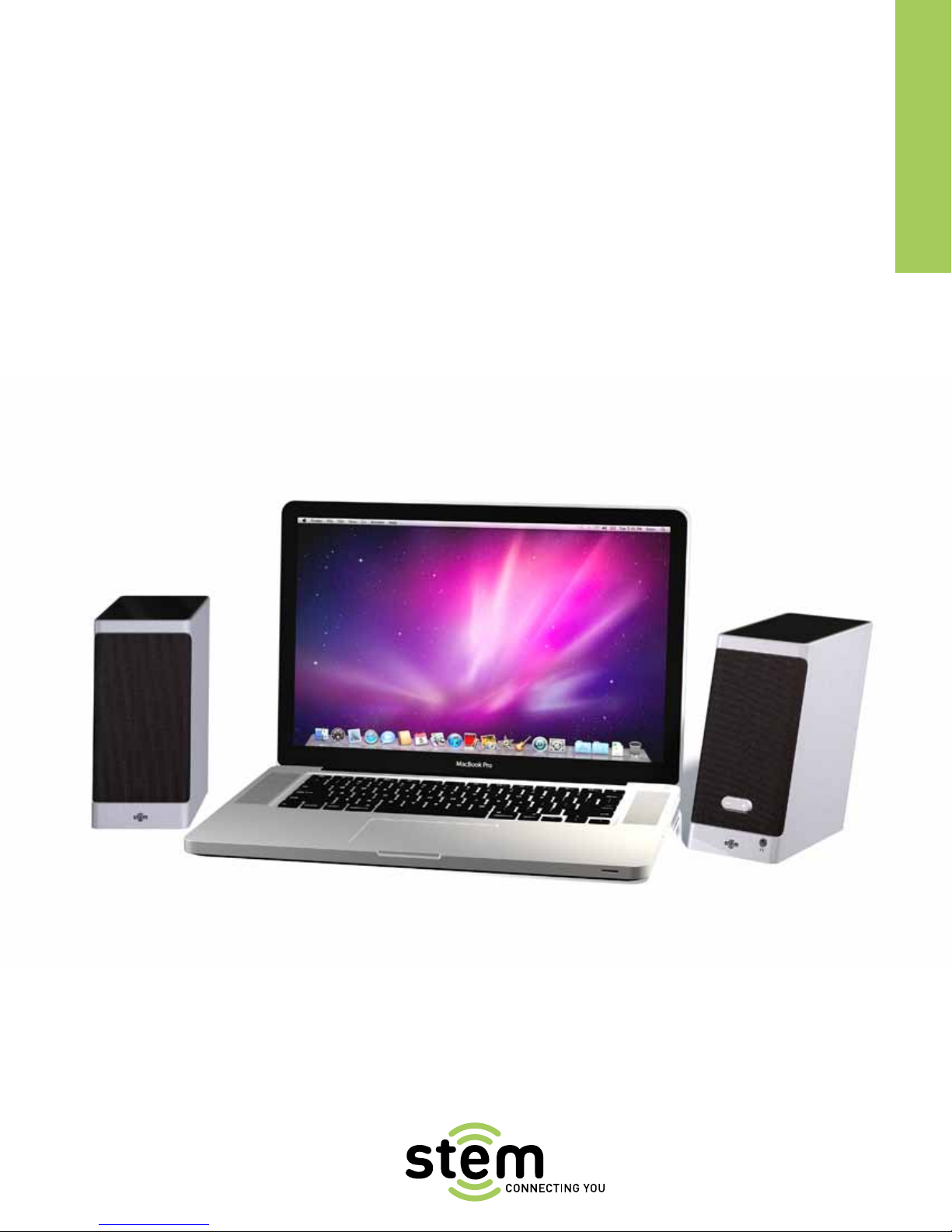
Tandem
USB Digital Desktop Speakers
User GUIDe
Page 2
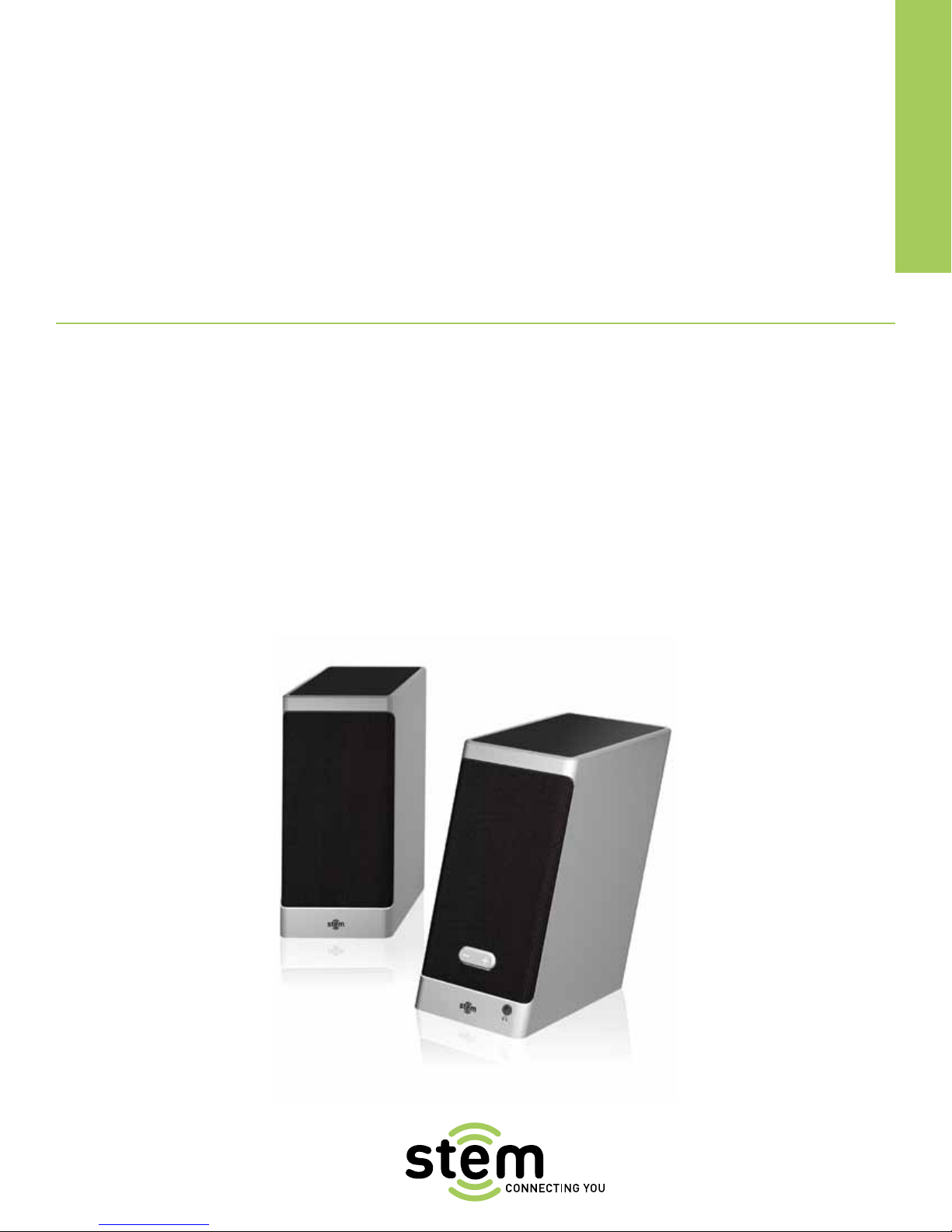
Tandem
USB Digital Desktop Speakers
TABLE OF CONTENTS
Safety Information 3
Warranty Information 4
Tandem Manual 5
User GUIDe
Page 3

SAFETY
STEM CUSTOMER CARE AND PRODUCT SAFETY
INFORMATION
IMPORTANT
Please read all safety instructions before proceeding. The answers
to most set up and performance questions can be found in the user
manual. If you have any further questions about the operation or
use of this product please contact our consumer care team for
assistance before returning it to the place of purchase.
PRODUCT SAFETY
When used in the directed manner, this unit has been designed
and manufactured to ensure your personal safety. However,
improper use can result in potential electrical shock or fire
hazards. Please read all safety and operating instructions carefully
before installation and use, and retain these instructions for future
reference.
The lightning flash with arrowhead, within an equilateral triangle,
is intended to alert the user to the presence of uninsulated
“dangerous voltage” within the product’s enclosure that may be
of sufficient magnitude to constitute a risk of electric shock to
persons. CAUTION: To prevent the risk of electric shock, do not
remove cover or disassemble. No user-serviceable parts inside.
Refer servicing to qualified service personnel. The exclamation
point within an equilateral triangle is intended to alert the user to
the presence of important operating and maintenance (servicing)
instructions in the literature associate with the appliance.
CAUTION: To prevent electric shock do not use polarized plugs with
an extension cord, receptacle or other outlet unless the blades can
be fully inserted to prevent blade exposure. WARNING: To reduce
the risk of fire or electric shock, do not expose this appliance to rain
or moisture.
IMPORTANT SAFETY INSTRUCTIONS
1 Read and retain these instructions.
2 Heed all warnings and follow all instructions.
3 Do not use this apparatus near water — This apparatus shall
not be exposed to dripping or splashing, and no objects filled
with liquids, such as vases, shall be placed on the apparatus.
4 Clean only with dry cloth.
5 Do not block any ventilation openings. Install in accordance
with the instructions. The apparatus should not be situated on a
bed, sofa, rug or similar surface that may block the ventilation
openings.
6 Do not install near any heat sources such as radiators, heat
registers, stoves, or other apparatus (including amplifiers) that
produce heat.
7 No naked flame sources, such as lighted candles, should be
placed on the apparatus.
8 Protect the power cord from being walked on or pinched—
particularly at plugs, convenience receptacles, and the point
where they exit from the apparatus.
9 Do not install in an area that impedes the access to the
power plug. Disconnecting the power plug is the only way to
completely remove power to the product and must be readily
accessible at all times.
10 Power source — use only the power supply that is included with
this unit. Do not substitute with any other power supply.
11 Unplug this apparatus during lightning storms or when unused
for long periods of time.
12 Refer all servicing to qualified service personnel. Servicing is
required when the apparatus has been damaged in any way,
such as power-supply cord or plug is damaged, liquid has been
spilled or objects have fallen into the apparatus, the apparatus
has been exposed to rain or moisture, does not operate
normally, or has been dropped. For service, refer to qualified
service personnel, return to the dealer, or contact Stem
Innovation customer care for assistance.
CUSTOMER SERVICE
Email: [email protected]
Telephone: 1-800-704-7186 ext. 1
(Toll free within the United States)
Hours of operation: Monday through Friday, 9am–5pm EST
THIS PUBLICATION IS ALSO AVAILABLE ON OUR WEBSITE AT:
WWW.STEMINNOVATION.COM
3
Page 4

WARRANTY INFORMATION
WHAT DOES THE STEM WARRANTY COVER?
Stem warrants that its products shall be free from defects in
materials or workmanship, with the exceptions stated below.
WHAT IS THE PERIOD OF COVERAGE?
90 days from the date of original purchase.
WHAT DOES THE WARRANTY NOT COVER?
This warranty does not cover software that may be used with the
product. Stem shall not be liable for any data loss or incidental or
consequential damages related to this product. Some jurisdictions
do not allow limitations on how long an implied warranty lasts, or
the exclusion or limitation of incidental or consequential damages,
so the above limitations or exclusions may not apply to you. This
warranty provides you with specific legal rights; you may have
other rights, which may vary from one state, province or country
to another. This warranty does not cover any defect, malfunction
or failure that occurs as a result of: misuse or failure to follow the
product directions; abuse; or use with improper, unintended or
faulty equipment. Further, opening sealed components, modifying
or tampering with the product, adding or removing components not
intended for use with this will immediately render this warranty null
and void.
WHAT WILL STEM DO TO CORRECT THE PROBLEM?
Stem will, at its option, repair or replace any product that proves
to be defective in material or workmanship. If your product is no
longer being manufactured, or is out of stock, at its option, Stem
may replace your product with a similar Stem product.
HOW TO OBTAIN WARRANTY SERVICE?
To get a covered product repaired or replaced, you must contact
Stem during the warranty period by either calling
(800) 704-7186 ext. 1 if you are in the U.S., or by e-mail
(support@StemInnovation.com). If you email Stem, you must
include your name, address, email address, telephone number,
date of purchase and a complete description of the problem
you are experiencing. If the problem appears to be related to
a defect in material or workmanship, Stem will provide you a
return authorization and instructions for return shipment. Return
shipments shall be at the customer’s expense, and the return must
be accompanied by the original proof of purchase and in the original
packaging. You should insure the shipment as appropriate because
you are responsible for the product until it arrives at Stem.
The above limited warranties and remedies do not extend to thirdparty products used with the product.
If you are experiencing difficulty with your Tandem speakers
and this User Guide does not immediately help to resolve
your issue, please do not return your purchase to the store.
Give us a call at (1-800-704-7186 ext. 1) or email
support@steminnovation.com and let us try to help you
to resolve the problem.
4
Page 5
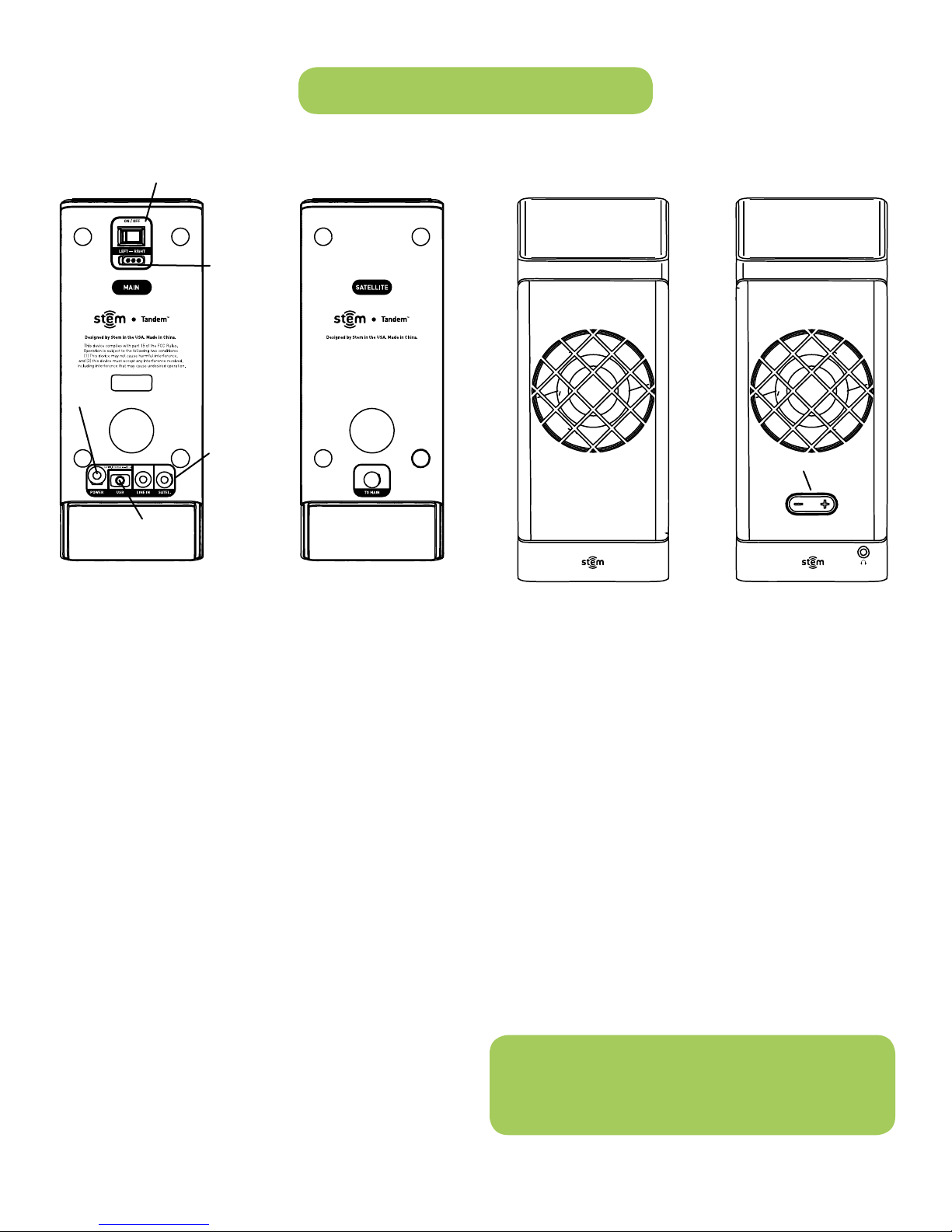
1. POWER Port
3. Mini-USB Port
TANDEM MANUAL
4. ON/OFF Button
6. LEFT/RIGHT
switch
2. SPEAKER Port
5. + or - Button
PACKAGE CONTENTS:
n (2) Tandem speakers
n AC Power Adapter
(120/240v)
n USB Cable
n Product Safety and
Warranty Pamphlet
n Quick Start Guide
UNPACKING AND INITIAL SETUP
1 Remove Tandem from the box. Keep original packaging for
90 days and then dispose of properly. (Please Recycle)
2 Place Tandem on a level surface.
3 Read the enclosed Product Safety and Warranty Pamphlet.
4 Remove AC adapter from the packaging.
5 Connect the AC adapter cable to the “POWER” port (1) on
the back of the main unit of Tandem, then plug the AC adapter
into a wall outlet. Be sure to follow the precautions listed in
the enclosed Product Safety and Warranty Pamphlet.
6 Connect the tethered cable from the satellite speaker to
the “SPKR” port (2) on the main speaker unit.
7 Connect the mini-USB end of the included USB cable to
the mini-USB port of your desktop or notebook computer.
8 Main until may be placed on either the left or right as desired.
Simply position the main unit and the satellite speaker and
use the “LEFT/RIGHT” switch (6) to designate the appropriate
location for the main unit.
LISTENING TO AUDIO
1 Switch the “ON/OFF” button (4) on the main speaker unit to the
“ON” position.
2 On your Mac desktop or notebook, click on the Apple menu in
the top left corner of your display.
3 Choose “System Preferences”. From the window that opens,
select “Sound”.
4 Click on the “Output” tab and select “Stem Tandem – USB”
as your audio output. You should only have to select Tandem
as your audio output the first time you use your new speakers.
After this, your computer should automatically recognize
Tandem as your desired audio output when connected.
5 When playing an audio source from your computer, press the
“+” or “-“ button (5) on the main speaker unit to adjust volume.
CUSTOMER SERVICE
Email: [email protected]
Telephone: 1-800-704-7186 ext. 1
(Toll free within the United States)
Hours of operation: Monday through Friday, 9am–5pm EST
5
Page 6

User GUIDe
Tandem
USB Digital Desktop Speakers
Designed by Stem in the USA • Made in China.
© 2010 Stem Innovation, LLC. Tandem, Stem:Sonic iQ, Stem,
Connecting You and the Stem logo are trademarks of Stem
Innovation, LLC. Apple is not responsible for the operation of this
device or its compliance with safety and regulatory standards.
Apple is a trademark of Apple Inc., registered in the U.S. and
other countries. Visit www.StemInnovation.com for complete
warranty information. Stem shall not be liable for any data loss
or incidental or consequential damage related to this product.
This device complies with part 15 of the FCC Rules. Operation is
subject to the following two conditions: (1) this device may not
cause harmful interference, and (2) this device must accept any
interference received, including interference that may cause
undesired operation.
For more information on Stem Innovation or its products visit
www.steminnovation.com or email info@steminnovation.com.
Tandem is compatible with any computer with a USB port.
AC power supply is compatible with any standard 120v/240v outlet.
MacBook Pro not included. n
SITDUG120810JD
 Loading...