

Page 1
Page 2
Introduction
Overview
Thank you for choosing SteelSeries Ikari Optical. This mouse has been designed
by SteelSeries, a dedicated manufacturer of innovate professional gaming gear,
including headsets, keyboards, mouse pads, and other accessories. This small
manual supplied with the mouse is designed to familiarize you with all aspects
of the mouse, setup and usage, and we hope that it will be of use to you.
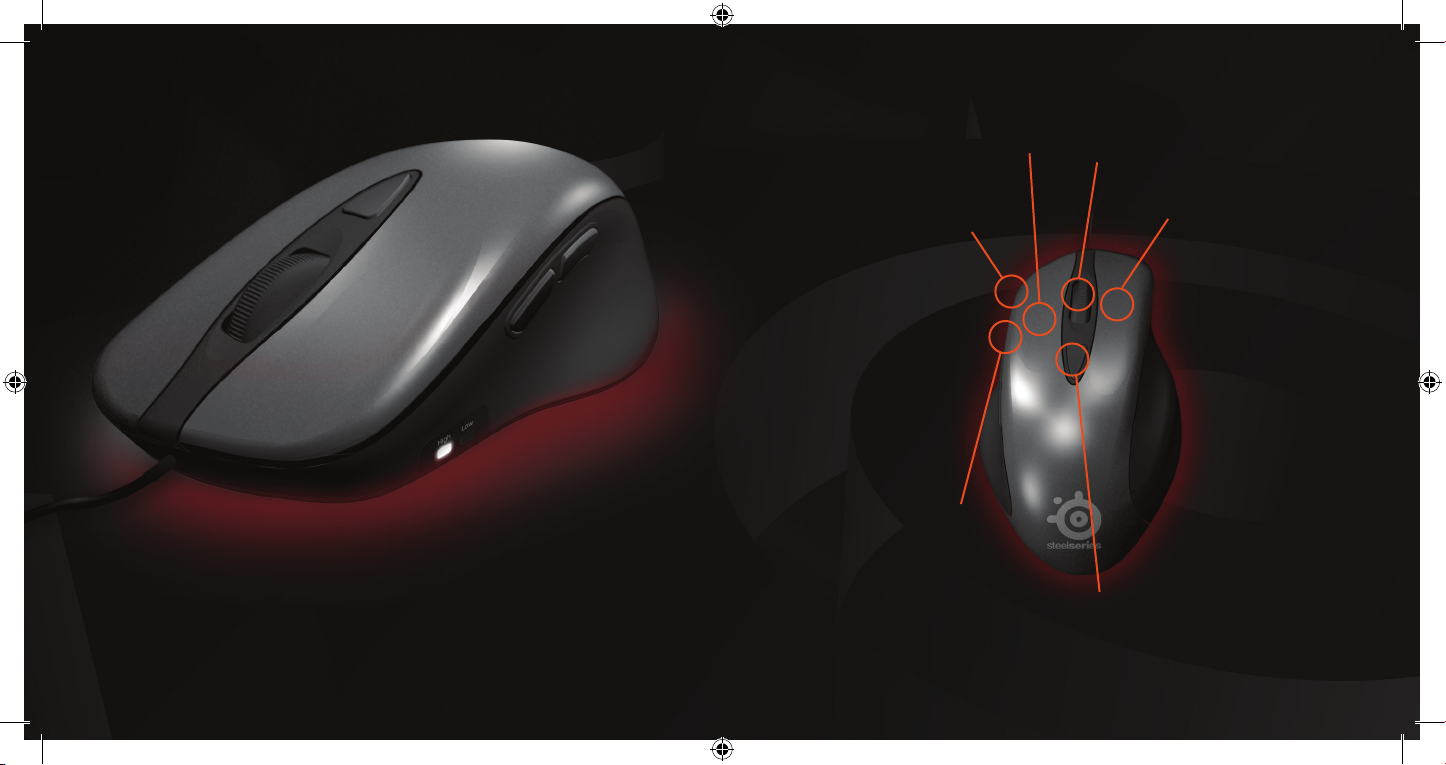
CPI High/Low
indicator
Button 3 & 4
Button 1
Scroll wheel
Button 2
CPI toggle/setup button
Page 3
Page 4
Software Overview
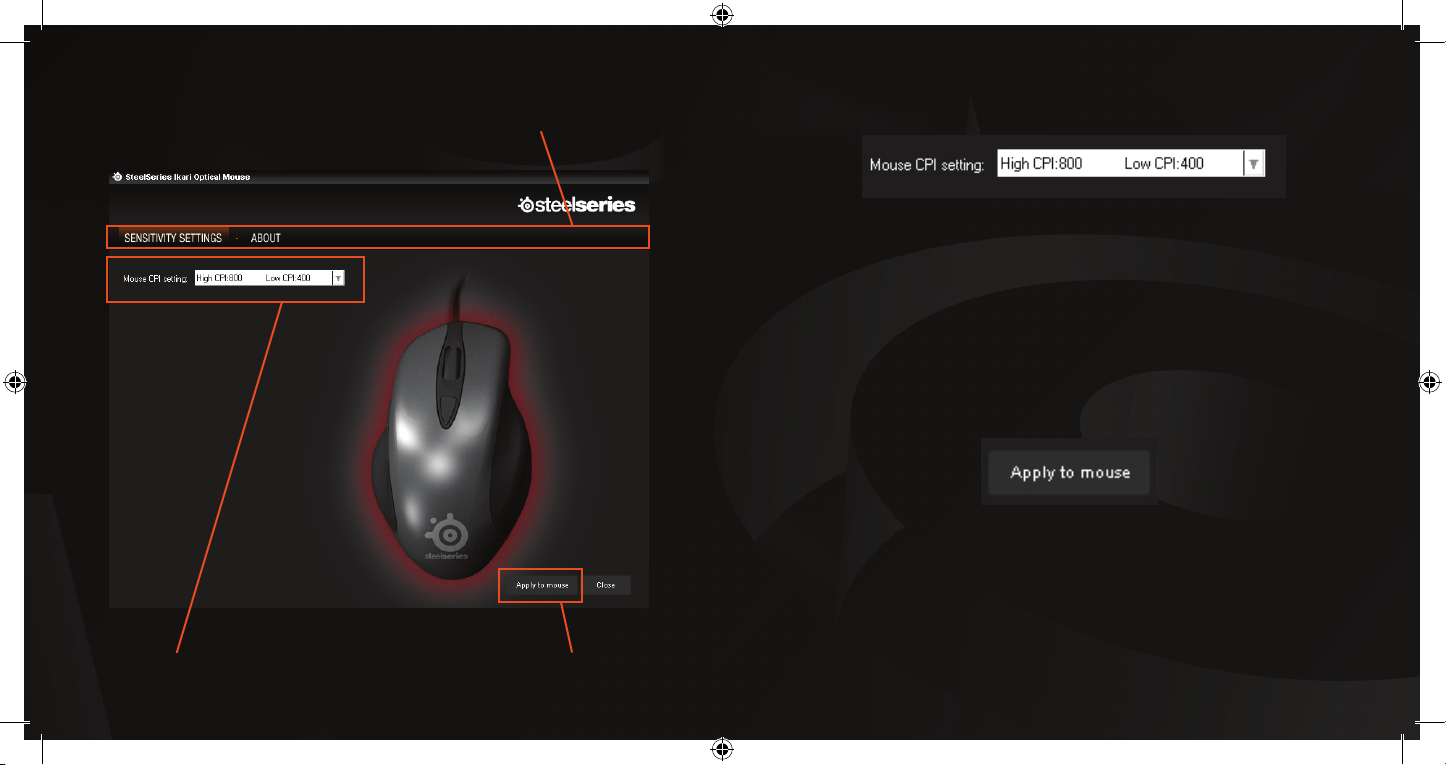
Sensitivity Settings (Software)
Menu area
The SteelSeries Ikari Optical lets you store two CPI values in the mouse, and
lets you toggle between them with a single click. To set the values, simply
select one of the three combinations offered. Please note that the combination
of “Low: 800, High: 1600”, will have a latency of 300 msec and is therefore not
recommended for fast toggling.
Apply to Mouse (Software)
To apply a profile on to your mouse, simply click the “Apply to Mouse” button.
All settings in your profile gets stored on your mouse, which means that no
matter where you plug it in, all settings remain without the need for any drivers
or software.
Settings area Apply to Mouse button
The SteelSeries Ikari software is not a driver, but for configuration purposes
only.
Page 5

SteelSeries is a leading manufacturer of gaming peripherals and accessories,
including headsets, keyboards, mice, software, and gaming surfaces.
SteelSeries have been on the forefront of professional gaming gear since its
inception in 2001, thanks to continued innovation and product development
in cooperation with leading professional gamers. All SteelSeries products
are developed in co-operation with professional gamers to ensure optimum
performance and durability. SteelSeries supports the growth of competitive
gaming and electronic sports through aggressive sponsoring of teams and
support of communities, tournaments and LAN-events all over the world. For
additional information, visit http://www.steelseries.com
 Loading...