

Page 1
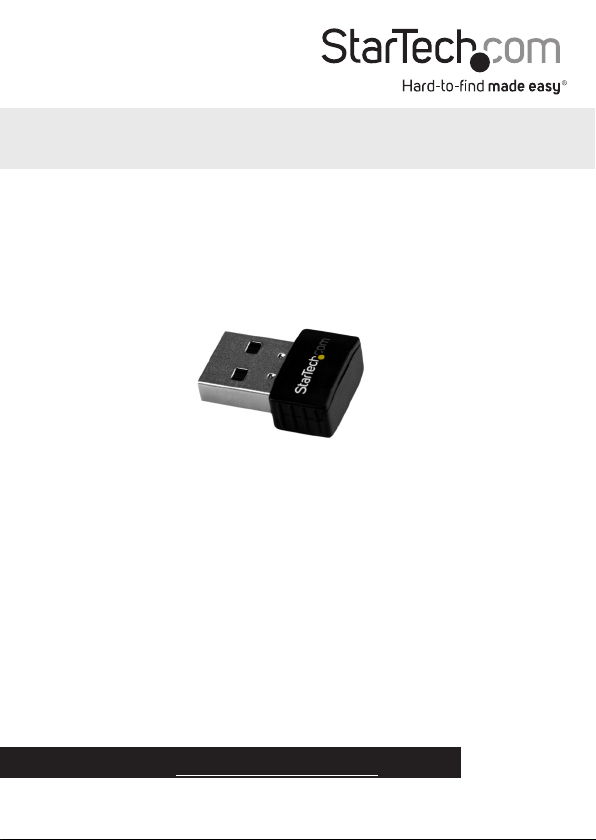
USB Wi-Fi Adapter - AC600 -
Dual-Band Nano Wireless Adapter
USB433ACD1X1
*actual product may vary from photos
FR: Guide de l’utilisateur - fr.startech.com
DE: Bedienungsanleitung - de.startech.com
ES: Guía del usuario - es.startech.com
NL: Gebruiksaanwijzing - nl.startech.com
PT: Guia do usuário - pt.startech.com
IT: Guida per l’uso - it.startech.com
For the latest information, technical specications, and support for
this product, please visit www.StarTech.com/USB433ACD1X1.
Manual Revision: 03/07/2017
Page 2

FCC Compliance Statement
This equipment has been tested and found to comply with the limits for a Class B digital
device, pursuant to part 15 of the FCC Rules. These limits are designed to provide reasonable
protection against harmful interference in a residential installation. This equipment
generates, uses and can radiate radio frequency energy and, if not installed and used in
accordance with the instructions, may cause harmful interference to radio communications.
However, there is no guarantee that interference will not occur in a particular installation. If
this equipment does cause harmful interference to radio or television reception, which can
be determined by turning the equipment o and on, the user is encouraged to try to correct
the interference by one or more of the following measures:
• Reorient or relocate the receiving antenna.
• Increase the separation between the equipment and receiver.
• Connect the equipment into an outlet on a circuit dierent from that to which the
receiver is connected.
• Consult the dealer or an experienced radio/TV technician for help
This device complies with part 15 of the FCC Rules. Operation is subject to the following
two conditions: (1) This device may not cause harmful interference, and (2) this device must
accept any interference received, including interference that may cause undesired operation.
Changes or modications not expressly approved by StarTech.com could void the user’s
authority to operate the equipment.
Industry Canada Statement
This Class B digital apparatus complies with Canadian ICES-003.
Cet appareil numérique de la classe [B] est conforme à la norme NMB-003 du Canada.
CAN ICES-3 (B)/NMB-3(B)
This device complies with Industry Canada licence-exempt RSS standard(s).
Operation is subject to the following two conditions:
(1) This device may not cause interference, and
(2) This device must accept any interference, including interference that may cause undesired
operation of the device.
Le présent appareil est conforme aux CNR d’Industrie Canada applicables aux appareils radio
exempts de licence.
L’exploitation est autorisée aux deux conditions suivantes:
(1) l’appareil ne doit pas produire de brouillage, et
(2) l’utilisateur de l’appareil doit accepter tout brouillage radioélectrique subi, même si le
brouillage est susceptible d’en compromettre le fonctionnement.
Instruction manual
Page 3

IC Radiation Exposure Statement:
This equipment complies with IC RSS-102 radiation exposure limit set forth for an uncontrolled
environment. This equipment should be installed and operated with minimum distance 0.5 cm
between the radiator and your body.
FCC ID: 2AAD8-U0631
IC: 11232A-SB433ACD1X1
Digital apparatus (ICES003)
CAN ICES-3 (B)/NMB-3(B)
Country Code Setting Disable
The Country Code Selection feature is disabled for products marketed in the US/Canada
The device for operation in the band 5150–5250 MHz is only for indoor use to reduce the
potential for harmful interference to co-channel mobile satellite systems.
Use of Trademarks, Registered Trademarks, and other Protected Names and Symbols
Wi-Fi® is a registered trademark of Wi-Fi Alliance.
This manual may make reference to trademarks, registered trademarks, and other
protected names and/or symbols of third-party companies not related in any way to
StarTech.com. Where they occur these references are for illustrative purposes only and do not
represent an endorsement of a product or service by StarTech.com, or an endorsement of the
product(s) to which this manual applies by the third-party company in question. Regardless
of any direct acknowledgement elsewhere in the body of this document, StarTech.com hereby
acknowledges that all trademarks, registered trademarks, service marks, and other protected
names and/or symbols contained in this manual and related documents are the property of
their respective holders.
Instruction manual
Page 4

Table of Contents
Introduction ............................................................................................1
Product diagram ........................................................................................................................................ 1
Package contents ...................................................................................................................................... 1
System requirements ...............................................................................................................................2
Install the driver .....................................................................................2
Windows OS ................................................................................................................................................ 2
Mac OS .......................................................................................................................................................... 2
Use the wireless network adapter .......................................................3
Windows OS ................................................................................................................................................ 3
Mac OS .......................................................................................................................................................... 3
Technical support ................................................................................... 4
Warranty information ............................................................................4
Instruction manual
i
Page 5
Introduction
You can use the USB433ACD1X1 Wi-Fi® adapter to add 802.11ac dual-band wireless
capability to your system. The USB433ACD1X1 operates on 2.4GHz and 5GHz
frequencies, and supports 20MHz, 40MHz, and 80MHz channel bandwidths. The nano
form factor of the USB433ACD1X1 makes it an unobtrusive addition to your system.
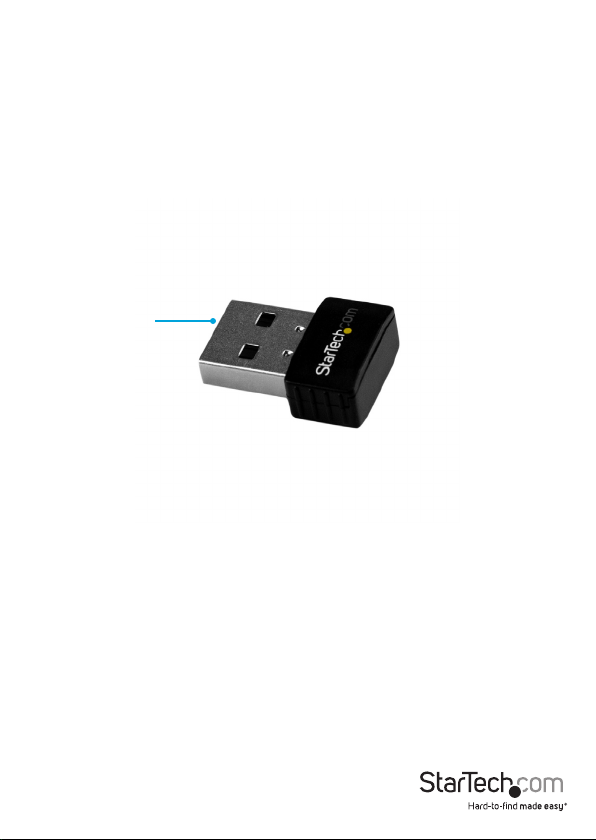
Product diagram
USB 2.0 plug
Package contents
• 1 x USB wireless adapter
• 1 x driver CD
• 1 x quick-start guide
Instruction manual
1
Page 6

System requirements
• A USB 2.0 port
• Any of the following operating systems:
• Windows® 10
• Windows 8.1
• Windows 8
• Windows 7
• Windows Server® 2012
• Windows Server 2008 R2
• Mac OS (tested up to 10.11)
System requirements are subject to change. For the latest requirements, please visit
www.StarTech.com/USB433ACD1X1.
Install the driver
Windows OS
To install the driver on a computer or laptop running a version of the Windows OS,
complete the following:
1. Insert the provided driver CD into your computer or laptop.
2. In the AutoPlay window, click Install Drivers.
Note: If AutoPlay is disabled on your system, navigate to the CD/DVD drive on your
computer and open the setup program from there.
3. Follow the on-screen instructions to complete the installation.
4. If prompted, restart your computer.
Mac OS
To install the driver on a computer running a version of the Mac OS, complete the
following:
1. Insert the provided driver CD into your DVD/CD-ROM drive.
2. Navigate to the folder for the version of Mac OS that you’re running, and open the
Installer.pkg application.
Instruction manual
2
Page 7

3. Follow the on-screen instructions to complete the installation.
4. If prompted, restart your computer.
Use the wireless network adapter
To connect to a wireless network, you need to know the following:
• The name of the wireless network (SSID).
• If the wireless network is using a type of security, you need to know the type of
security.
• If the wireless network is protected by a password, you need to know the password.
If you don’t know this information, consult the documentation for your wireless access
point or contact your network administrator.
Windows OS
1. Install the driver. For more information, see the “Install the driver” section.
2. Connect the wireless network adapter to a USB port on your computer or laptop.
3. Navigate to the list of available networks. For more information about how to
display the list of available networks, consult the documentation that came with
your OS.
4. Connect to a wireless network within range of the adapter.
Mac OS
1. Install the driver. For more information, see the “Install the driver” section.
2. Navigate to the Applications folder.
3. Open the WLAN Dual Band Utility.
4. Click the Available Network tab.
5. Connect to a wireless network within range of the adapter.
Instruction manual
3
Page 8

Technical support
StarTech.com’s lifetime technical support is an integral part of our commitment to
provide industry-leading solutions. If you ever need help with your product, visit
www.startech.com/support and access our comprehensive selection of online tools,
documentation, and downloads.
For the latest drivers/software, please visit www.startech.com/downloads
Warranty information
This product is backed by a two-year warranty.
StarTech.com warrants its products against defects in materials and workmanship
for the periods noted, following the initial date of purchase. During this period,
the products may be returned for repair, or replacement with equivalent
products at our discretion. The warranty covers parts and labor costs only.
StarTech.com does not warrant its products from defects or damages arising from
misuse, abuse, alteration, or normal wear and tear.
Limitation of Liability
In no event shall the liability of StarTech.com Ltd. and StarTech.com USA LLP (or their
ocers, directors, employees or agents) for any damages (whether direct or indirect,
special, punitive, incidental, consequential, or otherwise), loss of prots, loss of business,
or any pecuniary loss, arising out of or related to the use of the product exceed the
actual price paid for the product. Some states do not allow the exclusion or limitation
of incidental or consequential damages. If such laws apply, the limitations or exclusions
contained in this statement may not apply to you.
Instruction manual
4
Page 9

Hard-to-nd made easy. At StarTech.com, that isn’t a slogan. It’s a promise.
StarTech.com is your one-stop source for every connectivity part you need. From
the latest technology to legacy products — and all the parts that bridge the old and
new — we can help you nd the parts that connect your solutions.
We make it easy to locate the parts, and we quickly deliver them wherever they need
to go. Just talk to one of our tech advisors or visit our website. You’ll be connected to
the products you need in no time.
Visit www.startech.com for complete information on all StarTech.com products and
to access exclusive resources and time-saving tools.
StarTech.com is an ISO 9001 Registered manufacturer of connectivity and technology
parts. StarTech.com was founded in 1985 and has operations in the United States,
Canada, the United Kingdom and Taiwan servicing a worldwide market.
 Loading...