

- Model of the Multi-font Printer NX-1000
- Compatibility of IBM/Epson printer commands and character sets
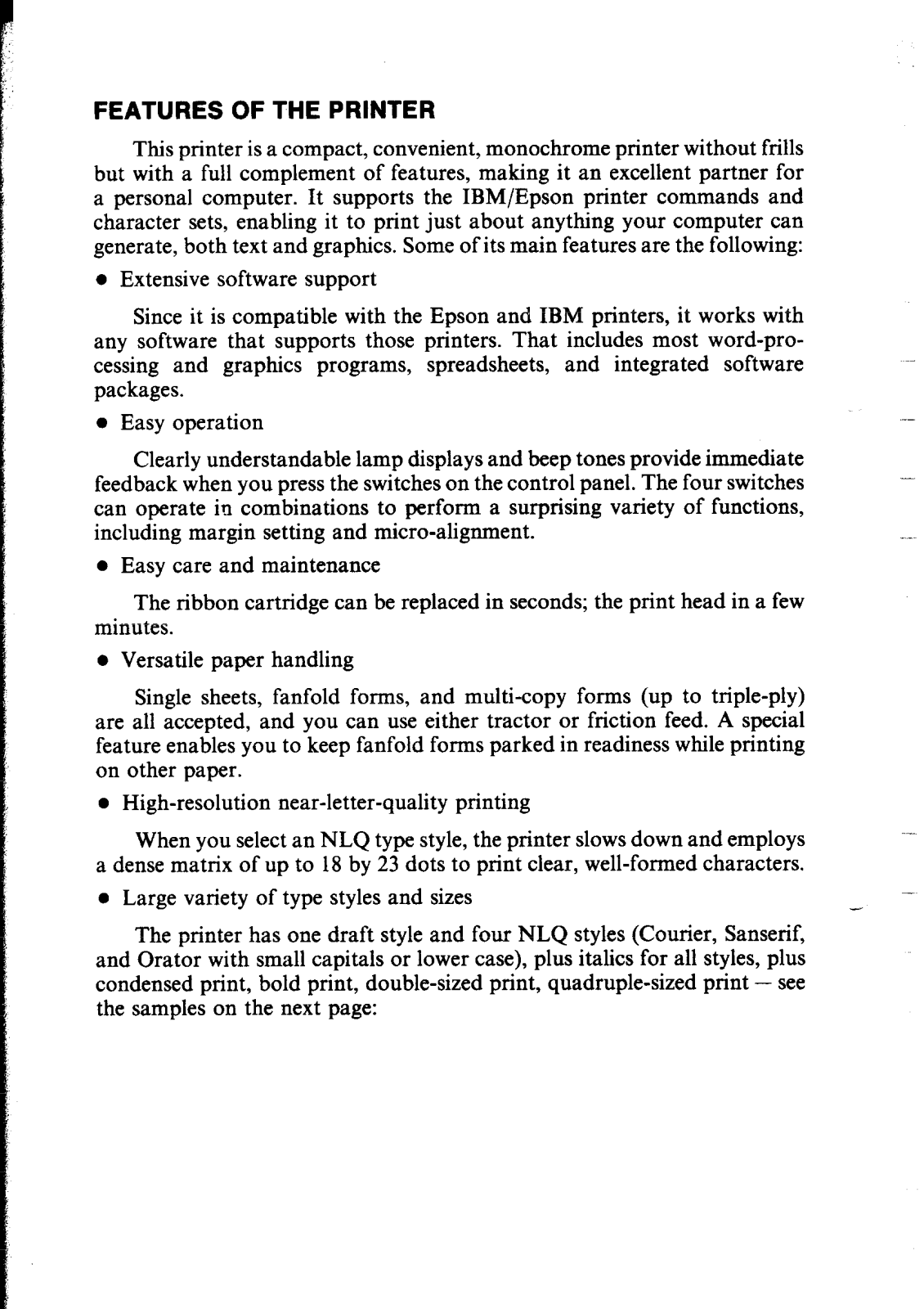
- Features
- Diverse software support for many word-processing and graphics applications
- Simple operation with informative lamp indicators accompanied by beep sounds
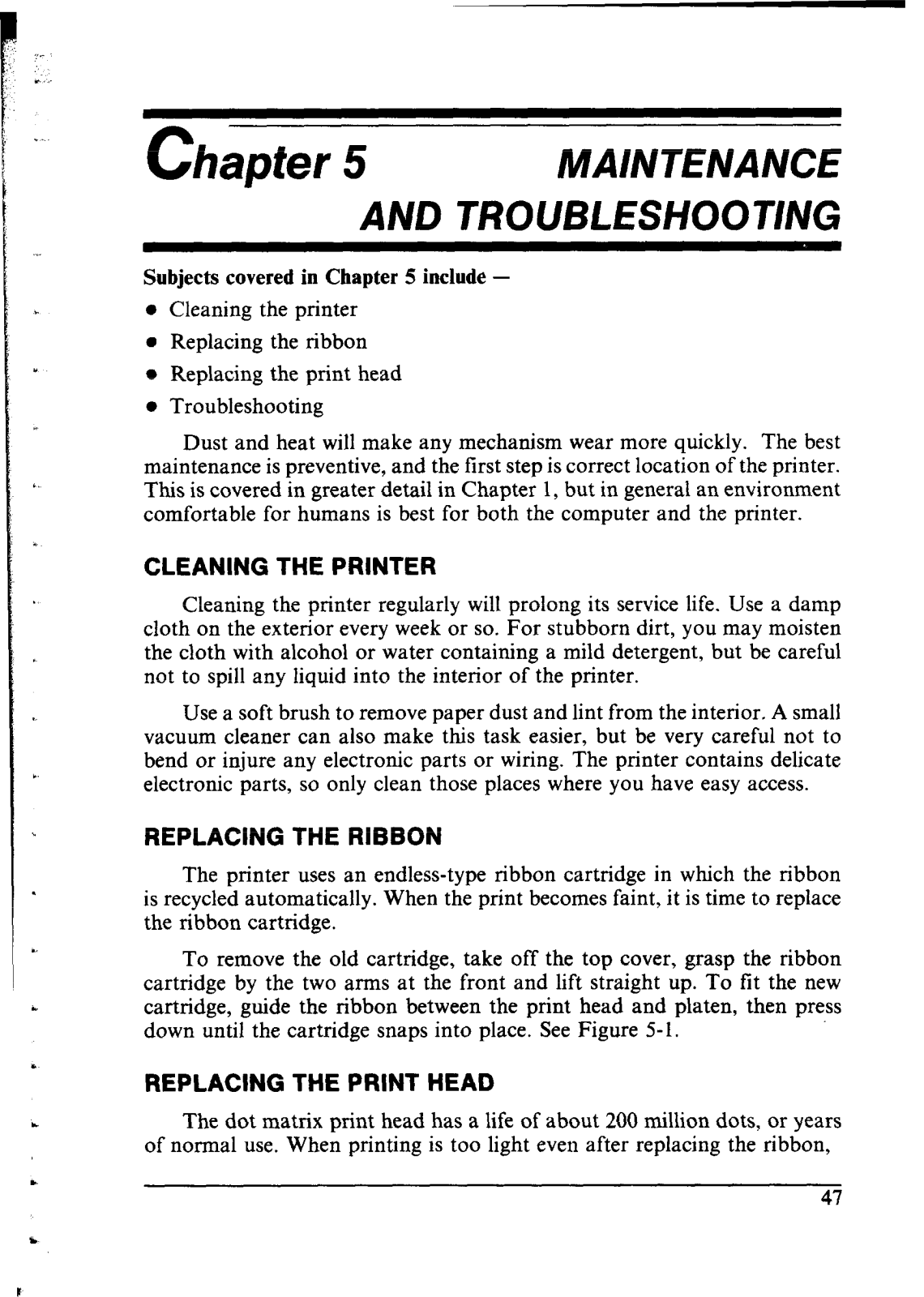
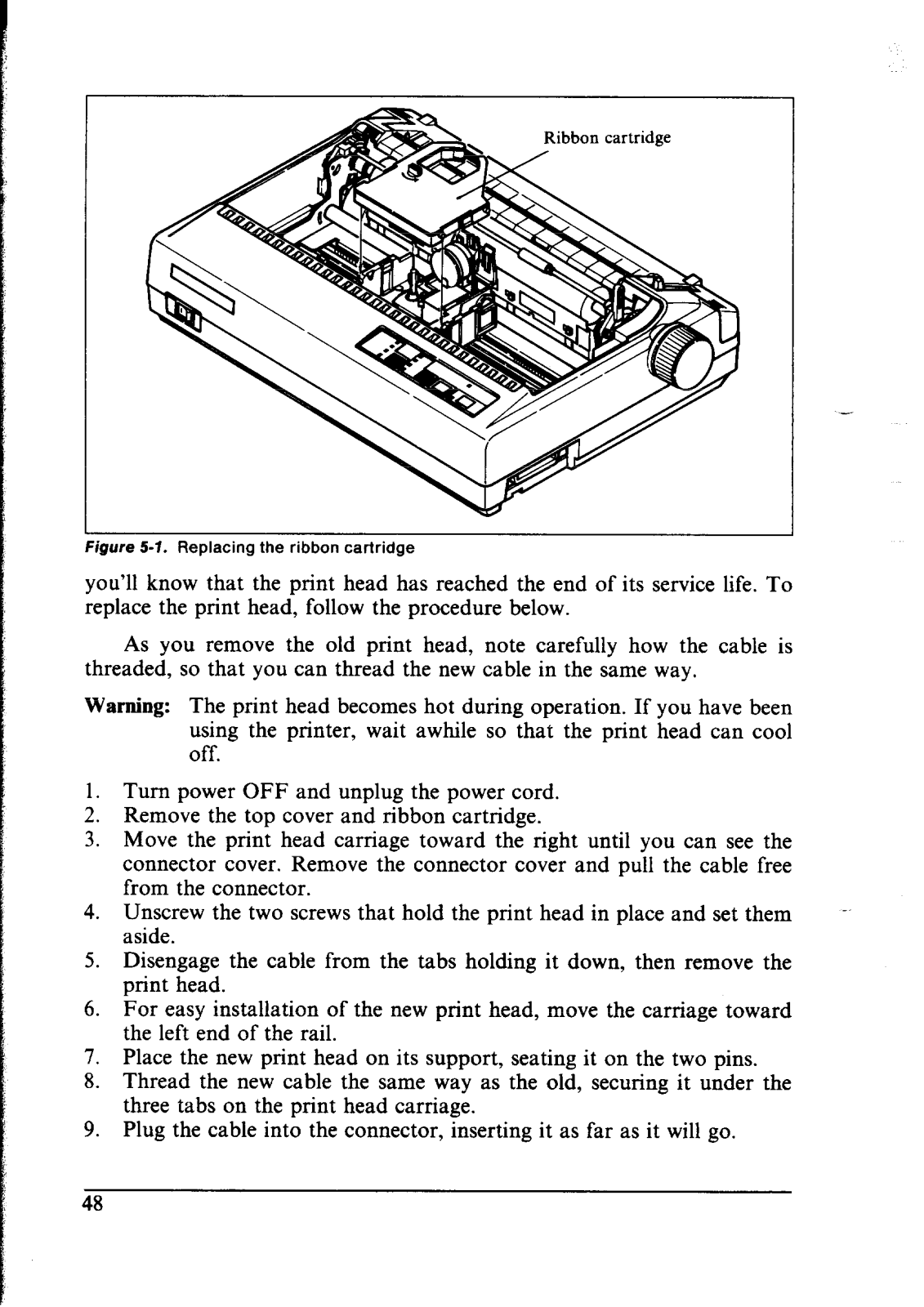
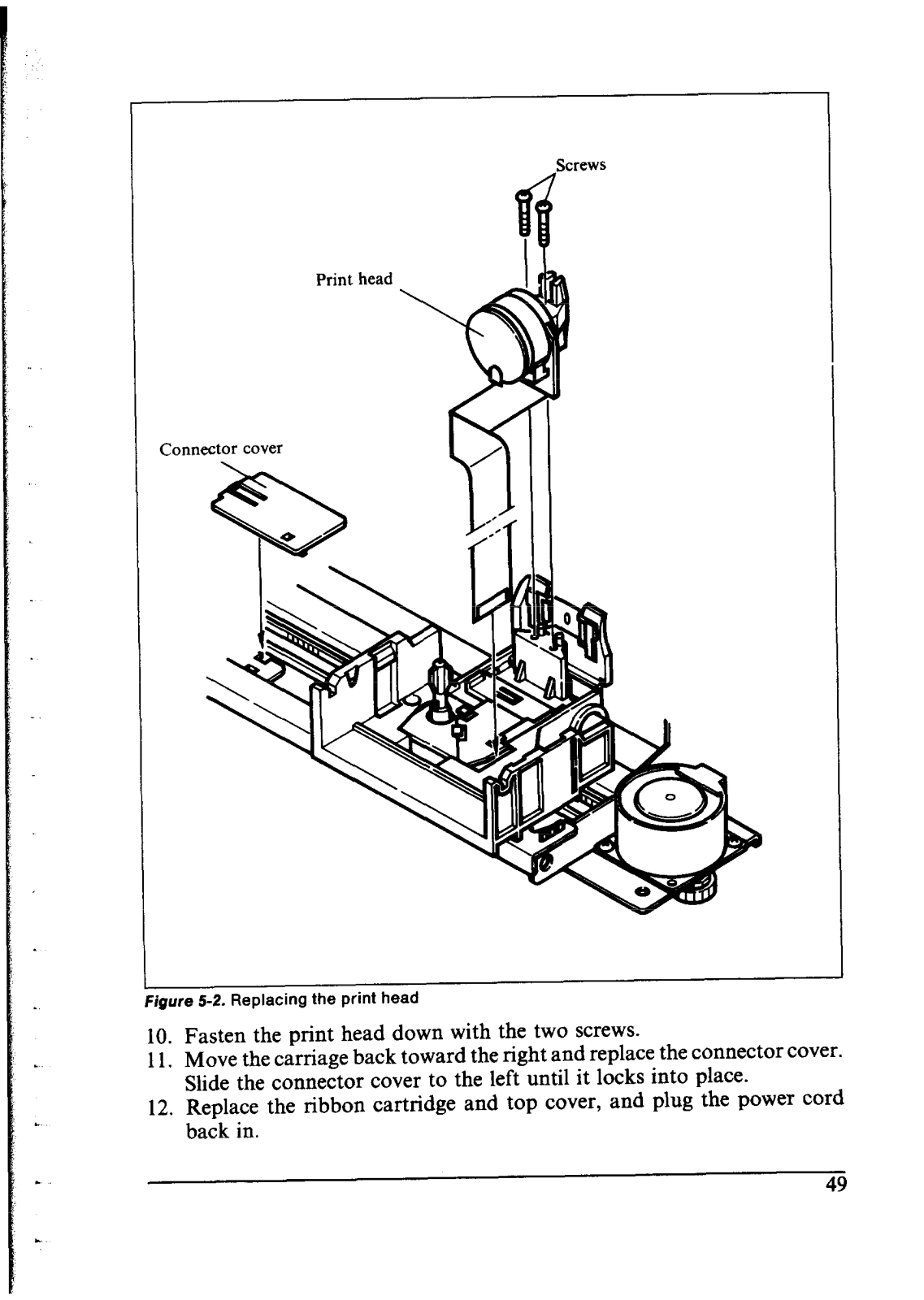
- Simple maintenance with easy ribbon cartridge and print head changes
- Flexible paper support: single sheets, fanfold forms and multi-copy forms, that is, three ply forms
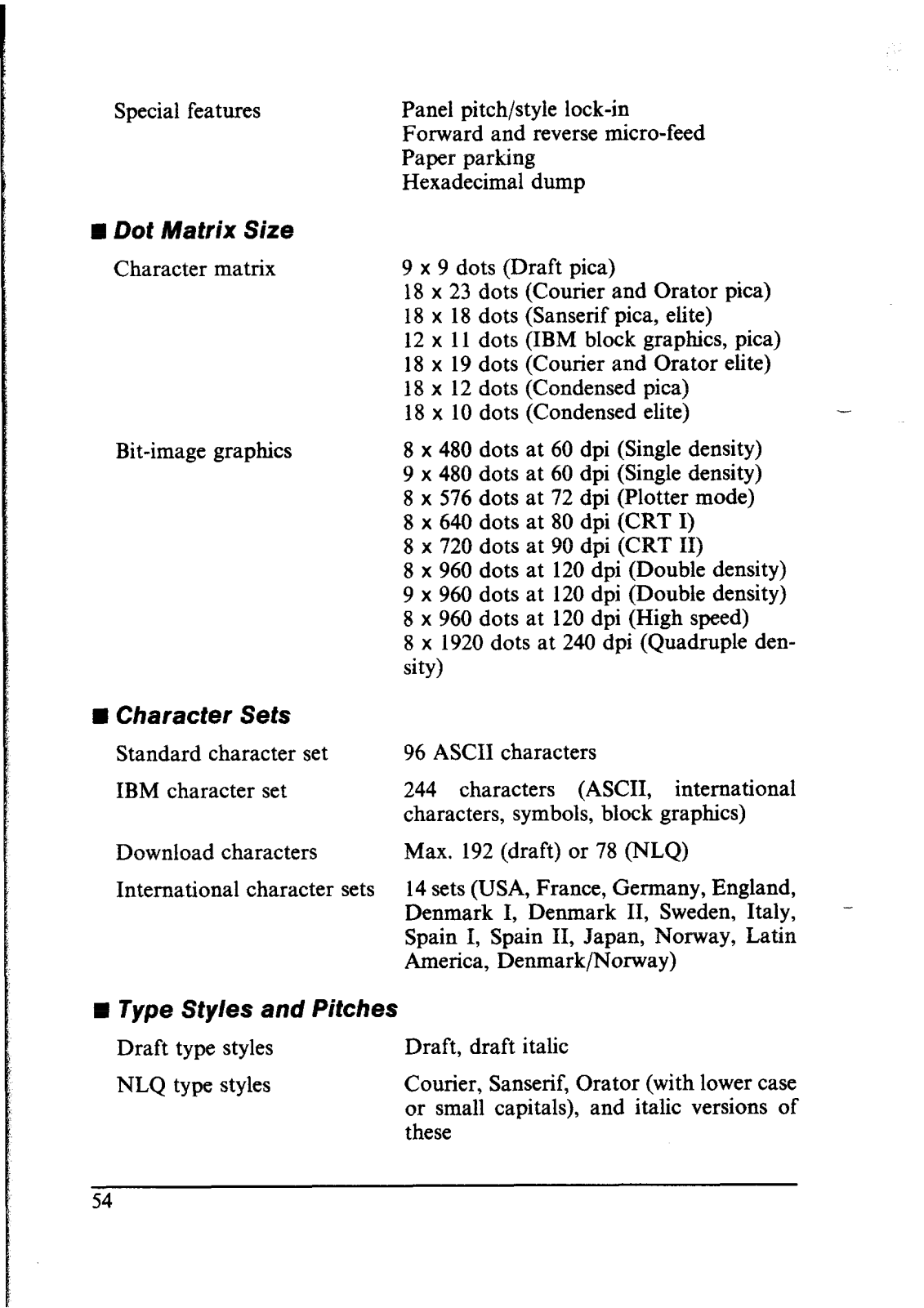
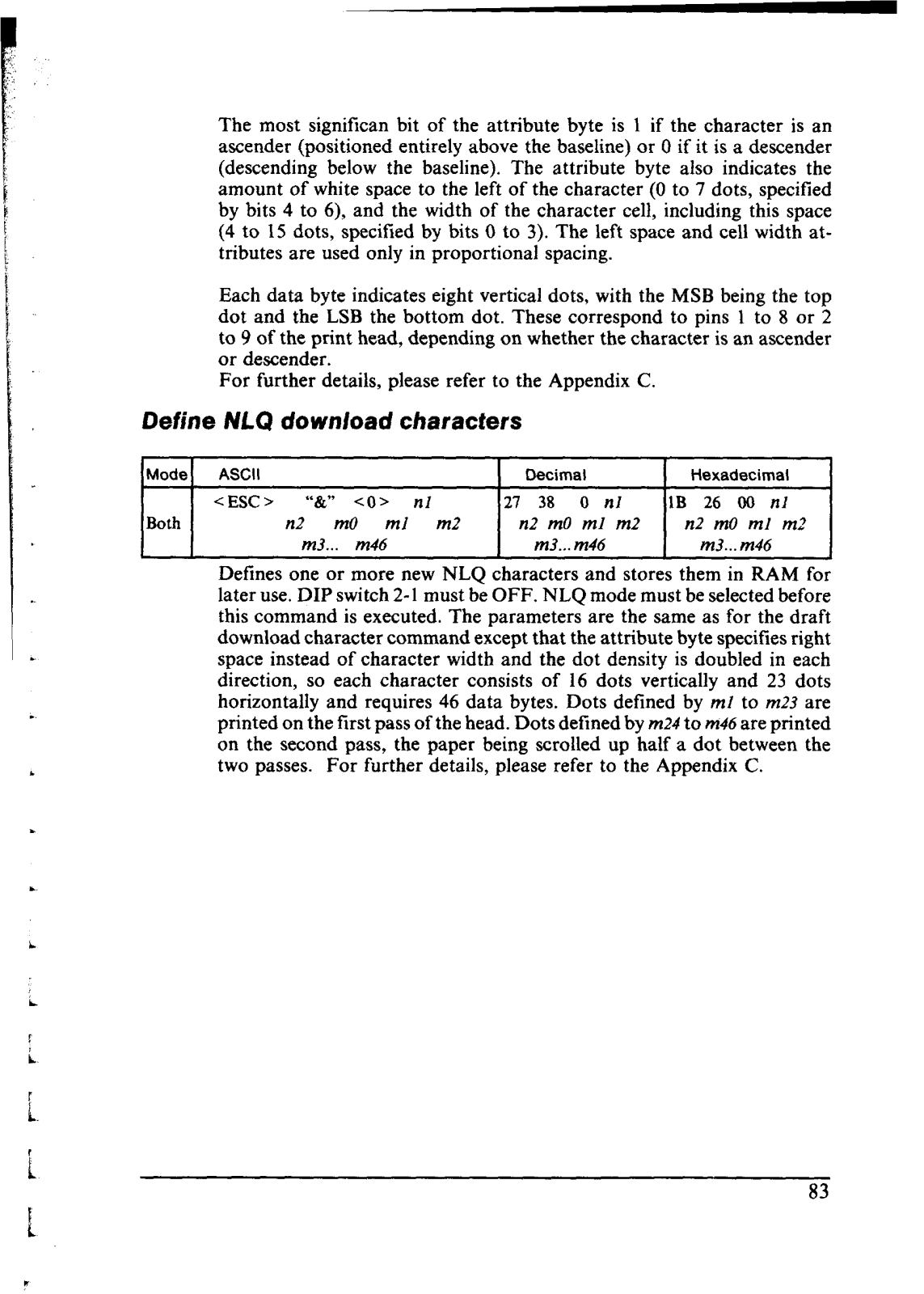
- Sharp near-letter-quality (NLQ) printing of 18 by 23 dot matrix
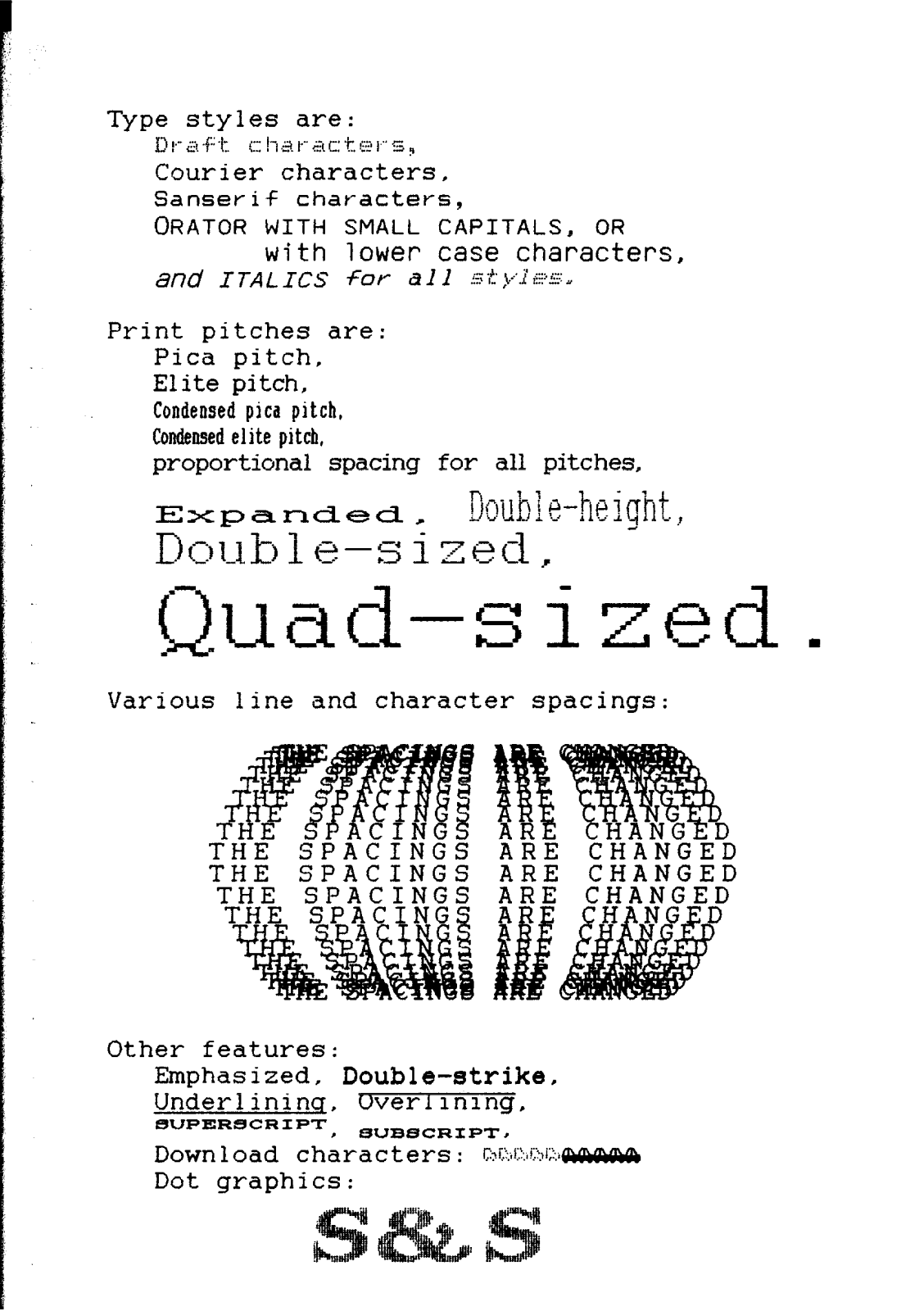
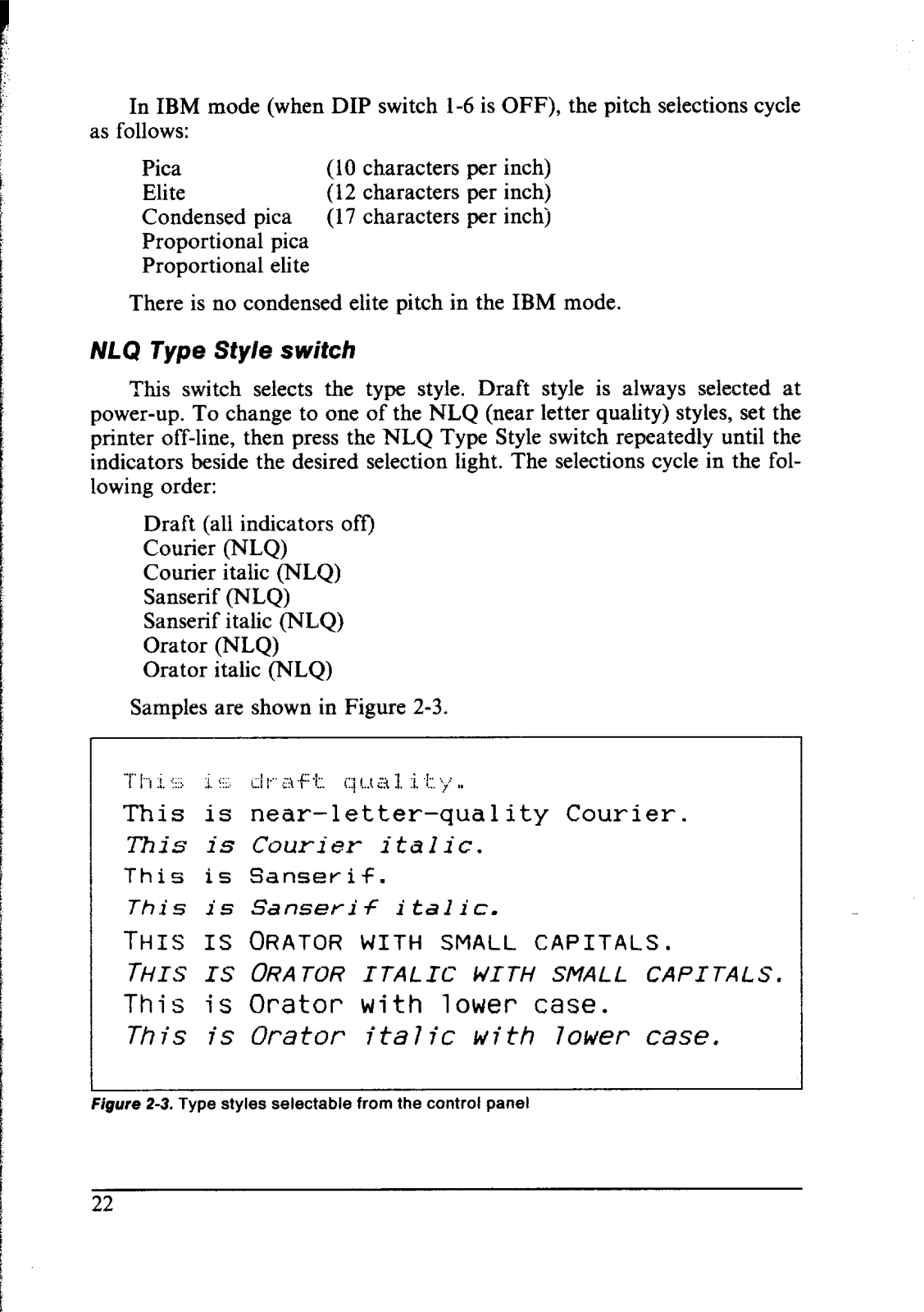
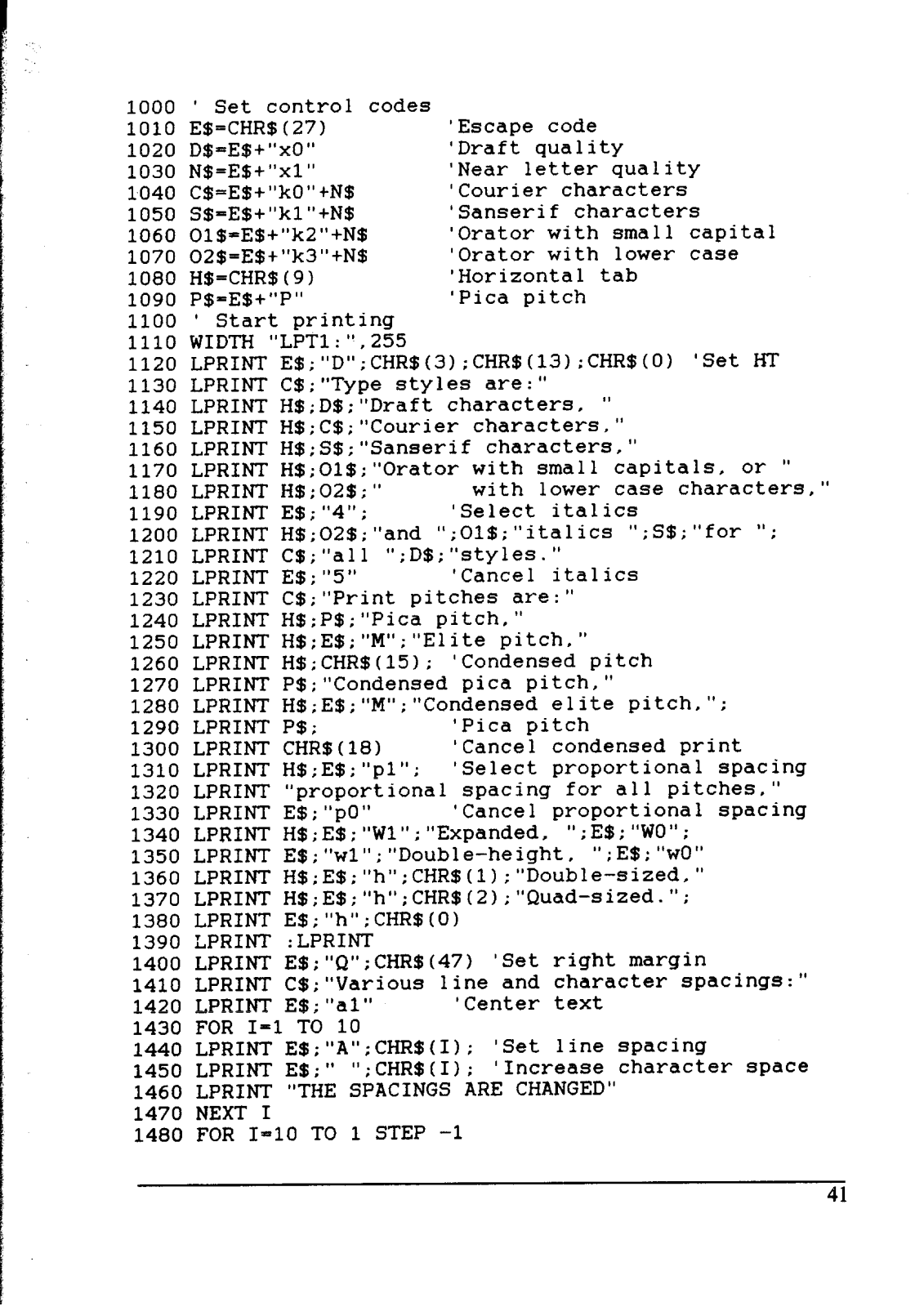
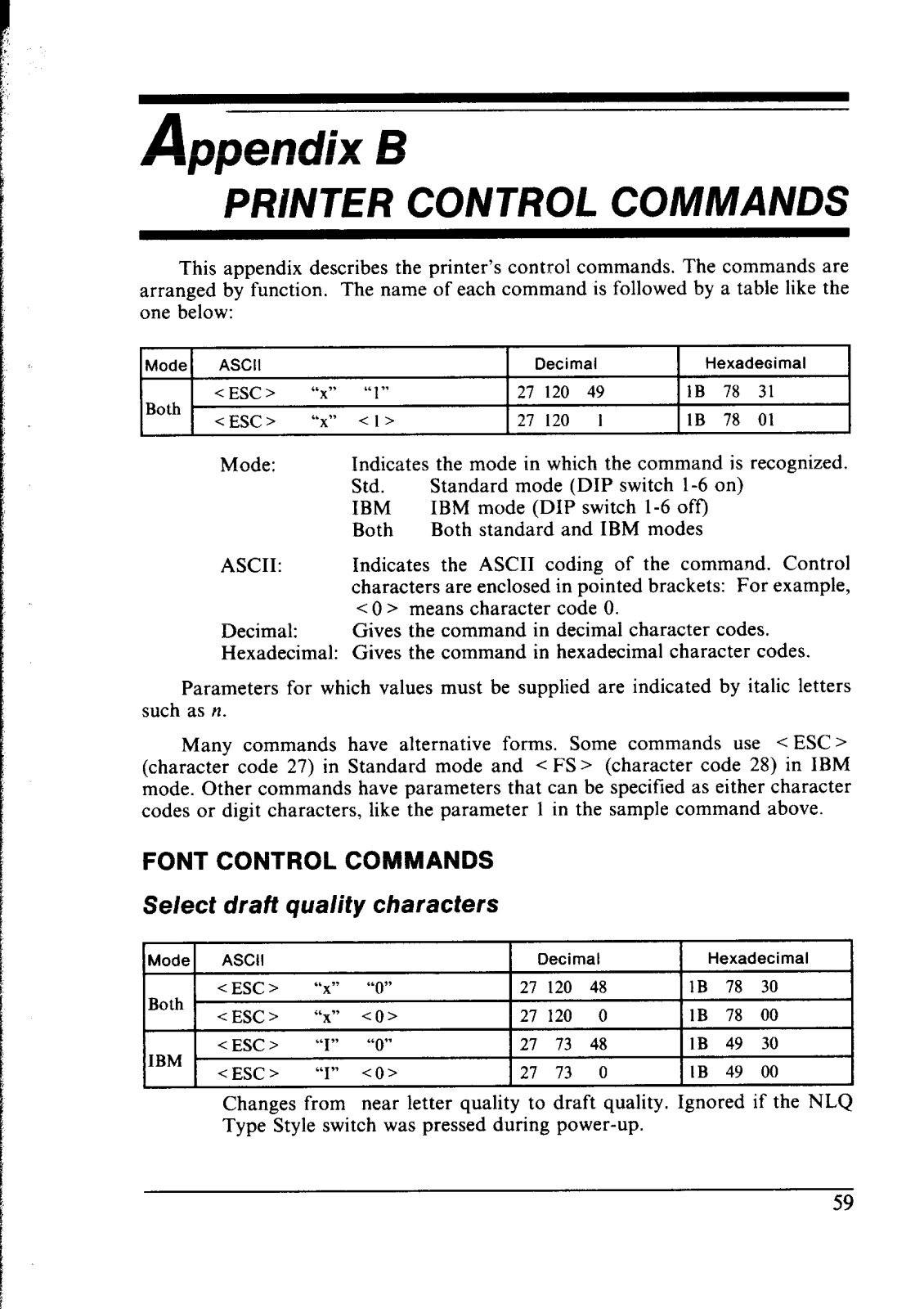
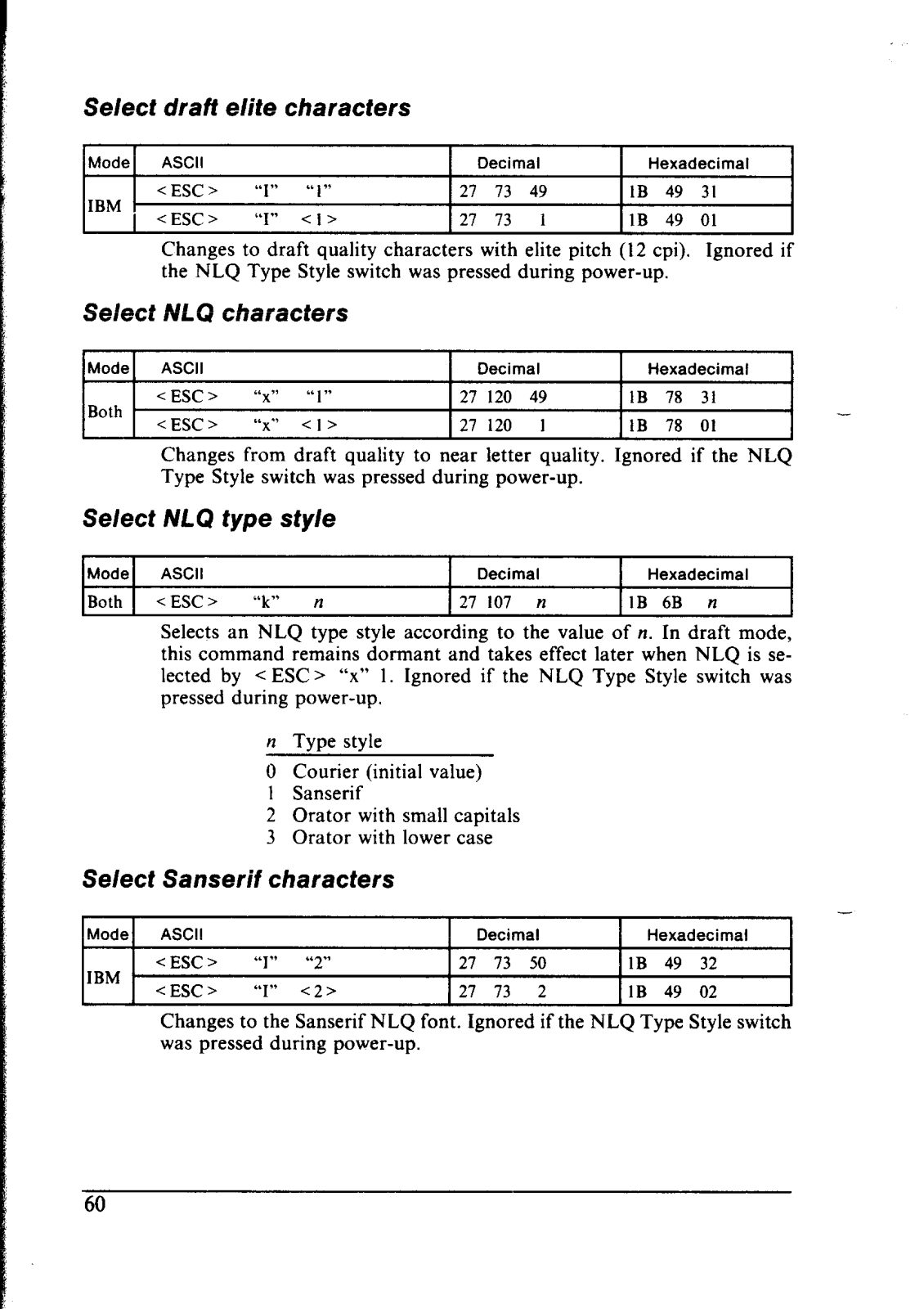
- Draft, Courier, Sanserif, Orator(small capitals and lower case), italics, condensed and bold type styles and sizes including many more
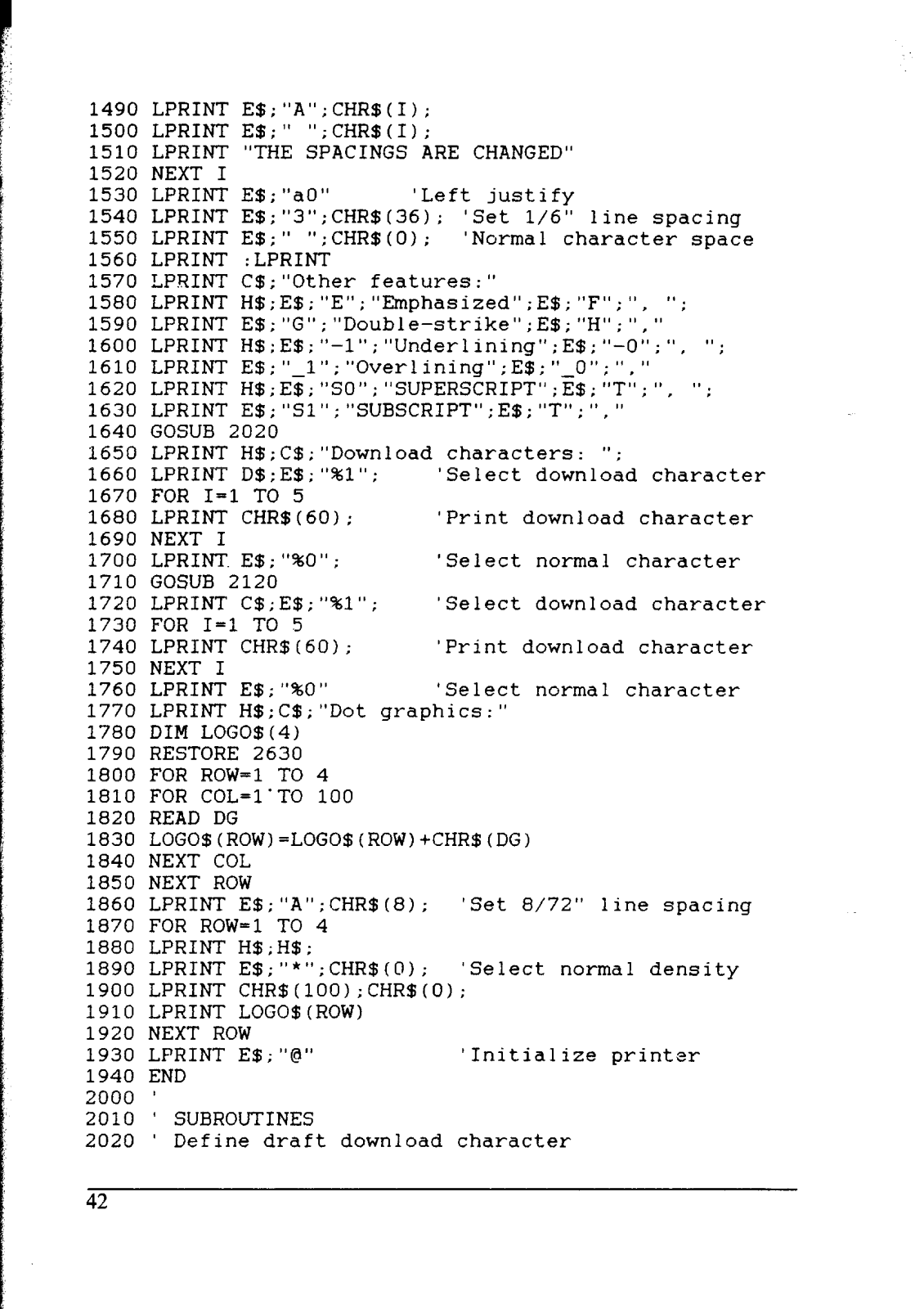
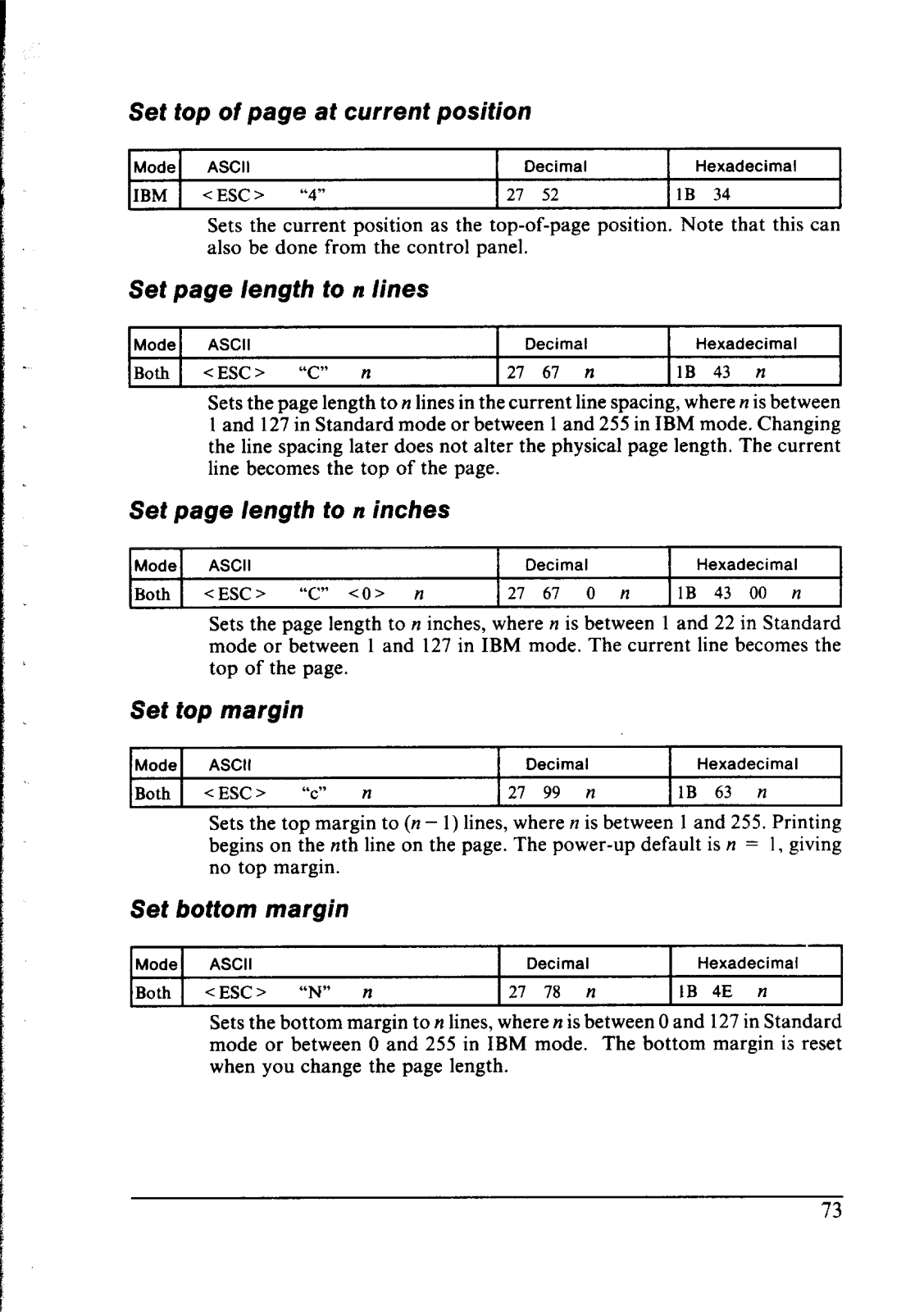
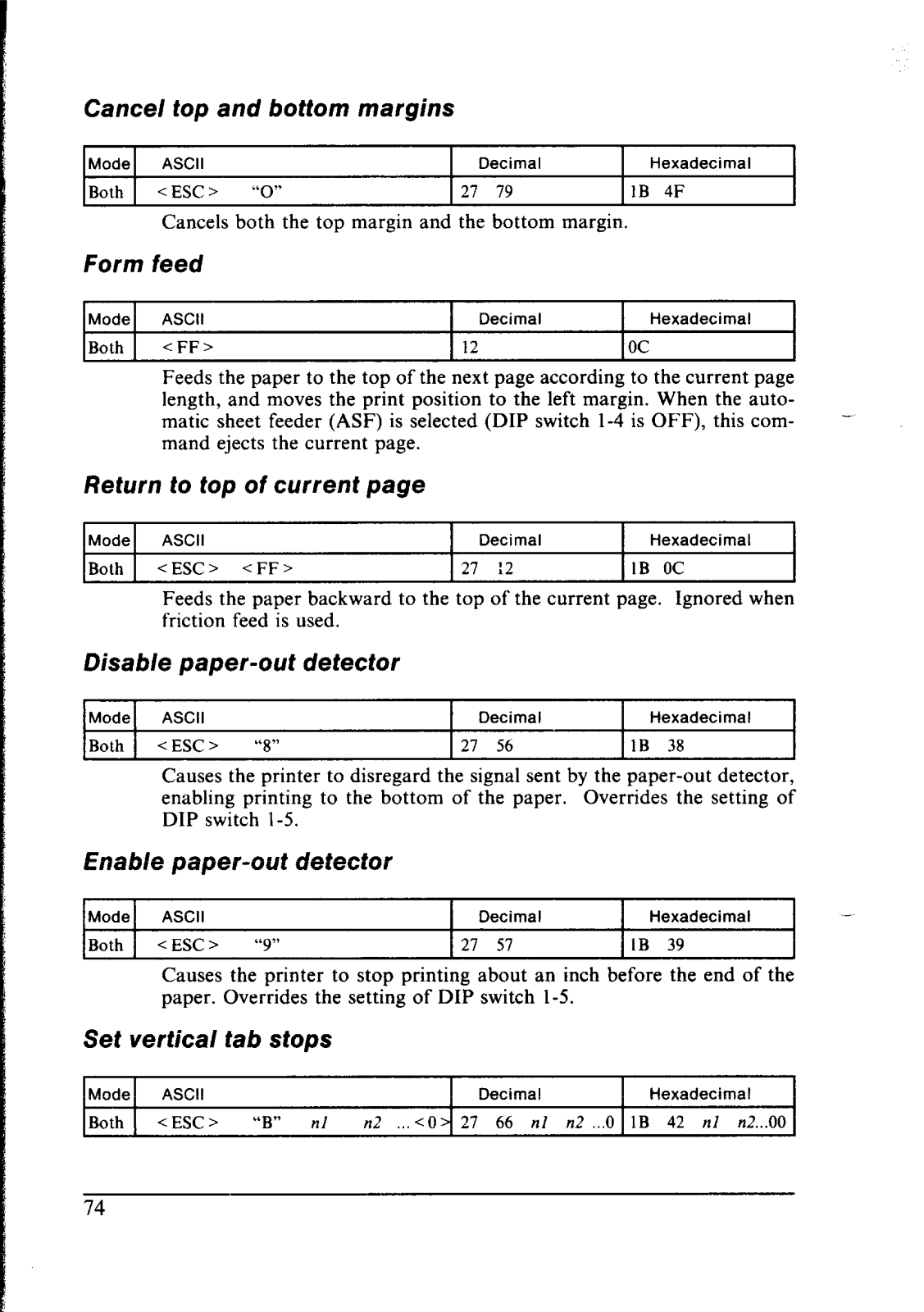
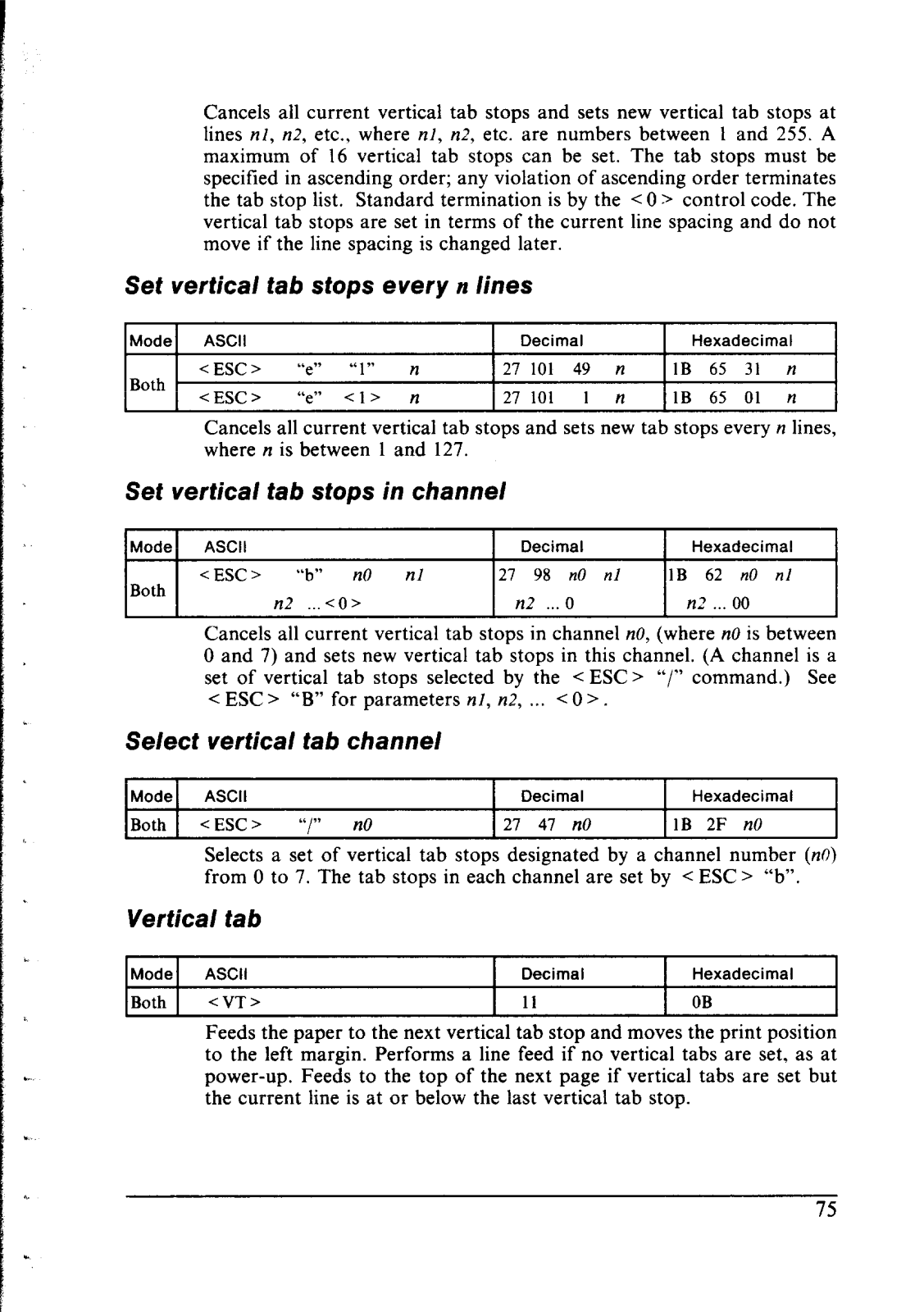
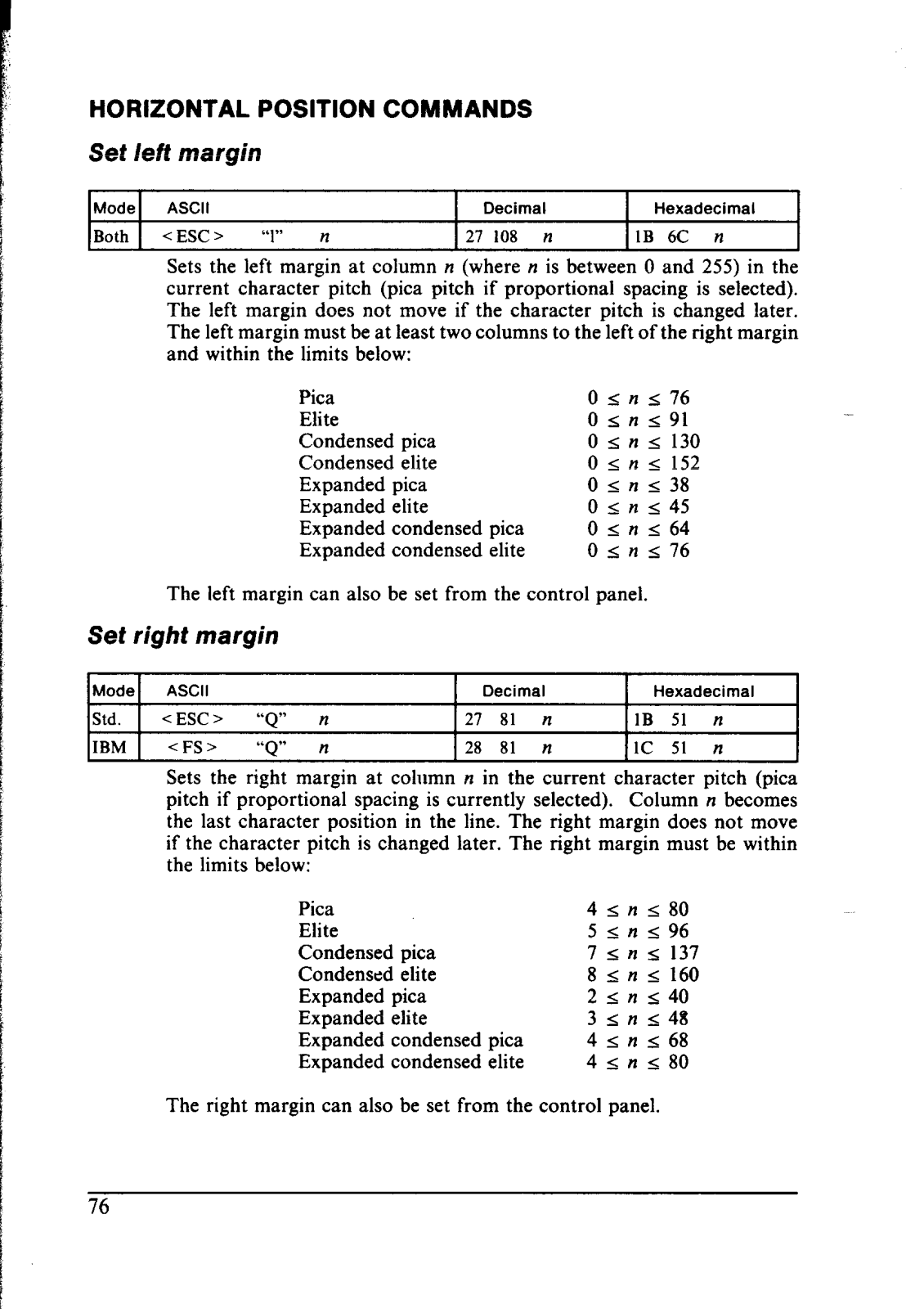
- Margins and character space have various options to be configured
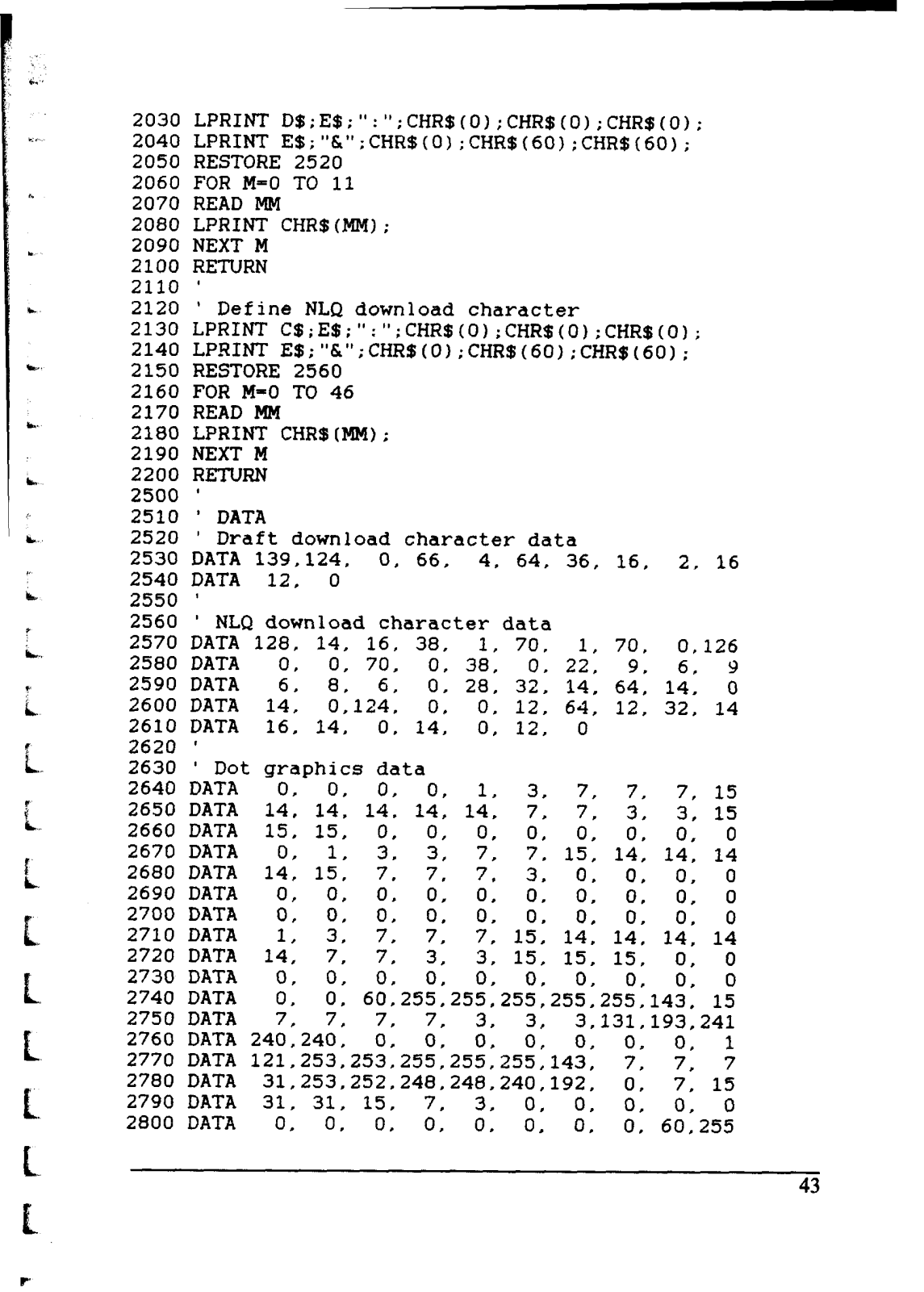
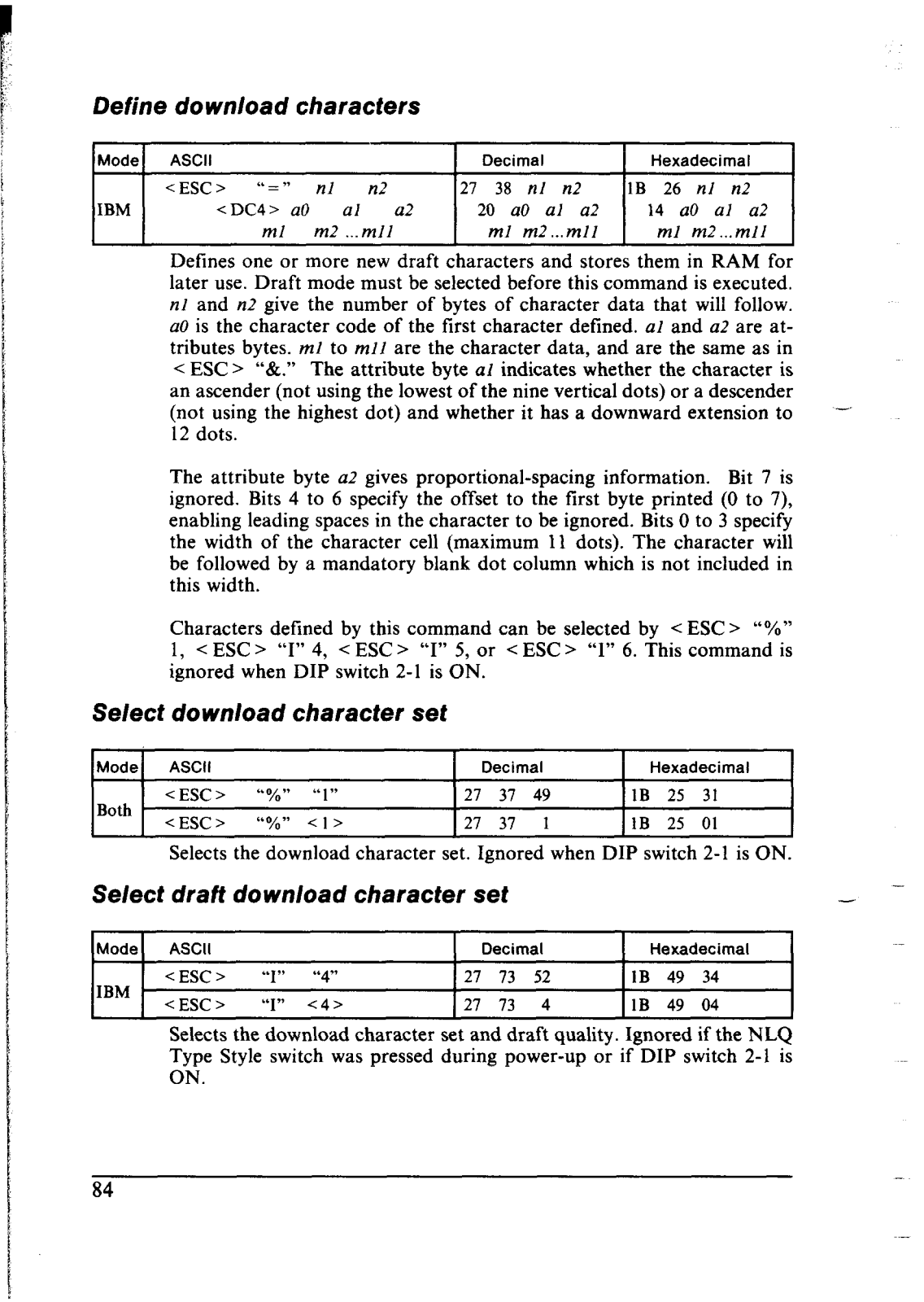
- Multi-pages downloading option
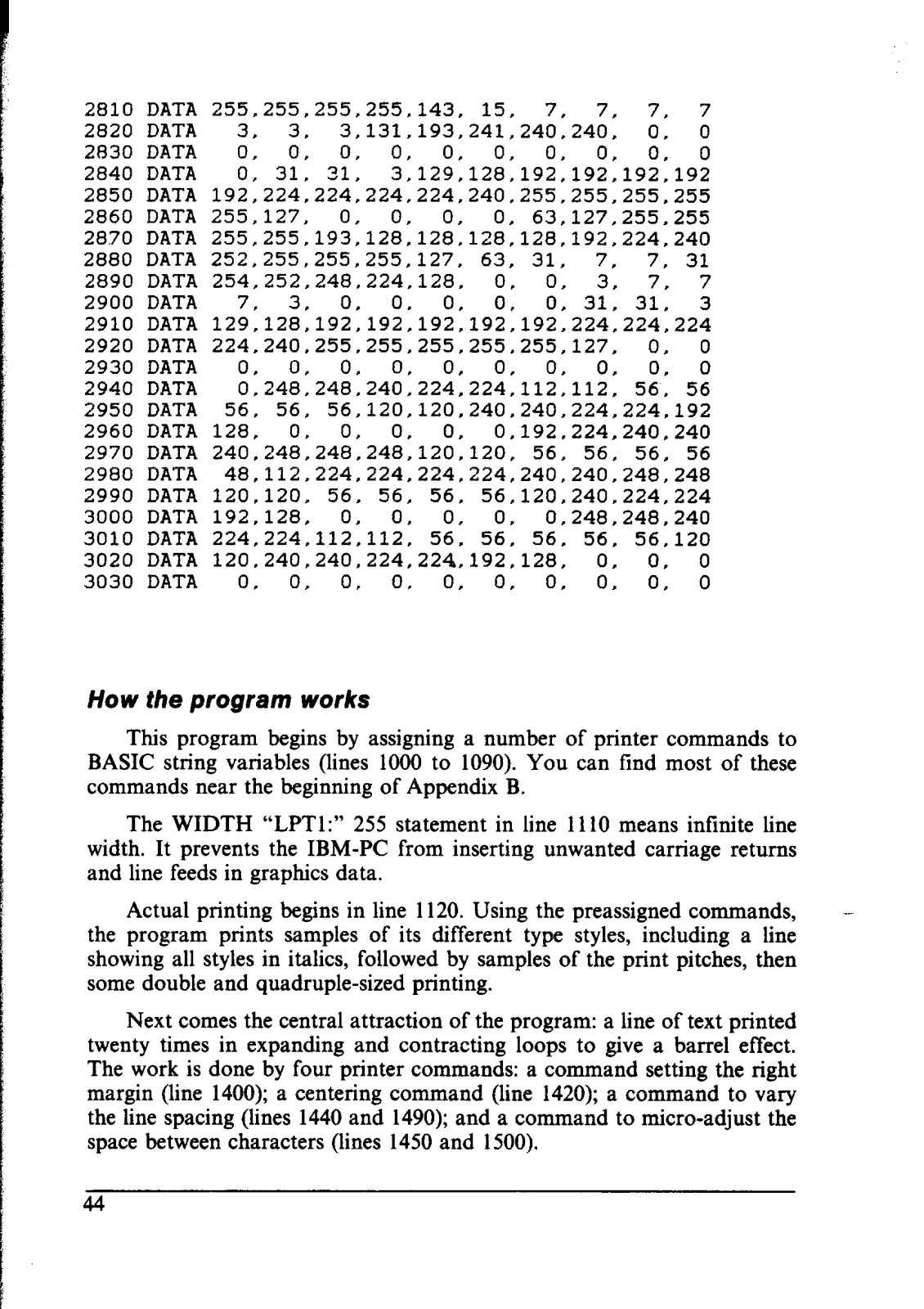
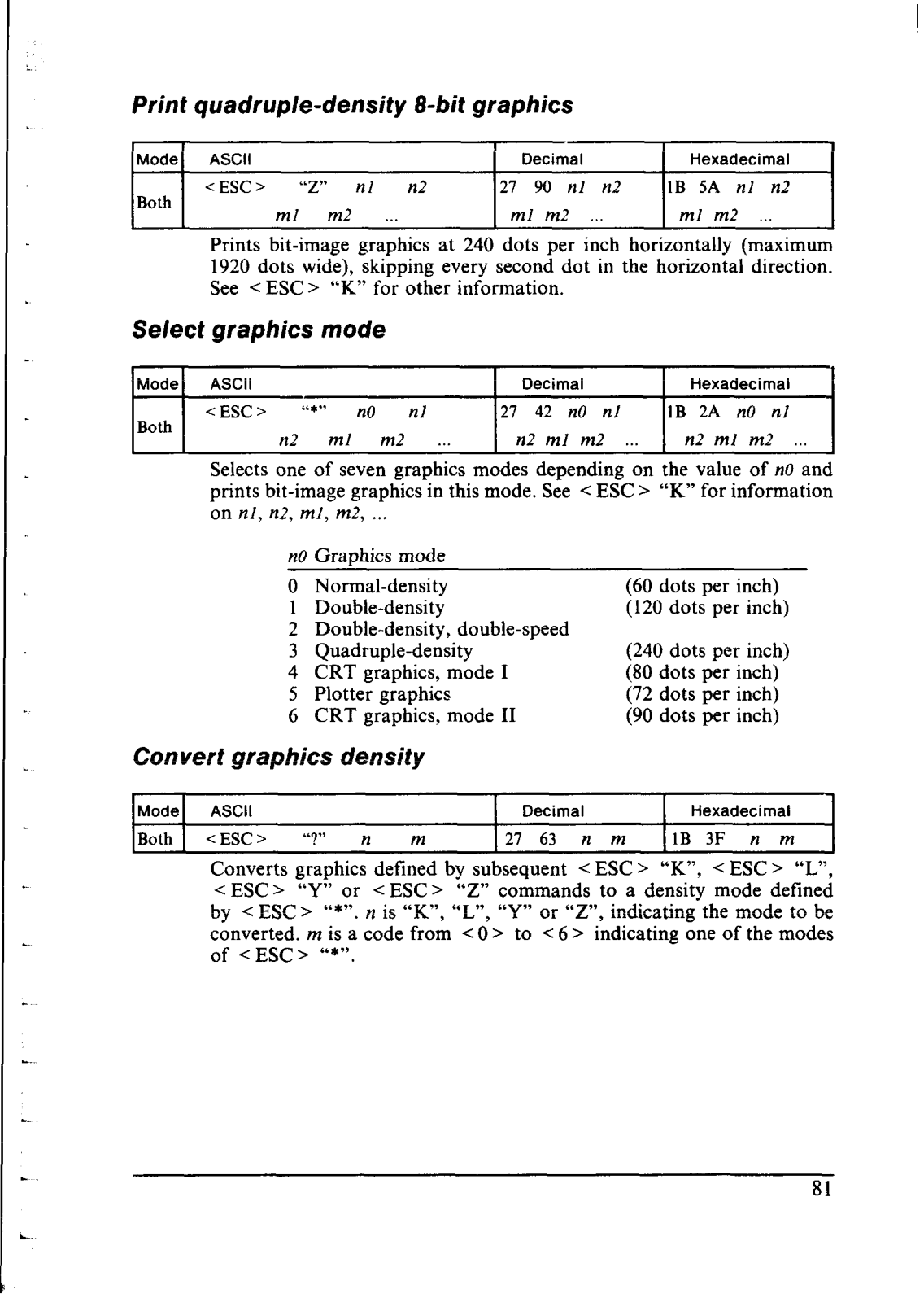
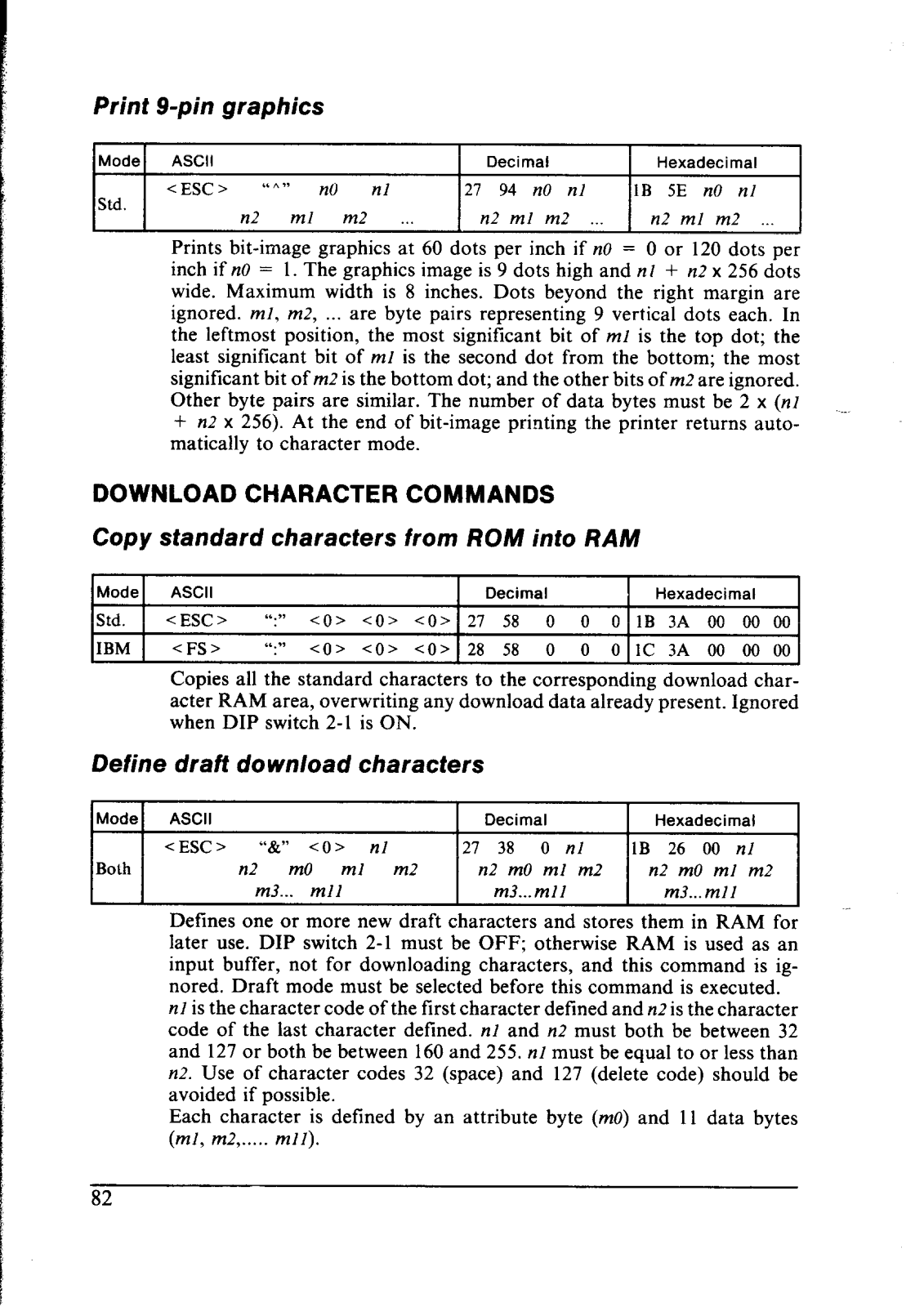
- Having the ability to graphic with dots
Technical Specifications:
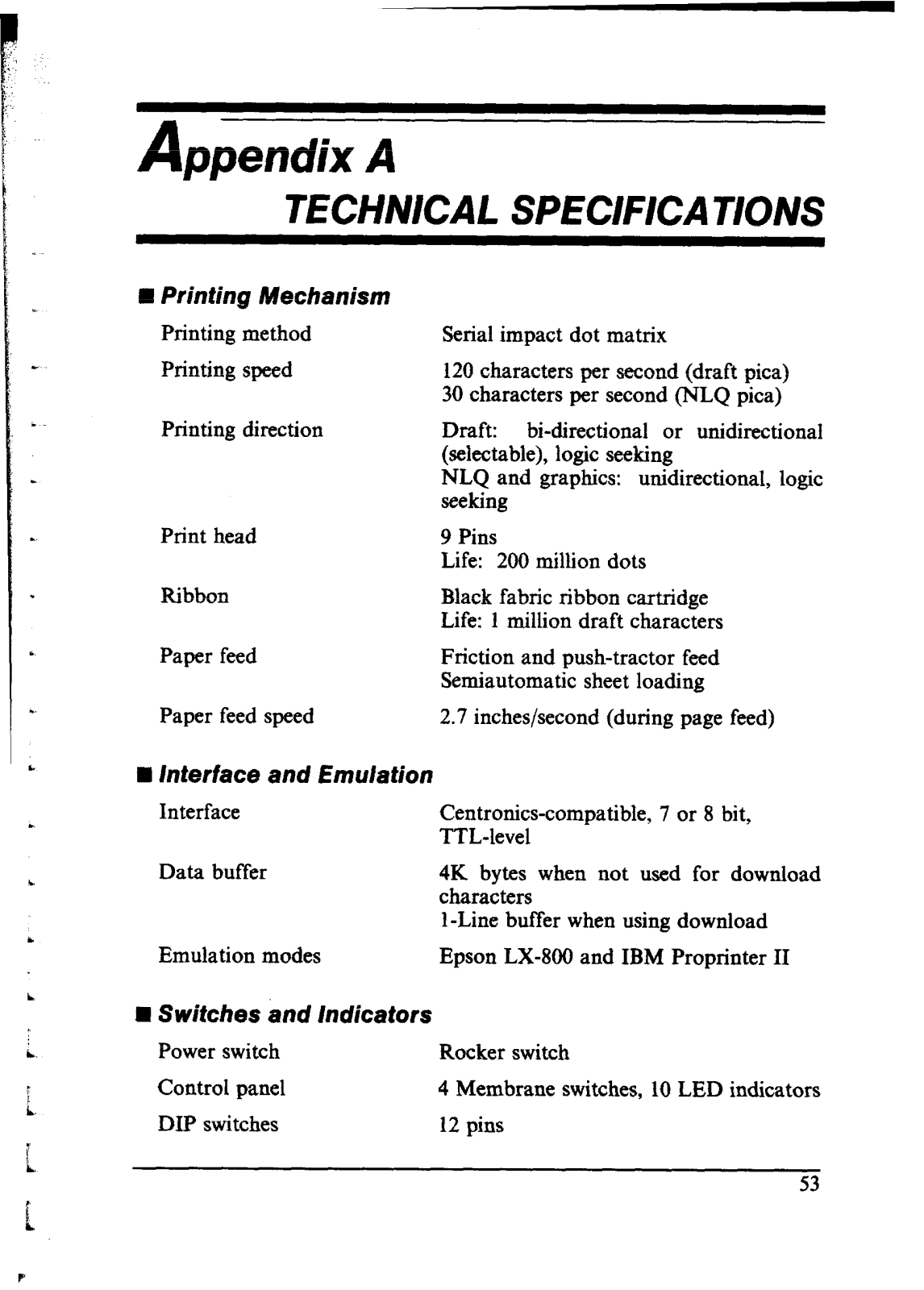
- print speed of the object in question: Not indicated
- print resolution: Near-letter-quality (NLQ)
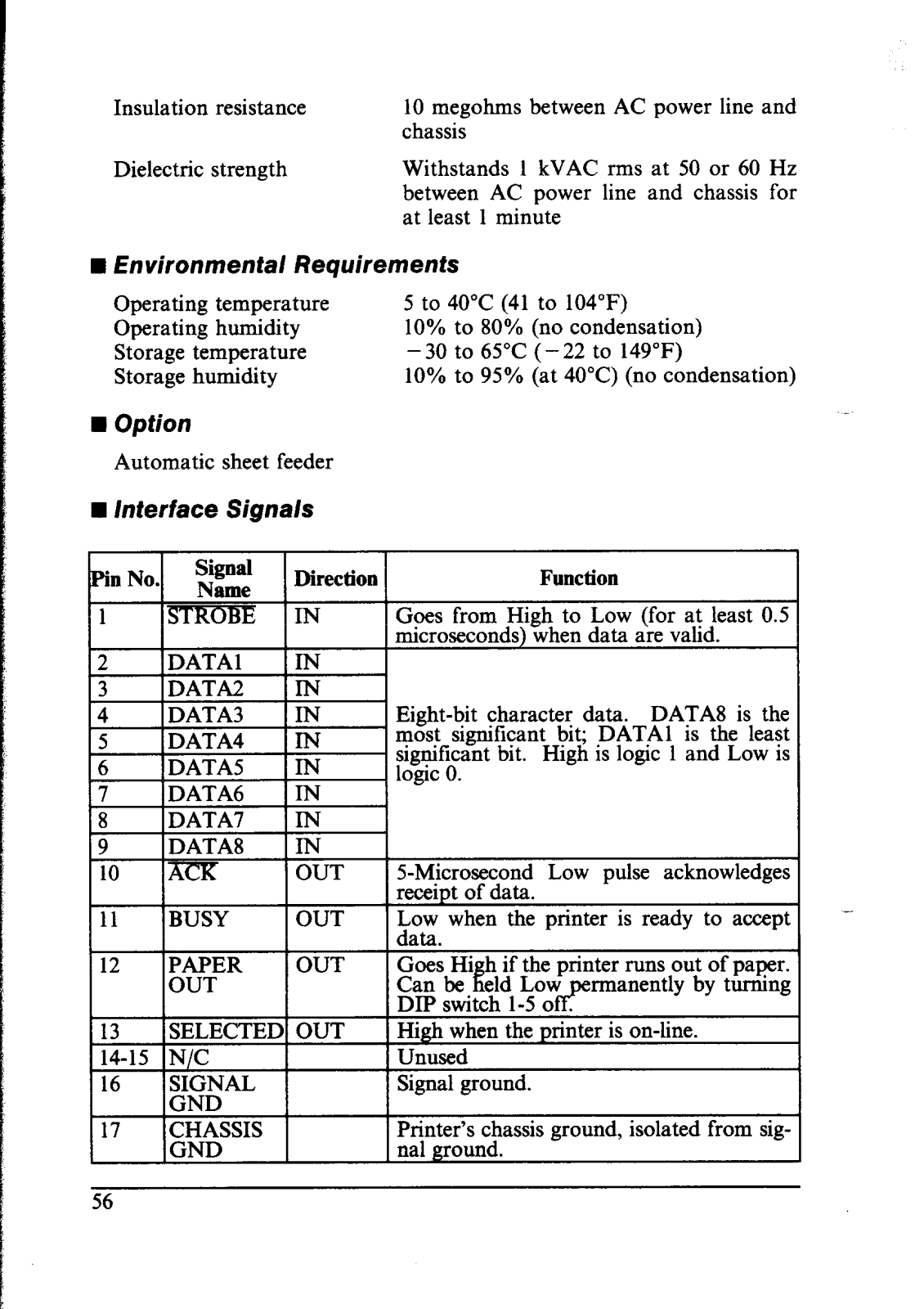
- The interface of the object: Not indicated
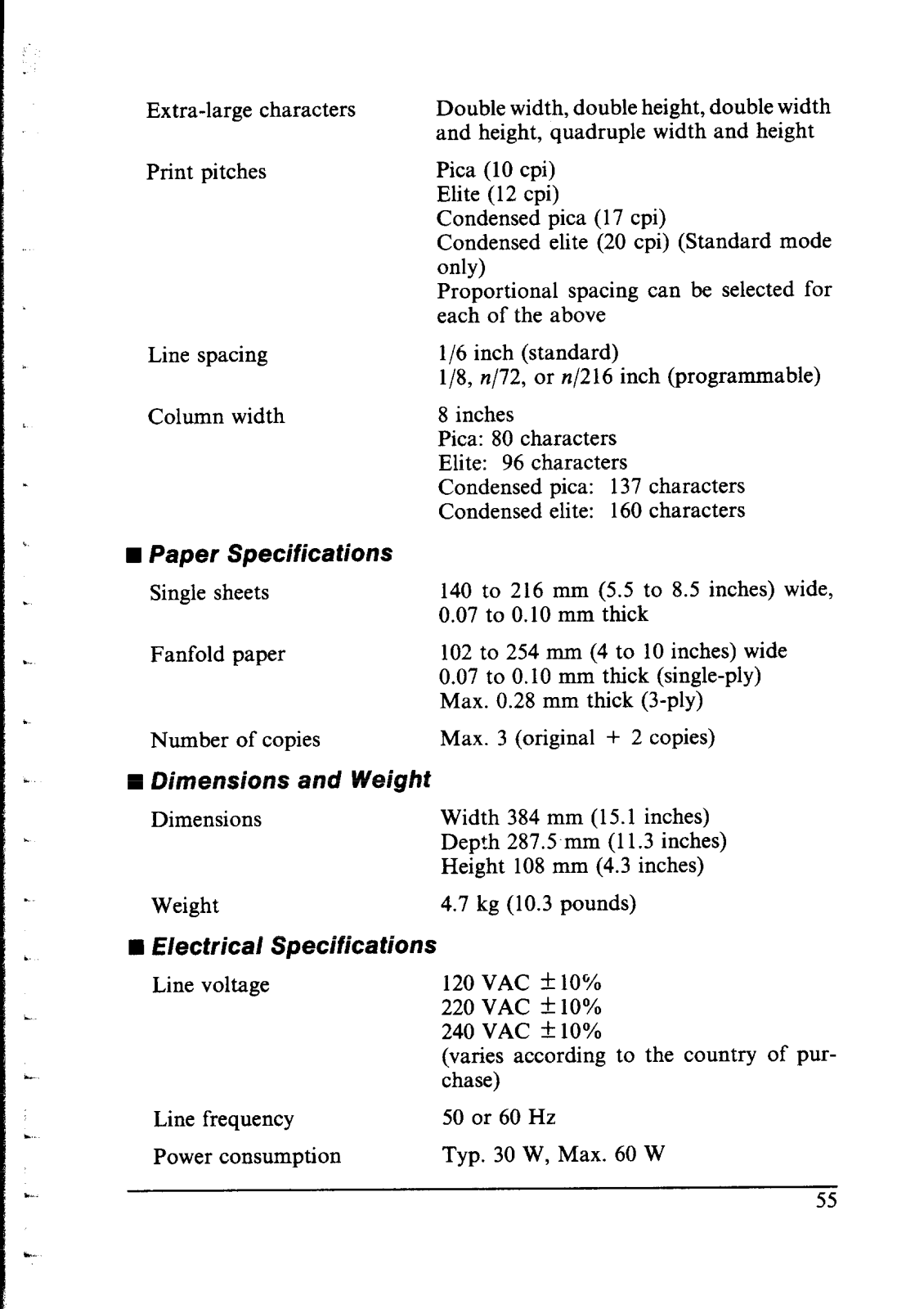
- the dimensions of the object: Not indicated
- the weight of the multi-font printer NX-1000: Not indicated
- The power supply of the object: Not indicated
- Types of paper the object supports includes: Single sheets, fanfold forms not exceeding 10’’ in width
- Types of paper feeds include: Tractor or friction feed
- Type of Operating Environment Indoor Type Avoiding direct sunlight And Dust and High Humidity
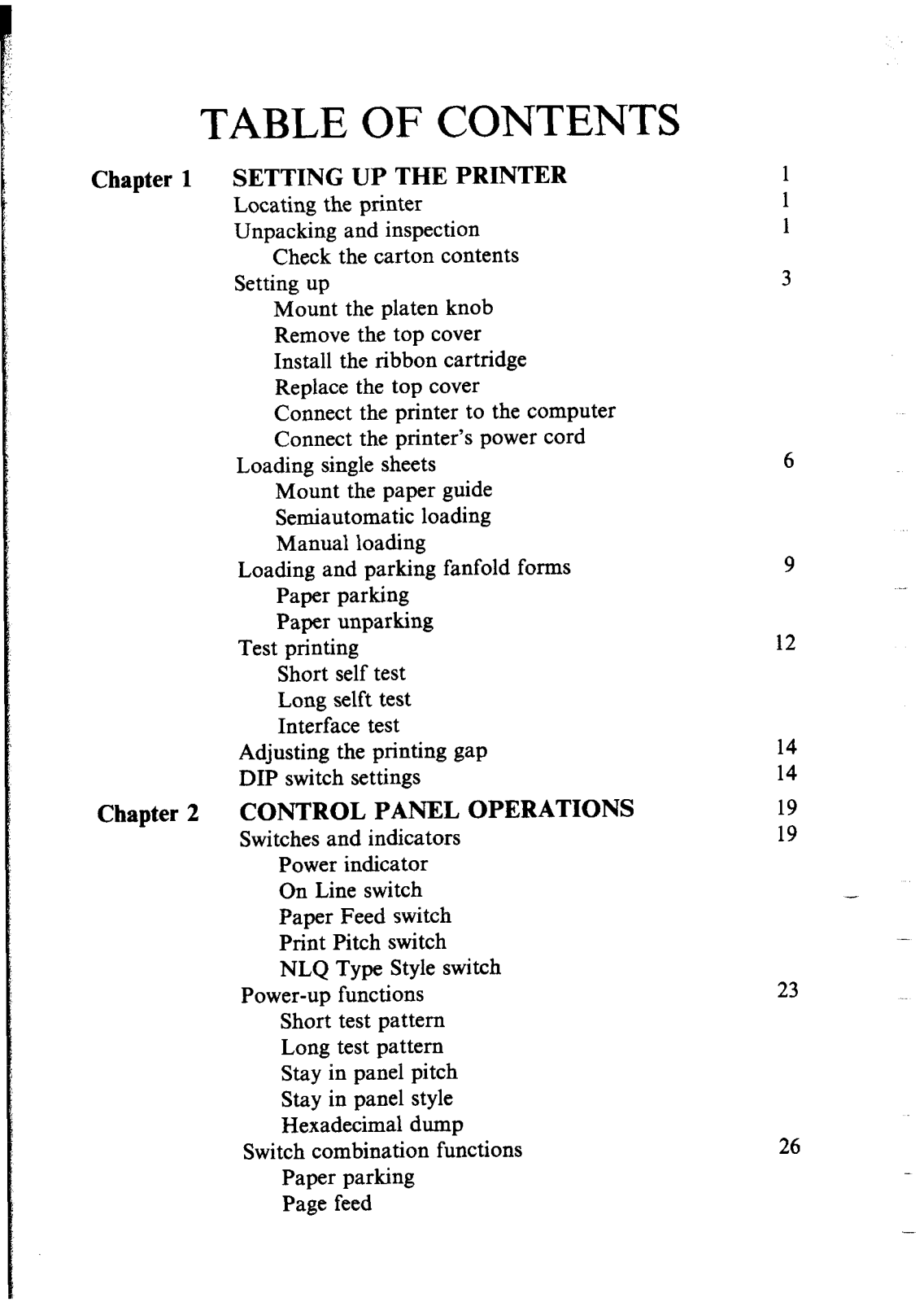
Q: I have never set up a printer before, is there a manual to show me how it’s done?
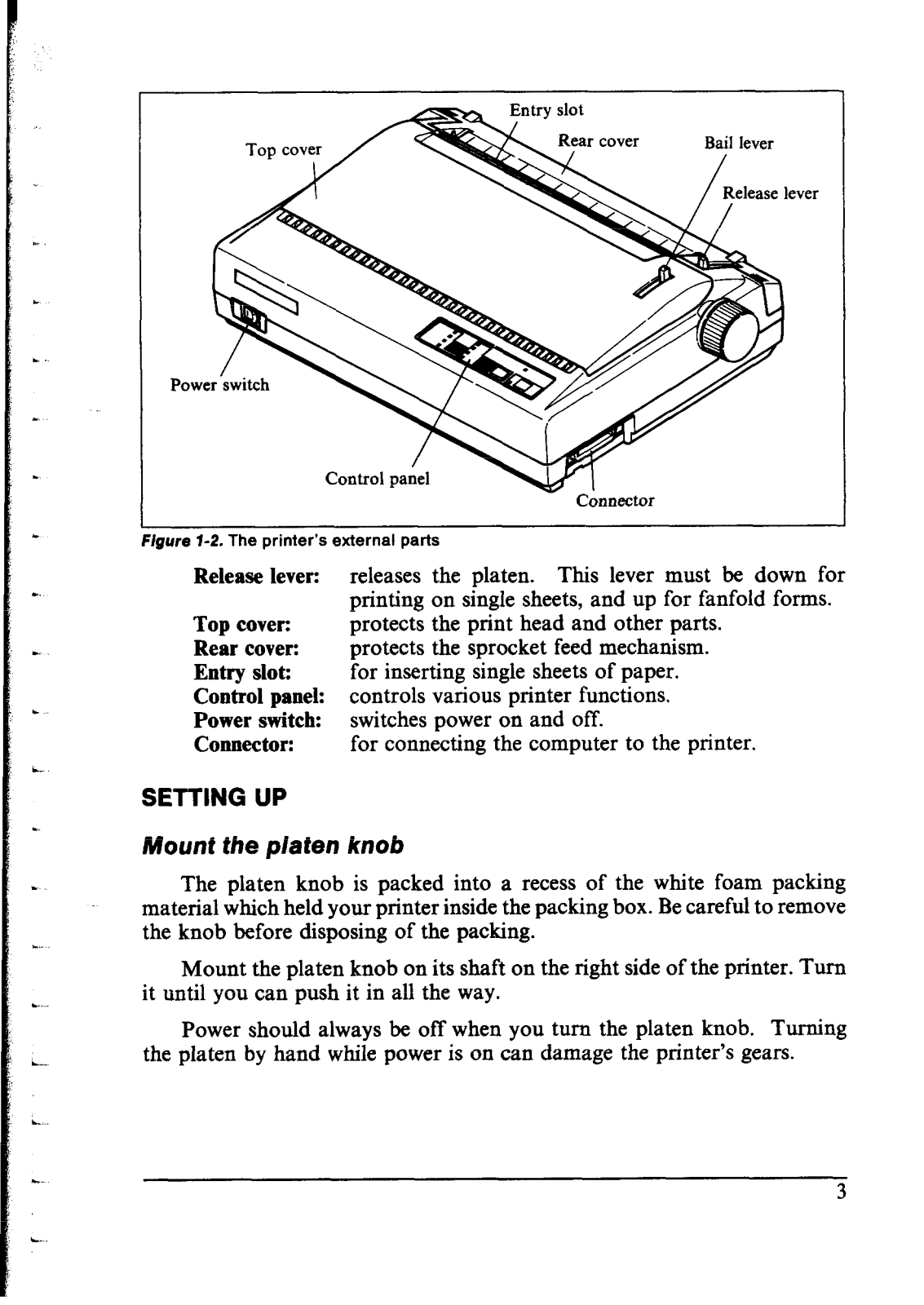
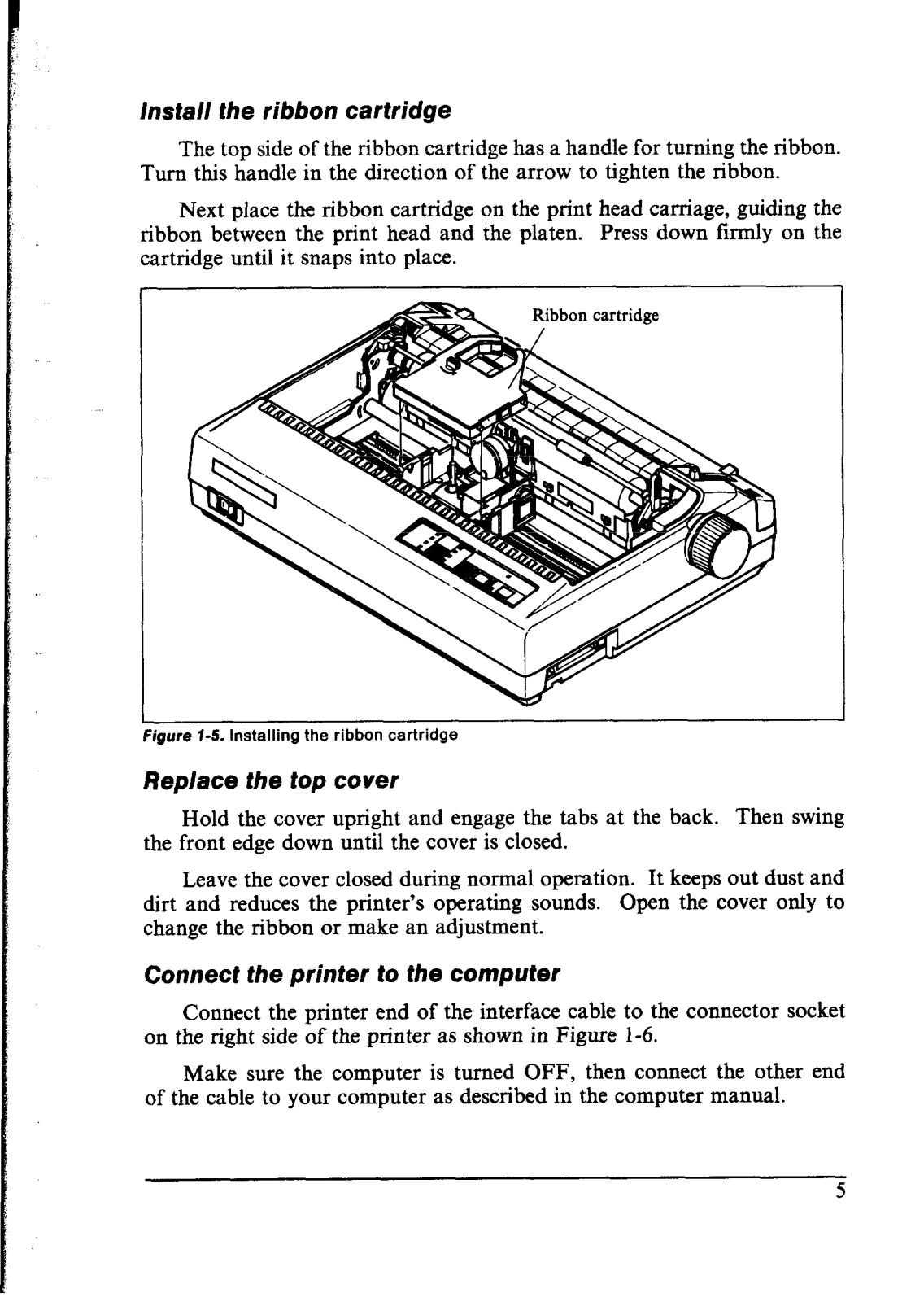
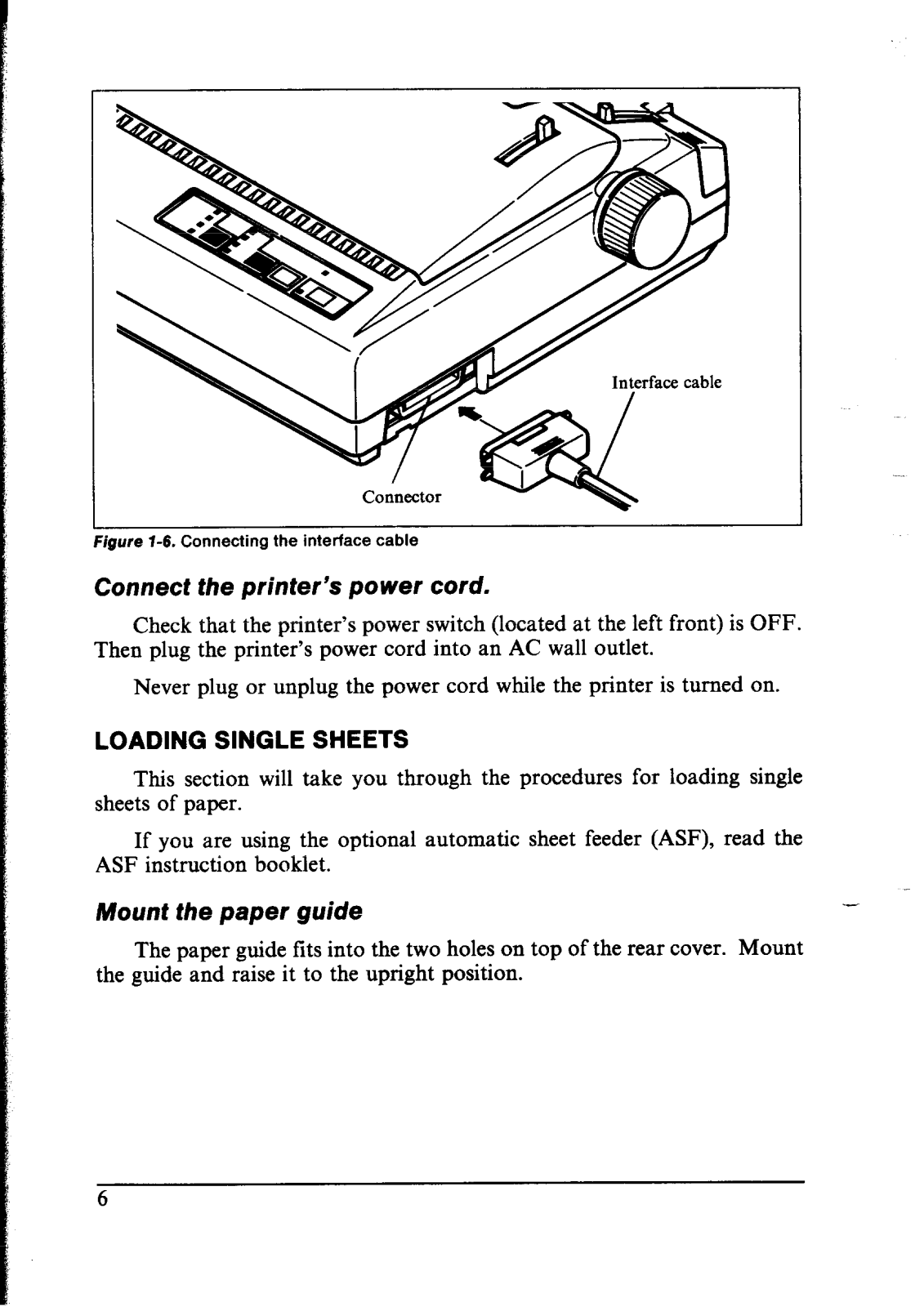
A: It is essential to unpack the printer, fix the platen knob, place the ribbon cartridge over the computer, then attach the printer into a socket.
Q: What type of forms might the expert printer use?
A: The type of printer can use sheets, fanfold forms, tractor fed forms, multi copies within a friction feed.
Q: In what ways can I clear or alter the prints styles?
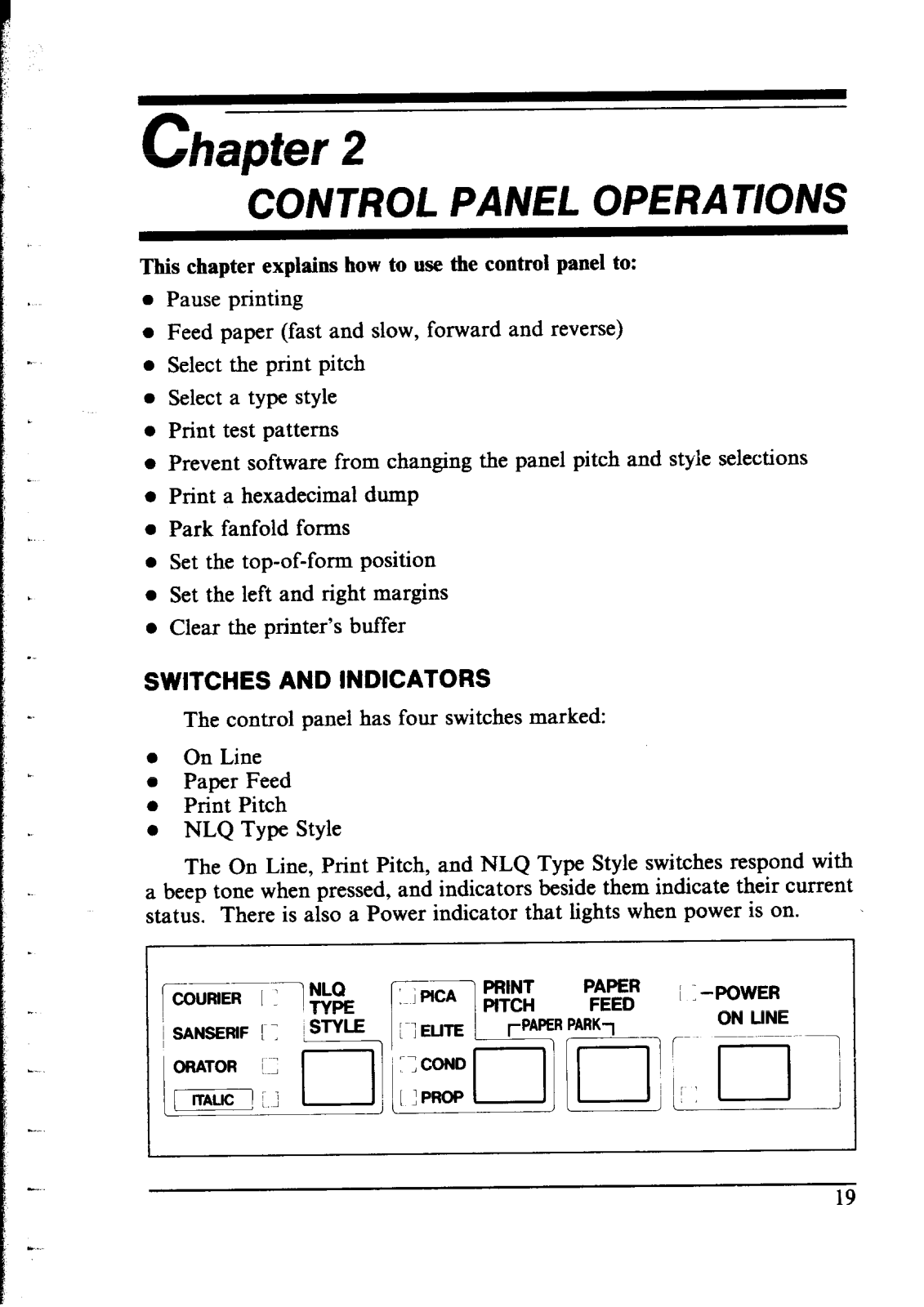
A: Selet the available styles located in the control panel by NLQ Type Style using their switch type.
Q: What steps must be taken to perform Self Test on the printer?
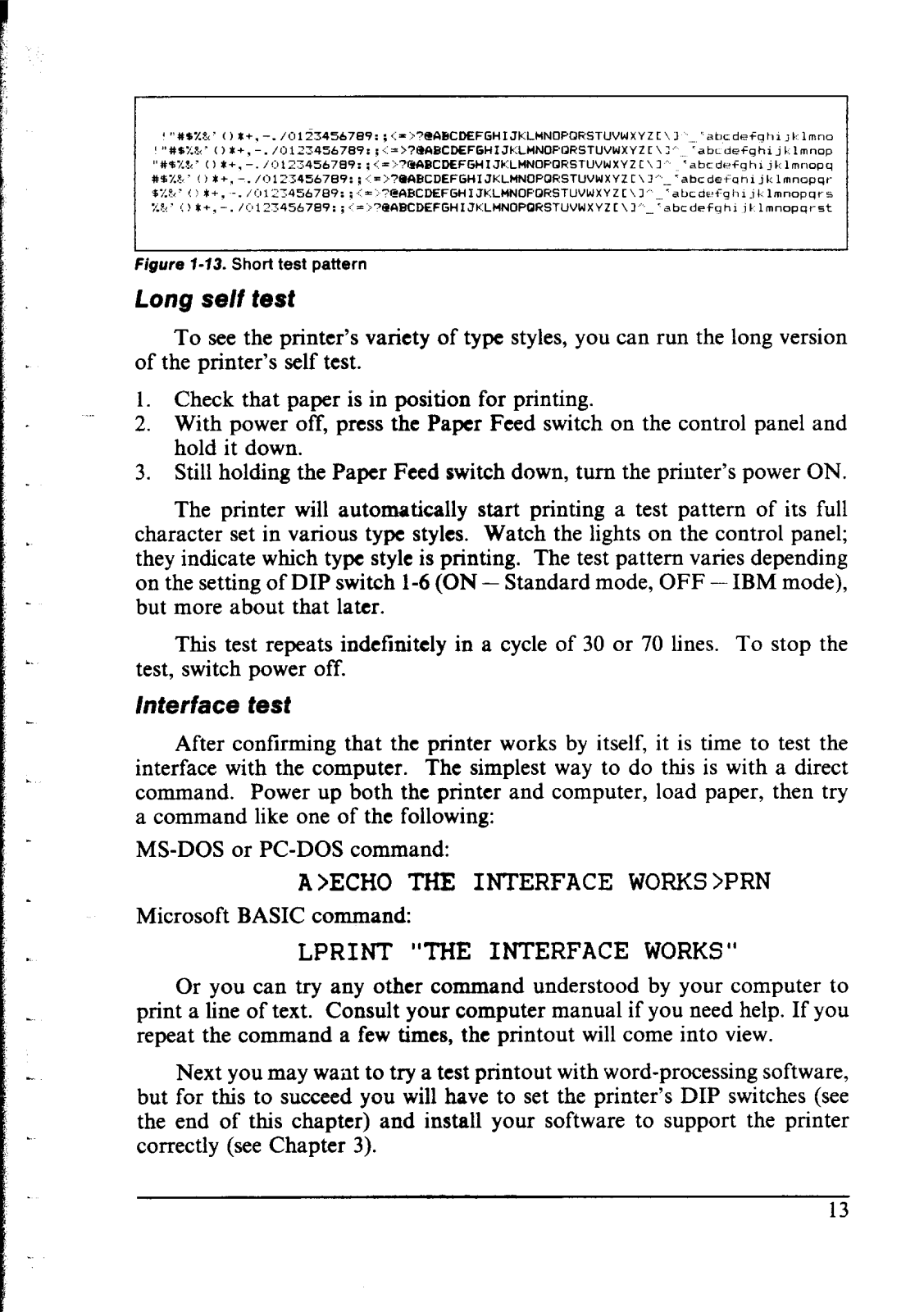
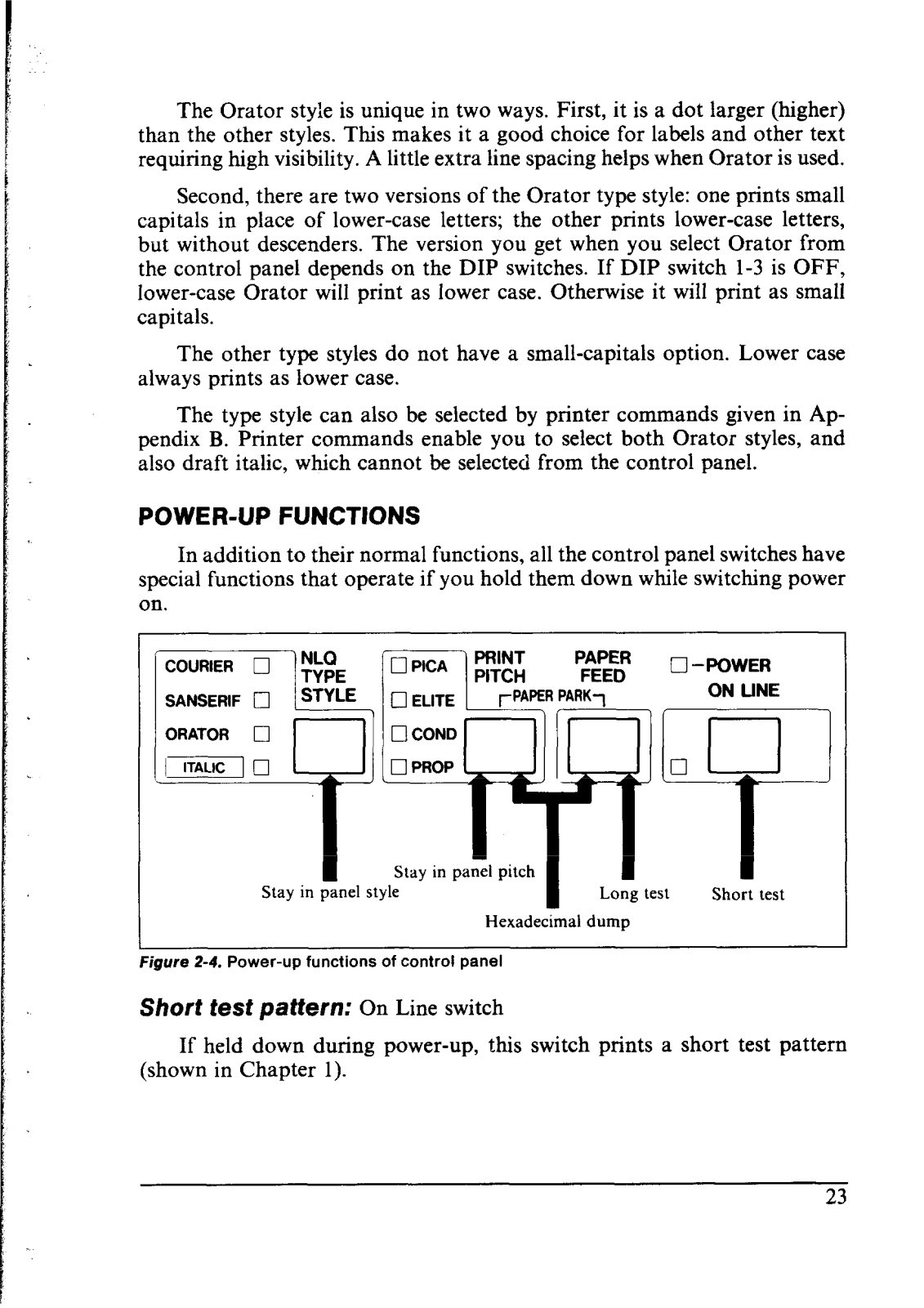
A: So as to carry out a self-test, press and hold the appropriate control panel switch (On Line or Paper Feed) whilst turning the power on for either a short or long test pattern to print.
Q: How is NLQ different from Draft Printing?
A: While NLQ (near-letter quality) utilizes a more finer alternate dot matrix which forms up clearer characters and well built letters, draft printing plans to produce images, options or letter quicker using a simpler dot matrix.
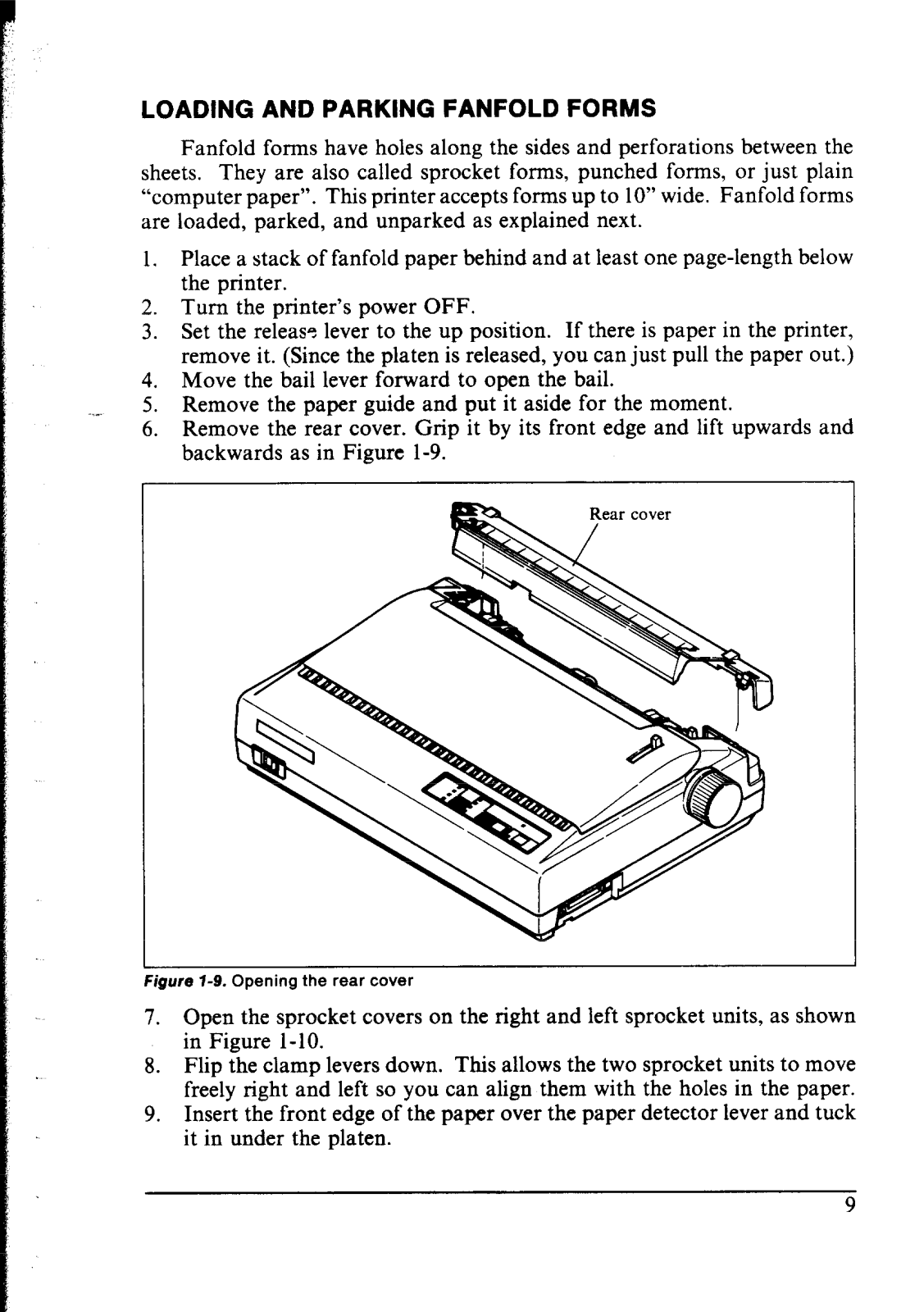
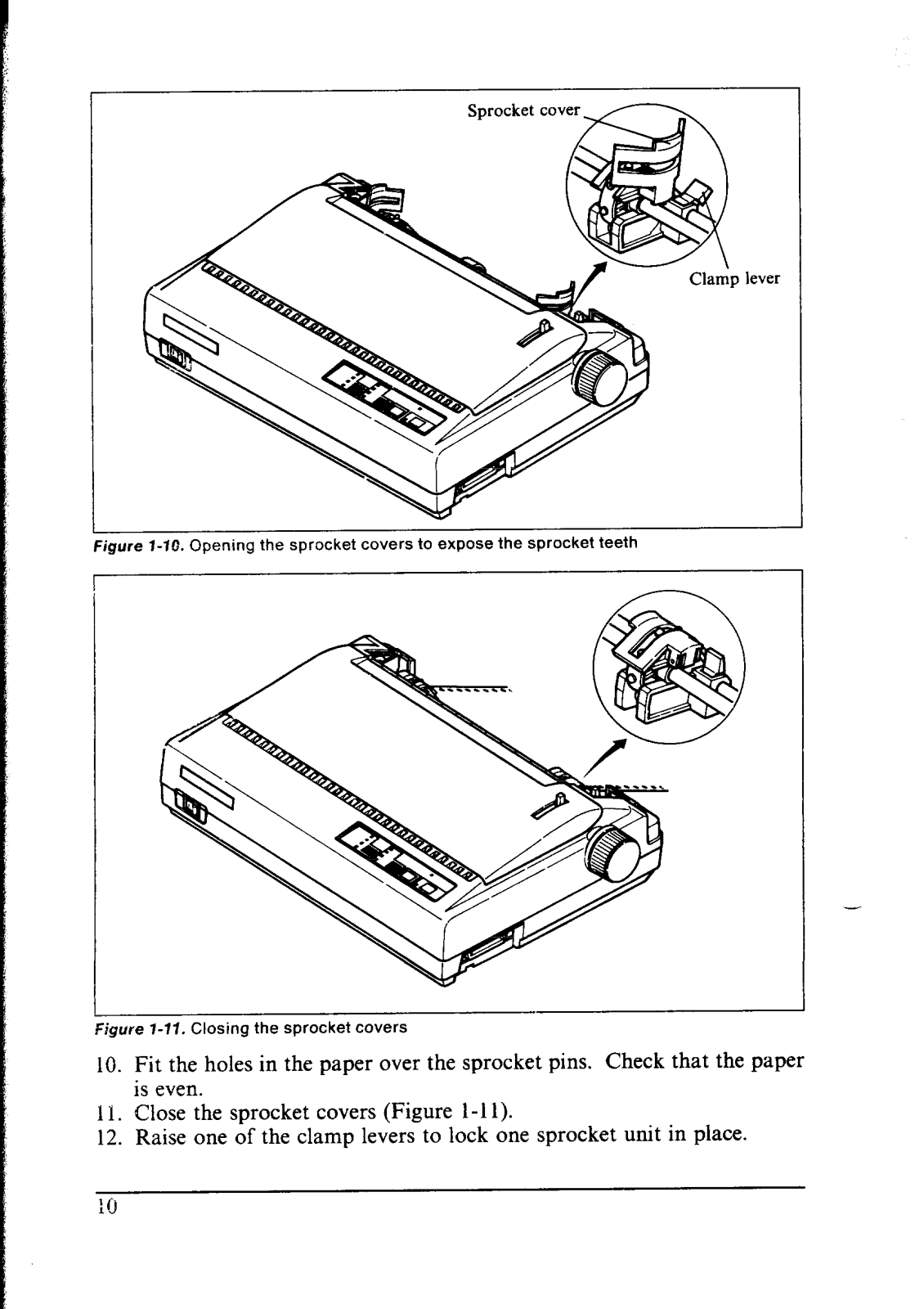
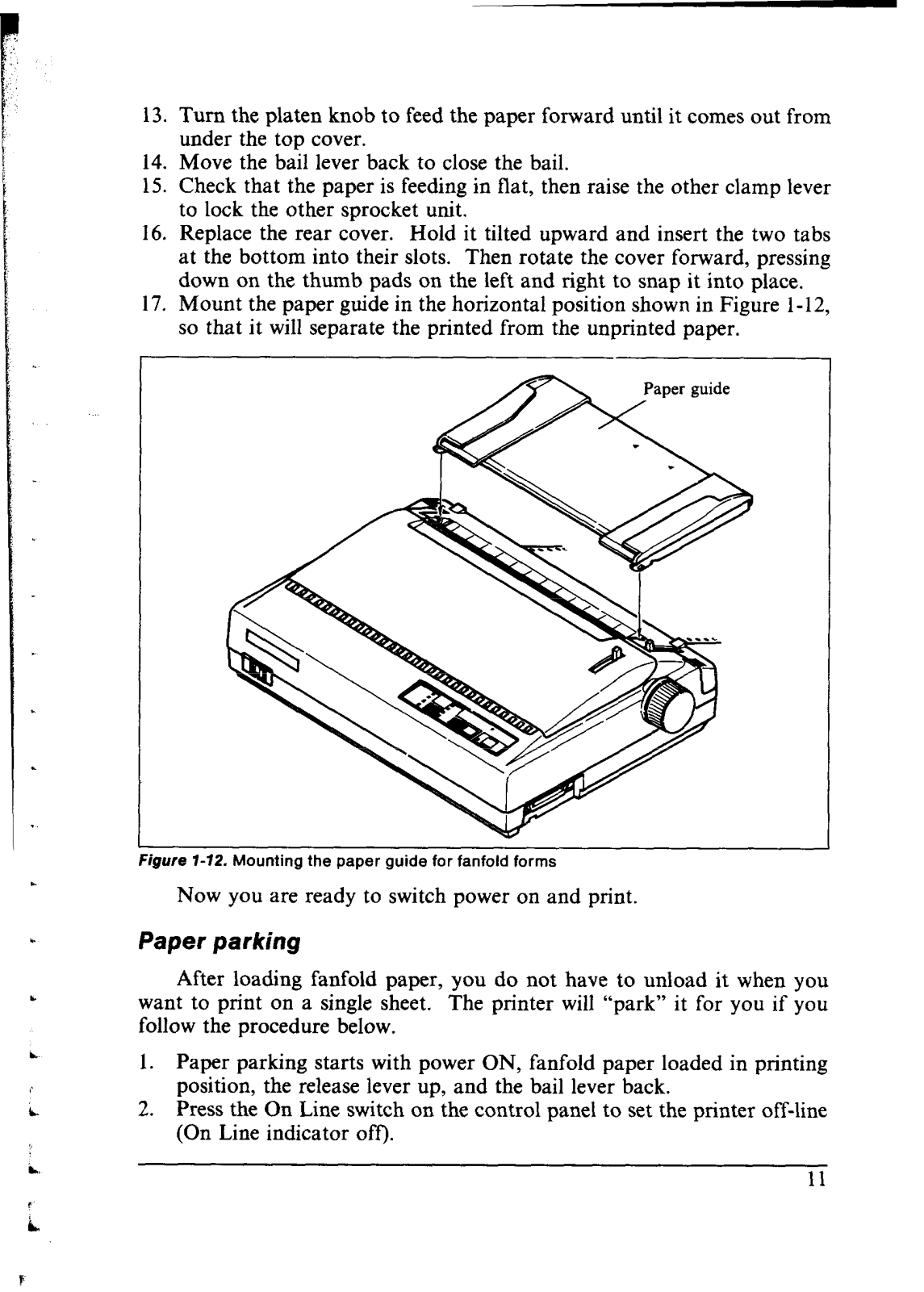
Q: Fan Fold Paper Loading Procedure?
A: Position your fanfold paper behind the device and follow the pattern to open sprocket covers at the minimum a maximum two pinched holes and ensure the paper is held tightly in place.
Q: What shall I do with paper getting stuck?
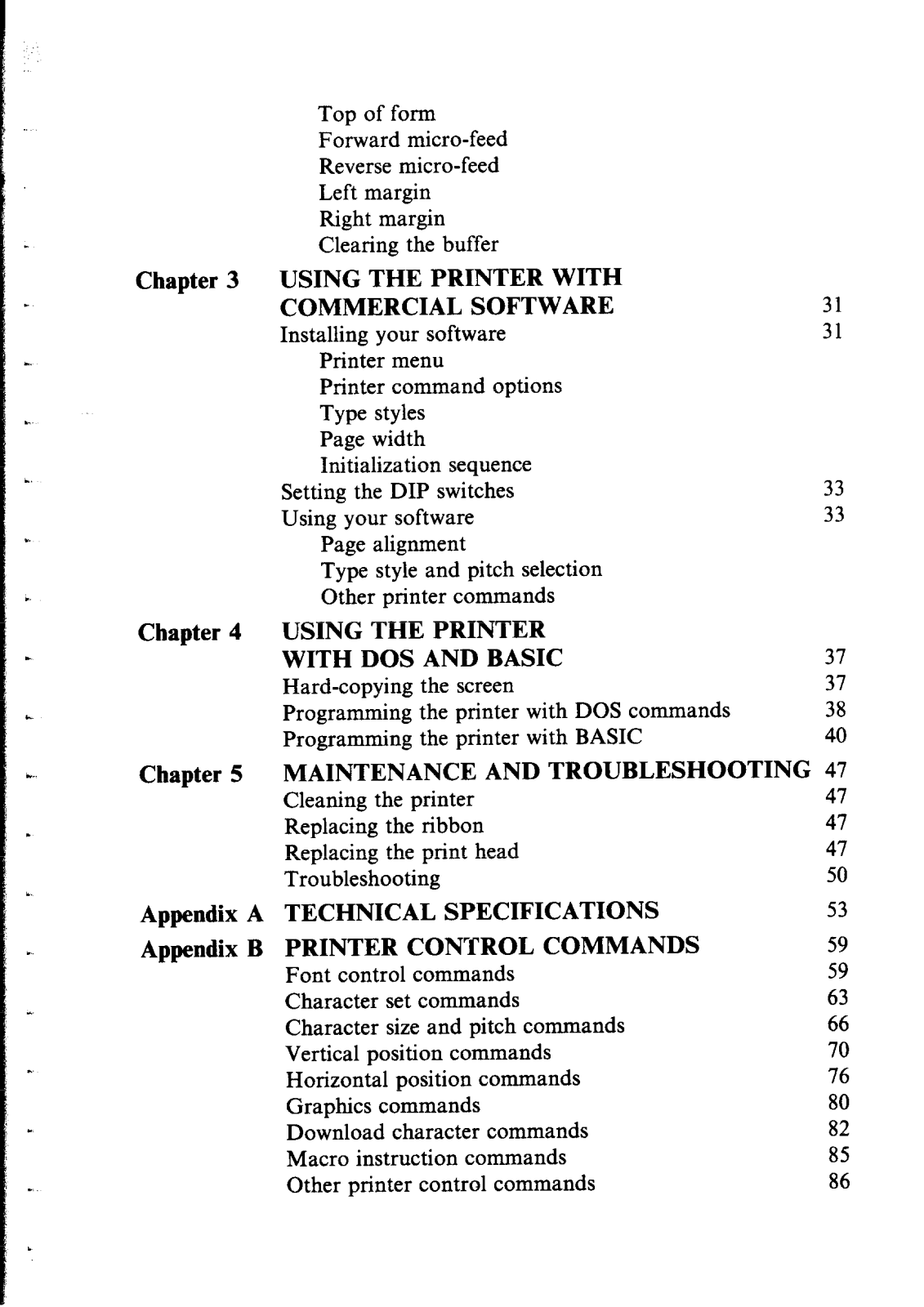
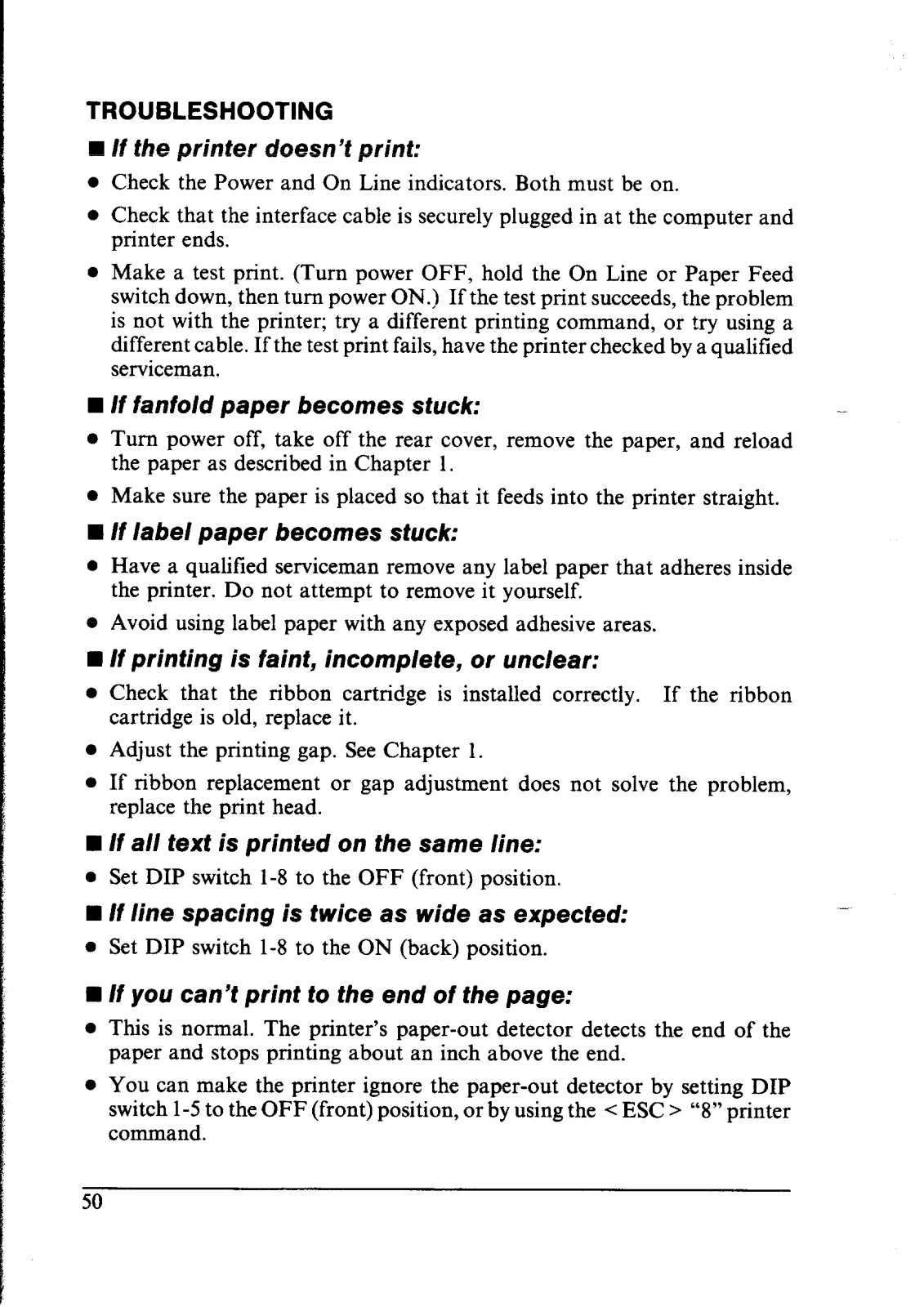
A: Go through the maintenance section of the manual and follow the instructions advised for resolving issues with paper jams.
 Loading...