

Page 1
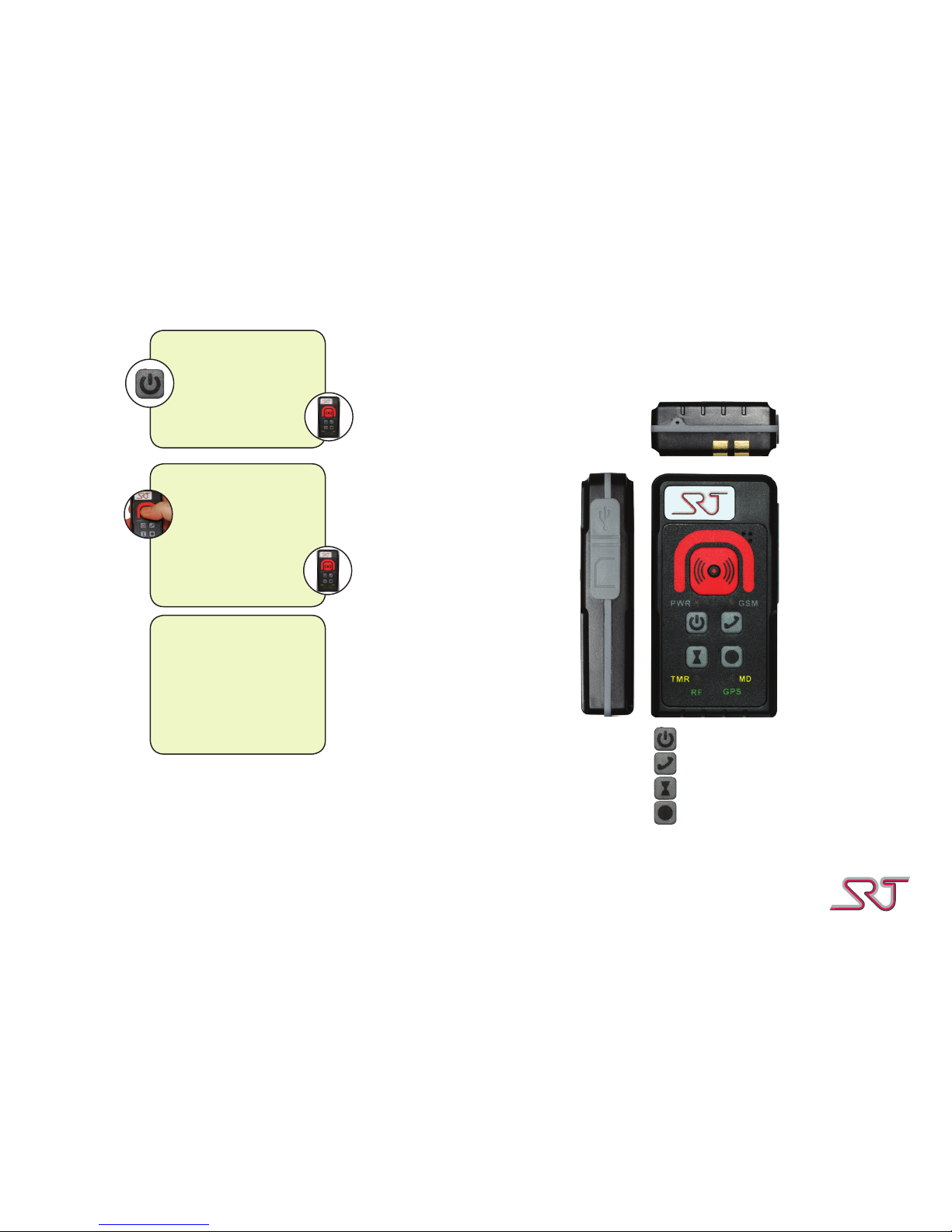
Quick guide SRT306i Personal alarm
SRT3060210A15_QG_EN_STD
Call button
On/Off button
Enable/disable Timer alarm
Enable/disable Man down alarm
Sending an alarm
Press and hold the
alarm button until the
device vibrates.
The device will emit a
second, shorter vibration when the alarm
has been sent.
On/off
press and hold the on/
off button for 5 seconds.
The device will start
vibrating and initiate the
turning on/off sequence.
Acoustic warning
If the SIM card is out of
place the device will emit
an audible signal. Shut the
device off, extract and
reinsert the SIM card and
turn the device on again.
Page 2
Status LEDs
GSM status
Blinking (red)
Searching for GSM network
Blinking (green) slowly
GSM network found
Blinking (green) quickly
Call in progress.
No light
The device is either turned
off or in idle mode.
Charge level (PWR)
(charger disconnected)
Blinking three times
every 15 seconds
The device is turned on
and is signaling charge
level with the three blinks.
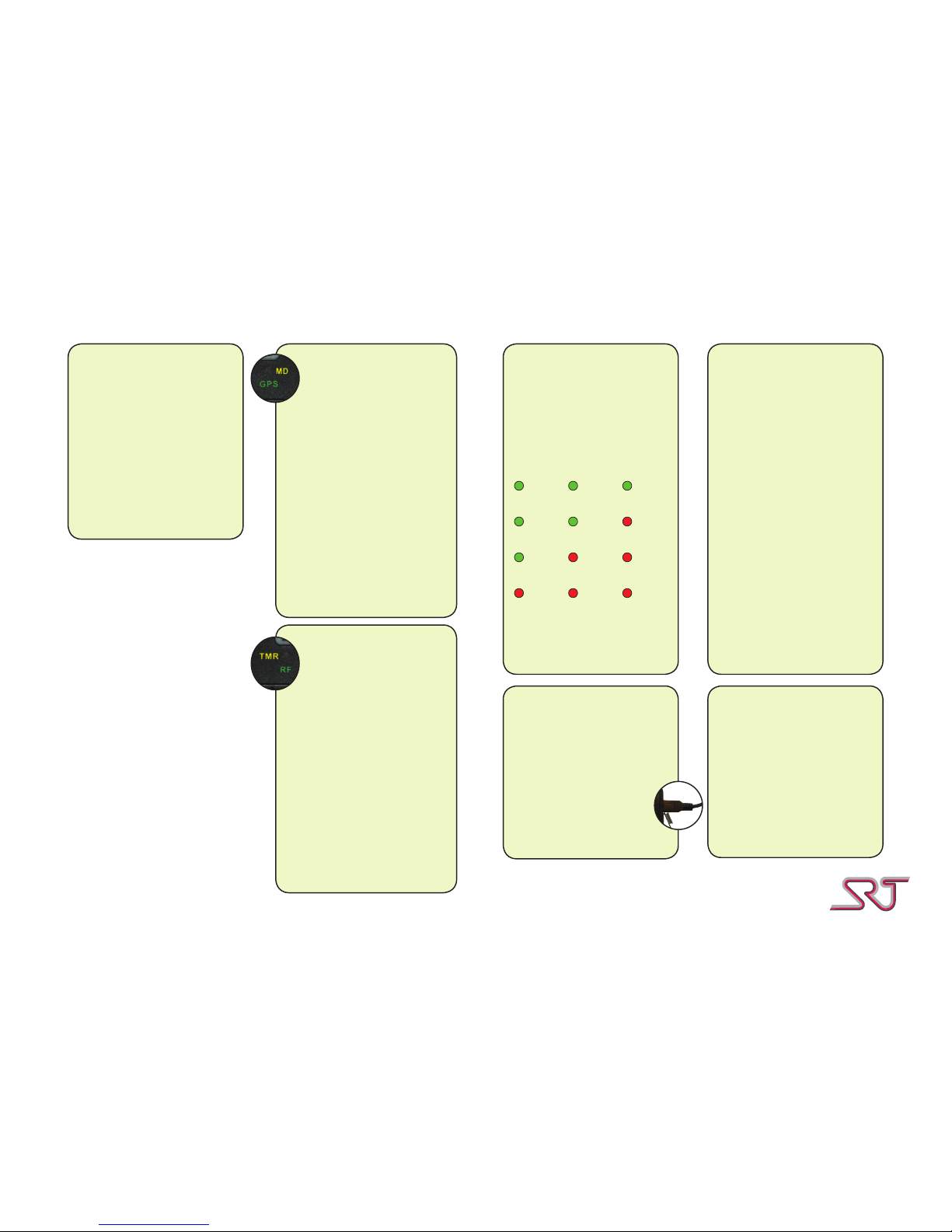
green green green
Very good
greengreen red
Good
green redred
Low
redredred
Critical
Blinking interchanging
green and red
The device is turning off.
Charge level (PWR)
(charger connected)
Blinking every other
second (green)
The device is turned on
and
Blinking every other
second (red)
The device is turned off
and charging.
Solid light (green)
The device is turned on
and fully charged.
Solid light (red)
The device is turned off
and fully charged.
Blinking interchanging
green and red
The device is turning off.
Charging
(Desktop charger)
Charging (USB)
Lift the rubber ap on the
side of the device and
insert the charger cable
into the mini usb connector.
Place the unit in the desktop charger
Charging times
Before using your alarm
device the rst time it
should be charged for 4
hours. Whenever the battery is fully discharged it
should be charged for at
least 4 hours.
The device should be
charged every day.
TMR/RF status
No light
No contact with any RF
tags. Timer alarm is
disabled.
Blinking (green)
Device is in contact
with RF tag.
Blinking (yellow)
Timer alarm is enabled.
Blinking (green/yellow)
The device is in contact with
RF tag. Time alarm is
enabled.
MD/GPS status
No light
GPS is either turned off, is in
idle mode or have no current
position.
Man down is disabled.
Blinking (green)
The device have a
current GPS position.
Blinking (yellow)
Man down is enabled.
Blinking (grön/gul)
The device have a current
GPS position.
Man down is enabled.
 Loading...