

Page 1
QUICK START GUIDE
FIREBELLY
SWIM PERFORMANCE MONITOR
KNOW MORE TRAIN SMARTER PERFORM BETTER
• •
Page 2
GETTING STARTED
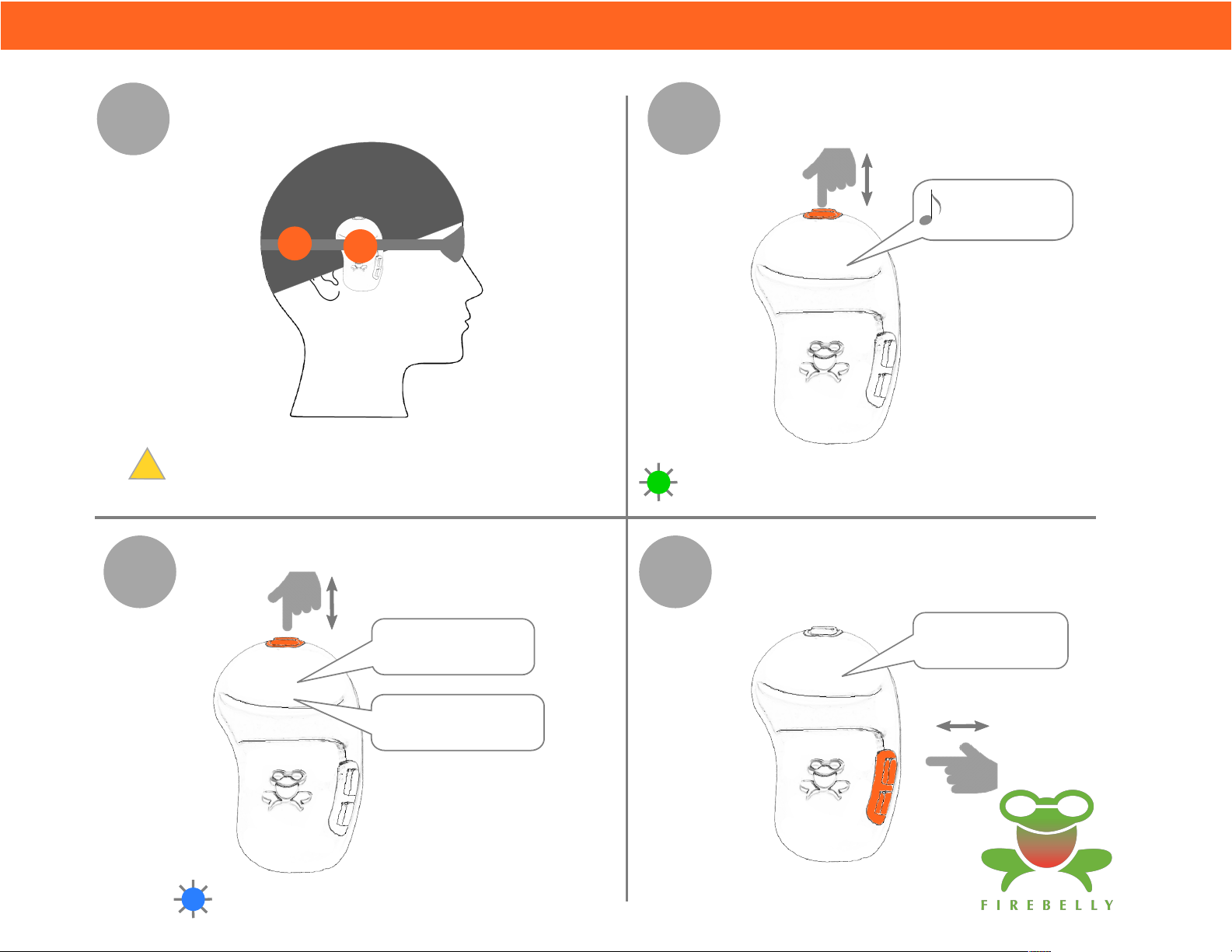
1
3
PUT DEVICE ON
Device should be straight up & down
!
and on the right side in either location
START SWIM DETECT
TURN DEVICE ON
2
"Battery level
is high"
FLASHING GREEN: Device On & Charged
CHANGE MODE (OPTIONAL)
4
"Starting mode 1"
"Start when ready"
Start swimming anytime
after hearing:
"Start when ready"
FLASHING BLUE: Ready to Swim
"Mode 2"
+
-
Page 3
DEVICE OVERVIEW
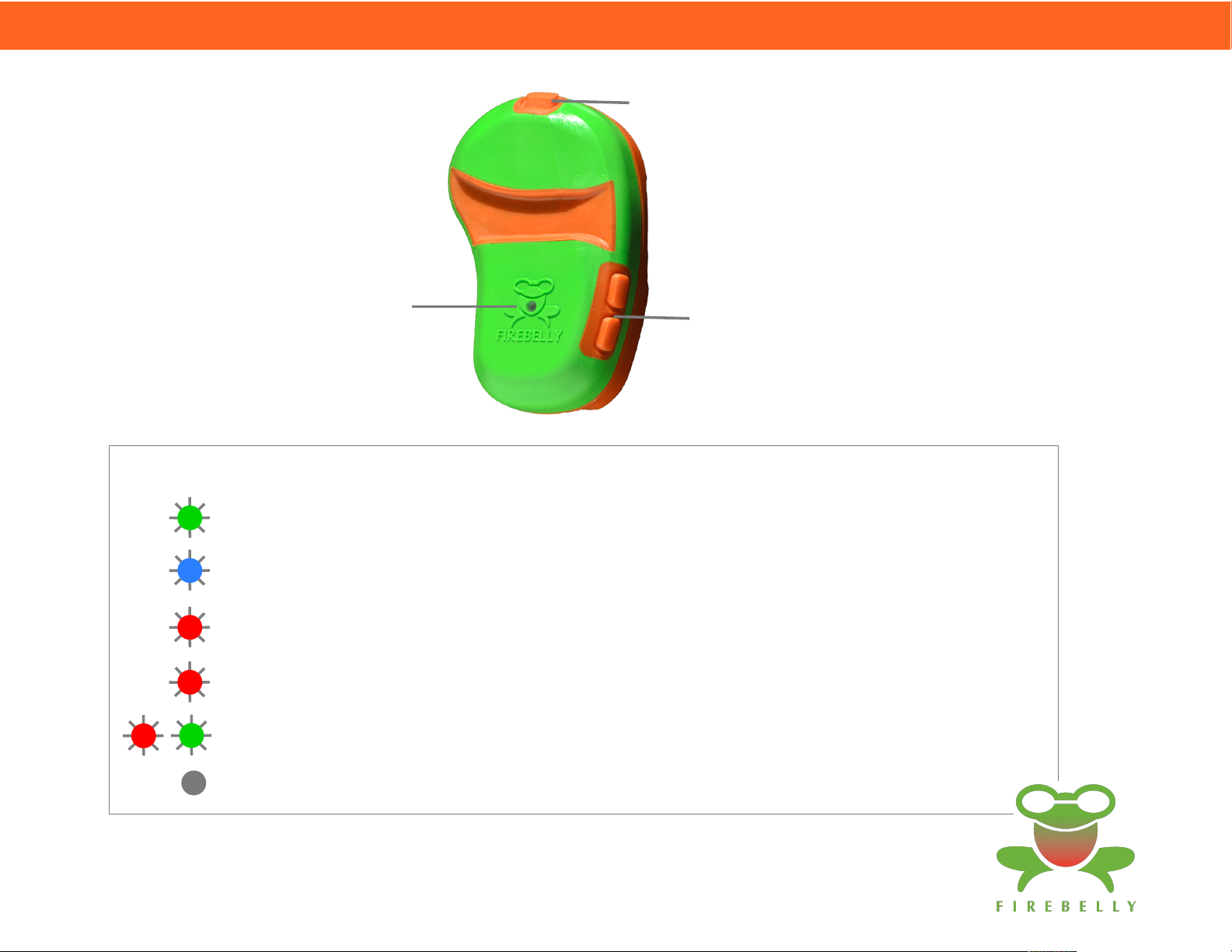
DEVICE ON/OFF &
SWIM DETECT START/STOP
STATUS INDICATOR
STATUS INDICATOR:
FLASHING GREEN: Ready Mode - device on & charged
FLASHING BLUE: Swim Detect Mode - ready to swim
SLOW FLASHING RED: Low Battery - device will shutdown soon
FAST FLASHING RED: Flash memory is being erased
FLASHING RED & GREEN: Device On & Charging*
+
CHANGE MODES
-
OFF: Device not on or not charged
*Device must be powered ON to see the charging indicator
Device will still charge if it isn't powered ON (no indicator is shown)
Page 4

GOOD THINGS TO KNOW
START TIMING
• Firebelly sounds a start tone after the push-off; for accurate timing the clock
starts at the wall when you begin the push-off
FALSE START
• Firebelly may detect a "false start" if you dip your head while resting but will
automatically reset if you hold your head upright & still for a couple of
seconds -- a double beep lets you know it reset
TIMING ACCURACY TIPS
Zzz
• Start: keep head still & upright immediately before start; keep head down during
pushoff & streamline
• Finish: keep head down on finish until hand touches the wall (like in a race);
keep head still and level after lifting until audio starts
TURNING FIREBELLY OFF
• Press the top button quickly twice to exit swim detect mode
• Firebelly automatically turns off after 10 minutes if no buttons are pressed,
unless in swim detect mode
• Firebelly automatically stops swim detect mode after five minutes
without detecting any activity (e.g. start or turn)
Page 5
APP OVERVIEW
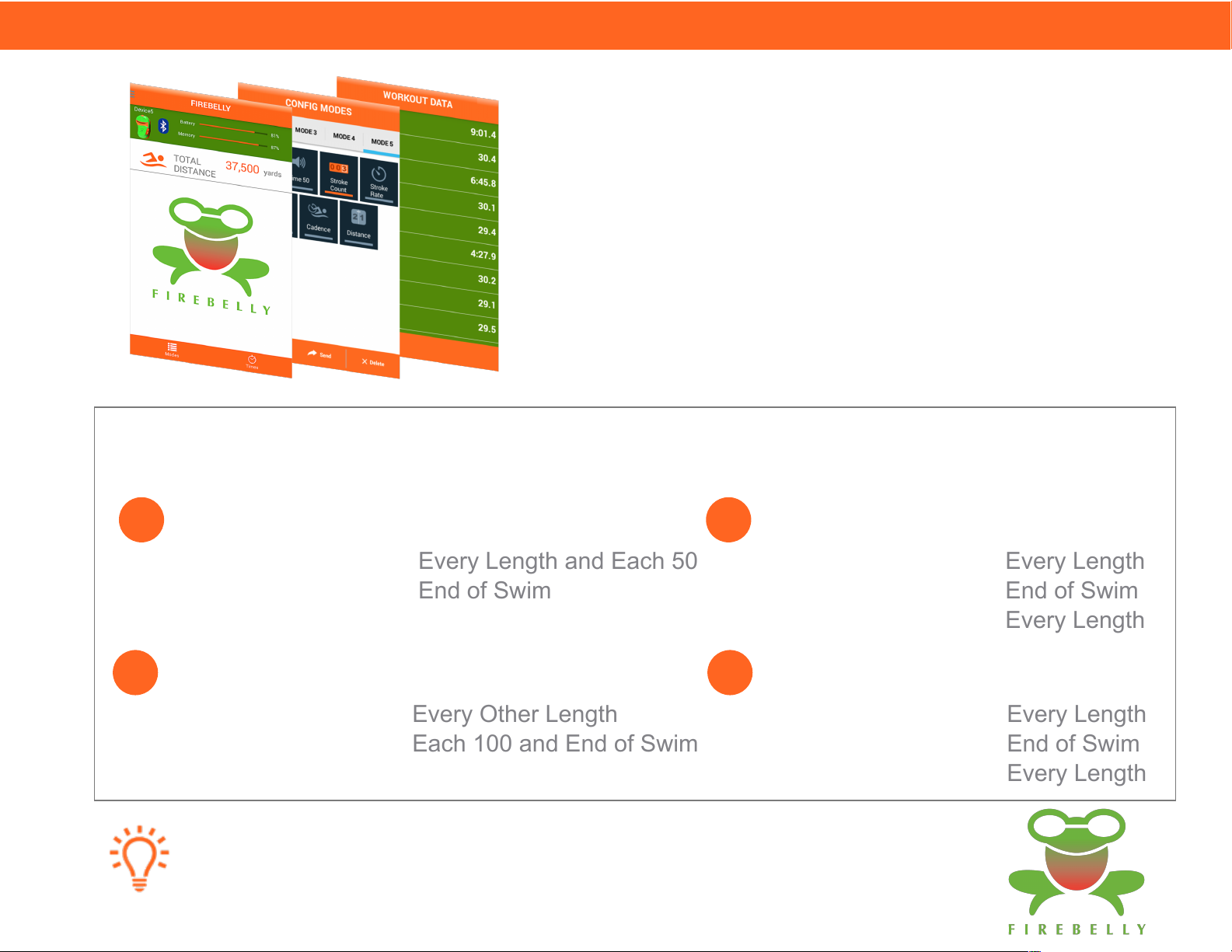
FIREBELLY APP
Free smart app available for iOS and Android
Uses Bluetooth to manage the device, including programming
custom modes and viewing workout data
Displays swim data for each length of each repeat including:
total time, split times, stroke count, and stroke rate
Modes
Modes 1-4 are configured by default on every device and cannot be changed
2
1
TIME - OPTION 1
SPLIT TIME:
CUMULATIVE TIME:
TIME - OPTION 2
SPLIT TIME:
CUMULATIVE TIME:
Additional custom modes can be configured using the Firebelly App
Every Length and Each 50
End of Swim
Every Other Length
Each 100 and End of Swim
3
4
STROKE COUNT
SPLIT TIME:
CUMULATIVE TIME:
STROKE COUNT:
STROKE RATE
SPLIT TIME:
CUMULATIVE TIME:
STROKE RATE:
Every Length
End of Swim
Every Length
Every Length
End of Swim
Every Length
Page 6

Complete user's manual, privacy policy, and other
Firebelly information available at
www.firebelly.me
Designed and manufactured in the USA
US patent pending
Firebelly is a trademark of SportTech, LLC
 Loading...