

Page 1
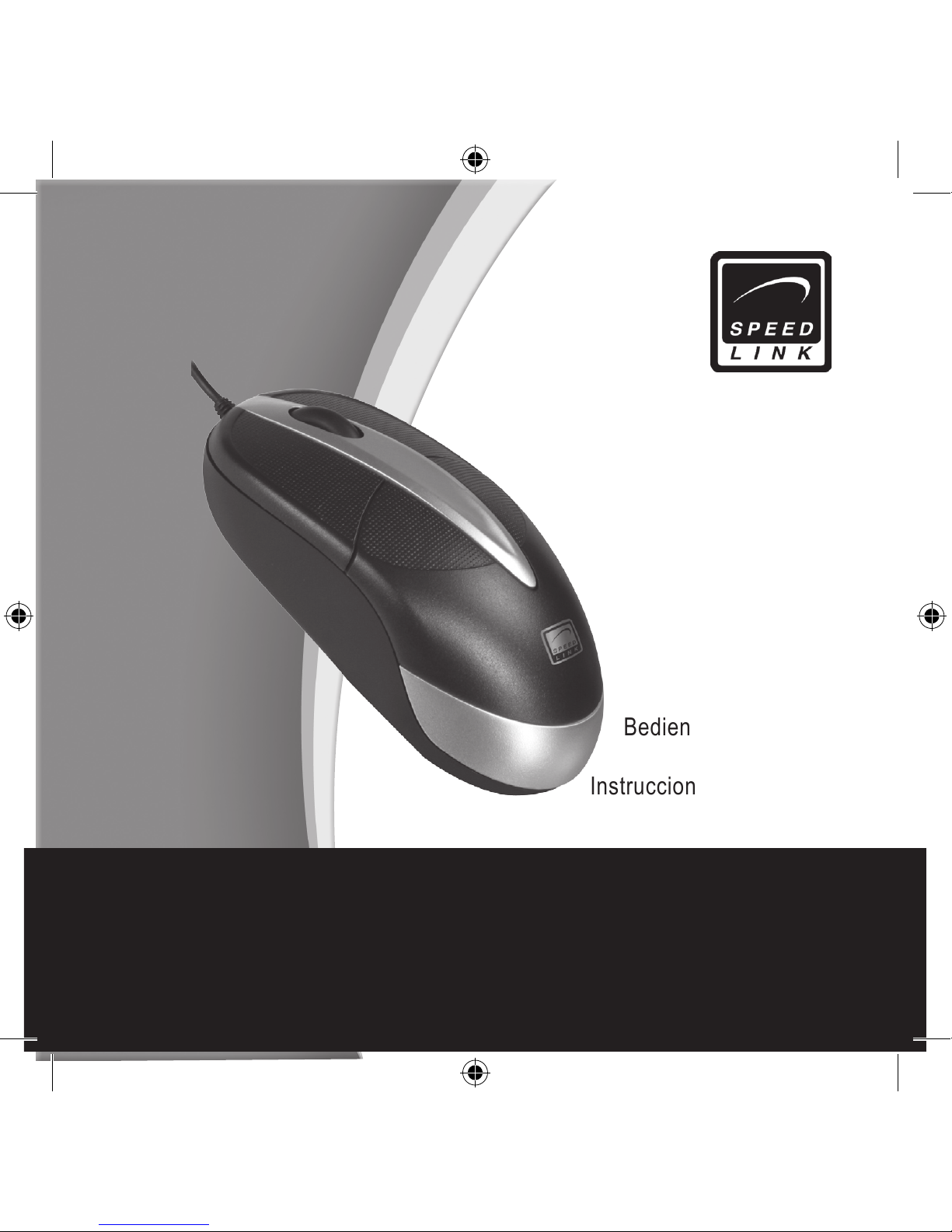
User‘s Guide
Bedienungsanleitung
Mode d‘emploi
Instrucciones de manejo
Manuale di istruzioni
Page 2

DE
2
Wichtig!
Bevor Sie dieses Produkt verwenden, lesen
Sie bitte die Sicherheits- und Warnhinweise
im Handbuch. Bewahren Sie dieses Handbuch auf, um zu einem späteren Zeitpunkt
darauf zurückgreifen zu können.
Haftungsausschluss
Die Jöllenbeck GmbH übernimmt keine Haftung für Schäden am Produkt oder Verletzungen von Personen aufgrund von unachtsamer, unsachgemäßer, falscher oder nicht
dem vom Hersteller angegebenen Zweck
entsprechender Verwendung des Produkts.
Fehlerbeseitigung/Reparatur
Versuchen Sie nicht, das Gerät selbst zu
warten oder zu reparieren. Überlassen Sie
jegliche Wartungsarbeiten dem zuständigen
Fachpersonal. Nehmen Sie keine Veränderungen am Gerät vor. Dadurch verlieren Sie
jegliche Garantieansprüche.
Feuchtigkeit/Wärmequellen
Verwenden Sie das Gerät nicht in der Nähe
von Wasser (z. B.Waschbecken, Badewannen etc.), und halten Sie es von Feuchtigkeit,
tropfenden oder spritzenden Flüssigkeiten
sowie Regen fern. Setzen Sie das Gerät kei-
nen hohen Temperaturen, hoher Luftfeuchtigkeit oder direktem Sonnenlicht aus.
Reinigung
Verwenden Sie zum Reinigen des Gerätes
bitte ein weiches, trockenes Tuch. Lassen
Sie das Gerät nie mit Benzol, Verdünner
oder anderen Chemikalien in Berührung
kommen.
Standort
Stellen Sie das Gerät auf eine stabile Unterlage, um zu verhindern, dass es herunterfällt und dabei Personen oder das Gerät zu
Schaden kommen.
Bestimmungsgemäßer Gebrauch
Das Gerät darf nur mit den dafür
vorgesehenen Originalteilen verwendet
werden.
Das Produkt darf nur in geschlossenen
und trockenen Räumen verwendet
werden.
Die bestimmungsgemäße Verwendung
beinhaltet das Vorgehen gemäß der
Installationsanleitung. Für Schäden,
die durch unsachgemäßen Gebrauch
entstehen, übernimmt der Hersteller
keine Haftung.
SicherheitShinweiSe
Page 3
DE
3
Einleitung
Vielen Dank, dass Sie sich für die Laser
USB Mouse entschieden haben. Ihre geringe Größe, das besonders lange und leichte
Kabel und der leistungsstarke Lasersensor
garantieren ideale Arbeitsbedingungen in
jeder Umgebung.
Lieferumfang
Maus
Bedienungsanleitung
Systemvoraussetzungen
Windows 98/2000/ME/XP/Vista 32bit
USB-Port
Anschluss der Maus
Anschluss an den Computer
Schließen Sie den USB-Stecker an eine
freie USB-Schnittstelle Ihres Notebooks
an. Die Plug&Play-Funktion Ihres Betriebssystems wird automatisch feststellen, dass
ein neues Gerät angeschlossen wurde.
Warten Sie, bis das Betriebssystem die
Maus vollständig erkannt hat. Windows
98 Anwender werden gegebenenfalls aufgefordert, die Windows Installations-CD
einzulegen. Folgen Sie dazu den Anweisungen auf dem Bildschirm. Hinweis: Bitte
beachten Sie, dass USB-Betrieb nicht von
Windows 95/NT unterstützt wird.
Technische Daten
Modelnr: SL-6190
Auösung: 1000 dpi
Kabellänge: 150 cm
Schnittstelle: USB
Garantie
Für dieses Produkt gewähren wir Ihnen eine
Garantie von zwei Jahren ab Kaufdatum auf
Verarbeitung und alle eingebauten Teile.
Falls Sie Hilfe benötigen...
Bei technischen Problemen wenden Sie
sich bitte an unseren technischen Support.
Die Hotline-Nummer nden Sie auf der
Rückseite dieser Bedienungsanleitung.
Page 4

GB
4
Important!
Before using this product, read the
instruction manual for important safety
information. Please retain this manual for
future reference and warranty information.
Excemption from Liability
No liability will attach to Jöllenbeck GmbH if
any damage, injury or accident is attributable
to inattentive, inappropriate, negligent
or incorrect operation of the machinery
whether or not caused deliberately.
Troubleshooting & Servicing
Do not attempt to service or repair the
device yourself. Refer all servicing to
qualied service personnel. Do not attempt
to modify the device in any way. Doing so
could invalidate your warranty.
Moisture and heat sources
Do not use this apparatus near water (for
example, sinks, baths, pools) or expose it
to rain, moisture, or dripping or splashing
liquids. Do not expose the unit to high
temperatures, high humidity or direct
sunlight.
Cleaning
When cleaning the device, please use a
soft, dry cloth. Never use benzine, paint
thinner, or other chemicals on the device.
Location
Place the device in a stable location, so it
will not fall causing damage to the device
or bodily harm.
Intended use
The product may only be used with the
original parts intended for it.
The product may only be used in closed
and dry rooms.
The intended use includes adherence
to the specied installation instructions.
The manufacturer accepts no liability for
damage arising due to improper use.
important Safety information
Page 5

GB
5
Introduction
Thank you for purchasing the Laser USB
Ball Mouse. Its compact size, the particularly long, lightweight cable and its powerful
laser sensor make the mouse perfect to use
anywhere.
Included in the Delivery
Mouse
Operating manual
System Requirements
Windows 98/2000/ME/XP/Vista 32bit
USB port
Connecting the Mouse
Connecting to the PC
Plug the USB connector into any free USB
port on your notebook. The Plug&Play function of your operating system will automatically detect that a new device has been connected. Wait until the operating system has
fully detected the mouse. Windows 98 users may be prompted to insert the Windows
installation CD. If prompted to do so, follow
the on-screen instructions. Note: Please
note that USB operation is not supported by
Windows 95/NT.
Technical Information
Model no: SL-6190
Resolution: 1000dpi
Cable length: 150cm
Interface: USB
Warranty
We guarantee this product to be free of defects in workmanship and materials for a
period of two years from the original date
of purchase.
Should you need assistance...
Our technical support team will be happy to
help with any technical problems. The hotline number can be found on the back of this
manual.
Page 6

FR
6
Important!
Avant d‘utiliser ce produit, consultez le
manuel d‘instructions. Vous y trouverez des
informations importantes sur la sécurité.
Conservez ce manuel pour référence
ultérieure.
Entretien
Ne tenez pas d‘effectuer vous-même
l’entretien du dispositif ni de le réparer. Pour
les opérations d’entretien, adressez-vous
à du personnel qualié. N‘essayez jamais
d‘apporter une quelconque modication
au dispositif. Cela pourrait annuler votre
garantie.
Humidité et sources de chaleur
Évitez d’utiliser l’appareil à proximité de
l’eau (évier, baignoire ou piscine par ex.) ou
de l’exposer aux intempéries, à l’humidité,
ou à des écoulements ou des projections de
liquides. N‘exposez pas le dispositif à une
température élevée, une humidité excessive
ou au rayonnement direct du soleil.
Emplacement
Placez l‘unité sur un support stable, car
toute chute risquerait de les endommager
ou de cuser des dommages corporels.
Nettoyer l‘unité
Pour nettoyer l‘unité, veuillez utilisez un
chiffon doux et sec. N‘appliquez jamais
de benzine, de diluant ou autre produit
chimique sur le dispositif.
Utilisation conforme
L’appareil ne doit être utilisé qu’avec les
pièces originales prévues à cet effet.
Le produit ne doit être utilisé que dans
des locaux fermés et secs.
L’utilisation conforme implique de
respecter les instructions d’installation.
Le fabricant décline toute responsabilité
en cas de dommages dus à une
utilisation incorrecte.
inStructionS de Sécurité
Page 7

FR
7
Introduction
Merci d’avoir choisi la souris Laser USB
Mouse. Sa petite taille, son câble particulièrement long et léger et son capteur
laser puissant garantissent des conditions
de travail toujours idéales.
Éléments fournis
Souris
Mode d’emploi
Conguration requise
Windows 98/2000/ME/XP/Vista 32bit
Port USB
Raccordement de la souris
Raccordement à l’ordinateur
Reliez la che USB à un port USB libre
de votre ordinateur portable. La fonction
Plug & Play de votre système d’exploitation
va détecter automatiquement qu’un nouveau périphérique a été raccordé. Attendez
que le système d’exploitation ait totalement
identié la souris. Les utilisateurs de Windows 98 sont éventuellement invités à insérer le CD d’installation de Windows. Suivez
les instructions qui s’afchent à l’écran.
Remarque : le mode USB n’est pas pris en
charge sous Windows 95/NT.
Caractéristiques techniques
No modèle : SL-6190
Résolution : 1000 ppp
Longueur du câble : 150 cm
Interface : USB
Garantie
Nous accordons sur ce produit une garantie de deux ans à compter de la date
d’achat couvrant les défauts de fabrication
et tous les composants.
Si vous avez besoin d’aide…
En cas de problèmes techniques, veuillez
vous adresser à notre service d’assistance
technique. Vous trouverez le numéro de téléphone au dos de ce mode d’emploi.
Page 8

ES
8
Importante!
Antes de utilizar este producto, lea el manual
de instrucciones para obtener informaciones
importantes acerca de la seguridad. Guarde
el manual de instrucciones para consultas
en el futuro.
Soluciòn de problemas
No intente reparar el dispositivo usted
mismo. Remita todas las reparaciones al
personal de servicio cualicado. No intente
modicar el dispositivo de ninguna manera.
Si lo hace, la garantía perdería validez.
Humedad y fuentes de calor
No utilice este aparato en lugares cercanos
a agua (por ejemplo, fregadores, bañeras,
piscinas, etc.) ni lo exponga a lluvia,
humedad ni líquidos que pueden gotear o
salpicar. Evite exponer la unidad a altas
temperaturas, humedad excesiva o rayos
del sol.
Colocación
Coloque el dispositivo en un lugar estable
para evitar posibles caídas que pudieran
ocasionar lesiones físicas o dañar el
producto.
Limpiar el dispositivo
Cuando limpie el dispositivo, por favor
utilice un paño suave y seco. Nunca utilice
bencina, removedor u otro químico para
limpiarlo.
Uso según instrucciones
El dispositivo sólo se puede usar con las
piezas originales correspondientes.
El producto se utilizará siempre en
espacios cerrados y secos.
El uso según las instrucciones incluye
un procedimiento de instalación según
las mismas instrucciones.
El fabricante no se hace responsable de
los daños que pudieran derivarse de un
uso inadecuado del producto.
notaS importanteS Sobre la Seguridad
Page 9

ES
9
Introducción
Muchas gracias por la elección en su
compra del ratón láser USB. Su tamaño
reducido, el cable largo y de poco peso y
el sensor láser de grandes prestaciones
garantizan unas condiciones de trabajo
ideales en cualquier entorno.
Componentes suministrados
Ratón
Instrucciones de manejo
Requerimientos del sistema
Windows 98/2000/ME/XP/Vista 32bit
Adaptador USB
Conexión del ratón
Conexión al ordenador
Conecta el cable USB a un puerto USB libre de tu portátil. La función plug & play de
tu sistema operativo comprueba automáticamente que ha sido colocado un nuevo
dispositivo periférico. Espera hasta que el
sistema detecte por completo el ratón. Los
usuarios que disponen de Windows 98 puede que reciban la orden de colocar el DC
de instalación de Windows en la unidad de
CDs. Sigue las instrucciones que aparecen
en pantalla. Nota: Ten en cuenta que Windows 95/NT no soportan el sistema USB.
Datos técnicos
Nº de modelo: SL-6190
Resolución: 1000 dpi
Longitud del cable 150 cm
Puertos: CONECTOR USB
Garantía
Este producto tiene una garantía de dos
años a partir de la fecha de compra tanto
para defectos de fabricación como de sus
componentes.
Si precisas ayuda...
En caso de surgir cualquier problema técnico, acude a los especialistas que te proporcionarán todo tipo de soporte técnico.
El número de nuestra línea Hotline, se encuentra al dorso de estas instrucciones de
manejo.
Page 10

IT
10
importanti informazioni in materia di Sicurezza
Importante!
Prima di utilizzare il prodotto, è necessario
leggere attentamente nel manuale
d’istruzione le avvertenze sulla sicurezza,
nonché generali. Conservare accuratamente
il presente manuale d‘istruzioni al ne
di poterlo successivamente consultare
nuovamente.
Ricerca guasti/riparazione
Non riparate l’apparecchio e non effettuate
la manutenzione da soli. Per lavori di
riparazione o manutenzione rivolgeteVi
a personale competente specializzato.
Non apportate da soli nessuna modica
all’apparecchio. Facendo ciò, perderete
ogni diritto di garanzia.
Umidità e fonti di calore
Non utilizzate l’apparecchio in prossimità
d’acqua (p. es. in prossimità di lavandini,
vasche da bagno o piscine) e tenetelo
lontano da luoghi umidi, da sprizzi o gocce
d’acqua, nonché dalla pioggia. Non esporre
il dispositivo ad alte temperature, umidità o
luce solare diretta.
Pulitura
Pulire il dispositivo utilizzando un panno
morbido e asciutto. Non usare mai benzina,
diluenti o altri prodotti chimici.
Collocazione
Collocare l‘apparecchio su un supporto
stabile per evitare che cada e che vengano
danneggiate persone o l’apparecchio
stesso.
Uso appropriato dei dispositivi
È consentito utilizzare il dispositivo solo
ed esclusivamente con i componenti
originali previsti.
È consentito utilizzare il prodotto solo
ed esclusivamente in ambienti chiusi,
nonché asciutti.
Un uso appropriato del dispositivo
implica un procedimento conforme alle
disposizioni di installazione. Il costruttore
esclude ogni tipo di responsabilità per
danni derivanti da un uso improprio del
dispositivo.
Page 11

IT
11
Introduzione
Vi ringraziamo per aver scelto l’USB Laser
Mouse. Le sue piccole dimensioni, il cavo
particolarmente lungo e leggero e il potente sensore laser garantiscono condizioni di
lavoro ideali in qualsiasi ambiente.
In dotazione con la fornitura
Mouse
Manuale d'istruzioni
Requisiti di sistema
Windows 98/2000/ME/XP/Vista 32bit
Porta USB
Collegamento del mouse
Collegamento al computer
Collegare lo spinotto USB ad una porta USB libera del notebook. La funzione
Plug&Play del sistema operativo riconoscerà automaticamente che una nuova
unità è stata connessa. Attendere che il
sistema operativo abbia completamente riconosciuto il mouse. Agli utenti di Windows
98 sarà eventualmente richiesto di inserire
il CD di installazione di Windows. Seguire
le istruzioni sullo schermo. Nota bene: si
prega di osservare che le funzioni USB non
sono supportate da Windows 95/NT.
Dati tecnici
N. di modello: SL-6190
Risoluzione: 1000 dpi
Lunghezza cavo: 150 cm
Interfaccia: USB
Garanzia
Per questo prodotto concediamo una garanzia della durata di due anni a partire
dalla data di acquisto. La garanzia copre
i difetti di fabbricazione, nonché quelli dei
componenti integrati.
In caso di supporto tecnico...
Nel caso in cui dovessero vericarsi problemi tecnici, preghiamo di voler contattare
i nostri tecnici. A tale proposito, sul retro di
questo manuale di istruzioni si trova il numero del servizio di assistenza tecnica.
Page 12
SL-6190
Version 1.0
14.09.2006
© 2006 Jöllenbeck GmbH. All rights reserved. Any product names
mentioned in this manual may be trademarks or registered trademarks
and are the property of their respective owners. Information contained
herein is subject to change without notice. This publication or parts of it
may not be reproduced without the express consent of the publisher.
 Loading...