

Page 1
QUICK START GUIDE
In the box
►
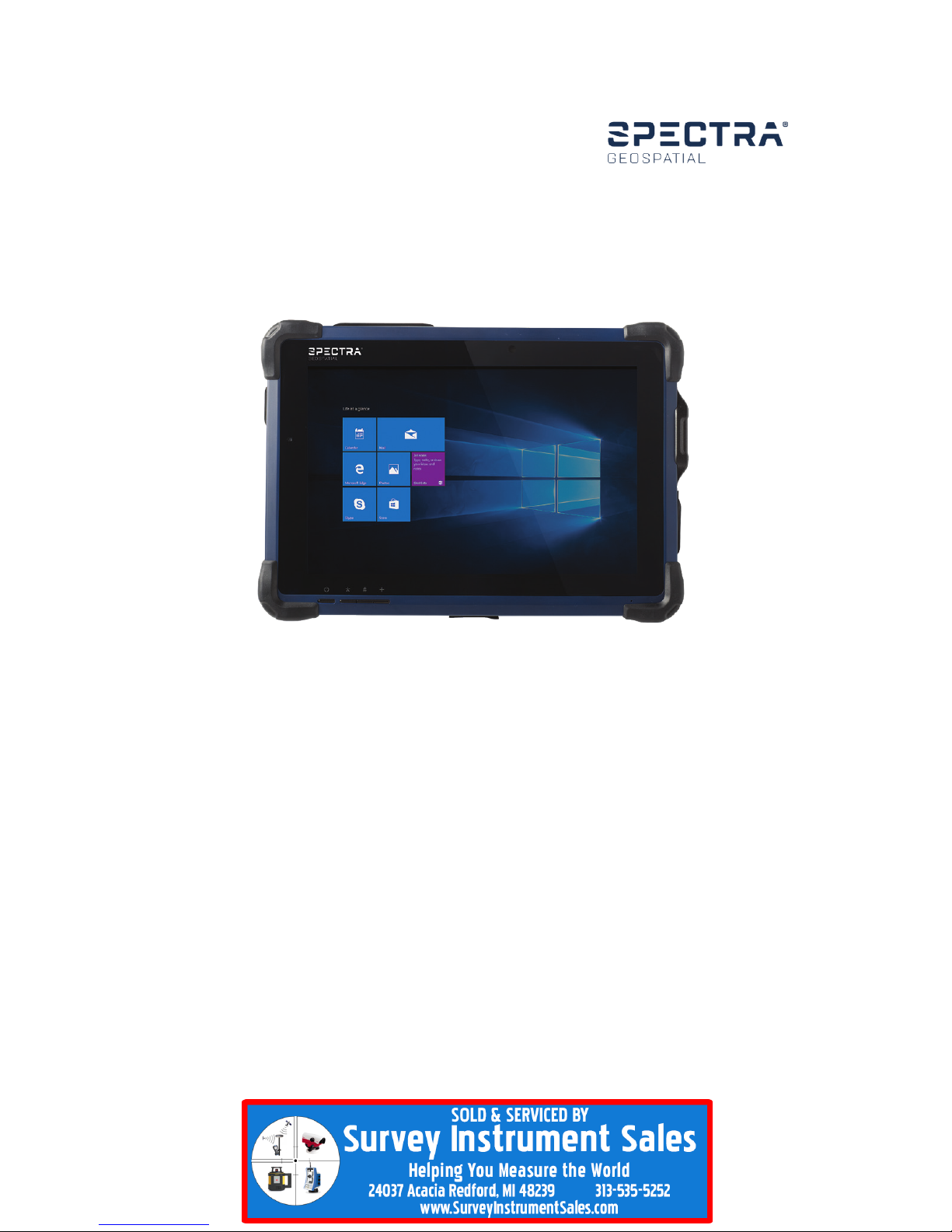
Spectra Geospatial ST10 tablet with Battery Pack and Handstrap
►
AC-DC Power Adapter with Power Cord
►
Quick Start Guide
►
Digital Pen with Tether and Mounting Clip
►
Screen Protector
►
Cirronet Radio Antenna (Cirronet version only)
Features
►
Bluetooth
►
Hot-swappable battery
►
Optional 4G, Wi-Fi, Cirronet
►
USB 3.0 port
►
Integrated GNSS /SBAS receiver
Spectra Geospatial ST10
TABLET
Page 2
OPERATION
►
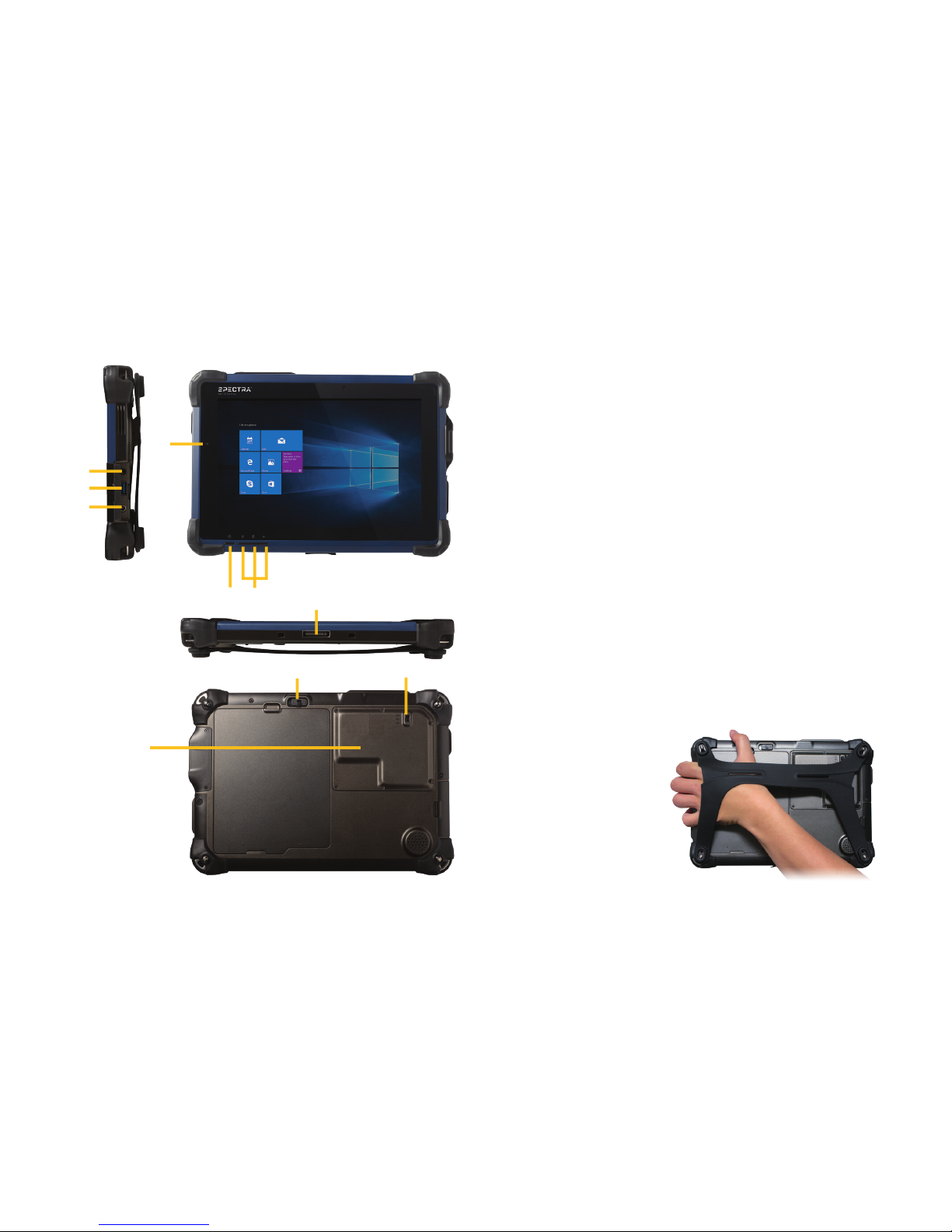
To turn on the tablet, push and quickly release the Power button (g).
►
To put the tablet in Standby mode, when it is on, push and quickly release the
Power button (g).
►
To turn the tablet off for extended storage, power off safely using any software
function provided in the operating system that shuts down the device.
►
To remove the battery, push the switch (j) up to unlock the latch, then push
and hold the latch to the left. Lift the battery up and out.
►
To turn on RF (normal operation), push the RF switch (k) up to the ON position.
To switch to Airplane mode, push the switch down to the OFF position. Note this
switch is not on the Cirronet model.
►
To install a SIM card, unscrew the panel (l) and insert the SIM card into the SIM
card slot. Screw the panel back into place.
USING THE HANDSTRAP
►
Hold the tablet as illustrated,
with your palm securely against
the back of the tablet, thumb
on top, and ngers gripping
the side.
►
Designed for both left-hand and
right-hand use.
22
PARTS OF THE SPECTRA GEOSPATIAL ST10 TABLET
c
d
e
f
g h
i
j k
3
c
Headphone Jack 3.5 mm
d
USB 3.0 Port
e
DC Power Input
f
Battery / Power LED
g
Power Button
h
Programmable Buttons
i
Docking Connector
(remove dust cover for use)
j
Battery Latch
k
RF Switch (for Airplane Mode. Not
available on Cirronet model)
l
Access to SIM card slot
l
Page 3
Spectra Geospatial
10368 Westmoor Drive
Westminster CO 80021
USA
© 2018, Trimble Inc. All rights reserved. Trimble and the Globe &
Triangle logo are trademarks of Trimble, registered in the United
States and in other countries. Spectra Geospatial is a Division
of Trimble Inc. Spectra Geospatial and the Spectra Geospatial
logo are trademarks of Trimble Inc. or its subsidiaries. All other
trademarks are the property of their respective owners.
Revision A. P/N 114874-01-ENG (11/18).
*114874-01-ENG*
www.SurveyInstrumentSales.com
Optional accessories / congurations
►
Detachable full keyboard
►
Enhanced capacity battery
►
Pole bracket with cradle
►
Desktop Charging Cradle with DC-in Power Jack, and Ethernet and USB ports
►
Wall/ Vehicle Mount Cradle with DC-in Power Jack and Ethernet and USB
ports
NOTES -
• The battery pack shipped with the tablet may be low in power. Use the AC-DC
adapter with the tablet when setting up for the rst time to fully charge the
battery pack, or use the optional battery charger kit.
• When the battery pack is charging, the blue-colored Battery LED should blink
slowly. If plugging in the AC-DC adapter does not trigger this blinking activity
and the LED stays dark, the battery pack may have been drained substantially.
Try disconnecting/ reconnecting to mains power using the AC-DC adapter a few
times to activate the charging process.
• To conserve power, use (push and quick release) the Power button to put the
tablet in Standby mode while not in use. Pushing briey on the same button will
wake up the system within seconds.
• Avoid using the Power button (“hold 4+ seconds” feature) to turn off the tablet—
this form of hardware shutdown is intended to be a means of recovery from
lockups, and not as normal operation.
C
CAUTION –
Please read the full user guide
including all safety warnings, before
operating this product.
PDF
 Loading...