

Page 1
WLAN-11b
Wireless/Internet
Mini SDIO WLAN card
WLAN- 11b
FCC ID:S2Y-MINIWLAN11B
0012E6000506
Page 2

System Requirement & Installation Description..............
AP
Page 3
1
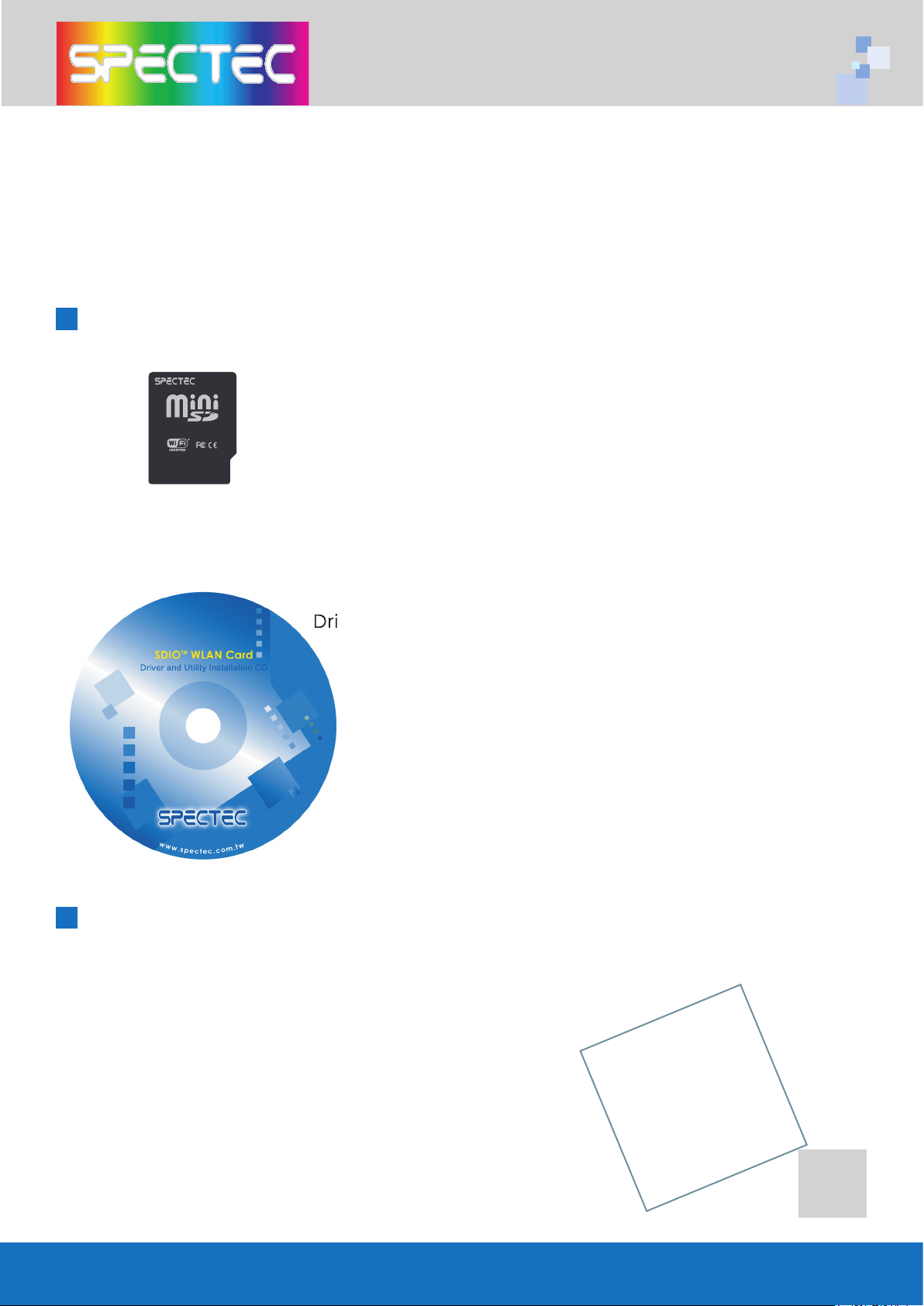
Thank you for purchase SPECTEC Mini SDIO WLAN card, it is the most small-
Inside Package
System Requirements & Installation Description
in Pocket PC. Windows Mobile 2003 or above
Operation System.
can be used.
SD
WLAN- 11b
FCC ID:S2Y-MINIWLAN11B
0012E6000506
Page 4
2
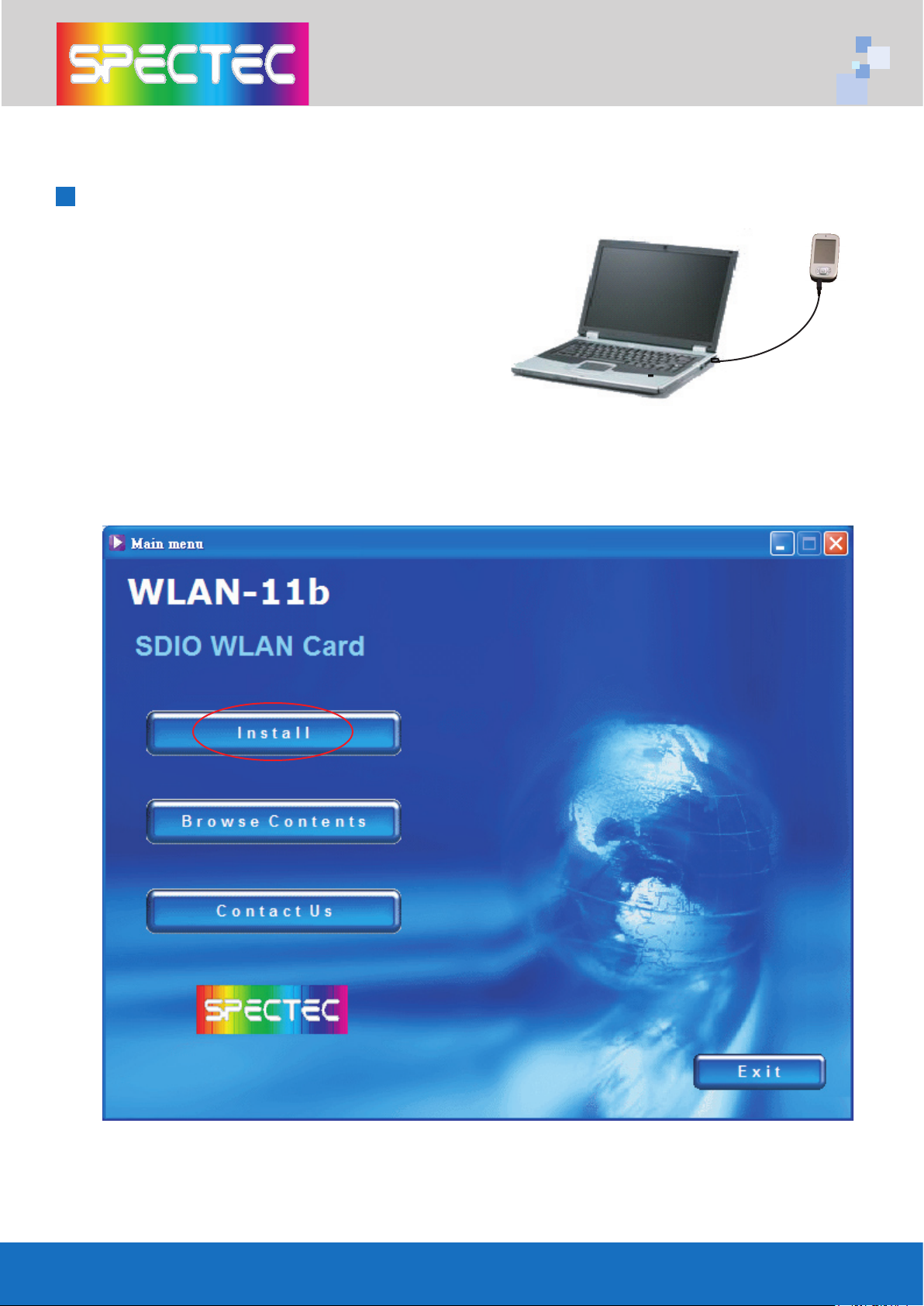
Installation Steps
between PDA and your computer.
you insert the WLAN-11b Installation
CD by autorun:
Page 5
3
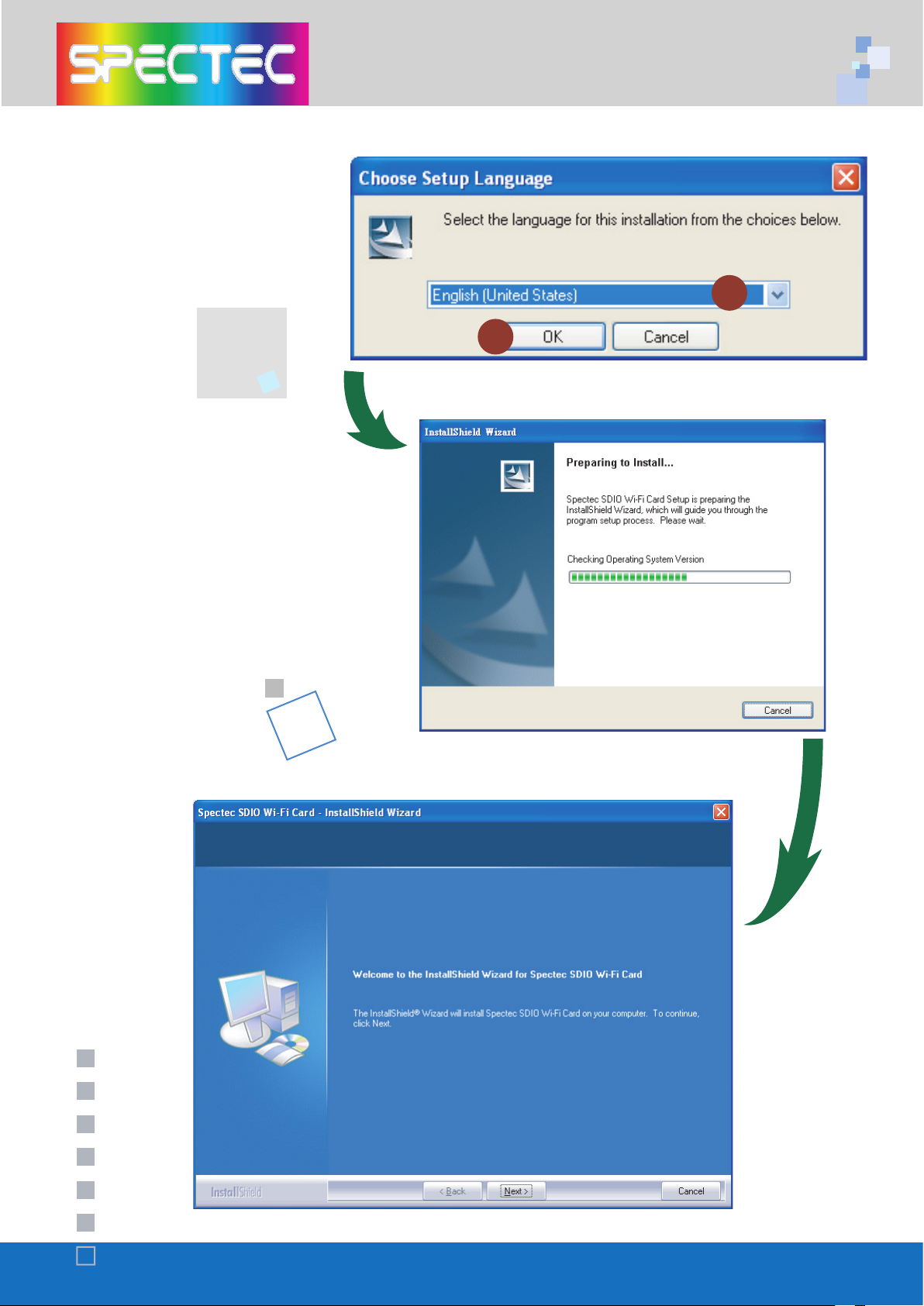
to set up
then click
the screen automatically
1
2
Page 6
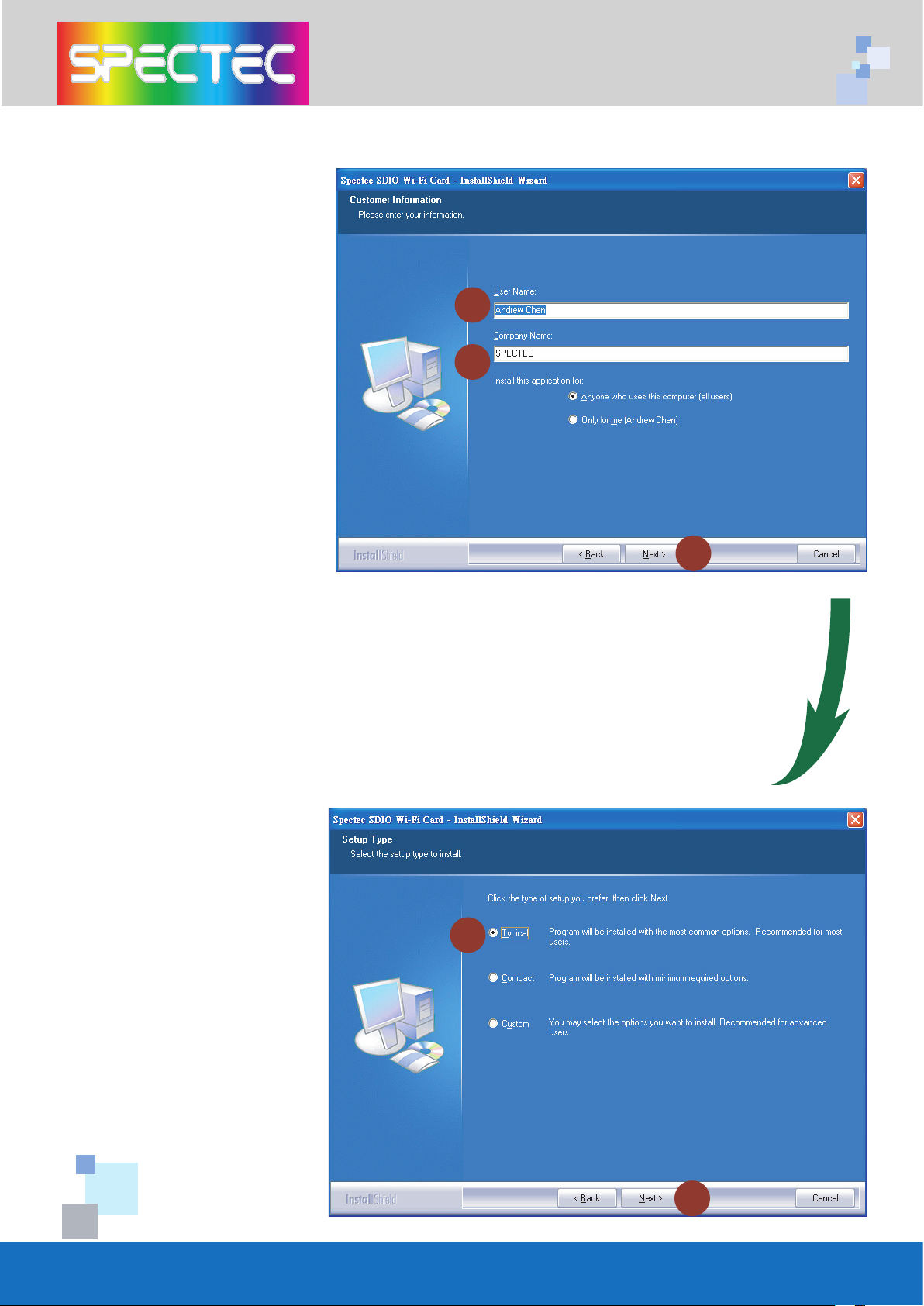
4
4
5
6
7
8
then click
Setup type
click
Page 7
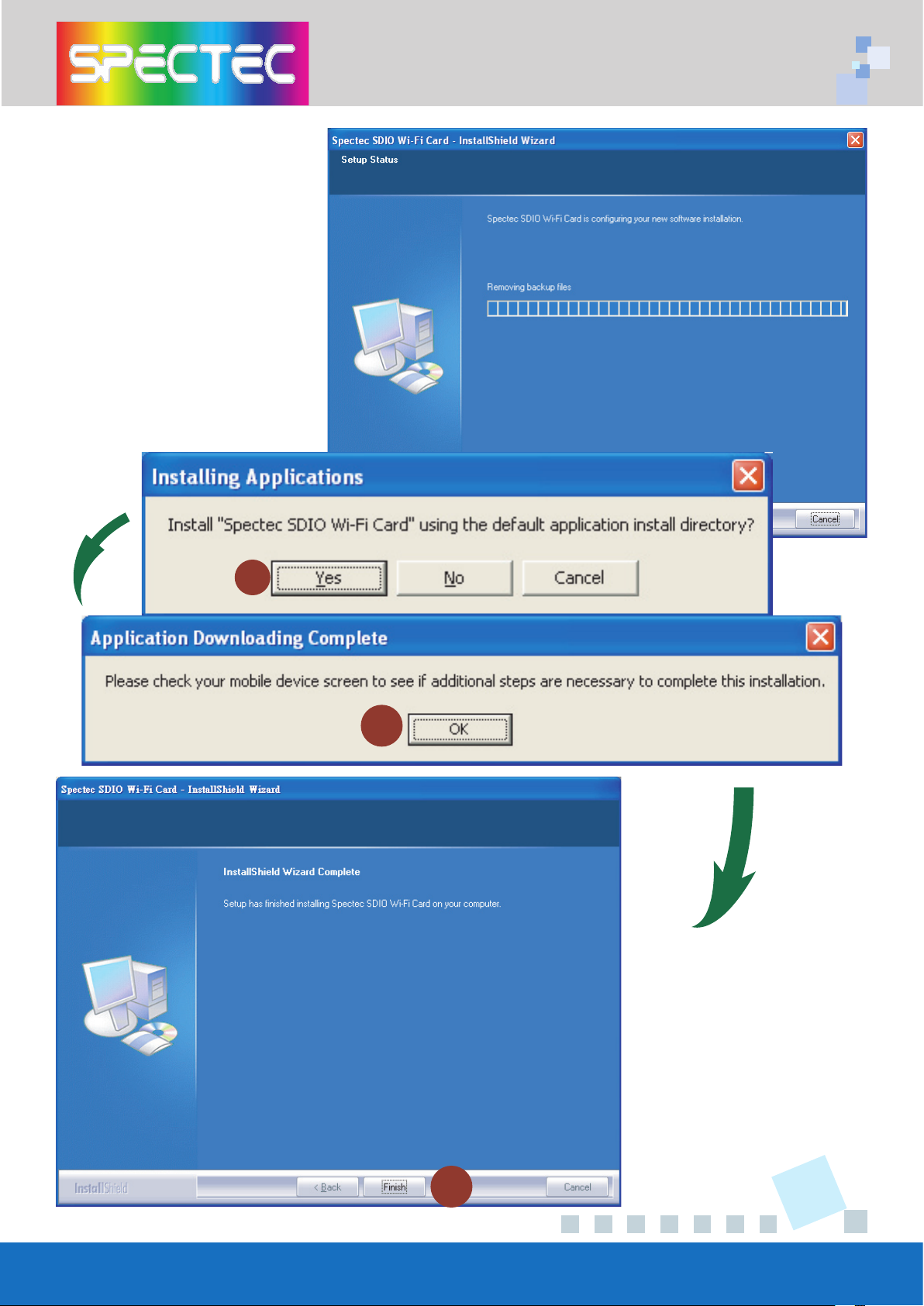
5
finished installing, click
to complete
the driver installation
9
10
11
Page 8
WLAN-11b
FCC ID:S2Y-MINIWLAN11B
0012E6000506
WLAN-11b
FCC ID:S2Y-MINIWLAN11B
0012E6000506
WLAN-11b
FCC ID:S2YMINIWLAN11B
0012E6000506
WLAN-11b
FCC ID:S2YMINIWLAN11B
0012E6000506
6
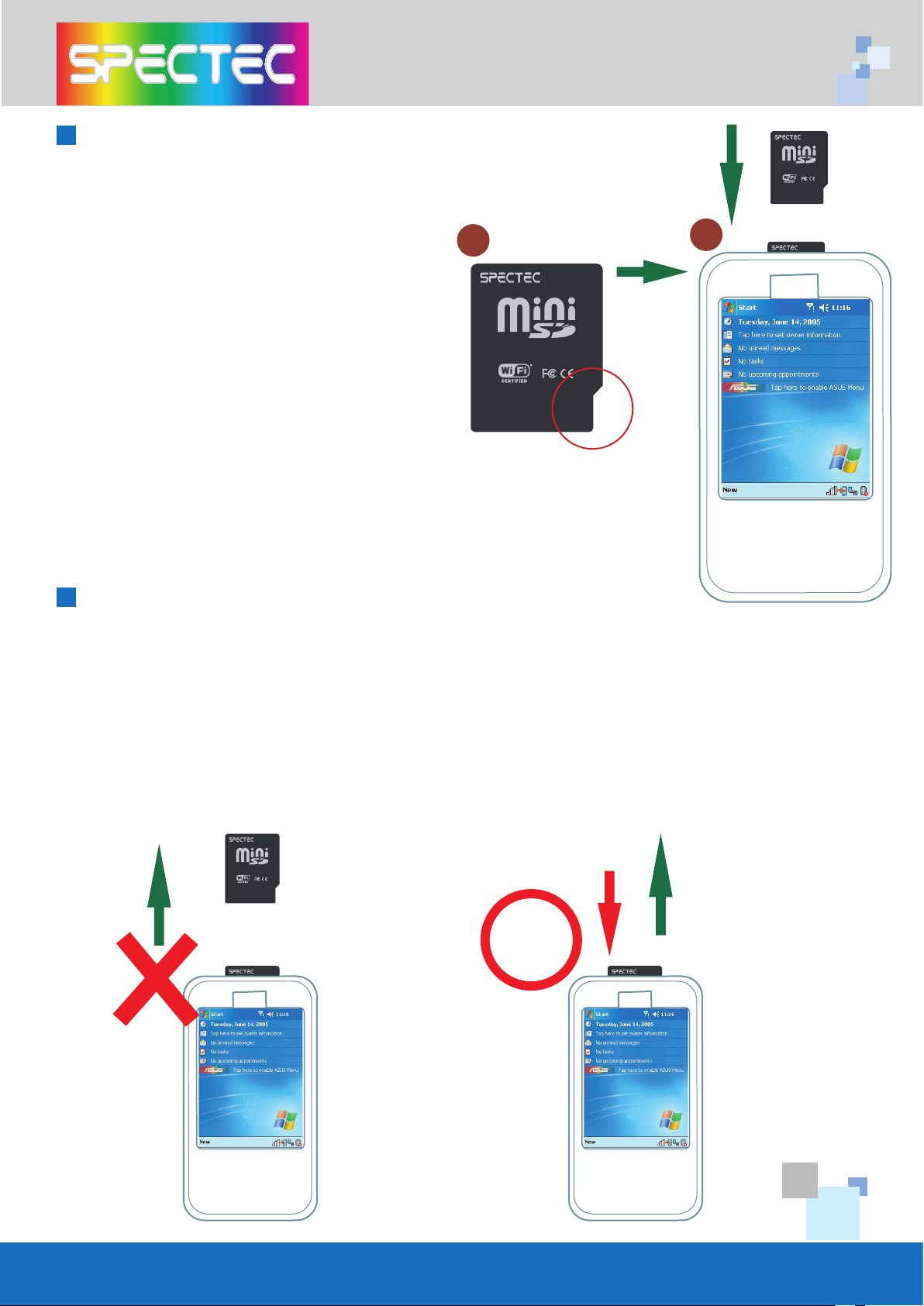
How to take a Mini SDIO WLAN card out of a PDA
of the card before put a Mini SDIO
WLAN card in of a PDA. The
angularity of the card needs to be
same direction as PDA.
Make sure the direction is correct or
your will damage the PDA SD drive.
card from a PDA, just need to press
down the card to the PDA, the
card will jump out automatically,
Do Not Pull Out, or will damage
the slot.
slot, force to pull card out, it will
damage auto jump out function,
even damage slot and the
Wireless LAN Card.
Press
down
How to put a SDIO WLAN card in of a PDA
1
2
WLAN-11b
FCC ID:S2YMINIWLAN11B
0012E6000506
WLAN-11b
FCC ID:S2Y-MINIWLAN11B
0012E6000506
Page 9
WLAN-11b
FCC ID:S2Y-MINIWLAN11B
0012E6000506
7
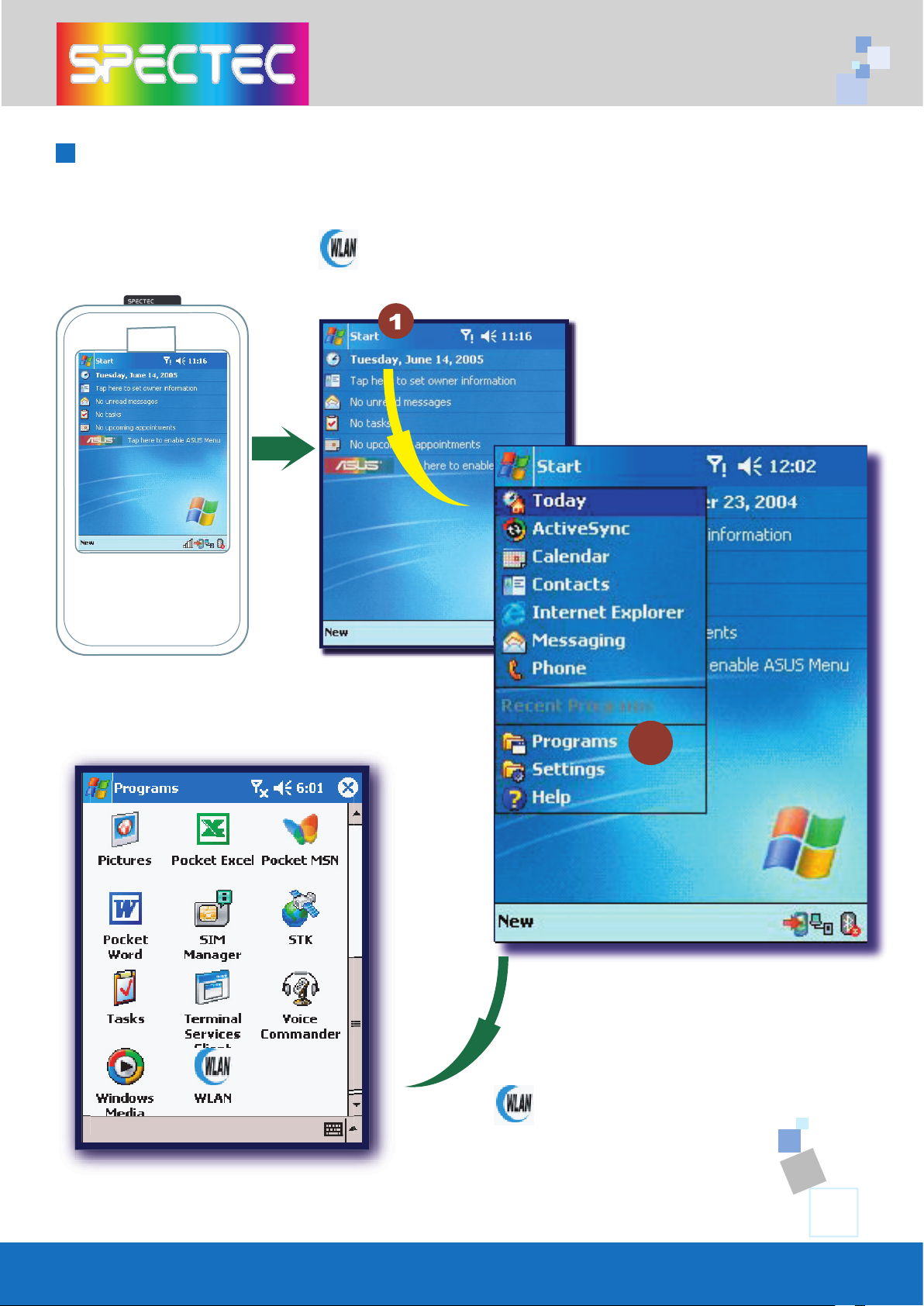
How to Connect
Start\Programs
Start
WLAN
Utility
2
Page 10
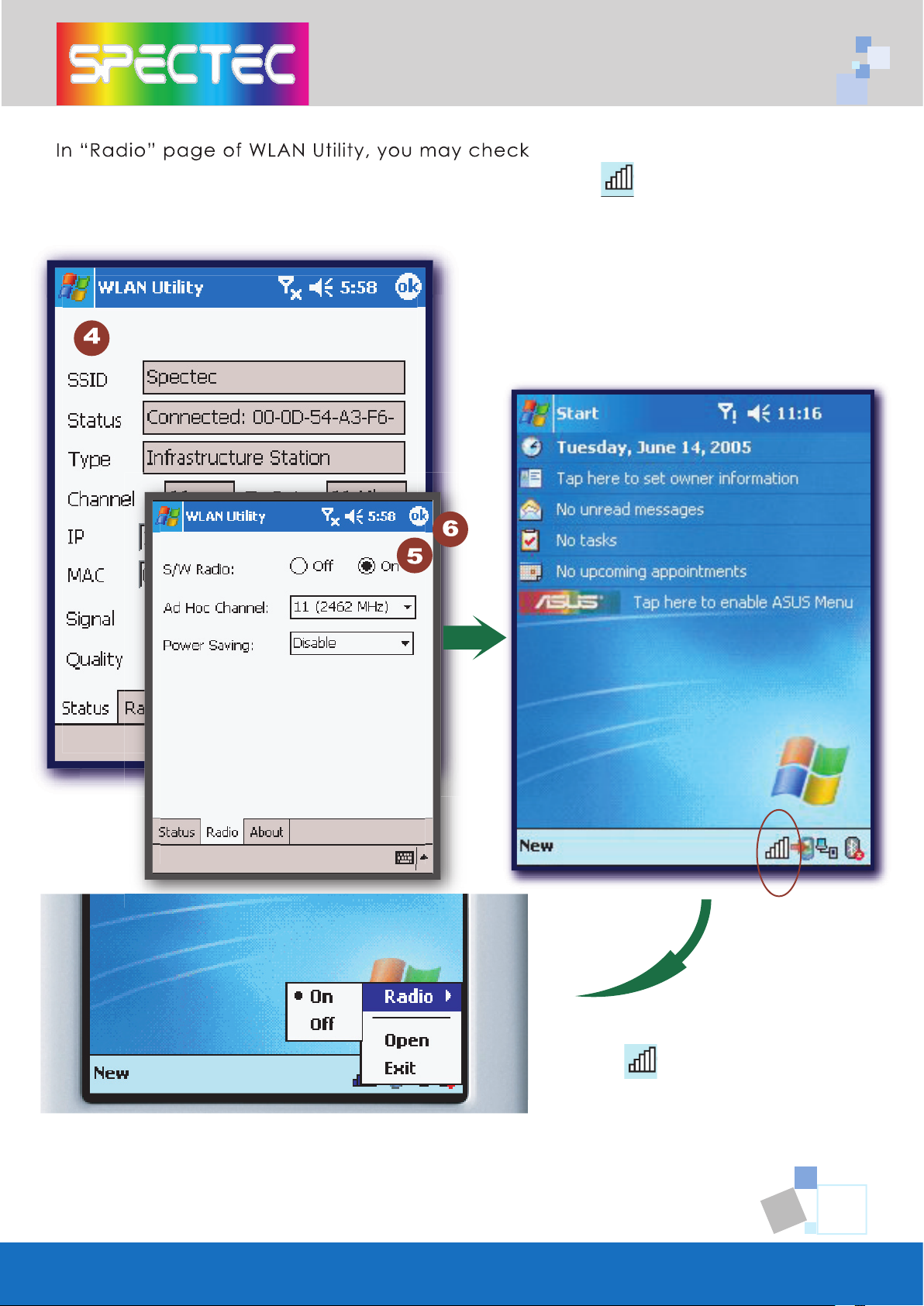
8
S/W Radio Off/on
for
Wi-Fi card, or you can also find a shortcut icon at the lower right hand
switch
Wi-Fi radio
Page 11
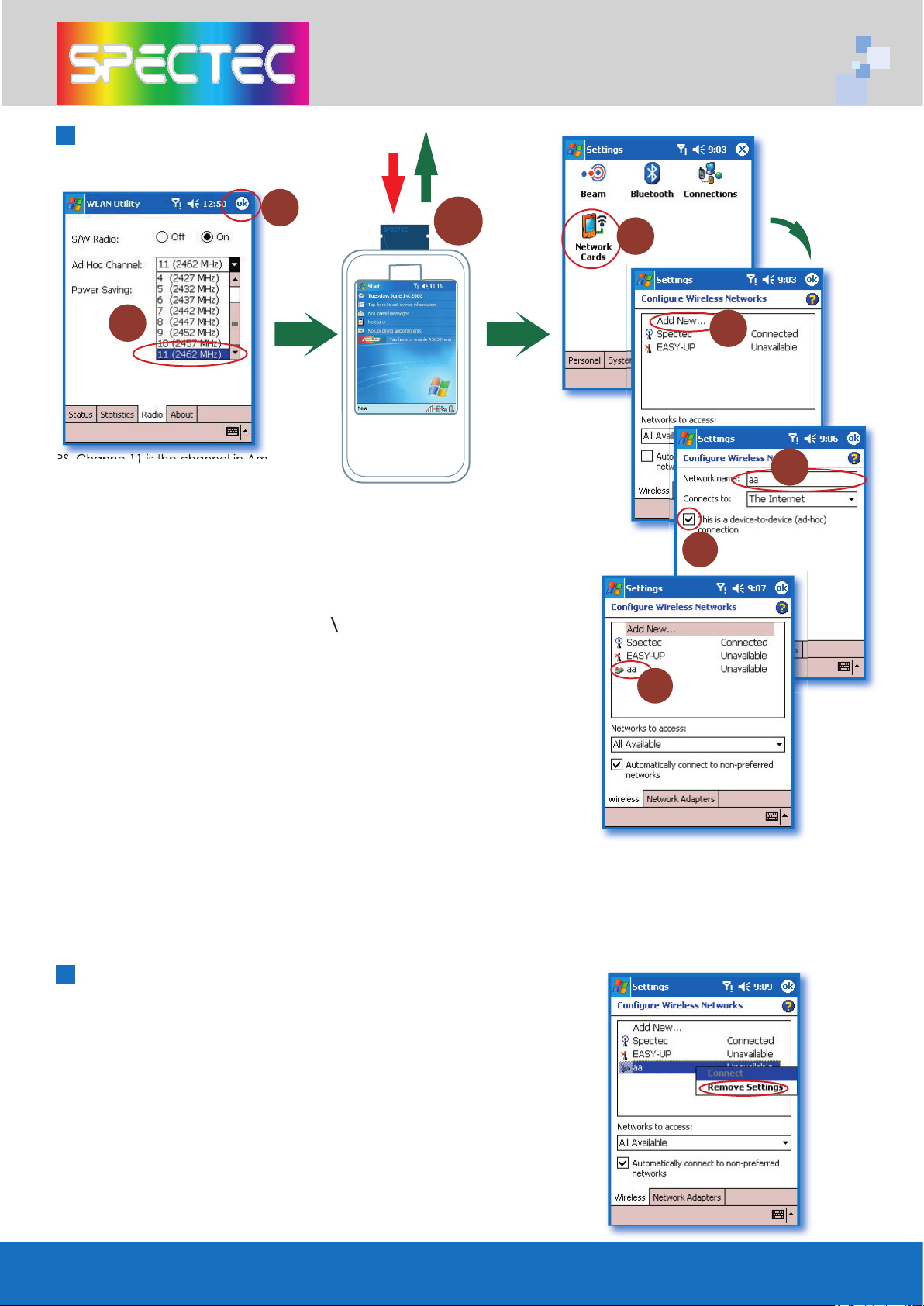
9
How to Connect Ad-hoc
chan
PDA, and put the card back in again
4. Go to PDA sys
S
Wireless Card
Add
ype name
“This is a device-to-device
(ad-hoc) connection
name of the Network address
network segment, it provides you the temporary LAN
environment.
Setting
2
seconds,
you will see the
in the
How to Remove Settings
1
Ch
is the channel in A
2
3
4
5
6
7
8
 Loading...