

Page 1

CONTENT
1 Introduction ---------------------------------------------------------------------------- p2
1-1 Feature ----------------------------------------------------------------------------- p2
1-2 Package ---------------------------------------------------------------------------- p2
1-3 LED Function --------------------------------------------------------------------- p3
2 Install Driver ---------------------------------------------------------------------------- p3
2-1 install driver from desktop or laptop PC ------------------------------------- p3
3. Install “GPS VIEWER” tool --------------------------------------------------------- p7
3-1 install “gps viewer” from desktop or laptop PC ---------------------------– p7
3-2 Use GPS VIEWER to check if GPS device is usable in your handheld --p11
4. SDG-810 Specification Table --------------------------------------------------------- p15
1
Page 2

1 Introduction:
SDG-810 is a GPS with SDIO (Security Digital Input/Output) interface and an
integrated built-in memory, which provides an impressive data capacity. SDG-810
is not only a GPS receiver, but also a SD memory card. You can easily organize,
store, and share files or documents.
The dimension of SDG-810 is the smallest one in the market, you can easily
bring it with your handheld device without occupying much space, and SDG-810
equipped with helix Antenna, you can complete the GPS fix in your car either at front
seat or back seat easily.
It also allow for tracking signals and large map data according to the mapping
software usage. It’s sleek and stylish design of look can go with any kind of the
Pocket PC. With the smallest dimension and light and handy appearance, it is
convenient for you to put it in pocket and bring it to anywhere you go.
Just plug it into your Pocket PC, and use it to receive the GPS signal right away!
Its cylindrical antenna can receive the signal from all directions by 360 degree. It
satisfies a wide variety of applications, including car navigation, personal touring
navigation or tracking and even marine navigation purpose.
With our professional manufacturing technology along with the cutting edge, SiRF
Star III chipset, this receiver has provided higher sensitivity, lower power usage and
much more rapid time-to-fix.
1-1 Feature
․SiRF Star III high performance and low power consumption chipset
․Built-in high sensitivity GPS antenna
․LED to show GPS fix or not fix
․Built-in super capacitor to receive system data for rapid satellite acquisition
․SDIO interface
․Operating platform: Pocket PC 2003, WM2003 or above
․Base on Bsquare SDIO Now!
1-2 Package
Before you start up, make sure that your package includes the following items. If
any item is missing or damaged, contact your dealer immediately.
․ SDIO GPS Receiver and its cover
․A CD(including the user manual, Driver)
2
Page 3
1-3 LED Function
GPS Status LED(Blue)
․Blink --- GPS position is not fixed
․Solid --- GPS position is fixed
2 Install Driver
You have to install the driver before you can use the SDG-810 GPS receiver
with your Pocket PC.
2-1 install driver from desktop or laptop PC
st
1
step: The driver will be installed into the Pocket PC via the Active
Sync program. So before you start, please make sure the ActiveSync
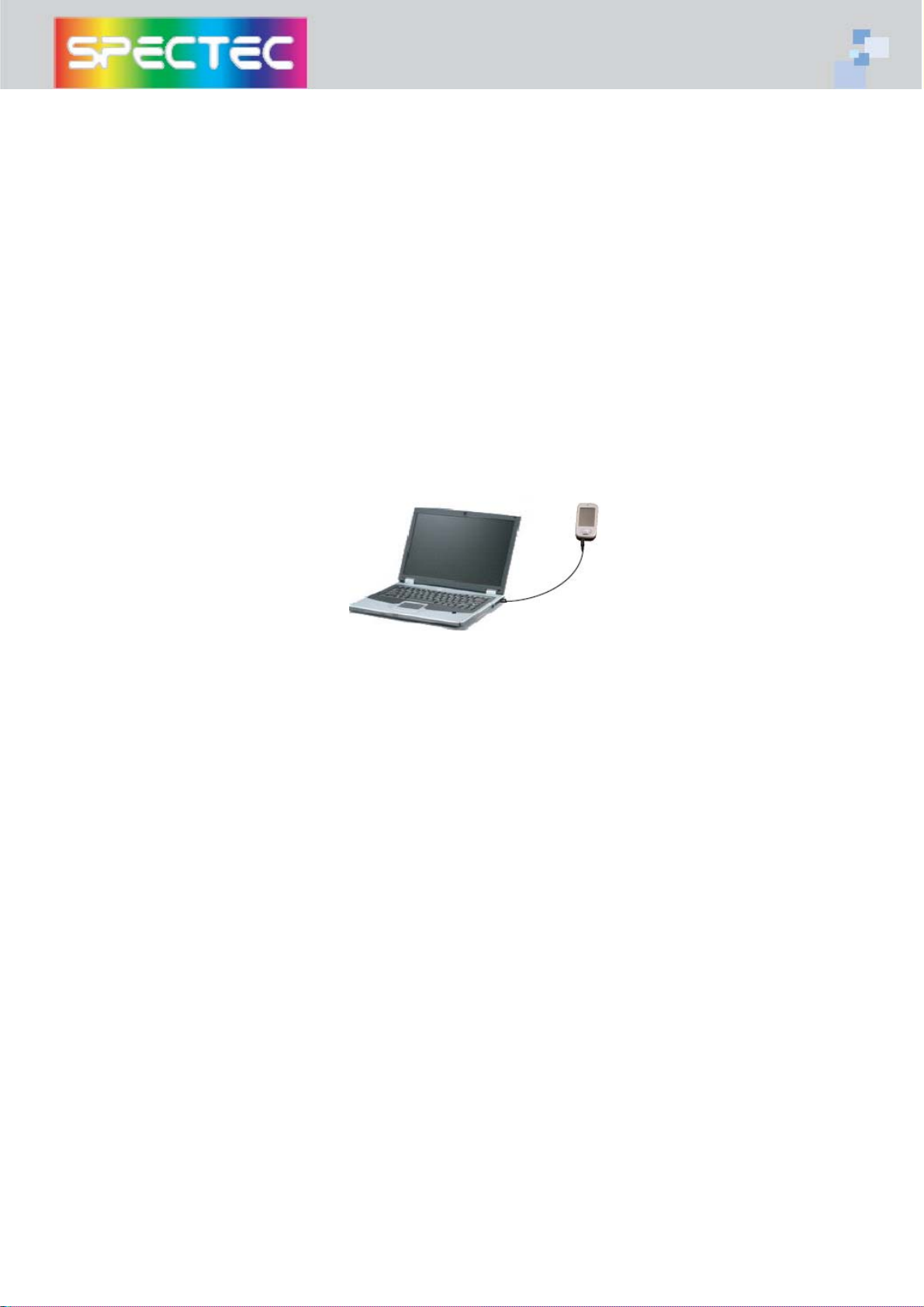
has been installed and the Pocket PC is connected to your desktop PC.
nd
2
step: Put the CD into CD-ROM drive. The AutoRun will start the
installation program automatically. Click on the SDG-810 button to
install the driver. (or you can manually install it by double click the
“Spectec-GPS.exe” from the root directory of the CD.)
3
Page 4
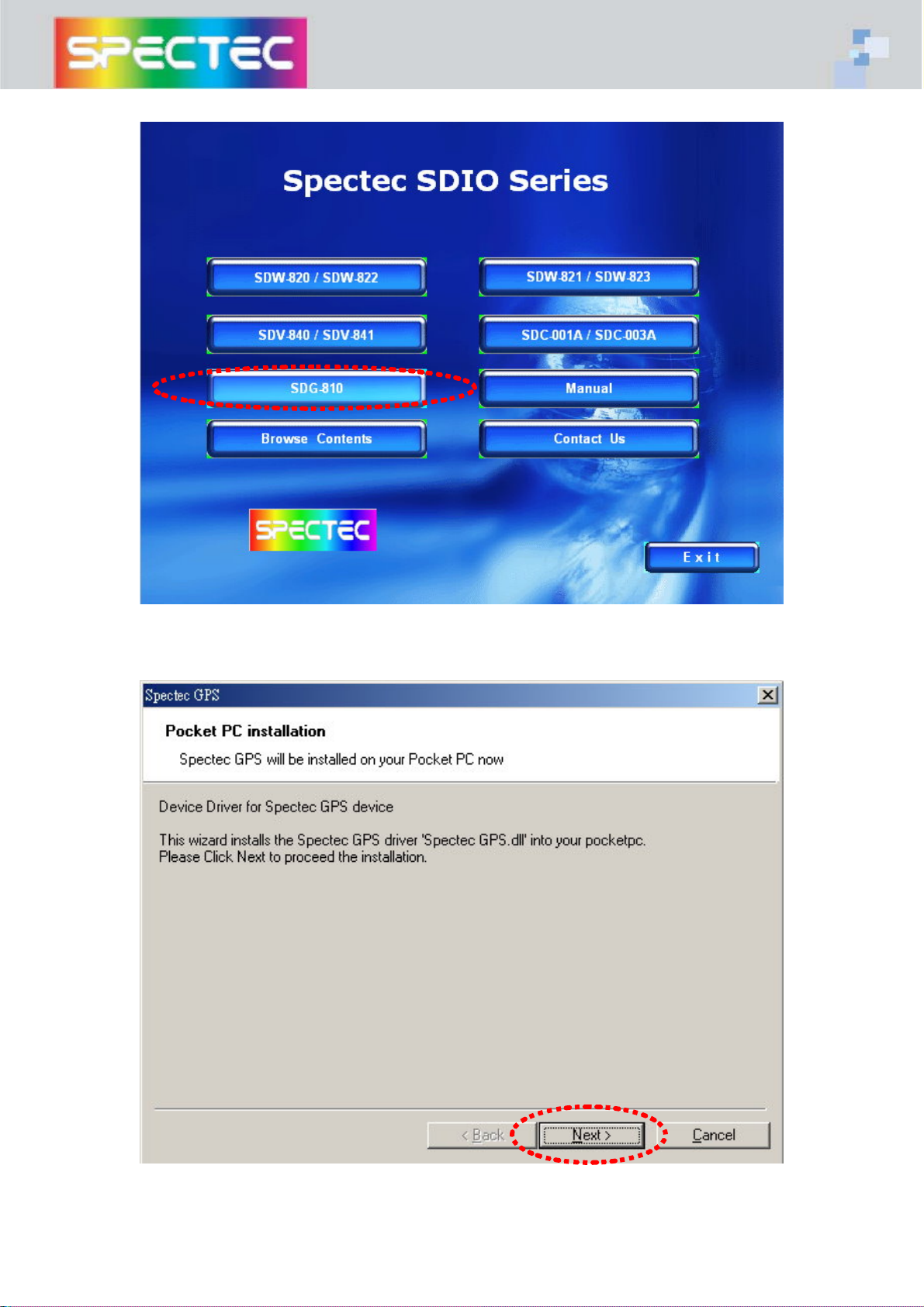
press “SDG-810” to start installation
press “Next” to continue
4
Page 5
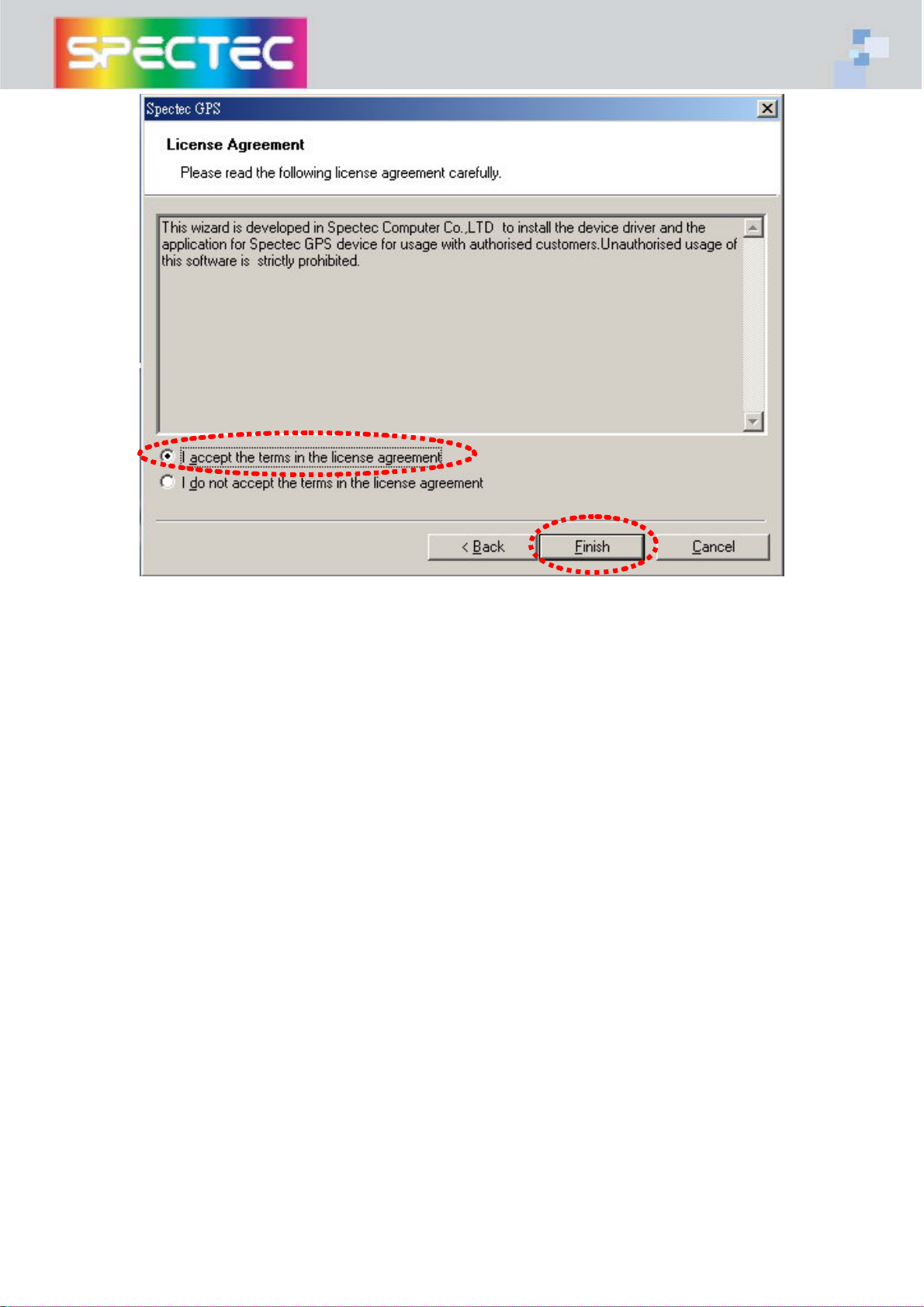
select “I accept..” to continue
5
Page 6
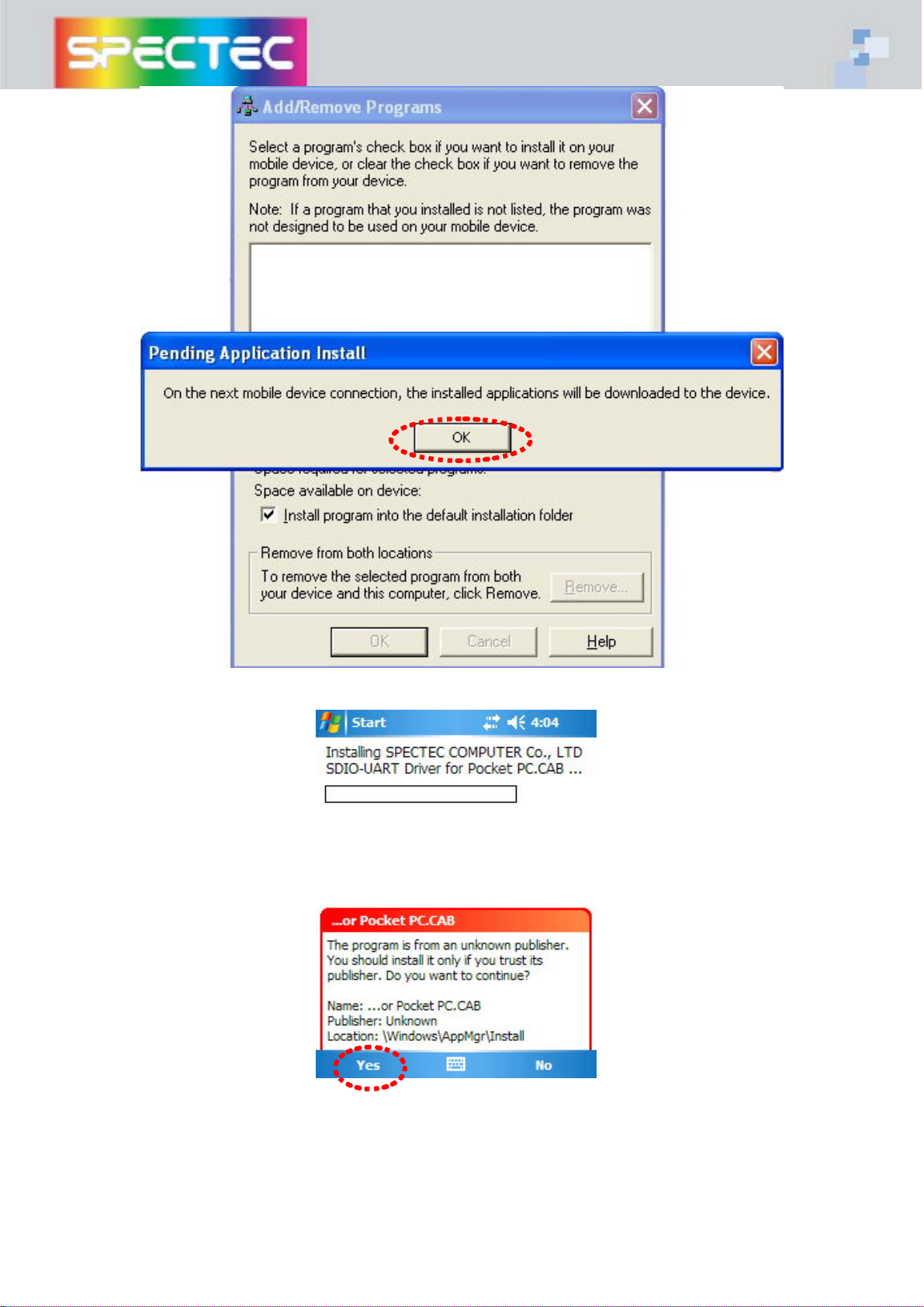
press “OK” to continue
press “Yes” to continue
6
Page 7
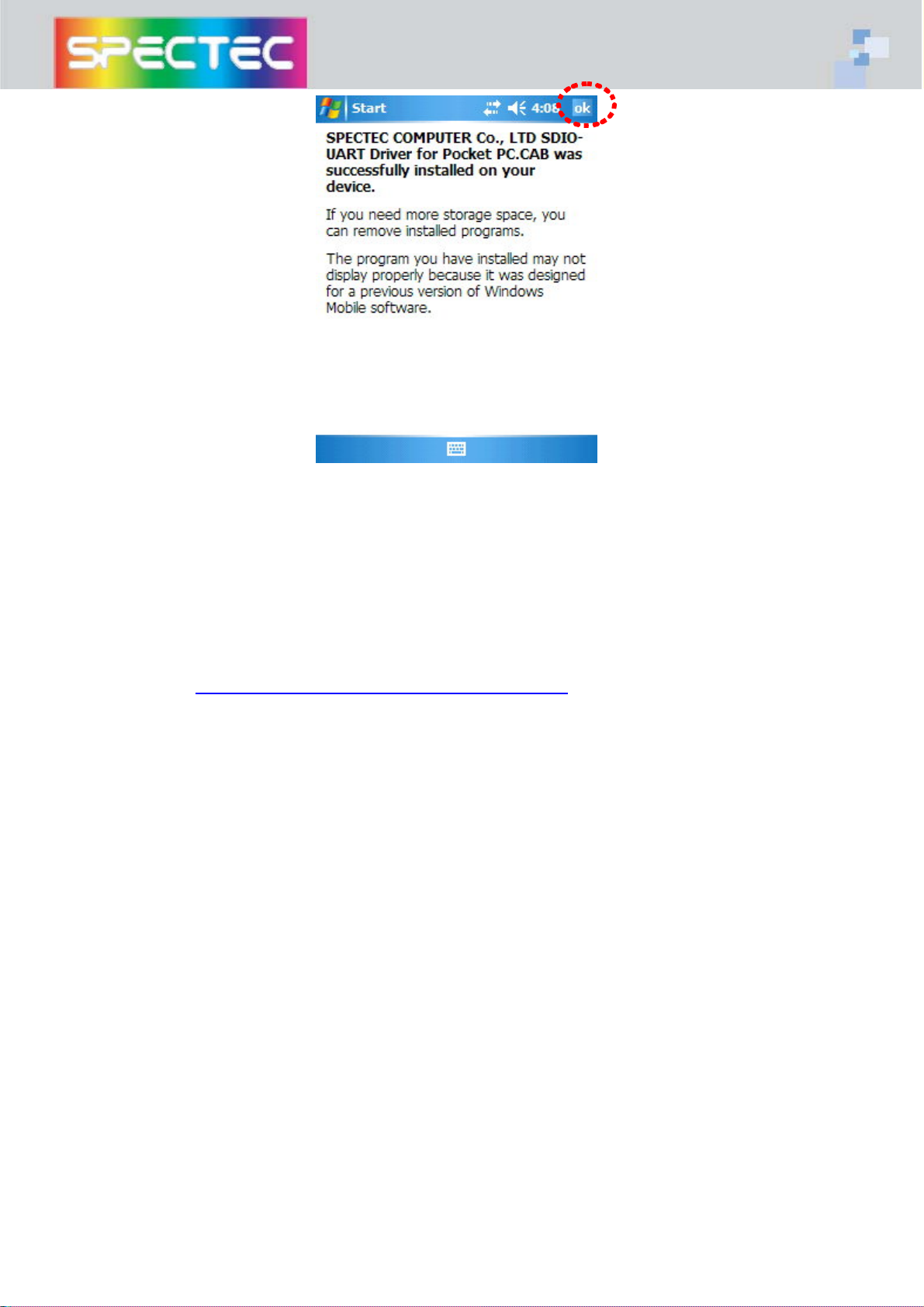
press “ok” to complete installation
3. Install “GPS VIEWER” tool
There are many sites in the internet where you can download GPS VIEWER tool,
one of them is as below:
http://www.guidetek.com.tw/download_drive.htm
3-1 install “gps viewer” from desktop or laptop PC
1st step: The driver will be installed into the Pocket PC via the Active
Sync program. So before you start, please make sure the ActiveSync
has been installed and the Pocket PC is connected to your desktop PC.
nd
step: execute gpsviewer.exe, this program will install GPS VIEWER tools into
2
your handheld
7
Page 8
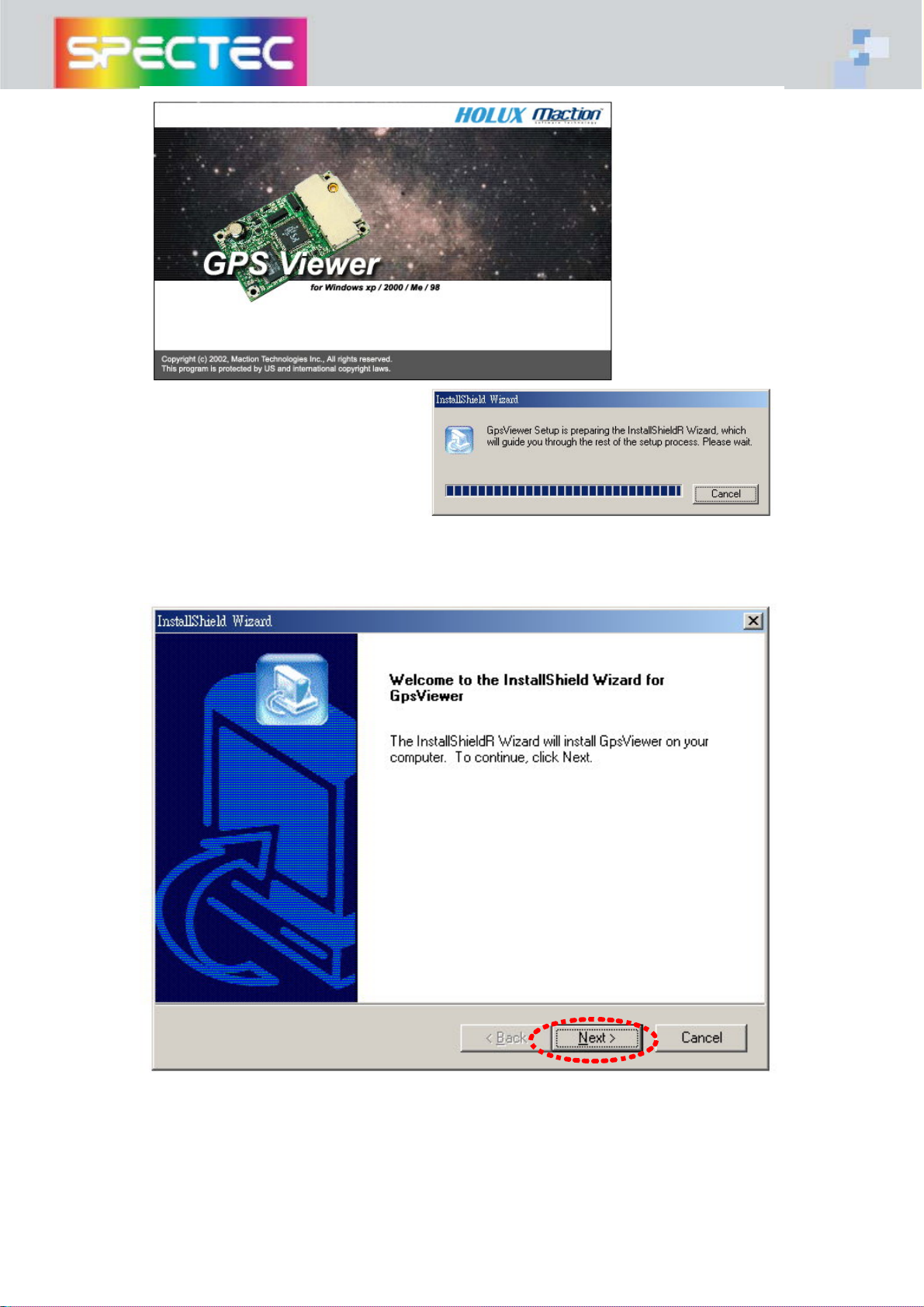
GPS VIEWER begin to install
press “Next” to continue
8
Page 9
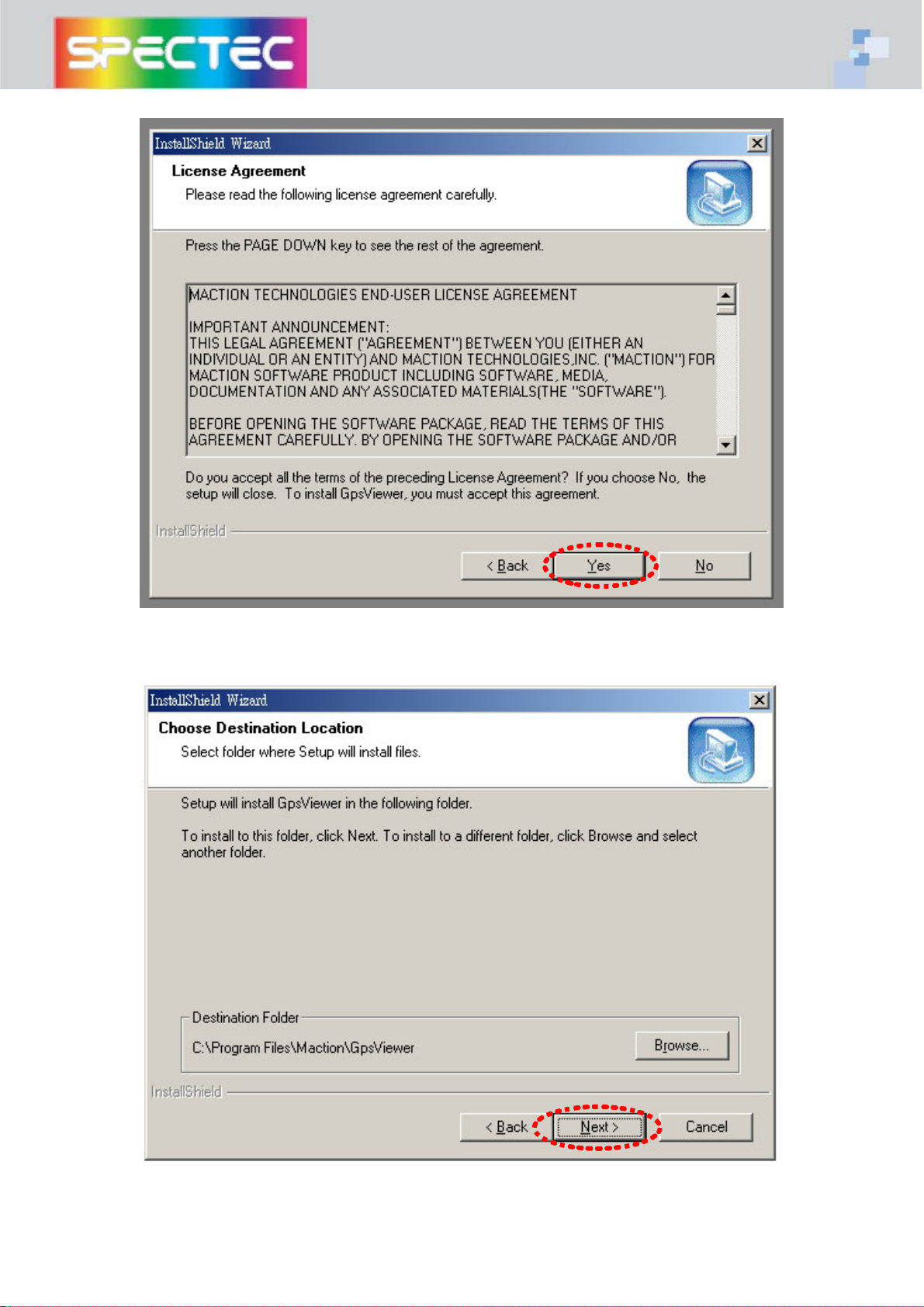
press “Yes” to continue
press “Next” to continue
9
Page 10
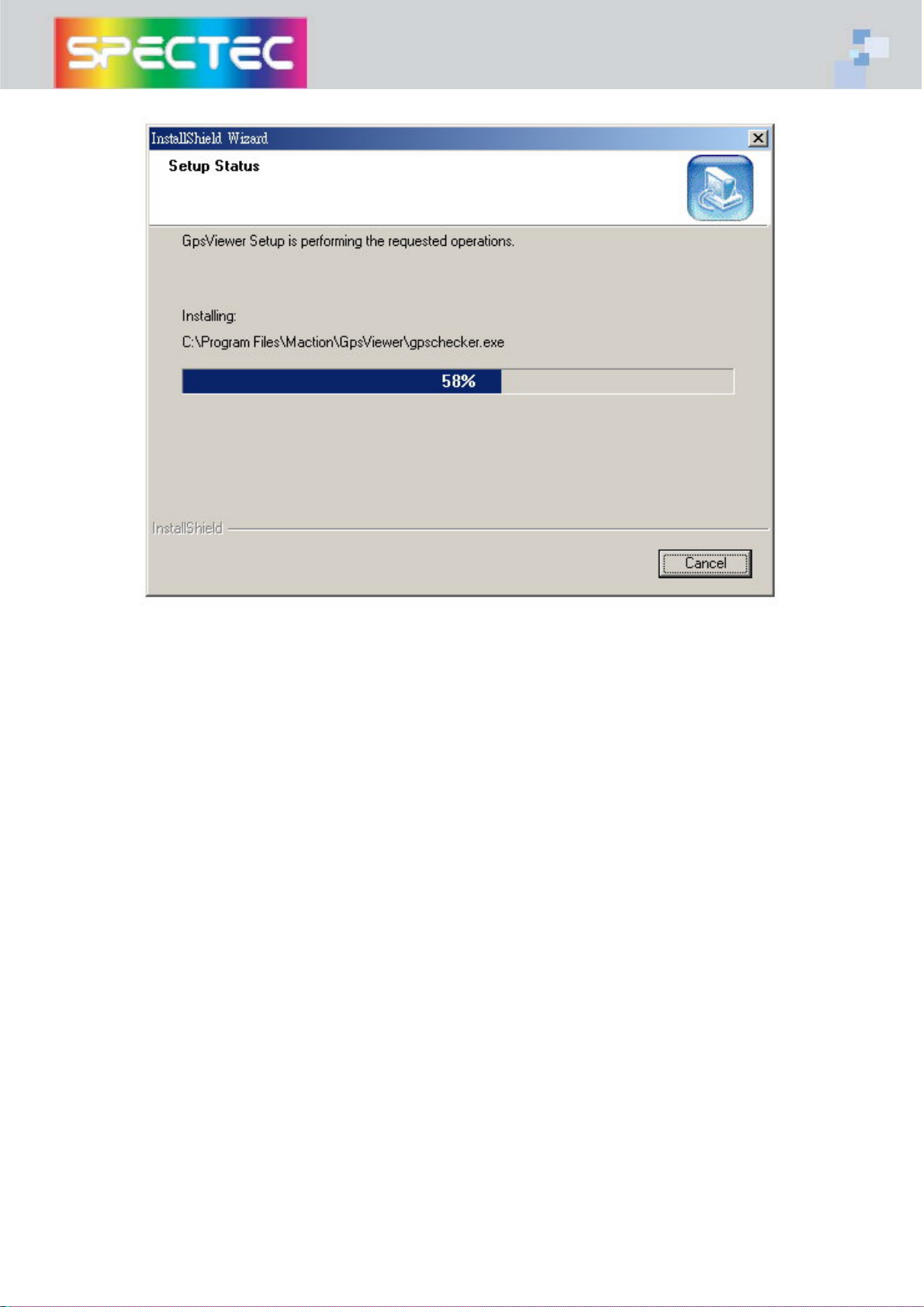
after installation of gps viewer, there will be a new icon created under programs page
10
Page 11
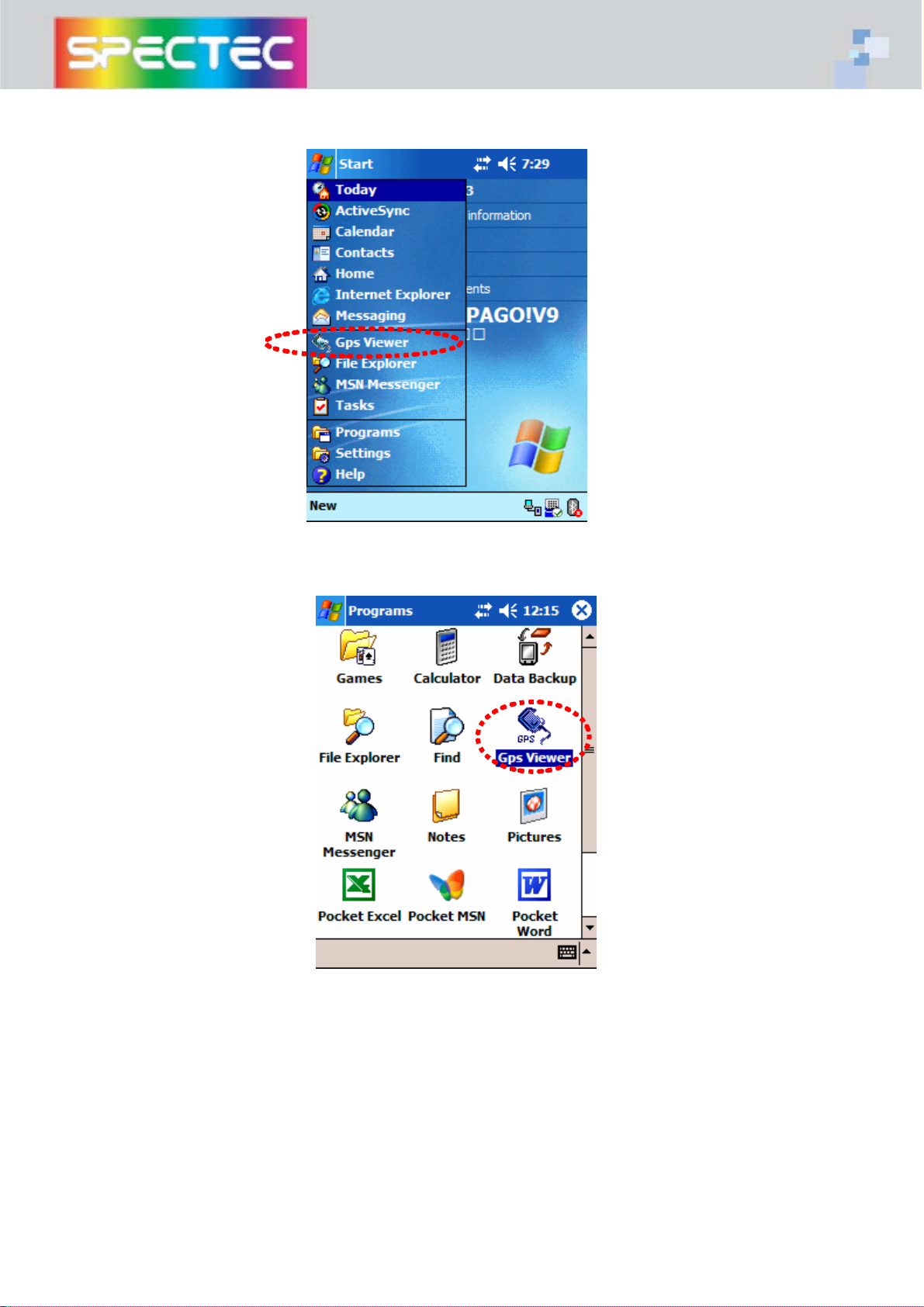
3-2 Use GPS VIEWER to check if GPS device is usable in your handheld
11
Page 12
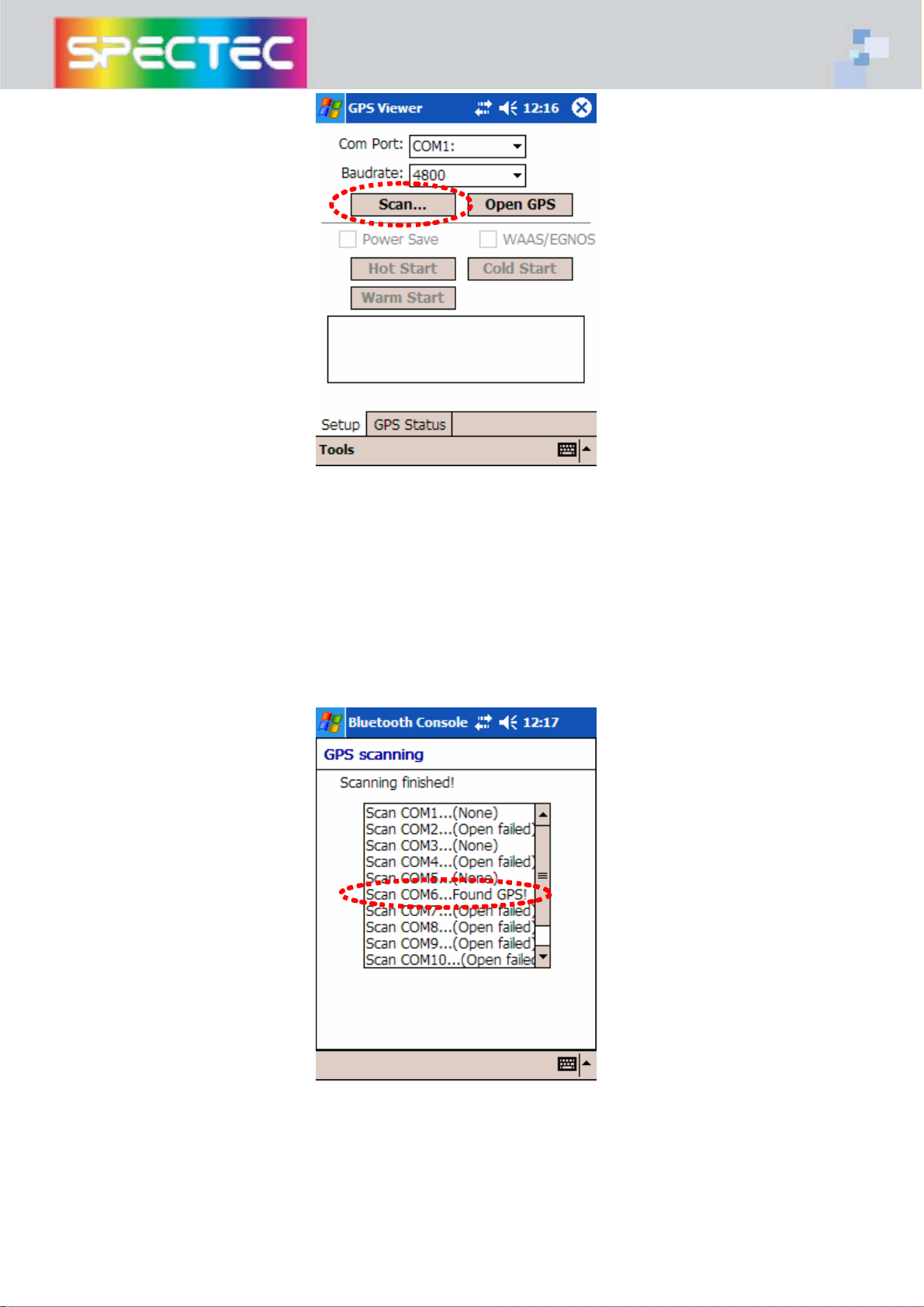
press “Scan” to start
GPS VIEWER locate COM6
12
Page 13
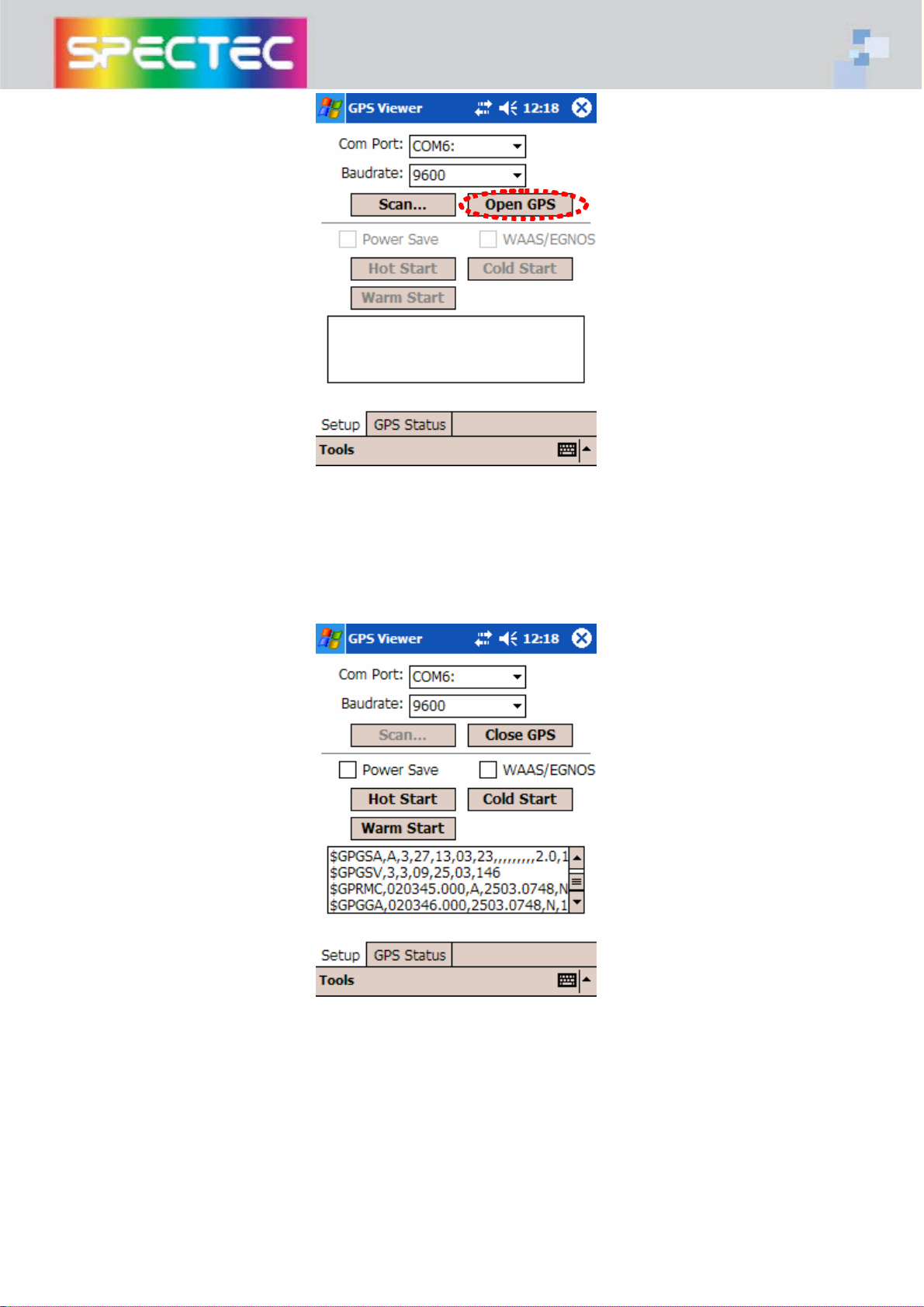
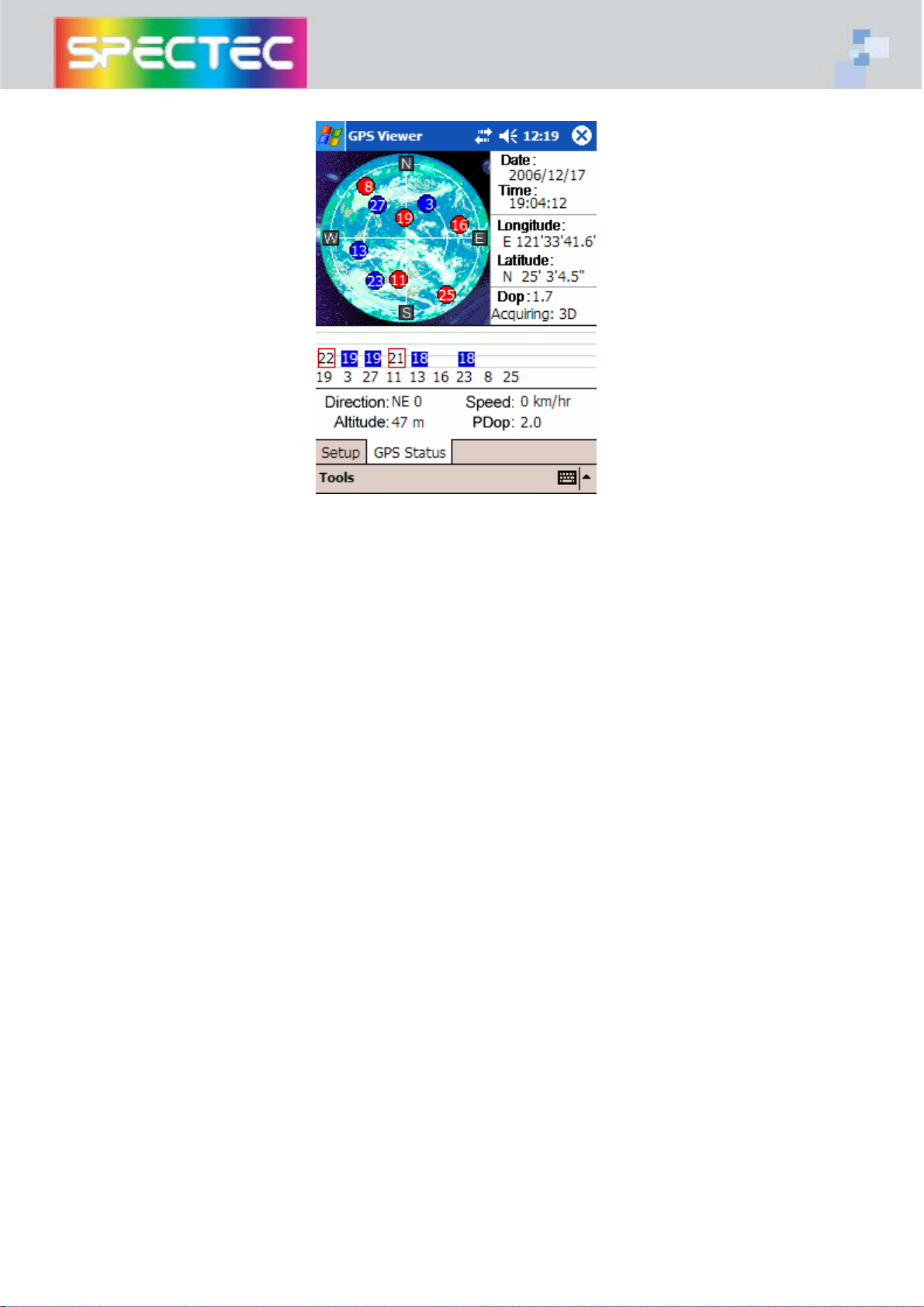
press “Open GPS” to see the GPS signal status
13
Page 14
14
Page 15
4. SDG-810 Specification Table
Electrical Characteristics (Receiver)
Chipset SiRF Start III
Frequency L1, 1575.42 MHz
C/A Code 1.023 MHz chip rate
Channels 20 channel all-in-view tracking
Accuracy
Position Horizontal
Velocity 0.1m/sec
Datum
Datum WGS-84 (default)
Protocol (customized protocol can be made if the offer is for more than 1000 pcs)
GPS Protocol NMEA 0183 (default)
GPS Output format GGA(1 sec), GSA(1 sec), GSV(5 sec), RMC, 9600bps
Dynamic Condition
Acceleration Limit Less than 4g
Altitude Limit 18,000 meters (60,000 feet) max.
Velocity Limit 515 meters/sec (1,000 knots) max.
10 meters, 2D RMS
1~5 meters, 3D RMS with WAAS, EGNOS corrected
Time 1 micro-second synchronized to GPS time
Jerk Limit 20m/sec**3
Temperature
Operating
-40℃~+85℃
Humidity 5~95% non-condensing
Power
Voltage 3.3V
Power Consumption <95 mA
Physical Characteristics
Dimension 62 mm * 24 mm * 2.1 mm
Weight Approximately 30 grams
Memory: Expansion Slot Micro SD card (TransFlash Card) memory
Size : 512MB, up to 2GB
Other Characteristics
Hot start < 1 sec., average; Warm start < 38 sec., average; Cold start < 42 sec., average
Reacquisition 0.1 sec. average
Certification
FCC, CE, RoHs
SDIO Specification
․Compliant with SDIO Card Specification Ver. 1.00
․Base On Bsquare SDIO Now !
15
 Loading...