

Page 1
1b
TM
1b
TM
VIDEO-OUT CARD
VIDEO-OUT CARD
User’s Manual
ver. 2.0
Page 2

Content
Inside Package ................................................................................................P.0
System Requirements & Installation Description...........................................P.0
Installation Procedure ...............................................................................P.1-P.9
How to using the Video-Out Card with PDA...............................................P.10
Page 3
Thank you for choosing SPECTEC SDIO VIDEO-OUT Card, the fantastic product
you can get in the market place. It’s easy to carry and use. Just start to enjoy the
most convenient wireless experience.
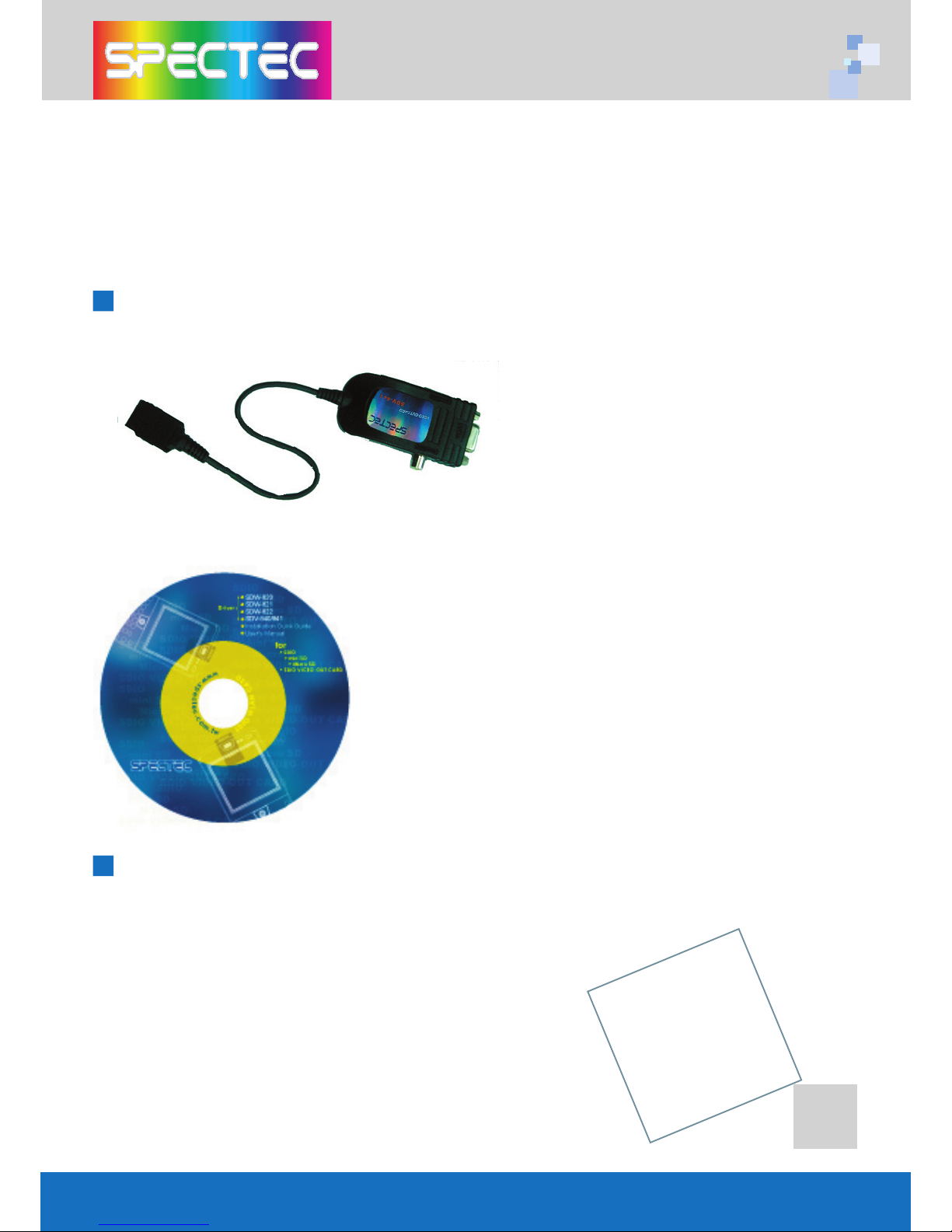
Inside Package
System Requirements & Installation Description
1. This SPECTEC SDIO VIEDO-OUT card can only be
used with Windows Mobile 2002 or newer versions
of this operation system.
2. This SPECTEC SDIO VIEDO-OUT card can only be
used on PDAs with the SDIO drive.
Driver & User Guide CD
0
Page 4
1
Installation Procedure
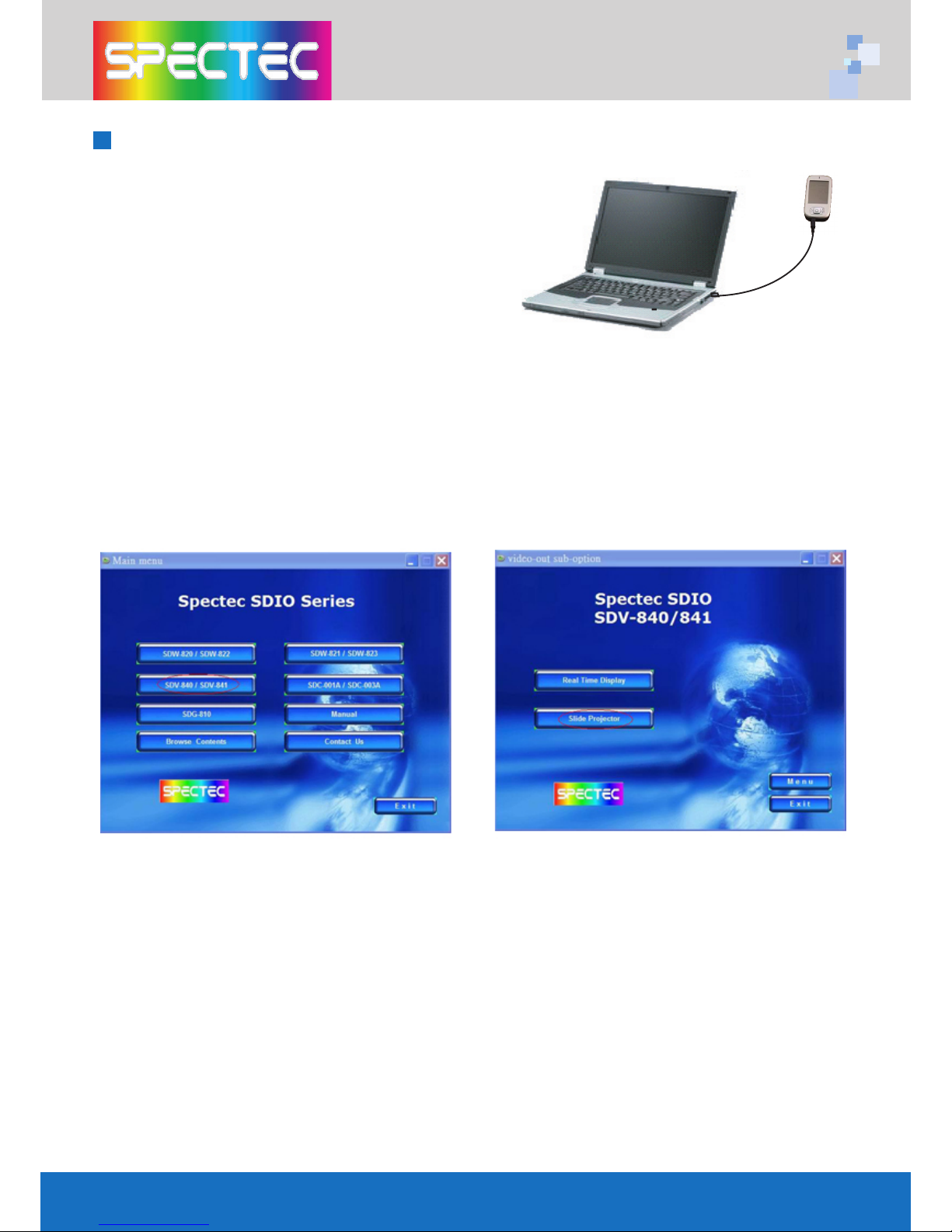
< First, connect PDA to your computer
with a USB wire.
< Main menu window will pop-up when
you insert the Spectec SDIO Series
Installation CD by autorun:
<Click the "SDV-840/ SDV-841" item, then click "Slide Projector" item again.
Page 5
2
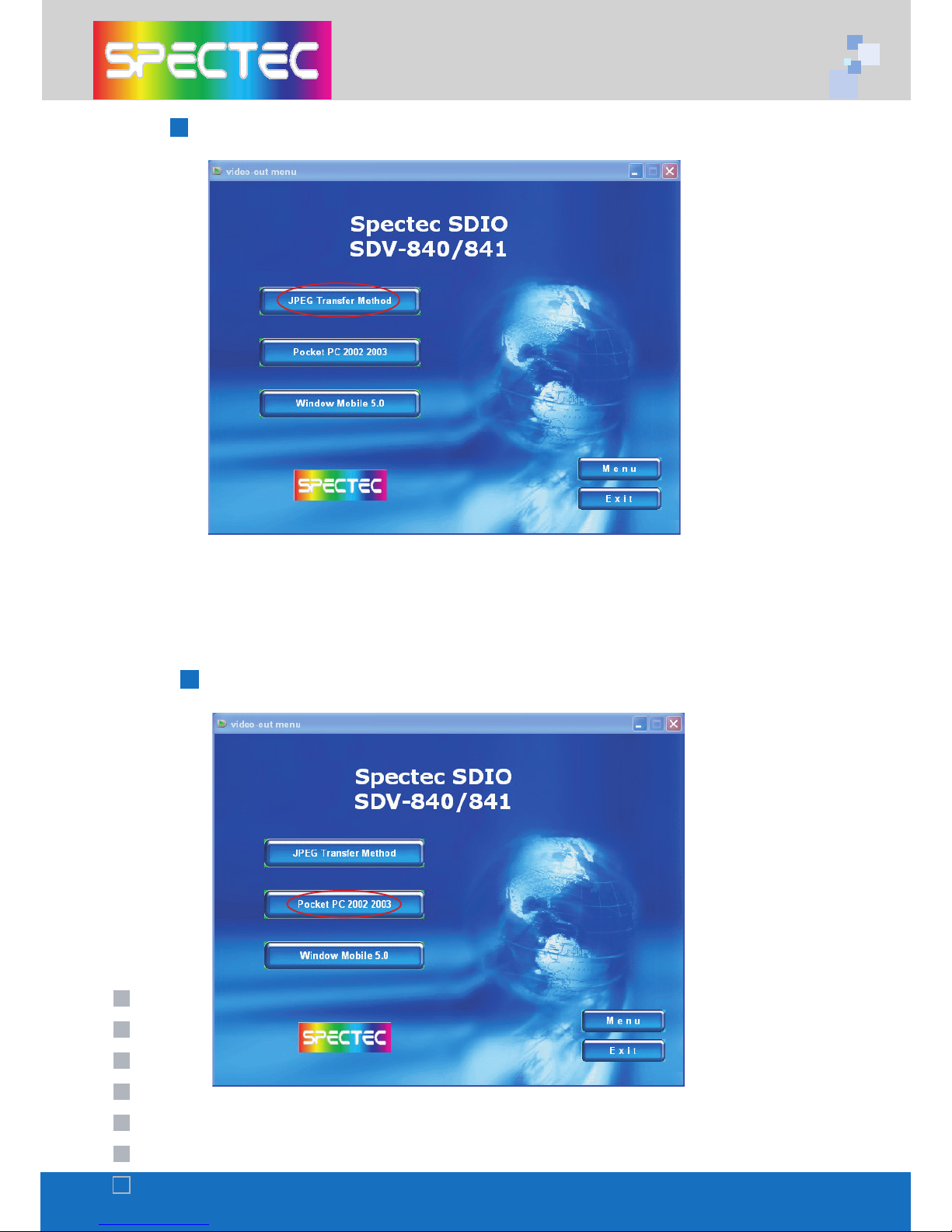
<Click the JPEG Transfer Method item
(*Note : To install Acrobat software for browse specs)
How to add a new printer for make JPEG file
Install driver for PPC2002 / 2003 OS
<Click "Pocket PC 2002 / 2003"
Page 6
3
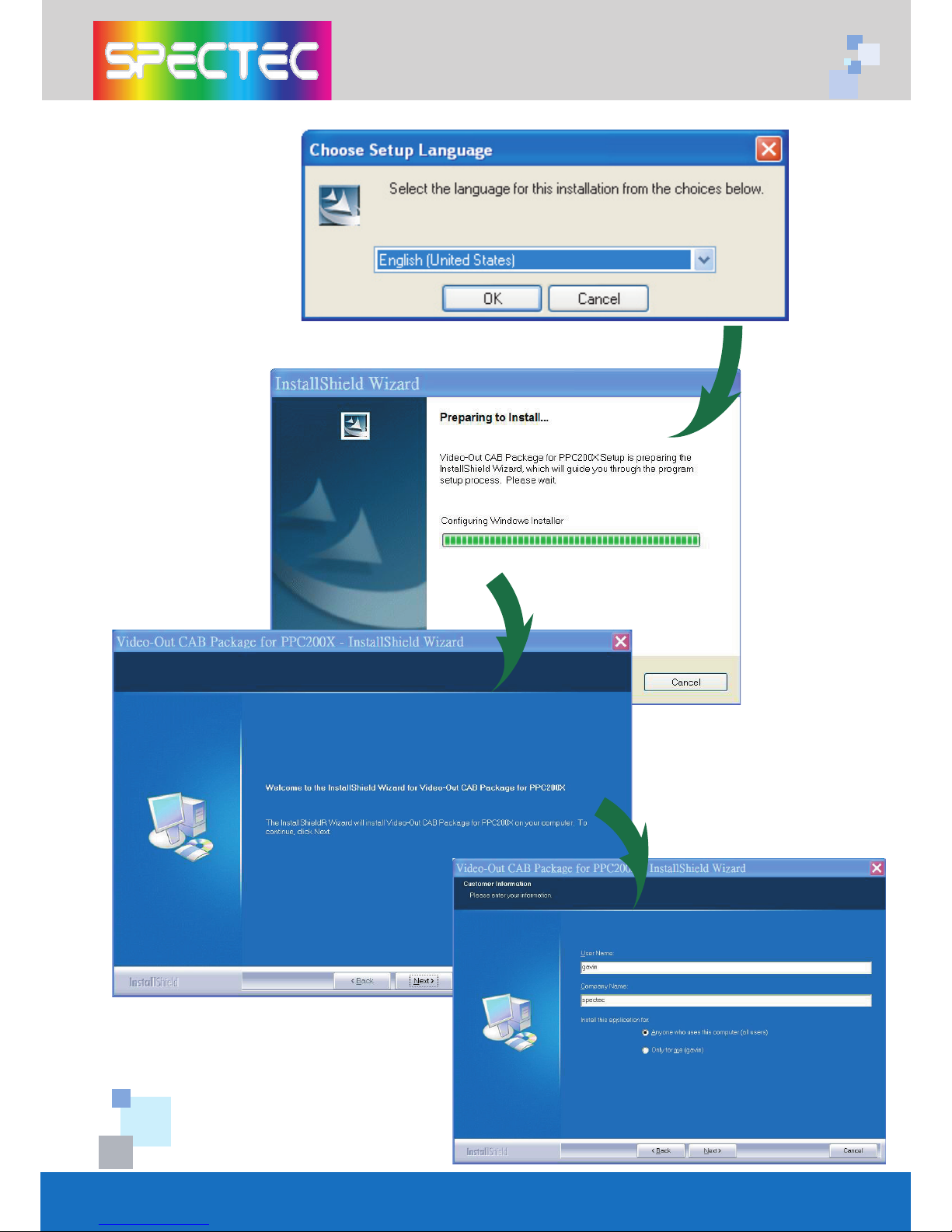
<Choose the desired
Language, then click OK
<Click Next
<Enter user information
then click Next
Page 7
4
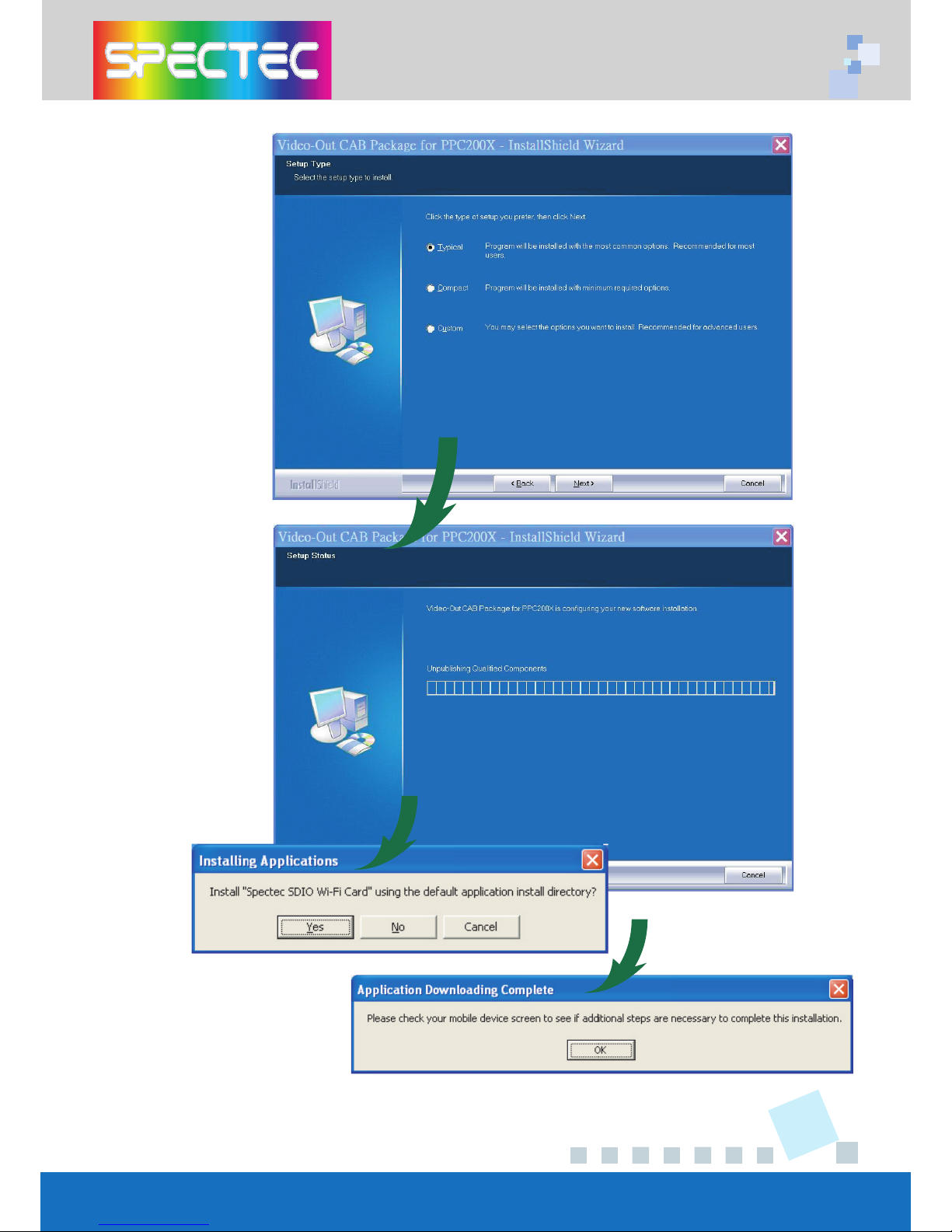
<Choose Setup type,
then click Next
<The driver package
will be installed automatically.
<Click Yes to proceed with
installation. Click OK to finish
installation.
Page 8
5
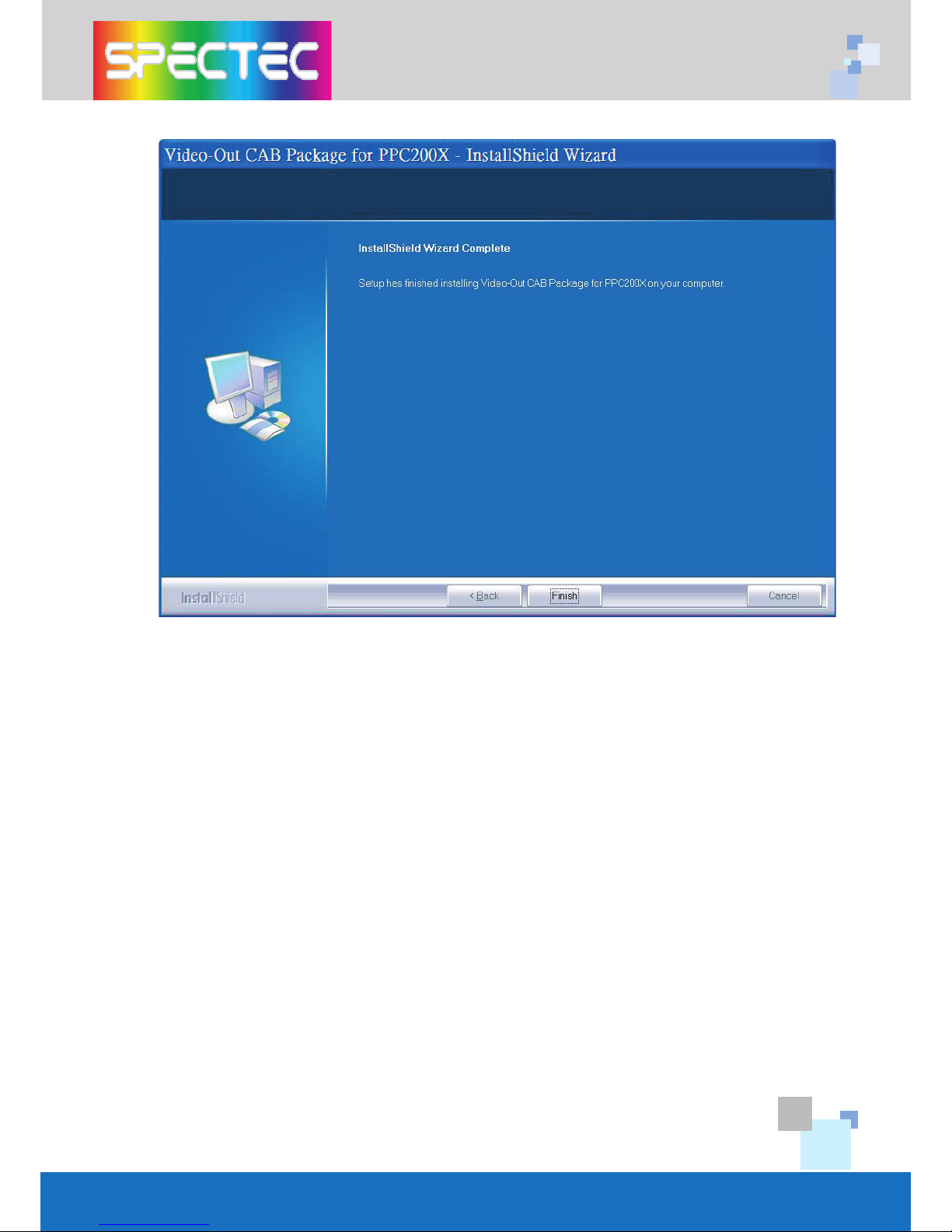
<Click Finish to complete the driver package installlation process.
(*Note : Pls. reset the device to complete install Process)
Page 9
6
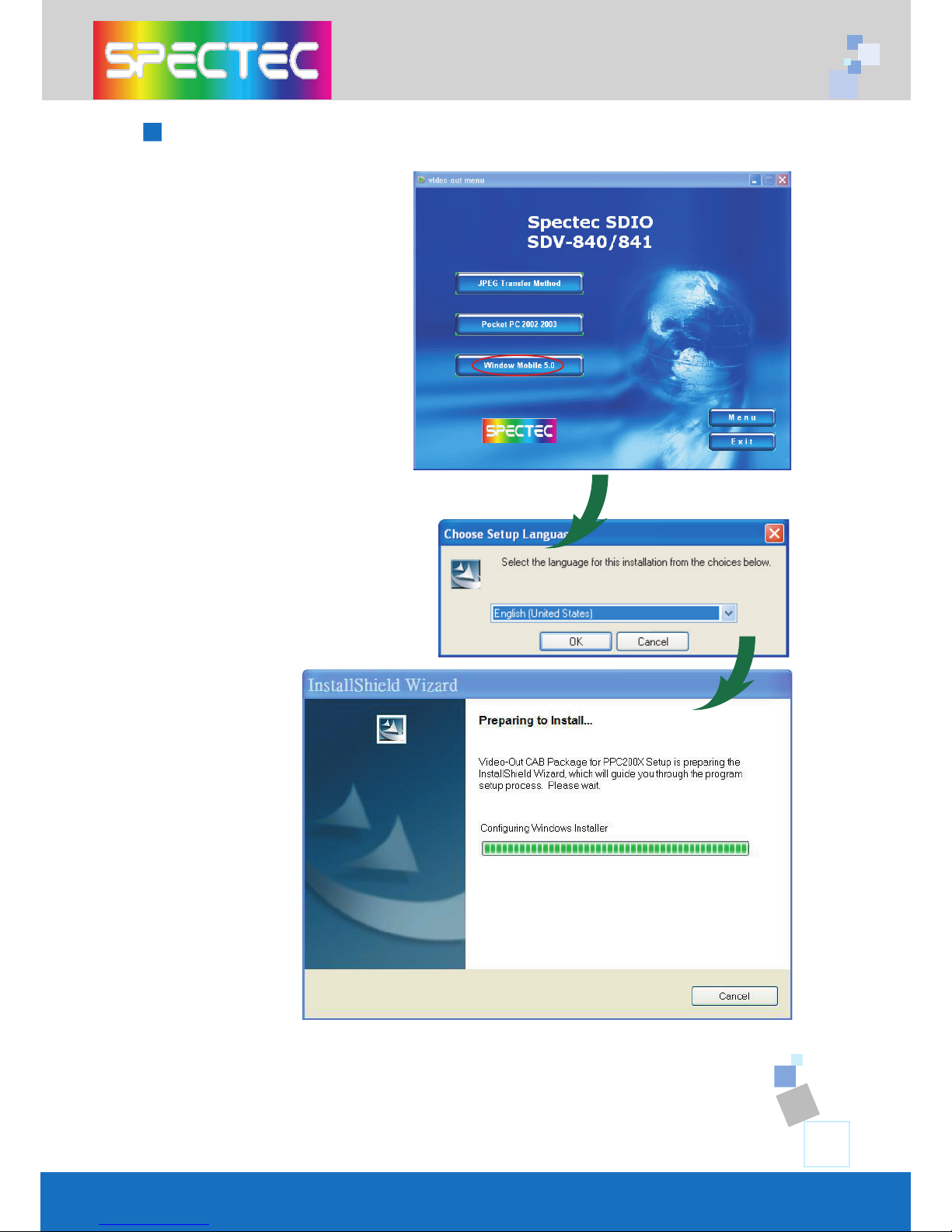
Install driver for WM5.0 OS
<Click Window Mobile 5.0
item
<Choose the desired Language,
then click OK
Page 10
7
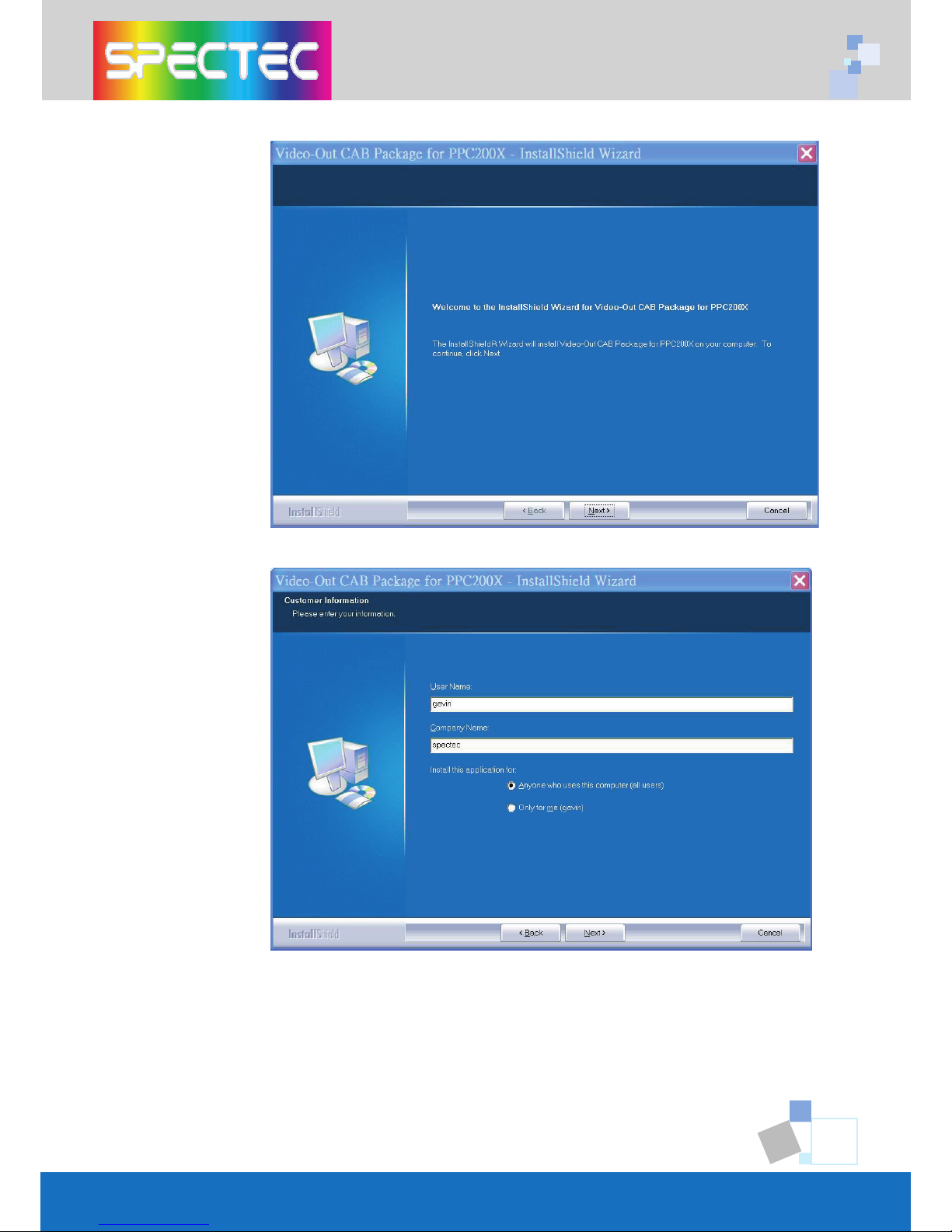
<Click Next
<Enter user information then click
Next
Page 11
8
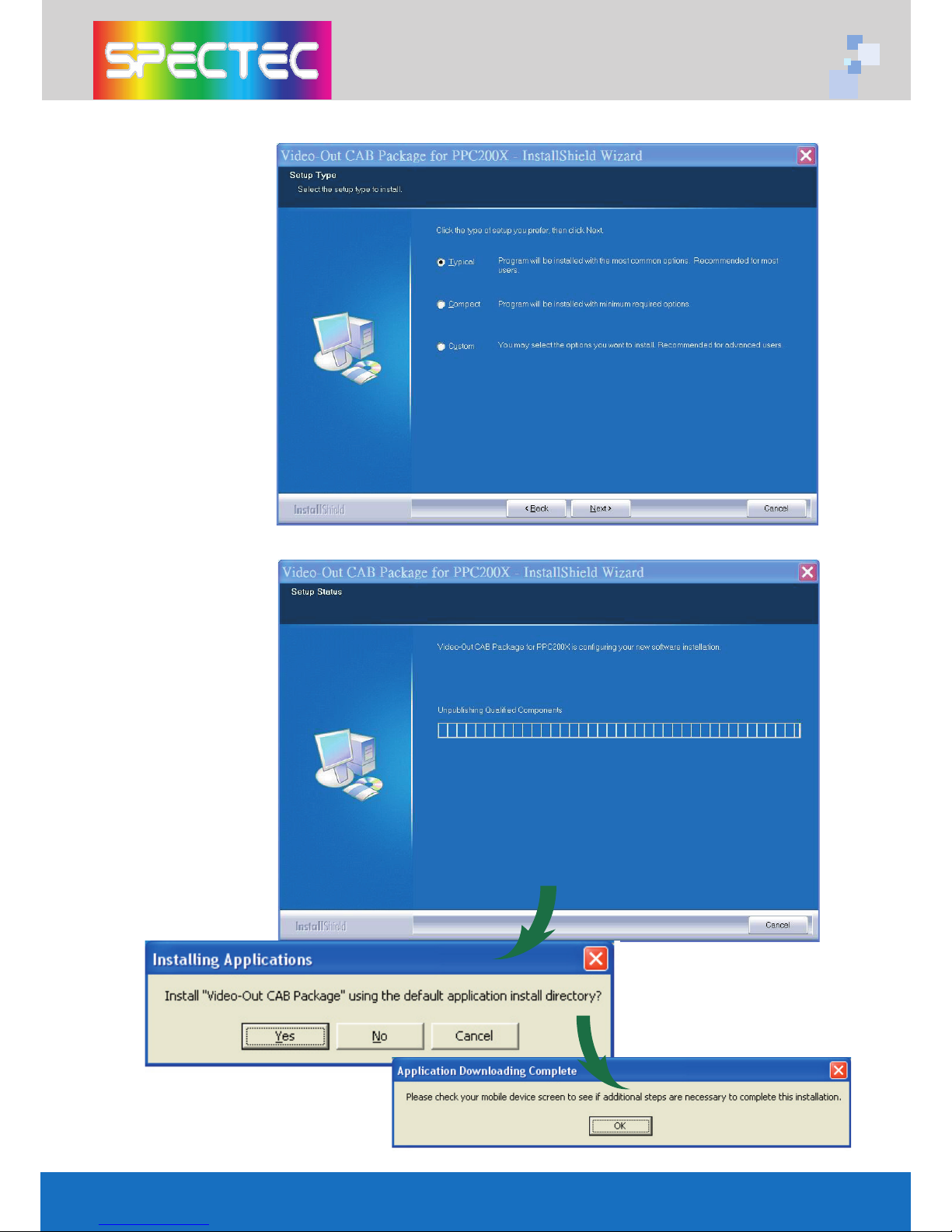
<Choose Setup
type, then click
Next
<The driver package will be installed
automatically.
<Click Yes to proceed with
installation. Click OK to finish
installation.
Page 12
9
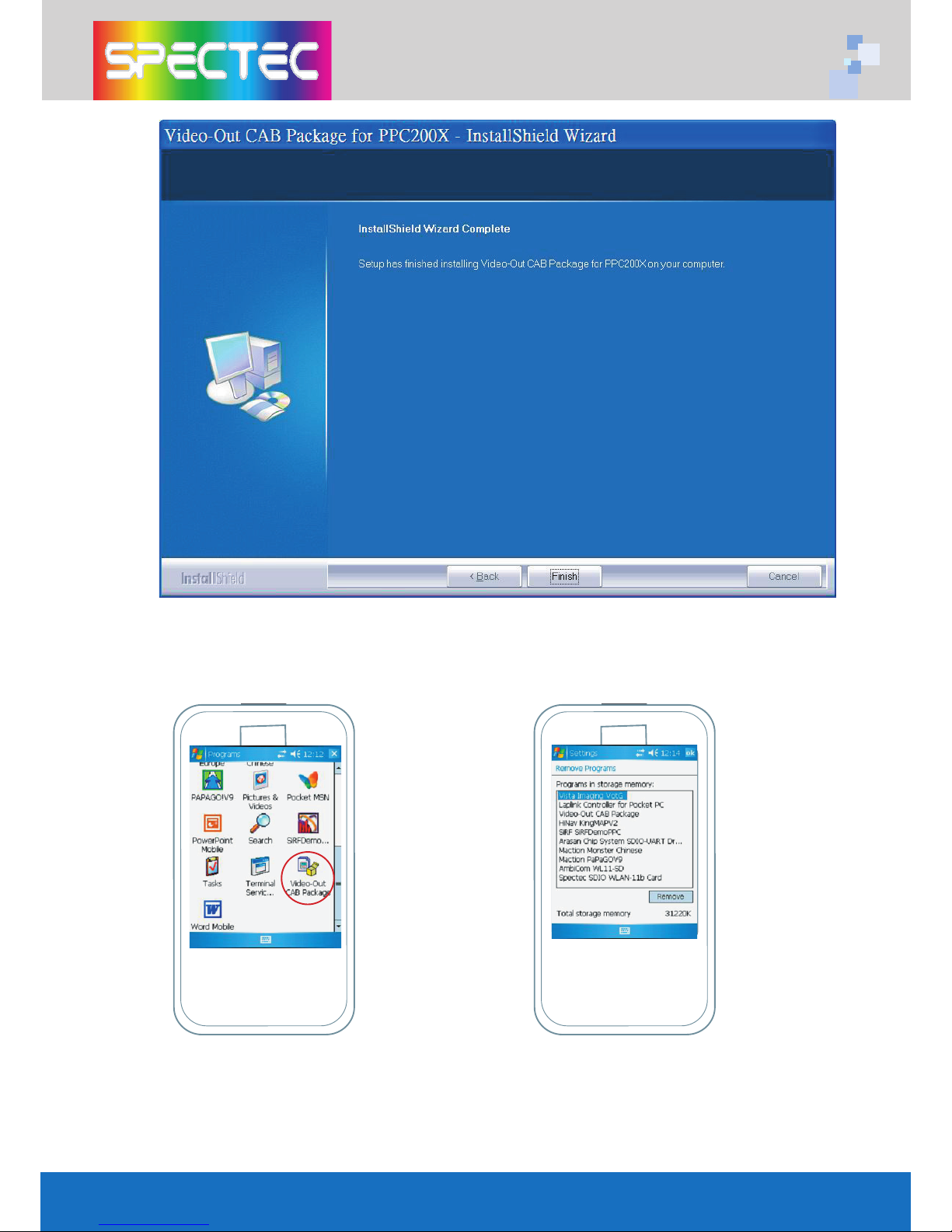
<Click Finish to complete the driver package installlation process.
WLAN-11b
802.11b
TM
www.spectec.com.tw
<Click “Video-Out CAB Pacage“
to install Video-Out driver from PDA
PATH:Start/Programs.
802.11b
TM
<Checking the install driver
"Spectec VotG" from PDA
PATH : Start/ Settings/ System/
Remove Programs.
WLAN-11b
www.spectec.com.tw
Page 13
10
How to using the Video-Out Card with PDA
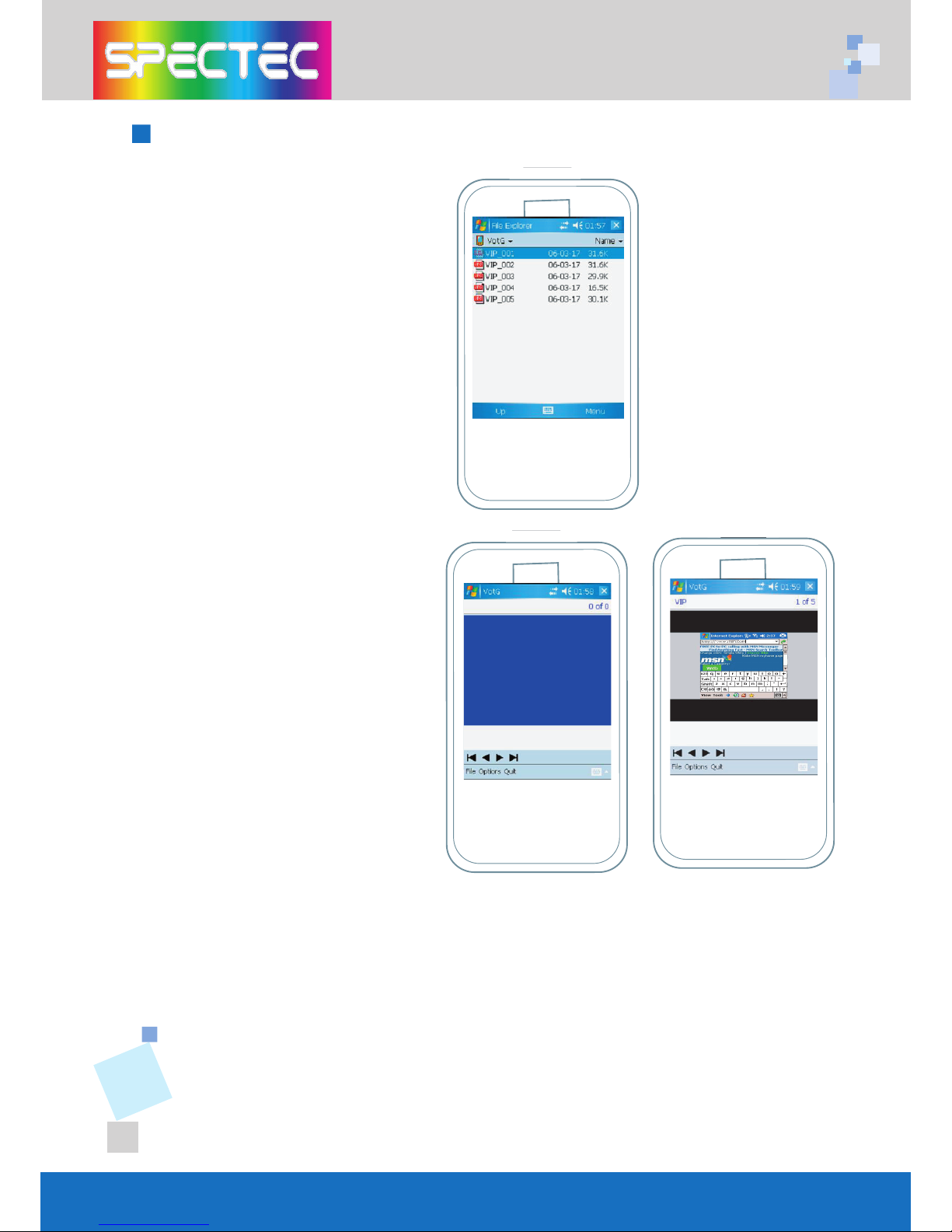
1. Use ActiveSync software and
Copy the JPEG file to PDA :\My
Documents (Please note the
file only can be detected when
you save your file in \My Docu
-
ments) .
WLAN-11b
www.spectec.com.tw
2. Insert the SPECTEC SDIO
Video-Out card into the PDA. The
program will be started
automatically, and select the
image file that would be played.
WLAN-11b
www.spectec.com.tw
3. Select the appropriate way of composite Video Output, S-Video Output,
or VGA Monitor Output Port, and connect.
WLAN-11b
www.spectec.com.tw
Page 14
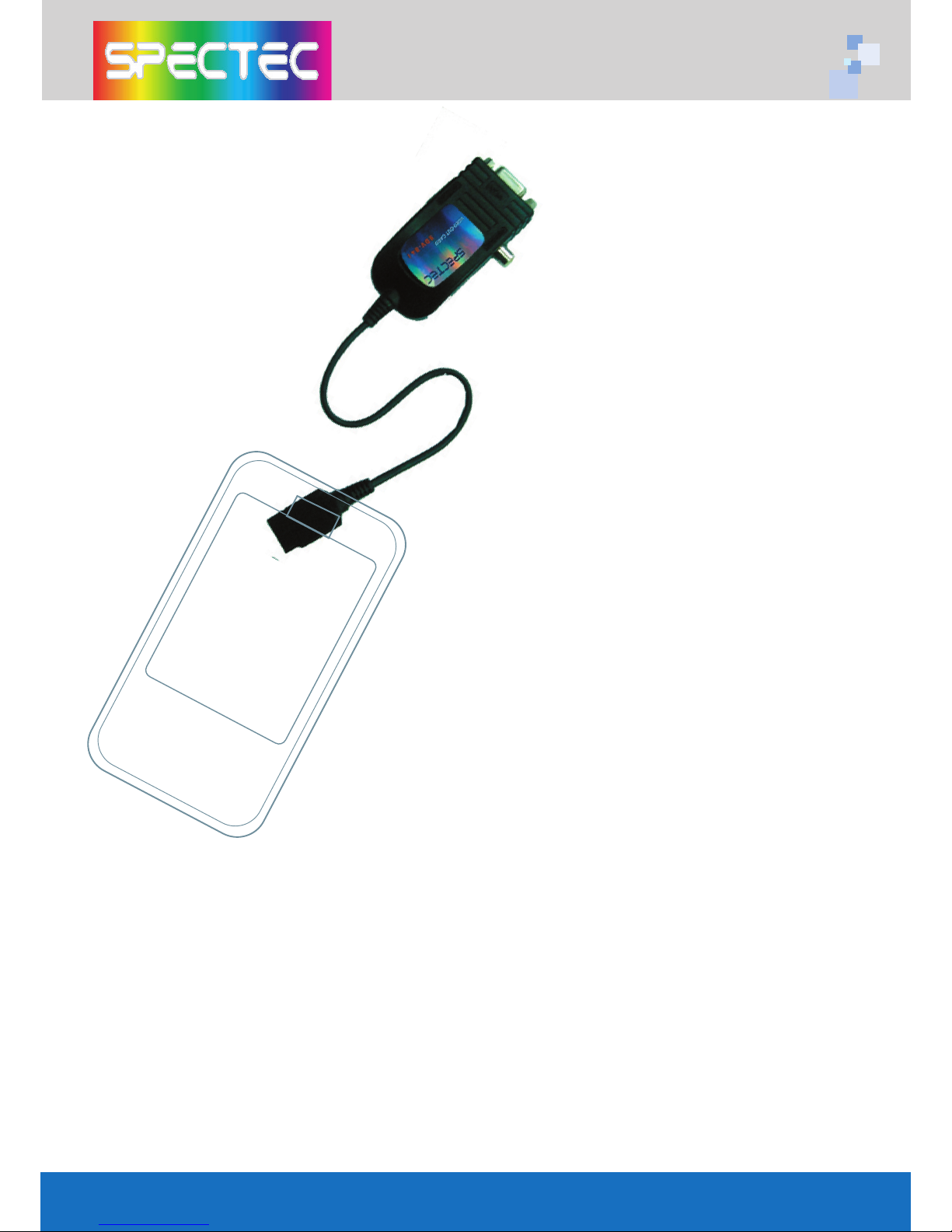
Specifications
Interface: SDIO 1 bit, 4 bit & SPI modes of operation via SD
card interface cable
Resolution: Full-color (YUV 4:2:2) 640 x 480
Remote Control: 10-button Infrared with dual IR receivers
Composite Video Output: NTSC/PAL 1Vp-p video signal
S-Video Output: NTSC/PAL 1Vp-p component video signals
VGA Monitor Output Port:
< VGA 640 x 480 RGB at 60Hz interface for connection to stan
-
dard monitor or projector
< Single +5 volt regulated power source
Source Presentation Format: Slides can be created from any print
-
able WindowsTM XP/2000 application
Handheld: Pocket PC handhelds & Smartphone with SD/mini SD slot
supporting SDIO protocol
Display & Presentation Devices:
< Display Device with HD-15 (VGA) connector and support for 640 x
480 resolution at 60Hz (This includes most CRT monitors and projectors)
< Any NSTC or PAL composite or S-Video, video monitor
*All specifications are subject to change without prior not
Page 15
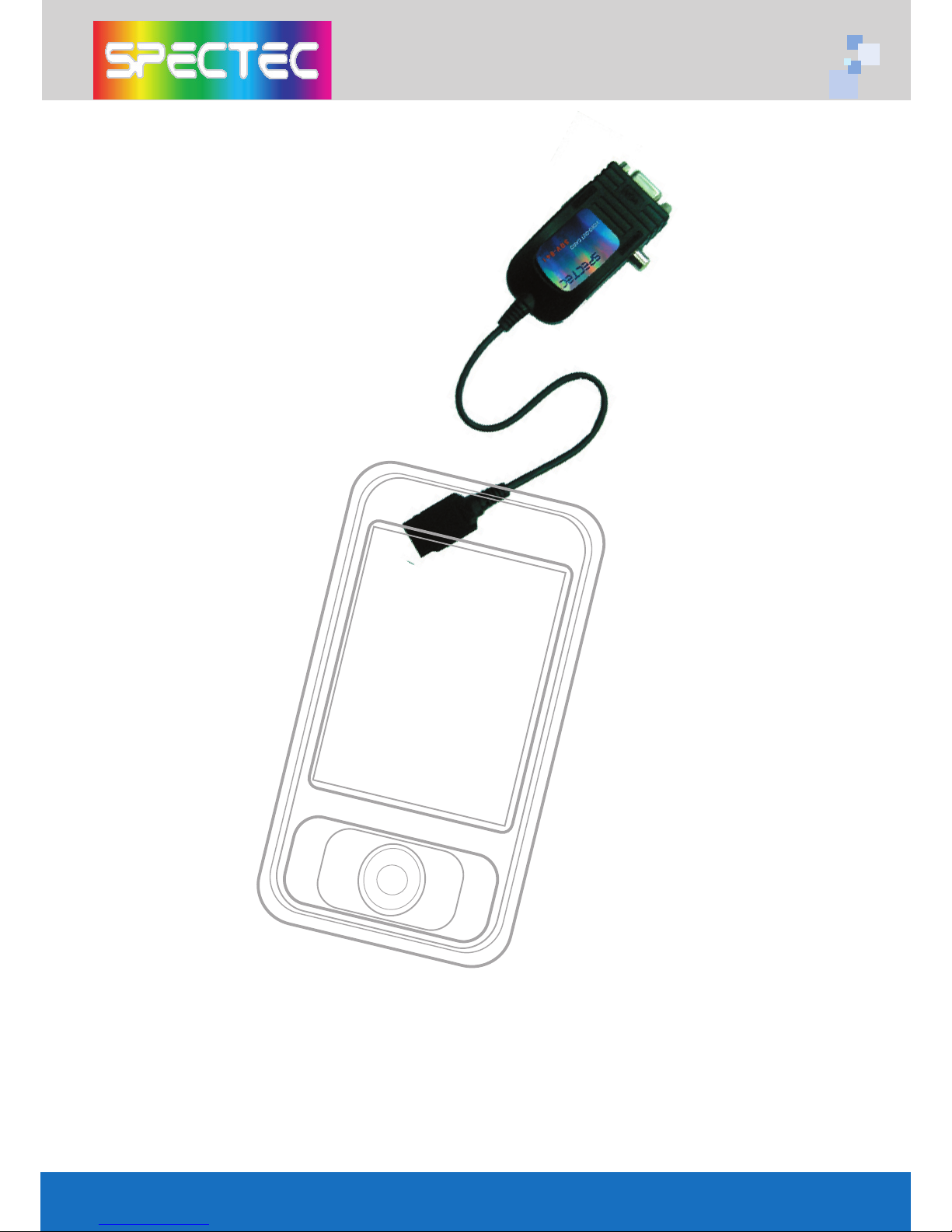
Thank You for Purchasing Spectec’s Products
 Loading...