

Page 1
SPACEMAN
GRAVITY SOFT
SERVE TRAINING
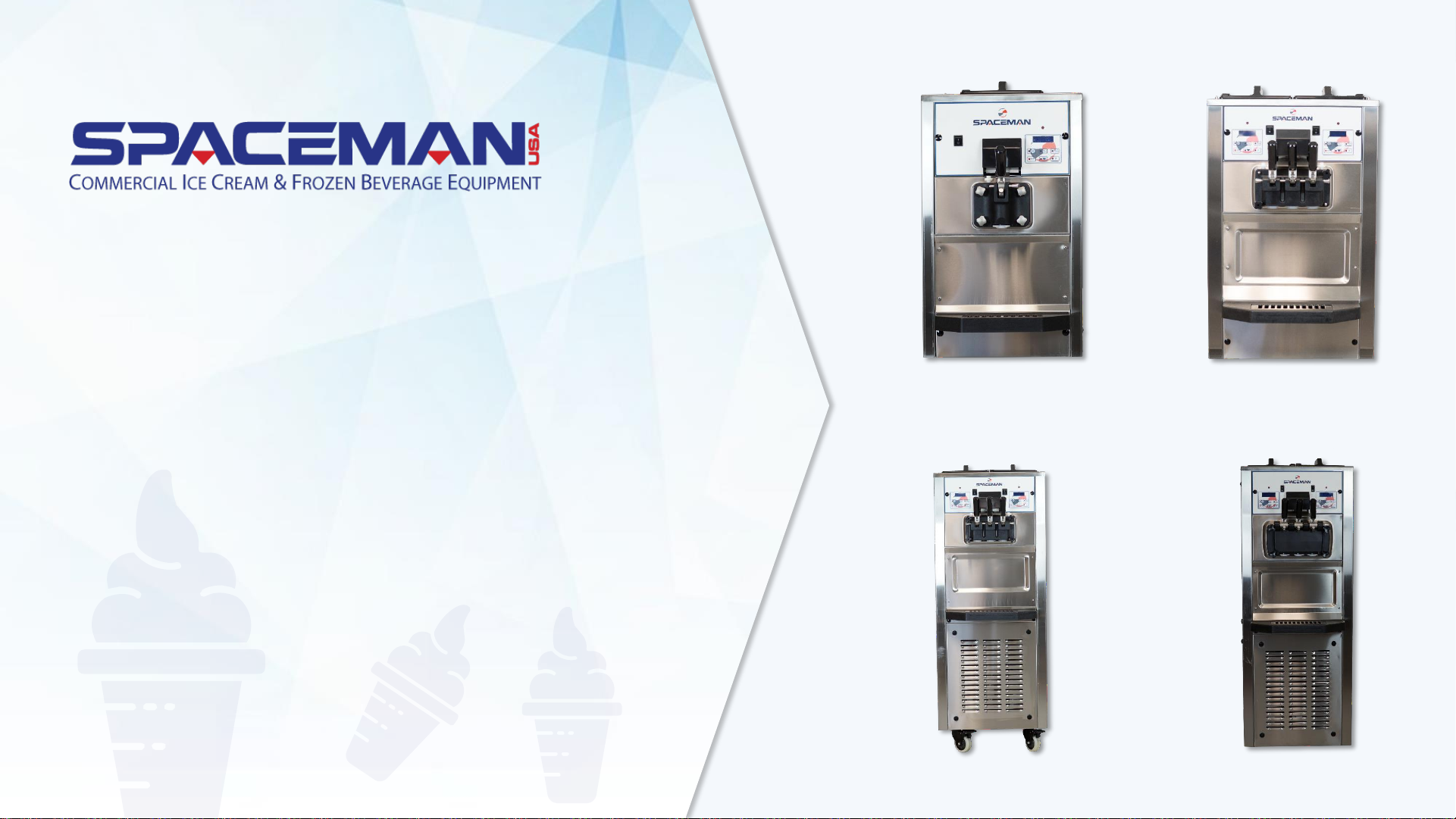
*use this training guide for Spaceman USA models:
6220, 6228H, 6235H, 6245H, 6236H, 6250H, 6260H, 6338H, and 6378H
Spaceman USA Soft Serve Gravity Training
rev042219
Page 2
NOTES AND FUNCTIONS OF YOUR MACHINE
The machine you have purchased is a gravity fed soft serve
machine. It is capable of producing a variety of products that
include: Soft Serve Frozen Yogurt, Ice Cream, select custard
products, and sorbets.
Product is poured into the refrigerated hopper (product
should be below 41°F) where it is kept until flowing into the
freezing cylinder via the air tube.
On the front of your machine is an digital control to regulate
and maintain consistent product quality for each flavor as an
analog rocker switch to power the board on or off.
Inside the freezing cylinder, the beater mixes the product while
freezing and produces a soft serve product.
Spaceman USA Soft Serve Gravity Training
rev042219
Page 3
ROUTINE MAINTENANCE OPERATIONS
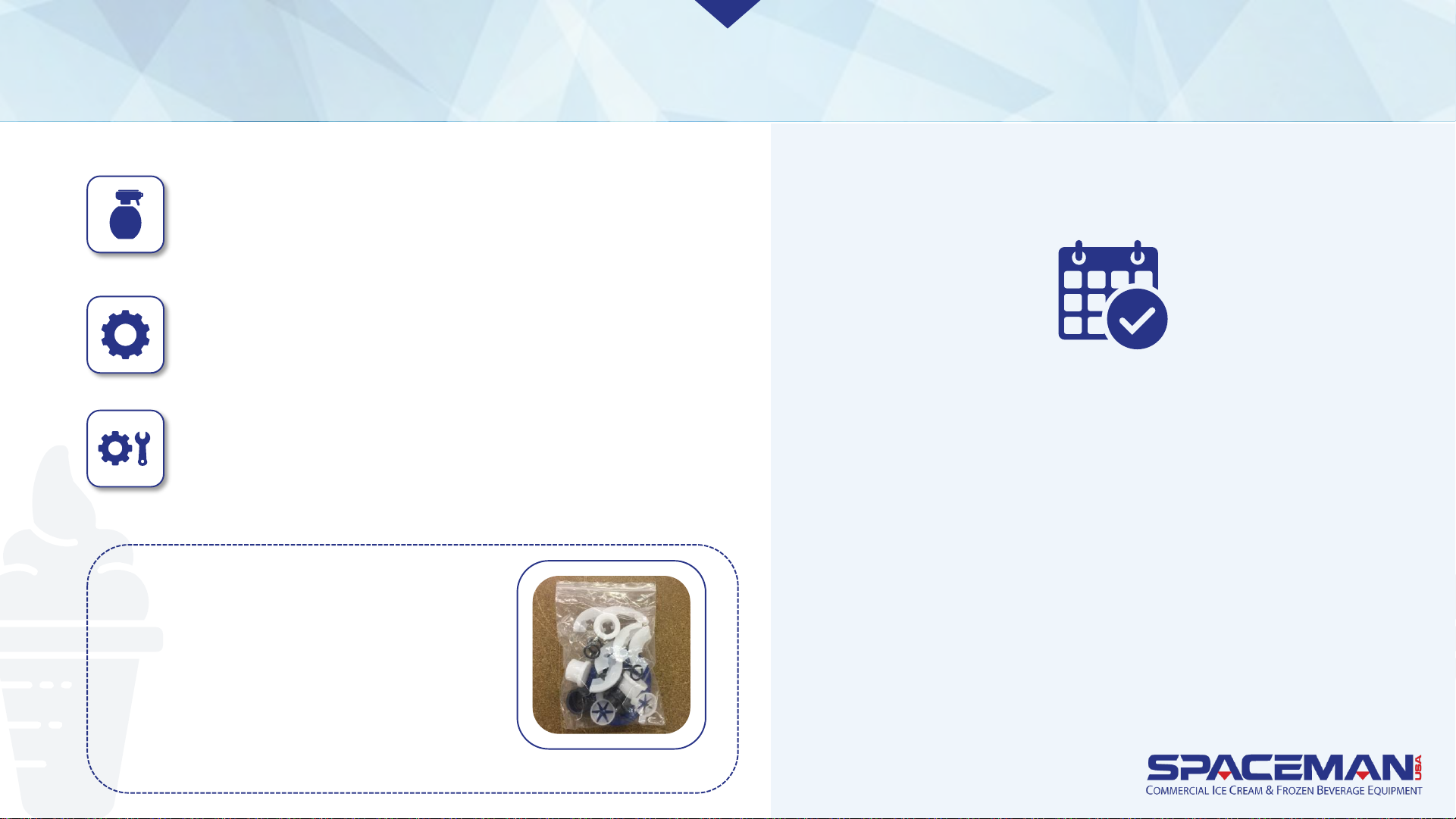
Clean and Lubricate Daily
Replace Wearable Parts Every
1 to 3 months*
Internal Cleaning Quarterly**
* Based on machine usage and cleaning
intervals; a Tune-Up Kit is available with
all wearable parts (O-rings, gaskets, etc.)
except scraper blades
** Based on cleanliness of location
and proximity to powder-based
machines
For optimal machine performance and
many years of efficiency and reliability
from your machine, Spaceman USA
recommends cleaning and sanitizing the
machine and its parts daily. The machine
comes equipped with a brush kit
specifically designed to efficiently and
properly clean the machine.
Tune-Up Kit
Spaceman USA Soft Serve Gravity Training
rev042219
Page 4
IMPORTANT:
Cleaning and sanitizing
schedules are governed by state
or local regulatory agencies and
MUST be followed accordingly.
Routine maintenance MUST be
performed a minimum of once
every three days.
CAUTIONS:
Do NOT run the machine without properly lubricating
required parts.
Do NOT clean the machine with abrasive or toxic chemicals
and cleaners. Doing so may cause damage to the stainless
steel material.
ONLY use Spaceman-USA-included cleaning brushes and lubrication.
NEVER use metal objects to clean or operate the machine.
ALWAYS replace wearable parts a minimum of every 3 months.
ALWAYS prime machine prior to operating.
ALWAYS inspect parts for excess wear and damage.
ROUTINE MAINTENANCE OPERATIONS
Spaceman USA Soft Serve Gravity Training
rev042219
Page 5
DRAIN PRODUCT
NOTE CAUTION
To expedite draining, turn off
machine 30 minutes prior to
soften product. To expedite
process, keep a bucket
nearby to temporarily store
removed parts.
NEVER use warm water
when rinsing the machine
to prevent damage.
Spaceman USA Soft Serve Gravity Training
rev042219
Page 6
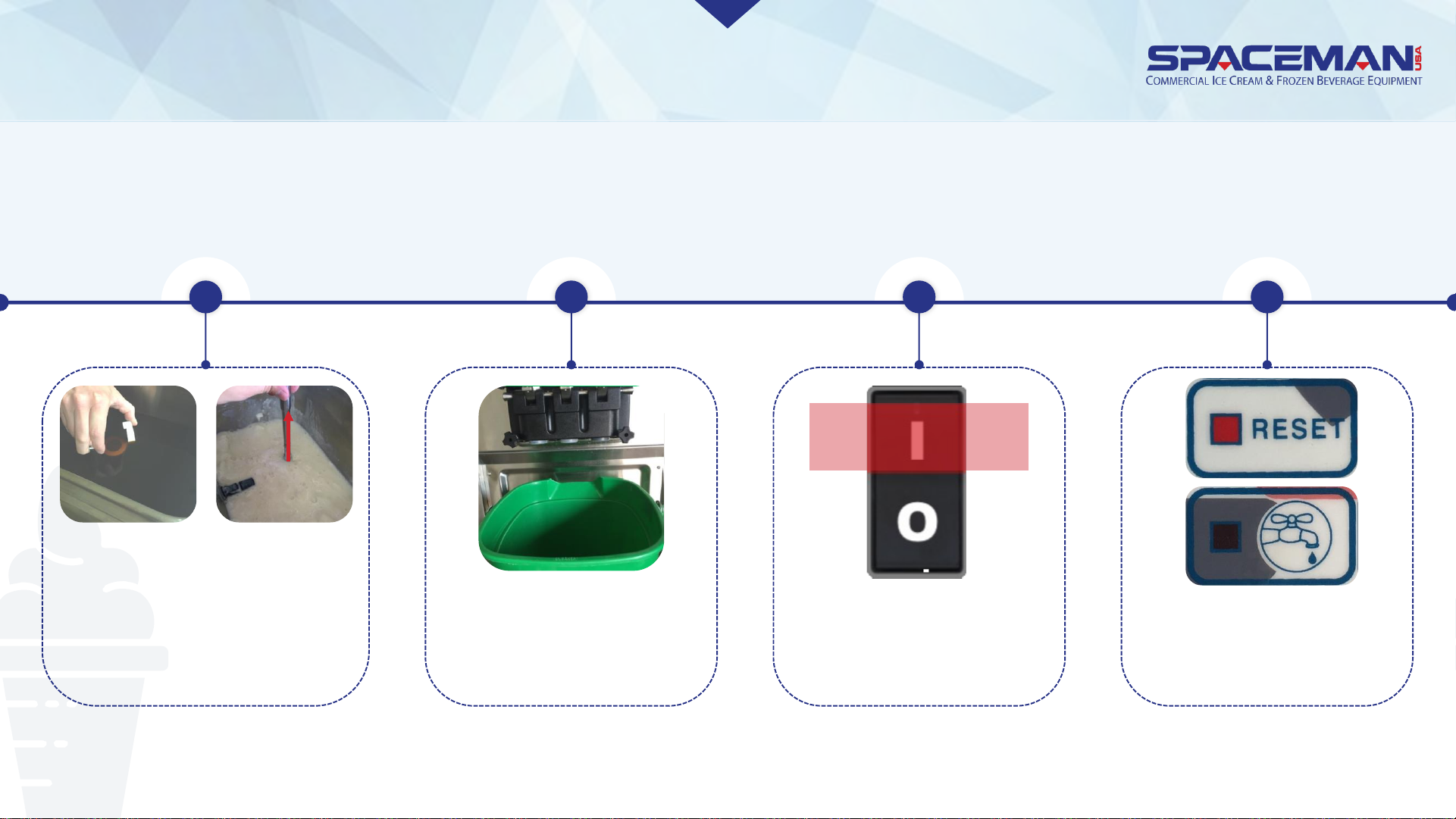
Press RESET buttons;
press WASH buttons
DRAIN PRODUCT
Remove hopper lids, air
tubes, and (if present)
agitators
2
Place a bucket or other
container below
dispensing assembly
3
Turn power
switches to ON
41
Spaceman USA Soft Serve Gravity Training
rev042219
Page 7
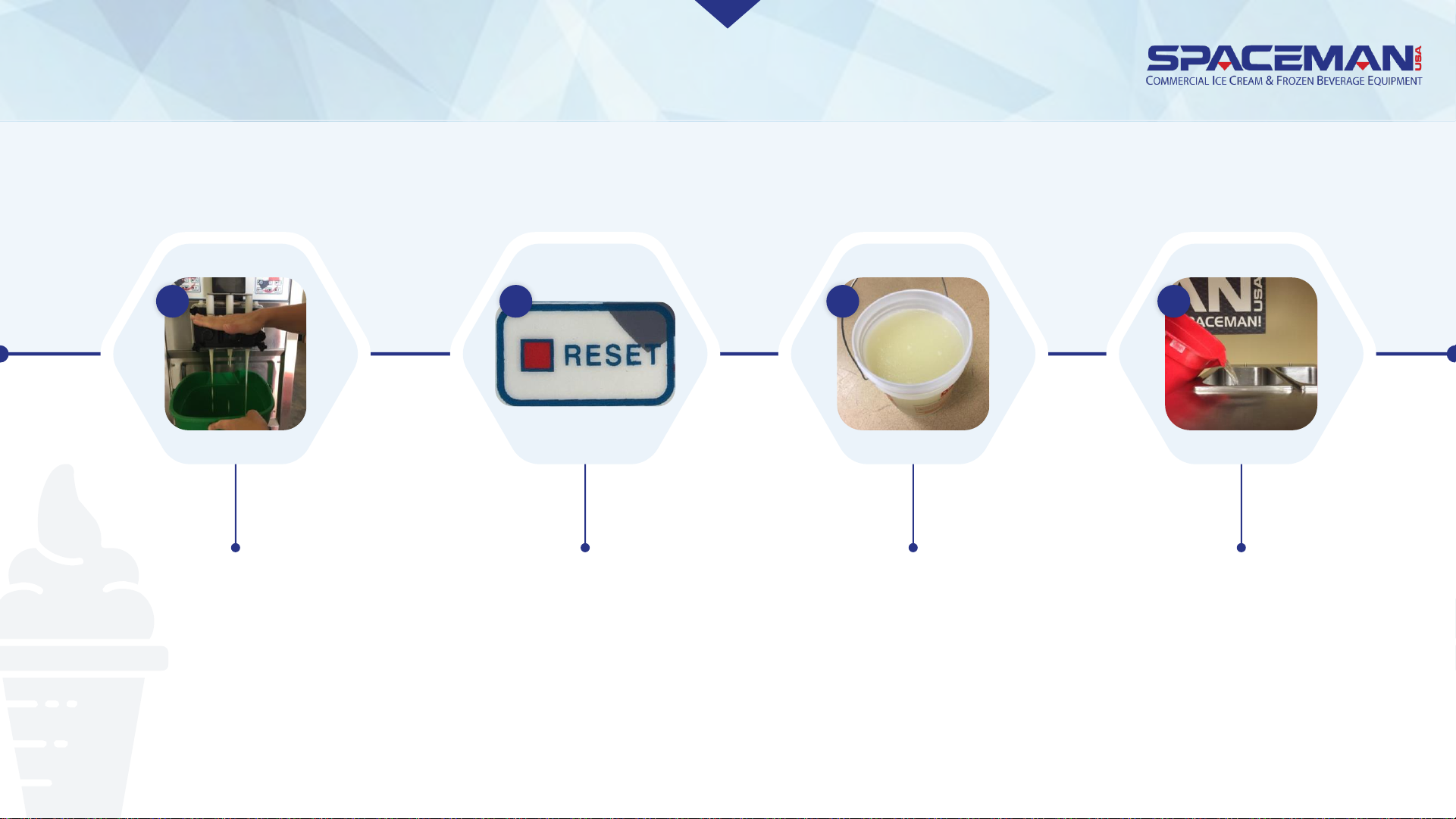
DRAIN PRODUCT
Fill each hopper with
one gallon of COOL
water
Move draw handles to OPEN
position (DOWN); CLOSE
draw handles (UP) when
product flow slows
significantly
Press RESET buttons to
pause wash cycle
Remove product
and dispose or
refrigerate it
5 6 7 8
Spaceman USA Soft Serve Gravity Training
rev042219
Page 8
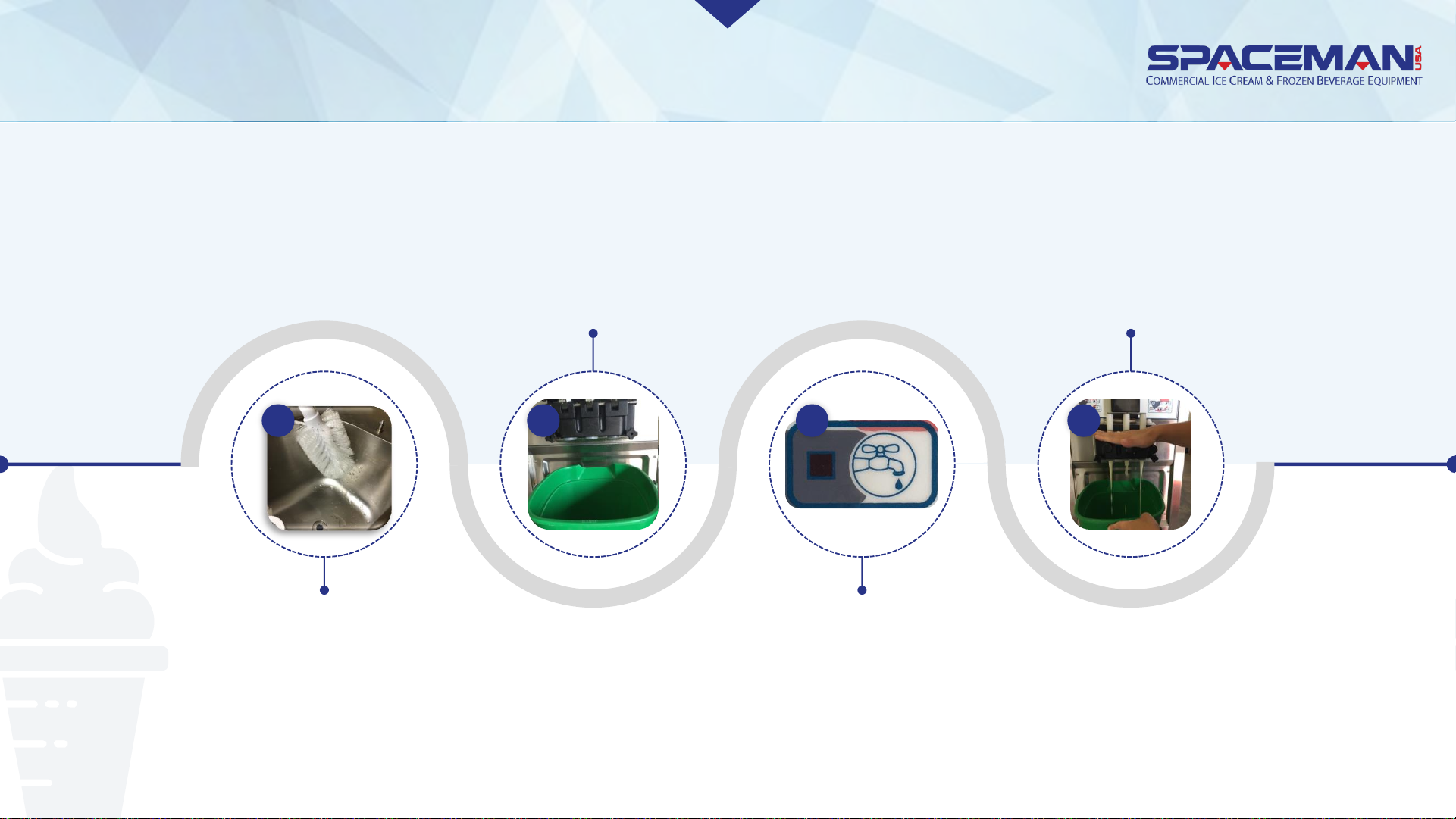
DRAIN PRODUCT
OPEN draw handles to
drain water and
remaining product;
CLOSE when finished
Use cool water and the large
brush to scrub the sides and
bottom of the hoppers; be VERY
careful not to damage the low-
mix sensor in the hoppers
Place a bucket or other
container below the
dispensing assembly
Press WASH buttons
10 11 12
Spaceman USA Soft Serve Gravity Training
rev042219
9
Page 9
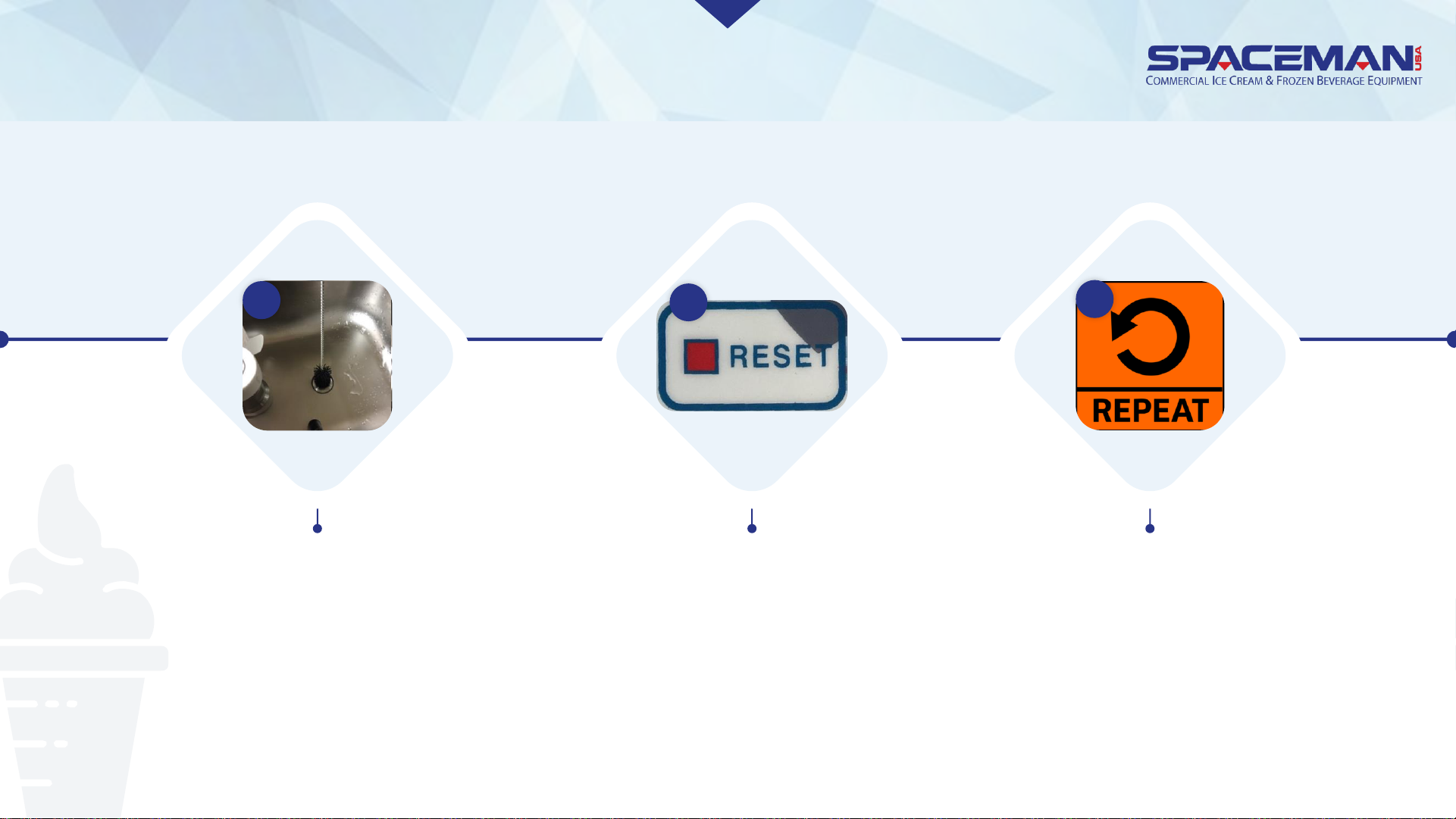
DRAIN PRODUCT
Use the small brush kit to
clean inside the feed tube at
the bottom of the hoppers
13
Press RESET to
pause wash cycle
14
Repeat steps 9 to 15
until water exiting the
draw valves is clear
and free of product
15
Spaceman USA Soft Serve Gravity Training
rev042219
Page 10
DISASSEMBLE
NOTE CAUTION
Prepare dishwashing area
prior to disassembly, use
bucket to temporarily store
large removed parts and a
small container for O-rings,
and have a towel nearby to
capture excess water.
ALWAYS separate O-rings
and gaskets from metal
parts to prevent damage
while washing.
Spaceman USA Soft Serve Gravity Training
rev042219
Page 11
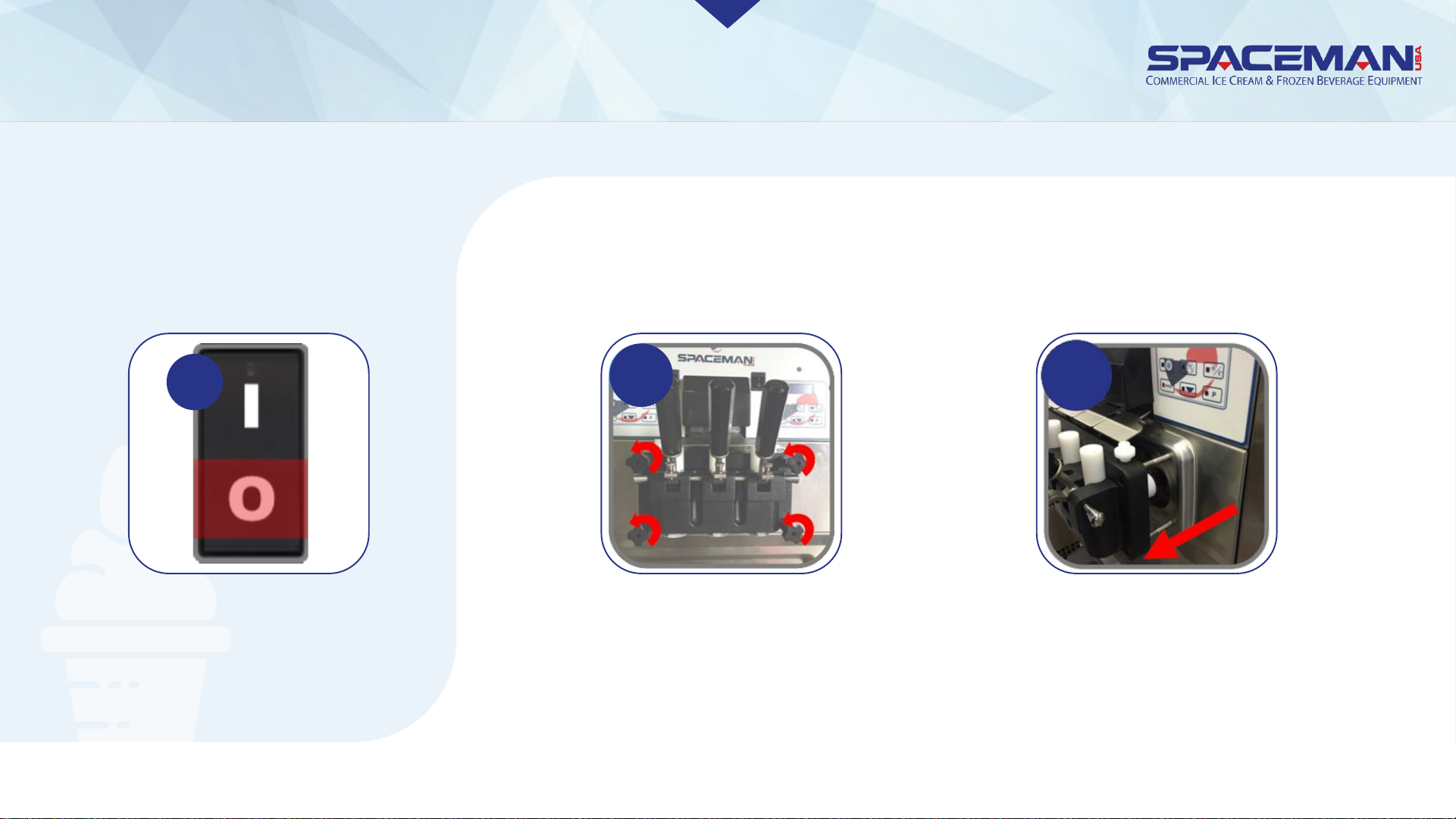
DISASSEMBLE
1. TURN POWER
SWITCHES OFF
2. REMOVE DISPENSING DOOR
Remove dispensing-
door hand-screws (4)
Remove dispensing door
assembly from cylinders
1
2a 2b
Spaceman USA Soft Serve Gravity Training
rev042219
Page 12
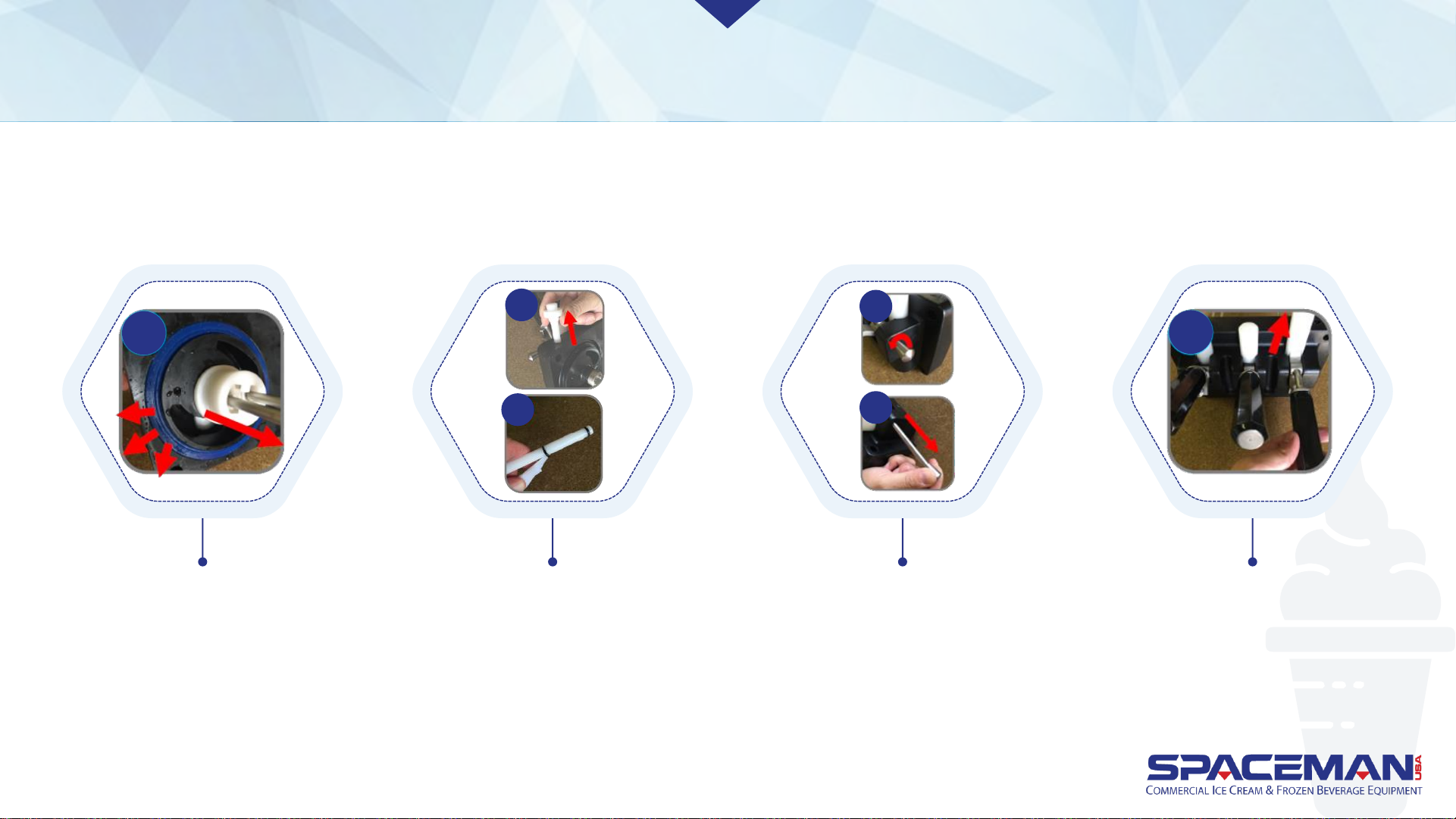
DISASSEMBLE
3. Disassemble dispensing door
3a
Remove beater guides (2)
from door assembly;
remove gaskets (2) from
door assembly using O-
ring removal tool
Remove prime plugs (2)
from door assembly;
remove O-rings (4) from
prime plugs using O-ring
removal tool
3b
3b
3c
3c
Unscrew and remove
retention nut; remove
retention pin
Remove draw handles
(3), pushing down first to
pop up draw valves, then
pulling out
3d
Spaceman USA Soft Serve Gravity Training
rev042219
Page 13
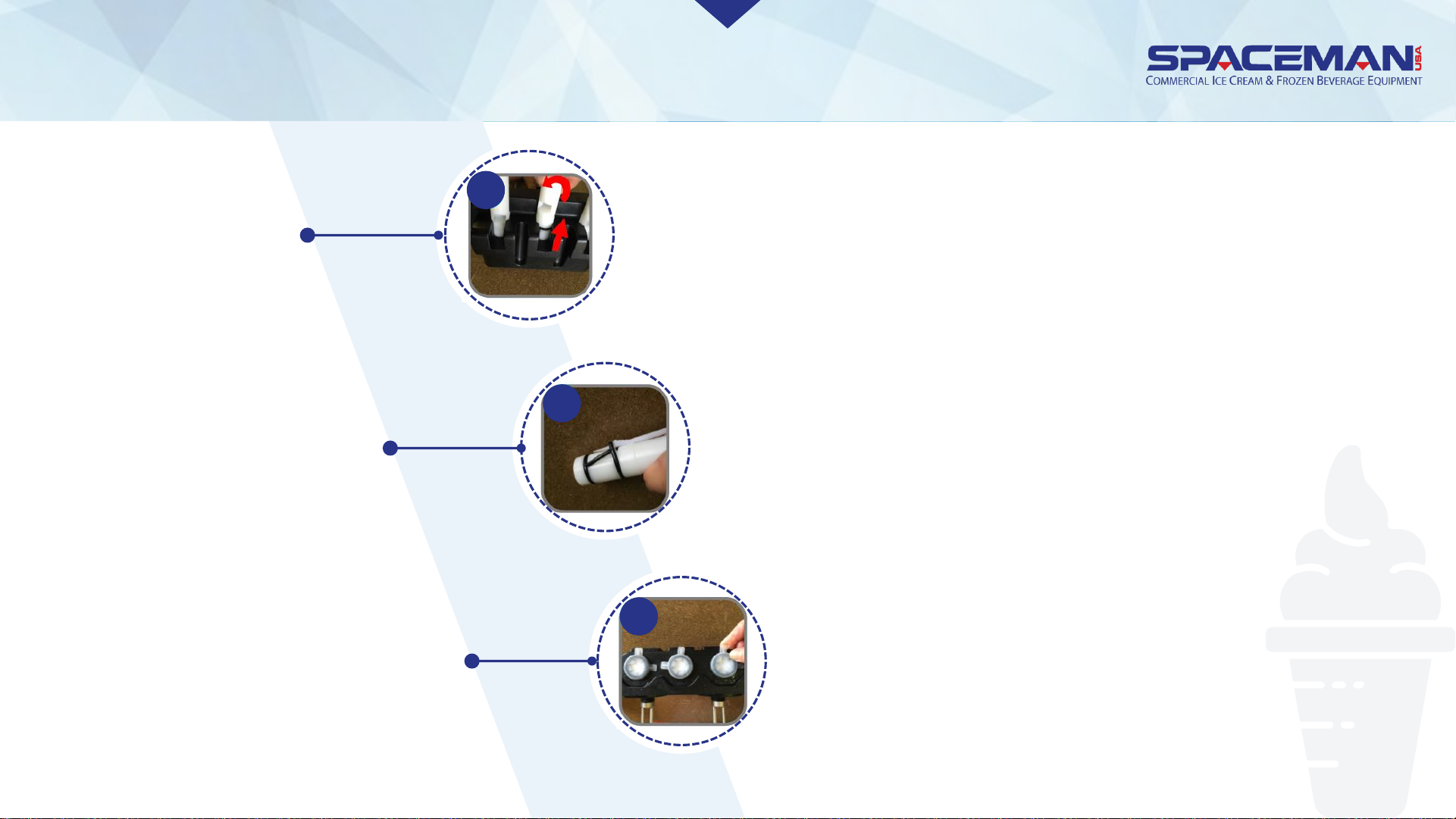
DISASSEMBLE
Remove draw valves (3), twisting while
removing to prevent damage
Remove O-rings (4) and H-ring (1) from
draw valves using O-ring removal tool
Rotate star caps (3) so that tabs are
accessible; snap off star caps
3.
Disassemble
dispensing door
3e
3f
3g
Spaceman USA Soft Serve Gravity Training
rev042219
Page 14
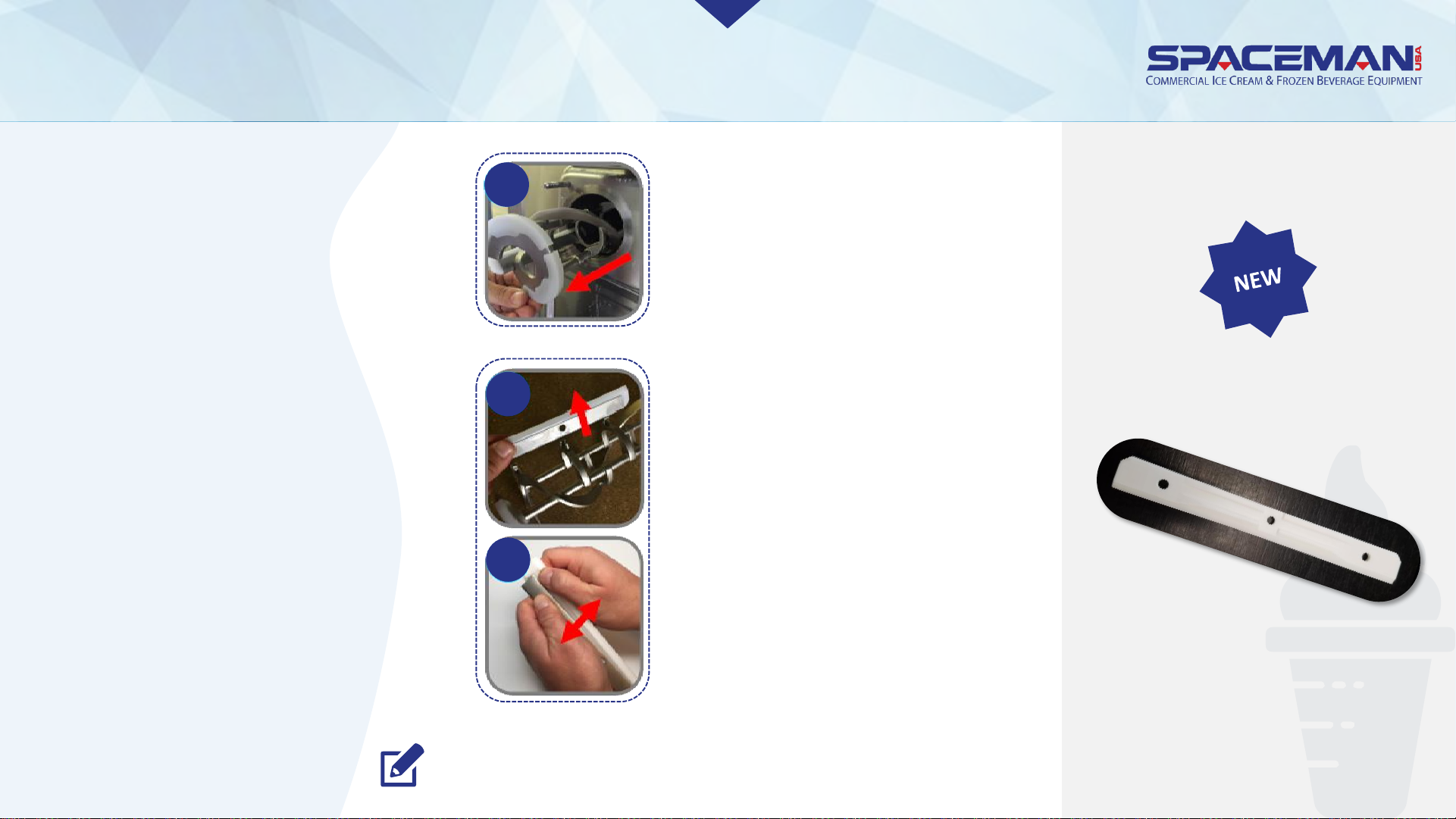
DISASSEMBLY
Remove scraper blades
(4) from beater
assemblies; separate
scraper blade clips (4)
from scraper blades
*some new models will
not have blade clips
Remove beater
assemblies (2) from
cylinders
4a
4b
4b
“clip-less” blade
NOTE: If you experience assembly difficulty with drive shafts,
Spaceman offers a specialized removal tool for purchase.
4.
Disassemble
beater
assembly and
drive shaft
Spaceman USA Soft Serve Gravity Training
rev042219
Page 15
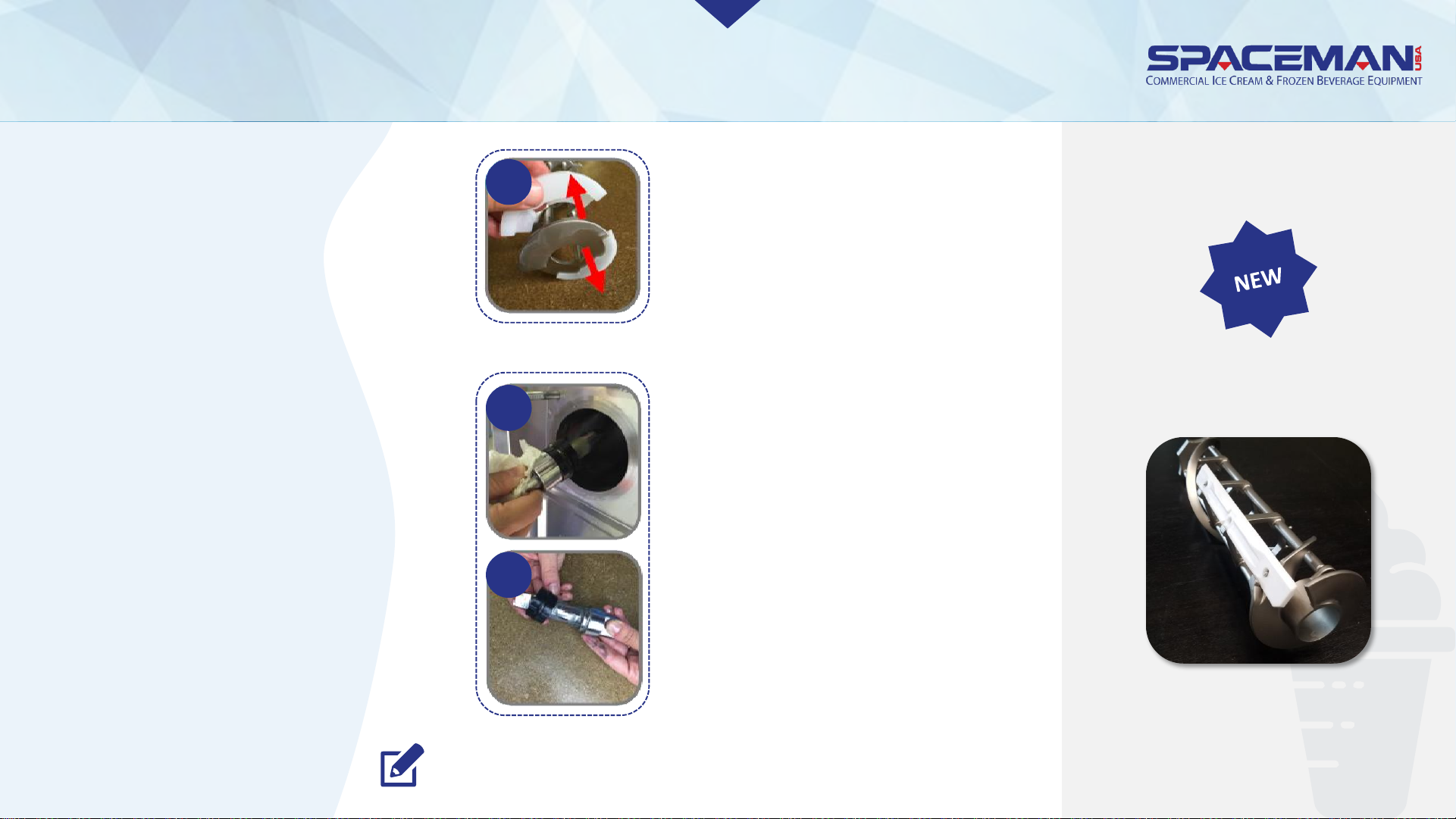
DISASSEMBLY
4.
Disassemble
beater
assembly and
drive shaft
Remove drive shafts (2)
from inside cylinders
using a dry towel;
separate gaskets (2) from
drive shafts
Pull off beater shoes (4)
* some new models will
not have beater shoes
“shoe-less” beater
4c
4d
4d
NOTE: If you experience assembly difficulty with drive shafts,
Spaceman offers a specialized removal tool for purchase.
Spaceman USA Soft Serve Gravity Training
rev042219
Page 16
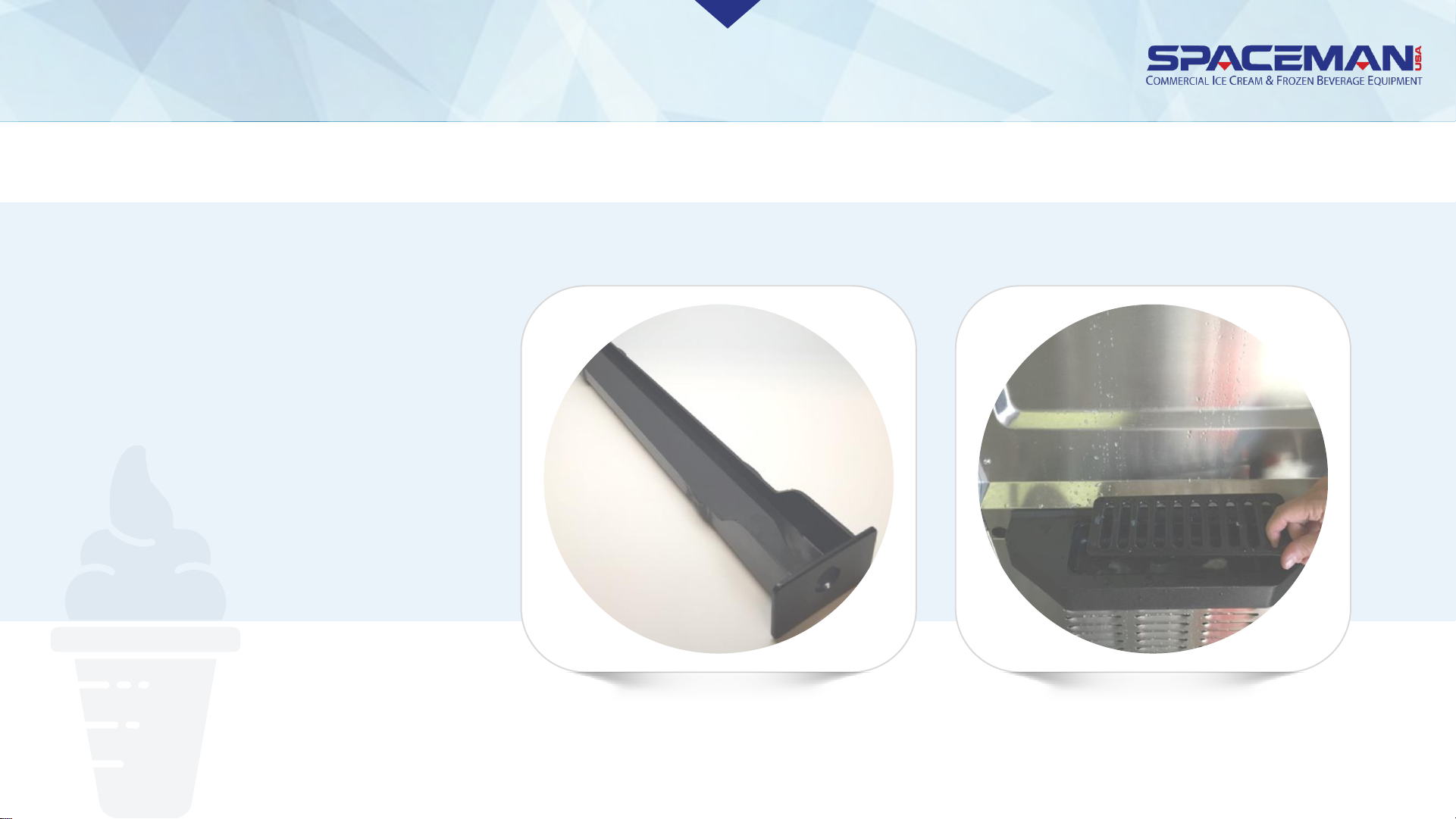
DISASSEMBLE
5.
Remove internal drip
tray and front drip
tray + splash shield
Spaceman USA Soft Serve Gravity Training
rev042219
Page 17
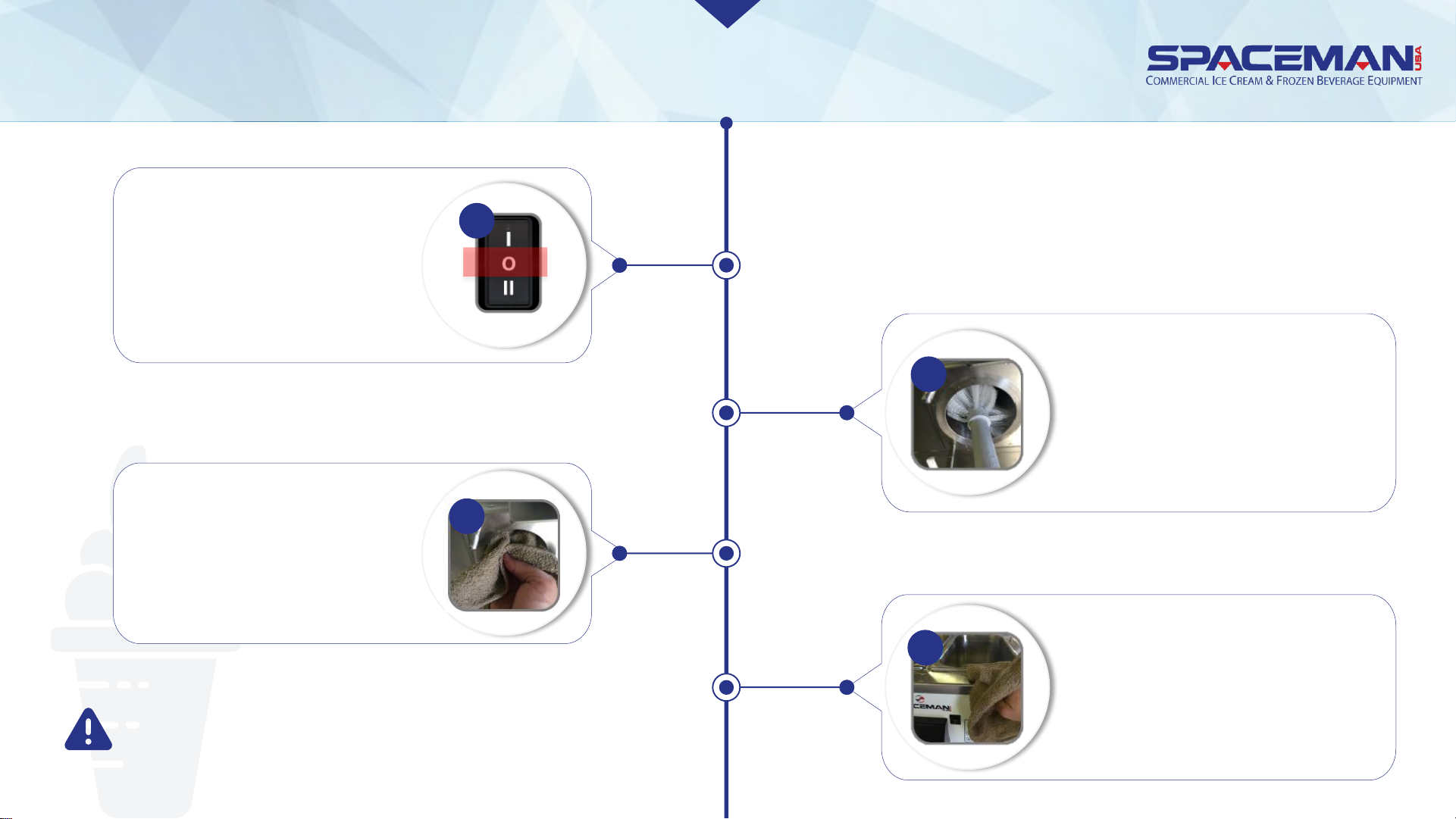
WASH ALL PARTS
Use the large brush and cool
water to thoroughly clean
inside the cylinder; be sure to
scrub the back of the cylinder
and verify the cylinder is free
of ALL product
2
Gently clean and wipe down the
outside of the machine
4
Thoroughly clean and dry the
rear of the cylinder with the
supplied black brushes as
well as a clean, dry towel
3
Verify power switches are
in the OFF position
1
CAUTION:
Never wash parts in a dishwasher. Always hand-wash
components with nontoxic, food-safe cleaners.
Spaceman USA Soft Serve Gravity Training
rev042219
Page 18
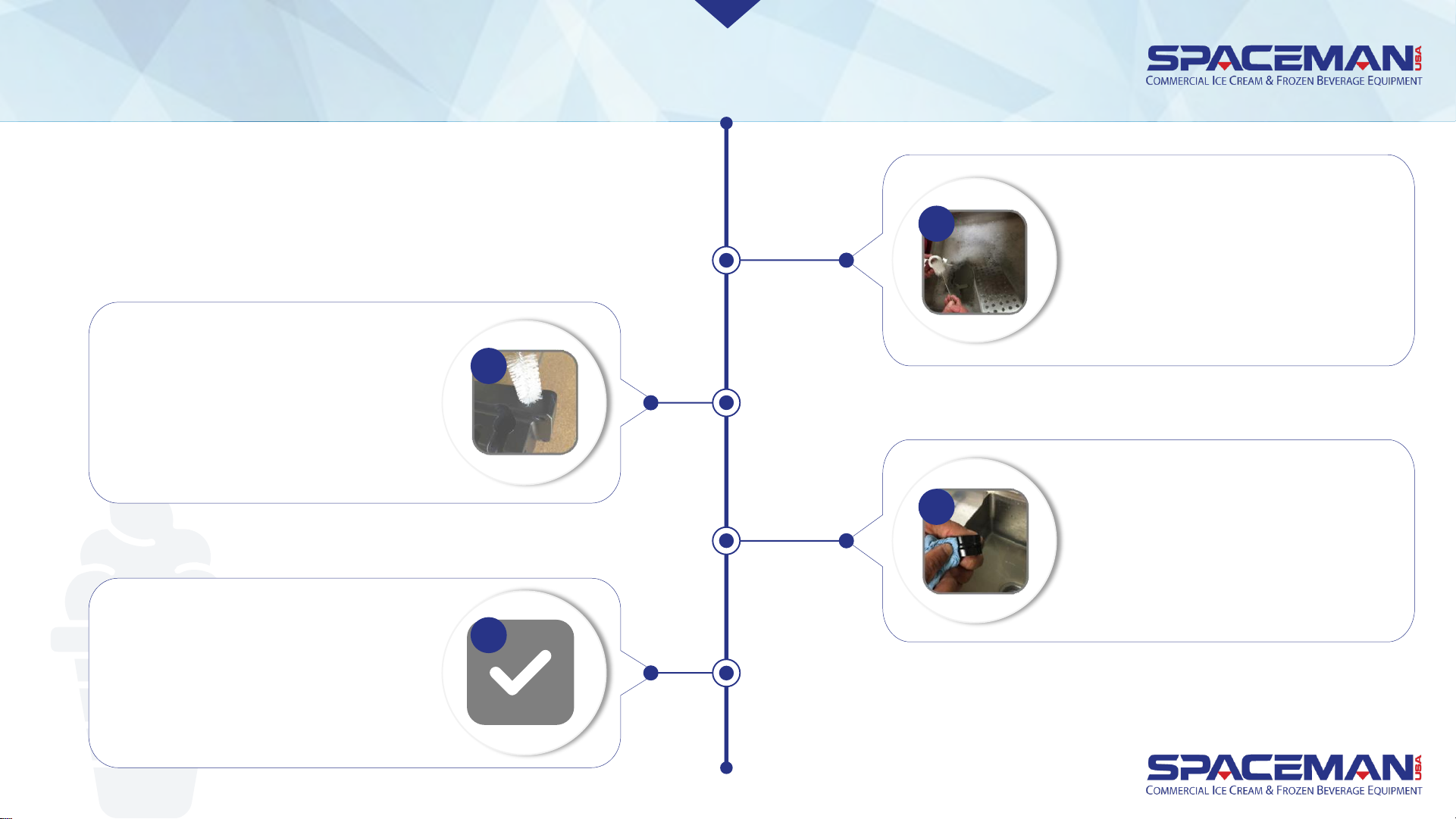
WASH ALL PARTS
Carefully and thoroughly wash all
parts removed from the machine
using supplied brushes as well as
sponges, and clean towels
5
Carefully and thoroughly clean all
gaskets and O-rings removed
from the machine; be sure to
wipe gaskets and O-rings to
remove excess lubricant
7
When cleaning the dispensing
door assembly, clean the priming
port with a small brush
6
Verify all parts are clean and free
of all food product prior to re-
assembling machine
8
Spaceman USA Soft Serve Gravity Training
rev042219
Page 19
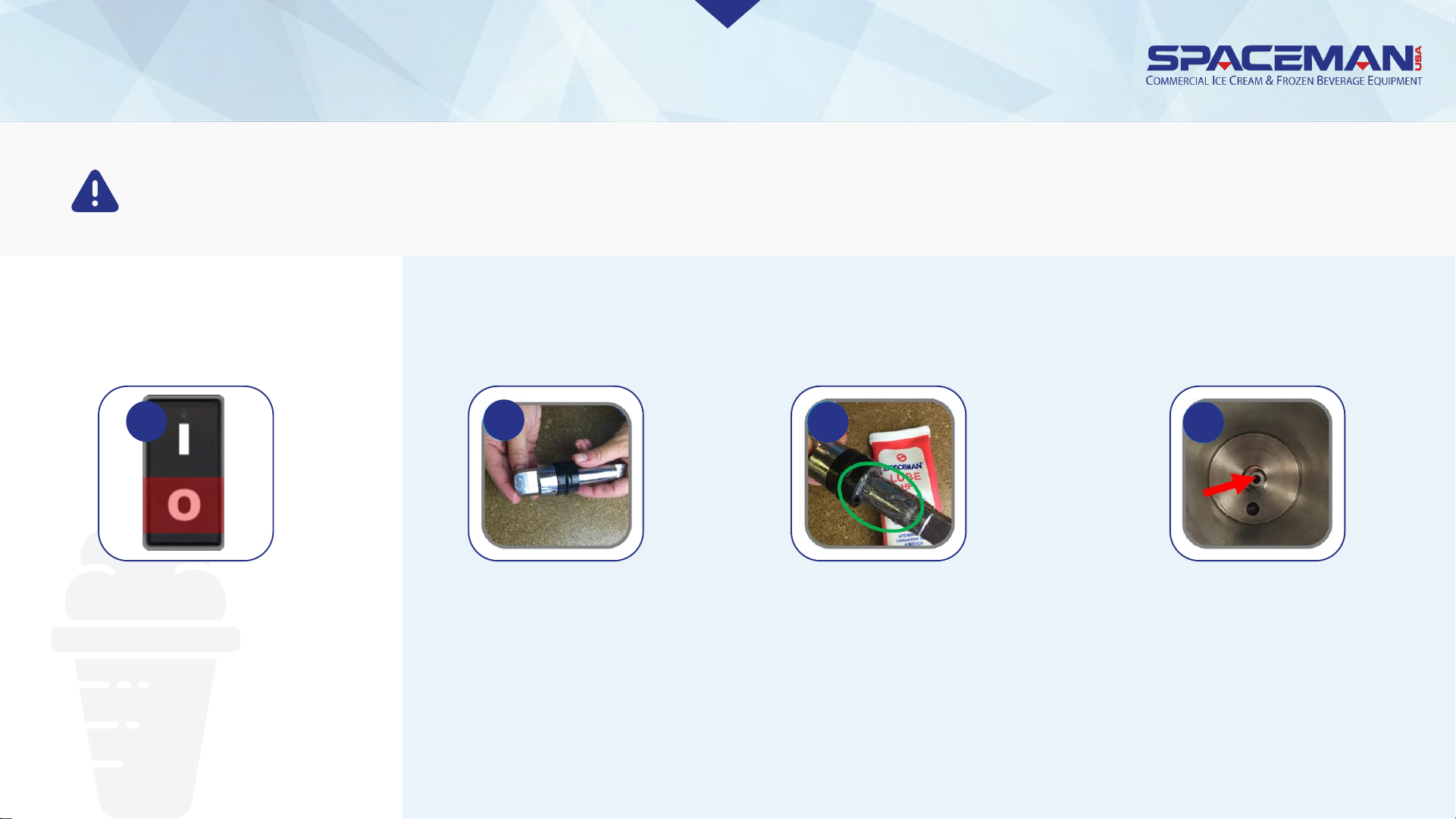
ASSEMBLE
1. VERIFY POWER SWITCHES
ARE IN THE OFF POSITION
2. INSTALL DRIVE SHAFTS
1
CAUTION:
Never wash parts in a dishwasher. Always hand-wash components with nontoxic, food-safe cleaners.
Place drive shaft
gaskets (2) on drive
shafts (2)
2a
Seal gasket open spaces
with Spaceman lubricant,
extending onto drive shafts
and avoiding the top
square parts
2b
Insert drive shafts into rear shell
bearings at the back of the cylinders,
and turn them until the key engages
firmly into the socket (when inserted
correctly, the drive shaft will no
longer turn 360°)
2c
Spaceman USA Soft Serve Gravity Training
rev042219
Page 20
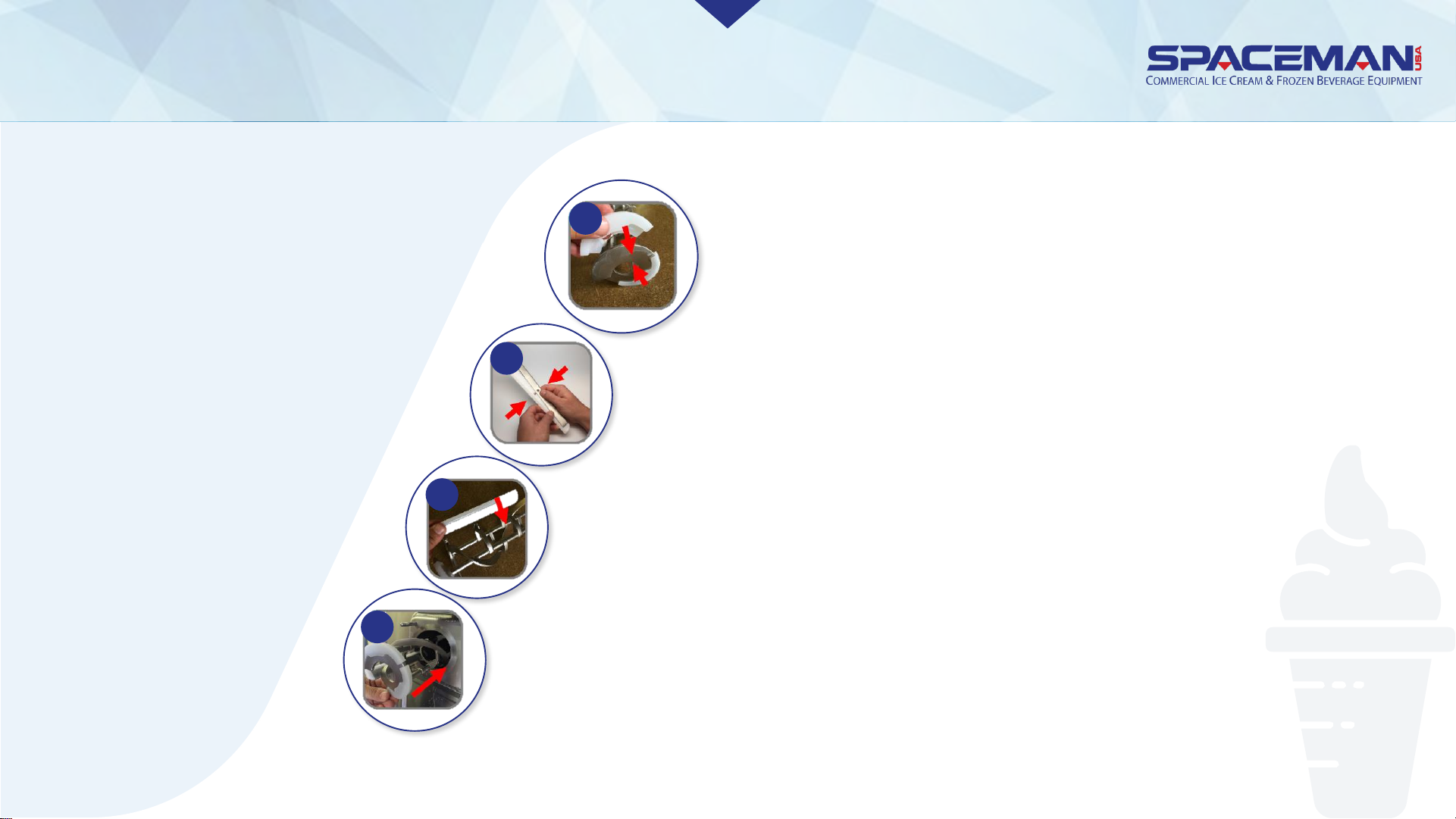
ASSEMBLE
3.
Install beater
assemblies
Attach beater shoes (4) onto beaters (2); when properly
placed, neither shoe overhangs beater edge
3a
Install scraper blade clips (4) onto scraper blades (4)
3b
Fit scraper blades onto beaters (2)
3c
Insert beater assemblies into cylinders, making sure beater shoes stay in
place; turn assemblies until they engage the drive shaft keys and no longer
turn 360°
3c
Spaceman USA Soft Serve Gravity Training
rev042219
Page 21
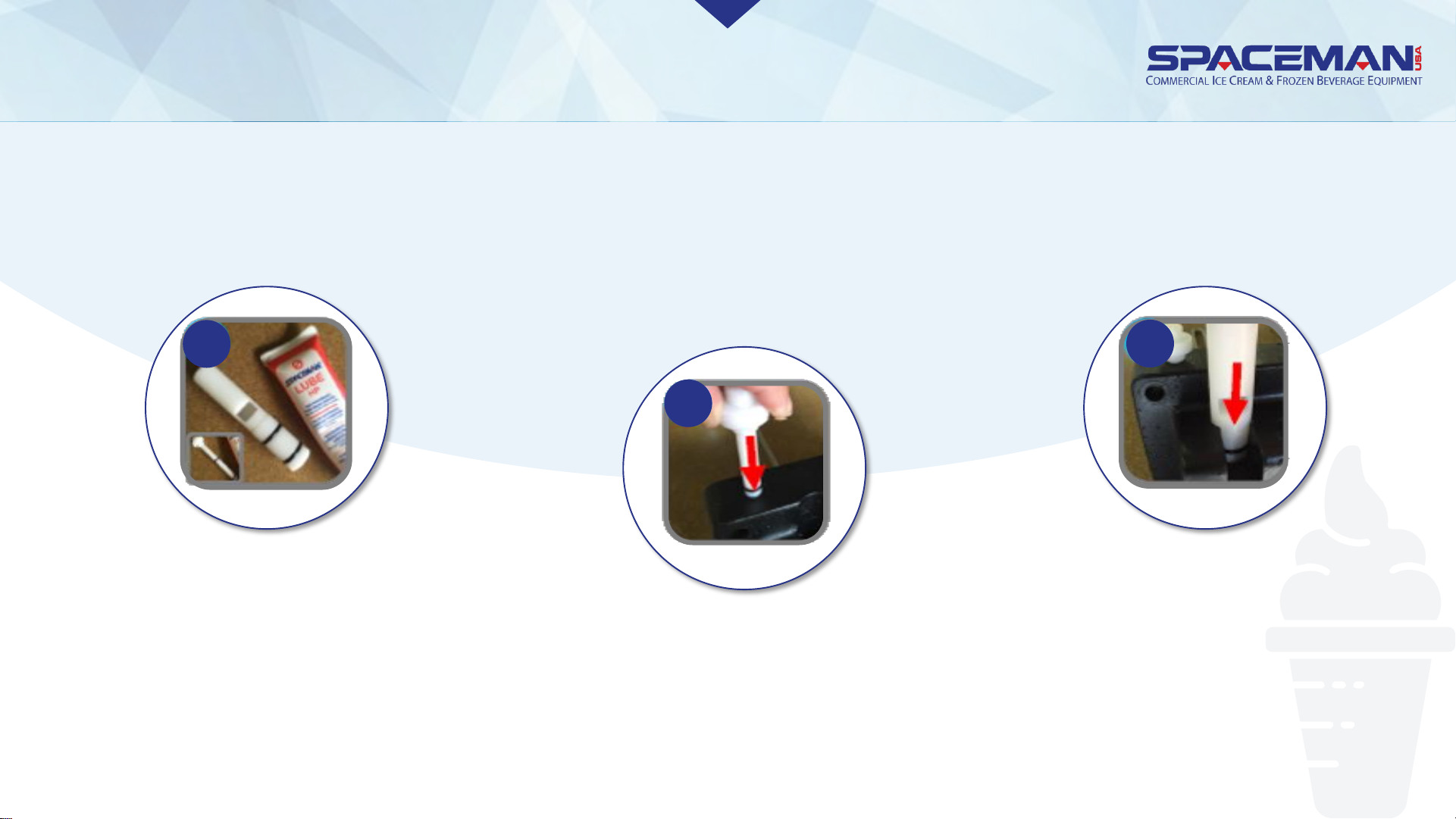
ASSEMBLE
4. Install dispensing door
4a
Place O-rings (4) on side draw
valves (2); place H-ring (1) on
middle draw valve (1); place O-
rings (4) on prime plugs (2);
coat all ring areas with
Spaceman lubricant
4b
Push prime plugs
into holes on top
of dispensing door
4c
Insert draw valves into
dispensing door, O-rings-
first; middle draw valve
goes in the middle and
slots face outward
Spaceman USA Soft Serve Gravity Training
rev042219
Page 22
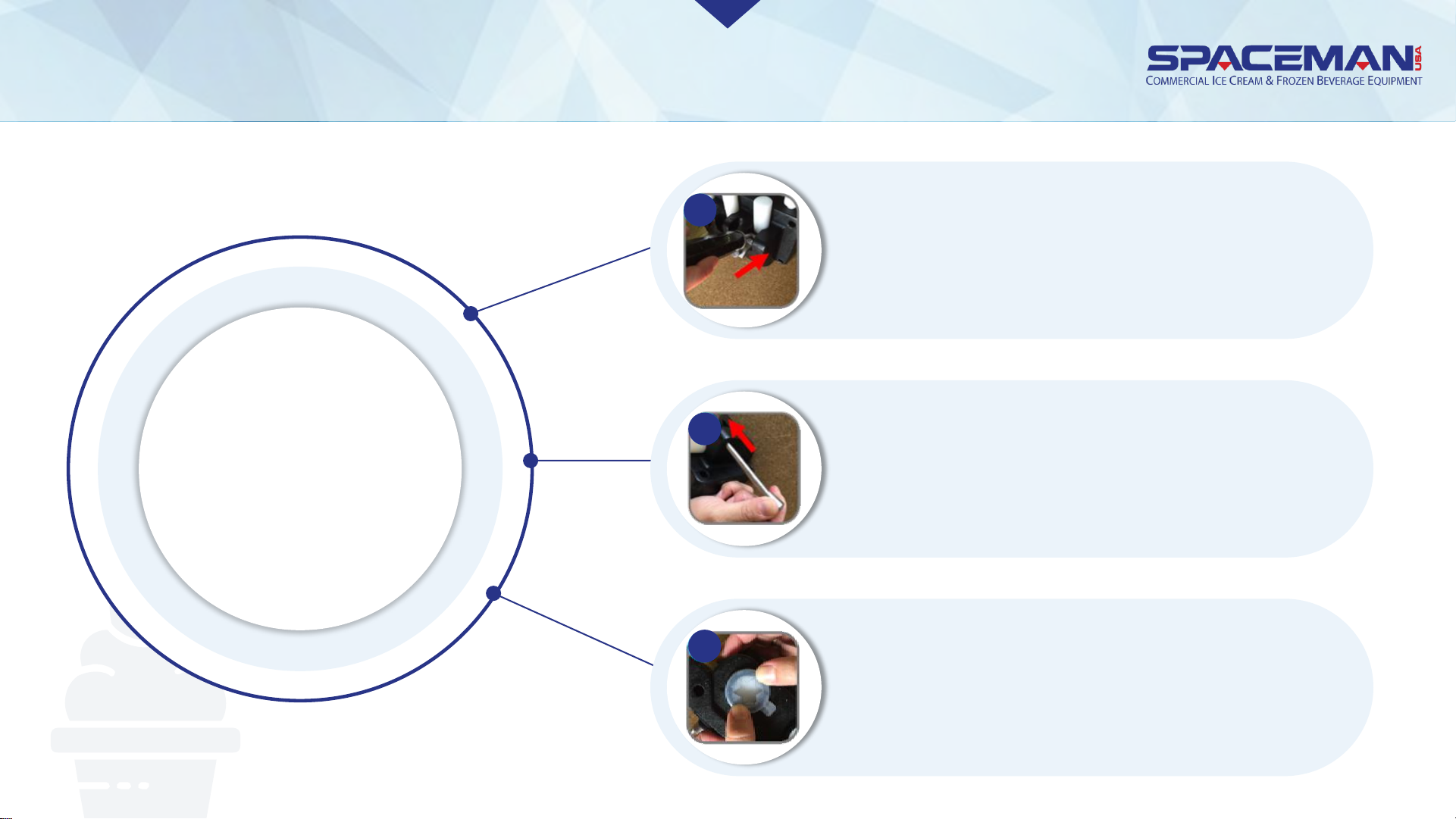
ASSEMBLEASSEMBLE
4.
Install
dispensing
door
Slide retention pin through draw
handle; secure with nut
Set draw handles (3) into slots on
dispensing door, with adjustment
screws facing down
Snap star caps (3) onto bottom of
dispensing door
4f
4d
4e
Spaceman USA Soft Serve Gravity Training
rev042219
Page 23
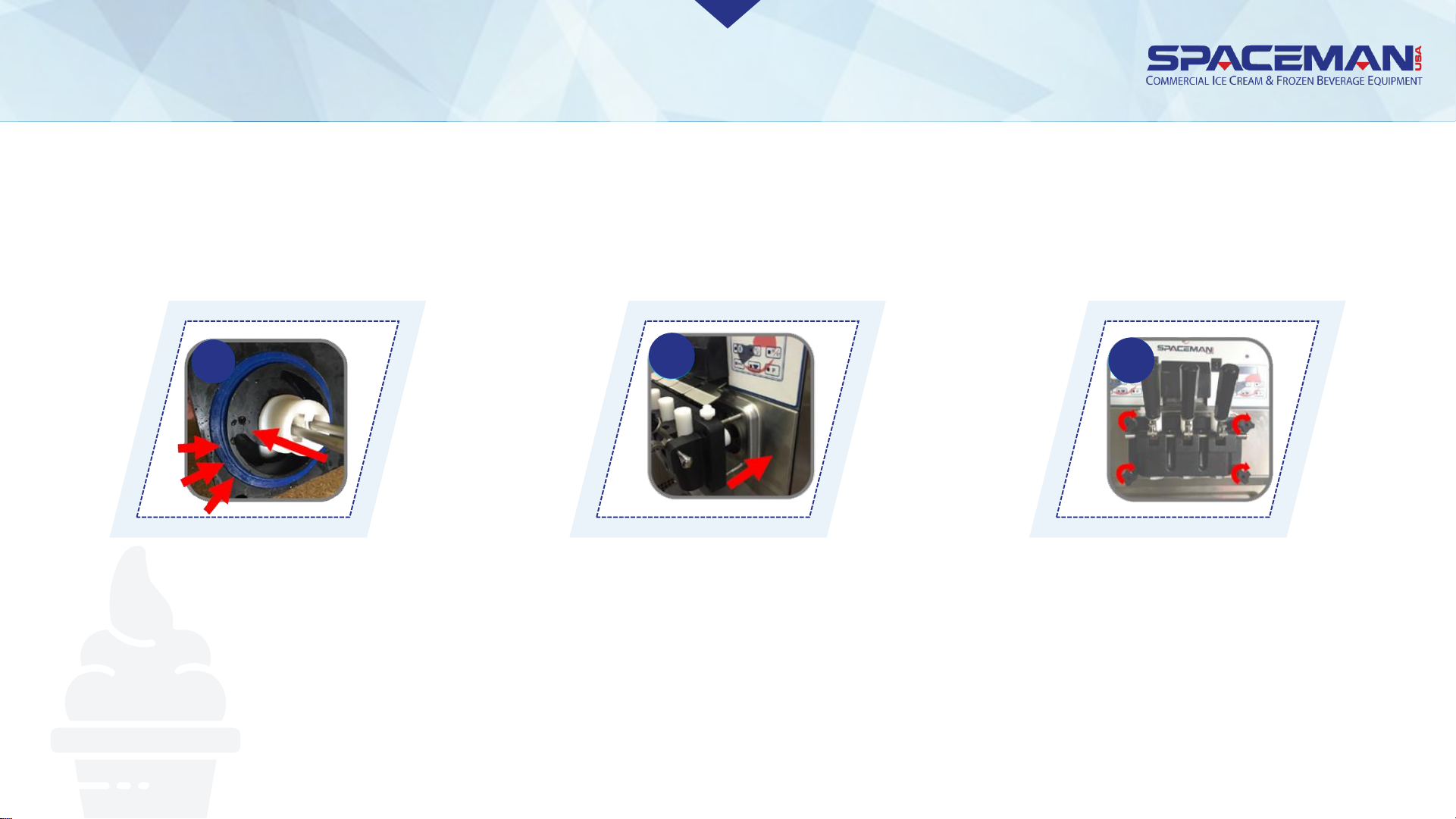
ASSEMBLEASSEMBLE
4. Install dispensing door
Insert dispensing door assembly
into cylinders, beater rods first,
pushing handles all the way up
as you insert
Fit gaskets (2) into grooves on back
of door, flat side out; slide beater
guides (2) over beater rods (2), with
flanged edges against the door
Secure door assembly in a
cross-pattern using hand-
screws (4), with the long
hand-screws (2) on top
4g
4h
4i
Spaceman USA Soft Serve Gravity Training
rev042219
Page 24
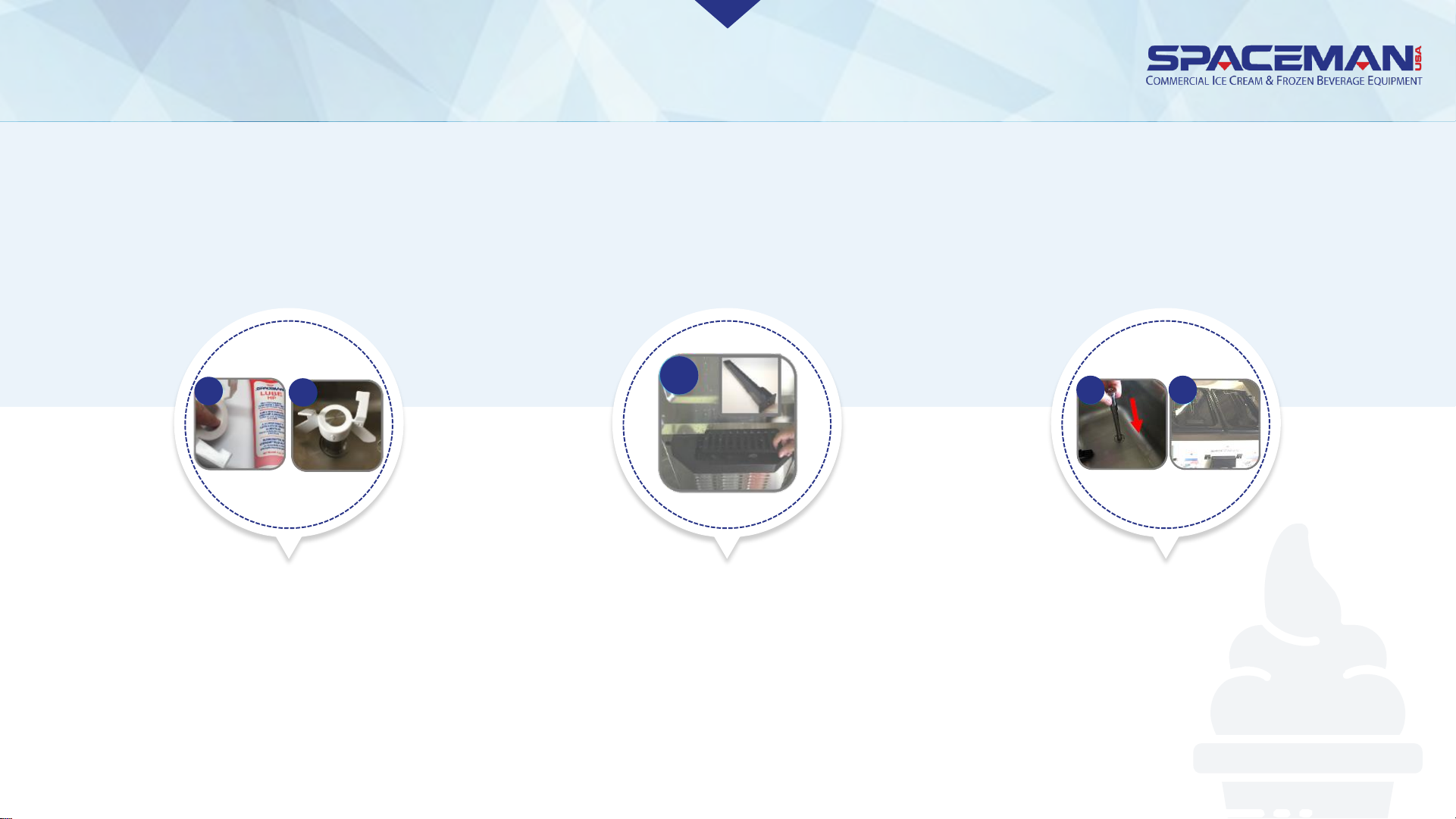
ASSEMBLEASSEMBLE
5. Install hopper lids, agitators, and drip trays
5a
5a
Coat inside of agitators (if
present) with Spaceman
lubricant and install with
arrow pointing up
If machine will be left unused,
install air tubes and place
hopper lids on top; otherwise,
set air tubes aside until after
machine has been primed
5c 5c
Install internal and front
drip trays
5b
Spaceman USA Soft Serve Gravity Training
rev042219
Page 25
SANITIZATION
IMPORTANT CAUTION
After sanitizing the machine, DO NOT
rinse or touch areas that have been
sanitized. Product must be added
immediately. If new product will not be
added immediately, rinse machine with
clean water and loosen door hand-
screws to allow cylinders to air-dry.
Sanitize machine before using again.
Always use food-grade, no-
rinse sanitizer (Stera-Sheen
green label or equivalent) to
sanitize. If warm water is
required to dissolve sanitizer,
allow the solution time to
cool before adding to
machine.
Spaceman USA Soft Serve Gravity Training
rev042219
Page 26
SANITIZATION
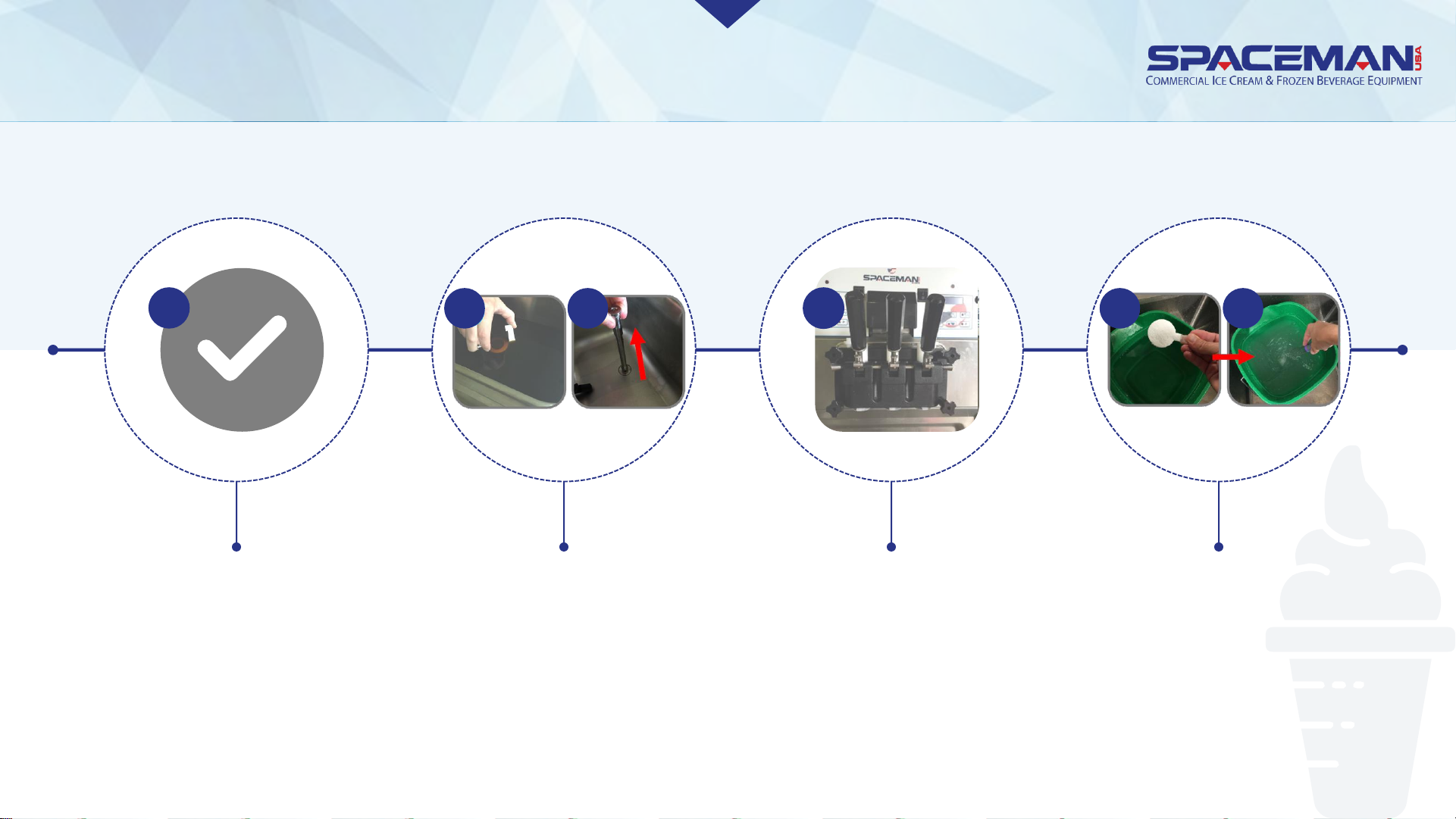
Verify assembly
is complete
If installed,
remove hopper
lids and air tubes
Mix a minimum of 2
gallons of food-
grade sanitizer in a
bucket or container
Verify draw valves
are in the CLOSED
position (UP)
1
2 2
3
4 4
Spaceman USA Soft Serve Gravity Training
rev042219
Page 27
SANITIZATION
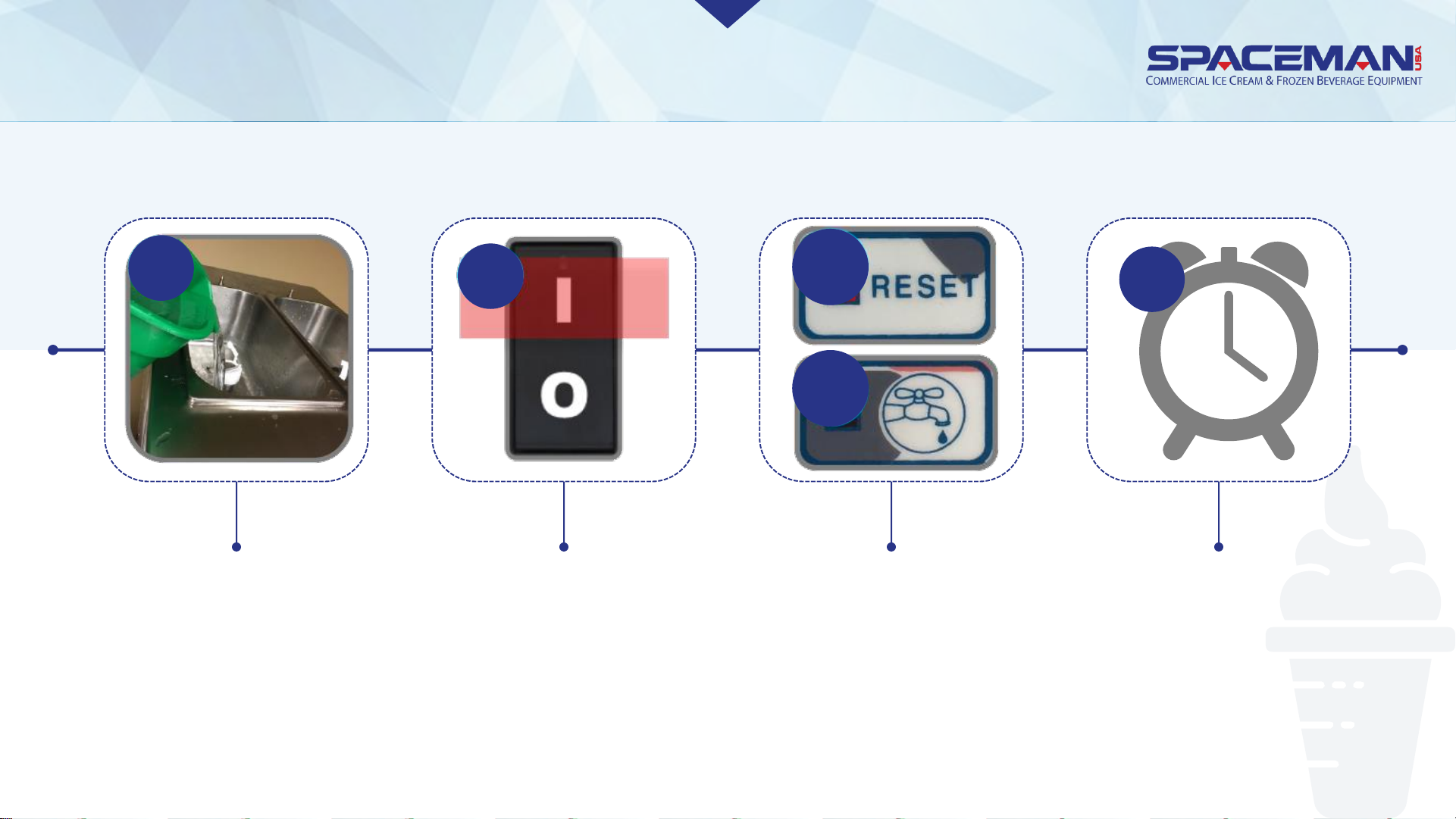
Pour the foodgrade sanitizer
solution into
each hopper
Turn power
switches ON
Allow solution to
agitate for 5 to 10
minutes; NEVER leave
machine on WASH for
more than 10 minutes
Press RESET
buttons; press
WASH buttons to
begin cycle
5
6
7
7
8
Spaceman USA Soft Serve Gravity Training
rev042219
Page 28
SANITIZATION
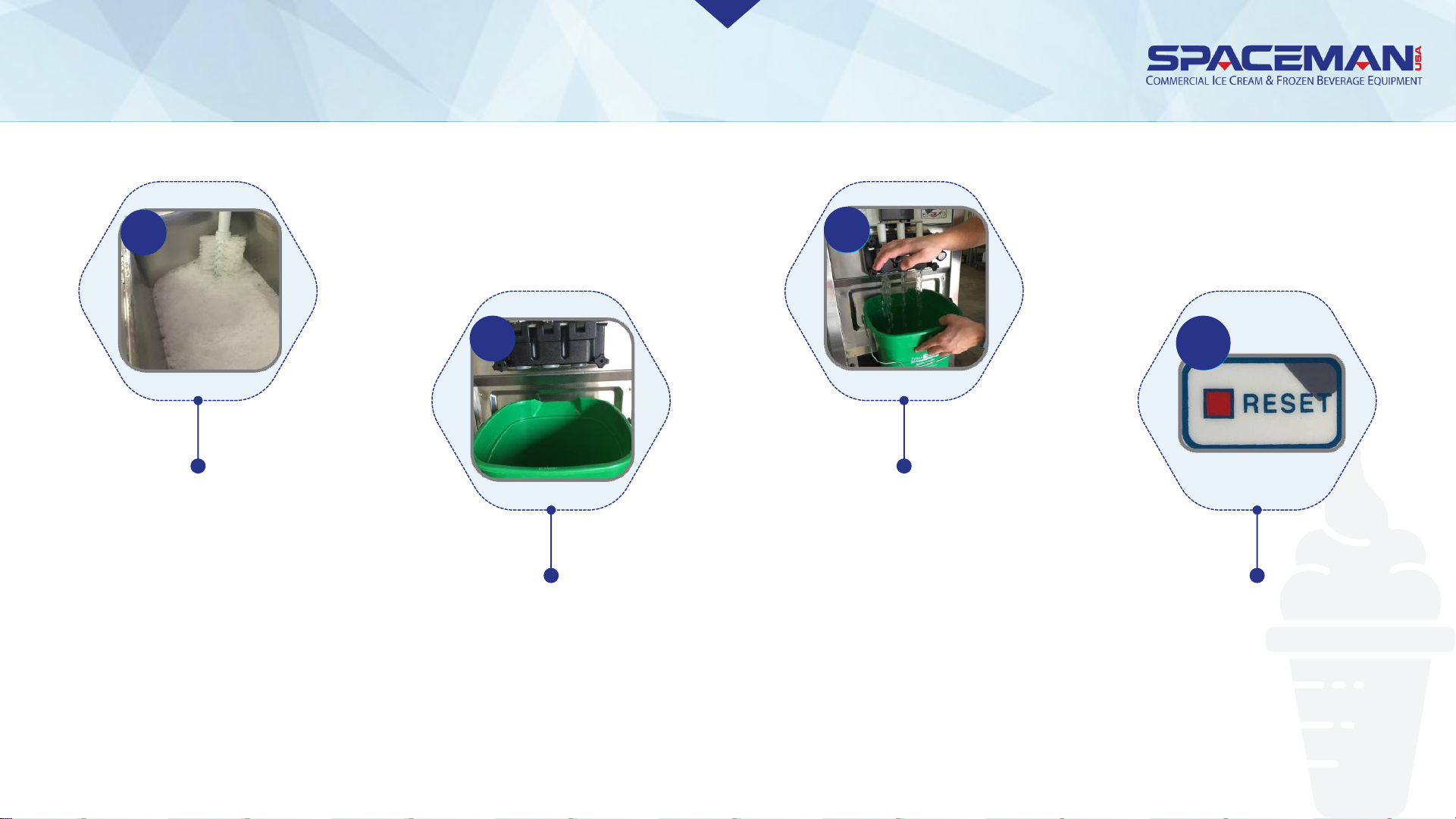
While agitating, gently
use a clean brush to
scrub and distribute
sanitizer solution
along hopper walls
9
Place a bucket or
container below the
draw valves
10
OPEN the draw valves
(DOWN) and drain
solution from the
machine
11
Press RESET buttons to
stop cycle
12
Spaceman USA Soft Serve Gravity Training
rev042219
Page 29
FROZEN PRODUCT OPERATION
NOTE
The mix-low lights illuminate
RED when a hopper is low on
product mix and
automatically de-illuminate
when machine is filled.
Instructions assume
product is added one
hopper at a time. Repeat
steps as needed.
NOTE
Spaceman USA Soft Serve Gravity Training
rev042219
Page 30
FROZEN PRODUCT OPERATION
ADD PRODUCT TO MACHINE
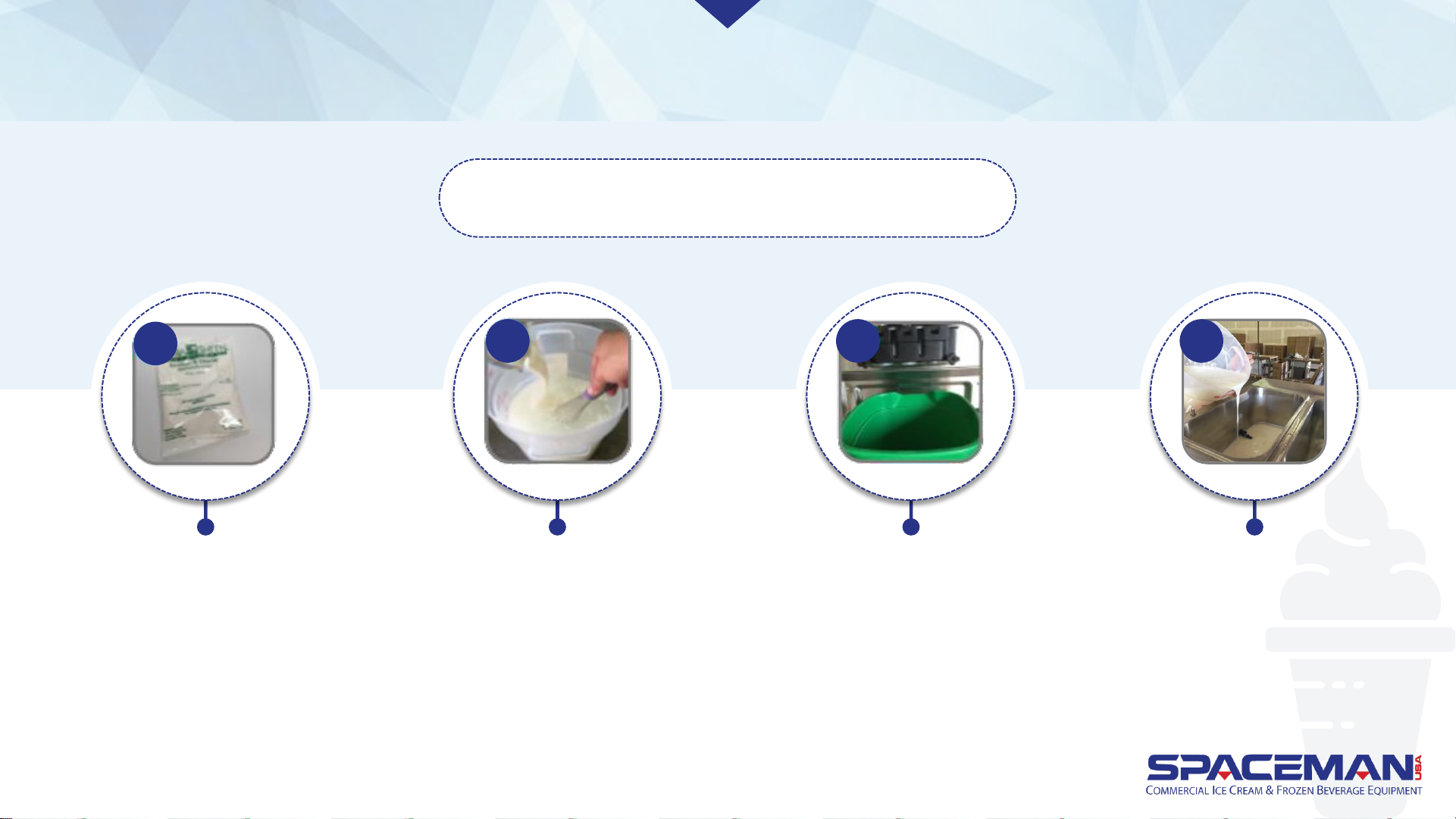
Verify machine has been
recently sanitized (within 1
hour); if machine has not
been recently sanitized,
verify door hand-screws are
tight, and perform sanitizing
steps (Page 15)
1
Thoroughly mix and prepare
at least 2 gallons of product
according to manufacturer
instructions; mix should be
cool and smooth (free of
large chunks)
2
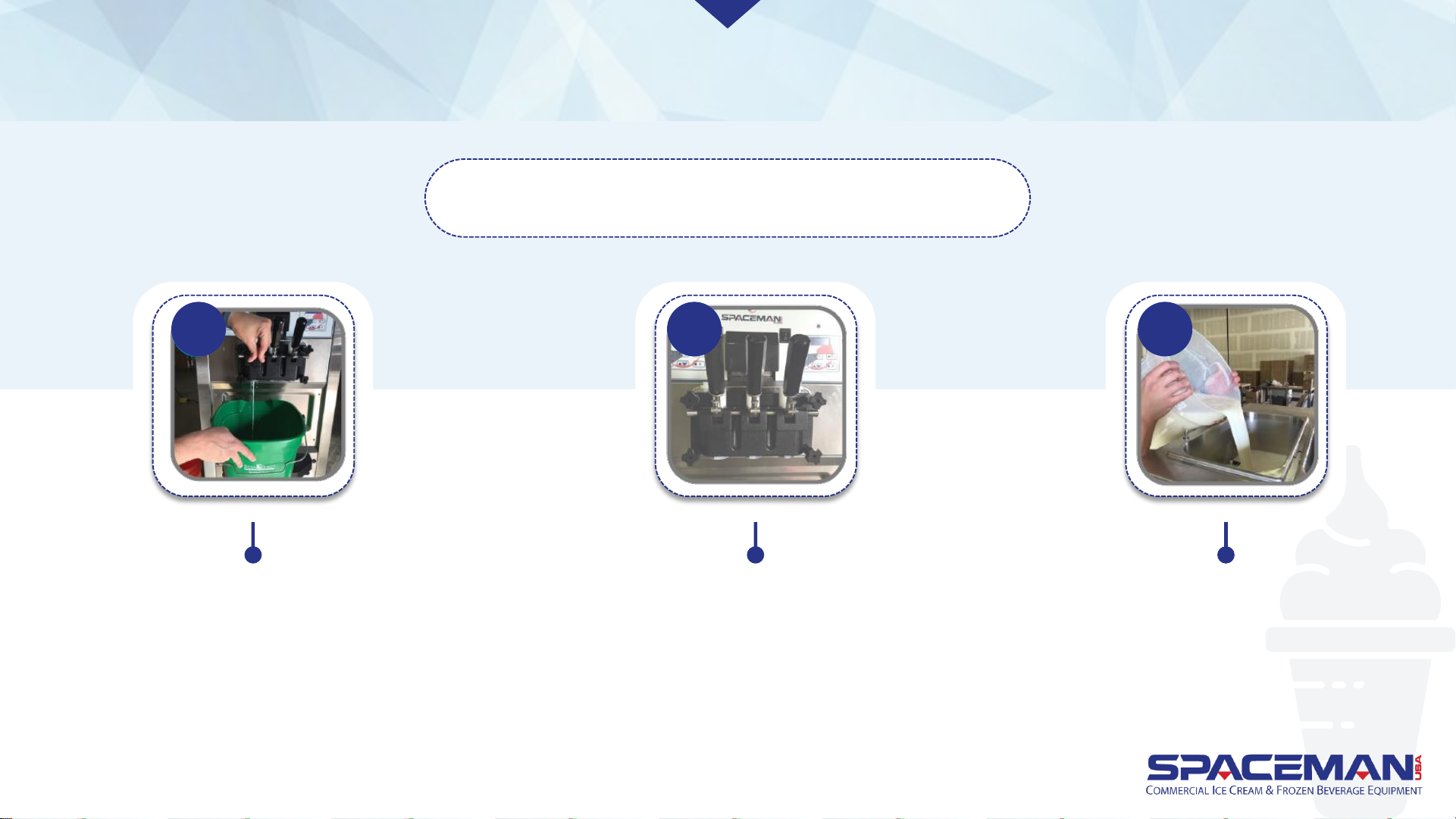
Place bucket or large
container below draw valve
3
Pour 0.25 gallons of
product into hopper
4
Spaceman USA Soft Serve Gravity Training
rev042219
Page 31
FROZEN PRODUCT OPERATION
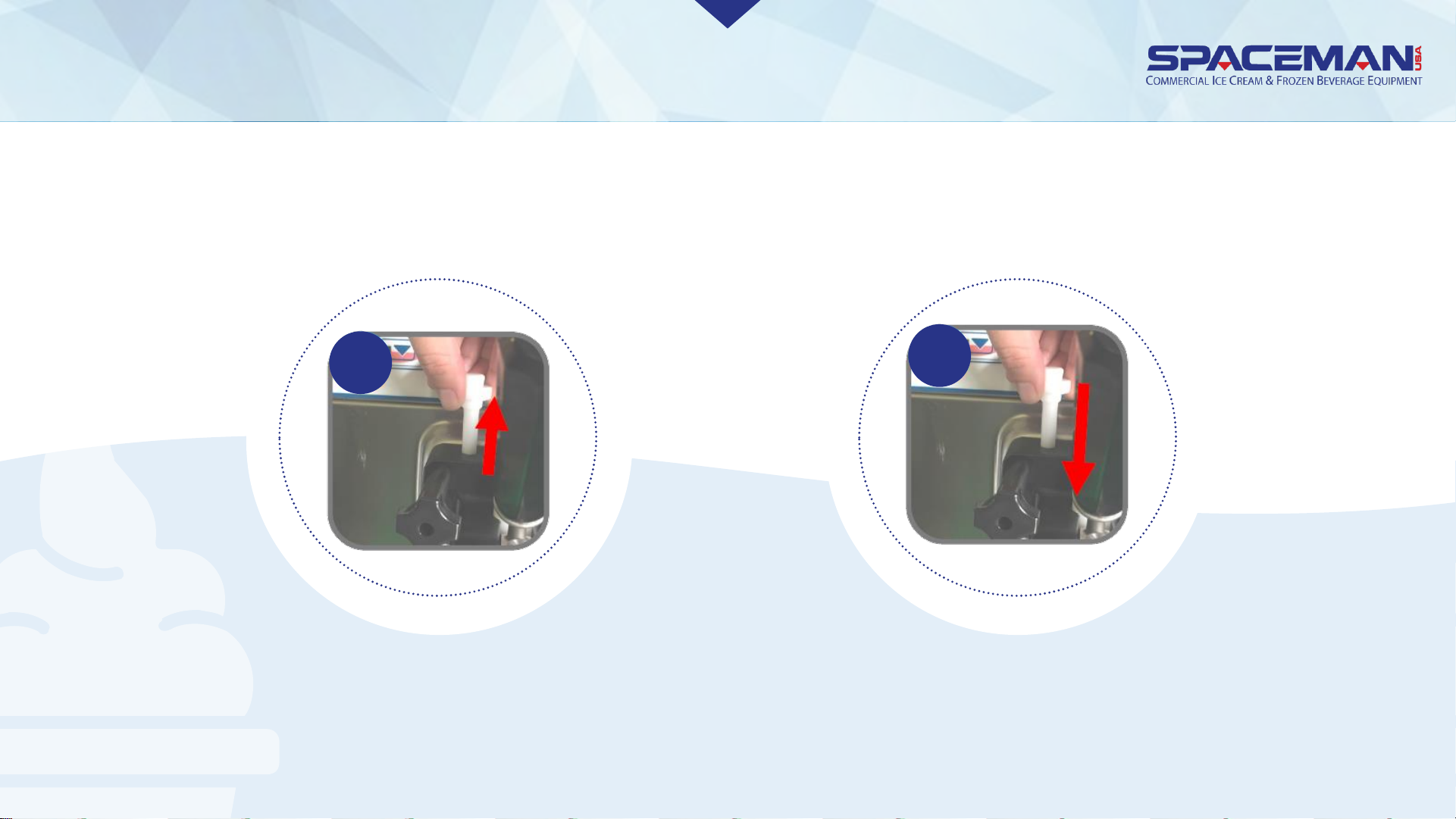
OPEN draw handle (DOWN);
sanitizer will start to flow
out draw valve
5
Once sanitizer has been
purged from the machine and
a steady stream of product is
flowing from the spout, CLOSE
draw handle (UP)
6
Pour remaining
product into hopper
7
ADD PRODUCT TO MACHINE
Spaceman USA Soft Serve Gravity Training
rev042219
Page 32
DISASSEMBLE
Raise the prime plug on the top of
the dispensing door until flow is
100% product
Push prime plug
back down
8
9
ADD PRODUCT TO MACHINE
Spaceman USA Soft Serve Gravity Training
rev042219
Page 33
FROZEN PRODUCT OPERATION
ADD
PRODUCT TO
MACHINE
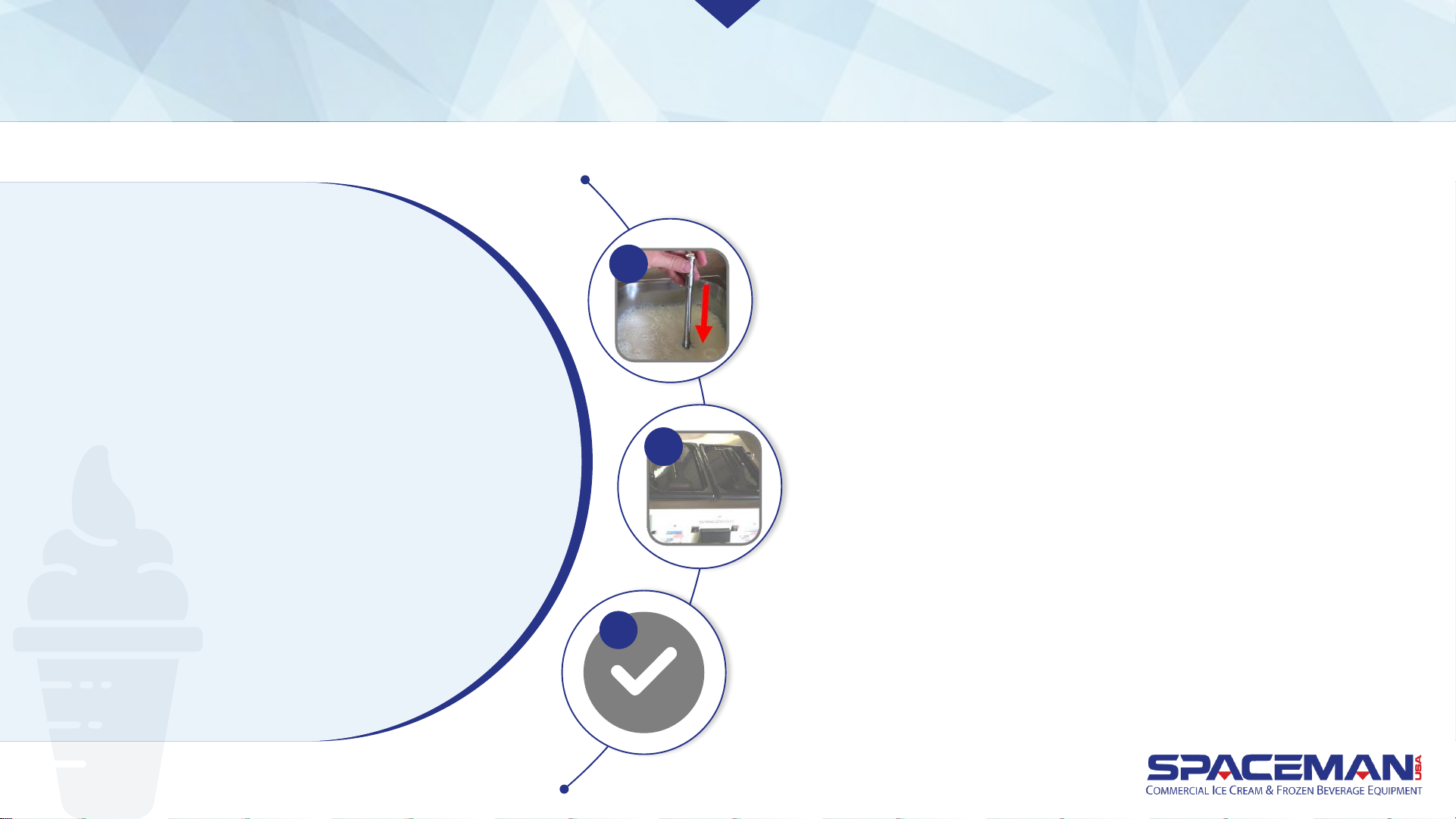
Wash air tube and cap; install air tube
in hopper (inlet hole on side of air
tube at bottom)
11
Replace hopper lid
12
Product is now ready to freeze
13
Spaceman USA Soft Serve Gravity Training
rev042219
Page 34
FROZEN PRODUCT OPERATION
FREEZE PRODUCT
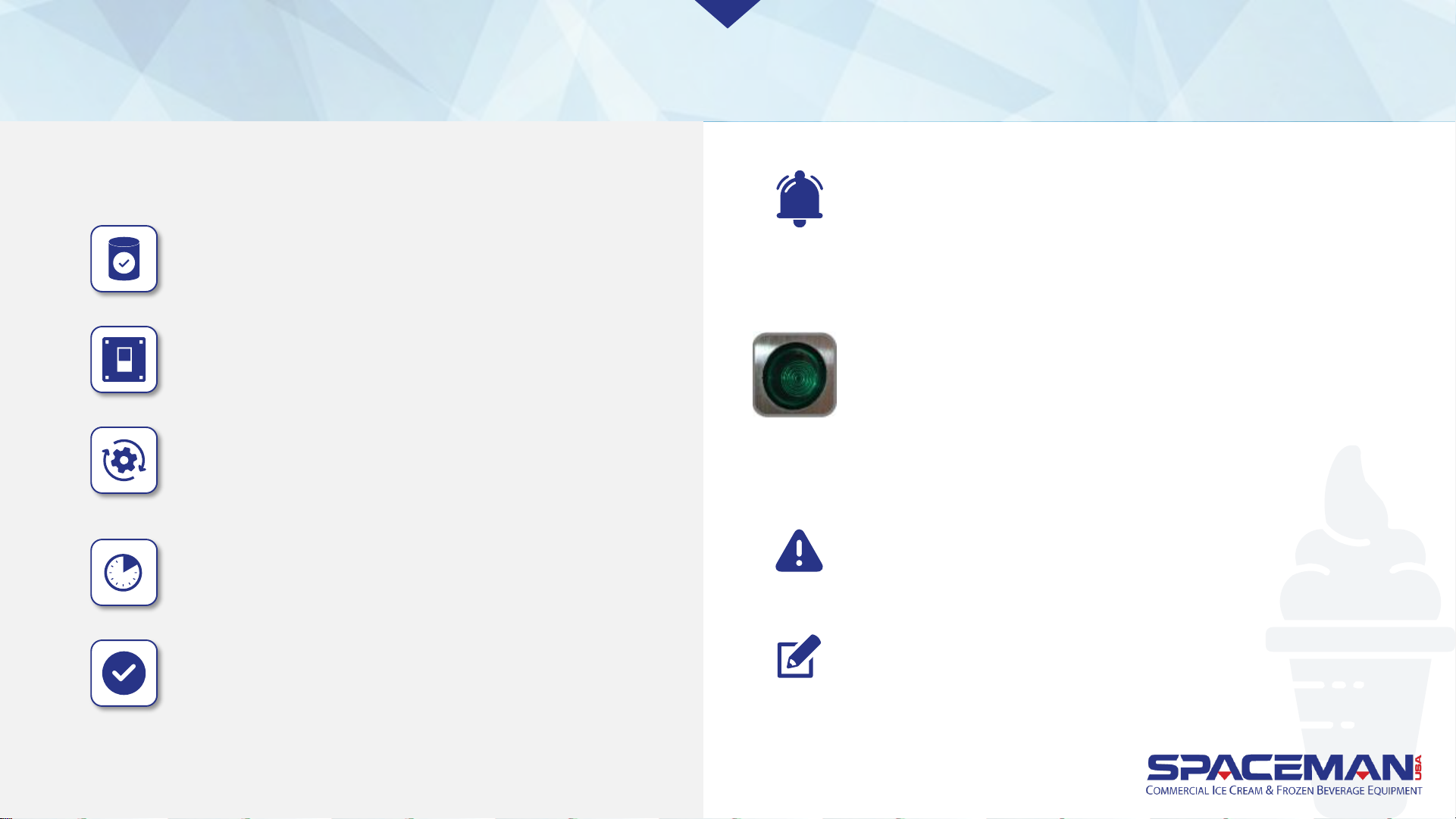
Verify cylinder is full of mixed product and primed
Press FREEZE button
The motor will begin to agitate the product,
and the cooling system will begin to freeze
the product
Freezing product takes approximately 10 minutes
When product reaches the set viscosity, it is
ready to dispense (viscosity can be changed in
the Settings menu, Page 19)
IMPORTANT
Machine shuts down automatically if cylinders experience
freeze-up (usually because the viscosity is set too high for the
selected product) to prevent motor damage. Use the green reset
button to return the machine to normal operation.
PROPER MACHINE RESET
1. Switch power switch OFF
2. Press green reset button on side or back of machine
3. Wait 15 to 20 minutes; switch power ON
4. Press RESET, then WASH button on front
5. Observe machine performance and return to normal use if
functioning properly
CAUTION:
If machine makes any abnormal noise during reset,
immediately switch power OFF and contact service
NOTE:
If machine doesn't turn on, turn power OFF, wait 30 minutes, and
repeat steps 1 to 5. If problem persists, contact service team.
Spaceman USA Soft Serve Gravity Training
rev042219
Page 35
FROZEN PRODUCT OPERATION
DISPENSE PRODUCT
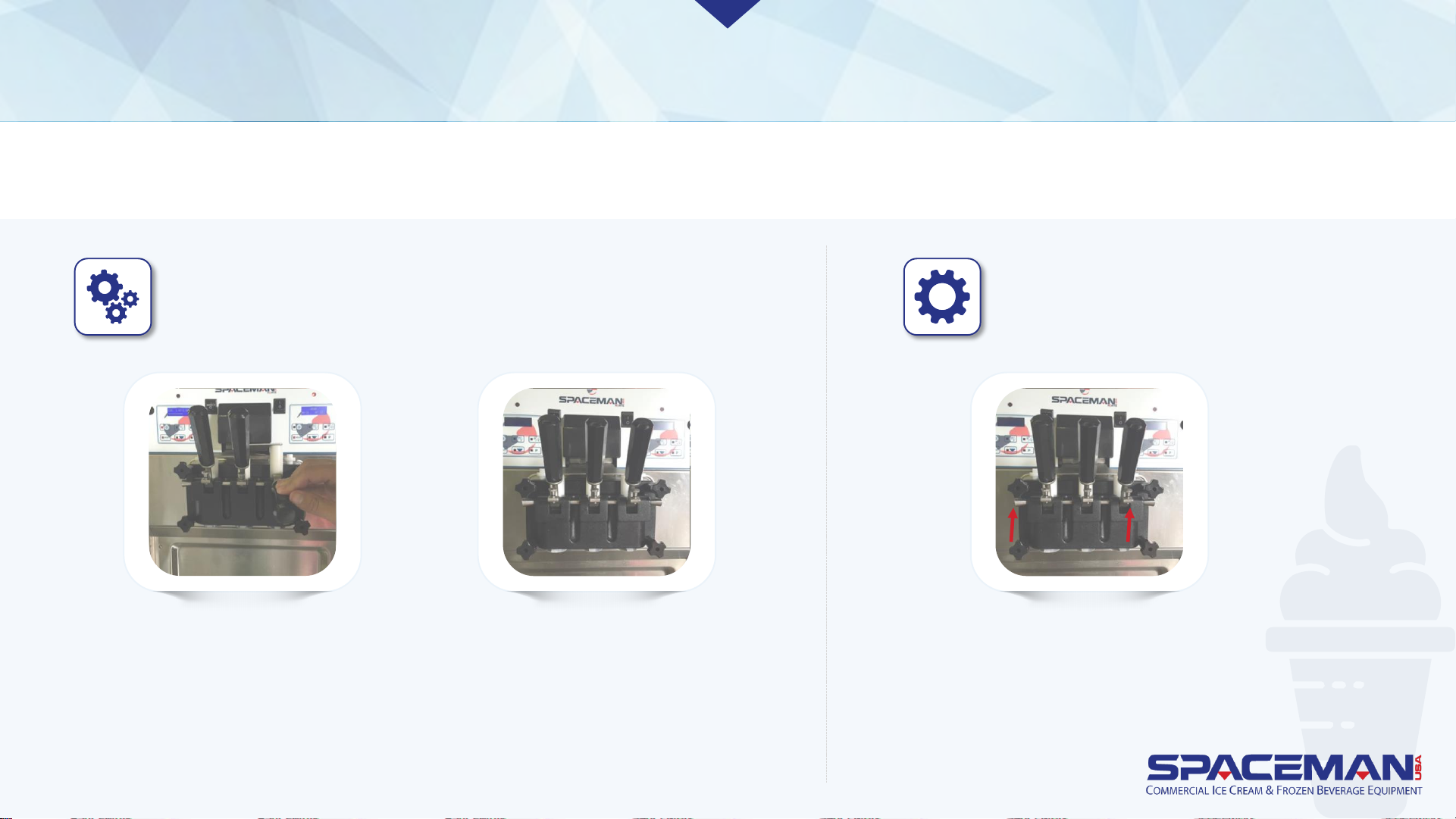
Side draw handles dispense product from their respective
hoppers. The middle draw handle twists product from the
left and right hoppers.
Adjustment screws below draw
handles control dispensing speed.
• Tighter (clockwise) reduces speed
• Looser (counter-clockwise)
increases speed
OPEN draw handle
(DOWN) until desired
amount is dispensed
CLOSE draw handle (UP)
when finished dispensing
OPEN CLOSE
Spaceman USA Soft Serve Gravity Training
rev042219
Page 36
IMPORTANT
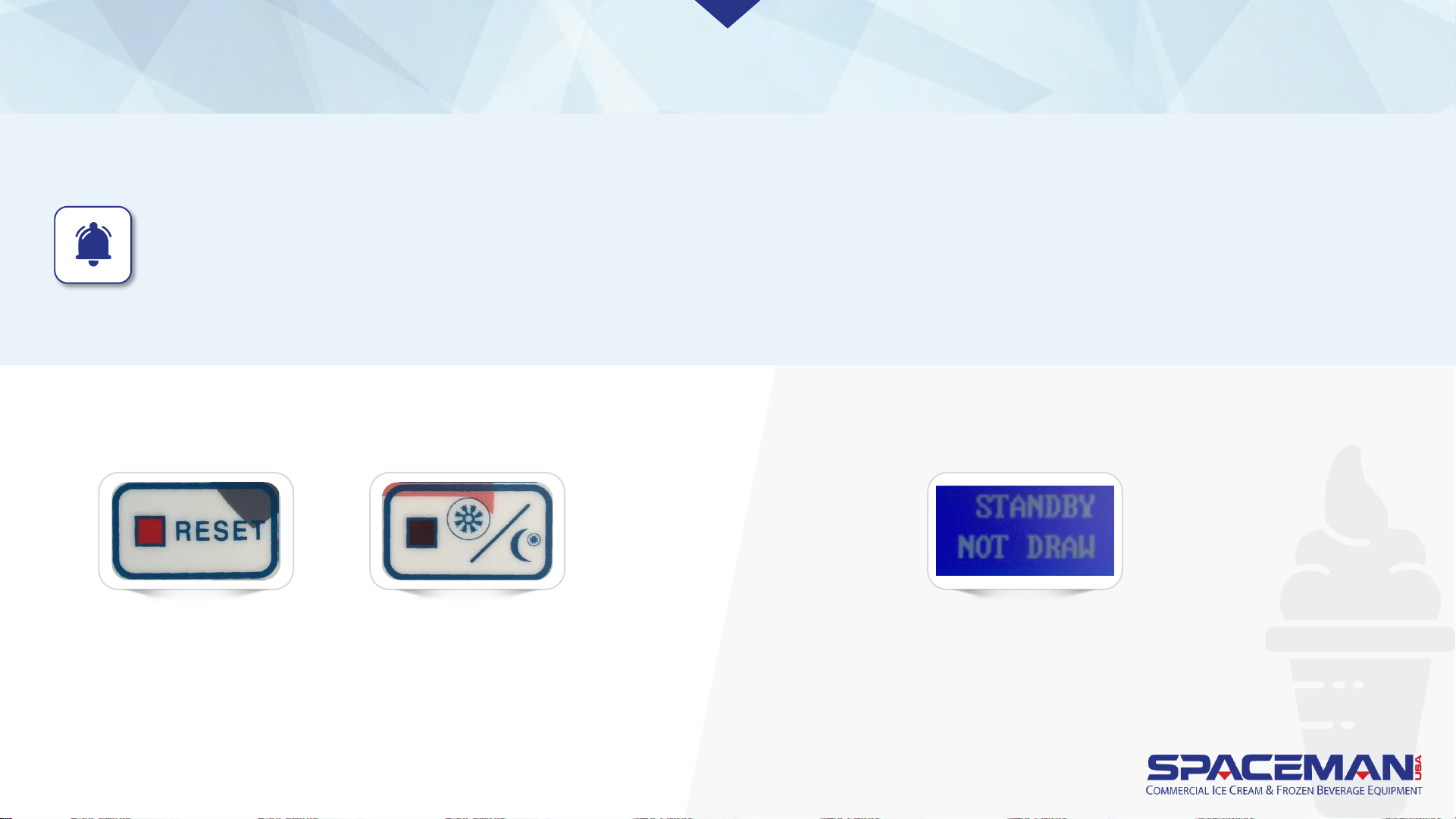
• When the machine will NOT be utilized for several hours, place it in STANDBY mode to conserve electricity and
reduce product loss.
• In STANDBY, product remains below 41oF in both the cylinders and hoppers, but will NOT be frozen.
FROZEN PRODUCT OPERATION
STANDBY MODE
To enter STANDBY mode: To exit STANDBY mode:
Press RESET
buttons, then
STANDBY buttons.
Displays read STANDBY
when machine is in
STANDBY mode.
• Press RESET buttons.
• Machine is ready for a new mode selection.
Spaceman USA Soft Serve Gravity Training
rev042219
Page 37
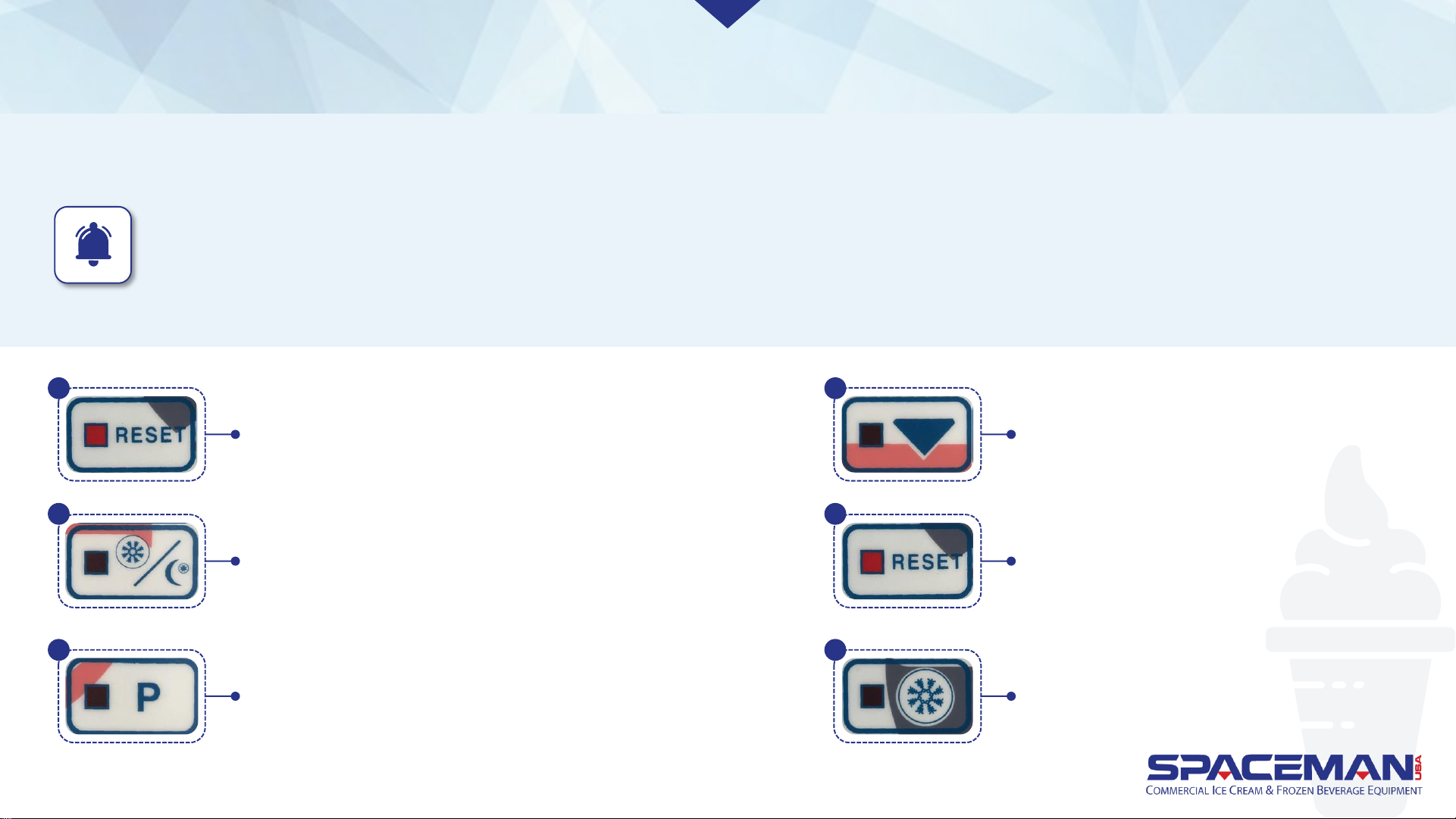
FROZEN PRODUCT OPERATION
ADJUST PRODUCT CONSISTENCY
IMPORTANT
Make only small adjustments to viscosity setting; allow at least 10 to 15 minutes between adjustments to evaluate product
firmness. Viscosity settings should not need continuous adjustment and should be set between 1.75 and 3.25, with 2.50 a
good starting place. *NOTE for Model 6220 you will start at 3.85-4.25, depending on incoming power voltage.
1
2
3
Press RESET to stop machine functions. Press and hold
RESET until display shows settings (viscosity is the first
setting shown). If you scroll past the viscosity setting,
hit RESET until it comes back around.
Press STANDBY to increase viscosity (more firm).
Press P to decrease viscosity (less firm).
Spaceman USA Soft Serve Gravity
Training rev060320
4
Press and hold ARROW for 3
seconds to save changes.
5
Press RESET to return to normal
machine operation.
6
Press FREEZE to return to freezing operation.
Page 38
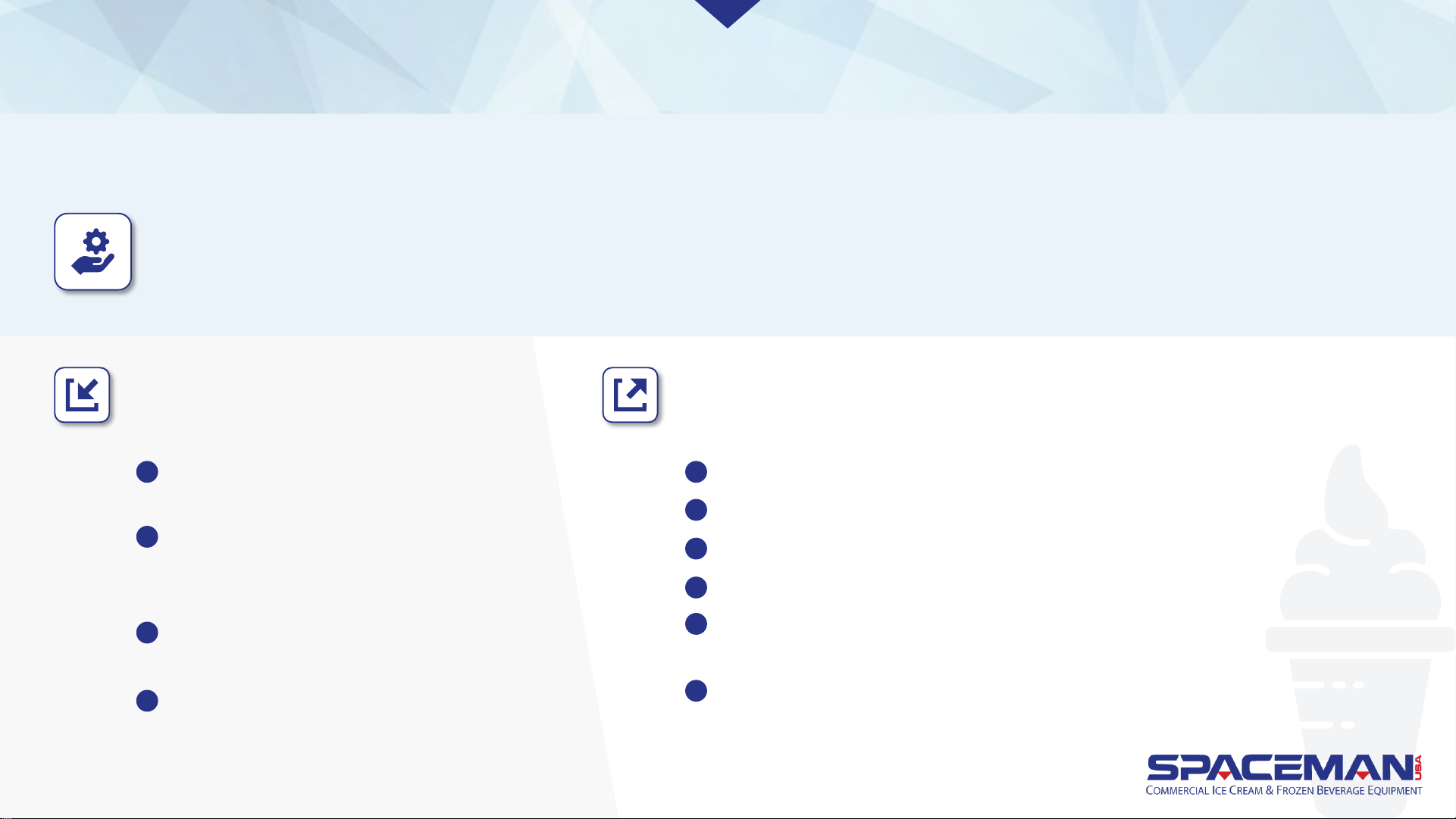
Machines without air pumps experience the best-quality product after leaving machine in STANDBY
overnight using the following procedure.
FROZEN PRODUCT OPERATION
NIGHTLY STANDBY PROCEDURE
Store closing:
With machine in FREEZE mode,
remove air tubes
Clean air tubes and insert into
machine upside-down (inlet hole on
the side of the air tube at the top)
Confirm product is above low-mix
line in hoppers
Press RESET, press STANDBY
Store opening:
Open draw handles to draw 6 to 8 oz. of product; discard product
Press RESET, press FREEZE
Wait until machine finishes freeze cycle and motors stop turning
Remove and clean air tubes
Insert air tubes into machine with correct orientation (inlet hole
on the side of the air tube at the bottom)
Machine is ready for normal operation
1
2
3
4
5
6
7
8
9
10
Spaceman USA Soft Serve Gravity Training
rev042219
Page 39
FROZEN PRODUCT OPERATION
MAINTAIN
PRODUCT
CONSISTENCY
What to do: Add air to the freezing cylinder by following
the closing/opening procedures in the previous column,
omitting Step 4.
Machines without air pumps can experience product
consistency changes if they go unused for an extended
period of time. Product may become icy or dense if left in
the freezing cylinder too long, often occurring during a
business’s longer slow-periods.
Spaceman USA Soft Serve Gravity Training
rev042219
Page 40
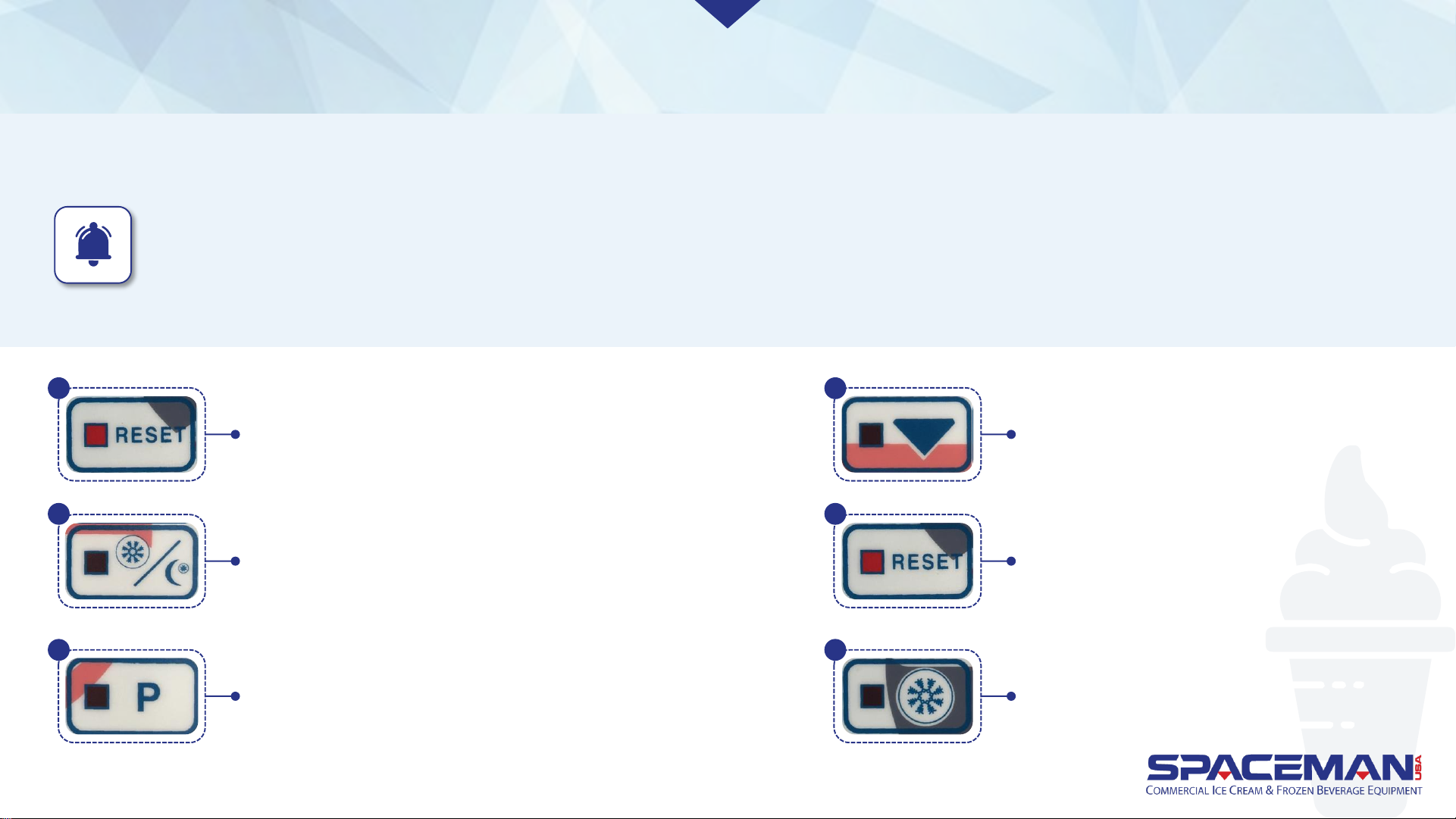
IMPORTANT
If temperature setting is too cold, product will freeze around the sides of the hopper and potentially cause damage.
Hopper temperature should be set above freezing between 37 and 40°F. Do not rely on the temperature display on
your machine. USE a food grade thermometer to measure the actual product temperature inside the hopper.
FROZEN PRODUCT OPERATION
CHANGE PRODUCT TEMPERATURE IN HOPPERS
Press RESET to stop machine functions. Press and hold
RESET until display shows settings. Viscosity is the first
setting shown; press RESET again (without holding), and
temperature will be next. If you scroll past the
temperature setting, hit RESET until it comes back around.
Press STANDBY to increase temperature (warmer).
Press P to decrease temperature (cooler)
Press and hold ARROW for 3
seconds to save changes.
Press RESET to return to normal
machine operation.
Press FREEZE to return to freezing operation.
1
2
3
4
5
6
Spaceman USA Soft Serve Gravity Training
rev042219
Page 41
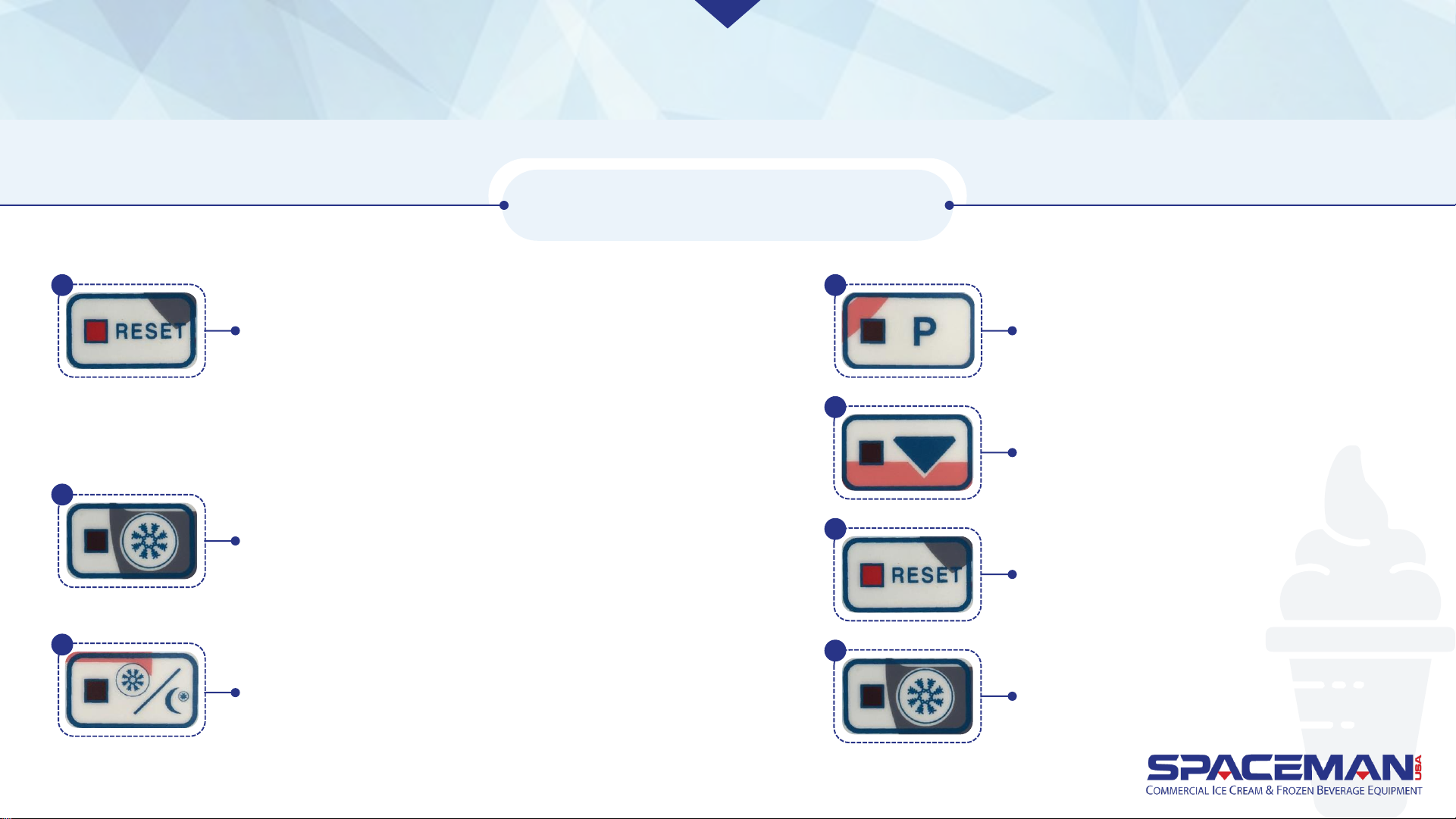
FROZEN PRODUCT OPERATION
Press RESET to stop all machine functions. Press
and hold RESET until display shows settings.
Viscosity is the first setting shown; press RESET
again twice (without holding) to reach the
date/time setting.
If you scroll past the date/time setting, hit RESET
until it comes back around.
Press STANDBY to increase highlighted number.
Press P to decrease highlighted number.
Press and hold ARROW for 3
seconds to save changes.
Press RESET to return to normal
machine operation.
Press FREEZE to return to freezing operation.
CHANGE DATE AND TIME
Press FREEZE to toggle cursor between date/time
fields. Once highlighted, a field can be changed.
1
2
3
4
5
6
7
Spaceman USA Soft Serve Gravity Training
rev042219
Page 42

FROZEN PRODUCT OPERATION
ADJUST ADVANCED SETTINGS
There are several advanced
settings that can be configured
from the machine displays. Call
Spaceman Technical Support to
adjust advanced settings.
Spaceman USA Soft Serve Gravity Training
rev042219
 Loading...