

Page 1
Mini lector de tarjetas universal 85-en-1
3
User manual
Enjoy the advanced features of this technological
product that we have d eveloped with maximum
guarantees for you.
GB
19
Joinsee 500
Series
WebCam VGA
Page 2

20
Page 3

1. INTRODUCTION
Soyntec® thanks you for purchasing your new Joinsee webcam. We
wish you enjoy it.
The Joinsee works with a USB port to be connected with PC / laptop.
It is a perfect webcam for its plug and play and real-time transmission.
Its mini size, easily carrying, high resolution and high speed make your
life more colorful and make your long distance communications fresh
and vivid.
We suggest reading this user manual for enjoying this product in safe
way and with the best performance.
2. CARE AND MAINTENANCE
≥ Do not expose your Joinsee™ 500 to shakes, dust, direct sun light,
moisture or extreme temperatures.
≥ Do not use abrasive or corrosive cleaners.
≥ Keep the device clean and without dust with a sof t and dry cloth.
≥ Do not disassemble the device. Any repair work must be performed by
21
Page 4

qualified Energy Sistem Soyntec’s personnel.
≥ Keep distance to water or moisture which could be harmful to the
device.
≥ Avoid to look directly to the sensor light in the bot tom of the mouse.
3. MAIN FEATURES AND TECHNICAL SPECIFICATION
≥ High Resolution CMOS Color Sensor.
≥ Resolution: 350K Pixels (interpolated 5M).
≥ Video Format: 24bit True Color.
≥ Interface: USB2.0, compatible with USB1.1
≥ Motion tracking.
≥ Digital zoom.
≥ Transmission Speed:
640*48 0 - 8frames/second.
2560*1920 - 8frames/second.
≥ Dynamic Range: 72db.
≥ Imaging Distance: 5CM to infinit y.
≥ Built-in Image Compression.
22
Page 5
≥ Automatic White B alance.
≥ Automatic Color Compensation.
≥ Manual Adjusting Focus.
≥ Manual Snapshot (Snapshot but ton is necessary for this).
≥ With Microphone.
4. PRODUCT CONTENTS
≥ Webcam.
≥ CD with drivers and software.
≥ User manual.
5. PRODUCT OVERVIEW
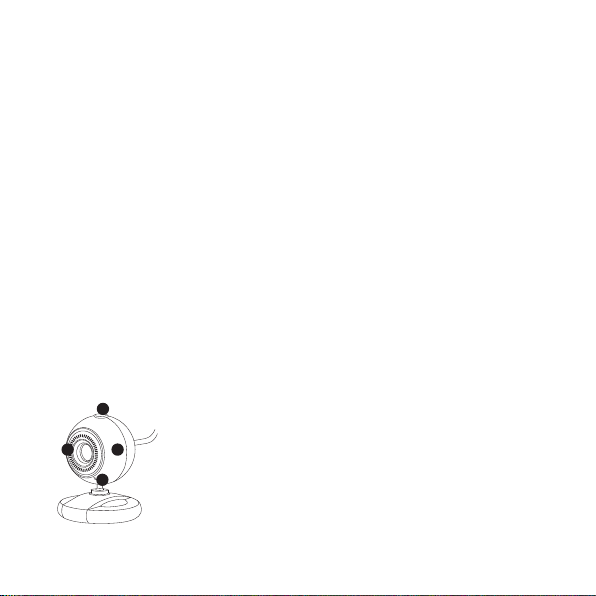
The following picture shows the main part of the webcam:
1
3
1. Snapshot button.
2. Lens with manual adjustable focus.
42
3. Status LED indicador.
4. Adjustable neck.
23
Page 6
6. SOFTWARE INSTALLATION
Please note that you need in your computer one USB port free to install the
webcam.
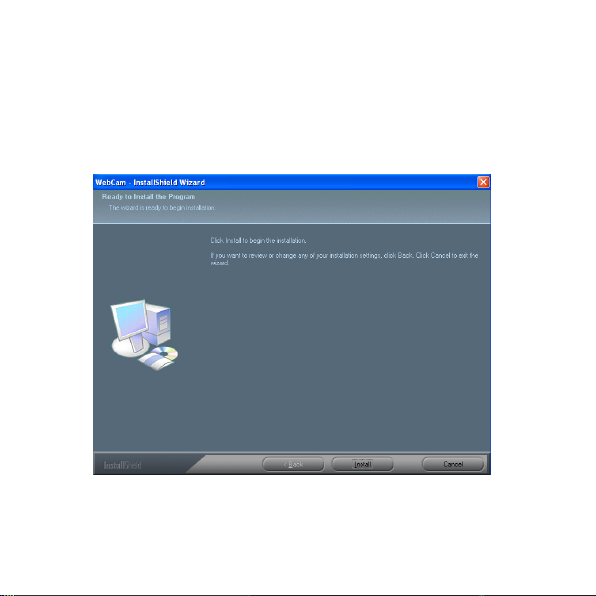
1. Connect webcam to PC. After hardware founded, put “CD Driver” disk
in the CD -Rom and an inter face as below would come out automatically:
Click “Install”.
24
Page 7
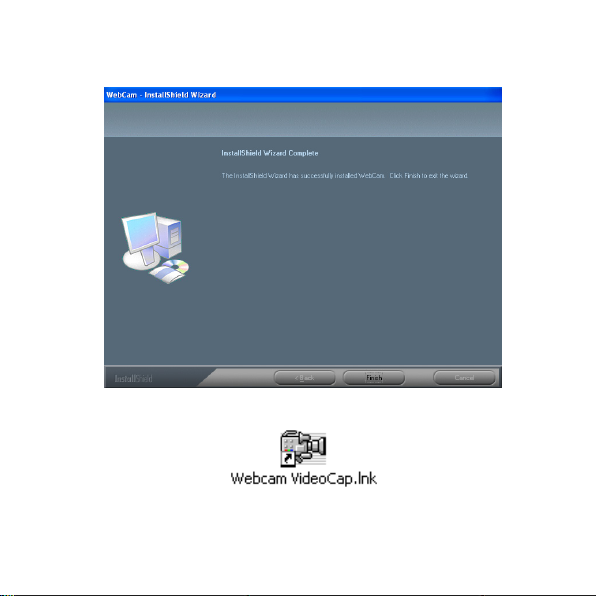
2. Follow the nex t indication:
Click“ Finish”.
3. You can see a VideoCap shortcut on your desktop.
Do double click on “Videocap” and enjoy your new Joinsee webcam.
25
Page 8
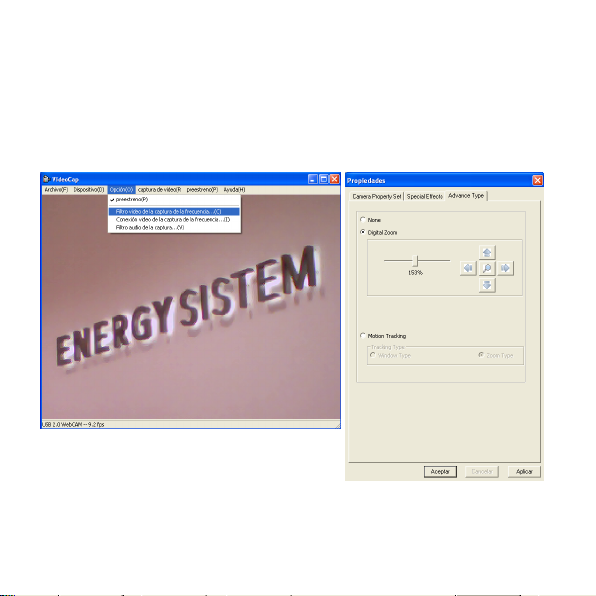
7. FEATURES
1. DIGITAL ZOOM.
Open “Videocap”, inside the OPTION window choose VIDEO
CAPTURE FILTER.
You will find the window ADVANCE TYPE;
then you can select DIGITAL ZOOM and adjust it like you wish.
26
Page 9
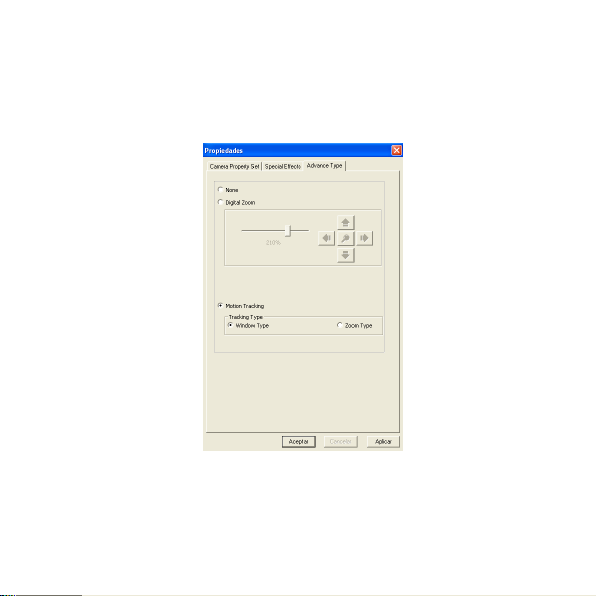
2. MOTION TRACKING; Open “Videocap”, inside the OPTION window
choose VIDEO CAPTURE FILTER.You will find the window ADVANCE
TYPE; then you can select MOTION TRACKING, you can select your
favourite W INDOW TYPE y ZOOM TYPE.
27
Page 10
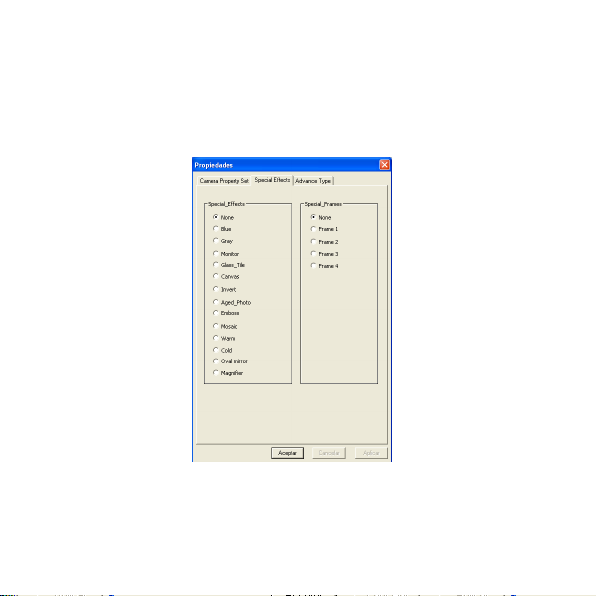
3. SPECIAL EFFECT.
Open “Videocap”, inside the OPTION window choose VIDEO
CAPTURE FILTER.
You will find the window SPECIAL EFFECTS, you can select one of the
17 different options.
28
Page 11
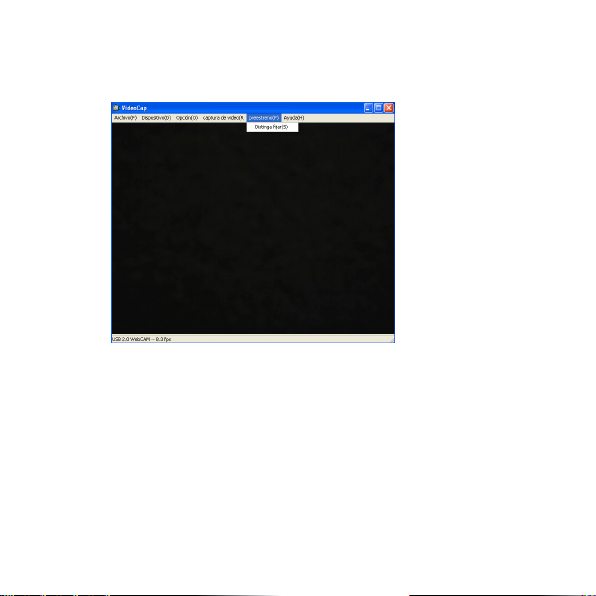
4. VIDEO DEFINITION.
Open “Videocap”, click “PREVIEW” select “Distinguish Setting”.
You can choose the different options
2272*1704
2048*1536
1600*120 0
1280*1024
1080*720
1024*768
800*600
640*48 0
320*24 0
29
Page 12
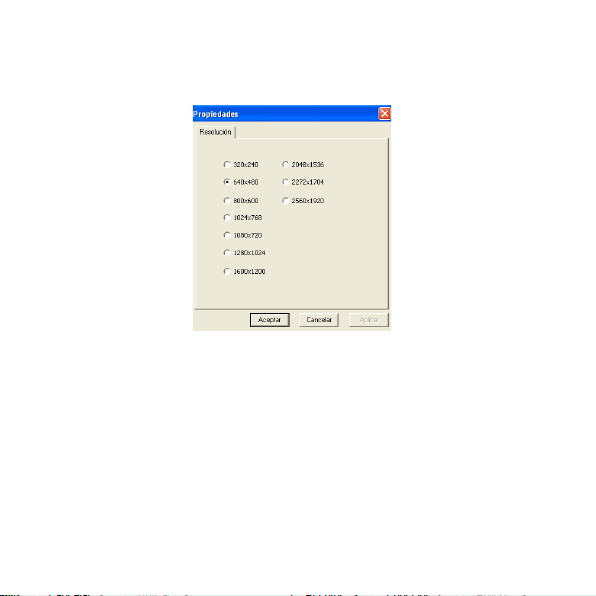
The default output size is 640*480
The max. definition is 2560*1920.
30
Page 13
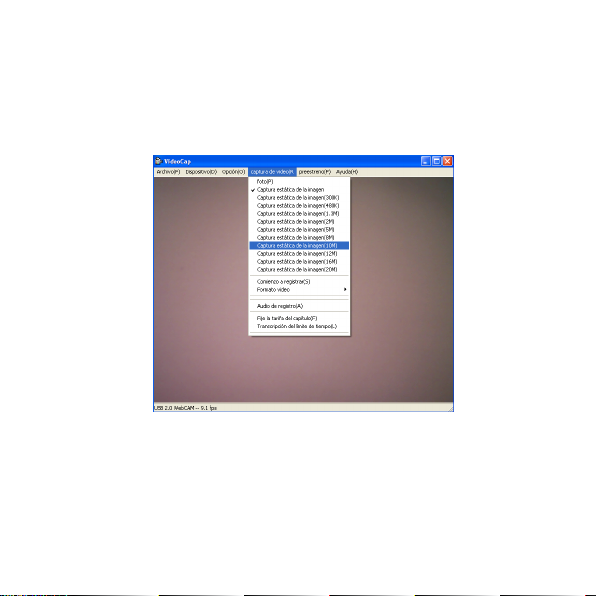
5. STILL IMAGE DEFI NITION (PHOTO).
Open “Videocap”, inside the OPTION and choose the different option
that you wish. You can choose from 300K to 20M. For capture you only
can click on “Capture”.
31
Page 14
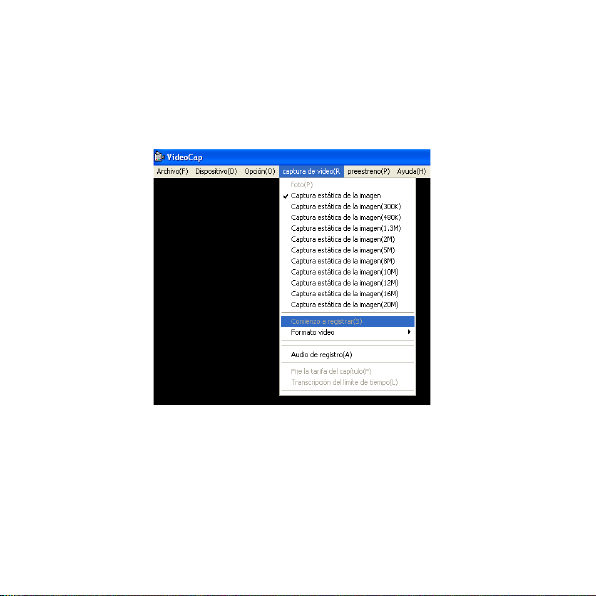
6. VIDEO CAPTUR E.
Open “Videocap”, inside the OPTION you will find “Start Capture”.
When you select this option, automatically you star t with the record.
To finish with the record you have to click again in the same option.
7. IMPORTANT:
≥ Don’t use the fingers to clean the webcam’s lens.
≥ Use a special wipe or cotton cloths to clean the optic part of the
webcam.
≥ Don’t use this product when ambience is too hot or cold or dusty.
32
Page 15

Any question? Check the product’s F.A.Q. section at www.soyntec.
com
Technical support email address: [email protected]
SPECIAL GUARANTEE
Soyntec® guarantees that your product have no any material, design or
manufacture defect and provides 36 month guarantee.
Guarantee procedure. Direct to your vendor and present the purchase
invoice or ticket. For more information visit:
www.soyntec.com
Specifications are subject to change without notice.
© 2010 by Soyntec. All right reserved.
Trademarks. All company brand and product names are trademarks or
registered trademarks of their respective companies.
33
Page 16

AGREEMENT DECLARATION
Supplier Name: Energy Sistem Soyntec S. A.
Address: Pol. Ind. Finestrat C/ Calpe 1, 03509 Finestrat
Alicante - SPAIN
Tel: 902 388 388 Fax: 902 119 034 NIF: A53107488
We declare, under our own exclusive responsibility, the product agreement:
Soyntec® Mouse Inpput™ R520
Manufacturing country: China
Which concern this agreement, with the norm(s) or other(s) formative(s)
document(s).
In accord with the disposition of the Directive 93/68/CEE, from the European Parlament and the Counsel from 22th July 1993, transponed
to the spaish legistation through the Real Decree 1950/1995, from 1th
December 1995.
34
 Loading...