

Page 1
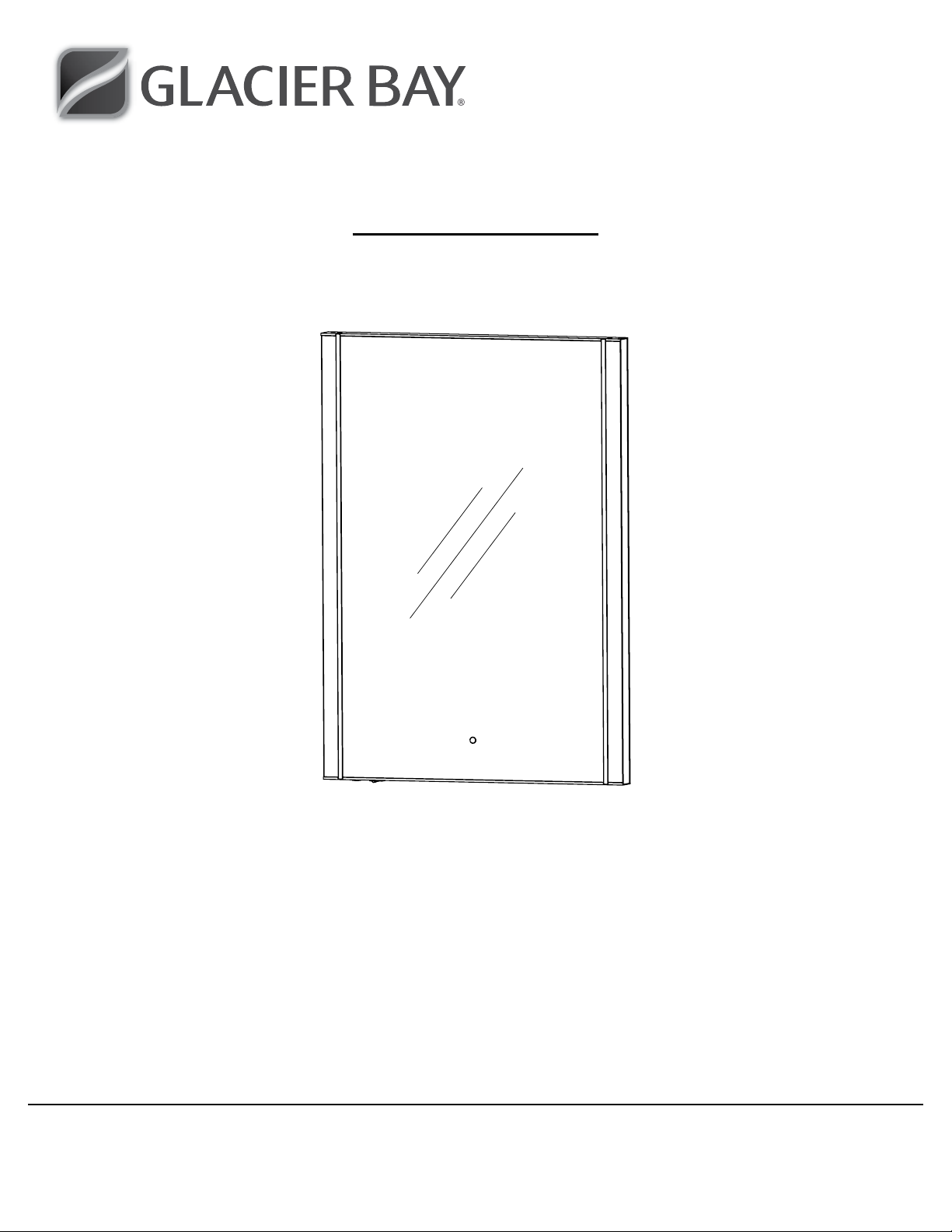
Item #1000 XXX XXX
Model #SP4937A
USE AND CARE GUIDE
RECTANGULAR MIRROR WITH LED LIGHT & BT SPEAKER
Questions, problems, missing parts? Before returning to the store,
call Glacier Bay Customer Service
8 a.m. - 6 p.m., EST, Monday - Friday
1-855-HD-GLACIER
HOMEDEPOT.COM/GLACIERBAY
THANK YOU
We appreciate the trust and confidence you have placed in Glacier Bay through the purchase of this LED MIRROR WITH BT SPEAKER /
PHONE. We strive to continually create quality products designed to enhance your home. Visit us online to see our full line of products
available for your home improvement needs. Thank you for choosing Glacier Bay!
Page 2

Table of Contents
Table of Contents ...................................2
Safety Information ..................................2
Warranty ..........................................2
Important Safety Instructions .........................3
Pre-Installation .....................................4
Planning Installation ...............................4
Tools Required ....................................4
Safety Information
1. This equipment has been tested and found to comply with the
limits for class B digital device, pursuant to part 15 of the FCC
Rules.
2. This Class B digital apparatus compiles with Canadaian ICES-
003.
3. UL and cUL approved AC/DC Adaptor.
4. Save these installation instructions for furture reference. Record
the model number from the packing label.
Installation ........................................5
Surface Mounting Only .............................5
Electrical Operation .................................6
Electrical Specifications ..............................7
Mechanical Specifications ............................7
Care and Cleaning ..................................7
WARNING: Safely discard all packing material. Keep
plastic bags and small parts away from children.
CAUTION: Please ensure all the accessories are removed
from the packing before you discard.
CAUTION: Safety glasses should be worn at all times.
CAUTION: To maintain compliance with the FCC’s RF
exposure guidelines, place the base unit at least 20cm from
nearby persons.
Warranty
This product is guaranteed to operate a minimum of 1 year from the original date of purchase. If, under
normal use and for the full time period, your product fails to operate, please return it to your
local Home Depot (with your original proof of purchase receipt) and we will refund it.
This warranty is considered void if the product fails from misuse. Contact the Customer
Service Team at 1-855-HD-GLACIER or visit HOMEDEPOT.COM/GLACIERBAY.
2
Page 3

IMPORTANT SAFETY INSTRUCTIONS
When using an electrical furnishing, basic precautions should always be followed, including the following:
Read all instructions before using this mirror.
DANGER – TO REDUCE THE RISK OF ELECTRIC SHOCK:
1. Always disconnect power at the circuit breaker to the unit prior to performing any maintenance or service operation.
WARNING – TO REDUCE THE RISK OF BURNS, FIRE, ELECTRIC SHOCK, OR INJURY TO PERSONS:
1. Disconnect power at the circuit breaker before putting on or taking off parts.
2. Close supervision is necessary when this furnishing is used by, or near children, invalids, or disabled persons.
3. Use this furnishing only for its intended use as described in these instructions. Do not use attachments/accessories not recommended by
the manufacturer.
4. Never operate this furnishing if it is not working properly or if it has been dropped or damaged, or dropped into water. Return the
furnishing to a service center for examination and repair.
5. Never operate the furnishing with the air openings blocked. Keep the air openings free of lint, hair, and the like.
7. Never drop or insert any object into any opening.
8. Do not use outdoors.
9. Do not operate where aerosol (spray) products are being used or where oxygen is being administered.
10. To disconnect, turn all controls to the off position, then disconnect power from the AC/DC adaptor.
SAVE THESE INSTRUCTIONS
FOR HOUSEHOLD AND INDOOR USE ONLY
The appliance is not to be used by persons (including children) with reduced physical, sensory or metal capabilities, or lack of experience
and knowledge, unless they have been given supervision or instruction. Children should be supervised to ensure that they do not play with
the appliance.
WARNING: Changes or modications to this unit not expressly approved by the party responsible for compliance could void the user’s
authority to operate the equipment.
CAUTION: Use only power adaptor that was provided with this product. Using a different power adaptor will damage the lights and cause
re, electrical shock hazard.
The operation of this equipment is subject to the following two conditions:
1) It is possible that this equipment or device may not cause harmful interference and
2) This device must accept any interference, including interference that may cause its undesired operation
NOTE: This equipment has been tested and found to comply with the limits for a Class B digital device, pursuant to Part 15 of the FCC
Rules. These limits are designed to provide reasonable protection against harmful interference in a residential installation. This equipment
generates, uses and can radiate radio frequency energy and, if not installed and used in accordance with the instructions, may cause
harmful interference to radio communications.
However, there is no guarantee that interference will not occur in a particular installation. If this equipment does cause harmful interference
to radio or television reception, which can be determined by turning the equipment off and on, the user is encouraged to try to correct the
interference by one or more of the following measures:
□ Reorient or relocate the receiving antenna.
□ Increase the separation between the equipment and receiver.
□ Connect the equipment into an outlet on a circuit different from that to which the receiver is connected.
□ Consult the dealer or an experienced radio/TV technician for help.
3 HOMEDEPOT.COM/GLACIERBAY
Please contact 1-855-HD-GLACIER for further assistance.
Page 4
Pre-Installation
PLANNING INSTALLATION
□ Unpack your LED mirror carefully, and close the sink drain to prevent any dropped parts from falling into the drain.
□ Please read the entire manual before beginning installation and become familiarized with the steps and parts involved.
□ For surface-mount installation only.
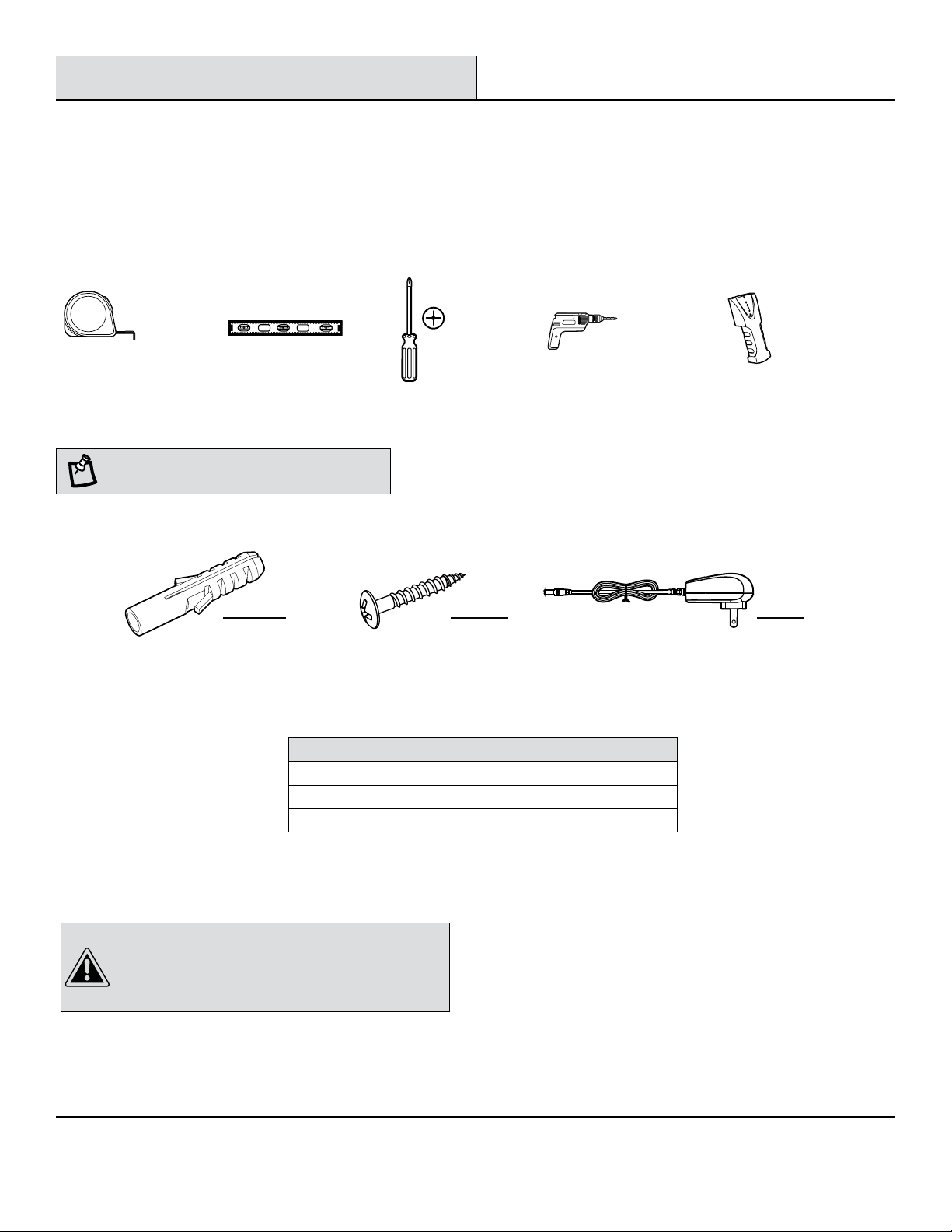
TOOLS REQUIRED
Measuring
tape
HARDWARE INCLUDED
NOTE: Hardware not shown to actual size.
Level
Part Description Quantity
AA Plastic wall anchor 2
BB Phillips head screws (#8 X 1.5 in.) 2
CC AC/DC Adaptor 1
Phillips
screwdriver
BB CCAA
Electric drill
for surface
mounting
Stud
nder
CAUTION: The included plastic wall anchors (AA) are
intended for use with solid wall applications only (tile
and concrete). DO NOT USE WITH DRYWALL OR OTHER
HOLLOW WALL APPLICATIONS. Refer to additional warning
information on Page 5 of this instruction manual.
4
Page 5
Installation - Surface Mounting Only
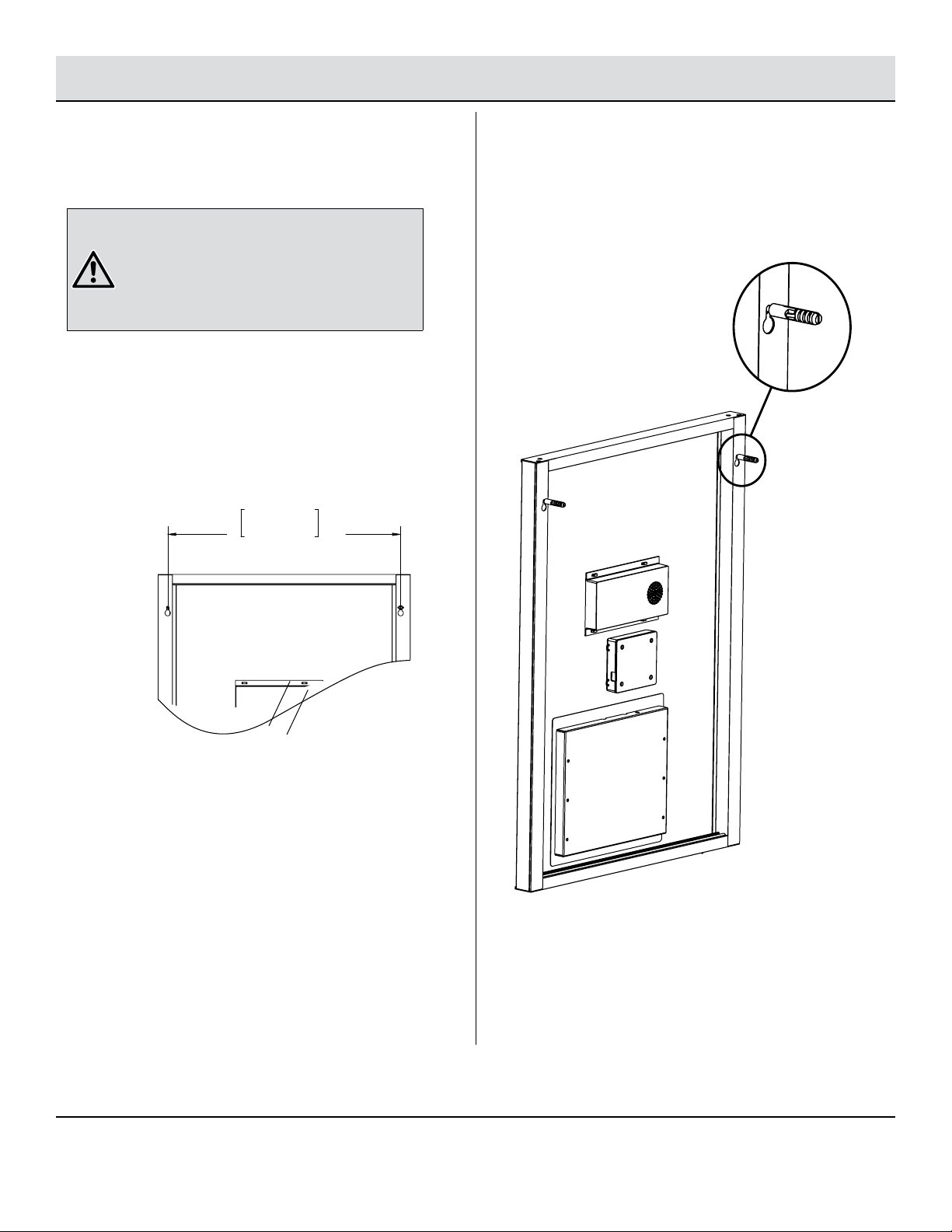
18.5in
47cm
Drilling Hole on wall
1
WARNING: If installing the mirror on drywall or
other hollow wall applications, the Phillips head
screws (BB) must be fastened to studs, headers, or
other structural wall members. The included plastic
wall anchors are intended for use with solid wall
applications only (tile or concrete). DO NOT USE WITH
DRYWALL OR OTHER HOLLOW WALL APPLICATIONS.
□ The center distance of the two drilling holes on wall:
47 cm (18.5 inches).
□ Insert the plastic wall anchors into the
holes and then tighten the screws to them.
Position the mirror
2
□ Hang the mirror on the screw heads by engaging with the
hanging holes at the back of the mirror.
5 HOMEDEPOT.COM/GLACIERBAY
Please contact 1-855-HD-GLACIER for further assistance.
Page 6
Electrical Operation
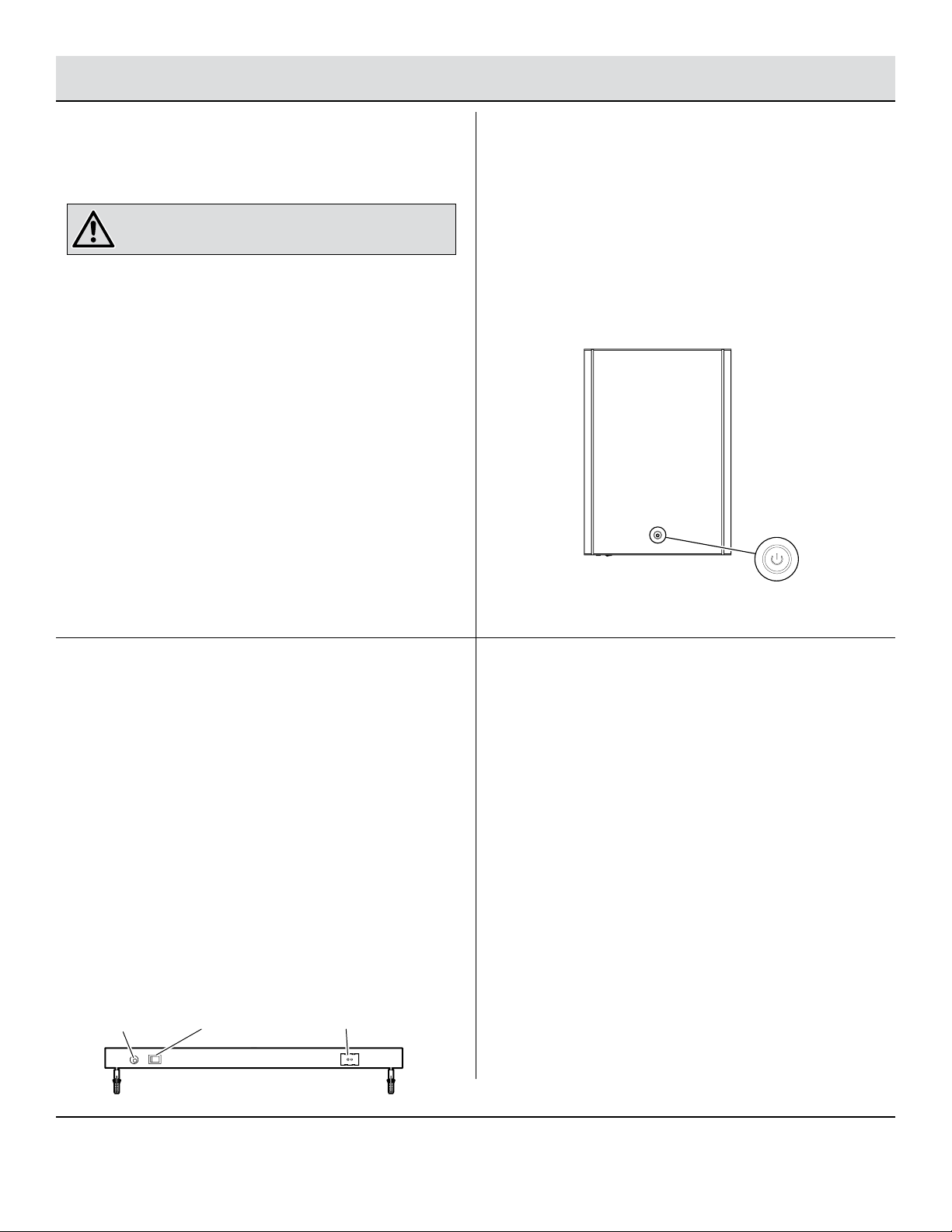
DC Jack BlueTooth Switch
Diagram 2
BlueTooth LED indicator
Power Connection
1
WARNING: RISK OF ELECTRIC SHOCK OR FIRE, ONLY USE
THE AC/DC ADAPTOR PROVIDED.
□ Plug in the AC/DC Adaptor to the DC Jack.
□ When the Power Indicator Lamp is turned on (Blue in color),
it means the power connection is OK.
LED Circle Light On & Off
2
□ Finger touches the Power Indicator (Diagram 1),the LED
Circle Light is ON. When nger touches the Power Indicator
again, the LED Circle Light is OFF.
□ That means, if the previous condition of the LED Circle
Light is ON, once the nger touches the Power Indicator, it
will be OFF and vice versa.
Diagram 1
Power Indicator (when
its light is ON, it appears
in blue color)
BlueTooth Operation Enabling:
3
□ Turn ON the BlueTooth Switch (Diagram 2) manually.
□ The BlueTooth Sound (Speaker) Box generates reminding
audio signal and the light of the BlueTooth LED Indicator
(Diagram 2) ashes quickly at the same time.
□ BlueTooth automatically enters the searching function, i.e.
enters the status to wait for BlueTooth devices matching.
□ The Bluetooth device of this mirror (Model: HD002) can be
searched and connected by the phones.
□ Once successfully connected, the BlueTooth Sound
(Speaker) Box will generate a short audio signal “du” and
the light of the BlueTooth LED Indicator will change from
quick ashing to slow ashing.
6
BlueTooth Function:
4
□ After successful connection with BlueTooth, the mirror
device can be used to play music and act as a BlueTooth
phone.
□ BlueTooth signal covering distance: up to 10 meter (open
space).
Page 7
Electrical Specications
□ External Power Adaptor Input: 100 - 240 V ~ 60 Hz 0.8 A máx., Output: DC 12 Vcc 2 A
□ BlueTooth Version: Bluetooth 4.1 + EDR compliant
□ BlueTooth Support Mode: A2DP(1.3), HFP prole version 1.6 compliant
□ Speaker Output Power: Maximum 4W*2, Bi-aural
□ LED Light Color Temperature: 3800k
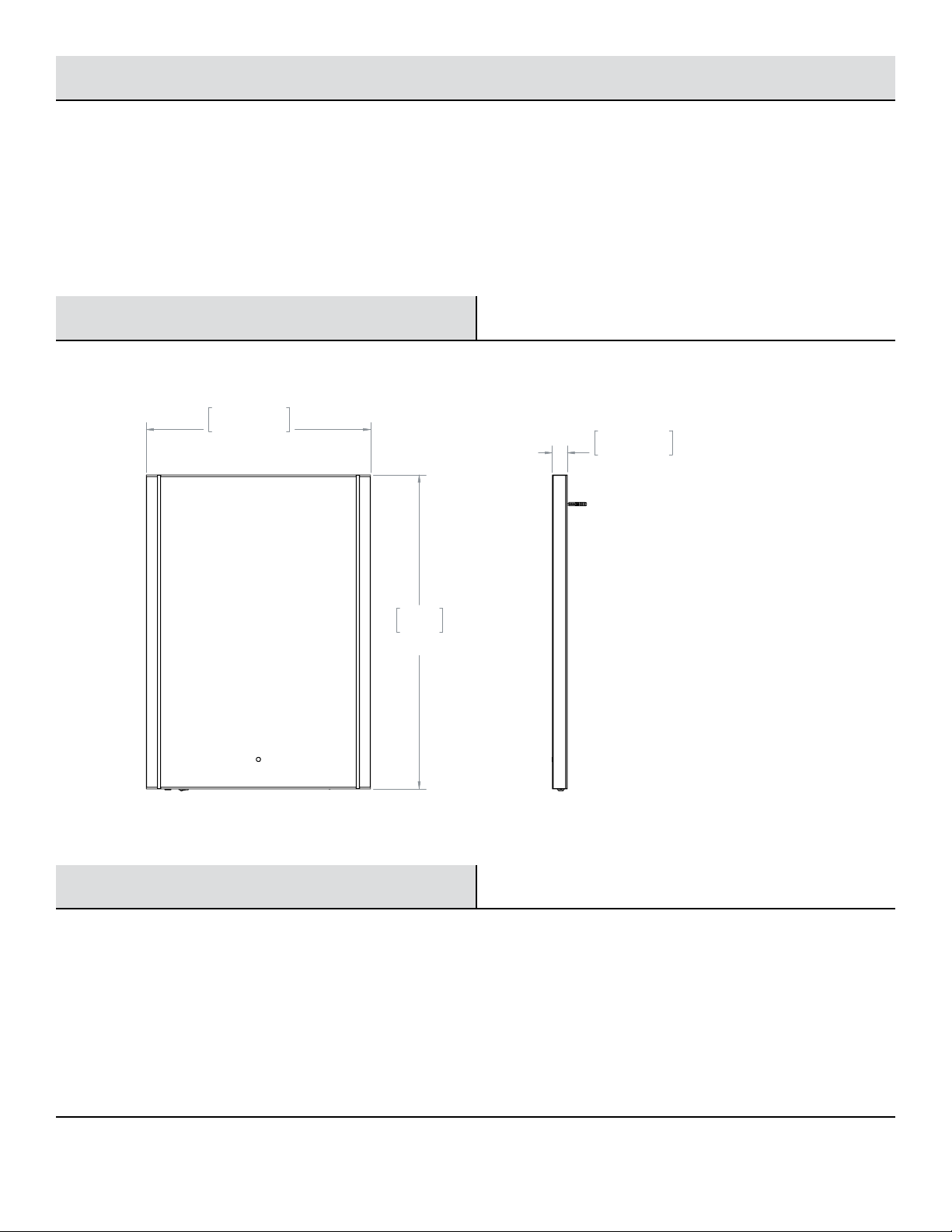
Mechanical Specications
20.00in
50.8cm
1.375in
35mm
28in
71cm
Size: 28 (L) x 20 (W) x 1.375 (T) inches Net Weight: 5kg (including accessories)
Care and Cleaning
□ Use a household liquid glass cleaner to keep the mirror and glass surfaces clean.
□ Do not use abrasive cleaners containing ammonia.
□ The user can perform cleaning ONLY. All other servicing should be performed by qualied service personnel.
7 HOMEDEPOT.COM/GLACIERBAY
Please contact 1-855-HD-GLACIER for further assistance.
Page 8

Questions, problems, missing parts? Before returning to the store,
call Glacier Bay Customer Service
8 a.m. - 6 p.m., EST, Monday - Friday
1-855-HD-GLACIER
HOMEDEPOT.COM/GLACIERBAY
Retain this manual for future use.
 Loading...