

Page 1
DEUTSCH
ITALIANO
ENGLISH
ČEŠTINA
FRANÇAIS
SLOVENSKÝ
NEDERLANDS
IR3500
Hersteller
Wörlein GmbH Tel.: +49 9103/71670
Gewerbestrasse 12 Fax.: +49 9103/716712
D 90556 Cadolzburg Email. [email protected]
GERMANY Web: www.soundmaster.de
Page 2
HINWEIS ZUM UMWELTSCHUTZ
Dieses Produkt darf am Ende seiner Lebensdauer nicht über den
normalen Haushaltsabfall entsorgt werden, sondern muss an
einem Sammelpunkt für das Recycling von elektrischen und
elektronischen Geräten abgegeben werden. Das Symbol auf
dem Produkt in der Gebrauchsanleitung oder auf der
Verpackung weist darauf hin
Die Werkstoffe sind gemäß Ihrer Kennzeichnung wiederverwertbar. Mit
der Wiederverwendung der stofflichen Verwertung oder anderen Formen
der Verwertung von Altgeräten, leisten Sie einen wichtigen Beitrag zum
Schutze unserer Umwelt
Bitte fragen Sie Ihre Gemeindeverwaltung nach der zuständigen
Entsorgungsstelle.
WARNUNG
Gefahr elektrischer Schläge
Gerät nicht öffnen!
Zur Vermeidung von Stromschlägen darf dieses Gerät nicht geöffnet
werden. Es enthält keine Bauteile, die vom Benutzer gewartet oder
repariert werden können, Wartungs- und Reparaturarbeiten dürfen nur
von Fachpersonal ausgeführt werden.
Dieses Symbol zeigt an, dass im Inneren des
Gerätes gefährliche Spannungen vorhanden sind,
und einen Stromschlag verursachen können.
Dieses Symbol weist auf wichtige Bedienungs- und
Wartungsanweisungen bezüglich des Geräts hin.
Verbrauchte Batterien sind Sonderabfall und gehören
NICHT in den Hausmüll! Als Verbraucher sind Sie
gesetzlich verpflichtet alle Batterien und Akkus egal
ob Schadstoffe *) enthalten oder nicht zur
umweltschonenden Entsorgung zurückzugeben.
Sie können alle Batterien und Akkus bei den öffentlichen
Sammelstellen in Ihrer Gemeinde oder dort unentgeltlich ab-
geben wo Batterien und Akkus der betreffenden Art verkauf
werden.
Batterien und Akkus bitte nur in entladenem Zustand abgeben.
*) gekennzeichnet mit Cd = Cadmium, Hg =Quecksilber, Pb = Blei
Verwenden Sie nur Batterien, die frei von Quecksilber
& Cadmium sind.
Batterien dürfen nicht in die Hände von Kindern
gelangen. Kinder können Batterien verschlucken.
Wurde eine Batterie verschluckt, muss sofort
medizinische Hilfe in Anspruch genommen werden.
Überprüfen Sie regelmäßig die Batterien um ein
Auslaufen der Batterie zu vermeiden.
Batterien dürfen keiner Hitze (z. B.
Sonnenbestrahlung), Feuer ausgesetzt werden.
ACHTUNG: Explosionsgefahr bei falscher
Batteriehandhabung. Nur durch denselben oder
baugleichen Batterietyp ersetzen.
Ständige Benutzung des Kopfhörers bei hoher
Lautstärke kann zu Gehörschädigungen führen.
Das Gerät ausnahmslos nur in trockenen
Innenräumen betreiben.
Niemals mit Feuchtigkeit in Verbindung bringen.
Schützen Sie das Gerät vor tropfenden oder
spritzenden Flüssigkeiten, und stellen Sie keine mit
Flüssigkeit gefüllten Gefäße (z. B. Vasen) auf das
Gerät.
Betreiben Sie das Gerät nur in einem gemäßigten
Klima.
Schließen Sie das Gerät nur an eine
vorschriftsmäßig installierte und geerdete
Netzsteckdose an. Die Netzspannung muss mit den
Angaben auf dem Typenschild des Gerätes
übereinstimmen.
Sicherheits- / Umwelt- / Aufstellhinweise
Achten Sie darauf, dass im Betrieb das Netzkabel
niemals nass oder feucht wird. Das Netzkabel darf
nicht eingeklemmt oder anderweitig beschädigt
werden.
Der Netzstecker dient als Trennvorrichtung und
muss ohne Schwierigkeiten benutzbar sein.
Achten Sie beim Verlegen des Netzkabels darauf,
dass es beim Betrieb des Gerätes nicht zu einer
Stolperfalle werden kann.
Lassen Sie beschädigte Netzstecker oder
Netzkabel sofort von dem Kundenservice
austauschen.
Prüfen Sie das Gerät, das Netzkabel sowie den
Netzstecker regelmäßig auf sichtbare
Beschädigungen. Verwenden Sie das Gerät auf
keinen Fall, wenn Sie Beschädigungen festgestellt
haben.
Benutzen Sie das Gerät nicht, wenn es
Beschädigungen aufweist, wenn es
heruntergefallen ist oder nicht einwandfrei
funktioniert.
Sie dürfen das Gehäuse nicht öffnen oder
reparieren. In diesem Falle ist die Sicherheit nicht
gegeben und die Garantie erlischt. Reparaturen
sind ausschließlich durch einen ServiceCenter/Kundencenter auszuführen.
Ziehen Sie bei Gewitter oder einer längerer
Abwesenheit (z.B. Urlaub) den Netzstecker und
entnehmen Sie ggf. die Batterien.
Kinder sollten das Gerät nur unter Aufsicht
Erwachsener betreiben.
Lassen Sie das Gerät während des Gebrauchs
nicht unbeaufsichtigt.
Das Gerät ausnahmslos nur mit einem trockenen
Abstaubtuch reinigen.
KEINE REINIGUNGSMITTEL oder TÜCHER mit
GROBEN Material verwenden!!!
Das Gerät keiner Sonnenbestrahlung oder
anderen Hitzequellen aussetzen.
Stellen Sie das Gerät so auf, dass kein Hitzestau
entstehen kann, also frei und gut belüftet.
Achten Sie darauf, dass an den Seiten ein
Mindestabstand von 10 cm besteht, um eine
ausreichende Luftzirkulation zu gewährleisten.
Decken Sie niemals die Belüftungsöffnungen zu!!!
Offene Brandquellen, wie z.B. brennende Kerzen,
dürfen nicht auf das Gerät gestellt werden.
Das Gerät an einem sicheren,
erschütterungsfreien Platz aufstellen.
Benutzen Sie das Gerät nicht, wenn es
Beschädigungen aufweist, wenn es
heruntergefallen ist oder nicht einwandfrei
funktioniert.
Gerät möglichst weit entfernt von Computern und
Mikrowellengeräten platzieren, da es sonst evtl. zu
Empfangsstörungen im Radiobetrieb kommen
kann.
Treten wegen einer elektrostatischen Entladung
oder kurzeitigen Netzüberspannung
Fehlfunktionen auf, setzen Sie das Gerät zurück.
Ziehen Sie hierfür den Netzstecker bzw.
Netzadapter und schließen ihn nach einigen
Sekunden wieder an.
DE
Page 3

IR3500 / Deutsche Bedienungsanleitung
INHALTSVERZEICHNIS
BEDIENELEMENTE ................................................................................................... 2
FERNBEDIENUNG ..................................................................................................... 3
BATTERIEINSTALLATION ........................................................................................ 4
LIEFERUMFANG ........................................................................................................ 4
INBETRIEBNAHME .................................................................................................... 4
NETZWERKVERBINDUNG VORBEREITEN ............................................................. 4
HAUPTMENÜ .............................................................................................................. 4
EINRICHTUNGSASSISTENT ..................................................................................... 4
EQUALISER ................................................................................................................ 7
NETZWERK ................................................................................................................ 7
ZEIT/DATUM ............................................................................................................... 8
DISPLAYBELEUCHTUNG .......................................................................................... 8
SPRACHE ................................................................................................................... 8
SOFTWARE UPDATE ................................................................................................ 8
INFO ............................................................................................................................ 8
INTERNET RADIO/PODCASTS ................................................................................. 9
SPOTIFY ................................................................................................................... 10
DAB ........................................................................................................................... 10
FM ............................................................................................................................. 12
USB ........................................................................................................................... 13
BLUETOOTH® .......................................................................................................... 14
AUDIO IN .................................................................................................................. 14
SLEEP ....................................................................................................................... 14
ALARM...................................................................................................................... 14
UNDOK ..................................................................................................................... 15
KOPFHÖRER ............................................................................................................ 15
AUF WERKSEINSTELLUNGEN ZURÜCKSETZTEN .............................................. 15
FEHLERBEHEBUNG ................................................................................................ 15
1
Page 4
IR3500 / Deutsche Bedienungsanleitung
1
2
3
4
5
6
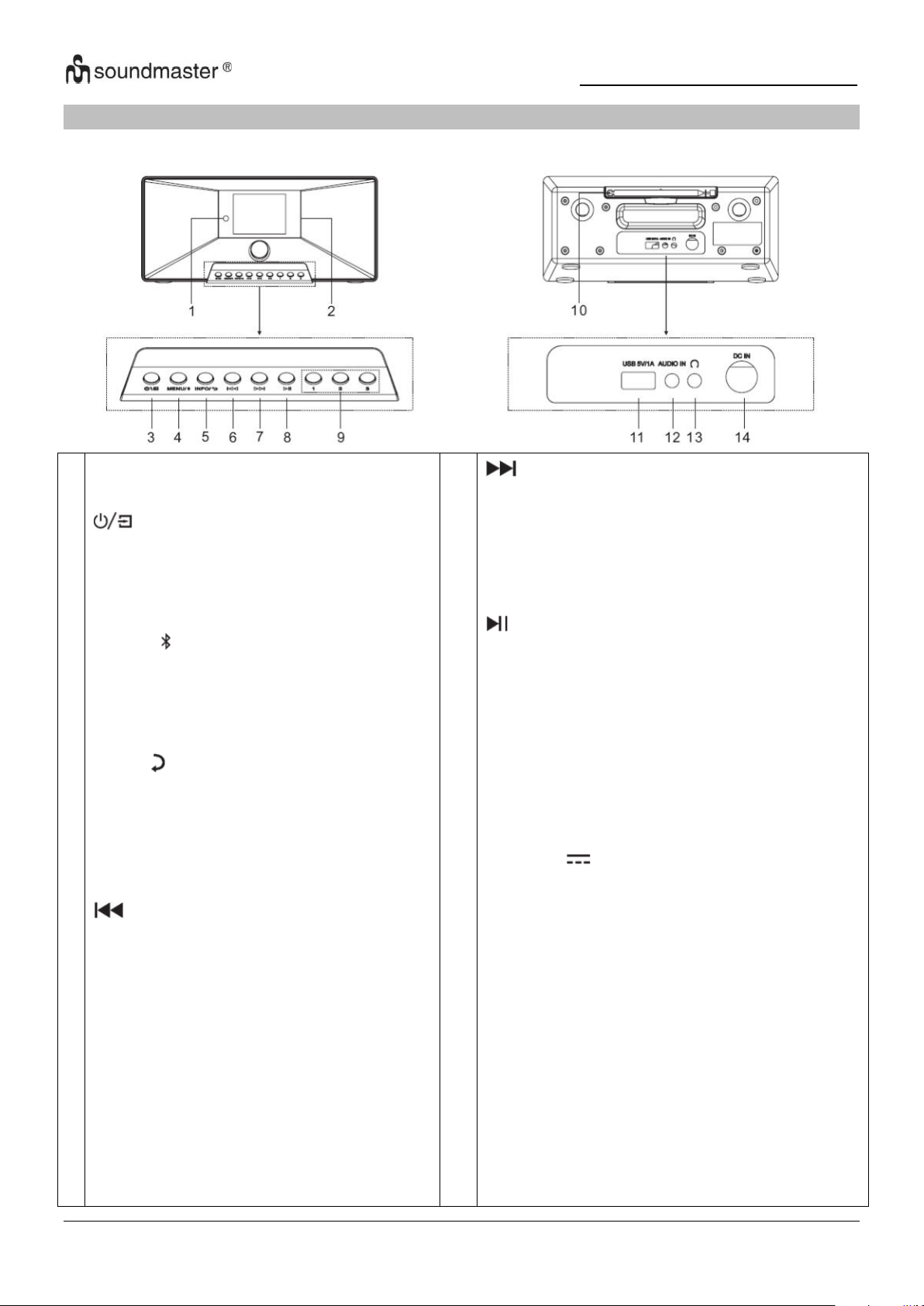
Infrarot sensor
Display
* Drücken und halten Sie um das Gerät
ein- oder auszuschalten
* Drücken um zwischen den Funktionen
zu wechseln
MENU/
* Drücken um das Menü aufzurufen
* Drücken und halten um ein Bluetooth
Gerät zu koppeln, oder ein bereits
verbundenes Gerät zu trennen
INFO/
* Drücken um die Informationen von
USB/DAB/FM und Internet Radio
anzeigen zu lassen.
* Drücken um zum vorherigen
Menüpunkt zurückzukehren
* Drücken um zum vorherigen Track im
USB/BT/Internet Radio Modus zu
springen.
* Kurz drücken um die Feineinstellung im
FM Modus vorzunehmen
* Gedrückt halten um zur vorherigen
Station im FM Modus
zurückzuspringen
7
8
9
10
11
12
13
14
* Drücken um zum nächsten Titel zu springen
* Kurz drücken um die Feineinstellung im
FM Modus vorzunehmen
* Gedrückt halten um zur nächsten Station im
FM Modus zu springen
* Drücken für Play and Pause bei USB, BT
und Internet Radio
1/2/3
* Im DAB/FM/USB Modus drücken und halten
um eine Station als Festsender zu speichern
* Im DAB/FM/USB Modus, drücken um einen
der drei Festsender aufzurufen.
Antenne
USB / 5V 1A Ausgang
* Verbinden Sie ein USB-Speichergerät um
Musik abzuspielen
* Laden Sie ein Gerät an der USB-Buchse auf
AUDIO IN
Kopfhöreranschluss
DC IN
BEDIENELEMENTE
VORDERSEITE RÜCKSEITE
2
Page 5
IR3500 / Deutsche Bedienungsanleitung
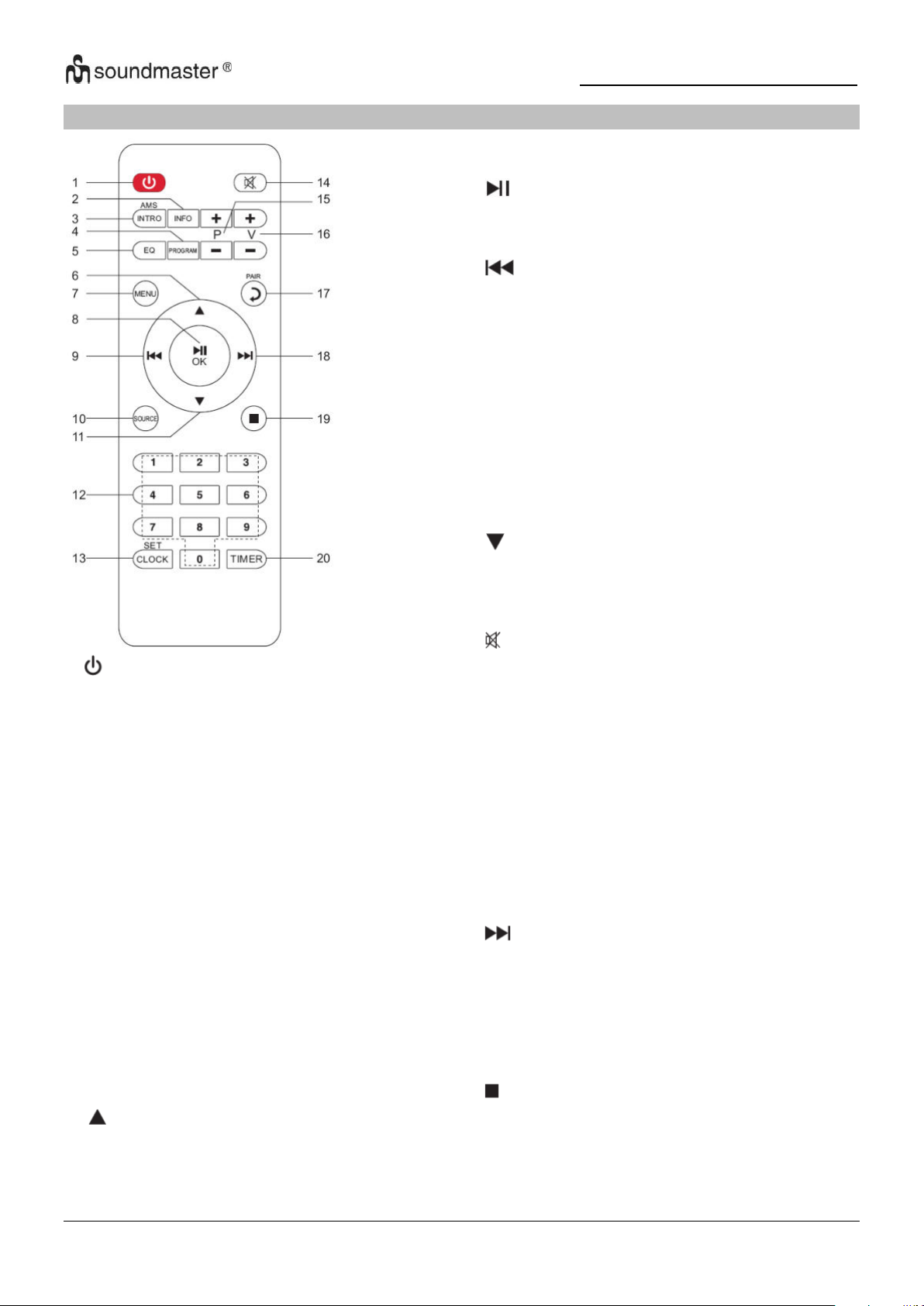
1
* Drücken zum Ein- oder Ausschalten des
Geräts
2 INFO
* Drücken um die Informationen von
USB/DAB/FM und Internet Radio
anzeigen zu lassen
3 INTRO/AMS
* Drücken zum erkunden aller Tracks
* Drücken um einen automatischen
Suchlauf im DAB/FM Modus zu starten,
erneutes drücken um den Suchlauf zu
stoppen.
4 PROGRAM
* Drücken um die Wiedergabereihenfolge
im USB Modus zu programmieren und die
Festsender im DAB/FM und Internet
Radio zu verwalten
* Gedrückt halten um einen Festsender zu
speichern
5 EQ
* Drücken um den EQ zu wählen:
Normal/Jazz/Rock/Classic/Pop/Mein EQ
6
*Drücken um nach oben zu navigieren
7
8
9
10
11
12
13
14
15
16
17
18
19
20
MENU
* Drücken um in das Menu zu gelangen
/OK
* Drücken für Play/Pause im BT/USB und
Internet Radio
* Drücken um etwas im Menü zu bestätigen
* Gedrückt halten für schnellen Rücklauf im
USB-Modus
* Drücken um zum vorherigen Track in USB zu
springen
* Drücken um die Senderliste in DAB
FM und Internet Radio aufzurufen
* Drücken für die Feinabstimmung in FM
* Gedrückt halten für die Manuelle Abstimmung
in FM
SOURCE
* Drücken um die Quelle zu ändern (Internet
Radio/Podcasts/Spotify/
DAB/FM/USB/BT/AUDIO)
* Drücken um nach unten zu navigieren
0-9 Numerisch
CLOCK
* Gedrückt halten um die Uhrzeit einzustellen
* Drücken zum Stummschalten
P+/* Drücken Sie diese Taste, um den Anfang des
aktuellen/
vorheriges/nachfolgendes Album in USB
* Drücken Sie diese Taste, um die
vorherige/nächste Voreinstellung auszuwählen
in FM und DAB
V+/* Drücken zum Lautstärke Erhöhen/Verringern
PAIR
* Drücken um einen Schritt zurück zu gehen
* Gedrückt halten um ein Gerät zu verbinden,
drücken um ein Gerät zu entfernen
* Gedrückt halten für einen schnellen vorlauf
* Drücken um zum nächsten Track zu springen
* Drücken um die Senderliste in DAB/FM
und internet radio anzuzeigen
* Drücken für Feinabstimmung in FM
* Gedrückt halten für manuelle Abstimmung in
FM
* Drücken um die Wiedergabe im USB Modus
zu Stoppen
TIMER
* Drücken um den Timer einzustellen
FERNBEDIENUNG
3
Page 6
IR3500 / Deutsche Bedienungsanleitung
BATTERIEINSTALLATION
1. Drücken und schieben Sie die Batteriefachabdeckung zurück.
2. Legen Sie zwei AAA-Batterien polungsrichtig in das Batteriefach ein (siehe Abbildung im
Batteriefach).
2. Schließen Sie wieder die Batteriefachabdeckung.
LIEFERUMFANG
➢ Hauptgerät
➢ Bedienungsanleitung
➢ Netzadapter
➢ Fernbedienung
INBETRIEBNAHME
Verwenden Sie nur den mitgelieferten Adapter!
Schließen Sie dann den Netzadapter an der Rückseite des Gerätes und an eine Steckdose an.
Das Gerät zeigt die Startanzeige und ist anschließend betriebsbereit. Nach dem Einschalten
spielt die zuletzt benutzte Quelle. Wenn das Gerät das erste Mal eingeschalten wird startet der
Einrichtungsassistent.
NETZWERKVERBINDUNG VORBEREITEN
Vergewissern Sie sich, dass Sie das WLAN Netzwerk eingerichtet haben und über die WEP-,
WPA- und WPA2-Passwörter zum Aktivieren der Verbindung verfügen.
Sie können die WPS-Funktion (Wi-Fi Protected Setup) auch für die Kopplung des
Netzwerkgeräts mit dem Internetradio verwenden. Überprüfen Sie, ob die Indikatoren am
Netzwerkgerät den entsprechenden Status anzeigen.
HAUPTMENÜ
Im Hauptmenü haben Sie folgende Auswahlmöglichkeiten:
Internet Radio, Podcasts, Spotify, DAB, FM, USB, Bluetooth®,
Audio-In, Schlummern und Alarm.
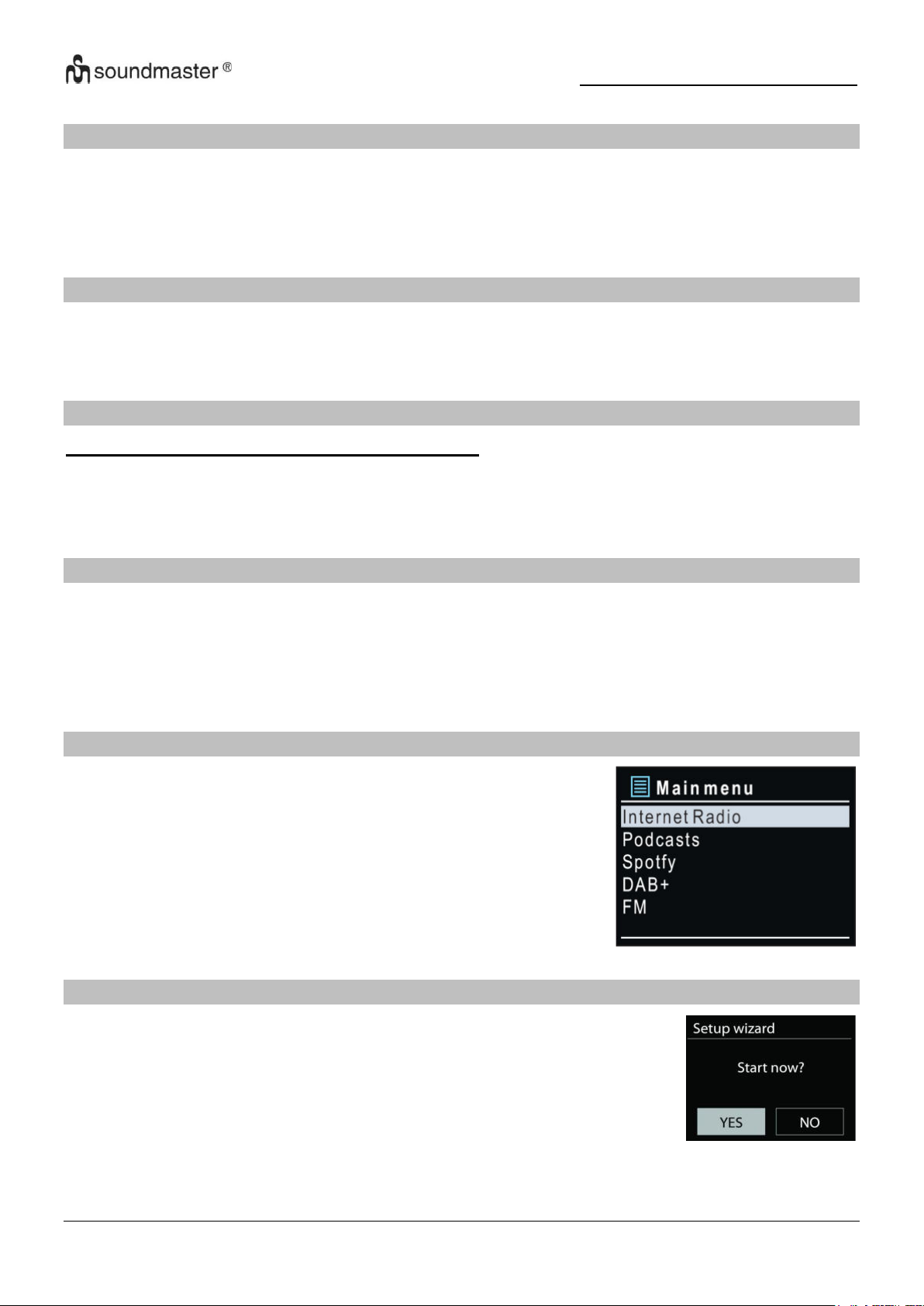
EINRICHTUNGSASSISTENT
Bei der ersten Inbetriebnahme fragt das System, ob Sie den
Einrichtungs-Assistenten starten möchten. Der Einrichtungsassistent
führt Sie durch die grundlegenden Einrichtungsparameter für
Uhrzeit/Datum und Netzwerkverbindung. Um spätere Einstellungen zu
ändern, sind alle Einstellungsfunktionen über das Einstellungsmenü
zugänglich.
Hinweis: Wird der Einrichtungsassistent ohne Netzwerkeinrichtung vorzeitig abgebrochen, wird
vom Gerät ein eigener Wifi Zugang generiert, damit das Gerät über die UNDOK-APP
konfiguriert werden kann.
4
Page 7

IR3500 / Deutsche Bedienungsanleitung
Netzwerkverbindungsindikator:
= Netzwerkverbindung hergestellt.
= Netzwerkverbindung nicht hergestellt.
1. Sprachen
Wählen Sie die Menüsprache aus.
2. Datenschutzverordnung (DSGVO)
Bei der Erstinstallation oder nach dem Zurücksetzen in die Werkseinstellung erscheint im
Display die Datenschutzrichtlinie. Damit die Installation fortgesetzt werden kann
bestätigen Sie diese Bitte mit der „OK“ Taste.
Weitere Informationen finden Sie unter
www.frontiersmart.com/privacy
3. Einrichtungsassistent
Wählen Sie “JA” um den Einrichtungsassistenten zu starten.
4. Uhrzeit / Datum / Anzeigeformat
Wählen Sie 12 oder 24 als Uhrzeitformat.
5. Automatische Aktualisierung
Datum und Uhrzeit können manuell oder automatisch via DAB, UKW oder
Netzwerkverbindung aktualisiert werden.
Die automatische Aktualisierung erfolgt mit Daten, die via DAB, UKW oder das Internet
übertragen werden. Die Uhrzeit wird nur in einem bestimmten Modus aktualisiert. Sie sollten
daher einen Modus auswählen, den Sie regelmäßig verwenden.
DAB und UKW verwenden Zeitsignal- und Funkübertragung. Das Netzwerk verwendet ein
Zeitsignal, das in einem beliebigen Netzwerkverbindungsmodus vom Internetradioportal
gesendet wird.
6. Zeitzone / Sommerzeit
Stellen Sie Ihre Zeitzone ein. Falls in Ihrem Land aktuell die Sommerzeit verwendet wird,
wählen Sie die Option der Sommerzeit
Manuelle Aktualisierung
Falls Sie die Option “Keine Aktualisierung auswählen“, werden Sie aufgefordert, die
Uhrzeit und das Datum manuell einzustellen. Datum und Uhrzeit werden in den Formaten
tt-mm-jjjj und hh:mm angezeigt.
Der aktivierte Wert blinkt. Stellen Sie den Wert mit „ / “ ein. Drücken Sie nach der
Einstellung eines Wertes den „OK“ Knopf, um zum nächsten Wert zu gelangen Network
7. Netzwerk
Netzwerkverbindung halten
Wählen Sie diese Option um das Gerät im Standby mit dem Netzwerk in Verbindung zu
halten, dadurch verbindet sich das Gerät schneller mit dem Internet, es kann mittels
UNDOK APP eingeschalten werden, allerdings ist die Standby -Leistungsaufnahme höher.
5
Page 8
IR3500 / Deutsche Bedienungsanleitung
Druckknopf
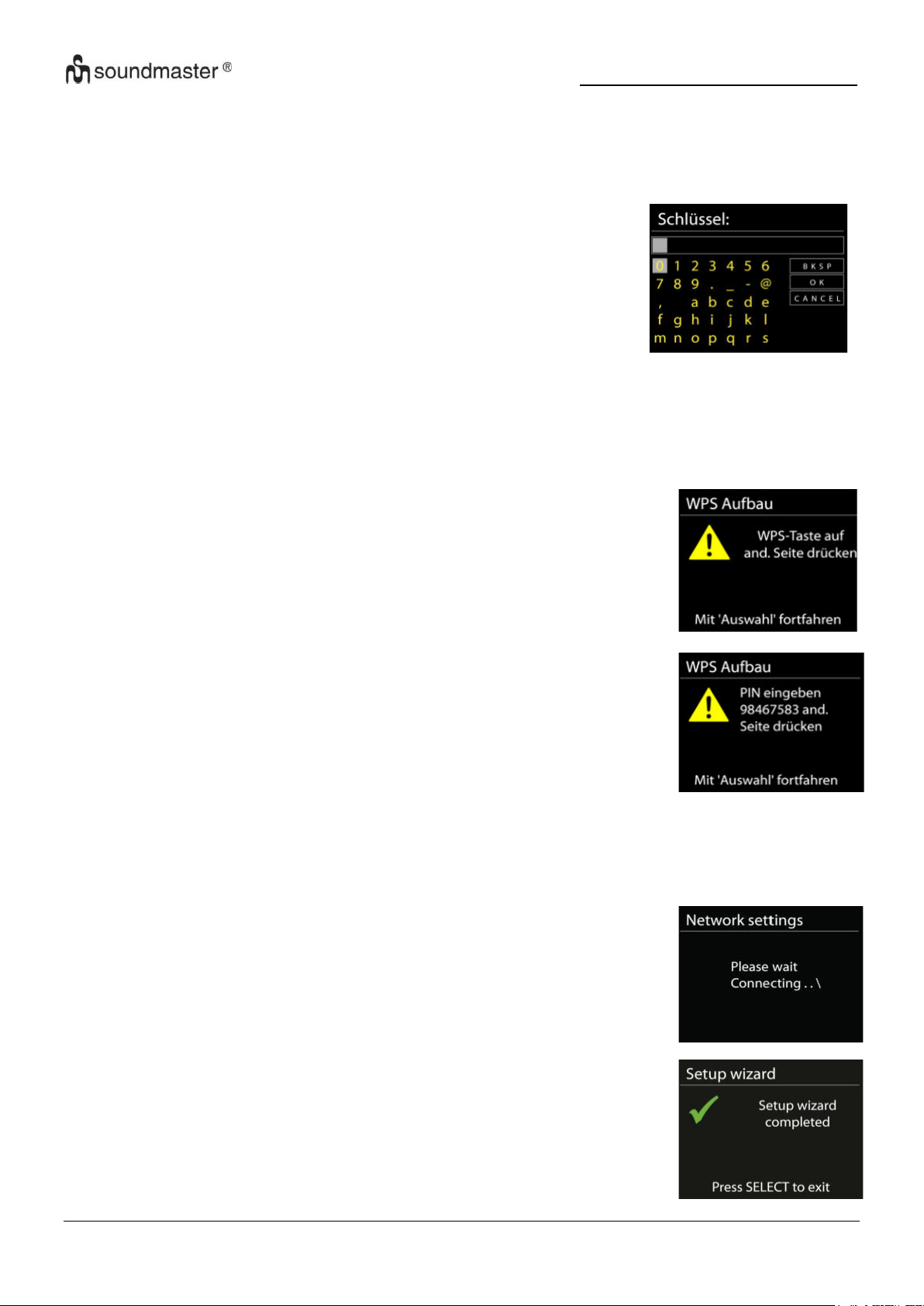
Sie werden aufgefordert, die Verbindungstaste am Router zu
drücken. Der Tuner sucht dann nach dem verbindungsbereiten
Netzwerk und stellt die Verbindung her.
Pin
Das Gerät erzeugt einen 8-stelligen Code, geben sie diesen Code
am Router ein.
Fertigstellung
Es wird versucht das ausgewählte Netzwerk zu
verbinden. Bei erfolgreichem Setup erscheint die
Verbindungsbestätigung. Bei erfolgloser Verbindung
kehrt das Gerät zur vorherigen Anzeige zurück
und versucht es erneut.
Drücken Sie “OK” um den Einrichtungs-assistenten zu beenden.
Suche nach dem Netzwerk
Das Gerät ist mit allen herkömmlichen Netzwerkprotokollen und VerschlüsselungsMethoden kompatibel. Er sucht nach verfügbaren Netzwerken und listet diese für die
Auswahl auf.
Im nächsten Schritt werden Sie aufgefordert, das Passwort
einzugeben. Um das Passwort des Netzwerks einzugeben,
verwenden Sie den Navigationsregler und bewegen Sie den
Cursor durch die Zeichen; drücken Sie „OK“ zum Bestätigen.
Es gibt drei Möglichkeiten, den Cursor innerhalb des Passworts
rückwärts bis vor das erste Zeichen zu navigieren – Rücktaste,
OK und Abbrechen.
Push button - WPS-Schnelltaste am Gerät
WPS-verschlüsselte Netzwerke werden durch WPS am Anfang des Netzwerknamens
identifiziert, wenn der IR3500 den verfügbaren AP sucht. Verwenden Sie eine der folgenden
Verbindungsmethoden: Am Gerät befindet sich die Kurzwahltaste WPS.
Skip WPS – WPS überspringen
Geben Sie das Passwort wie bei einem herkömmlich verschlüsselten Netzwerk ein.
Nähere Informationen zur Einrichtung eines WPS-verschlüsselten Netzwerks finden Sie in
der Gebrauchsanleitung des WPS-Routers.
6
Page 9
IR3500 / Deutsche Bedienungsanleitung
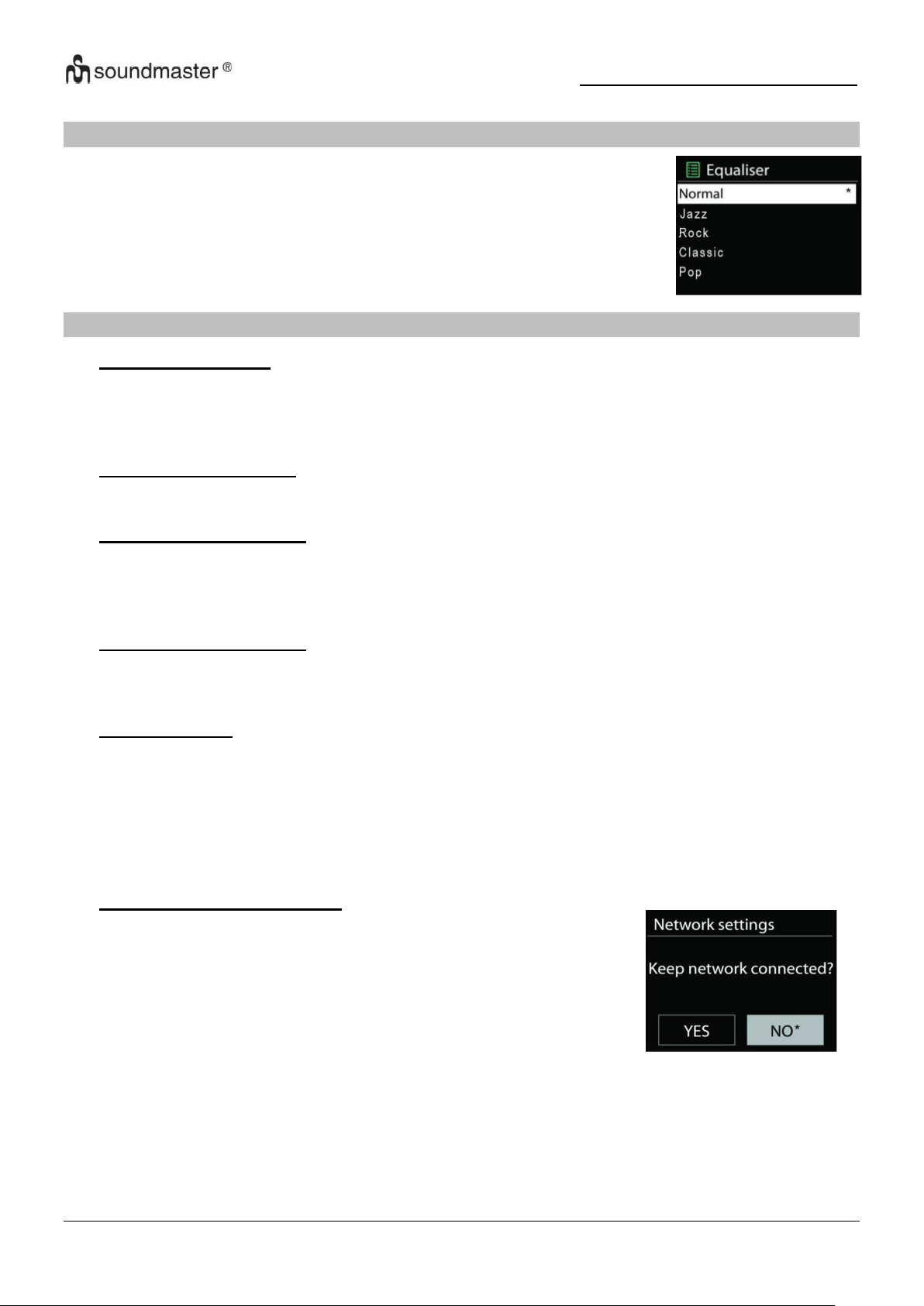
Sie haben die Wahl aus verschiedenen voreingestellten EQs: Normal,
Jazz, Rock, Classic, Pop und Mein EQ.
In “Mein EQ” haben Sie die Möglichkeit Ihre eigenen individuellen
Klangeinstellungen mit Höhen und Tiefeneinstellung vorzunehmen.
Wenn Sie sich dafür entscheiden, die Netzwerkverbindung
aufrechtzuerhalten, wird das WLAN nicht getrennt, auch wenn
Sie sich im Standby-Modus befinden. Andernfalls ist die
Verbindung nur in den Modi Internetradio und Musikplayer
verfügbar. Diese Option ermöglicht es dem IR3500, in allen
Betriebsmodi für das DLNA-Streaming bereit zu sein.
Wenn Netzwerk verbunden bleiben ausgewählt ist, wird der
Standby-Stromverbrauch erhöht.
EQUALISER
NETZWERK
• Netzwerk-Assistent
Das Gerät beginnt mit der Suche nach AP SSID Netzwerken, geben Sie anschließend Ihr
WEP / WPA Passwort ein oder drücken Sie die Taste/Pin/WPS überspringen, um eine
Verbindung zum drahtlosen Netzwerk herzustellen.
• PBC Wlan Einrichtung
Druckknopf einrichtung, dient einem AP welcher WPS (Wi-Fi Protected Setup) unterstützt.
• Einstellungen anzeigen
Zeigen Sie die Informationen des aktuell verbundenen Netzwerks an: Aktive Verbindung,
MAC-Adresse, WLAN Region, DHCP, SSID, IP-Adresse, Subnetzmaske, GatewayAdresse, primärer DNS und sekundärer DNS.
• Manuelle Einstellungen
Wählen Sie eine drahtlose Netzwerkverbindung und aktivieren oder deaktivieren Sie DHCP
(Dynamic Host Configuration Protocol)).
• Netzwerk profil
Das Gerät merkt sich die letzten vier drahtlosen Netzwerke, mit denen es verbunden war,
und versucht automatisch, eine Verbindung zu jedem von ihnen herzustellen, das es finden
kann. Von hier aus können Sie die Liste der registrierten Netzwerke sehen. Sie können
unerwünschte Netzwerke löschen, indem Sie drehen und drücken und dann JA wählen, um
das Löschen zu bestätigen.
• Netzwerkverbindung halten
7
Page 10
IR3500 / Deutsche Bedienungsanleitung
ZEIT/DATUM
Ihre Einstellmöglichkeiten sind manuell oder automatische Aktualisierung, Zeitformat, Zeitzone
und Sommerzeit.
DISPLAYBELEUCHTUNG
Sie können die Displayhelligkeit sowohl im Betrieb (Hell, Mittel, Dunkel) als auch im gedimmten
zustand (Mittel, Dunkel) nach Ihren wünschen anpassen.
Zudem können Sie die Zeitspanne wählen, nach der sich das Display automatisch Abschaltet
(10-180 Sekunden)
SPRACHE
Wählen Sie eine der aufgeführten Sprachen aus.
SOFTWARE UPDATE
Von Zeit zu Zeit können Software-Upgrades mit Fehlerbehebungen und/oder zusätzlichen
Funktionen erstellt werden. Sie können entweder manuell überprüfen oder das Gerät so
einstellen, dass es regelmäßig automatisch überprüft (dies ist die Standardeinstellung). Wenn
neuere verfügbare Software erkannt wird, werden Sie gefragt, ob Sie mit einem Update
fortfahren möchten. Wenn Sie damit einverstanden sind, wird die neue Software
heruntergeladen und installiert. Nach einem Software-Upgrade bleiben alle
Benutzereinstellungen erhalten.
HINWEIS: Stellen Sie vor dem Starten eines Software-Upgrades sicher, dass das Gerät an eine
stabile Hauptstromverbindung angeschlossen ist. Das Trennen der Stromversorgung während
eines Upgrades kann das Gerät dauerhaft beschädigen.
INFO
Zeigt die aktuelle Software Version und die Geräte-ID.
8
Page 11
IR3500 / Deutsche Bedienungsanleitung
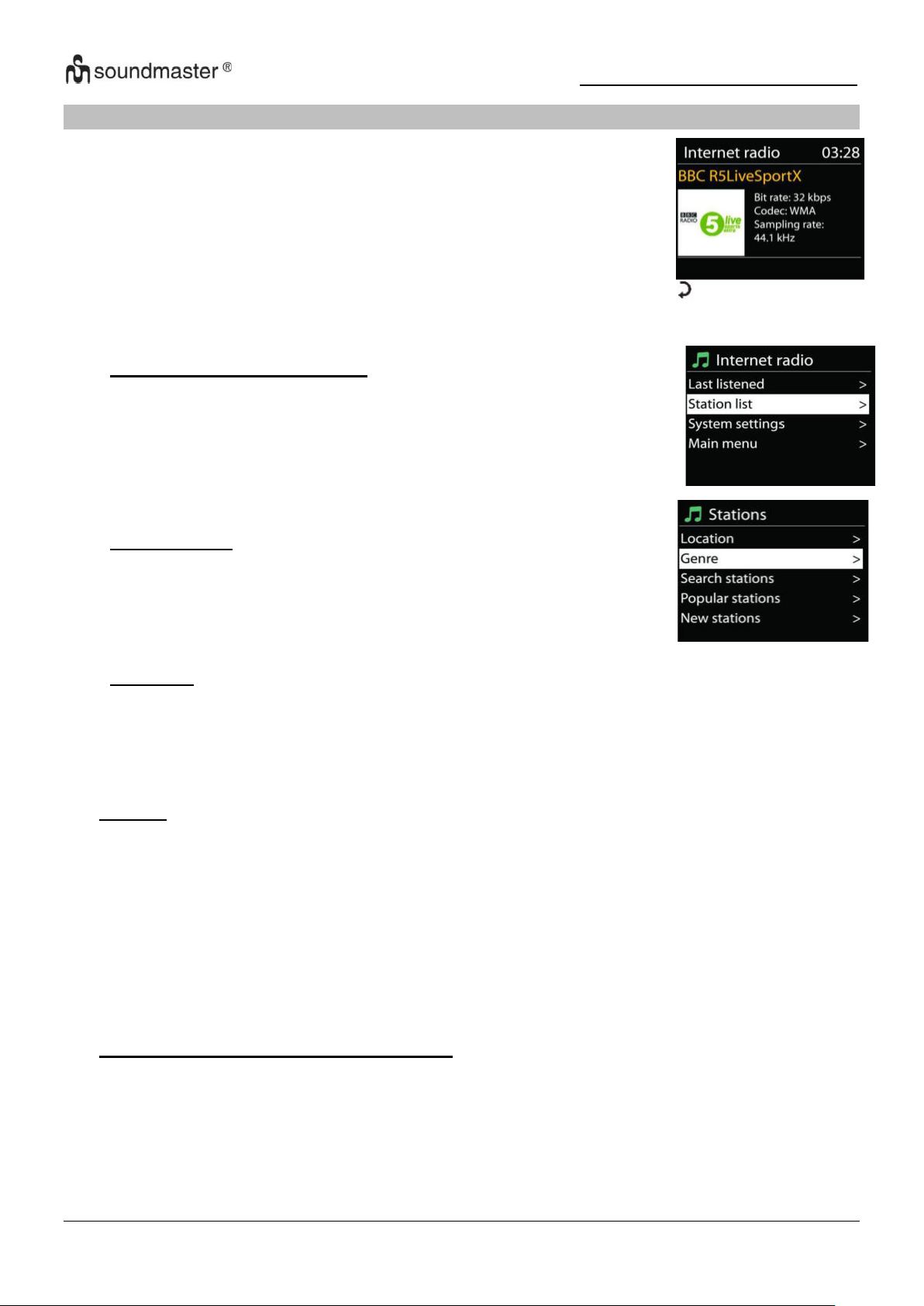
Das Gerät kann Tausende von Radiosendern und Podcasts aus der
ganzen Welt via Breitband-Internetverbindung wiedergeben.
Wenn Sie Internetradio auswählen, kontaktiert das Gerät direkt das
Frontier Silicon Internetradioportal (unterstützt von Airable), um die
Liste der Sender zu abzurufen.
• Last listened – Zuletzt gehört
Wenn Sie Internet Radio starten wird automatisch die zuletzt
gehörte Station abgespielt. Um eine andere zuletzt gehörte Station
auswählen möchten, wählen Sie eine aus dieser Liste. Die zuletzt
gehörte Station erscheint ganz oben in der Liste.
• Stations Liste
Suchen Sie nach Internet Sendern. Diese sind nach
verschiedenen Kategorien sortiert, Länder, Genre, Populär und
Neu. Sie können auch nach Schlüsselwörtern suchen.
• Favoriten
Favoriten werden im Internetradio-Portal gespeichert und sind über alle Internetradios
verfügbar, die unter demselben Konto registriert sind. Bevor Favoriten verwendet werden
können, muss das Radio beim Internetradioportal registriert werden.
INTERNET RADIO/PODCASTS
Falls Sie bereits einen Internetradiosender wiedergeben, können Sie die „ “ Taste drücken,
um zur vorherigen Menüeinstellung zurückzukehren, anstatt die Taste „MENÜ“ zu drücken und
das erste Menü im Internetradiomodus zu öffnen.
• Presets
Um einen Internetradiosender zu speichern, drücken und halten Sie die „PROGRAM“ Taste
bis im Display die Anzeige für die Speicherung von Sendern erscheint und wählen Sie den
Speicherplatz aus und bestätigen Sie die Auswahl mit „OK“. Oder drücken und halten Sie
eine der drei Festsendertasten am Gerät bis am Display die Anzeige für die Speicherung
der Sender erscheint.
Um einen Festsender aufzurufen geben Sie mit den Tasten 0-9 auf der Fernbedienung den
Programmplatz ein oder Sie drücken die „PROGRAM“ Taste, wählen den gewünschten
Sender aus und drücken die „OK“ Taste zum Bestätigen. Oder drücken Sie eine der drei
Festsendertasten am Gerät um den gewünschten Sender aufzurufen.
• Informationen zur aktuellen Wiedergabe
Während der Wiedergabe werden im Display der Name und die Bezeichnung der
Übertragung angezeigt. Um weitere Informationen anzuzeigen, drücken Sie die Taste
„INFO“ am Gerät oder auf der Fernbedienung.
Mit jedem Drücken der Taste „INFO“ wird nacheinander eine andere Gruppe von
Informationen angezeigt: Name/Titel, Genre/Standort, Zuverlässigkeit, Codec/Abtastrate,
Wiedergabe-Puffer und aktuelles Datum.
9
Page 12
IR3500 / Deutsche Bedienungsanleitung
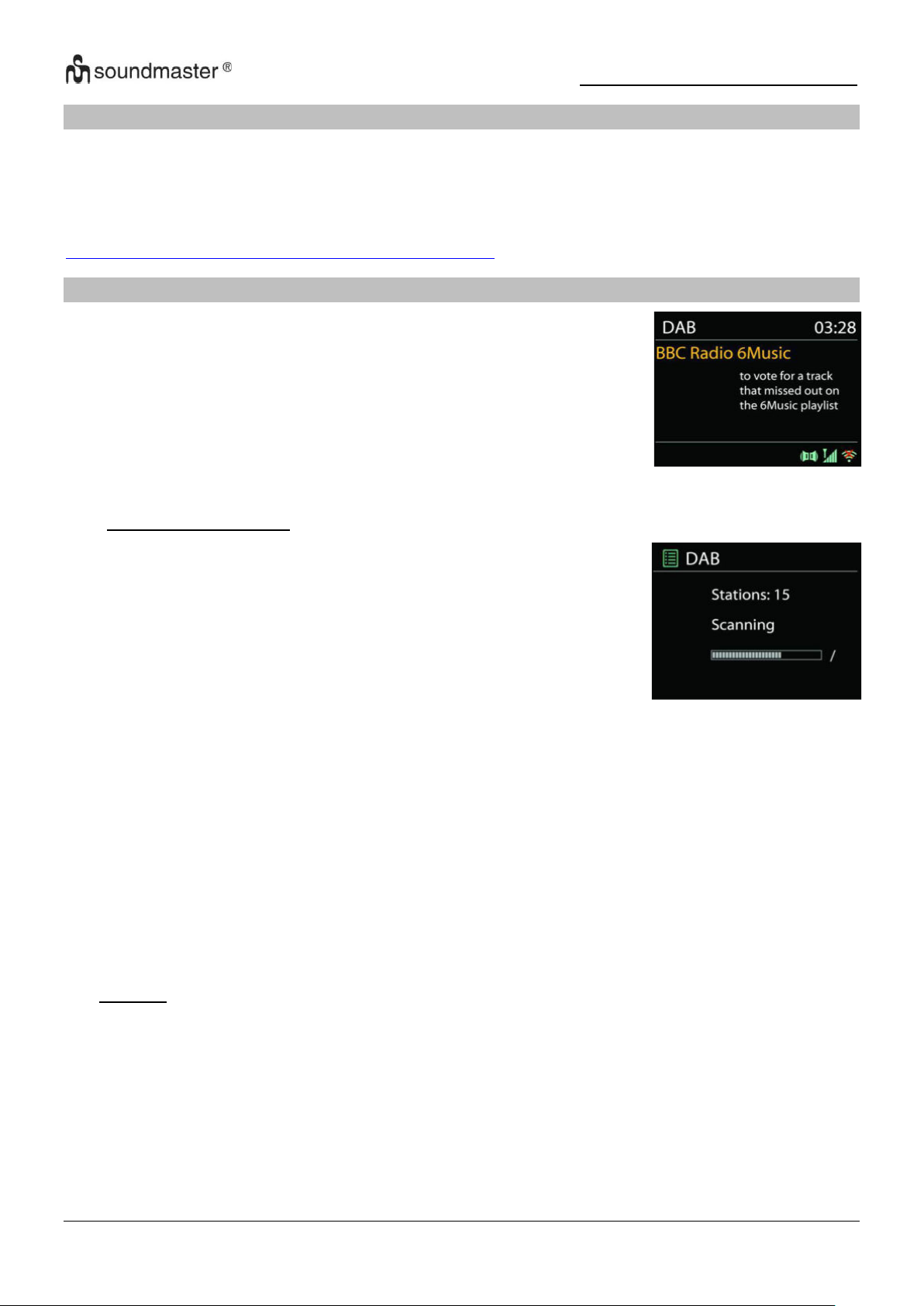
Im DAB-Modus werden digitale DAB/DAB+ Radiosender empfangen
und Informationen bzgl. Sender, Übertragung und Titelwiedergabedauer angezeigt.
● Radiosender suchen
Wenn Sie den DAB-Radiomodus das erste Mal einschalten oder
die Senderliste leer ist, führt das Gerät einen vollständigen Scan
nach verfügbaren Sendern durch. Sie können die Suche auch
manuell starten, um die Senderliste aus einem der
nachfolgenden Gründe zu aktualisieren:
• Von Zeit zu Zeit sind andere Sender verfügbar.
• Falls der Empfang des ursprünglichen Scans nicht gut war,
kann dies dazu führen, dass die Senderliste leer oder
unvollständig ist.
• Falls der Empfang einiger Sender schlecht ist (Aussetzer),
haben Sie die Möglichkeit, nur die Sender mit guter
Signalstärke aufzulisten.
SPOTIFY
Verwenden Sie Ihr Smartphone, Tablet oder Ihren Computer als Fernbedienung für Spotify.
Auf spotify.com/connect erfahren Sie mehr.
Die Spotify-Software unterliegt den Lizenzen von Drittanbietern, die hier zu finden sind:
https://www.spotify.com/connect/third-party-licenses
DAB
Um die Suche zu starten wählen, Sie die Option „Vollständiger Suchlauf“.
Nach Abschluss der Sendersuche zeigt das Radio eine Liste aller verfügbaren Sender an.
Um Sender zu entfernen, die angezeigt, jedoch nicht verfügbar sind, wählen Sie die Option
„Senderbereinigung“.
• Presets
Um einen Radiosender zu speichern, drücken und halten Sie die „PROGRAM“ Taste bis im
Display die Anzeige für die Speicherung von Sendern erscheint und wählen Sie den
Speicherplatz aus und bestätigen Sie die Auswahl mit „OK“. Oder drücken und halten Sie
eine der drei Festsendertasten am Gerät bis am Display die Anzeige für die Speicherung
der Sender erscheint.
Um einen Festsender aufzurufen geben Sie mit den Tasten 0-9 auf der Fernbedienung den
Programmplatz ein oder Sie drücken die „PROGRAM“ Taste, wählen den gewünschten
Sender aus und drücken die „OK“ Taste zum Bestätigen. Oder drücken Sie eine der drei
Festsendertasten am Gerät um den gewünschten Sender aufzurufen.
10
Page 13

IR3500 / Deutsche Bedienungsanleitung
Informationen zur aktuellen Wiedergabe
Während der Übertragung werden der Sendername und die vom Sender übertragenen
DLS-Informationen (Dynamic Label Segment) angezeigt; diese enthalten Echtzeitdaten wie
z.B. Sendungsname, Titel und Kontaktinformationen. Stereoübertragungen sind oben im
Display mit einem entsprechenden Icon gekennzeichnet. Um weitere Informationen
anzuzeigen, drücken Sie die Taste „INFO“ am Gerät oder auf der Fernbedienung..
• Einstellungen
Komprimierung des Dynamikbereichs (DRC)
Falls Sie in einer lauten Umgebung Musik mit einem hohen Dynamikbereich anhören,
können Sie den Audio-Dynamikbereich komprimieren. Leise Töne werden dadurch lauter
und laute Töne leiser. Stellen Sie die Option DRC mit Aus, Niedrig oder Hoch ein.
Senderreihenfolge
Sie können die DAB-Radiosender alphanumerisch, als Ensemble oder gültige Sender
sortieren.
Ensemble listen Sender auf, die gemeinsam auf dem gleichen Ensemble übertragen
werden. Mit der Option Gültig werden zunächst gültige Sender alphanumerisch und
anschließend nicht übertragene Sender angezeigt.
11
Page 14
IR3500 / Deutsche Bedienungsanleitung
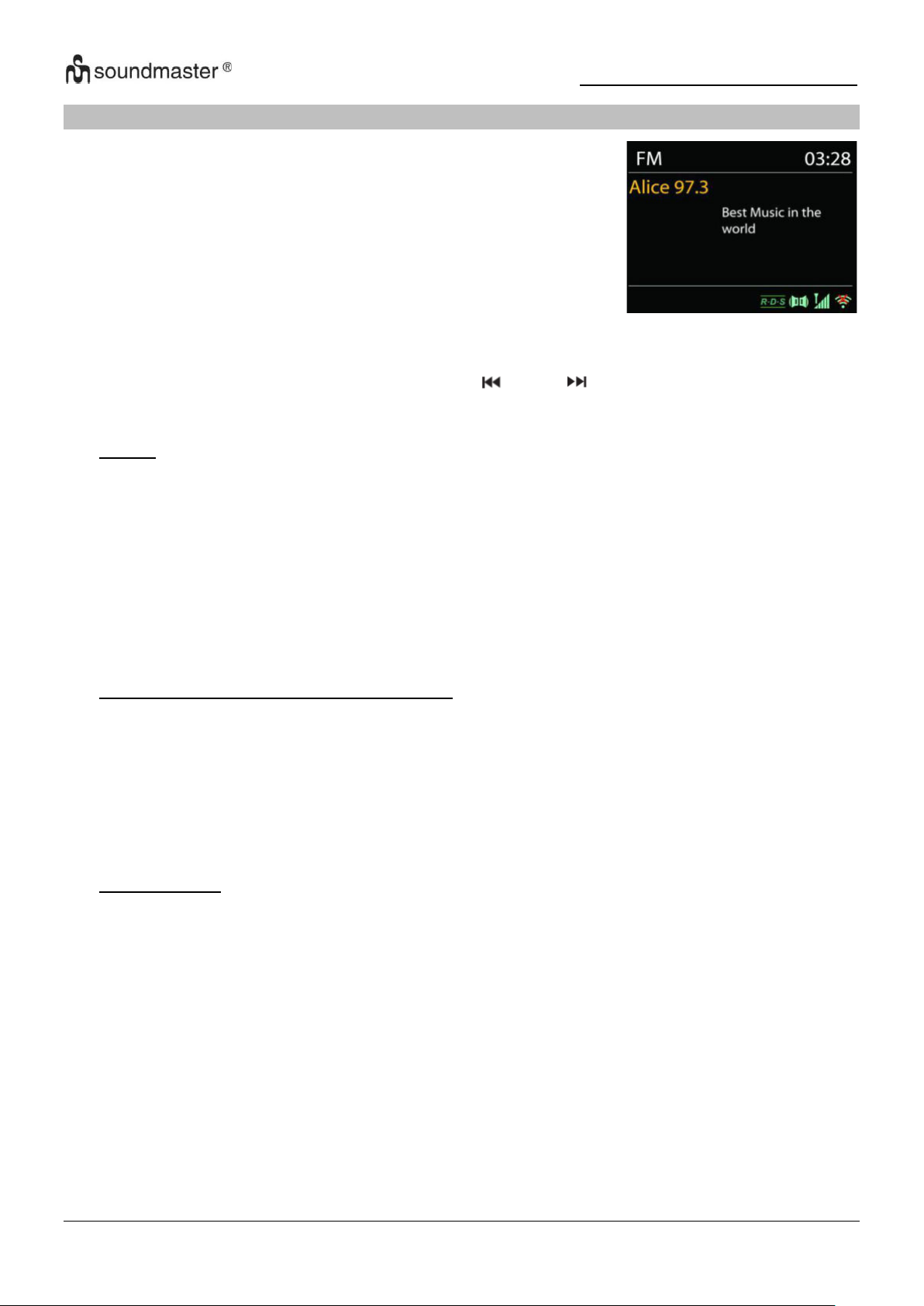
Im UKW-Radiomodus werden analoge Radiosender über das
UKW-Band empfangen und RDS-Daten (Radio Data System)
Zusatzinformationen bzgl. des Sender angezeigt.(Sofern
vorhanden)
FM
Für die automatische Suche eines Radiosenders drücken und halten Sie die „INTRO“ Taste. Die
Frequenzanzeige beginnt zu laufen und speichert alle verfügbaren Sender.
Für eine manuelle Abstimmung drücken Sie die „ “ oder „ “. Das Gerät stimmt die Sender
in einer Schrittweite von 0,05 MHz ab.
• Preset
Um einen Radiosender zu speichern, drücken und halten Sie die „PROGRAM“ Taste bis im
Display die Anzeige für die Speicherung von Sendern erscheint und wählen Sie den
Speicherplatz aus und bestätigen Sie die Auswahl mit „OK“. Oder drücken und halten Sie
eine der drei Festsendertasten am Gerät bis am Display die Anzeige für die Speicherung
der Sender erscheint.
Um einen Festsender aufzurufen geben Sie mit den Tasten 0-9 auf der Fernbedienung den
Programmplatz ein oder Sie drücken die „PROGRAM“ Taste, wählen den gewünschten
Sender aus und drücken die „OK“ Taste zum Bestätigen. Oder drücken Sie eine der drei
Festsendertasten am Gerät um den gewünschten Sender aufzurufen
• Informationen zur aktuellen Wiedergabe
Während der Übertragung werden im Display die Frequenz und – sofern RDSInformationen verfügbar sind – der Sendername und andere RDS-Daten wie
Sendungsname, Titel und Kontaktinformationen angezeigt. Falls keine Daten verfügbar
sind, wird nur die Frequenz angezeigt. Stereoübertragungen sind oben im Display mit
einem entsprechenden Icon gekennzeichnet.
Um weitere Informationen bzgl. der Sendung anzuzeigen, drücken Sie die Taste „INFO“ am
Gerät.
• Einstellungen
Suchlaufeinstellungen
Per Standardeinstellung wird die UKW-Suche beendet, sobald ein verfügbarer Sender
gefunden wurde. Diese Funktion kann dazu führen, dass ein Sender mit schlechtem
Rauschabstand (Rauschen) wiedergegeben wird. Um die Scaneinstellungen dahingehend
zu ändern, dass nur Sender mit guter Signalstärke empfangen werden, wählen Sie
zunächst die Option „nur starke Sender“ und anschließend die Option Ja.
Audioeinstellungen
Alle Stereosender werden in Stereo wiedergegeben. Bei Sendern mit schlechterem
Empfang kann dies zu einem schlechten Rauschabstand (Rauschen) führen. Um solche
Sender in Mono wiederzugeben, wählen Sie die Option Schlechter UKW-Empfang: Nur in
Mono wiedergeben und Ja.
12
Page 15
IR3500 / Deutsche Bedienungsanleitung
USB
USB Wiedergabe
1. Verbinden Sie einen USB-Stick mit der USB-Buchse auf der Rückseite des Geräts.
2. Drücken Sie die “ ” am Gerät wiederholt oder drücken Sie die “SOURCE” Taste auf der
Fernbedienung bis “ USB ” am Display angezeigt wird, um die USB-Funktion zu wählen.
3. Die Wiedergabe startet automatisch.
Hörbuch-Funktion
Sie können die Wiedergabe unterbrechen und an dem Punkt weiterhören wo die Wiedergabe
unterbrochen wurde, (RESUME) indem Sie die “ ” Taste drücken und das Gerät abschalten
oder einen andere Funktion nutzen. Wenn Sie die “ ” Taste und im Anschluss die “ ” Taste
drücken, startet die Wiedergabe von vorne (Track 1).
Suche überspringen und suchen
• Drücken sie die “ ” Taste ein- oder mehrmals um einen/- oder mehrere Titel
zurückzuspringen.
• Drücken Sie die “ ” Taste ein- oder mehrmals um einen/- oder mehrere Titel
vorzuspringen.
• Drücken und halten Sie die “ ” Taste auf der Fernbedienung um im Titel zurück zu spulen
sobald Sie an der gewünschten stelle im Titel sind drücken Sie die“ “ Taste um die
Wiedergabe fortzusetzen.
• Drücken und halten Sie die “ ” Taste auf der Fernbedienung um im Titel vor zu spulen
sobald Sie an der gewünschten Stelle im Titel sind drücken Sie die“ “ Taste um die
Wiedergabe fortzusetzen.
Intro Funktion
Drücken Sie die “INTRO” Taste auf der Fernbedienung um von jedem gespeicherten Track die
ersten 10 sekunden abzuspielen um den Anfang jedes Titels abzuspielen
nacheinander ab dem ersten Lied. Die Spielzeit jedes Titels beträgt 10 Sekunden. Wenn Sie
den gewünschten Titel hören, drücken Sie zweimal die Taste „ “.
Wiedergabereihenfolge programmieren
1. Drücken Sie während der Wiedergabe die “ ” Taste auf der Fernbedienung.
2. Drücken Sie im Anschluss die “PROGRAM” Taste, es werden nun die Informationen “P01
T01” im Display angezeigt.
3. Wählen Sie den gewünschten Titel mit “ ” oder “ ” um es als P01, P02 etc. zu
speichern.
4. Drücken Sie die “PROGRAM” Taste um den gewählten Titel zu bestätigen und fahren Sie mit
dem nächsten Track fort.
5. Sobald Sie mit dem programmieren fertig sind, drücken Sie die “ ” Taste um Ihre
Einstellungen zu bestätigen und die Wiedergabe zu starten.
6. In der programmierten Wiedergabe sind die Nummern auf der Fernbedienung unwichtig.
Sie können nur mit den “ / ” Tasten zwischen den Liedern wechseln.
7. Wechseln Sie die Funktion oder drücken Sie die “ ” Taste zweimal um die
Wiedergabereihenfolge zu löschen.
Hinweis: Sie können bis zu 20 Tracks speichern!
USB-Ladefunktion (5V 1A Buchse)
Verbinden Sie ein USB-Kabel mit der USB-Buchse um z.B ein Smartphone zu laden
13
Page 16
IR3500 / Deutsche Bedienungsanleitung
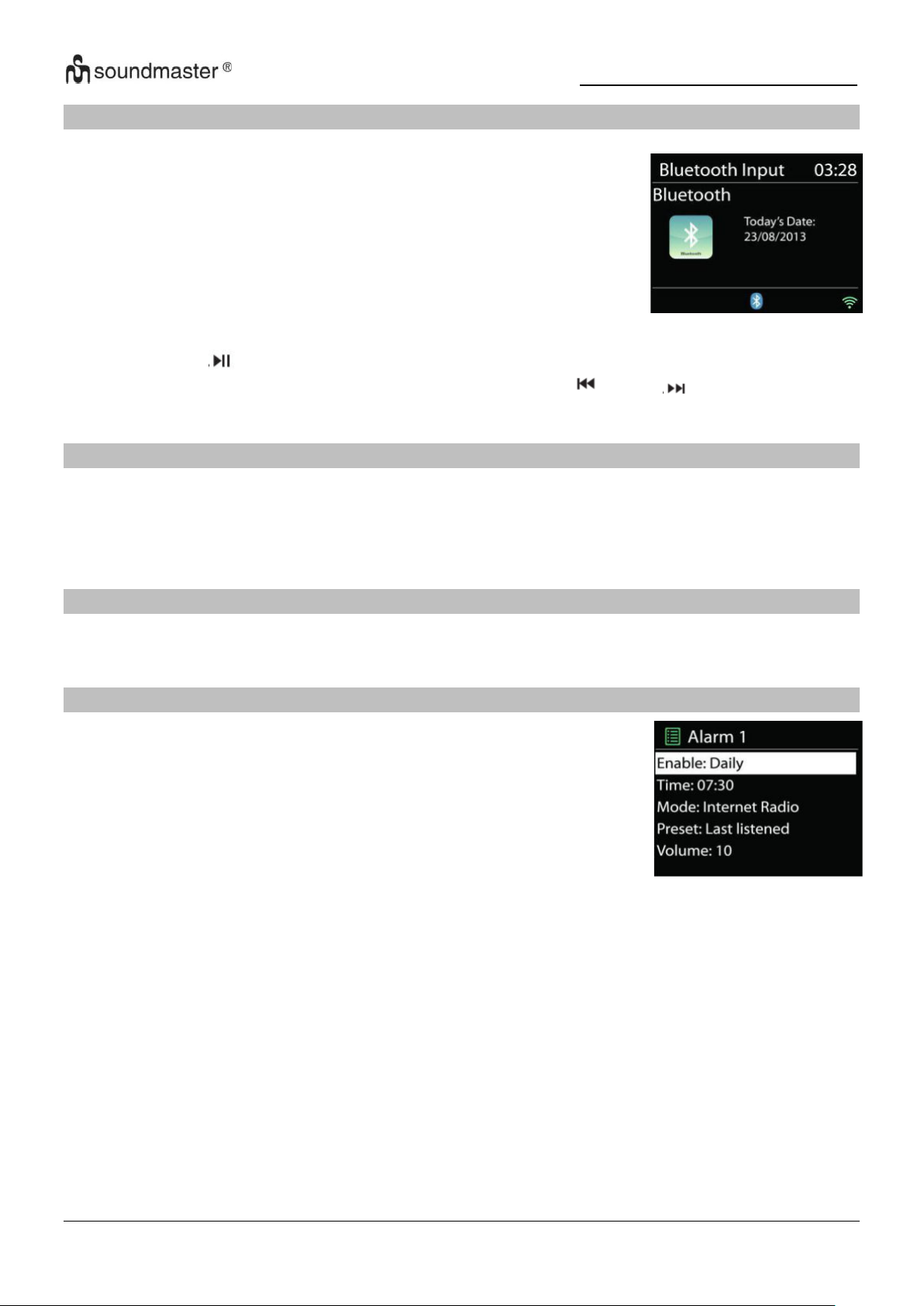
Wenn Sie den Bluetooth®-Modus auswählen, aktiviert das Gerät die
Kopplung und unten im Display blinkt das BT-Icon. Schalten Sie Ihr
Smartphone, Tablet oder Bluetooth® -Gerät ein, um nach IR3500 zu
suchen.
Nach der erfolgreichen Kopplung leuchtet die Bluetooth®-Anzeige
stetig und hört auf zu blinken.
Um die BT-Kopplung zu beenden, müssen Sie Ihr Smartphone,
Tablet oder andere Bluetooth®-Geräte ausschalten oder trennen
Das Gerät bietet zwei unterschiedliche Weckfunktionen mit
Schlummerfunktion, um das Gerät nach einer bestimmten Dauer
einzuschalten. Sie können für jede Weckfunktion einen bestimmten
Weckmodus einstellen.
BLUETOOTH®
Drücken Sie die “ ” Taste am Gerät oder auf der Fernbedienung, um die Musikwiedergabe
zu starten oder zu unterbrechen. Sie können mit den Tasten “ ” oder “ ” zum vorherigen
oder nächsten Titel gelangen.
AUDIO IN
Anschluss von DVD-Player / Set-Top-Box / TV-Ausgängen an analoge Eingänge der
Soundkarte.
Verwenden Sie ein Cinch-Audiokabel, um die DVD-Player/TV-Ausgänge mit der AUX (L/R)Eingangsbuchse des Soundboards zu verbinden.
SLEEP
Um den Sleep Timer einzustellen, wählen Sie “SCHLUMMERN” im Hauptmenü. Wählen Sie
zwischen Sleep OFF, 15min, 30min, 45min oder 60min.
ALARM
Wählen Sie die Option „Wecker“ im Hauptmenü um einen Wecker einzustellen oder zu ändern
Wählen Sie den gewünschten Wecker (1 oder 2) und konfigurieren Sie dann die folgenden
Einstellungen:
• Intervall: Aus, Täglich, Einmal, Wochenende oder Werktage
• Zeit
• Quelle: Summer, Internet Radio, DAB oder FM
• Programm: zuletzt gehört, P1 - 40,
• Volume: 0 - 32
Um die neuen Einstellungen zu aktivieren, scrollen Sie nach unten und wählen Sie „Speichern“.
Die aktivierten Wecker werden unten links im Display mit einem entsprechenden Icon
angezeigt.
14
Page 17
IR3500 / Deutsche Bedienungsanleitung
Problem
Mögliche Lösung
Das Gerät schaltet sich
nicht an.
Prüfen Sie ob der AC Adapter korrekt angeschlossen ist.
Gerät schaltet sich von
selbst ab
Aufgrund von ErP2-Anforderungen und Umweltschutz schaltet das
Gerät automatisch in den Standby-Modus, wenn länger als 15
Minuten keine Musik gespielt wird.
Kein Ton.
1. Schalten Sie den Ton an, Vielleicht ist das Gerät stumm
geschaltet
2. Erhöhen Sie die Lautstärke.
UNDOK
Das Gerät unterstützt eine Fernbedienungsfunktion welche über die UNDOK –APP
bereitgestellt wird. Die „UNDOK APP“ ist im „Apple App Store“ und bei „Google Android Play“
für den Download verfügbar.
Sie können mittels UNDOK das Gerät bedienen, Gerätegruppen erstellen und verwalten.
Folgende Funktionen sind mit der „UNDOK APP“ verfügbar::
• Gruppe erzeugen
• Gruppennamen vergeben
• Gruppen verwalten, Geräte zu Gruppe hinzufügen oder entfernen.
• Lautstärke für eine Gruppe oder individuelle Geräte ändern
• Geräte kontrollieren welche noch keiner Gruppe zugeordnet sind.
• Alle Funktionen des Geräts bedienen, inkl. Internet Radio, Media Player, USB Playback,
DAB, FM, Bluetooth und AUX-In
• Einstellen des EQ für verschiedene Klangeinstellungen
• Schlummerzeit einstellen
• Den angezeigten Namen des Radios ändern.
KOPFHÖRER
Um privat Musik zu hören, verwenden Sie einen Kopfhörer mit 3,5-Stereo-Klinkenstecker und
schließen Sie ihn an die Kopfhörerbuchse an. Die Lautsprecher werden dann stumm
geschaltet.
Um mögliche Hörschäden zu vermeiden, hören Sie nicht über längere Zeit mit hoher
Lautstärke.
AUF WERKSEINSTELLUNGEN ZURÜCKSETZTEN
Ein Werksreset setzt alle Benutzereinstellungen auf Standardwerte zurück, so dass Uhrzeit und
Datum, Netzwerkkonfiguration und Voreinstellungen verloren gehen. Die aktuelle
Softwareversion des IR3500 bleibt jedoch erhalten, ebenso wie die Registrierung beim
Internetradioportal. Internetradio-Favoriten bleiben daher erhalten, es sei denn, Sie registrieren
Ihren IR3500 erneut mit einem anderen Konto auf der Portal-Website.
FEHLERBEHEBUNG
15
Page 18
IR3500 / Deutsche Bedienungsanleitung
3. Vergewissern Sie sich das kein Kopfhörer oder Lautsprecher
angeschlossen ist.
Es kann keine
Internetverbindung
hergestellt werden.
1. Prüfen Sie die W-Lan Funktion (auch die Ihres Routers).
2. Versuchen Sie dem Gerät eine IP-Adresse zuzuteilen.
3. Versichern Sie sich, dass das eingegebene Passwort korrekt ist
4. Starten Sie den Router neu.
Platzieren Sie das Gerät näher an Ihrem Router
Kein Radiosender
gefunden.
1. Prüfen Sie ihre Internetverbindung.
2. Der Sender ist möglicherweise aktuell nicht verfügbar, versuchen
Sie es später erneut oder wählen Sie einen anderen Sender.
3. Die URL des Senders ist möglicherweise nichtmehr aktuell.
Prüfen Sie ob der Sender mittlerweile auf einem anderen URL
sendet.
Rauschen im FM
Modus
Prüfen/Bewegen Sie die Antenne oder Positionieren Sie das Gerät
anders
Keine Sender
verfügbar/werden
unterbrochen im DABModus.
1. Positionieren Sie das Gerät neu.
2. Führen Sie einen neuen Scan durch.
3. Prüfen Sie die lokale DAB Empfangslage.
Alarm funktioniert nicht.
1. Schalten Sie den Alarm ein.
2. Wenn Sie keinen Ton empfangen werfen sie einen Blick auf die
Lösung für „Kein Ton“.
3. Als Alarmquelle wurde eine Station eingestellt, aber es besteht
keine Netzwerkverbindung. Ändern Sie die Alarmquelle oder
konfigurieren Sie die Verbindung neu.
USB oder MP3 wird
nicht erkannt.
1. Prüfen Sie ob die Geräte ordnungsgemäß verbunden sind.
2. Manche USB-Speichermedien benötigen eine externe
Stromversorgung.
3. Nicht alle MP3-Player werden erkannt, benutzen Sie stattdessen
einen USB-Stick.
Internet-Fernbedienung
erkennt oder verbindet
sich nicht mit dem
IR3500
1. Starten sie die APP neu. (UNDOK)
2. Starten Sie den IR3500 neu.
Die aktuelle Version der Bedienungsanleitung kann unter www.soundmaster.de
heruntergeladen werden
Technische Änderungen und Druckfehler vorbehalten
Copyright von Woerlein GmbH, 90556 Cadolzburg,
Vervielfältigung nur mit Genehmigung von Woerlein GmbH.
www.soundmaster.de
16
Page 19
Safety, Environmental and Setup Instructions
ENVIRONMENTAL PROTECTION
Do not dispose of this product with the normal household
waste at the end of its life cycle. Return it to a collection
point for the recycling of electrical and electronic devices.
This is indicated by the symbol on the product, user
manual or packaging
The materials are reusable according to their markings. By
reusing, recycling or other forms of utilization of old devices you
make an important contribution to the protection of our
environment.
Please contact your local authorities for details about collection
points.
WARNING
Risk of electric shock
Do not open!
Caution: To reduce the risk of electric shock, do not remove the
cover (or back). There are no user serviceable parts inside.
Refer servicing to qualified service personnel.
This symbol indicates the presence of dangerous
voltage inside the enclosure, sufficient enough to
cause electric shock.
This symbol indicates the presence of important
operating and maintenance instructions for the device
Used batteries are hazardous waste and NOT to be
disposed of with the household waste! As a
consumer you are legally obligated to return all
batteries for environmentally responsible recycling –
no matter whether or not the batteries contain harmful
substances*)
Return batteries free of charge to public collection points in your
community or shops selling batteries of the respective kind.
Only return fully discharged batteries
*) marked Cd = cadmium, Hg = mercury, Pb = lead
Only use mercury and cadmium-free batteries.
Used batteries are hazardous waste and NOT to be
disposed of with the household waste!!!
Keep batteries away from children. Children might
swallow batteries.
Contact a physician immediately if a battery was
swallowed.
Check your batteries regularly to avoid battery
leakage.
Batteries shall not be exposed to excessive heat such
as sunshine, fire or the like.
CAUTION: Danger of explosion if battery is incorrectly
replaced
Replace only with the same or equivalent type
To prevent possible hearing damage, do not
listen at high volume levels for long periods
The mains plug or an appliance coupler is used
as the disconnect device, the disconnect devices
shall remain readily operable.
Connect this device to a properly installed and
earthed wall outlet only. Make sure the mains
voltage corresponds with the specifications on
the rating plate.
Make sure the mains cable stays dry during
operation. Do not pinch or damage the mains
cable in any way.
A damaged mains cable or plug must
immediately be replaced by an authorized service
center.
In case of lightning, immediately disconnect the
device from the mains supply.
Children should be supervised by parents when
using the device.
Clean the device with a dry cloth only.
Do NOT use CLEANING AGENTS or ABRASIVE
CLOTHS!
Do not expose the device to direct sunlight or
other heat sources.
Use the device in dry indoor environments only.
Protect the device from humidity.
This apparatus is for moderate climates areas use,
not suitable for use in tropical climates countries.
No objects filled with liquids, such as vases, shall be
placed on the apparatus.
Install the device at a location with sufficient
ventilation in order to prevent heat accumulation.
Do not cover the ventilation openings!
Install the device at a safe and vibration-free
location.
Install the device as far away as possible from
computers and microwave units; otherwise radio
reception may be disturbed.
Do not open or repair the enclosure. It is not safe
to do so and will void your warranty. Repairs only
by authorized service/ customer center.
No naked flame sources, such as lighted
candles, should be placed on the unit.
When you are necessary to ship the unit store it
in its original package. Save the package for this
purpose.
In case of malfunction due to electrostatic
discharge or fast transient (burst), remove and
reconnect the power supply.
If the unit is not using for a long period of time,
disconnect it from the power supply by
unplugging the power plug. This is to avoid the
risk of fire.
EN
Page 20

IR3500 / English Instruction Manual
TABLE OF CONTENT
LOCATIONS OF CONTROLS .................................................................................... 2
REMOTE CONTROL .................................................................................................. 3
OPERATION YOUR REMOTE CONTROL ................................................................. 4
GETTING STARTED / SET UP ................................................................................... 4
GET THE NETWORK ENVIRONMENT READY ......................................................... 4
MAIN MENU ................................................................................................................ 4
SYSTEM SETTINGS ................................................................................................... 4
EQUALISER ................................................................................................................ 6
NETWORK .................................................................................................................. 6
TIME/DATE ................................................................................................................. 7
BACKLIGHT ............................................................................................................... 7
LANGUAGE ................................................................................................................ 7
SOFTWARE UPDATE ................................................................................................ 7
INFO ............................................................................................................................ 7
INTERNET RADIO/PODCASTS ................................................................................. 8
SPOTIFY ..................................................................................................................... 9
DAB ............................................................................................................................. 9
FM ............................................................................................................................. 11
USB ........................................................................................................................... 12
BLUETOOTH® .......................................................................................................... 13
AUDIO IN .................................................................................................................. 13
SLEEP ....................................................................................................................... 13
ALARM...................................................................................................................... 13
UNDOK ..................................................................................................................... 14
HEADPHONE ............................................................................................................ 14
FACTORY RESET .................................................................................................... 14
TROUBLESHOOTING .............................................................................................. 15
1
Page 21
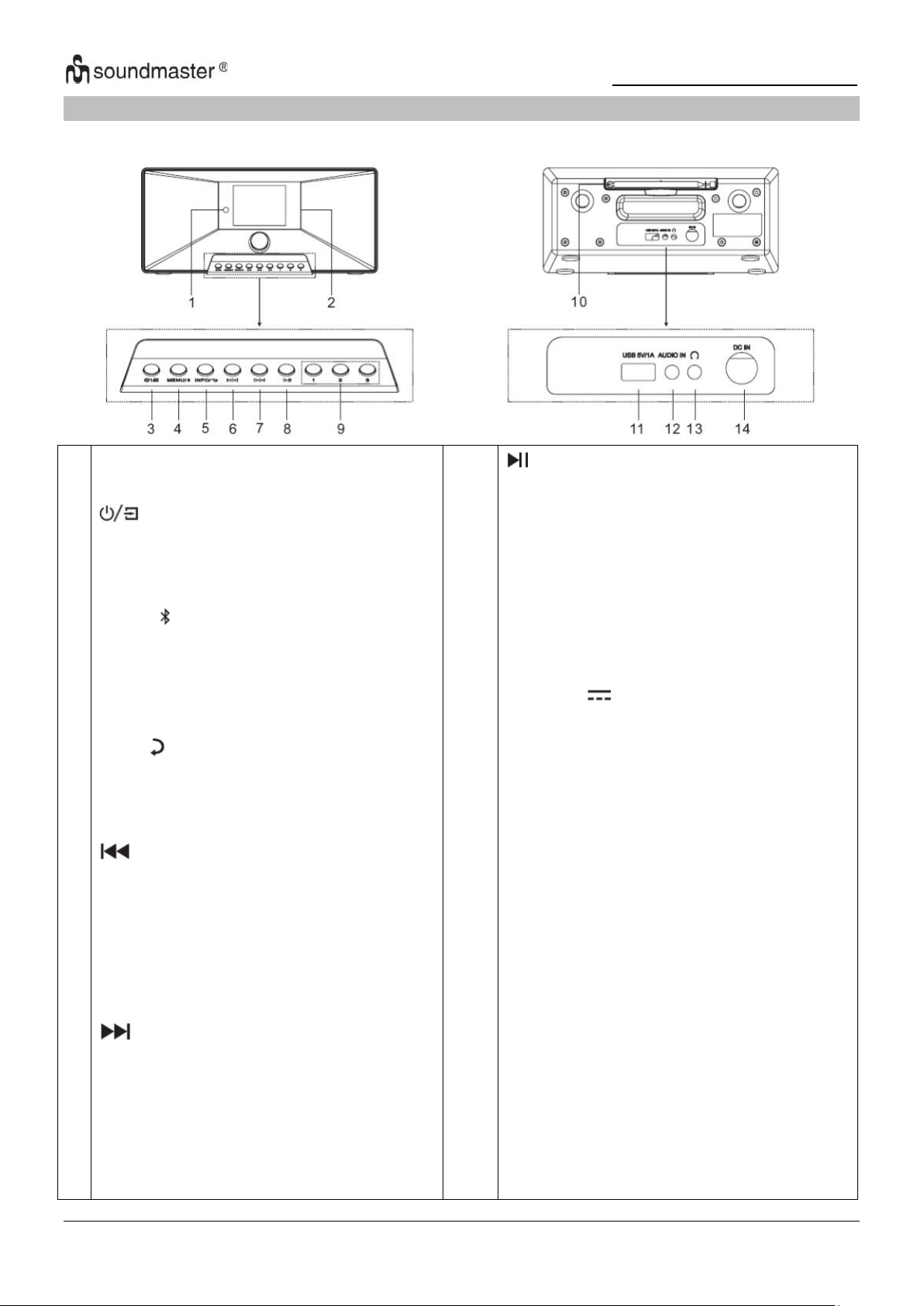
IR3500 / English Instruction Manual
1
2
3
4
5
6
7
Remote sensor
Display
* Press and hold for power on and
power off
* Press to change the source
MENU/
* Press to display the Menu
* Press and hold to activate the
pairing function in BT or disconnect
the existing paired BT device
INFO/
* Press to show the information in
USB/DAB/FM and Internet radio mode
* Press to return previous menu
* Press to select previous track in
USB/BT/Internet Radio mode
* Short press to fine-tuning stations in
FM mode
* Long press to select previous
station in FM mode
* Press to select next track in USB/
DAB/BT/Internet radio mode
* Short press to fine-tuning stations in
FM mode
* Long press to select next station in
FM mode
8
9
10
11
12
13
14
* Press to play and pause in USB, BT
and Internet radio
1/2/3
* IN DAB/FM/USB mode, press to select
preset favorite stations
* IN DAB/FM/USB mode, long press to
set current station to favorite station
ANTENNA
USB / 5V 1A output
* Connect to a USB device for music
playback
* Connect to recharge mobile device
AUDIO IN
Headphone socket
DC IN
LOCATIONS OF CONTROLS
FRONT VIEW BACK VIEW
2
Page 22
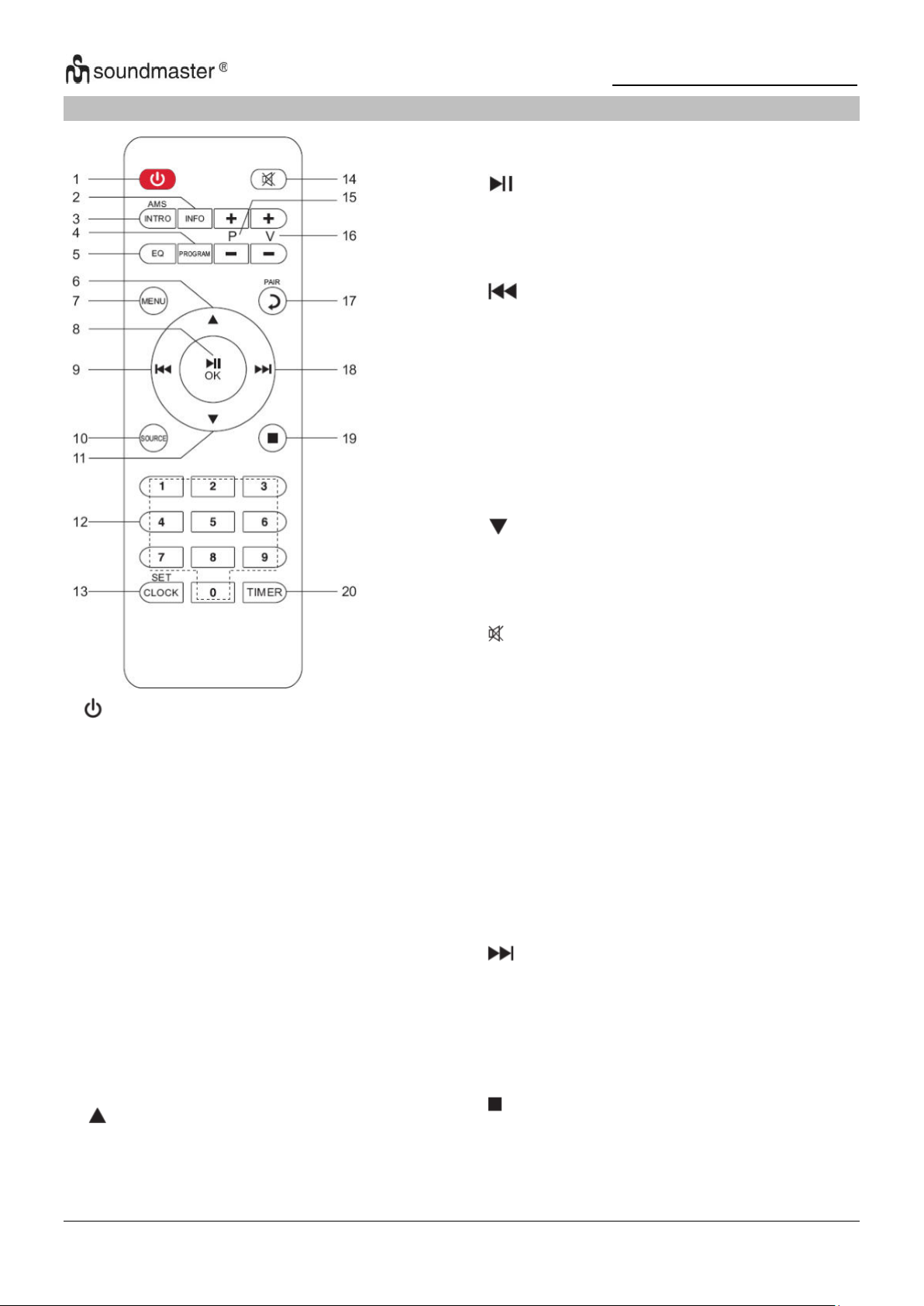
IR3500 / English Instruction Manual
1
* Turn the unit ON or in STANDBY
mode
2 INFO
* Press to show the information in USB/
DAB/FM and Internet radio mode
3 INTRO/AMS
* Press to start browsing of all tracks in
USB
* Press to automatically search for
channel in DAB and FM; when in
searching, press again can stop it.
4 PROGRAM
* Press to program in USB and preset
channel in DAB, FM and internet radio
* Long press to save preset channels
5 EQ
* Press to select sound characteristics:
Normal/Jazz/Rock/Classic/Pop/My EQ
6
*Press to move up on the menu screen
7
8
9
10
11
12
13
14
15
16
17
18
19
20
MENU
* Press to display the Menu
/OK
* Press to play/pause in BT/USB and
internet radio
* To select or skip to subsequent menu
in BT/USB and internet radio
* Press and hold for fast backward in USB
* Press to select previous track in USB
* Press to display the channel list in DAB
FM and internet radio
* Press for fine tuning in FM
* Press and hold for manual tuning in FM
SOURCE
* Press to select the corresponding AUDIO
source. (Internet Radio/Podcasts/Spotify/
DAB/FM/USB/BT/AUDIO)
* Press to move down on the menu screen
0-9 numeric
CLOCK
* Press and hold to set clock
* Press to mute or resume the sound
P+/* Press to skip the beginning of current/
previous/subsequent album in USB
* Press to select previous/next preset
channel in FM and DAB
V+/* Press to increase/ decrease the volume
level
PAIR
* Press to return to previous menu
* Press and hold to activate the pairing
function in BT or disconnect the existing
paired BT device
* Press and hold for fast forward in USB
* Press to select the next track in USB
* Press to display channel list in DAB/FM
and internet radio
* Press for fine tuning in FM
* Press and hold for manual tuning in FM
* Press to stop playing in USB mode
TIMER
* Press to set the Timer
REMOTE CONTROL
3
Page 23
IR3500 / English Instruction Manual
OPERATION YOUR REMOTE CONTROL
1. Press and slide the back cover to open the battery compartment of the remote control.
2. Insert two AAA size batteries. Make sure the (+) and (-) ends of the batteries match
the (+) and (-) ends indicated in the battery compartment.
3. Close the battery compartment cover.
GETTING STARTED / SET UP
Connect the unit to a suitable power source using the power supply provided. After showing a
starting screen, it will enter the last used listening mode. When the unit is started for the first
time, the setup wizard will be launched automatically.
GET THE NETWORK ENVIRONMENT READY
Make sure you have setup the wireless network and you have the WEP, WPA or WPA2 security
password to activate the connection.
You may also use the WPS (WiFi Protected Setup) function for easy pairing between the
network device and IR3500. Check if the light indicators on the network device are in
appropriate status.
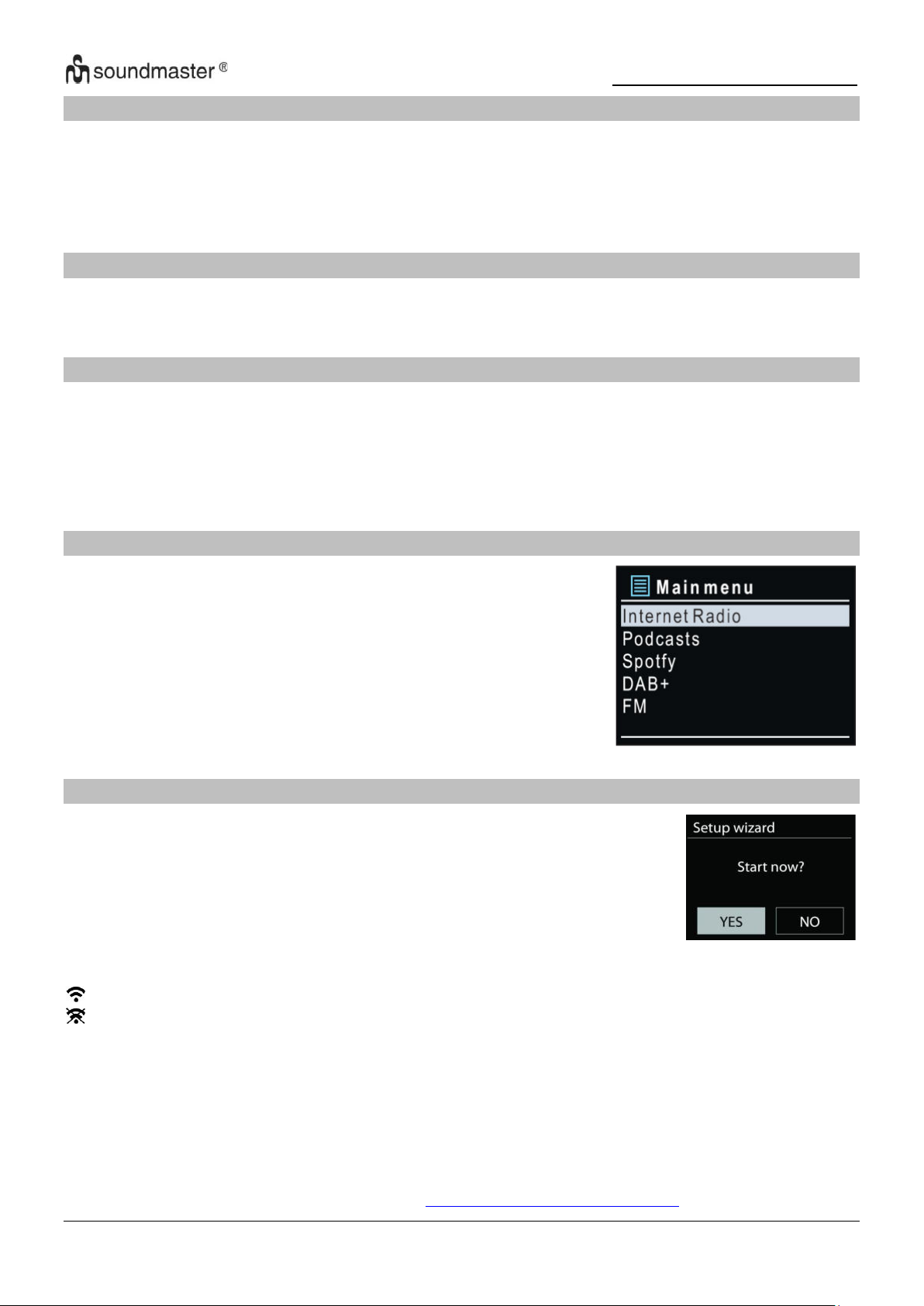
MAIN MENU
Under the main menu, you can select the following modes:
Internet Radio, Podcasts, Spotify, DAB, FM, USB, Bluetooth®,
Audio-In, Sleep and Alarm.
SYSTEM SETTINGS
At the first time operation, system asks if you want to start the Setup
Wizard. The Setup wizard guides you through the basic setup parameters
for Time/Date and Network connection. To change any settings later all
setting functions are accessible from the Settings Menu.
Note: If the setup wizard is terminated prematurely without a network
setup, the device generates its own WiFi access so that the device can
be configured using the UNDOK APP.
Network connection indicator:
= Network connection established.
= Network connection not established.
1. Language
Select the desired menu language.
2. Product privacy policy
So that the installation can continue, please confirm the privacy policy with the
"NAVIGATE / OK" button.
Further information are available under
www.frontiersmart.com/privacy
4
Page 24
IR3500 / English Instruction Manual
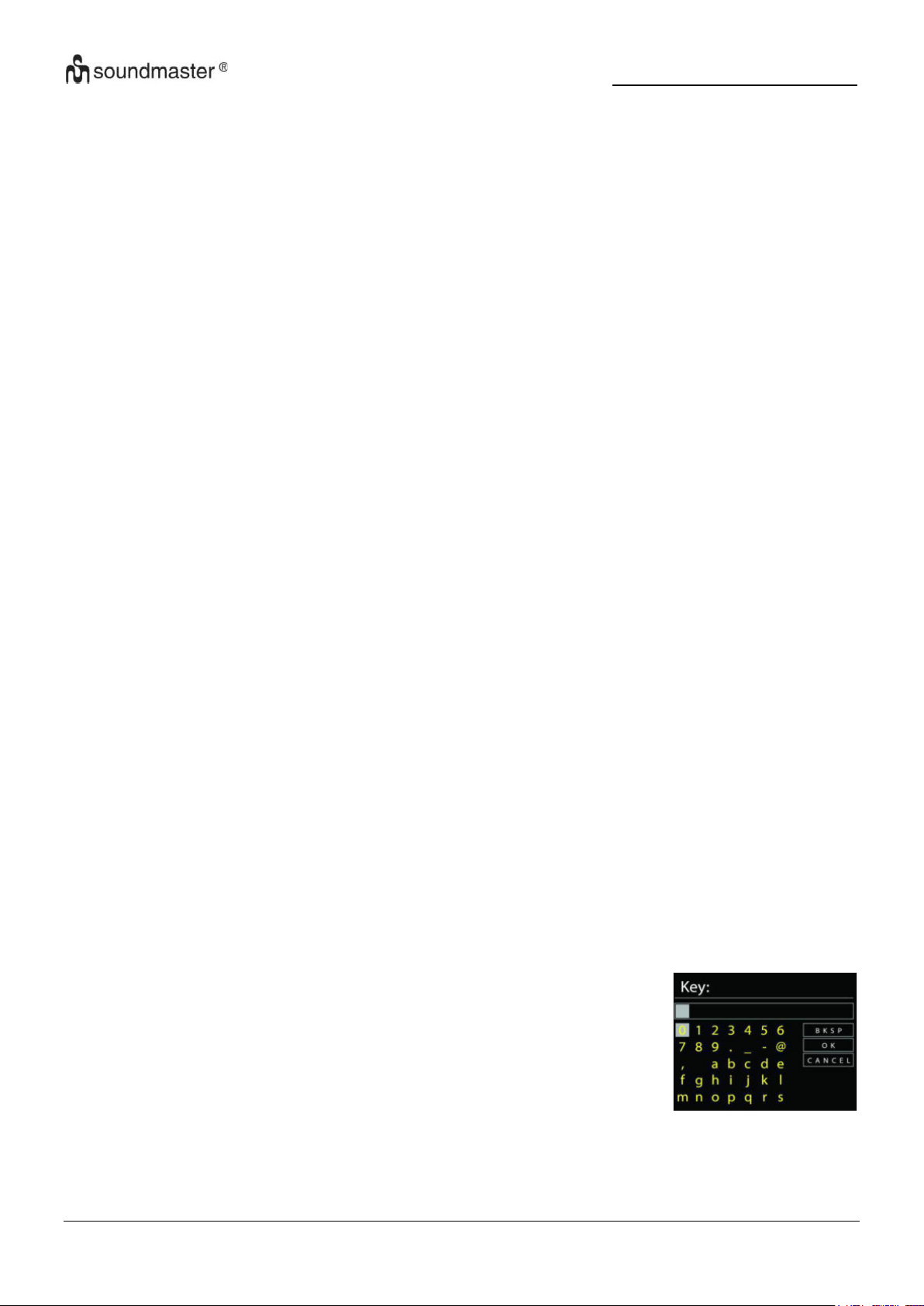
For the wireless connection, you will be asked for input the
encryption in the next step (WiFi only!). To enter the network’s key,
use the “NAVIGATE” knob to move the cursor through the
characters and press “OK” to confirm. As each character is
selected, the key is built up near the top of the display.
There are three options accessible by tuning the navigate reel back
before the first characters – Backspace, OK and Cancel.
3. Setup wizard
Select the “YES” option to continue with the setup. If you select the “NO” option, the next
display asks you whether the setup wizard should be started the next time the device is
switched on.
4. Time/Date Display format
Select 12 or 24 as the time format.
5. Auto update
The time and date can be updated manually or automatically from DAB, FM or network.
Auto update works with data sent over DAB, FM or the Internet. The clock is only updated
when it is in a corresponding mode, so it is suggested to select a mode you use regularly.
DAB and FM use time signals broadcast with radio transmissions. Network uses a time
signal sent from the Internet radio portal when in any network connected mode.
6. Time zone/daylight
Set your time zone. If your country uses daylight saving and it is in effect, turn on the
Daylight saving option. (only available when Auto update from Internet is selected)
Manual update
If you set No update, the wizard prompts you to set the time and date manually. The date
and time are displayed as dd-mm-yyyy and hh:mm.
The active value appears as flashing. Adjust each value with the “NAVIGATE” knob. Once
the value is set, press the knob to continue setting with next value.
7. Network
Keep Network connected
Select this option when the unit should the network connection in standby keep, when the
function is confirmed, the unit wills faster connecting the internet and it is possible to switch
on the unit with the “UNDOK” app. The standby power consumption is slightly increased
with this function.
WLAN region
Select the WLAN region to obtain the optimal WLAN connectivity: Europe.
Scanning for the network
IR3500 is compatible with all common network protocols and encryption methods. It
searches for the available networks and list them out for you. If the device is connected to
the network with a LAN cable, select the item "Cable" in the selection.
WPS encrypted network
WPS encrypted networks are identified by WPS at the start of the network name when the
5
Page 25
IR3500 / English Instruction Manual
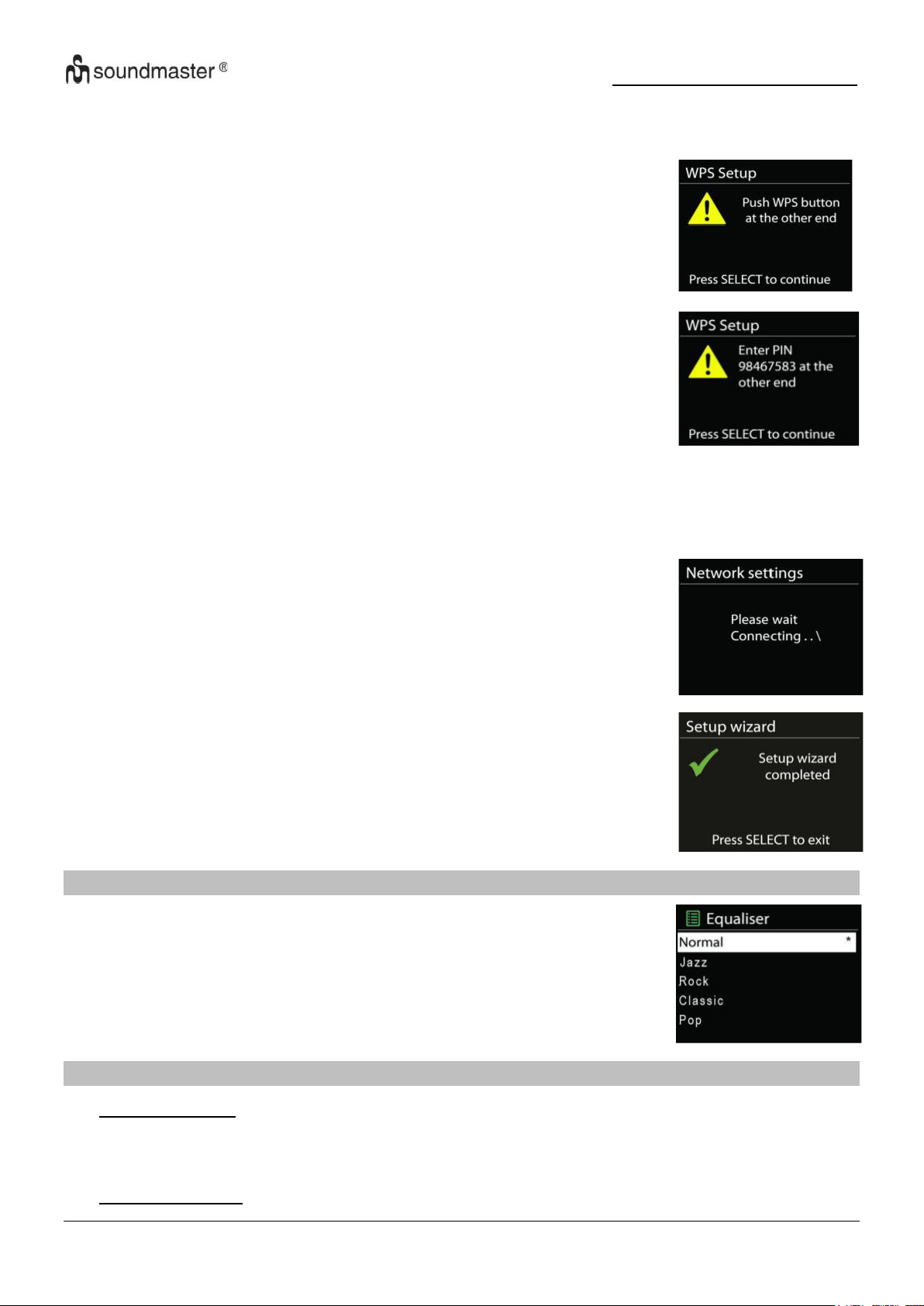
Push button
IR3500 prompts you to press the connect button on the router. It
then scans for a ready Push Button Connect network and connects.
Pin
IR3500 generates an 8-digit code number which you enter into the
wireless router, access point, or an external registrar.
Completion
IR3500 attempts to connect to the selected network. It will show
connected if the setup is successful. If connecting fails,
IR3500 returns to a previous screen to try again.
Press “OK” to quit the setup wizard.
Several preset EQ modes are available: Normal, Jazz, Rock, Classic,
Pop and My EQ.
In the My EQ settings, you can create your own EQ with custom bass
and treble settings.
IR3500 searches the available AP. Use one of the following methods of connection: There
is the shortcut WPS key on the unit.
Skip WPS
Enter key as for a standard encrypted network.
For more information on setting up a WPS encrypted network, see your WPS router’s
instructions.
EQUALISER
NETWORK
• Network wizard
Enter to search AP SSID, then input the WEP / WPA key or choose Push Button/Pin/Skip
WPS to connect to the wireless network.
• PBC Wlan setup
6
Page 26
IR3500 / English Instruction Manual
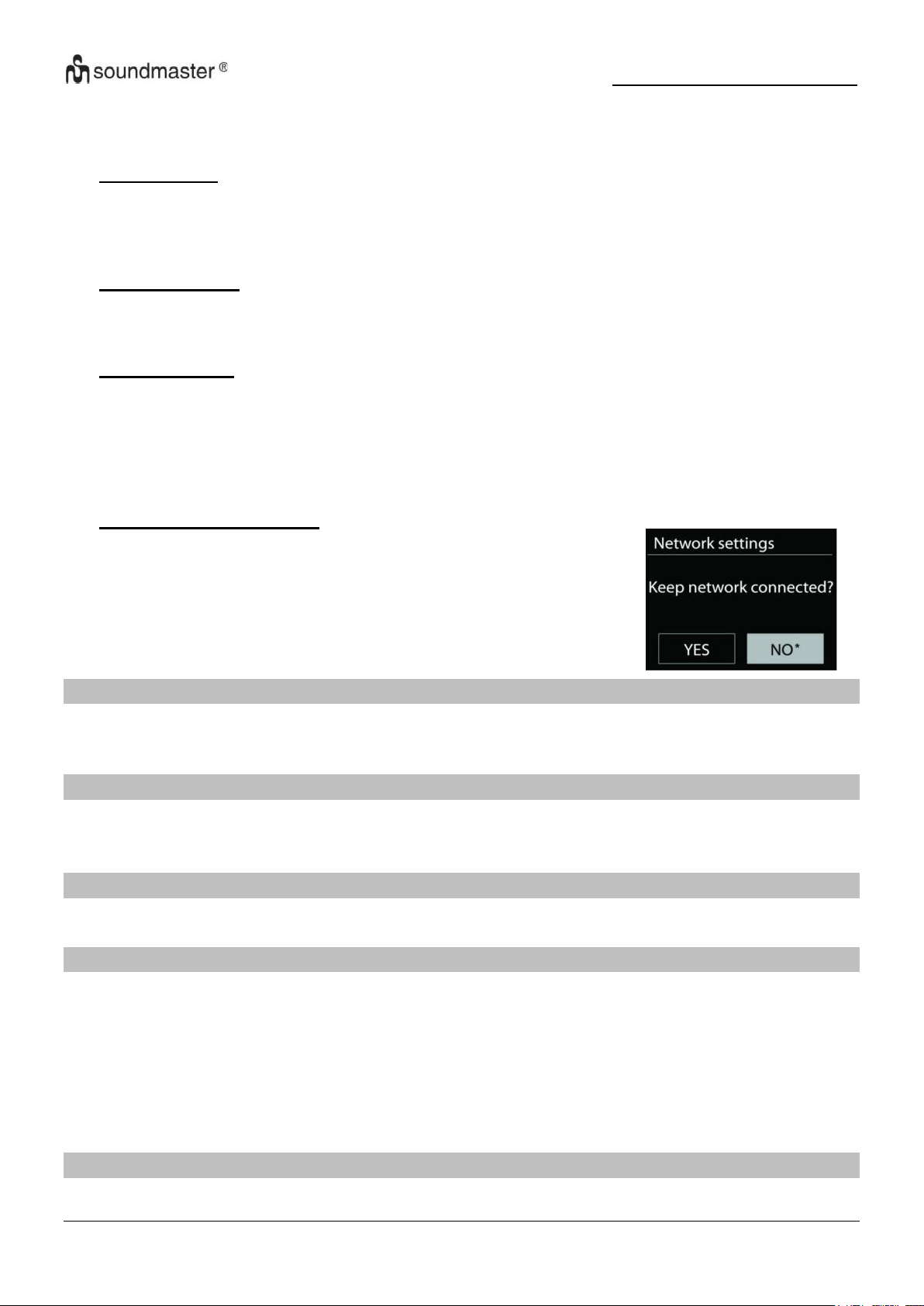
If you choose to keep network connected, the WiFi will not
disconnect even you are in standby mode. Otherwise, the
connection will only available in internet radio and music player
modes. This option allows IR3500 to be ready for DLNA
streaming in any operating modes.
When Keep network connected is selected the standby power
consumption is raised.
Push Button Configuration, it is to connect the AP that supports WPS (Wi-Fi Protected
Setup).
• View settings
View the information of current connected network: Active connection, MAC address, WLAN
region, DHCP, SSID, IP address, Subnet mask, Gateway address, Primary DNS and
Secondary DNS.
• Manual settings
Choose wireless network connection and enable or disable DHCP (Dynamic Host
Configuration Protocol).
• Network profile
IR3500 remembers the last four wireless networks it has connected to, and automatically
tries to connect to whichever one of them it can find. From here you can see the list of
registered networks. You can delete unwanted networks by turning and pressing then
choosing YES to confirm delete.
• Keep network connected
TIME/DATE
Set the time manually or automatically update, time format, time zone and daylight.
BACKLIGHT
You may change the backlight of each environment (Normal or DIM) to High, Medium High,
Medium, Medium Low, Low or Off
LANGUAGE
Change it as your preference.
SOFTWARE UPDATE
From time to time, software upgrades may be created with bug fixes and/or additional features.
You can either check manually or set IR3500 to check periodically automatically (this is the
default). If newer available software is detected, you will be asked if you want to go ahead with
an update. If you agree, the new software is then downloaded and installed. After a software
upgrade, all user settings are maintained.
NOTE: Before starting a software upgrade, ensure that IR3500 is plugged into a stable main
power connection. Disconnecting power during an upgrade may permanently damage the unit.
View the firmware version and the radio ID.
INFO
7
Page 27
IR3500 / English Instruction Manual
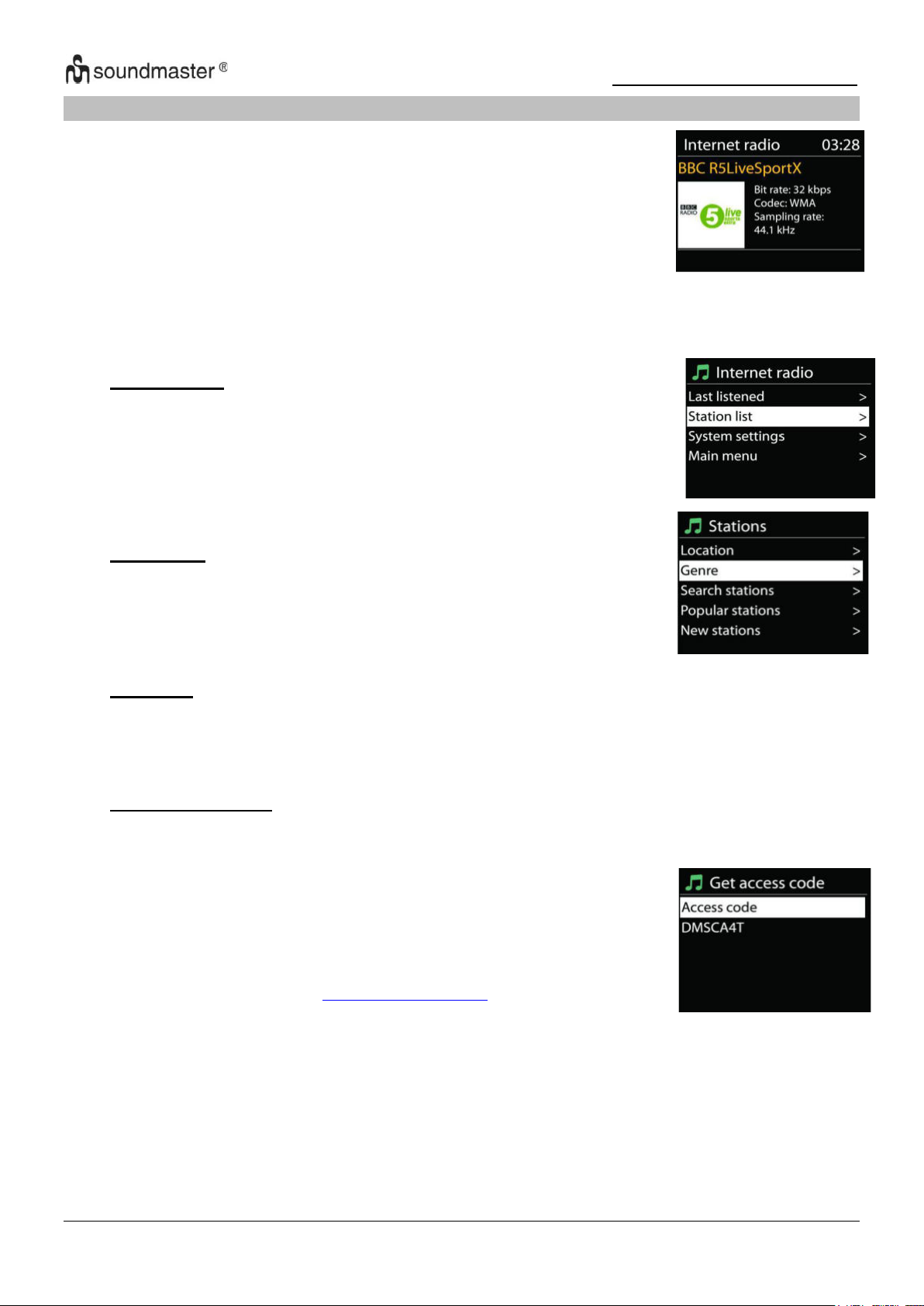
IR3500 can play thousands of radio stations and podcasts from around
the world though a broadband Internet connection.
When you select Internet radio, IR3500 directly contacts the Frontier
Silicon Internet radio portal (which is supported by Airable) to get a list
of stations.
• Last listened
When Internet radio mode restarts, the last-listened station is
selected. To select another recently used station, enter here to
select the listed station. Most recent stations appear at the top of
the list.
• Station list
Browse Internet broadcasts that organized into different
categories, Location, Genre, Popular and New. You can also find
the station with Search by keyword.
• Favorites
Favorites are stored with the Internet radio portal, and are available through all Internet
radios registered on the same account. Before favorites can be used, the radio has to be
registered with the Internet radio portal.
To register your IR3500, choose Station list > Help > Get access
code to get your radio’s unique portal access code first. (Do not
confuse the portal access code with the Radio ID from System
settings.
Visit the portal website at
http://nouvola.link/sr
INTERNET RADIO/PODCASTS
The portal also enables multiple lists of favorite stations that you can personalize.
If you are already listening to an Internet radio station, you can press “BACK” button to quickly
return to the last visited branch of the menu tree, rather than “MENU” to go to the first menu of
Internet radio mode.
• My added stations
Even though the Internet radio portal contains thousands of stations, you may want to
listen to stations not listed. You can add your own via the portal.
If this is your first visit to the portal, register for a new account, entering the following
information:
• access code
• your e-mail address
• password
• radio model
8
Page 28
IR3500 / English Instruction Manual
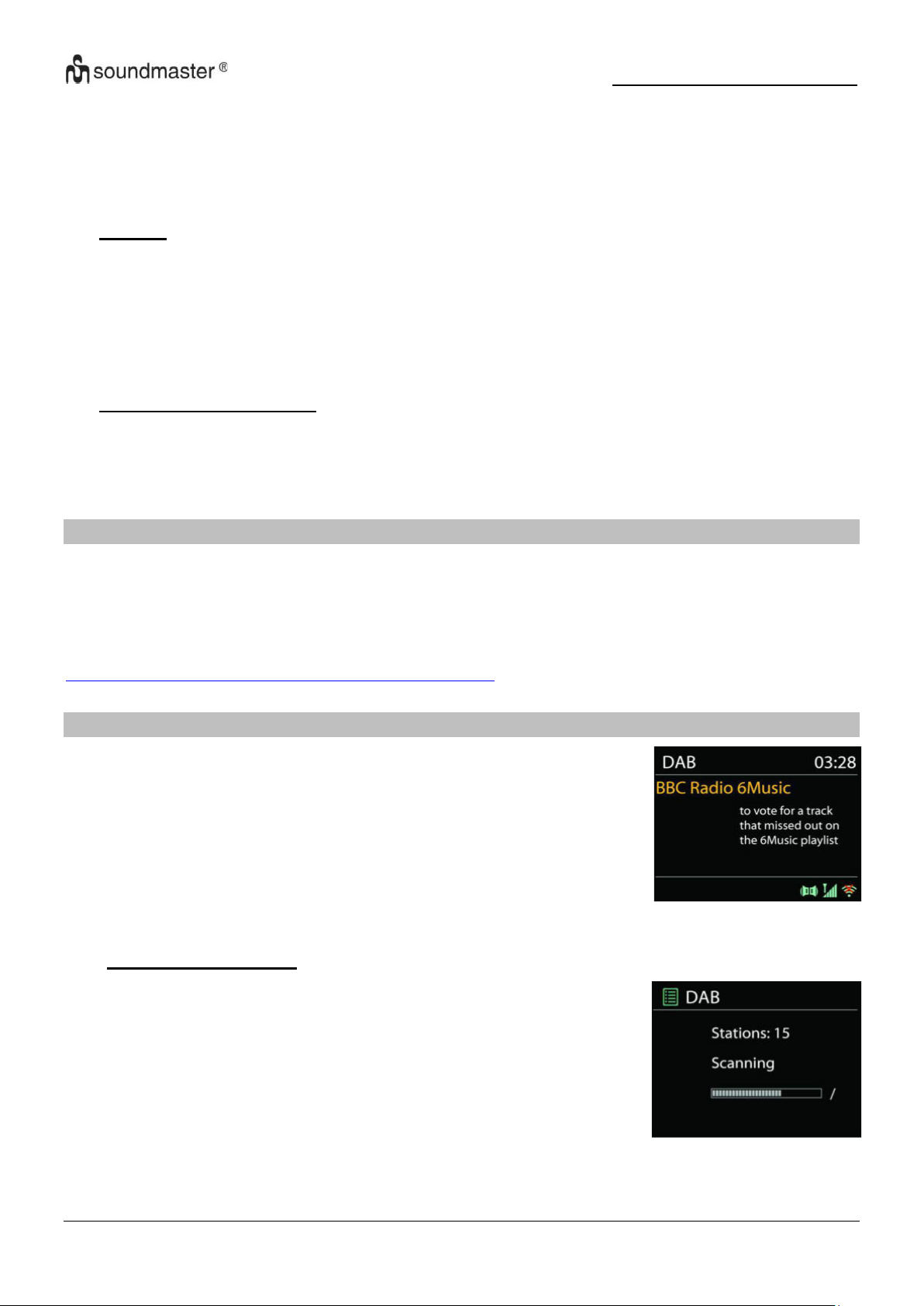
DAB mode receives DAB or DAB plus digital radio signal and
displays information about the station, streaming audio and the
program details.
● Scanning for stations
The first time you select DAB radio mode, or if the station list is
empty, IR3500 automatically performs a full scan to see what
stations are available. You may also need to start a scan
manually to update the list of stations for one of the following
reasons:
• Available stations change from time to time.
• If reception was not good for the original scan, this may
result in an empty or incomplete list of available stations.
• If you have poor reception of some stations (burbling), you
may wish to list only stations with good signal strength.
If you already have an account and wish to add an additional radio, log in to your account and
select My preferences > Add another Wi-Fi radio.
Once your radio is registered with the portal, you can immediately use the Internet radio
favourites and added stations features.
• Presets
To store an Internet radio preset, press and hold the “PROGRAM” key on Remote Control
until the display shows the “Save preset” screen. Select one of the 40 presets to save the
current station and press “OK” to confirm.
To select a preset, press briefly the “PRESET” button or “PROGRAM” on Remote Control,
then select one of the listed preset stations and press “OK” to confirm. Or press 0 to 9 on
the Remote Control to directly recall the presets.
• Now playing information
While the stream is playing, the screen shows its name and description. To view further
information, press “INFO” button on the radio or Remote Control. Each time you press
“INFO” button, another set of information is displayed, cycle through name/description,
genre/location, reliability, codec/sampling rate, playback buffer and today’s date.
SPOTIFY
Use your phone, tablet or computer as a remote control for Spotify.
Go to spotify.com/connect to learn how
The Spotify Software is subject to third party licenses found here:
https://www.spotify.com/connect/third-party-licenses
DAB
9
Page 29

IR3500 / English Instruction Manual
To start a scan manually, choose Full scan. To scan only stations with good signal strength,
select Local scan.
Once the scan is complete, the radio shows a list of available stations.
To remove stations that are listed but not unavailable, choose Prune invalid.
• Presets
To store an Internet radio preset, press and hold the “PROGRAM” on Remote Control until
the display shows the “Save preset” screen. Select one of the 40 presets to save the current
station and press “OK” to confirm. Or press 0 to 9 on the Remote Control to store the
current playing station into the preset directly.
To select a preset, press briefly the “PRESET” button on the unit or “PROGRAM” on
Remote Control , then select one of the listed preset stations and press “OK” to confirm. Or
press 0 to 9 on the Remote Control to directly recall the presets.
Now playing information
While the stream is playing, the screen shows its name and DLS (Dynamic Label Segment)
information broadcast by the station giving real-time information such as program name,
track title and contact details. Stereo broadcasts are indicated with an icon at the bottom of
the screen. To view further information, press “INFO” button on the radio.
Each time you press “INFO” button on the radio, another set of information is displayed,
cycling through DLS text, program type, ensemble name/frequency, signal strength/error
rate, bite rate/codec/channels and today’s date.
• Settings
Dynamic range compression (DRC)
If you are listening to music with a high dynamic range in a noisy environment, you may
wish to compress the audio dynamic range. This makes quiet sounds louder, and loud
sounds quieter. You can change DRC as off, low or high.
Station order
You can choose the order of the DAB station list to be either Alphanumeric, Ensemble or
Valid.
Ensemble lists groups of stations that are broadcast together on the same ensemble. Valid
lists valid stations first, alphanumerically, then off-air stations.
10
Page 30
IR3500 / English Instruction Manual
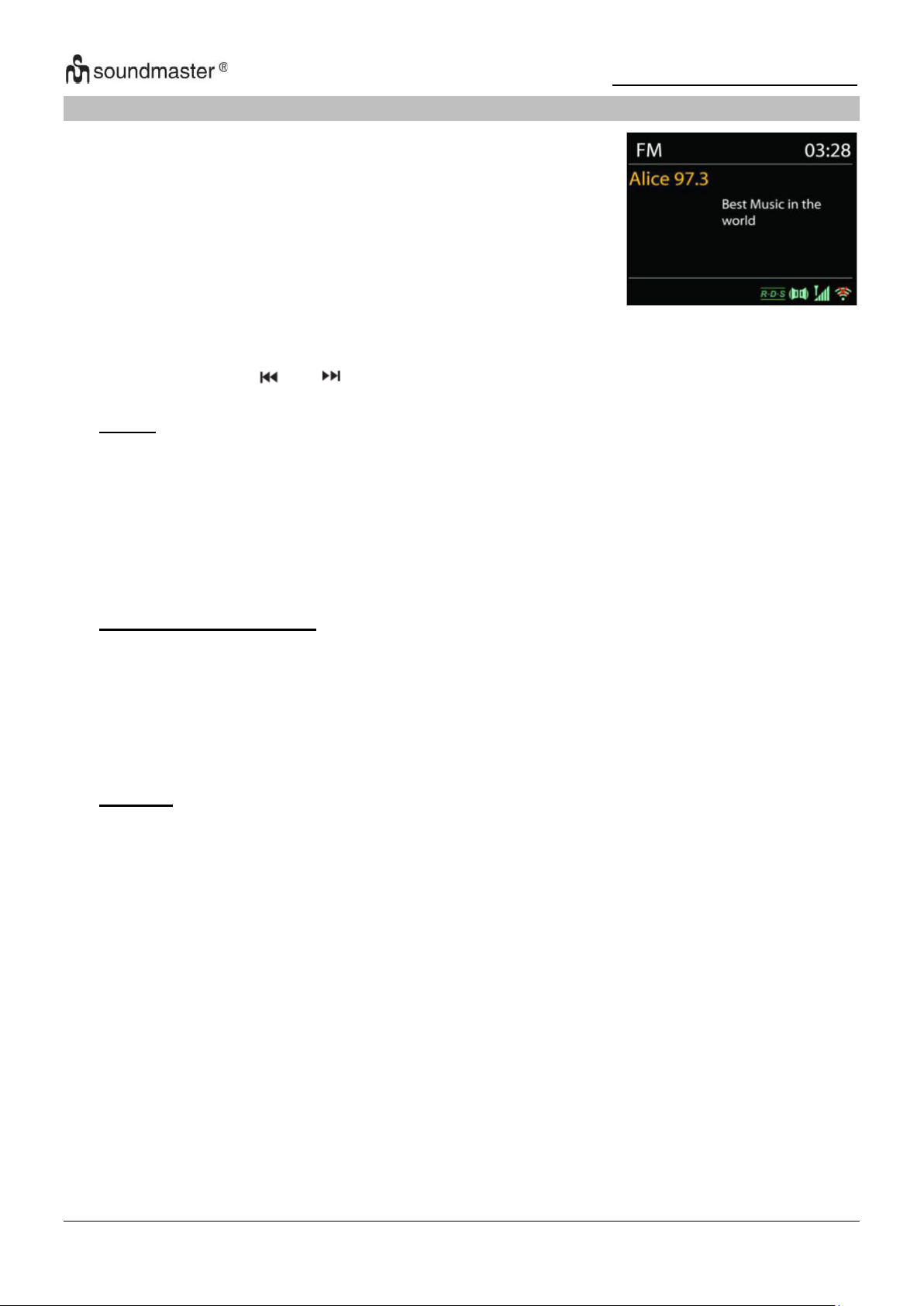
FM radio mode receives analogue radio from the FM band and
displays RDS (Radio Data System) information about the station
and where broadcast.
FM
To full scan, press “INTRO” remote key. The frequency display starts to run and scans the FM
full band.
To fine tune press the “ “ or “ ” remote key. The unit search in 0.05 MHz steps.
• Preset
To store an Internet radio preset, press and hold the “PROGRAM” button on Remote
Control until the display shows the “Save preset” screen. Select one of the
save the current station and press “OK” to confirm. Or press 0 to 9 on the Remote Control
to store the current playing station into the preset directly.
To select a preset, press briefly the “PRESET” button or “PROGRAM” button on Remote,
then select one of the listed preset stations and press “OK” to confirm. Or press 0 to 9 on
the Remote Control to directly recall the presets.
• Now playing information
While the stream is playing, the screen shows its frequency, or if RDS signal is available,
station name and any further RDS information such as program name, title and other
details. Stereo broadcasts are indicated with an icon at the bottom of the screen. To view
further information, press Info button on the radio.
Each time you press “INFO” button on the radio, another set of information is displayed,
cycling through Radio text, program type, frequency and today’s date.
• Settings
Scan settings
Choose FM at first, it will go to a specific station playing. Then press “MENU” on the radio to
get above table.
By default, FM scans stop at any available station. This may result in a poor signal-to-noise
ratio (hiss) from weak stations. To change the scan settings to stop only at stations with
good signal strength, select “Yes” after choosing Strong station only.
Audio settings
All stereo stations are reproduced in stereo. For weak stations, this may result in a poor
signal-to-noise ratio (hiss). To play weak stations in mono, select FM weak reception: Listen
in mono only and then YES.
11
40 presets to
Page 31
IR3500 / English Instruction Manual
USB
Connect a USB mass storage to this unit to enjoy the device’s stored music through the
powerful speakers of this unit.
USB playing
1. Insert the USB device into the USB port at the rear side of the unit.
2. Press the “ ” button repeatedly on the unit or press the “SOURCE” button on the remote
control until “ USB ” is displayed to select the USB function.
3. The playback will start automatically.
Resume function
You can pause and resume playback from the point where playback stopped (RESUME) by
pressing the “ ” button and turning off the power or switching functions. If you press the “ ”
button and then the “ ” button again, playback starts again from the beginning (track 1).
Skip search and search
• Press the “ ” button once or more to skip backward one or more tracks.
• Press the “ ” button once or more to skip forward one or more tracks.
• Press and hold the “ ” button on the remote control to search backward for the track
position that you want to start playing from and press to continue the playback.
• Press and hold the “ ” button on the remote control to search forward for the track
position that you want to start playing from.
Intro function
Press the “INTRO” button on the remote control to start play the beginning of each track
consecutively from first song. The playing time of each track is 10 seconds. When you hear the
desired track, press the “ ” button twice.
Program mode
1. When playing music, press the “ ” button on the remote control.
2. Then press the “PROGRAM” button, then the information “P01 T01” will be displayed on the
screen.
3. Choose the desired track with the buttons “ ” or “ ” to store as P01, P02 etc.
4. Press the “PROGRAM” button to confirm the selected track and go to the next program
setting.
5. After finished setting, press the “ ” button to finalize and start the programmed playback.
6. In program playback, the numbers on the remote control are invalid. You can only press the
“ / ” buttons to change the tracks.
7. Change the source or press the “ ” button twice to clear the program setting.
Note: You can store up to 20 tracks!
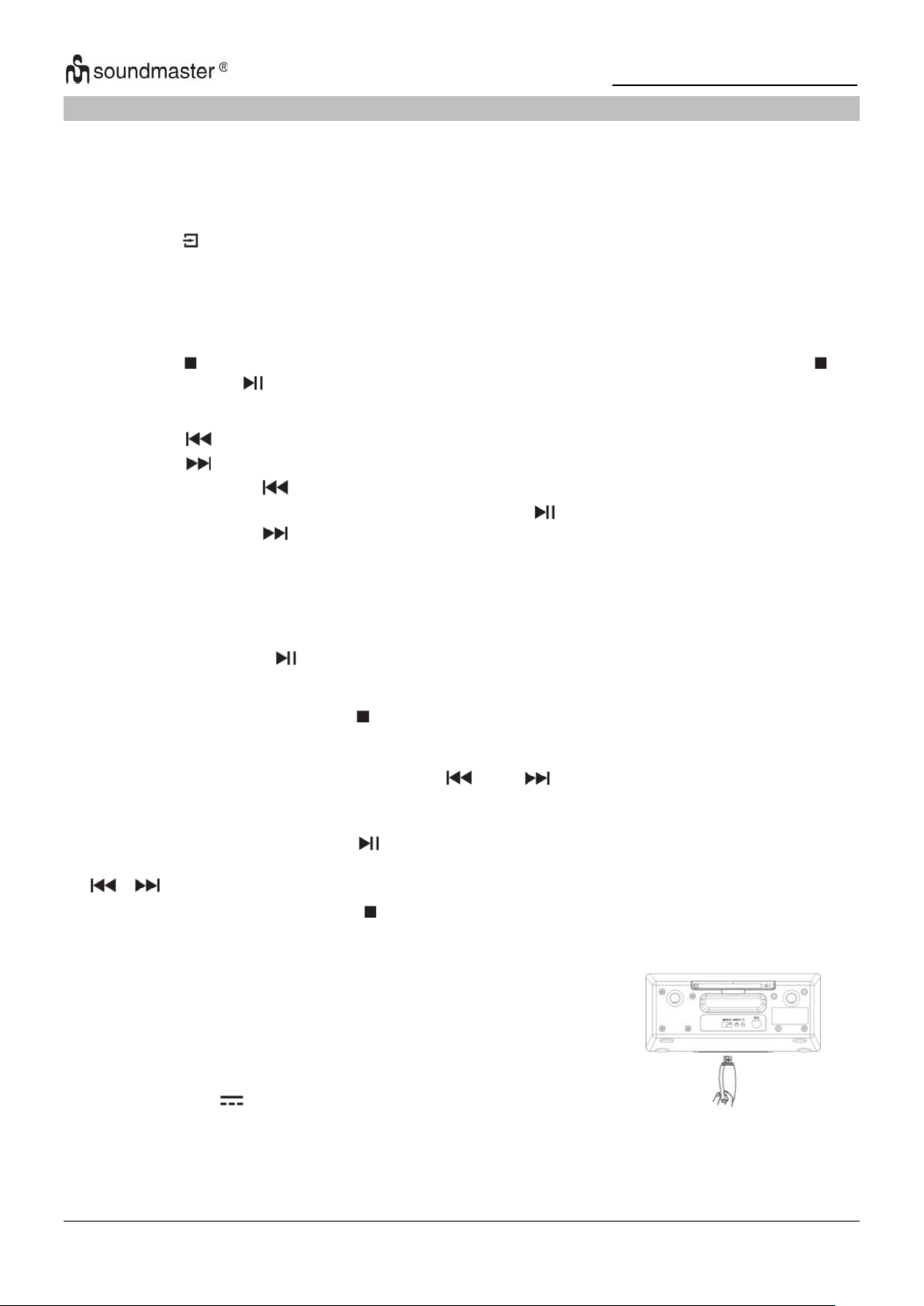
For devices with a USB cable
1. Insert the plug of the USB cable (not supplied) into the
USB socket at the rear side of the unit.
2. Insert the other plug of the USB cable into the output
terminal of the USB device.
USB charging (5V 1A socket only)
You can plug an USB cable in the USB socket to charge the mobile device.
Note:
If the USB device is corrupted, this unit will not be able to detect and play the music stored.
Format the USB mass storage device and restore the music on the device with a computer.
12
Page 32
IR3500 / English Instruction Manual
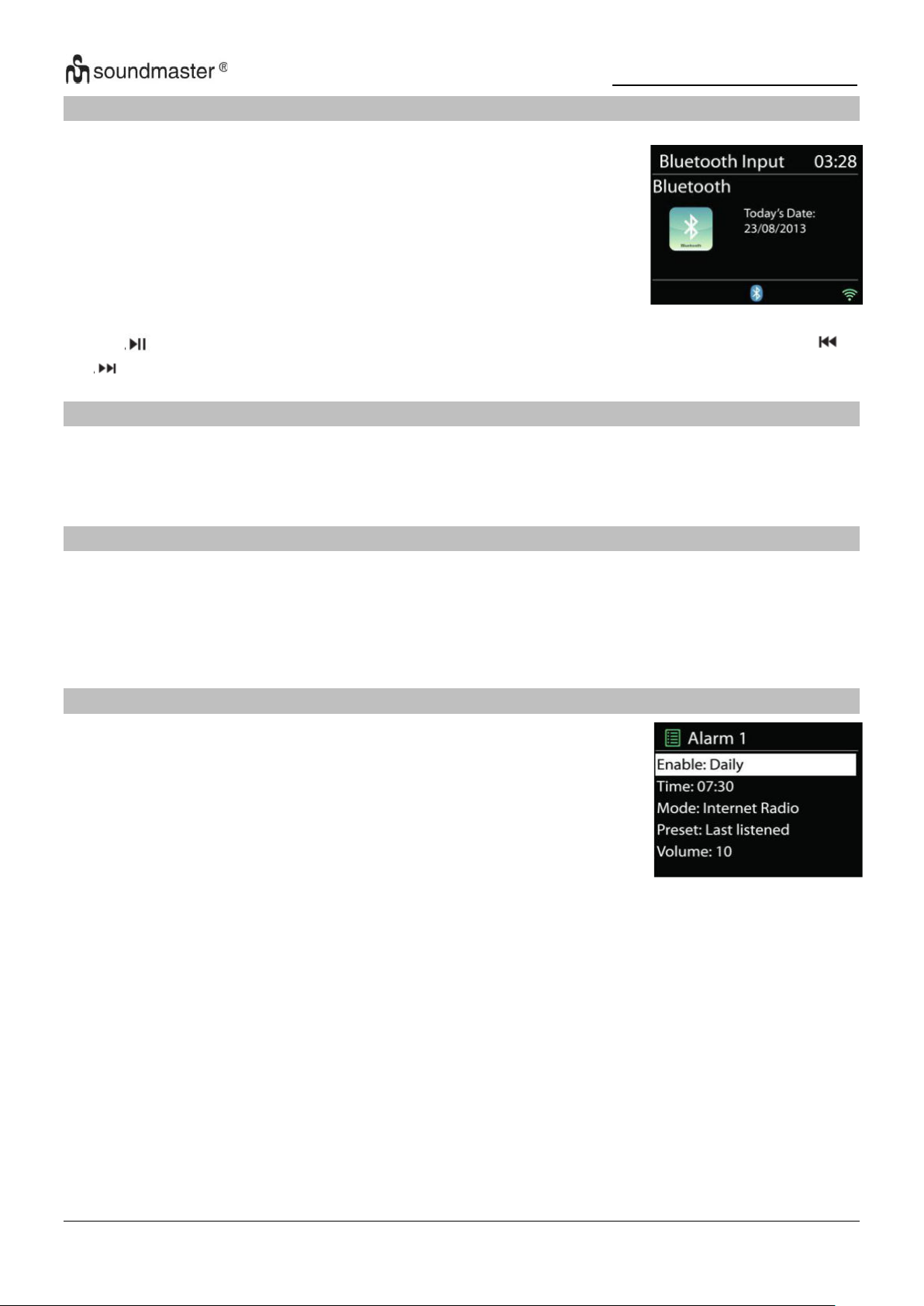
When you select the Bluetooth mode, the device is entering to
pairing and the BT icon at the bottom of the screen will flash.
Turn on your smartphone, tablet or other Bluetooth devices to search
for the device.
The Bluetooth pairing name is “IR3500”.
When pairing is successful, the Bluetooth indicator will light up and
stop flashing.
To release BT pairing, turn off or unpair your smartphone, table or
other Bluetooth devices.
There are two versatile wake-up alarms with snooze facility, and a
sleep function to turn the system off after a set period. Each alarm
can be set to start in a particular mode.
Select Alarm under Main menu to set or change an alarm.
BLUETOOTH®
Press “ ” on the radio or Remote Control to start or pause the playback. You can press “ ”
or “ ” on the radio or Remote Control to play the previous or next track.
AUDIO IN
Connecting DVD player / Set-Top Box / TV outputs to analogue inputs from the sound board.
Use a RCA audio cable to connect the DVD player/TV outputs with the AUX (L/R) input socket
from the sound board.
SLEEP
To set the sleep timer, choose “SLEEP” in the main menu. Choose from Sleep OFF, 15mins,
30mins, 45mins or 60mins.
Once you select a sleep period, the system returns to the “Now playing” screen.
If you go under Main Menu to Sleep press “MENU” on the unit or Remote Control to return to
the “Now playing” screen.
ALARM
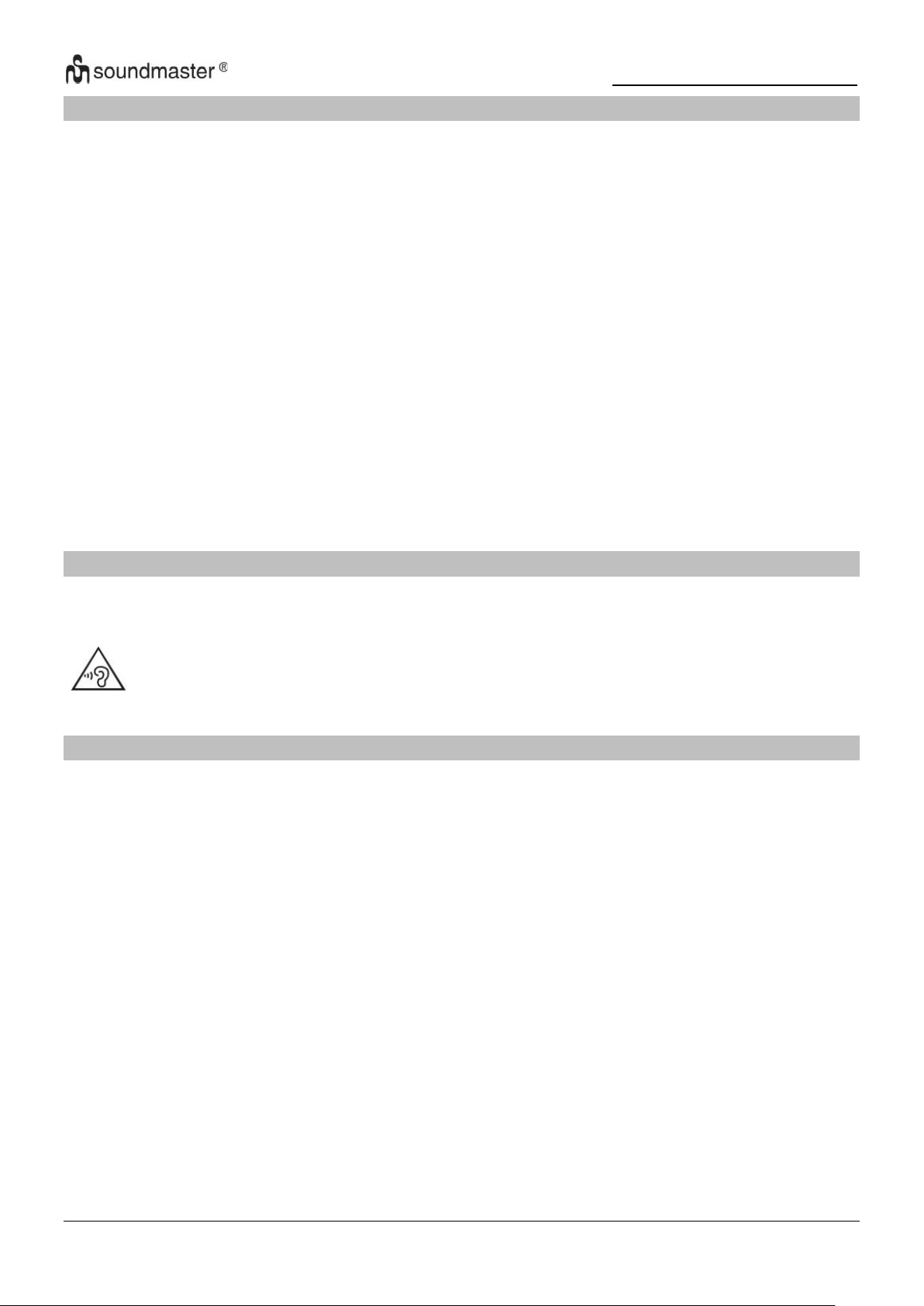
Select the alarm number (1 or 2) then configure the following parameters:
• Enable: on/off, Frequency: Daily, Once, Weekends or Weekdays,
• Time
• Mode: Buzzer, Internet Radio, DAB or FM
• Preset: Last listened, 1 - 40,
• Volume: 0 - 32
To activate the new settings, scroll down and select Save.
The screen shows active alarms with an icon at the bottom left.
13
Page 33
IR3500 / English Instruction Manual
UNDOK
The IR3500 supports remote control from Apple iPhone, iPad and Android using the UNDOK
app. The apps are available in Apple’s app store and Google’s android play.
The UNDOK app allows you to:
• Create a group
• Rename a group
• Edit a group – add, remove or delete one or more products
• Control a group - choose operating mode and browse for content
• Adjust volume for an entire group or for individual products within a group
• Control products which have not been assigned to any group
• Control all the modes of the IR3500, including Internet Radio, Media Player, USB
playback, DAB, FM, Bluetooth and AUX-In
• Setting EQ for various audio presets
• Setting Sleep timer
• Editing the displayed name of the radio.
•
HEADPHONE
To listen to music privately, use headphones with a 3.5 stereo jack plug and connect it to the
headphones socket. The speakers will then be muted.
To prevent possible hearing damage, do not listen at high volume levels for long
periods.
FACTORY RESET
A factory reset resets all user settings to default values, so that time and date, network
configuration and presets are lost. However, the IR3500 ‘s current software version is
maintained, as is registration with the Internet radio portal. Internet radio favourites therefore
remain unless you re-register your IR3500 with another account on the portal website.
14
Page 34
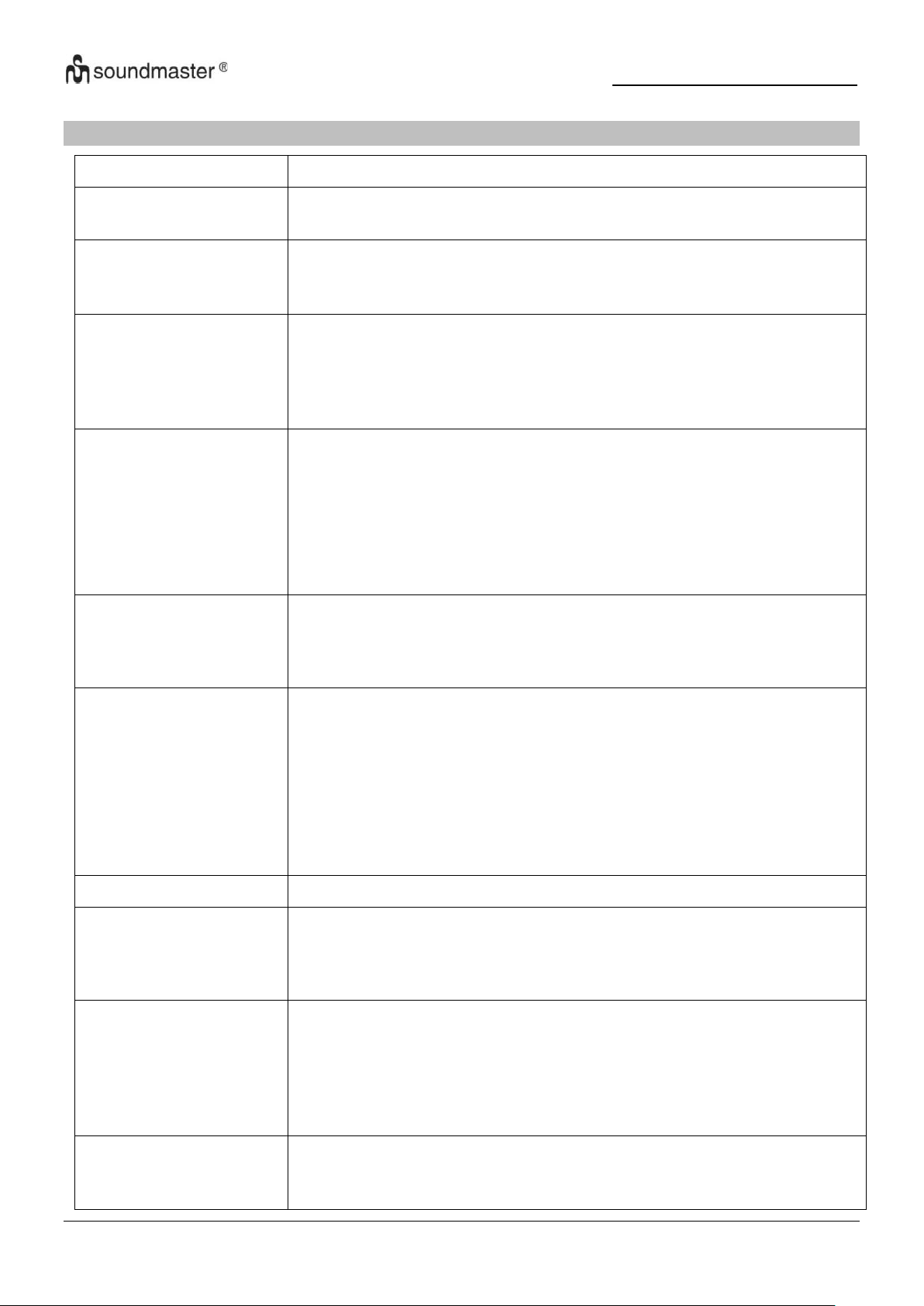
IR3500 / English Instruction Manual
Error
Remedy
The device does not
switch on.
Check it the power adaptor is connected properly.
Switch automatically off
Due to ErP2 requirements and environmental protection, the unit
automatically switches to standby mode when no music is played
for more than 15 minutes.
No sound.
1. Turn on the sound as it may be muted
2. Increase the volume.
3. Pull any connected headphone or speaker from the connector
jack.
No network connection
can be established.
1. Try to set an IP address at the device.
3. Activate the DHCP function on the router and make the
connection again at the device.
4. A firewall is activated on the network – set the respective
program in such a way that access is possible.
5. Reboot the router
WiFi connection cannot
be established.
1. Check the availability of WLAN network on the router.
2. Place the device closer to the router.
3. Make sure the password is correct.
No station is found.
1. Check the network as well as the access point and firewall.
2. The station may not be available currently, try it again later or
select another station.
3. The link of the station is changed or the station no longer
transmits – ask the provider for information.
4. The link of manual added station is not correct, make sure it is
correct and re-enter.
Hiss in FM mode
Check/move the FM antenna or move the radio
No stations available /
burbling / intermittent in
DAB mode.
1. Move the radio.
2. Rescan local stations only (high-strength).
3. Check the local DAB coverage.
Alarm does not work.
1. Switch on the alarm.
2. Due to the volume setting, refer to the solutions of “No sound”.
3. The source of alarm was set to be station but there is no network
connection. Change the source of alarm or reconfigure the
connection.
USB driver or MP3
player is not detected.
1. Check if the USB driver or MP3 player is plugged properly.
2. Some USB hard disks need external power supply, make sure it
is connected to the power.
TROUBLESHOOTING
15
Page 35
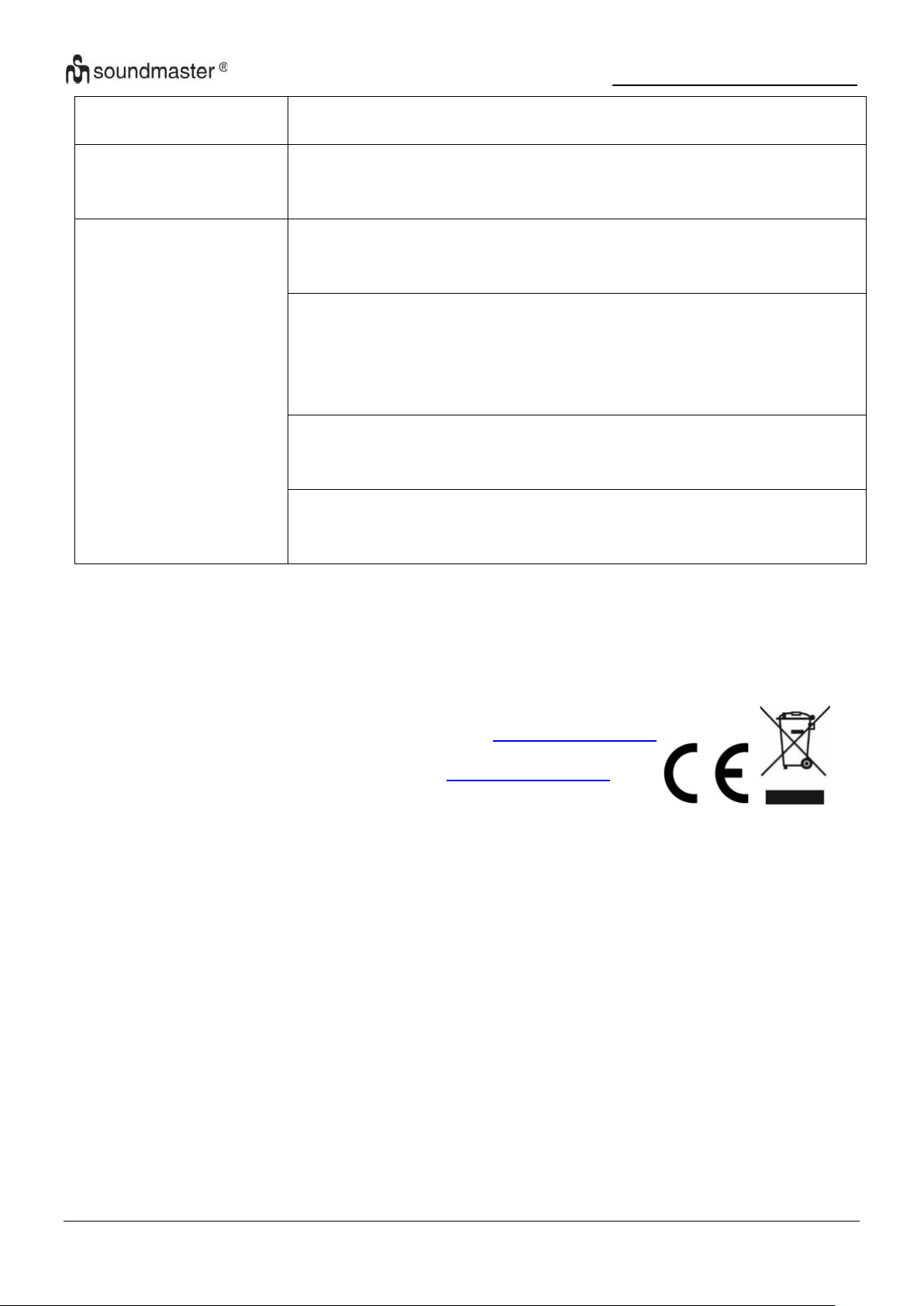
IR3500 / English Instruction Manual
3. Not all MP3 players can be read directly on the device – use an
USB drive instead.
NetRemote does not
show or connect to
IR3500
1. Reopen the App.
2. If you have several streaming from several devices at the same
time, it may cause crash, reboot IR3500 and/or your device.
All other undetermined
cases.
IR3500 may process large amount of data after a period of
operation, no matter in which mode, it will cause the system
freeze or malfunction. Reboot IR3500 if necessary.
The normal function of the product may be disturbed by strong
Electro-Magnetic
Interference. If so, simply reset the product to resume normal
operation by following the instruction manual. In case the function
could not resume, please use the product in other location.
The device may malfunction when used in areas with strong radio
interference. The device will work properly again once there is no
more interference.
Under the environment with Conducted Immunity disturbance, the
sample may malfunction. It will automatically recover to normal
when the Conducted Immunity disturbance stopped.
The current instruction manual can be downloaded from www.soundmaster.de
Technical changes and misprints reserved
Copyright by Woerlein GmbH, 90556 Cadolzburg,
Duplication only with the permission of Woerlein GmbH.
www.soundmaster.de
16
Page 36
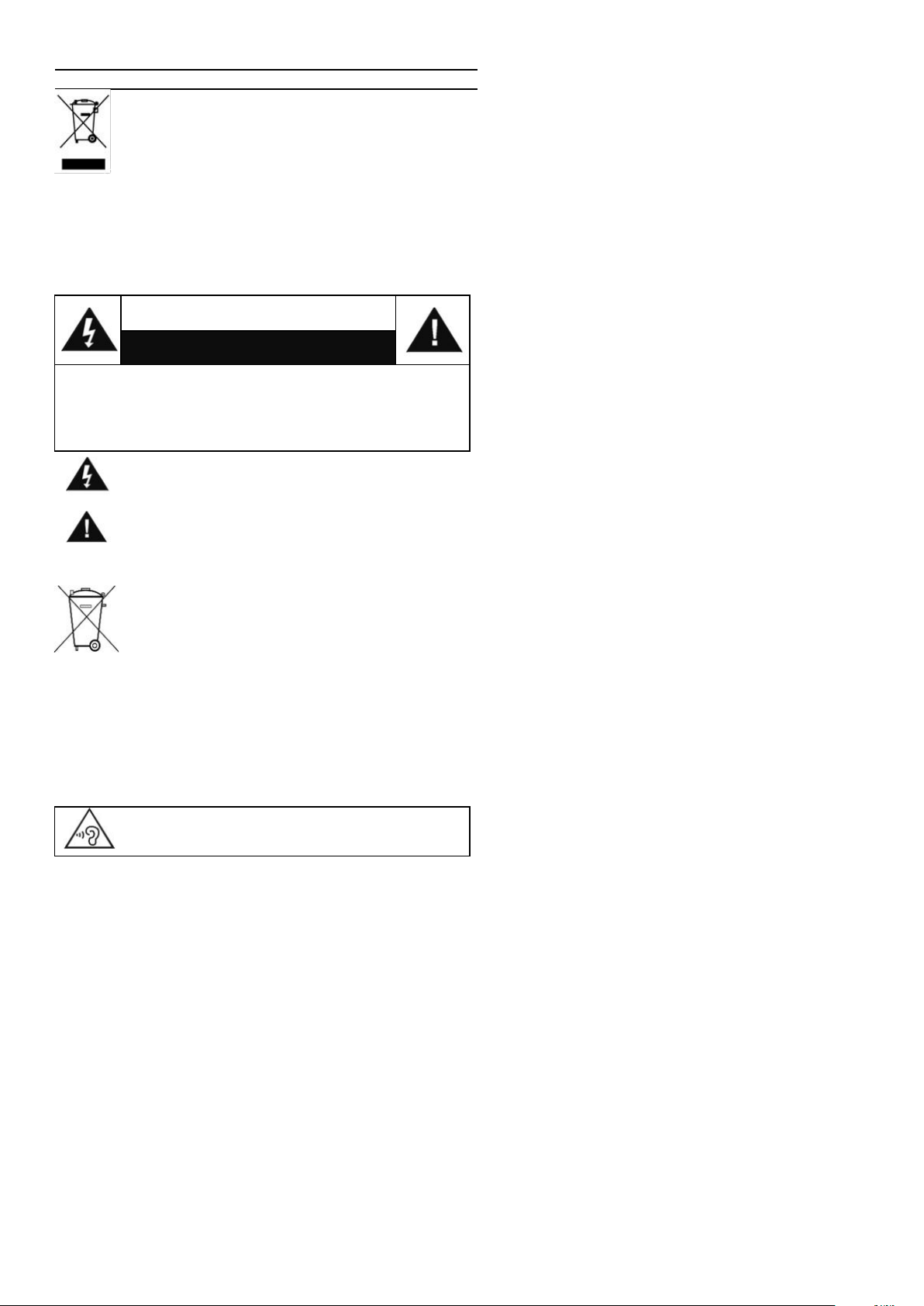
Consignes de sécurité, d’environnement et d’installation
PROTECTION DE L’ENVIRONNEMENT
Ne jetez pas ce produit avec les ordures ménagères
lorsqu’il est usagé. Retournez-le à un point de collecte
pour le recyclage des appareils électriques et
électroniques. Cette recommandation est indiquée par le
symbole sur le produit, le mode d’emploi ou l’emballage.
Les composants sont réutilisables en fonction de leur marquage.
En réutilisant, recyclant ou employant autrement les vieux
appareils, vous contribuerez de façon signifiante à la protection
de notre environnement.
Veuillez contacter vos collectivités locales pour vous
renseigner sur les points de collecte
ATTENTION
Risque d’électrocution
Ne pas ouvrir!
Attention!: Pour réduire le risque d’électrocution, ne retirez
pas le couvercle (ou l’arrière). L’usager ne peut entretenir
aucune pièce à l’intérieur. Confiez l’entretien à un
personnel qualifié.ntretenir aucune pièce à l’intérieur.
Confiez l’entretien à un personnel qualifié.
Ce symbole indique la présence d’une tension
dangereuse à l’intérieur de l'appareil, qui est
suffisante pour provoquer un choc électrique.
Ce symbole indique la présence de consignes
importantes de fonctionnement et d’entretien de pour
l’appareil
Les piles usages sont des déchets dangereux et
ne doivent PAS être jetées avec les ordures
ménagères ! La loi impose aux consommateurs de
disposer de toutes les piles pour un recyclage
écologique – et ce que les piles soient de contenance
dangereuse ou pas*).
Disposer gratuitement des piles dans les points de collecte
de votre communauté ou auprès des magasins détaillant
les piles de même catégories.
Ne disposez que de piles entièrement vides.
*) marquée Cd = cadmium, Hg = mercure, Pb = plomb
Pour éviter des lésions auditives, n’écoutez pas à
des niveaux sonores élevés pendant de longues
périodes.
Un câble de réseau ou une prise abimés doivent
être immédiatement remplacés par un centre
agréé.
En cas de tonnerre, débranchez immédiatement
l’appareil de l’alimentation.
Les enfants doivent être surveillés par leurs
parents lorsqu’ils utilisent l’appareil.
Ne nettoyez l’appareil qu’avec un tissu sec.
N’utilisez PAS de PRODUITS DETERGENTS
ou de CHIFFONS ABRASIFS !
N’exposez pas l’appareil à la lumière directe du
soleil ou toute autre source de chaleur
Installez l’appareil dans un emplacement
suffisamment ventilé pour éviter une
accumulation de chaleur.
Ne recouvrez pas les grilles d’aération !
Installez l’appareil dans un emplacement
sécurisé et sans vibrations.
Ne pas installer l’appareil à proximité
d’ordinateurs et fours à micro-ondes; sinon la
réception de radio pourrait être perturbée.
Ne pas ouvrir ou réparer l’appareil. Cela est
dangereux et annulerait la garantie. La
réparation doit être uniquement effectuée que
par un centre de réparations / service agréé.
N’utilisez que des piles au mercure et sans
cadmium.
Les piles usagées sont des déchets dangereux
et ne doivent PAS être jetées avec les ordures
ménagères !!! Ramenez les piles à votre point
de vente ou aux points de collecte de votre ville.
N'utilisez l'appareil qu’à l’intérieur dans un lieu sec
Protégez l’appareil contre l’humidité
N’ouvrez pas l’appareil RISQUE
D’ELECTROCUTION ! Faites effectuer l’ouverture
et l’entretien par un personnel qualifié
Ne connectez cet appareil qu'à une prise murale
correctement installée et reliée à la terre Assurezvous que la tension principale corresponde aux
recommandations de la plaque d’indice
Assurez-vous que le câble d’alimentation reste au
sec pendant le fonctionnement. Ne pincez pas le
câble et ne l’endommagez d’aucune façon
Eloignez les piles des enfants. Les enfants
pourraient avaler les piles. En cas d’ingestion
d’une pile, contactez immédiatement un
médecin.
Vérifiez régulièrement vos piles pour éviter les
fuites.
La prise de courant ou un coupleur d’appareil
est utilisé comme dispositif de déconnexion, les
dispositifs de déconnexion doivent rester
facilement utilisables.
Aucune source de flamme nue, telle que des
bougies allumées, ne doit être placée sur
l’appareil.
Aucun objet rempli de liquide, tel que des vases,
ne doit être placé sur l’appareil.
Cet appareil, conçu pour les climats modérés,
ne convient pas pour une utilisation dans les
pays au climat tropical.
FR
Page 37

IR3500 / Français Manuel d’instructions
TABLE DES MATIERES
EMPLACEMENT DES COMMANDES ........................................................................ 2
TÉLÉCOMMANDE ...................................................................................................... 3
UTILISATION DE LA TÉLÉCOMMANDE ................................................................... 4
CONTENU DU PAQUET ............................................................................................. 4
MISE EN MARCHE/CONFIGURATION ...................................................................... 4
PRÉPARER L’ENVIRONNEMENT RÉSEAU ............................................................. 4
MENU PRINCIPAL ...................................................................................................... 4
LES PARAMÈTRES DU SYSTÈME ........................................................................... 4
EQUALISER ................................................................................................................ 7
RÉSEAU...................................................................................................................... 7
HEURE/DATE ............................................................................................................. 8
ÉCLAIRAGE D'AFFICHAGE ...................................................................................... 8
LANGUE ..................................................................................................................... 8
MISE À JOUR LOGICIELLE ....................................................................................... 8
INFO ............................................................................................................................ 8
RADIO INTERNET/PODCASTS ................................................................................. 9
SPOTIFY ................................................................................................................... 10
DAB ........................................................................................................................... 10
FM ............................................................................................................................. 12
USB. .......................................................................................................................... 13
BLUETOOTH® .......................................................................................................... 14
AUDIO IN .................................................................................................................. 14
SOMMEIL .................................................................................................................. 14
ALARME ................................................................................................................... 14
UNDOK ..................................................................................................................... 15
CASQUE DE MUSIQUE............................................................................................ 15
RÉINITIALISER AUX PARAMÈTRES D'USINE ....................................................... 15
DÉPANNAGE ............................................................................................................ 15
1
Page 38
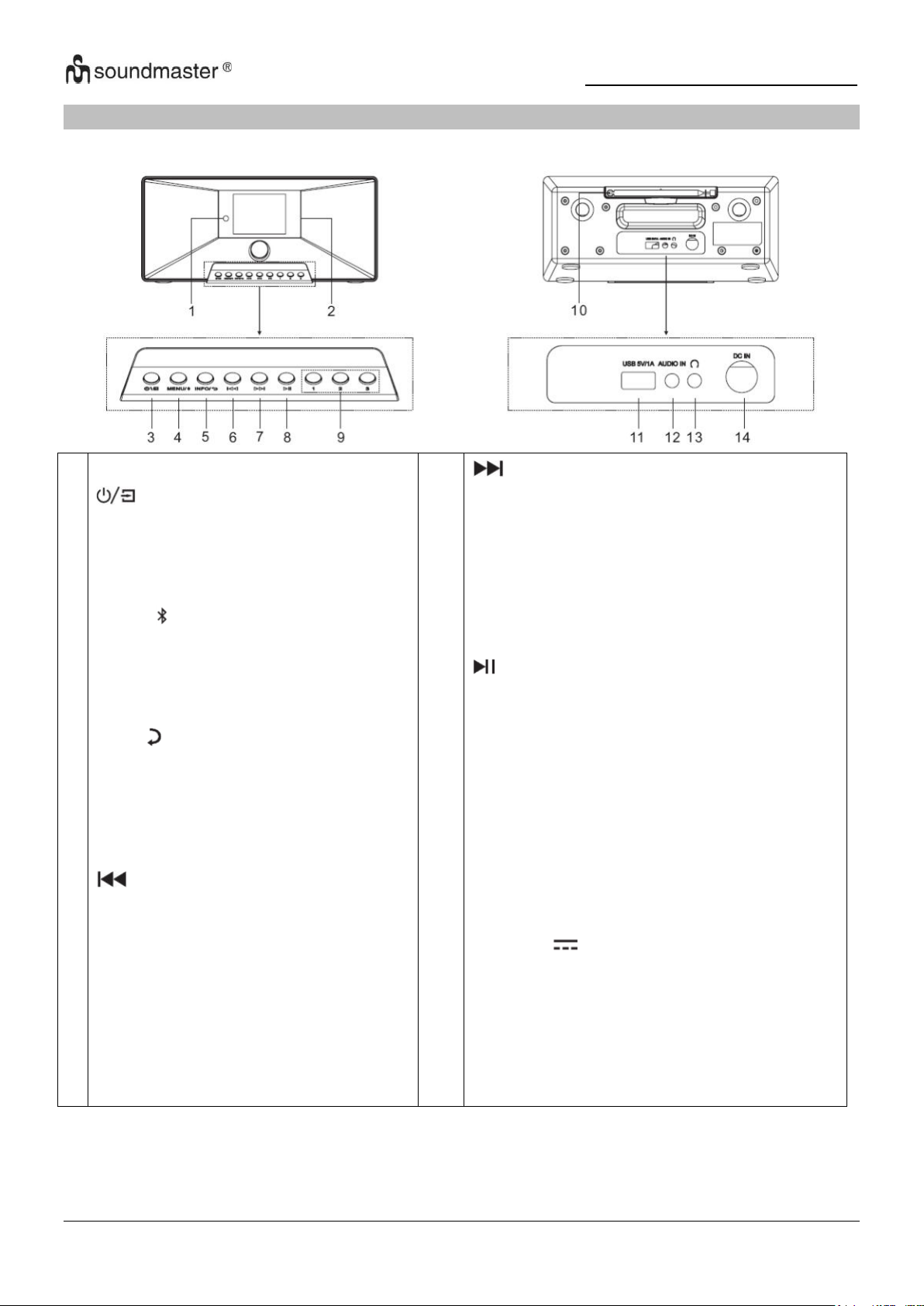
IR3500 / Français Manuel d’instructions
1
2
3
4
5
6
Capteur à distance Display
* Appuyez et maintenez pour allumer
ou éteindre l'appareil
* Appuyez pour basculer entre les
fonctions
MENU/
* Appuyez pour entrer dans le menu
* Appuyez et maintenez pour jumeler
un appareil Bluetooth ou déconnecter
un appareil déjà connecté
INFO/
* Appuyez pour afficher les
informations de affichage USB / DAB /
FM et radio Internet.
* Appuyez pour revenir à l'élément de
menu précédent
* Appuyez pour aller à la piste
précédente dans Passer au mode
USB / BT / Radio Internet.
* Appuyez brièvement pour affiner le
mode FM
* Appuyez et maintenez pour revenir à
la station précédente en mode FM
7
8
9
10
11
12
13
14
* Appuyez pour passer à la piste suivante
dans l'USB /
Passer au mode
* Appuyez brièvement pour affiner le
Mode FM
* Maintenez enfoncé pour passer à la station
suivante dans le Saut en mode FM
* Appuyez pour lire et mettre en pause en
USB, BT et radio Internet
1/2/3
* Appuyez et maintenez en mode DAB / FM /
USB
pour mémoriser une station en
tant que station préréglée
* En mode DAB/FM/USB, appuyez sur une
des trois stations préréglées.
Antenne
USB / 5V 1A Fusil
* Connectez un périphérique de stockage
USB au Jouer de la musique
* Charger un appareil sur le bus USB
ENTRÉE AUDIO
Connexion casque
DC IN
EMPLACEMENT DES COMMANDES
VUE DE FACE VUE ARRIÈRE
2
Page 39
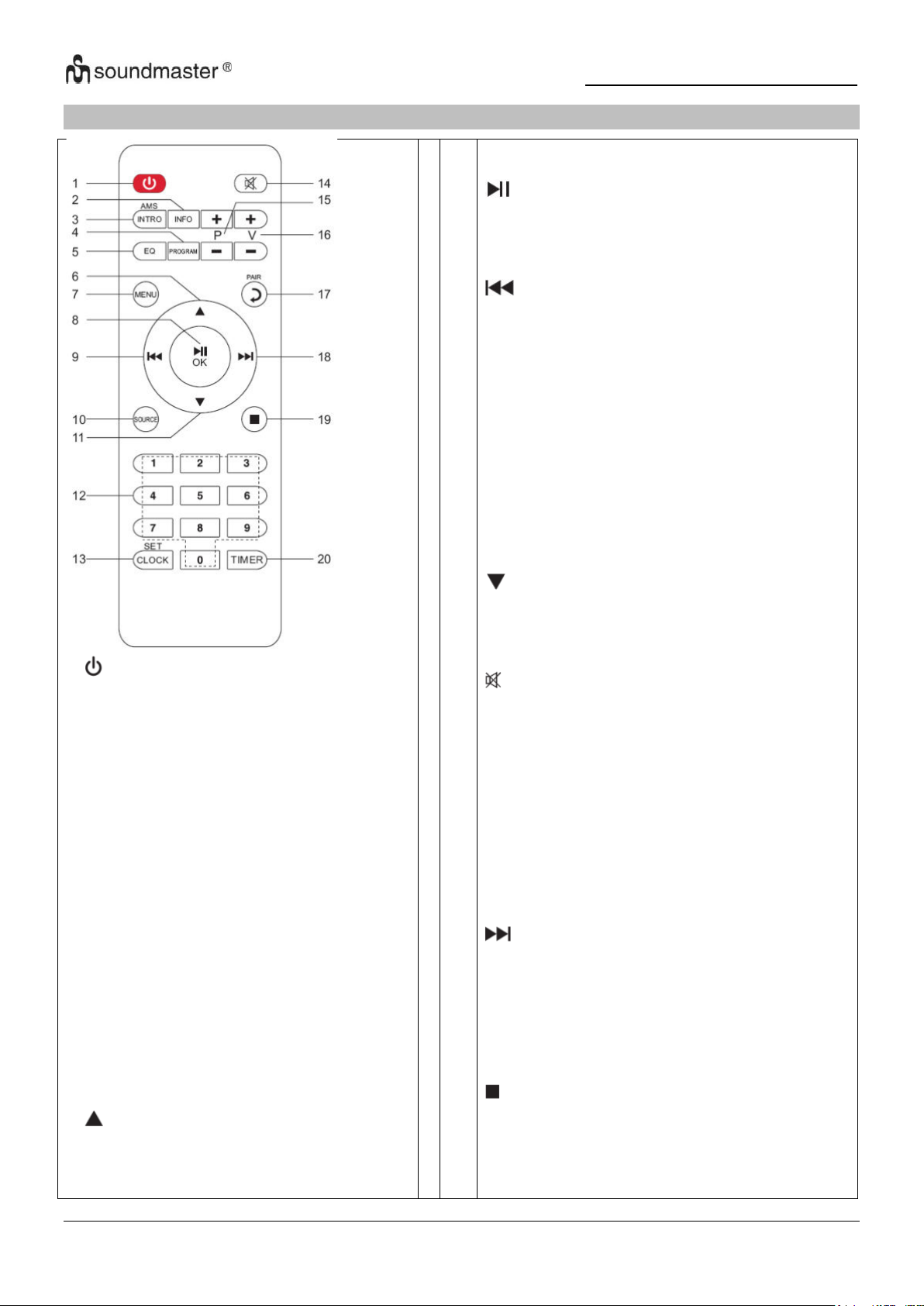
IR3500 / Français Manuel d’instructions
1
* Appuyez pour allumer ou éteindre
l'appareil
2 INFO
* Appuyez pour afficher les informations de
Affichage USB / DAB / FM et radio
Internet
3 INTRO/AMS
* Appuyez pour explorer toutes les pistes
* Appuyez pour lancer une recherche
automatique en mode DAB/FM, appuyez à
nouveau pour arrêter la recherche.
4 PROGRAM
* Appuyez pour programmer l'ordre de
lecture en mode USB et pour gérer les
stations présélectionnées en DAB/FM et
radio Internet
* Maintenez enfoncé pour mémoriser une
station préréglée
5 EQ
* Appuyez pour sélectionner l'égaliseur :
Normal / Jazz / Rock / Classique / Pop / Mon
égaliseur
6
* Appuyez pour naviguer vers le haut
7
8
9
10
11
12
13
14
15
16
17
18
19
20
MENU
* Appuyez pour accéder au menu
/OK
* Appuyez sur pour lecture/pause dans le
BT/USB et Radio Internet
* Appuyez pour confirmer quelque chose dans
le menu
* Maintenez enfoncé pour un retour rapide en
mode USB
* Appuyez pour passer à la piste précédente en
USB
* Appuyez pour afficher la liste des stations en
DAB
Accédez à la radio FM et Internet
* Appuyez pour affiner la FM
* Maintenez enfoncé pour le réglage manuel en
FM
SOURCE
* Appuyez pour changer la source (Internet
Radio/Podcasts/Spotify/
DAB/FM/USB/BT/AUDIO)
* Appuyez pour naviguer vers le bas
0-9 Numériquement
CLOCK
* Maintenez enfoncé pour régler l'heure
* Appuyez pour couper le son
P+/* Appuyez pour sauter le début de la
album précédent/suivant en USB
* Appuyez pour sélectionner le préréglage
précédent/suivantcanal en FM et DAB
V+/* Appuyez pour augmenter/diminuer le volume
PAIR
* Appuyez pour revenir en arrière
* Appuyez et maintenez pour connecter un
appareil, appuyez pour supprimer un appareil
* Maintenez enfoncé pour avancer rapidement
* Appuyez pour passer à la piste suivante
* Appuyez pour afficher la liste des stations en
DAB / FM et affichage radio internet
* Appuyez pour affiner la FM
* Maintenez enfoncé pour le réglage manuel en
FM
* Appuyez pour arrêter la lecture en mode USB
TIMER
* Appuyez pour régler la minuterie
TÉLÉCOMMANDE
3
Page 40
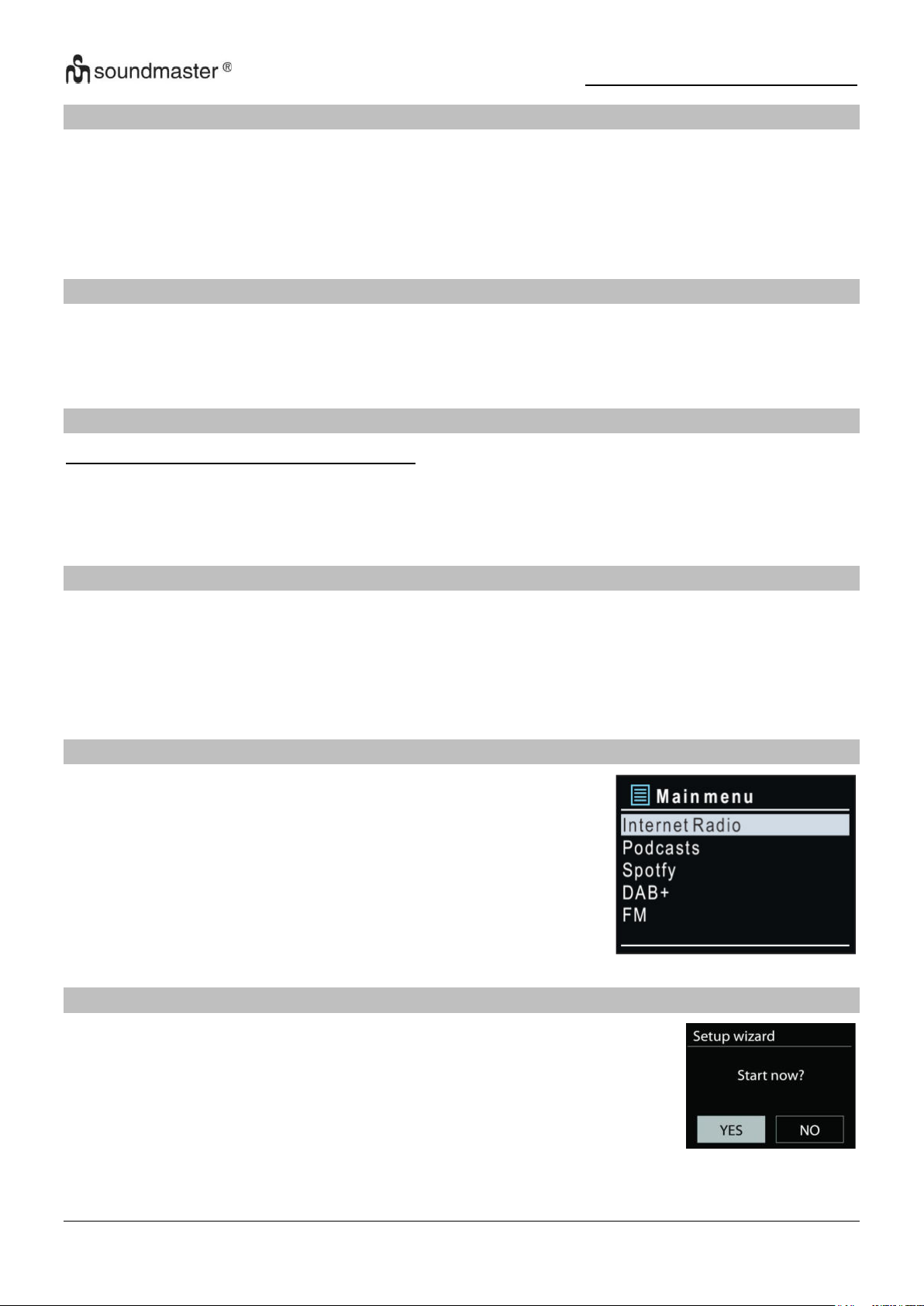
IR3500 / Français Manuel d’instructions
UTILISATION DE LA TÉLÉCOMMANDE
1. Appuyez et faites glisser le couvercle arrière pour ouvrir le compartiment à piles de la
télécommande.
2. Insérez deux piles de type AAA. Assurez-vous que les polarités (+) et (-) des piles
correspondent aux signes (+) et (-) gravés dans le compartiment à piles.
2. Remettez en place le couvercle du compartiment à piles.
CONTENU DU PAQUET
➢ Unité principale
➢ Manuel d’instructions
➢ Adaptateur secteur
➢ Télécommande
MISE EN MARCHE/CONFIGURATION
Utilisez uniquement l'adaptateur fourni!
Branchez l’appareil à une source d’alimentation appropriée à l’aide du bloc d’alimentation
fourni. Après avoir affiché un écran de démarrage, il accède au dernier mode d’écoute utilisé.
Lorsque l’appareil est allumé pour la première fois, l’assistant d’installation est lancé
automatiquement.
PRÉPARER L’ENVIRONNEMENT RÉSEAU
Assurez-vous que le réseau Wi-Fi est correctement installé et que vous disposez du mot de
passe WEP, WPA ou WPA2 pour activer la connexion.
Vous pouvez également utiliser la fonction WPS (WiFi Protected Setup) pour un couplage facile
entre le périphérique réseau et l’appareil. Vérifiez que les témoins lumineux sur le périphérique
réseau indiquent le statut approprié.
MENU PRINCIPAL
Vous avez les options suivantes dans le menu principal:
Internet Radio, Podcasts, Spotify, DAB, FM, USB, Bluetooth®,
Audio-In, Sleep et Alarm.
LES PARAMÈTRES DU SYSTÈME
Lors du démarrage initial, le système vous demande si vous souhaitez
démarrer l'assistant de configuration. L'assistant de configuration vous
guide à travers les paramètres de configuration de base pour l'heure/la
date et la connexion réseau. Pour modifier les paramètres
ultérieurement, toutes les fonctions de réglage sont accessibles via le
menu des paramètres.
4
Page 41

IR3500 / Français Manuel d’instructions
Remarque: si l'assistant de configuration se termine prématurément sans configuration réseau,
l'appareil génère son propre accès WiFi afin que l'appareil puisse être configuré à l'aide de
l'application UNDOK.
Indicateur de connexion réseau :
= Connexion réseau établie.
= Connexion réseau non établie.
1. Langue
Sélectionnez la langue du menu
2. Démarrage du système
Au début de la première installation ou après une réinitialisation d'usine, la politique de
confidentialité du produit apparaîtra en premier à l'écran. Pour continuer l’installation,
veuillez confirmer avec le bouton « OK ».
De plus amples informations sont disponibles sur
www.frontiersmart.com/privacy
3. Assistant de configuration
Sélectionnez « Yes » pour lancer l'assistant d'installation.
4. Format d’affichage de l’heure/de la date
Sélectionnez le format horaire 12 ou 24 heures.
5. Actualisation automatique
La date et l’heure peuvent être mises à jour manuellement ou automatiquement depuis la
connexion DAB, FM ou le réseau.
La mise à jour automatique fonctionne avec les données envoyées via la réception DAB,
FM ou internet. L’horloge ne peut être mise à jour que dans le mode correspondant, il est
donc conseillé de sélectionner un mode que vous utilisez régulièrement.
DAB et FM utilisent les signaux horaires des transmissions radio. Le réseau utilise le signal
horaire envoyé par le portail de la radio internet lorsque l’appareil est réglé sur un mode
connecté au réseau.
6. Fuseau horaire/Heure d’été
Réglez votre fuseau horaire. Si votre pays utilise l’heure d’été au moment du réglage,
activez l’option heure d’été
7. Mise à jour manuelle
Si vous ne choisissez pas l’option mise à jour automatique, l’assistant de configuration vous
demandera de régler la date et l’heure manuellement. La date et l’heure sont affichées
comme suit : jj-mm-aaaa and hh:mm.
La valeur activée clignote. Définissez la valeur avec « / ». Après avoir défini une
valeur, appuyez sur le bouton « OK » pour passer à la valeur suivante
8. Réseau
Garder le réseau connecté
Sélectionnez cette option lorsque certaines fonctions de cet appareil requièrent la
connexion au réseau ; lorsque cette option est sélectionnée, l’appareil se connecte
rapidement à l’Internet et il est possible d’allumer l’appareil via l’application « UNDOK ».
5
Page 42
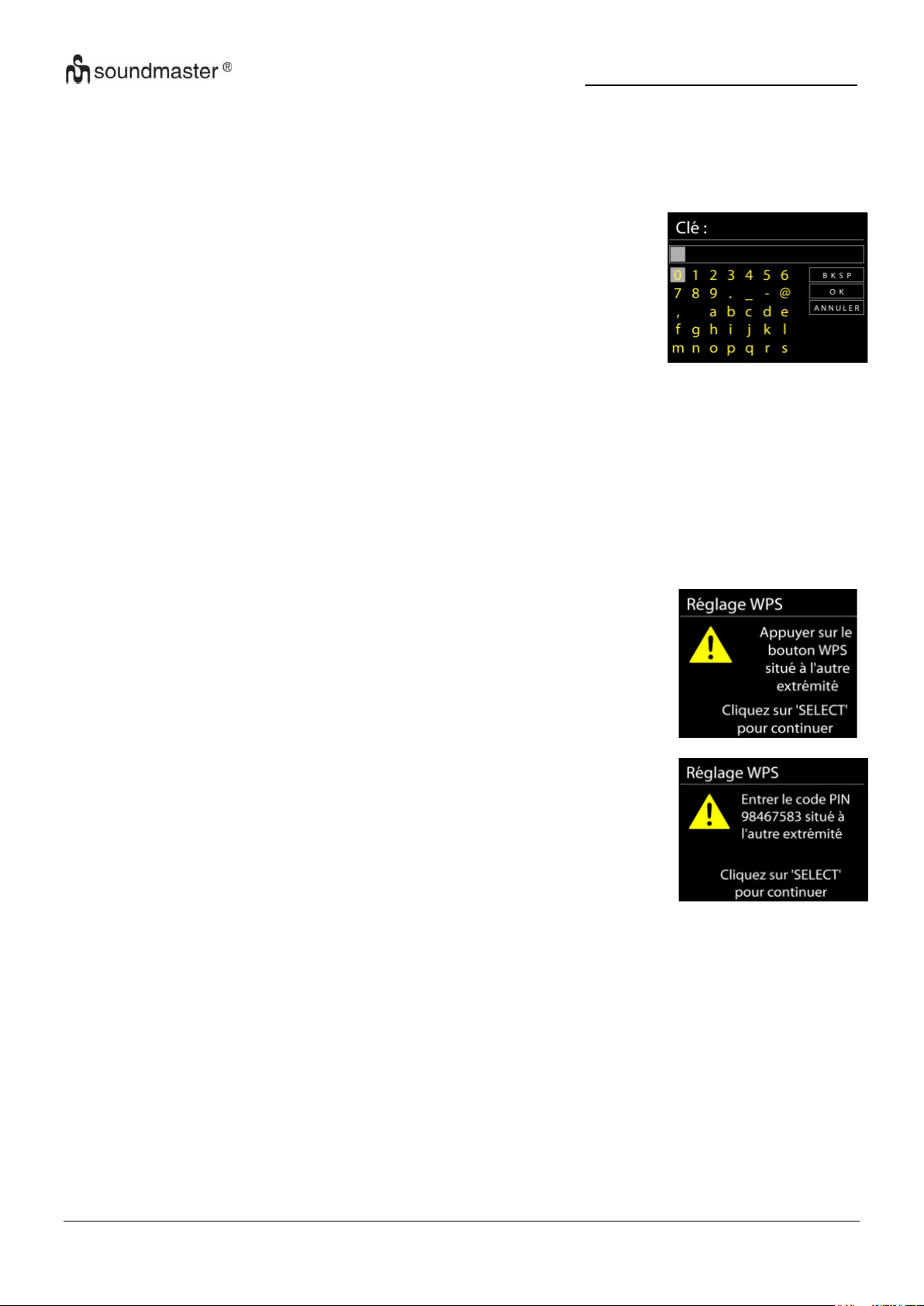
IR3500 / Français Manuel d’instructions
Pour une connexion sans fil, la prochaine étape consiste à saisir le
mot de passe de cryptage. Pour saisir la clé du réseau, utilisez le
bouton «NAVIGATE» pour déplacer le curseur entre les caractères
et confirmez en appuyant sur « OK ». Alors que chaque caractère
est sélectionné, la touche apparaît en haut de l’écran.
Avant les trois premiers caractères, trois options sont accessibles
via la molette de navigation - « Backspace », « OK » et « Cancel ».
Bouton poussoir
L’appareil vous demande d’appuyer sur la touche de connexion du
routeur. Il recherche ensuite un réseau disponible via le bouton
poussoir et s’y connecte.
Code pin
L’appareil génère un code à huit chiffres à saisir dans votre routeur
sans fil, dans le point d’accès ou par enregistrement externe.
Recherche de réseau
L’appareil est compatible avec la plupart des protocoles réseau et des méthodes de
cryptage. Il recherche les réseaux disponibles et les liste pour que vous puissiez faire votre
sélection.
.
Réseau à cryptage « WPS »
Des indications sur le type de réseau apparaissent – si votre périphérique réseau prend en
charge la fonction WPS, [WPS] s’affiche avant le SSID (le nom du dispositif réseau).
Sélectionnez celui auquel vous souhaitez vous connecter. Utilisez l’une des méthodes de
connexion suivantes :
Il existe une touche de raccourci WPS sur le point d’accès.
6
Page 43
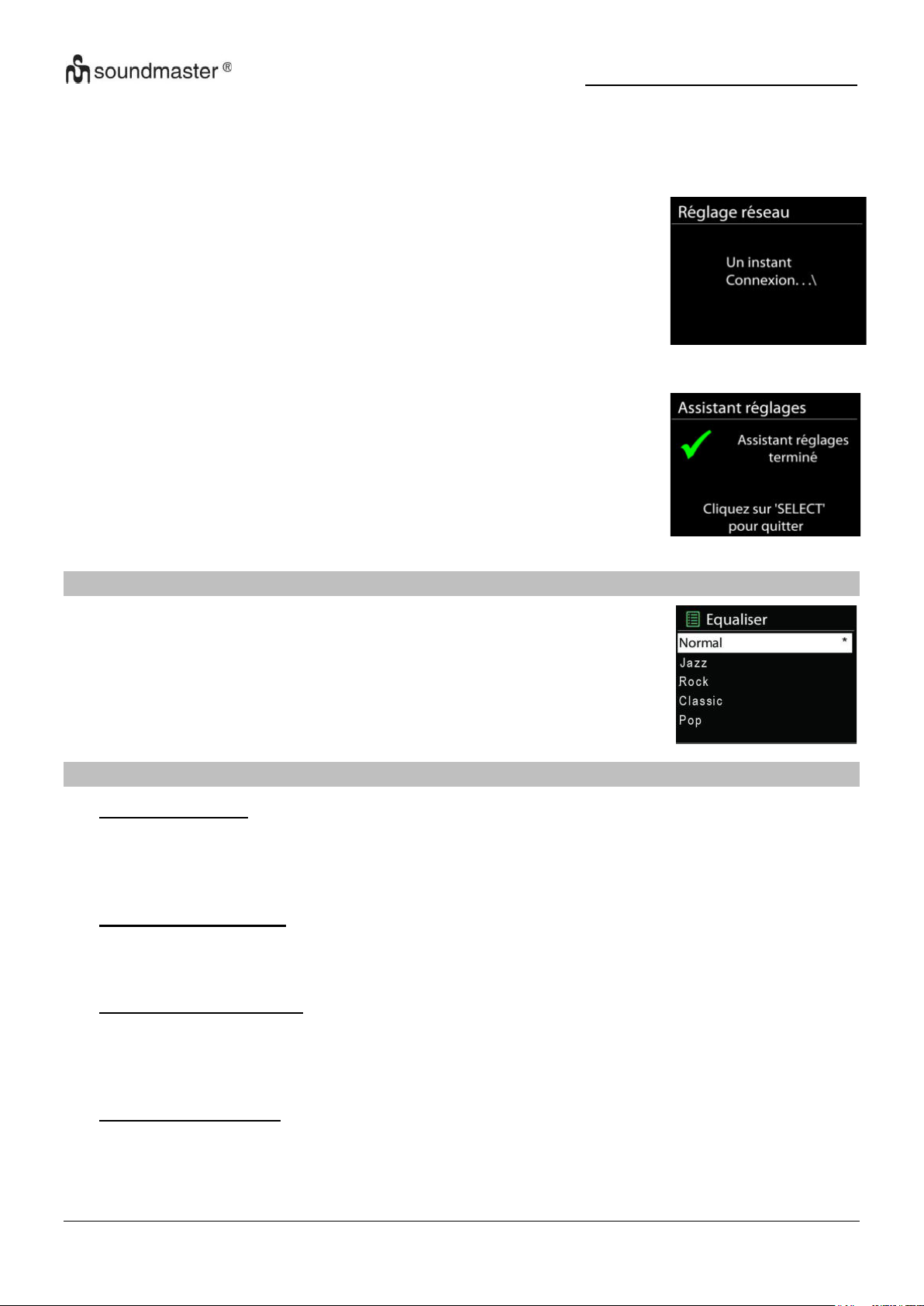
IR3500 / Français Manuel d’instructions
ACHÈVEMENT
Une tentative est effectuée sur le réseau sélectionné
relier. Si la configuration est réussie, le
Confirmation de connexion. Si la connexion échoue
l'appareil revient à l'affichage précédent
et essayez à nouveau.
Appuyez sur « OK » pour quitter l'assistant de configuration.
Vous pouvez choisir parmi différents égaliseurs prédéfinis: Normal,
Jazz, Rock, Classique, Pop et Mein EQ.
Dans « My EQ », vous avez la possibilité de faire vos propres réglages
sonores individuels avec des réglages d'aigus et de basses.
Sauter WPS
Touche entrée comme pour une connexion à un réseau avec un cryptage standard.
Pour plus d’informations sur les réglages d’un réseau à cryptage WPS, veuillez consulter
les instructions de votre routeur WPS.
EQUALISER
RÉSEAU
• Assistant réseau
L'appareil commencera à rechercher les réseaux AP SSID, puis entrez votre mot de passe
WEP / WPA ou appuyez sur le bouton / Pin / WPS Skip pour vous connecter au réseau
sans fil.
• Installation WiFi PBC
Push Button Configuration, est utilisé par un point d'accès qui prend en charge WPS (Wi-Fi
Protected Setup).
• Paramètres d'affichage
Afficher les informations du réseau actuellement connecté : connexion active, adresse
MAC, WLAN région, DHCP, SSID, adresse IP, masque de sous-réseau, adresse de
passerelle, DNS principal et DNS secondaire.
• Paramètres manuels
Choisissez la connexion réseau sans fil et activez ou désactivez DHCP (Dynamic Host
Configuration Protocol).
7
Page 44
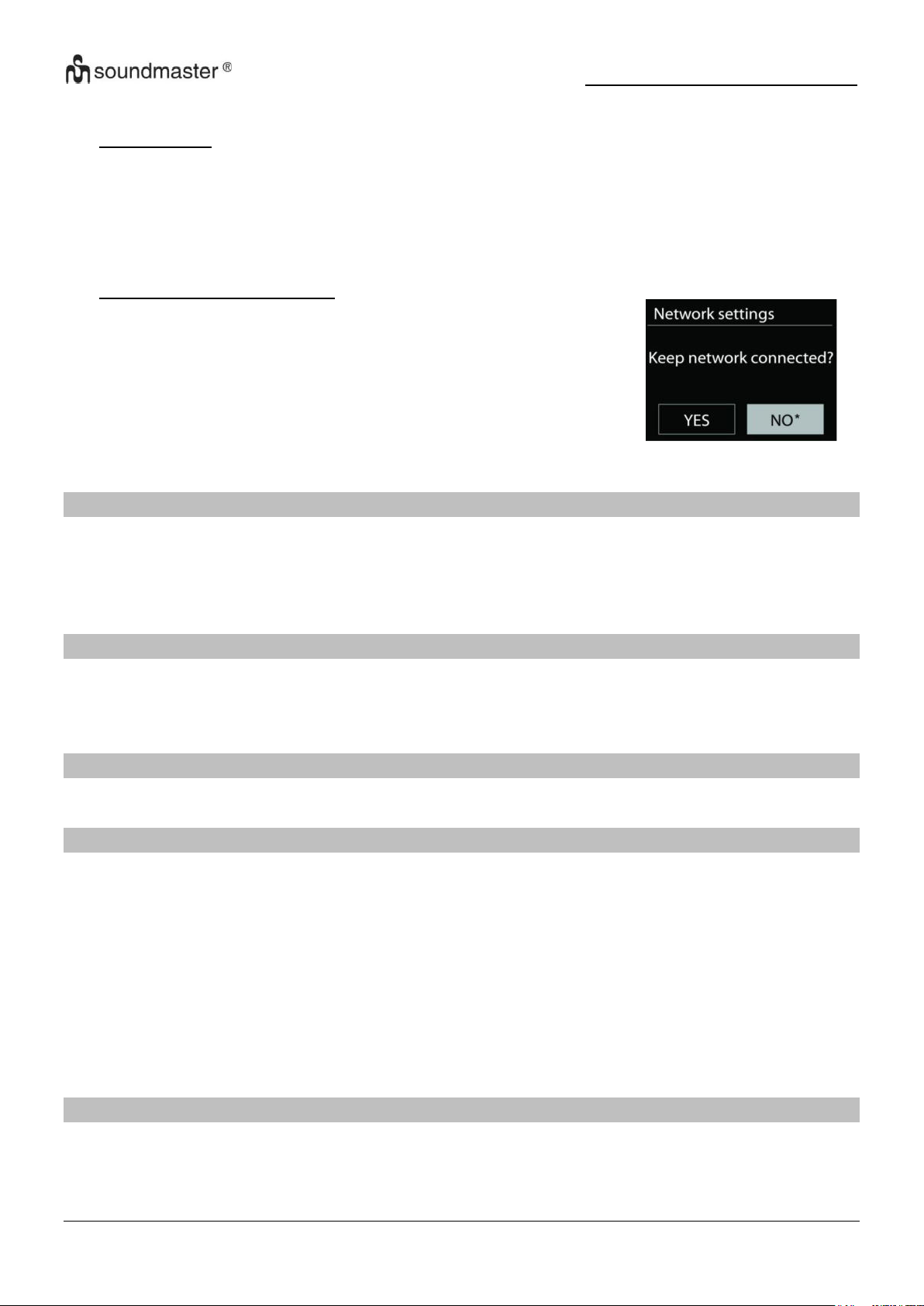
IR3500 / Français Manuel d’instructions
Si vous choisissez de rester connecté au réseau, le WiFi ne se
déconnectera pas même si vous êtes en mode veille. Sinon, la
connexion ne sera disponible qu'en modes radio Internet et
lecteur de musique. Cette option permet à l'IR3500 d'être prêt
pour le streaming DLNA dans tous les modes de
fonctionnement.
Lorsque Garder le réseau connecté est sélectionné, la
consommation d'énergie en veille est augmentee
.
• Profil réseau
Cet appareil mémorise les quatre derniers réseaux sans fil auxquels il s'est connecté et
essaie automatiquement de se connecter à celui qu'il peut trouver. De là, vous pouvez voir
la liste des réseaux enregistrés. Vous pouvez supprimer les réseaux indésirables en
tournant et en appuyant sur puis en choisissant OUI pour confirmer la suppression.
• Gardez le réseau connecté
HEURE/DATE
Vos options de réglage sont la mise à jour manuelle ou automatique, le format de l'heure, le
fuseau horaire et l'heure d'été.
ÉCLAIRAGE D'AFFICHAGE
Vous pouvez adapter la luminosité de l'écran à vos besoins aussi bien en fonctionnement (clair,
moyen, sombre) qu'à l'état tamisé (moyen, sombre).
De plus, vous pouvez sélectionner la période de temps après laquelle l'affichage s'éteint
automatiquement (10-180 secondes)
LANGUE
Sélectionnez l'une des langues répertoriées.
MISE À JOUR LOGICIELLE
De temps en temps, des mises à niveau logicielles peuvent être créées avec des corrections de
bogues et/ou des fonctionnalités supplémentaires. Vous pouvez soit vérifier manuellement, soit
configurer l'IR3500 pour qu'il vérifie périodiquement automatiquement (il s'agit de la valeur par
défaut). Si un logiciel disponible plus récent est détecté, il vous sera demandé si vous souhaitez
procéder à une mise à jour. Si vous êtes d'accord, le nouveau logiciel est alors téléchargé et
installé. Après une mise à niveau logicielle, tous les paramètres utilisateur sont conservés.
REMARQUE : Avant de commencer une mise à niveau logicielle, assurez-vous que l'IR3500
est branché sur une connexion d'alimentation principale stable. Débrancher l'alimentation
pendant une mise à niveau peut endommager définitivement l'appareil.
Affiche la version actuelle du logiciel et l'ID de l'appareil.
INFO
8
Page 45
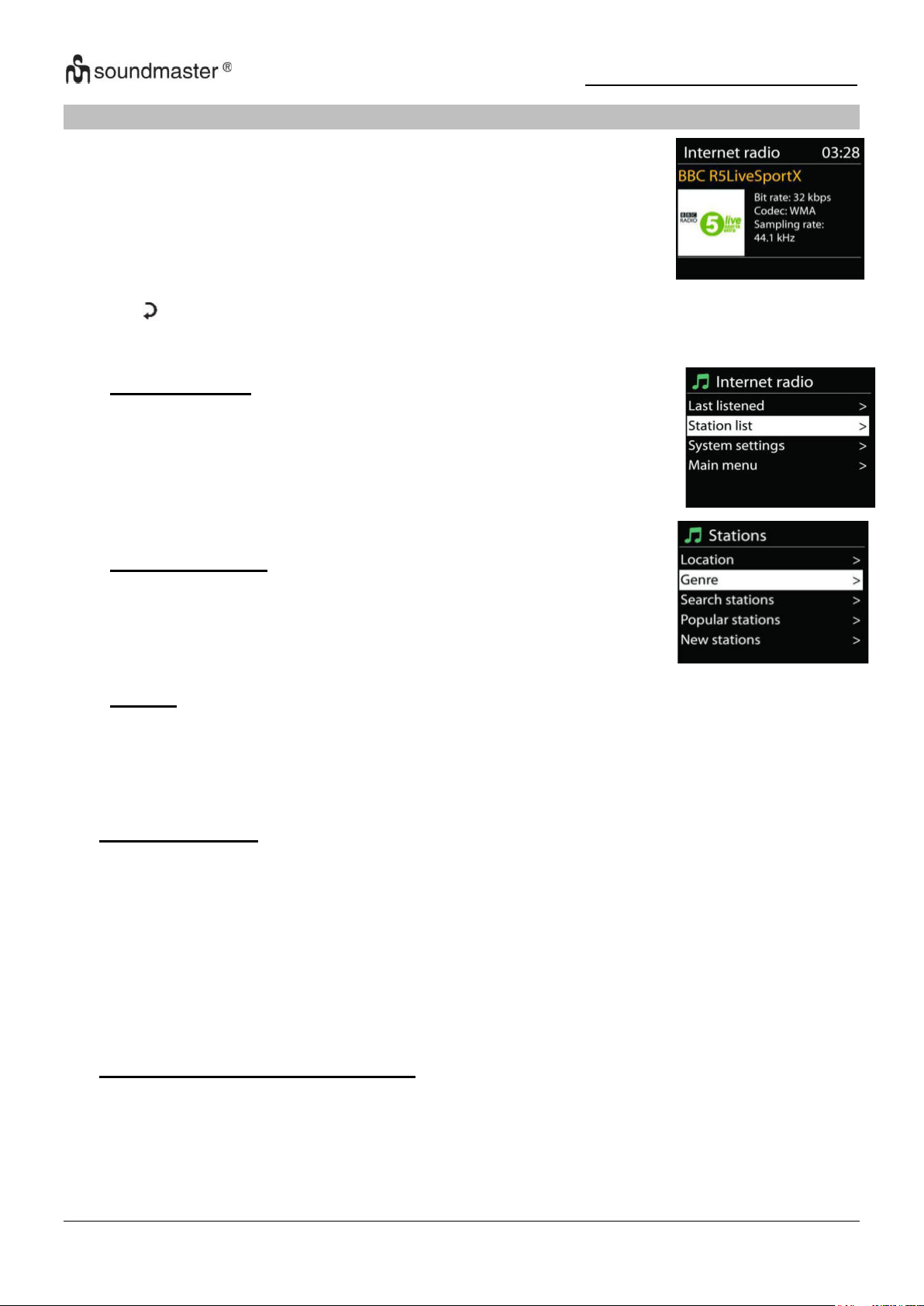
IR3500 / Français Manuel d’instructions
L’appareil peut accéder à des milliers de stations radio et podcasts à
travers le monde via une connexion internet à bande passante.
Lorsque vous sélectionnez la radio internet, l’appareil contacte
directement le portail de radio internet Frontier Silicon (pris en charge
par Airable) pour obtenir une liste de stations.
• Dernière écoute
Lorsque vous démarrez la radio Internet, la dernière station que
vous avez écoutée est lue automatiquement. Pour sélectionner une
autre station écoutée en dernier lieu, sélectionnez-en une dans
cette liste. La dernière station que vous avez écoutée apparaît en
haut de la liste.
• Liste des stations
Recherchez des chaînes Internet. Ceux-ci sont triés par
différentes catégories, pays, genre, populaires et nouveaux. Vous
pouvez également rechercher des mots-clés.
• Favoris
Les favoris sont stockés dans le portail radio Internet et sont disponibles à partir de toutes
les radios Internet enregistrées sous le même compte. Avant de pouvoir utiliser les favoris,
la radio doit être enregistrée sur le portail radio Internet.
RADIO INTERNET/PODCASTS
Si vous êtes déjà en train d’écouter une station radio via internet, vous pouvez appuyer sur la
touche « » pour revenir rapidement à la dernière branche visitée du menu arborescent, plutôt
que sur la touche « MENU » qui vous ferait revenir au menu principal.
• Préconfigurations
Pour mémoriser une station radio Internet, maintenez enfoncée la touche « PRESET »
jusqu'à ce que l'affichage de mémorisation des stations apparaisse, puis sélectionnez
l'emplacement de mémorisation et validez votre choix par « OK ». Ou appuyez sur l'un des
trois boutons de station préréglée de l'appareil et maintenez-le enfoncé jusqu'à ce que
l'écran affiche la station à mémoriser.
Pour appeler une station préréglée, saisissez la position du programme à l'aide des touches
0-9 de la télécommande ou appuyez sur la touche "PRESET", sélectionnez la station
souhaitée et appuyez sur la touche "OK" pour valider. Ou appuyez sur l'un des trois
boutons de station préréglée de l'appareil pour appeler la station souhaitée.
Informations sur la lecture en cours
Pendant la lecture, le nom et la description de la transmission s'affichent à l'écran. Pour
afficher d'autres informations, appuyez sur la touche "INFO" de l'appareil ou de la
télécommande.
A chaque appui sur la touche INFO, un groupe d'informations différent s'affiche
successivement : nom/titre, genre/lieu, fiabilité, codec/taux d'échantillonnage, buffer de
lecture et date actuelle.
9
Page 46
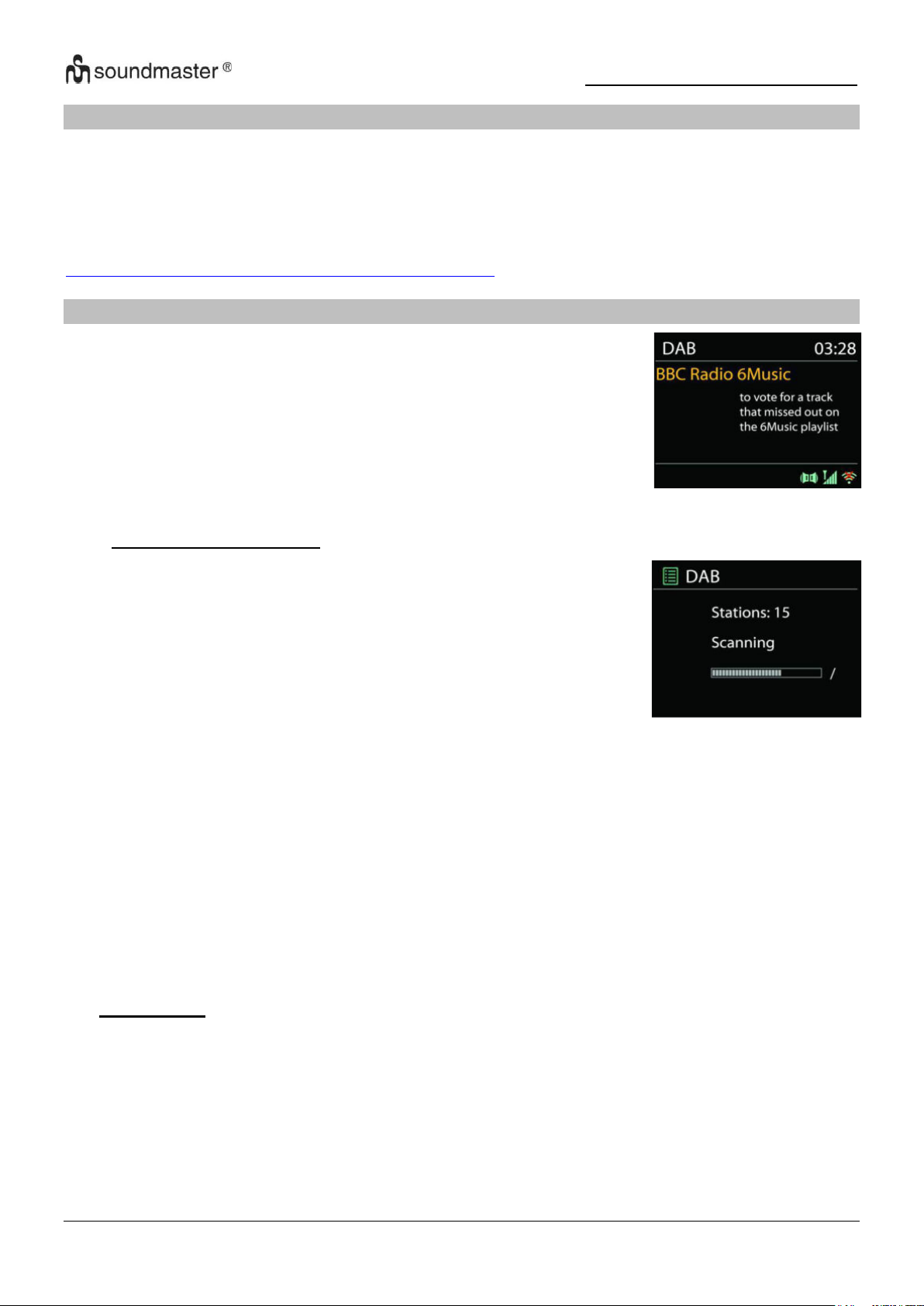
IR3500 / Français Manuel d’instructions
En mode DAB, l’appareil reçoit les signaux de la radio numérique
DAB/DAB+, et affiche des informations sur la station, le streaming
audio et le programme.
● Recherche des stations
La première fois que vous sélectionnez le mode radio DAB, ou si
la liste des stations est vide, l’appareil effectue automatiquement
une recherche complète pour trouver des stations disponibles.
Pour l’une des raisons suivantes, il sera peut-être nécessaire
d’effectuer une recherche manuelle pour mettre la liste à jour :
• Les stations disponibles changent de temps en temps .
• Si la réception n’était pas idéale lors de la première
recherche, la liste des stations peut être incomplète ou vide .
• Si la réception de certaines stations est mauvaise, vous
pouvez souhaiter ne lister que les stations avec une bonne
réception .
SPOTIFY
"Utilisez votre téléphone, votre tablette ou votre ordinateur comme une télécommande pour
contrôler Spotify.
Accédez à spotify.com/connect pour en savoir plus."
Le logiciel Spotify est soumis à des licences tierces trouvées ici :
https://www.spotify.com/connect/third-party-licenses
DAB
Pour lancer une recherche, sélectionnez recherche complète, une fois la recherche effectuée,
la radio affiche la liste des stations disponibles.
Appuyez sur le bouton « BACK » pour afficher la liste des stations et appuyez sur « OK » pour
sélectionner. Une fois sélectionnée, la station joue et l'écran affiche des informations sur la
station, la piste ou l'émission diffusées.
• Préréglages
Pour mémoriser une station radio, maintenez enfoncée la touche « PRESET » jusqu'à ce
que l'affichage de mémorisation des stations apparaisse, puis sélectionnez l'emplacement
de mémorisation et validez votre choix par « OK ». Ou appuyez sur l'un des trois boutons
de station préréglée de l'appareil et maintenez-le enfoncé jusqu'à ce que l'écran affiche la
station à mémoriser.
Pour appeler une station préréglée, saisissez la position du programme à l'aide des touches
0-9 de la télécommande ou appuyez sur la touche "PRESET", sélectionnez la station
souhaitée et appuyez sur la touche "OK" pour valider. Ou appuyez sur l'un des trois
boutons de station préréglée de l'appareil pour appeler la station souhaitée.
10
Page 47

IR3500 / Français Manuel d’instructions
Informations sur la lecture en cours
Pendant la transmission, le nom de la station et les informations DLS (Dynamic Label
Segment) transmises par la station sont affichées ; ceux-ci contiennent des données en
temps réel telles que le nom du programme, le titre et les coordonnées. Les transmissions
stéréo sont signalées par une icône correspondante en haut de l'écran. Pour afficher
d'autres informations, appuyez sur la touche "INFO" de l'appareil ou de la télécommande.
• Paramètres
Compression de la plage dynamique (DRC))
Si vous écoutez de la musique avec une plage dynamique élevée dans un environnement
bruyant, vous pouvez compresser la plage dynamique audio. Cela rend les tonalités faibles
plus fortes et les tonalités fortes plus silencieuses. Réglez l'option DRC sur Off, Low ou
High.
Ordre de l'expéditeur
Vous pouvez trier les stations de radio DAB par ordre alphanumérique, comme ensemble
ou comme stations valides.
Liste d'ensembles des stations diffusées ensemble sur le même ensemble. Avec l'option
Valide, les premières chaînes valides sont affichées alphanumériquement puis les chaînes
qui n'ont pas été transmises.
11
Page 48
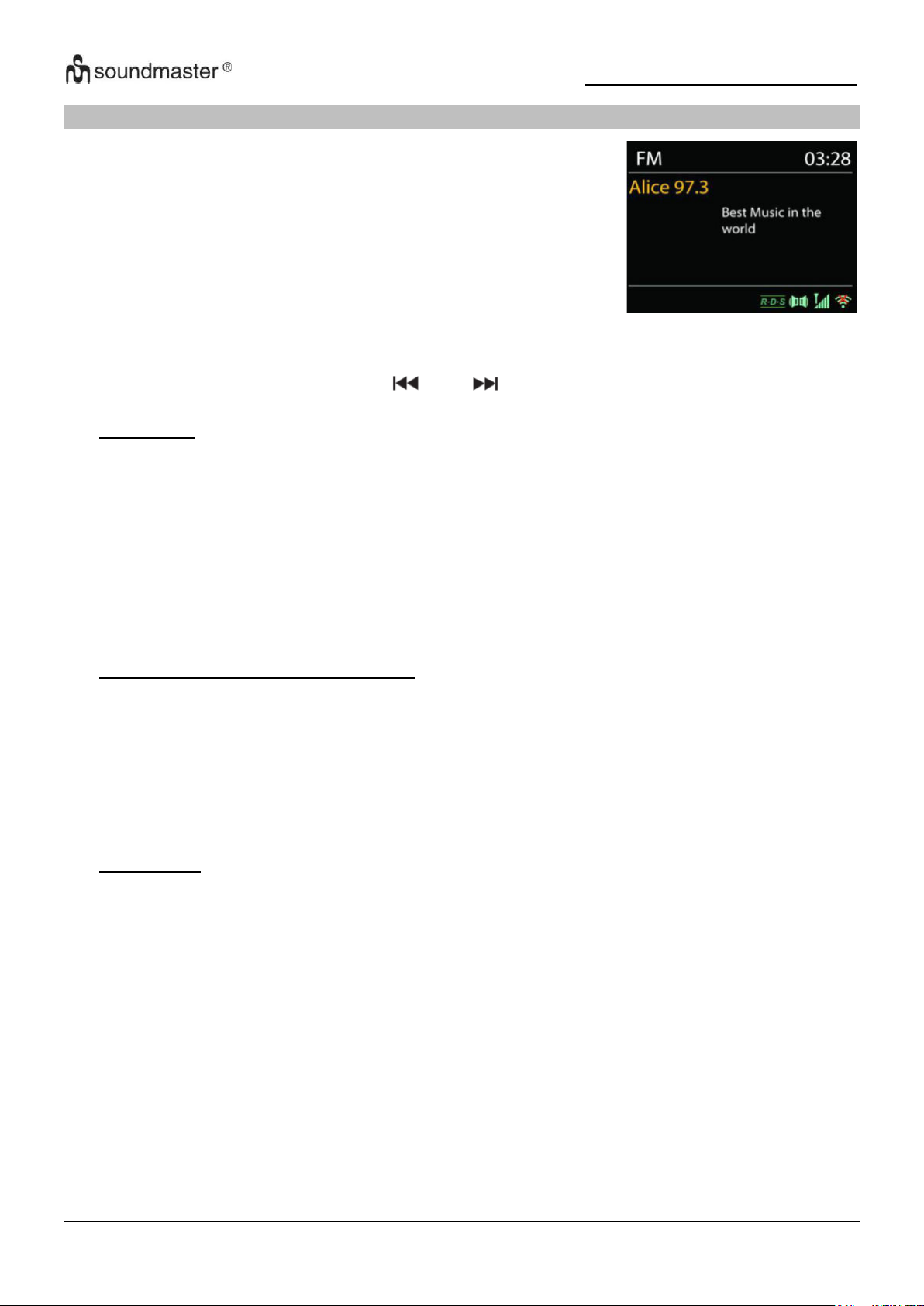
IR3500 / Français Manuel d’instructions
En mode radio FM, l’appareil reçoit la radio analogique depuis la
bande FM et affiche les informations RDS (Système de données
radio) à propos de la station et des diffusions
FM
Pour rechercher une station de radio automatiquement, appuyez et maintenez le bouton "INTRO".
L'affichage de la fréquence commence à fonctionner et mémorise toutes les stations disponibles.
Pour un réglage manuel, appuyez sur « » ou « ». L'appareil règle les émetteurs par pas de
0,05 MHz.
• Préréglage
Pour mémoriser une station radio, maintenez enfoncée la touche « PRESET » jusqu'à ce
que l'affichage de mémorisation des stations apparaisse, puis sélectionnez l'emplacement
de mémorisation et validez votre choix par « OK ». Ou appuyez sur l'un des trois boutons
de station préréglée de l'appareil et maintenez-le enfoncé jusqu'à ce que l'écran affiche la
station à mémoriser.
Pour appeler une station préréglée, saisissez la position du programme à l'aide des touches
0-9 de la télécommande ou appuyez sur la touche "PRESET", sélectionnez la station
souhaitée et appuyez sur la touche "OK" pour valider. Ou appuyez sur l'un des trois
boutons de station préréglée de l'appareil pour appeler la station souhaitée
• Informations sur la lecture en cours
Pendant la transmission, l'écran affiche la fréquence et - si des informations RDS sont
disponibles - le nom de la station et d'autres données RDS telles que le nom du
programme, le titre et les coordonnées. Si aucune donnée n'est disponible, seule la
fréquence est affichée. Les transmissions stéréo sont signalées par une icône
correspondante en haut de l'écran.
Pour afficher plus d'informations sur le programme, appuyez sur le bouton "INFO" de
l'appareil.
• Paramètres
Paramètres de numérisation
Par défaut, la recherche FM s'arrête dès qu'une station disponible est trouvée. Cette
fonction peut entraîner la lecture d'une station avec un mauvais rapport signal/bruit (bruit).
Pour modifier les paramètres de balayage afin que seules les stations avec une bonne
force de signal soient reçues, sélectionnez d'abord l'option « Uniquement les stations fortes
», puis l'option Oui.
Les paramètres audio
Tous les canaux stéréo sont reproduits en stéréo. Pour les stations avec une mauvaise
réception, cela peut conduire à un mauvais rapport signal/bruit (bruit). Pour écouter de
telles stations en mono, sélectionnez l'option Mauvaise réception FM : ne jouer qu'en mono
et Oui.
12
Page 49
IR3500 / Français Manuel d’instructions
USB.
USB playing
1. Connectez une clé USB à la prise USB située à l'arrière de l'appareil.
2 Appuyez plusieurs fois sur le bouton " " de l'appareil ou appuyez sur le bouton "SOURCE"
de la télécommande jusqu'à ce que "USB" s'affiche à l'écran pour sélectionner la fonction
USB.
3. La lecture démarre automatiquement.
Fonction de reprise
Vous pouvez mettre la lecture en pause et continuer à écouter à partir du point où la lecture a
été interrompue. (REPRISE) En appuyant sur le bouton « » et en éteignant l'appareil ou en
utilisant une autre fonction. Si vous appuyez sur le bouton « » puis sur le bouton « », la
lecture commence depuis le début (piste 1).
Ignorer la recherche et la recherche
• Appuie sur le“ ” Bouton une ou plusieurs fois pour revenir en arrière d'une ou plusieurs
pistes.
• Appuie sur le“ ” Bouton une ou plusieurs fois pour avancer d'une ou plusieurs pistes
• Appuyez et maintenez le “ ” Bouton de la télécommande pour revenir en arrière dans la
piste dès que vous êtes à l'endroit souhaité dans la piste appuyez sur le bouton " " pour
continuer la lecture.
• Appuyez et maintenez le “ ” Touche de la télécommande pour avancer rapidement dans
la piste dès que vous êtes au point souhaité de la piste, appuyez sur la touche " " pour
continuer la lecture.
Fonction d'introduction
Appuyez sur le bouton "INTRO" de la télécommande pour lire les 10 premières secondes de
chaque piste enregistrée pour commencer à lire le début de chaque piste
consécutivement à partir de la première chanson. Le temps de lecture de chaque piste est de
10 secondes. Lorsque vous entendez la piste souhaitée, appuyez deux fois sur le bouton " ".
Programmation de l'ordre de lecture
1. Pendant la lecture, appuyez sur le bouton « » de la télécommande.
2. Appuyez ensuite sur le bouton « PROGRAM », l'information « P01 T01 » est maintenant
affichée à l'écran.
3. Sélectionnez la piste souhaitée avec " " ou " " pour l'enregistrer sous P01, P02 etc.
4. Appuyez sur le bouton « PROGRAM » pour confirmer la piste sélectionnée et passer à la
piste suivante.
5. Dès que vous avez terminé la programmation, appuyez sur le bouton « » pour confirmer
vos réglages et lancer la lecture.
6. En lecture programmée, les chiffres de la télécommande sont sans importance,
Vous ne pouvez basculer entre les chansons qu'avec les boutons " / ".
7. Changez de fonction ou appuyez deux fois sur le bouton " " pour annuler l'ordre de lecture.
Remarque : vous pouvez enregistrer jusqu'à 20 pistes!
Fonction de chargement USB (5V 1A Fusil)
Branchez un câble USB sur la prise USB pour recharger un smartphone par exemple.
13
Page 50
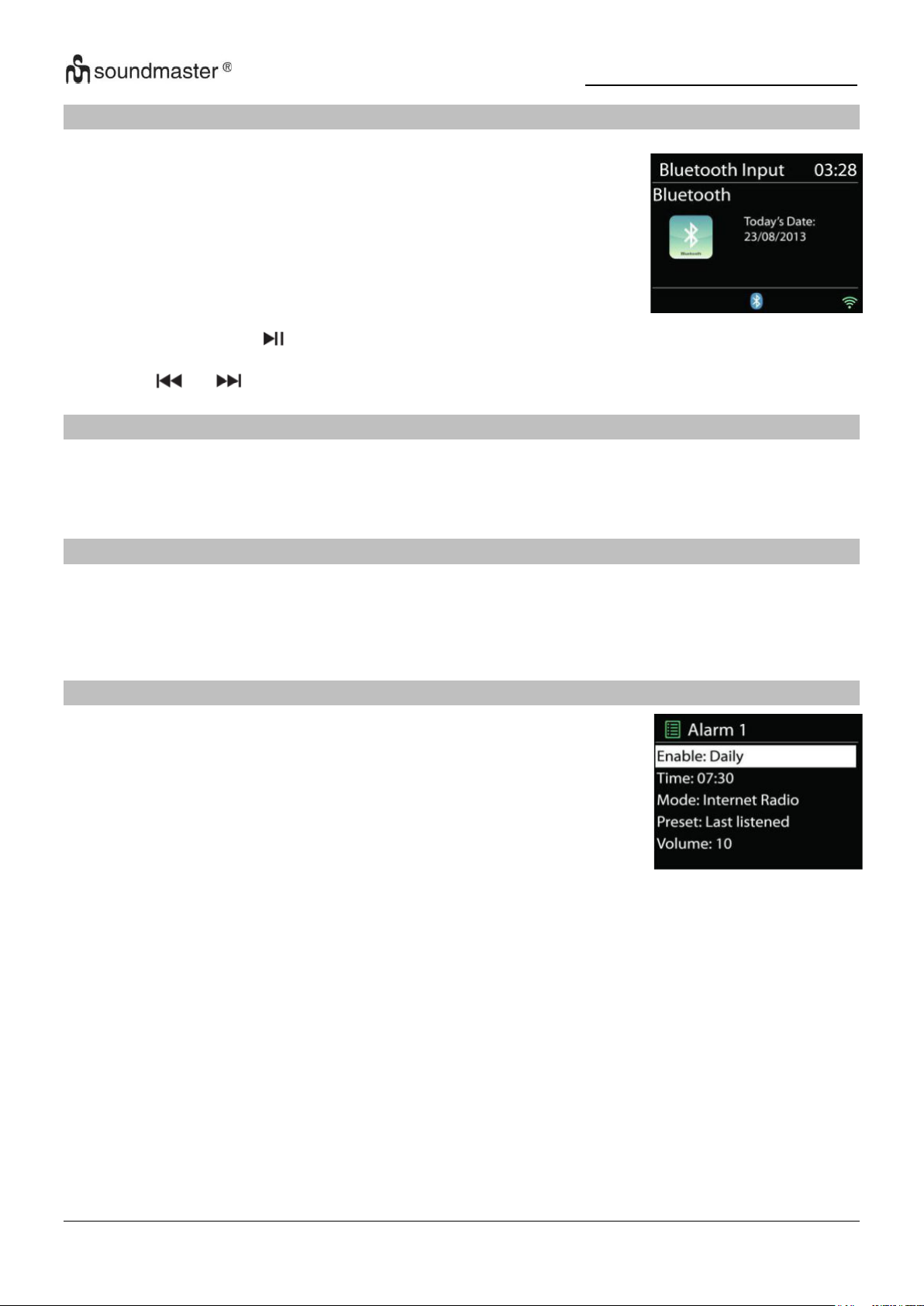
IR3500 / Français Manuel d’instructions
Si vous sélectionnez le mode Bluetooth®, l'appareil active le
couplage et l'icône BT clignote en bas de l'écran. Allumez votre
smartphone, tablette ou appareil Bluetooth® pour rechercher
l'IR3500.
Une fois l'appairage réussi, le voyant Bluetooth® s'allume en continu
et arrête de clignoter.
Pour terminer l'appairage BT, vous devez éteindre ou déconnecter
votre smartphone, tablette ou autre appareil Bluetooth®
L'appareil propose deux options d'appel d'alarme différentes avec
fonction snooze pour allumer l'appareil après un certain laps de
temps. Vous pouvez définir un mode d'alarme spécifique pour
chaque appel d'alarme.
BLUETOOTH®
Appuyez sur le bouton " " sur l'appareil ou sur la télécommande pour démarrer ou mettre en
pause la lecture de la musique. Vous pouvez aller à la piste précédente ou suivante avec les
boutons "" ou "".
AUDIO IN
Connexion des sorties lecteur DVD / décodeur / TV aux entrées analogiques de la carte son.
Utilisez un câble audio cinch pour connecter les sorties du lecteur DVD / TV à la prise d'entrée
AUX (L / R) de la table d'harmonie.
SOMMEIL
Pour régler la minuterie de sommeil, sélectionnez « SLEEP » dans le menu principal.
Choisissez entre Sleep OFF, 15min, 30min, 45min ou 60min.
Dès que vous avez sélectionné l'heure souhaitée, l'affichage revient au dernier écran de
lecture.
ALARME
Sélectionnez l'option "Réveil" dans le menu principal pour régler ou modifier un réveil
Sélectionnez le réveil que vous souhaitez (1 ou 2), puis configurez les paramètres suivants :
• Intervalle : Désactivé, Quotidien, Une fois, Week-end ou Jours ouvrables
• Temps
• La source : Summer, Internet Radio, DAB ou alors FM
• Programme : Dernière écoute, P1 - 40,
• Le volume : 0 - 32
Pour activer les nouveaux paramètres, faites défiler vers le bas et sélectionnez "Enregistrer".
Les réveils activés sont affichés en bas à gauche de l'écran avec une icône correspondante.
14
Page 51
IR3500 / Français Manuel d’instructions
Problème
Solution possible
L'appareil ne s'allume
pas.
Vérifiez si l'adaptateur secteur est correctement connecté.
L'appareil s'éteint
En raison des exigences ErP2 et de la protection de
l'environnement, l'appareil passe automatiquement en mode veille
si aucune musique n'est lue pendant plus de 15 minutes.
Pas de son.
1. Allumez le son, peut-être que l'appareil est en sourdine
2. Augmenter le volume.
3. Assurez-vous qu'aucun casque ou haut-parleur n'est connecté.
UNDOK
L'appareil prend en charge une fonction de contrôle à distance fournie via l'application UNDOK.
L'« APPLI UNDOK » est disponible en téléchargement dans « Apple App Store » et « Google
Android Play ».
Vous pouvez utiliser UNDOK pour faire fonctionner l'appareil, créer et gérer des groupes
d'appareils.
Les fonctions suivantes sont disponibles avec "UNDOK APP":
• Créer un groupe
• Attribuer des noms de groupe
• Gérez des groupes, ajoutez ou supprimez des appareils des groupes.
• Modifier le volume d'un groupe ou d'appareils individuels
• Vérifier les appareils qui n'ont pas encore été affectés à un groupe.
• Utilisez toutes les fonctions de l'appareil, y compris la radio Internet, le lecteur
multimédia, la lecture USB, DAB, FM, Bluetooth et AUX-In
• Réglez l'égaliseur pour divers réglages sonores
• Régler l'heure de répétition
• Changer le nom affiché de la radio.
CASQUE DE MUSIQUE
Pour écouter de la musique en privé, utilisez un casque avec une prise jack stéréo 3,5 et
connectez-le à la prise casque. Les haut-parleurs seront alors coupés.
Pour éviter une éventuelle perte auditive, n'écoutez pas à volume élevé pendant de
longues périodes.
RÉINITIALISER AUX PARAMÈTRES D'USINE
Une réinitialisation d'usine réinitialise tous les paramètres utilisateur à leurs valeurs par défaut,
de sorte que l'heure et la date, la configuration réseau et les paramètres par défaut sont perdus.
Cependant, la version actuelle du logiciel de l'IR3500 est conservée, de même que
l'enregistrement auprès du portail radio Internet. Les favoris des radios Internet sont donc
conservés sauf si vous réenregistrez votre IR3500 avec un autre compte sur le site portail.
DÉPANNAGE
15
Page 52
IR3500 / Français Manuel d’instructions
Impossible de se
connecter à Internet.
1. Vérifiez la fonction WiFi (également celle de votre routeur).
2. Essayez d'attribuer une adresse IP à l'appareil.
3. Assurez-vous que le mot de passe que vous avez entré est
correct
4. Redémarrez le routeur.
Rapprochez l'appareil de votre routeur
Aucune station de radio
trouvée.
1. Vérifiez votre connexion internet.
2. La station n'est peut-être pas disponible actuellement, veuillez
réessayer plus tard ou sélectionner une autre station.
3. Le lien de l'expéditeur peut être obsolète. Vérifiez si l'expéditeur
diffuse maintenant sur un autre lien.
Bruit en mode FM
Vérifier/déplacer l'antenne ou repositionner l'appareil
Aucune station
disponible / est
interrompue en mode
DAB.
1. Repositionner l'appareil.
2. Effectuer une nouvelle analyse.
3. Vérifiez la situation de la réception DAB locale.
L'alarme ne fonctionne
pas.
1. Activer l'alarme.
2. S'il n'y a pas de son, jetez un œil à la solution "Pas de son"
3. Une station a été définie comme source d'alarme, mais il n'y a
pas de connexion réseau. Changer la source d'alarme ou
reconfigurer la connexion.
USB ou MP3 n'est pas
reconnu.
1. Vérifiez si les appareils sont correctement connectés.
2. Certains supports de stockage USB nécessitent une alimentation
externe.
3. Tous les lecteurs MP3 ne sont pas reconnus, utilisez plutôt une
clé USB.
La télécommande
Internet ne détecte pas
ou ne se connecte pas
à l'IR3500
1. Redémarrez l'application. (UNDOK)
2. Redémarrez l'IR3500.
Le mode d'emploi actuel peut être téléchargé à partir de www.soundmaster.de
Sous réserve de modifications techniques et d'erreurs d'impression
Droit d'auteur par Woerlein GmbH, 90556 Cadolzburg,
Duplication uniquement avec l'autorisation de Woerlein GmbH.
www.soundmaster.de
16
Page 53
Veiligheids-, milieu- en instellingsaanwijzingen
MILIEUBESCHERMING
Gooi dit product niet weg bij het huishoudafval aan
het einde van de levensduur ervan. Breng het product
terug naar een inzamelingspunt voor hergebruik van
electrische en electronische apparatuur. Dit wordt
aangegeven door dit symbool op het product, in de
gebruiksaanwijzing of op de verpakking.
De materialen zijn herbruikbaar volgens de markeringen.
Door materiaal te recyclen of oude apparaten op een andere
manier te hergebruiken draagt u bij aan het bescherming van
ons milieu. Neem a.u.b. contact op met uw gemeente voor
informatie over inzamelingspunten.
WAARSCHUWING
Risico voor een elektrische schok
Niet openen!
Waarschuwing: Verwijder de behuizing (of achterzijde) niet,
om het risico op elektrische schokken te verkleinen. Geen
voor de gebruiker te onderhouden onderdelen binnenin het
apparaat. Laat reparatie over aan gekwalificeerd
onderhoudspersoneel.
Dit symbool wijst op de aanwezigheid van een
gevaarlijke spanning binnenin de behuizing, die groot
genoeg is om electrische schokken te veroorz aken.
Dit symbool wijst de gebruiker op de aanwezigheid
van belangrijke gebruiks- en onderhoudsinstructies
voor het apparaat.
Gebruikte batterijen zijn gevaarlijk afval en mogen
NIET weggegooid worden bij het huishoudelijk afval!!!
Als consument bent u wettelijk verplicht alle batterijen
terug te brengen voor milieuvriendelijk hergebruik - of
de batterijen gevaarlijke stoffen*) bevatten of niet.
U kunt batterijen gratis terugbrengen naar openbare
inzamelingspunten in uw gemeente of bij winkels die de
betreffende soort batterijen verkopen.
Alleen volledig lege batterijen.
*) met de markering Cd = cadmium, Hg = kwik, Pb = lood
Luister nooit langdurig op hoge volumeniveaus,
om mogelijke gehoorbeschadiging te voorkomen.
Beschadigde snoeren of stekkers moeten
meteen vervangen worden door geautoriseerd
onderhoudspersoneel.
In geval van bliksem moet de stekker
onmiddellijk uit het stopcontact getrokken
worden.
Wanneer kinderen het apparaat gebruiken,
moeten de ouders toezicht houden.
Reinig het apparaat alleen met een droge doek.
Gebruik GEEN SCHOONMAAKMIDDELEN of
SCHUURSPONSJES!
Stel het apparaat niet bloot aan direct zonlicht of
andere hittebronnen.
Installeer het apparaat op een plaats met
voldoende ventilatie, om oververhitting te
voorkomen.
Dek de ventilatieopeningen niet af!
Installeer het apparaat op een veilige en
vibratie-vrije plaats.
Installeer het apparaat zo ver mogelijk uit de
buurt van computers en magnetrons; anders kan
de radio-ontvangst gestoord worden.
Open de behuizing niet en probeer het apparaat
niet te repareren. Dit is gevaarlijk en doet uw
garantie vervallen. Reparaties mogen alleen
uitgevoerd worden door geautoriseerd
onderhoudspersoneel.
Gebruik alleen kwik- en cadmium-vrije batterijen.
Gebruikte batterijen zijn gevaarlijk afval en
mogen NIET weggegooid worden bij het
huishoudelijk afval!!! Breng de batterijen terug
naar uw handelaar of naar inzamelingspunten in
uw gemeente.
Houd batterijen buiten bereik van kinderen.
Gebruik het apparaat alleen binnenshuis in een
droge omgeving.
Bescherm het apparaat tegen vocht.
Open het apparaat niet. ELECTRISCHE
SCHOKGEVAAR! Laat opening en reparatie over
aan gekwalificeerd onderhoudspersoneel.
Sluit dit apparaat alleen aan op een goed
geïnstalleerd en geaard stopcontact. Zorg ervoor
dat de netspanning overeenkomt met het de
specificaties op het etiket.
Zorg ervoor dat het electriciteitssnoer droog blijft
tijdens gebruik. Zorg ervoor dat het
electriciteitssnoer niet afgeknepen of op een
andere manier beschadigd wordt.
Kinderen kunnen batterijen per ongeluk
inslikken. Raadpleeg onmiddellijk een dokter
wanneer een kind een batterij ingeslikt heeft.
Controleer uw batterijen regelmatig om
batterijlekkage te voorkomen.
De stekker of een koppelkabel wordt gebruikt als
onderbrekingsapparaat. De
onderbrekingsapparaten zullen gereed zijn voor
gebruik.
Zet geen open vuurbronnen, zoals brandende
kaarsen, op het apparaat.
Zet geen met vloeistof gevulde objecten, zoals
vazen, op het apparaat.
Dit apparaat is voor gebuik in omgevingen met
een gematigd klimaat; niet geschikt in landen
met een tropisch klimaat.
NL
Page 54

IR3500 / Nederlands Gebruiksaanwijzing
INHOUDSOPGAVE
LOCATIE VAN BEDIENINGEN .................................................................................. 2
AFSTANDSBEDIENING ............................................................................................. 3
UW AFSTANDSBEDIENING GEBRUIKEN ................................................................ 4
LEVERINGSOMVANG ................................................................................................ 4
AAN DE SLAG/INSTELLEN ....................................................................................... 4
DE NETWERKOMGEVING IN GEREEDHEID BRENGEN ......................................... 4
HOOFDMENU ............................................................................................................. 4
EINRICHTUNGSASSISTENT ..................................................................................... 4
EQUALIZER ................................................................................................................ 7
NETWERK .................................................................................................................. 7
TIJD/DATUM ............................................................................................................... 7
DISPLAYVERLICHTING ............................................................................................. 8
TAAL ........................................................................................................................... 8
SOFTWARE UPDATE ................................................................................................ 8
INFO ............................................................................................................................ 8
INTERNET RADIO/PODCASTS ................................................................................. 9
SPOTIFY ................................................................................................................... 10
DAB ........................................................................................................................... 10
FM ............................................................................................................................. 12
USB ........................................................................................................................... 13
BLUETOOTH® .......................................................................................................... 14
AUDIO IN .................................................................................................................. 14
SLAAP ...................................................................................................................... 14
ALARM...................................................................................................................... 14
UNDOK ..................................................................................................................... 15
HOOFDTELEFOON .................................................................................................. 15
RESET NAAR FABRIEKSINSTELLINGEN .............................................................. 15
PROBLEEMOPLOSSEN .......................................................................................... 15
1
Page 55
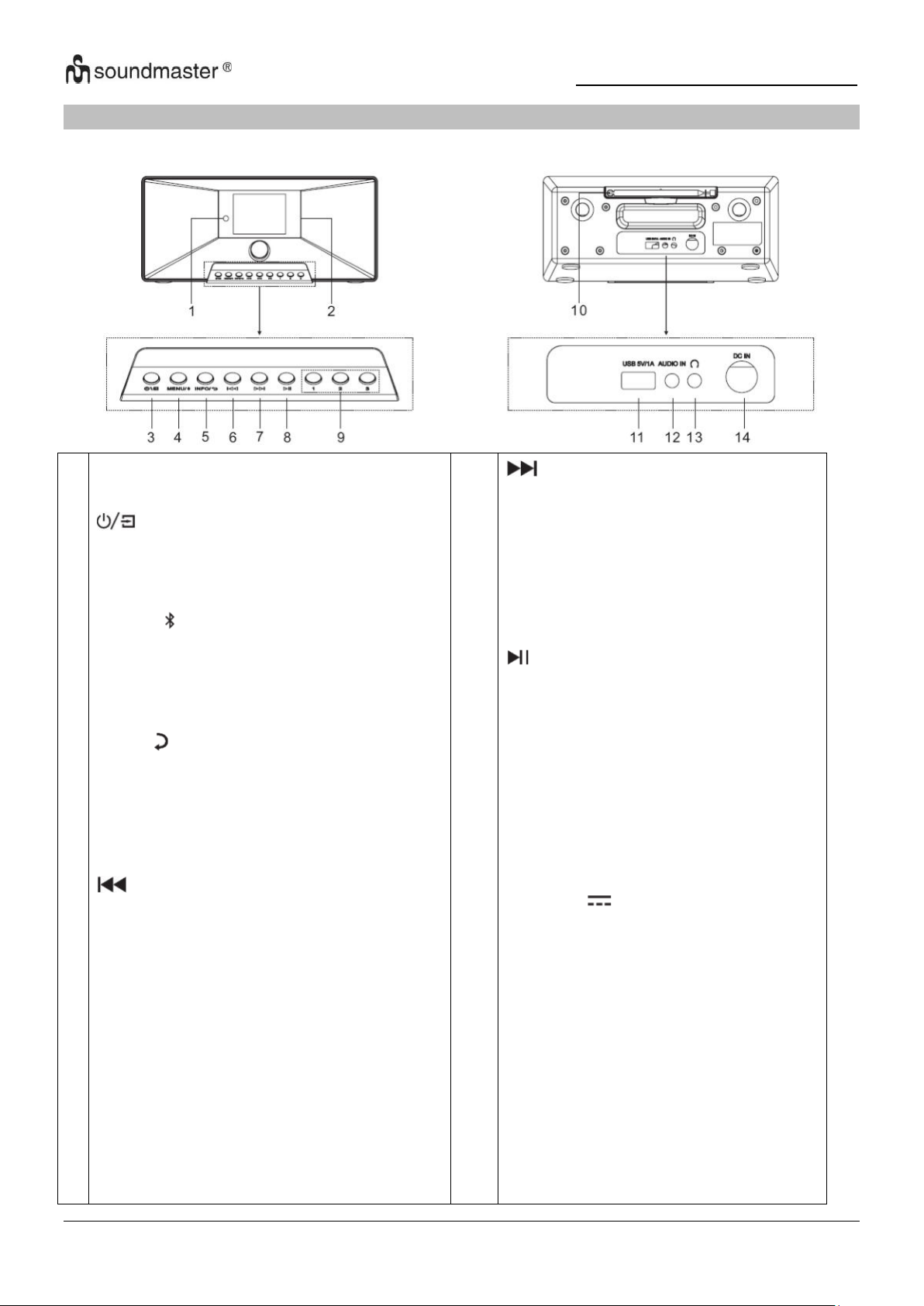
IR3500 / Nederlands Gebruiksaanwijzing
1
2
3
4
5
6
Infrarood sensor
Scherm
* Houd ingedrukt om het apparaat in of uit
te schakelen
* Druk om tussen de functies te schakelen
MENU/
* Druk om het menu te openen
* Houd ingedrukt om een Bluetooth-
apparaat te koppelen of een apparaat dat
al is verbonden te ontkoppelen
INFO/
* Druk op om de informatie van . te
bekijken Geef USB / DAB / FM en
internetradio weer.
* Druk hierop om terug te keren naar het
vorige menu-item
* Druk op om naar het vorige nummer te
gaan in Spring naar USB / BT / Internet
Radio-modus.
* Kort indrukken om de af te stemmen
FM-modus
* Ge Houd ingedrukt om terug te gaan
naar de vorige zender in FM-modus
7
8
9
10
11
12
13
14
* Druk hierop om naar het volgende
nummer te gaan
* Kort indrukken om de . af te
stemmen FM-modus
* Houd ingedrukt om naar het
volgende station in de . te gaan FMmodus sprong
* Druk voor afspelen en pauzeren op
USB, BT en internet Radio
1/2/3
* In DAB / FM / USB-modus ingedrukt
houden een zender opslaan als
voorkeuzezender
* Druk in de DAB / FM / USB-modus
op één van de drie voorkeurzenders.
Antenne
USB / 5V 1A uitgang
* Sluit een USB-opslagapparaat
opnieuw aan
Speel muziek
* Laad een apparaat op via de USB-
aansluiting
AUDIO IN
Koptelefoon aansluiting
DC IN
LOCATIE VAN BEDIENINGEN
VOORAANZICHT ACHTERAANZICHT
2
Page 56
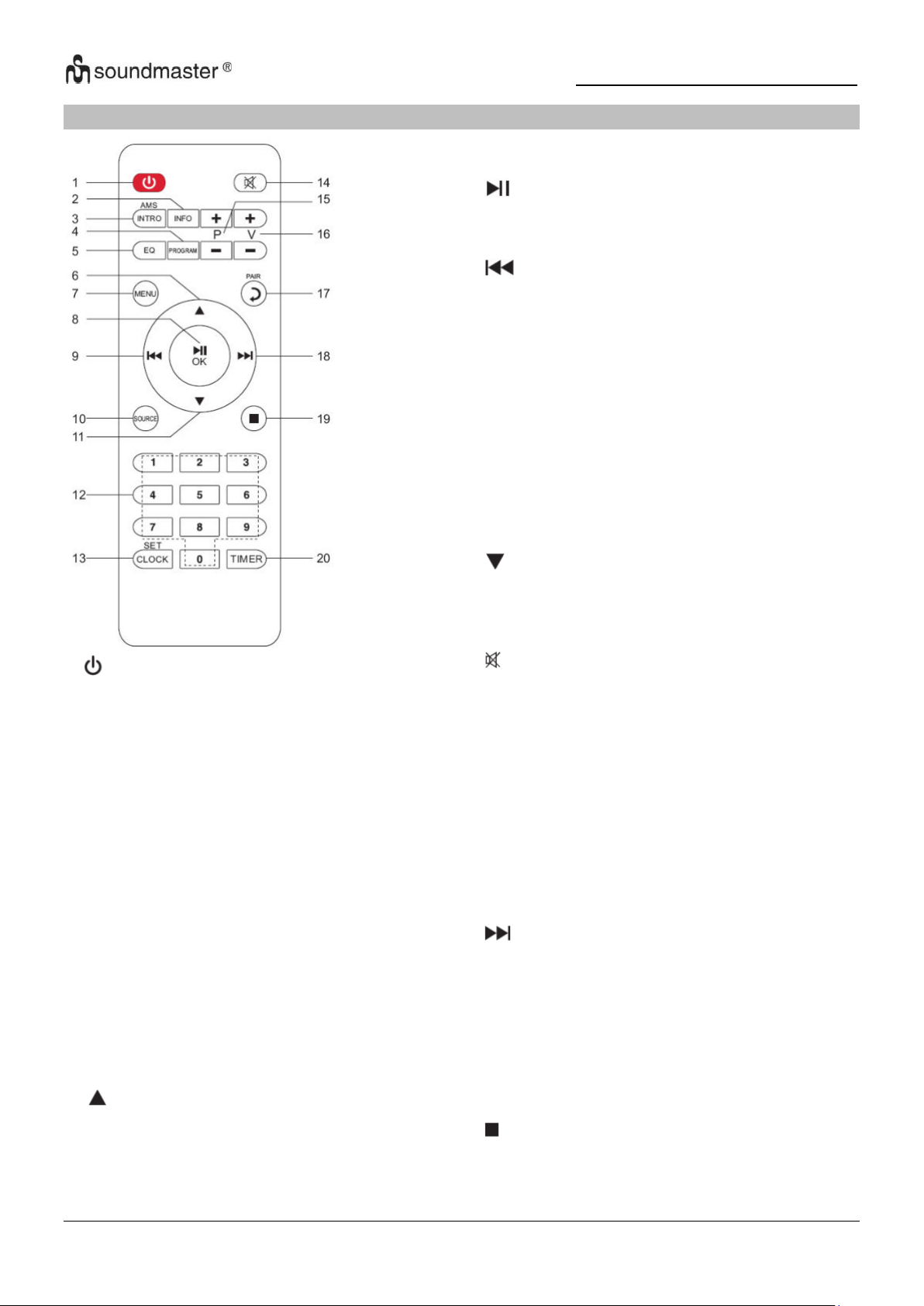
IR3500 / Nederlands Gebruiksaanwijzing
1
* Druk hierop om het apparaat in of uit te
schakelen
2 INFO
* Druk op om de informatie van . te
bekijken Geef USB / DAB / FM en internet
radio weer lassen
3 INTRO/AMS
* Druk om alle tracks te verkennen
* Druk hierop om automatisch te zoeken
in DAB/FM-modus, druk nogmaals om het
zoeken te stoppen.
4 PROGRAM
* Druk hierop om de afspeelvolgorde in de
USB-modus te programmeren en om de
voorkeurzenders in DAB / FM en
internetradio te beheren
* Houd ingedrukt om een voorkeurzender
op te slaan
5 EQ
* Druk om de EQ . te selecteren:
Normal/Jazz/Rock/Classic/Pop/Mein EQ
6
* Druk om omhoog te navigeren
7
8
9
10
11
12
13
14
15
16
17
18
19
20
MENU
* Druk op om naar het menu te gaan
/OK
* Druk op voor afspelen / pauzeren in de BT /
USB en Internetradio
* Druk om iets in het menu te bevestigen
* Houd ingedrukt om snel terug te spoelen in
USB-modus
* Druk hierop om naar het vorige nummer op
USB te gaan
* Druk hierop om de zenderlijst in DAB te
bekijken
Toegang tot FM- en internetradio
* Druk om af te stemmen FM
* Houd ingedrukt voor handmatig afstemmen
FM
SOURCE
* Druk om de bron te wijzigen (Internet
Radio/Podcasts/Spotify/
DAB/FM/USB/BT/AUDIO)
* Druk om naar beneden te navigeren
0-9 Numeriek
CLOCK
* Houd ingedrukt om de tijd in te stellen
* Druk om te dempen
P+/* Druk hierop om het begin van de huidige/
vorige/volgende album op USB
* Druk hierop om de vorige/volgende
voorinstelling te selecteren
kanaal in FM en DAB
V+/* Druk om het volume te verhogen/verlagen
PAIR
* Druk op om een stap terug te gaan
* Houd ingedrukt om een apparaat te
verbinden, druk om een apparaat te verwijderen
* Houd ingedrukt om vooruit te spoelen
* Druk hierop om naar het volgende nummer te
gaan
* Druk hierop om de zenderlijst in DAB / FM . te
bekijken
en internetradioweergave
* Druk om fijn af te stemmen op FM
* Houd ingedrukt voor handmatig afstemmen
FM
* Druk hierop om het afspelen te stoppen in de
USB-modus
TIMER
* Druk om de timer in te stellen
AFSTANDSBEDIENING
3
Page 57
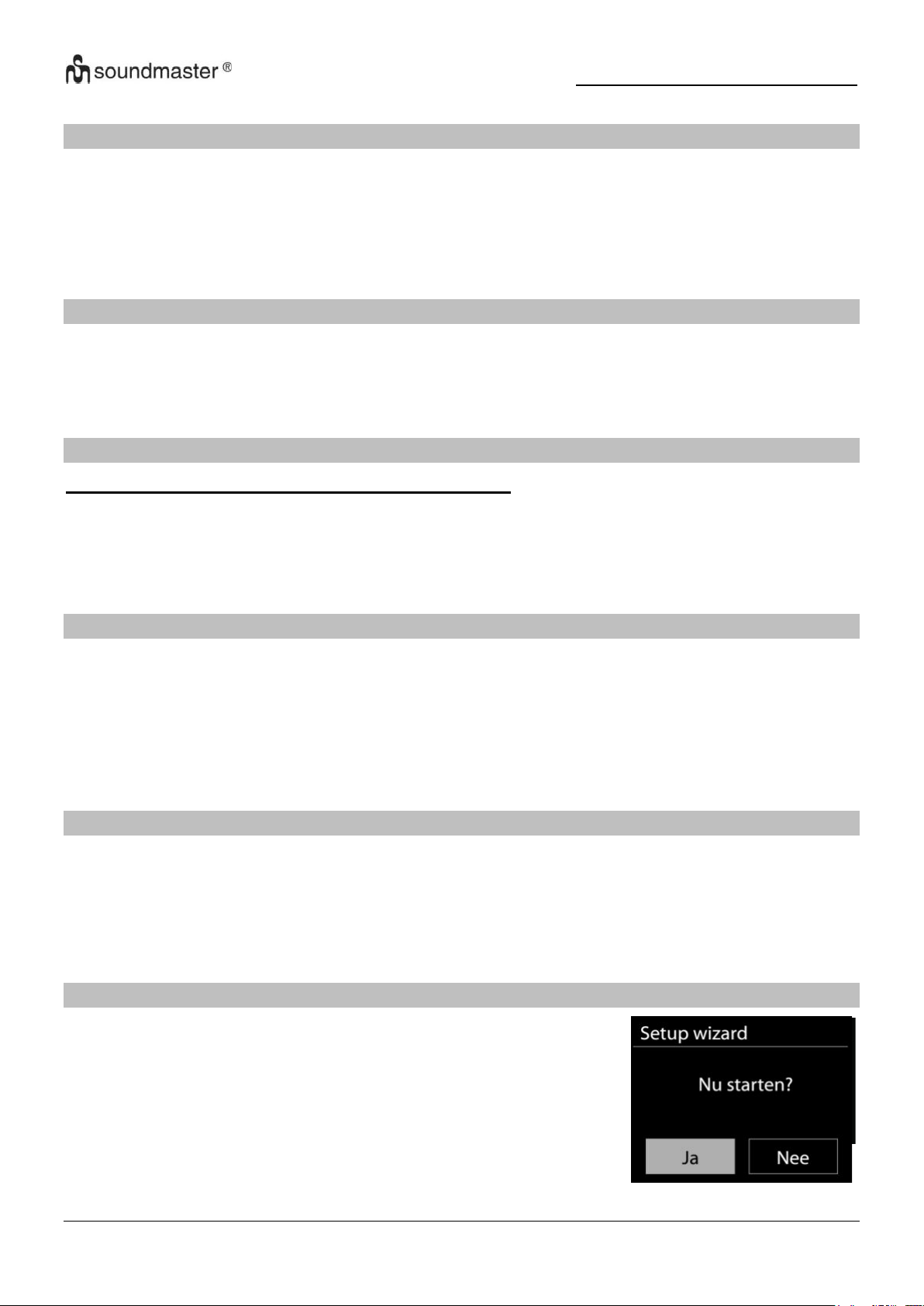
IR3500 / Nederlands Gebruiksaanwijzing
UW AFSTANDSBEDIENING GEBRUIKEN
1. Druk op het klepje op de achterzijde van de afstandsbediening en schuif deze open om het
batterijvak te openen.
2. Installeer twee type AAA batterijen. Controleer of de (+) en (-) uiteindes van de batterijen
overeenkomen met de (+) en (-) richtingen aangegeven in het batterijvak
2. Sluit het klepje van het batterijvak.
LEVERINGSOMVANG
➢ Hoofdeenheid
➢ Gebruiksaanwijzing
➢ Stroomadapter
➢ Afstandsbediening
AAN DE SLAG/INSTELLEN
Gebruik alleen de meegeleverde voedingsadapter!
Sluit het apparaat aan op een geschikte voedingsbron met behulp van de bijgeleverde adapter.
Nadat een opstartscherm wordt weergegeven, zal het apparaat in de laatst gebruikte
luistermodus gaan. Wanneer het apparaat voor het eerst wordt gestart, zal automatisch
Installatiebeheer worden gestart.
DE NETWERKOMGEVING IN GEREEDHEID BRENGEN
Zorg ervoor dat u het draadloze netwerk heeft ingesteld en over het WEP-, WPA- of WPA2beveiligingswachtwoord beschikt om de verbinding te activeren.
U kunt tevens de WPS (WiFi Protected Setup)-functie gebruiken voor een eenvoudig koppelen
van het netwerkapparaat en het apparaat. Controleer of de lampjes op het netwerkapparaat in
juiste status verkeren.
HOOFDMENU
Onder het hoofdmenu kunt u de volgende modi selecteren: Internetradio, Podcast, DAB, FM,
Spotify®, USB, Bluetooth®, Slaapstand, Wekker en Timer.
INSTALLATIEBEHEER
Tijdens de eerste keer opstarten vraagt het systeem of u de
installatiewizard wilt starten. De setup wizard leidt u door de basis
setup parameters voor tijd/datum en netwerkverbinding. Om latere
instellingen te wijzigen, zijn alle instelfuncties toegankelijk via het
instellingenmenu.
4
Page 58

IR3500 / Nederlands Gebruiksaanwijzing
Netwerkverbindingsindicator:
= Netwerkverbinding tot stand gebracht.
= Netwerkverbinding niet tot stand gebracht.
1. Taal
Selecteer de menutaal.
2. Productprivacybeleid
Aan het begin van de eerste installatie of nadat de fabrieksinstellingen zijn teruggezet,
verschijnt eerst het productprivacybeleid op het scherm. Bevestig met de knop "OK" om
door te gaan met de installatie.
Meer informatie is beschikbaar op www.frontiersmart.com/privacy
3. Setup Wizard
Selecteer "JA" om de installatiewizard te starten.
4. Uhrzeit / Datum / Anzeigeformat
Wählen Sie 12 oder 24 als Uhrzeitformat.
5. Tijd/datum-weergave
De tijd en datum kunnen handmatig of automatisch vanaf DAB, FM of het netwerk
geüpdatet worden.
Auto-update werkt met gegevens die via DAB, FM of internet verstuurd worden. De klok
wordt alleen bijgewerkt wanneer deze in een overeenkomstige modus staat. Het is daarom
aanbevolen om een modus te selecteren die u regelmatig gebruikt.
DAB en FM zenden tijds- en radiosignalen uit. Netwerk gebruikt een tijdsignaal verzonden
vanaf het internetradioportaal wanneer in een modus waarbij het netwerk is aangesloten
6. Tijdzone/Zomertijd
Stel uw tijdzone in. Indien uw land gebruik maakt van zomertijd en van kracht is, zet dan de
Zomertijd-optie aan
Handmatige update
7. Indien u Geen update heeft ingesteld, geeft de wizard de melding om de tijd en datum
handmatig in te stellen. De datum en tijd worden weergegeven als dd-mm-jjjj en uu:mm.
De actieve waarde knippert. Pas elke waarde aan met de “ / ”-knop. Druk op de
knop zodra de waarde is ingesteld, om de volgende waarde in te stellen
8. Netwerk
Verbinding met netwerk behouden
Selecteer deze optie als er functies van het apparaat zijn die een netwerkverbinding
behoeven. Wanneer deze optie geselecteerd is, zal het apparaat een snelle verbinding met
het internet hebben en kan het apparaat aangezet worden via de “UNDOK”-app.
Opmerking: Het energieverbruik in stand-by neemt met deze functie iets toe.
Scannen naar het netwerk
Het apparaat is compatibel met alle gangbare netwerkprotocollen en encryptiemethoden.
Het zoekt naar de beschikbare netwerken en zet ze voor u in een lijst.
5
Page 59
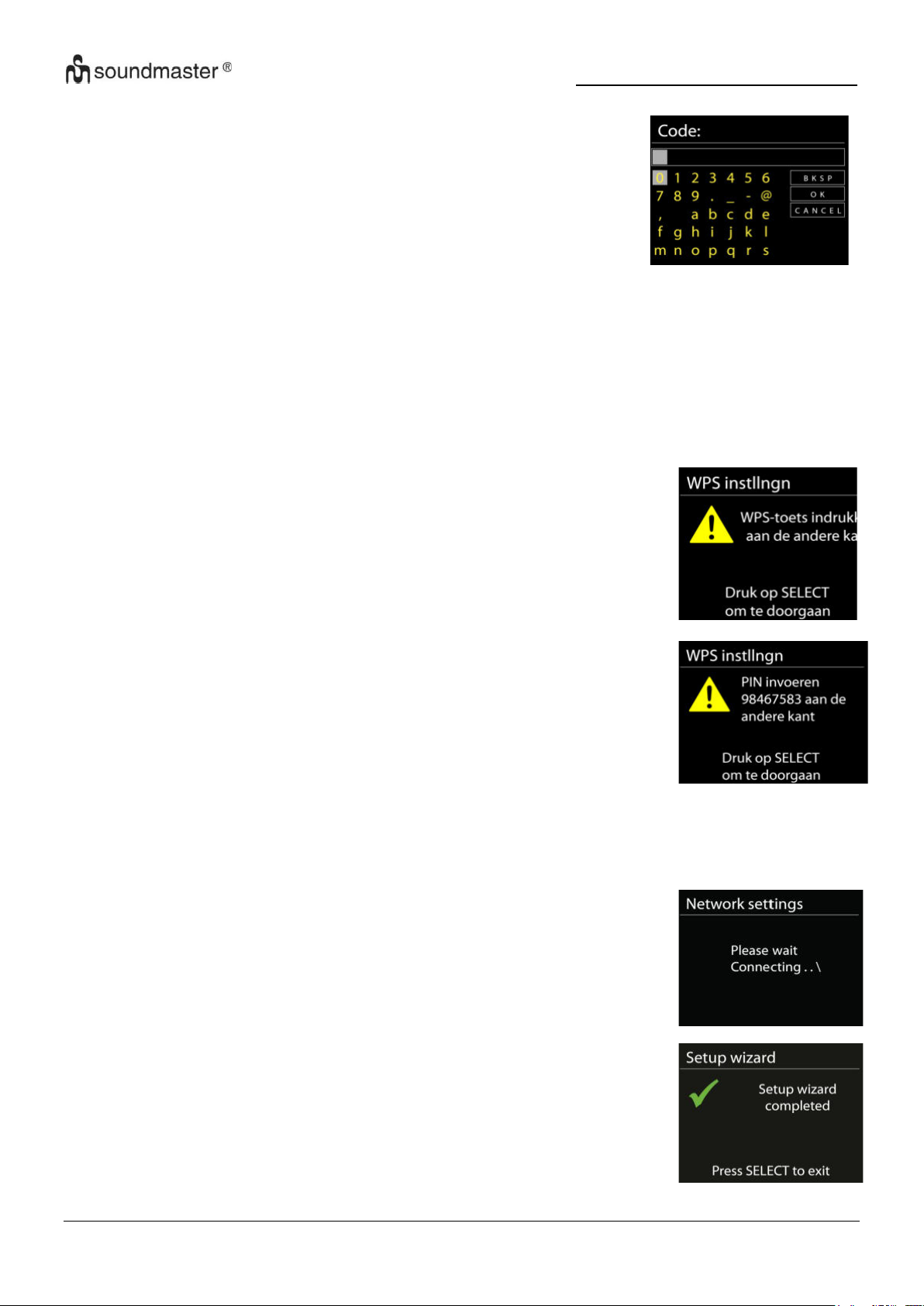
IR3500 / Nederlands Gebruiksaanwijzing
Druk op de knop
Het apparaat geeft een melding dat u de verbindingsknop op de
router moet indrukken. Hierna wordt gescand op een actief PushButton-Connect-netwerk en verbind hiermee.
Pin
Het apparaat genereert een 8-cijferige code die u in de draadloze
router, toegangspoort of een externe registrator moet invoeren
Voltooiing
Het apparaat zal verbinding proberen te maken met het
geselecteerde netwerk.
Het zal 'verbonden' weergeven als het instellen geslaagd is.
Indien het verbinden mislukt, zal het apparaat teruggaan naar het
vorige scherm om het opnieuw te proberen..
Druk op “OK” om Installatiebeheer af te sluiten.
Voor de draadloze verbinding wordt u in de volgende stap
gevraagd een encryptie in te voeren. Om de netwerksleutel in te
voeren, gebruikt u de “NAVIGATE”-knop om de cursor door de
tekens te bewegen en “OK” te selecteren om te bevestigen. Bij
ieder teken dat wordt geselecteerd, wordt de sleutel opgebouwd
bovenin het scherm.
Er zijn drie opties beschikbaar bij het terugafstemmen van de draaiknop voor de eerste
tekens - “Backspace”, “OK” en “Cancel”
“WPS” beveiligd netwerk
Er zullen tips voor het type netwerk worden gegeven - als uw netwerkapparaat de WPSfunctie ondersteunt, zal er [WPS] voor de SSID (de naam van het netwerkapparaat) staan.
Selecteer degene die u wilt aansluiten. Gebruik een van de volgende verbindingsmethoden:
Er zit een WPS-sneltoets op het toegangspunt.
WPS overslaan
Voer de sleutel Ein zoals bij een standaard beveiligd netwerk.
Voor meer informatie over het instellen van een WPS beveiligd netwerk, raadpleeg de
instructies van uw WPS-router.
6
Page 60
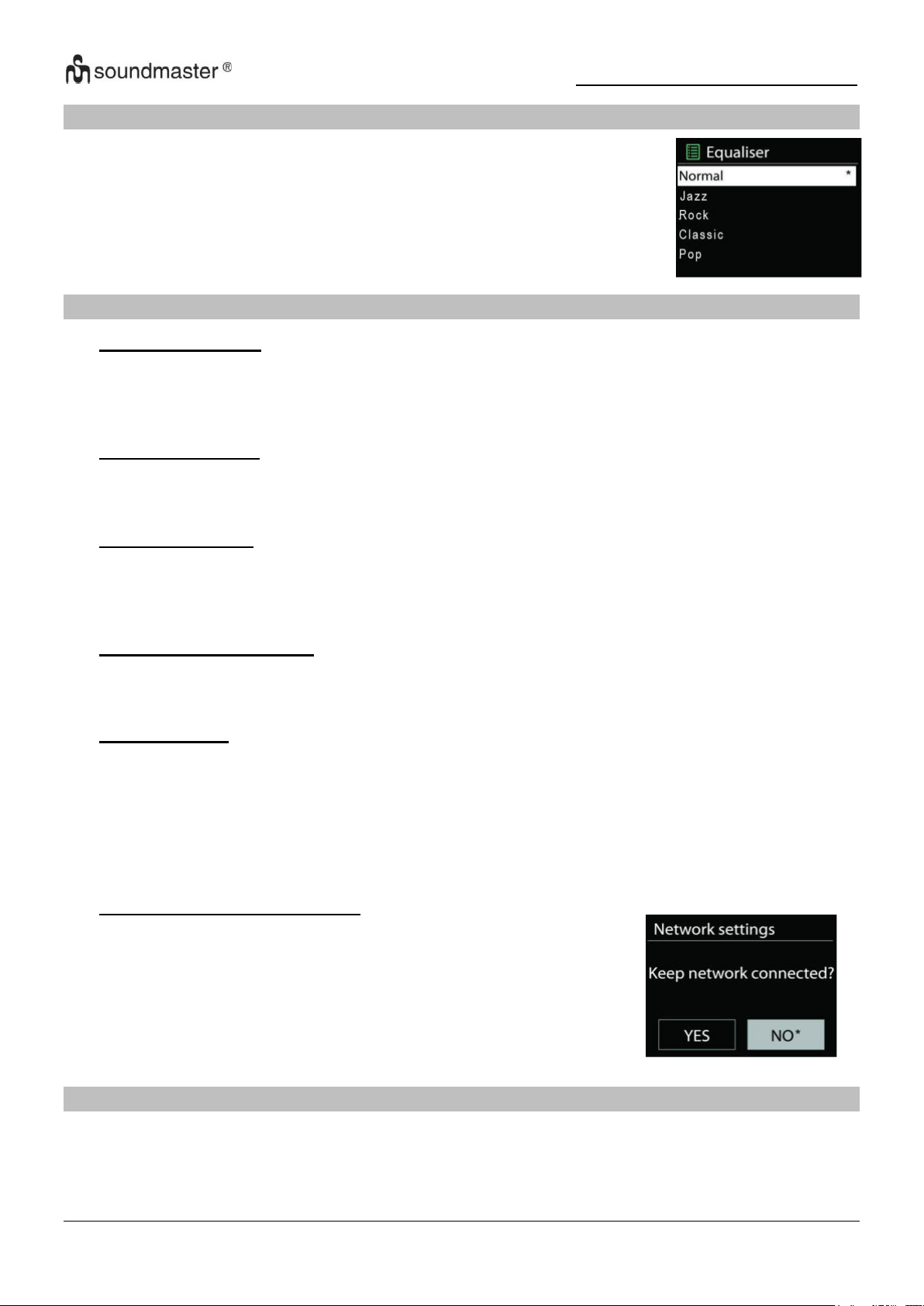
IR3500 / Nederlands Gebruiksaanwijzing
Je kunt kiezen uit verschillende vooraf ingestelde EQ's: Normal, Jazz,
Rock, Classic, Pop en My EQ.
In "My EQ" heb je de mogelijkheid om je eigen individuele
geluidsinstellingen te maken met treble- en bass-instellingen.
Als u ervoor kiest om uw netwerk verbonden te houden, wordt
de wifi niet verbroken, zelfs niet als u zich in de standby-modus
bevindt. Anders is de verbinding alleen beschikbaar in de
internetradio- en muziekspelermodi. Met deze optie kan de
IR3500 in alle bedrijfsmodi gereed zijn voor DLNA-streaming.
Als Blijf verbonden met netwerk is geselecteerd, wordt het
stroomverbruik in stand-by verhoogd.
EQUALIZER
NETWERK
• Netwerk-Assistent
Het apparaat begint te zoeken naar AP SSID-netwerken, voer vervolgens uw WEP / WPAwachtwoord in of druk op de / Pin / WPS Skip-knop om verbinding te maken met het
draadloze netwerk.
• PBC WiFi-faciliteit
Apparaat met drukknop, bedient een AP die WPS (Wi-Fi Protected Setup) ondersteunt.
•
• Toon instellingen
Bekijk de informatie van het momenteel verbonden netwerk: actieve verbinding, MACadres, WLAN-regio, DHCP, SSID, IP-adres, subnetmasker, gateway-adres, primaire DNS
en secundaire DNS.
• Handmatige instellingen
Kies een draadloze netwerkverbinding en schakel DHCP (Dynamic Host Configuration
Protocol) in of uit.
• Netwerkprofiel
Het apparaat onthoudt de laatste vier draadloze netwerken waarmee het was verbonden en
probeert automatisch verbinding te maken met de netwerken die het kan vinden. Vanaf hier
kunt u de lijst met geregistreerde netwerken bekijken. U kunt ongewenste netwerken
verwijderen door te draaien en op te drukken en vervolgens JA te selecteren om het
verwijderen te bevestigen confirm.
• Netwerkverbinding behouden
TIJD/DATUM
Uw instellingsopties zijn handmatige of automatische update, tijdnotatie, tijdzone en zomertijd.
7
Page 61
IR3500 / Nederlands Gebruiksaanwijzing
DISPLAYVERLICHTING
U kunt de helderheid van het display zowel in bedrijf (licht, medium, donker) als in gedimde
toestand (medium, donker) naar wens aanpassen.
Daarnaast kunt u de tijdsduur selecteren waarna het display automatisch uitschakelt (10-180
seconden)
TAAL
Selecteer een van de vermelde talen.
SOFTWARE UPDATE
Van tijd tot tijd kunnen er software-upgrades worden uitgevoerd met bugfixes en/of extra
functies. U kunt handmatig controleren of het apparaat zo instellen dat het regelmatig
automatisch wordt gecontroleerd (dit is de standaardinstelling). Wanneer nieuwere software
wordt gedetecteerd, wordt u gevraagd of u door wilt gaan met een update. Als u akkoord gaat,
wordt de nieuwe software gedownload en geïnstalleerd. Alle gebruikersinstellingen blijven
behouden na een software-upgrade.
OPMERKING: Voordat u een software-upgrade start, moet u ervoor zorgen dat het apparaat is
aangesloten op een stabiele netstroomaansluiting. Het loskoppelen van de voeding tijdens een
upgrade kan het apparaat permanent beschadigen.
INFO
Toont de huidige softwareversie en de apparaat-ID.
8
Page 62
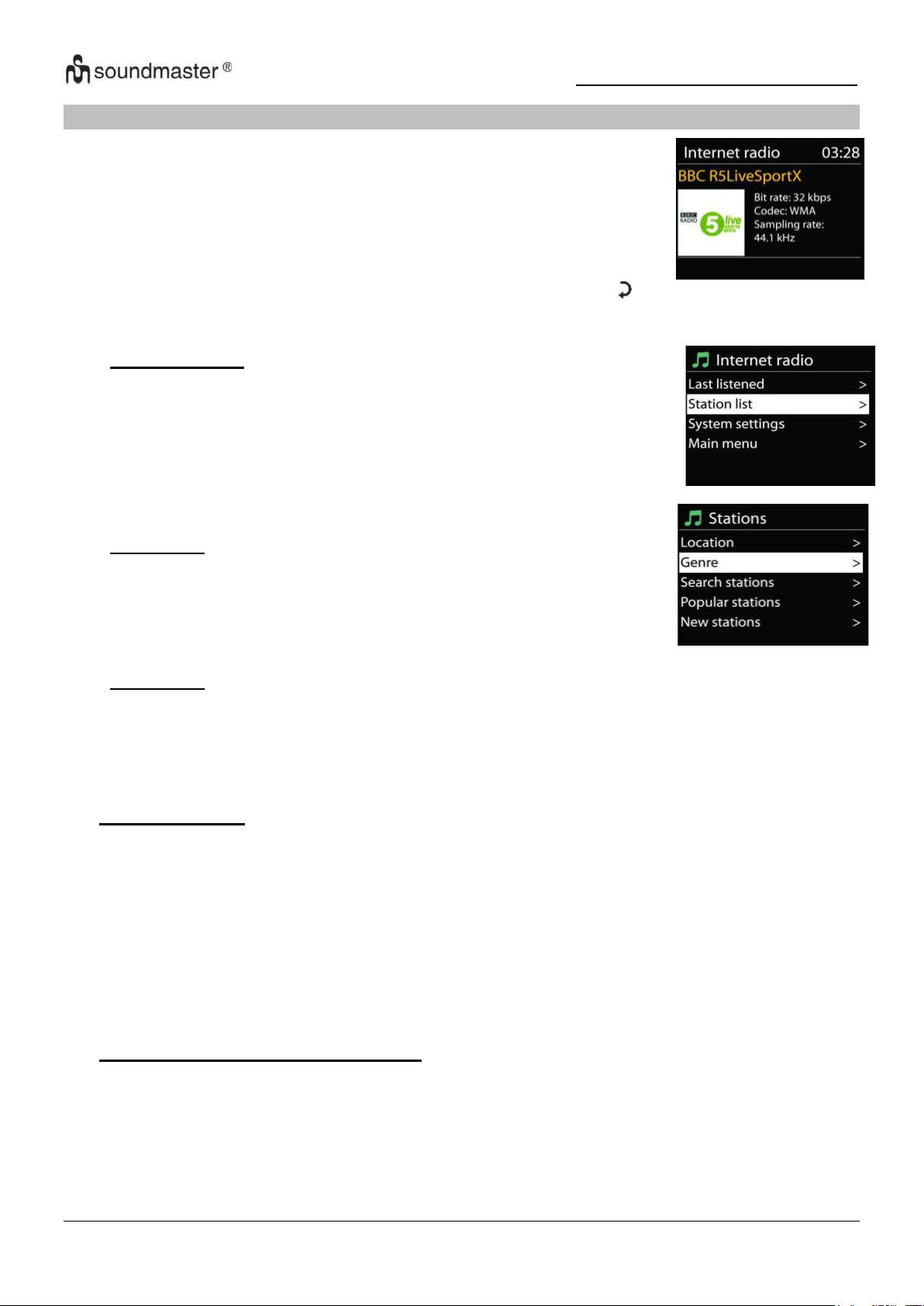
IR3500 / Nederlands Gebruiksaanwijzing
Het apparaat kan duizenden radiozenders en podcasts van over de
hele wereld afspelen met behulp van een breedband internetverbinding.
Wanneer u internetradio selecteert, maakt het apparaat direct contact
met het Frontier Silicon internetradioportaal (welke wordt ondersteund
door de Airable) om een lijst met zenders te verkrijgen.
• Laatst gehoord
Wanneer u internetradio start, wordt automatisch de laatst
beluisterde zender afgespeeld. Om een ander station te selecteren
dat het laatst beluisterd is, selecteert u er een uit deze lijst. De
zender waar je het laatst naar hebt geluisterd staat bovenaan de
lijst.
• Zenderlijst
Zoek naar internetkanalen. Deze zijn gesorteerd op verschillende
categorieën, land, genre, populair en nieuw. U kunt ook zoeken op
trefwoorden.
• Favorieten
Favorieten worden opgeslagen in het internetradioportaal en zijn beschikbaar vanaf alle
internetradio's die onder hetzelfde account zijn geregistreerd. Voordat favorieten kunnen
worden gebruikt, moet de radio zijn geregistreerd bij het internetradioportaal.
INTERNET RADIO/PODCASTS
Indien u reeds naar een internetradiozender luistert, kunt u op de “ ”-knop drukken om snel
terug te gaan naar het laatst bezochte submenu in plaats van “MENU”, wat u terugbrengt naar
het eerste menu van de internetradiomodus.
• Voorinstellingen
Om een internetradiostation op te slaan, houdt u de knop "PROGRAM" ingedrukt totdat het
display het station toont dat moet worden opgeslagen, selecteert u vervolgens de
opslaglocatie en bevestigt u uw selectie met "OK". Of houd een van de drie
voorkeuzetoetsen op het apparaat ingedrukt totdat het bericht voor het opslaan van de
zenders op het display verschijnt.
Om een voorkeurzender op te roepen, voert u de programmapositie in met de 0-9-toetsen
op de afstandsbediening of drukt u op de "PROGRAM"-toets, selecteert u de gewenste
zender en drukt u op de "OK"-toets om te bevestigen. Of druk op een van de drie
voorkeuzetoetsen op het apparaat om de gewenste zender op te roepen.
• Informatie over de huidige weergave
Tijdens het afspelen worden de naam en beschrijving van de uitzending op het display
weergegeven. Om meer informatie weer te geven, drukt u op de "INFO"-knop op het
apparaat of op de afstandsbediening.
Elke keer dat de “INFO”-knop wordt ingedrukt, wordt achtereenvolgens een andere groep
informatie weergegeven: naam / titel, genre / locatie, betrouwbaarheid, codec /
bemonsteringsfrequentie, afspeelbuffer en huidige datum.
9
Page 63
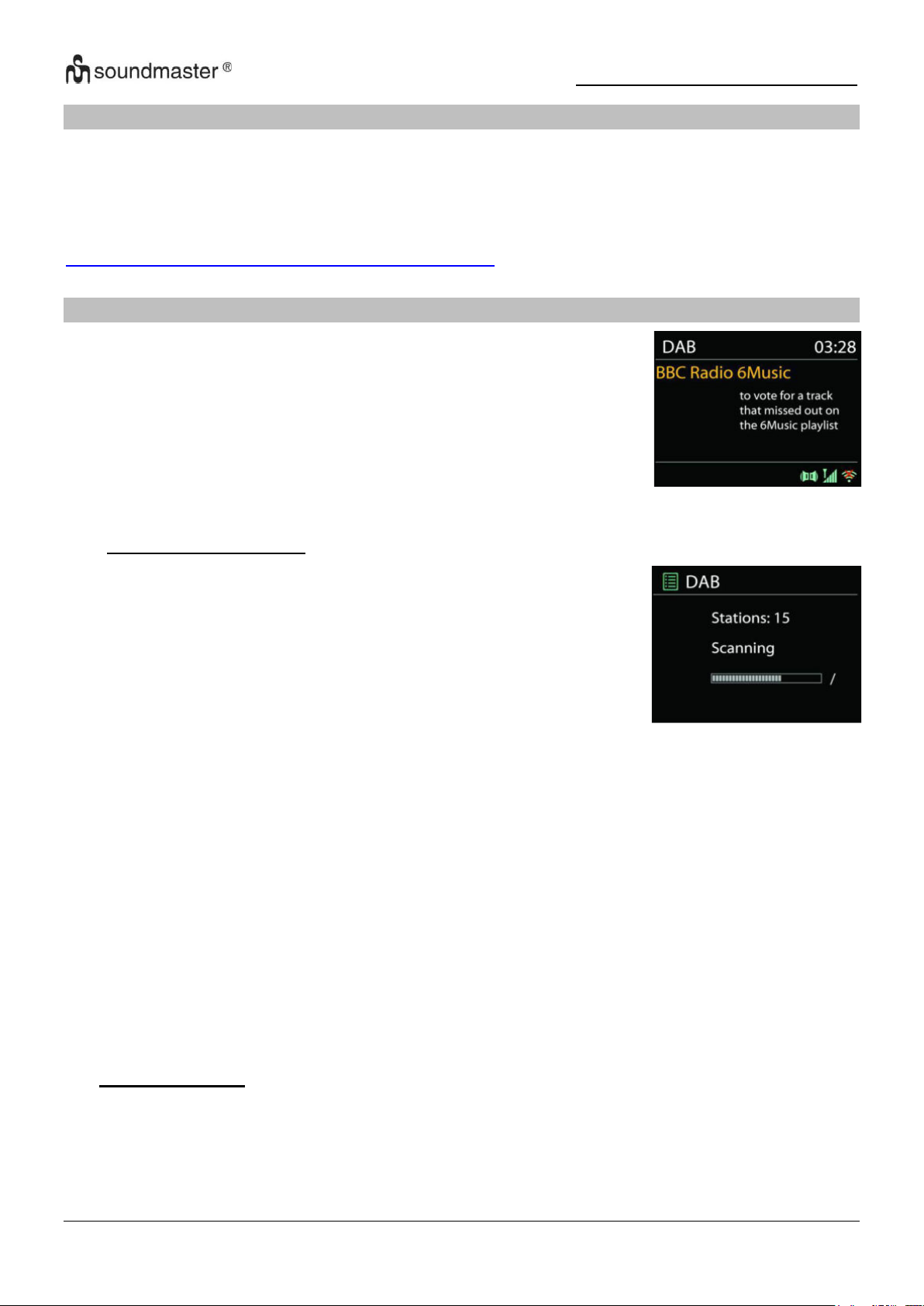
IR3500 / Nederlands Gebruiksaanwijzing
DAB-modus ontvangt DAB of DAB-plus digitale radio en toont
informatie over de zender, de stream en informatie over het
programma.
● Scannen naar stations
De eerste keer dat u DAB-radiomodus selecteert of als de
zenderlijst leeg is, zal het apparaat automatisch een volledige
scan uitvoeren om te kijken welke zenders beschikbaar zijn. U
dient om de volgende redenen wellicht een handmatige scan uit
te voeren om de zenderlijst bij te werken:
• De beschikbare zenders veranderen van tijd tot tijd..
• Indien de ontvangst niet goed was van de originele scan, kan
dit leiden tot een lege of incomplete lijst van beschikbare
zenders .
• Indien zenders een slechte ontvangst hebben (kraken), kunt
u ervoor kiezen uitsluitend zenders met een goede
signaalsterkte in de lijst op te nemen .
SPOTIFY
Gebruik je telefoon, tablet of computer als een afstandsbediening voor Spotify.
Ga naar spotify.com/connect om te leren hoe je dat doet.
De Spotify-software is onderworpen aan licenties van derden die hier worden gevonden:
https://www.spotify.com/connect/third-party-licenses
DAB
Kies Volledige scan om een scan uit te voeren. Zodra de scan voltooid is, toont de radio een
lijst met beschikbare zenders
Kies Ongeldige verwijderen om beschikbare zenders in de lijst te verwijderen.
Draai aan de draaiknop om een zenderlijst te bekijken en druk erop om er een te selecteren. Na
selectie begint de zender af te spelen en toont het scherm informatie over de zender, het
nummer of show“.
• Voorinstellingen
Om een radiozender op te slaan, houdt u de toets "PROGRAM" ingedrukt tot het display
voor het opslaan van zenders verschijnt, selecteert u de opslagplaats en bevestigt u uw
keuze met "OK". Of houd een van de drie voorkeuzetoetsen op het apparaat ingedrukt
totdat het display de zender toont die moet worden opgeslagen.
10
Page 64

IR3500 / Nederlands Gebruiksaanwijzing
Om een voorkeurzender op te roepen, voert u de programmapositie in met de 0-9-toetsen
op de afstandsbediening of drukt u op de "PROGRAM"-toets, selecteert u de gewenste
zender en drukt u op de "OK"-toets om te bevestigen. Of druk op een van de drie
voorkeuzetoetsen op het apparaat om de gewenste zender op te roepen.
Informatie over de huidige weergave
Tijdens de verzending worden de stationsnaam en de DLS-informatie (Dynamic Label
Segment) die door het station wordt verzonden, weergegeven; deze bevatten realtime
gegevens zoals programmanaam, titel en contactgegevens. Stereo-uitzendingen zijn
gemarkeerd met een bijbehorend pictogram bovenaan het scherm. Om meer informatie
weer te geven, drukt u op de "INFO"-knop op het apparaat of op de afstandsbediening.
• Instellingen
Dynamisch bereik compressie (DRC)
Als u in een lawaaierige omgeving naar muziek met een hoog dynamisch bereik luistert,
kunt u het dynamische audiobereik comprimeren. Hierdoor worden zachte tonen luider en
luide tonen stiller. Stel de DRC-optie in op Uit, Laag of Hoog.
Stationsvolgorde
U kunt de DAB-radiozenders alfanumeriek, als ensemble of als geldige zenders sorteren.
Ensemble geeft zenders weer die samen in hetzelfde ensemble worden uitgezonden. Met
de optie Geldig worden eerst geldige kanalen alfanumeriek weergegeven en vervolgens
kanalen die niet zijn verzonden.
11
Page 65
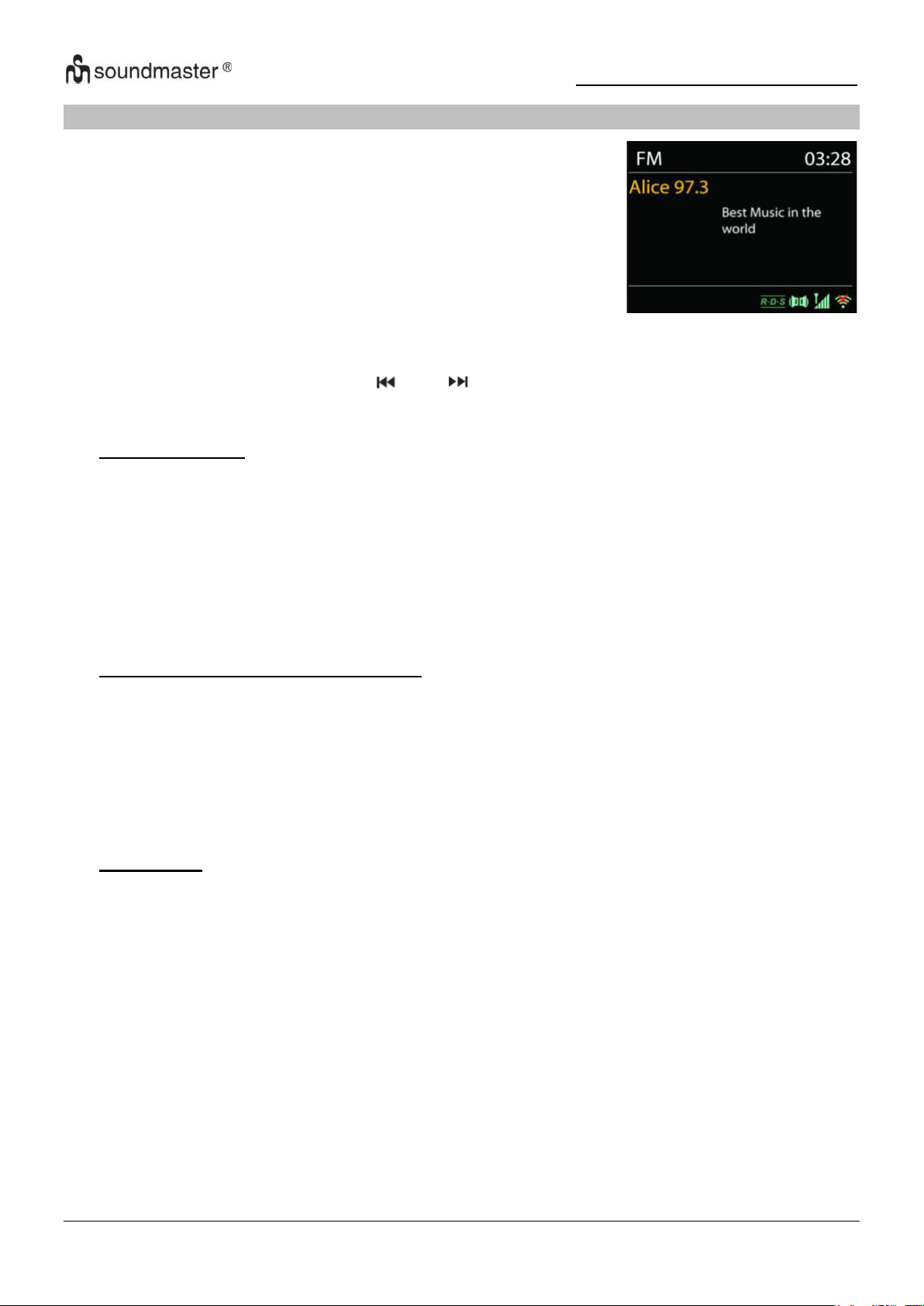
IR3500 / Nederlands Gebruiksaanwijzing
De FM-radiomodus ontvangt analoge radio vanuit de FM-band en
toont RDS (Radio Data System)-informatie over de zender en
waar er wordt uigezonden (
FM
Om automatisch naar een radiostation te zoeken, houdt u de knop "INTRO" ingedrukt. De
frequentieweergave begint te lopen en slaat alle beschikbare zenders op.
Druk voor handmatig afstemmen op “ ” of “ ”. Het apparaat stemt de zenders af in stappen
van 0,05 MHz.
• Voorinstellingen
Om een radiozender op te slaan, houdt u de toets "PROGRAM" ingedrukt tot het display
voor het opslaan van zenders verschijnt, selecteert u de opslagplaats en bevestigt u uw
keuze met "OK". Of houd een van de drie voorkeuzetoetsen op het apparaat ingedrukt
totdat het display de zender toont die moet worden opgeslagen.
Om een voorkeurzender op te roepen, voert u de programmapositie in met de 0-9-toetsen
op de afstandsbediening of drukt u op de "PROGRAM"-toets, selecteert u de gewenste
zender en drukt u op de "OK"-toets om te bevestigen. Of druk op een van de drie
voorkeuzetoetsen op het apparaat om de gewenste zender op te roepen
• Informatie over de huidige weergave
Während der Übertragung werden im Display die Frequenz und – sofern RDSInformationen verfügbar sind – der Sendername und andere RDS-Daten wie
Sendungsname, Titel und Kontaktinformationen angezeigt. Falls keine Daten verfügbar
sind, wird nur die Frequenz angezeigt. Stereoübertragungen sind oben im Display mit
einem entsprechenden Icon gekennzeichnet.
Um weitere Informationen bzgl. der Sendung anzuzeigen, drücken Sie die Taste „INFO“ am
Gerät.
• Instellingen
Scaninstellingen
FM-scans stoppen standaard bij iedere beschikbare zender. Dit kan leiden tot een slechte
signaal-ruisverhouding (sissend geluid) van zwakke zenders. Om de scan-instellingen
zodanig te veranderen dat alleen wordt gestopt bij zenders met goede signaalsterkte,
selecteer “JA” nadat u “Alleen sterke” zenders heeft geselecteerd.
Audio-instellingen
Alle stereo-zenders worden afgespeeld in stereo. Dit kan voor zwakke zenders leiden tot
een slechte signaal-ruisverhouding (sissend geluid). Om zwakke zenders in mono af te
spelen, selecteer Zwakke FM-ontvangst: Alleen in mono luisteren en “JA”.
12
Page 66
IR3500 / Nederlands Gebruiksaanwijzing
USB
USB-weergave
1. Sluit een USB-stick aan op de USB-aansluiting aan de achterkant van het apparaat.
2. Druk de“ ” herhaaldelijk op het apparaat of druk op de "SOURCE"-knop op de
afstandsbediening totdat "USB" op het display wordt weergegeven om de USB-functie te
selecteren.
3. Het afspelen start automatisch.
Audioboekfunctie
U kunt het afspelen pauzeren en verder luisteren op het punt waar het afspelen werd
onderbroken (RESUME) door op de“ ” Druk op de knop en schakel het apparaat uit of gebruik
een andere functie. Als je de “ ” Knop en dan de “ ” Druk op de knop om het afspelen
vanaf het begin te starten (track 1).
Overslaan en zoeken
•“ ” Druk een of meerdere keren op de knop om een of meer nummers terug te gaan.
•“ ” Druk een of meerdere keren op de knop om een of meer nummers vooruit te spoelen.
• Houd de ingedrukt“ ” Knop op de afstandsbediening om de track terug te spoelen zodra
u op de gewenste positie in de track bent druk op de“ “ Knop om door te gaan met
afspelen.
• Houd de ingedrukt“ ” Knop op de afstandsbediening om snel vooruit te spoelen in de
track zodra u op de gewenste positie in de track bent druk op de“ “ Knop om door te gaan
met afspelen.
Intro-functie
Druk op de "INTRO"-knop op de afstandsbediening om de eerste 10 seconden van elk
opgeslagen nummer af te spelen om het begin van elk nummer af te spelen
de een na de ander vanaf het eerste nummer. De speelduur van elk nummer is 10 seconden.
Als je het gewenste nummer hoort, druk je twee keer op de knop „ “.
Afspeelvolgorde programmeren
1. Druk de tijdens het afspelen de “ ” Knop op de afstandsbediening.
2. Druk de gevolgd door de “PROGRAM” Toets, de informatie "P01 T01" wordt nu weergegeven
in het display.
3. Selecteer de gewenste titel met“ ” of “ ” om het op te slaan als P01, P02 enz..
4. Druk op de "PROGRAM"-knop om de geselecteerde track te bevestigen en naar de volgende
track te gaan.
5. Zodra u klaar bent met programmeren, drukt u op de “ ” Knop om uw instellingen te
bevestigen en het afspelen te starten.
6. De nummers op de afstandsbediening zijn onbelangrijk bij geprogrammeerd afspelen.
U kunt alleen de “ / ” Toetsen wisselen tussen nummers.
7. Wijzig de functie of druk op de“ ” Druk tweemaal om de afspeelvolgorde te annuleren.
Opmerking: u kunt maximaal 20 nummers opslaan!
USB-oplaadfunctie (5V 1A Oplaadaansluiting)
Sluit een USB-kabel aan op de USB-aansluiting om bijvoorbeeld een smartphone op te laden.
13
Page 67
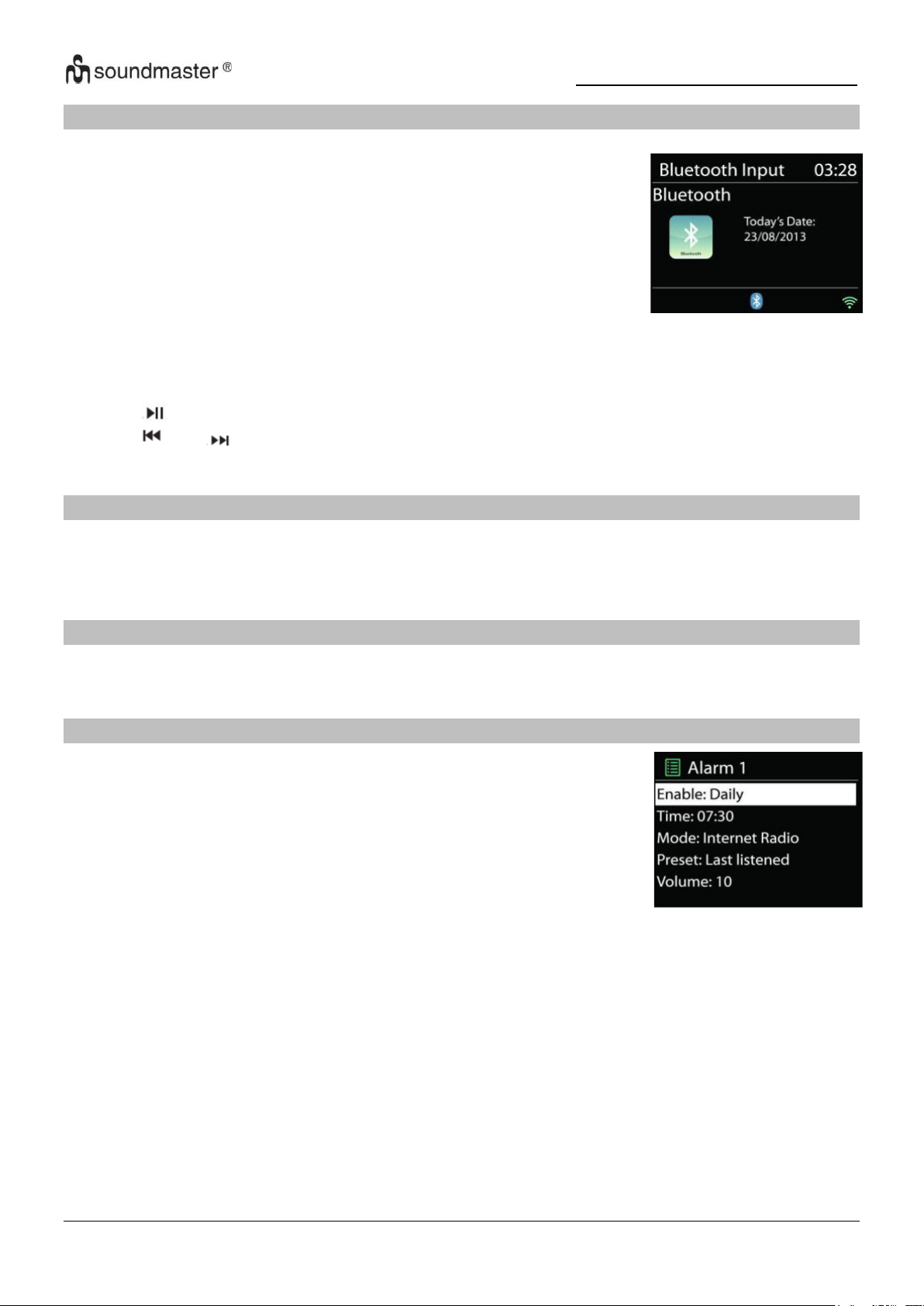
IR3500 / Nederlands Gebruiksaanwijzing
Wanneer u de Bluetooth®-modus selecteert, zal het apparaat
gekoppeld worden en knippert het Bluetooth-pictogram onder aan
het scherm. Zet uw smartphone, tablet of ander Bluetooth®-apparaat
aan om naar het apparaat te zoeken. De koppelnaam voor
Bluetooth® is “IR3500”.
Wanneer het koppelen is gelukt, zal het Bluetooth®-pictogram gaan
branden en stoppen met knipperen.
Ontkoppel of zet uw smartphone, tablet of ander Bluetooth®-apparaat
uit om Bluetooth te ontkoppelen
Het apparaat biedt twee verschillende alarmfuncties met snoozefunctie om het apparaat na een bepaalde tijd in te schakelen. U kunt
voor elke alarmfunctie een specifieke alarmmodus instellen.
BLUETOOTH®
Druk op “ ” op de radio of afstandsbediening om het afspelen te starten of te pauzeren. U
kunt op “ ” of “ ” op de radio of afstandsbediening drukken om het vorige of volgende
nummer af te spelen.
AUDIO IN
Aansluiting van dvd-speler / set-top box / tv-uitgangen op analoge ingangen op de geluidskaart.
Gebruik een cinch-audiokabel om de dvd-speler / tv-uitgangen aan te sluiten op de AUX (L / R)-
ingang op het klankbord.
SLAAP
Om de slaaptimer in te stellen, selecteert u "SLEEP" in het hoofdmenu. Kies tussen Slaap UIT,
15min, 30min, 45min of 60min.
ALARM
Selecteer een alarm in het hoofdmenu om een alarm in te stellen of te wijzigen
Selecteer het nummer van het alarm (1 of 2) en configureer de volgende parameters:
• Frequentie: Uit, Dagelijks, Eenmalig, Weekends of Werkdagen
• Tijd
• Modus: Zoemer, Internet Radio, DAB of FM
• Preset: Laatst beleuisterd, P1 - 40,
• Volume: 0 - 32
Om de nieuwe instellingen te activeren, scroll naar beneden en selecteer "Opslaan".
De geactiveerde wekkers worden linksonder in het display weergegeven met een bijbehorend
pictogram corresponding.
14
Page 68
IR3500 / Nederlands Gebruiksaanwijzing
Probleem
Mogelijke oplossing
Het apparaat gaat niet
aan.
Controleer of de AC-adapter correct is aangesloten.
Apparaat schakelt
zichzelf uit
Vanwege ErP2-vereisten en milieubescherming schakelt het
apparaat automatisch over naar de stand-bymodus als er langer
dan 15 minuten geen muziek wordt afgespeeld.
UNDOK
Het apparaat ondersteunt bediening op afstand vanaf Apple iPhone, iPad en Android door
middel van de UNDOK-app. De app is beschikbaar in Apple’s App Store en Google’s Android
Play.
U kunt een enkel apparaat, een groep van deze apparaten of zelfs meerdere groepen bedienen
met behulp van de UNDOK-app of de bedieningsorganen van uw radio.
Met de UNDOK-app kunt u:
• Een groep aanmaken
• Een groep hernoemen
• Een groep bewerken - een of meer producten toevoegen of verwijderen
• Een groep verwijderen
• Een groep besturen - kies een bedrijfsmodus en zoek naar inhoud
• Het volume voor een hele groep of voor individuele producten binnen een groep
aanpassen
• Producten besturen die niet aan een groep zijn toegewezen
• Alle modi van het apparaat bedienen, waaronder Internetradio, Podcast, DAB, FM, CD,
USB, Bluetooth®,
• Equalizer instellen voor diverse audio-presets;
• De Slaap-timer instellen;
De weergavenaam van de radio bewerken
HOOFDTELEFOON
Om privé naar muziek te luisteren, gebruikt u een hoofdtelefoon met een 3,5-stereojackplug en
sluit u deze aan op de hoofdtelefoonaansluiting. De luidsprekers worden dan gedempt.
Om mogelijk gehoorverlies te voorkomen, niet gedurende lange tijd op een hoog
volume luisteren.
RESET NAAR FABRIEKSINSTELLINGEN
Een fabrieksreset zet alle gebruikersinstellingen terug naar hun standaardwaarden, zodat de tijd
en datum, netwerkconfiguratie en standaardinstellingen verloren gaan. De huidige
softwareversie van de IR3500 blijft echter behouden, evenals de registratie bij het
internetradioportaal. Internetradiofavorieten blijven daarom behouden, tenzij u uw IR3500
opnieuw registreert met een ander account op de portaalwebsite.
PROBLEEMOPLOSSEN
15
Page 69
IR3500 / Nederlands Gebruiksaanwijzing
Geen geluid.
1. Zet het geluid aan, misschien is het apparaat gedempt
2. Zet het harder.
3. Zorg ervoor dat er geen hoofdtelefoon of luidsprekers zijn
aangesloten.
Kan geen verbinding
maken met internet.
1. Controleer de wifi-functie (ook die van je router).
2. Probeer een IP-adres toe te wijzen aan het apparaat.
3. Zorg ervoor dat het ingevoerde wachtwoord correct is
4. Start de router opnieuw op.
Plaats het apparaat dichter bij uw router
Geen radiostation
gevonden.
1. Controleer je internetverbinding.
2. Het station is mogelijk niet beschikbaar, probeer het later
opnieuw of selecteer een ander station
3. De URL van de afzender is mogelijk verouderd. Controleer of de
afzender nu uitzendt op een andere URL.
Ruis in FM-modus
Controleer/verplaats de antenne of verplaats het apparaat
Geen zenders
beschikbaar / worden
onderbroken in DABmodus.
1. Verplaats het apparaat.
2. Een nieuwe scan uitvoeren.
3. Controleer de lokale DAB-ontvangstsituatie.
Wekker werkt niet.
1. Zet de wekker aan.
2. Als er geen geluid is, kijk dan eens naar de oplossing voor “Geen
geluid”
3. Er is een station ingesteld als alarmbron, maar er is geen
netwerkverbinding. Wijzig de alarmbron of configureer de
verbinding opnieuw.
USB of MP3 wordt niet
herkend.
1. Controleer of de apparaten goed zijn aangesloten.
2. Sommige USB-opslagmedia hebben een externe voeding nodig.
3. Niet alle MP3-spelers worden herkend, gebruik in plaats daarvan
een USB-stick.
Internetafstandsbedieni
ng detecteert of maakt
geen verbinding met de
IR3500
1. Start de APP opnieuw. (UNDOK)
2. Herstart de IR3500
De nieuwste versie van de gebruiksaanwijzing kunt u downloaden vanaf www.soundmaster.de
Technische veranderingen en drukfouten voorbehouden
Auteursrecht van Woerlein GmbH, 90556 Cadolzburg,
Duplicatie alleen met de toestemming van Woerlein GmbH.
www.soundmaster.de
16
Page 70
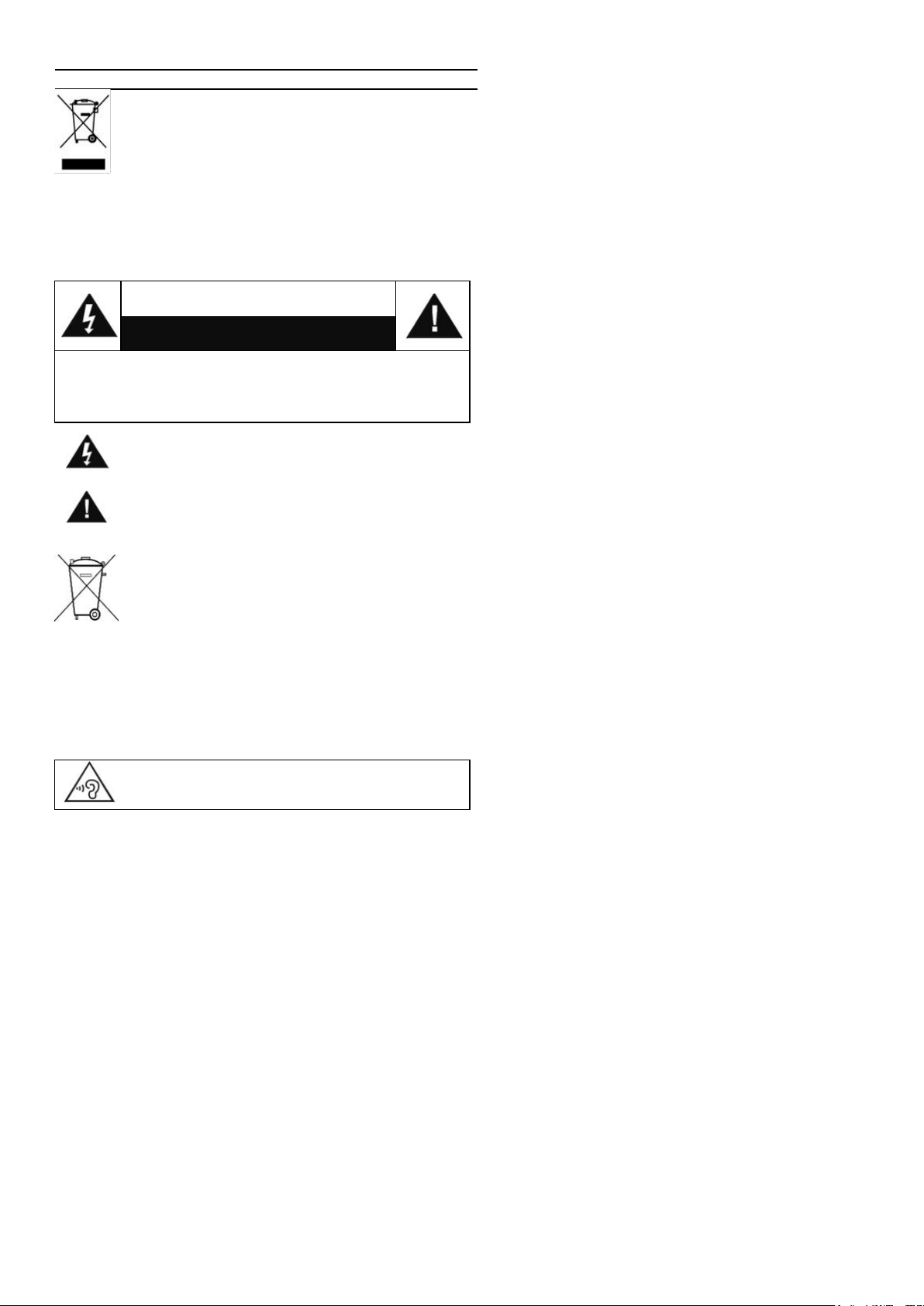
PROTEZIONE AMBIENTALE
Non smaltire il presente prodotto tra I normali rifiuti
domestici al termine del suo ciclo di vita. Portarlo invece
ad un centro specializzato nel riciclo di materiale elettrico
e dispositivi elettronici. Quest’obbligo è indicato dal
simbolo di riciclo presente sul prodotto, sul manuale di
istruzioni o sulla confezione.
I materiali sono riutilizzabili in base alle indicazioni su di essi
riportate. Riutilizzando, riciclando o comunque trovando altri usi ai
dispositivi usati, si dà un grande contributo alla protezione
ambientale. Contattare i propri enti locali responsabili della
questione per ulteriori informazioni sui punti di raccolta.
ATTENZIONE
Rischio di scosse elettriche
Non aprire il dispositivo!
Cautela: Per ridurre il rischio di scosse elettriche, non rimuovere
la copertura (o il retro). Il prodotto non contiene componenti
riparabili. Affidare le riparazioni esclusivamente a personale
qualificato.
Tale simbolo indica la presenza all’interno
dell’apparecchio di componenti che generano
tensione elettrica a livelli pericolosi, capaci di
produrre scosse elettriche.
Tale simbolo indica la presenza di importanti
istruzioni di utilizzo e manutenzione del prodotto.
Le batterie usate sono rifiuti pericolosi e NON
devono essere smaltite assieme agli altri rifiuti
domestici! Infatti, ogni consumatore è obbligato a
norma di legge a restituire tutte le batterie ai centri
di riciclaggio ecosostenibile – indipendentemente
dalla presenza nelle batterie di sostanze più o meno
dannose*).Le batterie usate possono essere consegnate in
maniera completamente gratuita ai centri di raccolta
pubblica o al proprio rivenditore.
Riportare le batterie solo quando esse sono completamente
scariche.
*) indicate dai simboli Cd = cadmio, Hg = mercurio, Pb = piombo
Per evitare possibili danni all'udito, non ascoltare
musica ad alto volume per un periodo di tempo
prolungato.
Usare il dispositivo esclusivamente al chiuso, in
ambienti asciutti. Proteggere il dispositivo
dall’umidità.
Non aprire l’unità. RISCHIO DI SCOSSE
ELETTRICHE! Affidare l’apertura dell’apparecchio
e le riparazioni esclusivamente a personale
qualificato.
Collegare il presente dispositivo esclusivamente
ad una presa a muro ben installata e dotata di
messa a terra. Accertarsi che la tensione di
alimentazione corrisponda a quella nominale
riportata sulla targa del prodotto.
Tenere il cavo di alimentazione lontano da fonti di
umidità durante il funzionamento. Non ostruire o
danneggiare il cavo di alimentazione in alcun
modo.
Avvisi per la disconnessione del dispositivo: La
spina di alimentazione serve per la connessione
del dispositivo alla rete elettrica, quindi tenerla
sempre in posizione facilmente accessibile.
Istruzioni di sicurezza, configurazione e ambienti di utilizzo
Se il cavo o la spina di alimentazione sono
danneggiati in qualunque modo, farli sostituire
immediatamente presso un centro di assistenza
autorizzato.
In caso di temporali, disconnettere
immediatamente il dispositivo dalla rete elettrica.
Il dispositivo può essere utilizzato dai bambini,
solo sotto il controllo dei genitori.
Per la pulizia dell’apparecchio, servirsi
esclusivamente di un panno asciutto.
NON USARE DETERGENTI o PANNI
ABRASIVI!
Installare il dispositivo in un ambiente dotato di
sufficiente ventilazione, per evitare problemi di
surriscaldamento.
Non ostruire le aperture di ventilazione!
La libera circolazione dell’aria potrebbe essere
ostacolata, ostruendo le feritoie di ventilazione
con oggetti, quali giornali, tovaglie o tende ecc.
Tenere l’apparecchio lontano da schizzi o
zampilli, evitando di appoggiare sopra di esso
oggetti contenenti liquidi, ad esempio tazze.
L’unità non deve essere esposta direttamente
alla luce solare o altre fonti di calore, né
conservata in ambienti eccessivamente freddi,
umidi, polverosi o soggetti ad urti e vibrazioni.
Non tentare di applicare cavi, spine o altri
oggetti all’unità, né tentare di aprirla.
Installare il dispositivo in una posizione sicura e
non soggetta a vibrazioni.
Non appoggiare sul dispositivo fonti di fiamme
libere, ad esempio candele accese.
Installare l’apparecchio lontano da computer o
unità a microonde, che potrebbero causare
interferenze alla ricezione radio.
Non tentare di aprire o riparare l’unità. Tale
operazione espone l’utente a rischio di lesioni e
rende nulla la garanzia del prodotto. Per le
riparazione affidarsi esclusivamente a personale
/ centri di assistenza autorizzati.
Le batterie non devono essere esposte
direttamente a fonti di calore, quali luce solare,
fiamme libere o simili.
Le batterie usate sono rifiuti pericolosi e NON
devono essere smaltite assieme agli altri rifiuti
domestici!!! Portare invece le batterie vecchie al
proprio rivenditore o in appositi centri di raccolta
locali.
Tenere le batterie fuori della portata dei bambini.
I bambini potrebbero infatti correre il rischio di
ingerirle. Consultare immediatamente un medico
in caso di ingestione di batterie.
Controllare regolarmente che le batterie del
proprio apparecchio non abbiano perdite.
L’apparato è concepito per l’uso in zone con
climi temperati; non è adatto all’uso in paesi con
climi tropicali.
IT
Page 71

IR3500 / Italiano Manuale di istruzioni
INDICE
POSIZIONE DEI CONTROLLI .................................................................................... 2
TELECOMANDO ........................................................................................................ 3
FUNZIONAMENTO DEL TELECOMANDO ................................................................ 4
CONTENUTO DELLA CONFEZIONE ........................................................................ 4
OPERAZIONI PRELIMINARI/CONFIGURAZIONE .................................................... 4
PREPARAZIONE DELL’AMBIENTE DI RETEDUNG ................................................ 4
MENU PRINCIPALE ................................................................................................... 4
E PROCEDURA DI CONFIGURAZIONE GUIDATA ................................................... 4
EQUALIZZATORE ...................................................................................................... 7
RETE ........................................................................................................................... 7
TEMPO/DATA ............................................................................................................. 7
ILLUMINAZIONE DEL DISPLAY ................................................................................ 8
LINGUAGGIO ............................................................................................................. 8
AGGIORNAMENTO SOFTWARE .............................................................................. 8
INFORMAZIONI .......................................................................................................... 8
RADIO INTERNET/PODCASTS ................................................................................. 9
SPOTIFY ................................................................................................................... 10
DAB ........................................................................................................................... 10
FM ............................................................................................................................. 12
USB ........................................................................................................................... 13
BLUETOOTH® .......................................................................................................... 14
INGRESSO AUDIO ................................................................................................... 14
DORMIRE .................................................................................................................. 14
SVEGLIA ................................................................................................................... 14
UNDOK ..................................................................................................................... 15
CUFFIA ..................................................................................................................... 15
RIPRISTINA LE IMPOSTAZIONI DI FABBRICA ...................................................... 15
RISOLUZIONE DEI PROBLEMI ............................................................................... 15
1
Page 72
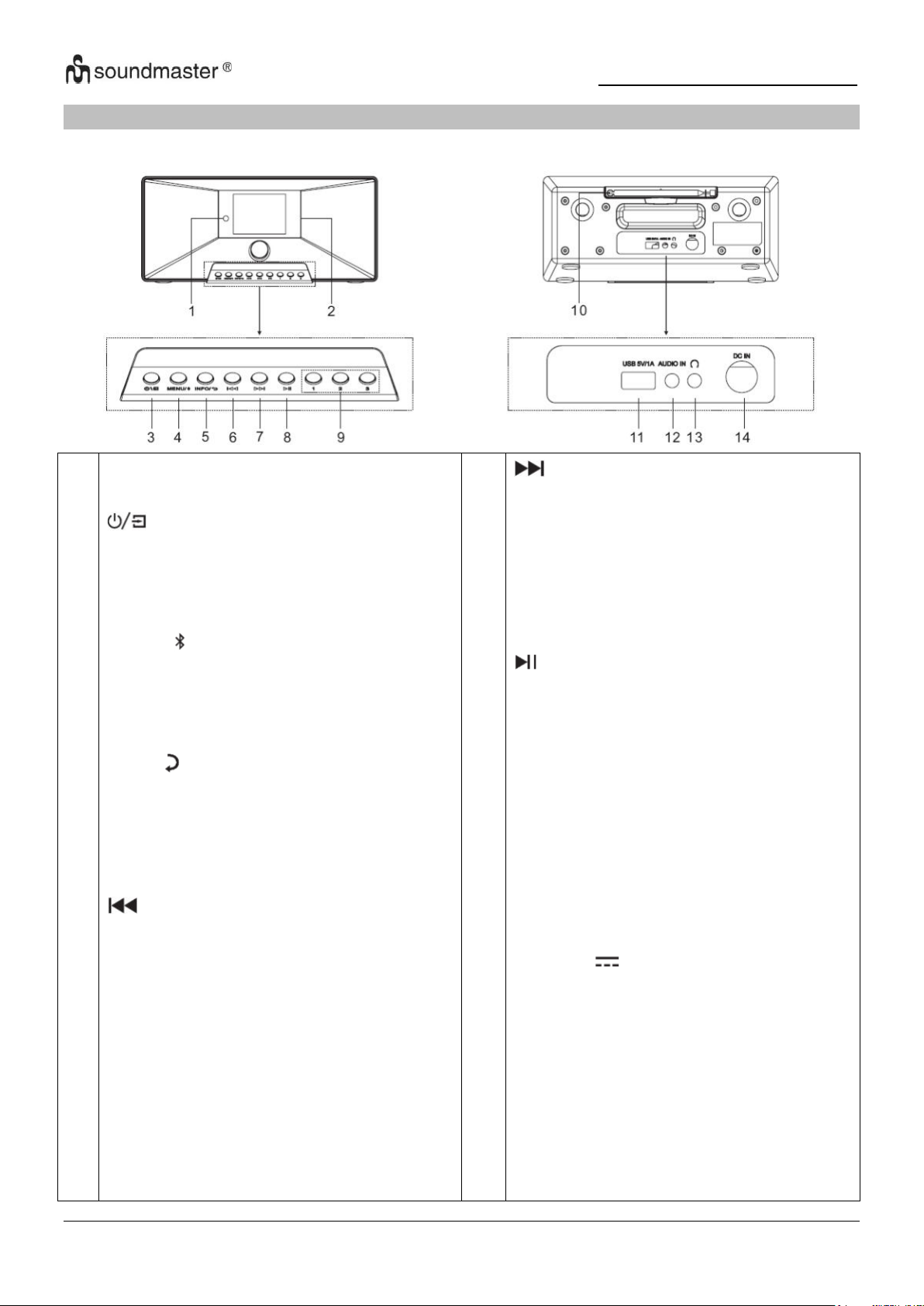
IR3500 / Italiano Manuale di istruzioni
1
2
3
4
5
6
Sensore a infrarossi
Schermo
* Tenere premuto per accendere o
spegnere il dispositivo
* Premere per passare da una funzione
all'altra
MENU/
* Premere per accedere al menu
* enere premuto per associare un
dispositivo Bluetooth o disconnettere un
dispositivo già connesso
INFO/
* Premere per visualizzare le informazioni
di Visualizza USB / DAB / FM e radio
Internet.
* Premere per tornare alla voce di menu
precedente
* Premere per passare alla traccia
precedente in Passa alla modalità USB /
BT / Internet Radio.
* Premere brevemente per mettere a
punto il Modalità FM
* Tieni premuto per andare al precedente
Salta indietro alla stazione in modalità FM
7
8
9
10
11
12
13
14
* Premere per passare alla traccia
successiva
* Premere brevemente per eseguire la
sintonizzazione fine in modalità FM
* Tenere premuto per passare alla
stazione successiva in Salto in modalità
FM
* Premi per riprodurre e mettere in pausa
su USB, BT
e radio Internet internet
1/2/3
* Tenere premuto in modalità
DAB/FM/USB
per memorizzare una stazione come
stazione preimpostata
* In modalità DAB/FM/USB, premere uno
delle tre stazioni preselezionate.
Antenna
USB / 5V 1A Fucile
* Ricollegare un dispositivo di
archiviazione USB
Suonare
* Ricarica un dispositivo tramite la presa
USB
INGRESSO audio
Jack per cuffie DC IN
POSIZIONE DEI CONTROLLI
VISTA ANTERIORE VISTA POSTERIORE
2
Page 73
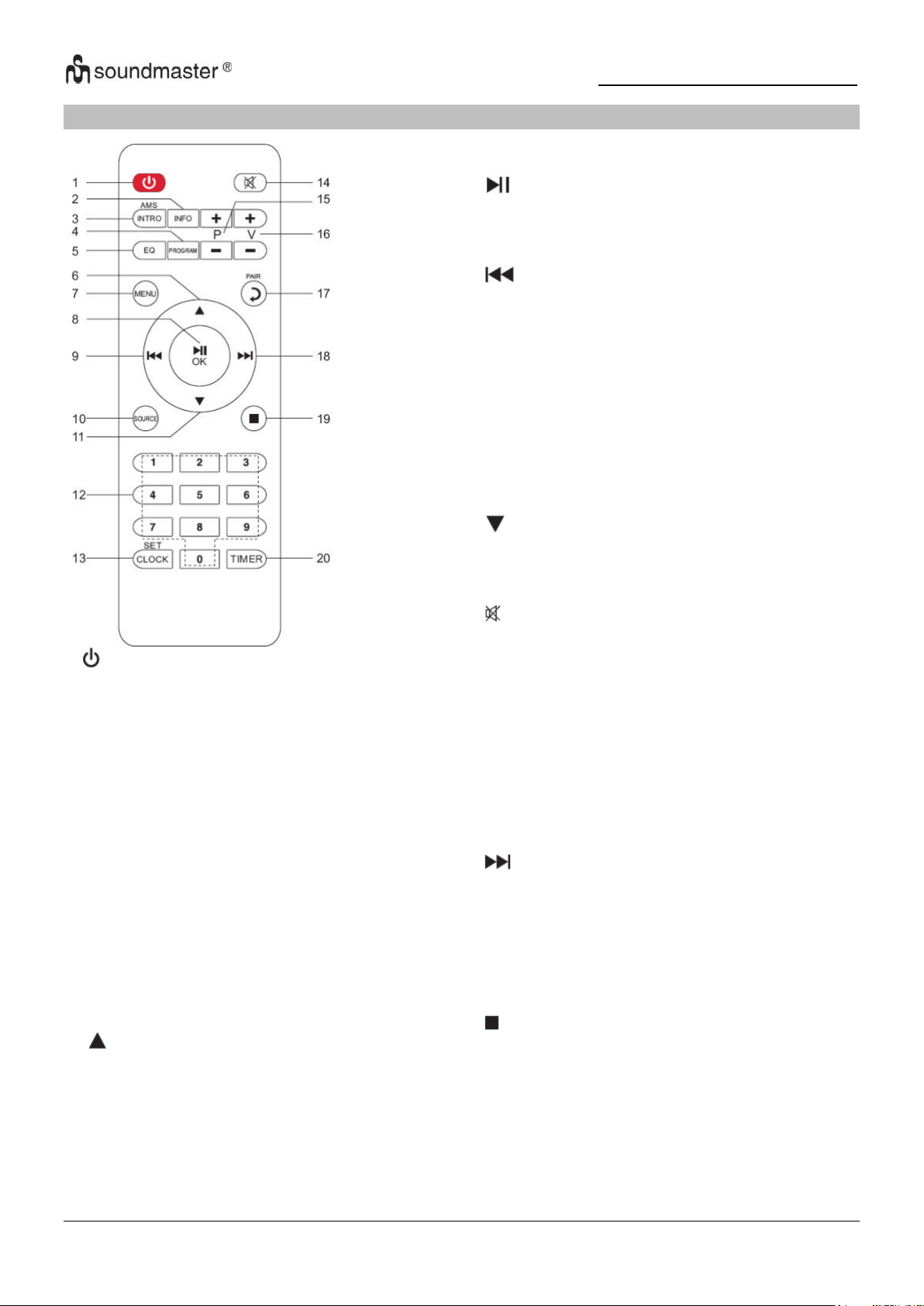
IR3500 / Italiano Manuale di istruzioni
1
* Premere per accendere o spegnere il
dispositivo
2 INFO
* Premere per visualizzare le informazioni di
Visualizza USB / DAB / FM e radio Internet
3 INTRO/AMS
* Premi per esplorare tutte le tracce
* Premere per avviare una ricerca automatica
in modalità DAB/FM, premere nuovamente per
interrompere la ricerca.
4 PROGRAM
* Premere per programmare l'ordine di
riproduzione in modalità USB e per gestire le
stazioni preselezionate in DAB/FM e radio
Internet
* Tenere premuto per memorizzare una
stazione preselezionata
5 EQ
* Premere per selezionare l'EQ:
Normal/Jazz/Rock/Classic/Pop/My EQ
6
* Premi per navigare verso l'alto
7
8
9
10
11
12
13
14
15
16
17
18
19
20
MENU
* Premi per accedere al menu
/OK
* Premere per riprodurre / mettere in pausa in BT /
USB e
Radio Internet
* Premi per confermare qualcosa nel menu
* Tenere premuto per il riavvolgimento rapido in
modalità USB
* Premere per passare alla traccia precedente in
USB
* Premere per richiamare l'elenco delle stazioni in
DAB FM e Internet Radio
* Premere per sintonizzare con precisione in FM
* Tenere premuto per la sintonizzazione manuale in
FM
SOURCE
* Premere per cambiare la sorgente (Internet
Radio/Podcasts/Spotify/
DAB/FM/USB/BT/AUDIO)
* Premi per navigare verso il basso
0-9 Numericamente
CLOCK
* Tieni premuto per impostare l'ora
* Premi per disattivare l'audio
P+/* Premere per saltare l'inizio della corrente/
album precedente/successivo in USB
* Premere per selezionare il preset
precedente/successivo
canale in FM e DAB
V+/* Premere per aumentare/diminuire il volume
PAIR
* Premi per tornare indietro di un passaggio
* Tenere premuto per connettere un dispositivo,
premere per rimuovere un dispositivo
* Tieni premuto per un rapido avanzamento
* Premere per passare alla traccia successiva
* Premere per visualizzare l'elenco delle stazioni in
DAB/FM
e visualizzazione della radio Internet
* Premere per sintonizzare con precisione in FM
* Tenere premuto per la sintonizzazione manuale in
FM
* Premere per interrompere la riproduzione in
modalità USB
TIMER
* Premere per impostare il timer
TELECOMANDO
3
Page 74
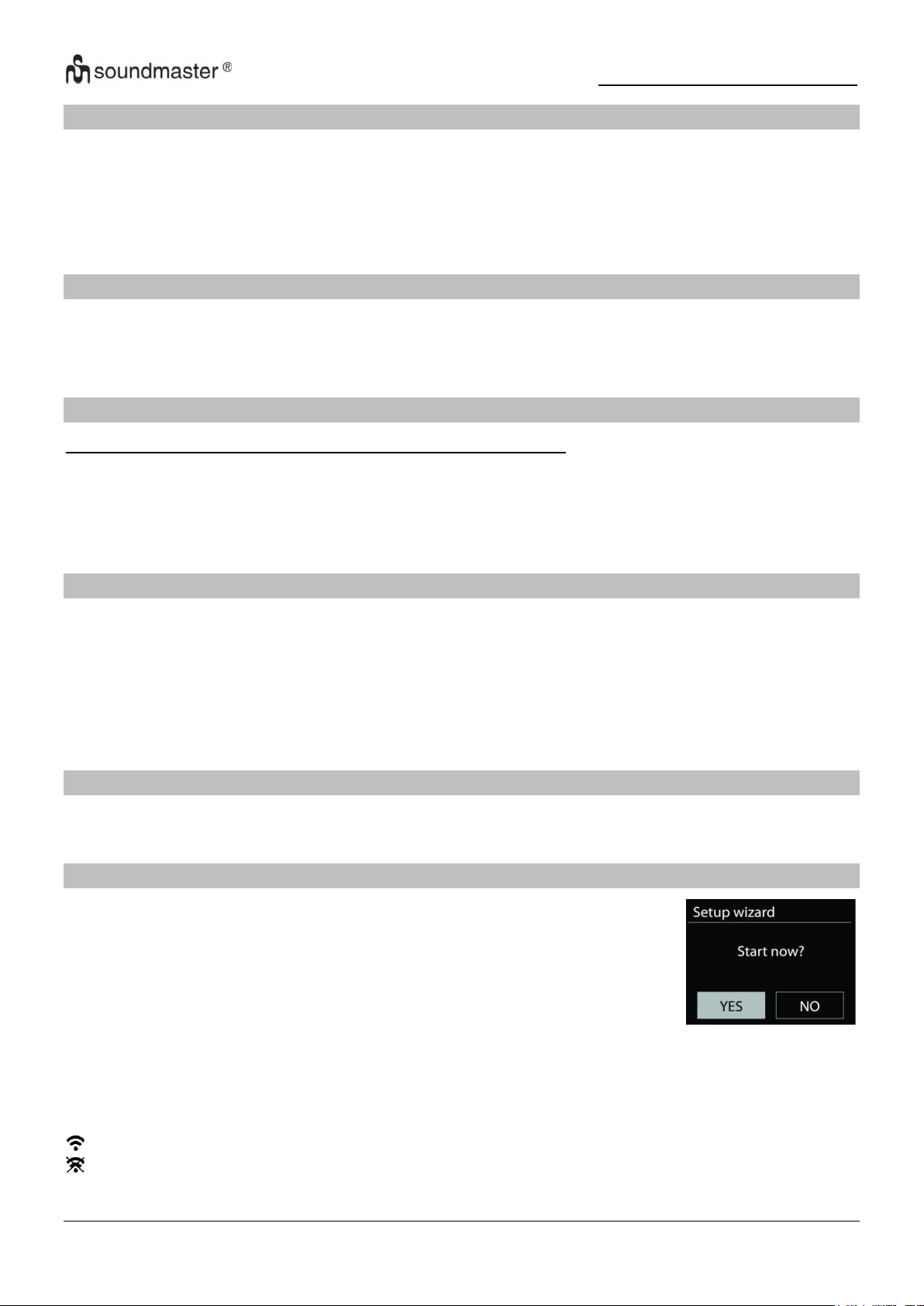
IR3500 / Italiano Manuale di istruzioni
FUNZIONAMENTO DEL TELECOMANDO
1. Premere e far scorrere lo sportellino posteriore per aprire il vano portabatteria del
telecomando.
2. Inserire due batterie di tipo AAA. Assicurarsi che le batterie siano inserite correttamente nel
rispetto della polarità indicata all’interno del vano.
2. 3. Chiudere lo sportellino del vano portabatteria.
CONTENUTO DELLA CONFEZIONE
➢ Unità principale
➢ Manuale di istruzioni Netzadapter
➢ Telecomando
OPERAZIONI PRELIMINARI/CONFIGURAZIONE
Utilizzare solo l'adattatore di alimentazione in dotazione!
Collegare l’unità a una fonte di alimentazione adeguata mediante l’alimentatore fornito. Dopo
aver visualizzato una schermata iniziale, verrà selezionata l’ultima modalità di ascolto utilizzata.
Quando l’unità viene avviata per la prima volta, verrà avviata automaticamente la procedura
guidata.
PREPARAZIONE DELL’AMBIENTE DI RETEDUNG
Assicurarsi di aver configurato correttamente la rete wireless e di disporre della password di
sicurezza WEP, WPA o WPA2 per attivare la connessione.
È possibile inoltre utilizzare la funzione WPS (WiFi Protected Setup) per facilitare l’abbinamento
tra il dispositivo di rete e l’unità. Verificare che gli indicatori luminosi sul dispositivo di rete
indichino che la connessione è funzionante.
MENU PRINCIPALE
Dal menu principale è possibile selezionare le seguenti modalità di funzionamento: Radio
Internet, Podcast, DAB, FM, USB, Bluetooth®, Sleep, Sveglia e Timer.
E PROCEDURA DI CONFIGURAZIONE GUIDATA
Durante l'avvio iniziale, il sistema chiede se si desidera avviare la
procedura guidata di configurazione. La procedura guidata di
configurazione guida l'utente attraverso i parametri di configurazione di
base per ora/data e connessione di rete. Per modificare le impostazioni in
un secondo momento, è possibile accedere a tutte le funzioni di
impostazione tramite il menu delle impostazioni.
Nota: se la configurazione guidata viene annullata prematuramente senza una configurazione
di rete, il dispositivo genera il proprio accesso WiFi in modo che il dispositivo possa essere
configurato tramite l'APP UNDOK.
Indicatore di connessione di rete:
= Connessione di rete stabilita.
= Connessione di rete non stabilita.
4
Page 75

IR3500 / Italiano Manuale di istruzioni
1. Lingua
Seleziona la lingua del menu.
2. Politica sulla riservatezza
Durante l'installazione iniziale o dopo il ripristino delle impostazioni di fabbrica, sul display
appare l'informativa sulla privacy. Per continuare l'installazione, confermare questa
richiesta con il pulsante "OK".
Per ulteriori informazioni, visitare www.frontiersmart.com/privacy
3. Assistente alla configurazione
Selezionare "YES" per avviare la procedura guidata di configurazione.
4. Formato di visualizzazione data/ora
Scegliere l'orario in formato 12 o 24 ore.
5. Aggiornamento automatico
La data e l'ora possono essere aggiornate manualmente o automaticamente tramite DAB,
FM o connessione di rete. L'aggiornamento automatico viene eseguito con i dati trasmessi
tramite DAB, VHF o Internet. L'ora viene aggiornata solo in una modalità specifica. Dovresti
quindi scegliere una modalità che usi regolarmente.
DAB e FM utilizzano il segnale orario e la trasmissione radio. La rete utilizza un segnale
orario che viene inviato dal portale radio Internet in qualsiasi modalità di connessione di
rete.
6. Fuso orario / ora legale
Imposta il tuo fuso orario. Se l'ora legale è attualmente utilizzata nel proprio paese,
selezionare l'opzione Ora legale
Aggiornamento manuale
Impostando l'opzione a "Nessun aggiornamento", la procedura guidata richiederà di inserire
ora e data manualmente. Data e ora sono visualizzate in formato gg-mm-aaaa e oo:mm.
Il valore attivo apparirà in formato lampeggiante. Regolare ciascun valore con il comando
“ / ”. Una volta impostato il valore, premere il comando per continuare con
l’impostazione del valore successivo
7. Rete
Tenere rete connessa
Selezionare questa opzione quando alcune funzioni dell’unità richiedono che la rete sia
connessa; quando questa opzione è selezionata, l’unità si connetterà rapidamente a
Internet e sarà possibile accendere l’unità tramite l’app “UNDOK”.
Nota: il consumo di energia in standby aumenta leggermente con questa funzione attivata.
5
Page 76
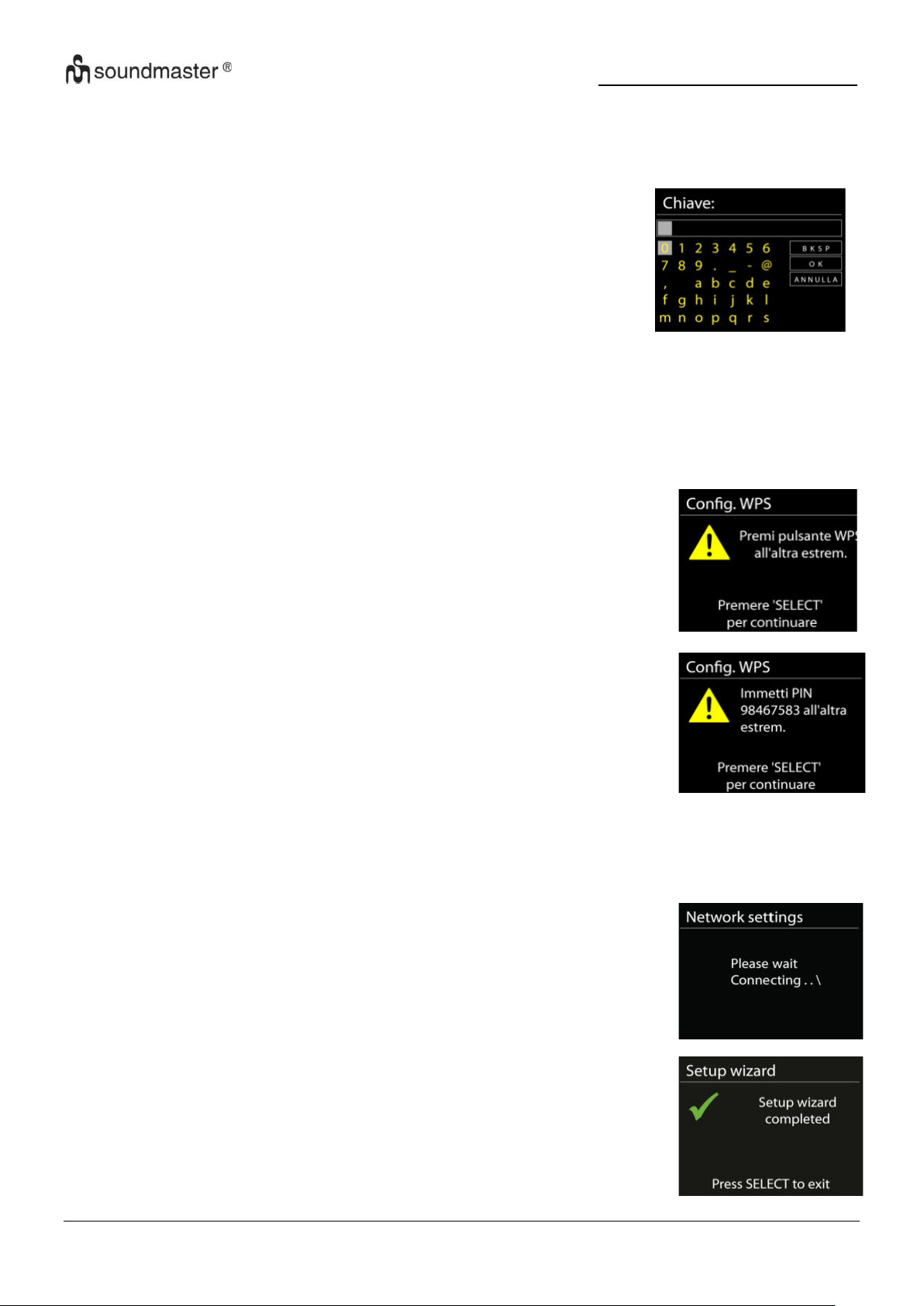
IR3500 / Italiano Manuale di istruzioni
Premere tasto
L’unità richiede di premere il tasto di connessione sul router. Quindi
ricerca una rete pronta alla connessione alla pressione del tasto, e
si connette ad essa.
Pin
L’unità genera un numero a 8 cifre da immettere nel router wireless,
nell’access point o in un’unità di registrazione esterna.
Completamento
L'unità IR3500 tenta di connettersi alla rete selezionata.
Il sistema mostrerà l'indicazione connesso, se la configurazione ha
avuto successo. Se la connessione non riesce, l'unità IR3500 ritorna
alla schermata precedente per permettere di riprovare.
Premere “OK” per uscire dalla procedura di configurazione guidata..
Cerca la rete
L’unità è compatibile con tutti i protocolli di rete e i metodi di crittografia più comuni. Effettua
la ricerca delle reti disponibili e le elenca automaticamente.
Per la connessione wireless, verrà richiesto di immettere la
chiave di crittografia nel passo successivo. Per immettere la
chiave di rete, utilizzare il comando “NAVIGATE” per spostare il
cursore attraverso i caratteri, quindi selezionare “OK” per
confermare. Alla selezione di ogni carattere, la chiave si compone
sulla parte superiore dello schermo.
Rete criptata “WPS”
Verranno visualizzati dei suggerimenti relativi al tipo di rete: se i dispositivi di rete
supportano la funzione WPS, verrà aggiunta la sigla [WPS] davanti al codice SSID
(il nome del dispositivo di rete). Selezionare la rete a cui si desidera connettersi. Utilizzare
uno dei seguenti metodi di connessione:
è presente il tasto WPS di scelta rapida sull’access point.
Salta WPS
Inserire la chiave di crittografia come nel caso di reti standard criptate.
Per ulteriori informazioni sulla configurazione di una rete criptata WPS, fare riferimento alle
istruzioni del proprio router WPS
6
Page 77
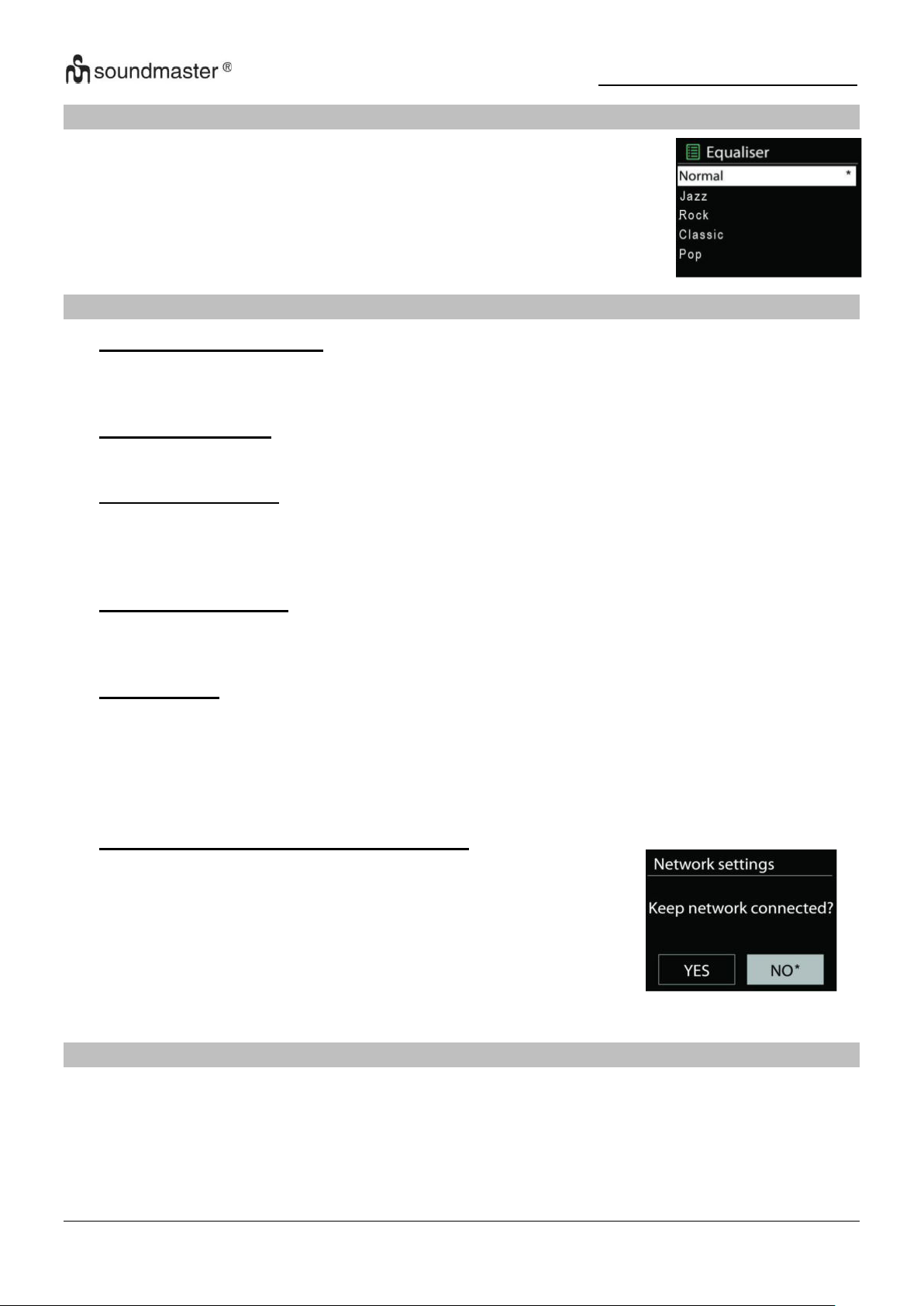
IR3500 / Italiano Manuale di istruzioni
Puoi scegliere tra vari EQ preimpostati: Normal, Jazz, Rock, Classic,
Pop e My EQ.
In "My EQ" hai la possibilità di creare le tue impostazioni audio
individuali con impostazioni di alti e bassi.
Se scegli di mantenere la tua rete connessa, il WiFi non verrà
disconnesso anche se sei in modalità standby. In caso
contrario, la connessione è disponibile solo nelle modalità radio
Internet e lettore musicale. Questa opzione consente all'IR3500
di essere pronto per lo streaming DLNA in tutte le modalità
operative.
Se è selezionato Rimani connesso alla rete, il consumo
energetico in standby aumenterà.
EQUALIZZATORE
RETE
• Procedura guidata di rete
Il dispositivo inizierà a cercare le reti SSID AP, quindi inserisci la tua password WEP / WPA
o premi il pulsante / Pin / WPS Skip per connetterti alla rete wireless.
• Impianto Wi-Fi PBC
Dispositivo a pulsante, serve un AP che supporta WPS (Wi-Fi Protected Setup).
• Mostra impostazioni
Visualizza le informazioni della rete attualmente connessa: connessione attiva, indirizzo
MAC, regione WLAN, DHCP, SSID, indirizzo IP, maschera di sottorete, indirizzo gateway,
DNS primario e DNS secondario.
• Impostazioni manuali
Scegli una connessione di rete wireless e attiva o disattiva DHCP (Dynamic Host
Configuration Protocol).
• Profilo di rete
Il dispositivo ricorda le ultime quattro reti wireless a cui è stato connesso e prova
automaticamente a connettersi a una di esse che riesce a trovare. Da qui puoi vedere
l'elenco delle reti registrate. È possibile eliminare le reti indesiderate ruotando e premendo,
quindi selezionando S per confermare l'eliminazione.
• Mantenere la connessione di rete network
TEMPO/DATA
Le opzioni di impostazione sono aggiornamento manuale o automatico, formato dell'ora, fuso
orario e ora legale.
7
Page 78
IR3500 / Italiano Manuale di istruzioni
ILLUMINAZIONE DEL DISPLAY
È possibile regolare la luminosità del display sia durante il funzionamento (chiaro, medio, scuro)
sia quando è attenuato (medio, scuro) secondo le proprie esigenze.
Inoltre è possibile selezionare il periodo di tempo dopo il quale il display si spegne
automaticamente (10-180 secondi)
LINGUAGGIO
Seleziona una delle lingue elencate.
AGGIORNAMENTO SOFTWARE
Di tanto in tanto possono essere effettuati aggiornamenti del software con correzioni di bug e/o
funzionalità aggiuntive. Puoi controllare manualmente o impostare il dispositivo in modo che
controlli automaticamente su base regolare (questa è l'impostazione predefinita). Quando viene
rilevato un software più recente, ti verrà chiesto se desideri procedere con un aggiornamento.
Se accetti, il nuovo software verrà scaricato e installato. Tutte le impostazioni dell'utente
vengono mantenute dopo un aggiornamento del software software.
NOTA: prima di avviare un aggiornamento del software, assicurarsi che il dispositivo sia
collegato a una connessione di rete stabile. Scollegare l'alimentazione durante un
aggiornamento può danneggiare permanentemente il dispositivo.
INFORMAZIONI
Mostra la versione attuale del software e l'ID del dispositivo.
8
Page 79
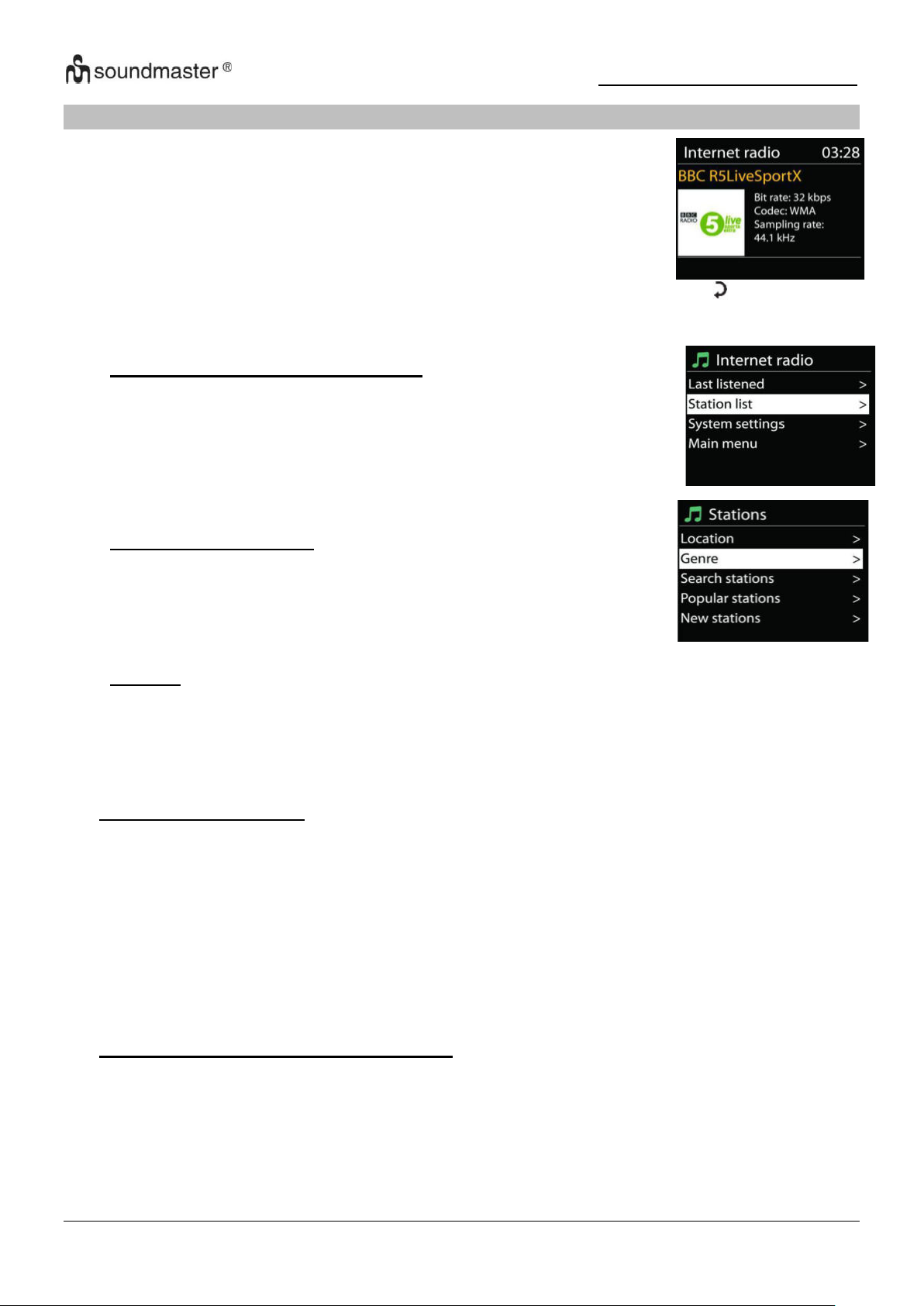
IR3500 / Italiano Manuale di istruzioni
L’unità può riprodurre migliaia di stazioni radio e podcast di tutto il
mondo tramite una connessione Internet a banda larga.
Quando si seleziona Radio Internet, l’unità contatta direttamente il
portale radio Internet Frontier Silicon (che è supportato da Airable) per
ottenere un elenco di stazioni.
• Last listened – Ultimamente sentito
Quando si avvia Internet Radio, l'ultima stazione ascoltata verrà
riprodotta automaticamente. Per selezionare un'altra stazione
ascoltata l'ultima volta, selezionarne una da questo elenco. L'ultima
stazione che hai ascoltato appare in cima all'elenco.
• Elenco stazioni Station
Cerca i canali Internet. Questi sono ordinati per diverse categorie,
paese, genere, popolare e nuovo. Puoi anche cercare per parole
chiave.
• Preferiti
I preferiti sono memorizzati nel portale della radio Internet e sono disponibili da tutte le radio
Internet registrate con lo stesso account. Prima di poter utilizzare i preferiti, la radio deve
essere registrata sul portale della radio Internet.
RADIO INTERNET/PODCASTS
Se stai già riproducendo una stazione radio Internet, puoi premere il pulsante " " per tornare
all'impostazione del menu precedente invece di premere il pulsante "MENU" e accedere al
primo menu in modalità radio Internet.
• Stazioni preselezionate
Per salvare una stazione radio Internet, tenere premuto il pulsante "PROGRAM" finché il
display non mostra la stazione da salvare, quindi selezionare la posizione di
memorizzazione e confermare la selezione con "OK". Oppure premere e tenere premuto
uno dei tre pulsanti delle stazioni preselezionate sul dispositivo finché sul display non viene
visualizzato il messaggio per la memorizzazione delle stazioni.
Per richiamare una stazione preimpostata, inserire la posizione del programma utilizzando i
pulsanti 0-9 sul telecomando oppure premere il pulsante "PROGRAM", selezionare la
stazione desiderata e premere il pulsante "OK" per confermare. Oppure premere uno dei tre
pulsanti delle stazioni preimpostate sul dispositivo per richiamare la stazione desiderata.
• Informazioni sulla riproduzione in corso
Durante la riproduzione, sul display vengono visualizzati il nome e la descrizione della
trasmissione. Per visualizzare ulteriori informazioni, premere il pulsante "INFO" sul
dispositivo o sul telecomando.
Ad ogni pressione del pulsante “INFO” viene visualizzato in successione un diverso gruppo
di informazioni: nome/titolo, genere/località, affidabilità, codec/frequenza di campionamento,
buffer di riproduzione e data corrente.
9
Page 80
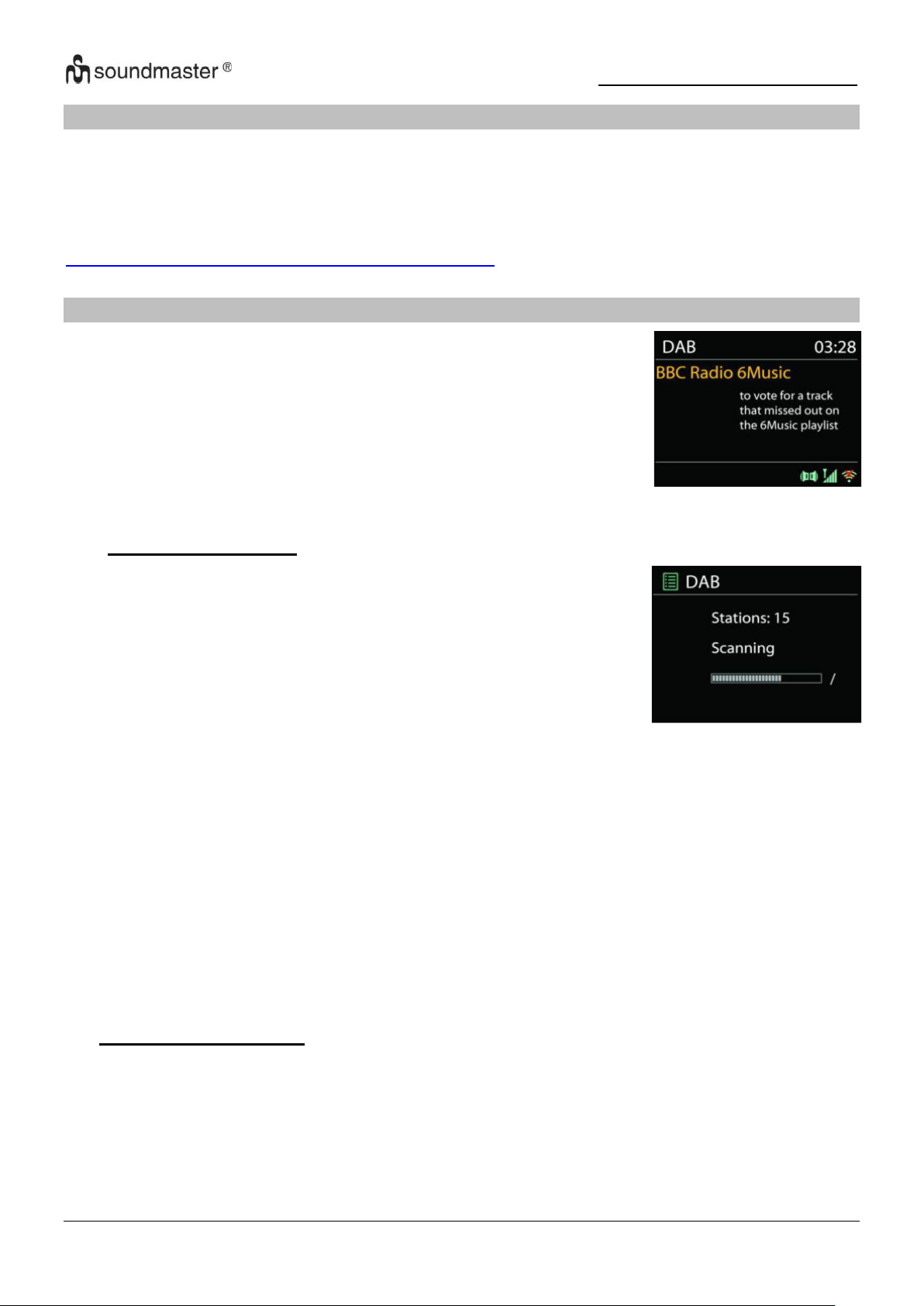
IR3500 / Italiano Manuale di istruzioni
La modalità DAB consente di ricevere il segnale radio digitale DAB o
DAB plus e di visualizzare informazioni relative alla stazione, allo
streaming audio e ai dettagli dei programmi.
• Ricerca delle stazioni
La prima volta che si seleziona la modalità radio DAB o se
l’elenco delle stazioni è vuoto, l’unità effettua automaticamente
una ricerca completa per verificare quali stazioni sono disponibili.
Potrebbe anche essere necessario procedere ad una scansione
manuale di aggiornamento dell'elenco stazioni, per uno dei
seguenti motivi:
• Le stazioni disponibili possono cambiare di tanto in tanto
• Se non vi sono buone condizioni di ricezione al momento
della prima scansione, l'elenco stazioni ottenuto potrebbe
essere incompleto o vuoto.
• Se la ricezione di alcuni canali è scadente (ricezione
intermittente), ci può essere l'esigenza di tenere nell'elenco
solo le stazioni che hanno un segnale di buona qualità.
SPOTIFY
Usa il tuo cellulare, tablet o computer come telecomando remoto per Spotify.
Vai su spotify.com/connect per scoprire come
Il software Spotify è soggetto alle licenze di terze parti trovate qui:
https://www.spotify.com/connect/third-party-licenses
DAB
Per avviare la ricerca, seleziona l'opzione "Ricerca completa".
Al termine della ricerca delle stazioni, la radio visualizza un elenco di tutte le stazioni disponibili.
Per rimuovere i canali visualizzati ma non disponibili, selezionare l'opzione Pulizia canali.
• Stazioni preselezionate
Per salvare una stazione radio tenere premuto il tasto "PROGRAM" fino a quando non
compare il display per la memorizzazione delle stazioni, selezionare la posizione di
memorizzazione e confermare la selezione con "OK". Oppure premere e tenere premuto
uno dei tre pulsanti delle stazioni preimpostate sul dispositivo finché il display non mostra la
stazione da memorizzare.
10
Page 81

IR3500 / Italiano Manuale di istruzioni
Per richiamare una stazione preimpostata, inserire la posizione del programma utilizzando i
pulsanti 0-9 sul telecomando oppure premere il pulsante "PROGRAM", selezionare la
stazione desiderata e premere il pulsante "OK" per confermare. Oppure premere uno dei tre
pulsanti delle stazioni preimpostate sul dispositivo per richiamare la stazione desiderata.
Informazioni sulla riproduzione in corso
Durante la trasmissione vengono visualizzati il nome della stazione e le informazioni DLS
(Dynamic Label Segment) trasmesse dalla stazione; questi contengono dati in tempo reale
come il nome del programma, il titolo e le informazioni di contatto. Le trasmissioni stereo
sono contrassegnate da un'icona corrispondente nella parte superiore del display. Per
visualizzare ulteriori informazioni, premere il tasto "INFO" sul dispositivo o sul telecomando.
• Impostazioni
Compressione della gamma dinamica (DRC)
Se stai ascoltando musica con una gamma dinamica elevata in un ambiente rumoroso, puoi
comprimere la gamma dinamica audio. Questo rende i toni bassi più forti e i toni alti più
bassi. Imposta l'opzione DRC su Off, Low o High.
Disposizione dei trasmettitori
È possibile ordinare alfanumericamente le stazioni radio DAB, come insieme o come
stazioni valide.
Stazioni dell'elenco di ensemble che vengono trasmesse insieme sullo stesso ensemble.
Con l'opzione Valido vengono visualizzati alfanumericamente prima i canali validi e poi i
canali che non sono stati trasmessi.
11
Page 82
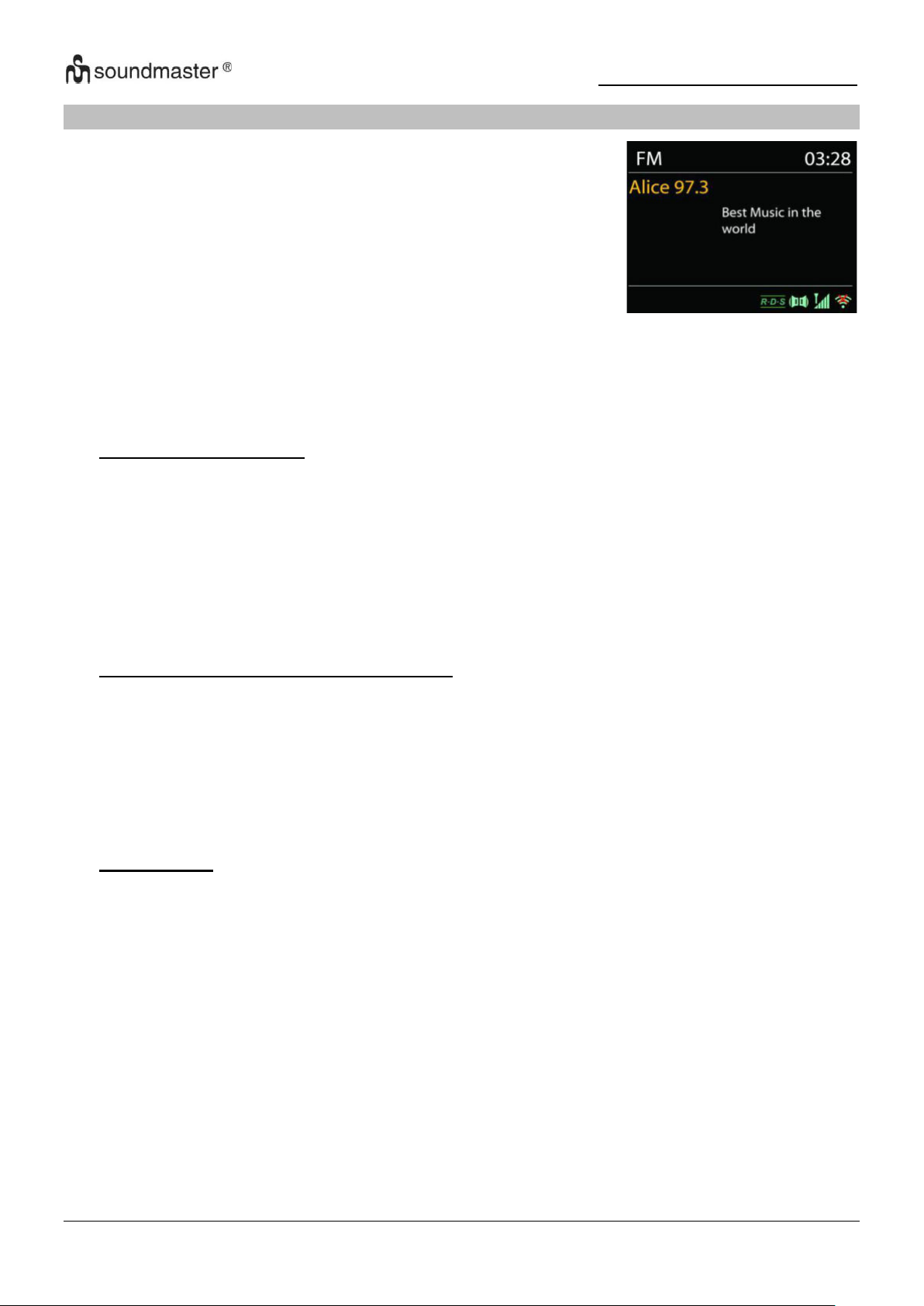
IR3500 / Italiano Manuale di istruzioni
La modalità radio FM riceve i canali radio analogici della banda
FM e mostra le informazioni RDS (Sistema dati radiofonici - Radio
Data System) sulla stazione e le relative trasmissioni
FM
Per cercare automaticamente una stazione radio, tenere premuto il pulsante "INTRO". Il display
della frequenza inizia a funzionare e memorizza tutte le stazioni disponibili.
Per la sintonizzazione manuale, premere “” o “”. Il dispositivo sintonizza i trasmettitori in passi di
0,05 MHz.
• Stazioni preselezionate
Per salvare una stazione radio tenere premuto il tasto "PROGRAM" fino a quando non
compare il display per la memorizzazione delle stazioni, selezionare la posizione di
memorizzazione e confermare la selezione con "OK". Oppure premere e tenere premuto
uno dei tre pulsanti delle stazioni preselezionate sul dispositivo finché sul display non viene
visualizzato il messaggio per la memorizzazione delle stazioni.
Per richiamare una stazione preimpostata, inserire la posizione del programma utilizzando i
pulsanti 0-9 sul telecomando oppure premere il pulsante "PROGRAM", selezionare la
stazione desiderata e premere il pulsante "OK" per confermare. Oppure premere uno dei tre
pulsanti delle stazioni preimpostate sul dispositivo per richiamare la stazione desiderata
• Informazioni sulla riproduzione in corso
Durante la trasmissione, il display mostra la frequenza e, se sono disponibili informazioni
RDS, il nome della stazione e altri dati RDS come il nome del programma, il titolo e le
informazioni di contatto. Se non sono disponibili dati, viene visualizzata solo la frequenza.
Le trasmissioni stereo sono contrassegnate da un'icona corrispondente nella parte
superiore del display.
Per visualizzare ulteriori informazioni sul programma, premere il pulsante "INFO" sul
dispositivo.
• Impostazioni
Impostazioni di scansione
Per impostazione predefinita, la ricerca FM si interrompe non appena viene trovata una
stazione disponibile. Questa funzione può provocare la riproduzione di una stazione con un
rapporto segnale/rumore scadente (rumore). Per modificare le impostazioni di scansione in
modo che vengano ricevute solo le stazioni con una buona potenza del segnale,
selezionare prima l'opzione "Solo stazioni forti" e poi l'opzione Sì.
Impostazioni audio
Tutti i canali stereo sono riprodotti in stereo. Per le stazioni con scarsa ricezione, ciò può
portare a un rapporto segnale/rumore scadente (rumore). Per riprodurre tali stazioni in
mono, selezionare l'opzione Scarsa ricezione FM: riproduci solo in mono e Sì.
12
Page 83
IR3500 / Italiano Manuale di istruzioni
USB
Riproduzione USB
1. Collega una chiavetta USB alla presa USB sul retro del dispositivo.
2. Premi il“ ” ripetutamente sul dispositivo o premere il tasto "SOURCE" sul telecomando fino
a visualizzare "USB" per selezionare la funzione USB.
3. La riproduzione si avvia automaticamente.
Funzione audiolibro
È possibile mettere in pausa la riproduzione e continuare l'ascolto nel punto in cui la
riproduzione è stata interrotta (RESUME) premendo il tasto “ ” Premere il pulsante e
spegnere il dispositivo o utilizzare un'altra funzione. Se hai il“ ” Pulsante e poi il“ ” Premere
il pulsante per avviare la riproduzione dall'inizio (traccia 1)
Salta e cerca
• Premi il“ ” Premi il pulsante una o più volte per tornare indietro di una o più tracce.
• Premi il“ ” Pulsante una o più volte per saltare in avanti di una o più tracce.
• Tieni premuto il tasto “ ” Pulsante sul telecomando per riavvolgere il brano non appena si
è nella posizione desiderata del brano premere il tasto“ “ Pulsante per continuare la
riproduzione.
• Tieni premuto il tasto“ ” Pulsante sul telecomando per avanzare velocemente nella
traccia non appena si è nella posizione desiderata nella traccia premere il tasto“ “
Pulsante per continuare la riproduzione.
Funzione introduttiva
Premere il tasto “INTRO” sul telecomando per riprodurre i primi 10 secondi di ogni brano
memorizzato per riprodurre l'inizio di ogni brano
uno dopo l'altro dalla prima canzone. Il tempo di riproduzione di ogni traccia è di 10 secondi.
Quando ascolti la traccia che desideri, premi due volte il pulsante „ “.
Programmare l'ordine di riproduzione
1. Durante la riproduzione, premere il tasto“ ” Taste auf der Fernbedienung.
2. uindi premere il pulsante "PROGRAM", l'informazione "P01 T01" viene ora visualizzata sul
display.
3. Seleziona il titolo che desideri con “ ” o “ ” per salvarlo come P01, P02 ecc.
4. Premi il “PROGRAM” Pulsante per confermare il titolo selezionato e proseguire con la traccia
successiva.
5. Una volta terminata la programmazione, premere il tasto “ ” Pulsante per confermare le
impostazioni e avviare la riproduzione.
6. I numeri sul telecomando non sono importanti nella riproduzione programmata.
Puoi usare solo il“ / ” Cambia i tasti tra i brani.
7. Modificare la funzione o premere il tasto “ ” Premere due volte per annullare l'ordine di
riproduzione.
Nota: puoi salvare fino a 20 tracce!
Funzione di ricarica USB (5V 1A Fucile)
Collega un cavo USB alla presa USB per caricare uno smartphone, ad esempio.
13
Page 84
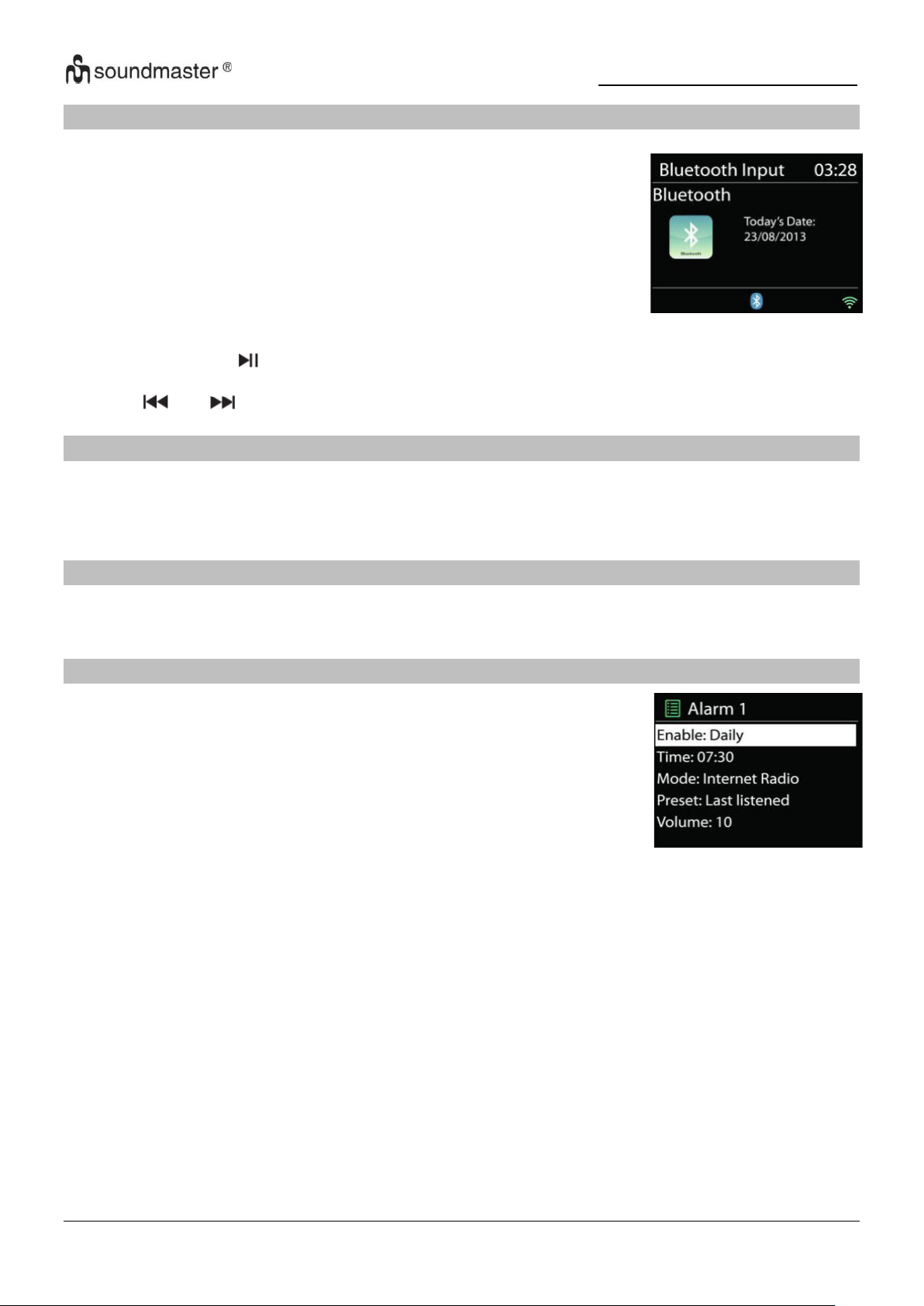
IR3500 / Italiano Manuale di istruzioni
Se si seleziona la modalità Bluetooth®, il dispositivo attiva
l'accoppiamento e l'icona BT lampeggia nella parte inferiore del
display. Accendi il tuo smartphone, tablet o dispositivo Bluetooth®
per cercare l'IR3500.
Al termine dell'accoppiamento, l'indicatore Bluetooth® si accende
fisso e smette di lampeggiare.
Per terminare l'associazione BT, è necessario spegnere o
disconnettere il proprio smartphone, tablet o altro dispositivo
Bluetooth®
Sono disponibili due versatili allarmi sveglia dotati di opzione di
snooze, nonché una funzione di sospensione che spegne il sistema
dopo un periodo di tempo definito. È possibile definire la modalità di
attivazione di ciascun allarme.
BLUETOOTH®
Premere il pulsante " " sul dispositivo o sul telecomando per avviare o mettere in pausa la
riproduzione della musica. È possibile passare alla traccia precedente o successiva con i
pulsanti " " o " ".
INGRESSO AUDIO
Collegamento di lettore DVD / set-top box / uscite TV a ingressi analogici sulla scheda audio.
Utilizzare un cavo audio cinch per collegare le uscite del lettore DVD/TV alla presa di ingresso
AUX (L/R) sulla tavola armonica.
DORMIRE
Per impostare il timer di spegnimento, selezionare "SLEEP" nel menu principale. Scegli tra
Sleep OFF, 15min, 30min, 45min o 60min.
SVEGLIA
Selezionare Allarme nel menu principale per impostare o modificare un allarme
Indicare il numero dell'allarme su cui agire (1 o 2), quindi configurarne i parametri seguenti:
• • Imp. freq. allar.: Off, Ogni giorno, Una volta, Fine settimana o Giorni della sett
• Ora
• • Modalità: Internet Radio, DAB, FM, USB, Buzzer
• • Imp. allar. pred.: Ascoltato per ultimo: 1 – 40,
• Volume: 0 – 32
Per attivare le nuove impostazioni, scorrere il menu verso il basso e selezionare la voce Salva.
Lo schermo indica la presenza di sveglie attive con un'apposita icona che compare in basso a
sinistra.
14
Page 85
IR3500 / Italiano Manuale di istruzioni
Problema
Possibile soluzione
Il dispositivo non si
accende.
Controllare se l'adattatore CA è collegato correttamente.
Il dispositivo si spegne
da solo
A causa dei requisiti ErP2 e della protezione ambientale, il
dispositivo passa automaticamente alla modalità standby se non
viene riprodotta musica per più di 15 minuti.
Nessun suono.
1. Attiva l'audio, forse il dispositivo è disattivato
2. Aumenta il volume.
3. Assicurati che non siano collegate cuffie o altoparlanti.
UNDOK
L’unità supporta il controllo remoto da Apple iPhone, iPad e Android mediante l’app UNDOK. Le
app sono disponibili nell’App Store di Apple e in Google Play.
È possibile controllare una singola unità, un gruppo di dispositivi o anche più gruppi mediante
l’app UNDOK o i controlli della radio
• Creare un gruppo
• Rinominare un gruppo
• Modificare un gruppo, ovvero aggiungere o rimuovere uno o più prodotti
• Eliminare un gruppo
• Controllare un gruppo, ovvero scegliere la modalità di funzionamento e cercare
contenuti.
• Regolare il volume di un intero gruppo o di singoli prodotti all’interno di un gruppo
• Controllare tutte le modalità dell’unità, tra cui Radio Internet, Podcast, DAB, FM, CD,
USB, Bluetooth
• Impostare l’equalizzatore per varie preselezioni audio
• Modificare il nome visualizzato della radio.
CUFFIA
Per ascoltare la musica in privato, utilizzare delle cuffie con connettore jack stereo da 3,5 e
collegarle alla presa delle cuffie. Gli altoparlanti verranno quindi disattivati.
Per evitare possibili perdite uditive, non ascoltare ad alto volume per lunghi periodi di
tempo.
RIPRISTINA LE IMPOSTAZIONI DI FABBRICA
Un ripristino delle impostazioni di fabbrica ripristina tutte le impostazioni utente ai valori
predefiniti, in modo che l'ora e la data, la configurazione di rete e le impostazioni predefinite
vengano perse. Tuttavia, viene mantenuta l'attuale versione del software dell'IR3500, così come
la registrazione al portale della radio Internet. I preferiti delle radio Internet vengono quindi
mantenuti a meno che non registri nuovamente il tuo IR3500 con un account diverso sul sito
Web del portale.
RISOLUZIONE DEI PROBLEMI
15
Page 86
IR3500 / Italiano Manuale di istruzioni
Impossibile connettersi
a Internet.
1. Controlla la funzione WiFi (anche quella del tuo router).
2. Prova ad assegnare un indirizzo IP al dispositivo.
3. Assicurati che la password che hai inserito sia corretta
4. Riavvia il router.
Avvicina il dispositivo al tuo percorsor
Nessuna stazione radio
trovata.
1. Controlla la tua connessione Internet.
2. La stazione potrebbe non essere attualmente disponibile, riprova
più tardi o seleziona un'altra stazione.
3. L'URL del mittente potrebbe non essere aggiornato. Controlla se
il mittente sta trasmettendo su un URL diverso.
Rumore in modalità FM
Controllare/spostare l'antenna o riposizionare il dispositivo
Nessuna stazione
disponibile/è interrotta
in modalità DAB.
1. Riposizionare il dispositivo.
2. Esegui una nuova scansione.
3. Controlla la situazione della ricezione DAB locale.
L'allarme non funziona.
1. Attiva la sveglia.
2. Se non ricevi alcun suono, dai un'occhiata alla soluzione per
"Nessun suono".
3. Una stazione è stata impostata come sorgente della sveglia, ma
non c'è connessione di rete. Modificare la sorgente dell'allarme o
riconfigurare la connessione.
USB o MP3 non
vengono riconosciuti.
1. Controllare se i dispositivi sono collegati correttamente.
2. Alcuni supporti di memorizzazione USB richiedono un
alimentatore esterno.
3. Non tutti i lettori MP3 vengono riconosciuti, usa invece una
chiavetta USB.
Il telecomando Internet
non rileva o non si
connette all'IR3500
1. Riavvia l'APP. (UNDOK)
2. Riavvia l'IR3500.
La versione attuale delle istruzioni per l'uso è disponibile su www.soundmaster.de
scaricato
Ci riserviamo eventuali errori di stampa e modifiche tecniche
Copyright di Woerlein GmbH, 90556 Cadolzburg,
Riproduzione possibile solo con il permesso di Woerlein GmbH.
www.soundmaster.de
16
Page 87
Pokyny týkající se bezpečnosti, životního prostředí a nastavení
OCHRANA ŽIVOTNÍHO PROSTŘEDÍ
Nelikvidujte tento výrobek na konci jeho životního cyklu
spolu s běžným domovním odpadem. Odevzdejte jej ve
sběrném dvoře pro recyklaci elektrických a
elektronických zařízení. Tento význam má symbol na
výrobku, návodu k použití nebo na balení.
Materiály lze dle jejich označení opětovně použít. Opětovným
použitím, recyklací nebo jinými způsoby využití starých zařízení
významně přispíváte k ochraně našeho životního prostředí.
Více informací o sběrných dvorech vám poskytne příslušný
místní úřad.
VAROVÁNÍ
Nebezpečí úrazu elektrickým
Proudem Neotevírejte!
Upozornění: Nesnímejte kryt (ani zadní část), abyste snížili
nebezpečí úrazu elektrickým proudem. Uvnitř nejsou žádné díly,
které by mohl uživatel opravit sám. Opravy svěřte
kvalifikovaným servisním pracovníkům.
Tento symbol značí přítomnost nebezpečného napětí
uvnitř krytu, které je dostatečně vysoké, aby
představovalo nebezpečí úrazu elektrickým proudem.
Tento symbol značí, že k zařízení jsou k dispozici
pokyny k obsluze a údržbě.
Použité baterie představují nebezpečný odpad a
NESMÍ být likvidovány spolu s domovním
odpadem! Jako spotřebitelé jste z právního
hlediska povinni odevzdat všechny baterie
k zajištění ekologicky šetrné recyklace – bez ohledu
na to, zda baterie obsahují škodlivé látky či nikoli*.
Odevzdejte baterie zdarma v místním veřejném sběrném dvoře
nebo v obchodech, které příslušný druh baterií prodávají.
Odevzdávejte pouze zcela vybité baterie.
* Označení Cd = kadmium, Hg = rtuť, Pb = olovo
Neposlouchejte po delší dobu s vysokou hlasitostí,
abyste zabránili možnému poškození sluchu.
Dochází-li k bleskům, zařízení ihned odpojte od
síťového napájení.
Děti by měly zařízení používat pod dohledem
rodičů.
Zařízení čistěte pouze suchým hadříkem.
NEPOUŽÍVEJTE ČISTICÍ PROSTŘEDKY ani
ABRAZIVNÍ TKANINY!
Používejte zařízení pouze v suchém vnitřním
prostředí.
Chraňte zařízení před vlhkostí.
Zařízení neotevírejte. NEBEZPEČÍ ÚRAZU
ELEKTRICKÝM PROUDEM! Otevření a opravy
svěřte kvalifikovaným servisním pracovníkům.
Zařízení připojujte pouze ke správně namontované a
uzemněné nástěnné zásuvce. Zkontrolujte, zda
napětí odpovídá technickým údajům uvedeným na
typovém štítku.
Zajistěte, aby síťový kabel zůstal během provozu
suchý. Síťový kabel nepřiskřípněte ani jiným
způsobem nepoškozujte.
Varování pro odpojování zařízení: Síťová zástrčka
se používá jako připojení, měla by proto zůstat vždy
přístupná.
Poškozený síťový kabel nebo zástrčku je nutné
nechat ihned vyměnit v autorizovaném servisním
středisku.
Zařízení umístěte na místo s dostatečnou
ventilací, aby nedocházelo k přehřívání.
Nezakrývejte ventilační otvory!
Ventilační otvory by neměly být zablokovány
předměty, jako jsou noviny, ubrusy, záclony
apod.
Zařízení by nemělo být vystaveno kapající ani
stříkající vodě a neměly by se na něj pokládat
předměty s tekutinami, jako jsou vázy.
Zařízení by nemělo být vystaveno přímému
slunečnímu záření, příliš vysokým ani příliš
nízkým teplotám, vlhkosti, vibracím ani by
nemělo být umístěno v prašném prostředí.
Do ventilačních otvorů ani jiných otvorů zařízení
se nikdy nepokoušejte vložit dráty, špendlíky ani
jiné předměty.
Umístěte zařízení na bezpečné místo bez
vibrací.
Na zařízení by se neměly pokládat zdroje
otevřeného ohně jako například hořící svíčky.
Umístěte zařízení co nejdále od počítačů a
mikrovlnných trub. V opačném případě by mohlo
docházet k rušení příjmu rádiového signálu.
Neotevírejte ani neopravujte kryt. Není to
bezpečné a došlo by k porušení platnosti
záruky. Opravy smí provádět pouze
autorizované servisní/zákaznické středisko.
Používejte pouze baterie neobsahující rtuť ani
kadmium.
Baterii by neměly být vystaveny působení
nadměrného tepla, jako je sluneční záření, oheň
apod.
Použité baterie představují nebezpečný odpad a
NESMÍ být likvidovány spolu s domovním
odpadem!!! Vraťte baterie svému prodejci nebo
je odevzdejte v místním sběrném dvoře.
Udržujte baterie mimo dosah dětí. Děti by mohly
baterie spolknout. Pokud došlo ke spolknutí
baterie, okamžitě vyhledejte lékařskou pomoc.
Baterie pravidelně kontrolujte, zda nedochází k
úniku kapalin.
Toto zařízení je určeno k používání v mírném
klimatu. Není vhodné pro používání v zemích s
tropickým klimatem.
CZ
Page 88

IR3500 / Čeština Návod k použití
OBSAH
UMÍSTĚNÍ OVLÁDACÍCH PRVKŮ ............................................................................. 2
DÁLKOVÝ OVLADAČ ................................................................................................ 3
PROVOZ DÁLKOVÉHO OVLADAČE ........................................................................ 4
OBSAH DODÁVKY ..................................................................................................... 4
INSTALACE ................................................................................................................ 4
PŘÍPRAVA SÍŤOVÉHO PROSTŘEDÍ ......................................................................... 4
HLAVNÍ NABÍDKA ...................................................................................................... 4
SYSTÉMOVÁ NASTAVENÍ ........................................................................................ 4
EKVALIZÉR ................................................................................................................ 7
SÍŤ ............................................................................................................................... 7
ČAS/DATUM ............................................................................................................... 8
JAS ............................................................................................................................. 8
JAZYK ......................................................................................................................... 8
AKTUALIZACE SOFTWARU ..................................................................................... 8
INFORMACE ............................................................................................................... 8
INTERNET RADIO/PODCASTS ................................................................................. 9
SPOTIFY ................................................................................................................... 11
DAB ........................................................................................................................... 11
FM ............................................................................................................................. 13
USB ........................................................................................................................... 14
BLUETOOTH® .......................................................................................................... 15
AUDIO IN .................................................................................................................. 15
SPÁNEK.................................................................................................................... 15
BUDÍK ....................................................................................................................... 15
UNDOK ..................................................................................................................... 16
SLUCHÁTKA ............................................................................................................ 16
RESETOVÁNÍ DO VÝCHOZÍHO NASTAVENÍ ......................................................... 16
ODSTRAŇOVÁNÍ POTÍŽÍ ......................................................................................... 16
1
Page 89
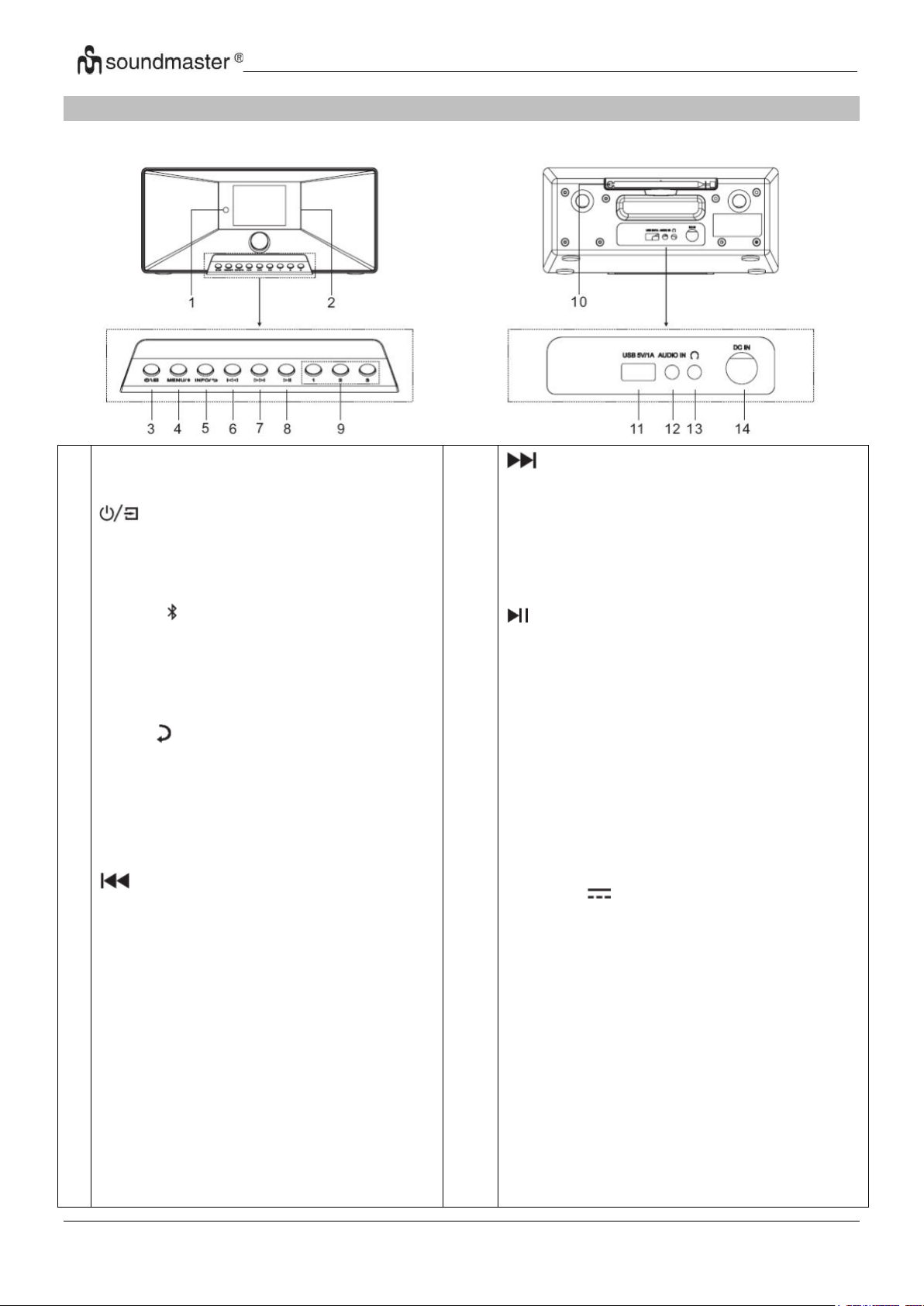
IR3500 / Čeština Návod k použití
1
2
3
4
5
6
Infračervený sensor
Zobrazit
* Stisknutím a podržením zařízení
zapnete nebo vypnete
* Stisknutím přepínáte mezi funkcemi
MENU/
* Stisknutím vyvolejte nabídku
* Stisknutím a podržením spárujete
zařízení Bluetooth nebo odpojíte
zařízení, které je již připojeno
INFO/
* Stisknutím zobrazíte informace z
Zobrazte USB / DAB / FM a
internetové rádio.
* Stisknutím se vrátíte na předchozí
položku nabídky
* Stisknutím přejdete na předchozí
skladbu v Přejít na režim USB / BT /
internetové rádio.
* Krátkým stisknutím dolaďte
Režim FM
* Podržením přejdete na předchozí
Skočte zpět na stanici v režimu FM
7
8
9
10
11
12
13
14
* Stisknutím přejdete na další skladbu
* Krátkým stisknutím dolaďte
Režim FM
* Podržením přejdete na další stanici v
Skok v režimu FM
* Stiskněte pro přehrávání a pozastavení
na USB, BT
a internetové rádio
1/2/3
* Stiskněte a podržte v režimu DAB / FM /
USB
uložit stanici jako přednastavenou stanici
* V režimu DAB / FM / USB stiskněte jednu
tři předvolené stanice.
Antenne
USB / 5V 1A Výstup
* Znovu připojte úložné zařízení USB
Přehrávat hudbu
* Nabijte zařízení pomocí zásuvky USB
AUDIO IN
Sluchátkový jack
DC IN
UMÍSTĚNÍ OVLÁDACÍCH PRVKŮ
POHLED ZEPŘEDU POHLED SHORA
2
Page 90
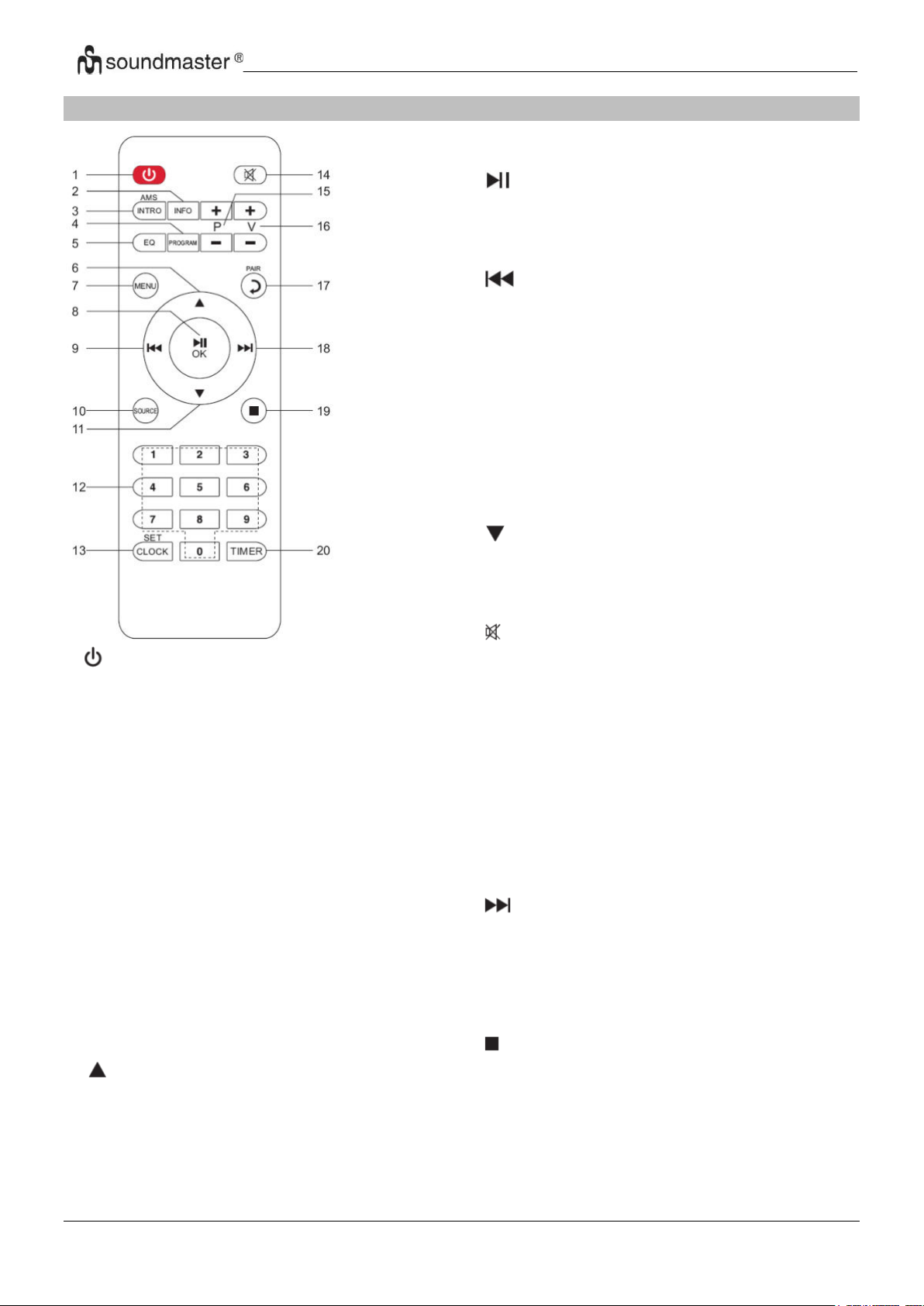
IR3500 / Čeština Návod k použití
1
* Stisknutím zapnete nebo vypnete
zařízení
2 INFO
* Stisknutím zobrazíte informace z
Zobrazte USB / DAB / FM a internetové rádio
3 INTRO/AMS
* Stisknutím tlačítka prozkoumáte všechny
stopy
* Stisknutím spustíte automatické
vyhledávání v režimu DAB / FM, dalším
stisknutím vyhledávání zastavíte.
4 PROGRAM
* Stisknutím naprogramujete pořadí
přehrávání v režimu USB a spravujete
předvolené stanice v DAB / FM a
internetovém rádiu
* Podržením uložíte předvolenou stanici
5 EQ
* Stisknutím vyberte EQ:
Normal/Jazz/Rock/Classic/Pop/Mein EQ
6
* Stisknutím přejdete nahoru
7
8
9
10
11
12
13
14
15
16
17
18
19
20
MENU
* Stisknutím přejdete do nabídky
/OK
* Stisknutím spustíte / pozastavíte přehrávání
na BT / USB a
Internetové rádio
* Stisknutím potvrďte něco v nabídce
* Podržte pro rychlé přetočení zpět v režimu
USB
* Stisknutím přeskočíte na předchozí skladbu
na USB
* Stisknutím zobrazíte seznam stanic v DAB
Získejte přístup k FM a internetovému rádiu
* Stisknutím doladíte FM
* Podržte pro ruční ladění v pásmu FM
SOURCE
* Stisknutím změníte zdroj (Internet
Radio/Podcasts/Spotify/
DAB/FM/USB/BT/AUDIO)
* Stisknutím přejdete dolů
0-9 Numericky
CLOCK
* Podržením nastavíte čas
* Drücken zum Stummschalten
P+/* Stisknutím přeskočíte začátek aktuálního /
předchozí / následující album na USB
* Stisknutím vyberete předchozí / následující
předvolbu
kanál v pásmu FM a DAB
V+/* Stisknutím zvýšíte / snížíte hlasitost
PAIR
* Stisknutím se vrátíte o krok zpět
* Stisknutím a podržením připojíte zařízení,
stisknutím zařízení odeberete
* Podržením tlačítka rychle vpřed
* Stisknutím přejdete na další skladbu
* Stisknutím zobrazíte seznam stanic v DAB /
FM a displej internetového rádia* Drücken für
Feinabstimmung in FM
* Podržte tlačítko pro ruční naladění FM
* Stisknutím zastavíte přehrávání v režimu USB
TIMER
* Stisknutím nastavíte časovač
DÁLKOVÝ OVLADAČ
3
Page 91
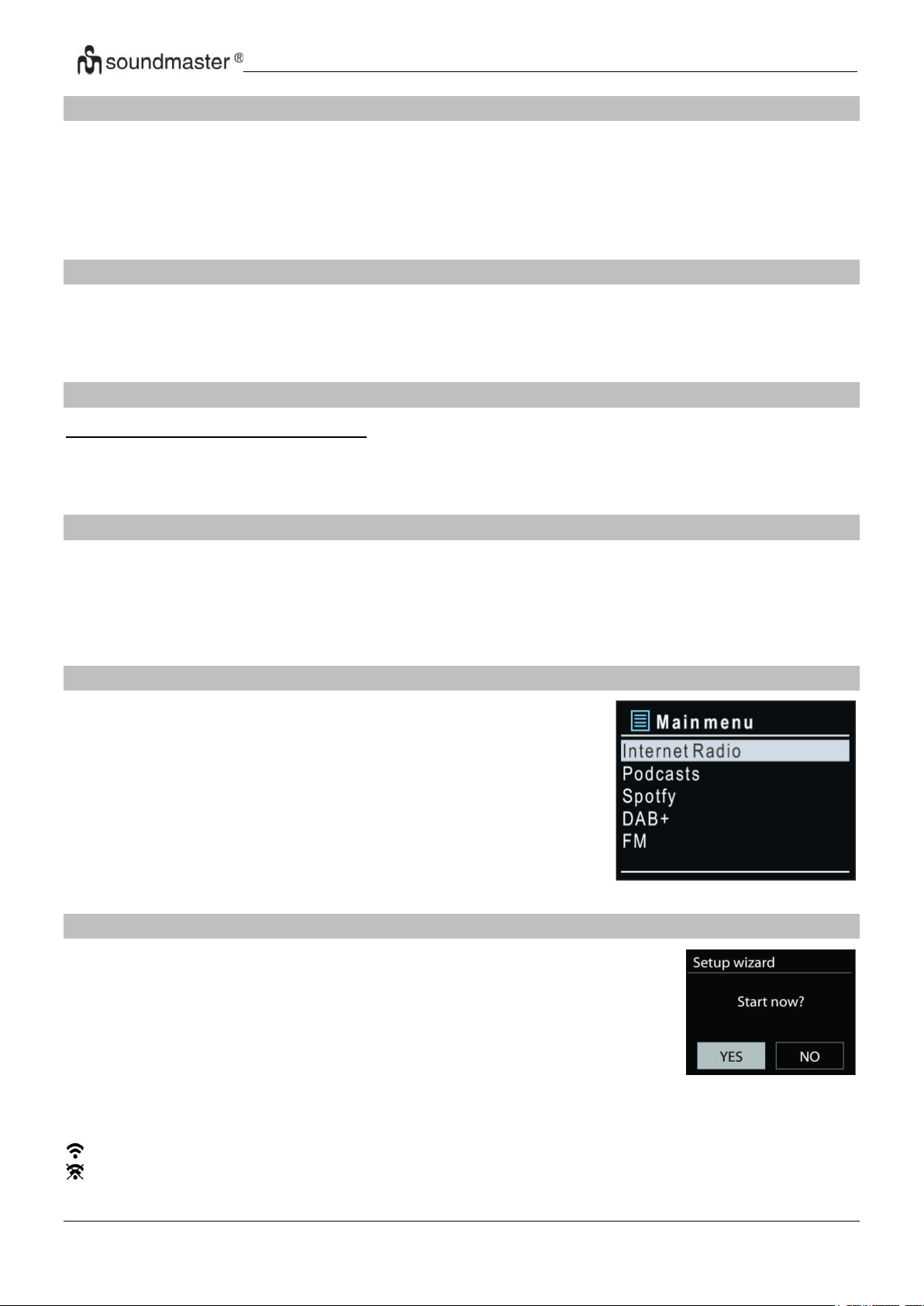
IR3500 / Čeština Návod k použití
PROVOZ DÁLKOVÉHO OVLADAČE
1. Stiskněte a vysuňte zadní kryt a otevřete prostor pro baterie dálkového ovladače.
2. Vložte dvě baterie velikosti AAA. Ujistěte se, že strany (+) a (−) baterií odpovídají stranám
(+) a (-) uvedeným v prostoru pro baterie.
3. Zavřete kryt prostoru pro baterie.
OBSAH DODÁVKY
➢ Zařízení
➢ Návod k použití
➢ AC adaptér
➢ Dálkové ovládání
INSTALACE
Používejte pouze dodaný adaptér!
Poté připojte napájecí adaptér k zadní straně zařízení a do elektrické zásuvky. Zařízení zobrazí
úvodní displej a poté je připraveno k provozu. Po zapnutí se přehraje naposledy použitý zdroj.
Při prvním zapnutí zařízení se spustí průvodce nastavením.
PŘÍPRAVA SÍŤOVÉHO PROSTŘEDÍ
Chcete-li aktivovat připojení, zkontrolujte, zda máte nastavenou bezdrátovou síť a máte
bezpečnostní heslo WEP, WPA nebo WPA2.
Můžete také použít funkci WPS (WiFi Protected Setup) pro snadné spárování mezi síťovým
zařízením a IR3500. Zkontrolujte, zda světelné kontrolky na síťovém zařízení svítí
odpovídajícím způsobem.
HLAVNÍ NABÍDKA
V hlavní nabídce lze zvolit následující režimy:
Internet Radio, Spotify, Media player (USB), DAB, FM,
Bluetooth®, CD, AUX-In, Sleep and Alarm.
SYSTÉMOVÁ NASTAVENÍ
Při prvním spuštění se zobrazí výzva systému, zda chcete spustit
průvodce nastavením. Průvodce nastavením vás provede nastavením
základních parametrů času/data a síťového připojení. Všechna nastavení
lze změnit i později v nabídce nastavení.
Poznámka: Je-li průvodce nastavením předčasně zrušen bez nastavení
sítě, zařízení vygeneruje vlastní WiFi přístup, aby bylo možné zařízení
konfigurovat pomocí aplikace UNDOK.
Indikátor síťového připojení:
= Bylo navázáno síťové připojení.
= Síťové připojení nebylo navázáno.
4
Page 92

IR3500 / Čeština Návod k použití
1. Jazyk
Vyberte požadovaný jazyk nabídky.
2. Obecné nařízení o ochraně údajů
Aby instalace mohla pokračovat, potvrďte prosím zásady ochrany osobních údajů
tlačítkem „OK“.
Další informace najdete na
www.frontiersmart.com/privacy
3. Průvodce nastavením
Chcete-li pokračovat v nastavení, vyberte možnost „ANO“. Vyberete-li možnost „NE“, na
dalším displeji se zobrazí dotaz, zda by se měl průvodce nastavením spustit při příštím
zapnutí zařízení.
4. Formát zobrazení času a data
Vyberte mezi 12- a 24hodinovým formátem času.
5. Automatické aktualizace
Čas a datum lze aktualizovat ručně nebo automaticky prostřednictvím vysílání DAB, FM
nebo sítě.
Funkce automatické aktualizace využívá dat vysílaných přes pásmo DAB, FM nebo
internetu. Hodiny se aktualizují pouze v odpovídajícím režimu, proto se doporučuje vybrat
režim, který používáte pravidelně.
V pásmech DAB a FM se časový signál vysílá prostřednictvím rádiového přenosu. V režimu
jakéhokoli síťového připojení se v síti využívá časový signál odesílaný z portálu
internetového rádia.
6. Časové pásmo / denní světlo
Nastavte své časové pásmo. Pokud je ve vaší zemi zaveden letní čas a právě se používá,
zapněte funkci letního času. (k dispozici pouze při výběru funkce Automatické aktualizace z
internetu)
Ruční aktualizace
7. Pokud zvolíte možnost Žádná aktualizace, zobrazí se výzva průvodce k ručnímu
nastavení času a data. Datum a čas se zobrazí ve formátu dd-mm-rrrr a hh:mm.
Upravte jednotlivé hodnoty knoflíkem „NAVIGATE“ . Jakmile hodnotu nastavíte,
stisknutím knoflíku budete pokračovat k nastavení další hodnoty
8. Síť
Udržovat síť připojenou
Tuto možnost vyberte, pokud má být zařízení v pohotovostním režimu připojeno k síti, když
je funkce potvrzena, jednotka se bude rychleji připojovat k internetu a na jednotce je možné
přepnout pomocí aplikace „UNDOK“. Je-li tato funkce aktivována, v pohotovostním režimu
se mírně zvýší spotřeba elektrické energie.
5
Page 93
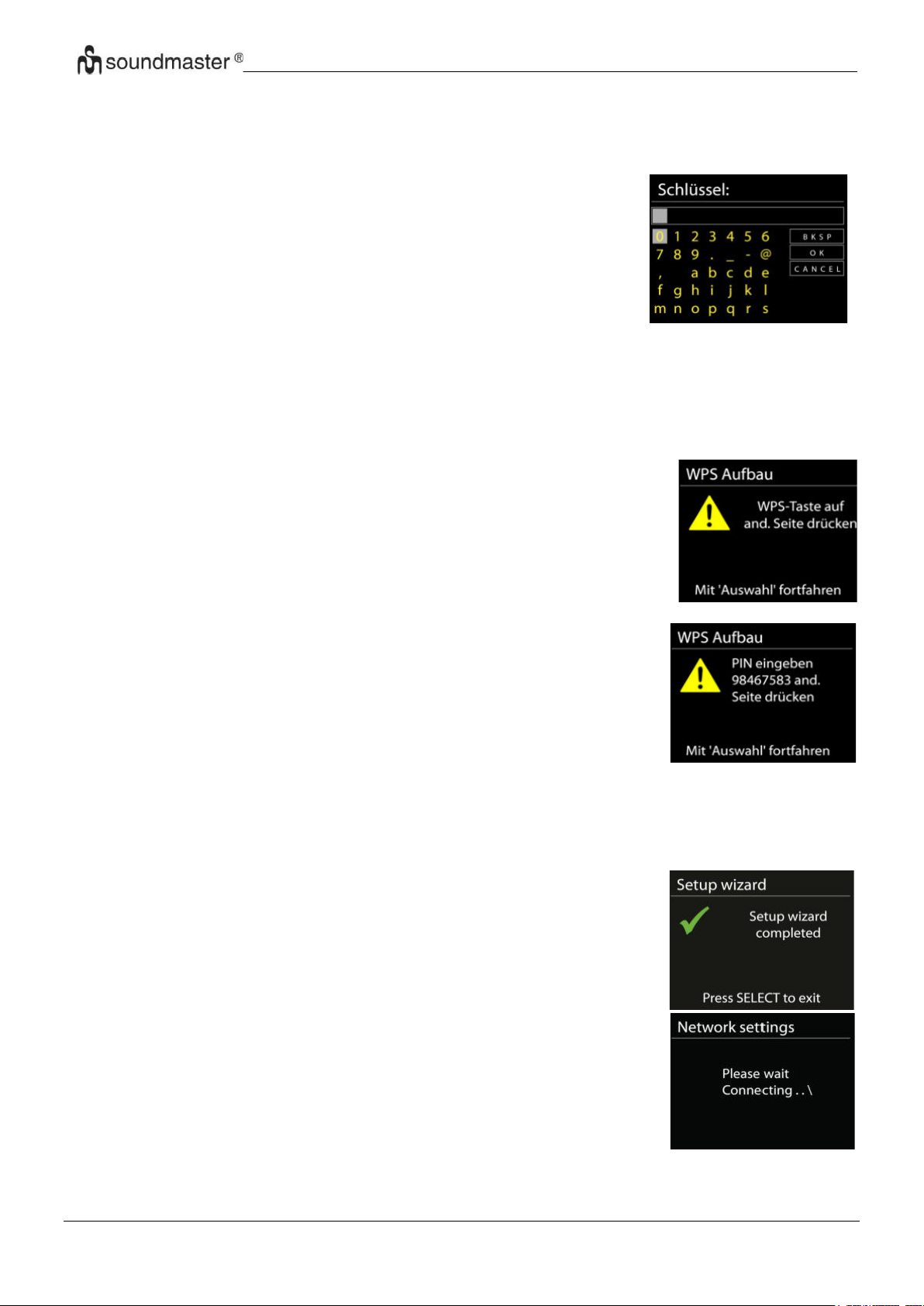
IR3500 / Čeština Návod k použití
Tlačítko
IR3500 vás vyzve ke stisknutí tlačítka připojení na směrovači.
Zařízení poté vyhledá síť s funkcí Push Button Connect a připojí se
k ní.
Pin
IR3500 vygeneruje 8místné kódové číslo, které zadáte do
bezdrátového směrovače, přístupového bodu nebo externího
registrátoru.
Dokončení
ICD2080 se pokusí připojit k vybrané síti.
Jakmile úspěšně proběhne nastavení, zobrazí se připojení. Pokud
se připojení nezdaří, ICD2080 se vrátí na předchozí obrazovku a
zkusí to znovu.
Stisknutím tlačítka „OK“ ukončíte průvodce nastavením
Vyhledávání sítě
IR3500 je kompatibilní se všemi běžnými síťovými protokoly a metodami šifrování. Zařízení
vyhledává dostupné sítě a zobrazí jejich seznam.
Při bezdrátovém připojení budete požádáni o zadání hesla
v dalším kroku (Pouze s WLAN!). Chcete-li zadat klíč sítě,
použijte knoflík „NAVIGATE“ pro přesun kurzoru přes znaky a
stiskněte „OK“ pro potvrzení. Při výběru jednotlivých znaků se
klíč zobrazuje v horní části displeje.
K návratu před první znak lze pomocí navigačního knoflíku
využít tři možnosti – „Backspace“, „OK“ a „Cancel“..
Šifrovaná síť „WPS“
Šifrované sítě WPS jsou identifikovány pomocí WPS na začátku názvu sítě, když IR3500
vyhledává dostupný přístupový bod. Použijte jeden z následujících způsobů připojení:
Klávesa WPS na přístroji je rychlou volbou.
Přeskočit WPS
Zadejte klíč jako u standardní šifrované sítě.
Více informací o nastavení šifrované sítě WPS naleznete v návodu ke směrovači s funkcí
WPS.
6
Page 94
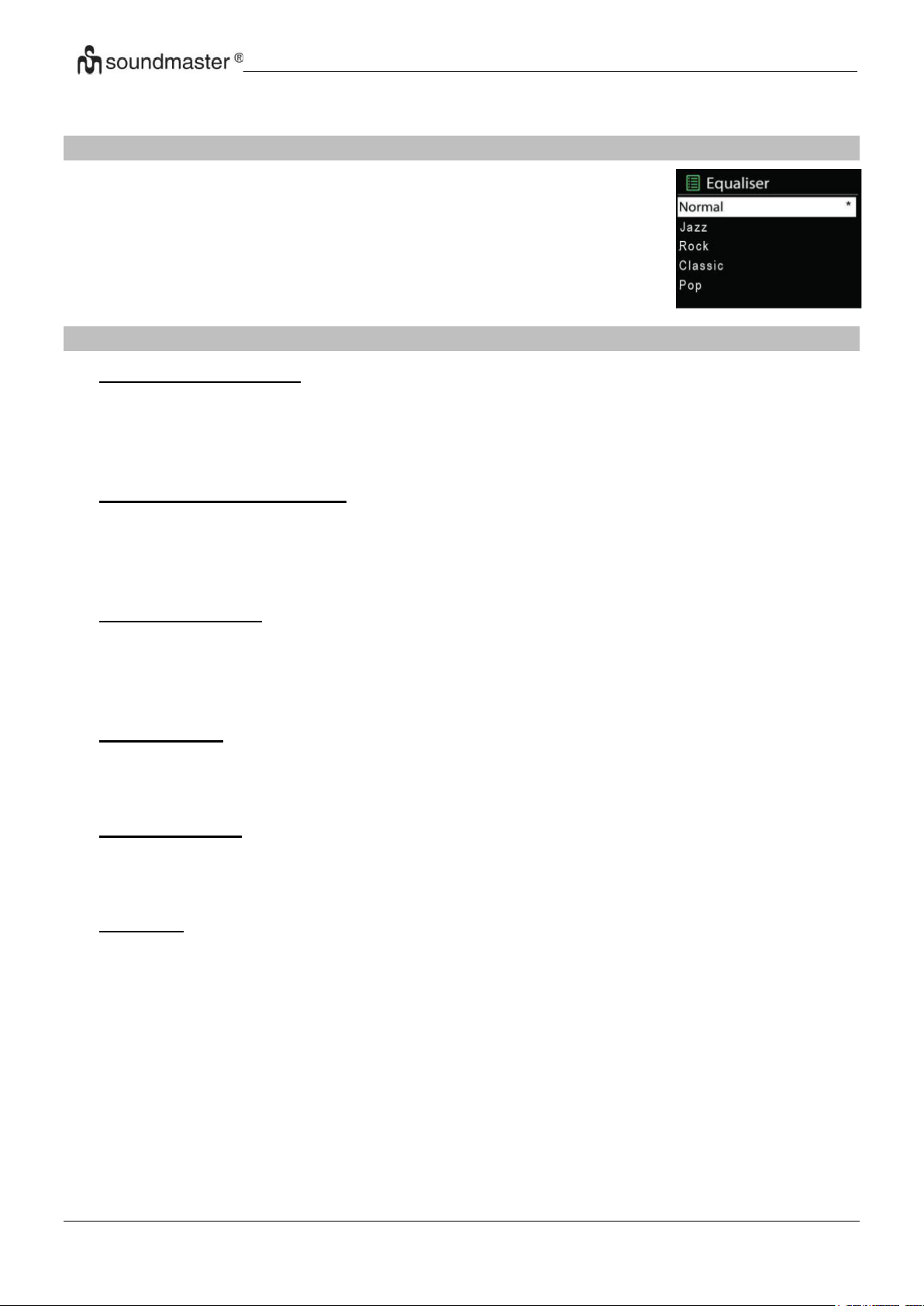
IR3500 / Čeština Návod k použití
K dispozici je několik předvoleb režimu ekvalizéru: Normal, Jazz, Rock,
Classic, Pop a My EQ. (obrázek byl změněn.
V nastavení Můj ekvalizér můžete pomocí vlastního nastavení basů a
výšek vytvořit svůj vlastní ekvalizér.
EKVALIZÉR
SÍŤ
• Průvodce instalací sítě
Po vstupu bude zahájeno hledání AP SSID přístupového bodu, poté zadejte klíč
WEP/WPA, nebo pro připojení k bezdrátové síti vyberte možnost Stisknout tlačítko/Kód
PIN/Přeskočit WPS.
• Nastavení funkce PBC Wlan
Funkce Push Button Configuration (Konfigurace tlačítka Push) slouží k připojení
k přístupovému bodu, podporujícího standard WPS (Wi-Fi Protected Setup, chráněné
nastavení Wi-Fi).
• Zobrazit nastavení
Zobrazení informací o aktuálním připojení k síti: Aktivní připojení, adresa MAC, region Wlan,
DHCP, SSID, adresa IP, maska podsítě, adresa brány, primární server DNS a sekundární
server DNS.
• Region WLAN
K zajištění optimálního připojení WLAN vyberte možnost WLAN region: Europe nebo
Australia.
• Ruční nastavení
Vyberte připojení k bezdrátové síti a zapněte nebo vypněte službu DHCP (Dynamic Host
Configuration Protocol).
• Profil sítě
Zařízení ICD2080 si pamatuje poslední čtyři bezdrátové sítě, ke kterým bylo připojeno, a
automaticky se pokusí připojit k těm z nich, které dokáže najít. Zde můžete vidět seznam
registrovaných sítí. Nežádoucí sítě můžete odstranit otočením a stisknutím knoflíku
vyberete síť a poté volbou YES potvrdíte odstranění.
7
Page 95
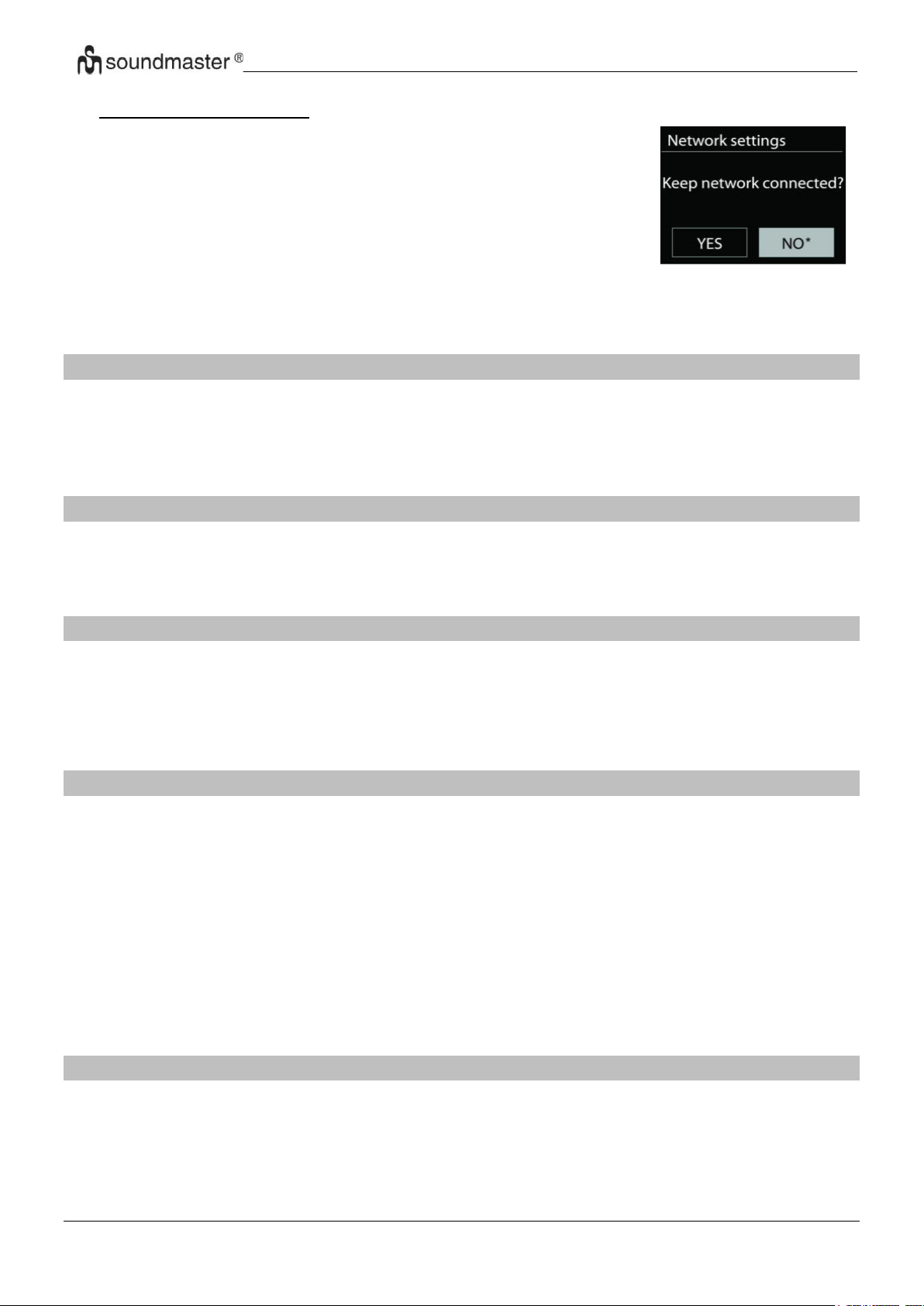
IR3500 / Čeština Návod k použití
Pokud se rozhodnete nechat síť připojenou, nebude síť Wi-Fi
odpojena ani v pohotovostním režimu. V opačném případě bude
připojení k dispozici pouze v režimech internetového rádia a
hudebního přehrávače. Tato možnost umožňuje, aby bylo
zařízení ICD2080 připraveno pro streamování DLNA ve všech
provozních režimech.
Je-li vybrána možnost Keep network connected, spotřeba
energie v pohotovostním režimu bude vyšší.
• Udržovat síť připojenou
ČAS/DATUM
Ruční nastavení času nebo jeho automatická aktualizace, nastavení formátu času, časového
pásma a přechodu na letní čas.
JAS
U každého režimu (normální nebo pohotovostní režim) lze změnit podsvícení na hodnoty High,
Medium High, Medium, Medium Low, Low nebo Off (Vysoká, Nadprůměrná, Střední,
Podprůměrná, Nízká a Vypnuto)
JAZYK
Slouží k nastavení jazyka dle vašeho přání.
AKTUALIZACE SOFTWARU
Čas od času mohou být vytvořeny aktualizace softwaru obsahující opravy chyb nebo další
funkce. Dostupnost aktualizací lze ověřovat ručně, nebo nastavit, aby zařízení ICD2080
provádělo pravidelné ověřování automaticky (výchozí možnost). V případě zjištění dostupnosti
novějšího softwaru budete dotázáni, zda chcete pokračovat v aktualizaci. Pokud udělíte
souhlas, dojde ke stažení a instalaci nového softwaru. Po aktualizaci softwaru jsou všechna
uživatelská nastavení zachována.
POZNÁMKA: Před zahájením aktualizace softwaru se ujistěte, že je zařízení ICD2080
připojeno ke stabilnímu zdroji napájení. Odpojení napájení během aktualizace může způsobit
trvalé poškození přístroje.
INFORMACE
Zobrazení verze firmwaru a ID rádia.
8
Page 96
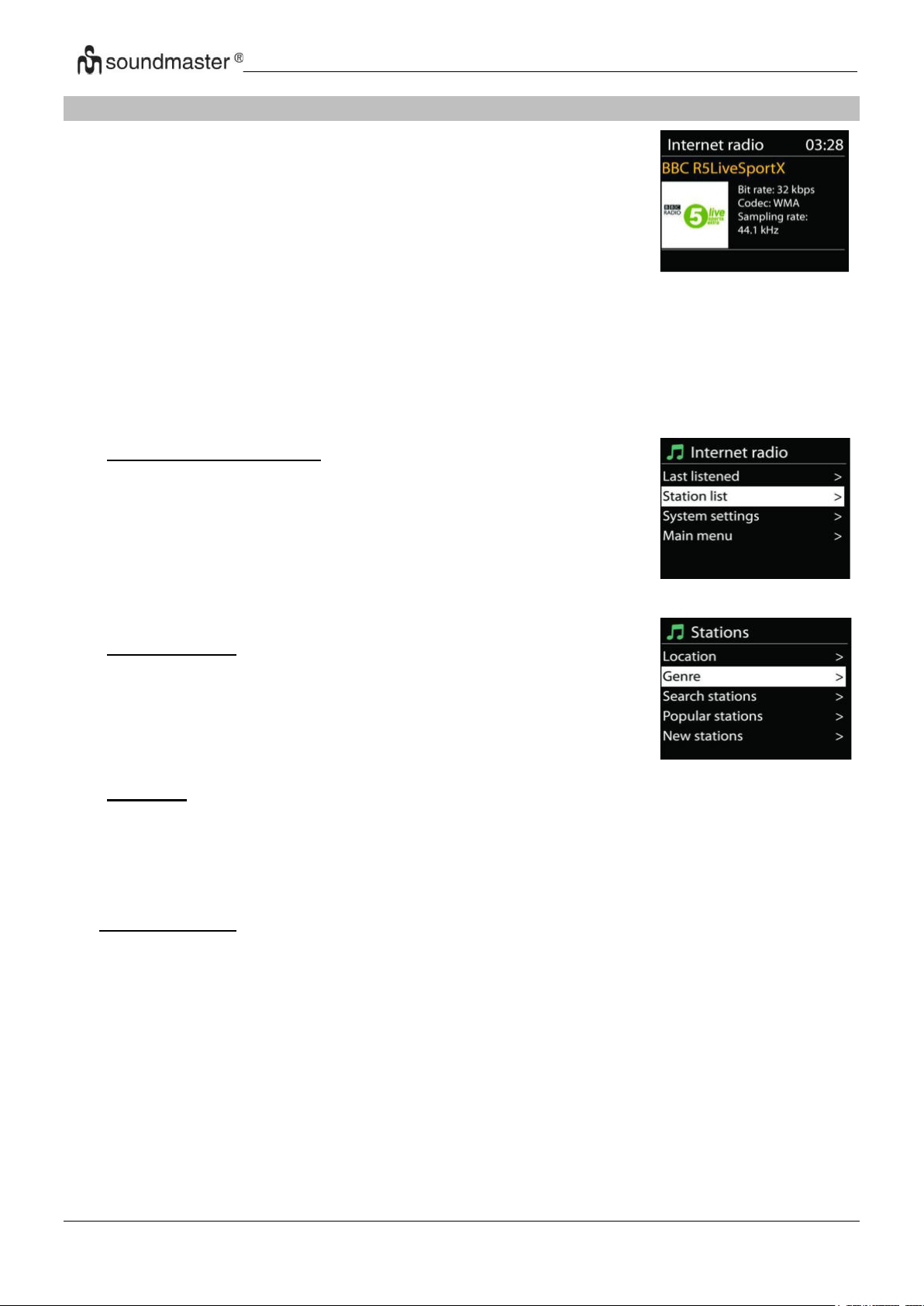
IR3500 / Čeština Návod k použití
ICD2080 může přehrávat tisíce rozhlasových stanic a podcastů
z celého světa prostřednictvím širokopásmového připojení
k internetu.
Když vyberete internetové rádio, IR3500 se přímo připojí k
rádiovému portálu Frontier Silicon Internet (který je podporován
Airable) pro získání seznamu stanic.
• Naposledy poslouchané
Obnoví-li se režim internetového rádia, vybere se naposledy
poslouchaná stanice. Chcete-li vybrat jinou nedávnou
používanou stanici, zde vyberete poslouchanou stanici ze
seznamu. Naposledy poslouchané stanice se zobrazují v horní
části seznamu.
• Seznam stanic
Internetové vysílání lze procházet a je organizováno do různých
kategorií: Location, Genre, Popular a New. Stanici lze nalézt
také vyhledáním pomocí klíčového slova.
• Oblíbené
Oblíbené položky se ukládají na portálu internetového rádia a jsou k dispozici u všech
internetových rádií registrovaných u jednoho účtu. Rádio je nutné na portálu internetových
rádií registrovat, aby bylo možné používat oblíbené položky.
INTERNET RADIO/PODCASTS
Portál také umožňuje několik seznamů oblíbených stanic, které lze přizpůsobovat.
Pokud jste připraveni k poslechu stanice internetového rádia, můžete se stisknutím tlačítka
„BACK“ rychle vrátit k poslední navštívené větvi stromu nabídky spíše než použít tlačítko
„MENU, kterým dojde k přechodu na první nabídku režimu internetového rádia.
• Přidané stanice
Na portálu internetových rádií jsou k dispozici tisíce stanic. Přesto je možné, že budete chtít
poslouchat stanice, které v seznamu uvedeny nejsou. Prostřednictvím portálu lze přidat
vlastní stanice.
9
Page 97
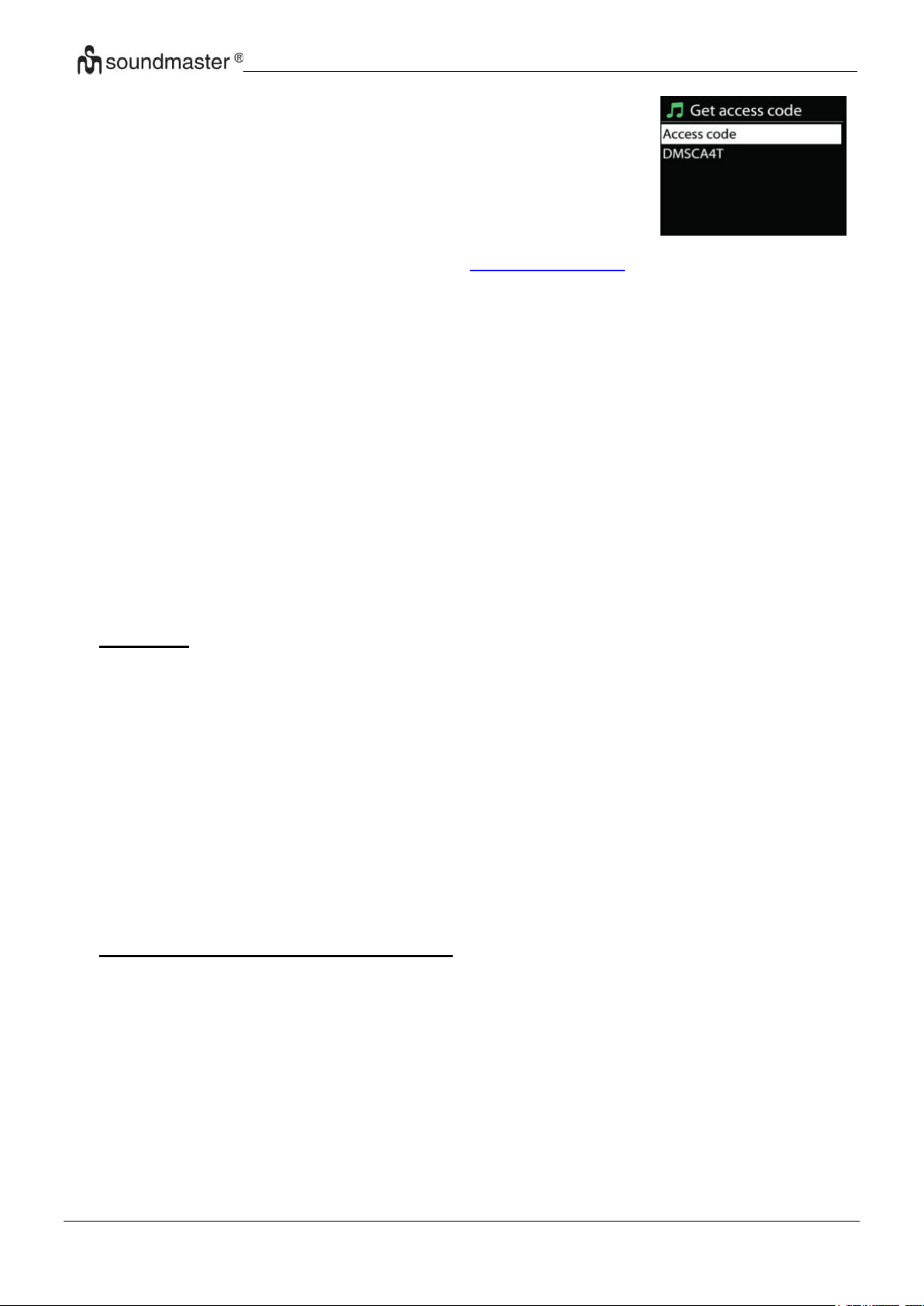
IR3500 / Čeština Návod k použití
Chcete-li zaregistrovat vaše zařízení IR3500, vyberte možnost
Station list > Help > Get access code, abyste tak nejprve získali
unikátní přístupový kód vašeho rádia. (Nezaměňujte kód pro
přístup k portálu s ID rádia v nastaveních systému.
Navštivte webovou stránku portálu na webu
http://nuvola.link/sr
Pokud se jedná o vaši první návštěvu tohoto portálu, zaregistrujte se k novému účtu
zadáním následujících informací:
• přístupový kód,
• Vaše e-mailová adresa,
• heslo,
• Model rádia.
Pokud již máte účet a přejete si přidat další rádio, přihlaste se ke svému účtu a vyberte
možnost My preferences > Add another Wi-Fi radio.
Jakmile bude na portálu rádio registrováno, budete moci ihned používat funkce oblíbených
internetových rádií a přidaných stanic.
• Předvolby
Chcete-li uložit internetovou rozhlasovou stanici, stiskněte a podržte tlačítko „PROGRAM“,
dokud se na displeji nezobrazí stanice, která se má uložit, poté vyberte místo pro uložení a
potvrďte výběr pomocí „OK“.
Chcete-li vyvolat předvolenou stanici, krátce stiskněte jedno z tlačítek 0-9 na dálkovém
ovládání nebo stiskněte tlačítko „PROGRAM“, vyberte požadovanou stanici a potvrďte
tlačítkem „OK“.
Stanice můžete také uložit přímo stisknutím a podržením tlačítek stanic 1-3 na zařízení.
Stiskněte a podržte příslušné tlačítko stanice, dokud se na displeji nezobrazí „uloženo“.
Chcete-li vyvolat uložené stanice, stiskněte tlačítko požadované stanice.
• Informace o právě přehrávaném obsahu
Během přehrávání datového proudu je na displeji zobrazen jeho název a popis. Chcete-li
zobrazit další informace, stiskněte tlačítko „INFO“ na rádiu nebo dálkovém ovladači. Po
každém stisknutí tlačítka „INFO“ je zobrazena jiná část informací. Lze procházet název a
popis, žánr/umístění, spolehlivost, kodek/vzorkovací frekvence, vyrovnávací paměť
přehrávání a aktuální datum.
10
Page 98
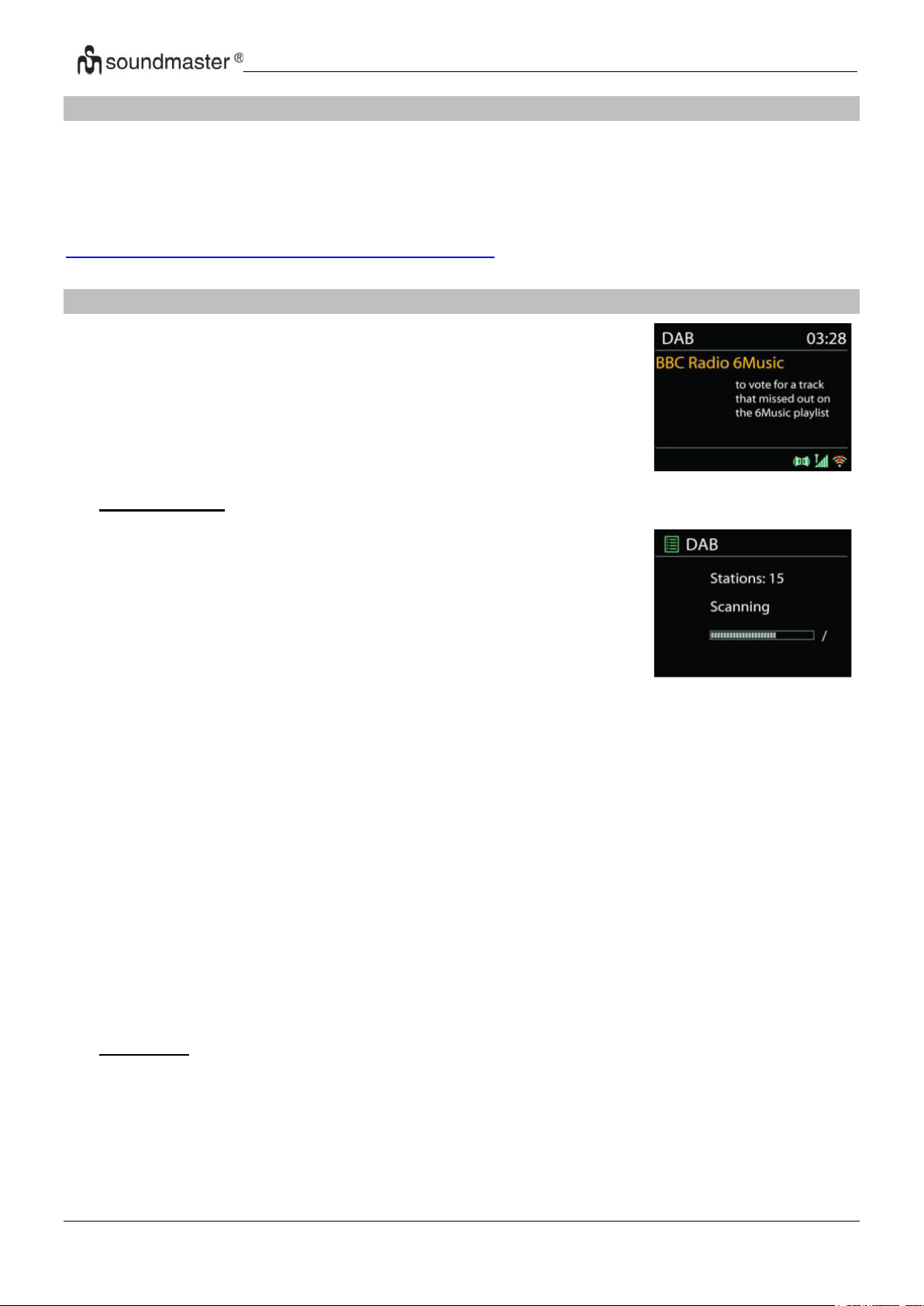
IR3500 / Čeština Návod k použití
V režimu DAB dochází k příjmu digitálního rádiového signálu DAB
nebo DAB plus a zobrazení informací o stanici a podrobnostech o
streamovaném zvuku a programu.
Při prvním výběru režimu DAB rádia, nebo pokud je seznam
stanic prázdný, zařízení ICD2080 automaticky provádí úplné
vyhledávání, abyste zjistili, které stanice jsou k dispozici. Je
také možné, že z jednoho z následujících důvodů bude třeba
provést ruční vyhledání a aktualizaci seznamu stanic:
• Dostupné stanice se někdy mění.
• Pokud nebyl příjem původního vyhledání dobrý, může být
seznam dostupných stanic prázdný nebo neúplný.
• Pokud je příjem signálu některých stanic slabý (šumění),
zřejmě chcete v seznamu zobrazit pouze stanice s dobrou
sílou signálu.
SPOTIFY
Hudbu ze Spotify můžeš ovládat na dálku přes telefon, tablet nebo počítač.
Na stránce spotify.com/connect najdeš, jak na to.
Software Spotify podléhá licenci třetích stran, která jsou uvedeny zde:
https://www.spotify.com/connect/third-party-licenses
DAB
• Hledání stanic
Chcete-li spustit vyhledávání ručně, zvolte možnost Full scan. Chcete-li vyhledat pouze stanice
s dobrým signálem, zvolte Local scan.
Jakmile je dokončeno skenování, rádio zobrazí seznam dostupných stanic.
Chcete-li ze seznamu odstranit nedostupné stanice, vyberte možnost Prune invalid.
• Předvolby
dokud se na displeji nezobrazí stanice, která se má uložit, poté vyberte místo pro uložení a
potvrďte výběr pomocí „OK“.
Chcete-li uložit internetovou rozhlasovou stanici, stiskněte a podržte tlačítko „PROGRAM“,
11
Page 99

IR3500 / Čeština Návod k použití
Chcete-li vyvolat předvolenou stanici, krátce stiskněte jedno z tlačítek 0-9 na dálkovém
ovládání nebo stiskněte tlačítko „PROGRAM“, vyberte požadovanou stanici a potvrďte
tlačítkem „OK“.
Stanice můžete také uložit přímo stisknutím a podržením tlačítek stanic 1-3 na zařízení.
Stiskněte a podržte příslušné tlačítko stanice, dokud se na displeji nezobrazí „uloženo“.
Chcete-li vyvolat uložené stanice, stiskněte tlačítko požadované stanice.
• Informace o právě přehrávaném obsahu
Přehrává-li se právě stream, zobrazuje se na obrazovce jeho název a informace vysílání
DLS (Dynamic Label Segment), které udávají informace v reálném čase, jako je název
programu, název stopy a kontaktní údaje. Stereovysílání je označeno ikonou ve spodní
části obrazovky. Další informace zobrazíte stisknutím tlačítka INFO na rádiu.
Při každém stisknutí tlačítka „INFO“ na rádiu se zobrazí další sada informací, přičemž se
cyklicky střídá text DLS, typ programu, název souboru / frekvence, síla signálu / chybovost,
přenosová rychlost / kodek / kanály a dnešní datum.
• NASTAVENÍ
Komprese dynamického rozsahu (DRC)
Pokud posloucháte hudbu s vysokým dynamickým rozsahem v hlučném prostředí, budete
případně chtít zhustit dynamický rozsah audia. Tiché zvuky pak hlasitější a hlasité zvuky
tišší. Funkci DRC můžete nastavit na vypnutou, nízkou nebo vysokou.
• Pořadí stanic
Můžete si vybrat pořadí seznamu stanic DAB na možnost Alfanumerické, Soubor nebo
Platné.
Možnost Soubor seskupuje skupiny, které se vysílají společně ve stejném celku. Možnost
Platné uvádí nejdříve platné stanice, poté alfanumericky a pak stanice mimo vysílání.
12
Page 100
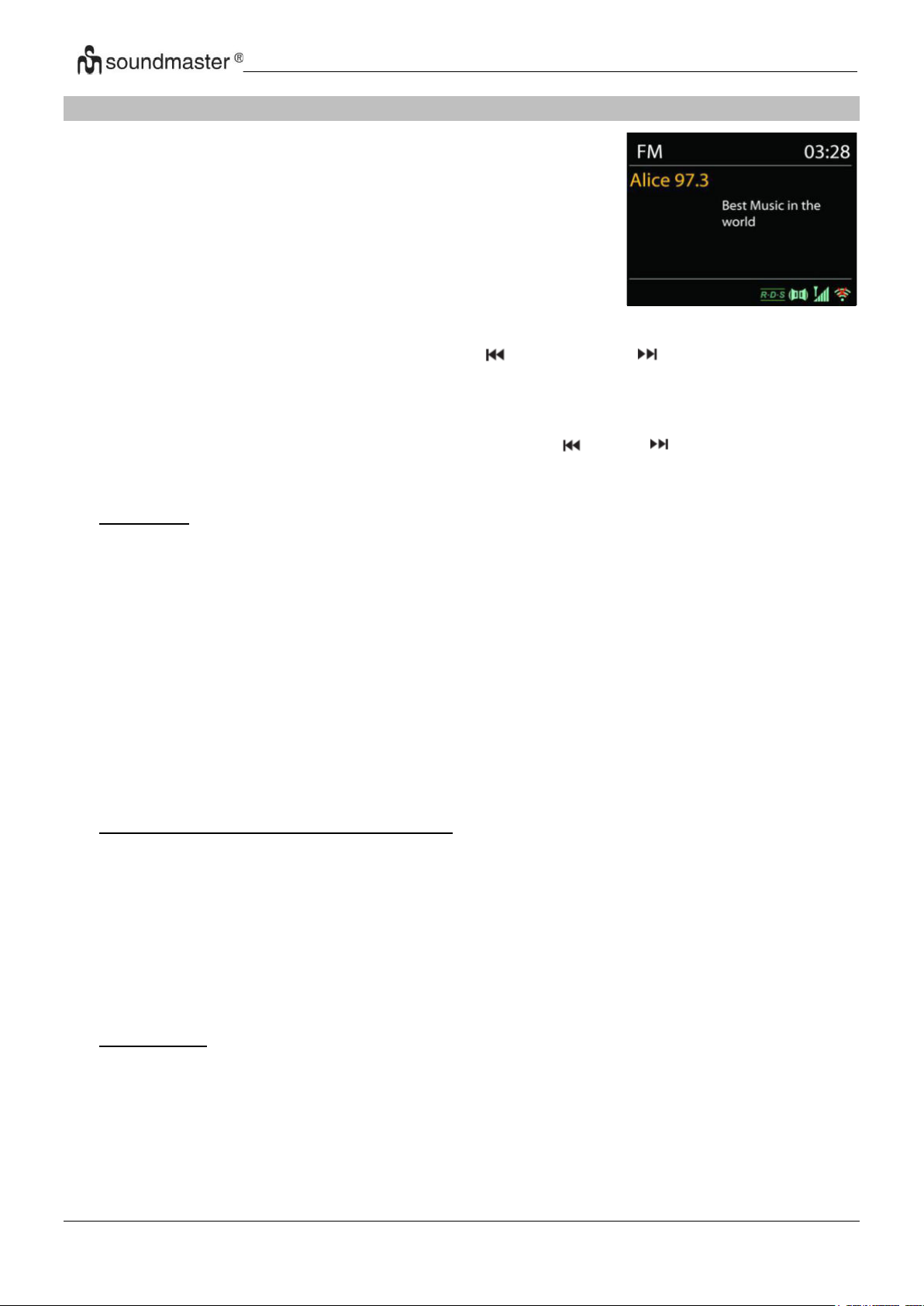
IR3500 / Čeština Návod k použití
V režimu rádia FM se přijímá analogový signál z pásma FM a
zobrazují se informace RDS (Radio Data System) o stanici a
místě vysílání.
Pro úplné vyhledávání stiskněte tlačítko na dálkovém ovladači
„INTRO“. Spustí se indikátor frekvence a prohledává se celé
pásmo FM.
FM
Pro ruční vyhledávání stiskněte a přidržte tlačítko „ “ nebo tlačítko „ “ na panelu nebo
tlačítka dálkového ovladače „P+“ nebo „P-“. Spustí se zobrazení frekvence a prohledává se
pásmo FM, přičemž se zastaví na další stanici.
Pro jemné a ladění je stiskněte tlačítko dálkového ovladače„ “ nebo „ “. Jednotka vyhledává
v krocích po 0,05 MHz.
• Předvolby
Chcete-li uložit internetovou rozhlasovou stanici, stiskněte a podržte tlačítko „PROGRAM“,
dokud se na displeji nezobrazí stanice, která se má uložit, poté vyberte místo pro uložení a
potvrďte výběr pomocí „OK“.
Chcete-li vyvolat předvolenou stanici, krátce stiskněte jedno z tlačítek 0-9 na dálkovém
ovládání nebo stiskněte tlačítko „PROGRAM“, vyberte požadovanou stanici a potvrďte
tlačítkem „OK“.
Stanice můžete také uložit přímo stisknutím a podržením tlačítek stanic 1-3 na zařízení.
Stiskněte a podržte příslušné tlačítko stanice, dokud se na displeji nezobrazí „uloženo“.
Chcete-li vyvolat uložené stanice, stiskněte tlačítko požadované stanice.
• Informace o právě přehrávaném obsahu
Při přehrávání datového proudu je na displeji zobrazena její frekvence nebo, je-li k dispozici
signál RDS, název stanice a další informace RDS, např. název programu, titul a další
podrobnosti. Stereovysílání je označeno ikonou ve spodní části obrazovky. Další informace
zobrazíte stisknutím tlačítka Info na rádiu.
Po každém stisknutí tlačítka INFO je zobrazena jiná část informací, procházet lze mezi
textem rádia, typem programu, frekvencí a aktuálním datem.
• NASTAVENÍ
Nastavení skenování
Nejprve zvolte možnost FM, přejde na konkrétní hrající stanici. Následným stisknutím
tlačítka „MENU“ zobrazíte výše uvedenou tabulku.
Ve výchozím nastavení je skenování FM zastaveno u první dostupné stanice. U slabých
stanic to může mít za následek špatný poměr signálu k šumu (syčení). Chcete-li změnit
13
 Loading...