

Page 1
EZ
PULL
Sporting Clays User Guide
This device contains transmitter module
This complies with part 15 of the FCC Rules. Operation is subject to the following two conditions: (1)
This device may not cause harmful interference, and (2) this device must accept any interference
received, including interference that may cause undesired operation.
Overview
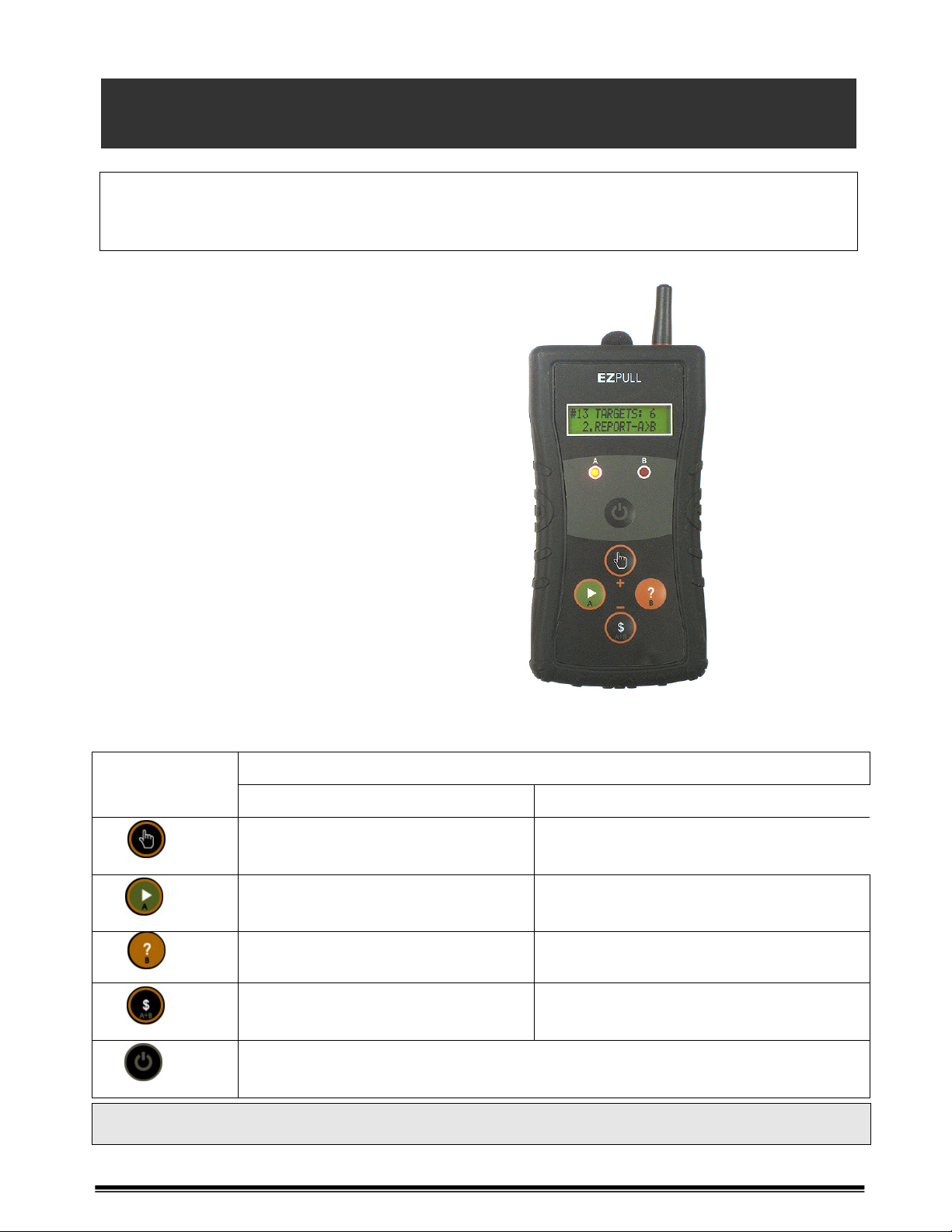
EZPULL is a wireless, fully automatic voice
activated target release controller for
Sporting Clays. EZPULL wirelessly controls
the target throwers.
You do not need to press switches, just call
“pull” to activate each step in the shooting
sequence.
EZPULL detects your gunshots so it knows
when a step in the shooting sequence has
been completed and automatically moves to
the next step. Detecting the first gunshot of
a Report Pair automatically releases the
second target. By counting the number of
shots and comparing it to the number of
targets for the station, EZPULL determines
when the entire shooting sequence has been
completed.
FCC ID: X4USPC
Keys and functions
OPERATING MODE
Key/Symbol
Voice Manual
Hold [] go to Manual Mode
[]
[]
[?]
[$]
[]
Getting Help: At any time, press the [?] key to pause the process and display a scrolling ticker
listing all the functions applicable to the current mode of operation.
[?] + [] Increase Sensitivity
[] Next Step
[?] + []
[?] Function/Help/Pause [?] Release B
[$] See Report Pair
[?] + [$] Decrease Sensitivity
[] Wake from Sleep
EZPULL goes to Sleep Mode after 4 minutes of inactivity
Abort certain functions
Hold [] return to Voice Mode
[]
Release A
[?] Release True Pair
Page 2
EZ
PULL
Sporting Clays User Guide
Page 2
Step by Step Operation:
1. The Shooting Stand: When arriving at a shooting station, observe the EZPULL display:
1.1. If the displays indicates the unit is in “SLEEP MODE”, press and
release the [] key. The unit will wake and display the station
information.
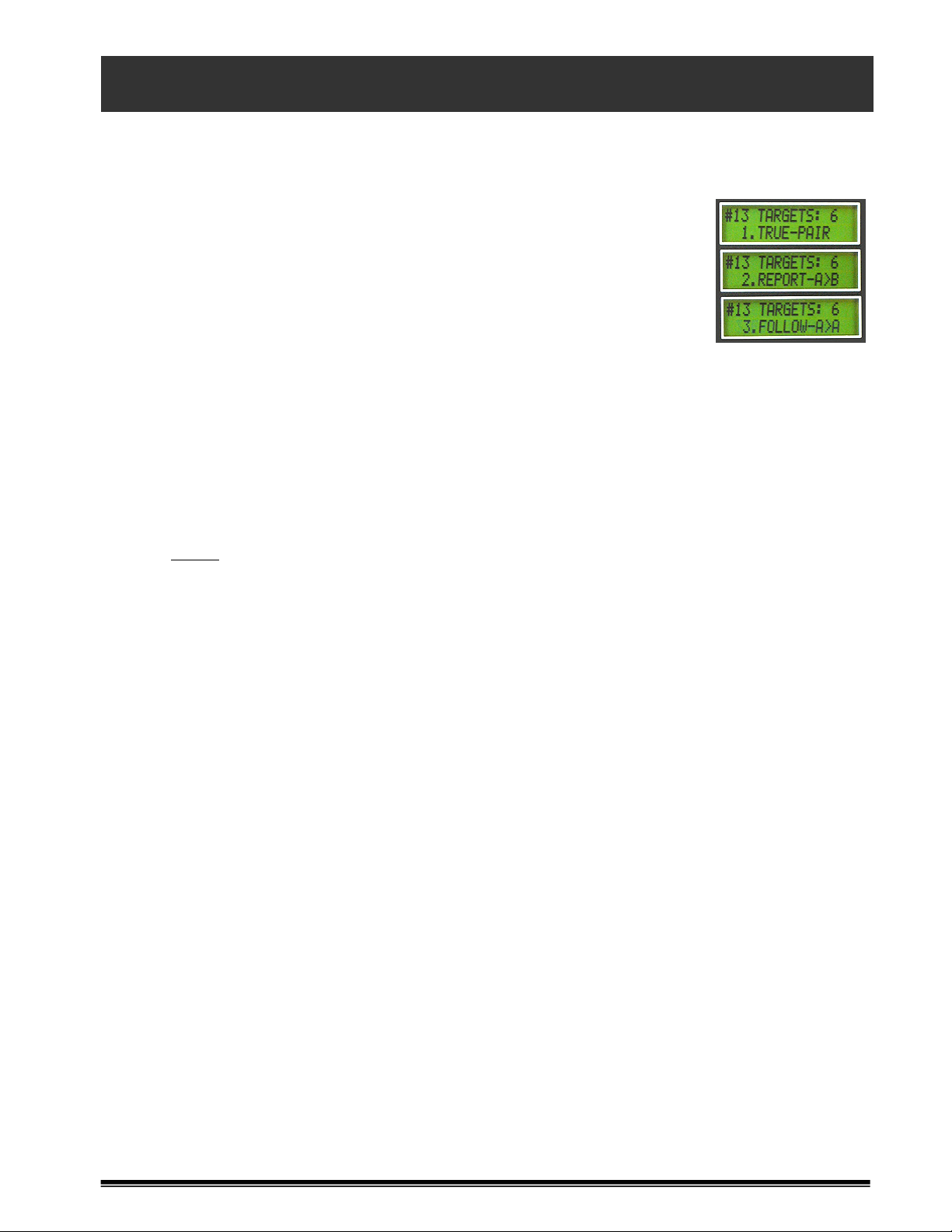
1.2. The station number and total number of targets are shown on the
top line. The bottom line displays a scrolling ticker showing each
step in the shooting sequence, such as SINGLE, REPORT,
FOLLOWING or TRUE-PAIR. Note that the throwers are marked A
and B, indicating the order targets are thrown.
2. Voice Mode: The top line of the display shows the next step in the station’s shooting
sequence. The bottom line shows “READY TO PULL”.
2.1. “See” targets: Usually the first shooter on the squad is allowed to “see” the targets.
Press and release the [$] key. Call “Pull”. Do NOT shoot!
2.2. Shoot targets: Call “Pull” and shoot. If all targets were shot at, EZPULL automatically
moves to the next step.
2.3. Incomplete shots: If you call “Pull” and do not shoot or if you shoot only one shot on a
pair, EZPULL will not move to the next step. Call “Pull” again to repeat the step.
Notice
: If you shoot only one shot on a pair, the step will be repeated only once.
2.4. Skipping a step: Use the []
3. Adjust Voice Sensitivity: If you call “Pull” and a target is not released, try to call “Pull”
louder and longer. If EZPULL is still not sensitive enough or if the system appears too
sensitive and targets are released by normal speech levels, follow the steps below to adjust.
3.1. Press and hold the [?] Key. Press and release the [/+] or [$/-] keys to adjust the
sensitivity.
3.2. Sensitivity levels 4 to 6 should cover most voices.
3.3. If targets are released from normal conversational voice levels, reduce the sensitivity.
4. Manual Mode:
4.1. You can switch to manual release mode by pressing and holding the [] key.
4.2. In manual mode, each target released is considered a “Target shot”
4.3. Press and hold the [] key to return to Voice Mode.
5. Aborting a Shooting Session: Should you need to abort a shooting session simply press
and hold the [?] then press the []
to go to the next step.
Key. Release both keys.
Page 3

EZ
PULL
Sporting Clays User Guide
Troubleshooting:
• Display shows “LOW BAT” and lights are flashing fast: Low battery. Inform the club
personnel.
• Broken Target(s):
o Do not shoot broken targets. Call “pull” again to repeat the shooting step.
o One broken target on a pair: Call “pull” again to clear the thrower. Do NOT shoot!.
When both targets are OK, call “pull” and shoot both targets.
o Hit both targets with one shot: Call “pull” again to repeat the shooting step.
o Shot at broken target(s) and shooting session ended: Your club gave you a few
“Extra-Shots”. See Section 4 above for Adjusting the Number of Targets and
reshoot a couple more targets.
• Gun/Ammo Malfunctions:
o Did not shoot at all: Call “pull” again to repeat the shooting step.
o Shot only one target on a pair:
Notice: If you shoot only one shot on a pair, the step repeated only once!
If problem is fixed, call “pull” again to repeat the shooting step
Page 3
Gun cannot shoot doubles and you already shot the first target:
• If a SINGLE, FOLLOWING or TRUE-PAIR, call “pull” again to repeat
the shooting step and shoot only the second target.
• If a REPORT PAIR, Press and release the [$] key. Call “Pull” step
and shoot only the second target.
 Loading...