

Page 1

46325
2019
1
ST25i__Booklet_en_1256-0118.1.pdf 1 of 2
Startup guide
English
U
Welcome
Important information
Please read the Important information leaflet
before you use your mobile phone.
Assembly
To remove the back cover
To insert the SIM card
Do not insert an incompatible SIM card in the
SIM card slot. Doing so could permanently
damage your SIM card or your phone.
BA600
To attach the back cover
2
Phone basics
Phone overview
1
18
17
16
15
2223
1. Headset connector
2. Proximity sensor 1
3. Proximity sensor 2
4. Ear speaker
5. Second microphone
6. Front camera lens
7. Notification LED
8. Power key
9. Volume/Zoom key
10. Camera key
11. Bottom cover slot 1
12. Menu key
Use the accessories provided with your
phone, or other compatible accessories, for
optimal performance.
13. Home key
14. Back key
15. Bottom cover slot 2
16. Touch screen
17. Connector for
charger/USB cable
18. Light sensor
19. Speaker
20. Camera LED light
21. Camera lens
22. Strap hole
23. Main microphone
7
8
9
10
11
121314
21
Turning on the phone
To turn on the phone
1
Press and hold down the power key on the
right side of the phone until the phone vibrates.
2
Wait a while for the phone to start.
Waking up the screen
To activate the screen
•
Briefly press the power key .
To unlock the screen
•
to the right across the screen.
Drag
Using the keys
Back
•
Go back to the previous screen
•
Close the on-screen keypad, a dialog
box, an options menu, or the Notification
panel
Home
•
Go to the Home screen
•
Press and hold to open a window
showing your most recently used
applications
Menu
•
Open a list of options available in the
current screen or application
Set up your phone
What is Android™?
Android is your phone's operating system. Since
it's developed by Google™, your phone is
preloaded with several Google™ services, such as
Google Maps™ and Google™ web search. To use
some of the services provided by Google™, you
need a Google account. With a Google account
you can access Android Market™ – an application
store providing both free and paid applications for
easy download to your phone.
What is different about Android?
Android™ is an open system, which means that
you're not limited to using applications and
services from only one provider.
Google™ account
Use Gmail™ to send emails, Google Talk™ to chat
with friends, and Android Market™ to download
applications.
To add an account
1
From your Home screen, tap .
2
Tap Settings > Accounts & sync > Add
account.
3
Tap the account type you want to add and then
follow the registration wizard.
Basic settings
The first time you start your phone, a setup guide
explains basic phone functions and helps you
enter essential settings. You can also access the
setup guide later.
To access the setup guide manually
1
From the Home screen, tap .
2
Find and tap Setup guide.
Transferring contacts
to your new phone
Transferring contacts to your new phone can
sometimes be complicated, but help is available.
You can transfer contacts from several phone
brands, including iPhone, Samsung, HTC and
Nokia.
You need:
•
An Internet-connected PC running Windows®
•
A USB cable for your old phone
•
A USB cable for your new Android™ phone
•
Your old phone
•
Your new Android™ phone
If you don't have access to all of the items
listed above, go to www.sonymobile.com to
find out about other ways to transfer your
contacts.
Get started transferring
your contacts
Use the PC Companion program to transfer your
contacts. It's free, and the installation files are
already saved on your new phone. PC Companion
also offers a range of other features, including help
to update your phone software.
To install PC Companion
1
New phone: Turn on your new Android™ phone
and connect it to a PC using a USB cable.
2
New phone: Tap Install to install PC
Companion on the PC.
3
Computer: If a popup window appears, select
Run Startme.exe. In the new popup window that
appears, click Install to start the installation and
then follow the instructions to complete the
installation.
To transfer contacts to your new phone
using PC Companion
1
Make sure that PC Companion is installed on
your PC.
2
Open the PC Companion program on the PC,
then click Contacts Setup and follow the
instructions to transfer your contacts.
Transferring data from
another phone
Your phone does not have a removable memory
card. Instead, it has a substantial amount of
internal storage and you can move files to and
from this internal storage using the file explorer
application on a computer or the PC Companion
computer application. For example, you can
transfer files from the memory card of another
phone to your new phone's internal storage and
vice versa.
To transfer data to your phone's internal
storage from another phone
1
Using a supported USB cable, connect the
phone containing the memory card to the PC.
2
Using Windows Explorer, drag and drop the
desired content from the memory card to a
folder on your computer.
3
Unplug the USB cable from the computer and
phone.
4
Using a supported USB cable, connect your new
phone to the computer. The PC Companion
application opens.
5
Use the PC Companion application to drag and
drop the content from the folder on your
computer to your new phone's internal storage.
ST25i/ST25a
Sony Mobile Communications AB
SE-221 88 Lund, Sweden
www.sonymobile.com
1256-0118.1
February 24, 2012 15:19:56
Page 2

ST25i__Booklet_en_1256-0118.1.pdf 2 of 2
Finding your way
Home screen
Your phone Home screen is the equivalent of the
desktop on a computer. You can customise your
Home screen with widgets, shortcuts, folders,
themes, wallpaper and other items.
The Home screen extends beyond the regular
screen display width, so you need to flick left or
right to view content in one of the screen's four
extensions.
The items in the bar at the bottom of the screen
are always available for quick access.
To go to the Home screen
•
Press .
To browse the Home screen
•
Flick right or left.
To change your Home screen wallpaper
1
From your Home screen, press .
2
Tap Wallpaper, then select a wallpaper.
Widgets
Widgets are small applications that you can use
directly on your Home screen. For example, the
Music player widget allows you to start playing
music directly.
Application screen
The Application screen, which you open from your
Home screen, contains the applications that come
installed with your phone as well as the
applications you download.
The Application screen extends beyond the regular
screen width, so you need to flick left and right to
view all content.
To open the Application screen
•
From your Home screen, tap .
To open an application
•
From your Home screen or the Application
screen, tap the application.
Applications
An application is a phone program that helps you
perform a task. For example, there are applications
to make calls, take photos and download more
applications.
Status and notifications
The status bar at the top of your screen shows
what's going on in your phone. For example, new
message and calendar notifications appear here.
A notification light also gives you battery status
information and some notifications. For example, a
flashing blue light means there is a new message
or a missed call. The notification light may not work
when the battery level is low.
Checking notifications and
ongoing activities
You can drag down the status bar to open the
Notification panel and get more information. For
example, open a new message or view a calendar
event from the Notification panel. You can also
open running applications, such as the music
player.
To open the Notification panel
•
Drag the status bar downwards.
Phone settings menu
View and change your phone settings from the
Settings menu.
To access the phone settings
1
From the Home screen, tap .
2
Tap Settings.
More basics
Calling
To make a call by dialling
1
From your Home screen, tap
2
Find and tap Phone.
3
Enter the number of the recipient and tap Call.
To delete a number, tap .
To end a call
•
Tap End call.
To answer a call
•
Drag
to the right across the screen.
Multimedia and text
messaging
To create and send a message
1
From your Home screen, tap , then find and
tap .
2
Tap .
3
To add a recipient, tap , then find and mark
the checkbox next to the recipient name. To add
more than one recipient, mark the checkboxes
for the desired recipients. You can also enter the
full number in the search field manually, then tap
Add.
4
When you are finished adding recipients, tap
Done.
5
Tap Write message and enter your message
text.
6
If you want to add a media file, tap
an option.
7
To send the message, tap Send.
.
and select
Legal information
To view the CE mark
•
Remove the battery.
Sony ST25i/ST25a
Android Market™ is not available in all countries. Some of the
services and features described in this Startup guide are not
supported in all countries/regions or by all networks and/or service
providers in all areas. Without limitation, this applies to the GSM
International Emergency Number 112. Please contact your network
operator or service provider to determine availability of any specific
service or feature and whether additional access or usage fees
apply.
This Startup guide is published by Sony Mobile Communications AB
or its local affiliated company, without any warranty. Improvements
and changes to this Startup guide necessitated by typographical
errors, inaccuracies of current information, or improvements to
programs and/or equipment, may be made by Sony Mobile
Communications AB at any time and without notice. Such changes
will, however, be incorporated into new editions of this Startup
guide.
© 2012 Sony Mobile Communications AB.
All rights reserved.
Publication number: 1256-0118.1
Your mobile phone has the capability to download, store and
forward additional content, e.g. ringtones. The use of such content
may be restricted or prohibited by rights of third parties, including
but not limited to restriction under applicable copyright laws. You,
and not Sony, are entirely responsible for additional content that you
download to or forward from your mobile phone. Prior to your use
of any additional content, please verify that your intended use is
properly licensed or is otherwise authorized. Sony does not
guarantee the accuracy, integrity or quality of any additional content
or any other third party content. Under no circumstances will Sony
be liable in any way for your improper use of additional content or
other third party content.
This Startup guide may reference services or applications provided
by third parties. Use of such programming or services may require
separate registration with the third party provider and may be
subject to additional terms of use. For applications accessed on or
through a third-party website, please review such websites’ terms
of use and applicable privacy policy in advance. Sony does not
warrant or guarantee the availability or performance of any thirdparty websites or offered services.
Remove the battery to see regulatory information such as the CE
mark.
All product and company names mentioned herein are the
trademarks or registered trademarks of their respective owners. Any
rights not expressly granted herein are reserved. All other
trademarks are property of their respective owners.
Visit www.sonymobile.com for more information.
All illustrations are for illustration only and may not accurately depict
the actual phone.
This product is protected by certain intellectual property rights of
Microsoft. Use or distribution of such technology outside of this
product is prohibited without a license from Microsoft.
Explore more and get
support
User guide
A User guide is available in the Help application in
your phone and at www.sonymobile.com.
Support in the phone
Get user support directly in your phone using the
Help application.
To access the Help application
1
From your Application screen, find and tap
2
Find and tap the required support item.
Support on the web
Visit www.sonymobile.com to access a range of
support and get the most from your phone.
Customer support
Customer support – if all else fails. Access the
relevant support number at www.sonymobile.com
by clicking the Contact us link at the bottom of the
page. You can also find the relevant support
number in the supplied Important information
leaflet.
.
February 24, 2012 15:19:56
www.sonymobile.com
Page 3

FCC Statement
Declaration of Conformity
Sony ST25i
UMTS HSPA Band 1 8 GSM GPRS/EDGE 850/900/1800/1900
Page 4

Important Information
U
nited States & Canada
THI S PHO NE MO DEL HAS BEEN CERTI FIE D IN COMPL IANCE
WIT H THE GOVE RNM ENT’S REQU IREME NTS FOR EXPOS URE
TO RADIO WAVE S.
The ST25 i Ser ies mobi le ph ones hav e bee n des igned to
com ply w ith a ppl icabl e saf ety r equ ireme nts f or ex pos ure t o rad io
wav es. Y our w ire less phone is a ra dio t ransm itter an d rec eiver . It
is desig ned t o n ot ex ceed the l imi ts* o f exp osure to radi o
fre quenc y (RF ) e nergy set by go ver nment al au thori tie s. Th ese
lim its e stabl ish perm itted leve ls of RF ener gy fo r t he ge neral
pop ulati on. T he guide lines are bas ed on stan dards th at we re
dev elope d by int ernat ional scie nti fic o rgani zatio ns throu gh
per iodic and tho rough eval uatio n o f sci entif ic st udies . T he
sta ndard s inc lud e a s afety marg in desig ned t o ass ure the safet y
of all i ndivi dua ls, r egard less of age a nd he alth.
The radi o wav e e xposu re gu ideli nes empl oy a unit of
mea surem ent k now n as the S pecif ic Absor ption Rate (SAR ).
Tes ts fo r SAR ar e con ducte d usi ng stand ardiz ed me thods wi th
the phon e tra nsm ittin g at its h igh est c ertif ied p ower lev el in all
use d fre quenc y b ands. Whil e the re may b e dif feren ces b etw een
the SAR level s o f var ious phone mo dels, they are all d esi gned to
mee t the rele van t gui delin es fo r e xposu re to radi o wav es. For
mor e inf ormat ion on S AR, p lease re fer t o the safe and eff icien t
use chap ter i n t he Us er Gu ide.
The high est S AR value as r eport ed to th e aut horit ies for this
pho ne mo del w hen test ed fo r use by the ear i s 1.0 4 W/k g*, and
whe n wor n on the body is 1 .11 W /kg * for spee ch an d
1.3 0 W/k g* fo r d ata c alls. For bod y-wor n ope ratio n, th e p hone
has been test ed when posit ioned a minim um of 15 m m fro m t he
bod y wit hout any meta l par ts in th e vic inity of t he ph one or w hen
pro perly used wi th an appr opria te Sony acces sory and w orn on
the body . For de vices whic h inc lud e “Wi Fi ho tspot ” fun cti onali ty,
bod y-wor n SAR me asure ments for ope ratio n of the d evice
ope ratin g in WiF i hot spot mode wer e tak en us ing a sepa rat ion
2
Page 5
dis tance of 1 0mm . Use of t hird- par ty ac cesso ries may r esu lt in
dif feren t SAR le vels than those re porte d.
**B efore a ph one mode l is avail abl e for sale to t he pu bli c in the
US, it m ust b e t ested and certi fie d by the F edera l
Com munic ation s C ommis sion (FCC) th at it does not excee d t he
lim it es tabli she d by the g overn men t-ado pted requi remen t f or
saf e exp osure *. The t ests are p erf ormed in p ositi ons a nd
loc ation s (i. e., by t he ea r and wo rn on the body) as r equ ired by
the FCC for e ach mode l. Th e FCC ha s gra nted an Eq uipme nt
Aut horiz ation fo r thi s pho ne mo del with all repor ted S AR level s
eva luate d as in compl iance with th e FCC RF e xposu re
gui delin es. W hil e the re ma y be dif feren ces b etwee n the SA R
lev els o f var iou s pho nes, all m obi le ph ones grant ed an FC C
equ ipmen t aut hor izati on me et th e g overn ment requi remen t f or
saf e exp osure . S AR in forma tion on this phone mode l is on file at
the FCC and c an be fo und u nder the Disp lay G rant secti on of
htt p://w ww.fc c.g ov/oe t/fcc id af ter sear ching on F CC
ID PY7A3 88013 0. Addit ional info rma tion on SA R can be f oun d
on the C ellul ar Telec ommun icati ons & In terne t Ass ociat ion (CTI A)
web site at ht tp: //www .phon efact s.n et.
* I n the Unit ed State s and Cana da, the SAR l imit for m obi le
pho nes u sed b y t he pu blic is 1. 6 w atts/ kilog ram ( W/kg) av erage d
ove r one gram of tiss ue. T he st and ard i ncorp orate s a m arg in of
saf ety t o giv e a dditi onal prote cti on fo r the publ ic an d t o acc ount
for any varia tio ns in meas ureme nts .
**T his p aragr aph is o nly a pplic abl e to autho ritie s and
cus tomer s in the Unit ed St ates.
3
Page 6
Important Information
L
atin & South America
Rad io wa ve ex pos ure a nd Sp ecifi c A bsorp tion Rate (SA R)
inf ormat ion
The ST25 i Ser ies mobi le ph ones hav e bee n des igned to
com ply w ith a ppl icabl e saf ety r equ ireme nts f or ex pos ure t o rad io
wav es. T hese req uirem ents are b ase d on scien tific gu ideli nes
tha t inc lude saf ety m argin s des ign ed to assu re th e s afety of a ll
per sons, rega rdl ess o f age and hea lth.
The radi o wav e e xposu re gu ideli nes empl oy a unit of
mea surem ent k now n as the S pecif ic Absor ption Rate , o r SAR .
Tes ts fo r SAR ar e con ducte d usi ng stand ardis ed me tho ds wi th
the phon e tra nsm ittin g at its h igh est c ertif ied p ower lev el in all
use d fre quenc y b ands.
Whi le th ere m ay be di ffere nces bet ween the S AR le vel s of
var ious phone mo dels, they are all desi gned to me et the r eleva nt
gui delin es fo r e xposu re to radi o w aves.
For more info rma tion on SA R, pl eas e ref er to the saf ety
cha pter in th e U ser G uide.
SAR data info rma tion for r eside nts in c ountr ies t hat have
ado pted the S AR limit reco mmend ed by th e Int ernat ion al
Com missi on on No n-Ion izing Radi ati on Pr otect ion ( ICN IRP),
whi ch is 2 W/ kg avera ged o ver t en (10) gram of ti ssue (fo r
exa mple Europ ean Unio n, Ja pan, Bra zil a nd Ne w Zea land) :
The high est S AR value for this mod el ph one w hen t est ed by
Son y for use at the e ar is 1.22 W/ kg (1 0g).
4
Page 7
FCC Statement
T
his devi ce co mpl ies w ith P art 1 5 o f the FCC rules .
Ope ratio n is sub ject to th e fol low ing t wo co nditi ons: (1)
Thi s dev ice m ay not c ause harmf ul inter feren ce, a nd (2 )
Thi s dev ice m ust acce pt an y int erf erenc e rec eived , inc lud ing
int erfer ence tha t may caus e und esi red o perat ion.
Any chan ge or mo dific ation not exp ressl y app roved by S ony
may void the use r's a uthor ity t o o perat e the equi pment .
Thi s equ ipmen t h as be en te sted and foun d to compl y wit h t he
lim its f or a Cla ss B digit al de vic e, pu rsuan t to Part 15 of th e FCC
Rul es. T hese lim its a re de signe d t o pro vide reaso nable
pro tecti on ag ain st ha rmful inte rfe rence in a resi denti al
ins talla tion. Th is eq uipme nt ge ner ates, uses and can r adi ate
rad io fr equen cy energ y and , if not inst alled and used in
acc ordan ce wi th the i nstru ction s, may c ause harmf ul inter feren ce
to radio comm uni catio ns. H oweve r, there is n o gua rante e t hat
int erfer ence wil l not occu r in a p artic ular insta llati on.
If this equip men t doe s cau se ha rmf ul in terfe rence to r adi o or
tel evisi on re cep tion, whic h can be dete rmine d by turni ng the
equ ipmen t off an d on, the user is encou raged to t ry to co rrect
the inte rfere nce by o ne or more of the follo wing measu res :
•
Reo rient or r elo cate the r eceiv ing ante nna.
•
Inc rease the sep arati on be tween th e equ ipmen t and rece ive r.
•
Con nect the e qui pment into an o utl et on a ci rcuit diff ere nt
fro m tha t to whi ch th e rec eiver is conn ected .
•
Con sult the d eal er or an e xperi enc ed ra dio/T V tec hnici an for
hel p.
5
Page 8
Industry Canada Statement
T
his devi ce co mpl ies w ith R SS-21 0 o f Ind ustry Cana da.
Ope ratio n is sub ject to th e fol low ing t wo co nditi ons : (1) this
dev ice m ay no t c ause inter feren ce, and (2) t his d evice mu st
acc ept a ny in ter feren ce, i nclud ing inte rfere nce t hat m ay cause
und esire d ope rat ion o f the devi ce.
Thi s Cla ss B dig ital appar atus com plies with Cana dia n
ICE S-003 .
Cet appa reil num ériqu e de la cl ass e B e st co nform e à la n orme
NMB -003 du Ca nad a.
6
Page 9
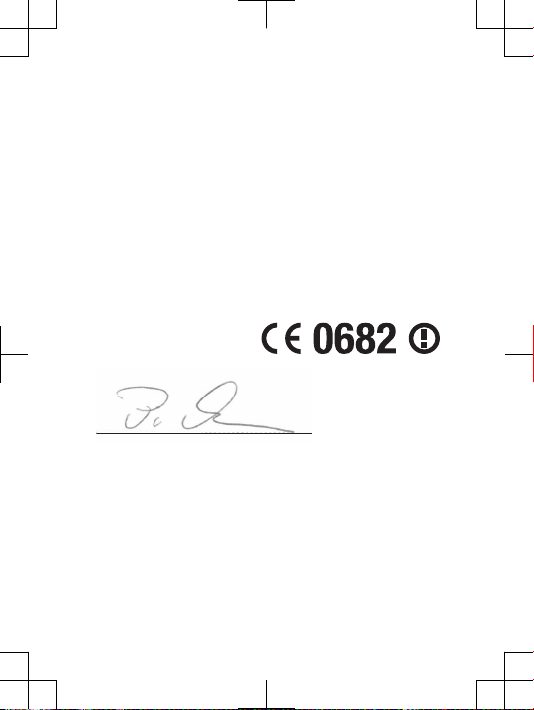
Declaration of Conformity for ST25i
W
e, Sony Mobil e C ommun icati ons A B o f
Nya Vatt entor net
SE- 221 8 8 Lun d, Swede n
dec lare under ou r sol e res ponsi bil ity t hat o ur pr oduct
Son y typ e AAD -38 80130 -BV
and in c ombin ati on wi th ou r acc ess ories , to which this
dec larat ion r ela tes i s in confo rmi ty wi th th e app ropri ate
sta ndard s EN 301 511: V9.0. 2, EN 30 1 908 -1:V4 .2.1, EN 3 01
908 -2:V4 .2.1, EN 300 328:V 1.7.1 , E N 300 440- 2:V1. 4.1, EN 301
489 -7:V1 .3.1, EN 301 489-1 7:V2. 1.1 , EN 301 4 89-24 :V1.5 .1, EN
301 489- 3:V1. 4.1 , and EN 6 0 950 -1: 2006+ A11:2 009+A 1:201 0
fol lowin g the pr ovisi ons o f, Ra dio Equi pment and
Tel ecomm unica tio n Ter minal Equi pme nt di recti ve 19 99/5/ EC.
Lun d, Fe bruar y 2 012
Pär Thur esson ,
C
hie f Qua lity Off icer, Head of Q ual ity & Vali datio n
We fulfi l the re quire ments of t he R&TTE Dire ctive (199 9/5 /EC).
7
Page 10
www.sonymobile.com
Sony Mobile Communications AB
SE-221 88 Lund, Sweden
Page 11
Legal-Leaflets---Generic_EN_1222-9269.7.pdf 1 of 2
Important information
Sony Ericsson Consumer Web site
At www.sonyericsson.com/support there is a support section
where help and tips are only a few clicks away. Here you will find
the latest computer software updates and tips on how to use your
product more efficiently.
Service and support
You have access to a portfolio of exclusive service advantages
such as:
•
Global and local Web sites providing support.
•
A global network of Contact Centers.
•
An extensive network of Sony Ericsson service partners.
•
A warranty period. Learn more about the warranty conditions in
theLimited warrantysection.
At www.sonyericsson.com/support, you can find the latest
support tools and information. For operator-specific services and
features, please contact your network operator.
You can also contact our Contact Centers. If your country/region
is not represented in the list below, please contact your local
dealer. (Calls are charged according to national rates, including
local taxes, unless the phone number is a toll-free number.)
If your product needs service, please contact the dealer from
whom it was purchased, or one of our service partners. For
warranty claims, save proof of purchase.
Guidelines for Safe and Efficient Use
Please follow these guidelines. Failure to do so might entail a
potential health risk or product malfunction. If in doubt as to
its proper function, have the product checked by a certified service
partner before charging or using it.
Recommendations for care and safe use of our products
•
Handle with care and keep in a clean and dust-free place.
•
Warning! May explode if disposed of in fire.
•
Do not expose to liquid or moisture or excess humidity.
•
For optimum performance, the product should not be
operated in temperatures below -10°C(+14°F) or above
+45°C(+113°F). Do not expose the battery to
temperatures above +60°C(+140°F).
•
Do not expose to flames or lit tobacco products.
•
Do not drop, throw or try to bend the product.
•
Do not paint or attempt to disassemble or modify the
product. Only Sony Ericsson authorised personnel
should perform service.
•
Consult with authorised medical staff and the instructions of the
medical device manufacturer before using the product near
pacemakers or other medical devices or equipment.
•
Discontinue use of electronic devices, or disable the radio
transmitting functionality of the device, where required or
requested to do so.
•
Do not use where a potentially explosive atmosphere exists.
•
Do not place the product, or install wireless equipment, in the
area above an air bag in a car.
•
Caution: Cracked or broken displays may create sharp edges or
splinters that could be harmful upon contact.
•
Do not use the Bluetooth Headset in positions where it is
uncomfortable or will be subject to pressure.
Children
Warning! Keep out of the reach of children. Do not allow
children to play with mobile phones or accessories. They could
hurt themselves or others. Products may contain small parts that
could become detached and create a choking hazard.
Power supply (Charger)
Connect the charger to power sources as marked on the product.
Do not use outdoors or in damp areas. Do not alter or subject the
cord to damage or stress. Unplug the unit before cleaning it. Never
alter the plug. If it does not fit into the outlet, have a proper outlet
installed by an electrician. When a power supply is connected
there is a small drain of power. To avoid this small energy waste,
disconnect the power supply when the product is fully charged.
2
3
Use of charging devices that are not Sony Ericsson branded may
pose increased safety risks.
Battery
New or idle batteries can have short-term reduced capacity. Fully
charge the battery before initial use. Use for the intended purpose
only. Charge the battery in temperatures between +5°C(+41°F)
and +45°C(+113°F). Do not put the battery into your mouth. Do not
let the battery contacts touch another metal object. Turn off the
product before removing the battery. Performance depends on
temperatures, signal strength, usage patterns, features selected
and voice or data transmissions. Only Sony Ericsson service
partners should remove or replace built-in batteries. Use of
batteries that are not Sony Ericsson branded may pose increased
safety risks. Replace the battery only with another Sony Ericsson
battery that has been qualified with the product per the standard
IEEE-1725. Use of an unqualified battery may present a risk of fire,
explosion, leakage or other hazard.
Personal medical devices
Mobile phones may affect implanted medical equipment. Reduce
risk of interference by keeping a minimum distance of
15 cm(6 inches) between the phone and the device. Use the phone
at your right ear. Do not carry the phone in your breast pocket.
Turn off the phone if you suspect interference. For all medical
devices, consult a physician and the manufacturer.
Driving
Some vehicle manufacturers forbid the use of phones in their
vehicles unless a handsfree kit with an external antenna supports
the installation. Check with the vehicle manufacturer's
representative to be sure that the mobile phone or Bluetooth
handsfree will not affect the electronic systems in the vehicle. Full
attention should be given to driving at all times and local laws and
regulations restricting the use of wireless devices while driving
must be observed.
4
GPS/Location based functions
Some products provide GPS/Location based functions. Location
determining functionality is provided “As is” and “With all faults”.
Sony Ericsson does not make any representation or warranty as to
the accuracy of such location information.
Use of location-based information by the device may not be
uninterrupted or error free and may additionally be dependent on
network service availability. Please note that functionality may be
reduced or prevented in certain environments such as building
interiors or areas adjacent to buildings.
Caution: Do not use GPS functionality in a manner which causes
distraction from driving.
Emergency calls
Calls cannot be guaranteed under all conditions. Never rely solely
upon mobile phones for essential communication. Calls may not be
possible in all areas, on all networks, or when certain network
services and/or phone features are used.
Antenna
Use of antenna devices not marketed by Sony Ericsson could
damage the phone, reduce performance, and produce SAR levels
above the established limits. Do not cover the antenna with your
hand as this affects call quality, power levels and can shorten talk
and standby times.
Radio Frequency (RF) exposure and Specific Absorption
Rate (SAR)
When the phone or Bluetooth handsfree is turned on, it emits low
levels of radio frequency energy. International safety guidelines
have been developed through periodic and thorough evaluation of
scientific studies. These guidelines establish permitted levels of
radio wave exposure. The guidelines include a safety margin
designed to assure the safety of all persons and to account for any
variations in measurements.
Specific Absorption Rate (SAR) is used to measure radio
frequency energy absorbed by the body when using a mobile
phone. The SAR value is determined at the highest certified power
level in laboratory conditions, but because the phone is designed
to use the minimum power necessary to access the chosen
network, the actual SAR level can be well below this value. There is
no proof of difference in safety based on difference in SAR value.
Products with radio transmitters sold in the US must be certified
by the Federal Communications Commission (FCC). When
required, tests are performed when the phone is placed at the ear
and when worn on the body. For body-worn operation, the phone
has been tested when positioned a minimum of 15 mm from the
body without any metal parts in the vicinity of the phone or when
properly used with an appropriate Sony Ericsson accessory and
worn on the body.
For more information about SAR and radio frequency exposure,
go to: www.sonyericsson.com/health.
Flight mode
Bluetooth and WLAN functionality, if available in the device, can be
enabled in Flight mode but may be prohibited onboard aircraft or in
other areas where radio transmissions are prohibited. In such
environments, please seek proper authorisation before enabling
Bluetooth or WLAN functionality even in Flight mode.
Malware
Malware (short for malicious software) is software that can harm
the mobile phone or other computers. Malware or harmful
applications can include viruses, worms, spyware, and other
unwanted programs. While the device does employ security
measures to resist such efforts, Sony Ericsson does not warrant or
represent that the device will be impervious to the introduction of
malware. You can however reduce the risk of malware attacks by
using care when downloading content or accepting applications,
refraining from opening or responding to messages from unknown
sources, using trustworthy services to access the Internet, and
only downloading content to the mobile phone from known,
reliable sources.
5
6
Accessories
Use only Sony Ericsson branded original accessories and certified
service partners. Sony Ericsson does not test third-party
accessories. Accessories may influence RF exposure, radio
performance, loudness, electric safety and other areas. Thirdparty accessories and parts may pose a risk to your health or
safety or decrease performance.
Accessible Solutions/Special Needs
In the US, compatible Sony Ericsson phones may offer
compatibility with TTY terminals (with use of necessary accessory).
For more information call the Sony Ericsson Special Needs Center
on 877 878 1996 (TTY) or 877 207 2056 (voice), or go to
www.sonyericsson-snc.com.
Disposal of old electrical and electronic equipment
and batteries
The crossed-out bin symbol on batteries and electronic equipment
means that electronic equipment and batteries should not be
disposed of with household waste but should be left at an
appropriate collection point for recycling. By recycling our
products you will help to prevent potential negative consequences
for the environment and human health. Check local regulations and
the location of collection points for used electronic equipment and
batteries by contacting your local city office, your household waste
disposal service, the shop where you purchased the product, by
calling a Sony Ericsson Contact Center or at
www.sonyericsson.com/recycling. Do not attempt to remove
internal batteries. Internal batteries shall be removed only by a
waste treatment facility or trained service professional.
Memory card
If the product comes complete with a removable memory card, it is
generally compatible with the handset purchased but may not be
compatible with other devices or the capabilities of their memory
cards. Check other devices for compatibility before purchase or
7
use. If the product is equipped with a memory card reader, check
memory card compatibility before purchase or use.
Memory cards are generally formatted prior to shipping. To
reformat the memory card, use a compatible device. Do not use
the standard operating system format when formatting the memory
card on a PC. For details, refer to the operating instructions of the
device or contact customer support.
For Devices Supporting 3D Viewing capabilities
In viewing 3D images shot with this phone on a 3D-compatible
monitor, you may experience discomfort in the form of eye strain,
fatigue, or nausea. To prevent these symptoms, we recommend
that you take regular breaks. However, you need to determine for
yourself the length and frequency of breaks you require, as they
vary according to the individual. If you experience any type of
discomfort, stop viewing the 3D images until you feel better, and
consult a physician as necessary. Also refer to the operating
instructions supplied with the device or software you have
connected or are using with this phone. Note that a child’s
eyesight is still at the development stage (particularly children
below the age of 6). Consult a pediatrician or ophthalmologist
before letting your child view 3D images, and make sure he/she
observes the above precautions when viewing such images.
Warning!
If the device requires an adapter for insertion into the handset or
another device, do not insert the card directly without the required
adapter.
Precautions on memory card use
•
Do not expose the memory card to moisture.
•
Do not touch terminal connections with your hand or any metal
object.
•
Do not strike, bend, or drop the memory card.
•
Do not attempt to disassemble or modify the memory card.
8
•
Do not use or store the memory card in humid or corrosive
locations or in excessive heat such as a closed car in summer, in
direct sunlight or near a heater, etc.
•
Do not press or bend the end of the memory card adapter with
excessive force.
•
Do not let dirt, dust, or foreign objects get into the insert port of
any memory card adapter.
•
Check you have inserted the memory card correctly.
•
Insert the memory card as far as it will go into any memory card
adapter needed. The memory card may not operate properly
unless fully inserted.
•
We recommend that you make a backup copy of important data.
We are not responsible for any loss or damage to content you
store on the memory card.
•
Recorded data may be damaged or lost when you remove the
memory card or memory card adapter, turn off the power while
formatting, reading or writing data, or use the memory card in
locations subject to static electricity or high electrical field
emissions.
Protection of personal information
Erase personal data before disposing of the product. To delete
data, perform a master reset. Deleting data from the phone
memory does not ensure that it cannot be recovered.
Sony Ericsson does not warrant against recovery of information
and does not assume responsibility for disclosure of any
information even after a master reset.
Loudness warning!
Avoid volume levels that may be harmful to your hearing.
End User Licence Agreement
Software delivered with this device and its media is owned by
Sony Ericsson Mobile Communications AB, and/or its affiliated
companies and its suppliers and licensors.
Sony Ericsson grants you a non-exclusive limited licence to use
the Software solely in conjunction with the Device on which it is
installed or delivered. Ownership of the Software is not sold,
transferred or otherwise conveyed.
Do not use any means to discover the source code or any
component of the Software, reproduce and distribute the
Software, or modify the Software. You are entitled to transfer rights
and obligations to the Software to a third party, solely together
with the Device with which you received the Software, provided the
third party agrees in writing to be bound by the terms of this
Licence.
This licence exists throughout the useful life of this Device. It can
be terminated by transferring your rights to the Device to a third
party in writing.
Failure to comply with any of these terms and conditions will
terminate the licence immediately.
Sony Ericsson and its third party suppliers and licensors retain
all rights, title and interest in and to the Software. To the extent
that the Software contains material or code of a third party, such
third parties shall be beneficiaries of these terms.
This licence is governed by the laws of Sweden. When
applicable, the foregoing applies to statutory consumer rights.
In the event Software accompanying or provided in conjunction
with your device is provided with additional terms and conditions,
such provisions shall also govern your possession and usage of
the Software.
Export regulations
Export regulations: Goods delivered under this Agreement may be
the subject to import and export regulations of the European
Union, the United States and other countries. Purchaser will
comply with these applicable laws and regulations and will obtain
and maintain any export and import license required for the
delivery of goods to Purchaser under this Agreement. Without
limiting the foregoing, and as an example, Purchaser will not
knowingly export or re-export goods to destinations identified
9
10
pursuant to Articles in Chapter II of European Council Regulation
(EC) 428/2009 and specifically, and without limitation, Purchaser
will also comply with U.S. government Export Administration
Regulations (“EAR”, 15 C.F.R. §§ 730-774, http://
www.bis.doc.gov/) administered by Department of Commerce,
Bureau of Industry and Security and economic sanctions
regulations (30 C.F.R. §§ 500 et. seq., http://www.treas.gov/
offices/enforcement/ofac/) administered by the U.S. Department
of Treasury, Office of Foreign Assets Control.
Limited Warranty
Sony Ericsson Mobile Communications AB, SE-221 88 Lund,
Sweden, (Sony Ericsson) or its local affiliated company, provides
this Limited Warranty for your mobile phone, original accessory
delivered with your mobile phone, and/or your mobile computing
product (hereinafter referred to as “Product”).
Should your Product need warranty service, please return it to
the dealer from whom it was purchased, or contact your local
Sony Ericsson Contact Center (national rates may apply) or visit
www.sonyericsson.com to get further information.
Our warranty
Subject to the conditions of this Limited Warranty, Sony Ericsson
warrants this Product to be free from defects in design, material
and workmanship at the time of its original purchase by a
consumer. This Limited Warranty will last for a period of two (2)
years as from the original date of purchase of the Product for your
mobile phone, and for a period of one (1) year following the original
purchase date of the Product for all original accessories (such as
the battery, charger or handsfree kit) which may be delivered with
your mobile phone.
What we will do
If, during the warranty period, this Product fails to operate under
normal use and service, due to defects in design, materials or
workmanship, Sony Ericsson authorised distributors or service
www.sonyericsson.com
Sony Ericsson Mobile Communications AB
SE-221 88 Lund, Sweden
11
1222-9269.7
September 20, 2011 09:02:13
Page 12

Legal-Leaflets---Generic_EN_1222-9269.7.pdf 2 of 2
partners, in the country/region* where you purchased the Product,
will, at their option, either repair or replace the Product in
accordance with the terms and conditions stipulated herein.
Sony Ericsson and its service partners reserve the right to
charge a handling fee if a returned Product is found not to be under
warranty according to the conditions below.
Please note that some of your personal settings, downloads and
other information may be lost when your Sony Ericsson Product is
repaired or replaced. At present, Sony Ericsson may be prevented
by applicable law, other regulation or technical restrictions from
making a backup copy of certain downloads. Sony Ericsson does
not take any responsibility for any lost information of any kind and
will not reimburse you for any such loss. You should always make
backup copies of all the information stored on your Sony Ericsson
Product such as downloads, calendar and contacts before
handing in your Sony Ericsson Product for repair or replacement.
Conditions
1.
This Limited Warranty is valid only if the original proof of
purchase for this Product issued by a Sony Ericsson authorised
dealer specifying the date of purchase and serial number**, is
presented with the Product to be repaired or replaced.
Sony Ericsson reserves the right to refuse warranty service if this
information has been removed or changed after the original
purchase of the Product from the dealer.
2.
If Sony Ericsson repairs or replaces the Product, the repair for
the defect concerned, or the replaced Product shall be warranted
for the remaining time of the original warranty period or for ninety
(90) days from the date of repair, whichever is longer. Repair or
replacement may involve the use of functionally equivalent
reconditioned units. Replaced parts or components will become
the property of Sony Ericsson.
3.
This warranty does not cover any failure of the Product due to
normal wear and tear, or due to misuse, including but not limited
to use in other than the normal and customary manner, in
accordance with the Sony Ericsson instructions for use and
maintenance of the Product. Nor does this warranty cover any
failure of the Product due to accident, software or hardware
modification or adjustment, acts of God or damage resulting from
liquid.
A rechargeable battery can be charged and discharged more
than a hundred times. However, it will eventually wear out – this is
not a defect and corresponds to normal wear and tear. When the
talk-time or standby time is noticeably shorter, it is time to
replace the battery. Sony Ericsson recommends that you use
only batteries and chargers approved by Sony Ericsson.
Minor variations in display brightness and colour may occur
between phones. There may be tiny bright or dark dots on the
display. These are called defective pixels and occur when
individual dots have malfunctioned and can not be adjusted. Two
defective pixels are deemed acceptable.
Minor variations in camera image appearance may occur
between phones. This is nothing uncommon and is not regarded
as a defective camera module.
4.
Since the cellular system on which the Product is to operate is
provided by a carrier independent from Sony Ericsson,
Sony Ericsson will not be responsible for the operation,
availability, coverage, services or range of that system.
5.
This warranty does not cover Product failures caused by
installations, modifications, or repair or opening of the Product
performed by a non-Sony Ericsson authorised person.
6.
The warranty does not cover Product failures which have been
caused by use of accessories or other peripheral devices which
are not Sony Ericsson branded original accessories intended for
use with the Product.
Sony Ericsson disclaims any and all warranties, whether
express or implied, for failures caused to the Product or
peripheral devices as a result of viruses, trojan horses, spyware,
or other malicious software. Sony Ericsson strongly recommends
that you install appropriate virus protection software on your
Product and any peripheral devices connected to it, as available,
and update it regularly, to better protect your device. It is
understood, however, that such software will never fully protect
your Product or its peripheral devices and Sony Ericsson
12
13
disclaims all warranties, whether express or implied, in case of
failure by such antivirus software to fulfil its intended purpose.
7.
Tampering with any of the seals on the Product will void the
warranty.
8.
THERE ARE NO EXPRESS WARRANTIES, WHETHER WRITTEN
OR ORAL, OTHER THAN THIS PRINTED LIMITED WARRANTY.
ALL IMPLIED WARRANTIES, INCLUDING WITHOUT LIMITATION
THE IMPLIED WARRANTIES OF MERCHANTABILITY OR
FITNESS FOR A PARTICULAR PURPOSE, ARE LIMITED TO THE
DURATION OF THIS LIMITED WARRANTY. IN NO EVENT SHALL
SONY ERICSSON OR ITS LICENSORS BE LIABLE FOR
INCIDENTAL OR CONSEQUENTIAL DAMAGES OF ANY NATURE
WHATSOEVER, INCLUDING BUT NOT LIMITED TO LOST
PROFITS OR COMMERCIAL LOSS TO THE FULL EXTENT
THOSE DAMAGES CAN BE DISCLAIMED BY LAW.
Some countries/states do not allow the exclusion or limitation of
incidental or consequential damages, or limitation of the duration
of implied warranties, so the preceding limitations or exclusions
may not apply to you.
The warranty provided does not affect the consumer’s statutory
rights under applicable legislation in force, nor the consumer’s
rights against the dealer arising from their sales / purchase
contract.
*Geographical scope of the warranty
If you have purchased your Product in a country member of the
European Economic Area (EEA) or in Switzerland or the Republic of
Turkey, and such Product was intended for sale in the EEA or in
Switzerland or in Turkey, you can have your Product serviced in
any EEA country or in Switzerland or in Turkey, under the warranty
conditions prevailing in the country in which you require servicing,
provided that an identical Product is sold in such country by an
authorised Sony Ericsson distributor. To find out if your Product is
sold in the country you are in, please call the local Sony Ericsson
Contact Center. Please observe that certain services may not be
available outside the country of original purchase, for example,
due to the fact that your Product may have an interior or exterior
14
which is different from equivalent models sold in other countries.
Please note in addition that it may sometimes not be possible to
repair SIM-locked Products.
** In some countries/regions additional information (such as a
valid warranty card) may be requested.
Trademarks and acknowledgements
The Liquid Identity logo and Xperia are trademarks or registered
trademarks of Sony Ericsson Mobile Communications AB.
Sony is a trademark or a registered trademark of Sony
Corporation.
Ericsson is a trademark or registered trademark of
Telefonaktiebolaget LM Ericsson.
Bluetooth is a trademark or a registered trademark of Bluetooth
SIG Inc. and any use of such mark by Sony Ericsson is under
license.
Other product and company names mentioned herein may be the
trademarks of their respective owners.
Any rights not expressly granted herein are reserved.
15
Support
Anguilla
Antigua and
Barbuda
Argentina
Australia
The Bahamas
Barbados
Belgique/
België
Belize
Bermuda
Bolivia
Brasil
Canada
Cayman
Islands
1-800-080-9518
(Toll Free)
1-800-081-9518
(Toll Free)
0800-333-7427
(número gratuito)
1300 650-050 (Toll
Free)
1-800-205-6062
(Toll Free)
1-800-082-9518
(Toll Free)
02-0745 1611 [email protected]
AN 815, PIN 5597
(Toll Free)
1-800-083-9518
(Toll Free)
800-100-542
(número gratuito)
4001-0444
(Capitais e regiões
metropolitanas)
0800 884 0444
(Demais regiões)
1 866 766 9374
(Toll Free / sans
frais)
1-800-084-9518
(Toll Free)
16
Central and
Southern
Africa
Česká
republika
Chile
Colombia
Costa Rica
Danmark
Deutschland
Dominica
Ecuador
Eesti
Egypt/رصم
Ελλάδα 801 11 810 810
El Salvador
España
+27 11 506 0123 [email protected]
844 550 055 [email protected]
800-646-425
(número gratuito)
01800-0966-080
(número gratuito)
0 800 011 0400
(número gratuito)
3331 2828 [email protected]
0180 534 2020
(ortsübliche
Gebühren)
1-800-085-9518
(Toll Free)
1-800-0102-50
(número gratuito)
+30 210 899 19 19
(από κινητό
τηλέφωνο)
800-6323 (número
gratuito)
902 180 576 (tarifa
local)
17
France
Guatemala
Haïti/Ayiti
Honduras
Hong Kong/香港+852 8203 8863 [email protected]
Hrvatska
India/
Indonesia
Ireland
Italia
Jamaica
Latvija
Lietuva
Magyarország
Malaysia
09 69 32 21 21
09 69 32 21 22
(Xperia™
uniquement)
1-800-300-0057
(número gratuito)
AN 193, PIN 5598
(numéro gratuit /
nimewo gratis)
AN 8000122, PIN
5599 (número
gratuito)
062 000 000 [email protected]
1800 11 1800 (Toll
Free)
+91 (011)
39011111
021 2701388 [email protected]
1850 545 888
(Local rate)
06 48895206
(tariffa locale)
1-800-442-3471
(Toll Free)
67 21 43 01 [email protected]
8 700 55030 [email protected]
01 880 47 47 [email protected]
1800-88-9900 (Toll
Free / bebas tol)
18
Maroc/
México
Nederland
Nederlandse
Antillen
New Zealand
Nicaragua
Norge
Österreich
Pakistan/
Panamá
Paraguay
Perú
Philippines/
Pilipinas
Polska
Portugal
República
Dominicana
România
Saint Kitts
and Nevis
+212 2 2958 344 [email protected]
0 1800 000 4722
(número gratuito)
0900 8998318 [email protected]
001-866-509-8660
(gratis nummer)
0800-100-150 (Toll
Free)
AN 1800-0166,
PIN 5600 (número
gratuito)
815 00 840
(lokaltakst)
(número gratuito)
009 800 54 20032
(número gratuito)
0800-532-38
(número gratuito)
+63 2 7891860 [email protected]
+48 22 22 77 444 [email protected]
808 204 466
(chamada local)
1-800-751-3370
(número gratuito)
+40 21 401 0401 [email protected]
1-800-087-9518
(Toll Free)
19
Saint Vincent
and the
Grenadines
Schweiz/
Suisse/
Svizzera
Singapore
Slovenia
Slovensko
South Africa
South Κorea/ 대
한민국
Suomi
Sverige
Trinidad and
Tobago
Türkiye
United
Kingdom
United States
Uruguay
Venezuela
Việt Nam 1900 1525 (miễn
Беларусь
България
Россия
1-800-088-9518
(Toll Free)
0848 824 040 [email protected]
+65 6744 0733 [email protected]
01 600 5000 [email protected]
02 5443 6443 [email protected]
0861 632222 [email protected]
(+82) 1588 4170 [email protected]
09 299 2000 [email protected]
013 24 45 00 (lokal
taxa)
1-800-080-9521
(Toll Free)
+90 212 473 77 77 [email protected]
08705 237 237
(Local rate)
1 866 766 9374 [email protected]
000-401-787-013
(número gratuito)
0-800-1-00-2250
(número gratuito)
phí)
20
Україна
中国
台灣
ไทย
(+380) 44 590
1515
+971 4 3919 880 [email protected]
+971 4 3919 880
21
September 20, 2011 09:02:14
 Loading...