

Page 1
Elm
™
User guide
Important information
Please read the Important information leaflet before you
use your mobile phone.
Experience more. Discover
how.
Fill it with pop and let it rock. Share your life in pictures. Or
why not go online for the latest updates? Your new phone is
the key to a wider world. And it's just around the corner.
Get started with this User guide. And join us online to get the
full picture. Music, games, apps, updates, downloads,
support and more. All in one place:
www.sonyericsson.com/Elm
Don't forget to update your phone software. See
Updating your phone on page 28.
User guide in the phone
An extended User guide is available in your phone.
To access the User guide in your phone
•
Select Menu > Settings > User help > User guide.
2
Phone overview
1 Ear speaker
1
11
10
12
13
14
2
3
4
5
6
7
9
8
2 Light sensor
3 Connector for charger, handsfree,
and USB cable
4 Screen
5 Selection keys
6 Call key
7 Activity menu key
8 Navigation key
9 Keylock key
10 Video call camera*
11 End key, On/off key
12 C key (Clear)
13 Silent key
14 Microphone
3
15 Microphone
15
17
16
18
19
20
21
16 Flash light
17 Volume, digital zoom key
18 Main camera lens
19 Camera key
20 Speaker
21 Strap hole
* The video call camera may not be available in your phone.
4
Getting started
To insert the SIM card
1
Remove the battery cover.
2
Slide the SIM card into its holder with the gold-coloured
contacts facing down.
5
To insert the battery
1
Insert the battery with the label side up and the
connectors facing each other.
2
Attach the battery cover.
Turning on the phone
To turn on the phone
1
Press and hold down .
6
2
Enter your SIM card PIN (Personal Identification Number),
if requested, and select OK.
3
Select a language.
4
Follow the instructions that appear.
If you want to correct a mistake when you enter your
PIN, press .
Help
In addition to this User guide, Feature guides and more
information are available at
www.sonyericsson.com/support.
There are also help functions in your phone. See the
following instructions on how to access them.
To view tips and tricks
•
Select Menu > Settings > User help > Tips and
tricks.
To view information about functions
•
Scroll to a function and select Info, if available. In some
cases, Info appears under Options.
To view the phone status
•
Press the volume key. Phone, memory and battery
information is shown.
Supported services and features
Some of the services and features described in this
User guide are not supported by all networks and/or
service providers in all areas. Without limitation, this
applies to the GSM International Emergency Number
112. Please contact your network operator or service
provider to determine availability of any specific
7
service or feature and whether additional access or
usage fees apply.
Charging the battery
The phone battery is partly charged when you buy it.
To charge the battery
1
Connect the charger to the phone.
2
Remove the charger by tilting the plug upwards.
Maximising battery performance
•
Charge your phone often. The battery lasts longer if you
charge it frequently.
•
If you are in an area with no coverage, your phone
repeatedly scans for available networks. This consumes
power. If you cannot move to an area with better
coverage, turn off your phone temporarily.
8
•
Turn off 3G, Bluetooth™ wireless technology, any active
Wi-Fi™ connection, and GPS when you do not need
these functions.
•
Do not cover the phone antenna when you are engaged
in a call.
Go to
www.sonyericsson.com/support
to learn more
about how to maximise the battery performance.
Navigation
To access the main menu
•
When Menu appears on the screen, press the centre
selection key to select Menu.
•
If Menu does not appear on the screen, press
, and
then press the centre selection key to select Menu.
To navigate the phone menus
•
Press the navigation key upwards, downwards, left or
right to move through the menus.
To end a function
•
Press
.
9
To return to standby
•
Press .
To delete items
•
Press to delete items such as numbers, letters,
pictures and sounds.
Shortcuts
You can use the navigation key shortcuts to go directly to
functions from standby.
To use navigation key shortcuts
•
Press the navigation key upwards, downwards, left or
right to go directly to a function.
To edit a navigation key shortcut
1
Select Menu > Settings > General > Shortcuts.
2
Scroll to an option and select Edit.
3
Scroll to a menu option and select Shortc..
Activity menu
The activity menu gives you quick access to:
•
New events – missed calls and new messages.
•
Running apps – applications that are running in the
background.
•
My shortcuts – add your favourite functions to access
them quickly.
•
Internet – connect conveniently to the Internet.
To open the activity menu
•
Press
.
10
Memory card
You may have to purchase a memory card separately.
Your phone supports a microSD™ memory card, adding
more storage space to your phone. This type of card can
also be used as a portable memory card with other
compatible devices.
You can move content between a memory card and the
phone memory.
To insert a memory card
•
Remove the battery cover and insert the memory card
with the gold-coloured contacts facing down.
11
To remove a memory card
•
Remove the battery cover and slide the memory card to
remove it.
Entering text
You can use multitap text input or Quick text input to
enter text. The Quick text input method uses a dictionary
application in your phone.
To change the writing language
•
When you enter text, press and hold down
.
To change the text input method
•
When you enter text, press and hold down .
To shift between upper- and lower-case letters or numbers
•
When you enter text, press
.
To enter numbers
1
When you enter text, press repeatedly until
appears at the top of the screen.
12
2
To enter a number, press .
To enter a number from text input mode, you can
press and hold down – .
To enter punctuation marks and symbols
1
When you enter text, press briefly.
2
Scroll to a symbol and select Insert.
To select from the most commonly used punctuation
marks, you can also press .
To enter text using Quick text input
1
Select, for example, Menu > Messaging > Write new >
Message.
2
If is not displayed, press and hold down to
change to Quick text input.
3
Press each key only once, even if the letter you want is
not the first letter on the key. For example, to write the
word “Jane”, press
, , , . Write the
whole word before looking at the suggestions.
4
To view word suggestions, press
or press the
navigation key downwards.
5
Press to accept a suggestion and add a space.
To enter text using the multitap method
1
Select, for example, Menu > Messaging > Write new >
Message.
2
If
is displayed, press and hold down to change
to multitap text input.
3
Press – repeatedly until the desired letter
appears.
4
Press
to add a space.
13
To add words to the phone dictionary
1
When you enter text using Quick text input, select
Options > Spell word.
2
Write the word using multitap input and select Save.
Calling
You need to turn on your phone and be within range of a
network.
Making and answering calls
To make a call
1
Enter a phone number (with international country code
and area code, if applicable).
2
Press
.
You can call numbers from your contacts and call list.
To end a call
•
Press .
To make international calls
1
Press and hold down until a “+” sign appears.
2
Enter the country code, area code (without the first zero)
and phone number.
3
Press
.
To answer a call
•
Press
.
To reject a call
•
Press .
14
To change the ear speaker volume during a call
•
Press the volume keys up or down.
To mute the microphone during a call
1
Press and hold down . appears.
2
Press and hold down again to resume.
To turn on the loudspeaker during a call
•
Select Spkr on. appears.
Do not hold the phone to your ear when using the
loudspeaker. This could damage your hearing.
Background music
You can add background music to an ongoing call. When
activated, background music can be heard by all
participants. When the microphone is muted, the
background music continues to play.
To start playing background music during a call
•
During the call, select Music.
See To play music on page 21.
To stop playing background music during a call
•
Press the centre selection key.
To change the background music volume during a call
•
Press the volume key up or down.
Only the music volume can be changed when the
music is playing.
Call sound quality
The Noise shield filters out sound around you that can make
it difficult for the other party to hear your voice, while the
Clear Voice function helps you hear better in a crowded
15
environment. You can enable or disable these functions
during a call.
To turn off the Noise shield
•
During a call, select Options > Noise shield off. The
status icon on the screen changes to .
To turn on Clear Voice
•
During a call, select Options > Clear Voice on.
Emergency calls
Your phone supports international emergency numbers, for
example, 112 or 911. You can normally use these numbers
to make emergency calls in any country, with or without the
SIM card inserted, if you are within range of a network.
In some countries, other emergency numbers may also
be promoted. Your network operator may therefore
have saved additional local emergency numbers on the
SIM card.
To make an emergency call
•
Enter 112 (the international emergency number) and
press .
To view your local emergency numbers
1
Select Menu > Contacts.
2
Scroll to New contact and select Options > Special
numbers > Emergency numbers.
Call list
You can view information about answered
, dialled
and missed or rejected calls.
To call a number from the call list
1
Press
and scroll to a tab.
16
2
Scroll to a name or a number and press .
Contacts
You can save names, phone numbers and personal
information in Contacts. Information can be saved in the
phone memory or on the SIM card.
You can synchronise your contacts using the
Sony Ericsson PC Suite.
To add a phone contact
1
Select Menu > Contacts.
2
Scroll to New contact and select Add.
3
Enter the name and select OK.
4
Scroll to New number: and select Add.
5
Enter the number and select OK.
6
Select a number option.
7
Scroll between the tabs and add information to the fields.
8
Select Save.
Calling contacts
To make a call using Smart search
1
Press
– to enter a sequence of (at least two)
digits. All entries that match the sequence of digits, or
corresponding letters, are shown in a list.
2
Scroll to a contact or a phone number and press
.
To turn on or off Smart search
1
Select Menu > Settings > Calls > Smart search.
2
Select an option.
17
Imaging
You can take photos and record videos to view, save or
send. You can find saved photos and videos in Media and
in File manager.
Viewfinder and camera keys
12 3 4 5
1 Zoom in or out
2 Indicates photo mode
3 View photos and video clips
4 Indicates video mode
5 Activate the camera/Take photos/Record video
clips
To activate the camera
•
Press
.
18
Using the still camera
To take a photo
1
Activate the camera and press the navigation key to scroll
to .
2
Press
halfway down to use auto focus.
3
When the dot and focus frame are green, press fully
down to take a photo. The photo is automatically saved.
4
To take another photo, press to return to the
viewfinder.
To use zoom
•
Press the volume key.
To adjust brightness
•
Press the navigation key left to decrease the brightness.
Press the navigation key right to increase the brightness.
The level of brightness appears beside the
.
Using the video camera
To record a video
1
Activate the camera and press the navigation key to scroll
to
.
2
Press fully down to start recording.
3
To stop recording, press fully down. The video is
saved automatically.
4
To return to the viewfinder and to record another video,
press
.
Working with photos
You can view, enhance and organise photos and videos on
your computer by installing the Adobe™ Photoshop™
19
Album Starter Edition application. It is available for
download at www.sonyericsson.com/support.
Use theMedia Go™ application to transfer content to and
from your phone.
Using photos
You can add a photo to a contact, use the photo during
phone startup, as a wallpaper in standby, or as a screen
saver.
To use photos
1
Select Menu > Media > Photo > Camera album.
2
Select a month.
3
Scroll to a photo and select View.
4
Select Options > Use as.
5
Select an option.
Accessing videos in your phone
You can browse and play videos using the video player from
Media and File manager. You can find videos you
recorded using the camera under Camera album. You can
access other videos from Videos.
To play videos
1
Select Menu > Media > Video > Videos or Camera
album.
2
Scroll to a title and select Play.
Music
You can listen to music, audio books and podcasts. Use
the Media Go™ application to transfer content to and from
20
your phone. For more information, see Transferring content
to and from a computer on page 27.
Stereo portable handsfree
Music player
To play music
1
Select Menu > Media > Music.
2
Browse by category using the navigation key.
3
Scroll to a title and select Play.
Within a category, you can press – to go to
entries beginning with a specific letter.
To stop playing music
•
Press the centre selection key.
To fast forward and rewind
•
Press and hold down the navigation key right or left.
To move between tracks
•
Press the navigation key right or left.
To change the volume
•
Press the volume keys up or down.
21
Page 2
PlayNow™ application
When you open the PlayNow™ application, you enter
PlayNow™, where you can download music, games,
ringtones, themes and wallpapers. You can preview or listen
to content before you purchase and download it to your
phone. If you cannot use the PlayNow™ application, see I
cannot use Internet-based services on page 33.
This service is not available in all countries.
For extended functionality, you can also access the
PlayNow™ web shop on a computer from
www.sonyericsson.com/playnow. For more information, go
to www.sonyericsson.com/support to read the
PlayNow™ Feature guide.
To use the PlayNow™ application
1
Select Menu > PlayNow™.
2
Scroll through PlayNow™ and follow the instructions to
preview and purchase content.
TrackID™ application
TrackID™ technology is a music recognition service. You
can search for the title, artist and album name of a track you
hear playing through a loudspeaker or on the radio in your
phone. If you cannot use the TrackID™ application, see I
cannot use Internet-based services on page 33.
To search for track information
•
When you hear a track playing through a loudspeaker,
select Menu > Entertainment > TrackID™ > Start.
22
•
When you hear a track playing on your phone radio, select
Options > TrackID™ > TrackID™.
For best results, use TrackID™ in a quiet area.
Radio
Do not use your phone as a radio in places where this
is prohibited.
To turn on the radio
1
Connect a handsfree to the phone.
2
Select Menu > Entertainment > Radio.
Saving channels
You can save up to 20 preset channels.
To save channels automatically
•
Select Options > Channels > Auto save.
To switch between saved channels
•
Press the navigation key upwards or downwards.
You can also select a saved channel by pressing
- .
Transferring and handling
content
You can transfer and handle content such as pictures and
music.
You are not allowed to exchange some copyrightprotected material.
identifies a protected item.
23
Handling content in the phone
You can use File manager in your phone, to handle content
saved in the phone memory or on a memory card. Tabs and
icons in File manager show where the content is saved. If
the memory is full, delete some content to create space.
To select more than one item in a folder
1
Select Menu > Organiser > File manager.
2
Scroll to a folder and select Open.
3
Select Options > Mark > Mark several.
4
For each item you want to mark, scroll to the item and
select Mark.
To move items between the phone memory and the
memory card
1
Select Menu > Organiser > File manager.
2
Find an item and select Options > Manage file >
Move.
3
Select Memory card or Phone.
4
Scroll to a folder and select Open.
5
Select Paste.
Sending content to another phone
You can send content using different transfer methods, for
example, Messages or Bluetooth wireless technology.
To send content
1
Scroll to an item and select Options > Send.
2
Select a transfer method.
Make sure the receiving device supports the transfer
method you select.
24
Using a USB cable
You can connect your phone to a computer using a USB
cable, wait until the computer recognizes your phone. If you
are using a computer running a Microsoft® Windows
®
operating system and you have not already installed the
necessary USB software, you are asked to install PC
Companion.
You may have to purchase a USB cable separately.
Only use a USB cable supported by your phone. Check
that Autoplay functionality is enabled on your PC.
To disconnect the USB cable safely
Do not disconnect the USB cable when transferring
content as this may corrupt the content.
1
Computer: Right-click the Safely Remove Hardware icon
in the Microsoft® Windows® Explorer application.
2
Select the drives you want to disconnect. Select Stop.
3
Wait until you are notified that it is safe to remove the
drive. Disconnect the USB cable.
PC Companion
PC Companion lets you:
•
Explore content in your phone.
•
Use your phone as a modem.
•
Install PC software used to synchronise, transfer and
back up phone content.
For more information, including Feature guides, go to
www.sonyericsson.com/support.
To download Mac® compatible software, go to
www.sonyericsson.com/support.
25
To install PC Companion
If the necessary USB software has not been installed
on your PC, you need to install PC Companion. Also,
Autoplay functionality needs to be enabled on your PC.
1
Using a USB cable supported by your phone, connect
the phone to a computer that runs a Microsoft®
Windows® operating system.
2
Computer: Follow the on-screen instructions.
Dragging and dropping content
You can drag and drop content between your phone, a
memory card and a computer using the Microsoft
®
Windows® Explorer application.
To drag and drop content
1
Connect your phone to a computer using a USB cable
supported by the phone.
2
Computer: Wait until the phone memory and memory
card appear as external disks in the Microsoft®
Windows® Explorer application.
3
Drag and drop selected files between the phone and the
computer.
Required operating systems
You need one of these operating systems to use Sony
Ericsson PC software:
•
Microsoft® Windows® 7
•
Microsoft® Windows Vista™
•
Microsoft® Windows® XP, Service Pack 2 or higher
26
Transferring content to and from a
computer
You can use the Media Go™ application to transfer media
content between your phone and a computer. The Media
Go™ application is available for download through PC
Companion or from www.sonyericsson.com/support.
Mac® compatible software is also available for
download at www.sonyericsson.com/support.
To transfer content using Media Go™
1
Connect your phone to a computer using a USB cable
supported by your phone.
2
Computer: When the Portable Device dialog box
appears, select Transfer to or from Device using Media
Go and click OK. The Media Go™ application opens.
3
Computer: Wait until your device appears in the
Library navigation pane on the left of the Media Go™
window. You can now select and transfer files between
the phone and computer.
4
Move files between your phone and the computer using
the Media Go™ application.
Backing up and restoring
You can back up and restore your contacts, calendar,
tasks, notes and bookmarks using the Sony Ericsson PC
Suite, which is available through PC Companion or from
www.sonyericsson.com/support
27
You can also back up and restore contacts in your phone
by moving content between the memory card and the
phone memory. .
Back up your phone content regularly to make sure
you do not lose it.
To make a backup using the Sony Ericsson PC Suite
1
Computer: Start the Sony Ericsson PC Suite from Start/
Programs/Sony Ericsson/Sony Ericsson PC Suite.
2
Follow the instructions in the Sony Ericsson PC Suite on
how to connect.
3
Go to the backup and restore section in the
Sony Ericsson PC Suite and make a backup of your
phone content.
Updating your phone
You can update your phone to the most recent software for
optimal performance and to get the latest enhancements.
You need a USB cable and an Internet-connected PC.
To learn how, go to
www.sonyericsson.com/update
.
Remember to back up your phone content before
updating. See Backing up and restoring on page 27.
Internet
If you cannot use the Internet, see I cannot use Internetbased services on page 33.
To start browsing
1
select Menu > Internet.
28
2
Enter a web address, a search phrase or the name of a
bookmark.
3
Scroll to an item in the list and select Go to or Search.
To exit the browser
1
When you are browsing the web, select and then select
.
2
Select Exit browser.
Wi-Fi™
Using a Wi-Fi™ connection, you can access the Internet
wirelessly with your phone. You can browse the Internet
using personal (home) networks and hot spots (public
access zones).
Personal networks are usually protected by a pass phrase
or key. Hot spots are usually not protected, but often require
you to log on to an operator's service before you get Internet
access.
Using Wi-Fi™
To be able to browse the Internet using Wi-Fi you need to
search for and connect to an available network and then
open the Internet browser.
To turn on Wi-Fi™
•
Select Menu > Settings > Connectivity > Wi-Fi > Turn
on.
To connect to a network
1
Select Menu > Settings > Connectivity > Wi-Fi.
2
Scroll to a network and select Connect.
To start browsing using Wi-Fi™
1
Make sure
is showing in the status bar.
29
2
Select Menu > Internet.
Often used networks can be saved as favourites. If
you turn on Auto connect for one of these networks,
your phone will connect automatically to that network
when it is within range.
PIN codes
SIM protection
This lock only protects your subscription. Your phone will
work with a new SIM card. If the lock is on, you have to enter
a PIN (Personal Identity Number).
If you enter your PIN incorrectly three times in a row, the SIM
card is blocked and you need to enter your PUK (Personal
Unblocking Key). Your PIN and PUK are supplied by your
network operator.
To unblock the SIM card
1
When PIN blocked appears, enter your PUK and select
OK.
2
Enter a new four-to-eight-digit PIN and select OK.
3
Re-enter the new PIN and select OK.
To edit the PIN
1
Select Menu > Settings > General > PIN codes > SIM
protection > Change PIN.
2
Enter your PIN and select OK.
3
Enter a new four-to-eight-digit PIN and select OK.
4
Re-enter the new PIN and select OK.
If Codes do not match appears, you entered the new
PIN incorrectly. If Incorrect PIN appears, you entered
the old PIN incorrectly.
30
Flight mode
In Flight mode the network and radio transceivers are
turned off to prevent disturbance to sensitive equipment.
When the flight mode menu is activated you are asked to
select a mode the next time you turn on your phone:
•
Normal mode – full functionality
•
Flight mode – limited functionality
To activate the flight mode menu
•
Select Menu > Settings > General > Flight mode >
Continue > Show at startup.
To select flight mode
1
When the flight mode menu is activated, turn off your
phone.
2
Turn on your phone and select Flight mode.
appears.
Troubleshooting
Some problems can be fixed using Update Service. Using
Update Service on a regular basis will optimise the phone’s
performance. See Updating your phone on page 28.
Some problems will require you to call your network
operator.
For more support go to www.sonyericsson.com/support.
31
Common questions
I have problems with memory capacity or the phone
is working slowly
Restart your phone every day to free memory or do a
Master reset.
Master reset
If you select Reset settings, the changes that you have
made to settings will be deleted.
If you select Reset all, your settings and content, such as
contacts, messages, pictures, sounds and downloaded
games, will be deleted. You may also lose content that was
in the phone at purchase.
To reset the phone
1
Select Menu > Settings > General > Master reset.
2
Select an option.
3
Follow the instructions that appear.
I cannot charge the phone or battery capacity is low
The charger is not properly connected or the battery
connection is poor. Remove the battery and clean the
connectors.
The battery is worn out and needs to be replaced. See
Charging the battery on page 8.
No battery icon appears when I start charging the
phone
It may take a few minutes before the battery icon appears
on the screen.
Some menu options appear in grey
A service is not activated. Contact your network operator.
32
I cannot use Internet-based services
Your subscription does not include data capability. Settings
are missing or incorrect.
You can download settings using the Settings download
or from www.sonyericsson.com/support.
To download settings
1
Select Menu > Settings > User help > Settings
download.
2
Follow the instructions that appear.
This feature might not be available in all markets.
Contact your network operator or service provider for
more information.
I cannot send messages from my phone
To send messages, you need to set a service centre
number. The number is supplied by your service provider
and is usually saved on the SIM card. If the number of your
service centre is not saved on your SIM card, you must enter
the number yourself.
To send most picture messages, you must set an MMS
(Multimedia Messaging Service) profile and the address of
your message server. If no MMS profile or message server
exists, you can receive all the settings automatically from
your network operator, using the Settings download, or go
to www.sonyericsson.com/support.
To enter a service centre number
1
Select Menu > Settings > Connectivity > Message
settings > Text message and scroll to Service centre.
The number is shown if it is saved on the SIM card.
2
If there is no number shown, select Edit.
3
Scroll to New service centre and select Add.
33
4
Enter the number, including the international “+” sign and
country code.
5
Select Save.
To select an MMS profile
1
Select Menu > Settings > Connectivity > Message
settings > Multim. message.
2
Select an existing profile or create a new one.
To set the message server address
1
Select Menu > Settings > Connectivity > Message
settings > Multim. message.
2
Scroll to a profile and select Options > Edit.
3
Scroll to Message server and select Edit.
4
Enter the address and select OK > Save.
I cannot synchronise or transfer content between
my phone and the computer, when using a USB
cable.
The software or the USB drivers have not been properly
installed. Go to www.sonyericsson.com/support to read
Feature guides which contain detailed installation
instructions and troubleshooting sections.
Error messages
Insert SIM
There is no SIM card in your phone or you may have inserted
it incorrectly.
See To insert the SIM card on page 5.
The SIM card connectors need cleaning. If the card is
damaged, contact your network operator.
34
Insert correct SIM card
Your phone is set to work only with certain SIM cards.
Check if you are using the correct operator SIM card.
Incorrect PIN/Incorrect PIN2
You have entered your PIN or PIN2 incorrectly.
Enter the correct PIN or PIN2 and select OK.
PIN blocked/PIN2 blocked
You have entered your PIN or PIN2 code incorrectly three
times in a row.
To unblock, see SIM protection on page 30.
No netw. coverage
•
Your phone is in flight mode. See Flight mode on
page 31.
•
Your phone is not receiving any network signal, or the
received signal is too weak. Contact your network
operator and make sure that the network has coverage
where you are.
•
The SIM card is not working properly. Insert your SIM
card in another phone. If this works, it is probably your
phone that is causing the problem. Please contact the
nearest Sony Ericsson service location.
Emergency calls only
You are within range of a network, but you are not allowed
to use it. However, in an emergency, some network
operators allow you to call the international emergency
number 112. See Emergency calls on page 16.
35
Legal information
Sony Ericsson J10i2
This User guide is published by Sony Ericsson Mobile Communications
AB or its local affiliated company, without any warranty. Improvements
and changes to this User guide necessitated by typographical errors,
inaccuracies of current information, or improvements to programs and/
or equipment, may be made by Sony Ericsson Mobile Communications
AB at any time and without notice. Such changes will, however, be
incorporated into new editions of this User guide.
All rights reserved.
©Sony Ericsson Mobile Communications AB, 2009
Publication number: 1230-3297.1
Your mobile phone has the capability to download, store and forward
additional content, e.g. ringtones. The use of such content may be
restricted or prohibited by rights of third parties, including but not limited
to restriction under applicable copyright laws. You, and not
Sony Ericsson, are entirely responsible for additional content that you
download to or forward from your mobile phone. Prior to your use of any
additional content, please verify that your intended use is properly
licensed or is otherwise authorized. Sony Ericsson does not guarantee
the accuracy, integrity or quality of any additional content or any other
third party content. Under no circumstances will Sony Ericsson be liable
in any way for your improper use of additional content or other third party
content.
Bluetooth is a trademark or a registered trademark of Bluetooth SIG Inc.
and any use of such mark by Sony Ericsson is under license.
The Liquid Identity logo, PlayNow, SensMe and TrackID are trademarks
or registered trademarks of Sony Ericsson Mobile Communications AB.
Sony and "make.believe" are trademarks or registered trademarks of
Sony Corporation.
Media Go is a trademark or registered trademark of Sony Media Software
and Services.
PlayStation is a trademark or registered trademark of Sony Computer
Entertainment, Inc.
Skype is a trademark or a registered trademark of Skype Limited.
microSD is a trademark or a registered trademark of SanDisk
Corporation.
36
Ericsson is a trademark or registered trademark of Telefonaktiebolaget
LM Ericsson.
Adobe Photoshop Album Starter Edition is a trademark or registered
trademark of Adobe Systems Incorporated in the United States and/or
other countries.
Mac is a trademark of Apple Computer, Inc., registered in the U.S. and
other countries.
Microsoft, Windows, Outlook, Windows Vista, Windows Server,
Exchange ActiveSync, and MSN are registered trademarks or
trademarks of Microsoft Corporation in the United States and/or other
countries.
This product is protected by certain intellectual property rights of
Microsoft. Use or distribution of such technology outside of this product
is prohibited without a license from Microsoft.
Other product and company names mentioned herein may be the
trademarks of their respective owners.
Any rights not expressly granted herein are reserved.
All illustrations are for illustration only and may not accurately depict the
actual phone.
37
www.sonyericsson.com
Sony Ericsson Mobile Communications AB
SE-221 88 Lund, Sweden
1230-3297.1
Page 3
FCC Statement
Declaration of Conformity
Sony Ericsson J10i2
UMTS HSPA 1 8 GSM GPRS/EDGE 850/900/1800/1900
Page 4
English
Radio wave exposure and Specific
Absorption Rate (SAR) information
Thi s mob ile phon e mod el J1 0i2 h as been designe d to comply with
app licab le safet y req uir ement s for expo sure to r adio wave s. Th ese
req uirem ent s are base d on scienti fic g uidel ine s tha t inc lude safety
mar gins desi gned to a ssure the safe ty of al l per sons, rega rdl ess o f
age and hea lth.
The radi o w ave e xposu re guide lines empl oy a uni t of
mea surem ent know n as the Spec ific Absor pti on Ra te, o r S AR.
Tes ts fo r SAR ar e con ducte d usi ng stand ardiz ed methods w ith t he
pho ne tr ans mitti ng at it s hig hest certi fie d pow er le vel in a ll us ed
fre quenc y b ands.
Whi le th ere may be di ffe rence s bet ween the SAR level s o f
var ious pho ne mo dels, th ey ar e all desi gne d to meet the rele vant
gui delin es for e xposu re to ra dio w aves.
For more informat ion on SAR, pleas e refer t o the safet y chapter
in the U ser ’s Gu ide.
SAR data in forma tion for resi dents in c oun tries that ha ve
ado pted the SAR limit re comme nded by th e I ntern ation al
Com missi on of Non-I oni zing Rad iatio n Protec tio n (IC NIR P), whic h
is 2 W/k g a verag ed ov er ten ( 10) g ram o f t issue (for ex ample
Eur opean Un ion, Japan , B razil and New Z eal and):
The high est SAR value fo r thi s mod el ph one when test ed by
Son y Eri css on fo r use at the ear i s 1.2 4 W /kg ( 10g).
2
Page 5
FCC Statement
Thi s dev ice comp lies wit h Par t 15 of th e F CC ru les.
Ope ratio n i s sub ject to the f ollow ing t wo condi tions : ( 1)
Thi s dev ice may not c aus e har mful inter fer ence, and (2)
Thi s dev ice must acce pt any i nterf erenc e r eceiv ed, i ncl uding
int erfer enc e tha t may ca use u ndesi red o per ation .
Any chan ge or mo dific ati on no t exp ressl y a pprov ed by So ny
Eri csson ma y voi d the us er's autho rity to opera te th e e quipm ent.
Thi s equ ipm ent h as be en teste d and foun d t o com ply w ith the
lim its f or a Cla ss B dig ital devic e, pu rsu ant t o Par t 1 5 of the F CC
Rul es. Thes e l imi ts are desi gne d to provid e reason abl e protec tion
aga inst har mful inter fer ence in a resid ent ial i nstal lat ion. This
equ ipmen t gene rates , uses and can ra diate radi o f reque ncy e nergy
and , if not install ed an d u sed i n a ccord anc e wit h t he in str uctio ns,
may caus e h armfu l int erf erenc e to radio co mmuni catio ns.
How ever, ther e i s no guar antee that inte rfe rence will not occu r in a
par ticul ar insta llati on.
If this equ ipmen t doe s c ause harmf ul in ter feren ce to ra dio o r
tel evisi on recep tion, wh ich c an be dete rmi ned b y tur nin g the
equ ipmen t off and on , the use r is enco ura ged to try t o correc t the
int erfer enc e by one o r m ore o f the foll owi ng me asure s:
•
Reo rient or relo cate the rece iving ante nna .
•
Inc rease th e sep arati on betwe en th e equ ipm ent a nd re cei ver.
•
Con nect the equi pme nt in to an ou tlet on a cir cui t dif feren t f rom
tha t to whi ch th e rec eiv er is conn ected .
•
Con sult the deal er or an expe rienc ed ra dio /TV t echni cia n for
hel p.
19
Page 6
Industry Canada Statement
Thi s dev ice comp lies wit h RSS -210 of In dus try C anada .
Ope ratio n i s sub ject to the f ollow ing t wo condi tions : ( 1) th is
dev ice m ay no t c ause interf ere nce, and (2 ) thi s d evice must acce pt
any inte rfe rence , inc lud ing i nterf erenc e t hat m ay ca use unde sired
ope ratio n o f the devi ce.
Thi s Cla ss B dig ital app aratu s com plies wi th Ca nadia n
ICE S-003 .
Cet appa rei l num ériqu e d e la class e B e st confo rme à la norm e
NMB -003 du Canad a.
20
Page 7
Declaration of Conformity for J10i2
We, Sony Er icsso n Mob ile C omm unica tions AB of
Nya Vatt ent ornet
SE- 221 8 8 L und, Swede n
dec lare und er ou r sol e r espon sibil ity t hat our produ ct
Son y Eri css on ty pe AA D-3 88006 5-BV
and in c ombin ati on wi th ou r acc ess ories , to whic h t his d eclar ation
rel ates is in co nform ity with the appro pri ate s tanda rds EN 3 01
511 :V9.0 .2, EN 3 01 90 8-1 :V3.2 .1, E N 301 90 8-2:V 3.2.1 , E N 300
328 :V1.7 .1, EN 3 00 44 0-1 :V1.4 .1, E N 300 44 0-2:V 1.2.1 , E N 301
489 -7:V1 .3. 1, EN 301 489 -17:V 2.1.1 , EN 301 489- 24:V1 .4. 1, EN
301 489- 3:V 1.4.1 , EN 60 950-1 :2006 foll owi ng th e pro vis ions of,
Rad io Eq uip ment and T ele commu nicat ion T erm inal Equip men t
dir ectiv e 1999/5 /EC.
Lun d, Ja nua ry 20 10
Rik ko Sa kag uchi,
Exe cutiv e V ice P resid ent and Chief Crea tio n Off icer
We fulfi l t he re quire men ts of the R&TTE Di recti ve (1 999 /5/EC ).
R&TTE (1999/5/EC).
Biz R&TT E T əlima tları nın tələ bləri ni ye rin ə yet iriri k ( 1999 /5/
EC) .
Ние изп ълня ваме изис кван ията на Дире ктива та R &TTE (19 99 /5/ EC) .
Mi ispun jav amo z ahtje ve R&TTE Dire ktive (199 9/5 /EC).
Com plim els requ isits de la d irect iva R &TT E (1999 /5/ EC).
21
Page 8
Výr obek spl ňuje požad avk y smě rnice R&TT E ( 1999/5/EC) .
Vi opfyl der krav ene i R& TTE-d irekt ivet (1999 /5/ EC).
Die Anfo rde runge n der Ri chtli nie f ür Fu nk- und Fernm eld egerä te
(19 99/5/ EG) werd en er füllt .
Πλη ρούμ ε τι ς απ αιτήσ εις της Οδηγ ίας R &TTE (19 99 /5/ ΕΚ) .
Cum plimo s l os re quisi tos de l a Dir ectiv a R &TTE (1999/5/EC ).
Vas tab d ire ktiiv i R&T TE Direc tive (1999 /5/EC ) nõu etele .
R&T TE (1 999/5 /EC ) art eztar auare n b aldin tzak bet etzen ditu gu.
R&TTE )1999/5/EC(
.
Täy tämme radi o- ja telepä äte laite direk tii vin (199 9/5 /EY) ase tta mat
vaa timuk set .
Ce produ it est c onfor me à la direc tive R&T TE (199 9/5 /EC).
Son y Eri css on cu mpre cos requ isito s esi xid os po la di rec tiva
R&T TE (1 999/5 /EC ).
Mun cika sh araɗi n bay ani n R&T TE (99/5/E C).
Mi ispun jav amo z ahtje ve R&TTE Dire ktive (199 9/5 /EC).
Tel jesít jük az R &TTE irá nyelv (199 9/5/E C) kö vetel mén yeit.
Kam i mem enu hi pe rsyar ata n yan g dit etapk an Petun juk R &TT E
(19 99/5/ EC) .
Við uppf yll um R& TTE t ils kipun ina (1999/ 5/EB) .
Il prodo tto sodd isfa i r equis iti d ella Dir ettiv a R&T TE (1999/5 /EC ).
ונא םידמוע לכב תושירדה תייחנהבש ה-R&TTE )1999/5/EC(.
Mes vykd ome R&TT E dir ekt yvos (1999 /5/EC ) rei kalav imu s.
Mēs izpi ldā m R&T TE di rek tīvas (199 9/5/E K) pr asība s.
Ние ги испо лнув аме б арањ ата на R &TTE Dire ctiv e (1 99 9/5 /EC ).
We vold oen a an de vere isten di e in de R&TTE-r ich tlijn (199 9/5/E G)
wor den g est eld.
Vi oppfy lle r kra vene i R &TTE- direk tivet (199 9/5 /EC).
22
Page 9
Ate ndemo s a os re quisi tos da D iretr iz R& TTE (1999/ 5/E C).
Spe łniam y w ymaga nia d yre ktywy R&TT E (19 99/5/ WE).
São cump rid os os requ isi tos d a Dir ectiv a R &TTE (1999/5/EC ).
Înd eplin im cerin ţele Dir ectiv ei R& TTE ( 1999/ 5/EC) .
Изд елие удо влет воряе т тр ебов ания м Ди ректи вы R &TTE (19 99 /5/ EC) .
Výr obok spĺ ňa po žiada vky smer nice R&TTE (199 9/5 /EC).
Izp olnju jem o zah teve dir ektiv e za radij sko in t eleko mun ikaci jsko
ter minal sko opre mo (1 999/5 /ES).
Ne përmb ush im kë rkesa t e dire ktivë s R&T TE (1999/5/EC ).
Mi ispun jav amo z ahtev e d irekt ive R &TTE (1999 /5/EC ).
Re pheth isa ditl hoko tsa Tael o ya R&TTE (199 9/5 /EC).
Vi uppfy lle r kra ven i R& TTE-d irekt ivet (1999 /5/ EC).
เรา ปฏิบัติต ามขอกำห นดของขอ บังคั บ R &TTE (1999 /5/ EC )
R&T TE Ka rar names inin (1999 /5/EC ) gerekl ilikl eri ni ye rine
get irmek tey iz.
Цей Вир іб в ідпо відає вим огам Дир екти ви R& TTE (199 9/ 5/E C).
Chú ng tôi đ áp ứng các y êu cầ u c ủa Chỉ thị R&T TE (1999 /5 /EC ).
A t i mu awọ n ibe ere I lan a ti R&TTE ṣẹ ( 99/5/ EC).
我們符 合 R&TTE 規程中的要 求 (1999/ 5/EC) 。
本公司 符合 R&TTE Dire cti ve (1999/5 /EC) 中的規 定。
我们符 合 R&TTE 指令 (1 999/5 /EC ) 的要求 。
Siy azife za izidi ngo z eMi yalel o ye- R&TTE (199 9/5 /EC).
23
Page 10
www.sonyericsson.com
Sony Ericsson Mobile Communications AB
SE-221 88 Lund, Sweden
1229-5462.1
Page 11
Important information
Page 12
Sony Ericsson Consumer Web site
At www.s ony erics son.c om/su ppo rt th ere i s a s uppor t s ectio n
whe re he lp and t ips a re only a few clic ks away. Here yo u wil l fin d
the late st compu ter s oft ware updat es an d t ips o n how to use
you r pro duc t mor e eff ici ently .
Service and support
You have ac cess to a por tfoli o of exclu siv e ser vice adv antag es
suc h as:
•
Glo bal a nd local Web sit es pr ovidi ng su ppo rt.
•
A g lobal ne twork of C ont act C enter s.
•
An exten siv e net work of Sony Erics son s erv ice p artne rs.
•
A w arran ty perio d. Le arn more abou t the wa rrant y con dit ions in
the Limit ed warra ntyse ction .
At www.s ony erics son.c om/su ppo rt, y ou ca n fin d the la test
sup port too ls an d inf orm ation . For oper ato r-spe cific se rvice s and
fea tures , p lease cont act your netw ork o per ator.
You can als o con tact our Cont act C enter s. If yo ur co unt ry/
reg ion i s n ot re prese nte d in the l ist b elo w, pl ease con tact your
loc al de ale r. (C alls are char ged a ccord ing to n ation al rates ,
inc ludin g l ocal taxes , u nless the phone nu mber is a tol l-fre e
num ber.)
If your pro duct needs se rvice , ple ase c ont act t he de ale r fro m
who m it was purc hased , o r one of o ur se rvi ce pa rtner s. For
war ranty cl aims, save pr oof o f pur chase .
Guidelines for Safe and Efficient Use
Ple ase f oll ow th ese g uid eline s. Fa ilure to do s o mig ht
ent ail a po tenti al he alt h ris k or produ ct malfu nctio n. If in
dou bt as to its prope r f uncti on, h ave t he produ ct
che cked by a cer tifie d s ervic e par tner bef ore c hargi ng
or using it .
Recommendations for care and safe use of our products
•
Han dle w ith care and kee p in a cle an an d d ust-f ree p lac e.
2
Page 13
•
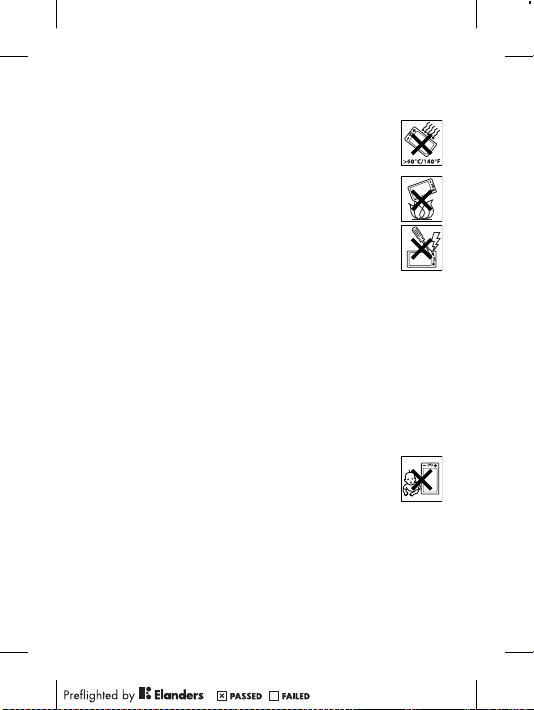
War ning! Ma y exp lode if dispo sed o f i n fir e.
•
Do not e xpo se to liqu id or mo istur e or exc ess h umidi ty.
•
For opti mum perf orman ce, the produ ct sh oul d not
be opera ted in t emper atu res b elow -10°C (+1 4°F) or
abo ve +4 5°C (+113 °F). Do not e xpose the bat tery to
tem perat ure s abo ve +6 0°C (+140 °F).
•
Do not e xpo se to flam es or li t tob acco pro ducts .
•
Do not d rop , thr ow or tr y to bend the p rod uct.
•
Do not p ain t or attem pt to di sasse mble or modif y the
pro duct. On ly So ny Er ics son a uthor ised per sonne l
sho uld p erf orm s ervic e.
•
Con sult wit h aut horis ed medic al st aff a nd the
ins truct ion s of the m edi cal d evice manu fac turer
bef ore u sin g the prod uct near pace maker s o r oth er me dic al
dev ices or equip ment.
•
Dis conti nue use of el ect ronic devi ces, or disab le th e r adio
tra nsmit tin g fun ction ali ty of the devic e, where requ ire d or
req ueste d t o do so.
•
Do not u se where a po ten tiall y exp losiv e a tmosp here exi sts.
•
Do not p lac e the prod uct , or insta ll wi rel ess e quipm ent , in the
are a abo ve an ai r bag in a ca r.
•
Cau tion: Cr acked or b rok en di splay s m ay cr eate sha rp ed ges
or splin ter s tha t cou ld be ha rmful upon co ntact .
•
Do not u se the B lueto oth Head set i n pos iti ons w here it is
unc omfor tab le or will be subj ect t o pre ssu re.
Children
War ning! Ke ep ou t of the reac h of chi ldren . Do not
all ow ch ild ren t o pla y w ith m obile phon es or
acc essor ies . The y cou ld hurt thems elves or othe rs.
Pro ducts ma y con tain sma ll pa rts t hat c oul d bec ome d eta ched
and crea te a cho king haz ard.
Power supply (Charger)
Con nect the char ger t o p ower sourc es as ma rked on th e
pro duct. Do not use o utd oors or in damp ar eas. Do no t a lter or
sub ject the cord to d ama ge or stre ss. U npl ug th e uni t b efore
3
Page 14

cle aning it . Nev er al ter the plug. If i t d oes n ot fi t i nto t he ou tle t,
hav e a p rop er ou tlet ins talle d by an el ect ricia n. Wh en a pow er
sup ply i s c onnec ted t her e is a sma ll dr ain of p ower. To avoi d thi s
sma ll en erg y was te, d isc onnec t the powe r s upply when th e
pro duct is fully char ged . Use of c hargi ng devic es th at are n ot
Son y Eri css on br anded ma y pos e inc rease d s afety risk s.
Battery
New or i dle batt eries ca n hav e sho rt-te rm reduc ed ca pac ity.
Ful ly ch arg e the batt ery befo re in itial us e. Us e for th e int ended
pur pose onl y. Ch arge the batt ery i n tem per ature s bet wee n
+5° C(+41 °F) and +45°C (+1 13°F) . Do not p ut the b atter y i nto
you r mou th. Do n ot le t t he ba ttery cont act s tou ch an oth er me tal
obj ect. Tur n off the pro duct befor e rem ovi ng th e bat ter y.
Per forma nce depe nds o n t emper ature s, si gna l str ength , u sage
pat terns , f eatur es se lec ted a nd vo ice o r d ata t ransm iss ions. Only
Son y Eri css on se rvice pa rtner s sho uld r emo ve or repl ace buil t-in
bat terie s. Use o f bat ter ies t hat a re no t S ony E ricss on brand ed
may pose in creas ed sa fet y ris ks. R eplac e t he ba ttery on ly wi th
ano ther Son y Eri csson ba ttery that has bee n qua lifie d w ith t he
pro duct per the stand ard IEEE -1725 . Use of an u nqual ifi ed
bat tery may pres ent a ri sk of fire , exp los ion, leaka ge or ot her
haz ard.
Personal medical devices
Mob ile p hon es ma y aff ect impl anted medi cal equi pment . R educe
ris k of int erfer ence by keepi ng a minim um dista nce o f
15 cm(6 inc hes) betwe en the p hone and t he devic e. Us e t he
pho ne at yo ur ri ght e ar. Do n ot ca rry t he phone in y our brea st
poc ket. Tur n off the pho ne if you suspe ct inter feren ce. For all
med ical dev ices, cons ult a ph ysici an an d t he ma nufac tur er.
Driving
Som e veh icl e man ufact ure rs fo rbid the u se of ph ones in their
veh icles un less a han dsf ree k it wi th an ex terna l ant enn a sup ports
the inst all ation . Che ck with the v ehicl e m anufa cture r's
rep resen tat ive t o be sur e tha t the mobi le phone or B lue tooth
4
Page 15

han dsfre e w ill n ot af fec t the elec troni c s ystem s in the vehi cle.
Ful l att ent ion s hould be give n to drivi ng at al l tim es and l ocal
law s and re gulat ions res trict ing t he us e o f wir eless de vices whil e
dri ving mus t be obser ved .
GPS/Location based functions
Som e pro duc ts pr ovide GP S/Loc ation base d f uncti ons. Loc ation
det ermin ing func tiona lit y is provi ded “ As is” a nd “W ith all fault s”.
Son y Eri css on do es no t m ake a ny re prese nta tion or wa rra nty a s
to the a ccu racy of su ch locat ion i nform ati on.
Use of l oca tion- based in forma tion by th e d evice may not be
uni nterr upt ed or erro r f ree a nd ma y add iti onall y be dep enden t on
net work ser vice avail abi lity. Plea se no te that funct ion ality may be
red uced or preve nted in certa in en viron men ts su ch as bu ildin g
int erior s o r are as ad jac ent t o bui lding s.
Cau tion: Do not use G PS funct ional ity i n a mann er wh ich
cau ses d ist racti on fr om drivi ng.
Emergency calls
Cal ls ca nno t be guara nte ed un der a ll co ndi tions . Nev er rely
sol ely u pon mobi le ph one s for esse ntial co mmuni catio n. Calls
may not be possi ble i n a ll ar eas, on al l n etwor ks, o r w hen c ertai n
net work ser vices and/ or phone feat ures are used .
Antenna
Use of a nte nna d evice s n ot ma rkete d by Son y Eri csson co uld
dam age t he phone , red uce perf orman ce, a nd produ ce SA R
lev els a bov e the esta bli shed limit s. Do no t cov er th e a ntenn a
wit h you r h and a s thi s a ffect s cal l qua lit y, po wer l eve ls an d can
sho rten tal k and stan dby time s.
Radio Frequency (RF) exposure and Specific Absorption
Rate (SAR)
Whe n the ph one o r Blu eto oth h andsf ree i s t urned on, it emits
low leve ls of ra dio f req uency ener gy. I nte rnati onal saf ety
gui delin es have been dev elope d thr ough per iodic and tho rough
eva luati on of sc ienti fic stud ies. These gu ideli nes e sta blish
5
Page 16

per mitte d l evels of r adi o wav e exp osure . T he gu ideli nes incl ude a
saf ety m arg in de signe d t o ass ure t he sa fet y of all p ers ons a nd to
acc ount for any varia tio ns in meas ureme nts .
Spe cific Ab sorpt ion R ate (SAR ) is used to measu re ra dio
fre quenc y e nergy abso rbe d by the b ody w hen usin g a m obi le
pho ne. T he SAR v alue is deter mined at t he highe st ce rti fied
pow er le vel in l abora tor y con ditio ns, b ut becau se th e p hone is
des igned to use the m ini mum p ower neces sar y to acces s t he
cho sen n etw ork, the a ctu al SA R lev el ca n b e wel l bel ow this
val ue. T her e is no pr oof of d iffer ence in safet y bas ed on
dif feren ce in SA R val ue.
Pro ducts wi th ra dio t ran smitt ers s old i n t he US must be
cer tifie d b y the Fede ral Comm unica tions Co mmiss ion ( FCC ).
Whe n req uir ed, t ests are perf ormed when th e pho ne is pl aced at
the ear and when worn on the body. For bod y-wor n ope rat ion,
the phon e h as be en te ste d whe n pos ition ed a min imum of
15 mm fr om the b ody w ith out a ny me tal p art s in the v ici nity of
the phon e o r whe n pro per ly us ed wi th an ap propr iate
Son y Eri css on ac cesso ry and w orn o n the bo dy.
For more in forma tion abo ut SA R and radi o f reque ncy
exp osure , g o to: www. sonye ricss on. com/h ealth .
Flight mode
Blu etoot h a nd WL AN fu nct ional ity, if av ail able in th e d evice , can
be enabl ed in Fl ight mod e but may be prohi bited on board airc raf t
or in ot her area s whe re radio tran smiss ion s are proh ibi ted. In
suc h env iro nment s, pl eas e see k pro per a uth orisa tion bef ore
ena bling Bl uetoo th or WL AN fu nctio nalit y e ven i n Fli ght mode .
Malware
Mal ware (sh ort f or ma lic ious softw are) is softw are t hat can harm
the mobi le phone or o the r com puter s. Ma lwa re or harm ful
app licat ion s can incl ude viru ses, worms , s pywar e, an d o ther
unw anted pr ogram s. Wh ile the devic e doe s e mploy secu rit y
mea sures to resi st su ch effor ts, S ony E ric sson does not warr ant
or repre sen t tha t the de vice wil l be imp ervio us to th e int roduc tio n
of malwa re. You can h owe ver r educe the ris k of malwa re attac ks
6
Page 17
by using ca re wh en do wnl oadin g con tent or accep ting
app licat ion s, re frain ing from open ing o r r espon ding to messa ges
fro m unk now n sou rces, us ing t rustw orthy se rvice s to acc ess t he
Int ernet , a nd on ly do wnl oadin g con tent to the m obile ph one f rom
kno wn, r eli able sourc es.
Accessories
Use only So ny Er icsso n b rande d ori ginal ac cesso ries and
cer tifie d s ervic e par tne rs. S ony Eric sson doe s not test th ird-p art y
acc essor ies . Acc essor ies may influ ence RF expos ure, rad io
per forma nce , lou dness , e lectr ic sa fety and othe r are as. Thir dpar ty ac ces sorie s and pa rts m ay po se a ris k to your hea lth o r
saf ety o r d ecrea se pe rfo rmanc e.
Accessible Solutions/Special Needs
In the U S, compa tible So ny Er icsso n pho nes may offer
com patib ili ty wi th TT Y t ermin als ( with use of n ecess ary
acc essor y). For more inf ormat ion c all t he Sony Erics son Spec ial
Nee ds Ce nte r on 877 8 78 1996 (TTY) or 8 77 207 2 056 ( voi ce),
or go to www.son yeric sso n-snc .com.
Disposal of old electrical and electronic
equipment
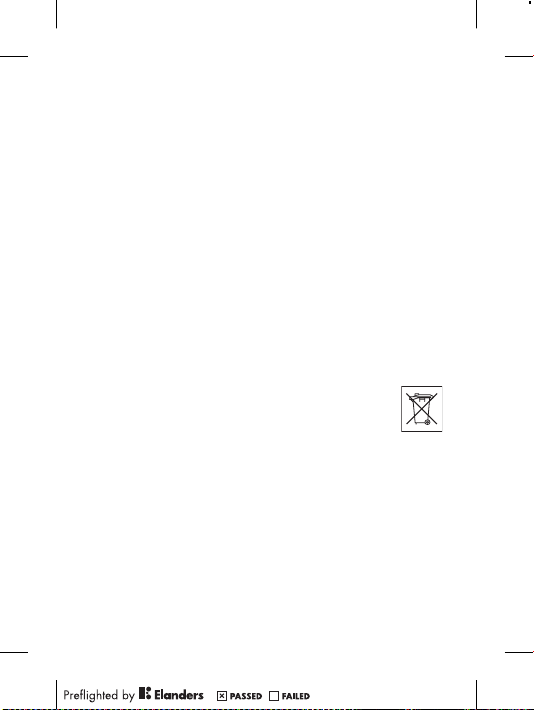
Ele ctron ic equip ment and batt eries shou ld not b e
inc luded as hous ehold wa ste b ut sh ould be left at an
app ropri ate coll ectio n p oint for r ecycl ing . Thi s hel ps preve nt
pot entia l n egati ve co nse quenc es fo r the en viron ment and huma n
hea lth. Che ck lo cal r egu latio ns by cont act ing y our l oca l cit y
off ice, you r hou sehol d w aste dispo sal s erv ice, the s hop wher e
you purc has ed th e pro duc t or calli ng a Son y Eri csson Co ntact
Cen ter. Do not a ttemp t t o rem ove i ntern al batte ries. In terna l
bat terie s s hall be re mov ed on ly by a wa ste trea tment fa cilit y or
tra ined ser vice profe ssi onal.
7
Page 18

Disposing of the battery
Che ck lo cal regu latio ns or ca ll a Sony Eri csson Cont act
Cen ter f or infor matio n. Never use munic ipa l was te.
Memory card
If the p rod uct c omes com plete with a re mov able memor y c ard, it
is gener all y com patib le with the h andse t p urcha sed b ut may n ot
be compa tib le wi th ot her devi ces o r the ca pabil ities of thei r
mem ory c ard s. Ch eck o the r dev ices for c omp atibi lity bef ore
pur chase or use. If t he produ ct is equi ppe d wit h a m emo ry ca rd
rea der, che ck me mor y car d c ompat ibili ty befor e p urcha se or us e.
Mem ory c ard s are gene ral ly fo rmatt ed pr ior to s hippi ng. To
ref ormat th e mem ory c ard , use a co mpati ble devi ce. D o n ot us e
the stan dar d ope ratin g s ystem form at wh en forma tting th e
mem ory c ard on a PC. For deta ils, refer to the opera tin g
ins truct ion s of the d evi ce or cont act c ust omer suppo rt.
Warning!
If the d evi ce re quire s a n ada pter for i nse rtion into th e han dset or
ano ther dev ice, do no t i nsert the card dir ectly with out the
req uired ad apter .
Precautions on memory card use
•
Do not e xpo se th e mem ory card to m oistu re.
•
Do not t ouc h ter minal co nnect ions with you r han d or any meta l
obj ect.
•
Do not s tri ke, b end, or drop the m emory ca rd.
•
Do not a tte mpt t o dis ass emble or m odify th e mem ory c ard .
•
Do not u se or st ore t he memor y car d in hum id or corr osi ve
loc ation s o r in exces siv e hea t suc h as a c losed car in summe r,
in direc t s unlig ht or ne ar a heate r, et c.
•
Do not p res s or bend the end of th e mem ory card adap ter with
exc essiv e f orce.
•
Do not l et dirt, dust , o r for eign objec ts get i nto t he inser t por t
of any m emo ry ca rd ad apt er.
•
Che ck yo u h ave i nsert ed the m emory card co rrect ly.
8
Page 19

•
Ins ert t he memor y car d a s far as i t wil l g o int o any me mory
car d ada pte r nee ded. The memo ry ca rd ma y n ot op erate
pro perly un less fully in serte d.
•
We recom men d tha t you ma ke a backu p cop y o f imp ortan t
dat a. We ar e not resp ons ible for a ny lo ss or da mage to conte nt
you stor e o n the memo ry card.
•
Rec orded da ta ma y be dam aged or lo st wh en you r emove th e
mem ory c ard or m emory ca rd ad apter , tur n o ff th e pow er while
for matti ng, read ing o r w ritin g dat a, or us e the memo ry card in
loc ation s s ubjec t to sta tic e lectr icity or high elec tri cal f ield
emi ssion s.
Protection of personal information
Era se pe rso nal d ata b efo re di sposi ng of th e pro duct. To dele te
dat a, pe rfo rm a maste r r eset. Dele ting dat a fro m the ph one
mem ory d oes not ensur e t hat i t can not b e r ecove red.
Son y Eri css on do es no t w arran t aga inst rec overy of i nfo rmati on
and does no t ass ume r esp onsib ility for dis closu re of an y
inf ormat ion even afte r a mast er re set.
Loudness warning!
Avo id vo lum e lev els t hat may be ha rmful to your hear ing .
End User Licence Agreement
Sof tware de liver ed wi th this devic e and it s med ia is ow ned b y
Son y Eri css on Mo bile Com munic ation s AB, an d/or its a ffi liate d
com panie s a nd it s sup pli ers a nd li censo rs.
Son y Eri css on gr ants you a no n-exc lusiv e l imite d lic enc e to
use the Sof tware sole ly in co njunc tion wit h the Devi ce on wh ich
it is in sta lled or de liv ered. Owne rship of the Softw are is n ot so ld,
tra nsfer red or o therw ise conv eyed.
Do not u se any m eans to disco ver t he so urc e cod e or any
com ponen t o f the Soft war e, re produ ce an d d istri bute the
Sof tware , o r mod ify t he Softw are. You a re entit led t o t ransf er
rig hts a nd oblig ation s t o the Soft ware to a thi rd pa rty , sol ely
tog ether wi th th e Dev ice with whic h you re ceive d the So ftwar e,
9
Page 20

pro vided th e thi rd pa rty agre es in writ ing to b e bou nd by th e
ter ms of th is Li cence .
Thi s lic enc e exi sts t hro ughou t the usef ul life of th is Devic e. It
can be t erm inate d by tra nsfer ring your rig hts t o the De vice to a
thi rd pa rty in w ritin g.
Fai lure to compl y wit h a ny of thes e ter ms and c ondit ion s wil l
ter minat e t he li cence im media tely.
Son y Eri css on an d its th ird p arty suppl ier s and lice nso rs re tain
all righ ts, titl e and in teres t in and t o t he So ftwar e. To th e ext ent
tha t the So ftwar e con tai ns ma teria l or cod e of a thi rd party , suc h
thi rd pa rti es sh all b e b enefi ciari es of th ese t erms.
Thi s lic enc e is gover ned by t he la ws of Sw eden. When
app licab le, the foreg oin g app lies to st atu tory consu mer righ ts.
In the e ven t Sof tware ac compa nying or p rov ided in
con junct ion with your de vice is pr ovide d w ith a dditi ona l ter ms
and cond iti ons, such pro visio ns sh all a lso gove rn yo ur
pos sessi on and u sage of the S oftwa re.
Export regulations
Exp ort r egu latio ns: T his prod uct, inclu din g any soft war e or
tec hnica l d ata c ontai ned in o r acc ompan yin g the prod uct , may
be subje ct to im port and expo rt re gulat ion s of the E uro pean
Uni on, t he Unite d Sta tes and other coun tri es. T he us er and a ny
pos sesso r o f the prod uct agre es to comp ly stric tly w ith all such
reg ulati ons and ackno wle dges that it is th eir r espon sib ility to
obt ain a ny requi red l ice nses to ex port, re -expo rt, o r i mport this
pro duct. Wi thout limi tin g the fore going , a nd as an e xam ple, the
use r and an y pos sesso r o f the prod uct: (1) must not kno wingl y
exp ort o r r e-exp ort P rod ucts to de stina tio ns id entif ied purs uant
to Artic les in C hapte r I I of Europ ean C oun cil R egula tio n (EC )
133 4/200 0; (2), must com ply w ith U .S. g ove rnmen t Exp ort
Adm inist rat ion R egula tio ns (" EAR", 15 C .F. R. §§ 730- 774 , htt p://
www .bis. doc .gov/ ) ad min ister ed by Depa rtm ent o f Com mer ce,
Bur eau o f I ndust ry an d S ecuri ty; a nd (3 ) m ust c omply wi th
eco nomic sa nctio ns re gul ation s (30 C.F. R. §§ 50 0 et. se q.,.,
htt p://w ww. treas .gov/ off ices/ enfor cemen t/o fac/) admi nis tered by
10
Page 21

the U.S. De partm ent o f T reasu ry, O ffice of Fore ign A sse ts
Con trol. Th e use r and an y pos sesso r of the prod uct m ay not
tra nspor t o r del iver the prod uct, its a cce ssori es or se parat e
sof tware to any count ry, regi on, e ntity or pers on pr ohi bited by
the se re gul ation s.
Limited Warranty
Son y Eri css on Mo bile Com munic ation s AB, SE -221 88 Lu nd,
Swe den, (So ny Er icsso n) or it s loc al af fil iated comp any , pro vides
thi s Lim ite d War ranty fo r you r mob ile p hon e, or igina l a ccess ory
del ivere d w ith y our m obi le ph one, and/o r y our m obile co mputi ng
pro duct (he reina fter ref erred to a s “Pr odu ct”).
Sho uld y our Prod uct n eed warr anty servi ce, plea se re tur n it to
the deal er from whom it was p urcha sed, or conta ct yo ur local
Son y Eri css on Co ntact Ce nter (nati onal rat es ma y app ly) or v isit
www .sony eri csson .com to ge t fur the r inf ormat ion .
Our warranty
Sub ject to the c ondit ion s of this Limit ed Warra nty, Son y Eri csson
war rants th is Pr oduct to be f ree f rom d efe cts i n des ign , mat erial
and work man ship at th e t ime o f its orig ina l pur chase by a
con sumer . T his L imite d W arran ty wi ll la st for a peri od of tw o (2)
yea rs as fr om th e ori gin al da te of purc has e of the P rod uct f or
you r mob ile phon e, an d f or a perio d of one (1) year fol lowin g the
ori ginal pu rchas e dat e o f the Prod uct f or all o rigin al acces sorie s
(su ch as th e bat tery, ch arger or h andsf ree kit) whic h m ay be
del ivere d w ith y our m obi le ph one.
What we will do
If, duri ng the w arran ty perio d, th is Pr odu ct fa ils t o o perat e und er
nor mal u se and s ervic e, due t o def ects in desig n, ma ter ials or
wor kmans hip , Son y Eri css on au thori sed d ist ribut ors o r s ervic e
par tners , i n the coun try /regi on* w here you purc hased th e
Pro duct, wi ll, a t the ir optio n, ei ther rep air o r rep lac e the Prod uct
in accor dan ce wi th th e t erms and c ondit ion s sti pulat ed herei n.
11
Page 22

Son y Eri css on an d its se rvice part ners res erve the r igh t to
cha rge a ha ndlin g fee if a re turne d Pro duc t is found no t to be
und er wa rra nty a ccord ing to t he co nditi ons belo w.
Ple ase n ote that some of your pers onal set tings , dow nlo ads
and othe r i nform ation ma y be lost when you r Son y Eri css on
Pro duct is repai red o r r eplac ed. A t pre sen t, So ny Er ics son m ay
be preve nte d by appli cab le la w, ot her r egu latio n or tec hnica l
res trict ion s fro m mak ing a ba ckup copy of certa in do wnl oads.
Son y Eri css on do es no t t ake a ny re spons ibi lity for a ny lost
inf ormat ion of a ny ki nd and w ill n ot re imb urse you f or any s uch
los s. Yo u s hould alwa ys make backu p cop ies of a ll th e
inf ormat ion stor ed on yo ur So ny Er icsso n P roduc t suc h a s
dow nload s, calen dar a nd conta cts b efore ha nding in y our
Son y Eri css on Pr oduct fo r rep air o r rep lac ement .
Conditions
1.
Thi s Lim ite d War ranty is vali d onl y if the orig inal pro of of
pur chase fo r thi s Pro duc t iss ued b y a S ony Eric sson aut horis ed
dea ler s pec ifyin g the da te of purc hase and seri al nu mbe r**, is
pre sente d w ith t he Pr odu ct to be r epair ed or re place d.
Son y Eri css on re serve s t he ri ght t o ref use warr anty ser vice if
thi s inf orm ation has bee n rem oved or ch ang ed af ter t he origi nal
pur chase of the Produ ct from the d ealer .
2.
If Sony Eri csson repa irs or r eplac es th e P roduc t, th e r epair for
the defe ct conce rned, or the repla ced P rod uct s hall be
war rante d f or th e rem ain ing t ime o f the or igina l war ran ty pe riod
or for n ine ty (9 0) da ys from the d ate o f r epair , whi che ver i s
lon ger. Rep air o r rep lac ement may invol ve the u se of
fun ction all y equ ivale nt recon ditio ned u nit s. Re place d p arts or
com ponen ts will becom e t he pr opert y of Son y Eri csson .
3.
Thi s war ran ty do es no t c over any f ailur e o f the Prod uct due to
nor mal w ear and tear, or due to mi suse, in cludi ng bu t n ot
lim ited to use i n oth er than the n ormal an d cus tomar y m anner ,
in accor dan ce wi th th e S ony E ricss on in str uctio ns fo r u se an d
mai ntena nce of t he Pr odu ct. N or do es th is warra nty c ove r any
fai lure of the P roduc t d ue to acci dent, so ftwar e or har dware
12
Page 23

mod ifica tio n or adjus tme nt, a cts o f God or dama ge re sul ting
fro m liq uid .
A r echar gea ble b atter y c an be char ged a nd disch arged mo re
tha n a h und red t imes. Ho wever , it will eve ntual ly we ar out –
thi s is not a de fect and corr espon ds to no rmal wear and tear .
Whe n the ta lk-ti me or st andby time is n oti ceabl y sho rte r, it is
tim e to rep lace the b att ery. Sony Erics son reco mmend s t hat
you use onl y bat terie s a nd ch arger s app rov ed by
Son y Eri css on.
Min or va ria tions in d isp lay b right ness and colo ur ma y o ccur
bet ween pho nes. There ma y be tiny brigh t o r dar k dot s o n the
dis play. Th ese a re ca lle d def ectiv e pix els and occur wh en
ind ividu al dots have mal funct ioned and can not be ad jus ted.
Two defe cti ve pi xels are deem ed ac cepta ble .
Min or va ria tions in c ame ra im age a ppear anc e may occu r
bet ween pho nes. This is nothi ng un commo n a nd is not
reg arded as a de fecti ve camer a mod ule.
4.
Sin ce th e c ellul ar sy ste m on which the Pro duct is to op erate is
pro vided by a ca rrier in depen dent from Son y Eri csson ,
Son y Eri css on wi ll no t b e res ponsi ble f or the o perat ion ,
ava ilabi lit y, co verag e, servi ces o r ran ge of th at sy ste m.
5.
Thi s war ran ty do es no t c over Produ ct fa ilu res c aused by
ins talla tio ns, m odifi cat ions, or r epair or open ing o f t he Pr oduct
per forme d b y a n on-So ny Erics son a uthor ise d per son.
6.
The warr ant y doe s not co ver P roduc t fai lur es wh ich h ave been
cau sed b y u se of acce sso ries or ot her p eri phera l dev ice s whi ch
are not Son y Eri csson br anded orig inal acc essor ies i nte nded
for use wit h the Prod uct .
Son y Eri css on di sclai ms any a nd al l war ran ties, whet her
exp ress or impli ed, f or failu res c aused to the Produ ct or
per ipher al devic es as a resul t of virus es, troj an ho rse s,
spy ware, or othe r mal ici ous s oftwa re. S ony Eric sson str ongly
rec ommen ds that you i nst all a pprop riate vi rus p rotec tio n
sof tware on your Prod uct and any p eriph era l dev ices
con necte d t o it, as a vai lable , and upda te it re gular ly, to b etter
pro tect you r dev ice. It is un derst ood, how ever, that su ch
sof tware wi ll ne ver f ull y pro tect your Pro duct or it s p eriph eral
13
Page 24

dev ices and Sony Eric sso n dis claim s all wa rrant ies, whe ther
exp ress or impli ed, i n c ase o f fai lure by such antiv iru s sof tware
to fulfi l i ts in tende d p urpos e.
7.
Tam perin g w ith a ny of th e sea ls on the Pro duct will voi d the
war ranty .
8.
THE RE AR E N O EXP RESS WAR RANTI ES, W HETHE R W RITTE N
OR ORAL, OT HER T HAN T HIS PRIN TED L IMITE D W ARRAN TY.
ALL IMPL IED WARR ANTIE S, INCLU DING WITHO UT
LIM ITATI ON THE I MPLIE D W ARRAN TIES OF
MER CHANT ABI LITY OR FI TNE SS FO R A P ARTIC ULA R
PUR POSE, AR E LIM ITED TO THE D URATI ON OF TH IS LI MITED
WAR RANTY . I N NO EVENT SH ALL S ONY E RICSS ON OR IT S
LIC ENSOR S B E LIA BLE F OR INCID ENTAL OR
CON SEQUE NTI AL DA MAGES OF ANY NATUR E WHA TSO EVER,
INC LUDIN G B UT NO T LIM ITE D TO LOST PROFI TS OR
COM MERCI AL LOSS TO TH E F ULL E XTENT THOS E D AMAGE S
CAN BE D ISC LAIME D BY LAW .
Som e cou ntr ies/s tates do not allow the exc lusio n or lim itati on of
inc ident al or co nsequ ent ial d amage s, or li mitat ion o f t he du ratio n
of impli ed warra nties , s o the prec eding li mitat ions or exclu sions
may not app ly to you.
The warr ant y pro vided do es no t aff ect t he consu mer’s
sta tutor y r ights unde r a pplic able legis lat ion i n for ce, nor the
con sumer ’s right s aga ins t the deal er ar isi ng fr om th eir sale s /
pur chase co ntrac t.
*Geographical scope of the warranty
If you h ave purc hased yo ur Pr oduct in a co untry memb er of th e
Eur opean Ec onomi c Are a ( EEA) or in Swit zer land or th e R epubl ic
of Turke y, and s uch P rod uct w as in tende d f or sa le in th e EEA or
in Switz erl and o r in Tur key, you c an ha ve your Produ ct servi ced
in any E EA count ry or in Swit zerla nd or in Turk ey, u nde r the
war ranty co nditi ons p rev ailin g in the c oun try i n whi ch you r equir e
ser vicin g, provi ded t hat an i denti cal P rod uct i s sol d i n suc h
cou ntry by an au thori sed Sony Eric sson dis tribu tor. To find out i f
you r Pro duc t is sold in the c ountr y you ar e in, plea se call the
loc al So ny Erics son C ont act C enter . Ple ase obse rve t hat cert ain
14
Page 25

ser vices ma y not be a vai lable outs ide t he count ry of or igina l
pur chase , f or ex ample , d ue to the fact tha t you r Pro duc t may
hav e an int erior or e xte rior which is d iff erent from eq uival ent
mod els s old in o ther cou ntrie s. Pl ease not e in addit ion that it
may some tim es no t be pos sible to r epair SI M-loc ked P rod ucts.
** In so me count ries/ reg ions addit ional in forma tion (su ch as a
val id wa rra nty c ard) may be r eques ted.
Trademarks and acknowledgements
The Liqu id Ident ity l ogo and Xperi a are tr adema rks o r r egist ered
tra demar ks of So ny Er ics son M obile Comm uni catio ns AB .
Son y is a t radem ark o r a regi stere d tra dem ark o f Son y
Cor porat ion .
Eri csson is a tr adema rk or re giste red t rad emark of
Tel efona kti ebola get L M E ricss on.
Blu etoot h i s a t radem ark or a regi stere d t radem ark o f B lueto oth
SIG Inc. an d any use of such mark by So ny Erics son i s u nder
lic ense.
Oth er pr odu ct an d com pan y nam es me ntion ed herei n may be the
tra demar ks of th eir r esp ectiv e own ers.
Any righ ts not e xpres sly gran ted h erein ar e res erved .
15
Page 26
Support
Ang uilla 1-8 00-080- 9518
Ant igua an d
Bar buda
Arg entina 0 800-333 -7427
Aus tralia 130 0 650-0 50
The Bahama s 1-8 00-205- 6062
Bar bados 1- 800-0 82-9518
Bel gique/
Bel gië
Bel ize AN 815, P IN 55 97
Ber muda 1-80 0-083 -951 8
Bol ivia 800 -100-54 2
Bra sil 400 1-0444
Can ada 1 8 66 766 9374
Cay man
Isl ands
Cen tral an d
Sou thern
Afr ica
Čes ká
rep ublika
Chi le 800 -646-42 5
Col ombia 0 1800- 0966-08 0
Cos ta Rica 0 8 00 011 0400
Dan mark 333 1 282 8 quest ions. DK@supp ort.s onyeric sson. com
(To ll Free )
1-8 00-081- 9518
(To ll Free )
(nú mero gr atuit o)
(To ll Free )
(To ll Free )
(To ll Free )
02- 0745 16 11 que stion s.BE@ supp ort.s onyeric sson. com
(To ll Free )
(To ll Free )
(nú mero gr atuit o)
(li gação g ratui ta)
(To ll Free / sa ns
fra is)
1-8 00-084- 9518
(To ll Free )
+27 11 506 0123 que stions. CF@su pport.s onyer icsson. com
844 550 05 5 qu estions .CZ@s upport. sonye rics son.c om
(nú mero gr atuit o)
(nú mero gr atuit o)
(nú mero gr atuit o)
16
que stions. CO@su pport.s onyer icsson. com
que stions. CO@su pport.s onyer icsson. com
que stions. CO@su pport.s onyer icsson. com
que stions. AU@su pport.s onyer icsson. com
que stions. CO@su pport.s onyer icsson. com
que stions. CO@su pport.s onyer icsson. com
que stions. CO@su pport.s onyer icsson. com
que stions. CO@su pport.s onyer icsson. com
que stions. CO@su pport.s onyer icsson. com
que stions. BR@su pport.s onyer icsson. com
que stions. CA@su pport.s onyer icsson. com
que stions. CO@su pport.s onyer icsson. com
que stions. CO@su pport.s onyer icsson. com
que stions. CO@su pport.s onyer icsson. com
que stions. CO@su pport.s onyer icsson. com
Page 27
Deu tschlan d 0 180 534 2 020
Dom inica 1-8 00-085- 9518
Ecu ador 1-800- 0102- 50
Ees ti 06 0 32 03 2 qu estions .EE@s uppo rt.so nyeri csso n.com
Egy pt/ مصر
Ελλ άδα
El Salvado r 80 0-632 3 (núme ro
Esp aña 902 180 57 6
Fra nce 09 69 32 21 21
Gua temala 1- 800-3 00-0 057
Haï ti/Ayit i AN 193, PI N 559 8
Hon duras AN 8000 122, PIN
Hon g Kong/ 香港+85 2 8203 8863 quest ions. HK@s uppor t.sonye ricss on.com
Hrv atska 062 000 0 00 qu estio ns.H R@sup port. sony erics son.com
Ind ia/ 1 800 1 1 18 00 (T oll
Ind onesia 02 1 27013 88 qu esti ons.I D@sup port .sony erics son. com
Ire land 1850 545 888
Ita lia 06 4889520 6
Jam aica 1-80 0-44 2-347 1
(or tsüblic he
Geb ühren)
(To ll Free )
(nú mero gr atuit o)
167 27 que stions. EG@su pport.s onyer icsson. com
801 11 810 810
+30 210 89 9 19
19 (από κι νητ ό
τηλ έφωνο )
gra tuito)
(ta rifa lo cal)
09 69 32 2 1 22
(Xp eria™
uni quement )
(nú mero gr atuit o)
(nu méro gr atuit /
nim ewo gra tis)
559 9 (núme ro
gra tuito)
Fre e)
+91 (011)
390 11111
(Lo cal rat e)
(ta riffa l ocale )
(To ll Free )
que stions. DE@su pport.s onyer icsson. com
que stions. CO@su pport.s onyer icsson. com
que stions. CO@su pport.s onyer icsson. com
que stions. GR@su pport.s onyer icsson. com
que stions. CO@su pport.s onyer icsson. com
que stions. ES@su pport.s onyer icsson. com
que stions. FR@su pport.s onyer icsson. com
que stions. CO@su pport.s onyer icsson. com
que stions. CO@su pport.s onyer icsson. com
que stions. CO@su pport.s onyer icsson. com
que stions. IN@su pport.s onyer icsson. com
que stions. IE@su pport.s onyer icsson. com
que stions. IT@su pport.s onyer icsson. com
que stions. CO@su pport.s onyer icsson. com
17
Page 28
Κύπ ρος/
Kıb rıs
Lat vija 67 21 43 01 que stions. LV@su pport.s onyer icsson. com
Lie tuva 8 700 5503 0 q uesti ons.LT@ suppo rt.s onyer icsso n.co m
Mag yarorsz ág 01 8 80 4 7 47 que stion s.HU @supp ort.son yeric sson.co m
Mal aysia 1800 -88-990 0
Mar oc/
Méx ico 0 18 00 00 0 472 2
Ned erland 0 900 8 99831 8 que stions. NL@su pport.s onyer icsson. com
Ned erlands e
Ant illen
New Zealan d 080 0-100 -150
Nic aragua AN 1800- 0166,
Nor ge 815 00 840
Öst erreich 0 810 2 00 24 5 que stions. AT@su pport.s onyer icsson. com
Pak istan/
Pan amá 00 800-7 87-00 09
Par aguay 009 800 54 2003 2
Per ú 0800- 532-3 8
Phi lippine s/
Pil ipinas
Pol ska +48 22 22 7 7 444 que stion s.PL @supp ort.s onye ricss on.com
Por tugal 8 08 20 4 46 6
Rep ública
Dom inicana
Rom ânia +4 0 21 40 1 040 1 que stio ns.RO @supp ort. sonye ricsson .com
Sai nt Kitt s
and Nevis
080 0 90 90 9 quest ions. CY@supp ort.s onye ricss on.co m
(To ll Free / be bas
tol )
+21 2 2 295 8 344 ques tions.M A@sup port.so nyeri csson.c om
المغرب
(nú mero gr atuit o)
001 -866-50 9-866 0
(gr atis nu mmer)
(To ll Free )
PIN 5600 ( númer o
gra tuito)
(lo kaltaks t)
021 - 111 22 55 7 3 quest ions. PK@su ppor t.son yericss on.co m
پاکستان
(nú mero gr atuit o)
(nú mero gr atuit o)
(nú mero gr atuit o)
+63 2 7891 860 ques tions .PH@sup port. sonyeri csson .com
(ch amada l ocal)
1-8 00-751- 3370
(nú mero gr atuit o)
1-8 00-087- 9518
(To ll Free )
que stions. MY@su pport.s onyer icsson. com
que stions. MX@su pport.s onyer icsson. com
que stions. CO@su pport.s onyer icsson. com
que stions. NZ@su pport.s onyer icsson. com
que stions. CO@su pport.s onyer icsson. com
que stions. NO@su pport.s onyer icsson. com
que stions. CO@su pport.s onyer icsson. com
que stions. CO@su pport.s onyer icsson. com
que stions. CO@su pport.s onyer icsson. com
que stions. PT@su pport.s onyer icsson. com
que stions. CO@su pport.s onyer icsson. com
que stions. CO@su pport.s onyer icsson. com
18
Page 29
Sai nt Vinc ent
and the
Gre nadines
Sch weiz/
Sui sse/
Svi zzera
Sin gapore +65 67 44 07 33 que stions. SG@su pport.s onyer icss on.co m
Slo venia 01 6 00 50 00 qu estio ns.SI@s uppor t.sonye ricss on.c om
Slo vensko 0 2 544 3 644 3 qu estio ns.SK@s uppor t.sonye ricss on.c om
Sou th Afri ca 0861 6322 22 ques tions .ZA@ suppo rt.so nyer icsso n.com
Sou th Κore a/
대한민 국
Suo mi 0 9 299 200 0 qu estio ns.FI @sup port. sonye rics son.c om
Sve rige 0 13 2 4 45 00
Tri nidad a nd
Tob ago
Tür kiye + 90 21 2 473 77 7 7 q uesti ons. TR@su pport .son yeric sson.co m
Uni ted
Kin gdom
Uni ted Sta tes 1 86 6 766 9374 q uesti ons.US@ suppo rt.s onyer icsso n.co m
Uru guay 0 00-401- 787-0 13
Ven ezuela 0-800- 1-00- 2250
Việ t Nam 1 900 1 525 ( miễn
Бел арусь
Бъл гария
Рос сия
Укр аїна
中国
台灣
ไทย
1-8 00-088- 9518
(To ll Free )
084 8 824 0 40 ques tions.C H@sup port.so nyeri csson.c om
(+8 2) 1588 4170 quest ions. KO@s uppor t.sonye ricss on.com
(lo kal tax a)
1-8 00-080- 9521
(To ll Free )
087 05 237 237
(Lo cal rat e)
(nú mero gr atuit o)
(nú mero gr atuit o)
phí )
8 8 2 00 36 1 000 1 q uesti ons.B Y@su pport .sony eric sson. com
080 0 1 877 8 ques tion s.BG@ suppo rt.s onyer icsso n.co m
+7 (495) 7 87098 6 que stio ns.RU @supp ort. sonye ricss on.c om
(+3 80) 44 590
151 5
+97 1 4 391 9 880 quest ions. JO@supp ort.s onyeric sson. com
الأردن
+97 1 4 391 9 880
الإمارات
(UA E)
العربية
المتحدة
+97 1 4 391 9 880 ques tions .KW@s uppo rt.so nyerics son.c om
الكويت
800 -8200-7 27 qu estions .SA@s upport. sonye rics son.c om
المملكة
العربية
السعودية
+86 400 81 0 000 0 questi ons.C N@sup port .sony ericsso n.com
+88 6 2 256 25511 quest ions .TW@s uppor t.so nyeri csson.c om
02 2483 03 0 q uesti ons.TH@ suppo rt.sony erics son.com
que stions. CO@su pport.s onyer icsson. com
que stions. SE@su pport.s onyer icsson. com
que stions. CO@su pport.s onyer icsson. com
que stions. GB@su pport.s onyer icsson. com
que stions. CO@su pport.s onyer icsson. com
que stions. CO@su pport.s onyer icsson. com
que stions. VN@su pport.s onyer icsson. com
que stions. UA@su pport.s onyer icsson. com
que stions. AE@su pport.s onyer icsson. com
19
Page 30
www.sonyericsson.com
Sony Ericsson Mobile Communications AB
SE-221 88 Lund, Sweden
1222-9269.2
 Loading...