

Page 1
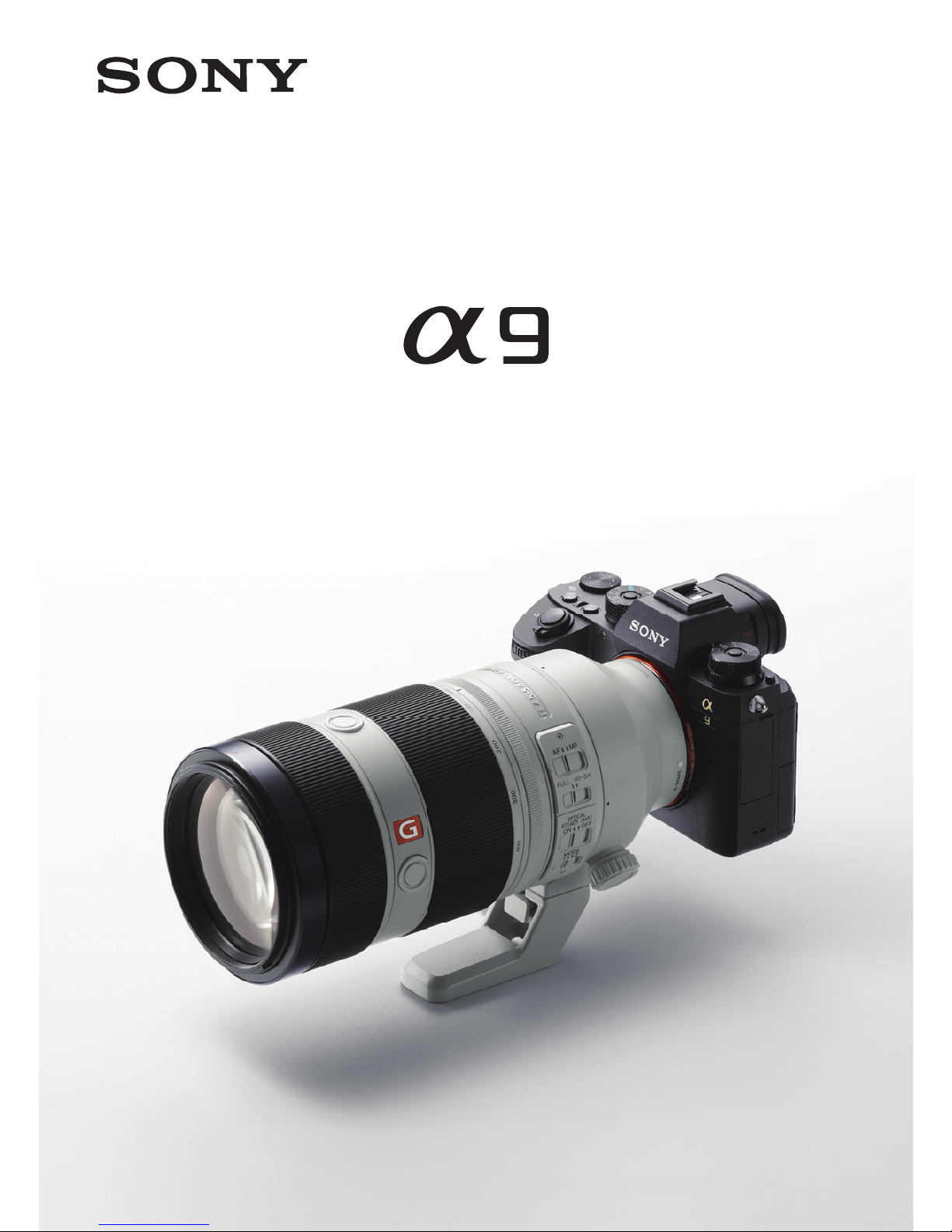
AF Setup Quick Guide
Page 2

Introduction
This Quick Guide provides a number of sample AF setups
that can help make the most of the advanced AF capabilities
offered by the α9 in a variety of situations.
• The settings given may not be suitable for all photographic
situations.
• The content of this guide applies to camera sof tware
version 1.01.
• Specifications listed in this Quick Guide may change
without notice in accordance with future updates and
improvements.
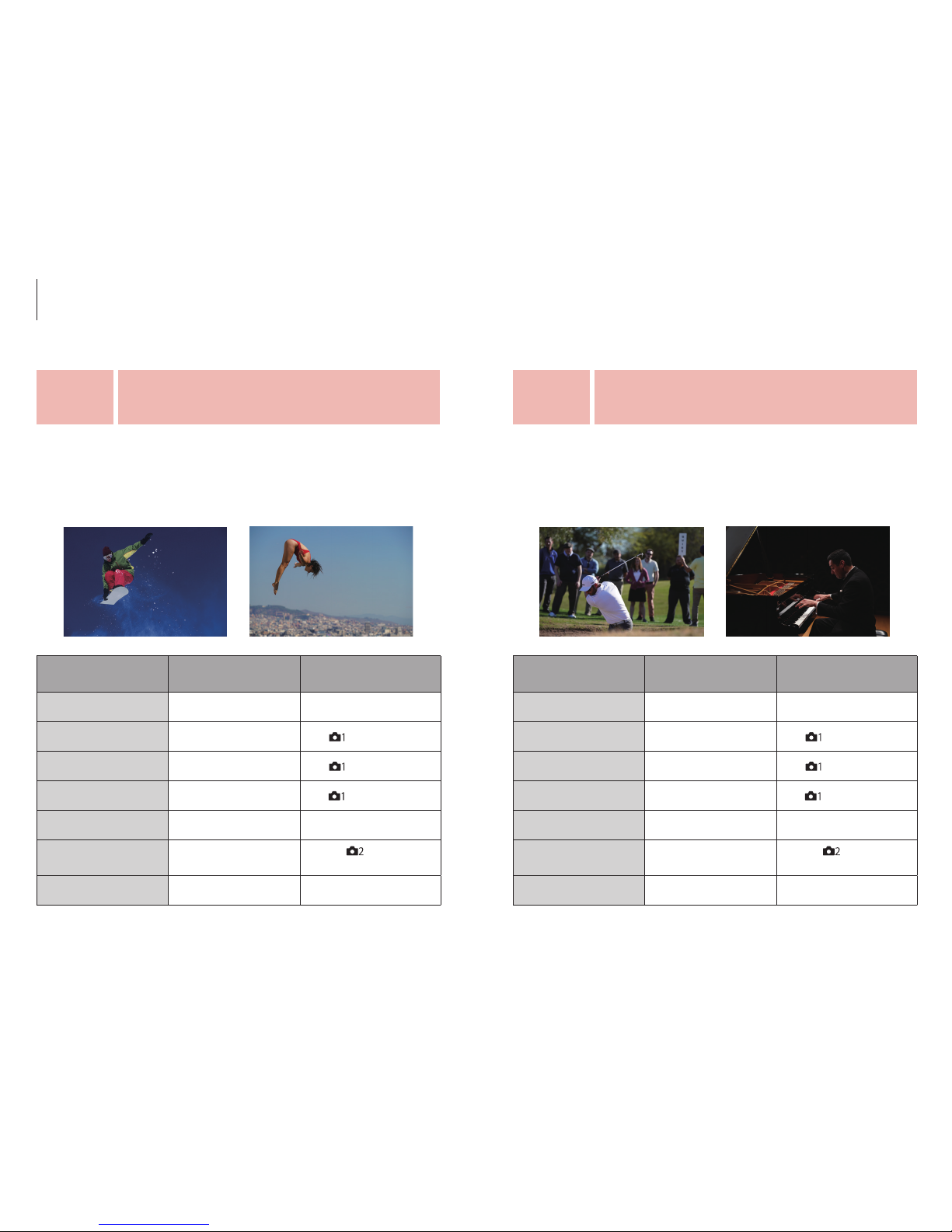
• Photographs are provided to illustrate the situations
described in this guide, not to serve as sample a9 images.
Refer to the camera owner’s manual or information provided on relevant
Sony websites for operating details and specifications.
Product page: http://www.sony.net/ilce-9
Help guide: http://helpguide.sony.net/ilc/1650/v1/h_zz/
Contents
Frequently used focus controls
p.4
Main focus settings
p.6
Menu structure
p.10
Recommended settings for events and subjects
pp.11-28
Recommended settings by scene type
pp. 29-35
Silent shutter
p.42
FTP file transfer
p.43
Custom settings
pp.36-42
Customizing the button settings
p.36
Recall Custom Set ting During Hold
pp. 37-38
My Menu
p.39
Customizing the Fn (Function) button
p.40
Customizing the Eye A F
p.41
2 3
Page 3
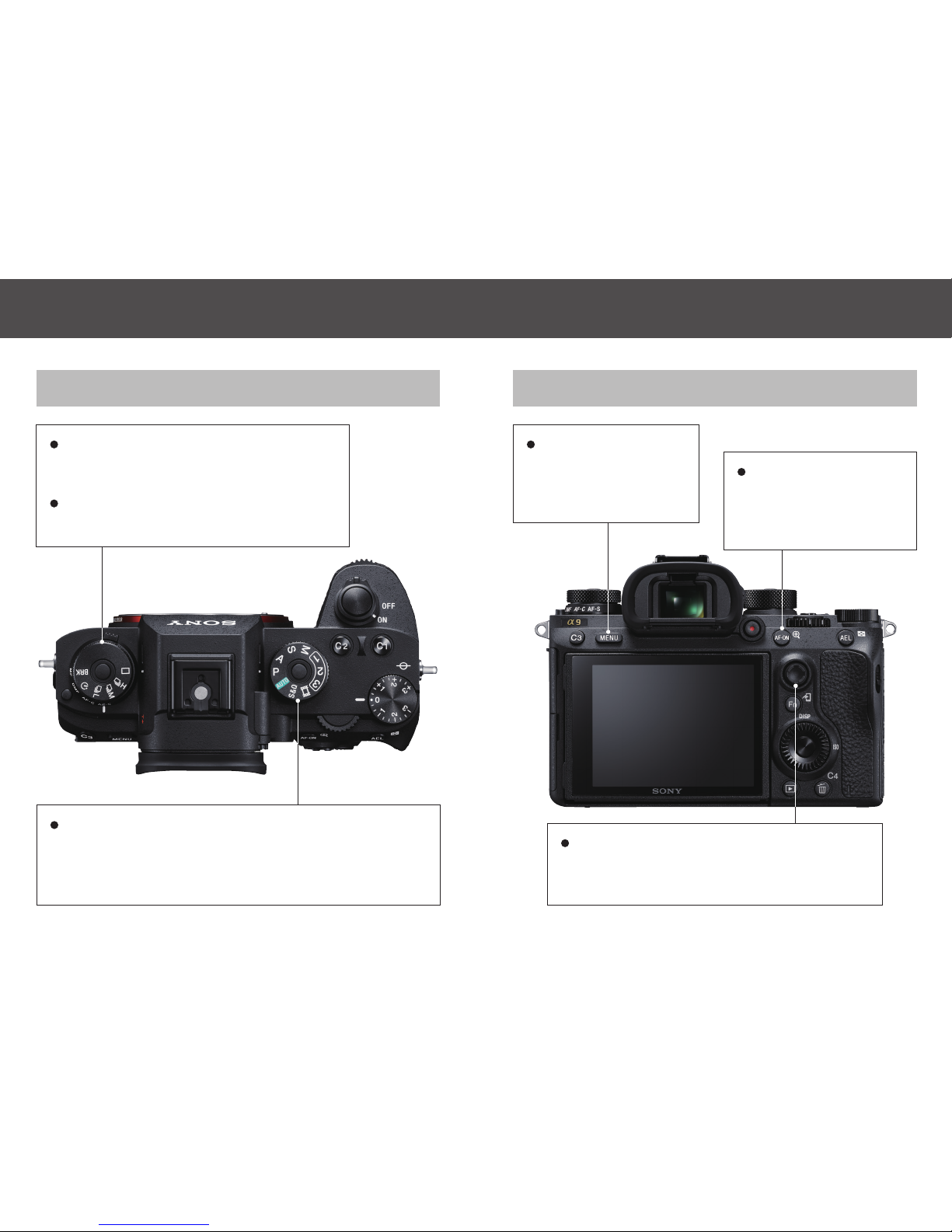
Top Rear
MENU button
Camera Settings /
Network / Playback /
Setup / My Menu
AF On button
Focus without pressing
the shutter button
halfway down.
Mode dial
Intelligent Auto / P (Program Auto) / A (Aperture Priority)
/ S (Shutter Priority) / M (Manual Exposure) / 1/2/3
(Memory recall) / Movie / S&Q (Slow&Quick Motion)
Multi-selector
Move the focus area by pressing the multiselector up / down / lef t / right.
Upper: Drive mode dial
Single Shooting / Hi, Mid, Lo Cont.
Shooting / Self-timer / Bracket
Lower: Focus mode dial
AF-S / AF-C / DMF / MF
Frequently used focus controls
4 5
Page 4
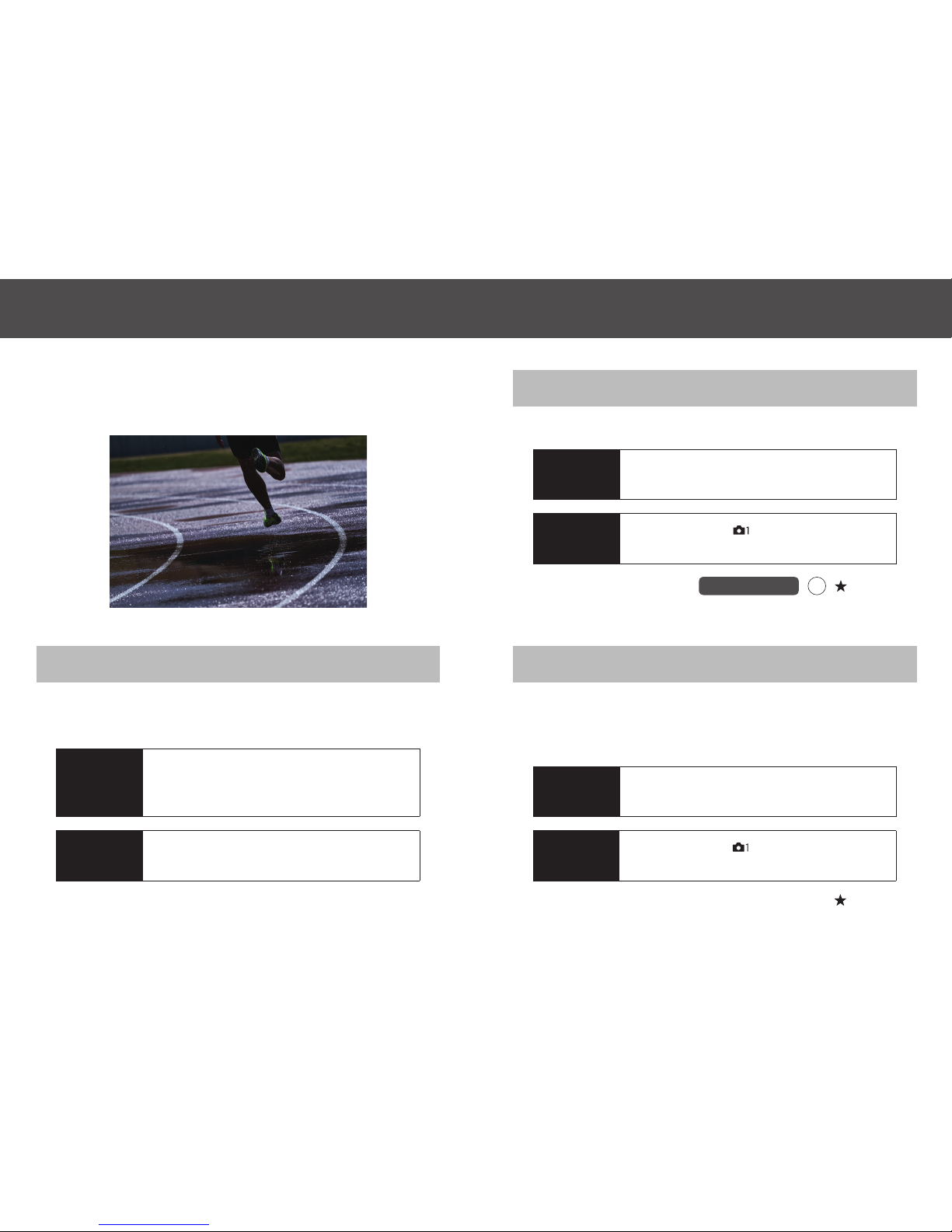
The recommended focus setups described on pages 11 through
35 include the following focus settings.
Selects the focus area.
Focus Area
Custo m key (Sho ot.)
(My Menu)
Assignable to
Assignable to
Procedure
MENU button - [ ] 4 / 13 (AF1) -
[Focus Area]
Determines whether the shutter will release if the subject is not
in focus when continuous AF is activated and the subject is in
motion.
Priority Set in AF-C
(My Menu)
Procedure
MENU button - [ ] 4 / 13 (AF1) -
[Priority Set in AF-C]
Use this set ting to select the focus mode that best suits the
subject and subject motion.
Focus Mode
Procedure
Rotate the Focus Mode dial
Available
Settings
AF-S (Single-shot AF) / AF-C (Continuous
AF) / DMF (Direct Manual Focus) / MF
(Manual Focus)
Available
Settings
Wide / Zone / Center / Flexible Spot: S, M,
L / Expand Flexible Spot / Lock-on AF
Available
Settings
AF / Release / Balanced Emphasis
Fn
Main focus settings
6 7
Page 5
Available
Settings
5 (Responsive) / 4 / 3 (Standard) / 2 / 1
(Locked on)
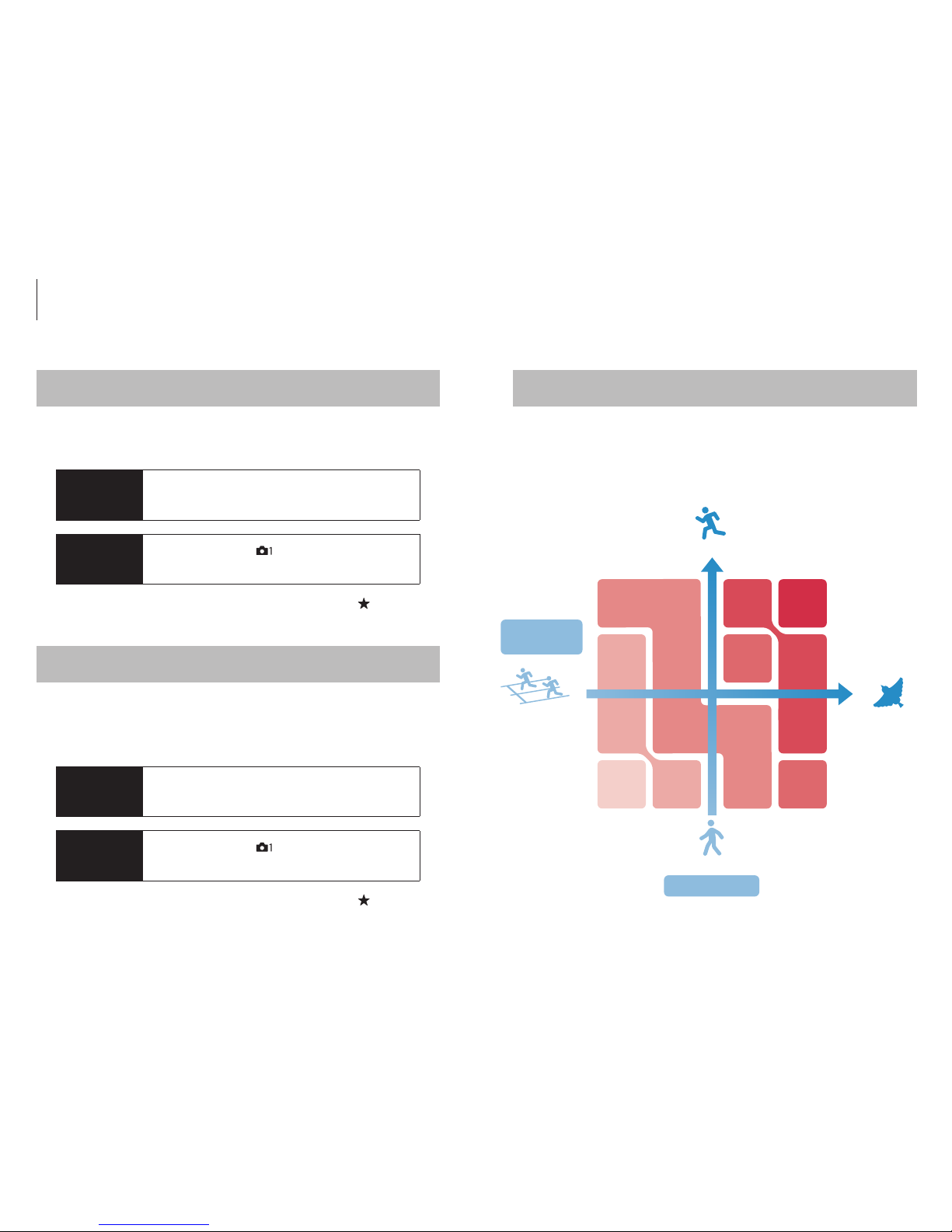
Selects the AF tracking sensitivity that applies when the subject
goes out of focus while shooting still images.
AF Tracking Sensitivity AF area and subject motion
Procedure
MENU button - [ ] 5 / 13 (AF2) -
[AF Track Sens]
Select a narrow AF area mode for subjects that move slowly or
predictably. A wide AF area is recommended for subjects that
move rapidly and/or unpredictably.
(My Menu)
Available
Settings
Off / AF Point Only / AF Point + AF Area
Determines whether the focus area and position of the focusing
frame will be adjusted according to match horizontal/vertical
camera orientation.
Match focus area to camera orientation
Procedure
MENU button - [ ] 4 / 13 (AF1) -
[Swt. V/H AF Area]
(My Menu)
Fast
Slow
Predictable
Unpredictable
Subject Motion
Subject
Predictability
Expa nd
Flexible
Spot
Flexible
Spot M
Flexible
Spot L
Zone
Flexible
Spot L
Wide
Flexible
Spot S
Assignable to
Assignable to
Main focus settings
8 9
Page 6
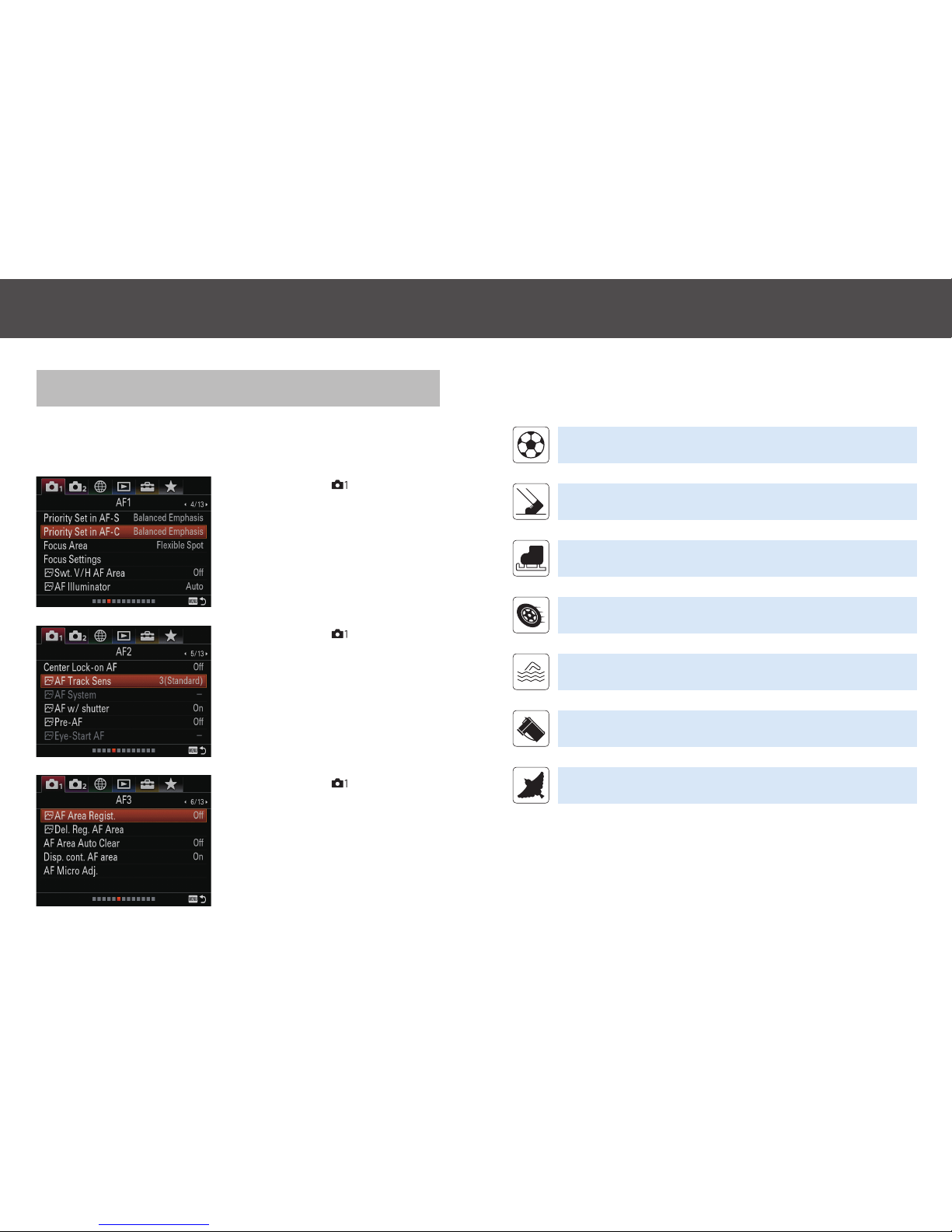
AF Menu Index
AF settings can be accessed via the following three display
pages.
• MENU button - [
] 4 / 13 (AF1)
• MENU button - [
] 5 / 13 (AF2)
• MENU button - [
] 6 / 13 (AF3)
Refer to the following webpage for conditions that may apply during continuous shooting:
http://www.sony.net/cont/ilce9/
Ball games 1-4
pp.12-15
Athletics / Track and field
p.16
Winter sports 1-4
pp.17-20
Motor sports 1-2
pp.2 1-22
Water sports
p.23
Other sports 1-2
pp.24-25
Non-sport categories
1-3
pp.26-28
Menu structure Recommended settings for events and subjects
10 11
Page 7
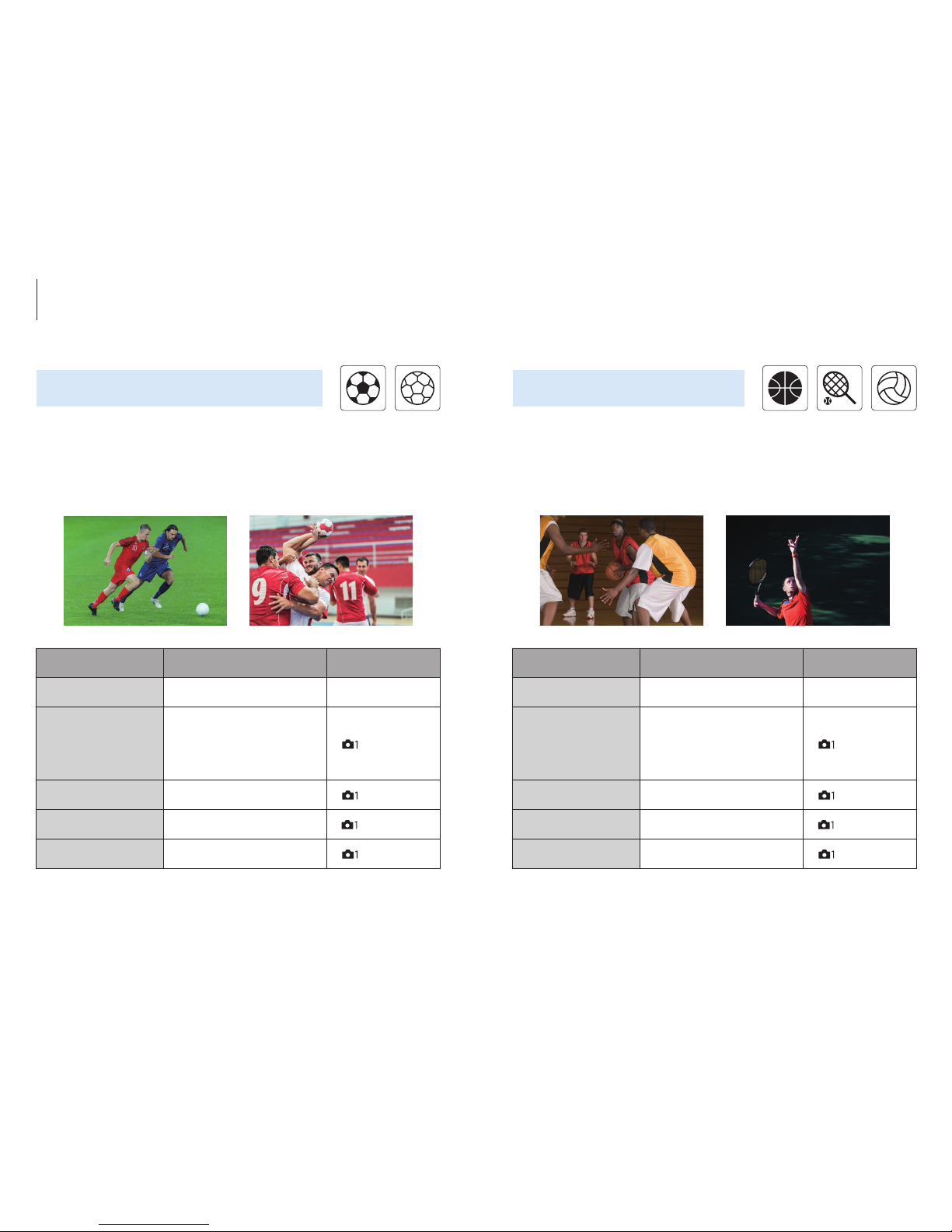
Item Recommended settings Use
Focus Mode AF-C Focus Mode Dial
Focus Area
[1st recommendation]
Flexible Spot M
[2nd recommendation]
Expand Flexible Spot
[
] 4 / 13 (AF1)
Priority Set in AF-C Balanced Emphasis [
] 4 / 13 (AF1)
AF track Sens. 4
*
[
] 5 / 13 (AF2)
Swt. V/H AF Area AF point only [
] 4 / 13 (AF1)
Item Recommended settings Use
Focus Mode AF-C Focus Mode Dial
Focus Area
[1st recommendation]
Flexible Spot M
*
[2nd recommendation]
Expand Flexible Spot
**
[
] 4 / 13 (AF1)
Priority Set in AF-C Balanced Emphasis [
] 4 / 13 (AF1)
AF track Sens. 3 (Standard) [
] 5 / 13 (AF2)
Swt. V/H AF Area AF point only [
] 4 / 13 (AF1)
Ball games 2
Basketball, Tennis, VolleyballSoccer / Football, Futsal, Handball
Ball games 1
*
Covers a wide range of situations.
**
Reco mmended for p inpoint foc us on a sel ecte d playe r.
*
Set AF s ensit ivi ty to 4 in situat ions where th e ball is f requently p asse d between pl ayers .
Recommended settings for events and subjects
12 13
Page 8
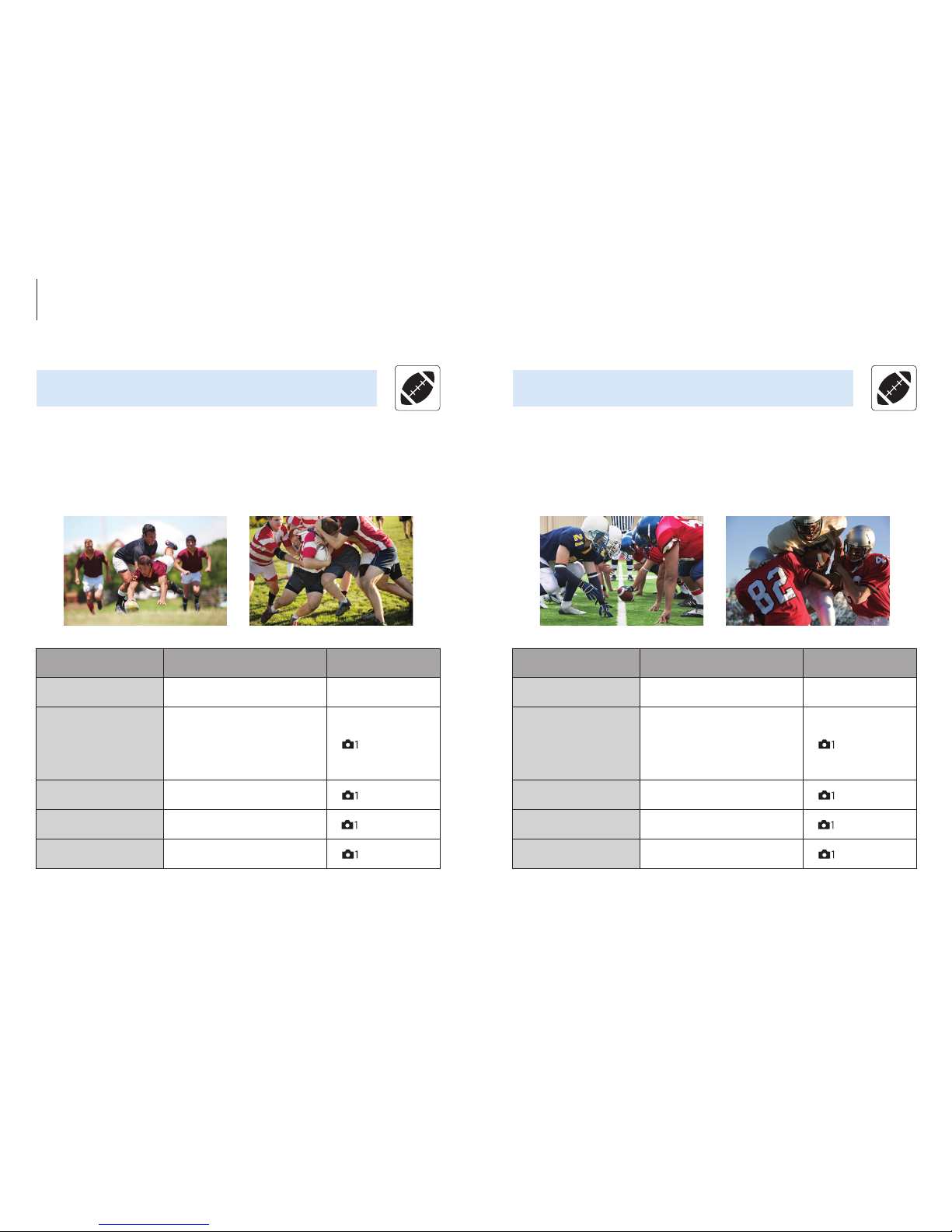
Item Recommended settings Use
Focus Mode AF-C Focus Mode Dial
Focus Area
[1st recommendation]
Expand Flexible Spot
*
[2nd recommendation]
Flexible Spot M
**
[
] 4 / 13 (AF1)
Priority Set in AF-C Balanced Emphasis [
] 4 / 13 (AF1)
AF track Sens. 3 (Standard) [
] 5 / 13 (AF2)
Swt. V/H AF Area AF point only [
] 4 / 13 (AF1)
Item Recommended settings Use
Focus Mode AF-C Focus Mode Dial
Focus Area
[1st recommendation]
Expand Flexible Spot
[2nd recommendation]
Flexible Spot M
[
] 4 / 13 (AF1)
Priority Set in AF-C Balanced Emphasis [
] 4 / 13 (AF1)
AF track Sens. 2
*
[
] 5 / 13 (AF2)
Swt. V/H AF Area AF point only [
] 4 / 13 (AF1)
Rugby American football
Ball games 3 Ball games 4
*
Set sen siti vit y to 2 for stable t racking whe n players are collidin g and mov ing chaotically.
*
Covers a wide range of situations.
**
Recommende d for pin point focus o n a selected p layer in a g roup.
Recommended settings for events and subjects
14 15
Page 9
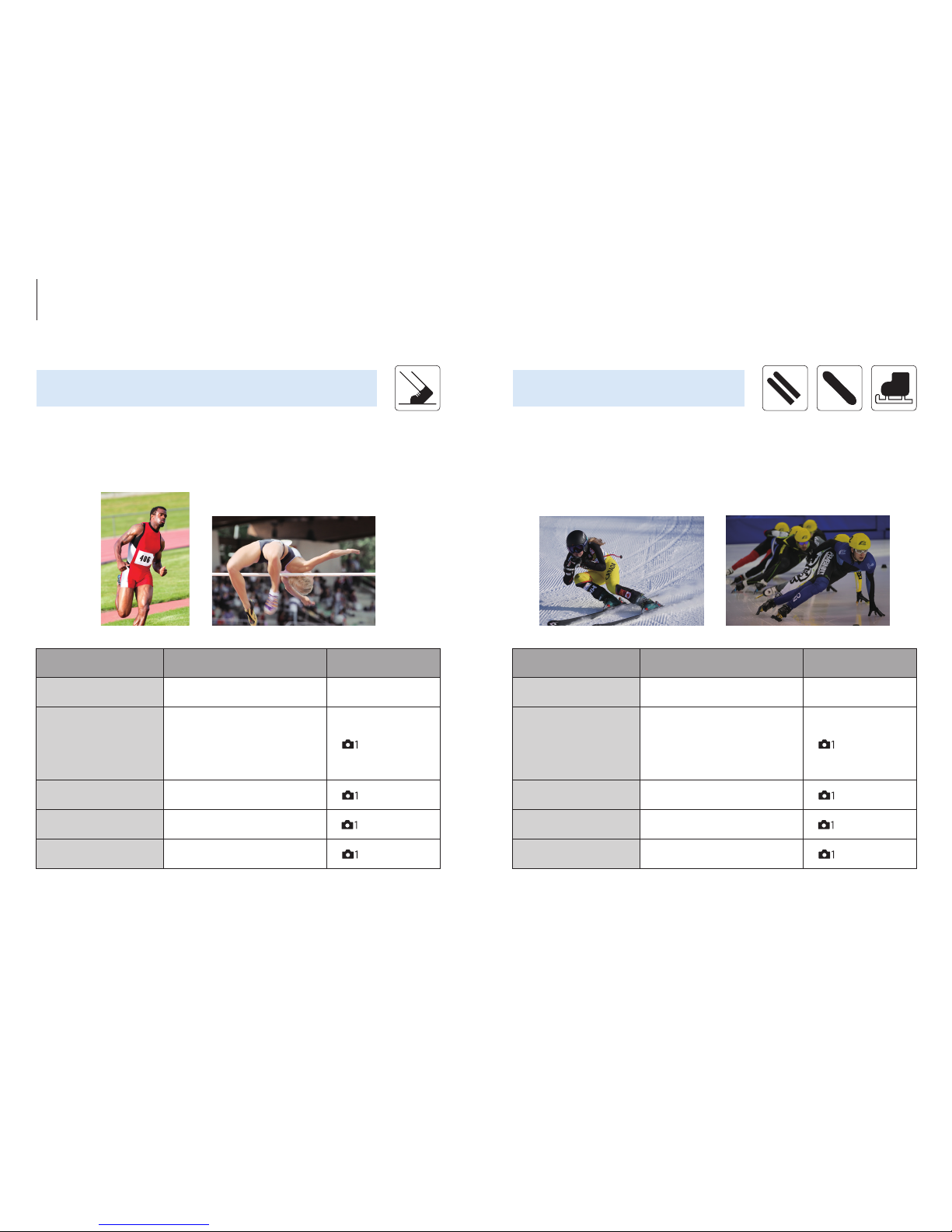
Item Recommended settings Use
Focus Mode AF-C Focus Mode Dial
Focus Area
[1st recommendation]
Flexible Spot M
*
[2nd recommendation]
Expand Flexible Spot
**
[
] 4 / 13 (AF1)
Priority Set in AF-C Balanced Emphasis [
] 4 / 13 (AF1)
AF track Sens. 3 (Standard) [
] 5 / 13 (AF2)
Swt. V/H AF Area AF point only [
] 4 / 13 (AF1)
Item Recommended settings Use
Focus Mode AF-C Focus Mode Dial
Focus Area
[1st recommendation]
Flexible Spot M
*
[2nd recommendation]
Expand Flexible Spot
**
[
] 4 / 13 (AF1)
Priority Set in AF-C Balanced Emphasis [
] 4 / 13 (AF1)
AF track Sens. 3 (Standard) [
] 5 / 13 (AF2)
Swt. V/H AF Area AF point only [
] 4 / 13 (AF1)
Sprints (100m~), Hurdles, Javelin, Shot put, Long jump,
Triple jump, High jump, Pole vault, Marathon
Athletics / Track and field
Alpine skiing (near a gate, jump), Mogul, Snowboarding
(Half-pipe slalom), Ski jumping (front, side), Biathlon,
Short-track speed skating, Bobsleigh
Winter sports 1
*
For st able tr acking.
**
Recommende d for pin point focus o n a distant play er or a pla yer in a group.
*
For st able tr acking.
**
Recommende d for pin point focus o n a selected p layer.
Recommended settings for events and subjects
16 17
Page 10
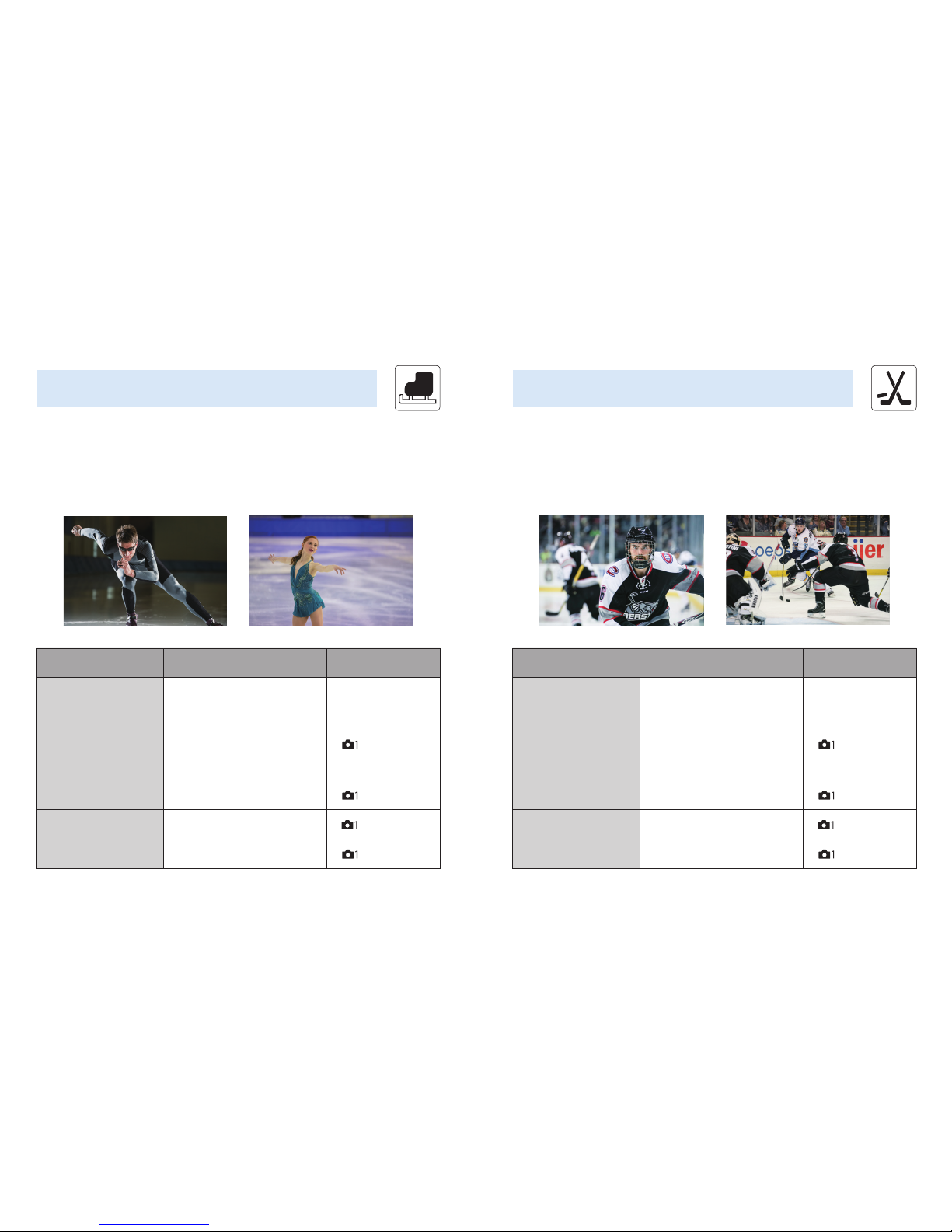
Item Recommended settings Use
Focus Mode AF-C Focus Mode Dial
Focus Area
[1st recommendation]
Flexible Spot M
*
[2nd recommendation]
Zone
**
[
] 4 / 13 (AF1)
Priority Set in AF-C Balanced Emphasis [
] 4 / 13 (AF1)
AF track Sens. 3 (Standard) [
] 5 / 13 (AF2)
Swt. V/H AF Area AF point only [
] 4 / 13 (AF1)
Item Recommended settings Use
Focus Mode AF-C Focus Mode Dial
Focus Area
[1st recommendation]
Flexible Spot M
[2nd recommendation]
Expand Flexible Spot
[
] 4 / 13 (AF1)
Priority Set in AF-C Balanced Emphasis [
] 4 / 13 (AF1)
AF track Sens. 4
*
[
] 5 / 13 (AF2)
Swt. V/H AF Area AF point only [
] 4 / 13 (AF1)
Winter sports 3
Ice hockey Speed skating, Figure skating (Singles, Pairs)
Winter sports 2
*
Set AF s ensit ivi ty to 4 when the p uck is freque ntly b eing pa ssed betwe en play ers.
*
To focus on a sp ecif ic player.
**
This ca n make framing easier wh en the subjec t is close.
Recommended settings for events and subjects
18 19
Page 11
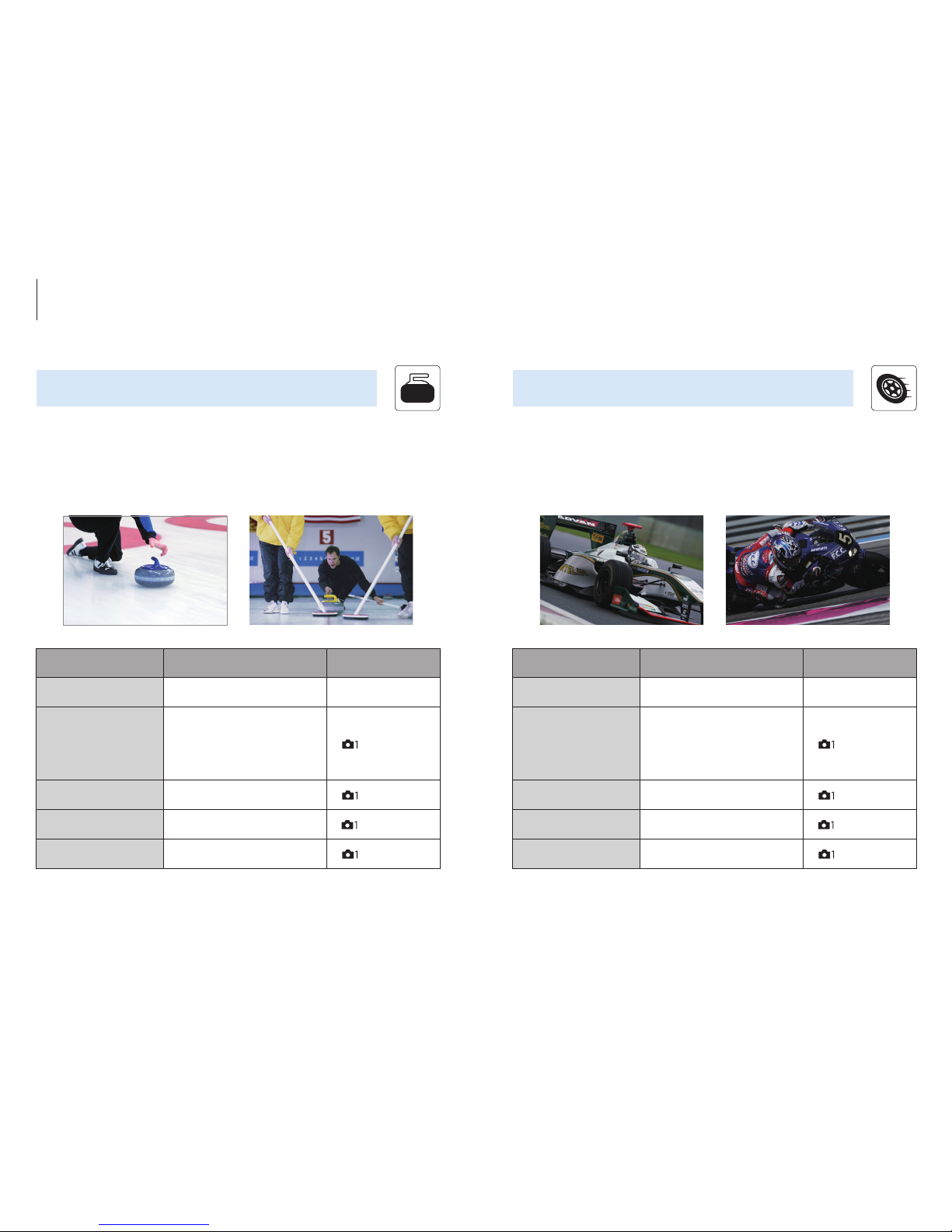
Item Recommended settings Use
Focus Mode AF-C Focus Mode Dial
Focus Area
[1st recommendation]
Flexible Spot M
[2nd recommendation]
Expand Flexible Spot
[
] 4 / 13 (AF1)
Priority Set in AF-C Balanced Emphasis [
] 4 / 13 (AF1)
AF track Sens. 2
*
[
] 5 / 13 (AF2)
Swt. V/H AF Area AF point only [
] 4 / 13 (AF1)
Item Recommended settings Use
Focus Mode AF-C Focus Mode Dial
Focus Area
[1st recommendation]
Flexible Spot M
*
[2nd recommendation]
Expand Flexible Spot
**
[
] 4 / 13 (AF1)
Priority Set in AF-C Balanced Emphasis [
] 4 / 13 (AF1)
AF track Sens. 3 (Standard) [
] 5 / 13 (AF2)
Swt. V/H AF Area AF point only [
] 4 / 13 (AF1)
Curling Car racing, Karting, Motorcycling (on-road)
Winter sports 4 Motor sports 1
*
For st able tr acking.
**
Reco mmended for p inpoint foc us on a dis tant vehicle o r a vehic le in a group.
*
Set AF s ensit ivi ty to 2 to s tabl y trac k the cur ler.
Recommended settings for events and subjects
20 21
Page 12
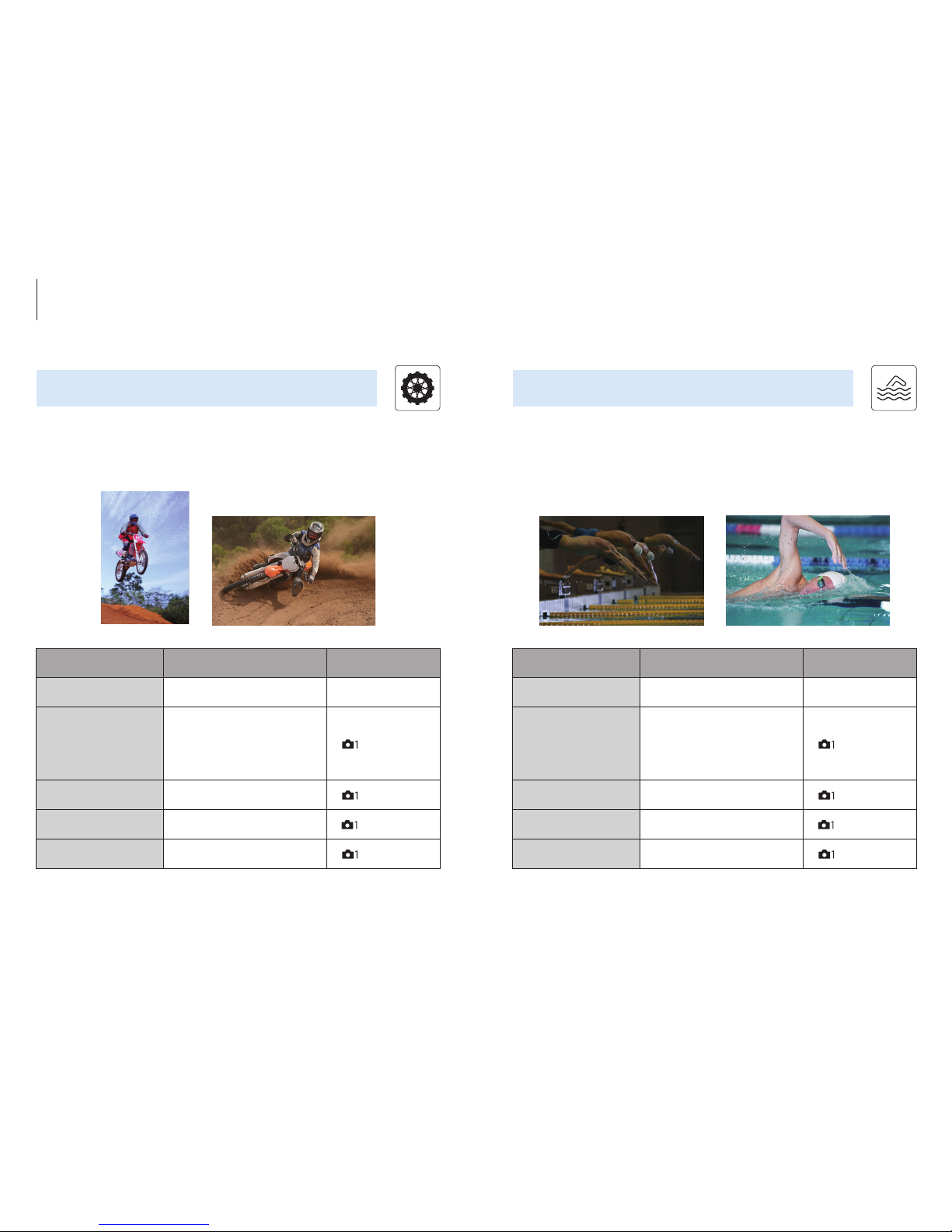
Item Recommended settings Use
Focus Mode AF-C Focus Mode Dial
Focus Area
[1st recommendation]
Flexible Spot M
*
[2nd recommendation]
Wide
**
[
] 4 / 13 (AF1)
Priority Set in AF-C Balanced Emphasis [
] 4 / 13 (AF1)
AF track Sens. 3 (Standard) [
] 5 / 13 (AF2)
Swt. V/H AF Area AF point only [
] 4 / 13 (AF1)
Item Recommended settings Use
Focus Mode AF-C Focus Mode Dial
Focus Area
[1st recommendation]
Expand Flexible Spot
[2nd recommendation]
Flexible Spot M
[
] 4 / 13 (AF1)
Priority Set in AF-C Balanced Emphasis [
] 4 / 13 (AF1)
AF track Sens. 1 (Locked on) ~ 2
*
[
] 5 / 13 (AF2)
Swt. V/H AF Area AF point only [
] 4 / 13 (AF1)
Motocross Swimming
Water sportsMotor sports 2
*
A lower sensitivit y setting is recomm ende d when tracki ng a fre quent ly submerge d
swimm er.
*
To focus on a sp ecif ic player.
**
Reco mmended for d ynamic jump sce nes.
Recommended settings for events and subjects
22 23
Page 13
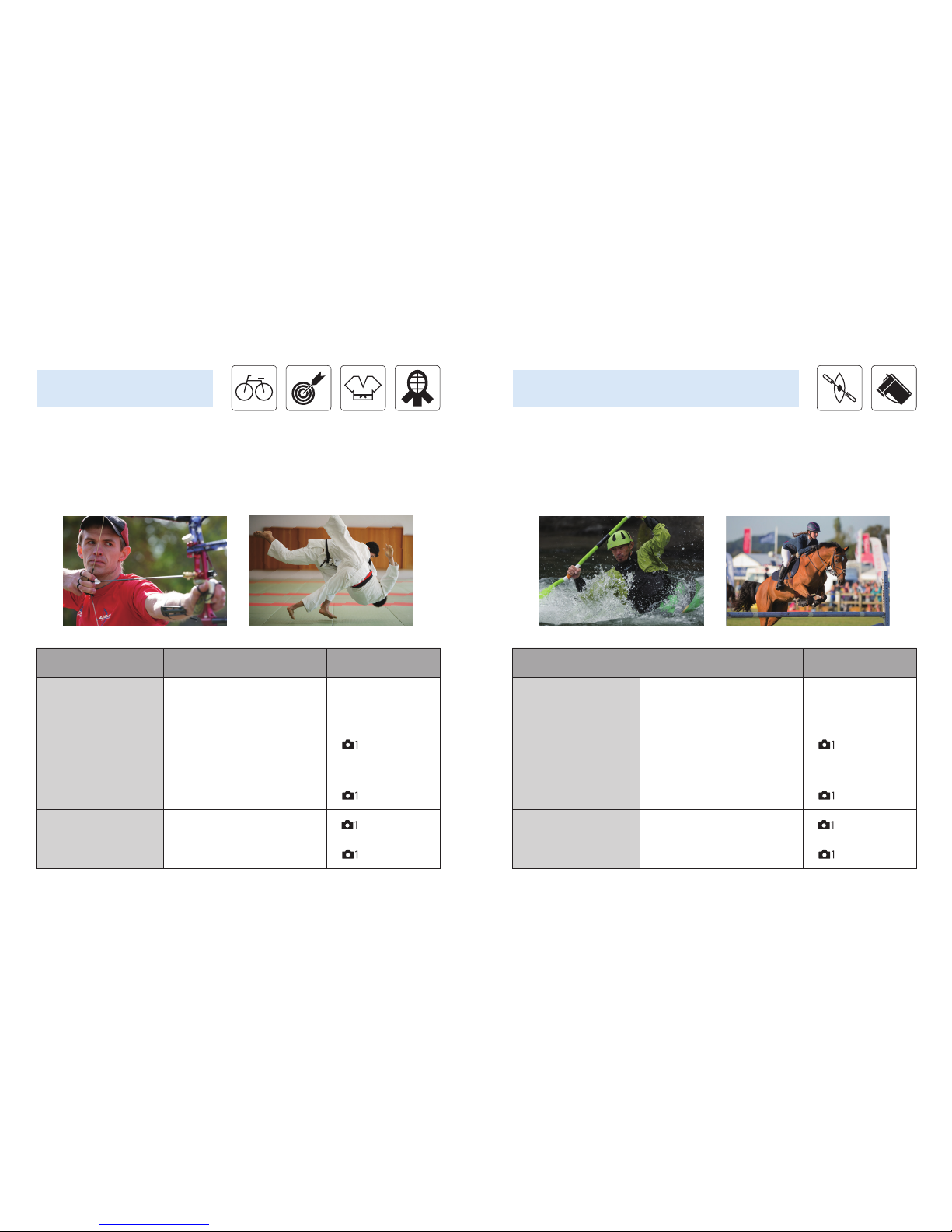
Other sports 2
Item Recommended settings Use
Focus Mode AF-C Focus Mode Dial
Focus Area
[1st recommendation]
Flexible Spot M
[2nd recommendation]
Expand Flexible Spot
*
[
] 4 / 13 (AF1)
Priority Set in AF-C Balanced Emphasis [
] 4 / 13 (AF1)
AF track Sens. 3 (Standard)
*
[
] 5 / 13 (AF2)
Swt. V/H AF Area AF point only [
] 4 / 13 (AF1)
Item Recommended settings Use
Focus Mode AF-C Focus Mode Dial
Focus Area
[1st recommendation]
Flexible Spot M
[2nd recommendation]
Expand Flexible Spot
[
] 4 / 13 (AF1)
Priority Set in AF-C Balanced Emphasis [
] 4 / 13 (AF1)
AF track Sens. 2
*
[
] 5 / 13 (AF2)
Swt. V/H AF Area AF point only [
] 4 / 13 (AF1)
Other sports 1
Cycling, Archery, Judo, Kendo, Horse racing,
Speedboat racing, Sepak takraw
Canoeing, Equestrian events
*
Lower sensitivity as much as required to avoid interference from obstacles.
*
A small fo cus area and low sensit ivity settin g are recommended where the subjec t is
frequently obscured.
Recommended settings for events and subjects
24 25
Page 14
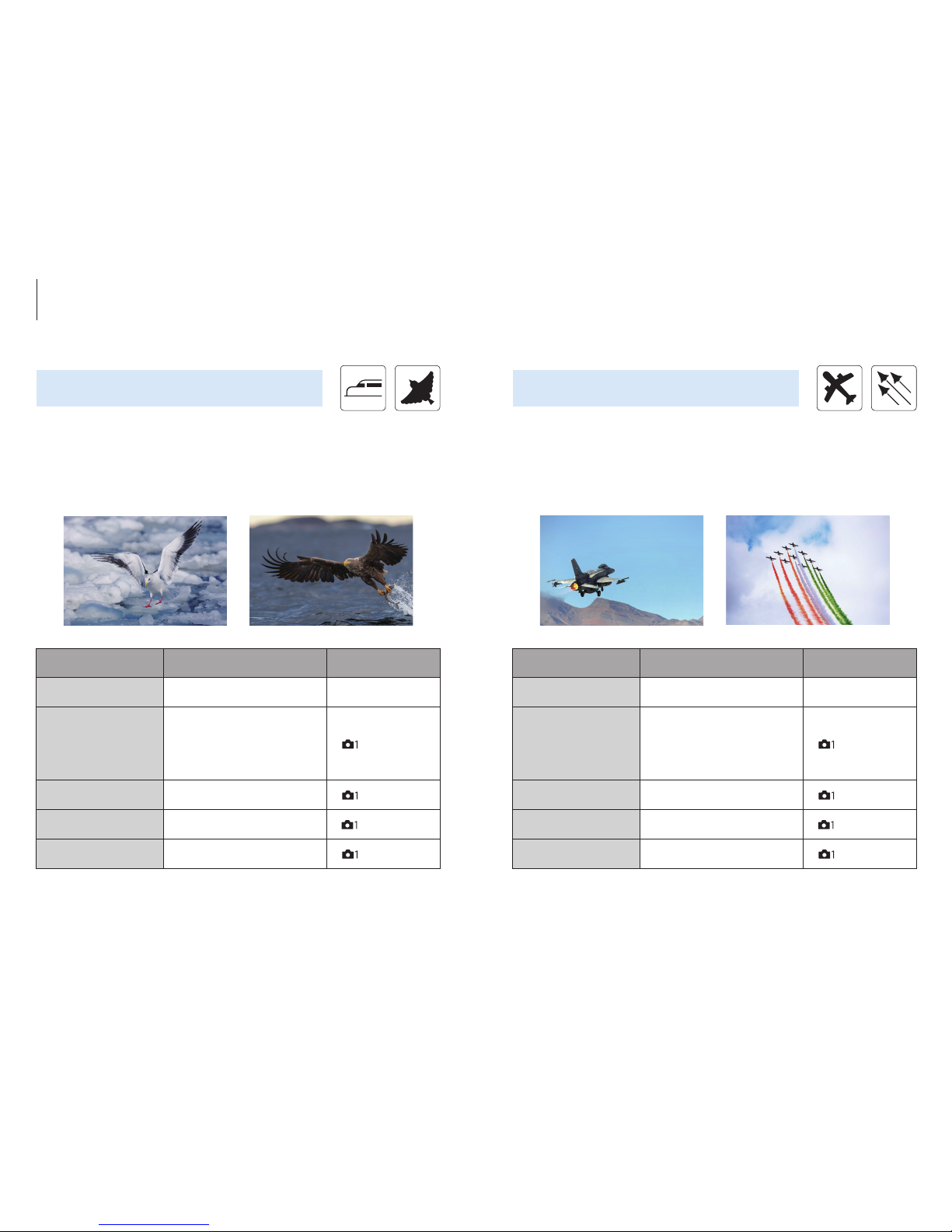
Item Recommended settings Use
Focus Mode AF-C Focus Mode Dial
Focus Area
[1st recommendation]
Flexible Spot M
*
[2nd recommendation]
Expand Flexible Spot
[
] 4 / 13 (AF1)
Priority Set in AF-C Balanced Emphasis [
] 4 / 13 (AF1)
AF track Sens. 3 (Standard)
*
[
] 5 / 13 (AF2)
Swt. V/H AF Area AF point only [
] 4 / 13 (AF1)
Item Recommended settings Use
Focus Mode AF-C Focus Mode Dial
Focus Area
[1st recommendation]
Flexible Spot M
*
[2nd recommendation]
Zone
**
[
] 4 / 13 (AF1)
Priority Set in AF-C Balanced Emphasis [
] 4 / 13 (AF1)
AF track Sens. 3 (Standard) [
] 5 / 13 (AF2)
Swt. V/H AF Area AF point only [
] 4 / 13 (AF1)
Trains and other railed vehicles, Wild birds Airplanes, Air shows
Non-sport categories 1 Non-sport categories 2
*
To focus on a sp ecif ic aircraf t.
**
Recommende d when f ast, u npred ict able mo tion ma kes fra ming di ff icult.
*
A small fo cus area and low sensit ivity settin g are recommended where the subjec t is
frequently obscured.
Recommended settings for events and subjects
26 27
Page 15
Scene type 1
p.30
General AF setup for a wide range of moving subjec ts in
common situations.
Scene type 2
p.31
For accurate subject tracking in situations where
obstacles might briefly obscure the subject.
Scene type 3
p.32
Switch smoothly between different subjects while shooting.
Scene type 4
p.33
For fast or erratic subjects that move in unpredictable ways.
Scene type 5
p.34
Take advantage of a wide AF area for maximum
framing and composition freedom.
Scene type 6
p.35
Shoot silently.
Refer t o the following webpage for co ndit ions th at may ap ply during con tinuous shoo ting:
http://www.sony.net/cont/ilce9/
Item Recommended settings Use
Focus Mode AF-C Focus Mode Dial
Focus Area
[1st recommendation]
Expand Flexible Spot
[2nd recommendation]
Flexible Spot M
[
] 4 / 13 (AF1)
Priority Set in AF-C Balanced Emphasis [
] 4 / 13 (AF1)
AF track Sens. 2
*
[
] 5 / 13 (AF2)
Swt. V/H AF Area AF point only [
] 4 / 13 (AF1)
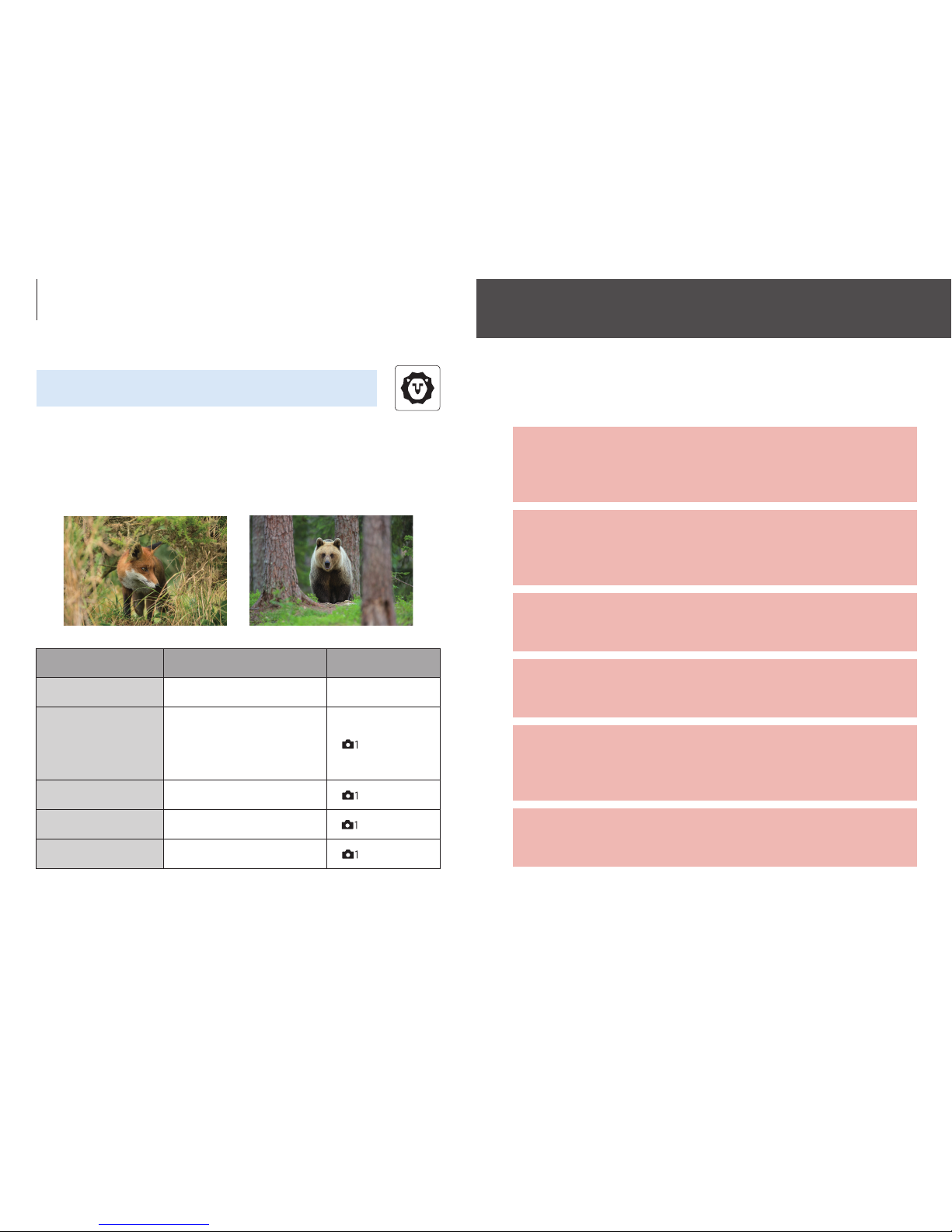
Wild animals
Non-sport categories 3
*
A low AF se nsitivit y of 2 can minimize inter ference from grass an d branc hes.
Index
Recommended settings for events and subjects
Recommended settings by scene type
28 29
Page 16
Item
Recommended
settings
Use
Focus Mode AF-C Focus Mode Dial
Focus Area Flexible Spot M [
] 4 / 13 (AF1)
Priority Set in AF-C Balanced Emphasis [
] 4 / 13 (AF1)
AF track Sens. 3 (Standard) [
] 5 / 13 (AF2)
Drive Mode Hi Drive Mode Dial
Shutter Type
Auto /
Electronic Shut.
[
] 4 / 9
(Shutter/SteadyShot)
Shutter Speed 1 / 1600 or higher Rear / front Dial
Item
Recommended
settings
Use
Focus Mode AF-C Focus Mode Dial
Focus Area Expand Flexible Spot [
] 4 / 13 (AF1)
Priority Set in AF-C Balanced Emphasis [
] 4 / 13 (AF1)
AF track Sens. 2 [
] 5 / 13 (AF2)
Drive Mode Hi Drive Mode Dial
Shutter Type
Auto /
Electronic Shut.
[
] 4 / 9
(Shutter/SteadyShot)
Shutter Speed 1 / 1600 or higher Rear / front Dial
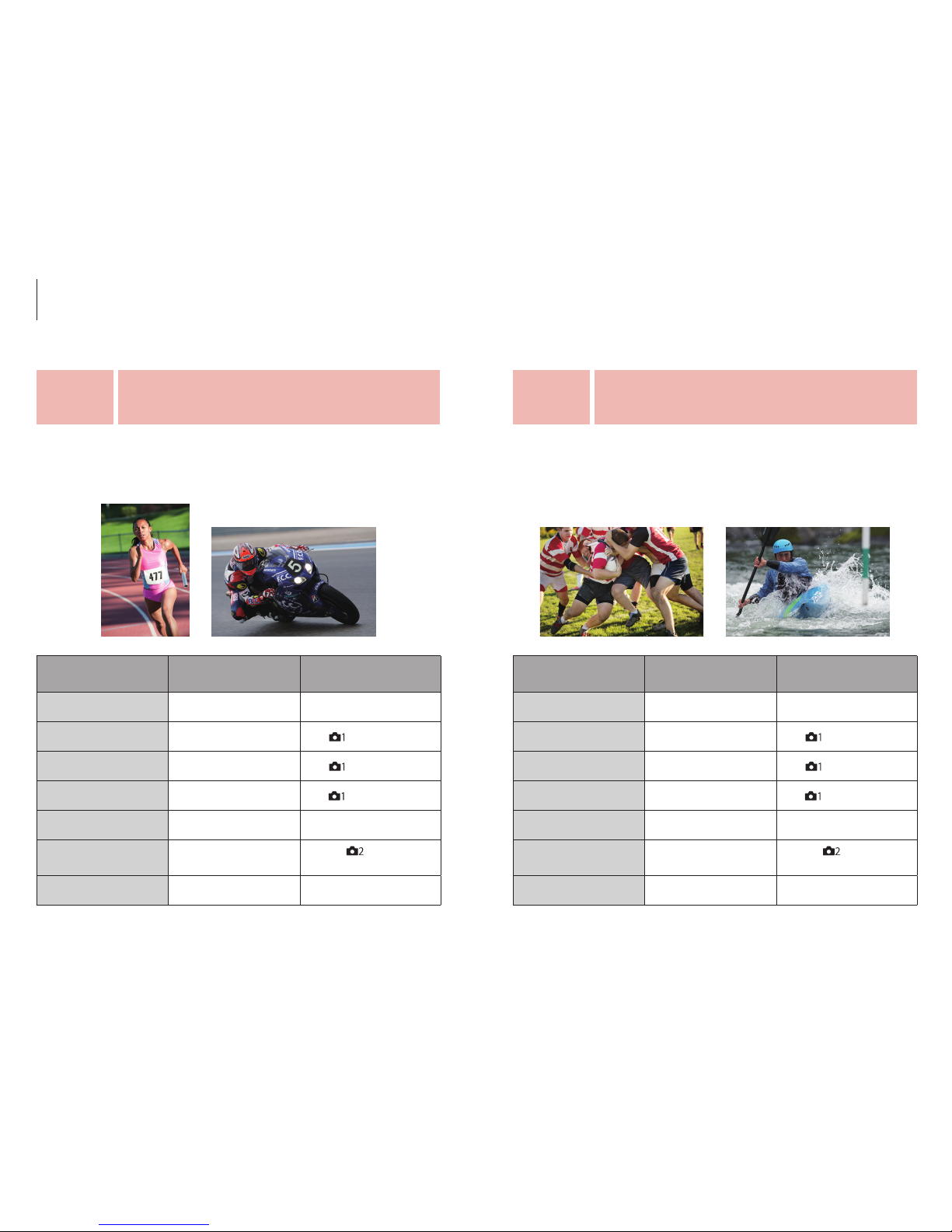
An AF Tracking Sensitivity setting of 2 can help to maintain pinpoint
focus on a rapidly or erratically moving main subject by preventing
focus from shifting to obstacles that might occasionally come
between the subject and camera.
These settings can provide optimum focus performance for a wide
range of moving subjects in common situations if the subject is
relatively large and moves in a somewhat predictable manner.
For accurate subject tracking in situations where
obstacles might briefly obscure the subject.
General AF setup for a wide range of moving
subjects in common situations.
Scene
type
2
Scene
type
1
Recommended settings by scene type
30 31
Page 17
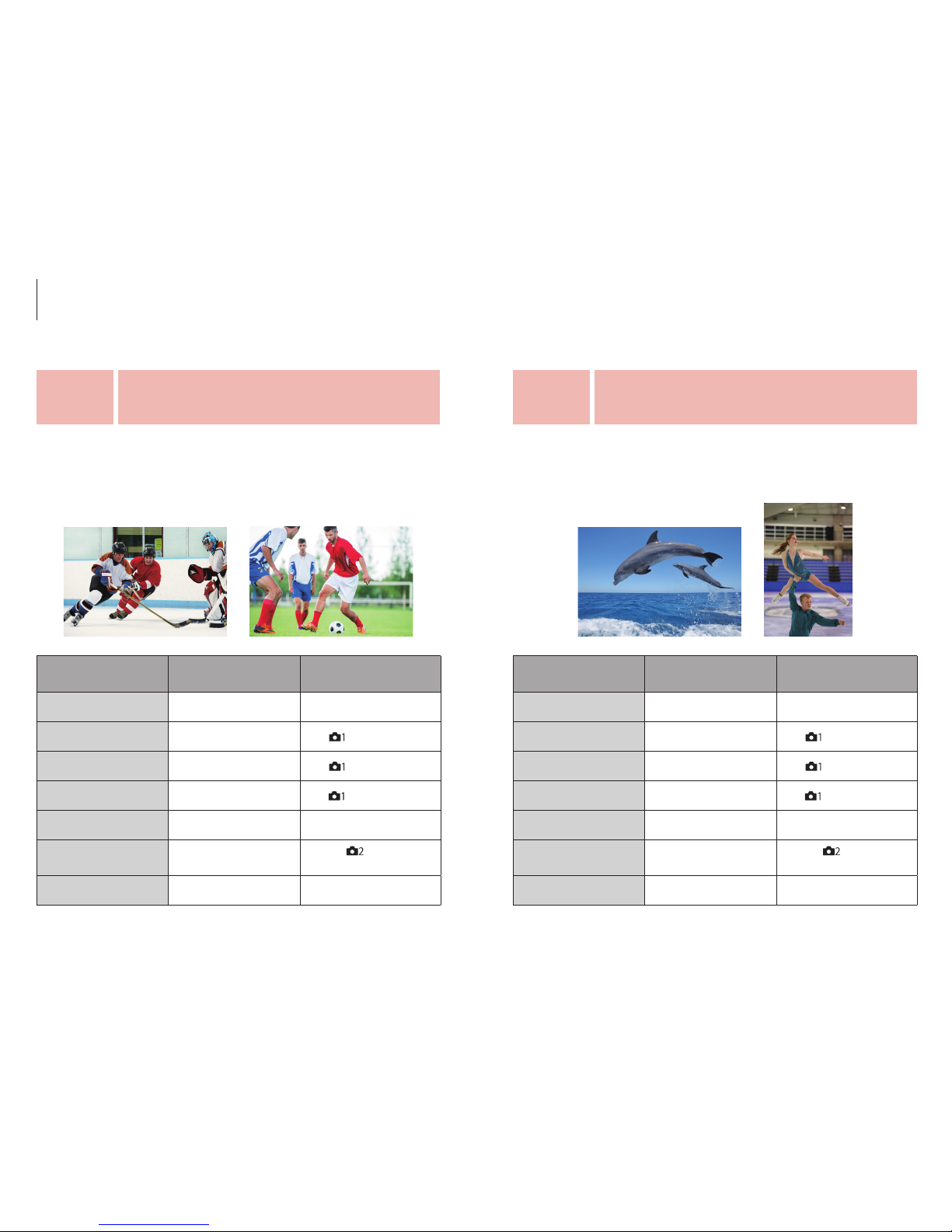
Set the Focus Area to Zone when shooting fast-moving subjects at
close range, or when shooting subjects that move unpredictably, to
maximize framing freedom.
An AF Tracking Sensitivity setting of 4 can make it easier to repeatedly
switch framing and focus from one moving subject to another while
shooting.
For fast or erratic subjects that move
in unpredictable ways.
Switch smoothly between different subjects
while shooting.
Item
Recommended
settings
Use
Focus Mode AF-C Focus Mode Dial
Focus Area Zone [
] 4 / 13 (AF1)
Priority Set in AF-C Balanced Emphasis [
] 4 / 13 (AF1)
AF track Sens. 3 (Standard) ~ 4 [
] 5 / 13 (AF2)
Drive Mode Hi Drive Mode Dial
Shutter Type
Auto /
Electronic Shut.
[
] 4 / 9
(Shutter/SteadyShot)
Shutter Speed 1 / 1600 or higher Rear / front Dial
Item
Recommended
settings
Use
Focus Mode AF-C Focus Mode Dial
Focus Area Flexible Spot M [
] 4 / 13 (AF1)
Priority Set in AF-C Balanced Emphasis [
] 4 / 13 (AF1)
AF track Sens. 4 [
] 5 / 13 (AF2)
Drive Mode Hi Drive Mode Dial
Shutter Type
Auto /
Electronic Shut.
[
] 4 / 9
(Shutter/SteadyShot)
Shutter Speed 1 / 1600 or higher Rear / front Dial
Scene
type
4
Scene
type
3
Recommended settings by scene type
32 33
Page 18
An ideal setup for situations where you need to shoot silently and/or
without vibration.
Set the Focus Area to Wide when you need maximum freedom to
create a variety of dif ferent compositions using the entire frame.
Item
Recommended
settings
Use
Focus Mode AF-C Focus Mode Dial
Focus Area Flexible Spot M [
] 4 / 13 (AF1)
Priority Set in AF-C Balanced Emphasis [
] 4 / 13 (AF1)
AF track Sens. 3 (Standard) [
] 5 / 13 (AF2)
Drive Mode Hi Drive Mode Dial
Shutter Type Electronic Shut.
[
] 4 / 9
(Shutter/SteadyShot)
Shutter Speed 1 / 1600 or higher Rear / front Dial
Item
Recommended
settings
Use
Focus Mode AF-C Focus Mode Dial
Focus Area Wide [
] 4 / 13 (AF1)
Priority Set in AF-C Balanced Emphasis [
] 4 / 13 (AF1)
AF track Sens. 3 (Standard) ~ 4 [
] 5 / 13 (AF2)
Drive Mode Hi Drive Mode Dial
Shutter Type
Auto /
Electronic Shut.
[
] 4 / 9
(Shutter/SteadyShot)
Shutter Speed 1 / 1600 or higher Rear / front Dial
Shoot silently.
Take advantage of a wide AF area for maximum
framing and composition freedom.
Scene
type
6
Scene
type
5
Recommended settings by scene type
34 35
Page 19
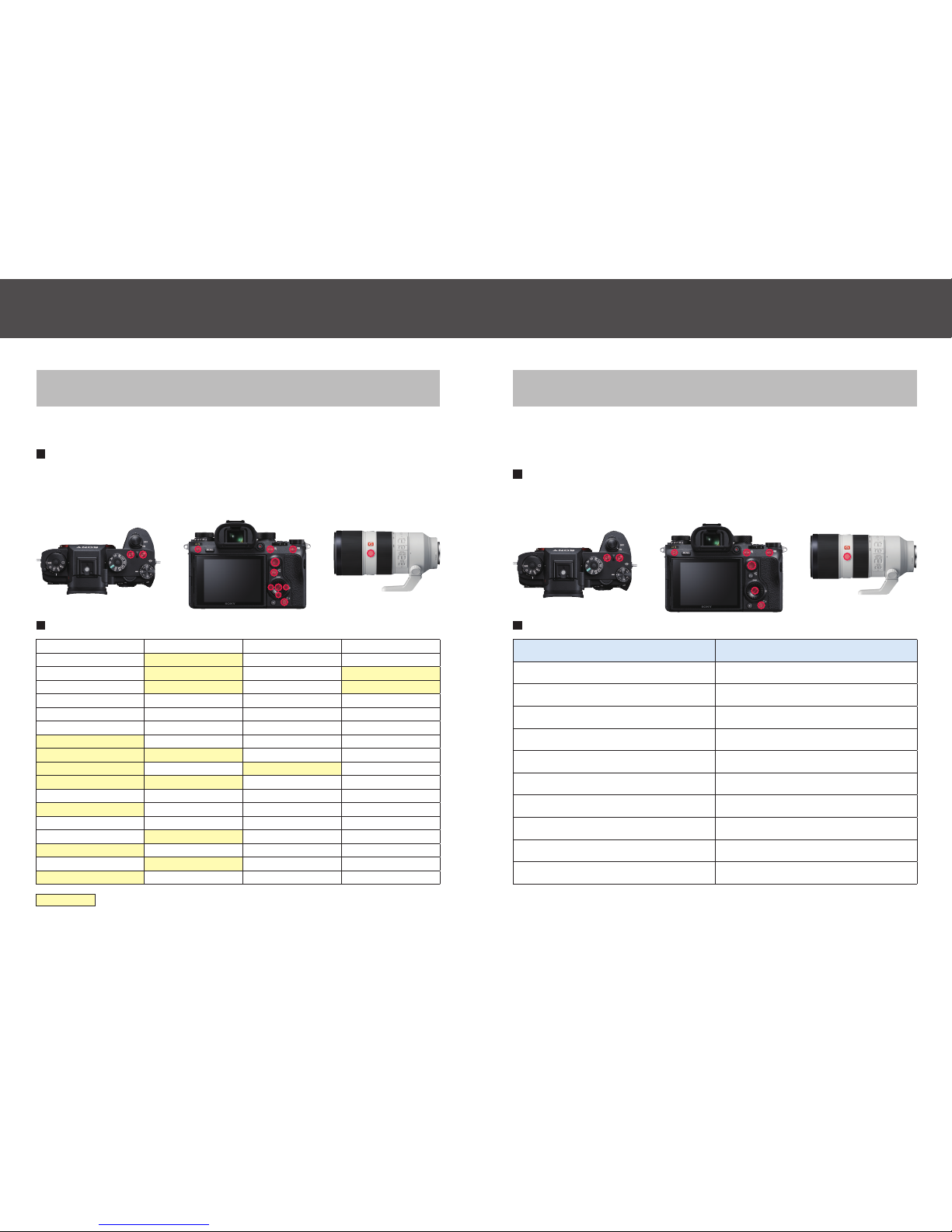
Customizing the button settings
Assign a desired function to a desired button.
Assignable buttons
C1, C2, C3, C4, Multi-selector center button, Center button, AEL,
AF-ON, Right button, Left button, Down button,
Focus hold button, Fn button
Available items
Quality Center Lock-on AF White Balance SteadyS. Focal Le n.
Image Size Eye AF Priorit y Set in AW B Zoom
Aspe ct Ra tio A F On DRO / Auto HDR Aperture Preview
APS - C /Super 35mm Focus Hold Creative Style Shot. Result Preview
Driv e Mode Exposure Comp. Picture Effect Finder / Monitor Sel.
Selftimer during Brkt ISO Focus Magnifier Find er Frame Rate
Memory ISO A UTO Mi n. SS Peaking Level Zebra
Recal l Custom hold 1 Metering Mode Peaking Color Grid Line
Recal l Custom hold 2 AEL hold Face Detection Live View Display
Recal l Custom hold 3 AEL toggle In-Camera Guide Bright Monitoring
AF / MF Co ntrol H old Spot AE L hold Movie Deactivate Monitor
AF / MF Ctl Toggle Sp ot AEL t oggl e S &Q Frame Rate Audio signals
Focus Standard Flash Mode Audio Rec Level Sent to Smartphone
Focus Area Fl ash Com p. Audio Level Display FTP Transfer
Focus Settings FE Lock hold Marker Disp. S el. Monitor Brightness
Regis t. AF A rea ho ld FEL Loc k toggle Shut ter Type TC / UB Disp. Switch
Regis t. AF A rea tggle FEL Lock / AEL hold SteadyShot Select Rec. Media
Regis t. AF A rea + AF On FEL Loc k / AEL tggle SteadyShot Adjust. Not set
= cannot be assigned to Left / R ight / Down button
Recall Custom Setting During Hold
Register shooting settings to a custom button in advance for
temporar y recall while the button is held.
Assignable buttons
C1, C2, C3, C4, Multi-selector center button, Center button, AEL,
AF-ON, Focus hold button
Available settings
Available items Available settings
Shoot mode P, A, S, M
Aperture F1 ~ 90
Shutter speed BULB ~ 1 / 16000
Drive mode ALL other than Self-timer
Exposure compensation -5.0 ~ +5.0
ISO AUTO, 50 ~ 204800
Metering mode ALL
Focus mode ALL
Focus area ALL, Registered Focus Area
AF on AF on
Contin ued to next page.
Custom settings
36 37
Page 20
Recall Custom Setting During Hold
(Continued)
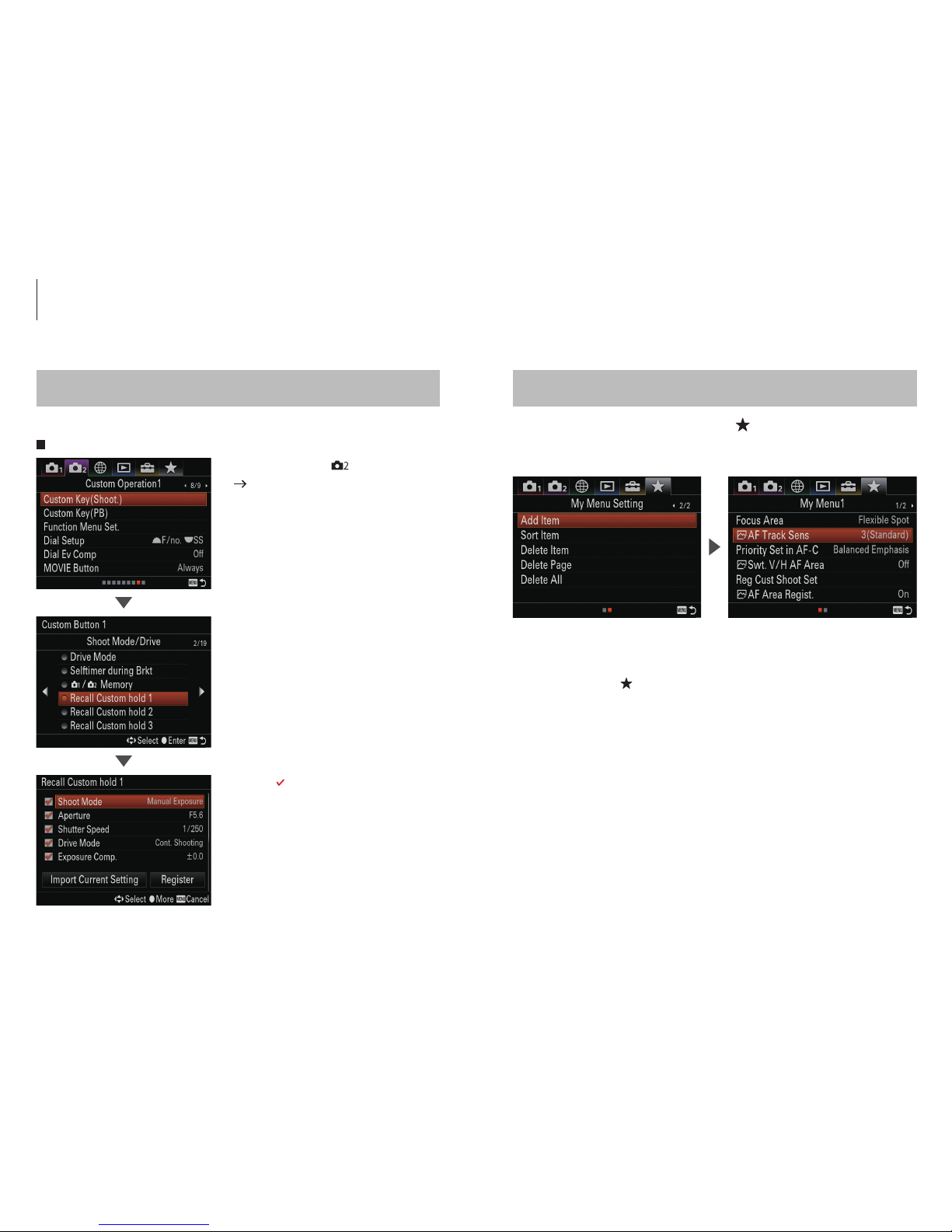
Procedure
My Menu
Register the desired menu items to (My Menu), selectable
from the MENU list.
•
Add Item
Up to 30 items (6 items per page, 5 pages max.)
can be added to
(My Menu).
•
Sort Item
The order and position of the items can be arranged as desired.
•
Delete Item
Delete Items, Page or All.
• MENU button - [ ] 8 / 9
[Custom Key (Shoot.)]
• Select the desired button from
[Custom Key (Shoot.)], then select
from [Recall Custom hold 1] to
[Recall Custom hold 3] on [Custom
button 1] 2 / 19 (Shoot Mode/
Drive).
• Check ( ) or uncheck to activate/
deactivate.
• Select set tings and register.
Custom settings
38 39
Page 21
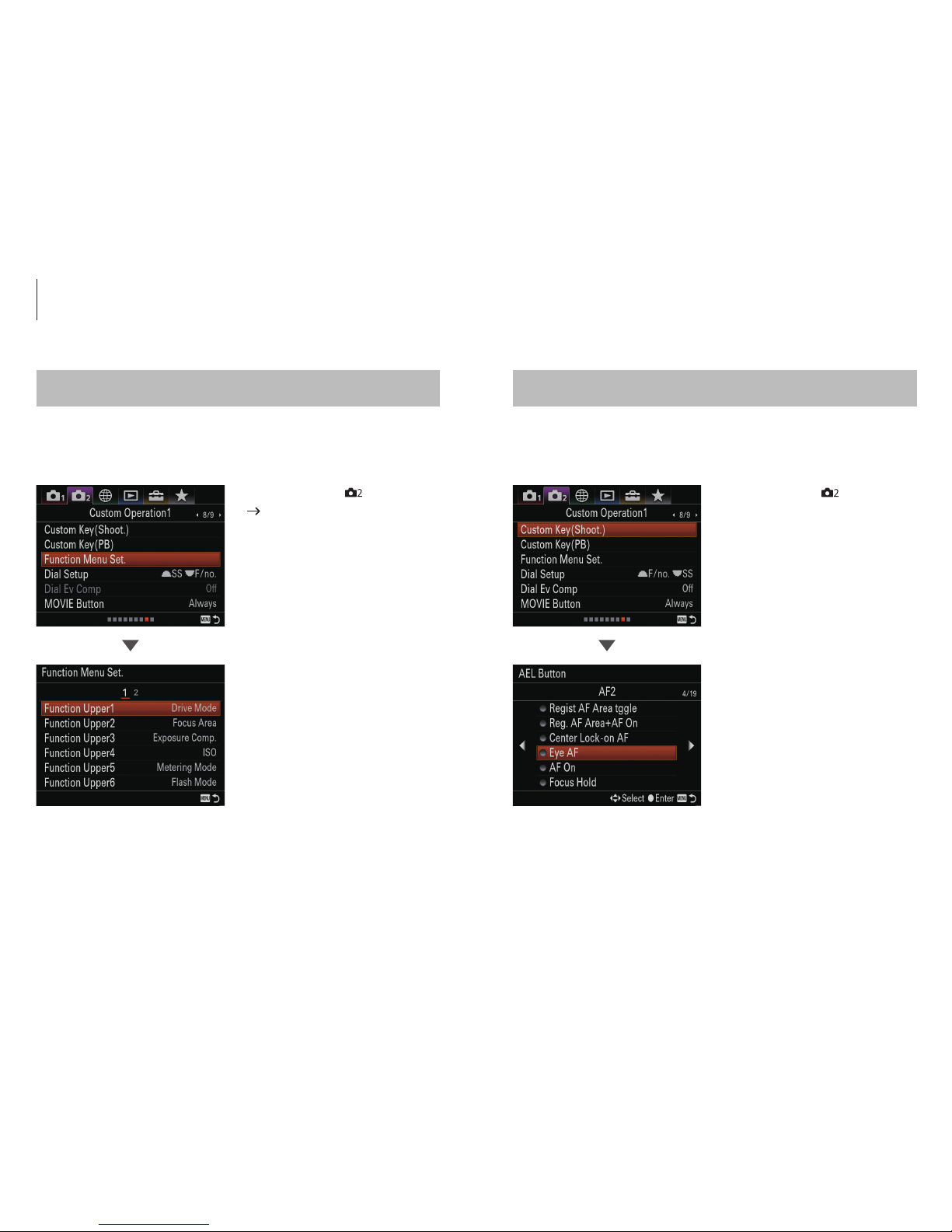
Customizing the Fn (Function) button Customizing the Eye AF
Register frequently used functions to the Fn (function) button
for fast access while shooting.
The camera focuses on the subject's eyes while the button is
held.Eye AF can be assigned to a desired button.
(Center bu tton as a
defa ult)
• MENU button - [ ] 8 / 9
[Function Menu Set.]
• MENU button - [
] 8 / 9
(Custom Operation1) – Custom
Key (Shoot.)
• Up to 12 frequently used
functions can be registered to
the Fn (Function) button.
• Select a desired button, then
assign the [Eye AF] function to
that button.
Custom settings
40 41
Page 22
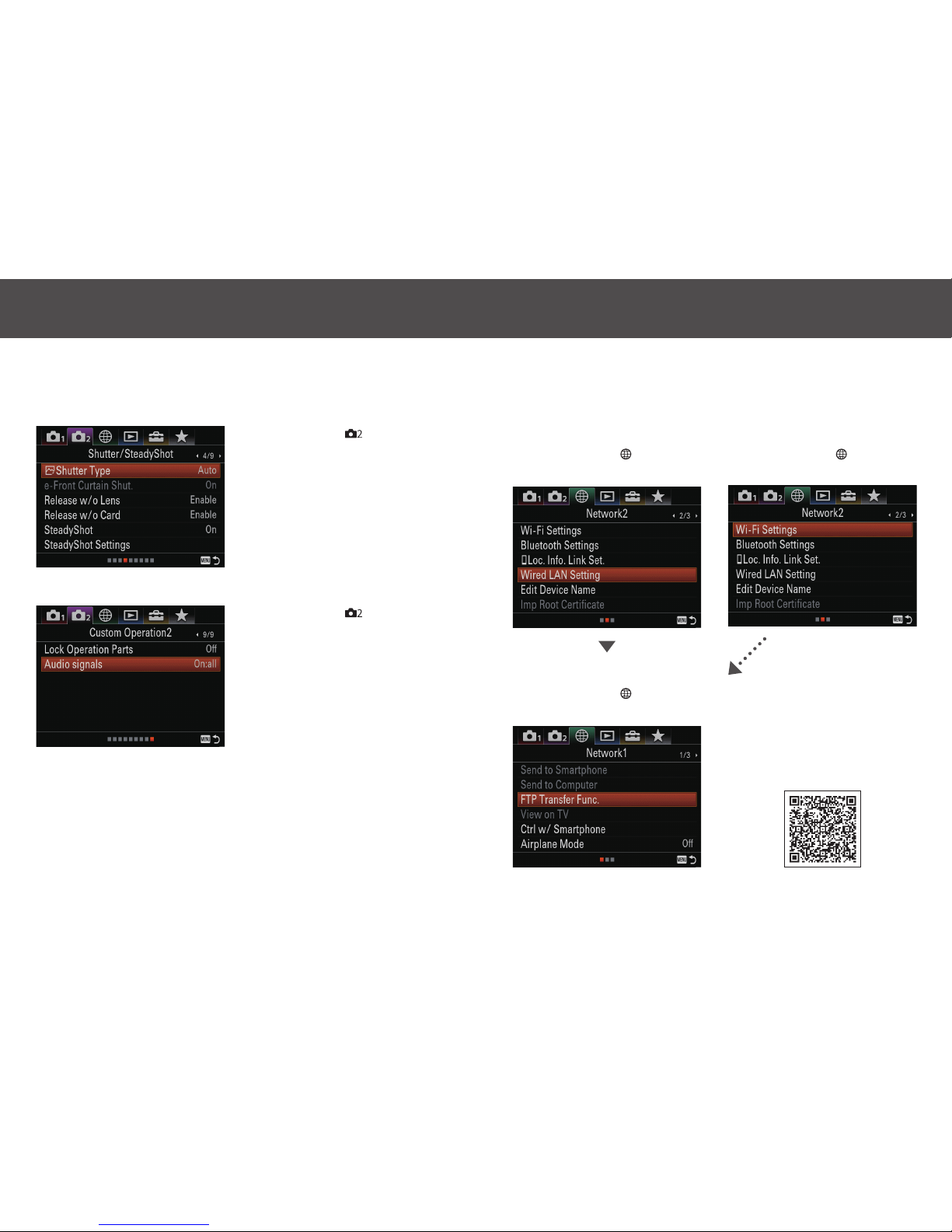
Transfer images to an FTP server after connecting the camera to
a network via L AN cable or wireless L AN.
The electronic shutter* can be used in situations that require
silence (no shutter sound).
*
Shut ter spe eds slo wer tha n 1 / 8 sec. cannot b e selec ted for contin uous sh ootin g. Foc us
will not track t he subject at aper tures smaller t han F11 (F-numb ers hi gher th an F11) during
continuous shooting.
• MENU button - [ ] 4 / 9 –
[Shutter Type] – [Electronic Shut.]
• MENU button - [
] 9 / 9 –
[Audio signals] – [Off] or [On:
other than e-shut]
• LAN connection
MENU button - [ ] 2 / 3
(Net work2)
• Wi-Fi connection
MENU button - [ ] 2 / 3
(Net work2)
• Select server
MENU button - [ ] 1 / 3
(Network1)
For details, refer to the
“FTP Help Guide.”
http://helpguide.sony.net/di/ftp/v1/
h_zz/index.html
Silent shutter FTP file transfer
42 43
Page 23

Trademarks & Remarks
• “α ” is a trademark of Sony Corporation.
• All other company and product names mentioned herein are used for identification purposes only
and may be the trademarks or registered trademarks of their respective owners.
©
2017 Sony Corporation Printed in JapanJuly 2017
 Loading...