

Page 1
Startup Guide
This product's ba
ttery charging system is certied b
y the California Energy
Commission, as indicated by the BC logo.
1234-1234.1
Printed in XXX (Print
ers logotype)
Page 2
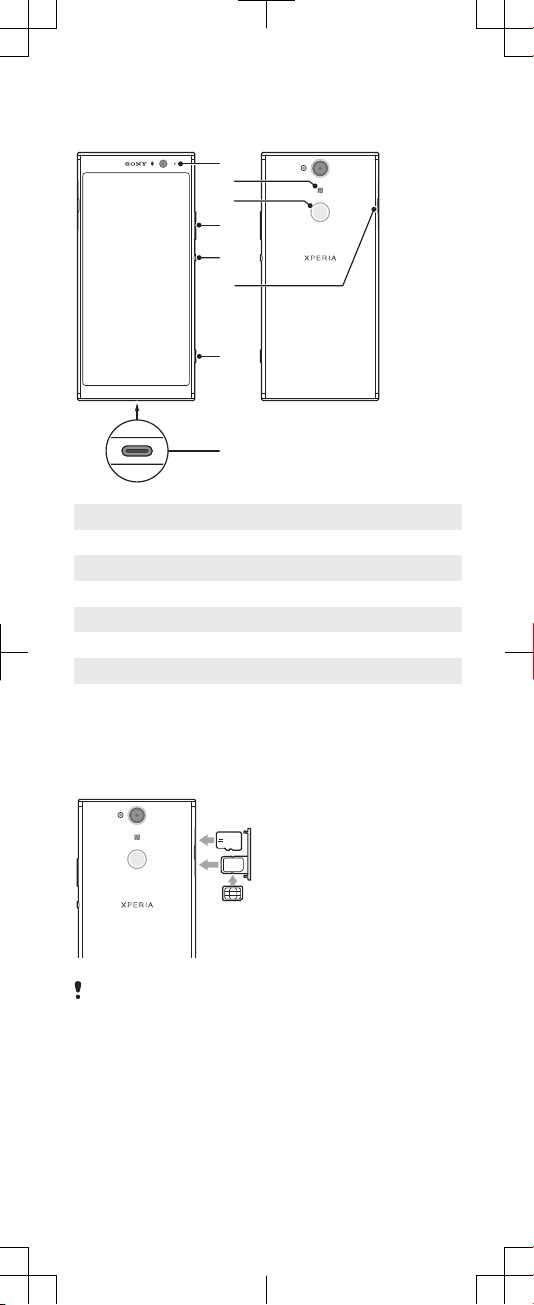
Device basics
4
1
5
2
7
3
6
8
1 Charging/Notication light
2 NFC
3 Fingerprint sensor
4 Volume/Zoom key
5 Power key
6 Nano SIM/Memory card slot
7 Camera key
8
To insert a nano SIM card and a memory
c
ard
Do not cut your SIM card, as this may damage your
device.
1 Drag out the SIM c
ard tray.
2 Insert the memory card in the correct orientation into the
memory card slot, as shown in the illustration.
3 Place the SIM card securely in the SIM card tray, as shown
in the illustration.
4 Gently push the SIM card tray back into the slot until it ts
into place.
USB port/Charger
Page 3
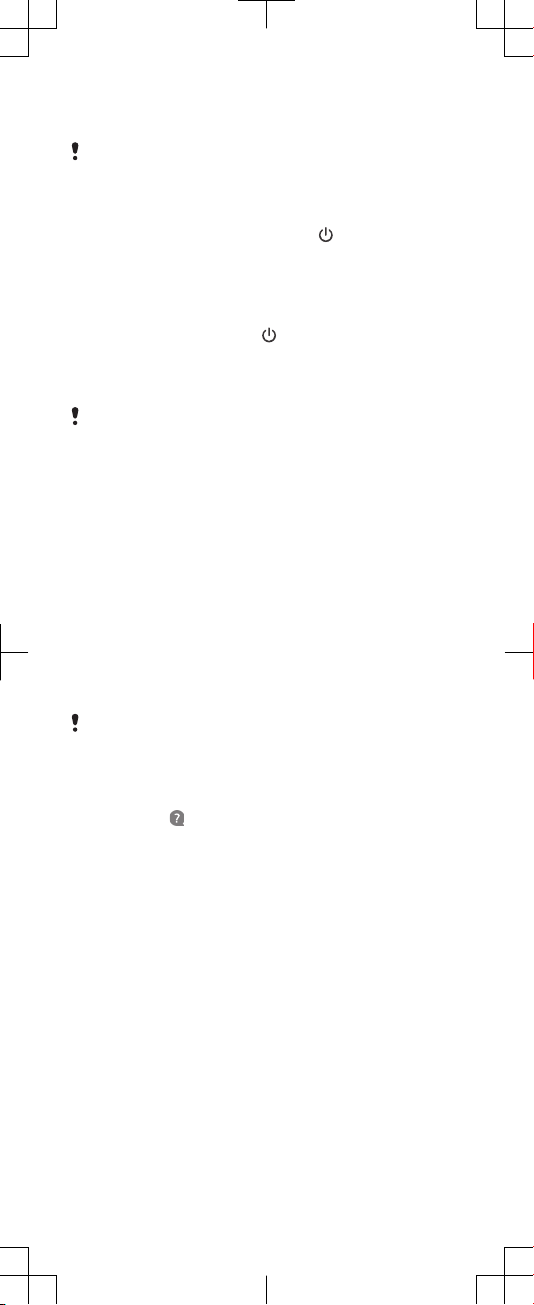
To turn on your device
1 Press and hold down the power key until the device
vibrates.
2 W
ait a moment for the device to start.
To activate the screen
・Briey press the power key
.
Screen prot
ection
Before using your device, remove the protection lm by
pulling up on the protruding t
ab.
Screen covers and protectors may help you protect your
device against damage. We r
ecommend you use only
those screen covers intended for your Xperia™ device. The
use of third party screen protection accessories may
prevent your device from working correctly by covering
sensors, lenses, speakers, or microphones and can
invalidate the warranty.
Support for you
Use the Support app to nd your device’s model name,
software information, help topics and support tools. Visit
support.sonymobile.com
from the Support app or any
browser for user guides, troubleshooting tips, support
forum and support contact information.
It is recommended to charge the battery for at least 30
minutes before you turn on your device for the irst
time. It is important to use the USB Type-C™ cable
provided when charging your device, as other types of
USB cables can damage your device.
You can nd support contact inf
app even without a network connection. The Support
app is not available in all countries and regions.
ormation in the Support
To access the Support app
・Find and tap
.
Warranty, SAR and usage
guidelines
For information about warranty, SAR (Specic Absorption
Rate) and safety guidelines, please read the Important
information provided under Settings > System > About
phone > Legal information on your device.
Transferring contacts and content
For transferring contacts, messages, photos or other data
from an old device to your new device, we recommend
that you use the Xperia Transfer Mobile application. On
your new device you will ind it in Settings > System. Visit
https://www.sonymobile.com/xperiatransfer
information.
for more
Page 4
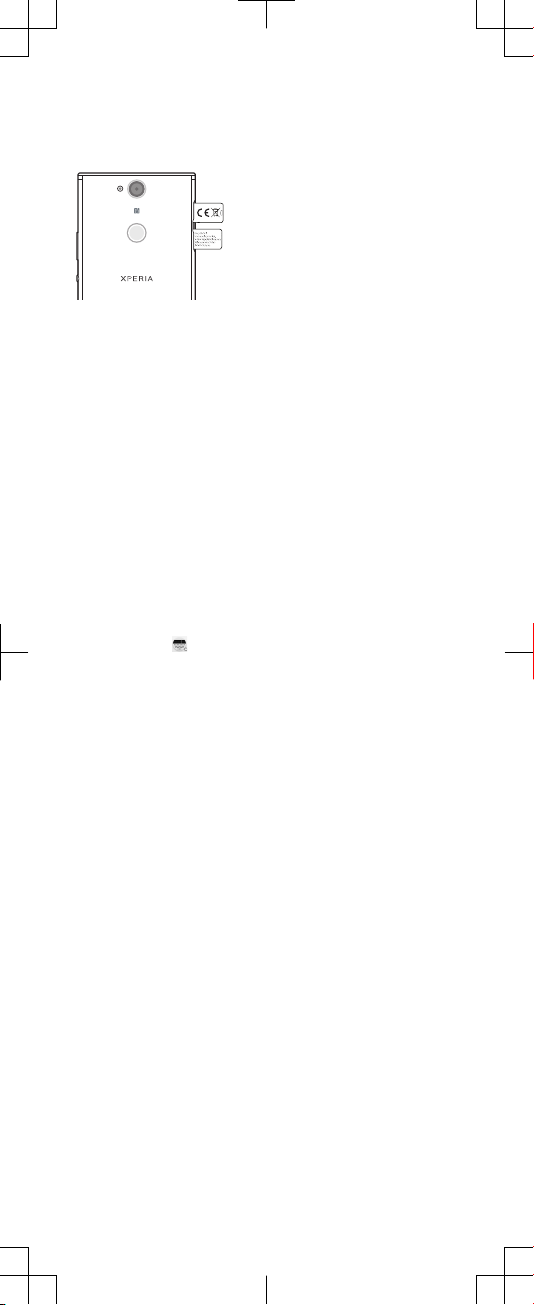
To view the CE marking, FCC ID
1 Drag out the SIM card tray.
2 Remove the memory card fr
om its slot.
3 Drag out the label strips simultaneously, as shown in the
illustration. To see the full text of the EU declaration of
conformity, visit:
http://www.compliance.sony.de/
.
4 To view the FCC ID, turn over your device. The FCC ID is
displayed on the other side of the label strips.
To view the regulatory compliance mark
・Open the phone dialer, then enter *#07#.
To view the IMEI number
・Open the phone dialer, then enter *#06#.
To listen to the FM radio
1
Connect a headset or a set of headphones to your device.
2 Find and tap
scroll through the frequency bands.
Legal information
Publication number: 1234-1234.1
This Startup guide is published by Sony Mobile Communications Inc. or its local aliated company,
without any warranty. Improvements and changes to this Startup guide necessitated by typographical
errors, inaccuracies of current information, or improvements to programs and/or equipment, may be
made by Sony Mobile Communications Inc. at any time and without notice. Such changes will, however,
be incorporated into new editions of this Startup guide. All illustrations are for illustration only and may
not accurately depict the actual device.
See regulatory information such as the device CE marking in the relevant label tray in the device.
All product and company names mentioned herein are the trademarks or registered trademarks of their
respective owners. Any rights not expressly granted herein are reserved. Visit
www.sonymobile.com/global-en/legal/
Manufacturer: Sony Mobile Communications Inc., 4-12-3 Higashi-Shinagawa, Shinagawa-ku, Tokyo
140-0002, Japan. For EU product compliance: Sony Belgium, bijkantoor van Sony Europe Limited, Da
Vincilaan 7-D1, 1935 Zaventem, Belgium.
Note: Sony Mobile advises users to backup their personal data information.
Some services are network- or subscription-dependent. Please contact your network operator or our call
centre for details.
© 2018 Sony Mobile Communications Inc. All rights reserved.
Supported frequency bands
Some frequency bands might be turned o in certain markets or by certain operators.
You can ind your model number under Settings > System > About phone.
H3413
UMTS HSPA+ (Bands 1, 2, 5, 8) GSM GPRS/EDGE 850, 900, 1800, 1900 LTE (Bands 1, 2, 3, 5, 7, 8, 20, 38)
WLAN, 2.4G/5G, NFC
H3423
UMTS HSPA+ (Bands 1, 2, 4, 5, 8) GSM GPRS/EDGE 850, 900, 1800, 1900 LTE (Bands 1, 2, 4, 5, 7, 8, 12, 13,
17, 25, 28, 29, 66) WLAN, 2.4G/5G, NFC
GSM 850/900 : Power Class 4, DCS(1800)/PCS(1900) : Power Class 1, UMTS : Power Class 3, LTE : Power
Class 3, 2.4GHz<100mW, 5.15-5.35GHz<200mW, 5.47-5.725GHz<200mW, NFC 13.56MHz
. The available channels appear as you
for more information.
https://
 Loading...