

Page 1
1
USB WIRELESS MODULE
OR-1
OPERATING MANUAL
v.1.1 29.08 2012
1 Module description and transmission
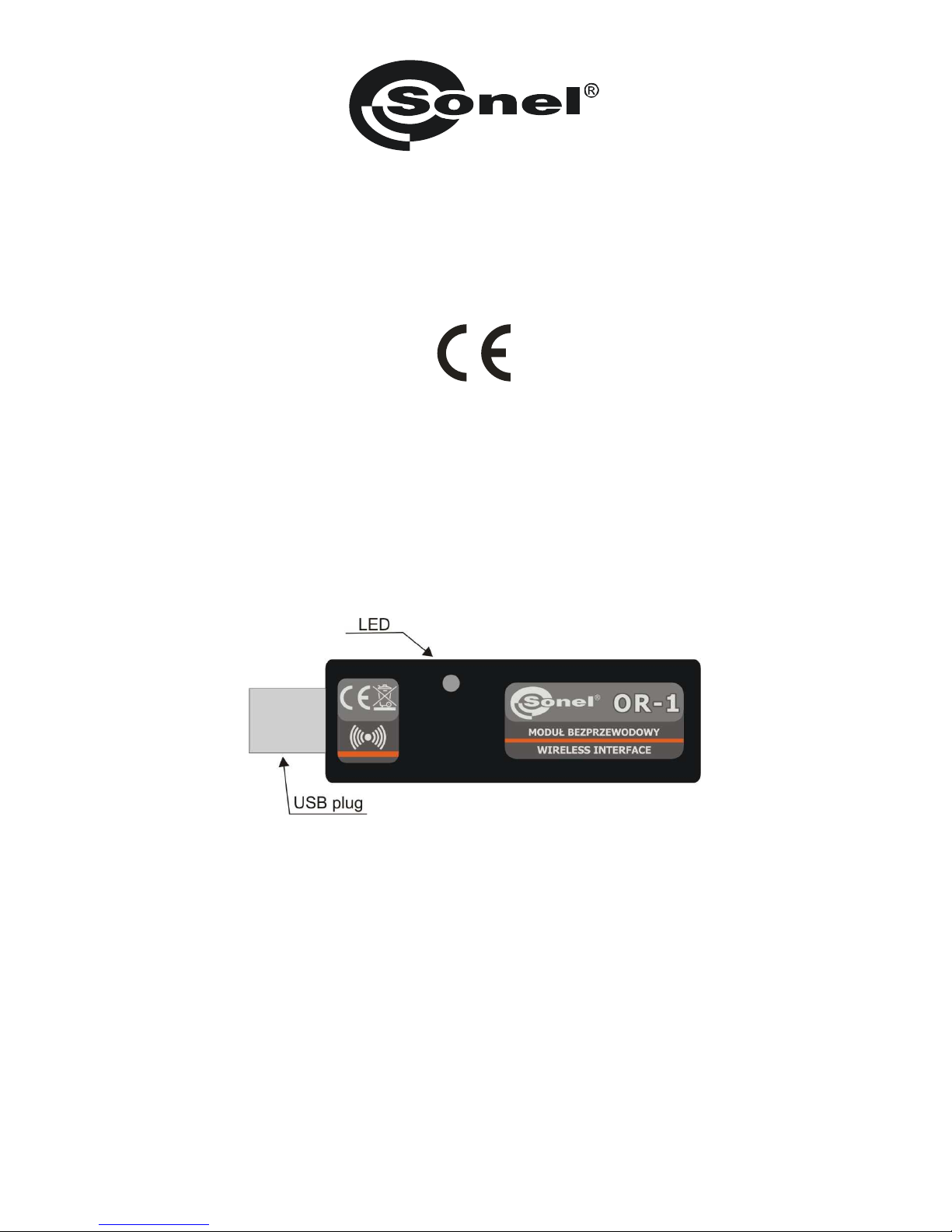
The OR-1 is used for wireless data transmission between a PC and SONEL S.A. meters
equipped with a corresponding transceiver module. It provides a two-way communication.
To use the wireless data transmission module, install on your PC any current software
downloaded from the manufacturer's site (such as SONEL PE, SONEL ANALYSIS, SONEL
READER) and update the meter software to the latest version.
NOTE! Older versions of software (written before 1 April 2010) may not contain current drivers for
the OR-1 module.
To start transmission, connect the module to the USB port of your computer. Flashing LED
indicates that the module is energized. Install the drivers according to the procedure displayed by the
operating system. Set the data transmission option according to the manual of a given meter. Run
one of the data storage and analysis programs supplied by SONEL S.A. These programs include also
the drivers necessary to use the module. The transmission is indicated by the dimming LED.
Below please find a typical data transmission set-up for the MRU-200 meter. Set-up for other
meters is similar. For further information, refer to the manuals for the meters.
Page 2
2
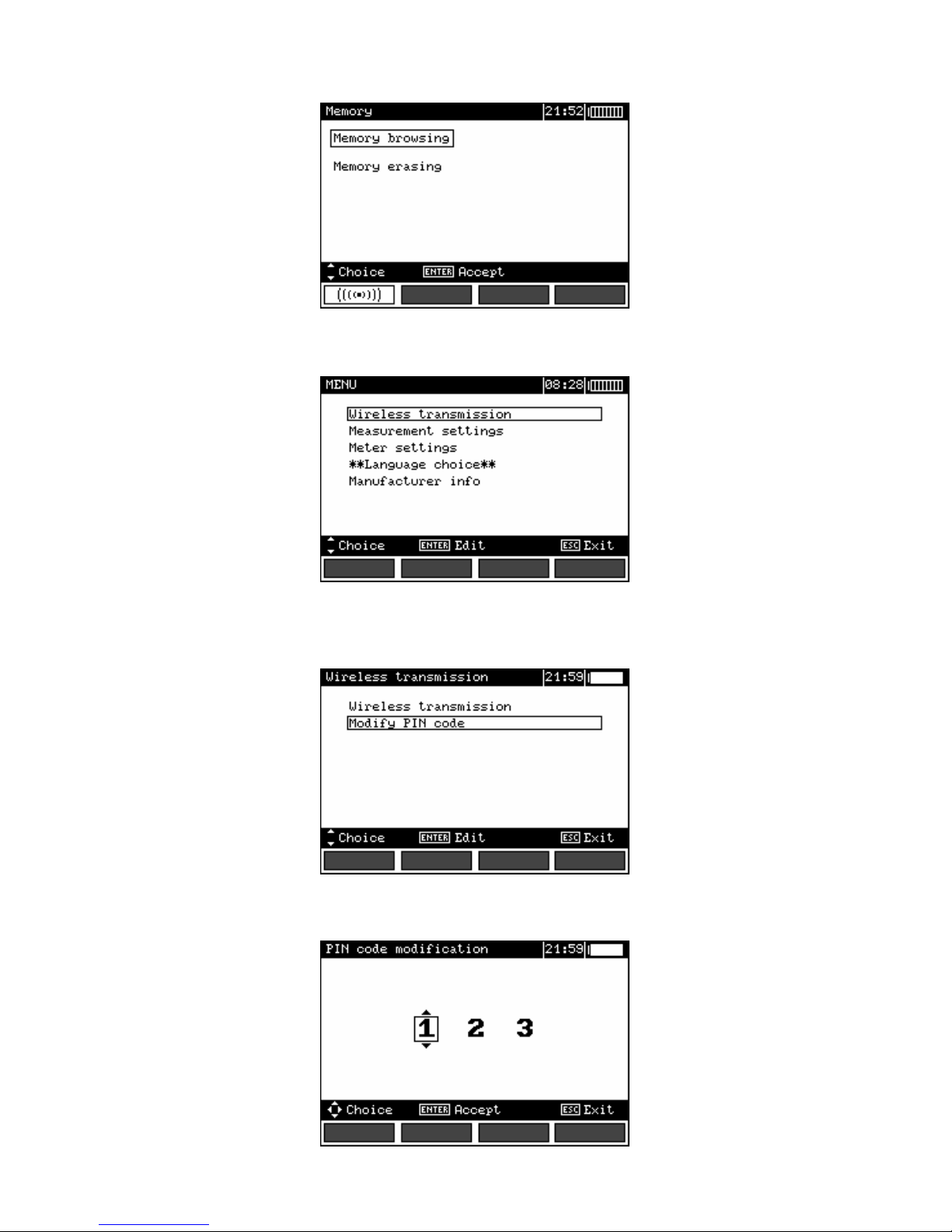
Set the function selector to MEM and press F1...
...or select Wireless transmission in the main MENU of the meter
If a PIN code change is necessary, select Modify PIN code. The same code must be entered in the
computer programme. It is used to secure the transmission.
Set each digit.
Page 3
3
To start transmission, select Wireless transmission in the MENU or press F1 when the selector
is in the MEM position. The messages will appear in the following order: Establishing RF
connection, and Active wireless connection. If it is impossible to establish connection, the
message Wireless connection lost will appear. Once the connection is established, follow the
instructions from the data storage software manual.
2 Software update
NOTE!
This function may be used only by the computer proficient users.
The warranty does not cover a defective operation of the device resulting from wrong use of
this function.
NOTE!
Do not disconnect the module from the PC during programming.
NOTE!
Make sure that one of the data storage programs with a correct driver is installed on the PC.
Before updating the program, from the manufacturer’s website (www.sonel.pl) download the
software that is used for programming the meter and connect the meter to the computer. Run the
program and follow the prompts.
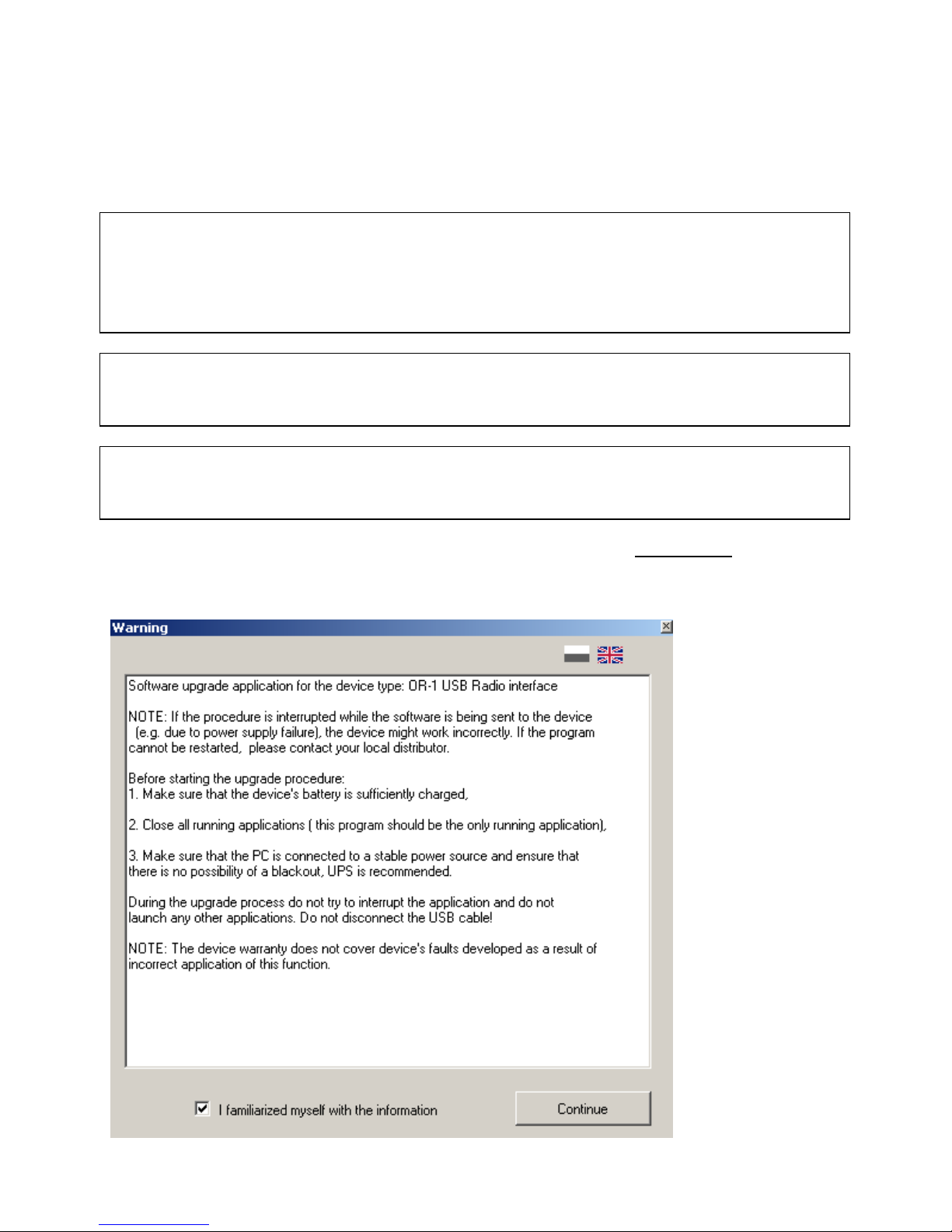
Read the
information and
check the option: I
familiarized
myself with the
information.
Page 4
4
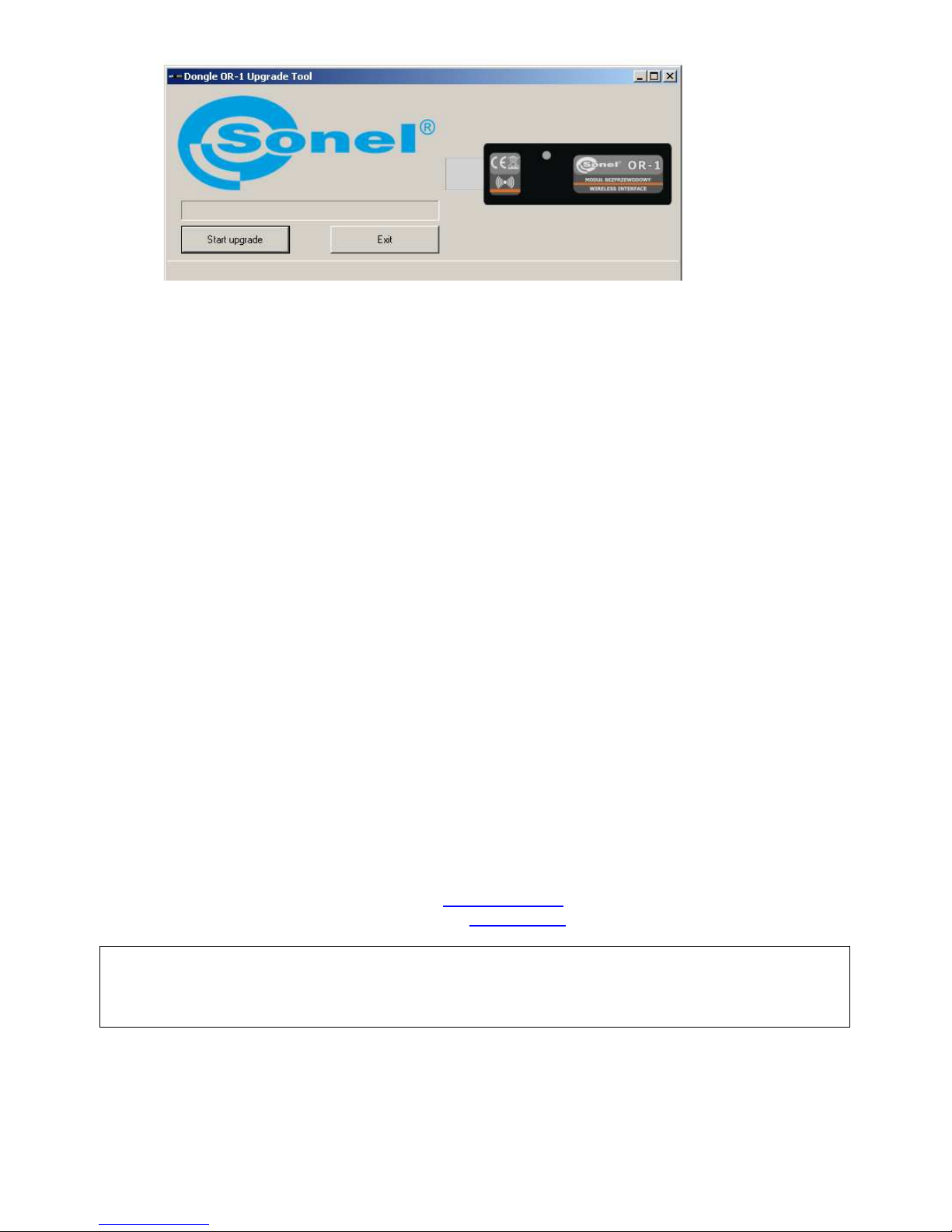
Click
Start
upgrade.
3 Dismantling and Disposal
Used electrical and electronic equipment should be collected selectively, i.e. it must not be placed
with another kinds of waste.
Used electronic equipment should be sent to a collection point in accordance with the Used
Electrical and Electronic Equipment Act.
Before the equipment is sent to a collection point, do not dismantle any elements.
Observe the local regulations concerning disposal of packages and used batteries.
4 Transmitter Specifications
a) transmission speed:.............................................................................................................115kb/s
b) range:..........................................................................................................................................5m
c) waveband:..................................................................................................................ISM 433 MHz
d) operating systems:...........................................................Windows 2000, XP, Vista 32bit and 64bit
e) dimensions................................................................................................about 78 x 23 x 14.5 mm
f) weight:........................................................................................................................about 0.02 kg
g) operating temperature............................:...........................................................................0..+40°C
h) humidity:................................................................................................up to 80% non-condensing
5 Manufacturer
The manufacturer of the module and provider of warranty and post-warranty service:
SONEL S.A.
ul. Wokulskiego 11
58-100 Świdnica
Poland
tel. +48 74 858 38 60
fax +48 74 858 38 09
E-mail: [email protected]
Web page: www.sonel.pl
NOTE
Service repairs must be performed solely by the manufacturer.
 Loading...