

Page 1
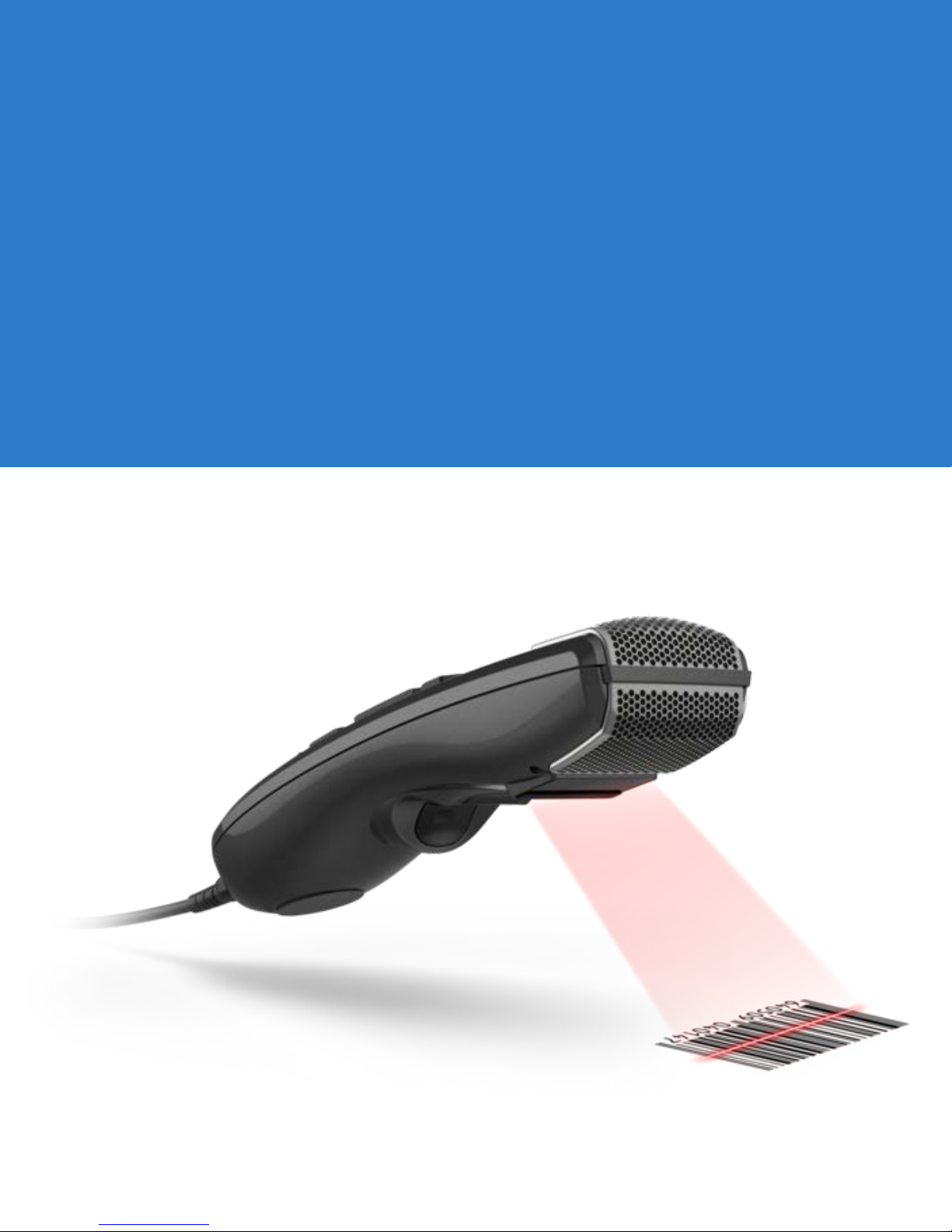
SpeechMike Premium Touch
SMP 3800 series
Scanner programming guide
Page 2

Parameter Menus
Introduction
This chapter describes the programmable parameters, provides bar codes for programming, and hexadecimal equivalents
for host parameter programming through SSI packets.
Operational Parameters
The SpeechMike Premium Touch Barcode is shipped with the factory default settings shown in Table 4-1 on page
4-2. These factory default values are stored in non-volatile memory and are preserved even when the scan engine is
powered down. Changes to the factory default values are also stored in non-volatile memory and are preserved even
when the scan engine is powered down.
To change the parameter values:
•
Scan the appropriate bar codes included in this chapter. The new values replace the existing memory values. The
factory default parameter values can be recalled by scanning Set Factory Defaults on page 4-7.
Page 3
4 - 2 SpeechMike Premium Touch scanner programming guide
Parameter Programming Recommendations
When setting parameters via bar code or via SSI with the permanent flag set, the following conditions must be met:
•
The system must have stable power applied to the scanner.
•
The engine and host must be operating and communicating with no interference.
•
Power must be maintained for at least two seconds after sending the command or scanning the parameter bar code.
If sending parameters upon every power up, ensure they are temporary . Motorola does not recommend sending permanent
parameters or
supply.
Failure to meet these conditions can corrupt the scan engine's memory.
Set Defaults upon every power up. Motorola also recommends not using a hard power switch on the power
Parameter Defaults
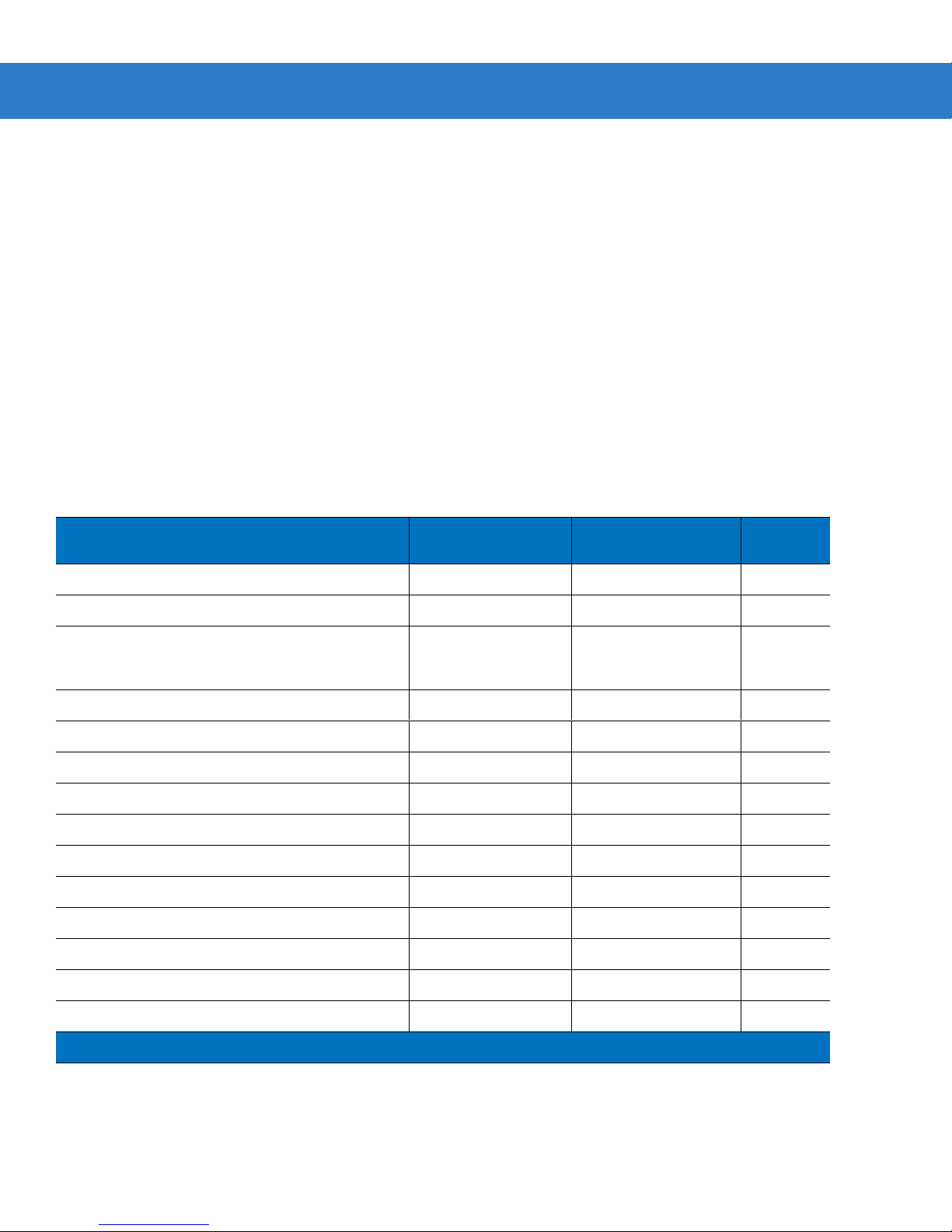
Table 8-1 lists the factory defaults for all parameters. To change any option, scan the appropriate bar code(s).
Table 4-1
Set Factory Default All Defaults 4-7
LED On Time 88h 3.0 sec 4-7
Transmit “No Read” Message 5Eh Disab
Linear Code Type Security Levels 4Eh 1 4-11
UPC/EAN
UPC-A 01h Enable 4-13
UPC-E 02h Enable 4-13
UPC-E1 0Ch Disable 4-14
EAN-8 04h Enable 4-14
EAN-13 03h Enable 4-15
Bookland EAN 53h Disable 4-15
Bookland ISBN Format F1h 40h ISBN-10
Decode UPC/EAN Supplementals 10h Ign or e 4-17
Factory Default Table
Parameter
Parameter Number
(Hex)
Factory Default
le 4-10
4-15
Page
Number
Decode UPC/EAN Supplemental Redundancy 50h 7 4-19
UPC/EAN/JAN Supplemental AIM ID Format F1h A0h Combined 4-20
Page 4
Parameter Menus 4 - 3
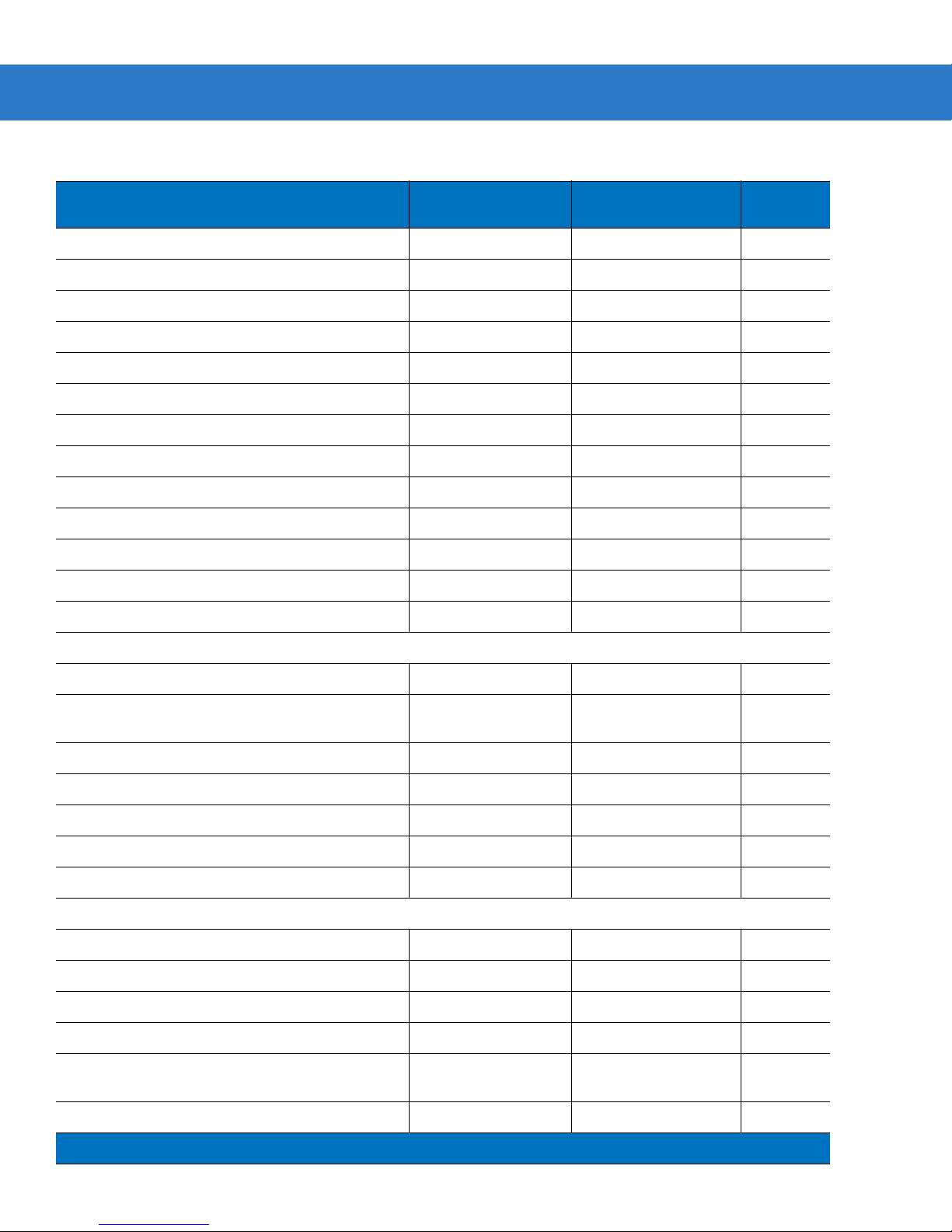
Table 4-1
Factory Default Table (Continued)
Parameter
Parameter Number
(Hex)
Factory Default
Transmit UPC-A Check Digit 28h Enable 4-21
Transmit UPC-E Check Digit 29h Enable 4-21
Transmit UPC-E1 Check Digit 2Ah Enable 4-22
UPC-A Preamble 22h System Character 4-22
UPC-E Preamble 23h System Character 4-23
UPC-E1 Pream ble 24h System Character 4-24
Convert UPC-E to A 25h Disable 4-25
Convert UPC-E1 to A 26h Disable 4-25
EAN-8 Zero Extend 27h Disable 4-26
UPC/EAN Security Level 4Dh 1 4-27
UCC Coupon Extended Code 55h Disable 4-28
Coupon Report F1h DAh Both Coupon Formats
ISSN EAN F1h 69h Disable
4-29
4-30
Page
Number
Code 128
Code 128 08h Enable 4-31
Set Length(s) for Code 128 D1h
1-55 4-31
D2h
GS1-128 (formerly UCC/EAN-128) 0Eh Enable 4-33
ISBT 128 54h Enable 4-33
ISBT Concatenation F1h 41h Disable
Check ISBT Table F1h 42h Enable
ISBT Concatenation Redundancy DFh 10
4-34
4-35
4-35
Code 39
Code 39 00h E nabl e 4-36
Trioptic Code 39 0Dh Disable 4-36
Convert Code 39 to Code 32 56h Disable 4-37
Code 32 Prefix E7h Disable 4-37
Set Length(s) for Code 39 12h
2-55 4-38
13h
Code 39 Check Digit Verification 30h Disable 4-39
Page 5
4 - 4 SpeechMike Premium Touch scanner programming guide
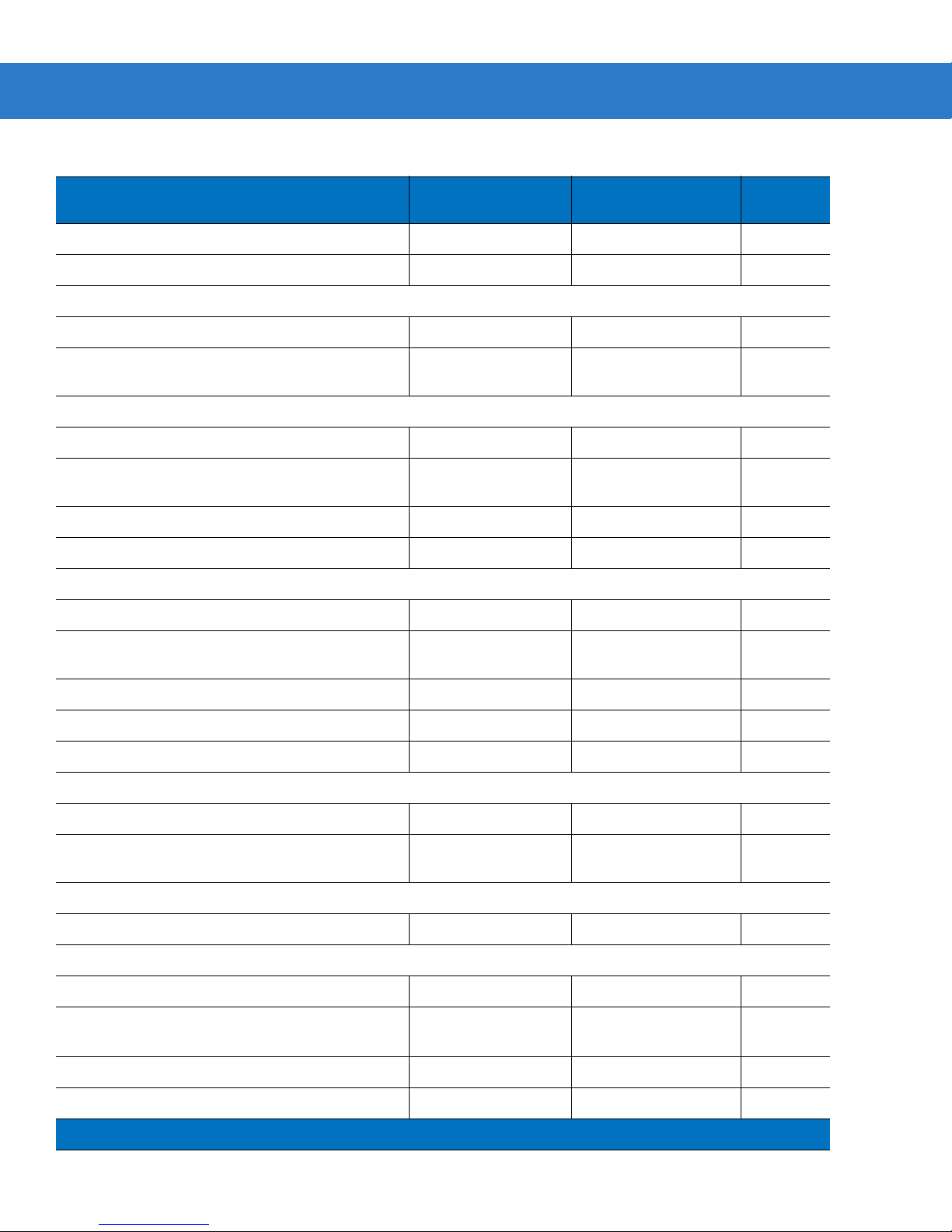
Table 4-1
Factory Default Table (Continued)
Parameter
Parameter Number
(Hex)
Factory Default
Transmit Code 39 Check Digit 2Bh Disable 4-39
Code 39 Full ASCII Conversion 11h Disable 4-40
Code 93
Code 93 09h Disable 4-41
Set Length(s) for Code 93 1Ah
4-55 4-41
1Bh
Code 11
Code 11 0Ah Di sa ble 4-43
Set Lengths for Code 11 1Ch
4 to 55 4-43
1Dh
Code 11 Check Digit Verification 34h Disable 4-45
Transmit Code 11 Check Digit(s) 2Fh Disable 4-46
Interleaved 2 of 5
Page
Number
Interleaved 2 of 5 06h Enable 4-47
Set Length(s) for I 2 of 5 16h
14 4-47
17h
I 2 of 5 Check Digit Verification 31h Disable 4-49
Transmit I 2 of 5 Check Digit 2Ch Disable 4-49
Convert I 2 of 5 to EAN 13 52h Disable 4-50
Discrete 2 of 5
Discrete 2 of 5 05h Disable 4-51
Set Length(s) for D 2 of 5 14h
12 4-51
15h
Chinese 2 of 5
Chinese 2 of 5 F0h 98h Disable 4-53
Matrix 2 of 5
Matrix 2 of 5 F1h 6Ah Disable
Matrix 2 of 5 Lengths F1h 6Bh
14
4-54
4-54
F1h 6Ch
Matrix 2 of 5 Redundancy F1h 6Dh Disable
Matrix 2 of 5 Check Digit F1h 6Eh Disable
4-55
4-56
Page 6
Parameter Menus 4 - 5
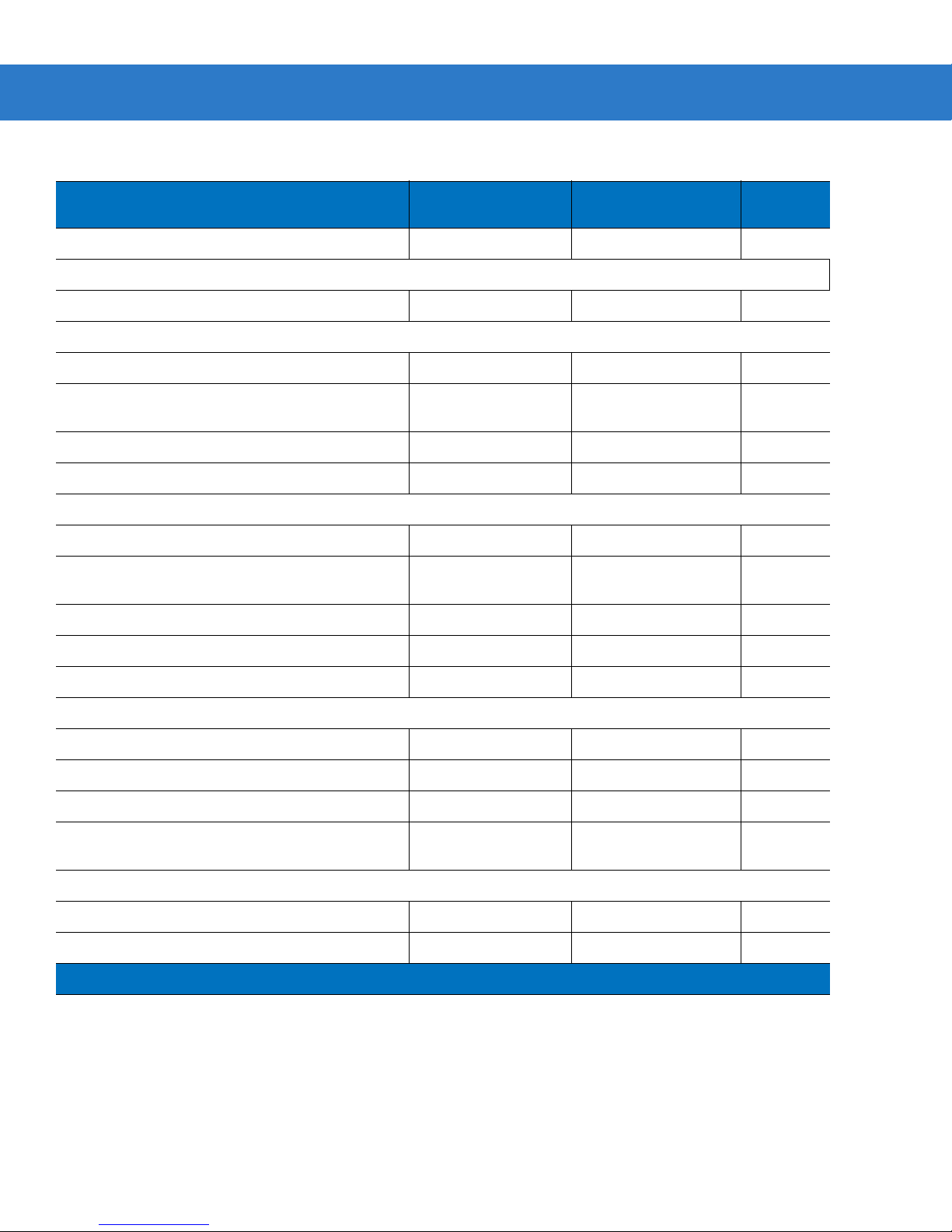
Table 4-1
Transmit Matrix 2 of 5 Check Digit F1h 6Fh Disable
Factory Default Table (Continued)
Parameter
Parameter Number
(Hex)
Factory Default
4-56
Inverse 1D
Inverse 1D F1h 4Ah Regular
4-57
Codabar
Codabar 07h Disable 4-58
Set Lengths for Codabar 18h
5-55 4-58
19h
CLSI Editing 36h Disable 4-60
NOTIS Editing 37h Disable 4-60
MSI
MSI 0Bh Disable 4-61
Set Length(s) for MSI 1Eh
6-55 4-62
1Fh
Page
Number
MSI Check Digits 32h One 4-63
Transmit MSI Check Digit 2Eh Disable 4-63
MSI Check Digit Algorithm 33h Mod 10/Mod 10 4-64
GS1 DataBar
GS1 DataBar Omnidirectional F0h 52h Enable 4-65
GS1 DataBar Limited F0h 53h Enable 4-65
GS1 DataBar Expanded F0h 54h Enable 4-66
Convert GS1 DataBar to UPC/EAN F0h
Disable 4-66
8Dh
Data Options
Transmit Code ID Character 2Dh None 4-67
Scan Data Transmission Format EBh Data as is 4-68
Page 7
Parameter Menus 4 - 7
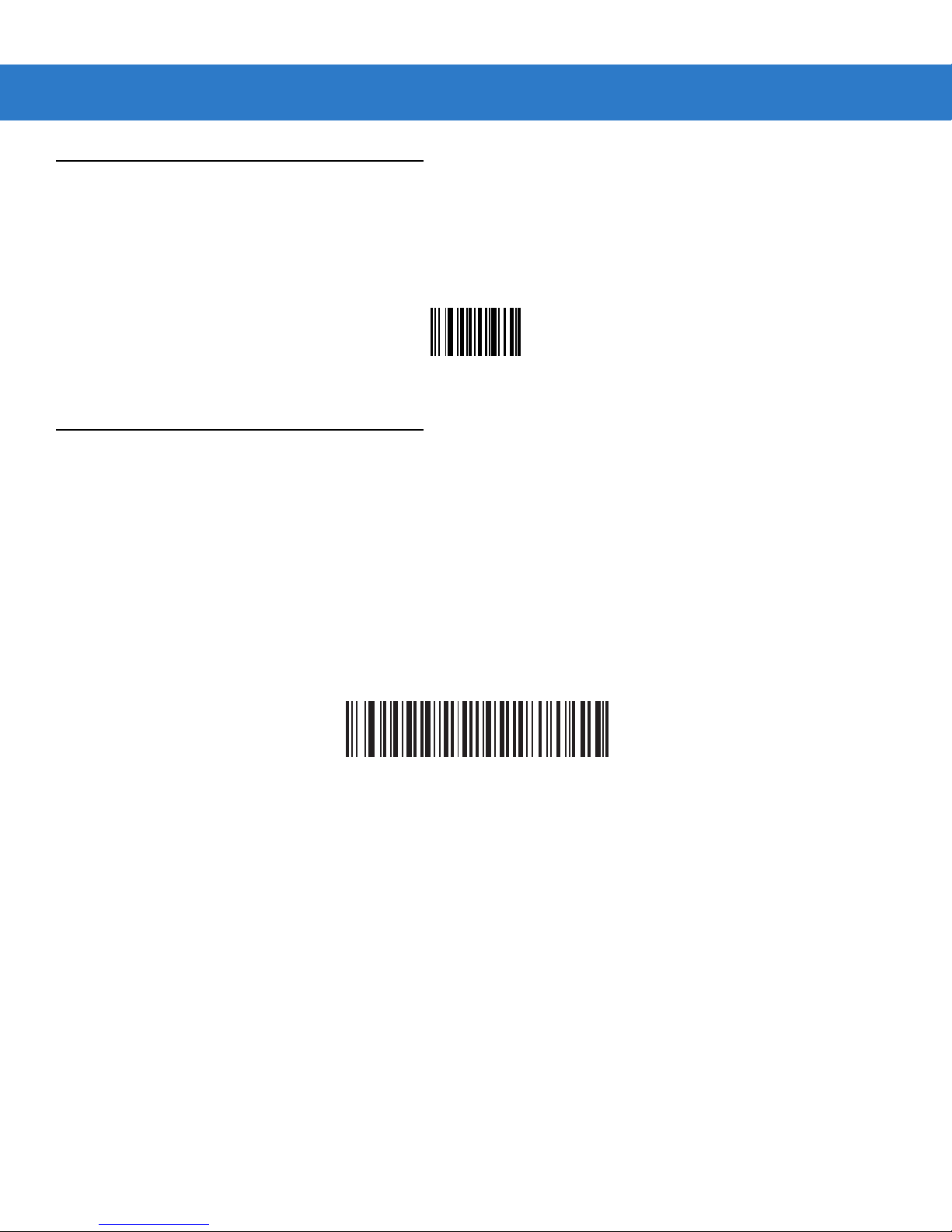
Set Default Parameter
Scan Set Factory Defaults to restore the factory default values listed in Table 4-1 on page 4-2.
Set Factory Defaults
LED On Time
Parameter # 88h
This parameter sets the maximum time decode processing continues during a scan attempt. It is programmable in 0.1
second increments from 0.50 to 25.5 seconds.
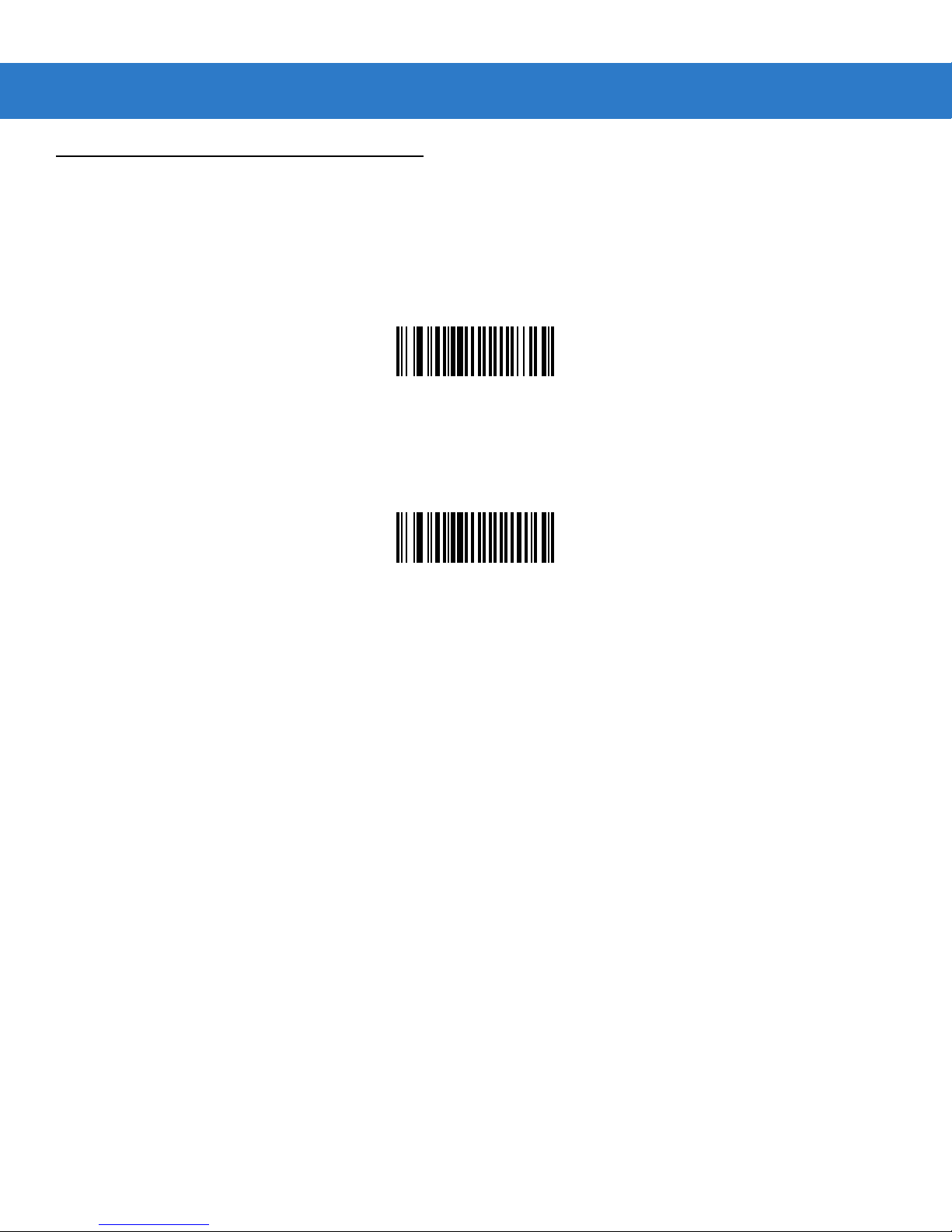
To set an LED On Time, scan the bar code below. Next scan two numeric bar codes beginning on page 4-73 that
correspond to the desired on time. Single digit numbers must have a leading zero. For example, to set an on time of 0.5
seconds, scan the bar code below, then scan the "0", "5" and "0" bar codes; to set an on time of 10.5 seconds, scan the bar
code below, then scan the "1", "0" and "5" bar codes. To change the selection or cancel an incorrect entry, scan Cancel on
page 4-74.
LED On Time
(Default: 3.0 sec.)
Page 8
4 - 10 SpeechMike Premium Touch scanner programming guide
Transmit “No Read” Message
Parameter # 5Eh
Enable this option to transmit “NR” if a symbol does not decode during the timeout period or before the trigger is released.
Any enabled prefix or suffixes are appended around this message.
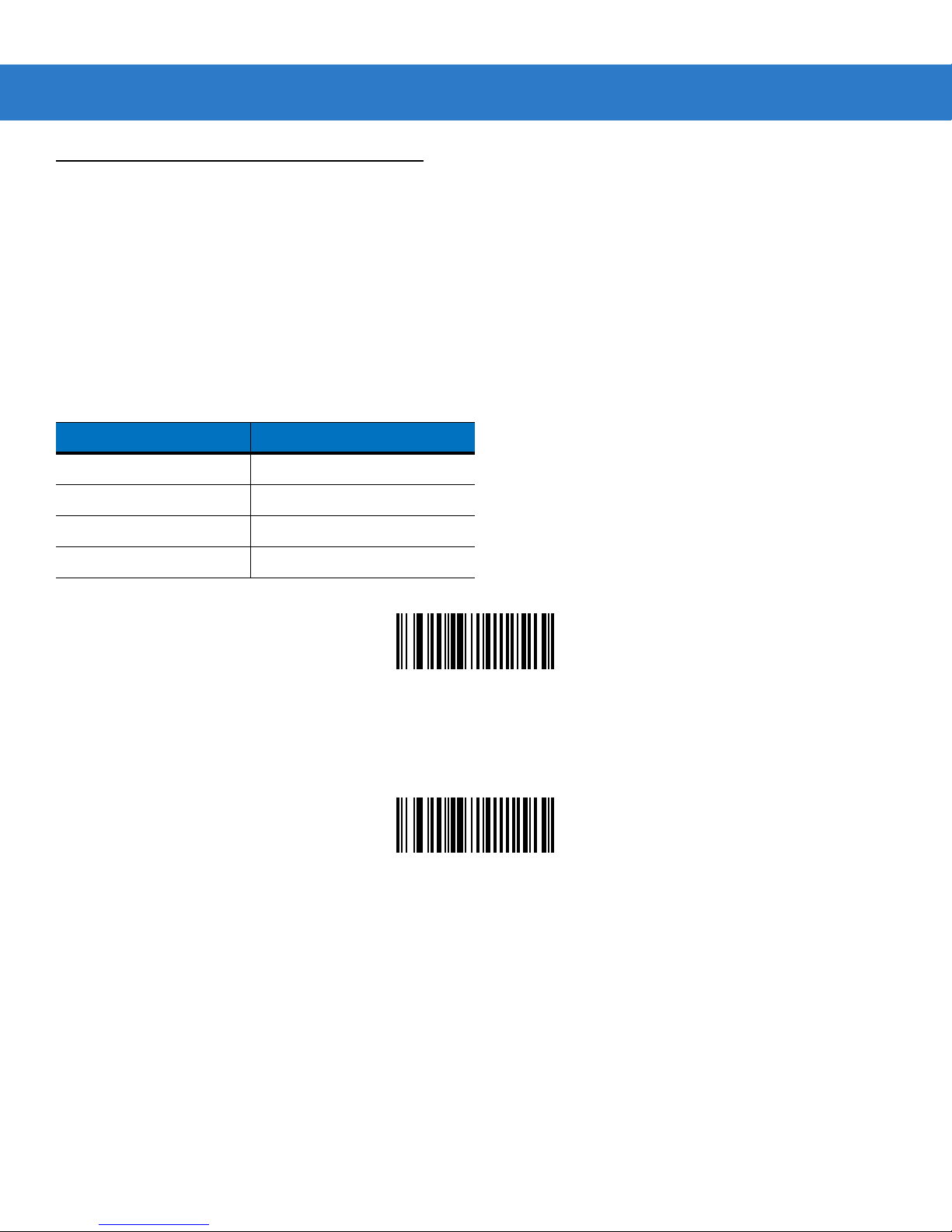
Enable No Read
(01h)
When disabled, and a symbol cannot be decoded, no message is sent to the host.
*Disable No Read
(00h)
Page 9
Parameter Menus 4 - 11
Linear Code Type Security Level
Parameter # 4Eh
The SE655 offers four levels of decode security for linear code types (e.g. Code 39, Interleaved 2 of 5). Select higher
security levels for decreasing levels of bar code quality. As security levels increase, the scan engine’s aggressiveness
decreases.
Select the security level appropriate for your bar code quality.
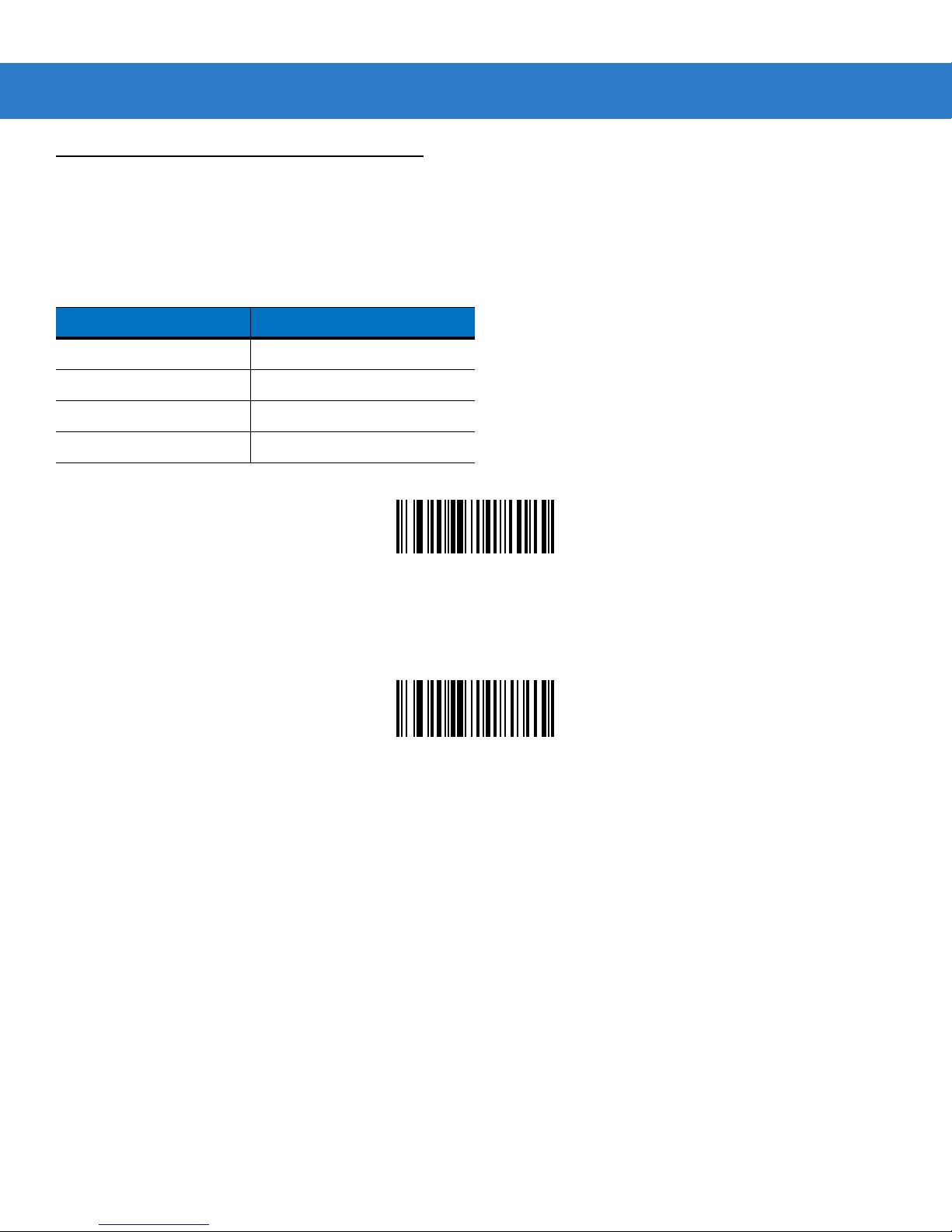
Linear Security Level 1
The following code types must be successfully read twice before being decoded:
Code Type Length
Codabar 8 or less
MSI 4 or less
D 2 of 5 8 or less
I 2 of 5 8 or less
*Linear Security Level 1
(01h)
Linear Security Level 2
All code types must be successfully read twice before being decoded.
Linear Security Level 2
(02h)
Page 10
4 - 12 SpeechMike Premium Touch scanner programming guide
Linear Code Type Security Level (continued)
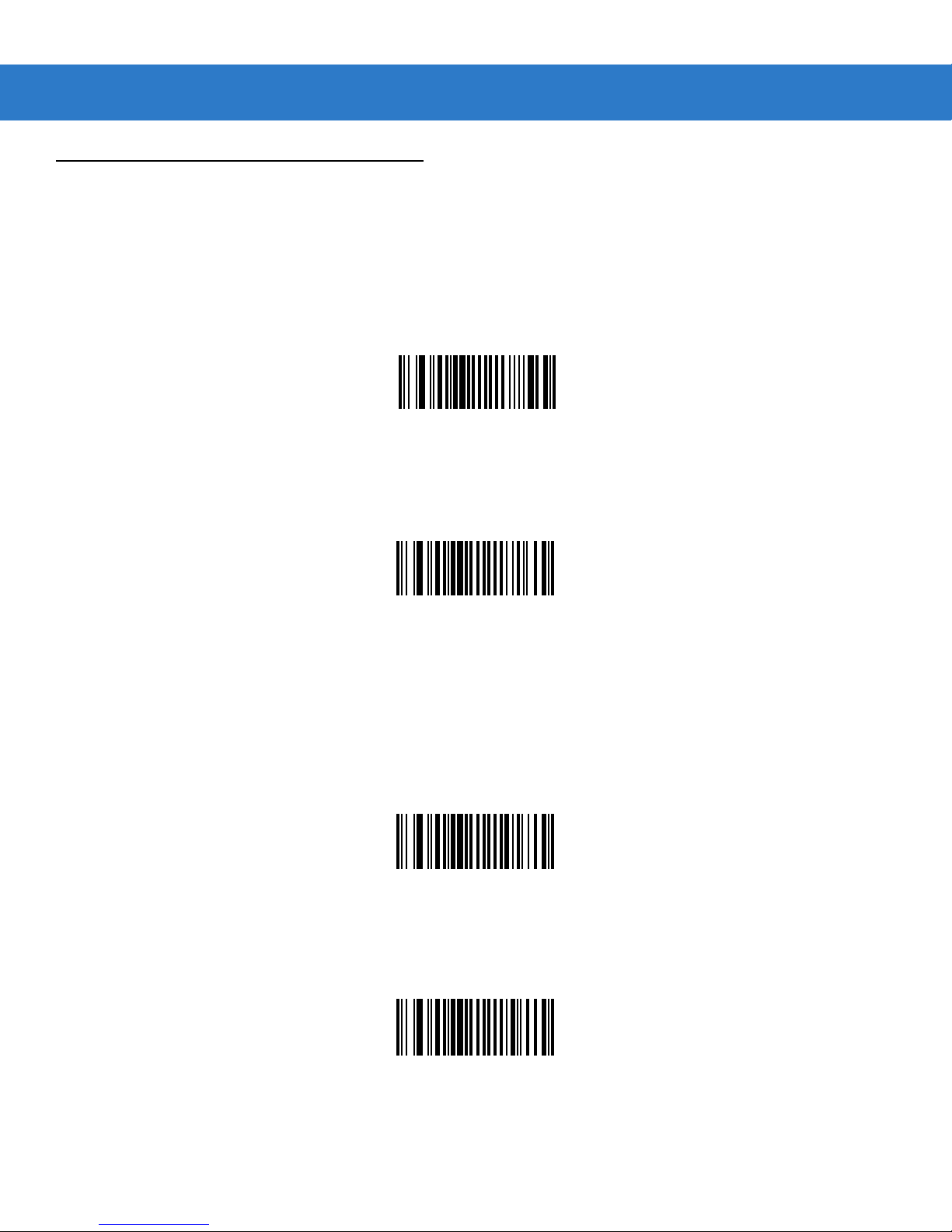
Linear Security Level 3
Code types other than the following must be successfully read twice before being decoded. The following codes must be
read three times:
Code Type Length
Codabar 8 or less
MSI 4 or less
D 2 of 5 8 or less
I 2 of 5 8 or less
Linear Security Level 3
(03h)
Linear Security Level 4
All code types must be successfully read three times before being decoded.
Linear Security Level 4
(04h)
Page 11
UPC/EAN
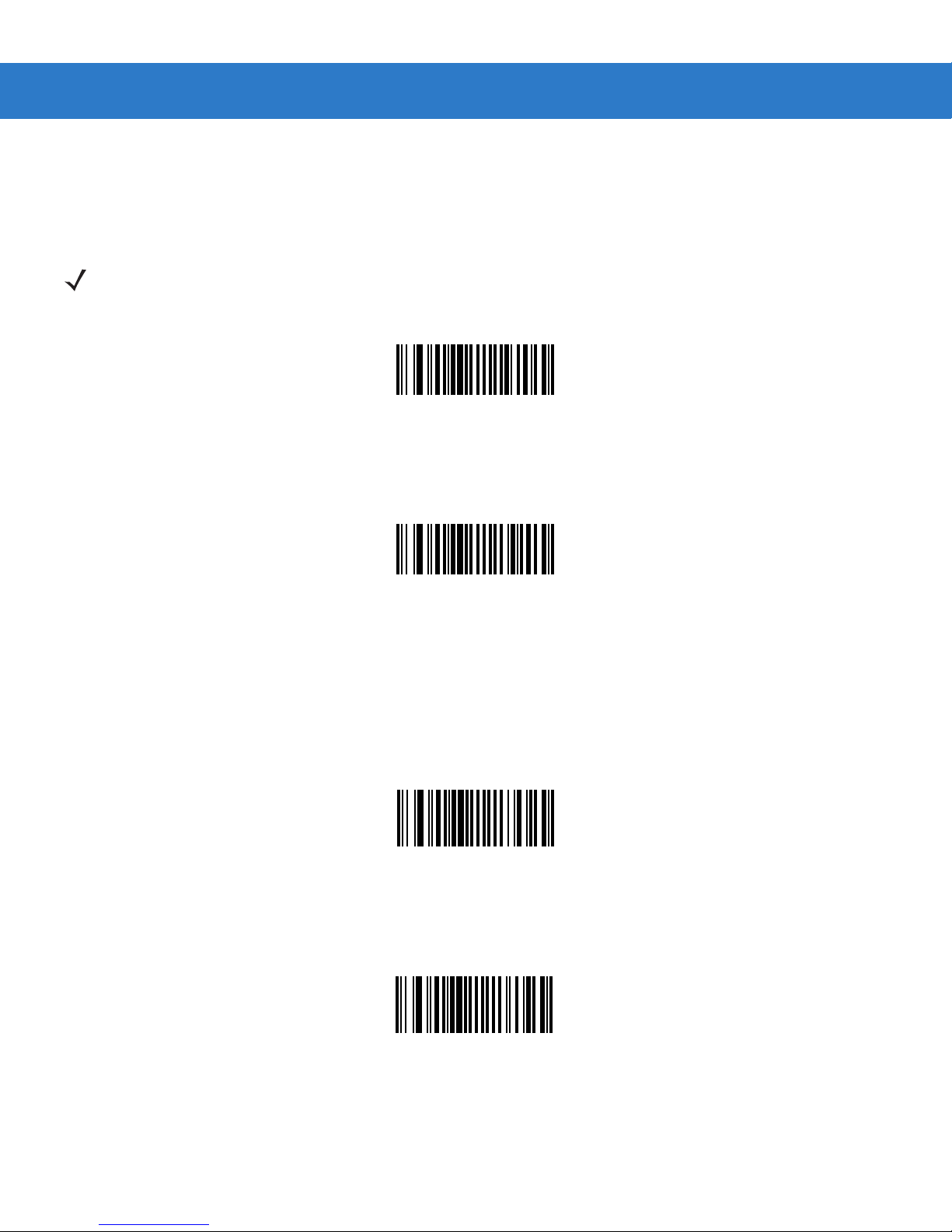
Enable/Disable UPC-A
Parameter # 01h
To enable or disable UPC-A, scan the appropriate bar code below.
*Enable UPC-A
(01h)
Parameter Menus 4 - 13
Disable UPC-A
(00h)
Enable/Disable UPC-E
Parameter # 02h
To enable or disable UPC-E, scan the appropriate bar code below.
*Enable UPC-E
(01h)
Disable UPC-E
(00h)
Page 12
4
- 14 SpeechMike Premium Touch scanner programming guide
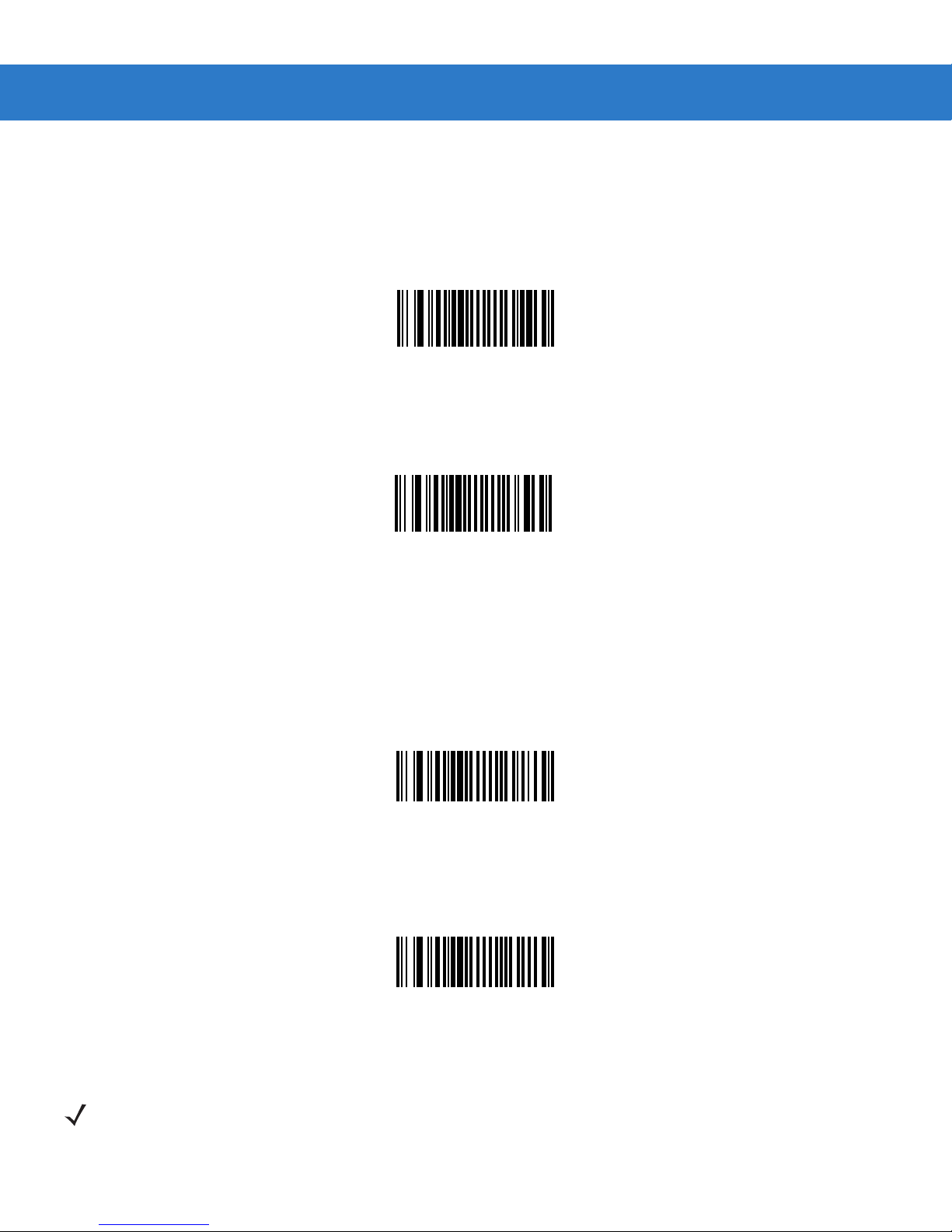
Enable/Disable UPC-E1
Parameter # 0Ch
To enable or disable UPC-E1, scan the appropriate bar code below.
NOTE UPC-E1 is not a UCC (Uniform Code Council) approved symbology.
Enable UPC-E1
(01h)
*Disable UPC-E1
(00h)
Enable/Disable EAN-8
Parameter # 04h
To enable or disable EAN-8, scan the appropriate bar code below.
*Enable EAN-8
(01h)
Disable EAN-8
(00h)
Page 13
Enable/Disable EAN-13
Parameter # 03h
To enable or disable EAN-13, scan the appropriate bar code below.
*Enable EAN-13
(01h)
Parameter Menus 4 - 15
Disable EAN-13
(00h)
Enable/Disable Bookland EAN
Parameter # h53h
To enable or disable EAN Bookland, scan the appropriate bar code below.
Enable Bookland EAN
(01h)
NOTE If you enable Bookland EAN, select a Bookland ISBN Format on page 4-16. Also select either Decode
UPC/EAN Supplementals, Autodiscriminate U PC /EAN Sup ple me nt als, or Enable 978/979 Supplem ental
Mode in Decode UPC/EAN Supplementals on page 4-17.
*Disable Bookland EAN
(00h)
Page 14
4 - 16 SpeechMike Premium Touch scanner programming guide
Bookland ISBN Format
Parameter # F1h 40h
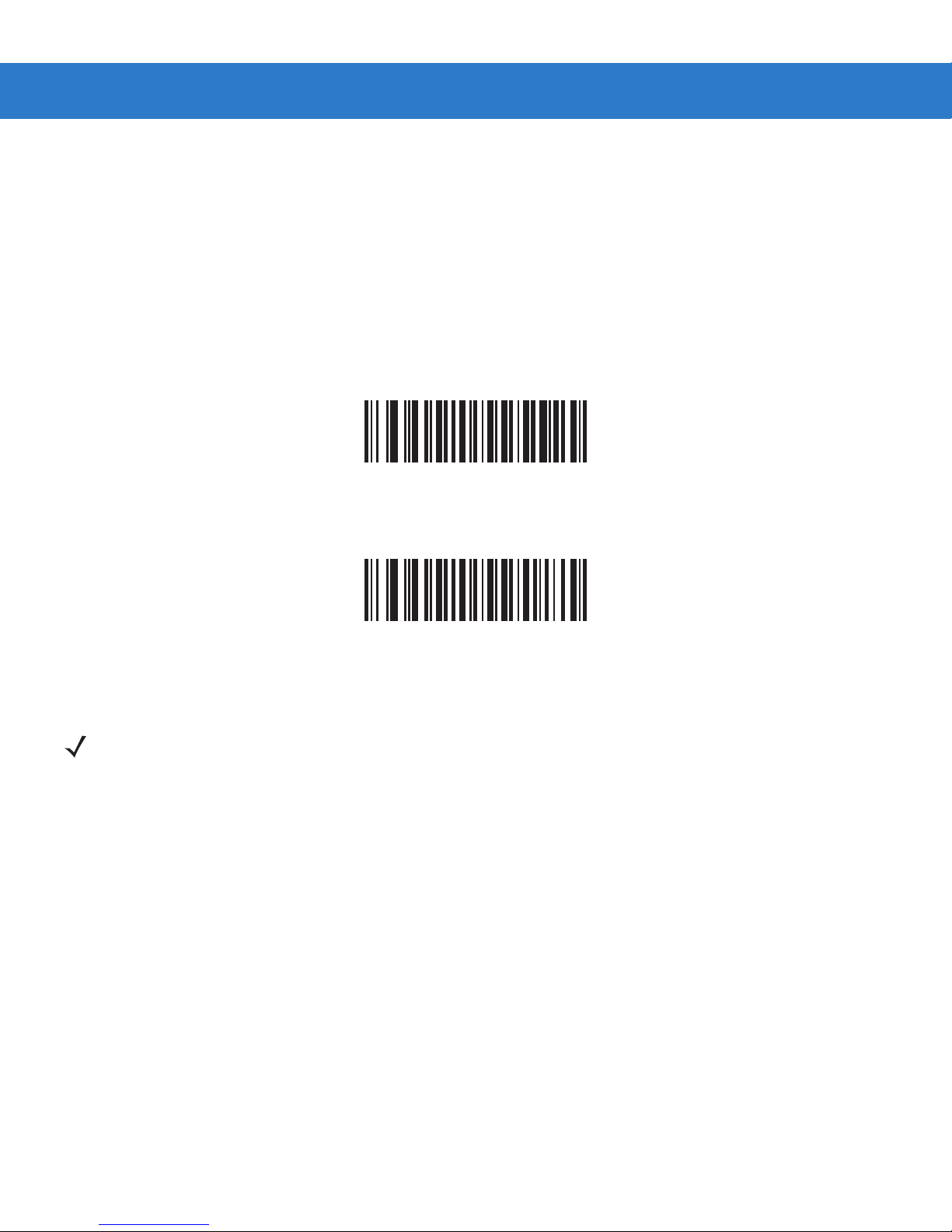
If Bookland EAN is enabled, select one of the following formats for Bookland data:
•
Bookland ISBN-10 - The digital scanner reports Bookland data starting with 978 in traditional 10-digit format with the
special Bookland check digit for backward-compatibility. Data starting with 979 is not considered Bookland in this
mode.
•
Bookland ISBN-13 - The digital scanner reports Bookland data (starting with either 978 or 979) as EAN-13 in 13-digit
format to meet the 2007 ISBN-13 protocol.
•
*Bookland ISBN-10
(00h)
Bookland ISBN-13
(01h)
NOTE For Bookland EAN to function properly, ensure Bookland EAN is enabled (see Enable/Disable Bookland
EAN on page 4-15), then select either Decode UPC/EAN Supplementals, Autodiscriminate UPC/EAN
Supplementals, or Enable 978/979 Supplemental Mode in Decode UPC/EAN Supplementals on page
4-17.
Page 15

Parameter Menus 4 - 17
Decode UPC/EAN Supplementals
Parameter # 10h
Supplementals are bar codes appended according to specific format conventions (e.g., UPC A+2, UPC E+2, EAN 13+2).
The following options are available:
•
If you select Ignore UPC/EAN with Supplementals, and t h e scanner is presented with a UPC/EAN plus
supplemental symbol, the scanner decodes UPC/EAN and ignores the supplemental characters.
•
If you select Decode UPC/EAN with Supplementals, the scanner only decodes UPC/EAN symbols with
supplemental characters, and ignores symbols without supplementals.
•
If you select Autodiscriminate UPC/EAN Supplementals, the scanner decodes UPC/EAN symbols with
supplemental characters immediately. If the symbol does not have a supplemental, the scanner must decode the bar
code the number of times set via Decode UPC/EAN Supplemental Redundancy on page 4-19 before transmitting its
data to confirm that there is no supplemental.
•
If you select one of the following Supplemental Mode options, the scanner immediately transmits EAN-13 bar codes
starting with that prefix that have supplemental characters. If the symbol does not have a supplemental, the scanner
must decode the bar code the number of times set via Decode UPC/EAN Supplemental Redundancy on page 4-19
before transmitting its data to confirm that there is no supplemental. The scanner transmits UPC/EAN bar codes
not have that prefix immediately.
do
• Enable 378/379 Supplemental Mode.
that
• Enable 978/979 Supplemental Mode.
NOTE If you select 978/979 Supplemental Mode and are scanning Bookland EAN bar codes, see
Enable/Disable Bookland EAN on page 4-15 to enable Bookland EAN, and select a format using
Bookland ISBN Format on page 4-16.
• Enable 977 Supplemental Mode.
• Enable 414/419/434/439 Supplemental Mode.
• Enable 491 Supplemental Mode.
• Enable Smart Supplemental Mode - applies to EAN-13 bar codes starting with any prefix listed previously.
NOTE To minimize the risk of invalid data transmission, select either to decode or ignore supplemental
characters.
Page 16
4
- 18 SpeechMike Premium Touch scanner programming guide
Decode UPC/EAN Supplementals (continued)
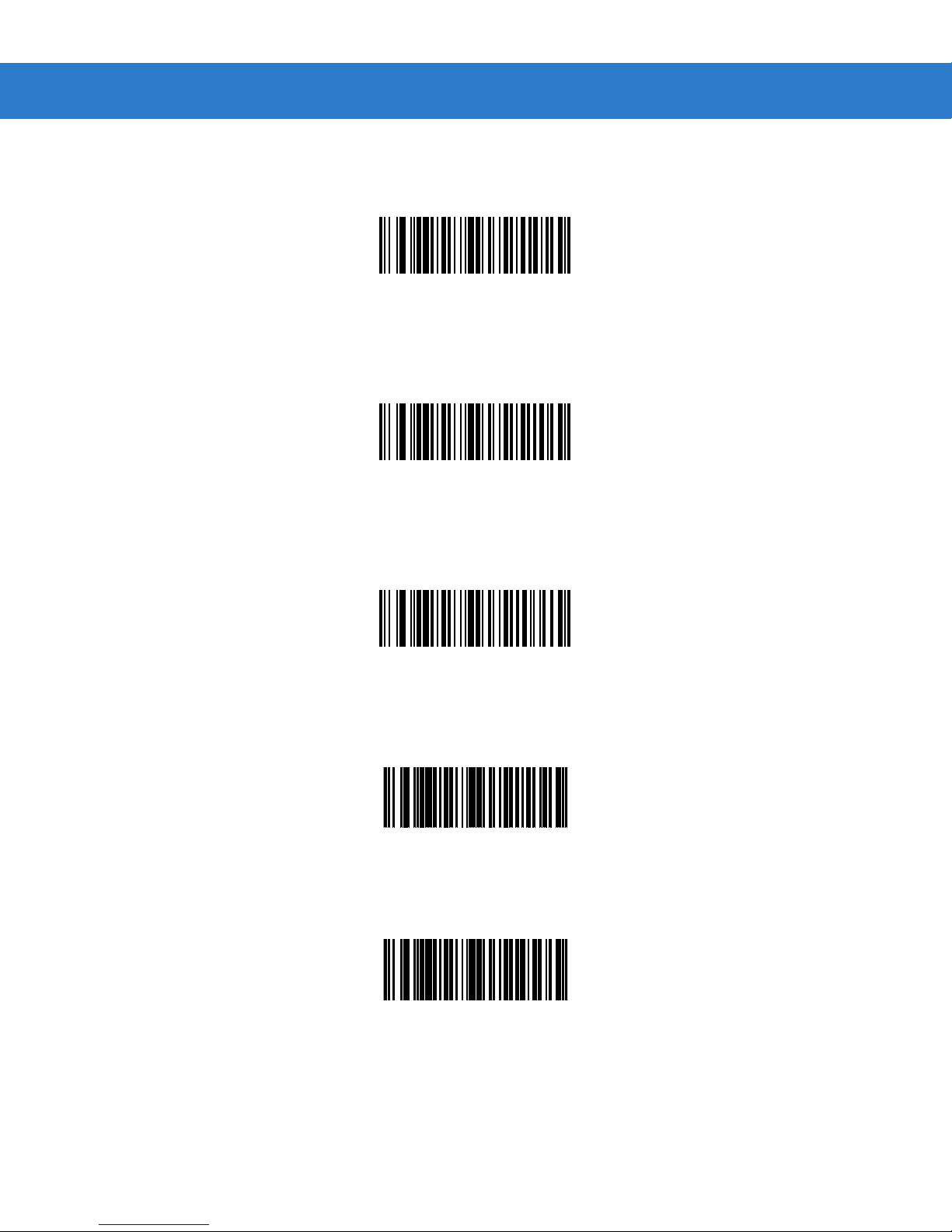
Select the desired option by scanning one of the following bar codes.
Decode UPC/EAN With Supplementals
(01h)
*Ignore UPC/EAN With Supplementals
(00h)
Autodiscriminate UPC/EAN Supplementals
(02h)
Enable 378/379 Supplemental Mode
(04h)
Enable 978/979 Supplemental Mode
(05h)
Page 17
Decode UPC/EAN Supplementals (continued)
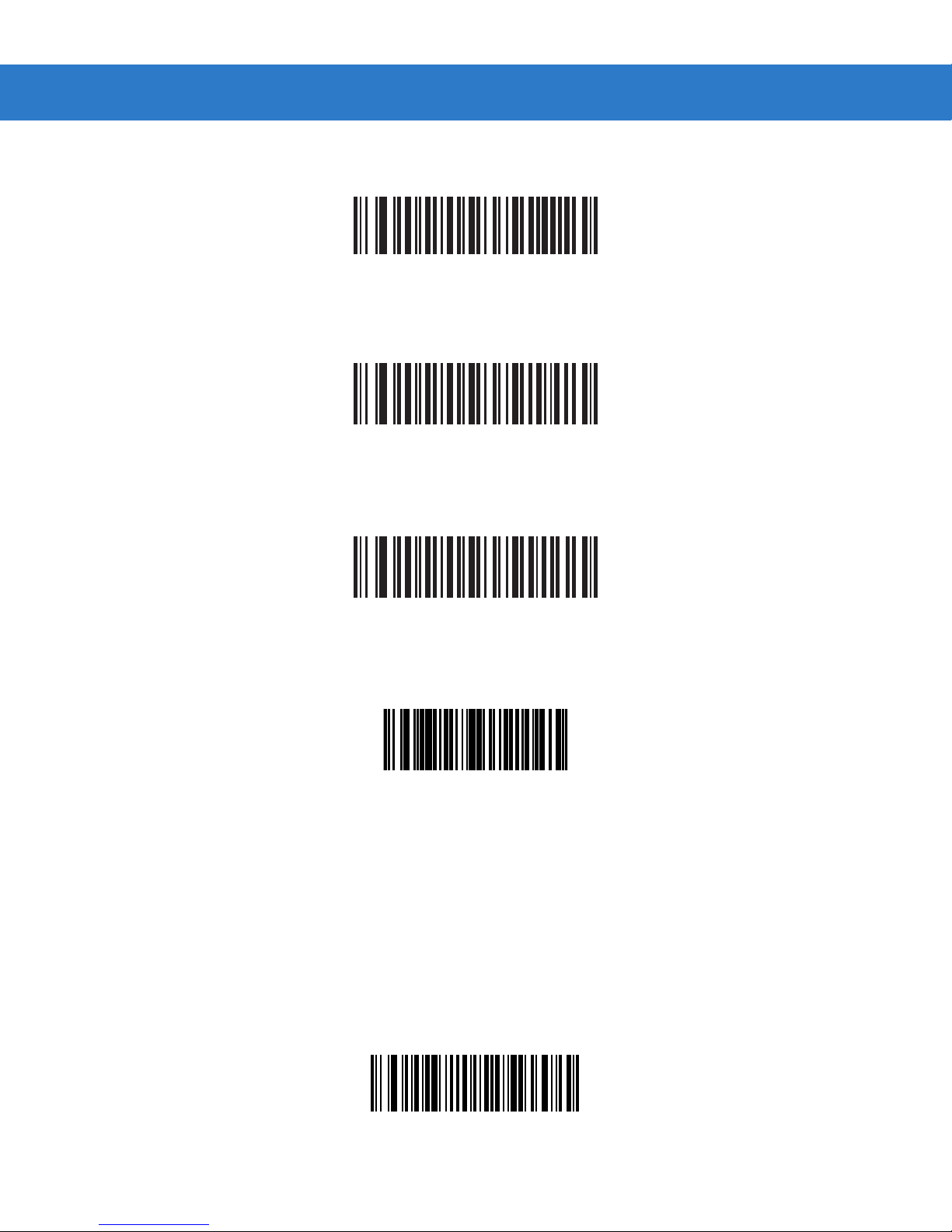
Enable 977 Supplemental Mode
(07h)
Enable 414/419/434/439 Supplemental Mode
(06h)
Parameter Menus 4 - 19
Enable 491 Supplemental Mode
(08h)
Enable Smart Supplemental Mode
(03h)
Decode UPC/EAN Supplemental Redundancy
Parameter # 50h
With Autodiscriminate UPC/EAN Supplementals selected, this option adjusts the number of times a symbol without
supplementals are decoded before transmission. The range is from 2 to 20 times. Five or above is recommended when
decoding a mix of UPC/EAN symbols with and without supplementals, and the autodiscriminate option is selected.
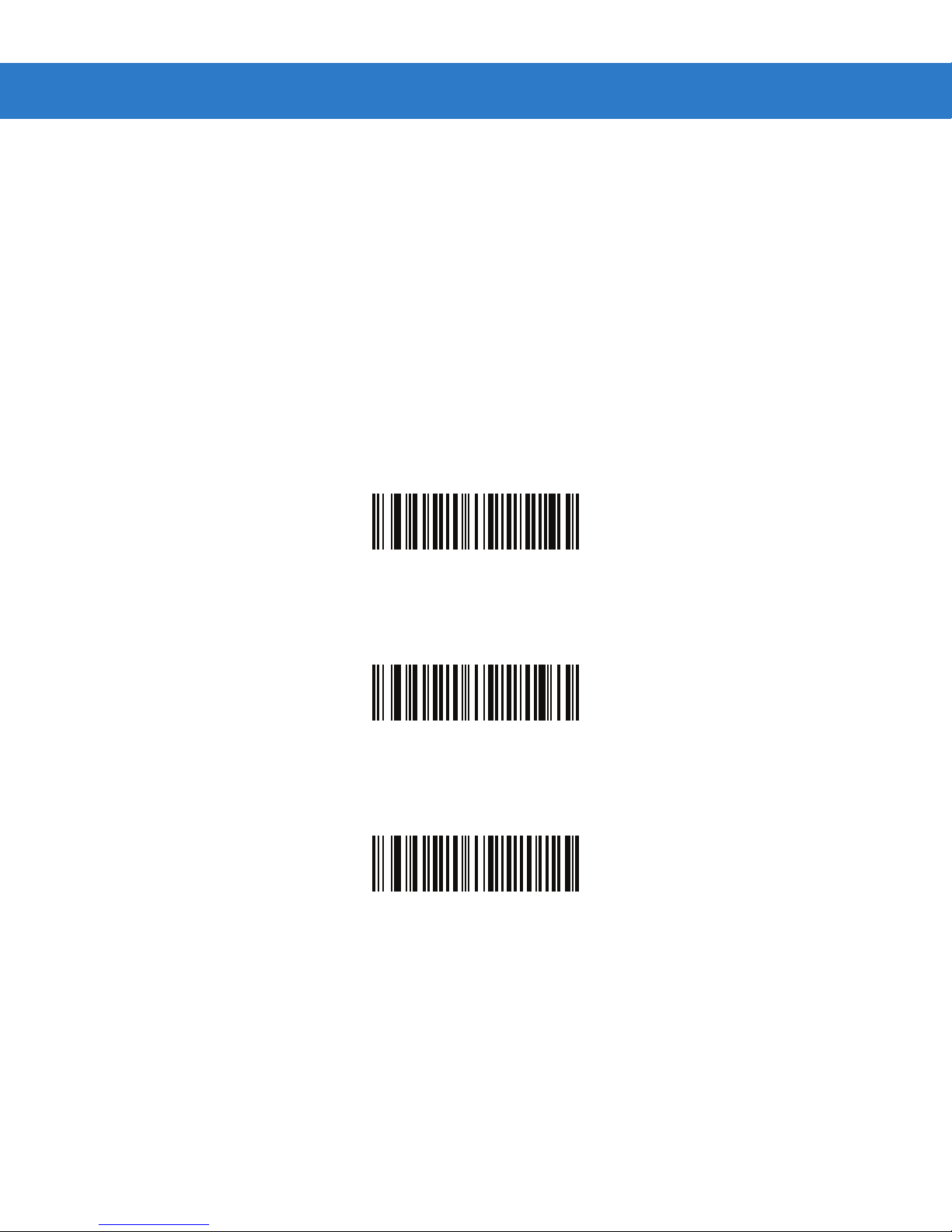
Scan the bar code below to select a decode redundancy value. Next scan two numeric bar codes beginning on page 4-73.
Single digit numbers must have a leading zero. To change the selection or cancel an incorrect entry, scan Cancel on page
4-74.
Decode UPC/EAN Supplemental Redundancy
(Default: 7)
Page 18
4 - 20 SpeechMike Premium Touch scanner programming guide
UPC/EAN/JAN Supplemental AIM ID Format
Parameter # F1h A0h
Select an output format when reporting UPC/EAN/JAN bar codes with Supplementals with Transmit Code ID Character on
page 4-67 set to
•
Separate - transmit UPC/EAN with supplementals with separate AIM IDs but one transmission, i.e.:
]E<0 or 4><data>]E<1 or 2>[supplemental data]
•
Combined – transmit UPC/EAN with supplementals with one AIM ID and one transmission, i.e.:
]E3<data+supplemental data>
•
Separate Transmissions - transmit UPC/EAN with supplementals with separate AIM IDs and separate transmissions,
i.e.:
]E<0 or 4><data>
]E<1 or 2>[supplemental data]
AIM Code ID Character:
Separate
(00h)
*Combined
(01h)
Separate Transmissions
NEW END
Page 19
Parameter Menus 4 - 21
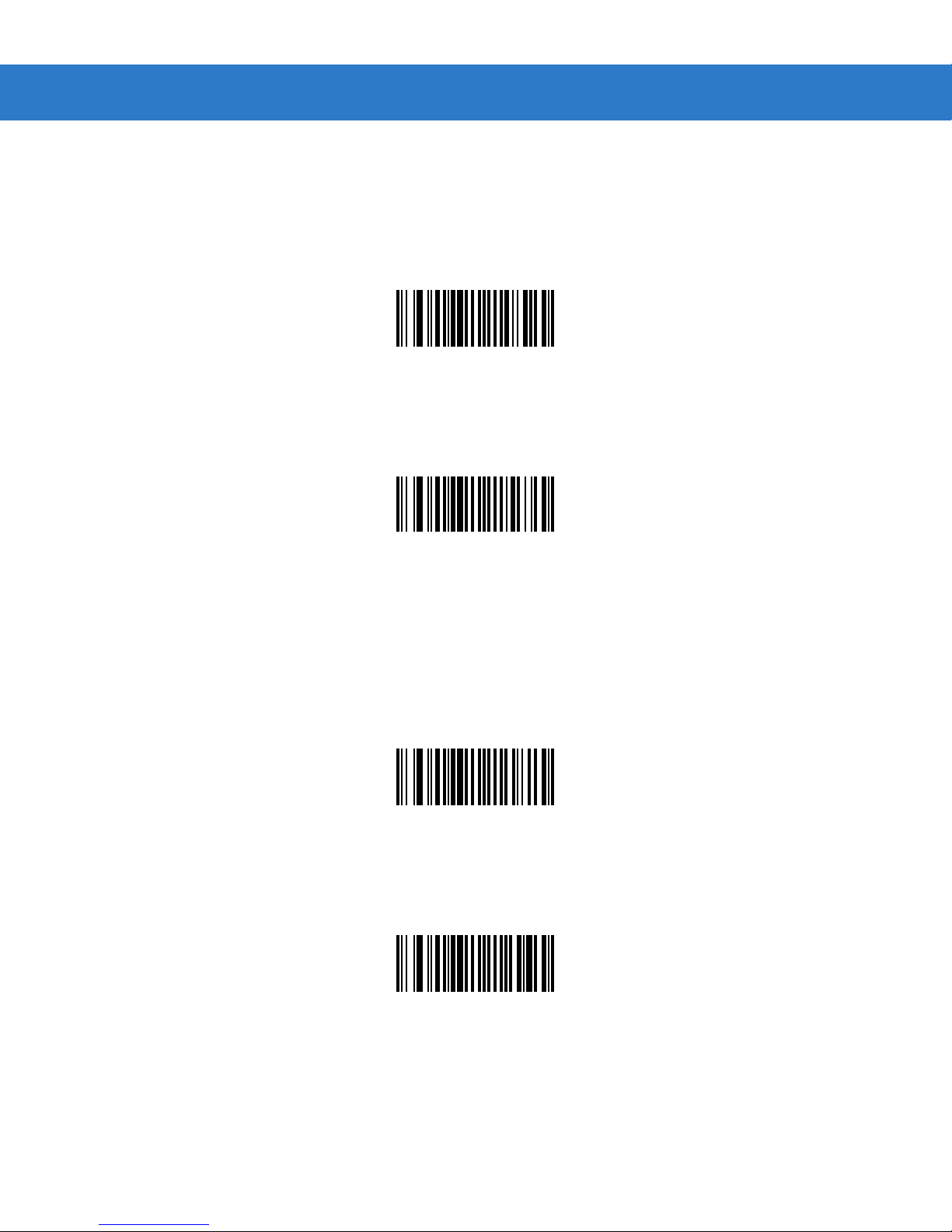
Transmit UPC-A Check Digit
Parameter # 28h
Scan the appropriate bar code below to transmit the symbol with or without the UPC-A check digit.
*Transmit UPC-A Check Digit
(01h)
Do Not Transmit UPC-A Check Digit
(00h)
Transmit UPC-E Check Digit
Parameter # 29h
Scan the appropriate bar code below to transmit the symbol with or without the UPC-E check digit.
*Transmit UPC-E Check Digit
(01h)
Do Not Transmit UPC-E Check Digit
(00h)
Page 20
4 - 22 SpeechMike Premium Touch scanner programming guide
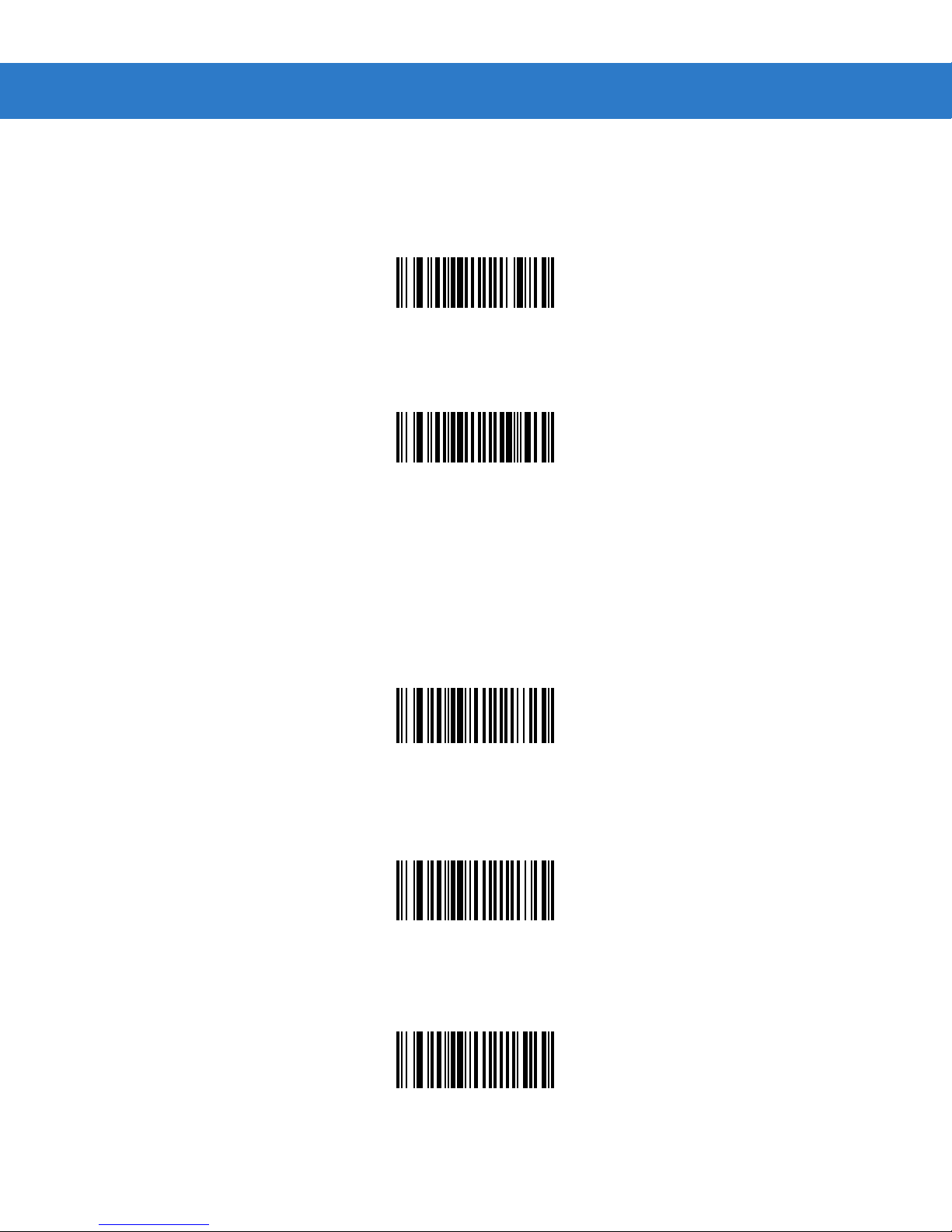
Transmit UPC-E1 Check Digit
Parameter # 2Ah
Scan the appropriate bar code below to transmit the symbol wi th or without the UPC-E1 check digit.
*Transmit UPC-E1 Check Digit
(01h)
Do Not Transmit UPC-E1 Check Digit
(00h)
UPC-A Preamble
Parameter # 22h
Preamble characters (Country Code and System Character) can be transmitted as part of a UPC-A symbol. Select one of
the following options for transmitting UPC-A preamble to the host device: transmit system character only, transmit system
character and country code (“0” for USA), or transmit no preamble.
No Preamble
(<DATA>)
(00h)
*System Character
(<SYSTEM CHARACTER> <DATA>)
(01h)
(< COUNTRY CODE> <SYSTEM CHARACTER> <DAT A>)
System Character & Country Code
(02h)
Page 21
Parameter Menus 4 - 23
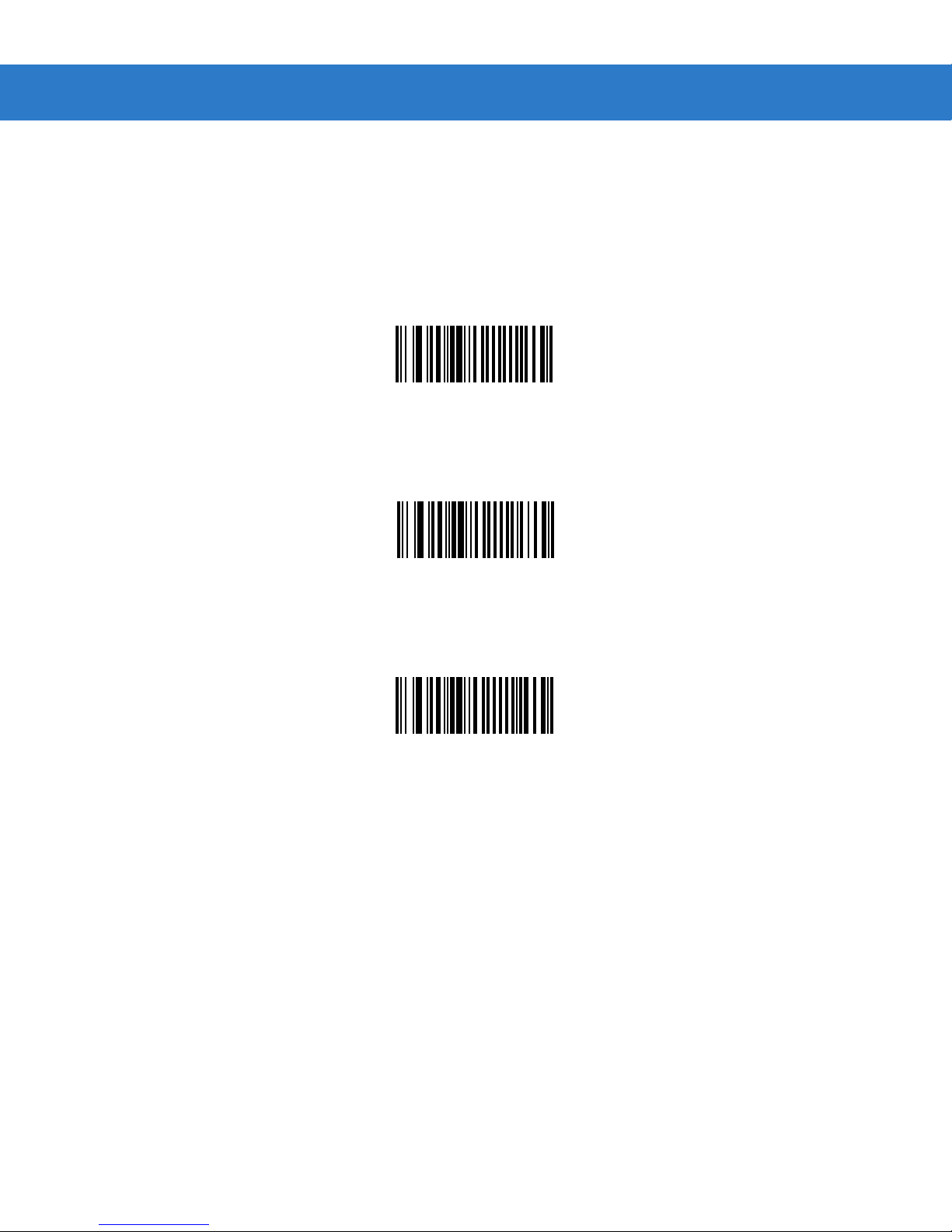
UPC-E Preamble
Parameter # 23h
Preamble characters (Country Code and System Character) can be transmitted as part of a UPC-E symbol. Select one of
the following options for transmitting UPC-E preamble to the host device: transmit system character only, transmit system
character and country code (“0” for USA), or transmit no preamble.
No Preamble
(<DATA>)
(00h)
*System Character
(<SYSTEM CHARACTER> <DATA>)
(01h)
System Character & Country Code
(< COUNTRY CODE> <SYSTEM CHARACTER> <DAT A>)
(02h)
Page 22
4 - 24 SpeechMike Premium Touch scanner programming guide
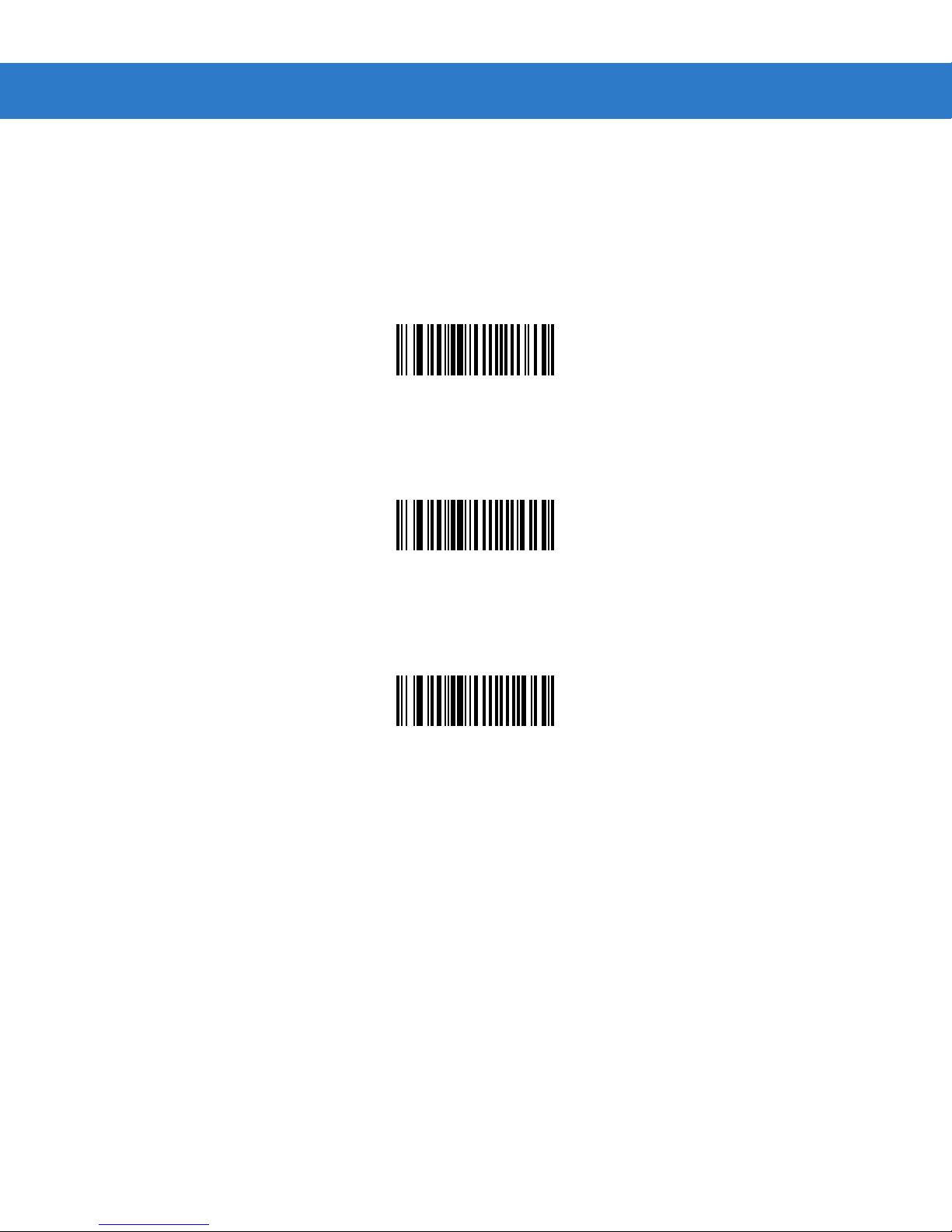
UPC-E1 Preamble
Parameter # 24h
Preamble characters (Country Code and System Character) can be transmitted as part of a UPC-E1 symbol. Select one of
the following options for transmitting UPC-E1 preamble to the host device: transmit system character only, transmit system
character and country code (“0” for USA), or transmit no preamble.
No Preamble
(<DATA>)
(00h)
*System Character
(<SYSTEM CHARACTER> <DATA>)
(01h)
System Character & Country Code
(< COUNTRY CODE> <SYSTEM CHARACTER> <DAT A>)
(02h)
Page 23
Parameter Menus 4 - 25
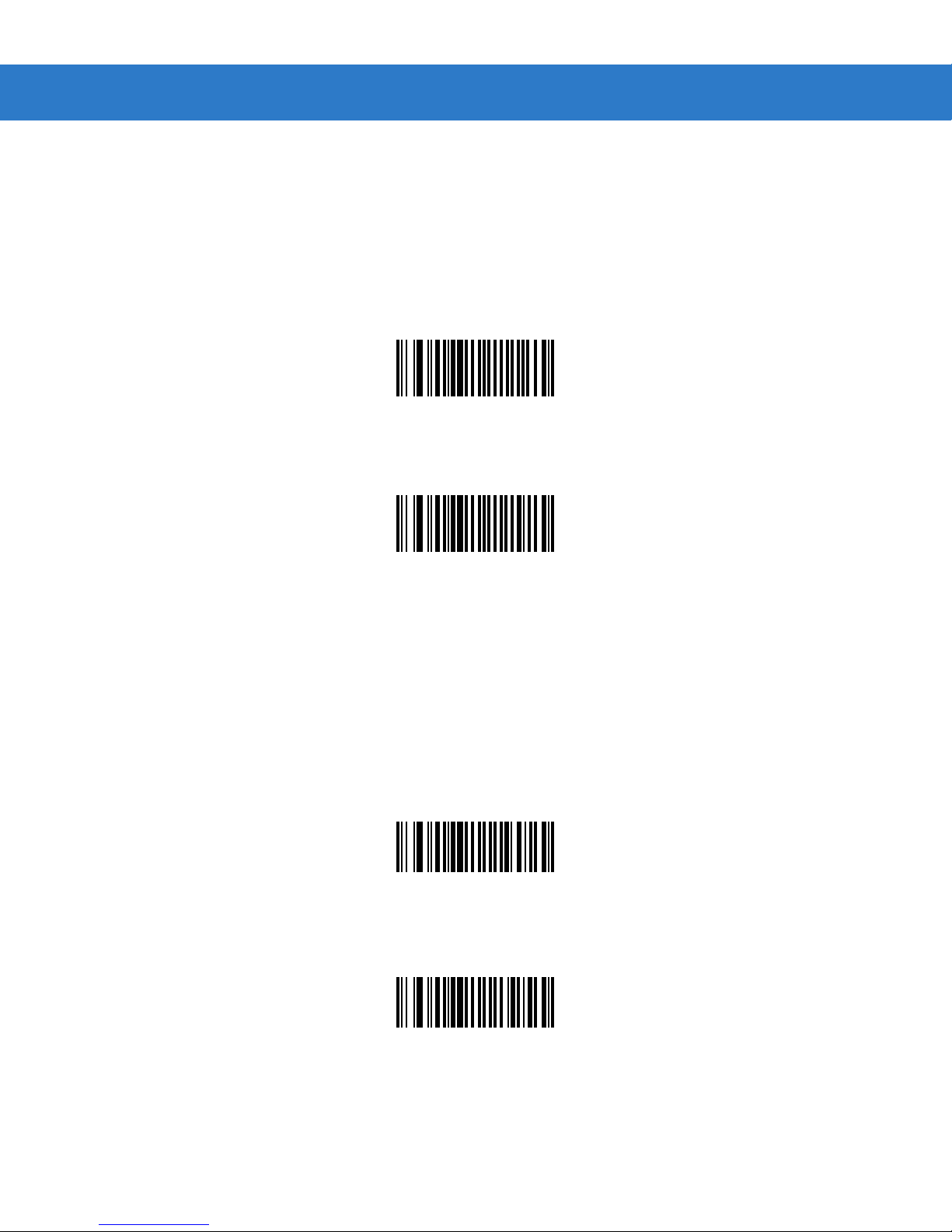
Convert UPC-E to UPC-A
Parameter # 25h
Enable this parameter to convert UPC-E (zero suppressed) decoded data to UPC-A format before transmission. After
conversion, data follows UPC-A format and is affected by UPC-A programming selections (e.g., Preamble, Check Digit).
Scan DO NOT CONVERT UPC-E TO UPC-A to transmit UPC-E (zero suppressed) decoded data.
Convert UPC-E to UPC-A (Enable)
(01h)
*Do Not Convert UPC-E to UPC-A (Disable)
(00h)
Convert UPC-E1 to UPC-A
Parameter # 26h
Enable this parameter to convert UPC-E1 (zero suppressed) decoded data to UPC-A format before transmission. After
conversion, data follows UPC-A format and is affected by UPC-A programming selections (e.g., Preamble, Check Digit).
Scan DO NOT CONVERT UPC-E TO UPC-A to transmit UPC-E1 (zero suppressed) decoded data.
Convert UPC-E1 to UPC-A (Enable)
(01h)
*Do Not Convert UPC-E1 to UPC-A (Disable)
(00h)
Page 24

4 - 26 SpeechMike Premium Touch scanner programming guide
EAN Zero Extend
Parameter # 27h
When enabled, this parameter adds five leading zeros to decoded EAN-8 symbols to make them compatible in format to
EAN-13 symbols.
Disable this parameter to transmit EAN-8 symbols as is.
Enable EAN Zero Extend
(01h)
*Disable EAN Zero Extend
(00h)
Page 25
Parameter Menus 4 - 27
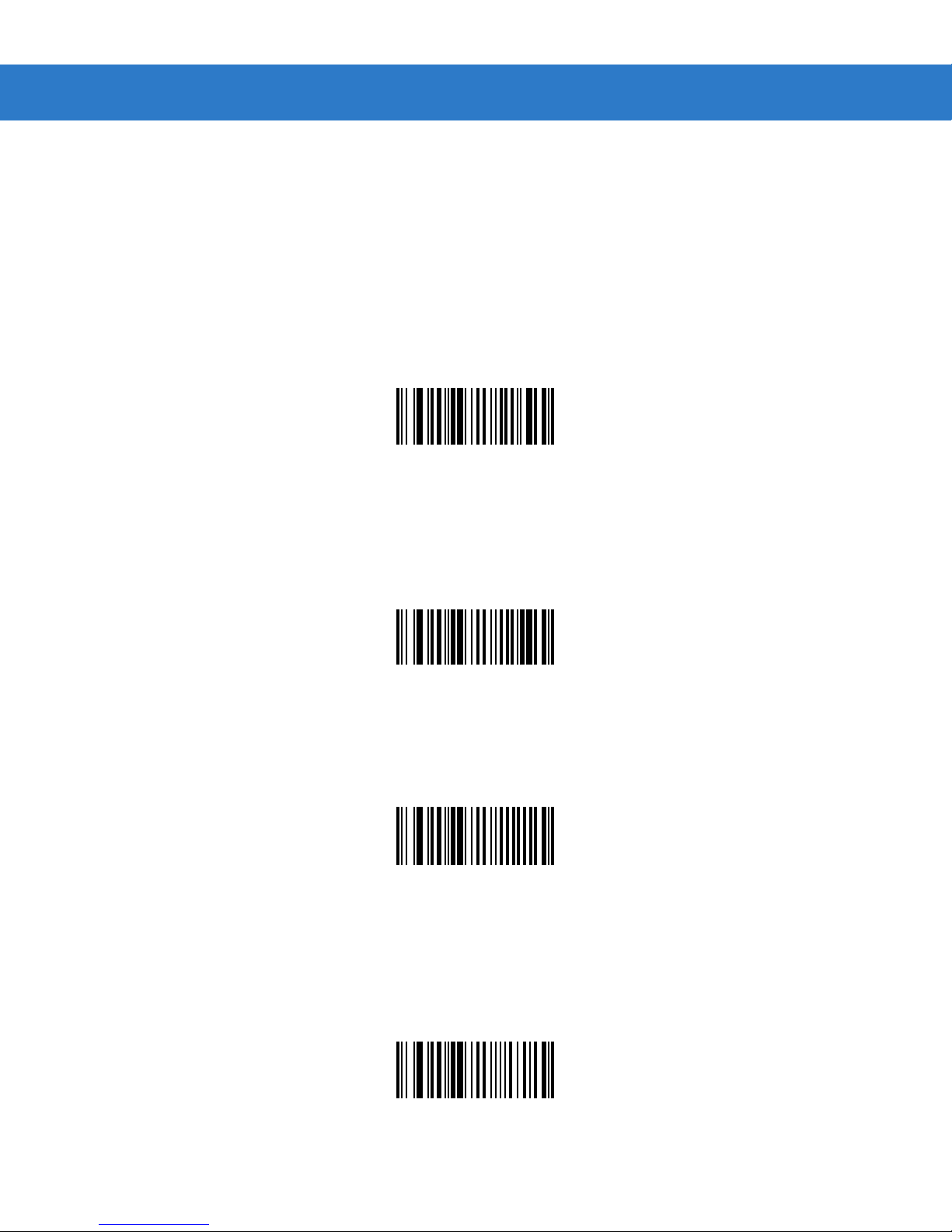
UPC/EAN Security Level
Parameter # 4Dh
The SE655 offers four levels of decode security for UPC/EAN bar codes. Increasing levels of security are provided for
decreasing levels of bar code quality. Select higher levels of security for decreasing levels of bar code quality. Increasing
security decreases the scan engine’s aggressiveness, so choose only that level of security necessary for the application.
UPC/EAN Security Level 0
This default setting allows the scan engine to operate in its most aggressive state, while providing sufficient security in
decoding most “in-spec ” UPC/EA N bar cod es .
UPC/EAN Security Level 0
(00h)
UPC/EAN Security Level 1
As bar code quality levels diminish, certain characters become prone to mis-decodes before others (i.e., 1, 2, 7, 8). If
mis-decodes of poorly printed bar codes occur, and the mis-decodes are limited to these characters, select this security
level.
*UPC/EAN Security Level 1
(01h)
UPC/EAN Security Level 2
If mis-decodes of poorly printed bar codes occur, and the mis-decodes are not limited to characters 1, 2, 7, and 8, select
this security level.
UPC/EAN Security Level 2
(02h)
UPC/EAN Security Level 3
If misdecodes still occur after selecting Security Level 2, select this security level. Be advised, selecting this option is an
extreme measure against mis-decoding severely out of spec bar codes. Selection of this level of security significantly
impairs the decoding ability of the scan engine. If this level of security is necessary, try to improve the quality of the bar
codes.
UPC/EAN Security Level 3
(03h)
Page 26
4 - 28 SpeechMike Premium Touch scanner programming guide
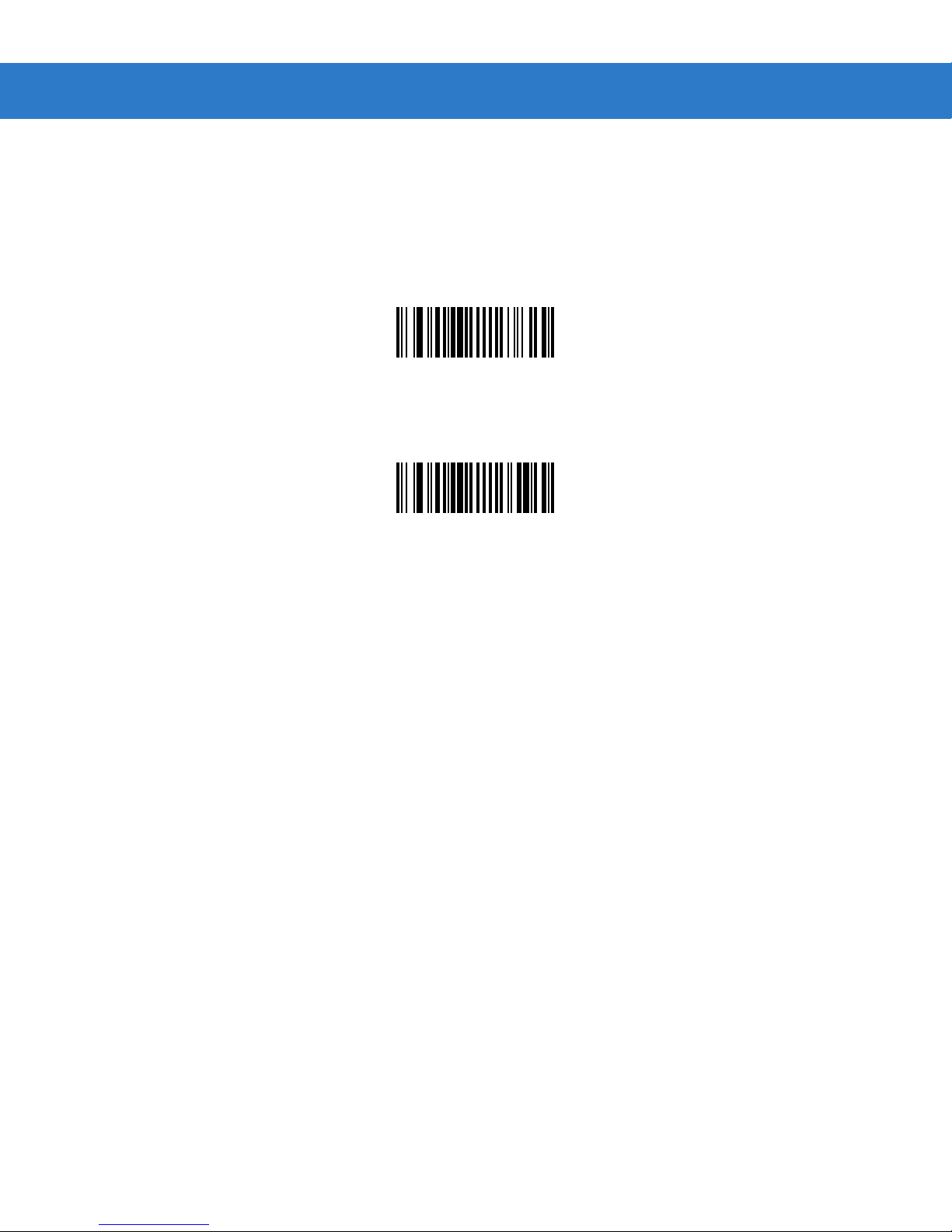
UCC Coupon Extended Code
Parameter # 55h
The UCC Coupon Extended Code is an additional bar code adjacent to a UCC Coupon Code. To enable or disable UCC
Coupon Extended Code, scan the appropriate bar code below.
Enable UCC Coupon Extended Code
(01h)
*Disable UCC Coupon Extended Code
(00h)
Page 27
Parameter Menus 4 - 29
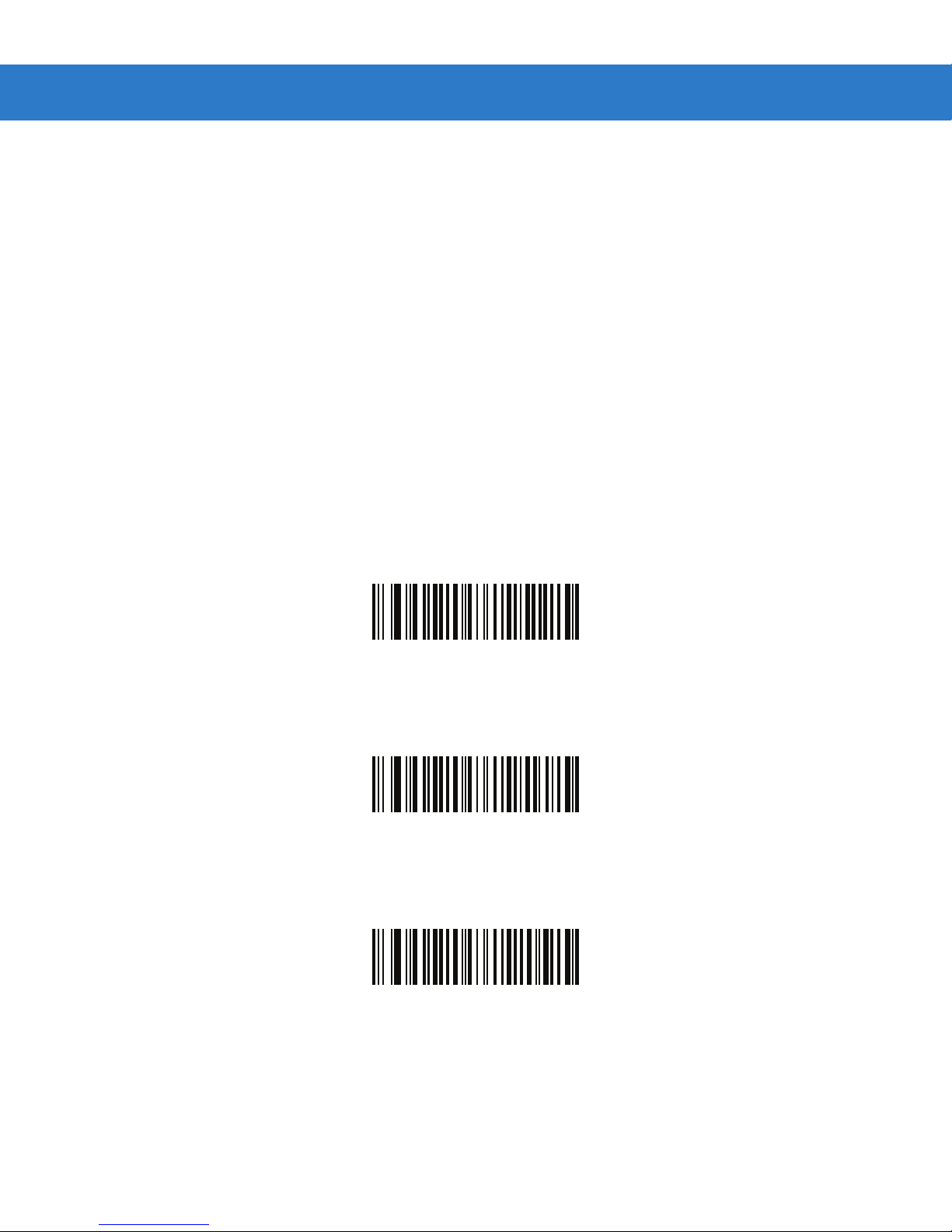
Coupon Report
Parameter # F1h DAh
Traditional coupon symbols (old coupon symbols) are composed of two bar codes: UPC/EAN and Code128. A new coupon
symbol is composed of a single Databar Expanded bar code. The new coupon format offers more options for purchase
values (up to $999.99) and supports complex discount offers such as a second purchase requirement.
An interim coupon symbol also exists that contains both types of bar codes: UPC/EAN and Databar Expanded. This format
accommodates both retailers that do not recognize or use the additional information included in the new coupon symbol, as
well as those who can process new coupon symbols.
Scan a bar code below to select one of the following options for decoding coupon symbols:
•
Old Coupon Symbols - Scanning an old coupon symbol reports both UPC and Code 128, scanning an interim coupon
mbol reports UPC, and scanning a new coupon symbol reports nothing (no decode).
sy
•
New Coupon Symbols - Scanning an old coupon symbol reports either UPC or Code 128, and scanning an interim
coupon symbol or a new coupon symbol reports Databar Expanded.
•
Both Coupon Formats - Scanning an old coupon symbol reports both UPC and Code 128, and scanning an interim
upon symbol or a new coupon symbol reports Databar Expanded.
co
•
Old Coupon Symbols
(00h)
New Coupon Symbols
(01h)
*Both Coupon Formats
(02h)
Page 28
4
- 30 SpeechMike Premium Touch scanner programming guide
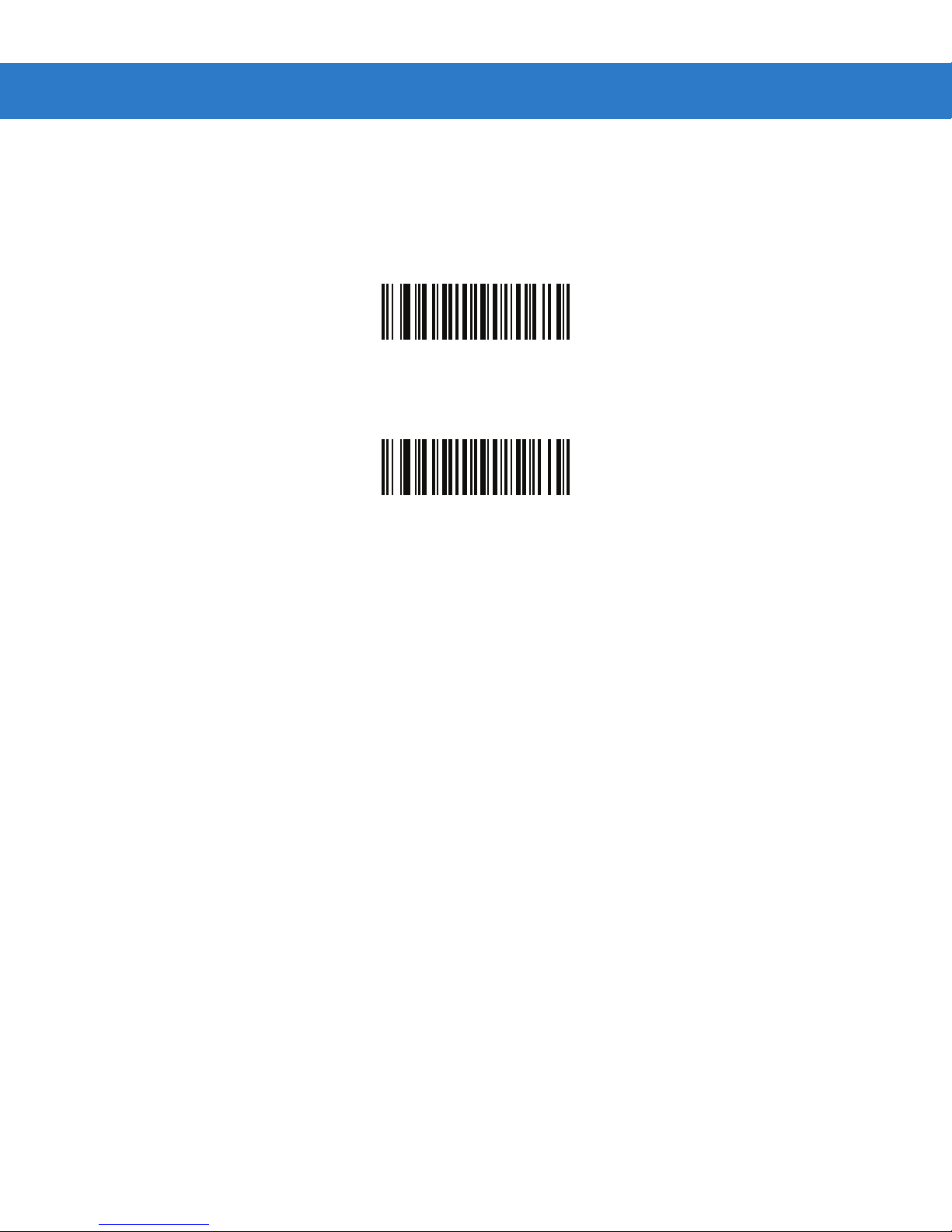
ISSN EAN
Parameter # F1h 69h
To enable or disable ISSN EAN, scan the appropriate bar code below
Enable ISSN EAN
(01h)
*Disable ISSN EAN
(00h)
Page 29
Code 128
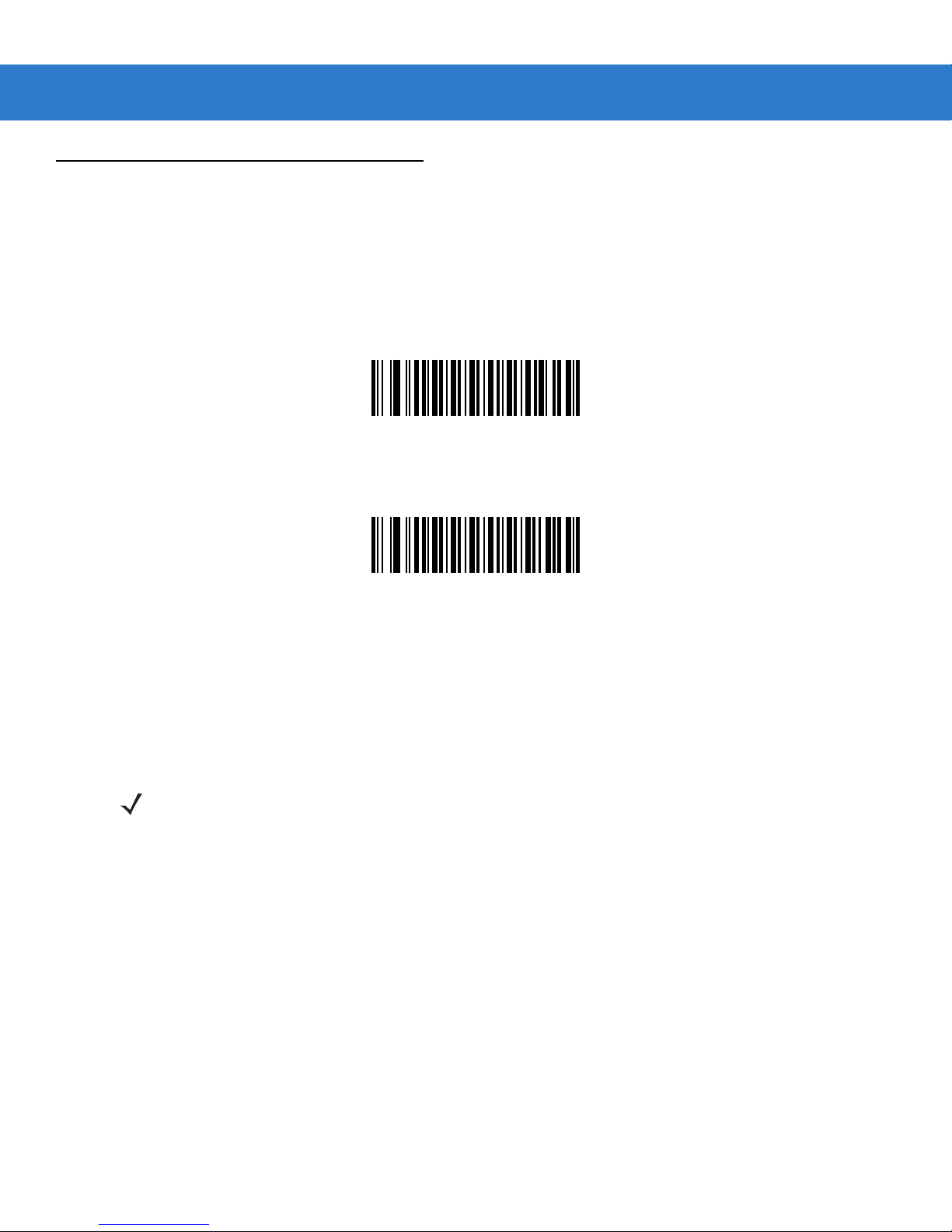
Enable/Disable Code 128
Parameter # 08h
To enable or disable Code 128, scan the appropriate bar code below.
*Enable Code 128
(01h)
Parameter Menus 4 - 31
Disable Code 128
(00h)
Set Lengths for Code 128
Parameter # L1 = D1h L2 = D2h
The length of a code refers to the number of characters (i.e., human readable characters), including check digit(s) the code
contains. Set lengths for Code 128 to any length, one or two discrete lengths, or lengths within a specific range.
NOTE When setting lengths for different bar code types, enter a leading zero for single digit numbers.
•
One Discrete Length - Select this option to decode only Code 128 symbols containing a selected length. Select the
ngth using the numeric bar codes beginning on page 4-73. For example, to decode only Code 128 symbols with
le
aracters, scan Code 128 - One Discrete Length, then scan 1 followed by 4. To correct an error or change
ch
ion, scan Cancel on p age 4-74.
select
•
Two Discrete Lengths - Select this option to decode only Code 128 symbols containing either of two selected
lengths.
sy
t
hen 4. To correct an error or change the selection, scan Cancel on page 4-74.
•
Length Within Rang e - Select this option to decode a Code 128 symbol with a specific length range. Select
lengths using numeric bar codes beginning on page 4-73. For example, to decode Code 128 symbols containi
bet
ero for single digit numbers). To correct an error or change the selection, scan Cancel on page 4-74.
z
Sele c t leng th s u s in g t h e nu m eric ba r c o d es b e g in n i n g o n p ag e 4- 73. For example, to decode only Code 12
mbols containing either 2 or 14 characters, select Code 128 - Two Discrete Le ngths, then scan 0, 2, 1
ween 4 and 12 characters, first scan Code 128 - Length Within Range. Then scan 0, 4, 1, and 2 (enter a leadi
14
the
, and
ng
ng
8
•
Any Length - Select this option to decode Code 128 symbols containing any number of characters within the digital
scanner’s capability.
Page 30
4 - 32 SpeechMike Premium Touch scanner programming guide
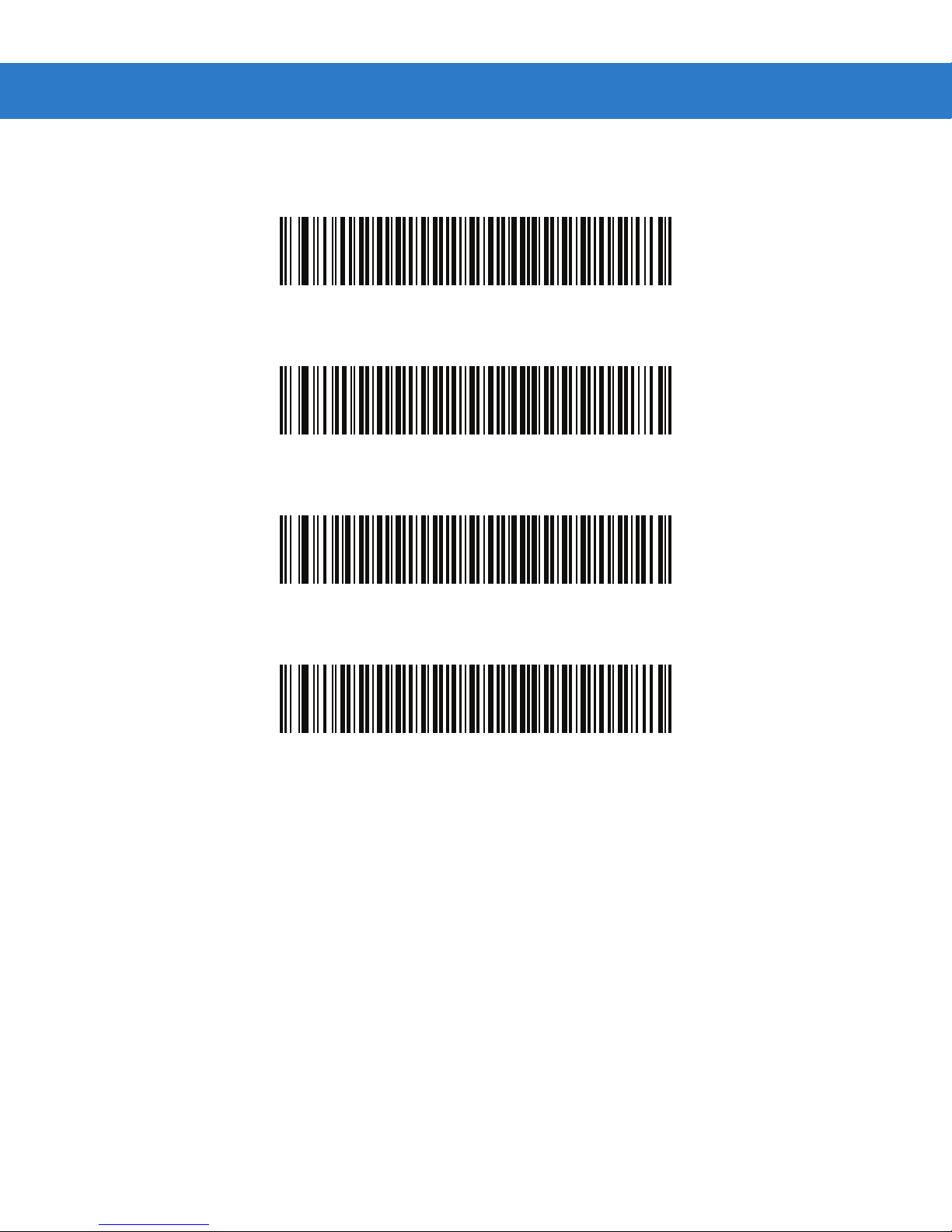
Set Lengths for Code 128 (continued)
Code 128 - One Discrete Length
Code 128 - Two Discrete Lengths
Code 128 - Length Within Range
*Code 128 - Any Length
Page 31
Parameter Menus 4 - 33
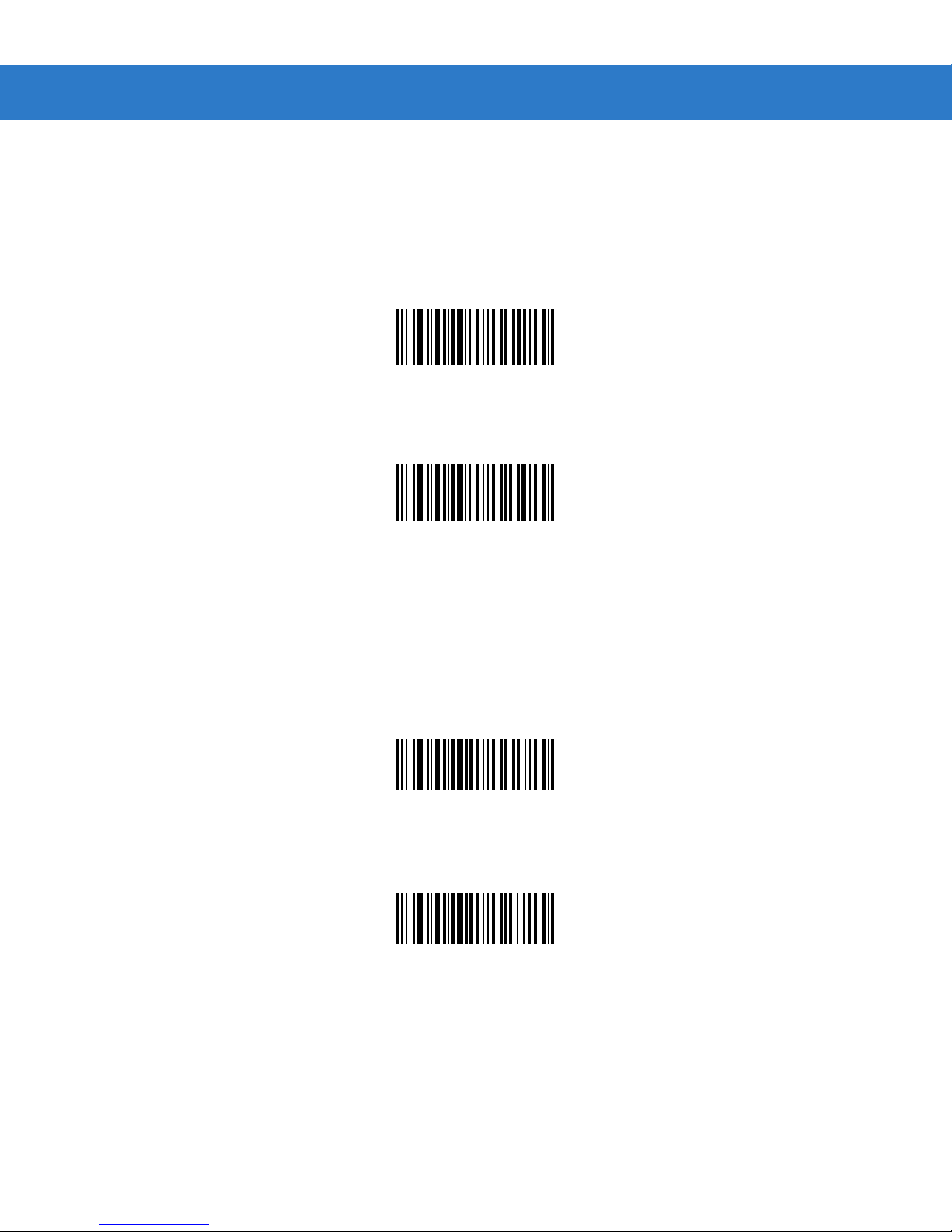
Enable/Disable GS1-128 (formerly UCC/EAN-128)
Parameter # 0Eh
To enable or disable GS1-128, scan the appropriate bar code below. (See Appendix A, Miscellaneous Code Information for
details on GS1-128 (formerly UCC/EAN-128).)
*Enable GS1-128
(01h)
Disable GS1-128
(00h)
Enable/Disable ISBT 128
Parameter # 54h
To enable or disable ISBT 128, scan the appropriate bar code below.
*Enable ISBT 128
(01h)
Disable ISBT 128
(00h)
Page 32
4
- 34 SpeechMike Premium Touch scanner programming guide
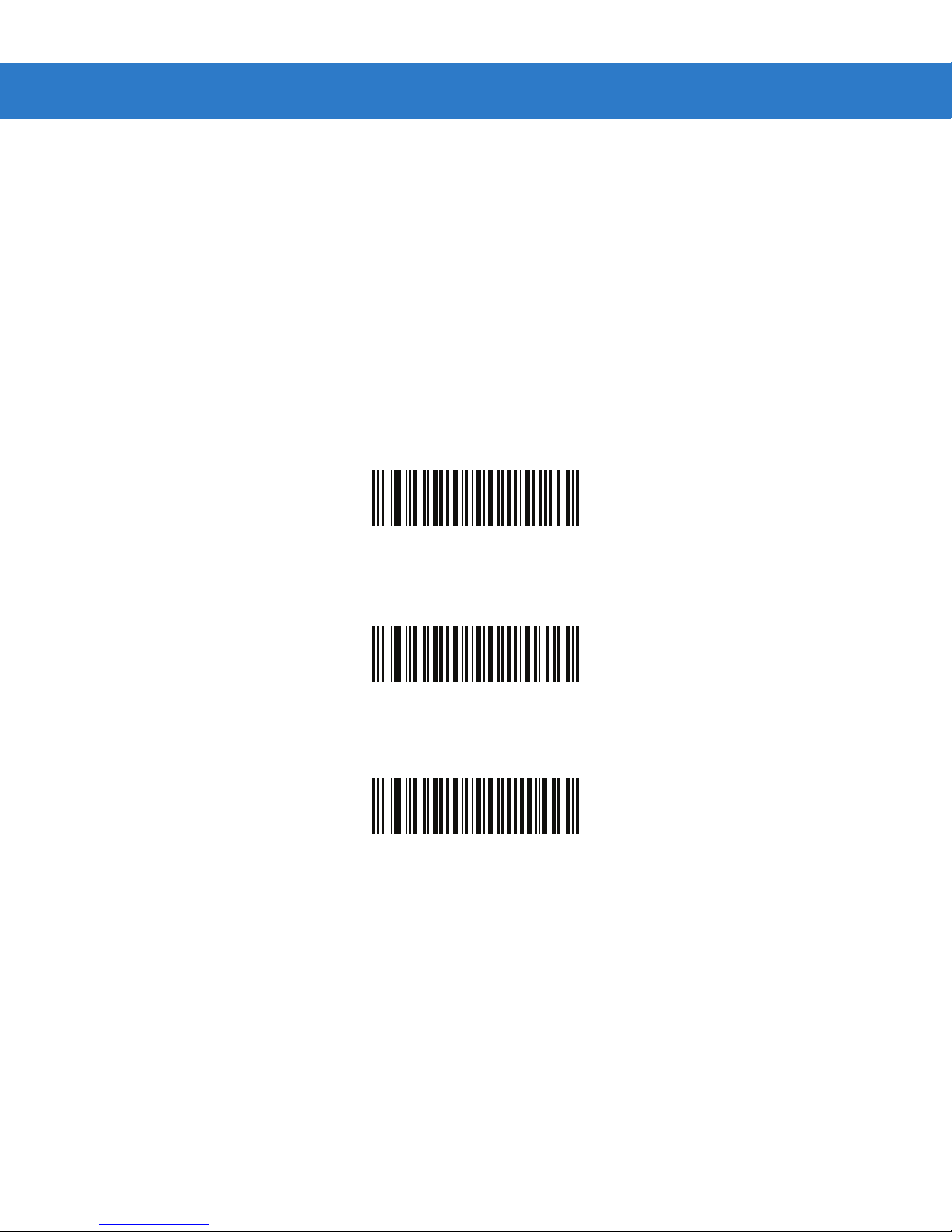
ISBT Concatenation
Parameter # F1h 41h
Select an option for concatenating pairs of ISBT code types:
•
If you select Disable ISBT Conc atenati on, t h e digital scanner does not concatenate pairs of ISBT codes it
encounters.
•
If you select Enable ISBT Concatenation, there must be two ISBT codes in order for the digital scanner to decode
and perform concatenation. The digital scanner does not decode single ISBT symbols.
•
If you sele ct Autodiscriminate ISBT Concaten atio n, the digital scanner decodes and concatenates pairs of I S BT
codes immediately . If only a single ISBT symbol is present, the digital scanner must decode the symbol the number of
times set via ISBT Concatenation Redundancy on page 4-35 before transmitting its data to confirm that there is no
additional ISBT symbol
*Disable ISBT Concatenation
(00h)
Enable ISBT Concatenation
(01h)
Autodiscriminate ISBT Concatenati on
(00h)
Page 33
Parameter Menus 4 - 35
Check ISBT Table
Parameter # F1h 42h
The ISBT specification includes a table that lists several types of ISBT bar codes that are commonly used in pairs. If you
set ISBT Concatenation to Enable, enable Check ISBT Table to concatenate only those pairs found in this table. Other
types of ISBT codes are not concatenated.
*Enable Check ISBT Table
(01h)
Disable Check ISBT Table
(00h)
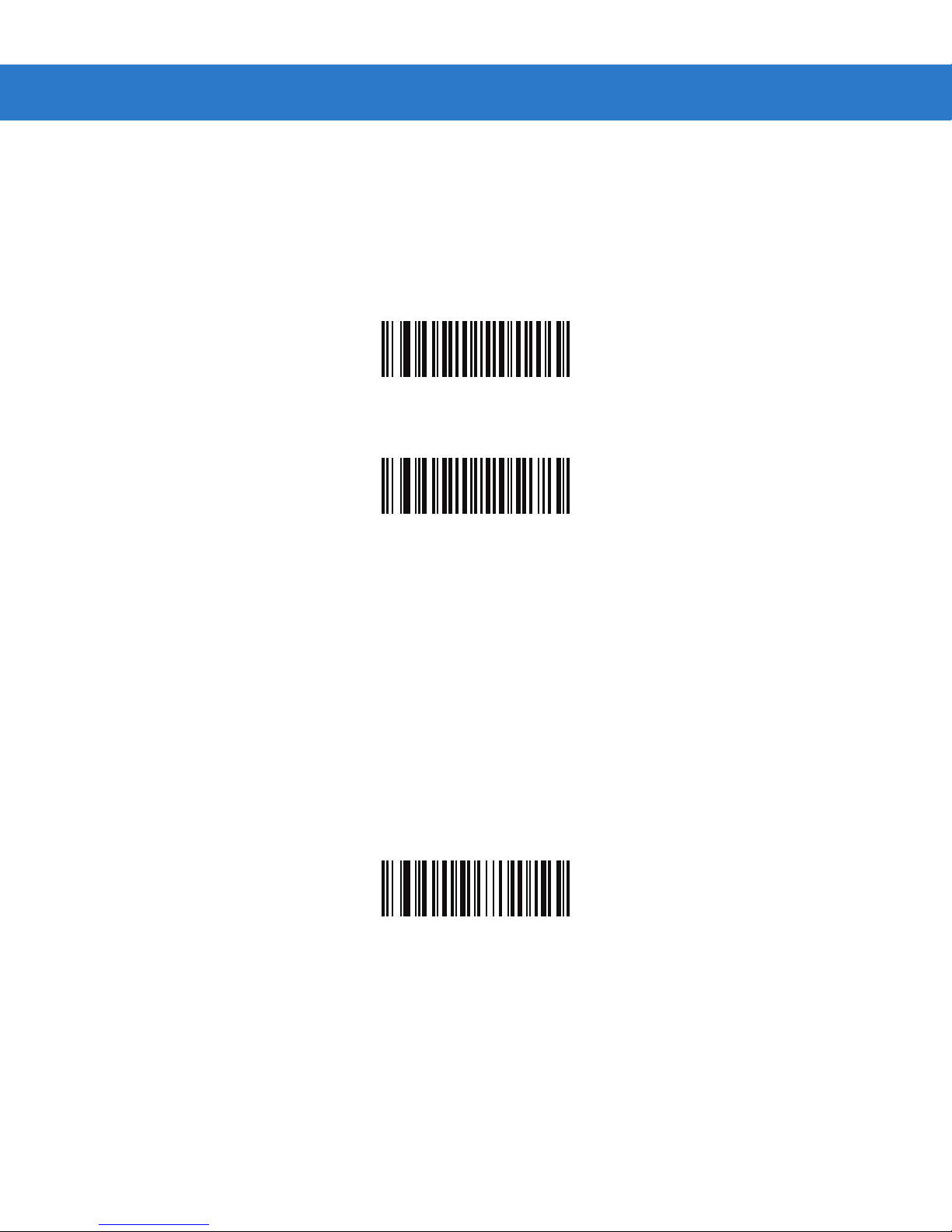
ISBT Concatenation Redundancy
Parameter # DFh
If you set ISBT Concatenation to Autodiscriminate, use this parameter to set the number of times the digital scanner
must decode an ISBT symbol before determining that there is no additional symbol.
Scan the bar code below, then scan two numeric bar codes in Numeric Bar Codes on page 4-73 to set a value between 2
and 20. Enter a leading zero for single digit numbers. To correct an error or change a selection, scan Cancel on page 4-74.
The default is 10.
ISBT Concatenation Redundancy
Page 34
4 - 36 SpeechMike Premium Touch scanner programming guide
Code 39
Enable/Disable Code 39
Parameter # 00h
To enable or disable Code 39, scan the appropriate bar code below.
*Enable Code 39
(01h)
Disable Code 39
(00h)
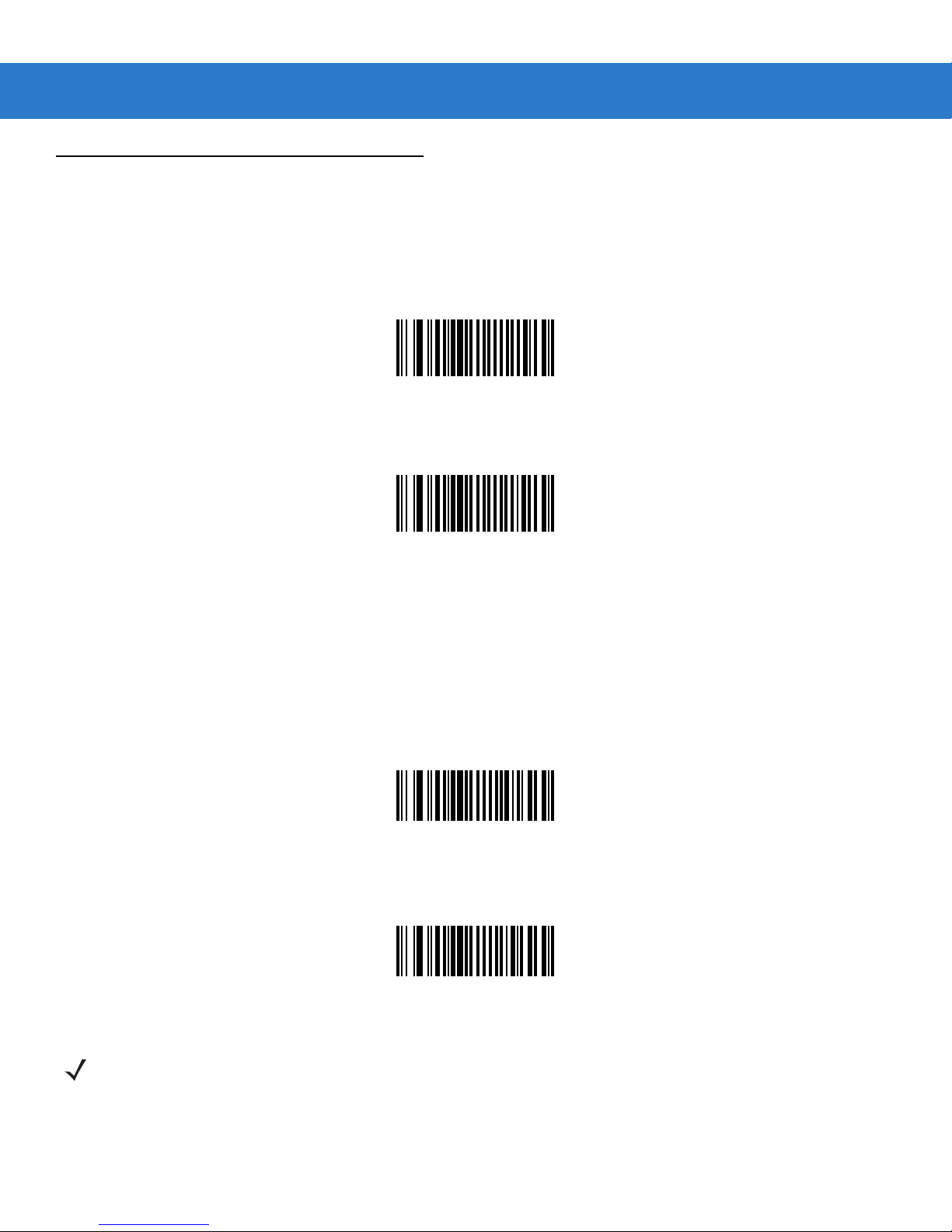
Enable/Disable Trioptic Code 39
Parameter # 0Dh
Trioptic Code 39 is a variant of Code 39 used in marking computer tape cartridges. Trioptic Code 39 symbols always
contain six characters.
To enable or disable Trioptic Code 39, scan the appropriate bar code below.
Enable Trioptic Code 39
(01h)
*Disable Trioptic Code 39
(00h)
NOTE Trioptic Code 39 and Code 39 Full ASCII cannot be enabled simultaneously. If the Enable Trioptic Code
39 setting is not accepted*, disable Code 39 Full ASCII and try again.
* An SSI parameter entry error, event ID 07h, is sent to the host if packeted data communication is
enabled to inform the user that the parameter change was not accepted.
Page 35
Parameter Menus 4 - 37
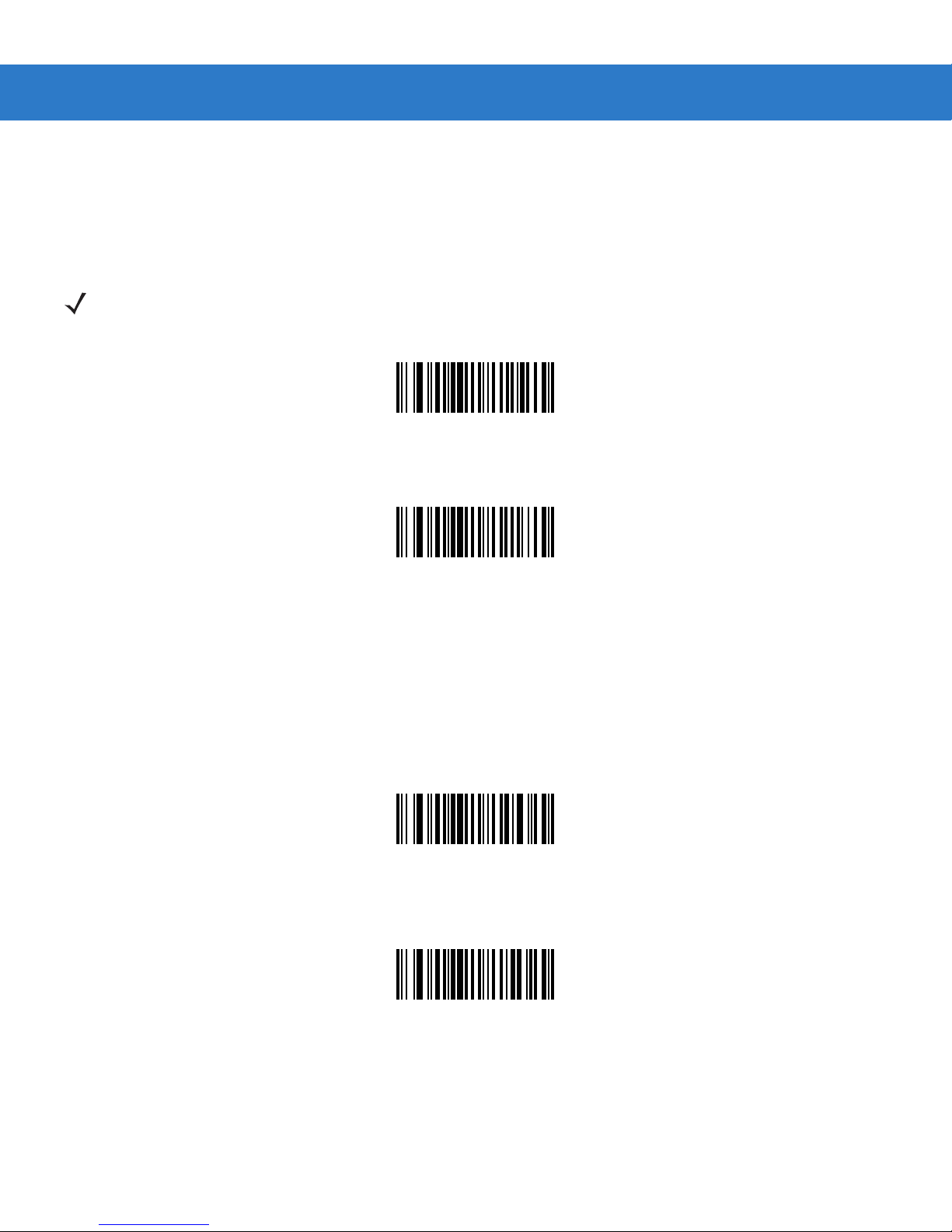
Convert Code 39 to Code 32 (Italian Pharma Code)
Parameter # 56h
Code 32 is a variant of Code 39 used by the Italian pharmaceutical industry. Scan the appropriate bar code below to enable
or disable converting Code 39 to Code 32.
NOTE Code 39 must be enabled in order for this parameter to function.
Enable Convert Code 39 to Code 32
(01h)
*Disable Convert Code 39 to Code 32
(00h)
Code 32 Prefix
Parameter # E7h
Enable this parameter to add the prefix character “A” to all Code 32 bar codes. Convert Code 39 to Code 32 (Italian
Pharma Code) must be enabled for this parameter to function.
Enable Code 32 Prefix
(01h)
*Disable Code 32 Prefix
(00h)
Page 36
4 - 38 SpeechMike Premium Touch scanner programming guide
Set Lengths for Code 39
Parameter # L1 = 12h L2 = 13h
The length of a code refers to the number of characters (i.e., human readable characters), including check digit(s) the code
contains. Lengths for Code 39 may be set for any length, one or two discrete lengths, or lengths within a specific range. If
Code 39 Full ASC I I is en a bl e d, Length Within a Range or Any Length are the preferred options. T o set lengths via serial
commands, see Setting Code Lengths Via Serial Commands on page A-7.
NOTE When setting lengths, single digit numbers must always be preceded by a leading zero.
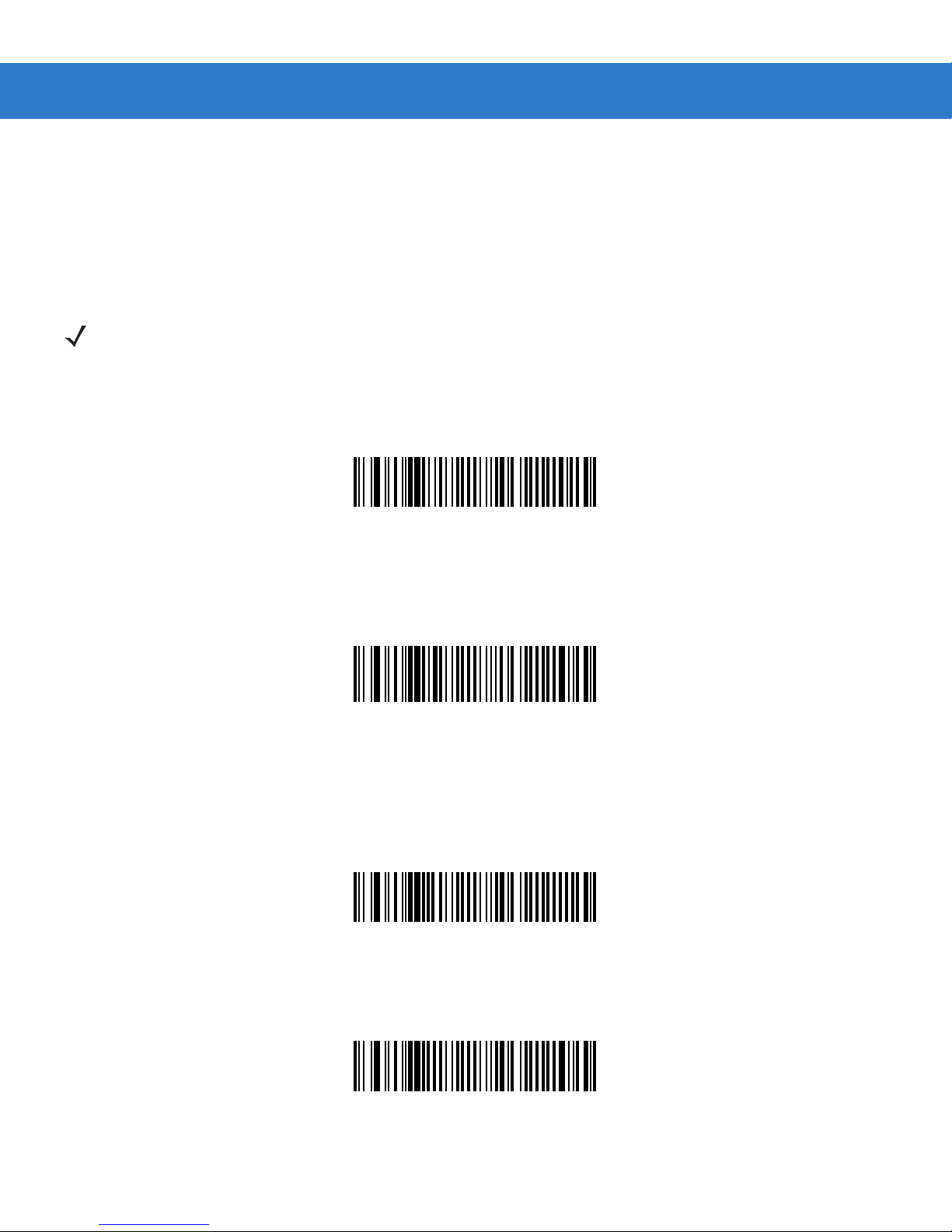
One Discrete Length - This option limits decodes to only those Code 39 symbols containing a selected length. Lengths
are selected from the numeric bar codes beginning on page 4-73. For example, to decode only Code 39 symbols with 14
characters, scan Code 39 - One Discrete Length, then scan 1 followed by 4. To change the selection or cancel an
incorrect entry, scan Cancel on page 4-74.
Code 39 - One Discrete Length
Two Discrete Lengths - This option limits decodes to only those Code 39 symbols containing either of two selected
lengths. Lengths are selected from the numeric bar codes beginning on page 4-73. For example, to decode only those
Code 39 symbols containing either 2 or 14 characters, select Code 39 - Two Discrete Lengths, then scan 0, 2, 1, and
then 4. To change the selection or cancel an incorrect entry, scan Cancel on page 4-74.
Code 39 - Two Discrete Lengths
Length Within Rang e - This option limits decodes to only those Code 39 symbols with in a sp ec ifi ed range. For
example, to decode Code 39 symbols containing bet ween 4 and 12 characters, first scan Code 39 - Length Within
Range. Then scan 0, 4, 1, and 2. Numeric bar codes begin on page 4-73. To change the selection or cancel an incorrect
entry, scan Cancel on page 4-74.
Code 39 - Length Within Range
Any Length - Scan this option to decode Code 39 symbols containing any number of characters.
Code 39 - Any Length
Page 37
Parameter Menus 4 - 39
Code 39 Check Digit Verification
Parameter # 30h
When this feature is enabled, the scan engine checks the integrity of all Code 39 symbols to verify that the data complies
with specified check digit algorithm. Only those Code 39 symbols which include a modulo 43 check digit are decoded. Only
enable this feature if your Code 39 symbols contain a module 43 check digit.
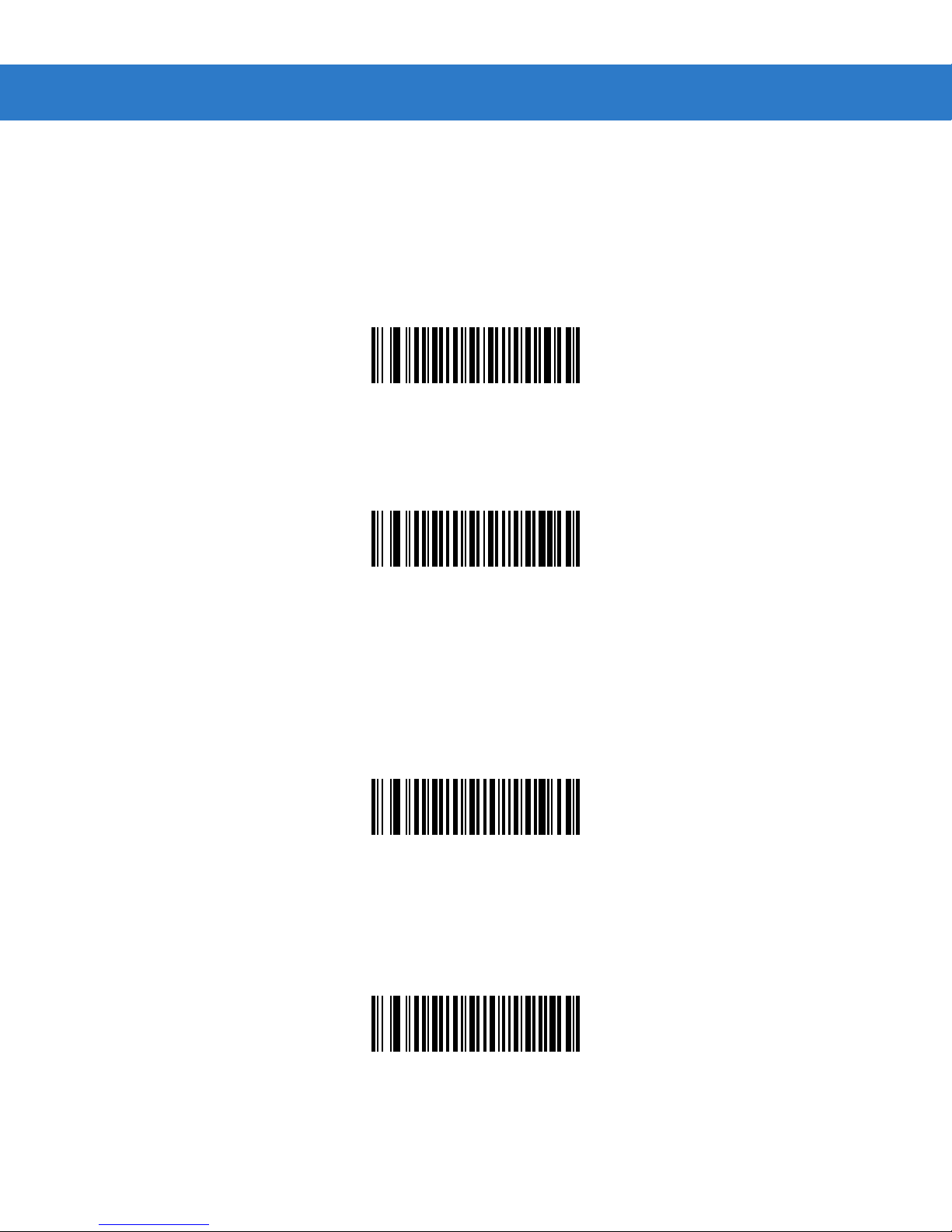
Verify Code 39 Check Digit
(01h)
*Do Not Verify Code 39 Check Digit
Transmit Code 39 Check Digit
Parameter # 2Bh
Scan this symbol to transmit the check digit with the data.
Transmit Code 39 Check Digit (Enable)
Scan this symbol to transmit data without the check digit.
(00h)
(01h)
*Do Not Transmit Code 39 Check Digit (Disable)
(00h)
Page 38
4 - 40 SpeechMike Premium Touch scanner programming guide
Enable/Disable Code 39 Full ASCII
Parameter # 11h
Code 39 Full ASCII is a variant of Code 39 which pairs characters to encode the full ASCII character set. To enable or
disable Code 39 Full ASCII, scan the appropriate bar code below.
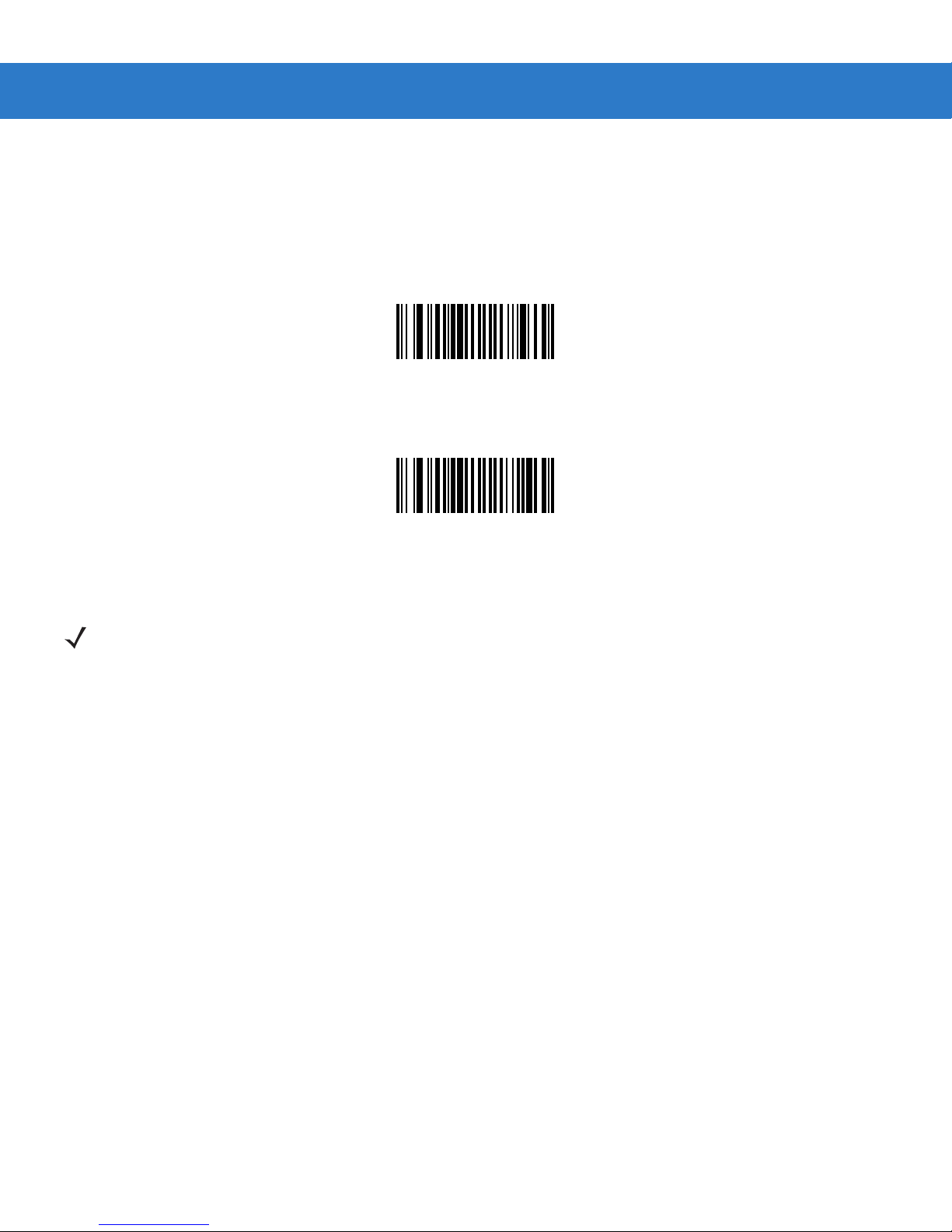
Enable Code 39 Full ASCII
(00h)
*Disable Code 39 Full ASCII
(00h)
NOTE Trioptic Code 39 and Code 39 Full ASCII cannot be enabled simultaneously. If the Enable Trioptic Code
39 setting is not accepted*, disable Code 39 Full ASCII and try again.
*An SSI parameter entry error, event ID 07h, is sent to the host if packeted data communication is
enabled to inform the user that the parameter change was not accepted.
Page 39
Code 93
Enable/Disable Code 93
Parameter # 09h
To enable or disable Code 93, scan the appropriate bar code below.
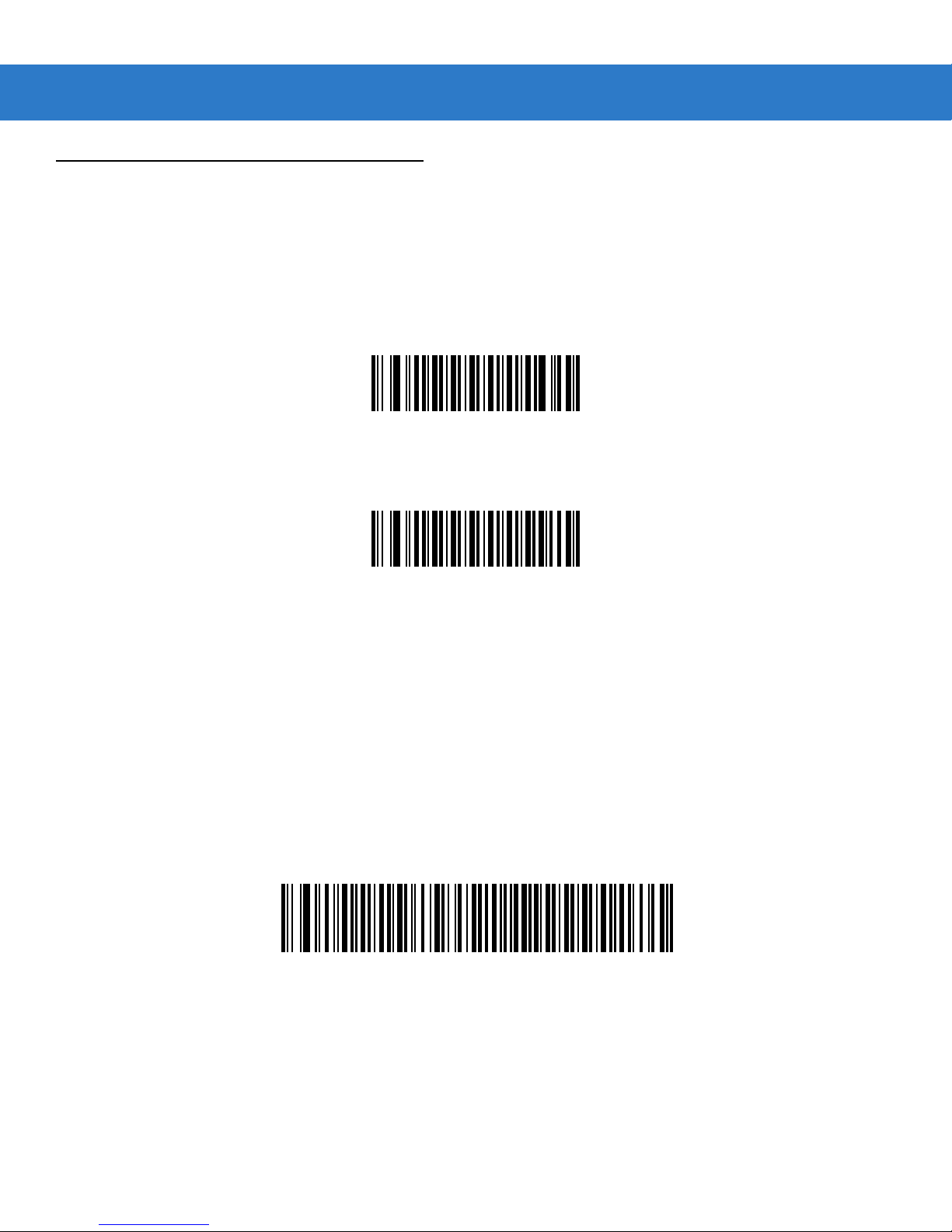
Enable Code 93
(01h)
Parameter Menus 4 - 41
*Disable Code 93
(00h)
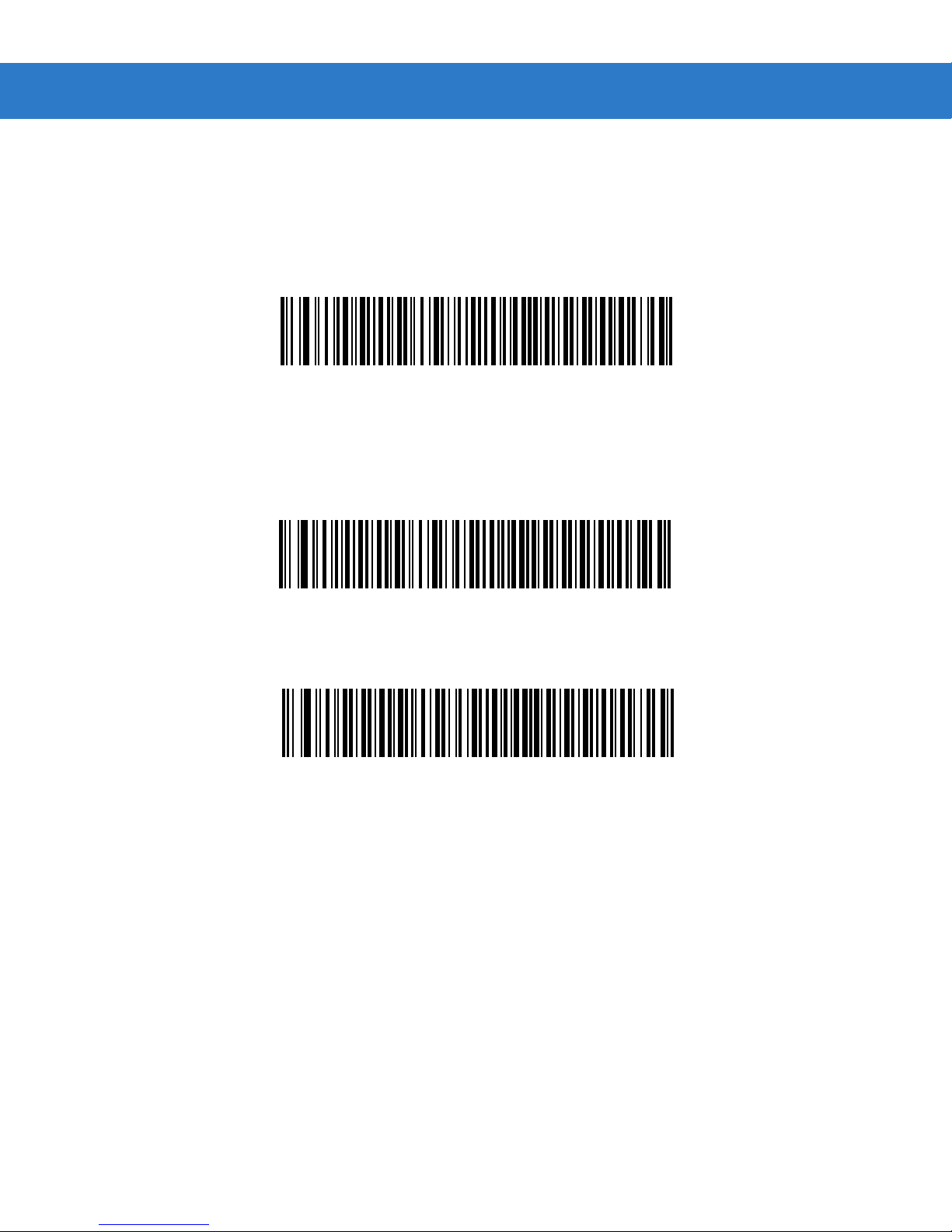
Set Lengths for Code 93
Parameter # L1 = 1Ah L2 = 1Bh
The length of a code refers to the number of characters (i.e., human readable characters), including check digit(s) the code
contains. Lengths for Code 93 may be set for any length, one or two discrete lengths, or lengths within a specific range. To
set lengths via serial commands, see Setting Code Lengths Via Serial Commands on page A-7.
One Discrete Length - Select this option to decode only those codes containing a selected length. For example, select
Code 93 One Discrete Length, then scan 1, 4, to limit the decoding to only Code 93 symbols containing 14 characters.
Numeric bar codes begin on page 4-73. To change the selection or cancel an incorrect entry, scan Cancel on page 4-74.
Code 93 - One Discrete Length
Page 40
4 - 42 SpeechMike Premium Touch scanner programming guide
Set Lengths for Code 93 (continued)
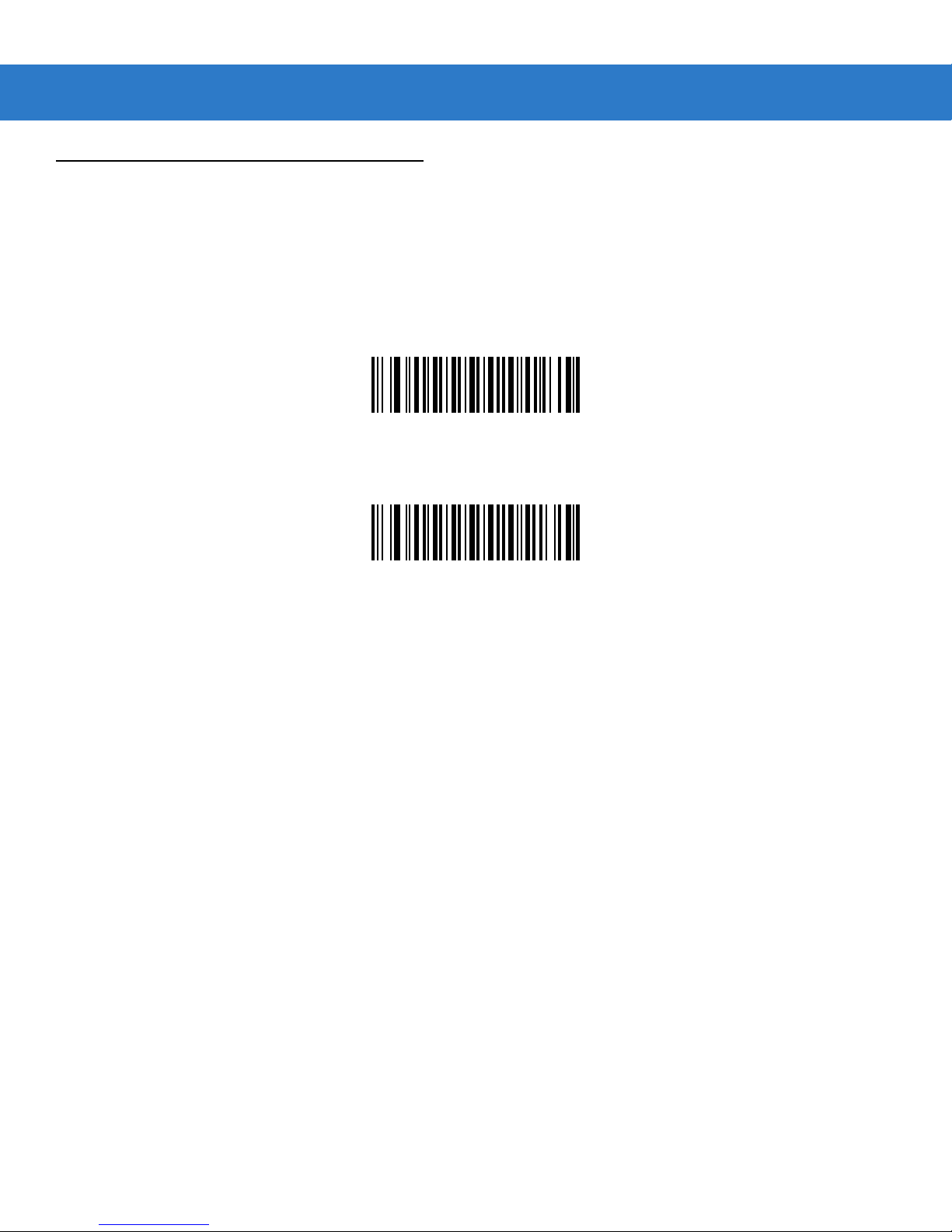
Two Discrete Lengths - Select this option to decode only those codes containing two selected lengths. For example,
select Code 93 Two Discret e Lengths, then scan 0, 2, 1, 4, to limit t h e de cod ing to o nly C ode 93 symbols containing
2 or 14 characters. Numeric b ar codes b egin on page 4-73. To change the selection or cancel an incorrect entry, scan
Cancel on page 4-74.
Code 93 - Two Discrete Lengths
Length Within Rang e - This option sets the unit to decode a code type within a specified range. For example, to
decode Code 93 symbols containing bet w e e n 4 a n d 1 2 c har a c ter s , fi r s t sc a n Code 93 Leng th Within Range, then scan
0, 4, 1 and 2 (single digit numbers must always be preceded by a leading zero). Numeric bar codes begin on page 4-73. To
change the selection or cancel an incorrect entry, scan Cancel on page 4-74.
Code 93 - Length Within Range
Any Length - Scan this option to decode Code 93 symbols containing any number of characters.
Code 93 - Any Length
Page 41
Code 11
Enable/Disable Code 11
Parameter # 0Ah
To enable or disable Code 11, scan the appropriate bar code below.
Enable Code 11
(01h)
Parameter Menus 4 - 43
*Disable Code 11
(00h)
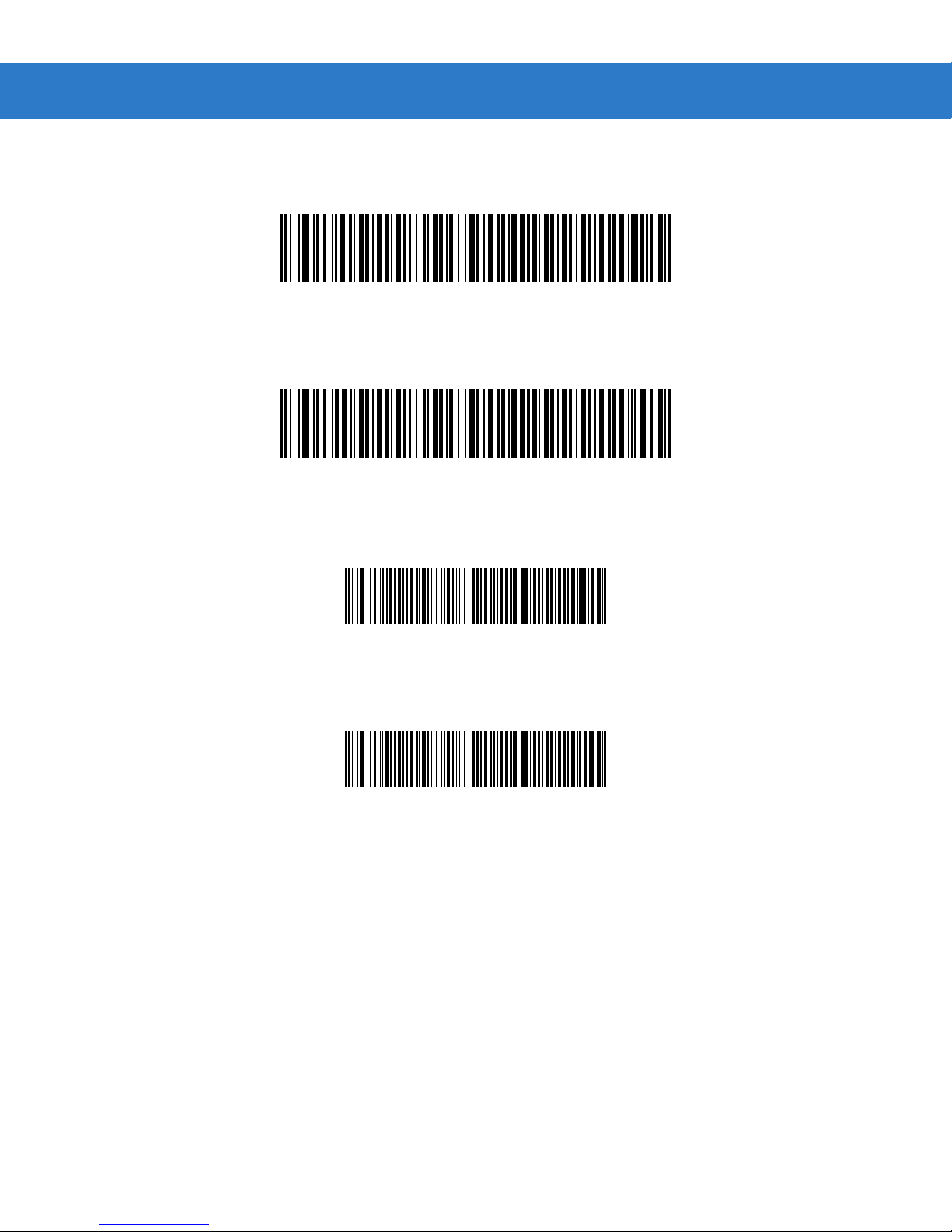
Set Lengths for Code 11
Parameter # L1 = 1Ch L2 = 1Dh
The length of a code refers to the number of characters (i.e., human readable characters), including check digit(s) the code
contains. Set lengths for Code 11 to any length, one or two discrete lengths, or lengths within a specific range.
•
One Discrete Length - Select this option to decode only Code 11 symbols containing a selected length. Select the
ngth using the numeric bar codes beginning on page 4-73. For example, to decode only Code 11 symbols with 14
le
characters, scan Code 11 - One Discrete Length, then scan 1 followed by 4. To correct an error or to change t
ion, scan Cancel on p age 4-74.
select
•
Two Discrete Lengths - Select this option to decode only Code 11 symbols containing either of two selected
lengths.
Cod
an
•
Length Within Rang e - Select this option to decode a Code 11 symbol with a specific length range. Select
lengths using numeric bar codes beginning on page 4-73. For example, to decode Code 11 symbols containing
between 4 and 12 characters, first scan Code 11 - Length Within Range. Then scan 0, 4, 1, and 2 (single digi
num
on page 4-74.
Select lengths using the numeric bar codes beginning on page 4-73. For example, to decode only thos
e 11 symbols containing either 2 or 14 characters, select Code 11 - Two Discrete Lengths, then scan 0, 2, 1
d then 4. To correct an error or to change the selection, scan Cancel on page 4-74.
bers must always be preceded by a leading zero). To correct an error or change the selection, scan Cancel
he
e
t
,
•
Any Length - Scan this option to decode Code 11 symbols containing any number of characters within the scan
ine capability
eng
.
Page 42
4 - 44 SpeechMike Premium Touch scanner programming guide
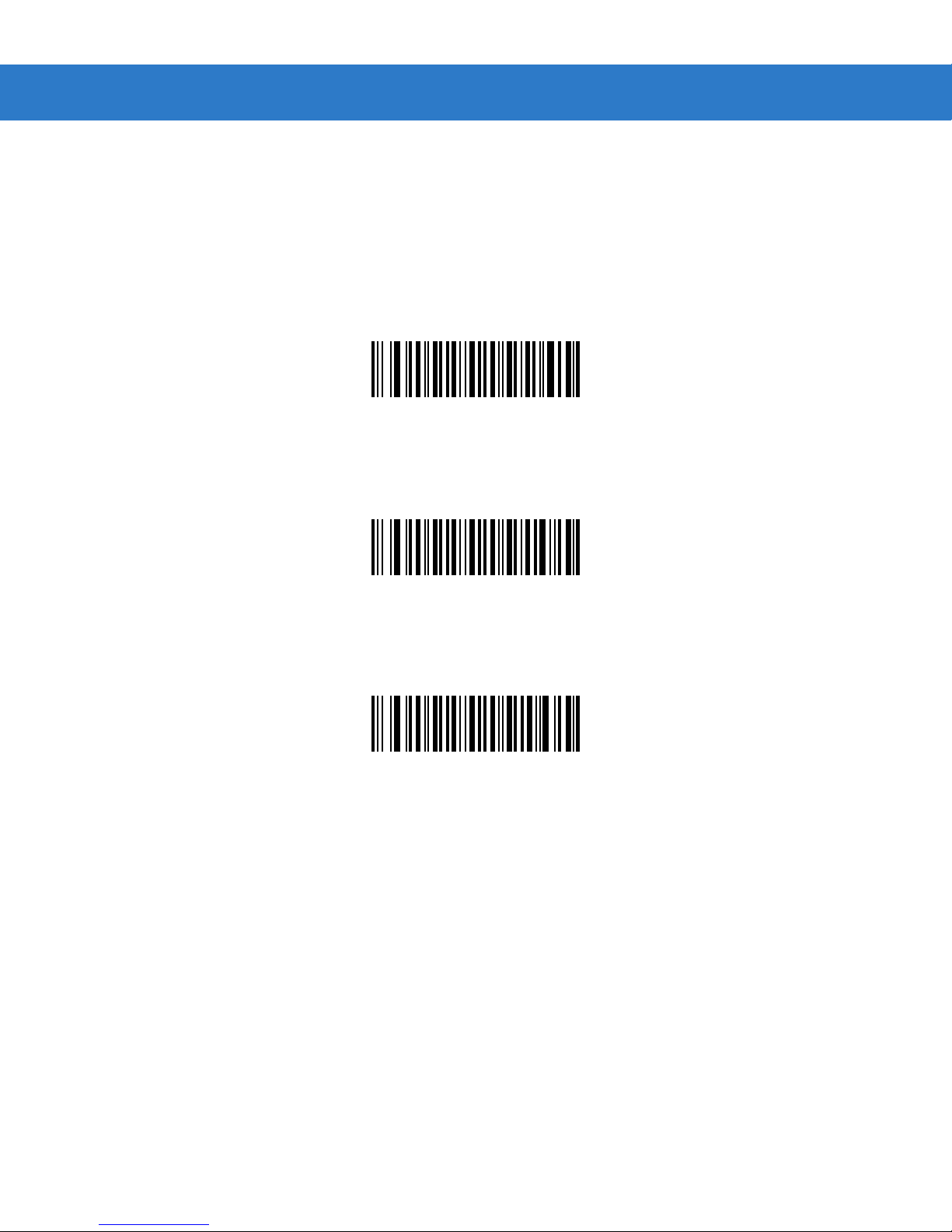
Set Lengths for Code 11 (continued)
Code 11 - One Discrete Length
Code 11 - Two Discrete Lengths
Code 11 - Length Within Range
Code 11 - Any Length
Page 43
Parameter Menus 4 - 45
Code 11 Check Digit Verification
Parameter # 34h
This feature allows the scan engine to check the integrity of all Code 11 symbols to verify that the data complies with the
specified check digit algorithm. This selects the check digit mechanism for the decoded Code 11 bar code. The options are
to check for one check digit, check for two check digits, or disable the feature.
To enable this feature, scan the bar code below corresponding to the number of check digits encoded in your Code 11
symbols.
*Disable
(00h)
One Check Digit
(01h)
Two Check Digits
(02h)
Page 44
4
- 46 SpeechMike Premium Touch scanner programming guide
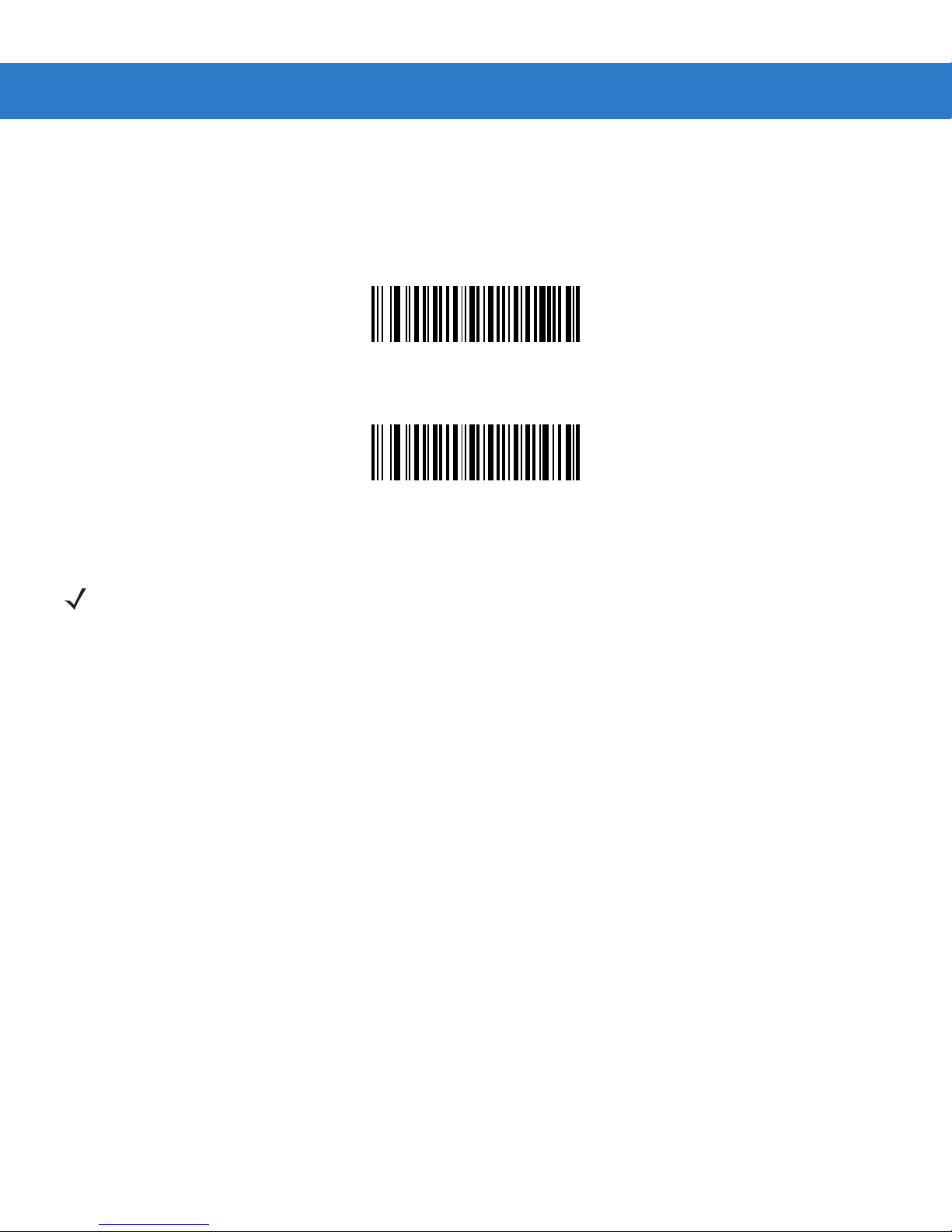
Transmit Code 11 Check Digits
Parameter # 2Fh
This feature selects whether or not to transmit the Code 11 check digit(s).
Transmit Code 11 Check Digit(s) (Enable)
(01h)
*Do Not Transmit Code 11 Check Digit(s) (Disable)
(00h)
NOTE Code 11 Check Digit Verification must be enabled for this parameter to function.
Page 45
Interleaved 2 of 5
Enable/Disable Interleaved 2 of 5
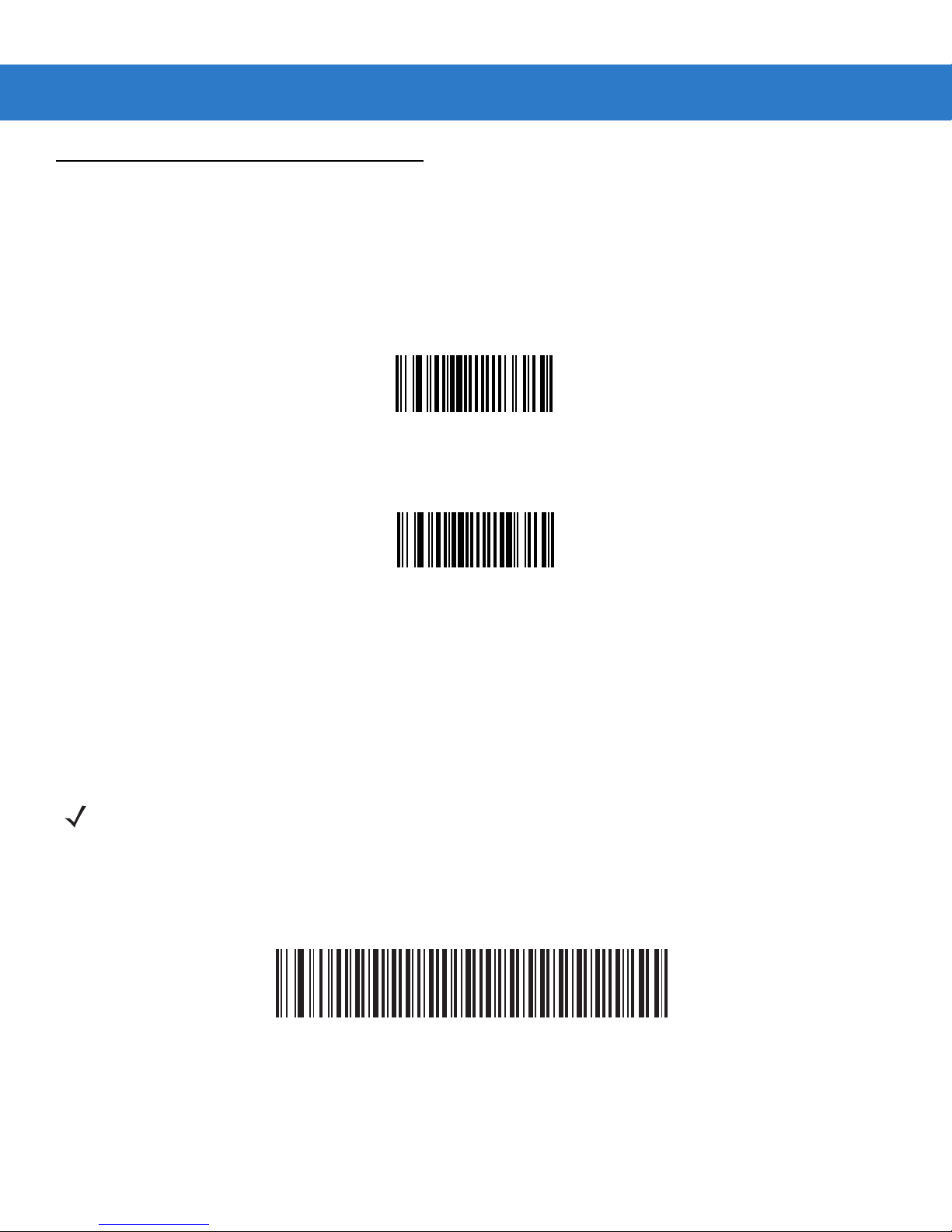
Parameter # 06h
To enable or disable Interleaved 2 of 5, scan the appropriate bar code below.
*Enable Interleaved 2 of 5
(01h)
Parameter Menus 4 - 47
Disable Interleaved 2 of 5
(00h)
Set Lengths for Interleaved 2 of 5
Parameter # L1 = 16h L2 = 17h
The length of a code refers to the number of characters (i.e., human readable characters), including check digit(s) the code
contains. Lengths for I 2 of 5 may be set for any length, one or two discrete lengths, or lengths within a specific range. To
set lengths via serial commands, see Setting Code Lengths Via Serial Commands on page B-8.
NOTE When setting lengths, single digit numbers must always be preceded by a leading zero.
One Discrete Length - Select this option to decode only those codes containing a selected length. For example, select I 2
of 5 One Discrete Length, then scan 1, 4, to decode only I 2 of 5 symbols containing 14 characters. Numeric bar codes
begin on page 4-73. To change the selection or cancel an incorrect entry, scan Cancel on page 4-74.
I 2 of 5 - One Discrete Length
Page 46
4 - 48 SpeechMike Premium Touch scanner programming guide
Set Lengths for Interleaved 2 of 5 (continued)
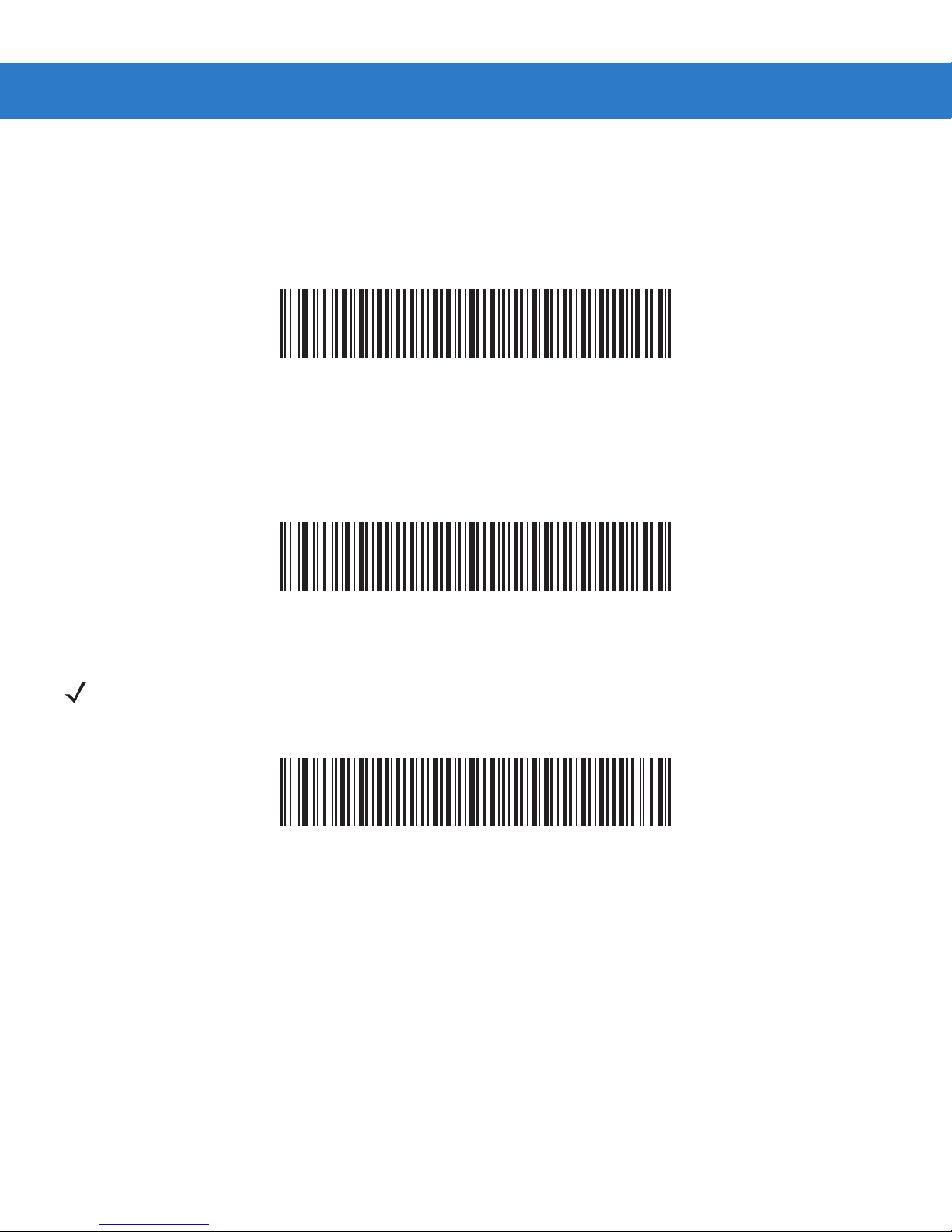
Two Discrete Lengths - Select this option to decode only those codes containing two selected lengths. For example,
select I 2 of 5 Two Discrete Lengths, then scan 0, 6, 1, 4, to d e code o nly I 2 o f 5 symbols cont aining 6 or 14 characters.
Numeric bar codes begin on page 4-73. To change the selection or cancel an incorrect entry, scan Cancel on page 4-74.
I 2 of 5 - T wo Discrete Lengths
Length Within Range - Select this option to decode only codes within a specified range. For example, to decode I 2 of 5
symbols containing between 4 and 12 characters, first scan I 2 of 5 Length Within Range, then scan 0, 4, 1 and 2 (single
digit numbers must always be preceded by a leading zero). Numeric bar codes begin on page 4-73. To change the
selection or cancel an incorrect entry, scan Cancel on page 4-74.
I 2 of 5 - Length Within Range
Any Length - Scan this option to decode I 2 of 5 symbols containing any number of characters.
NOTE Selecting this option may lead to misdecodes for I 2 of 5 codes.
I 2 of 5 - Any Length
Page 47
Parameter Menus 4 - 49
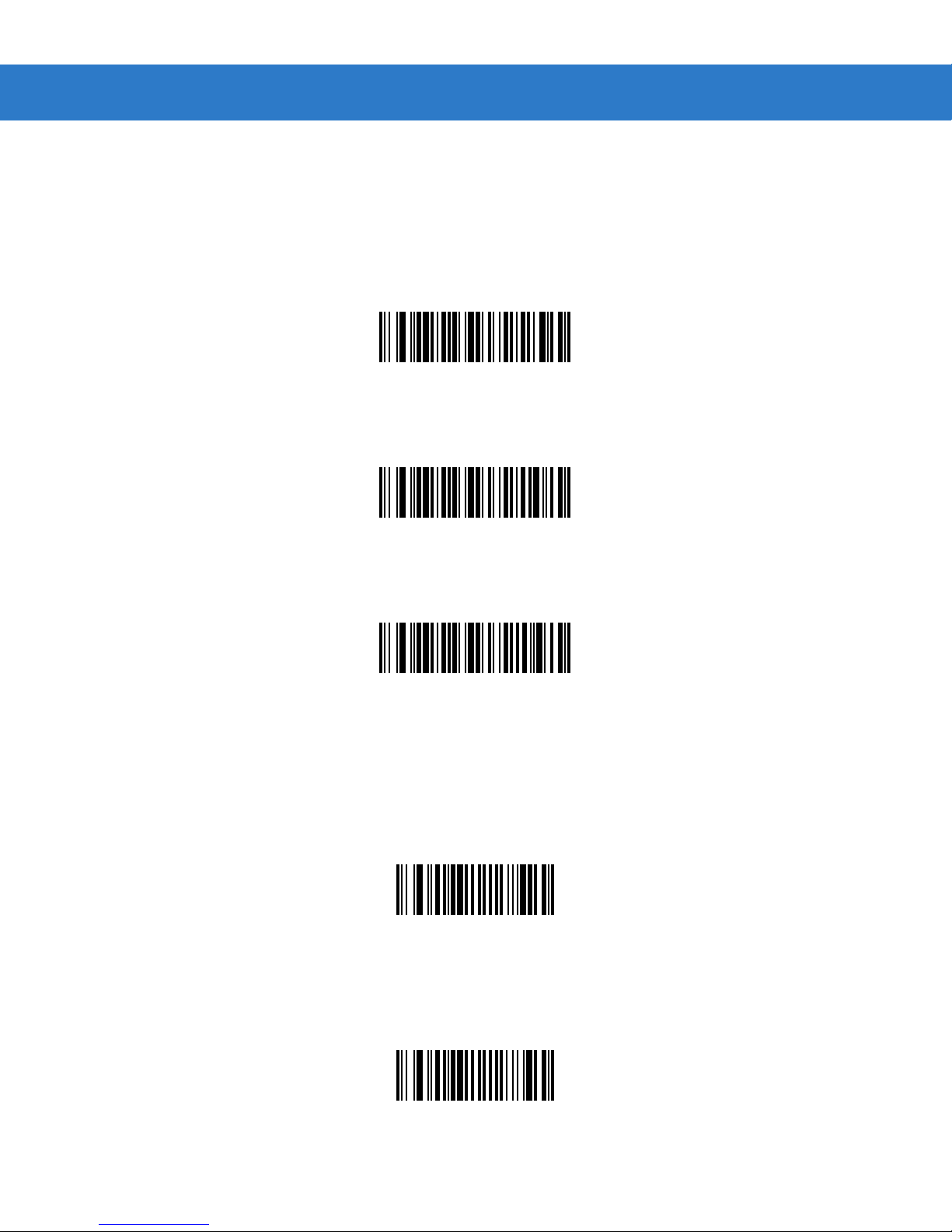
I 2 of 5 Check Digit Verification
Parameter # 31h
When enabled, this parameter checks the integrity of an I 2 of 5 symbol to ensure it complies with a specified algorithm,
either USS (Uniform Symbology Specification), or OPCC (Optical Product Code Council).
*Disable
(00h)
USS Check Digit
OPCC Check Digit
Transmit I 2 of 5 Check Digit
Parameter # 2Ch
Scan this symbol to transmit the check digit with the data.
Transmit I 2 of 5 Check Digit (Enable)
Scan this symbol to transmit data without the check digit.
(01h)
(02h)
(01h)
*Do Not Transmit I 2 of 5 Check Digit (Disable)
(00h)
Page 48

4 - 50 SpeechMike Premium Touch scanner programming guide
Convert I 2 of 5 to EAN-13
Parameter # 52h
This parameter converts a 14 character I 2 of 5 code into EAN-13, and transmits to the host as EAN-13. T o accomplish this,
I 2 of 5 must be enabled, one length must be set to 14, and the code must have a leading zero and a valid EAN-13 check
digit.
Convert I 2 of 5 to EAN-13 (Enable)
(01h)
*Do Not Convert I 2 of 5 to EAN-13 (Disable)
(00h)
Page 49
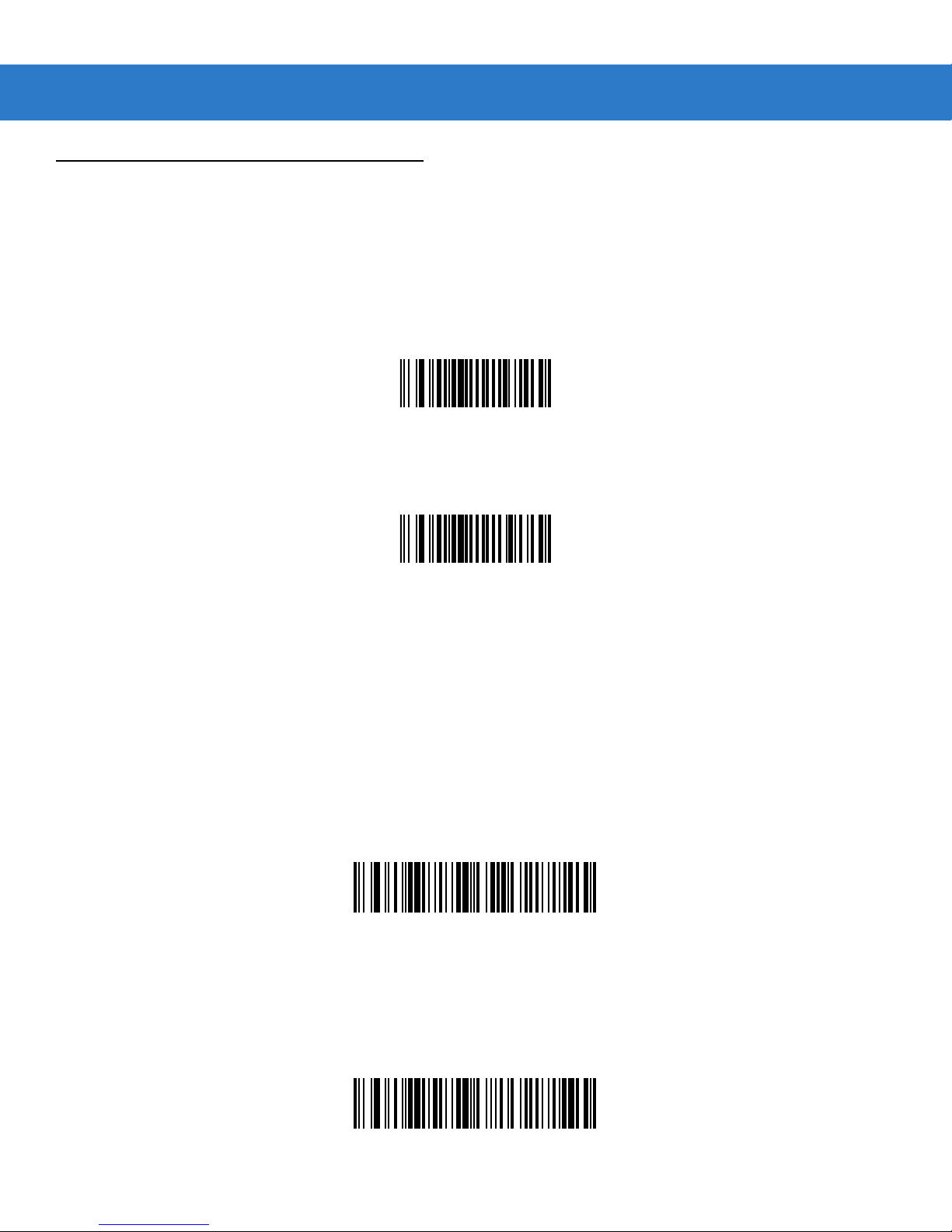
Discrete 2 of 5
Enable/Disable Discrete 2 of 5
Parameter # 05h
To enable or disable Discrete 2 of 5, scan the appropriate bar code below.
Enable Discrete 2 of 5
(01h)
Parameter Menus 4 - 51
*Disable Discrete 2 of 5
(00h)
Set Lengths for Discrete 2 of 5
Parameter # L1 = 14h L2 = 15h
The length of a code refers to the number of characters (i.e., human readable characters), including check digit(s) the code
contains. Lengths for D 2 of 5 may be set for any length, one or two discrete lengths, or lengths within a specific range. To
set lengths via serial commands, see Setting Code Lengths Via Serial Commands on page A-7.
One Discrete Length - Select this option to decode only those codes containing a selected length. For example, select D
2 of 5 One Discrete Length, then scan 1, 4, to decode only D 2 of 5 symbols containing 14 characters. Numeric bar
codes begin on page 4-73. To change the selection or cancel an incorrect entry, scan Cancel on page 4-74.
D 2 of 5 - One Discrete Length
Two Discrete Lengths - Select this option to decode only those codes containing two selected lengths. For example,
select D 2 of 5 Two Discrete Lengths, then scan 0, 2, 1, 4, to decode only D 2 of 5 symbols containing 2 or 14
characters. Numeric bar codes begin on page 4-73. To change the selection or cancel an incorrect entry, scan Cancel on
page 4-74.
D 2 of 5 - Two Discrete Lengths
Page 50
4 - 52 SpeechMike Premium Touch scanner programming guide
Set Lengths for Discrete 2 of 5 (continued)
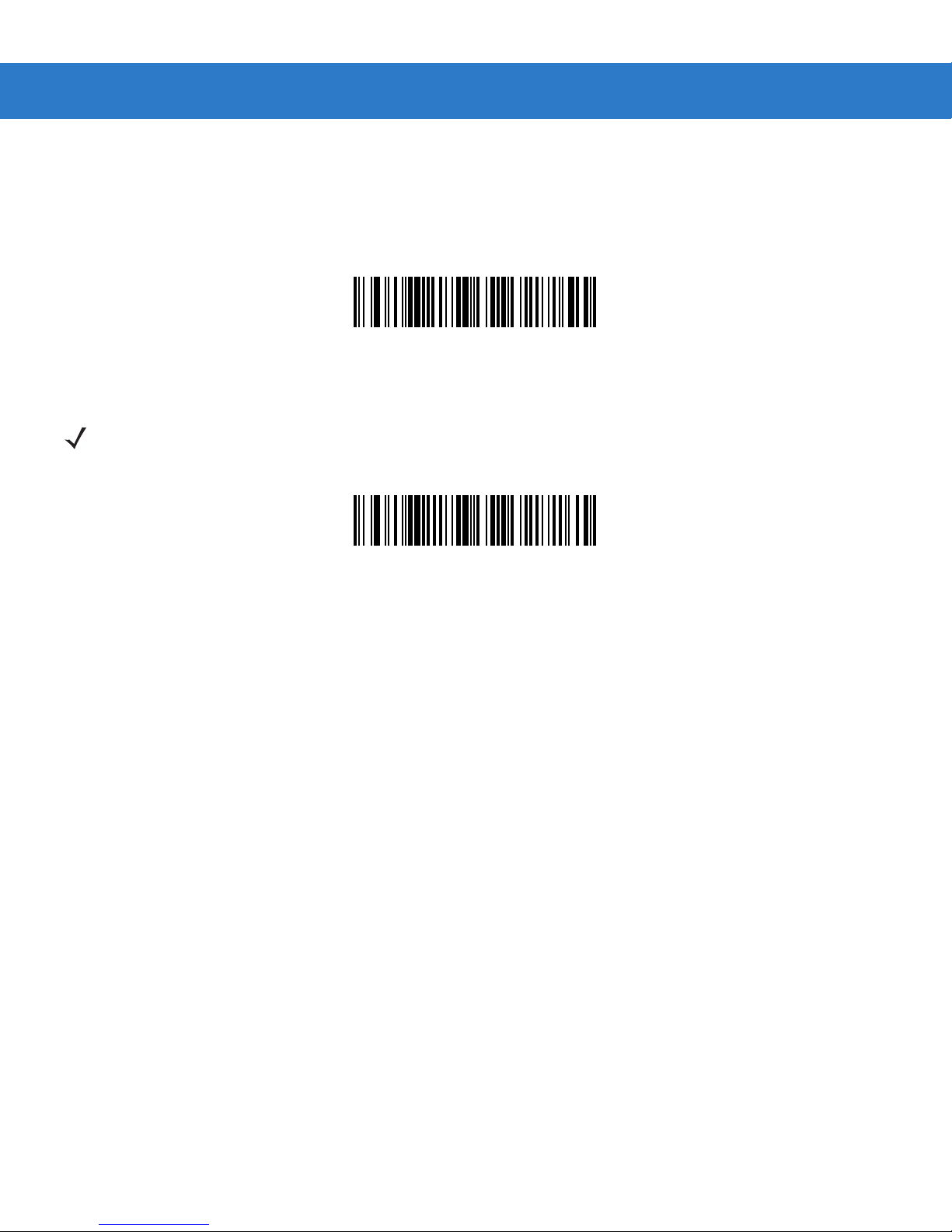
Length Within Rang e - Select this option to decode codes within a specified range. For example, to decode D 2 of 5
symbols containing between 4 and 12 characters, first scan D 2 of 5 Length Within Range, then scan 0, 4, 1 and 2 (single
digit numbers must be preceded by a leading zero). Numeric bar codes begin on page 4-73. To change the selection or
cancel an incorrect entry, scan Cancel on page 4-74.
D 2 of 5 - Length Within Range
Any Length - Scan this option to decode D 2 of 5 symbols containing any number of characters.
NOTE Selecting this option may lead to misdecodes for D 2 of 5 codes.
D 2 of 5 - Any Length
Page 51
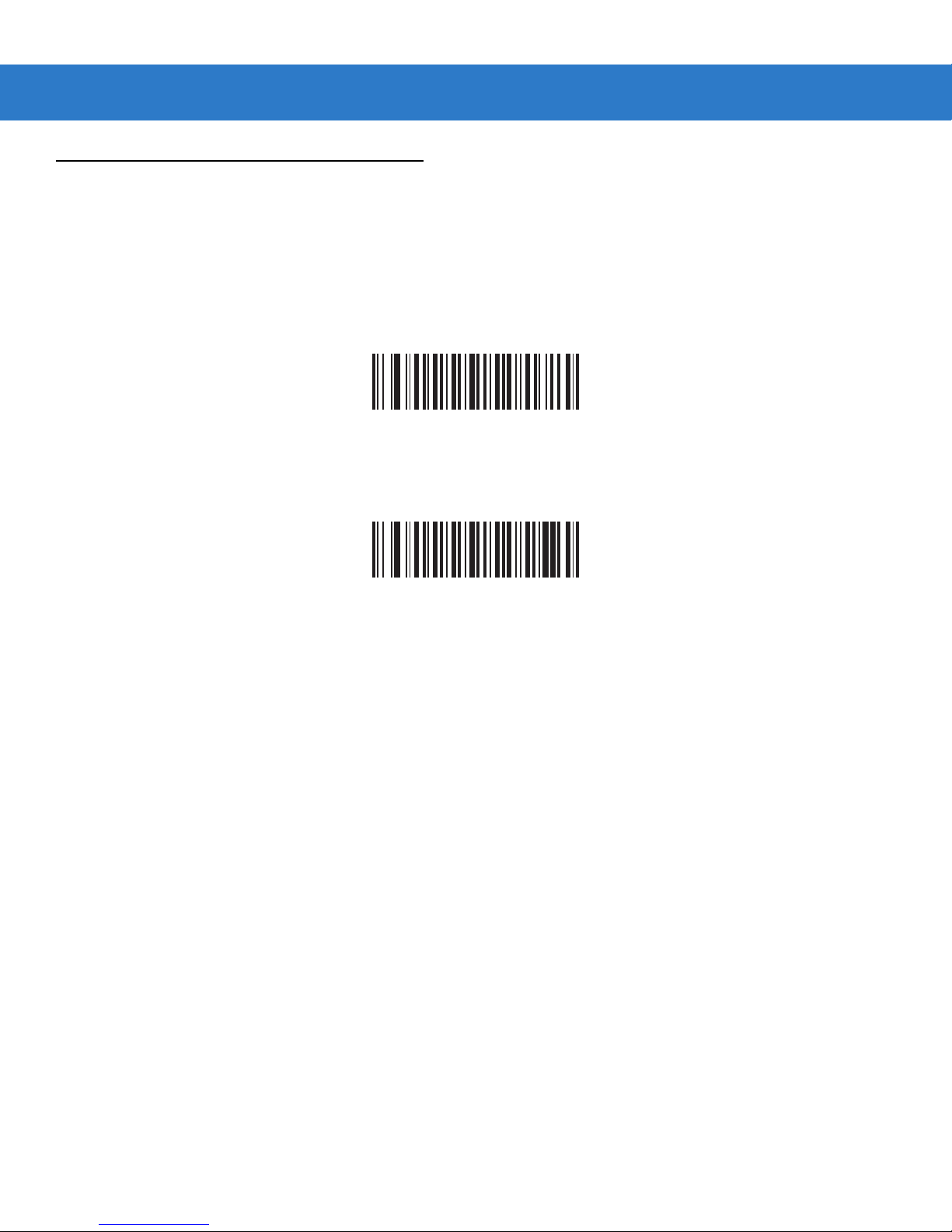
Chinese 2 of 5
Enable/Disable Chinese 2 of 5
Parameter # F0h 98h
To enable or disable Chinese 2 of 5, scan the appropriate bar code below.
Enable Chinese 2 of 5
(01h)
Parameter Menus 4 - 53
*Disable Chinese 2 of 5
(00h)
Page 52
4 - 54 SpeechMike Premium Touch scanner programming guide
Matrix 2 of 5
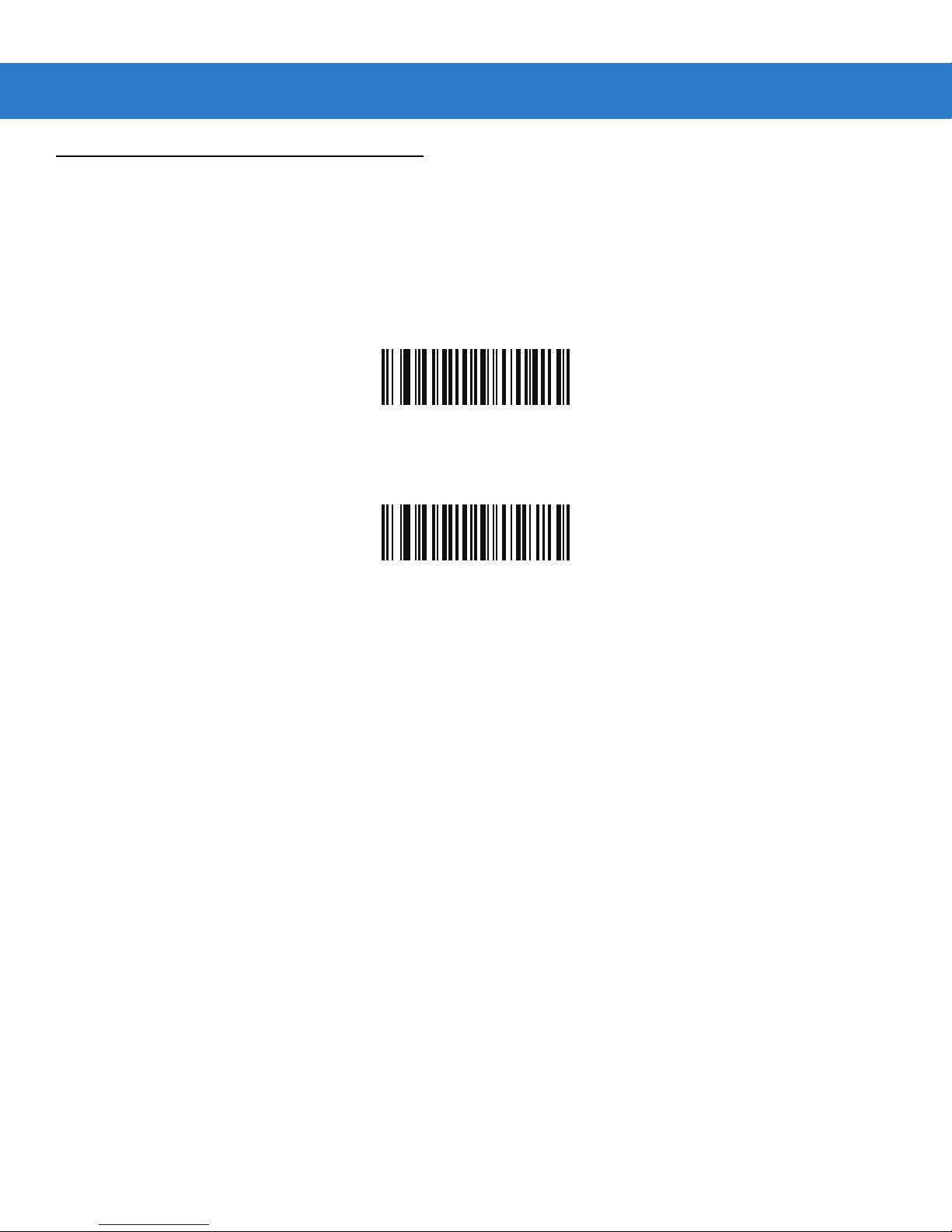
Enable/Disable Matrix 2 of 5
Parameter # F1h 6Ah
To enable or disable Matrix 2 of 5, scan the appropriate bar code below.
Enable Matrix 2 of 5
(01h)
*Disable Matrix 2 of 5
(00h)
Set Lengths for Matrix 2 of 5
Parameter # L1 = F1h 6Bh L2 = F1h 6Ch
The length of a code refers to the number of characters (i.e., human readable characters), including check digit(s) the code
contains. Set lengths for Matrix 2 of 5 to any length, one or two discrete lengths, or lengths within a specific range.
•
One Discrete Length - Select this option to decode only Matrix 2 of 5 symbols containing a selected length. Select
the length using the numeric bar codes beginning on page 4-73. For example, to decode only Matrix 2 of 5 symbols
with 14 characters, scan Matrix 2 of 5 - One Discrete Length, then scan 1 followed by 4. To correct an error or to
change the selection, scan Cancel on page 4-74.
•
T wo Discret e Leng ths - Select this option to decode only M atri x 2 of 5 symbols containing either of two selected
lengths. Select lengths usin g the numeric bar codes beginning on page 4-73. For example, to decode only Matrix 2
of 5 symbols containing either 2 or 14 characters, select Mat rix 2 of 5 - Two Discrete Lengths, then scan 0, 2, 1 ,
and then 4. To correct an error or to change the selection, scan Cancel on page 4-74.
•
Length Within Range - Select this option to decode a Matrix 2 of 5 symbol with a specific length range. Select
lengths using the numeric bar codes beginning on page 4-73. For example, to decode Matrix 2 of 5 symbols
containing between 4 and 12 characters, first scan Matrix 2 of 5 - Length Within Range. Then scan 0, 4, 1, and 2
(enter a leading zero for single digit numbers). To correct an error or change the selection, scan Cancel on page
4-74.
•
Any Length - Scan this option to decode Matrix 2 of 5 symbols containing any number of characters within the digital
scanner’s capability.
Page 53
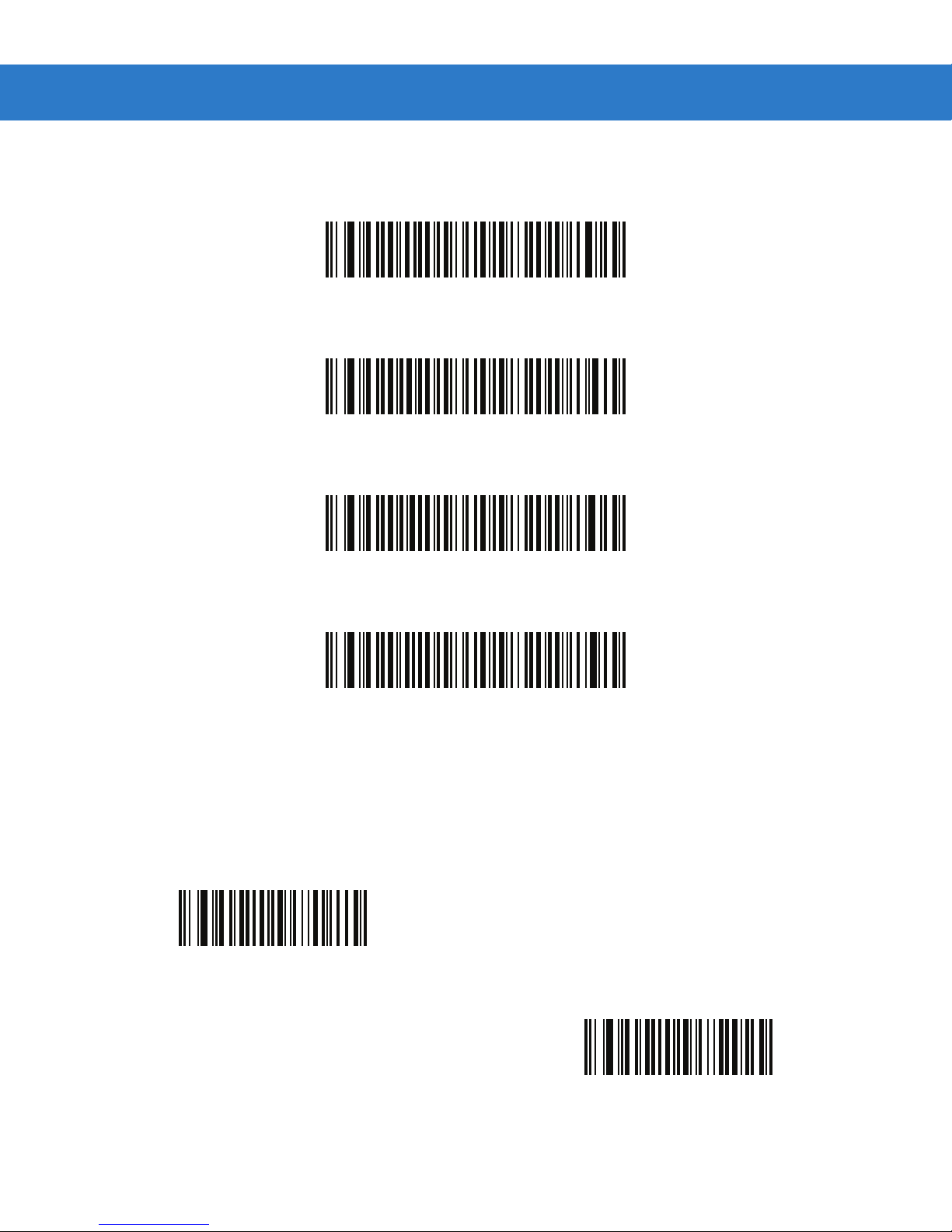
Set Lengths for Matrix 2 of 5 (continued)
*Matrix 2 of 5 - One Discrete Length
Matrix 2 of 5 - Two Discrete Lengths
Parameter Menus 4 - 55
Matrix 2 of 5 - Length Within Range
Matrix 2 of 5 - Any Length
Matrix 2 of 5 Redundancy
Parameter # F1h 6Dh
To enable or disable Matrix 2 of 5 redundancy, scan the appropriate bar code below.
Enable Matrix 2 of 5 Redundancy
(01h)
*Disable Matrix 2 of 5 Redundancy
(00h)
Page 54
4 - 56 SpeechMike Premium Touch scanner programming guide
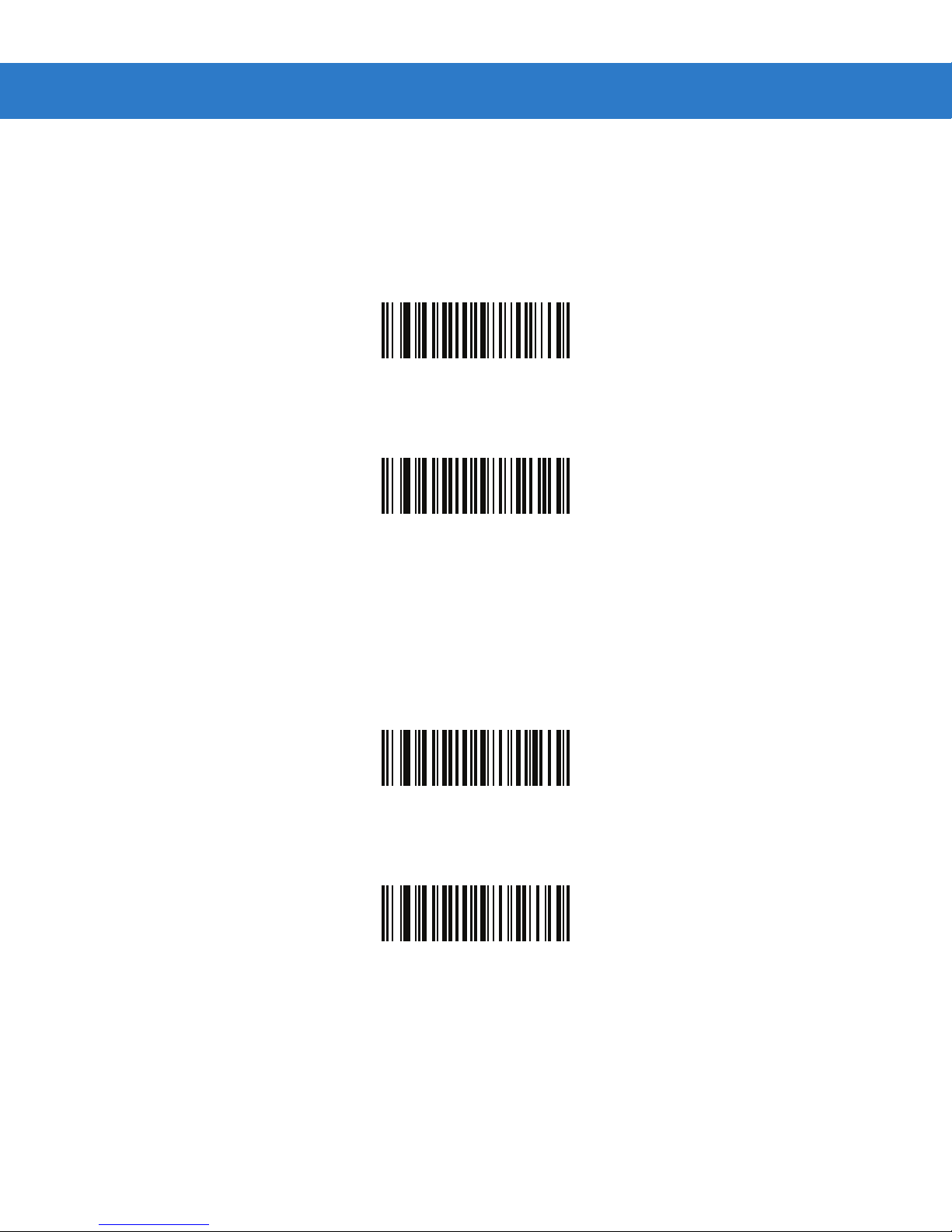
Matrix 2 of 5 Check Digit
Parameter # F1h 6Eh
The check digit is the last character of the symbol used to verify the integrity of the data. Scan the appropriate bar code
below to transmit the bar code data with or without the Matrix 2 of 5 check digit.
Enable Matrix 2 of 5 Check Digit
(01h)
*Disable Matrix 2 of 5 Check Digit
(00h)
Transmit Matrix 2 of 5 Check Digit
Parameter # F1h 6Fh
Scan a bar code below to transmit Matrix 2 of 5 data with or without the check digit.
Transmit Matrix 2 of 5 Check Digit
(01h)
*Do Not Transmit Matrix 2 of 5 Check Digit
(00h)
Page 55
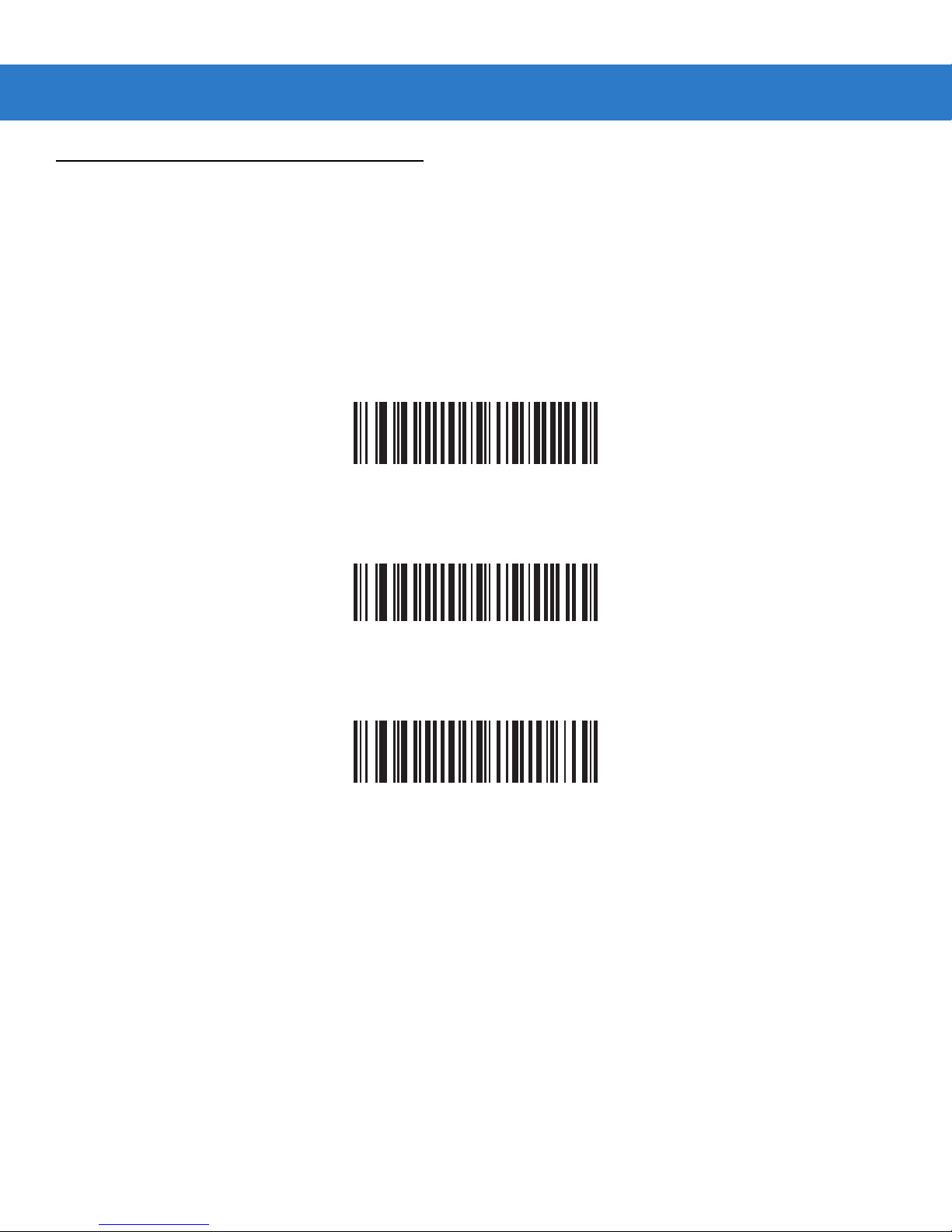
Inverse 1D
Parameter # F1h 4Ah
This parameter sets the 1D inverse decoder setting. Options are:
•
Regular Only - the digital scanner decodes regular 1D bar codes only.
•
Inverse Only - the digital scanner decodes inverse 1D bar codes only.
•
Inverse Autodetect - the digital scanner decodes both regular and inverse 1D bar codes.
*Regular
(00h
Parameter Menus 4 - 57
Inverse Only
(01h)
Inverse Autodetect
(02h)
Page 56
4 - 58 SpeechMike Premium Touch scanner programming guide
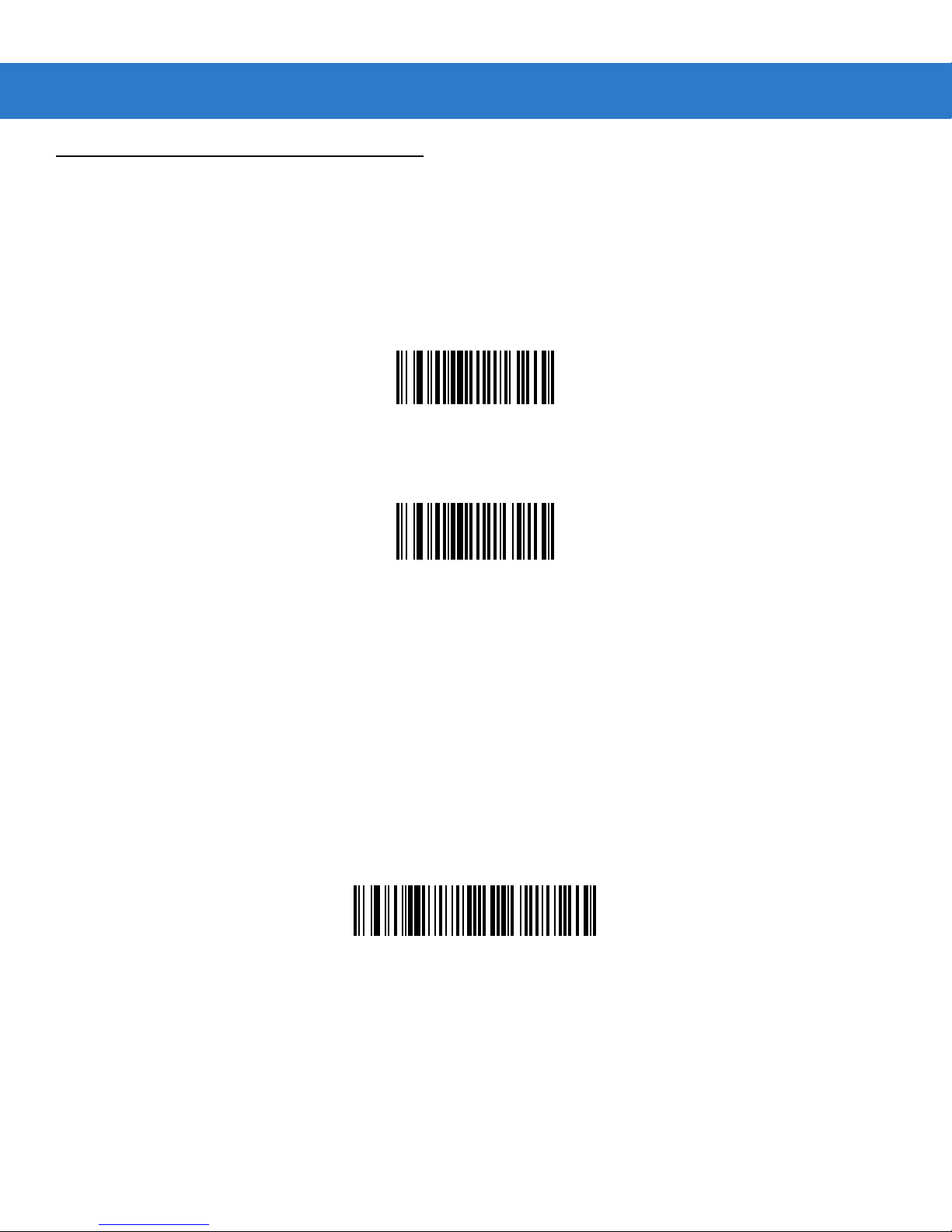
Codabar
Enable/Disable Codabar
Parameter # 07h
To enable or disable Codabar, scan the appropriate bar code below.
Enable Codabar
(01h)
*Disable Codabar
(00h)
Set Lengths for Codabar
Parameter # L1 = 18h L2 = 19h
The length of a code refers to the number of characters (i.e., human readable characters), including check digit(s) the code
contains. Lengths for Codabar may be set for any length, one or two discrete lengths, or lengths within a specific range. T o
set lengths via serial commands, see Setting Code Lengths Via Serial Commands on page A-7.
One Discrete Length - Select this option to decode only those codes containing a selected length. For example, select
Codabar One Discrete Length, then scan 1, 4, to decode only Codabar symbols containing 14 characters. Numeric bar
codes begin on page 4-73. To change the selection or cancel an incorrect entry, scan Cancel on page 4-74.
Codabar - One Discrete Length
Two Discrete Lengths - This option sets the unit to decode only those codes containing two selected lengths. For
example, select Codabar Two Discrete Lengths, then scan 0, 2, 1, 4, to decode only Codabar symbols containing 6 or
14 characters. Numeric bar codes begin on page 4-73. To change the selection or cancel an incorrect entry, scan Cancel
on page 4-74.
Page 57
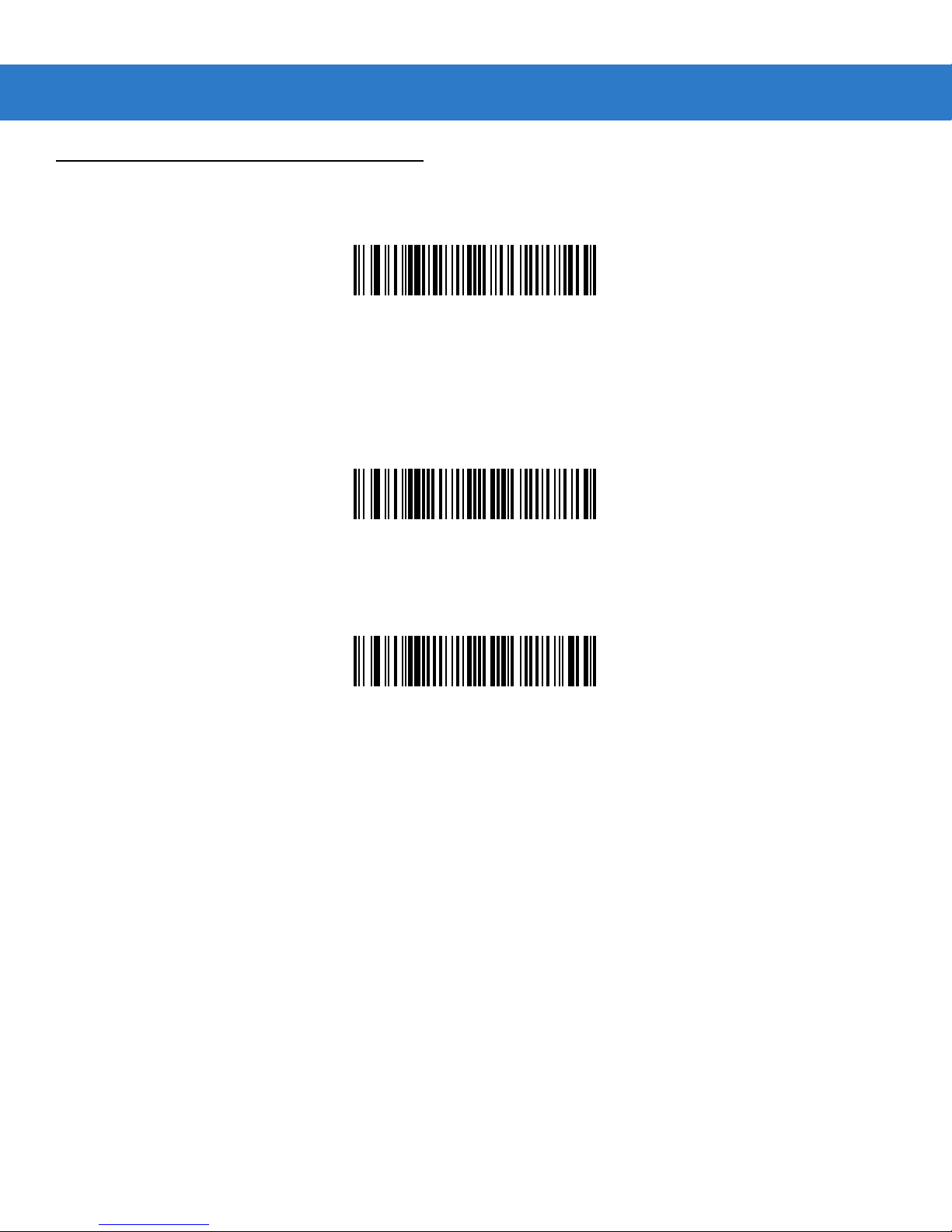
Parameter Menus 4 - 59
Codabar (continued)
Codabar - Two Discrete Lengths
Length Within Range - Select this option to decode a code within a specified range. For example, to decode Codabar
symbols containing between 4 and 12 characters, first scan Codabar Length Within Range, then scan 0, 4, 1 and 2
(single digit numbers must always be preceded by a leading zero). Numeric bar codes begin on page 4-73. To change the
selection or cancel an incorrect entry, scan Cancel on page 4-74.
Codabar - Length Within Range
Any Length - Scan this option to decode Codabar symbols containing any number of characters.
Codabar - Any Length
Page 58
4 - 60 SpeechMike Premium Touch scanner programming guide
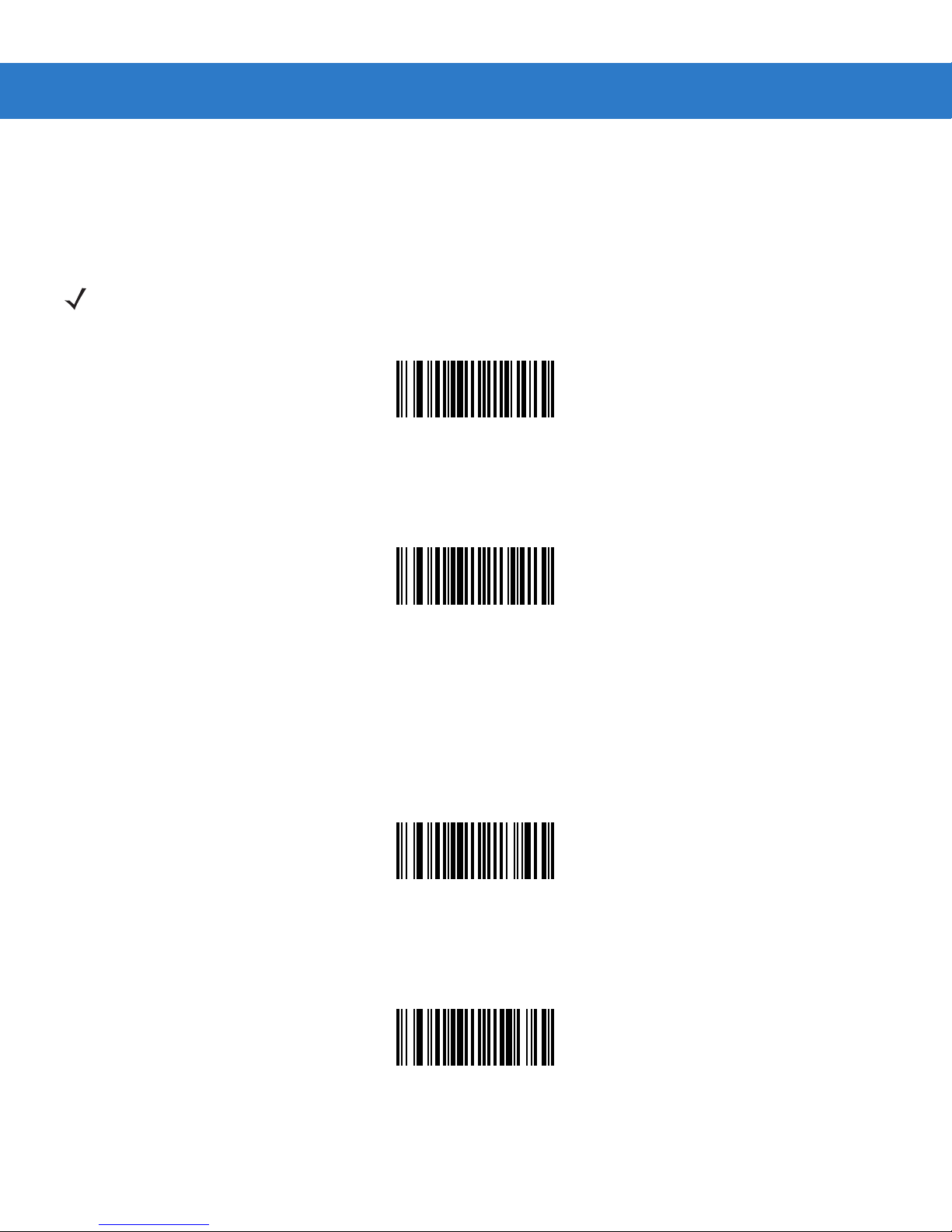
CLSI Editing
Parameter # 36h
When enabled, this parameter strips the start and stop characters and inserts a space after the first, fifth, and tenth
characters of a 14-character Codabar symbol.
NOTE Symbol length does not include start and stop characters.
Enable CLSI Editing
(01h)
*Disable CLSI Editing
(00h)
NOTIS Editing
Parameter # 37h
When enabled, this parameter strips the start and stop characters from decoded Codabar symbol.
Enable NOTIS Editing
(01h)
*Disable NOTIS Editing
(00h)
Page 59

MSI
Enable/Disable MSI
Parameter # 0Bh
To enable or disable MSI, scan the appropriate bar code below.
Enable MSI
(01h)
Parameter Menus 4 - 61
*Disable MSI
(00h)
Page 60
4 - 62 SpeechMike Premium Touch scanner programming guide
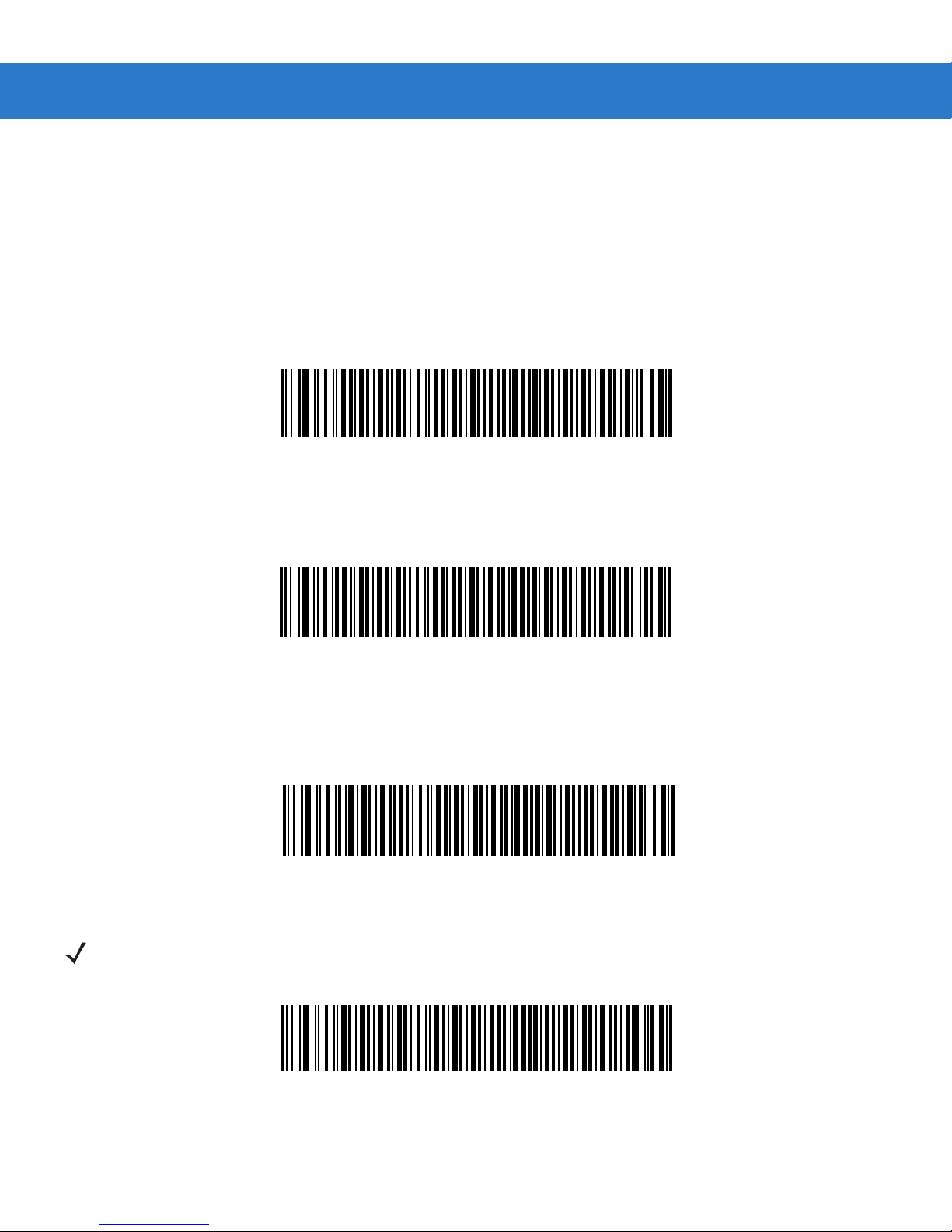
Set Lengths for MSI
Parameter # L1 = 1Eh L2 = 1Fh
The length of a code refers to the number of characters (i.e., human readable characters) the code contains, and includes
check digits. Lengths for MSI can be set for any length, one or two discrete lengths, or lengths within a specific range. See
Table B-5 on page B-9 for ASCII equivalents. To set lengths via serial commands, see Setting Code Lengths Via Serial
Commands on page A-7.
One Discrete Length - Select this option to decode only those codes containing a selected length. For example, select
MSI - One Discrete Length, then scan 1, 4, to decode only MSI symbols containing 14 characters. Numeric bar codes
begin on page 4-73. To change the selection or cancel an incorrect entry, scan Cancel on page 4-74.
MSI - One Discrete Length
Two Discrete Lengths - Select this option to decode only those codes containing two selected lengths. For example,
select MSI - Two Discrete Lengths, then scan 0, 6, 1, 4, to decode only MSI symbols containing 6 or 14 characters.
Numeric bar codes begin on page 4-73. To change the selection or cancel an incorrect entry, scan Cancel on page 4-74.
MSI - Two Discrete Lengths
Length Within Range - Select this option to decode codes within a specified range. For example, to decode MSI symbols
containing between 4 and 12 characters, first scan MSI Length Within Range, then scan 0, 4, 1 and 2 (single digit
numb e r s mu s t a l wa y s b e p r ec e d e d b y a l e a d in g z e r o ). Numeric bar codes begin on page 4-73. T o change the selection or
cancel an incorrect entry, scan Cancel on page 4-74.
MSI - Length Within Range
Any Length - Scan this option to decode MSI Plessey symbols containing any number of characters.
NOTE Selecting this option may lead to misdecodes for MSI codes.
MSI - Any Length
Page 61
Parameter Menus 4 - 63
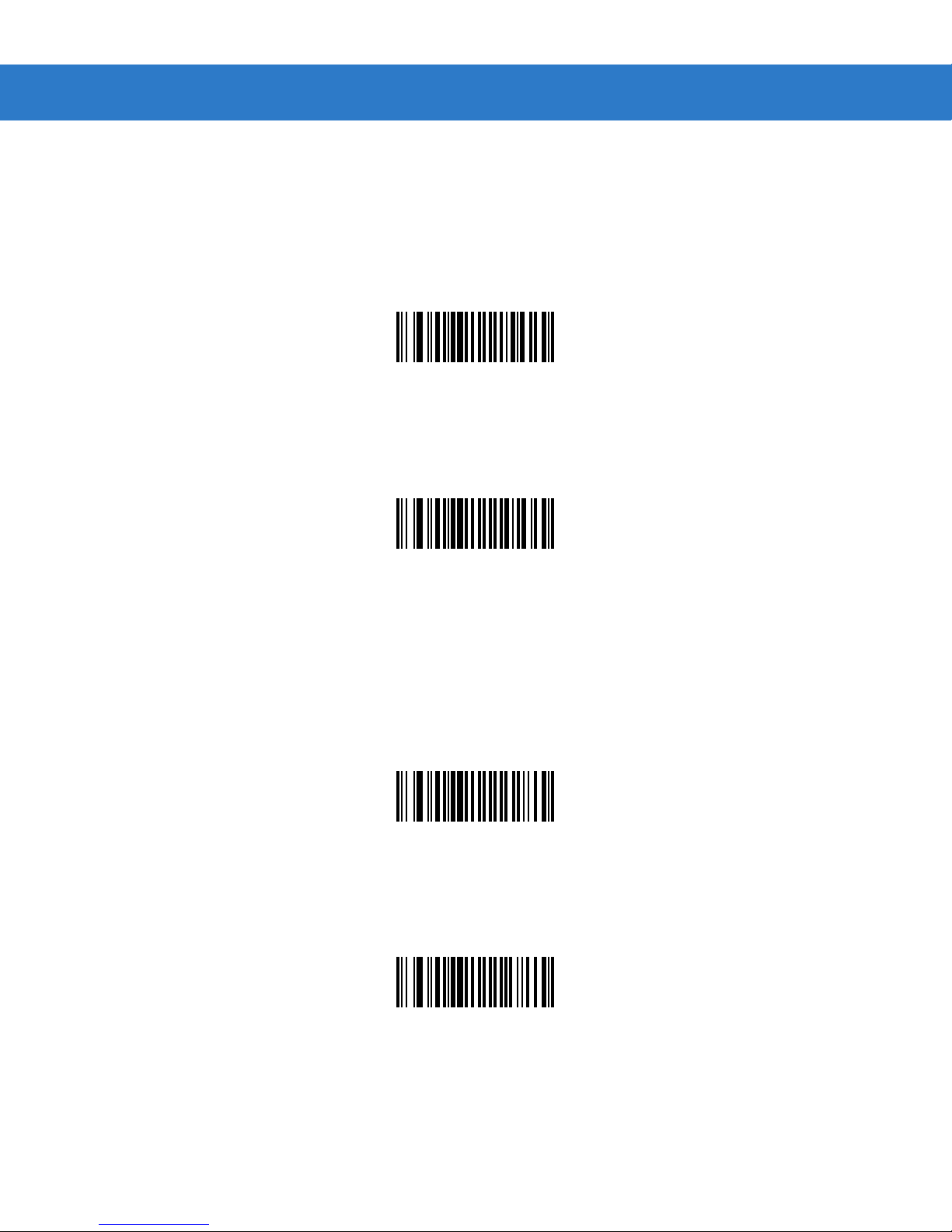
MSI Check Digits
Parameter # 32h
These check digits at the end of the bar code verify the integrity of the data. At least one check digit is always required.
Check digits are not automatically transmitted with the data.
*One MSI Check Digit
(00h)
If two check digits are selected, also select an MSI Check Digit Algorithm on page 4-64.
Two MSI Check Digit
Transmit MSI Check Digit
Parameter # 2Eh
Scan this symbol to transmit the check digit with the data.
Transmit MSI Check Digit (Enable)
Scan this symbol to transmit data without the check digit.
(01h)
(01h)
*Do Not Transmit MSI Check Digit (Disable)
(00h)
Page 62

4 - 64 SpeechMike Premium Touch scanner programming guide
MSI Check Digit Algorithm
Parameter # 33h
When the Two MSI check digits option is selected, an additional verification is required to ensure integrity. Select one of the
following algorithms.
MOD 10/ MOD 11
(00h)
*MOD 10/ MOD 10
(01h)
Page 63
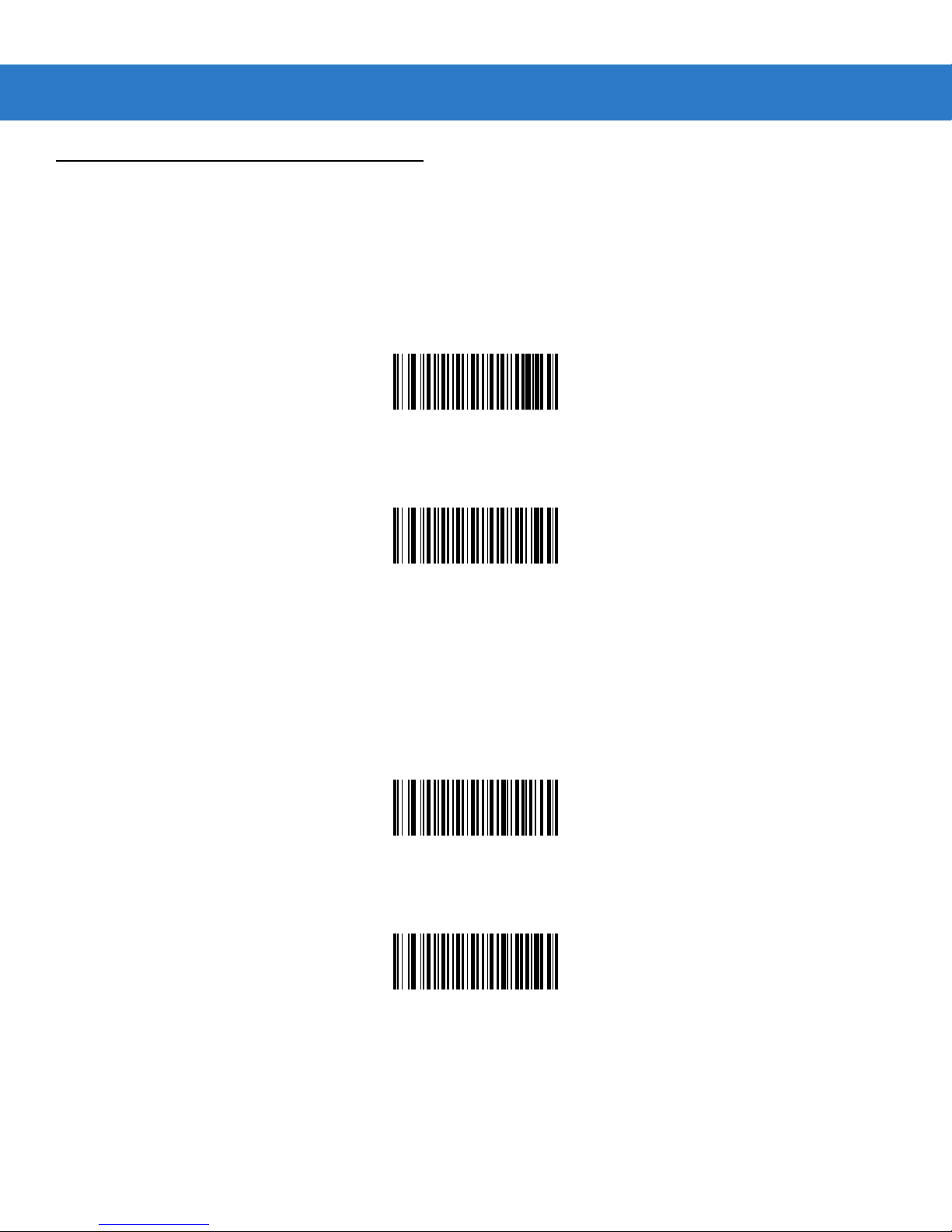
GS1-DataBar
Enable/Disable GS1 DataBar Omnidirectional
Parameter # F0h 52h
To enable or disable GS1 DataBar Omnidirectional, scan the appropriate bar code below.
*Enable GS1 DataBar Omnidirectional
(01h)
Parameter Menus 4 - 65
Disable GS1 DataBar Omnidirectional
(00h)
Enable/Disable GS1 DataBar Limited
Parameter # F0h 53h
To enable or disable GS1 DataBar Limited, scan the appropriate bar code below.
*Enable GS1 DataBar Limited
(01h)
Disable GS1 DataBar Limited
(00h)
Page 64
4 - 66 SpeechMike Premium Touch scanner programming guide
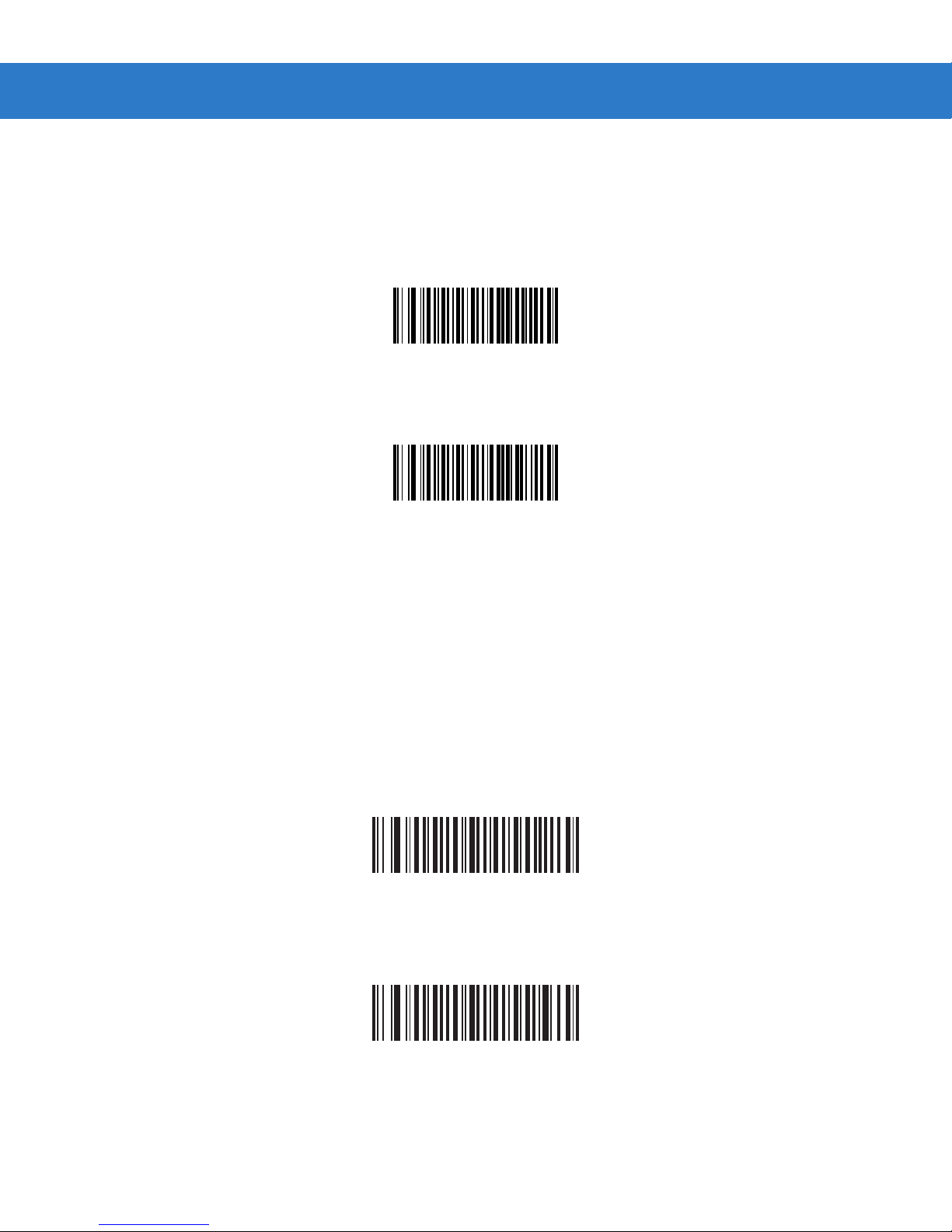
Enable/Disable GS1 DataBar Expanded
Parameter # F0h 54h
To enable or disable GS1 DataBar Expanded, scan the appropriate bar code below.
*Enable GS1 DataBar Expanded
(01h)
Disable GS1 DataBar Expanded
(00h)
Convert GS1 DataBar to UPC/EAN
Parameter # F0h 8Dh
This parameter only applies to GS1 DataBar Omnidirectional and GS1 DataBar Limited symbols. When this conversion is
enabled, GS1 DataBar Omnidirectional and GS1 DataBar Limited symbols encoding a single zero as the first digit have the
leading '010' stripped and the bar code reported as EAN-13.
Bar codes beginning with two or more zeros but not six zeros have the leading '0100' stripped and the bar code reported as
UPC-A. The UPC-A Preamble parameter to transmit the system character and country code applies to converted bar
codes. Note that neither the system character nor the check digit can be stripped.
Enable Convert GS1 DataBar to UPC/EAN
*Disable Convert GS1 DataBar to UPC/EAN
Page 65
Parameter Menus 4 - 67
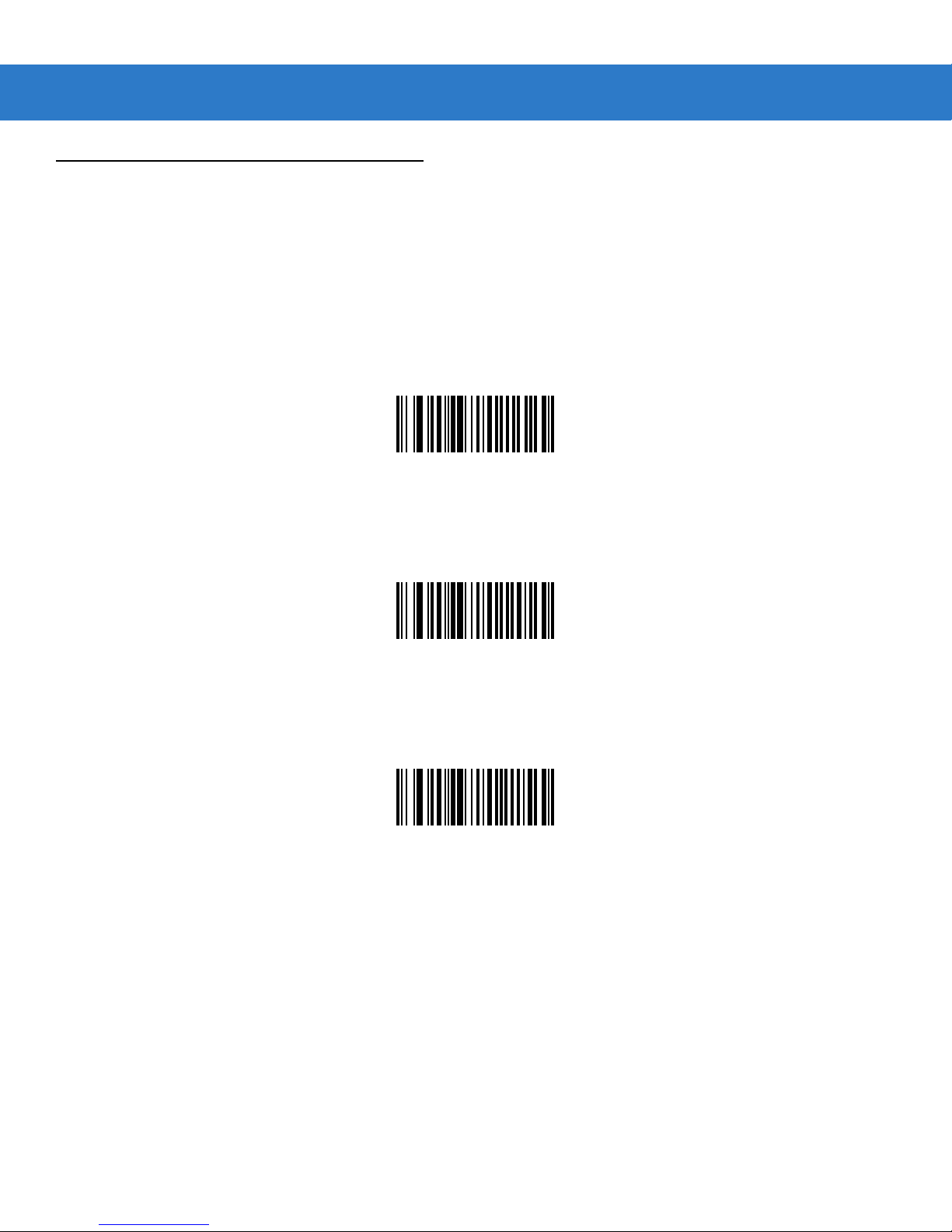
Transmit Code ID Character
Parameter # 2Dh
A code ID character identifies the code type of a scanned bar code. This can be useful when decoding more than one code
type. The code ID character is inserted between the prefix character (if selected) and the decoded symbol.
Select no code ID character, a Symbol Code ID character, or an AIM Code ID character. The Symbol Code ID characters
are listed below; see Appendix A, Miscellaneous Code Information for Symbol Code Identifiers and AIM Code Identifiers.
Symbol Code ID Character
(02h)
Aim Code ID Character
(01h)
*None
(00h)
Page 66
4 - 68 SpeechMike Premium Touch scanner programming guide
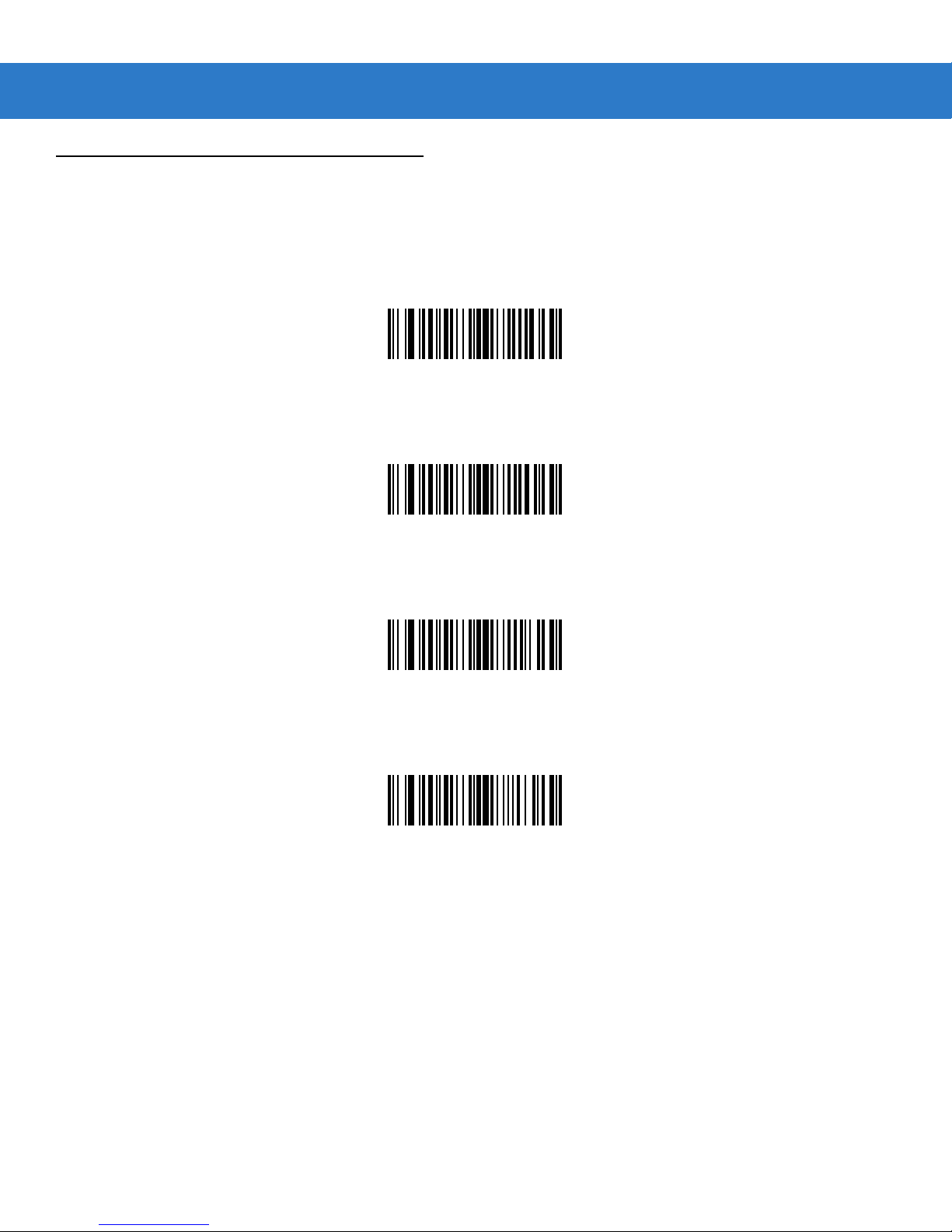
Scan Data Transmission Format
Parameter # EBh
To change the Scan Data Transmission Format, scan one of the eight bar codes corresponding to the desired format.
*Data As Is
(00h)
<DATA><CR><LF>
(01h)
<DATA> <CR>
(02h)
<DATA> <LF>
(03h)
Page 67
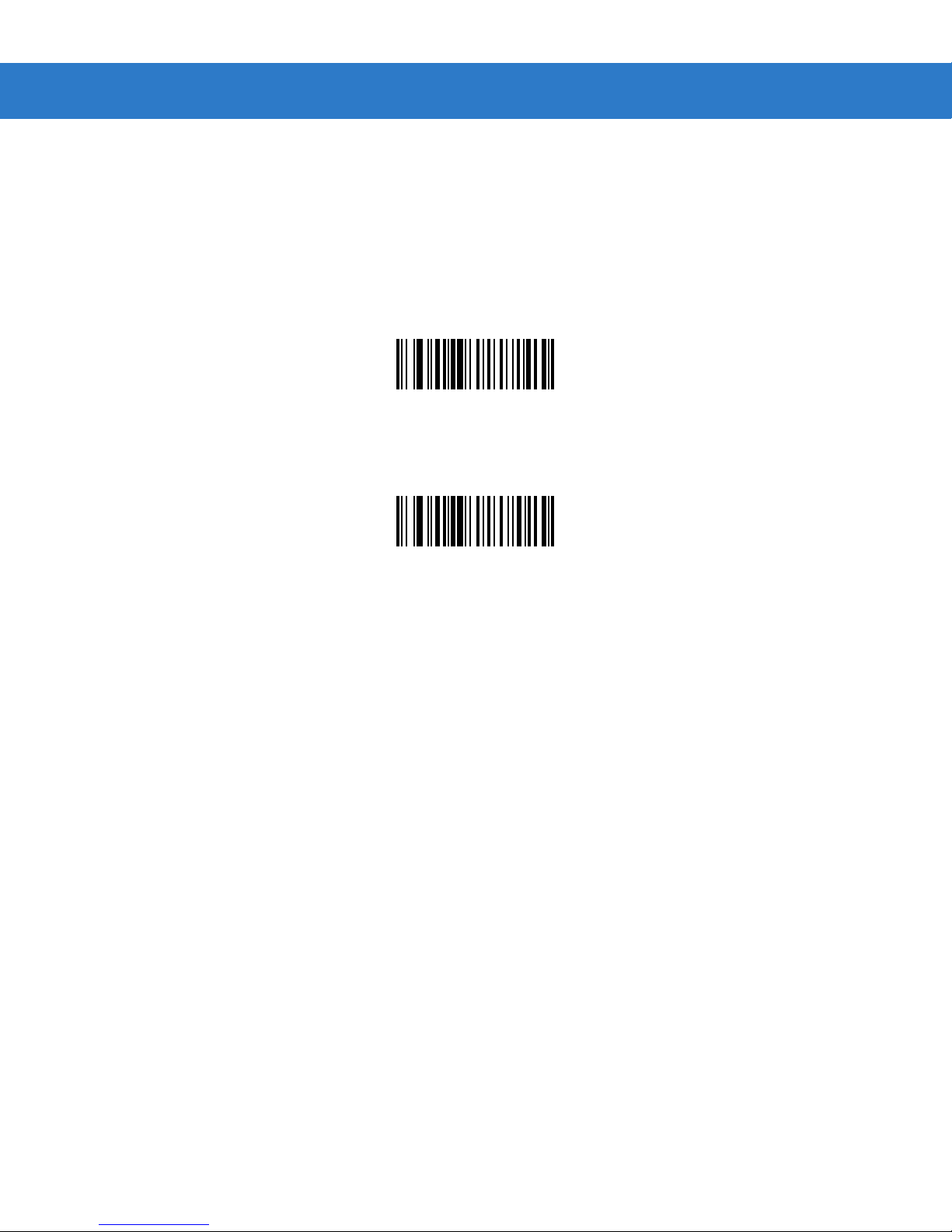
4 - 70 SpeechMike Premium Touch scanner programming guide
Decode Data Packet Format
Parameter # EEh
This parameter selects whether decoded data is transmitted in raw format (unpacketed), or transmitted with the packet
format as defined by the serial protocol.
If the raw format is selected, ACK/NAK handshaking is disabled for decode data.
*Send Raw Decode Data
(00h)
Send Packeted Decode Data
(01h)
Page 68
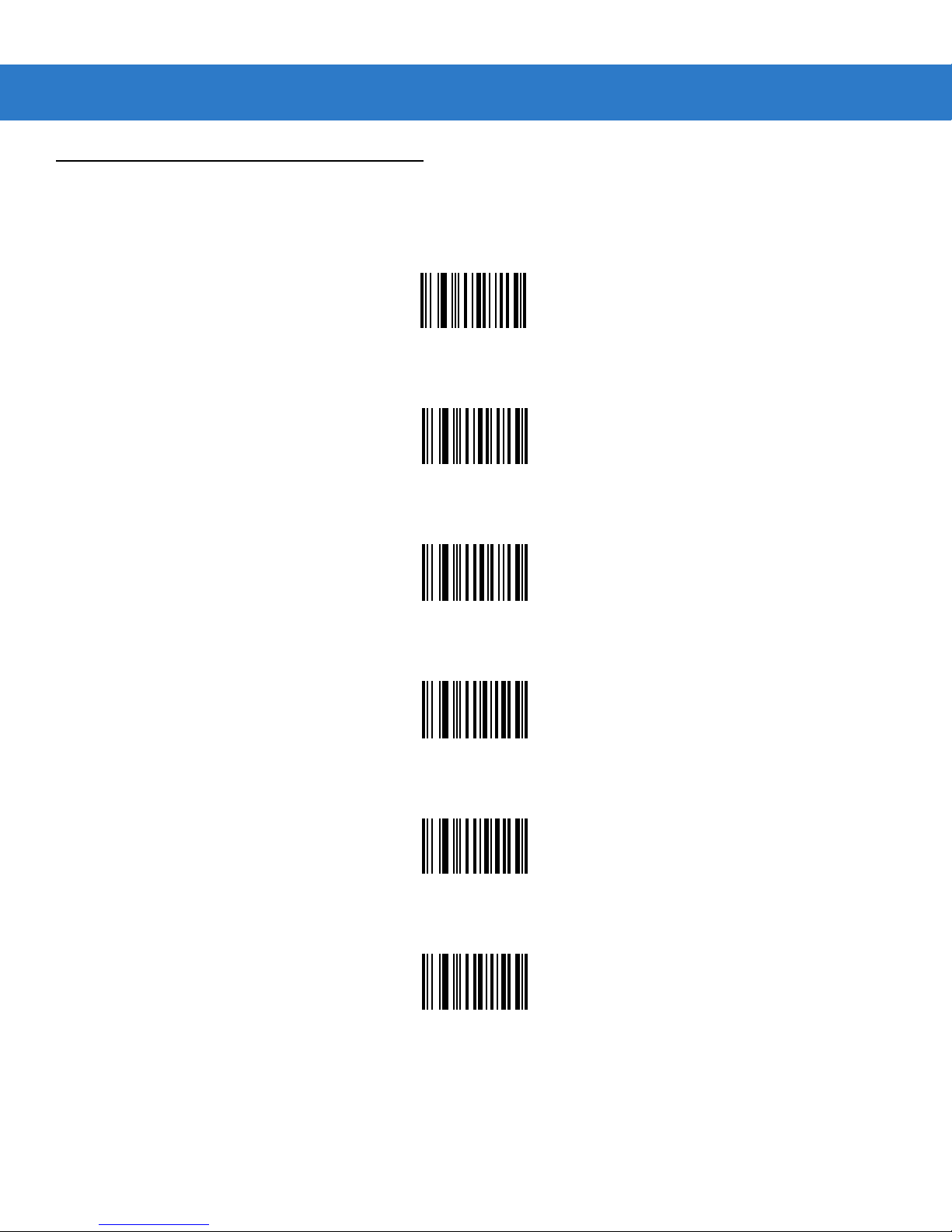
Numeric Bar Codes
For parameters requiring specific numeric values, scan the appropriately numbered bar code(s).
0
1
Parameter Menus 4 - 73
2
3
4
5
Page 69
4 - 74 SpeechMike Premium Touch scanner programming guide
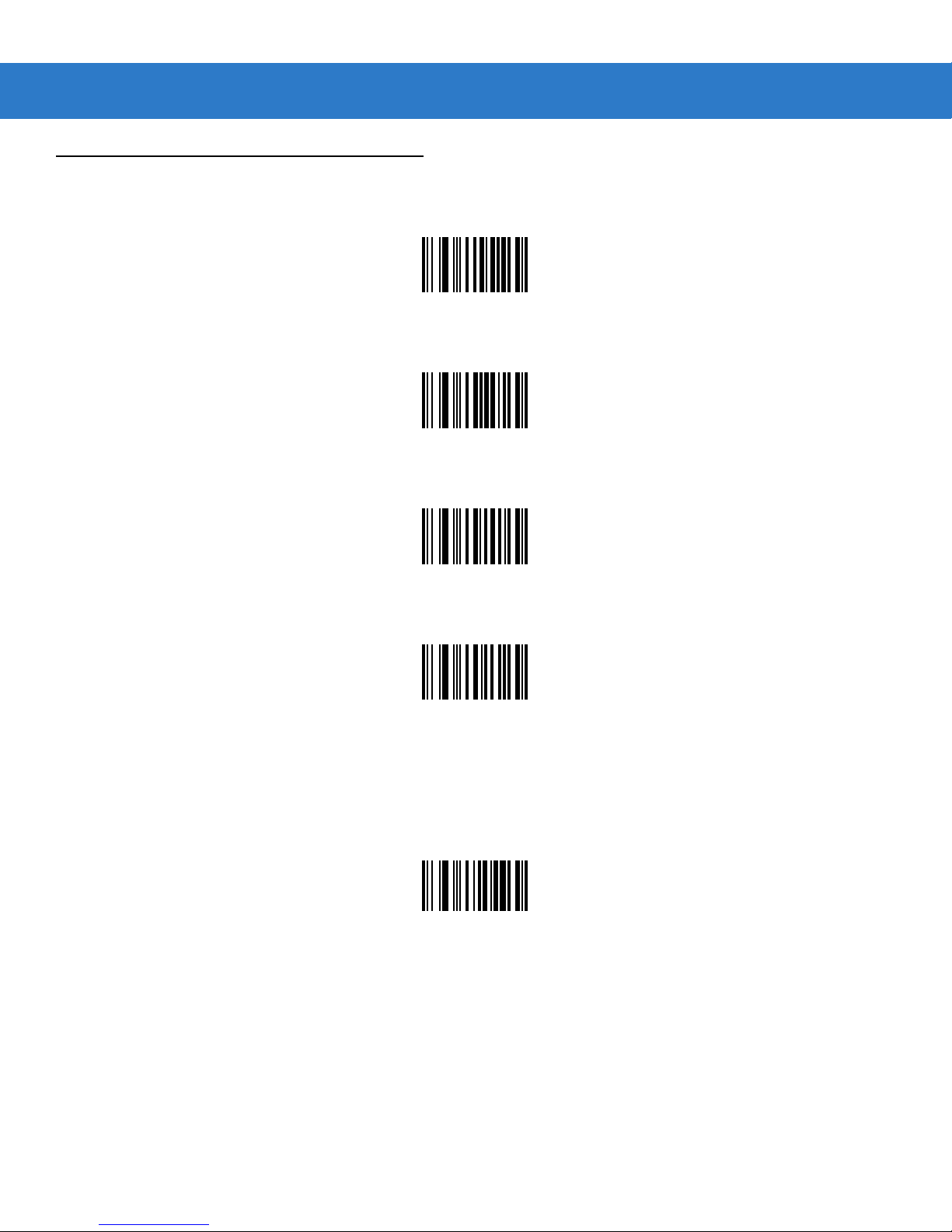
Numeric Bar Codes (continued)
6
7
8
9
Cancel
To change the selection or cancel an incorrect entry, scan the bar code below.
Cancel
 Loading...