

Page 1

Smartview
Door Camcorder with Color Monitor and
Motion Sensor
Model No. 184A
Product by: JG Domótica – TEC IT, Tecnologia
Inteligência e Domótica, S.A.
Travessa Cabo do Mundo, 681 | 4455-427 Perafita Matosinhos
PORTUGAL
Phone. +351 229 999 230 | Fax. +351 229 999 249
email: [email protected] | www.jgdomotica.com
USER’S GUIDE
Caution
Do not rotate the camera or recorder without disconnecting the connecting
cable first. Damage to the connecting cable will occur!
Before attempting to connect or operate this product, please read
these instructions carefully and save this manual for future
reference.
CONGRATULATIONS
With this Door Camcorder with Motion Sensor, you can capture the
video/audio of any visitors even when you are not home. It also allows you to
answer your door safely at home before opening. It is a high-quality, battery-
Page 2
operated security device that uses a passive infrared (PIR) motion sensor to
detect guests/intruders at your front or back door, and to activate a video
recording and an on-screen image at your home’s side.
This instruction manual explains in simple steps how to install, use and care
for your new Door Camcorder in homes, offices or businesses.
PARTS CHECKLIST
Identify all parts before proceeding with installation
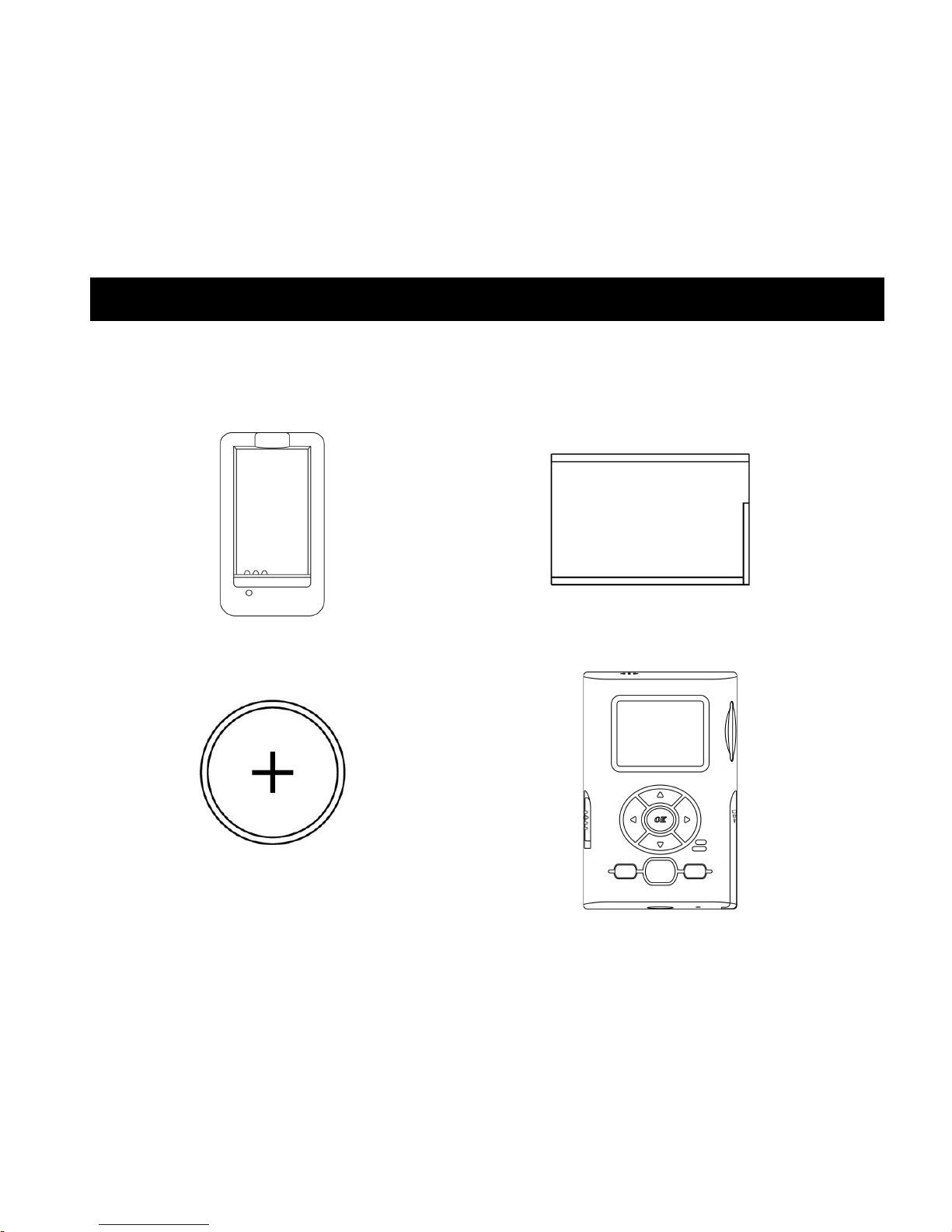
1pc. Charger
1pc. Rechargeable Battery
1pc. Clock Battery
(installed in Camcorder)
1pc. Color Monitor
Page 3
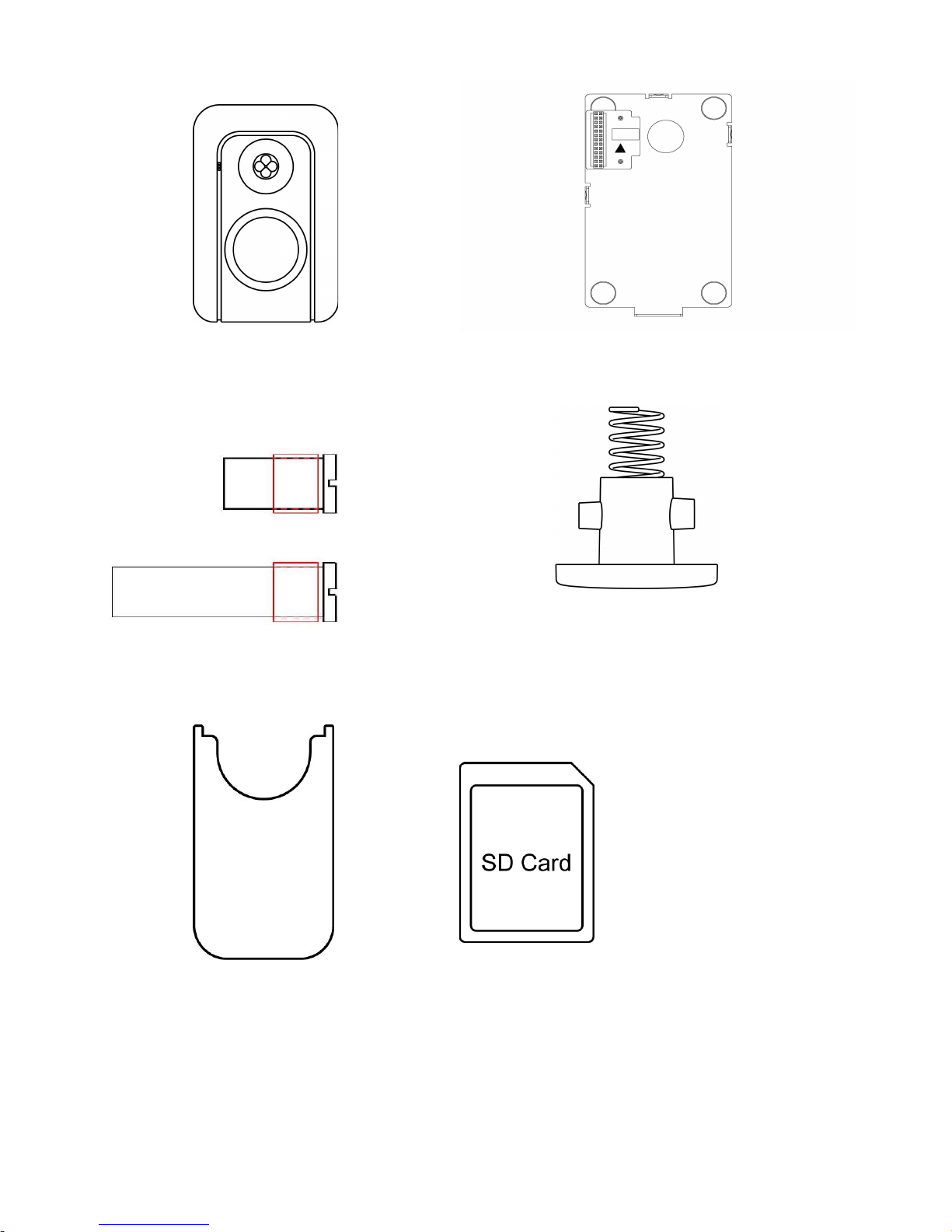
1pc. Front Sensor with doubleside tape
1pc. Mounting Bracket
2 pcs Supporter
1pc. Screw for Bracket
1pc. Tool
Optional SD/MMC card
(if supplied)
Page 4

FCC Warning
Any unauthorized changes or modifications to this equipment would void the
users authority to operate
This device complies with part 15 of the FCC rules. Operation is subject to the
following two conditions:
(1) this device may not cause harmful interference, and
(2) this device must accept any interference received, including
interference that may cause undesired operation.
Important Safeguards
1. Cleaning – Turn off this video unit before cleaning. Do not use strong
or abrasive detergents. Use a dry cloth to clean the camera body when
dirty. In case the dirt is hard to remove, use a damp (not wet) cloth for
cleaning.
2. Water and Moisture – Do not use any component of this system in
an exposed outdoor area except the outer part of front sensor, unless the
instructions clearly state that it is safe to. Do not operate this system in
the presence of explosive or flammable fumes.
Precautions
1. Do not attempt to disassemble the camera. There are no user-serviceable
parts inside.
2. Handle the Smartview with care.
Do not abuse the camcorder. Avoid striking, shaking, etc. Improper
handing or storage could damage the device. Modifying or tampering
with the device or its internal components can cause a malfunction and
THINGS YOU SHOULD KNOW
Page 5
invalidate the device’s warranty. If your device is not performing as it
should, take it to your local dealer for assistance.
3. Clean the lens faceplate with care. Do not clean the lens with
strong or abrasive detergents. Use lens tissue or a cotton tipped applicator
and ethanol.
4. Door Mounting – The product should be mounted to a door, only as
recommended by the manufacturer
5. Set MODE to PLAY when you are not using your camcorder. It will set
the motion detector off and the device to enter the Stand-by status until
pressing POWER.
6. Do not touch the LCD screen with a sharp-pointed object.
7. If your Smartview is used in a cold place, a residual image may appear
on the LCD screen. This is not a malfunction
Privacy Perception
Always use discretion when installing video and audio surveillance equipment
especially when there is perceived privacy, or an expectation of privacy.
Inquire regarding federal, state and/or local regulations applicable to the
lawful installation of video and/or audio recording or surveillance equipment.
Party consent may be required.
FEATURES
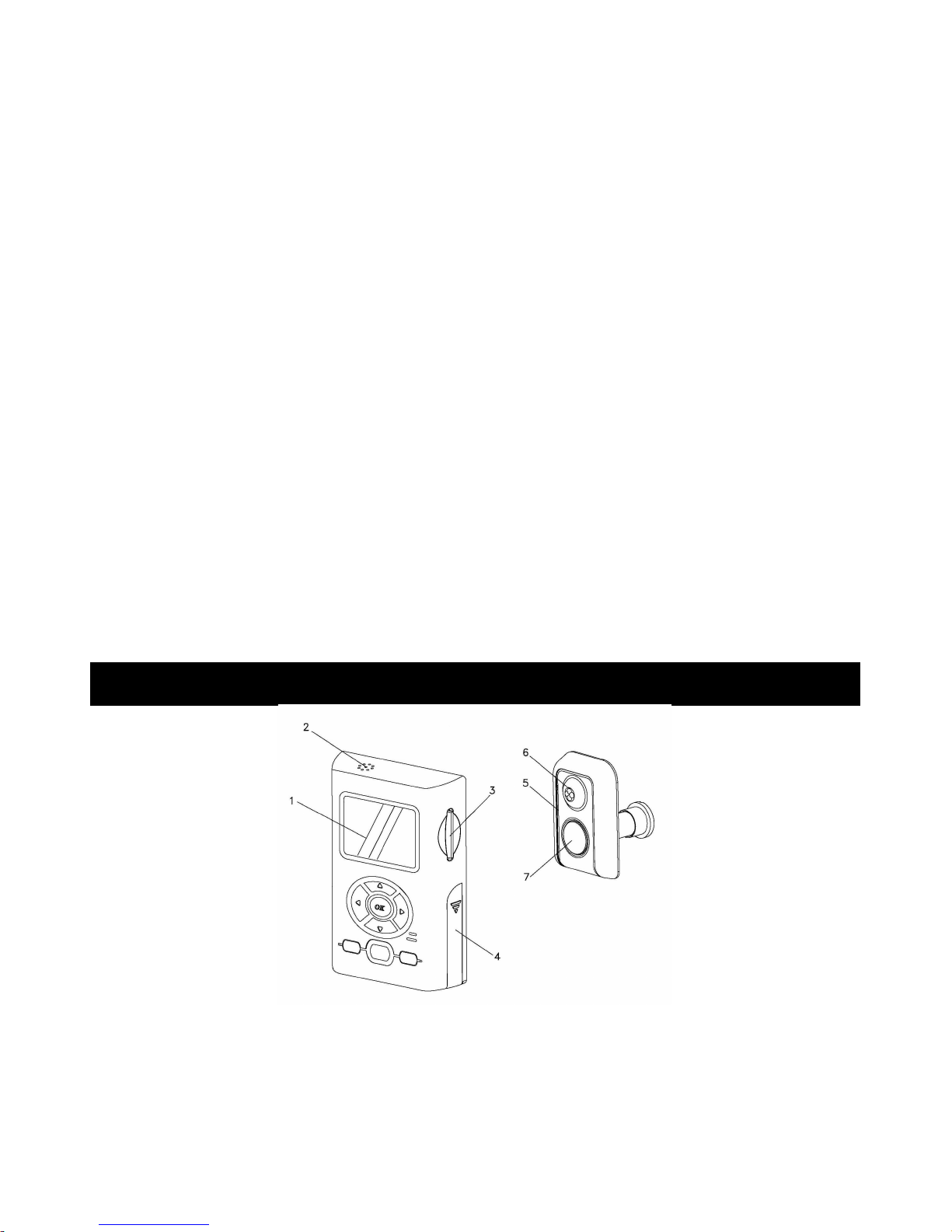
Monitor and Sensor Front
1. LCD Screen - 1.5” LTPS LCD
2. Speaker - play back the audio sound of recorded file at PLAY mode
3. SD/MMC Card Insert Slot
4. Battery Cover
Page 6
5. Microphone
6. Motion-activated Sensor – detects motion up to 2 meters (6.5 feet) away
and from a horizontal angle of up to 125 degrees
7. Lens
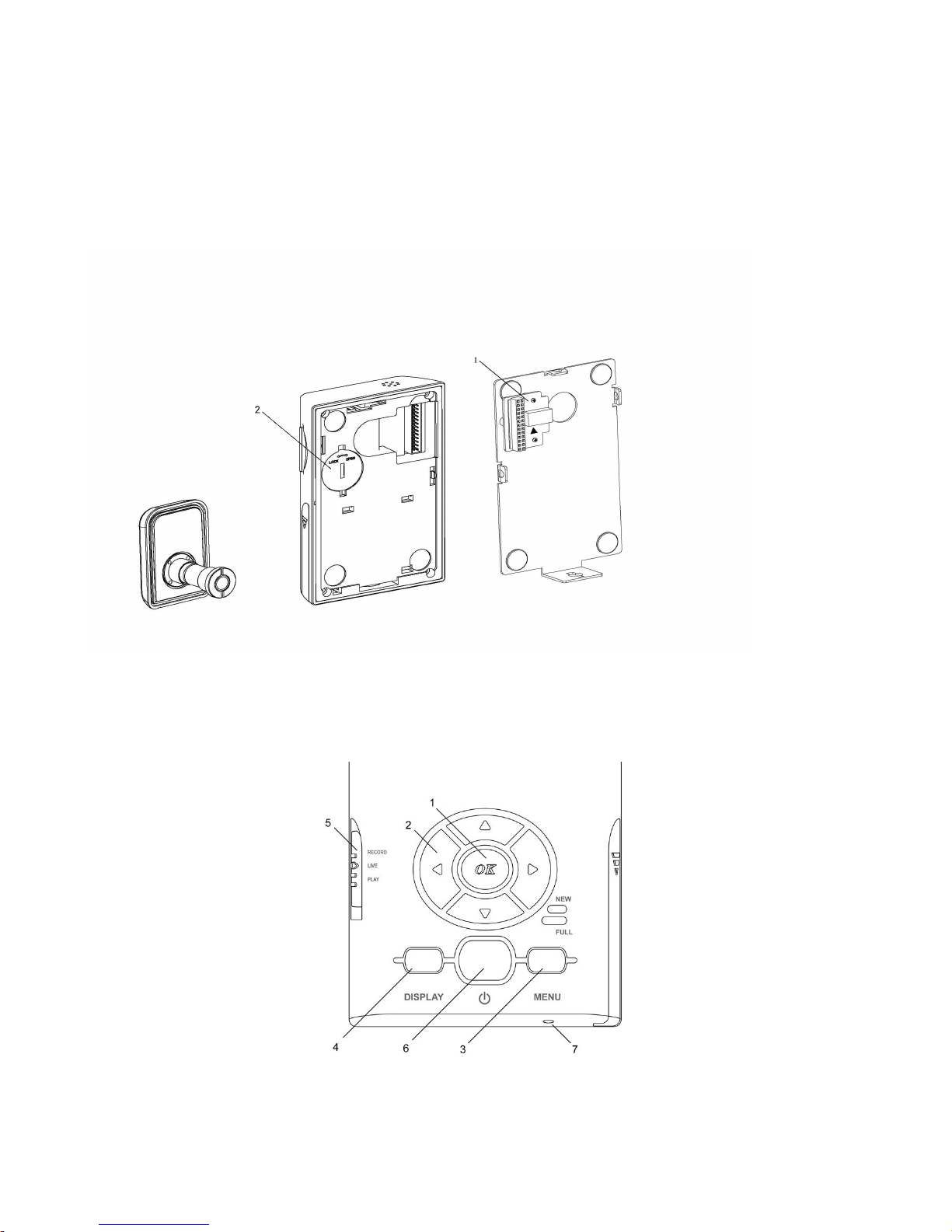
Monitor and Sensor Monitor Back
1. Terminal
2. Clock Battery Cover
Control Panel
1. OK – confirm setting
Page 7
2. CURSOR –◀▶
3. MENU – enter Menu screen
4. DISPLAY – press this button to toggle among Full Display On, Texts
Off and Display Off
5. MODE switch – go to RECORD, LIVE, or PLAY
6. POWER – activates and deactivates the device at selected mode
7. RESET – use a pointer or alike to press this button to reset the unit
Operation Indicators
1. New Message Light Indicator (Green)
2. Full Memory Light Indicator (Red)
3. Key Light Guide (Blue) – illuminates when user presses any button
4. Low Battery Light Indicator (Red)
PREPARATION
Charging CAMERA Battery
Charge Battery fully before use
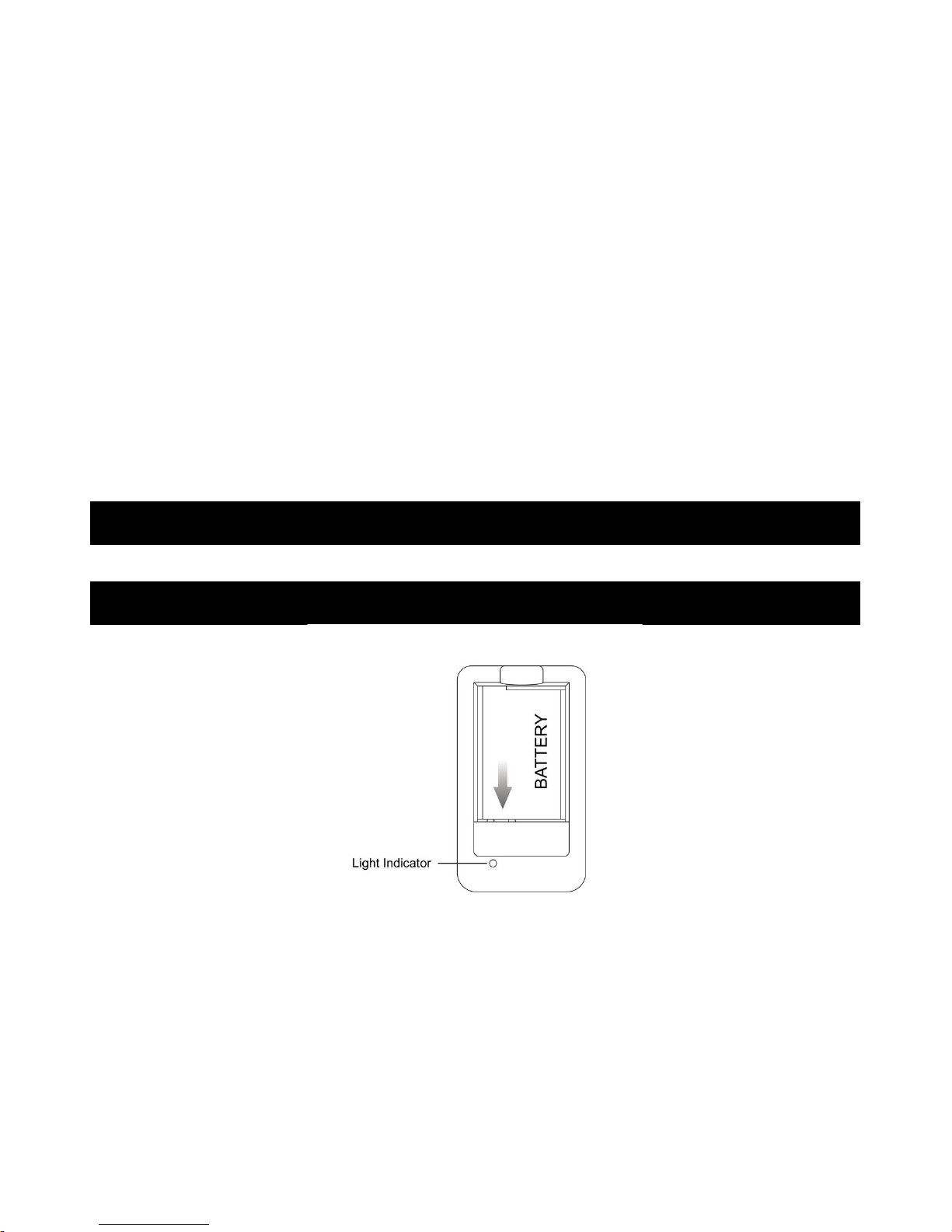
1. Plug in Charger. Red light is on.
2. Insert Battery onto the Charger, observing proper +/- polarities as
indicated. Red light flashes.
3. When charging is complete, the light changes to Green color.
4. Remove Battery.
Notes:
Page 8
* Charging takes about 2 hours.
* Amber light will be on in case of abnormal use or bad battery.
* Prevent metallic objects from coming into contact with the metal parts of
the terminal of Charger. This may cause a short circuit, damaging the
Charger.
* Keep the battery dry.
* Battery life gradually decreases after repeated use and recharging. If
operation time becomes very short even after a sufficient charge, discard
Battery properly.
* When the battery is not to be used for a long time, charge the battery
once fully, and then use it until it fully discharges again. Keep it in a
good condition.
Install Battery
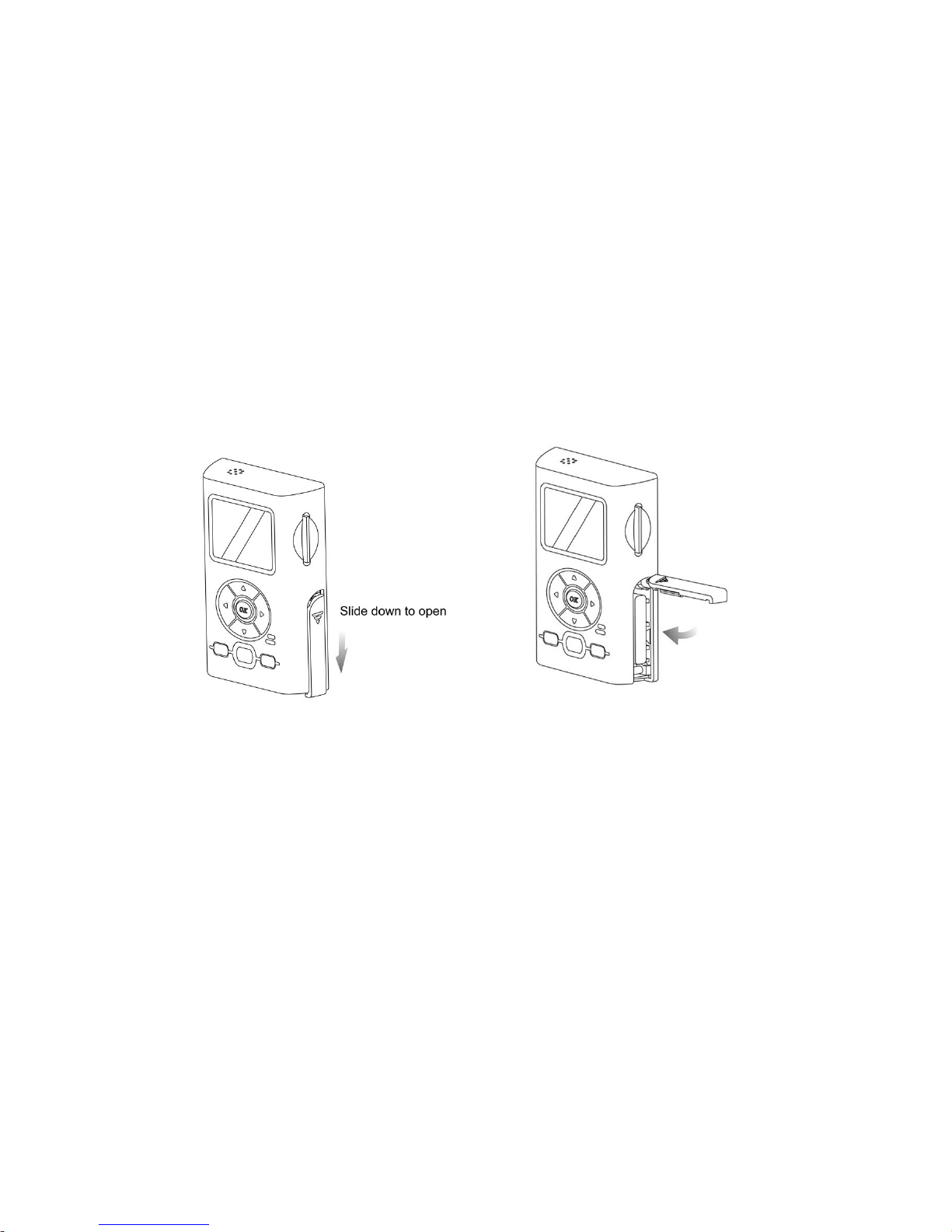
1. Press and slide down the battery cover. It will be opened up horizontally.
2. Install a fully charged Battery into the battery compartment, observing
proper +/- polarities direction as indicated.
3. Press down and slide up to lock the battery cover.
Page 9
To remove Battery
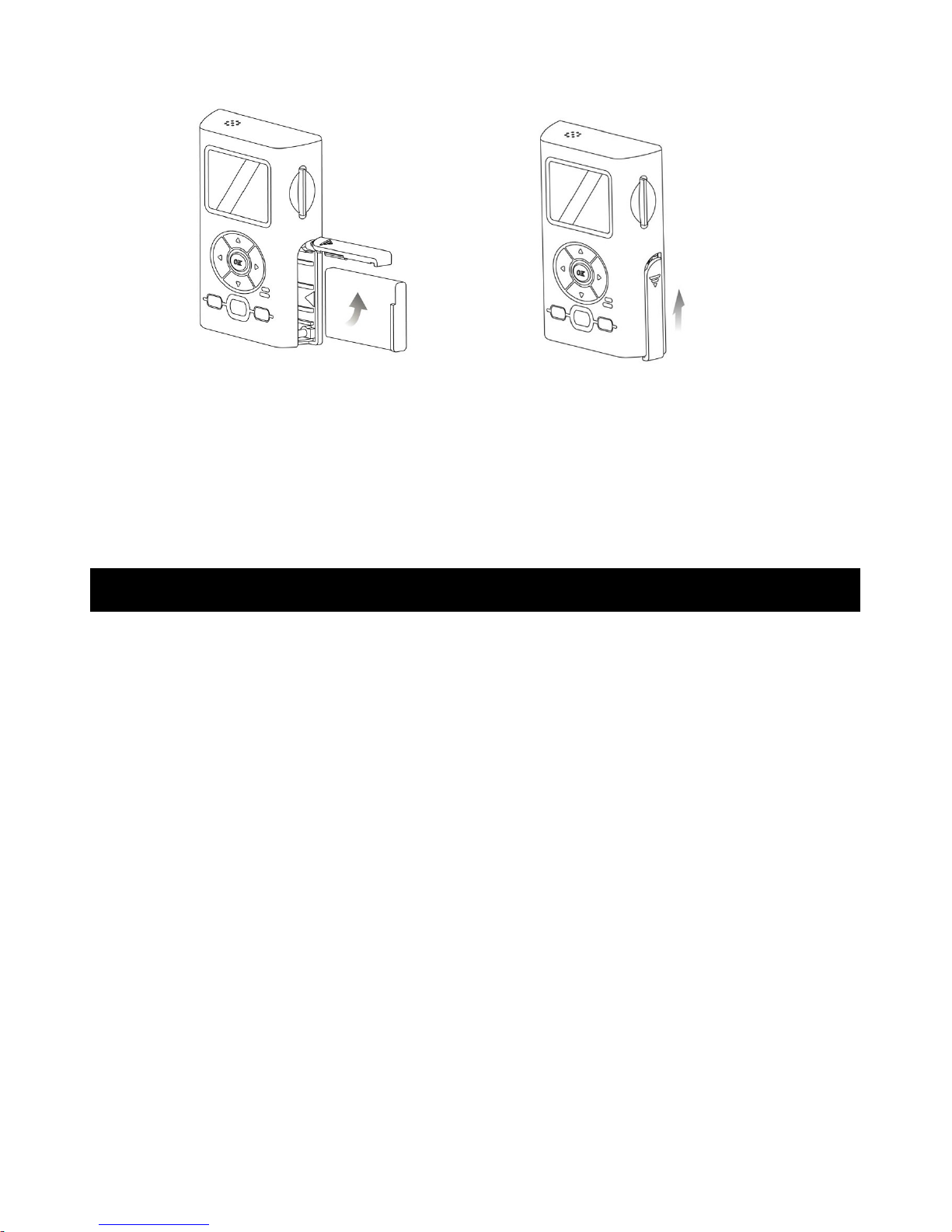
1. Press and slide down the battery cover. It will be opened up horizontally.
2. Press Orange BATT RELEASE down to slide the Battery out.
3. Press down and slide up to lock the battery cover.
Battery Care
Caution:
- Charge only with specified charger
- Battery can be charged within a temperature range of 10C (50F) and 35C
(95F)
- Battery is normally warm after charging or just after use.
- Do not use an insufficiently charged or worn-out Battery
Safety precautions:
- Do not get Battery near, or dispose of, in fire
- Do not directly connect (short circuit) the positive (+) and negative (-)
terminals
- Never attempt to disassemble or reassemble Battery
To avoid Battery damage:
- Do not drop or jar Battery
- Use Battery with specified units only
- If Battery is used in extremely high temperatures, a safety device will
automatically prevent operation
To prolong Battery life:
Page 10

- While not in use, remove Battery from the Smartview and Charger, and
store in a cool, dark, dry place.
- Keep Battery terminal clean
Charger Caution:
- This unit will operate on AC 100-240 V 50/60Hz.
- Grounding or Polarization – This video unit may be equipped with either a
polarized 2-wire AC (Alternating Current) line plug (a plug having a blade
wider than the other) or 3-wire grounding type plug, a plug having a third
(grounding) pin.
If the 2-wire polarized plug fails to fit into the power outlet, contact your
electrician to replace your obsolete outlet. Do not defeat the safety purpose
of the polarized plug.
The 3-wire grounding type plug will fit into the grounding type power
outlet. This is a safety feature. If you are unable to insert the plug into the
outlet, contact your electrician to replace your obsolete outlet. Do not defeat
the safety purpose of the grounding type plug.
- Power-Cord Protection – Power-supply cords should be routed so that they
are not likely to be walked on or pinched by items placed upon or against
them. Paying particular attention to cords of plugs, convenience receptacles,
and the point where they exit from the unit.
- Overloading – Do not overload wall outlets and extension cords as this can
result in a risk of fire or electric shock.
- During charging operation, the battery should be kept away from high
temperature, high pressure and heat sources. Also it should be kept away
from children. Do not charge the battery for over 24 hours.
CLOCK Battery Installation
Page 11
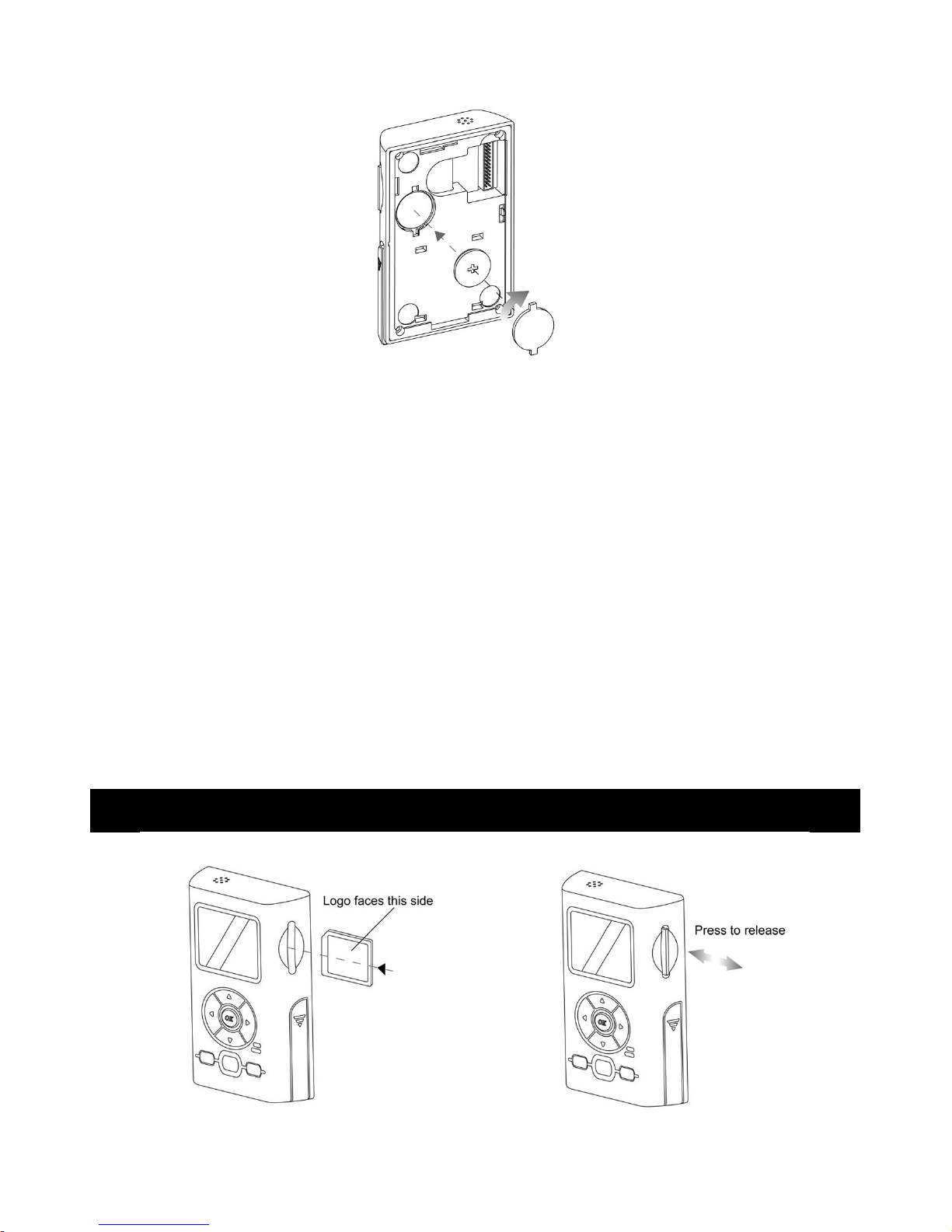
The clock runs on 1pc CR2032 coin battery (included) in case of lithium
battery removal for recharge.
1. Remove the cover on the back of the unit.
2. Install 1pc CR2032 battery into the clock battery compartment, observing
proper + / - polarities as indicated.
3. Replace the battery cover.
Warning:
- Dispose of old battery promptly and properly. Do not burn or bury them.
- Replace battery with CR2032 only. Use of another battery may present a risk
of fire or explosion.
- Keep away from children. Do not recharge, disassemble or dispose of, in
fire.
Note: * Keep Battery out of children’s reach. Swallowing it may be harmful.
* Battery life is approximately 2 years.
SD Card Information
Page 12
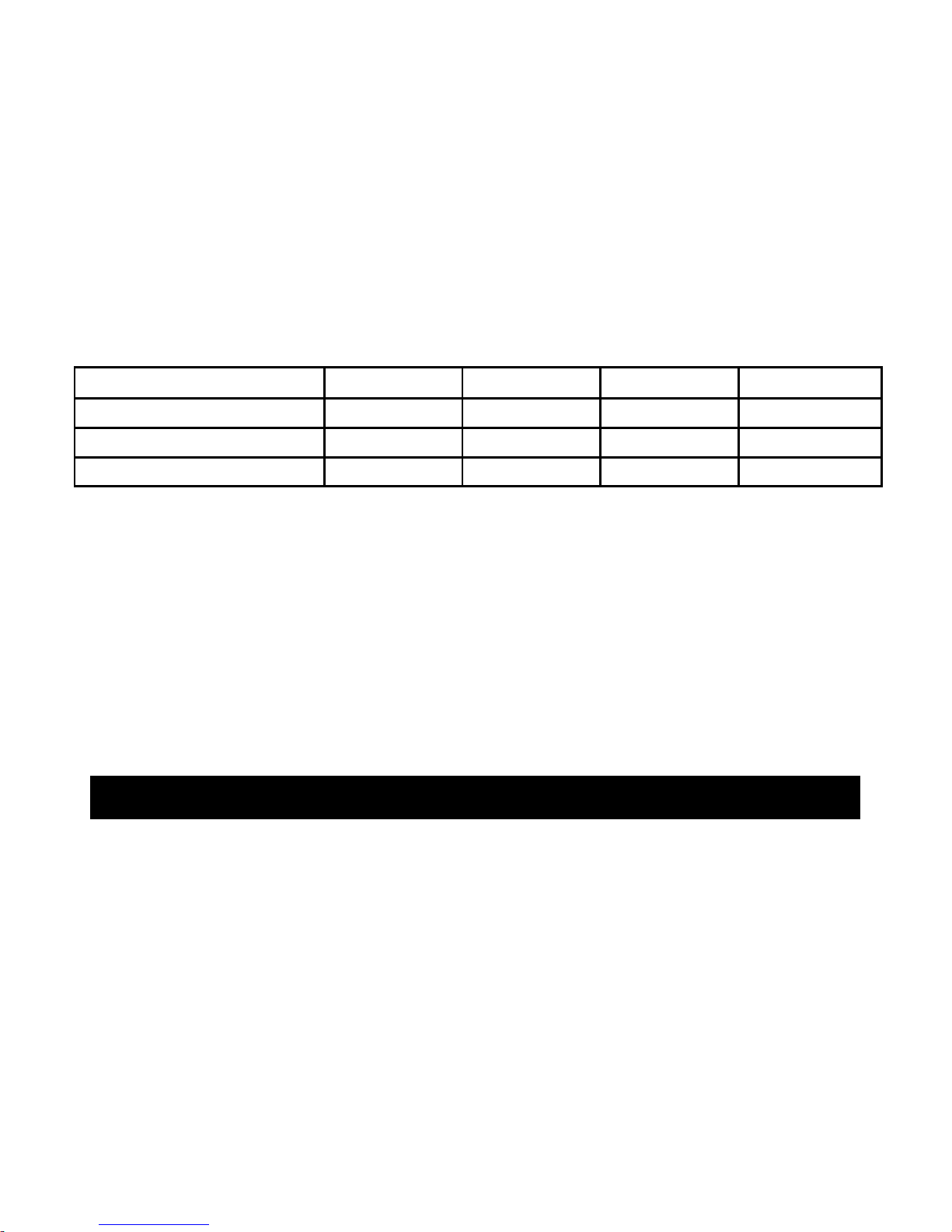
SD/MMC Card Insertion/Removal
1. Insert SD/MMC card with the logo facing toward the LCD
2. To remove the SD/MMC card, press on it to release
Record/Playback Time
Smartview is equipped with internal memory for initial recording
This is recommended to use SD/MMC card for enhanced recording length
Resolution
128MB 256MB 512MB 1G
Fine
15 minutes 30 minutes 60 minutes 120 minutes
SP(Standard Play)
30 minutes 60 minutes 120 minutes 240 minutes
LP (Long Play)*
40 minutes 80 minutes 160 minutes 320 minutes
* LP playback may contain more picture noise
INSTALLATION
Choosing a Mounting Location
Page 13
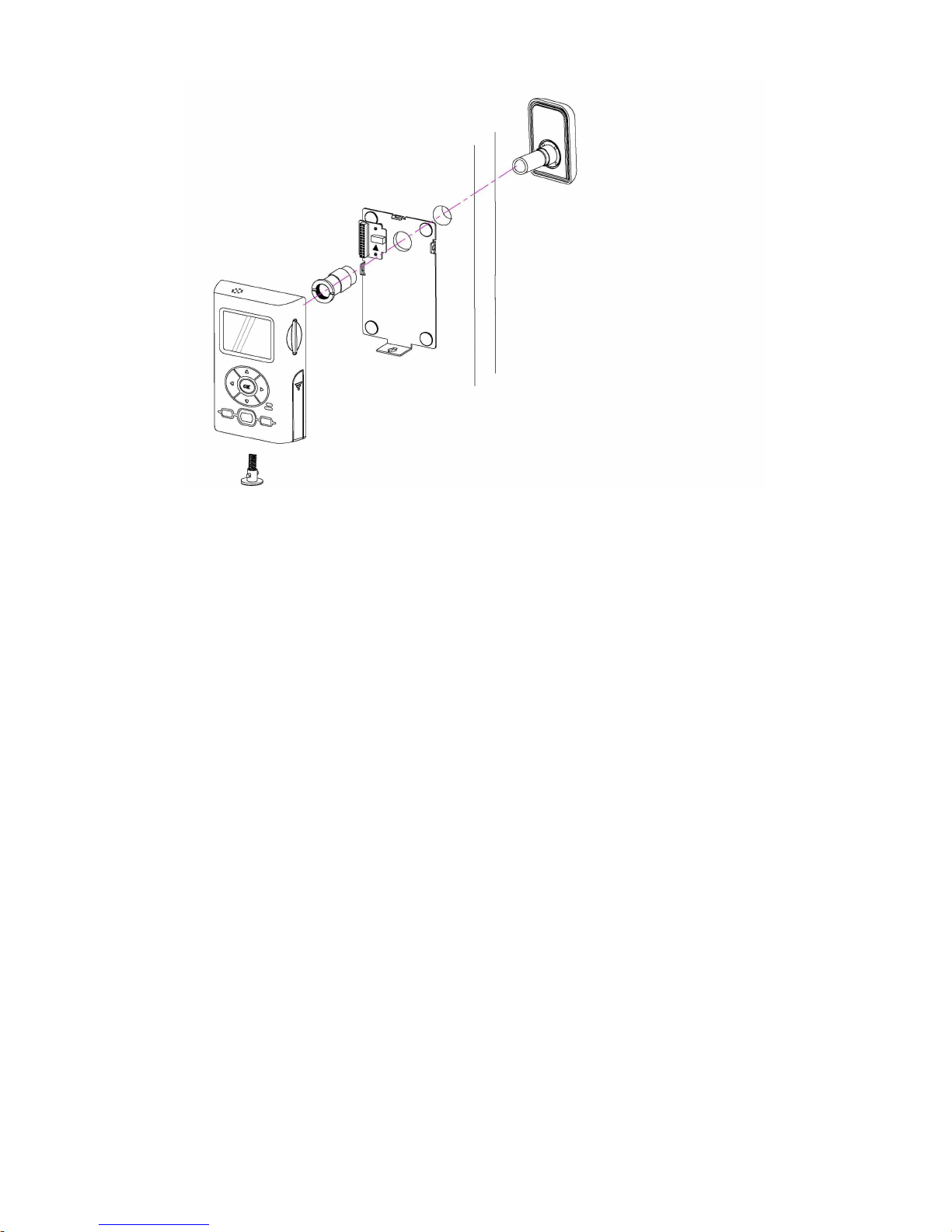
Smartview is designed to mount on a smooth, flat door surface. Select a door
where you desire the device to detect an intruder. We recommend mounting it
at a height of about 6 feet. At this height, the sensor detects motion up to 2
meters (6.5 feet) away and from a horizontal angle of up to 125 degree.
To help you avoid false activation, mount your camera:
* where it will not be in direct sunlight
* away from heat sources, such as space heaters, radiators, and exposed light
bulbs
* out of strong drafts, like those caused by central heating vents
1. Prepare the mounting space (the original door peephole or drill a hole of
at least 12mm diameter at desired location)
2. Install the Front Sensor into the front side of your door peephole. Use the
double-sided adhesive tape at its back to fix its position on the door.
Page 14
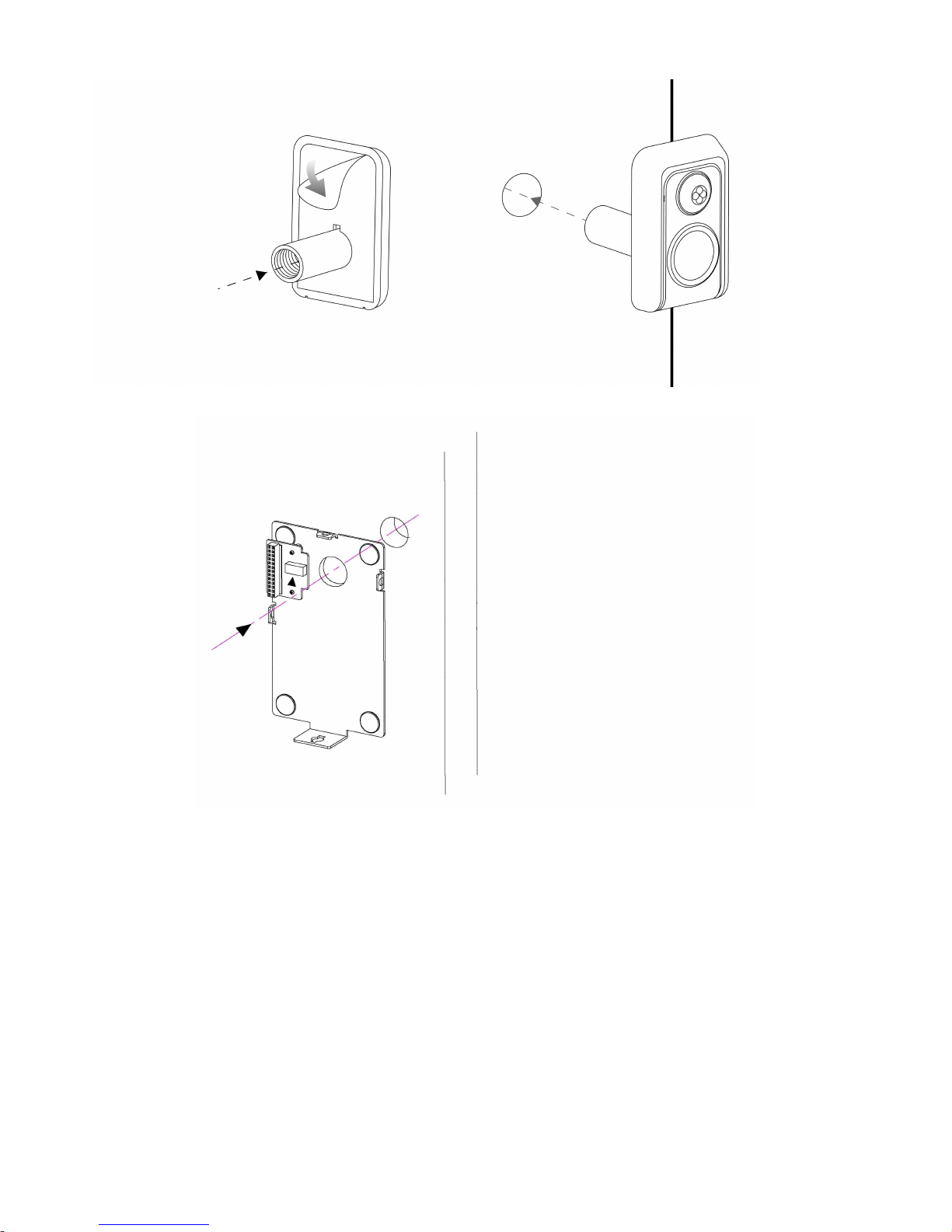
3. Place the Mounting Bracket at the another side of your door
4. Place the Supporter through the Mounting Bracket & peephole to fit the
front camera. Use the Tool to turn the Supporter clockwise until it is
secure to the door.
Page 15
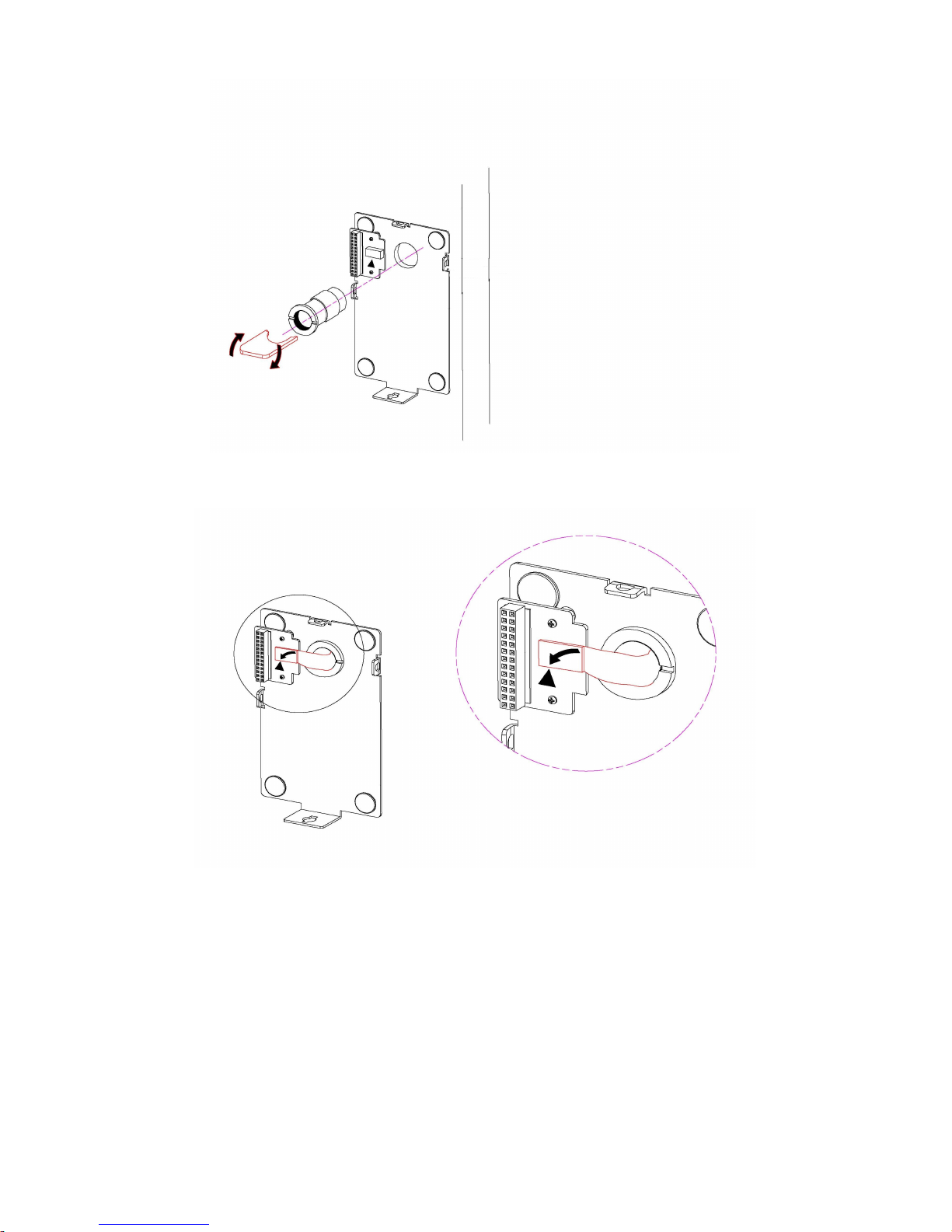
5. Be sure to connect the flexible cable plug to the INPUT Connector by
matching the arrow symbols on the plug and the terminal.
6. Remove the insulator of CLOCK Battery from the back side of Monitor
7. Hook the Monitor onto the Mounting Bracket. Thread a T-shaped lock to
hole of the unit’s bottom and turn it clockwise.
Page 16
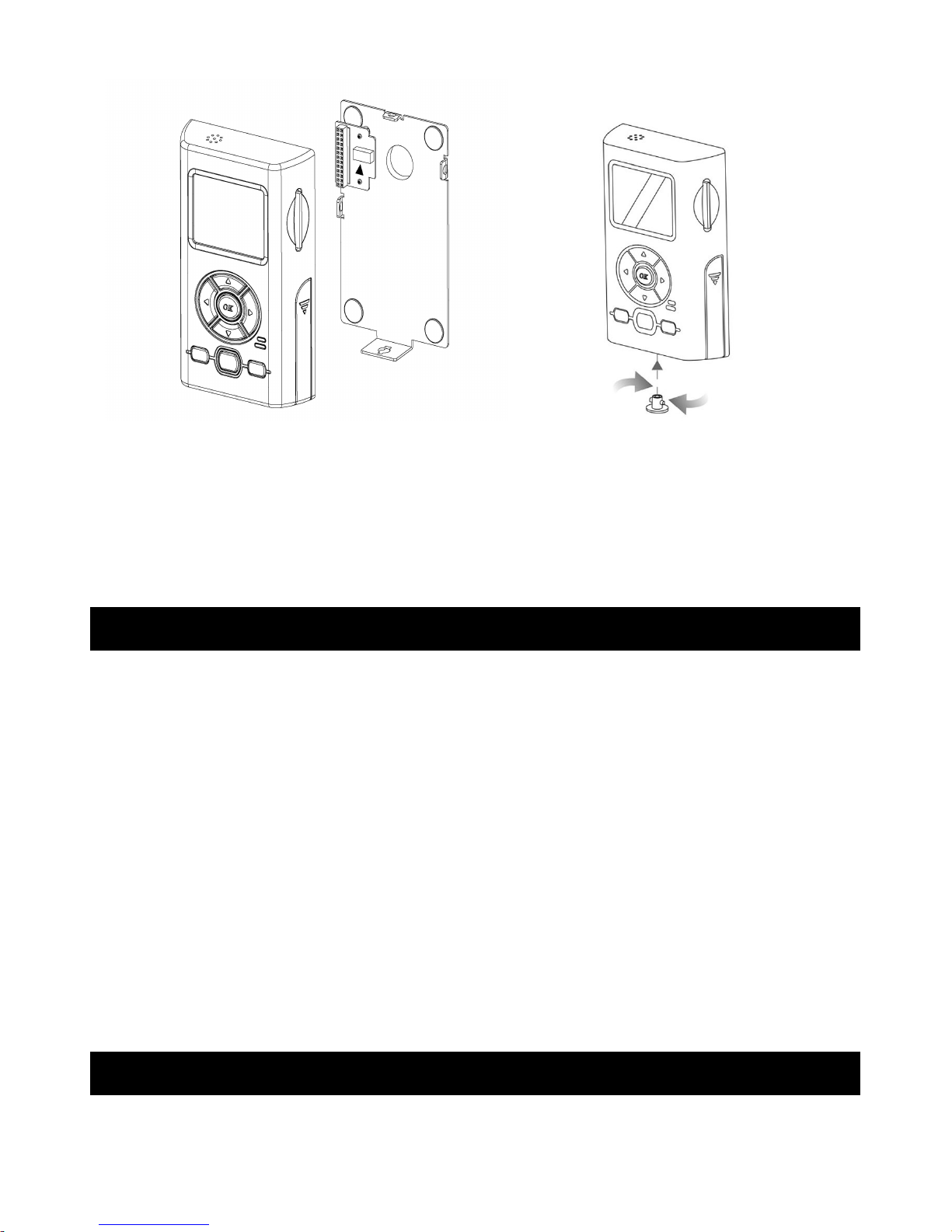
8. Insert a SD/MMC card (not supplied) into the slot at the right panel of
Monitor
9. Press and slide the battery cover in the direction of the arrow. Its metal
spring will automatically lift up the door.
10. Insert the Camera Battery into the compartment, as indicated by polarity
symbols (+ and -) marked inside. Then close the cover.
OPERATION
For First Use, set MODE to RECORD. Press POWER to turn on the device.
The camera will undergo self-calibration within 15 seconds.
Smartview has different languages. Select your desired language
(see page 71)
Set the Time / Date (see page 71).
To save battery power, Smartview will go to sleep mode at specific time
when not in use or no motion is detected.
Operating Modes
The system can be set to operate in one of three modes: RECORD, LIVE or
PLAY. The desired operating mode can be selected using the MODE switch
on the left side of the front panel of the Monitor.
Motion-activated Video/Audio RECORD
Page 17
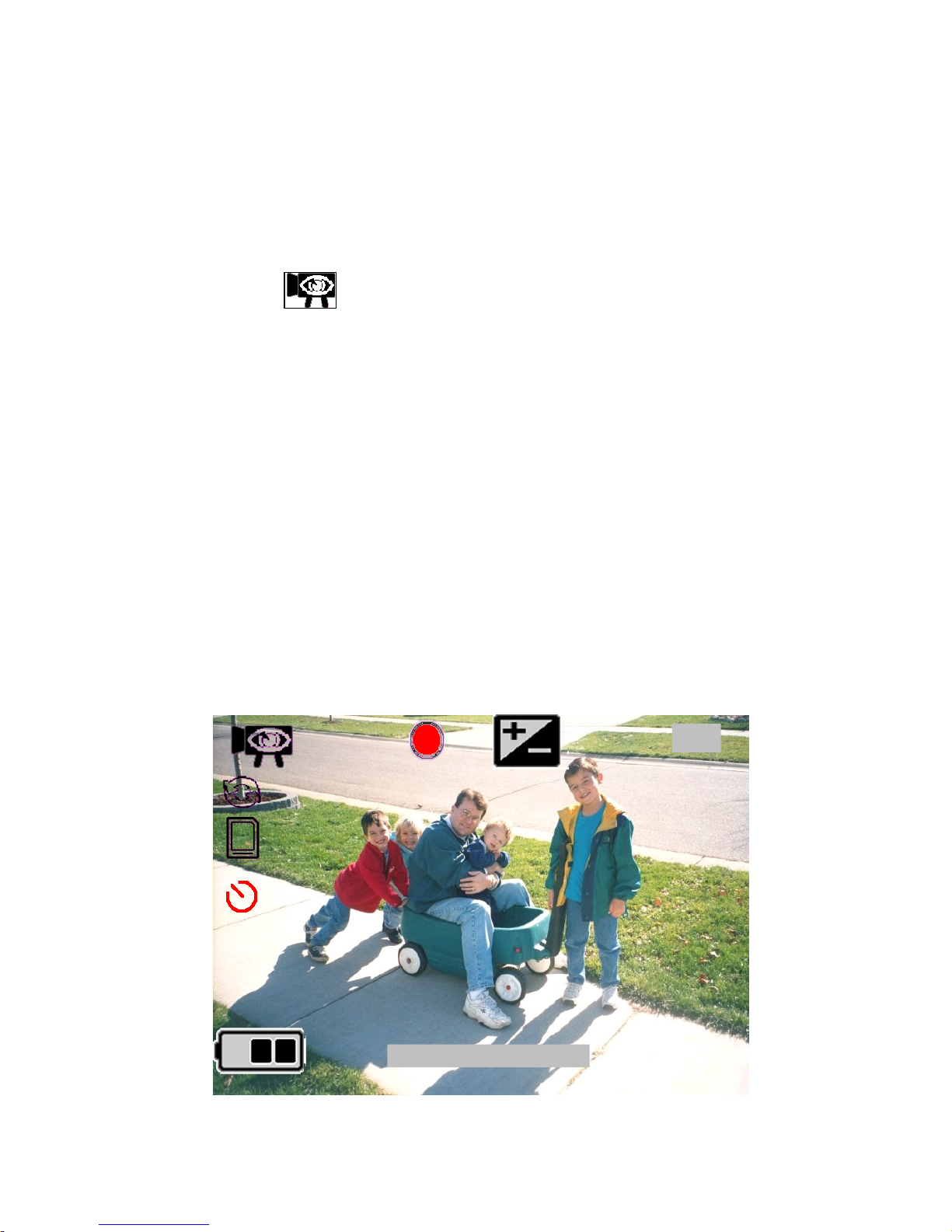
Smartview can record high-resolution video with sound of guests / intruders at
your front or back door even when you are not home
Before you begin---
- Check the Battery Indicator
- Ensure SD/MMC card is properly installed
Your Smartview automatically records for you.
1. Set MODE to RECORD.
2. A camera icon indicates that the camera is on. The battery icon
appears to indicate the status of battery.
3. When motion is detected, the camcorder begins recording in about 3
seconds. It continues recording until motion has ceased for 10 seconds.
4. Videos are stored to internal memory. Or, it will be stored to memory card
as standard computer files in sequence if memory card is available. When
the memory is full, recording stops and a Full Memory Indicator (Red) is
on to tell you to replace it with a new memory card or clear the memory.
5. View recording scene on LCD (Liquid Crystal Display) monitor. Date and
time are recorded. Use DISPLAY to switch between LCD ON/TEXTS
OFF/LCD OFF.
Motion Sensor may not start when:
* Motion is very slow or fast.
* Moving object is very small.
* Motion occurs only in 1 corner of viewing area.
1:20
FINE
A
01/01/2005 12:00
Page 18
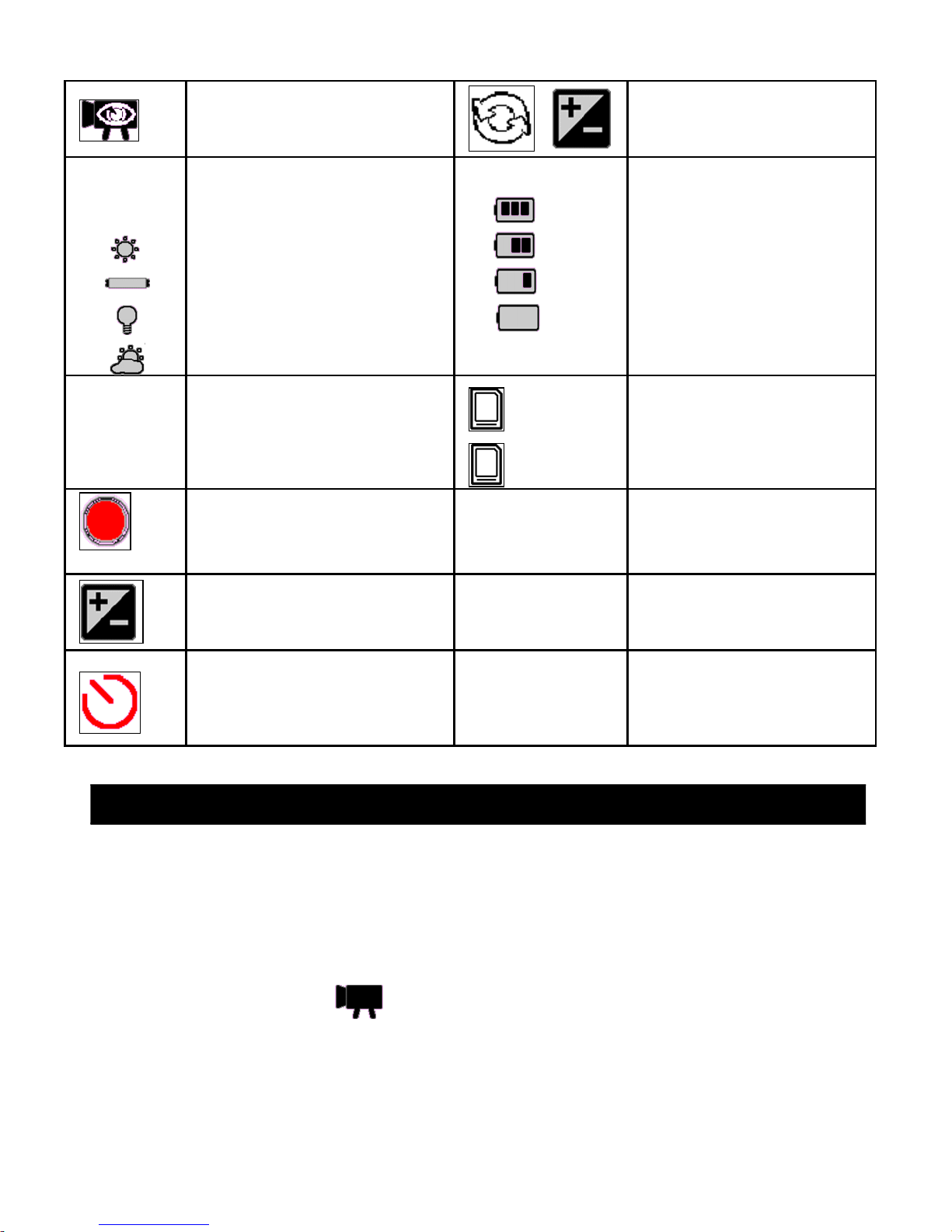
Sensor Trigger
Capture
Auto Delete Enabled
A
White Balance
Auto
Sunny
Fluorescent
Tungsten
Cloudy
Battery Status
Full Power Level
66% Power Level
33% Power Level
Empty
FINE
SP
LP
Video Quality
640x480 @ 15fps
320x240 @ 30fps
320x240 @ 24fps
SD/MMC card
Status
Present and Valid
Present but Locked
Record Status
Capturing Triggered by
PIR sensor
01/01/2005
12:00 AM
Clock Info / Stamp
Mode
EV Enabled 1:20 Record Elapsed
Time / Remain Time
Set Clock
The clock time is lost in
last power off
Extra wide view angle lens let you see whom are at the door before opening
Before you begin---
- Check the Battery Indicator
- Ensure SD/MMC card is properly installed
1. Set MODE to LIVE.
2. A user capture icon will appear.
3. When turned on, the camera begins to monitor the surrounding in front of
door for motion. It will go to standby mode when motion has ceased for
10 seconds.
Starting LIVE
Page 19

4. View outside scene on LCD (Liquid Crystal Display) monitor. Use
DISPLAY to switch between LCD ON/TEXTS OFF/LCD OFF. Press
◀ to change the Movie Quality (Fine/SP/LP).
5. Press OK to manually start recording. Press OK again to stop recording.
Videos are stored to internal memory. Or it will be stored to memory
card as standard computer files in sequence if memory card is available.
When the memory is full, recording stops and a Full Memory Indicator
(Red) is on to tell you to replace it with a new memory card or clear the
memory.
PLAY Back Video Files using Monitor
Green light indicator will flash to tell you a new message. You can then
monitor the playback picture on the LCD screen.
1. Set MODE to Play. Thumbnail file(s) will appear.
2. Uses ◀▶ to select your desired preview.
3. Press OK to open it.
4. Uses OK to play/pause/replay the video.
5. Use DISPLAY to change between LCD ON/TEXTS OFF/LCD
OFF.
6. It will go to standby mode after 1 minute idle.
When a video is playing,
- Press ◀ to rewind or ▶ to fast forward the video
- Press to zoom in or to zoom out
Zoom is performed digitally, if you set ZOOM to 4x, the picture
quality deteriorates
- Hold ◀▶ to pan to desired position
When the video is paused/stopped
- Press ◀▶ to skip to previous/next video
- Press to increase volume or to decrease it
Notes:
- The Smartview saves video files with date and time information
- New message light will be off when the video is played
- The video capture is stopped when entering the Play Back Mode (Video)
Page 20
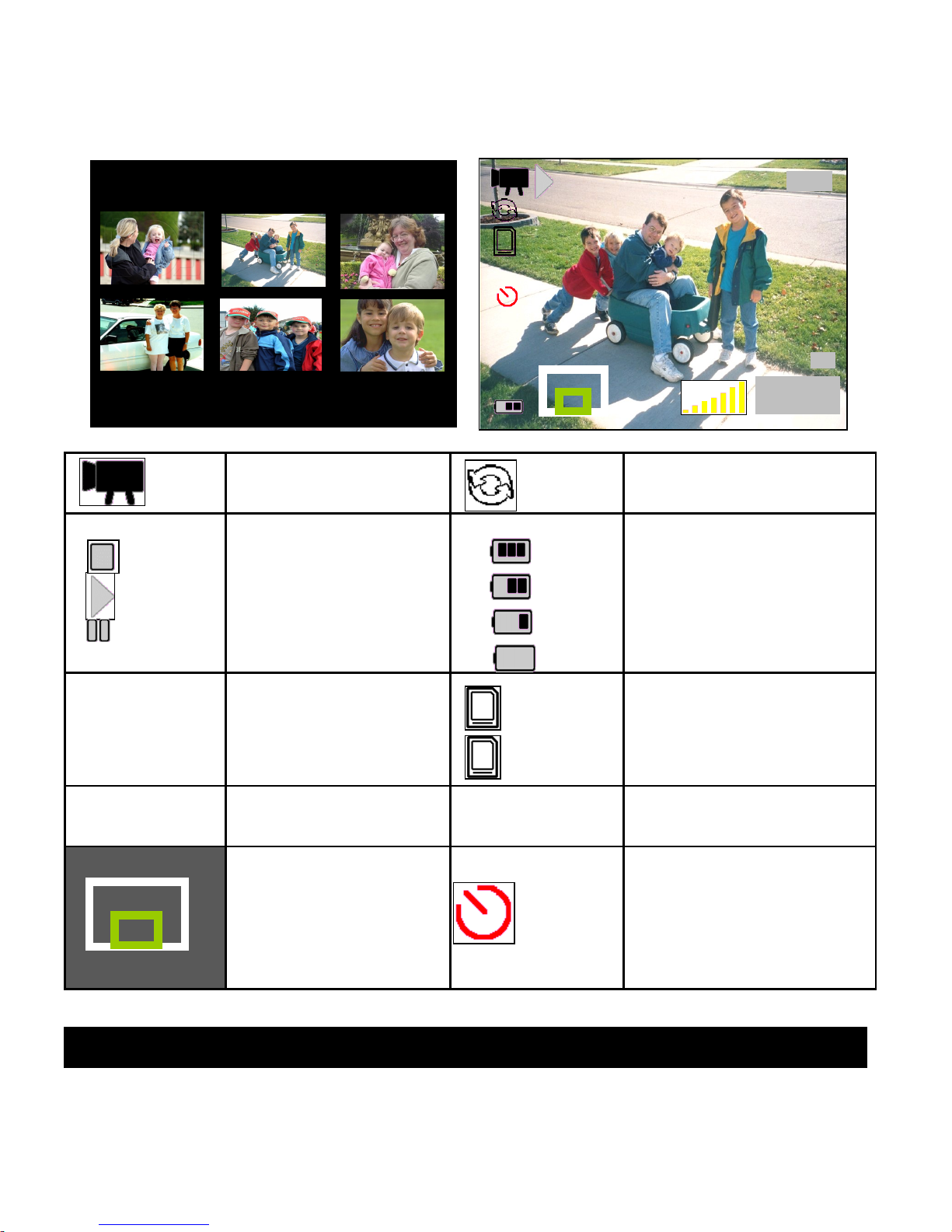
- The file Order depends on DCF Index: CLIP00001 to CLIP09999
- The Smartview powers off automatically when battery empty
Video File Auto Delete Enabled
Playback status
Video stop
Video Playing
Video Pause
Battery Status
Full Power Level
66% Power Level
33% Power Level
Empty
21/28
Current File /
Total File
SD/MMC card
Status
Present and Valid
Present but Locked
2005/01/01
12:00:00
Movie Date and
Time
x1 Playback Zoom
Ratio
Zoom position
White region –
Whole
Green region Zoomed
Set Clock
The clock time is lost
in last power off
USING MENU MODE
Before you begin…
2005/01/03
12:00:00
2005/01/10
12:00:00
2005/01/09
12:00:00
2005/01/06
12:00:00
2005/01/01
12:00:00
2005/01/01
12:00:00
21/28
2005/01/01
12:00:00
X1
Page 21
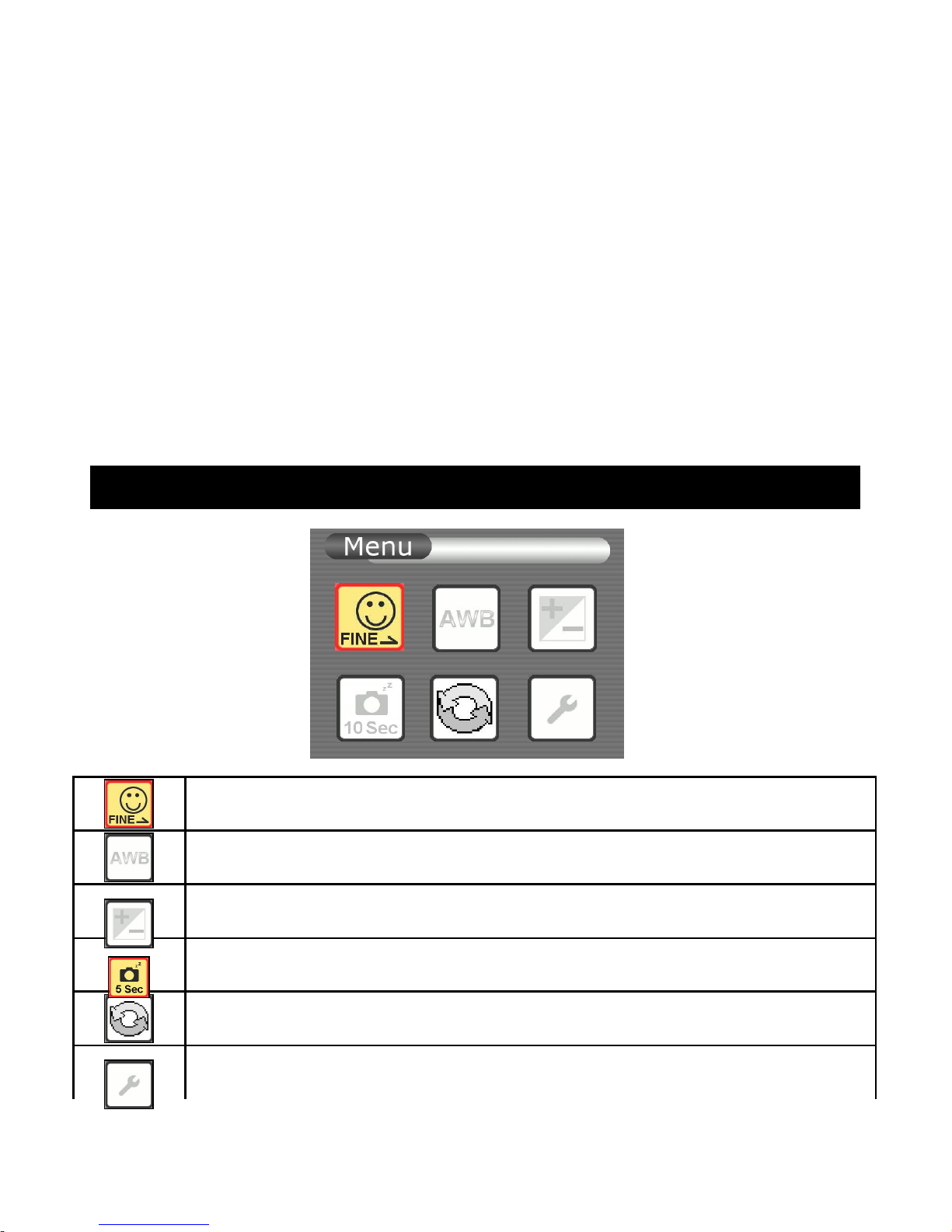
- Check the Battery Indicator
- Ensure SD/MMC card is properly installed
1. Press MENU for Menu mode. The Menu screen is entered.
2. Press ◀▶ to highlight the desired item
3. Press OK to enter the Setting mode of selected item
4. After setting, press MENU to exit
Note:
- The menu mode is canceled if buttons are not pressed within 1 minute.
RECORD/ LIVE Mode Menu Screen
Select Movie Quality
Select White balance
EV Set Up - Select Exposure Compensation
Choose Auto Off in 5 seconds or 10 seconds
Enable/Disable Auto Delete Function
Enter Setup Mode
Page 22
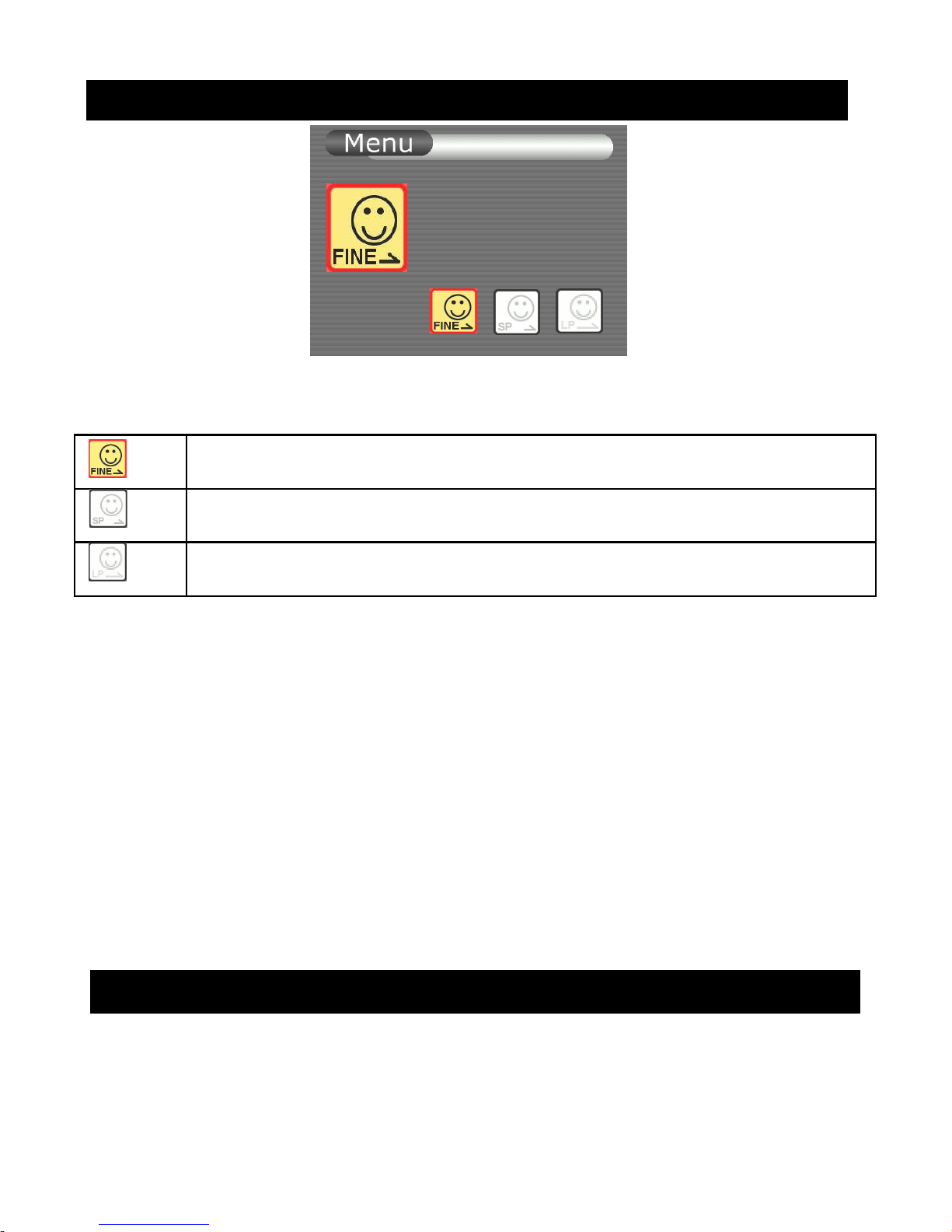
Movie Quality
You can select the Movie quality mode in video recording. The default setting
is Standard Play.
Fine (640x480 15fps)
Standard Play (320x240 30fps)
Long Play (320x240 24fps)
1. Set MODE to RECORD or LIVE while the LCD is on.
2. Press MENU to enter Menu mode
3. Use ◀▶to move to Movie Quality
4. Press OK to enter the setting mode
5. Use ◀▶ to select your desired Movie Quality
6. Press OK to confirm the selected quality and go back to the last
menu
7. Press MENU during setting to cancel the selection and go back to
the last menu
Adjust White Balance
White balance adjustment makes subjects look white and allows more natural
color balance for video recording. Normally, white balance is automatically
Movie Quality
Fine
Page 23
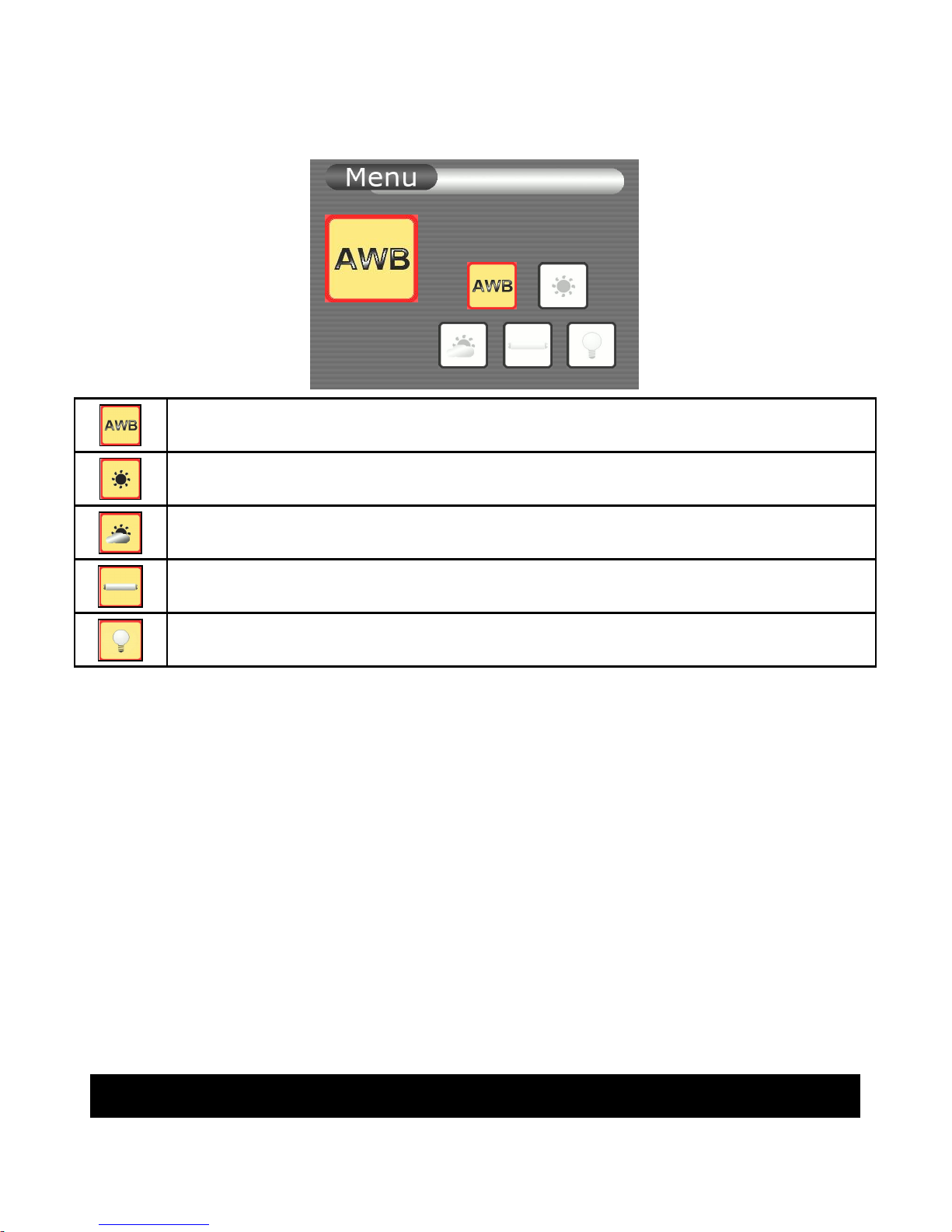
adjusted. You can obtain better results by adjusting the white balance
manually to fit your actual living environment.
Auto
Sunlight
Cloudy
Fluorescent
Tungsten
1. Set MODE to RECORD or LIVE while the LCD is on.
2. Press MENU to enter Menu mode
3. Use ◀▶to move to White Balance
4. Press OK to enter the setting mode
5. Use ◀▶ to move to your desired effect (Auto, Sunlight, Cloudy,
Fluorescent or Tungsten)
6. Press OK to confirm the selected effect and go back to the last
menu
7. Press MENU during setting to cancel the selection and go back to
the last menu
EV Setup
White Balance
Auto
Page 24
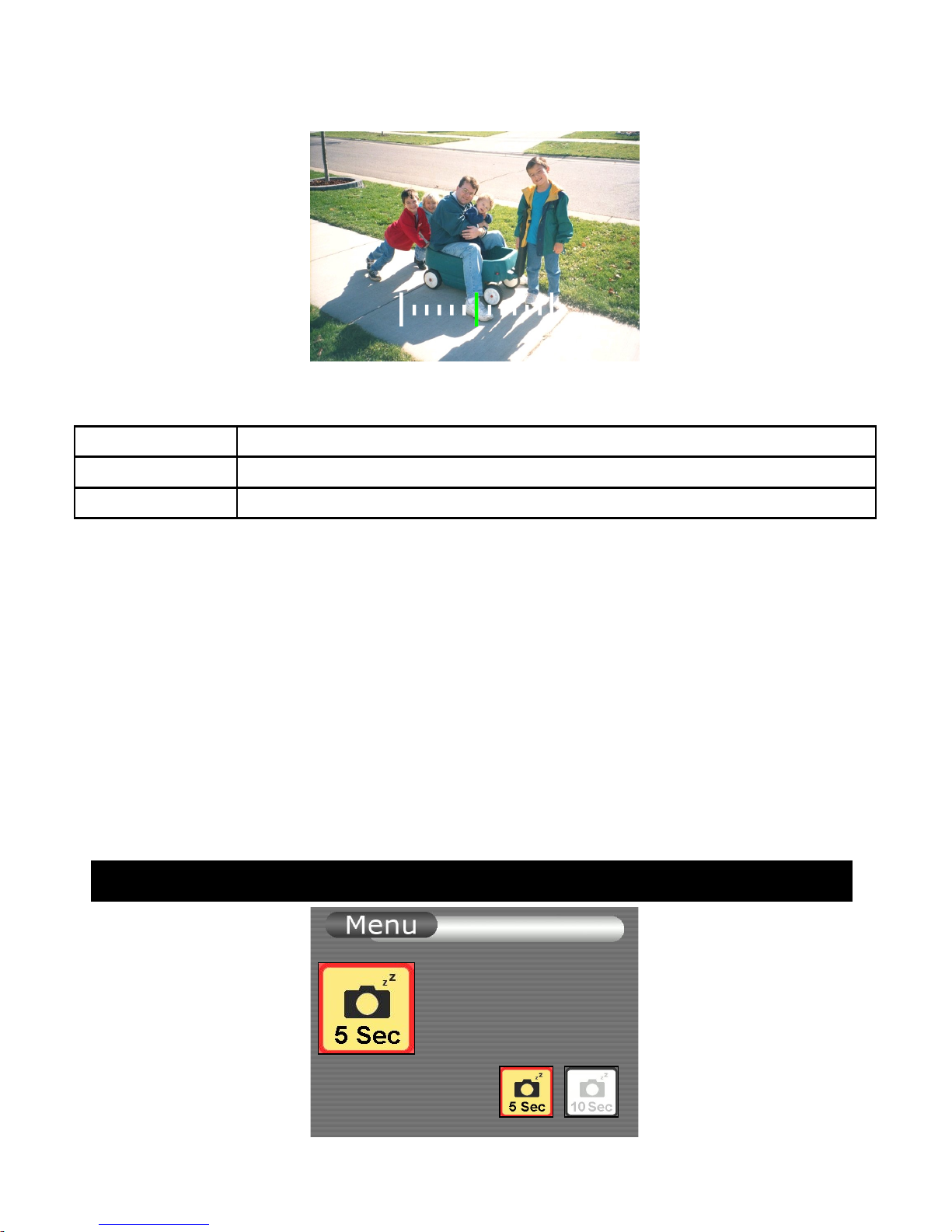
>0 Brighter/ Exposure longer
=0 Standard/ Exposure normal
<0 Dimmer/ Exposure shorter
1. Set MODE to RECORD or LIVE while the LCD is on.
2. Press MENU to enter Menu mode
3. Use ◀▶to move to EV Setup
4. Press OK to enter the setting mode
5. Use ◀ to increase or ▶ to decrease EV value
6. After setting, press OK to save changes and go to screen
7. Press MENU during setting to cancel the selection and go back to
the last menu
Choose Auto Off
Adjust EV
-2.0
2.0
0.0
Auto Off
5 SEC
Page 25
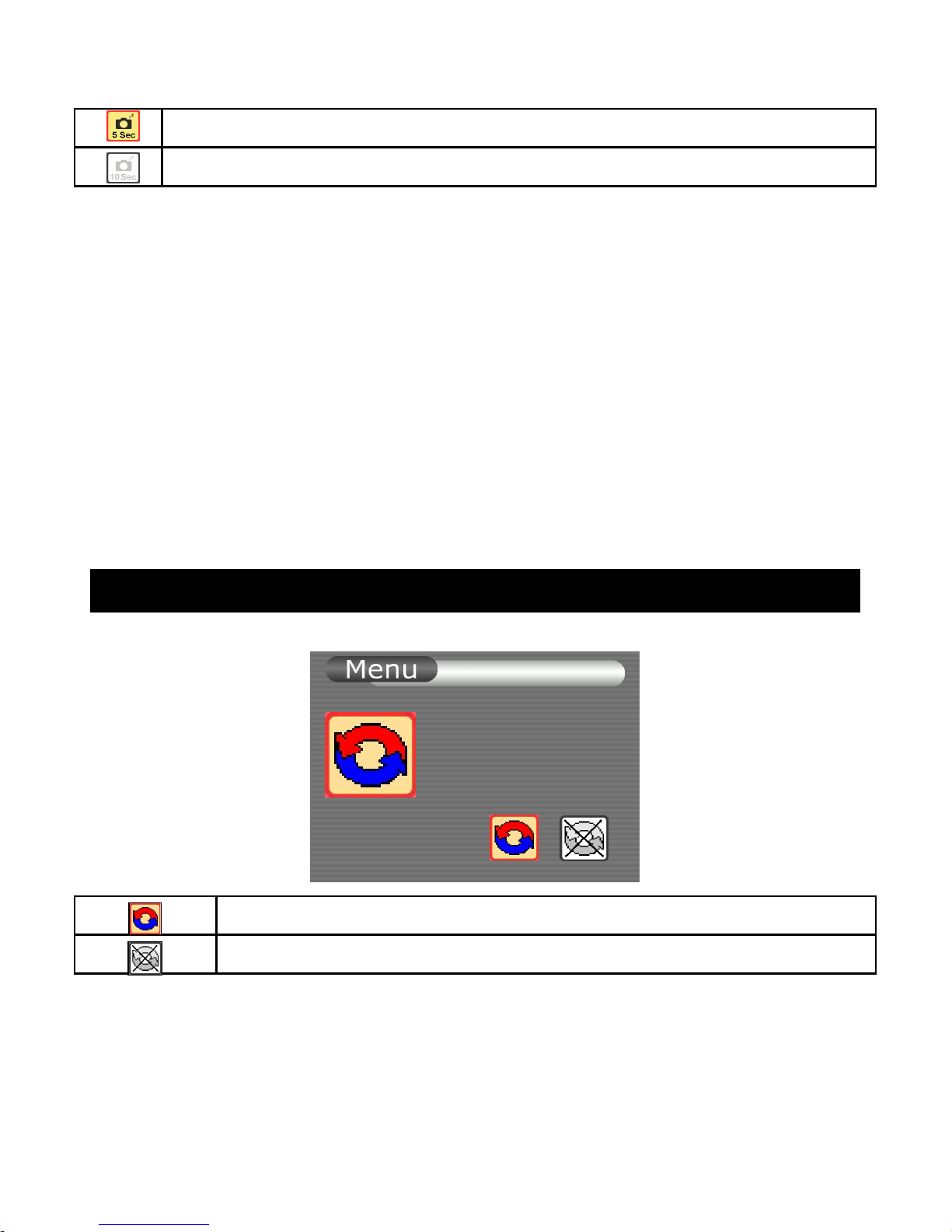
5 seconds
10 seconds
Smartview has a power saving feature that it will automatically go to Stand-by
mode whenever it does not detect any motion at RECORD/LIVE mode or
leaves idle for a preset period at PLAY mode.
1. Set MODE to RECORD or LIVE while the LCD is ON.
2. Press MENU to enter Menu mode
3. Use ◀▶to move to Setup
4. Press OK to enter the setting mode
5. Use ◀▶to select 5 seconds or 10 seconds
6. After setting, press OK to save changes and go back to last menu.
7. Press MENU during setting to cancel the selection and go back to
the last menu
Enable/Disable Auto Delete
Auto Delete means that the oldest index file is deleted when memory is full
Enable Auto Delete
Disable Auto Delete
1. Set MODE to RECORD or LIVE while the LCD is on without
recording.
2. Press MENU to enter Menu mode
3. Use ◀▶to move to Auto Delete
4. Press OK to enter the setting mode
Auto Delete
ON
Page 26
5. Use ◀▶ to move to your desired command (Enable or Disable
Auto Delete)
6. Press OK to confirm the selected command and go back to the last
menu
7. Press MENU during setting to cancel the selection and go back to
the last menu
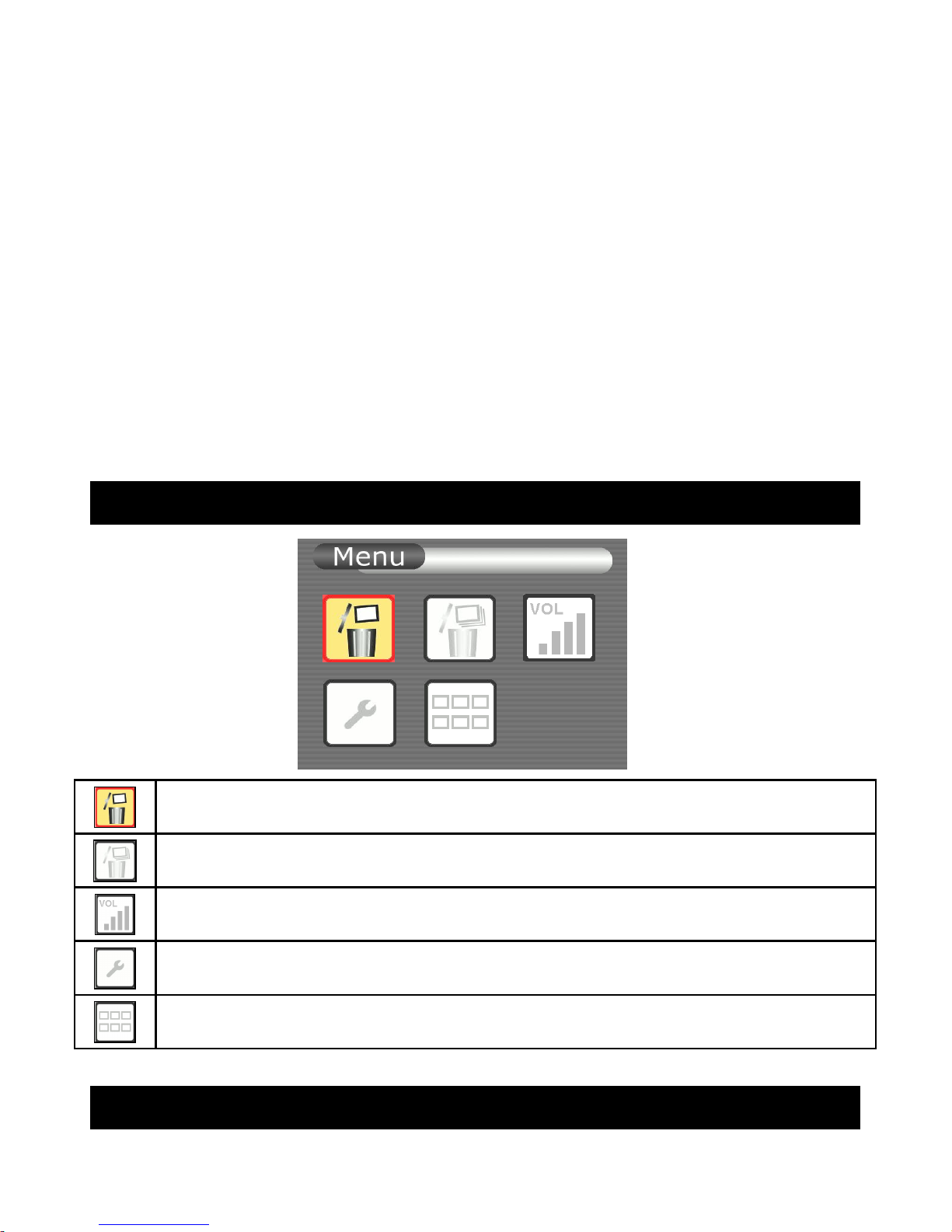
PLAY Mode Menu Screen
Go to Erase This
Go to Erase All
Go to Volume Level Menu
Enter Setup Mode
Go back to Thumbnail Mode
Erase This
Erase
Page 27
1. Set MODE to PLAY and ensure the LCD is on.
2. Use ◀▶ to move to your desired file at thumbnail
3. Press MENU to enter Menu mode
4. Press OK to enter the setting mode
5. Use to select “Cancel” or “OK”. Press OK to confirm the
selected command.
6. If “OK” is selected, the file will be deleted and go to thumbnail
mode; Select “Cancel” to go back to last menu
7. Press MENU to cancel the selection and go back to the last menu
Erase All
1. Set MODE to PLAY and ensure the LCD is on.
2. Press MENU to enter Menu mode
3. Use ◀▶to move to Erase All
4. Press OK to enter the setting mode
5. Use to select “Cancel” or “OK”. Press OK to confirm your
selection.
DELETE SINGLE
ARE YOU SURE ?
Ok
Cancel
DELETE ALL
ARE YOU SURE ?
Ok
Cancel
Page 28
6. If “OK” is selected, all files will be deleted and go to last menu;
Select “Cancel” to go back to last menu
7. Press MENU to cancel the selection and go back to the last menu
Adjust Sound Volume
1. Set MODE to PLAY
and ensure the LCD is on
2. Press MENU to enter Menu mode
3. Use ◀▶to move to Volume
4. Press OK to enter the setting mode
5. Use ◀▶ to adjust your desired sound level
6. Press OK to confirm the selected volume and go back to the last
menu
7. Press MENU during setting to cancel the selection and go back to
the last menu
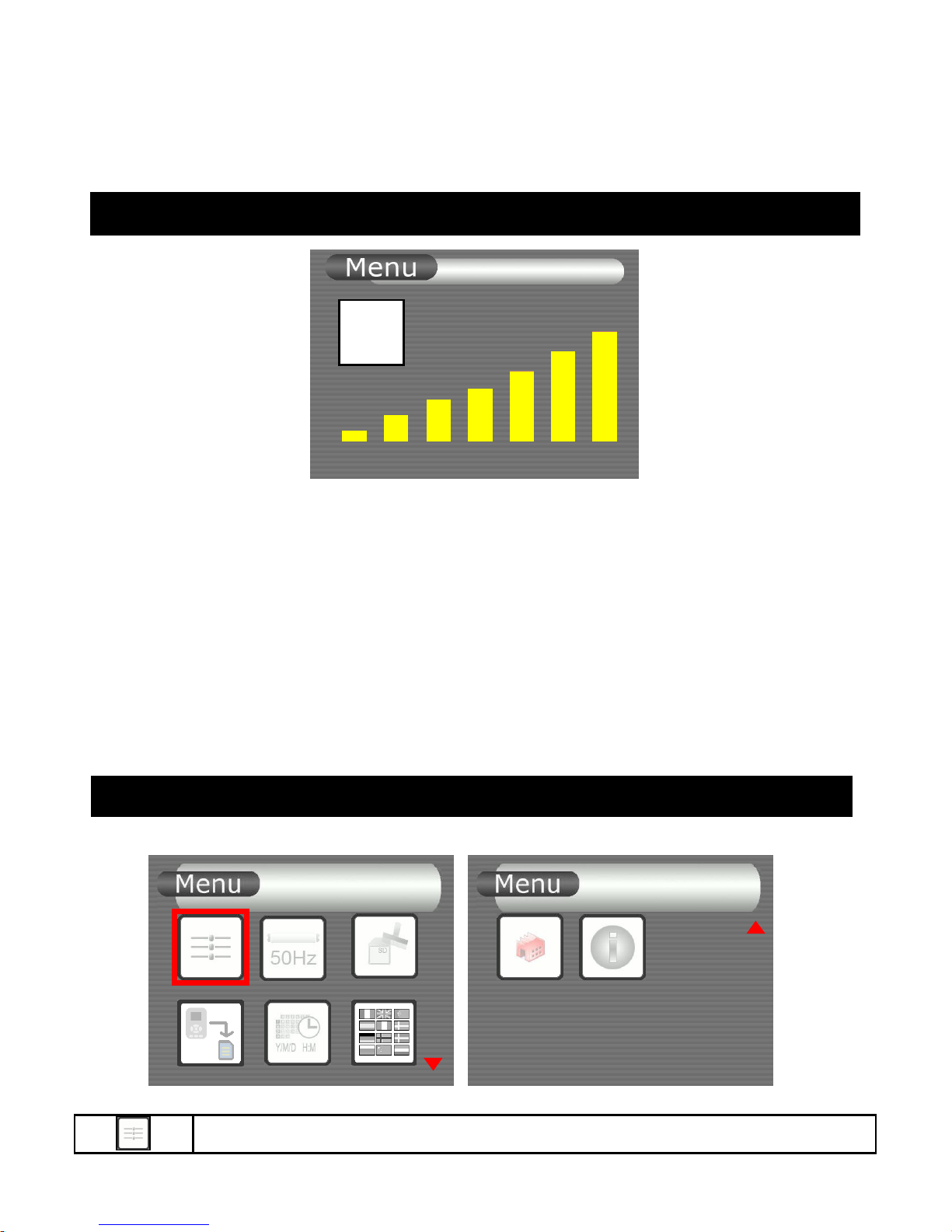
SETUP Screen
Choose LCD Brightness
7
LCD
Default
Page 29
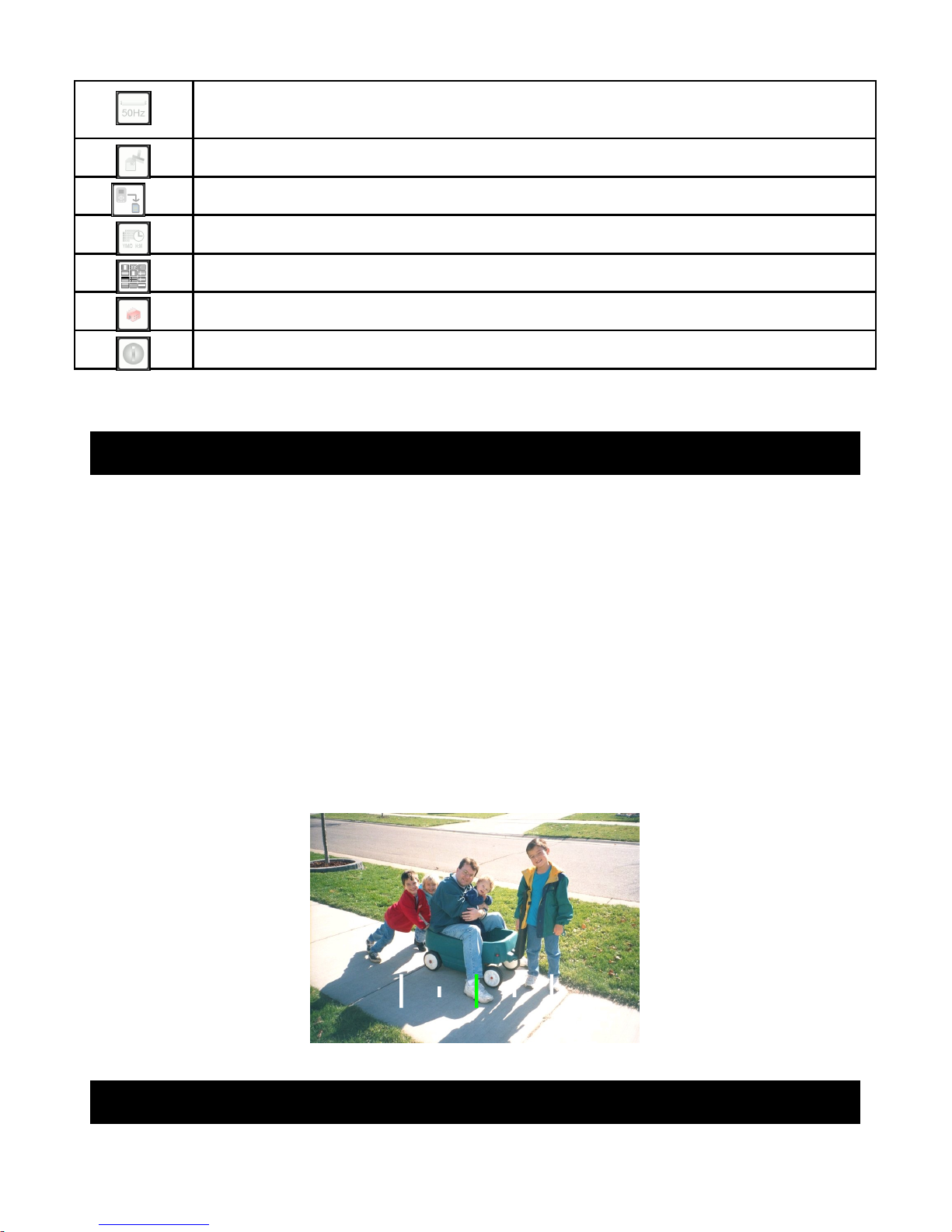
Choose Flicker Option (depending on lighting)
60Hz ; 50Hz
Go to Format Menu
Go to Copy All to SD Card
Go to Date/Time Menu
Choose Language Option
Go to Reset All Settings Menu
Go to Firmware Version Info. Menu
Choose LCD Brightness
1. Press MENU to enter Menu mode
2. Use ◀▶to move to Setup
3. Press OK to enter the setting mode
4. Use ◀▶ to move to LCD Brightness. Press OK to enter
5. Use ◀ to reduce the brightness value or ▶ to increase it
6. After setting, press OK to save changes and go back to last menu
7. Press MENU during setting to cancel the selection and go back to
the last menu
Choose Flicker Option
Adjust LCD
Brightness
-2.0
2.0
0.0
Page 30
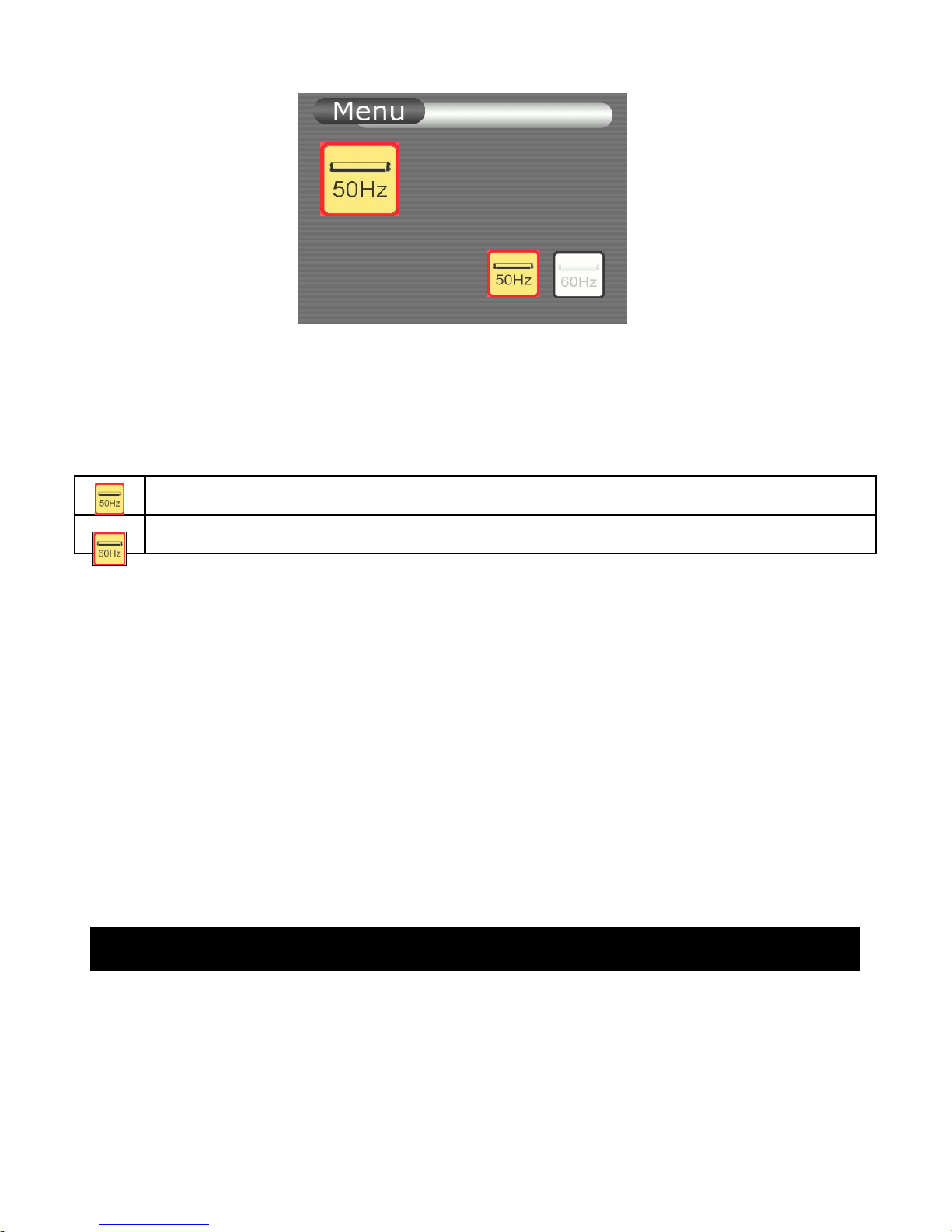
This setting is for 50Hz/60Hz lighting.
E.g. US: 60Hz
EU: 50Hz
HK: 50Hz
50Hz Flicker
60Hz Flicker
1. Press MENU to enter Menu mode
2. Use ◀▶to move to Setup
3. Press OK to enter the setting mode
4. Use ◀▶ to move to Flicker option. Press OK to enter
5. Use ◀▶to select 50Hz or 60Hz depending on your own
country’s lighting condition
6. Press OK to proceed the selection and go back to last menu
7. Press MENU during setting to cancel the selection and go back to
the last menu
Format Memory Card
Flicker
50Hz Light
Page 31
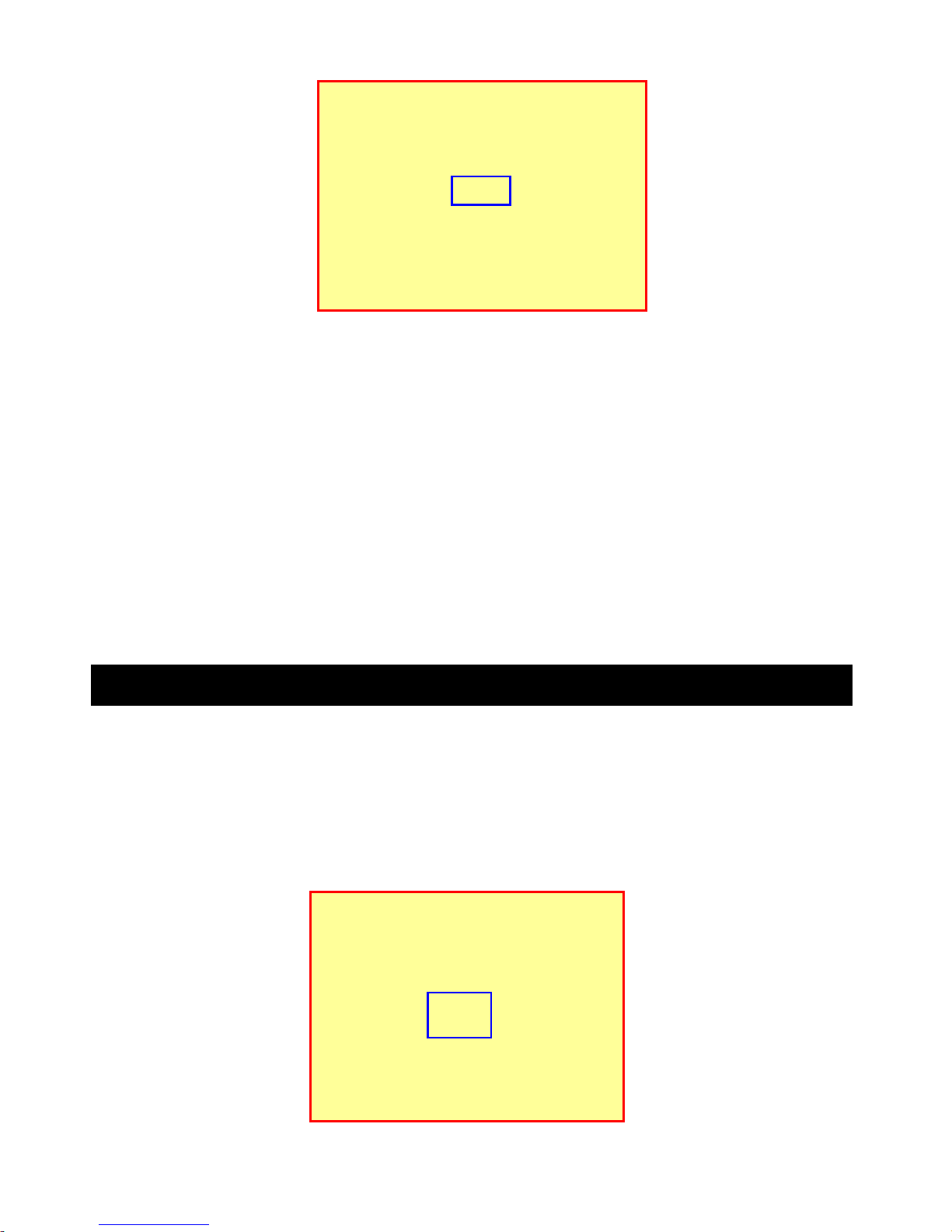
1. Press MENU to enter Menu mode
2. Use ◀▶to move to Setup
3. Press OK to enter the setting mode
4. Use ◀▶ to move to Format. Press OK to enter
5. Use to select Cancel or OK. Press OK to confirm the selected
command
6. If “OK” is selected, the file will be deleted and go to screen; Select
“Cancel” to go back to last menu
7. Press MENU during setting to cancel the selection and go back to the
last menu
Copy All to SD Card
Smartview will automatically detect new SD/MMC card after insertion.
Record, Play and other file management tasks will be rerouted from internal
memory to SD/MMC card.
Copy All function can be used to copy all video files from internal memory at
once to SD/MMC card.
Format will erase
All data
Ok
Cancel
Start Copying Files
from internal Memory
to SD Card?
Ok
Cancel
Page 32

1. Press MENU to enter Menu mode
2. Use ◀▶to move to Setup
3. Press OK to enter the setting mode
4. Use ◀▶ to move to Copy File to SD. Press OK to enter
5. Use to select Cancel or OK
6. Press OK to start copying.
7. Press MENU during setting to cancel the selection and go back to
the last menu
Note:
- Those files copied from the internal memory will be stored in a new folder \
DCIM\xxxFLASH\. xxx will take the largest number among the other
folders.
- The original files in the internal memory will not be erased.
Set Date / Time
Page 33
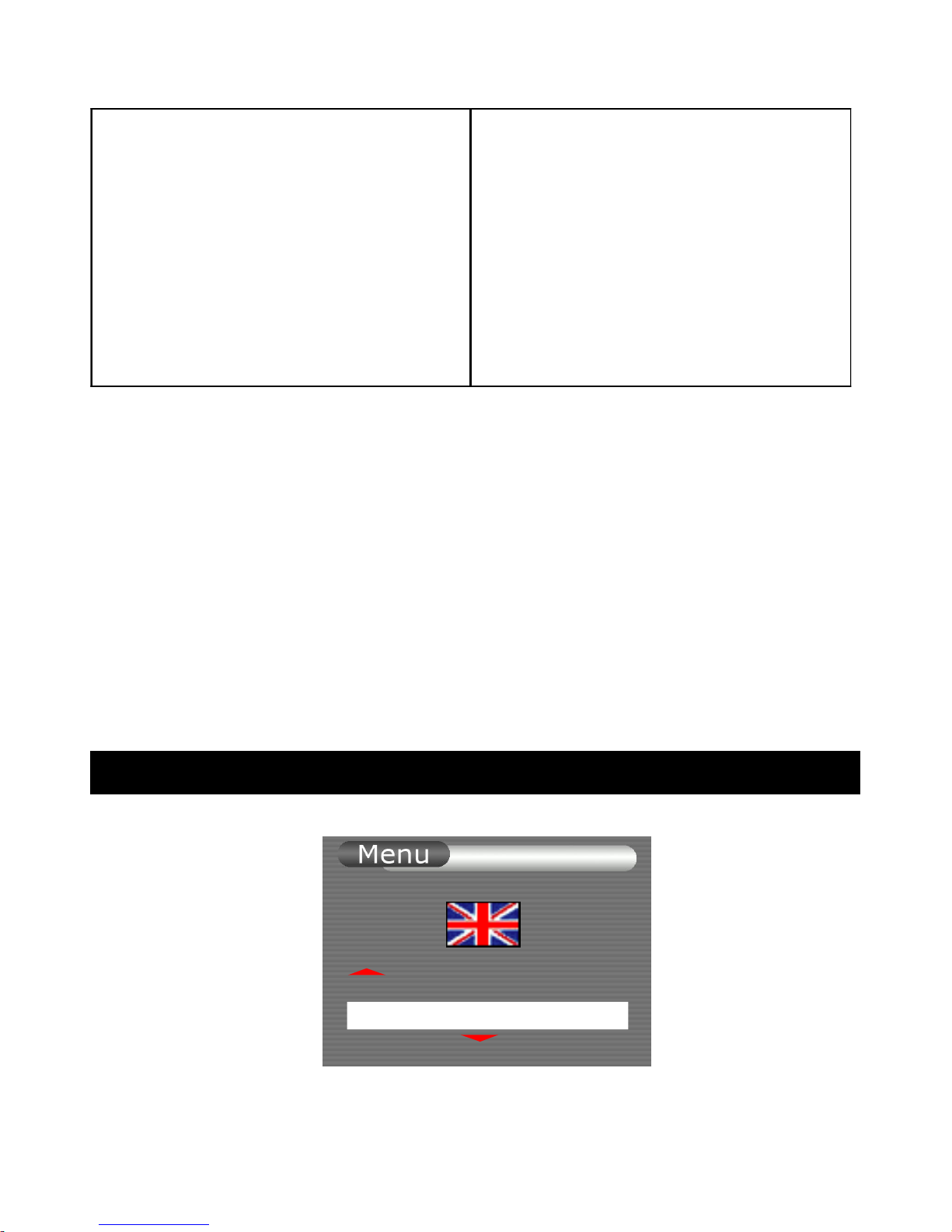
1. Press MENU to enter Menu mode.
2. Use ◀▶to move to Setup
3. Press OK to enter the setting mode
4. Use ◀▶ to move to Date/Time. Press OK to enter
5. Use ◀▶ to move to desired item. The selected item is always
blinking.
6. Press to increase the current item’s value or to decrease it.
7. After setting, press OK to save changes and go back to last menu.
8. During setting, press MENU to cancel selection and go back to last
menu.
Choose Language
1. Press MENU to enter Menu mode
Language
Page 34
2. Use ◀▶to move to Setup
3. Press OK to enter the setting mode
4. Use ◀▶ to move to Language. Press OK to enter
5. Use ◀▶to select your desired language. The flag will change
according to the selection
6. Press OK to proceed the selection and go back to last menu
Default Setup
1. Press MENU to enter Menu mode
2. Use ◀▶to move to Setup
3. Press OK to enter the setting mode
4. Use ◀▶ to move to Default Setup. Press OK to enter
5. Use to select “Cancel” or “OK”. Press OK to confirm the
selected command
6. If “OK” is selected, the default setup will be restored and go to
screen at RECORD/LIVE mode, or go to thumbnail at PLAY
mode; Select “Cancel” to go back to last menu
7. Press MENU during setting to cancel the selection and go back to
the last menu
RESTORE
DEFAULT
Ok
Cancel
Page 35

Firmware Version
1. Press MENU to enter Menu mode
2. Use ◀▶to move to Setup
3. Press OK to enter the setting mode
4. Use ◀▶ to move to Version. Press OK to enter
5. Press OK or MENU to go back to last menu
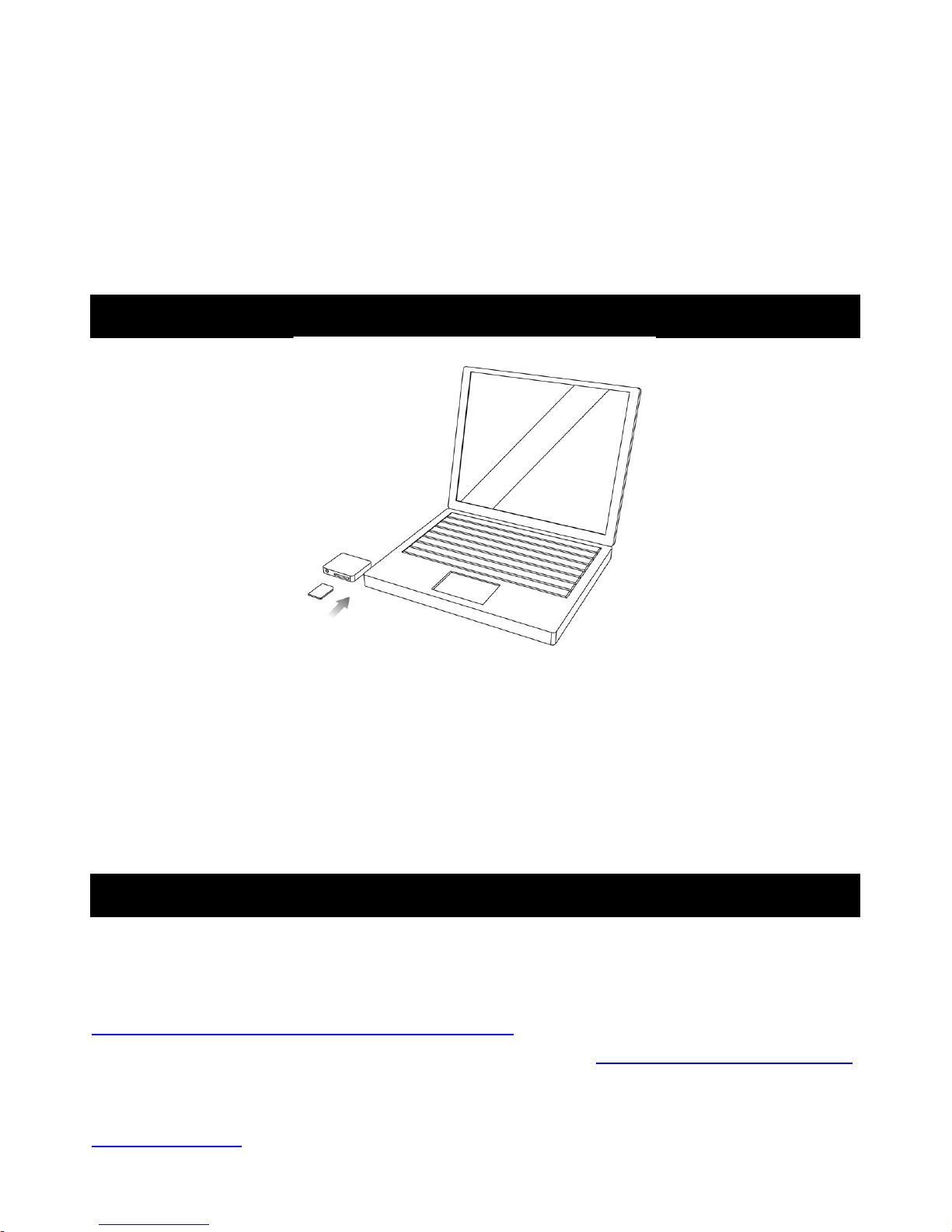
Use “SD / MMC Card”
You can record and play back videos on the SD or MMC card (purchase
separately). You can exchange video data with other equipment such as a
personal computer etc., using the Memory Stick Reader/Writer or a PC card
adaptor (not supplied).
Note:
* We recommend backing up important data
* Smartview supports up to 1 Gz SD/MMC card.
* Video data may be damaged in the following cases:
- If you remove the SD/MMC, turn the power off, or detach the battery for
replacement when reading or recording data into the SD/MMC.
- If you use a SD/MMC near static electricity or magnetic fields
* Do not bend, drop or apply strong shock to a SD/MMC
* Do not disassemble or modify a SD/MMC.
* Do not let the SD/MMC get wet
Version
v601010
Page 36
* Do not use or keep a SD/MMC in locations that are:
- Extremely hot
- Under direct sunlight
- Very humid or subject to corrosive gases
* When you carry or store a SD/MMC, put it in its case.
* A SD/MMC formatted by the Windows OS or Macintosh computer does not
have a guaranteed compatibility with this Smartview.
Download Video
To download video images directly from a removable memory card to your
PC, a Multimedia or SD/MMC card reader compatible with your computer is
required. Your Smartview compresses video data into AVI format.
Typical video data file name
Root: folder <DCIM> <100 CODER> CLIP0001~2,3,…. : As displayed on
your PC screen
Software Requirements
An XviD codec is required to view recorded movies on your computer’s
media viewer. A free XviD codec is available for download from
http://www.xvid.org/Downloads.15.0.html
and you can grab the current latest stable binary XviD-1.0.3-20122004.exe.
Once you install the software, you may need to reboot your computer.
Alternatively, DivX codec software is available at the DivX website:
www.divx.com.
Page 37
TROUBLE SHOOTING
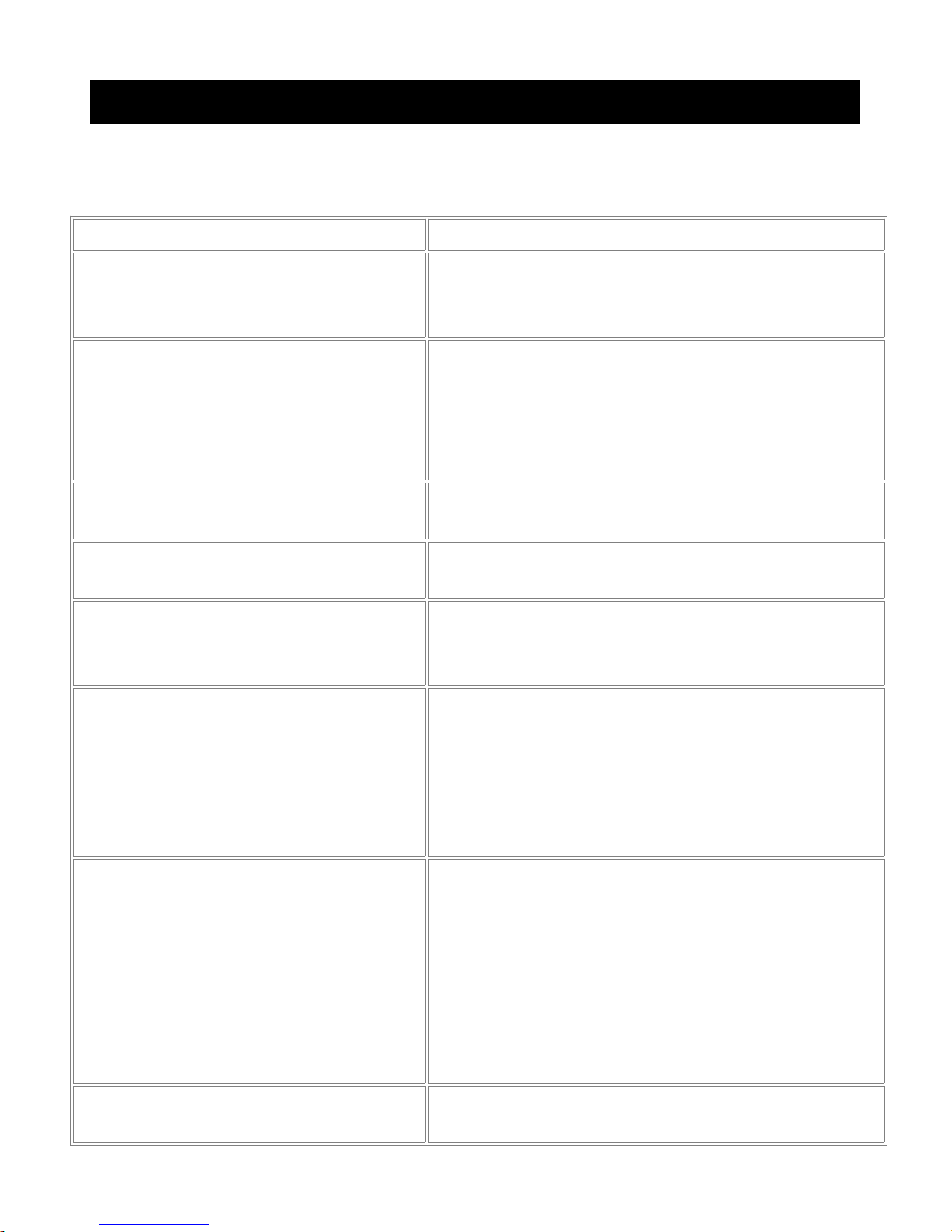
If you are having trouble in operating this product, please consult the guide as
below:
SYMPTOM REMEDIES
No picture in LCD monitor * Set MODE to RECORD or LIVE
* Use fully charged Battery
* Firmly connect all needed cables
LCD displays “SENSOR
ERROR”
* Check the plug of the flexible cable is
properly inserted into the terminal.
Make sure camera and monitor are
switched ON.
* Make sure camera is not covered
Audio problems Ensure the volume is turned up sufficiently
on the monitor
The power goes off The Battery is dead or nearly dead
Install a charged Battery
The AUTO RECORD function
does not work
* There is no AUTO RECORD in the
LIVE, PLAY or menu settings.
* Set MODE to RECORD
The battery remaining indicator
does not indicate the correct time
* You have used the Battery in an
extremely hot or cold environment for a
long time.
* The Battery is completely dead, and can
not be recharged
Replace with a new Battery
Recording does not function * The SD/MMC card has already been
recorded to its full capacity
Erase unnecessary videos and record
again
* The SD formatted incorrectly is inserted.
Format the SD or use another SD /
MMC card
* Check Battery Indicator
NO SD/MMC card * No SD/MMC card or Unreadable
SD/MMC card is inserted
Page 38
* The SD/MMC card is broken or the file
format is not proper. Eject the SD/MMC
card, check it and insert it again. If the
same indicator appear, use another SD/
MMC card.
SD/MMC card cannot be
inserted
* Insert SD/MMC card, front side
facingout
LCD displays * Set the time and date
* Replace with a new CR2032 battery for
clock
Specifications
Page 39

Power Source: Charger 100-240V AC, 50/60Hz
Battery Lithium Polymer Type DC 3.7V
Power Consumption: 0.5W (operating)
Charger 4.2V=0.5CV
Video Recording Camera: 1/5” type CMOS, Approx. 300,000 pixels
LCD: 1.5 inch Color LTPS (557 x 324)
File Type: AVI
Video Format: MPEG 4
Operating Temperature: 0C ~ 50C (32F ~ 122F)
Operating Humidity: 10% ~ 85 %
Weight: Smartview 231g (including batteries)
Charger 74 g
Dimensions: Smartview-Color Monitor 110 x 72 x 24mm
(excluding Mounting Bracket)
Smartview - Sensor 60 x 40 x 13mm
(excluding Supporter)
Charger 28 x 53 x 95mm
(excluding adaptor)
Weight and dimensions as shown above are approximation only.
Design and specifications are subject to change without prior notice.
Important:
For electrical products sold within the European
Community. At the end of the electrical products useful life
it should not be disposed of with household waste. Please
recycle where facilities exist. Check with your Local
Authority or retailer for recycling advice in your country.
 Loading...