

Page 1
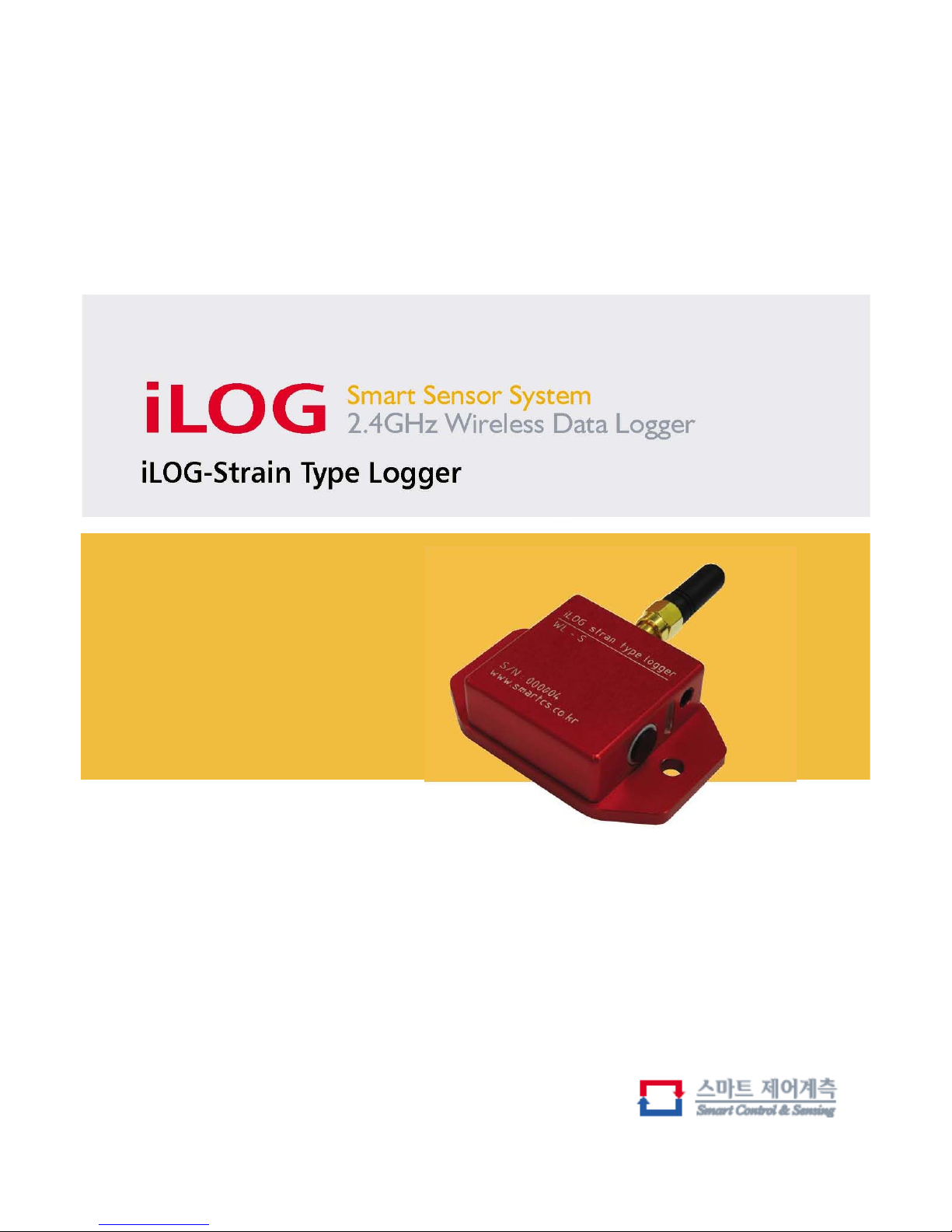
Quick manual
Page 2

iLOG
2.4GHz Wireless Strain Logger (WL-S)
Introduction
With one differential channel, which include full strain gauge conditioning and programmable
offset, the WL-S is compatible with most types of analog sensor. Fast and extremely versatile,
the WL-S is designed to operate as part of a high speed wireless sensor network.
Featuring 800Hz sampling rates, combined with 16 bit A/D converter, these little nodes pack
A lot of power in a small package. With every logger in the wireless network assigned a
unique MAC address, a single host transceiver(MSP1000) can address 12 of logger.
The bi-direction RF communications link can trigger a sample to be logged from 200meters,
or request real-time data to be transmitted to the host PC for data acquisition/analysis.
The scalable system architecture and programmable sensor interface enables a new generation of
wireless sensor networks.
The WL-S is compatible with a wide range of Wheatstone bridge type sensors, including
strain gauges, displacement sensors, load cell, torque transducers, pressure sensors, accelerometers,
geophones, temperature sensors, inclinometers, and others.
.
Features & Benefits
•2.4GHz direct sequence spread spectrum radio is license free worldwide
•supports simultaneous streaming form multiple nodes to PC
•real-time streaming rate up to 800Hz
•communication rang up to 200m line-of-sight
•supports most types of analog sensors
•low power consumption for extended use
Applications
•condition-based monitoring of machines
•health monitoring of civil structures and vehicles
•smart structures and materials
•internal rechargeable battery
•
experimental test and measurement
•robotics and machine automation
•sports performance and sports medicine analysis
Page 3
iLOG
2.4GHz Wireless Strain Logger (WL-S)
Min Typ Max Units
Battery 3.7 V
300 mA
Specifications
Power dissipation
0.24 0.6 W
Duration 1.9 H
Standby
5H
Charge voltage 4.2 5 7.5 V
Charge current 300 mA
Weight 65 g
Size 64X50X18 mm
Operating Temperature Range
040°C
Sampling rate 50 800 Hz
Internal flash 2 MB
Resolution 0.039 mV
Input Range 0 948 mV(Bipolar type)
1.22 3.78 V(voltage type)
Export voltage 5 V
Current 200 mA
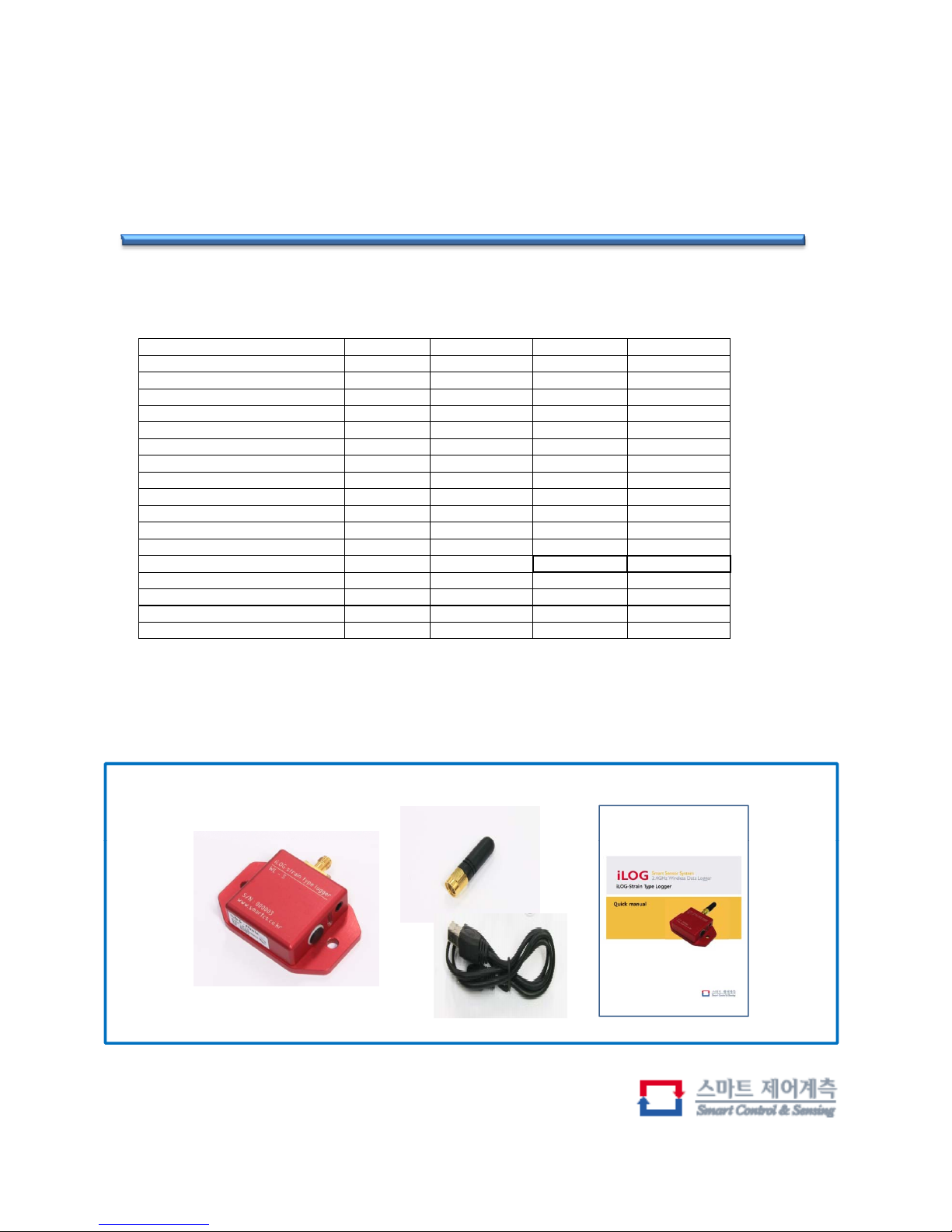
Basic components
ILOG, Antenna(Stub), USB-DC cable, Manual
Page 4
iLOG
2.4GHz Wireless Strain Logger (WL-S)
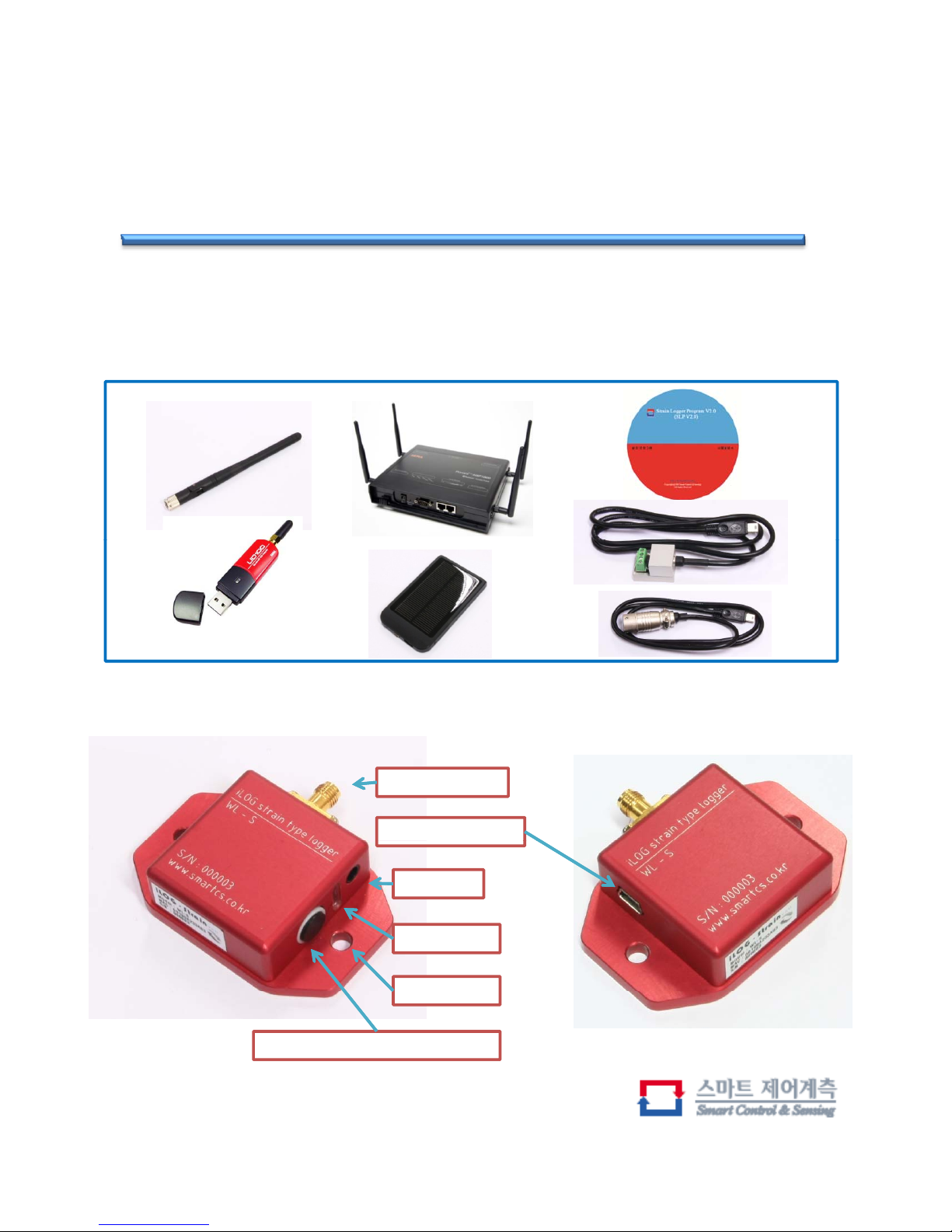
Optional components
Antenna(Dipole), MSP-1000(Bluetooth AP), Bluetooth USB adapter, Solar Charger,
Software , Bridge box, Conversion Cable
Exterior
SMA Connector
Sensor Connector
LED Display
DC Jack
Power on/off, Mode select switch
Mount hole
Page 5
iLOG
2.4GHz Wireless Strain Logger (WL-S)
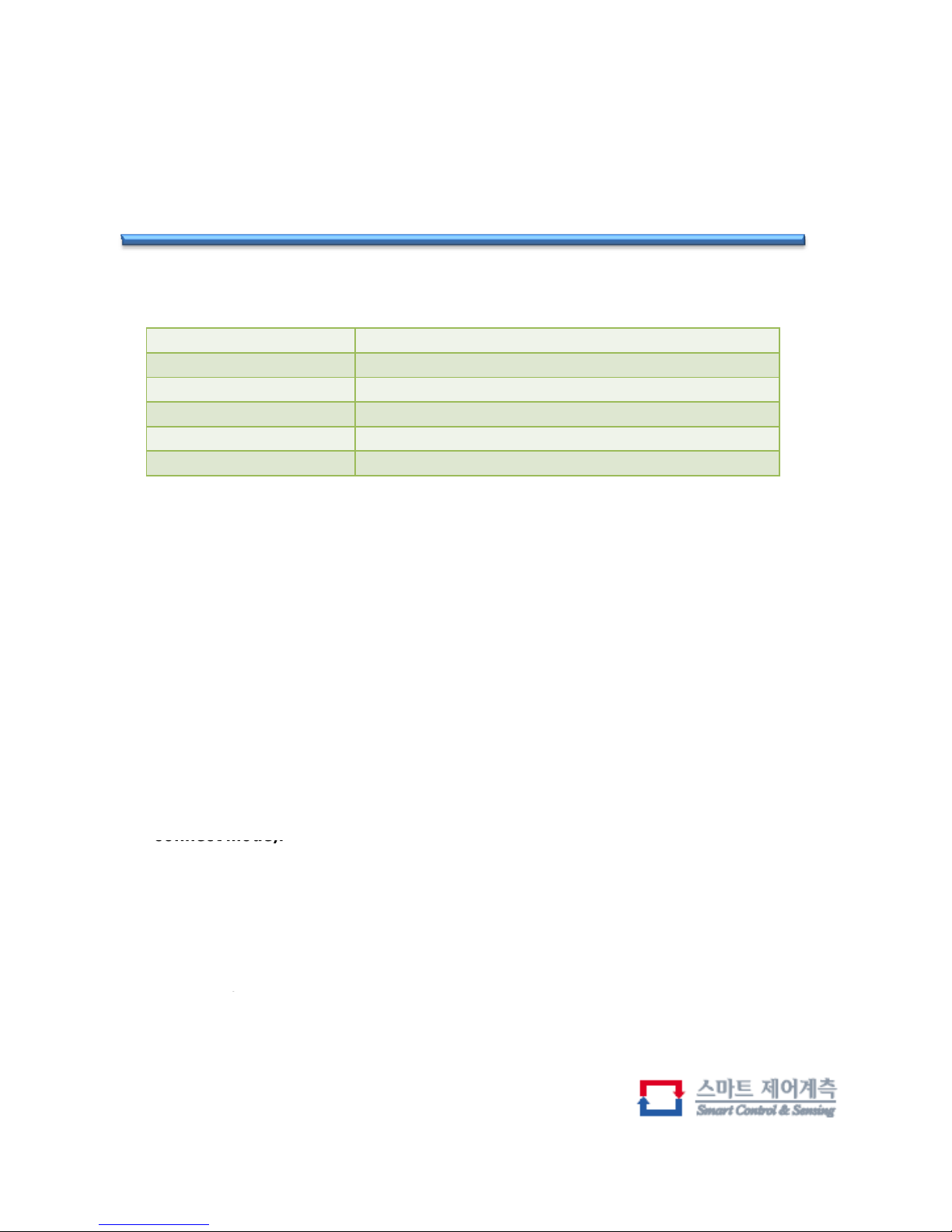
SMA Connector A connector used to connect the antenna
DC Jack Jack for battery charging Input voltage : 4.2~7V
LED Display
To display the charging status and operation status LED
Mount hole Holes for fixing to the structure of ILOG
Switch Power ON/OFF and mode change switch
Sensor Connector A connector to connect to the bridge box or sensor
Switch Operation
You can turn on the ILOG power When do you long time push to the switch
(3 seconds over), or turn off.
• Use to mode method
-Flash saving mode
If you want to using the mode of flash memory save then, you can try push the
switch short time twice and long time once.
◦◦▬Flash memory save mode except to a Bluetooth
-Bluetooth setting mode
Although the ILOG has the Bluetooth default settings(Acceptor mode),
User can do try mode change (Bluetooth acceptor mode or MSP
connect mode).
But we don’t recommend try this mode because suit factory set to user's
situation.
◦◦◦◦◦▬, ◦ Bluetooth acceptor mode
◦◦◦◦◦▬, ◦◦MSP CH1 connect mode
◦◦◦◦◦▬, ◦◦◦MSP CH2 connect mode
◦◦◦◦◦▬, ◦◦◦◦MSP CH3 connect mode
◦◦◦◦◦▬
,
◦◦◦◦◦MSP CH4 connect mode
,
* ◦ Push the switch 3 seconds under
▬ Push the switch 3 se c onds ov er
Page 6
iLOG
2.4GHz Wireless Strain Logger (WL-S)
Preparation
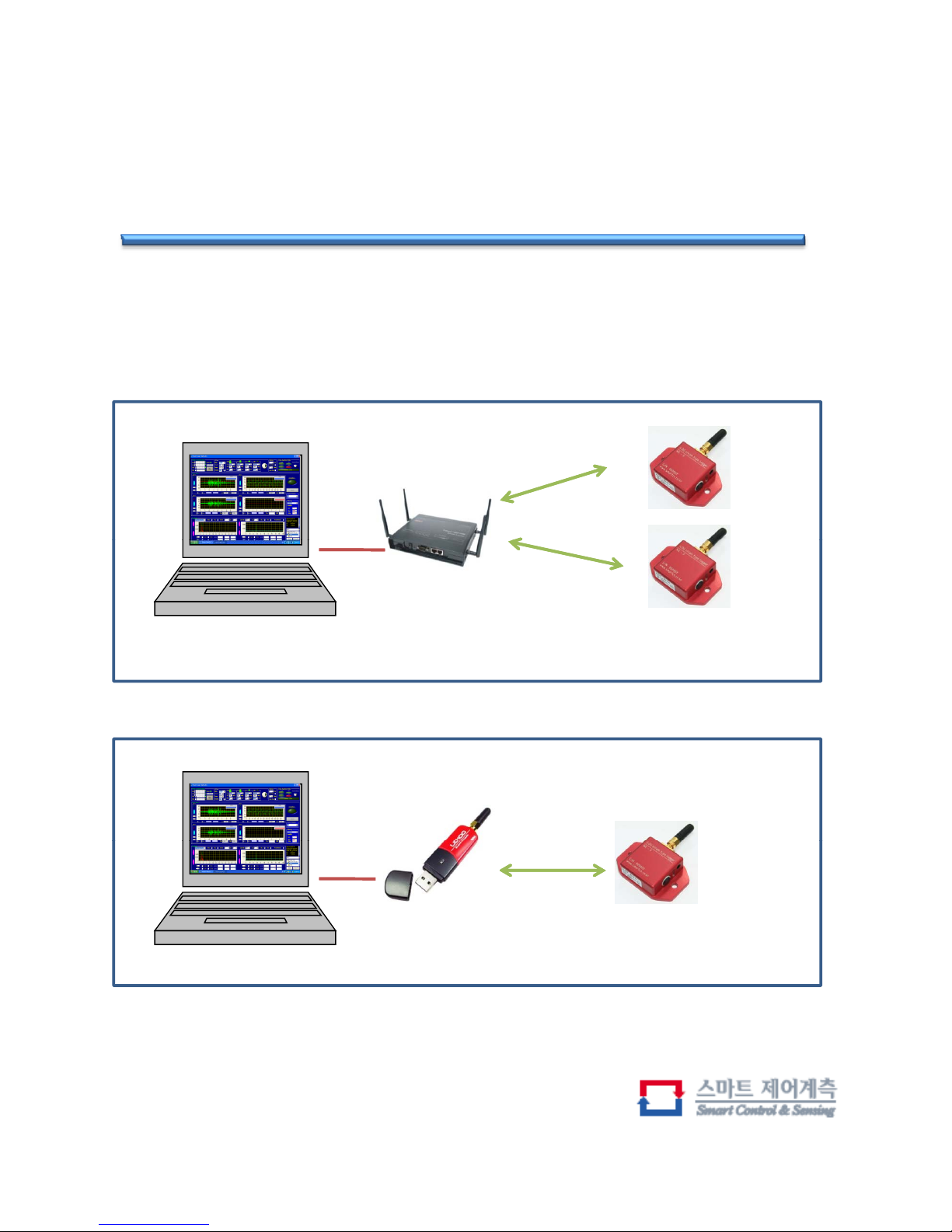
- System Configuration
Connected via Bluetooth
Connected via TCP/IP
Computer program is installed
MSP1000(Bluetooth AP)
IP : 192.168.161.5
….
n(max 12)
Connected via Bluetooth
Connected via USB
<use multi channel ILOG>
Computer program is installed
Bluetooth USB adapter
Only 1 channel
<use one channel ILOG>
Page 7
iLOG
2.4GHz Wireless Strain Logger (WL-S)
Software
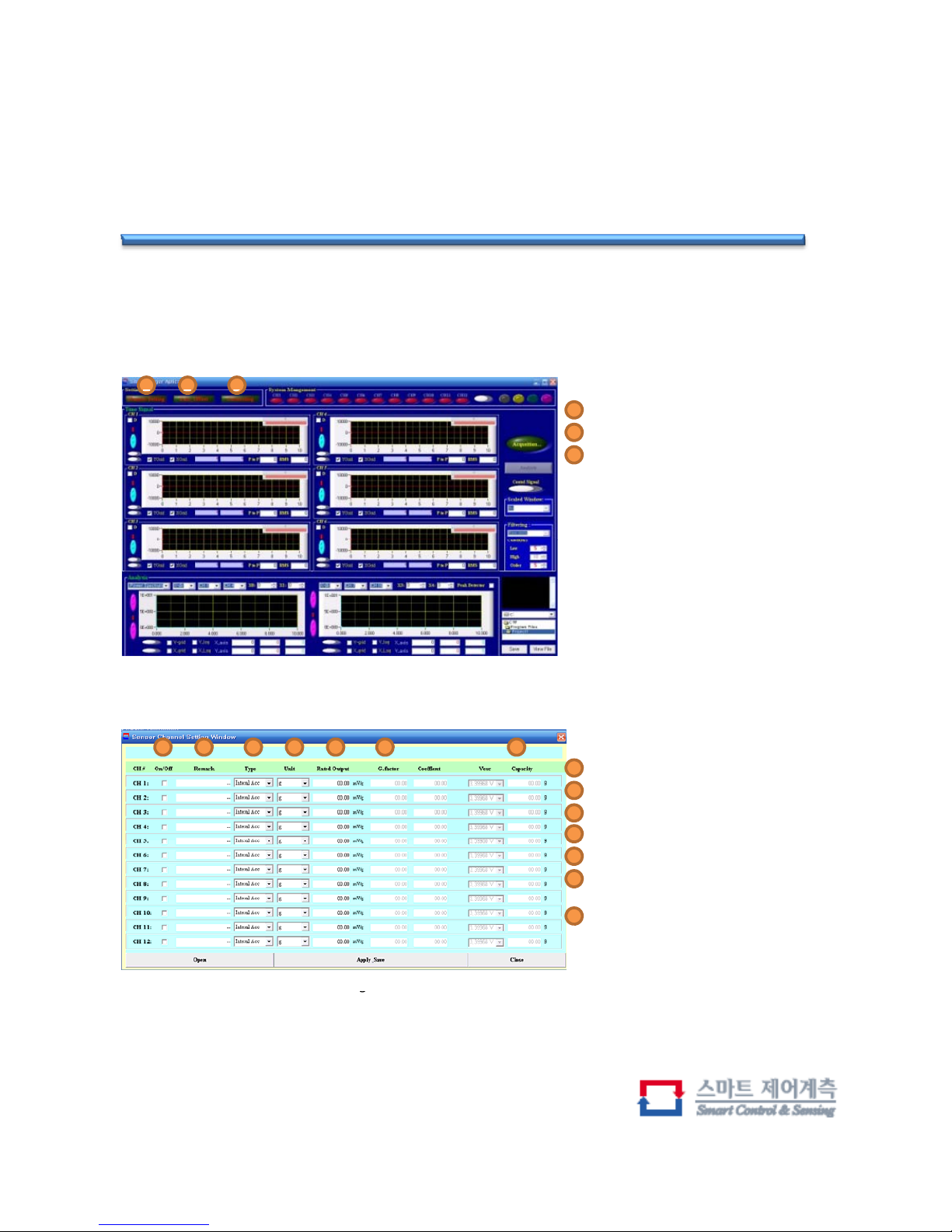
-Setting
123
Channel setting button
Gain setting button
Connecting button
1-3, you should set in order
1
2
3
<Main window>
1 2 3 4 5 6
Check the use
Marking
Select the sensor type
Select the unit
1
2
3
4
7
<Channel setting window>
Enter the rate output
The G.factor, coeffient value of
the bipolar type of sensor
Displays the capacity of the
calculated sensor
5
6
7
g
Page 8
iLOG
2.4GHz Wireless Strain Logger (WL-S)
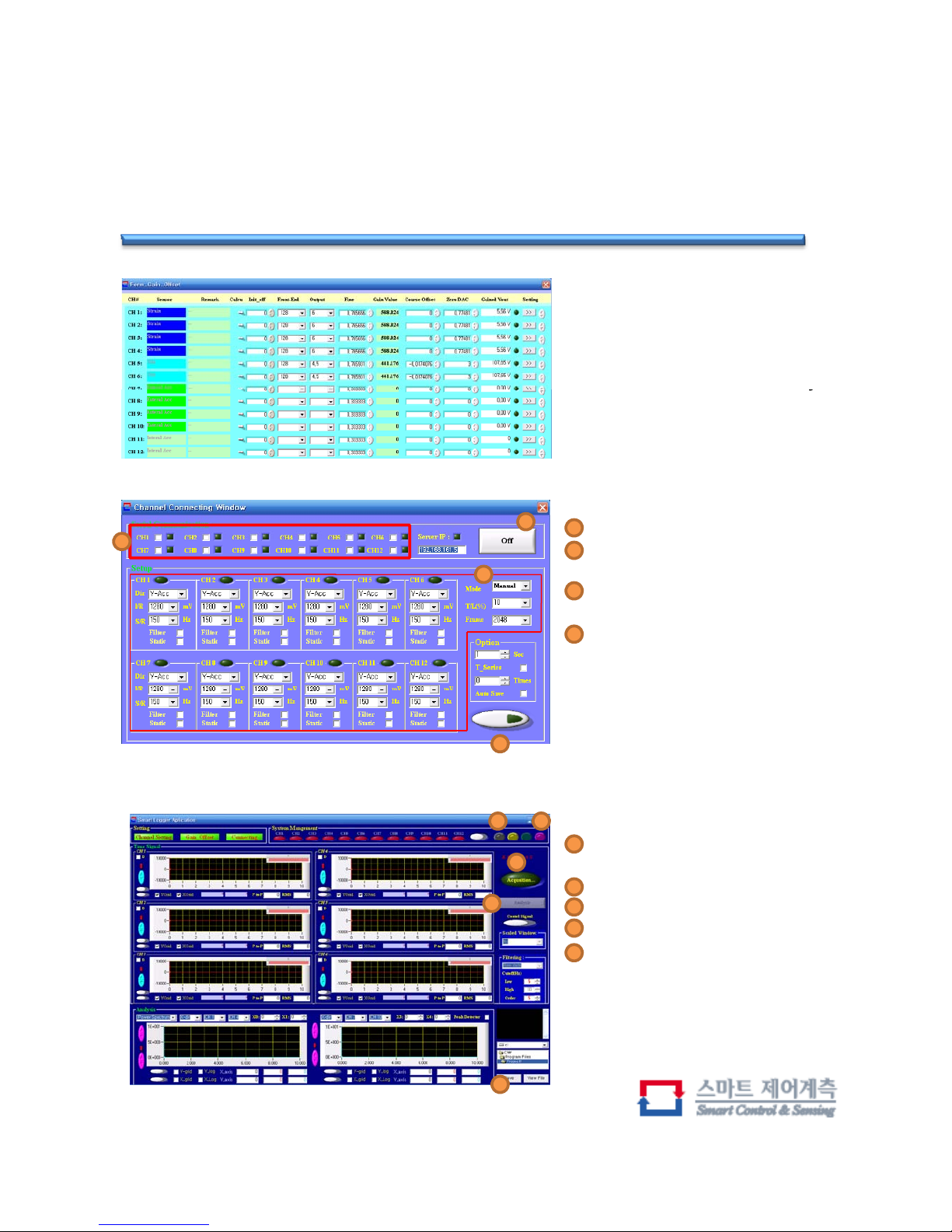
Window to set the value of
amplification When using a
bipolar type of sensor
Use the default value, only if
y
necessary Make changes
Channel selection
1
<Gain-Offset setting window>
2
MSP and wireless data logger
connection
Set the wireless data logger
(Sampling, H / W Filter, Frame)
Transfer wireless data logger
settings
2
3
4
1
3
4
<Connecting window>
-Get data
1 3
2
4
Wirel
ess data loggers to verify
connectivity
Get data command
Zero set
Data analysis button
Saving Data
1
2
3
4
5
5
<Main window>
Page 9
iLOG
2.4GHz Wireless Strain Logger (WL-S)
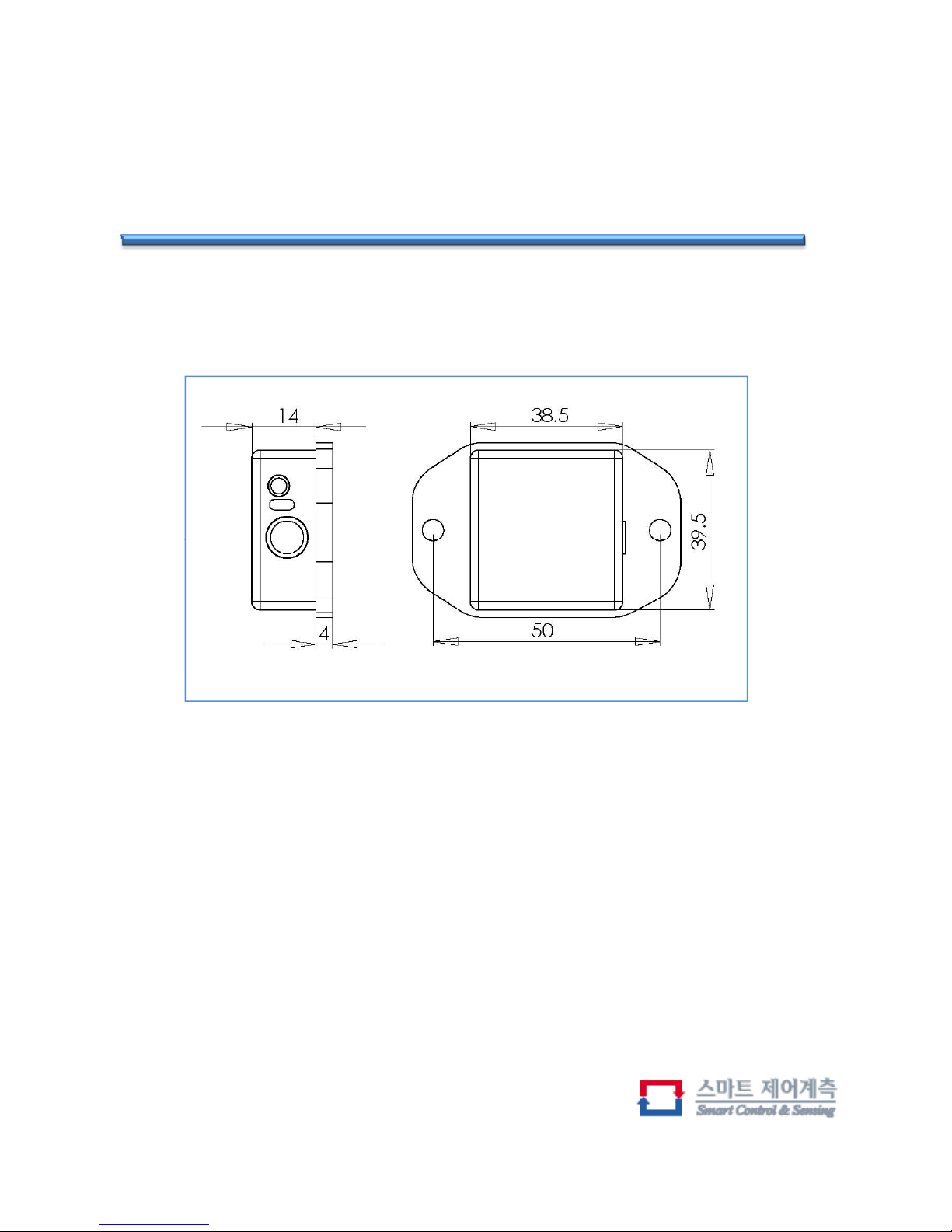
Dimension
Page 10

Notes
FCC Statement
THIS DEVICE COMPLIES WITH PART 15 OF THE FCC RULES.
OPERATION IS SUBJECT TO THE FOLLOWING TWO CONDITIONS:
1) This device may not cause harmful interference, and
(2) this device must accept any interference received, including interference
that may cause undesired operation.
“Chan
g
es or modifications not expressly approved by the party responsible for
gpyppypyp
compliance could void the user's authority to operate the equipment.”
FCC RF
INTERFERENCE STATEMENT
NOTE:
This equipment has been tested and found to comply with the limits for a
qp py
Class A digital device, pursuant to part 15 of the FCC Rules. These limits are
designed to provide reasonable protection against harmful interference when
the equipment is operated in a commercial environment. This equipment
generates, uses, and can radiate radio frequency energy and, if not installed
and used in accordance with the instruction manual, may cause harmful
interference to radio communications.
Operation of this equipment in a residential area is likely to cause harmful
interference in which case the user will be required to correct the interference
at his own expense.
Smart Control & Sensing
Address : C-425, Migun Techno-world, Yongsan-dong, TEL. +82-70-7124-1831 FAX. +82-70-7016-1845
Yuseong-gu, Daejeon, South Korea(305-500) Home. www.smartcs.co.kr E-mail. [email protected]
 Loading...