

Page 1
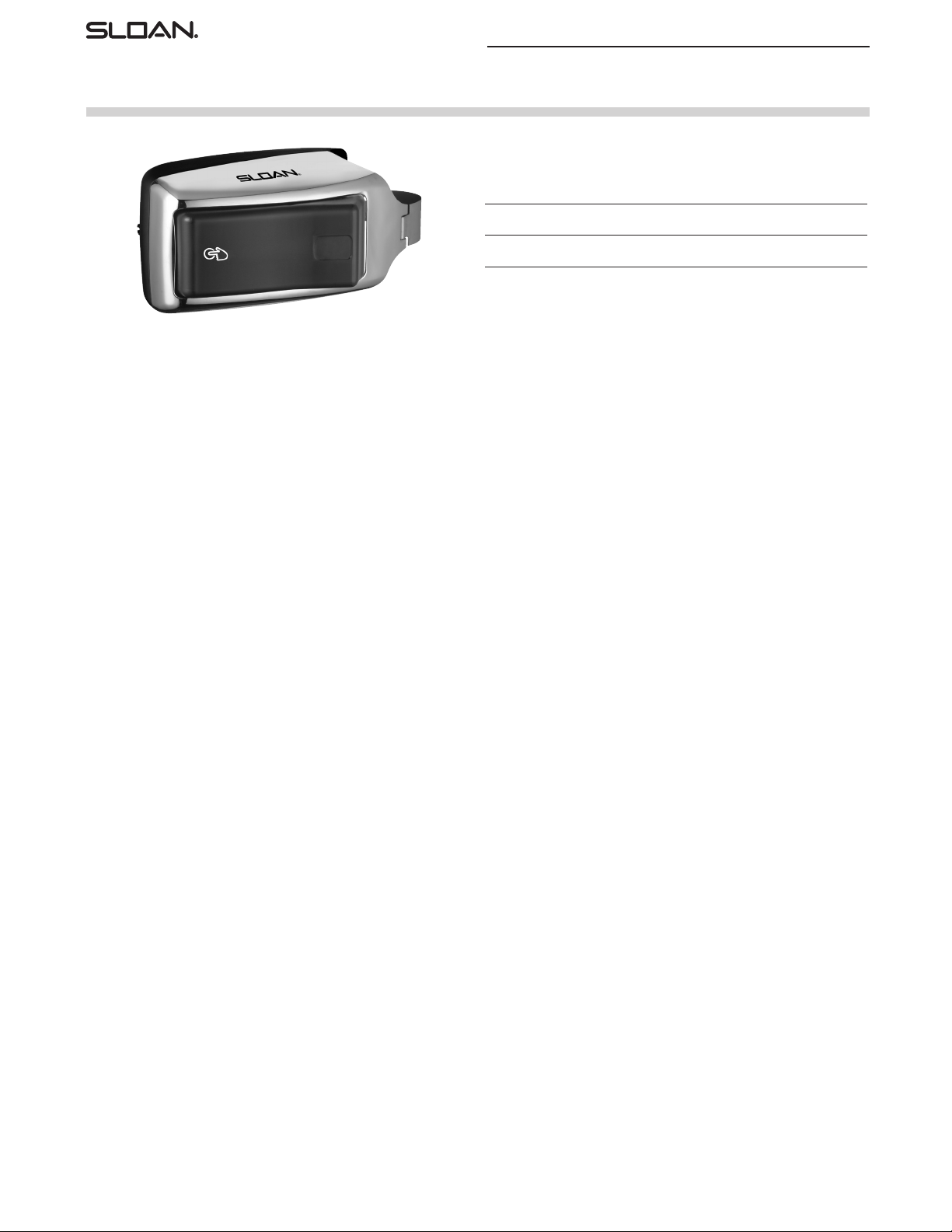
Repair Parts and Maintenance Guide
SMOOTH® Flushometer
Side-Mount-Operator-Over-The-Handle
Battery powered, sensor activated retrofit unit for exposed closet and urinal
flushometers.
PARTS LIST
Item
No. Code No. Part No. Description
1. 3325201 EBV-200-A Side Mount Operator for Water Closets (Toilets)
and Urinals
1
The information contained in this document is subject to change without notice.
92
Page 2
Repair Parts and Maintenance Guide
SMOOTH® Flushometer
Side-Mount-Operator-Over-The-Handle
ADJUSTMENT PROCEDURES
Note: To make the adjustments indicated below, power to unit(s) must be
turned off for ten (10) seconds. Mode selection is available within one (1)
hour after every power up condition (reinstalling batteries).
Mode A
The SMOOTH unit may be reset to normal range by fully pressing and
holding in the Override Handle until the Red LED light in the Sensor Window
illuminates. Then immediately release the Override Handle.
Mode B
The SMOOTH unit may be set to reduced range for closet applications by
pressing and holding in the Override Handle until the Red LED light in the
Sensor Window flashes a slow long blinking light. Then immediately release
the Override Handle.
Mode C
The SMOOTH unit may be set to reduced range by pressing and holding
in the Override Handle until the Red LED light in the Sensor Window
displays a rapid on and off blinking light. Then immediately release the
Override Handle.
BATTERIES
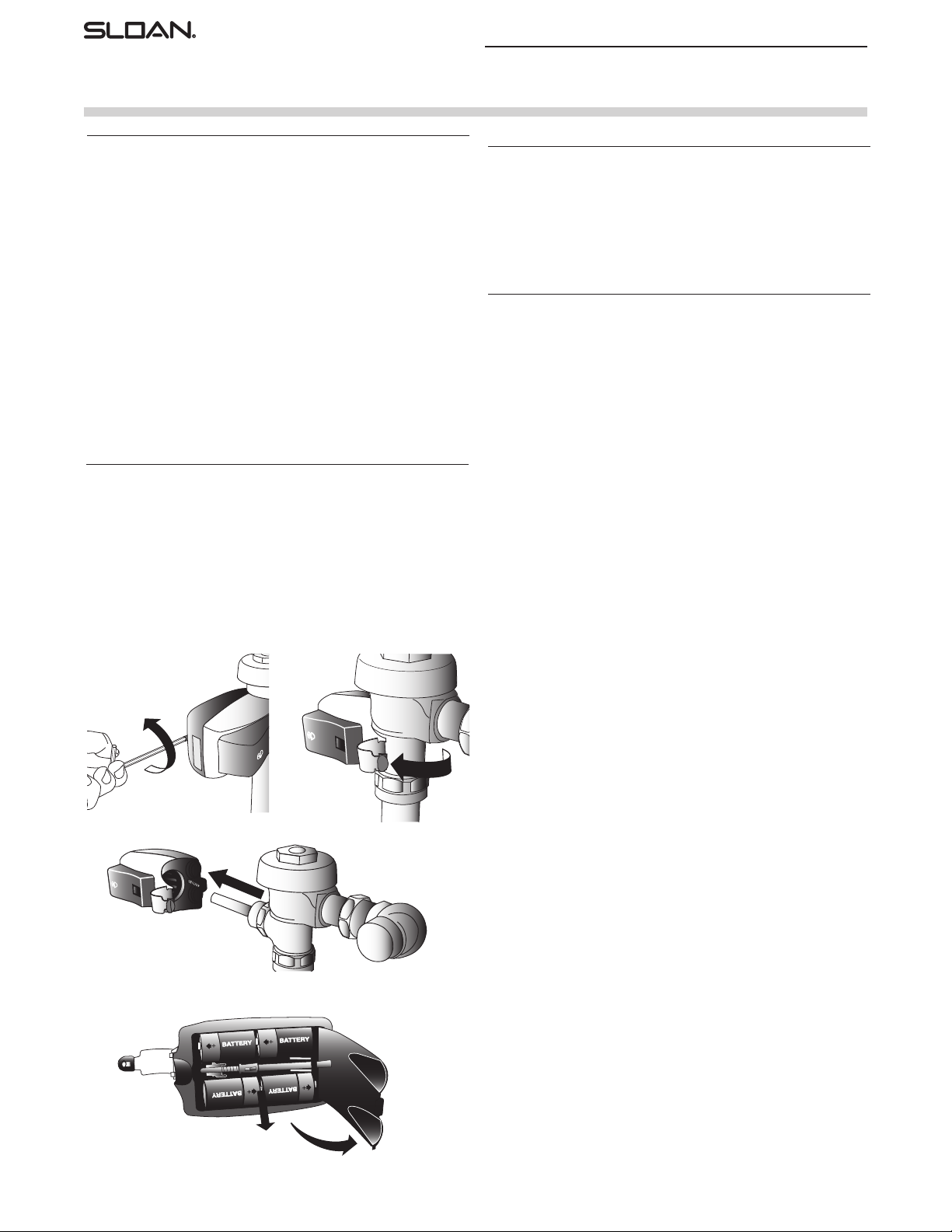
When required, replace batteries with four (4) alkaline type C batteries.
1. Release Mounting Clamp by turning the Mounting Screw counterclockwise
with a 1/8” hex wrench.
2. Swing the Mounting Clamp into the open position.
3. Slide the unit from the flushometer body.
4. Open Battery Compartment Door and remove old batteries from unit. Replace batteries with 4 (four) new C-size batteries. Close Battery Compartment Door. Reinstall unit.
TROUBLESHOOTING GUIDE
1. Red LED light in the sensor window flashes
twice as fast as normal.
A. When a user enters the sensor’s effective range and the Red LED
light in the sensor window flashes twice as fast as normal, the
batteries need replacement. Refer to the Battery Replacement
Instructions.
CARE AND CLEANING OF CHROME AND SPECIAL FINISHES
DO NOT USE abrasive or chemical cleaners to clean flushometers as they
may dull the luster and attack the chrome or special decorative finishes.
Use ONLY mild soap and water, then wipe dry with clean cloth or towel.
While cleaning the bathroom tile, the flushometer should be protected
from any splattering of cleaner. Acids and cleaning fluids can discolor
or remove chrome plating.
When assistance is required, please contact
Sloan Technical Support at: 1-888-SLOAN-14 (1-888-756-2614).
1
3
4
2
The information contained in this document is subject to change without notice.
93
 Loading...