

Page 1

User Manual
S
leep
S
hepherd
BIue
Page 2

Congratulations!
You’ve taken the first step to getting a better night’s sleep!
We know you are anxious to start using your Sleep
Shepherd Blue right away, but please take a moment to
read through this user manual so you know exactly what to
expect from the Sleep Shepherd Blue and how to get the
most out of this revolutionary sleep aid and sleep tracking
device. If you have any further questions, please feel free
to contact us directly.
We’re here to answer your questions!
sleepshepherd.com/FAQ
(937)969-7378
Page 3

What’s in the Box...............................................
Components.......................................................
How it Works......................................................
Charging.............................................................
Positioning the Sensors....................................
Aligning the Speakers......................................
Using the App....................................................
Last Sleep..................................................
Sleep Lab.................................................
Trends.......................................................
Settings....................................................
Smart Alarm.............................................
Sleeping Types.................................................
Sleep Hygiene Tips..........................................
Care Instructions..............................................
Troubleshooting...............................................
Warranty and Returns......................................
1
2
3
5
6
7
8
9
10
11
12
13
14
16
18
19
20
Table of Contents
Page 4
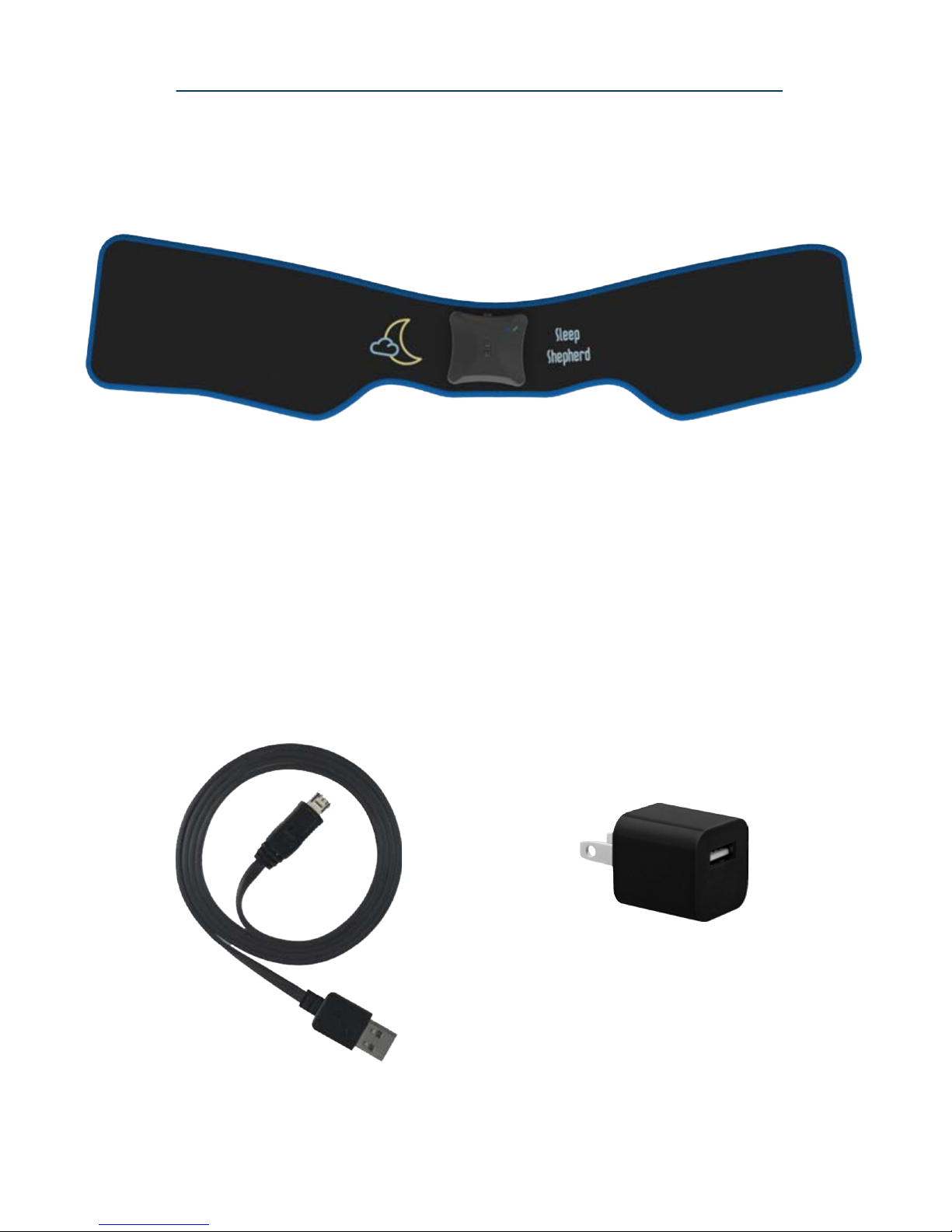
USB Wall Charger
Micro USB
Charging Cord
Sleep Shepherd Blue Headband
What’s in the Box
1
Page 5
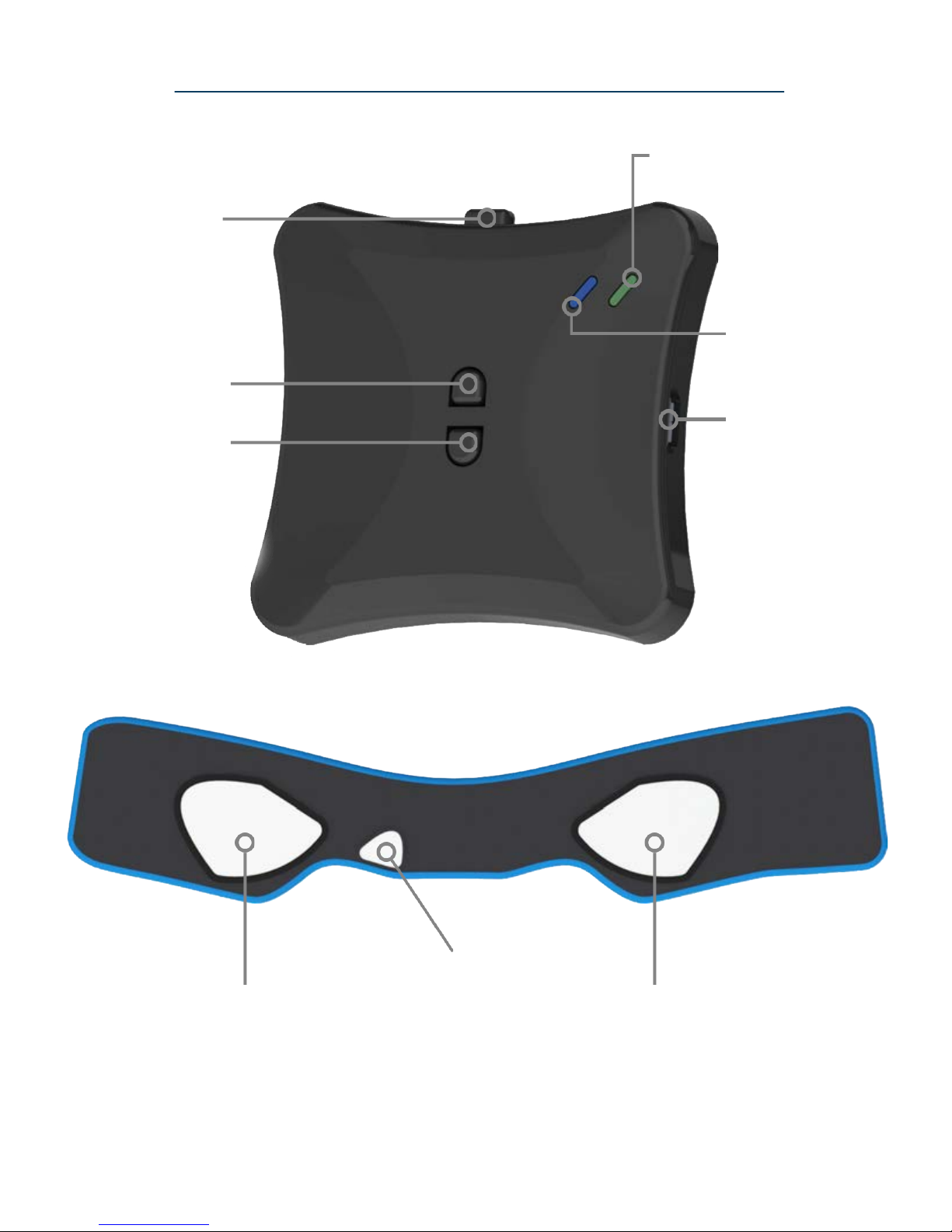
2
Right Ear Sensor
and Speaker Pouch
Forehead
Sensor
Left Ear Sensor
and Speaker Pouch
Micro USB
Charging Port
Bluetooth
LED Indicator
Power (Green) and
Charging (Orange)
LED Indicator
Power Switch
Volume Down
Volume Up
Components
Page 6
3
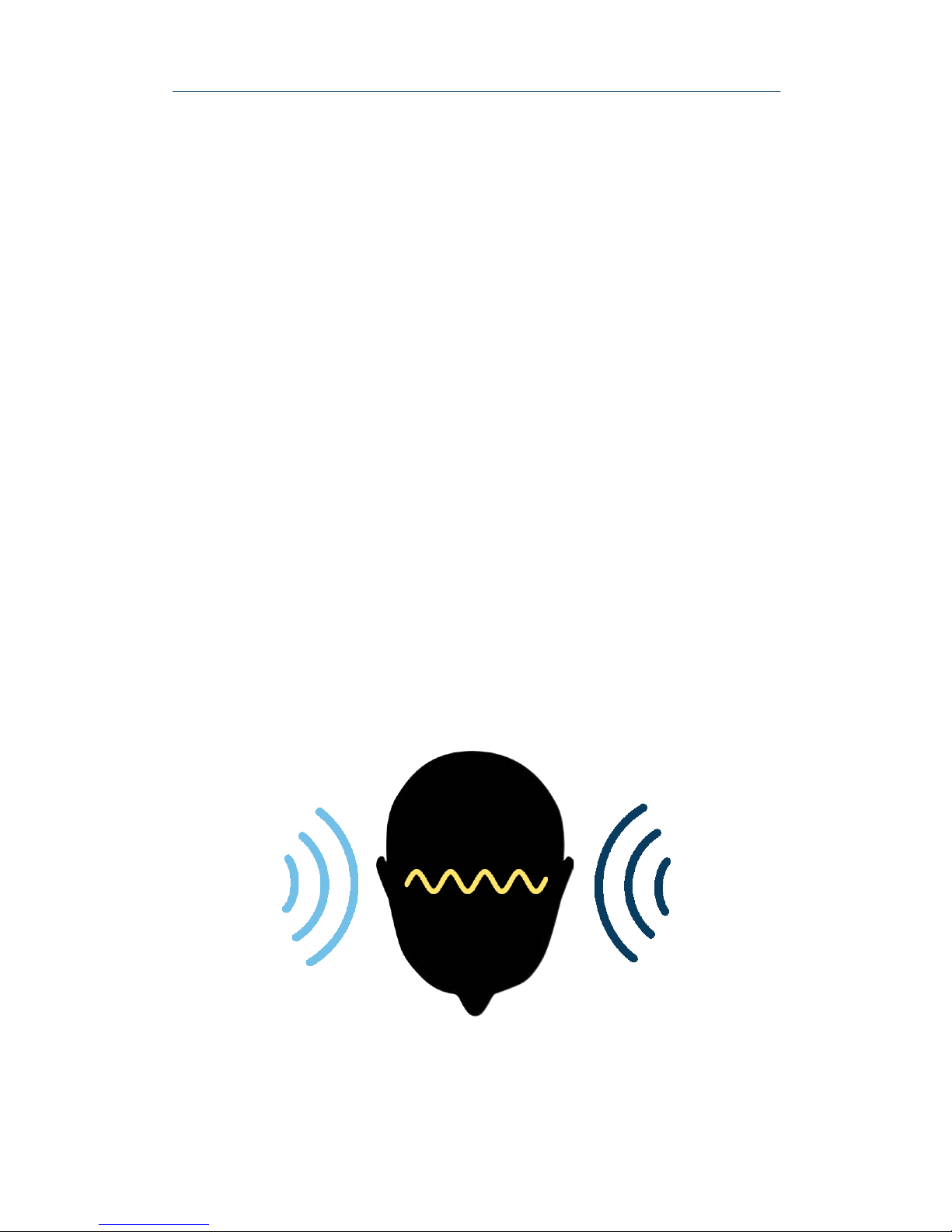
The Sleep Shepherd Blue is a complete sleep enhancing
system that uses scientifically proven technology to
actively improve your sleep quality. The Sleep Shepherd
Blue is unique in that it works with your brain’s natural
structure to slow your brainwaves down and guide you to
better sleep without altering brain chemistry in any way.
This technology incorporates a biofeedback system that
utilizes specialized tones to help entrain your brainwaves
to a slower frequency in preparation for sleep. While
wearing the Sleep Shepherd Blue, you will begin to
perceive a rhythmic pulse over a constant carrier tone.
This phenomenon is created by your brain deciphering
the difference in frequency between the two tones that are
played into either ear.
How it Works
Page 7
4
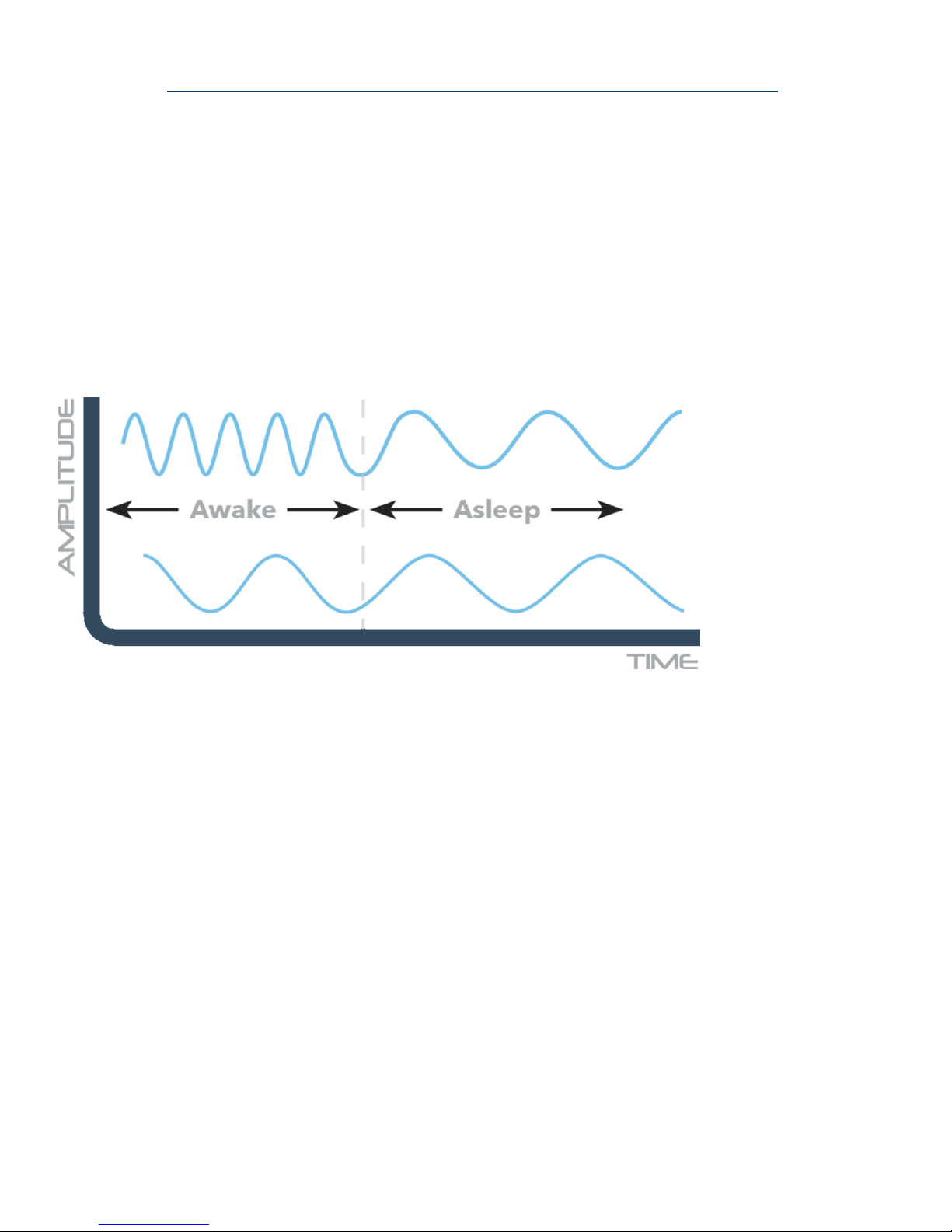
The specialized tones automatically shut off when your
brain has reached a sleeping state. However, the unit
continues to passively monitor your brainwaves and
movement throughout the night and is ready to come
back on whenever needed.
Brainwaves slow as
they entrain to the
Sleep Shepherd’s
output tones
Tones automatically
adjust based on
data obtained from
sensors in real time
The forehead and ear sensors contained within the Sleep
Shepherd Blue closely monitor your brainwaves. The data
is used in real time to adjust the tones delivered to each
ear such that the resultant frequency of the tones is always
slightly slower than your current brainwave frequency.
How it Works
Page 8
5
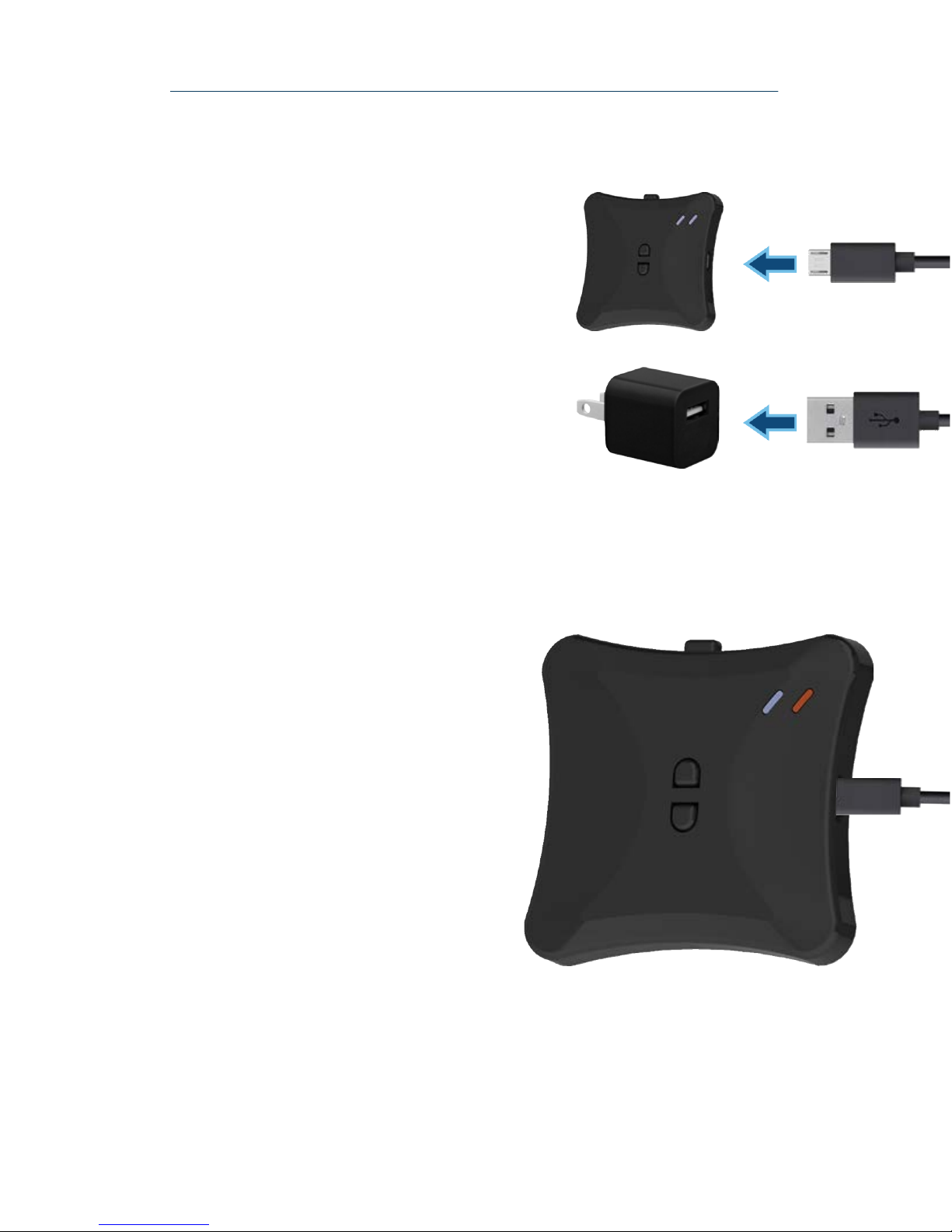
The orange charging indicator
LED will appear when the
device is being charged. Once
the device is fully charged, the
orange LED will automatically
turn off, indicating the device
is fully charged and ready for
use. The device will generally
take two hours to charge fully.
A
B
To charge the Sleep Shepherd
Blue, use the included
charging cord. Connect the
micro-USB plug into the unit’s
micro-USB port (Figure A).
Connect the USB plug into the
included charging adapter
(Figure B). The unit should be
fully charged between every
use.
Charging
Page 9
6
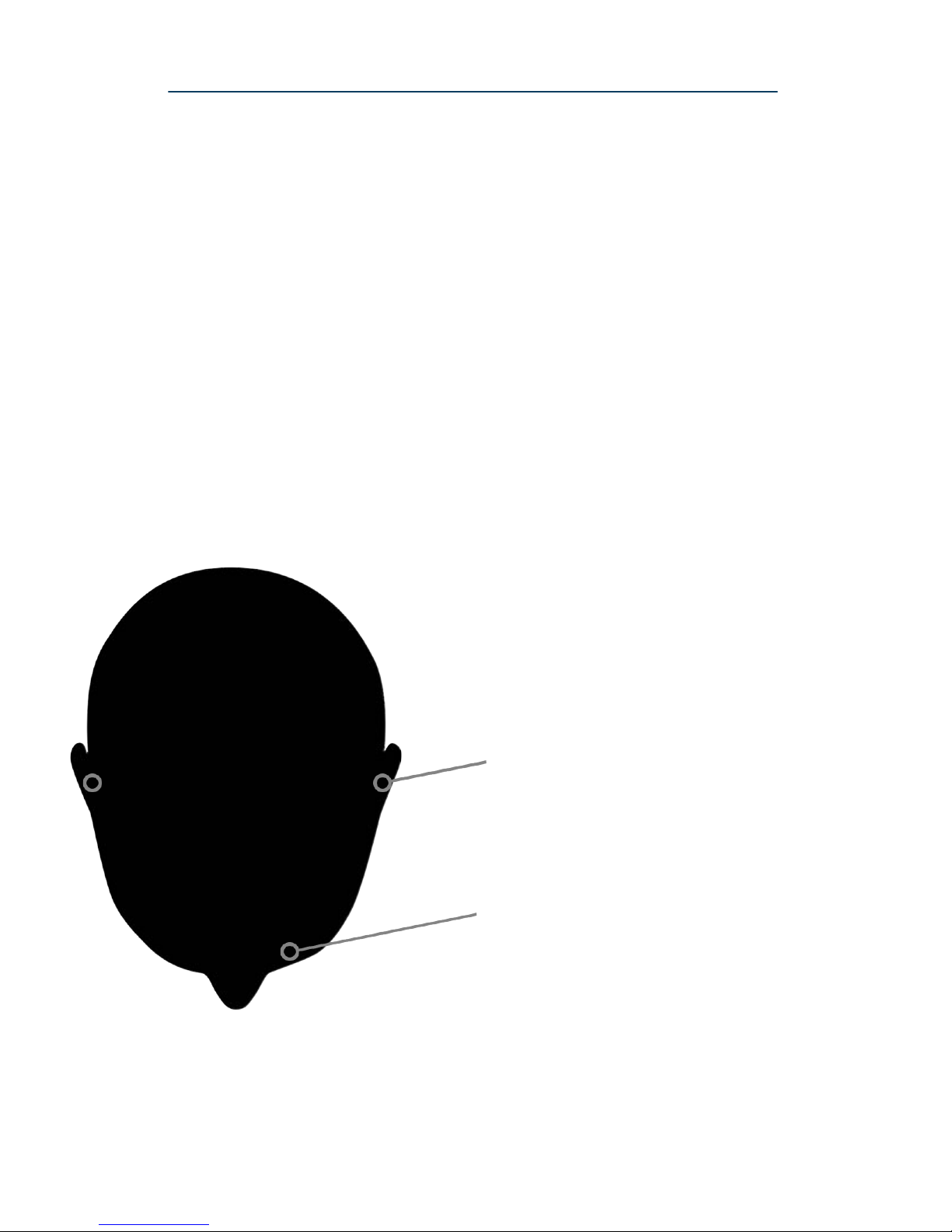
Top View
Place the front sensor above
your left eye, ensuring the
sensor makes contact with the
skin on your forehead.
Place left and right sensors
such that the conductive fabric
makes contact with the skin on
your ears.
The Sleep Shepherd Blue is able to passively monitor your
brainwaves through conductive fabric sensors integrated
into the inside of the headband. In order to obtain
accurate readings, the sensor pads must be in firm contact
with the wearer’s skin. The two sensors along the side of
the headband should align over the wearer’s ears. The
front sensor should come in contact with the wearer’s
forehead above the left eye. Hair must be pulled back
away from the forehead and behind the ears to ensure
adequate contact.
Positioning the Sensors
Page 10
7
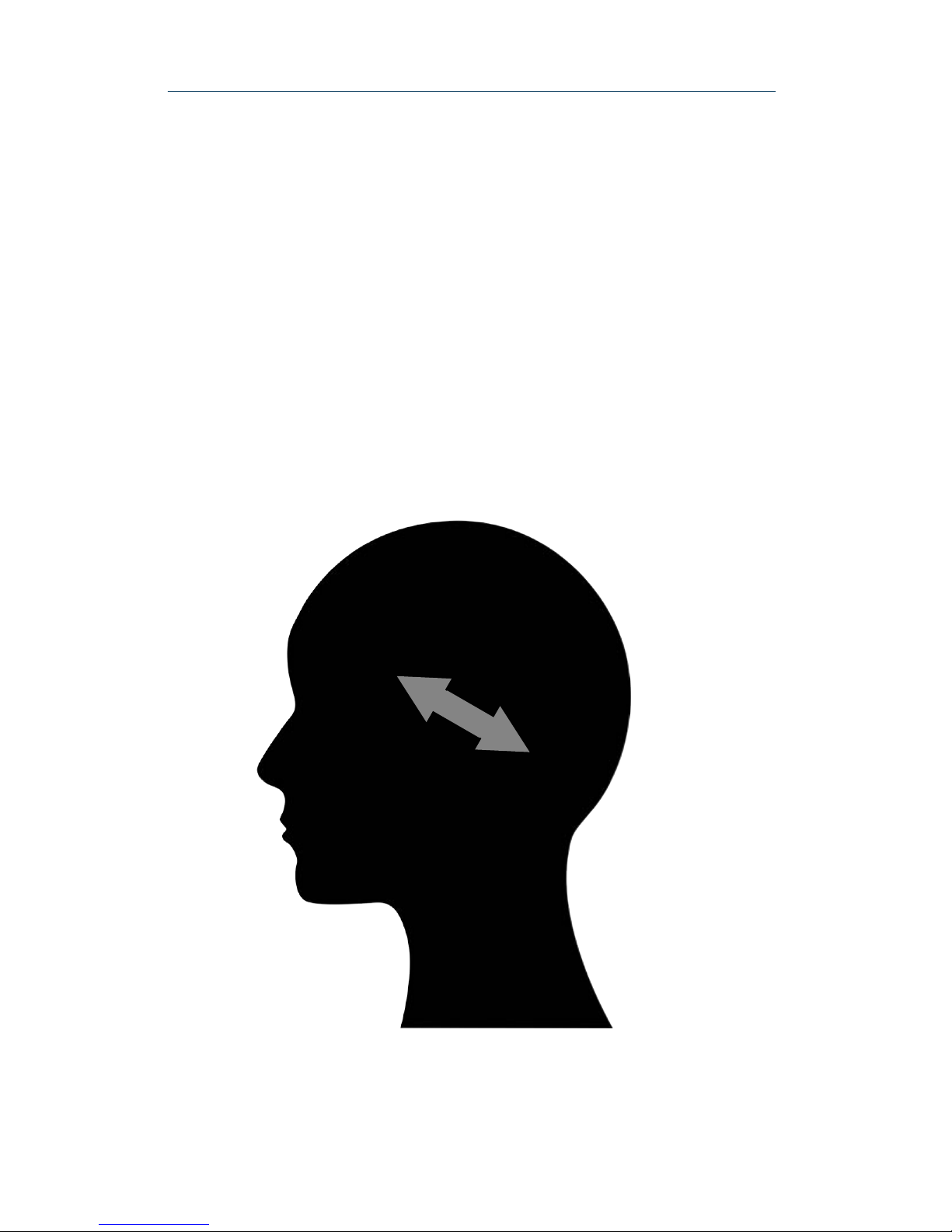
Thin speakers are incorporated into the headband within
the conductive fabric pockets located over the ears. The
speakers can be positioned within these pockets so that
they align comfortably over the natural indentation of
your ears. Volume levels can be adjusted on the
electronics casing. Volume balance can be adjusted using
the Sleep Shepherd companion app.
Adjusting the Speakers
Page 11

8
Download the Sleep Shepherd app by scanning the QR
code above. Alternatively, the app can be downloaded by
accessing the Google Play store for Android devices or
the Apple App store for iOS devices.
Upon first opening the app, you will encounter a prompt
to complete a detailed tutorial for syncing your Sleep
Shepherd Blue. Please follow these in-app instructions
prior to navigating the app.
The Sleep Shepherd Blue offers unparalleled sleep
tracking insights by collecting brainwave data in
combination with head orientation and movement to
comprehensively and accurately track your nightly sleep.
This data can be used to beneficially analyze and adjust
your sleep routines to help optimize your sleep like never
before.
Using the App
Page 12
9
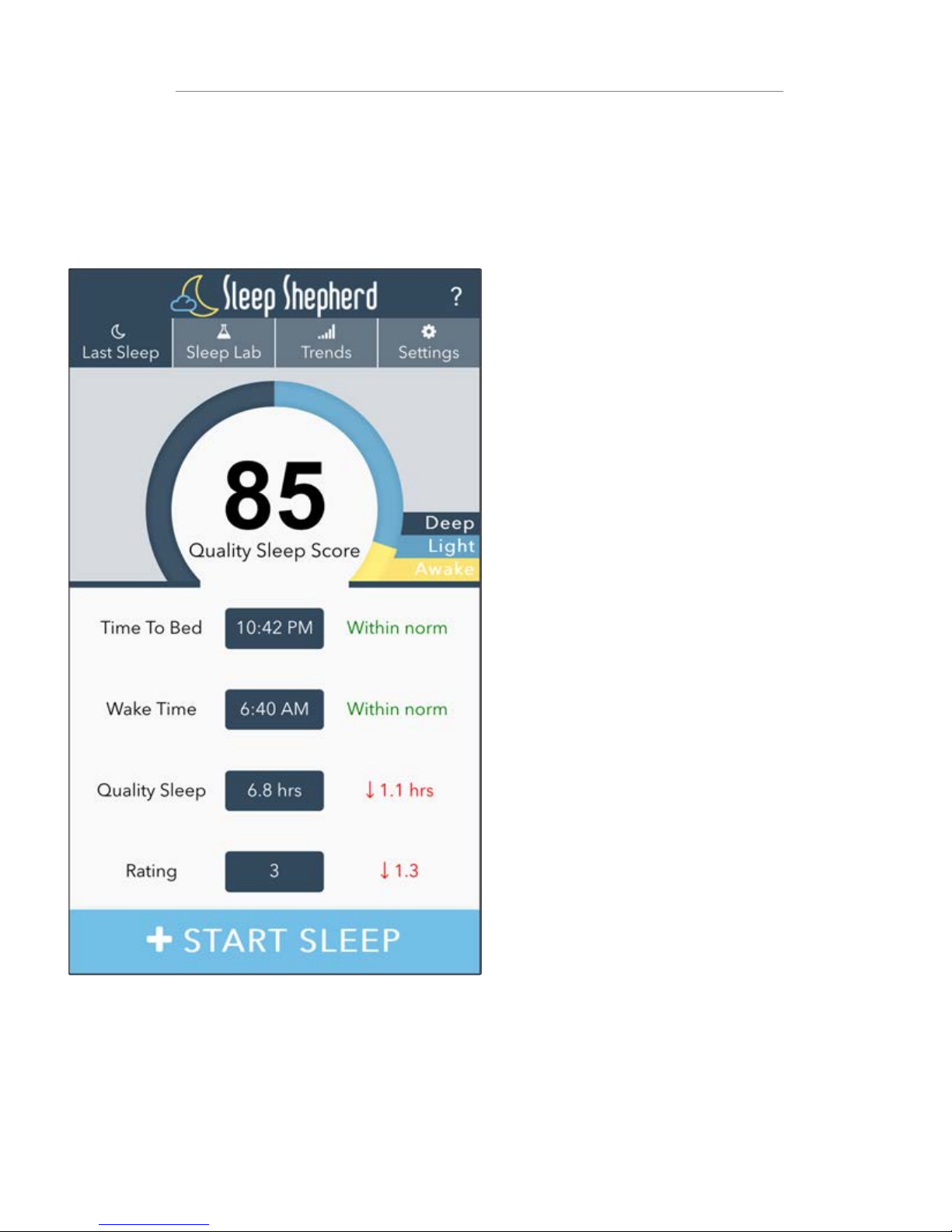
Start/End Sleep Button
Hit the Start Sleep button, and your
headband will begin recording data.
When you wake up, hit the End Sleep
button to sync recorded sleep data to
the app. The Sleep Shepherd Blue
only emits electronic signals during
this brief syncing process.
At-A-Glance Stats
The Sleep Shepherd App keeps track
of your sleep routine to alert you of
inconsistencies in the time you go to
bed, the time you wake up and the
time spent in quality sleep. The app
will also keep track of user-provided
sleep ratings so you can quickly see
how your sleep habits are affecting
your reported sleep quality.
Quality Sleep Score
A numerical score quantifying last
night’s sleep quality is automatically
generated each morning. This score
takes into account time spent in each
sleep stage, duration of quality sleep
time, and movement throughout the
night. The radial graph shows a ratio
of time spent in deep sleep, light
sleep, and awake states.
The Last Sleep page gives a quick insight into last night’s sleep.
Last Sleep
Page 13
10
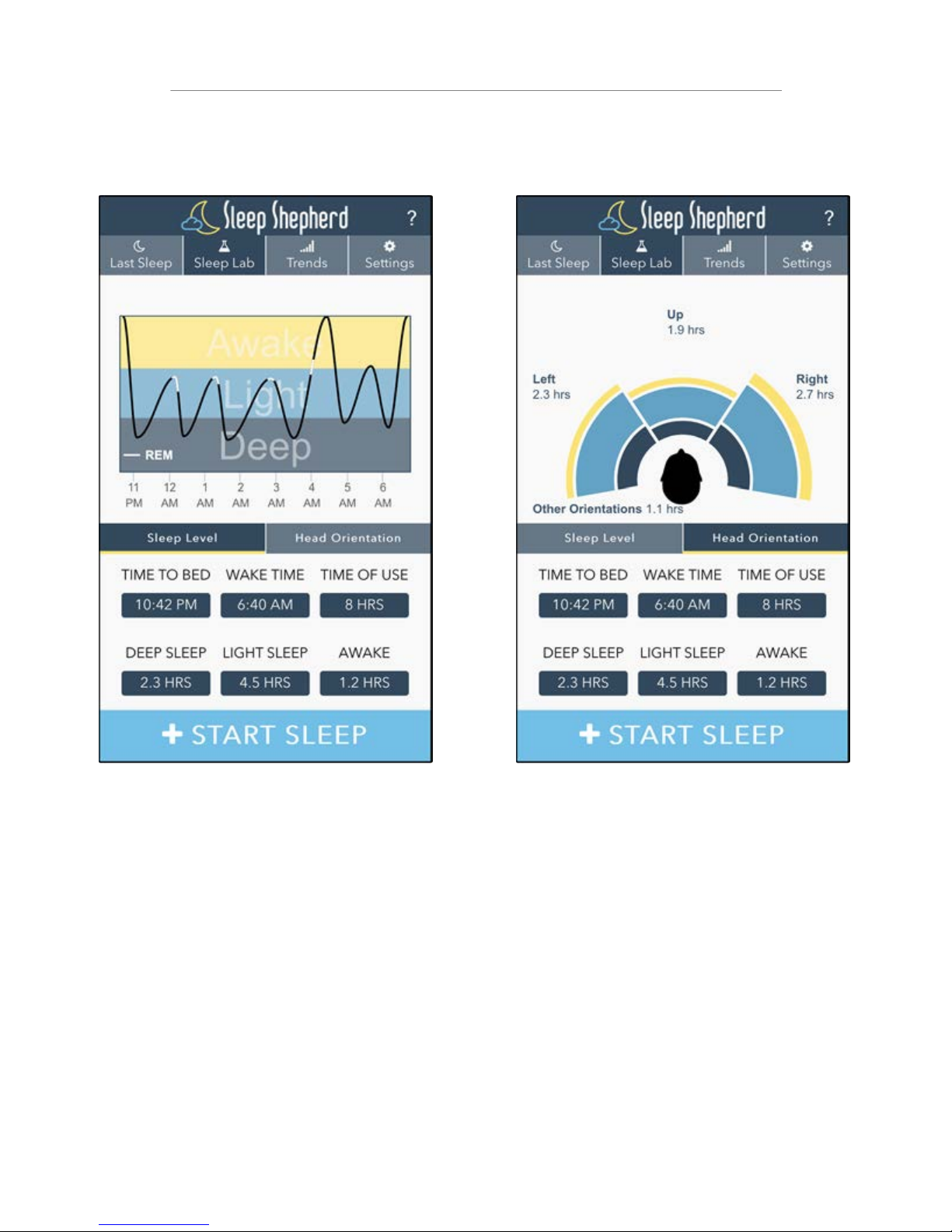
Head Orientation
The Head Orientation plot tracks the
time spent in each sleep orientation.
The plot also indicates time spent in
deep, light and awake states for each
sleep orientation. Any time spent out
of bed or in a sitting position is
categorized as ‘Other Orientation’.
Sleep Level
The Sleep Level graph tracks your
sleep throughout the night and
classifies the data into ‘Awake’, ‘Light’
and ‘Deep’ sleep states. Portions of
the line shown in white indicate R.E.M.
episodes. Any portion of the graph
that does not plot data, indicates
insufficient data was collected (refer
to ‘Positioning the Sensors’ section of
this manual to ensure proper sensor
contact).
The Sleep Lab page gives detailed insight into last night’s sleep.
Sleep Lab
Page 14
11
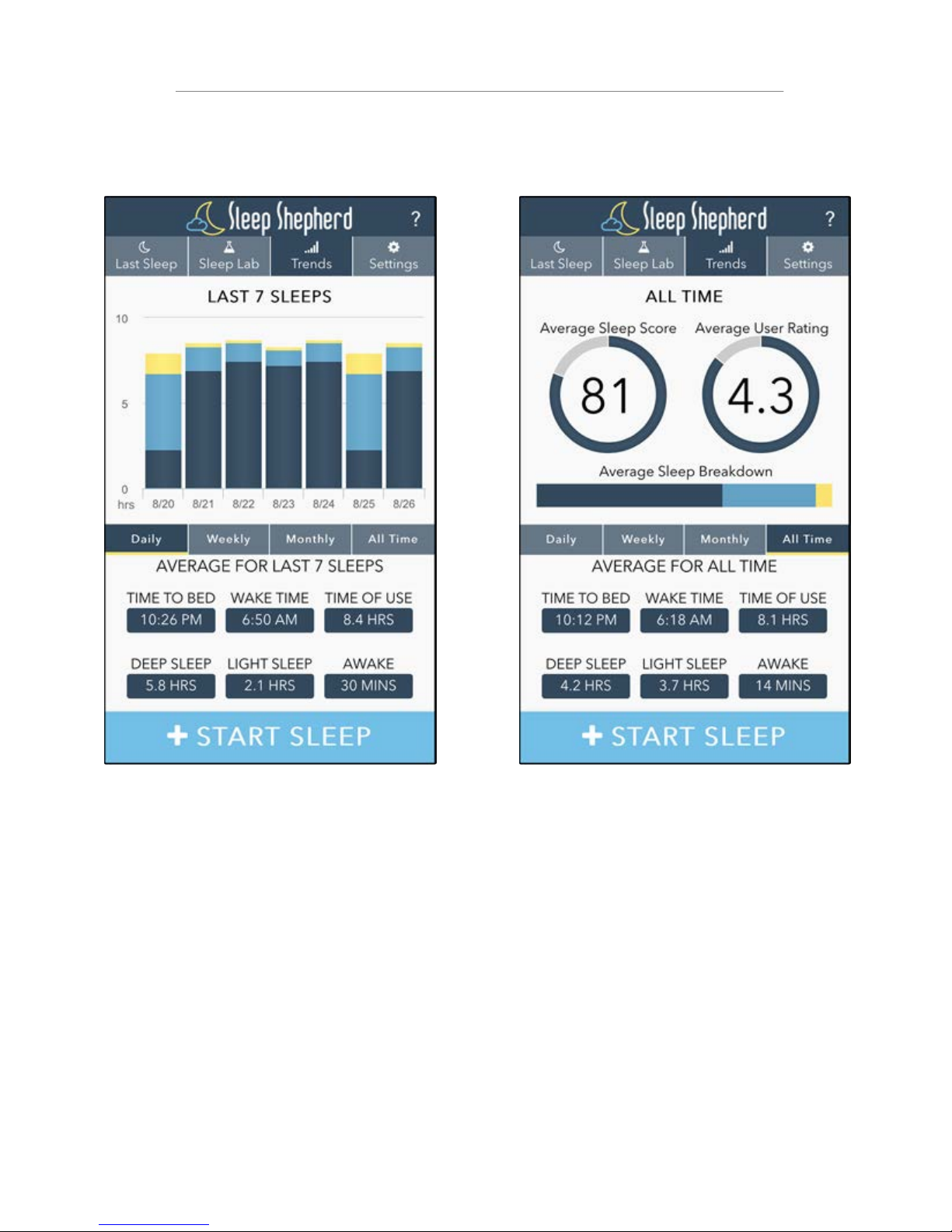
All Time
The All Time tab averages data from
every sleep session recorded on the
app. These values are also used as
baseline values for the comparisons
found on the Last Sleep page.
Daily, Weekly, Monthly
From the Daily tab you can see the
deep, light, and awake breakdown of
the last seven sleep sessions.
Selecting the Weekly tab will show
weekly averages for the last seven
weeks. Similarly, the Monthly tab will
show averages for the last seven
months.
The Trends page helps better track sleep habits and routines.
Trends
Page 15
12
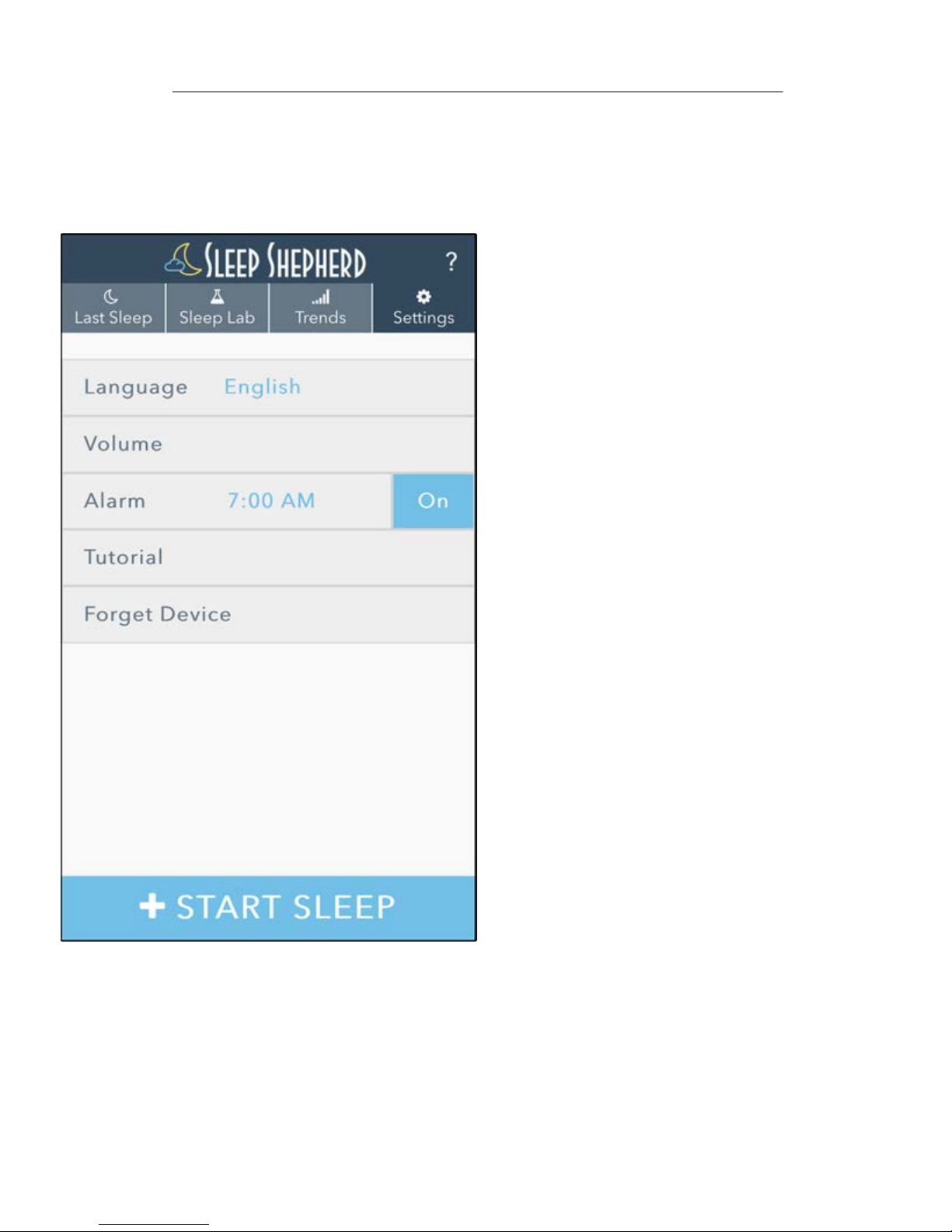
Forget Device
Clicking on the Forget Device tab will
allow you to connect your app to
another Sleep Shepherd Blue unit.
Tutorial
A step-by-step tutorial will guide you
through connecting to your Sleep
Shepherd Blue for the first time. This
tutorial can be reviewed at any time
by clicking on the Tutorial tab.
Alarm
The Sleep Shepherd Blue contains a
revolutionary Smart Alarm feature
that can be easily set from the Alarm
tab. Smart Alarm capabilities can be
found in the Smart Alarm section of
this manual.
Volume
The default volume of your Sleep
Shepherd Blue can be set either in the
app or on the unit. For users with
differential hearing, volume balance
can also be set by clicking on the
Volume tab.
Language
The Sleep Shepherd App is available
in numerous languages, click the
Language tab to select your desired
language.
The Settings page allows you to customize your Sleep Shepherd.
Settings
Page 16
13
The Sleep Shepherd Blue Smart Alarm feature ensures you
will wake up on time, feeling refreshed and ready for the
day.
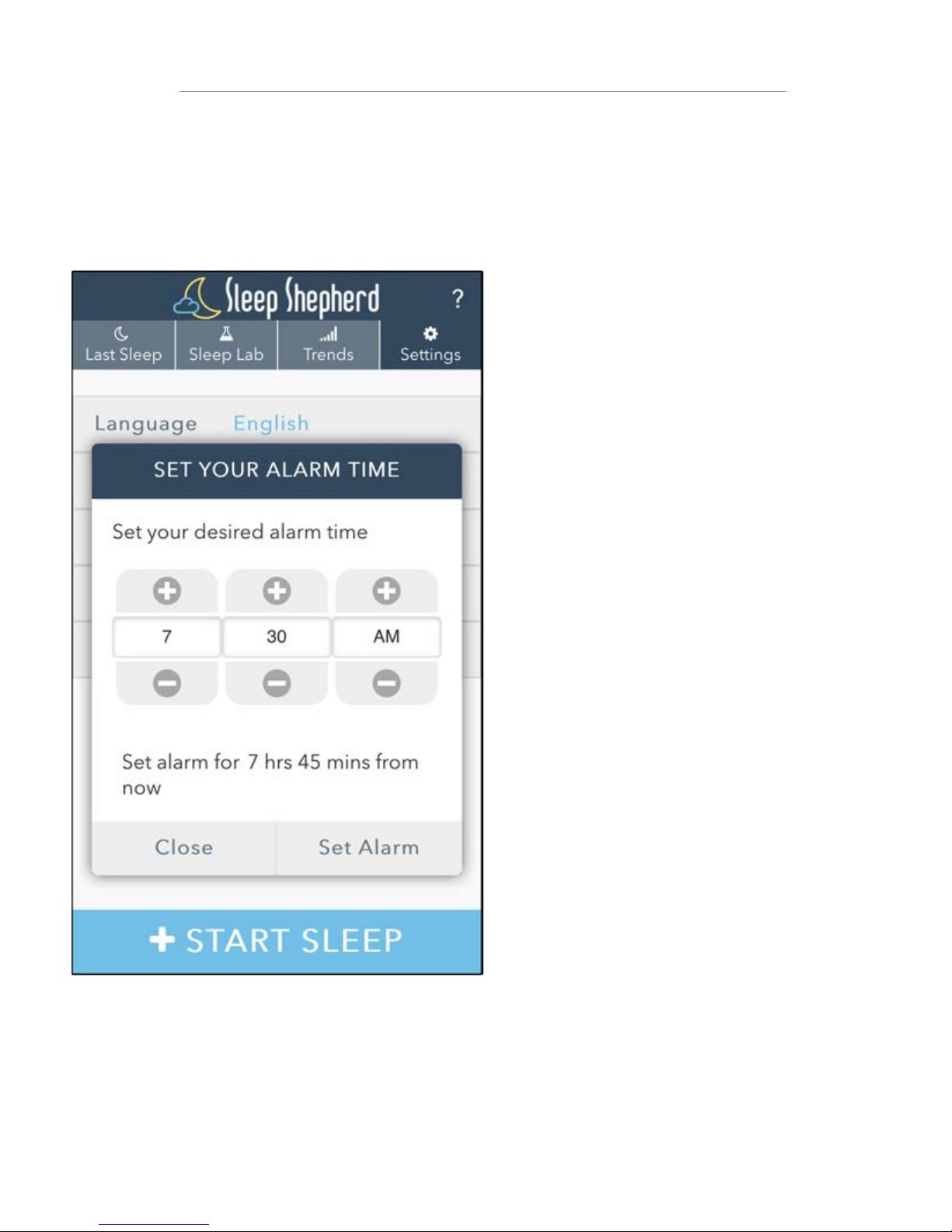
To set the Smart Alarm,
simply click on the Alarm
tab on the Settings page,
and select your desired
wake time. Once an alarm
is set, the alarm can be
toggled on and off from
the Alarm tab.
When the Smart Alarm
feature is enabled, the
Sleep Shepherd Blue will
begin to emit specialized
tones to gradually lift you
out of sleep just prior to
your pre-set alarm time.
An alarm beep will slowly
be integrated into the
binaural tones. This beat
will gradually increase in
volume to help wake you
up without the abrupt
startle of a traditional
alarm.
Smart Alarm
Page 17
14
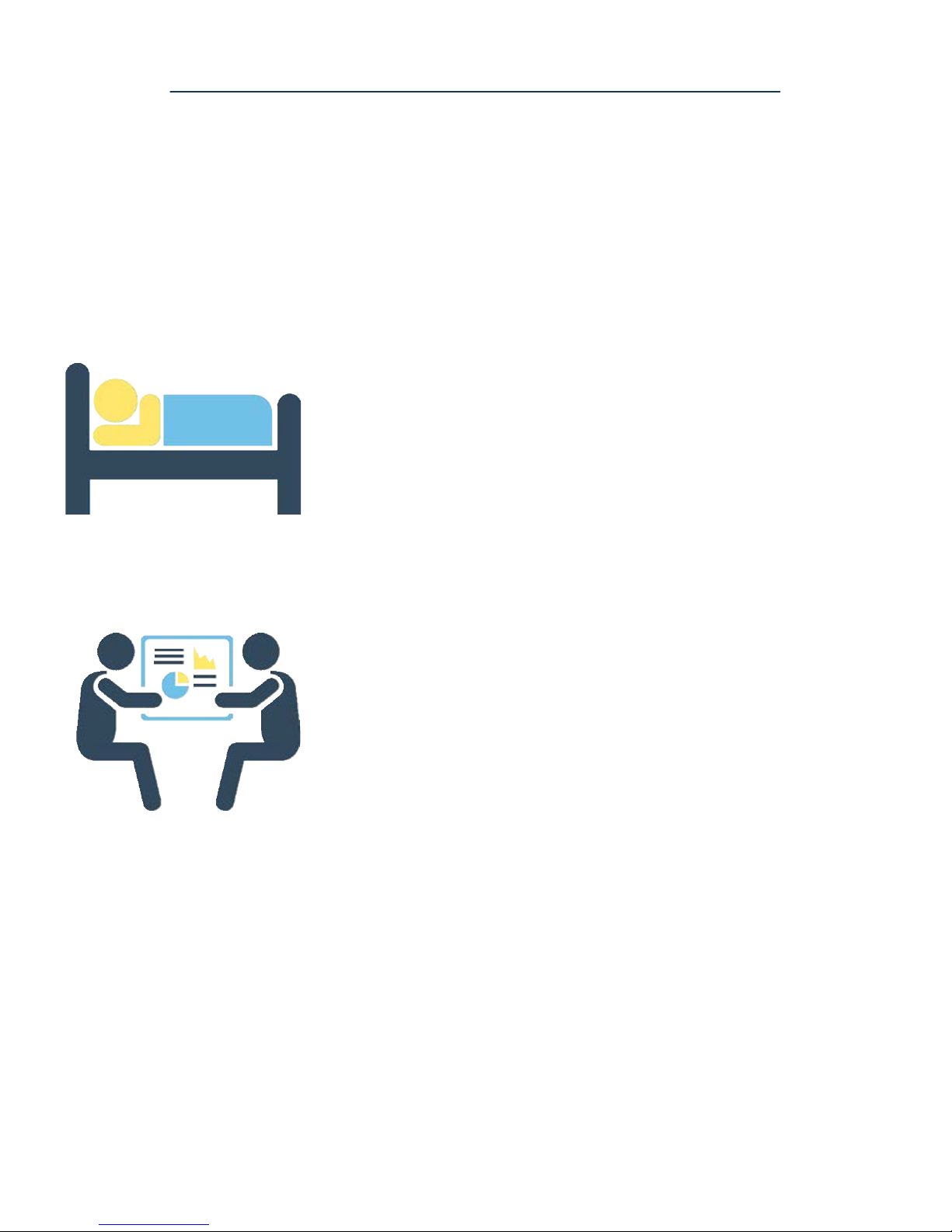
Running Ragged
Members of this group work hard, perhaps
balancing multiple responsibilities with long or
out of the ordinary hours. For this reason, this
group tends to not be able to budget sufficient
time for sleep. The Sleep Shepherd Blue can help
these individuals maximize their sleep by
enhancing the time they spend sleeping as well as
enabling them to better track their sleeping
habits.
Sensitive Sleeper
Members of this group suffer from frequent
interruptions in sleep and often have difficulty
falling back asleep during the night. The Sleep
Shepherd Blue can help block out noises that
cause sleep disturbances and help these
individuals fall back asleep faster after a sleep
interruption.
To maximize the Sleep Shepherd Blue’s effectiveness for
you, it is helpful to determine what sleep category you fall
into:
Sleeping Types
Page 18

15
Committed Competitor
Members of this group do not necessarily have
trouble sleeping, but are looking to optimize their
sleep patterns. This group can benefit from using
the Sleep Shepherd Blue to help increase the time
spent in deep sleep. In addition, the Sleep
Shepherd Blue companion app can give members
of this group a competitive advantage by
providing sleep insights that other sleep trackers
simply can’t match.
Bustling Brains
Members of this group are constantly juggling the
varied demands of life, including work and family
issues, and thus have some difficulty slowing down
their brains at bedtime. Members of this group
can benefit from using the Sleep Shepherd Blue to
help them fall asleep at night and allow their
natural sleep cycles to return to a healthy level.
Sleeping Types
Page 19
16
Exercise Daily
Exercising daily (finishing 2-3 hours prior to bed) has
been shown in countless studies to improve overall
sleep patterns. As with any factor involving sleep, it is
best to establish a consistent routine to condition
your body into feeling alert when you wake up and
relaxed when you’re preparing for sleep.
Regulate Your Schedule
It is important to maintain a consistent sleep routine
as much as possible. Going to bed and waking up at
the same time each day allows your body’s natural
circadian rhythm to restore itself to a healthy state.
Establishing a nighttime routine will also condition
your body to better prepare for sleep. The Sleep
Shepherd Blue’s companion app can help pinpoint
sleep routine irregularities.
The Sleep Shepherd Blue’s revolutionary biofeedback
system is designed to help enable your brain to slow
down and better prepare for a restful night’s sleep. In
addition, the companion app enables users to track their
sleeping patterns like never before. The Sleep Shepherd
Blue is most effective when paired with healthy sleep
habits. To achieve the best results, we recommend
following these proven sleep hygiene techniques:
Sleep Hygiene Tips
Page 20

17
Allow Your Brain to Relax
While wearing the Sleep Shepherd Blue, clear your
mind of distractions and allow your brain to relax.
Only use the Sleep Shepherd Blue when you are
prepared to go to sleep. Do not engage in other
activities such as reading, conversing, or watching
television while using the Sleep Shepherd Blue.
Limit Alcohol, Caffeine, and Tobacco
Limiting consumption of these substances will
drastically improve overall health and sleep patterns.
These items should especially be avoided prior to
bed as they are known to alter chemical compositions
in the body (particularly the brain) and tend to have a
negative impact on sleep cycles.
Limit Use of Electronics
It is important to limit prolonged interaction with
electronic devices prior to bed (phone, tablet, laptop,
TV). These devices tend to emit wavelengths of light
that have been shown to suppress melatonin levels
and lead to increased brainwave activity. These
devices also tend to evoke strong emotional and
physiological responses that are not conducive to
sleep and relaxation.
Sleep Hygiene Tips
Page 21

18
The Sleep Shepherd Blue is surface clean only. Clean fabric
portion with a slightly damp cloth and fabric cleaning solution.
Do not allow the sensors, speakers, or electronics to become
submerged in water. Do not wash, iron, or dry the Sleep
Shepherd Blue. Doing so will damage the unit and will void any
and all warranties. Handle with care. Do not drop or throw.
Electronics are fragile. Keep in safe, dry area when not in use.
Care Instructions
Page 22

19
If you experience technical difficulties with your Sleep
Shepherd Blue unit, please follow these steps. If the problem
persists, visit: www.sleepshepherd.com/FAQ
1) Ensure the device is charged fully.
2) Ensure the sensor pads are making contact with your skin.
3) Rotate your head side to side to reinitialize the device.
4) Turn the electronics off using the power switch located on
the electronics case. Wait 1 minute, and turn the power
switch back on.
If you experience technical difficulties with the Sleep Shepherd
Blue companion app, follow these steps. If the problem
persists, visit: www.sleepshepherd.com/FAQ
1) Close the app entirely (see phone manual for instructions).
2) Power cycle your phone.
3) Download any updates from your phone’s app store.
Troubleshooting
Page 23

Warranties and Returns
Since this is a hygiene article, it is excluded from exchange. The
guarantee is subject to the standard legal requirements. Many
technical questions can already be answered on the manufacturers website under: http://sleepshepherd.com/support/. Should
you still be forced to make use of your guarantee, please turn to
the dealer you bought the product from.
20
 Loading...