

Page 1
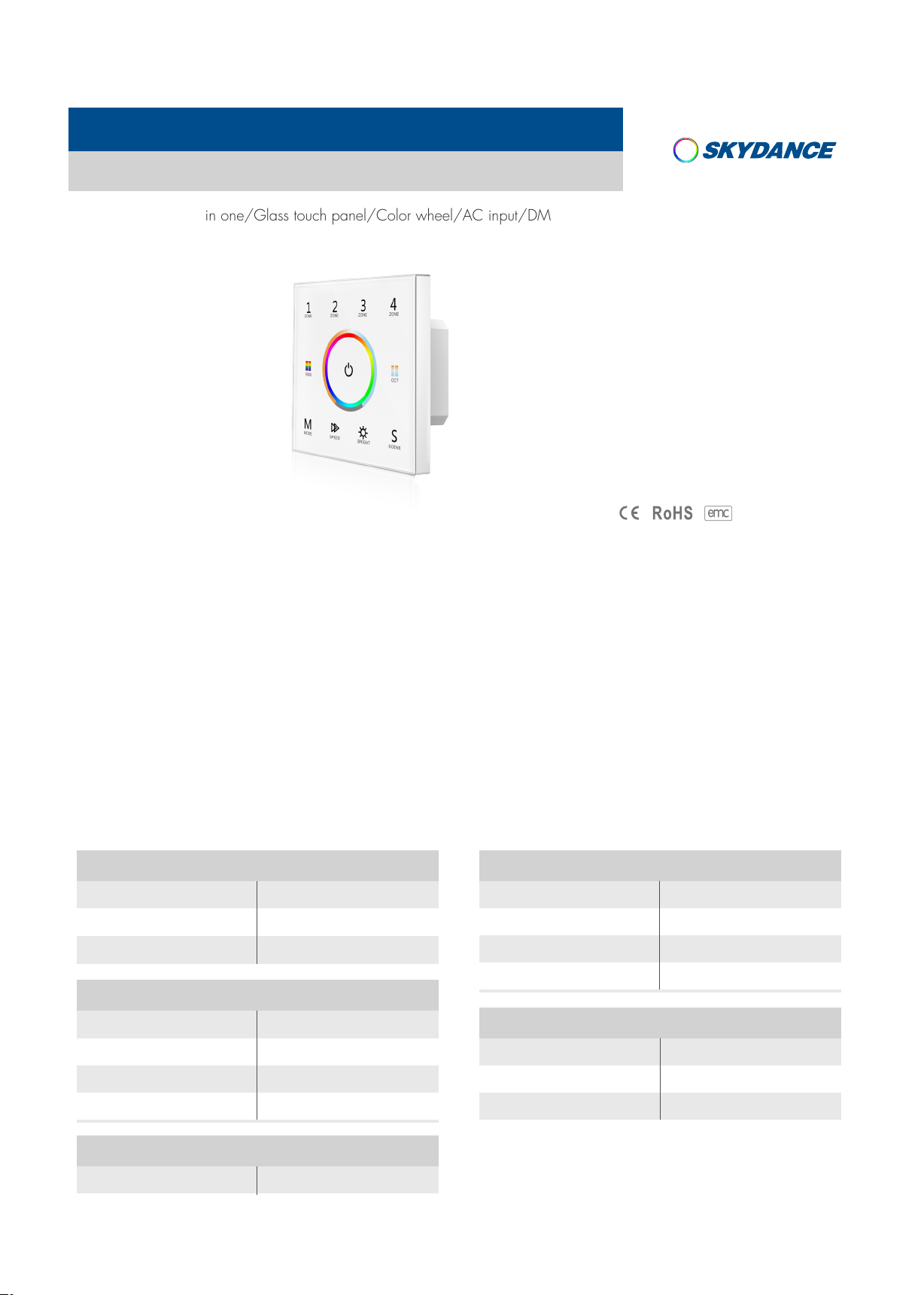
Wall Mounted Touch Panel
Model No.: T15
4 Zone/1-5 color in one/Glass touch panel/Color wheel/AC input/DMX 512 and RF 2.4G signal output
Features
LVD RED
● Touch panel 4 zone 1-5 color DMX512 master, can also be used as 4 zone 1-5 color RF remote.
● Each zone can be set as single color, dual color(WW/CW), RGB, RGBW or RGB+CCT light type.
● DMX signal output, comply to standard DMX512 protocol, compatible with DMX decoder from any supplier.
● When used as RF remote, each zone can remote control multiple Skydance’s 2.4G LED controllers.
● Ultra sensitive high strength glass touch panel with touch color wheel in the middle and backlighting.
● Smooth and accurate color adjustment by touching the color wheel.
● Touch keys with chord tones and LED indicator.
Technical Parameters
Input and Output
Input voltage
Input current
Output signal
85-265VAC
Max 0.1A
DMX512, RF 2.4GHz
Safety and EMC
EMC standard (EMC) EN301 489,EN 62479
Dimming data
Input signal
RF Control distance
Dimming level
Dimming range
Environment
Touch key + RF 2.4GHz
30m
256 levels
0 -100%
Safety standard(LVD)
Radio Equipment(RED)
Certification
Warranty
Warranty
User Manual Ver 1.0.2
EN60950
EN300 328
CE,EMC,LVD,RED
5 years
Operation temperature
Case temperature (Max.)
IP rating
www.iskyda nce.com
Ta: -30OC ~ +55OC
O
+85
T c:
IP20
C
Page 1
Page 2

Mechanical Structures and Installations
T15 Wall Mounted Touch Panel
DMX output +
DMX OU TPUT
DMX output -
DMX signal GND
Installation diagram:
INPU T
85-2 65VAC
LNGNDD+ D-
AC input L
AC input N
86 mm
11. 5mm
86 mm
6
45 .5 mm
59 mm
2m m
35 mm
Typical base as below:
Uninstall
Touch panel Baseplate
Key function
Zone light type setting
1 2
ZONE ZONE ZONE ZONE
RGB
M
indicator is on: Zone1 is single color type.
BRIG HT
indicator is on: Zone1 is dual color type.
CCT
indicator is on: Zone1 is RGB color type.
RGB
indicator is on: Zone1 is RGBW type.
MODE
3
4
Each zone can match single color, dual color(WW/CW), RGB, RGBW,
or RGB+CCT(WW/CW) controller or lamp.
CCT
Touch power key to turn on light, turn off light,
S
SPEED BRIGH TMODE
SCENE
then immediately long press power key for 2 seconds,
enter zone light setting, Zone 1 indicator is on and Zone 1's light type is displayed:
Base
European style
86 size
indicator is on: Zone1 is RGB+CCT type.
SPEE D
If you want to change zone 1 light type, please long press above five key for 2 seconds,
For example, long press will set Zone 1 as RGB type.
RGB
If you want to change zone 2/3/4 light type, short press 2/3/4 zone key firstly, then repeat above step.
short press press power key or timeout 8s, quit zone light type setting.
User Manual Ver 1.0.2
www.iskyda nce.com
Page 2
Page 3
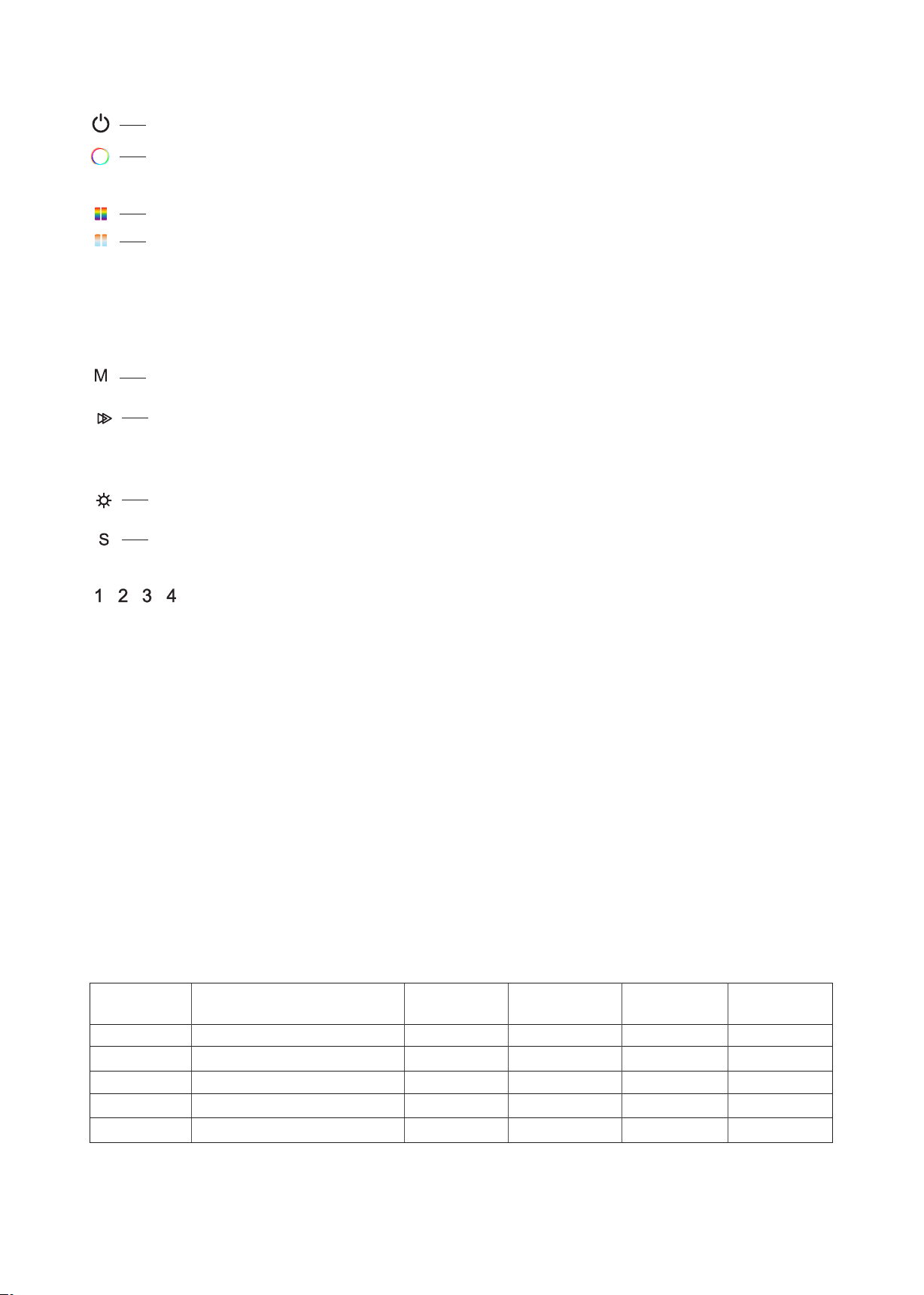
Turn on/off all zone light.
RGB color / Color temperature.
Press RGB or CCT key to switch between RGB wheel and CCT wheel.
T15 Wall Mounted Touch Panel
RGB
CCT
RGB color, 24 levels.
For dual color or RGB+CCT(WW/CW), adjust color temperature by WW/CW channel,
short press 11 levels, long press 2s get max or min color temperature.
For RGB, adjust color temperature by mix R/G/B channel,11 levels.
For RGBW, adjust color temperature by adjust W channel brightness,11 levels.
long press 2s get 100% or 0% White channel brightness.
MODE
SPEE D
Short press play 10 built-in mode, long press 2s run mode-cycle.
For dynamic RGB mode, adjust speed, short press 10 levels, long press 2s get the default speed.
For static RGB color, adjust saturation, namely change current static RGB color to mixed white slowly,
short press 11 levels, long press 1-6s for continuous 256 levels adjustment.
BRIG HT
SCEN E
Adjust brightness, short press 10 levels, long press 1-6s for continuous 256 levels adjustment.
Short press replay scene. Long press 2s to save the current color into the scene.
4 zone recall or save synchronously.
ZONE ZONE ZONE ZONE
Short press turn on zone light and select zone simultaneously, long press 2s turn off zone light.
4 zone control seperately or synchronously, each zone could control multiple receivers.
Only multiple zone have same light type can select synchronously.
Note:
● For single color, touch RGB/CCT wheel only change brightness, RGB, MODE, SPEED key is unvalid.
● For dual color, touch RGB/CCT wheel only change color temperature, RGB, MODE, SPEED key is unvalid.
● For RGB, when touch CCT wheel, adjust color temperature by mix R/G/B channel.
● For RGBW, when touch CCT wheel, adjust W channel brightness.
● After touch power key to turn off light, wait more than 3 seconds, long press power key for 5 seconds will turn on or turn off tone.
Touch Panel work as DMX512 Master
After connect with DMX decoders, please set the DMX decoders address as below:
Light Type
Single color
Dual color
RGB
RGBW
RGB+CCT
Light color channel
W W W W W
WW CW WW CW 0
R G B 0 0
R G B W W
R G B WW CW
Zone 1
DMX address
1-5
1-5
1-5
1-5
1-5
Zone 2
DMX address
6-10
6-10
6-10
6-10
6-10
Zone 3
DMX address
11 -15
11 -15
11 -15
11 -15
11 -15
Zone 4
DMX address
16 - 20
16 - 20
16 - 20
16 - 20
16 - 20
User Manual Ver 1.0.2
www.iskyda nce.com
Page 3
Page 4

T15 Wall Mounted Touch Panel
Wiring Diagram for touch panel work as DMX512 master
DMX OUT PUT
D+ D-
INPUT
85-26 5VAC
GND
LN
AC85-265V
DMX signal
Touch Panel work as RF remote (two match ways)
End user can choose the suitable match/delete ways. Two options are offered for selection:
Use the controller’s Match key
Match:
Short press match key, immediately press Zone
key of the touch panel.
Use Power Restart
Match:
Switch off the power of the receiver, then switch on power again,
immediately short press Zone key 3 times on the touch panel.
The light blinks 3 times means match is successful.
Delete:
Press and hold match key for 5s to delete all match,
The light blinks 5 times means all matched remotes
were deleted.
Delete:
.
Switch off the power of the receiver, then switch on power again,
immediately short press Zone key 5 times on the touch panel.
The light blinks 5 times means all matched remotes were deleted.
Wiring Diagram for touch panel work as RF remote
DMX OUT PUT
D+ D-
INPUT
85-26 5VAC
GND
LN
AC85-265V
User Manual Ver 1.0.2
www.iskyda nce.com
Page 4
 Loading...