

Page 1
!!!!!!!!!!!!!!!!!!!!!!!!!!!!!!!!!!!!!!!!!!!!!!!!!!!!!!!!!!!!!!!!!!!!!!!!!!PiCAN&2&DUO&Rev&B&V1.3&
!
SK&Pang&Electronics&Ltd&©&2016&
www.skpang.co.uk&
1
!
&
&
&
&
&
&
&
&
&
&
&
Product&name&& PiCAN2&DUO&CAN-Bus&Board&for&Raspberry&Pi&
Model&number& RSP-PICAN2DUO&
Manufacturer& & SK&Pang&Electronics&Ltd&
& &
PiCAN2 DUO USER GUIDE
V1.3
Page 2

!!!!!!!!!!!!!!!!!!!!!!!!!!!!!!!!!!!!!!!!!!!!!!!!!!!!!!!!!!!!!!!!!!!!!!!!!!PiCAN&2&DUO&Rev&B&V1.3&
!
SK&Pang&Electronics&Ltd&©&2016&
www.skpang.co.uk&
2
!
&
Contents'
'
Table'of'Contents'
1.! Introduction'............................................................................................................'3!
1.1.! Features!................................................................................................................................................................!3!
2.! Hardware'Installation'..............................................................................................'3!
1.2.! Screw!Terminal!..................................................................................................................................................!4!
1.3.! 120Ω!Terminator!.............................................................................................................................................!4!
1.4.! LED!..........................................................................................................................................................................!4!
1.5.! Not!Fitted!Items!.................................................................................................................................................!4!
3.! Software'Installation'...............................................................................................'4!
1.6.! Bring!Up!the!Interface!....................................................................................................................................!6!
4.! Writing'Your'Own'Software'.....................................................................................'7!
1.7.! Application!in!Python!.....................................................................................................................................!7!
1.8.! Application!in!C!..................................................................................................................................................!8!
!
! '
Page 3
!!!!!!!!!!!!!!!!!!!!!!!!!!!!!!!!!!!!!!!!!!!!!!!!!!!!!!!!!!!!!!!!!!!!!!!!!!PiCAN&2&DUO&Rev&B&V1.3&
!
SK&Pang&Electronics&Ltd&©&2016&
www.skpang.co.uk&
3
!
&
1. Introduction'
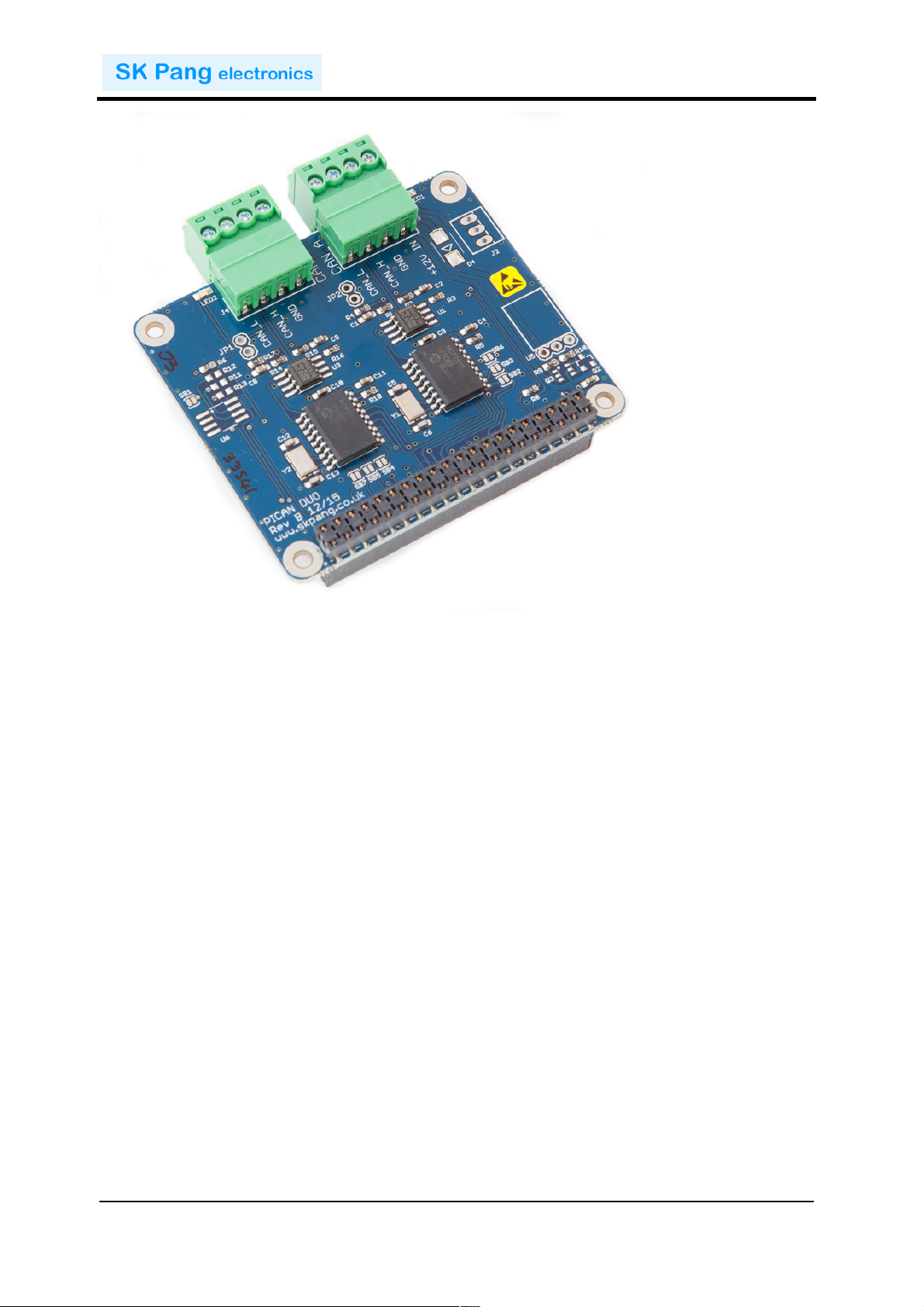
This!PiCAN2!DUO!board!provide!two!independent!CAN-Bus!channels!for!the!
Raspberry!Pi!2.!It!uses!the!Microchip!MCP2515!CAN!controller!with!MCP2551!CAN!
transceiver.!Connections!are!made!via!4!way!screw!terminal.!This!board!is!also!
available!with!a!5v!1A!SMPS!that!can!power!the!Pi!is!well!via!the!screw!terminal.!
Easy!to!install!SocketCAN!driver.!Programming!can!be!done!in!C!or!Python.!
1.1. Features'
•! CAN!v2.0B!at!1!Mb/s!
•! High!speed!SPI!Interface!(10!MHz)!
•! Standard!and!extended!data!and!remote!frames!
•! CAN!connection!via!screw!terminal!
•! 120Ω!terminator!ready!
•! Serial!LCD!ready!
•! LED!indicator!
•! Four!fixing!holes,!comply!with!Pi!Hat!standard!
•! SocketCAN!driver,!appears!as!can0!and!can1!to!application!
•! Interrupt!RX!on!GPIO25!and!GPIO24!
2. Hardware'Installation'
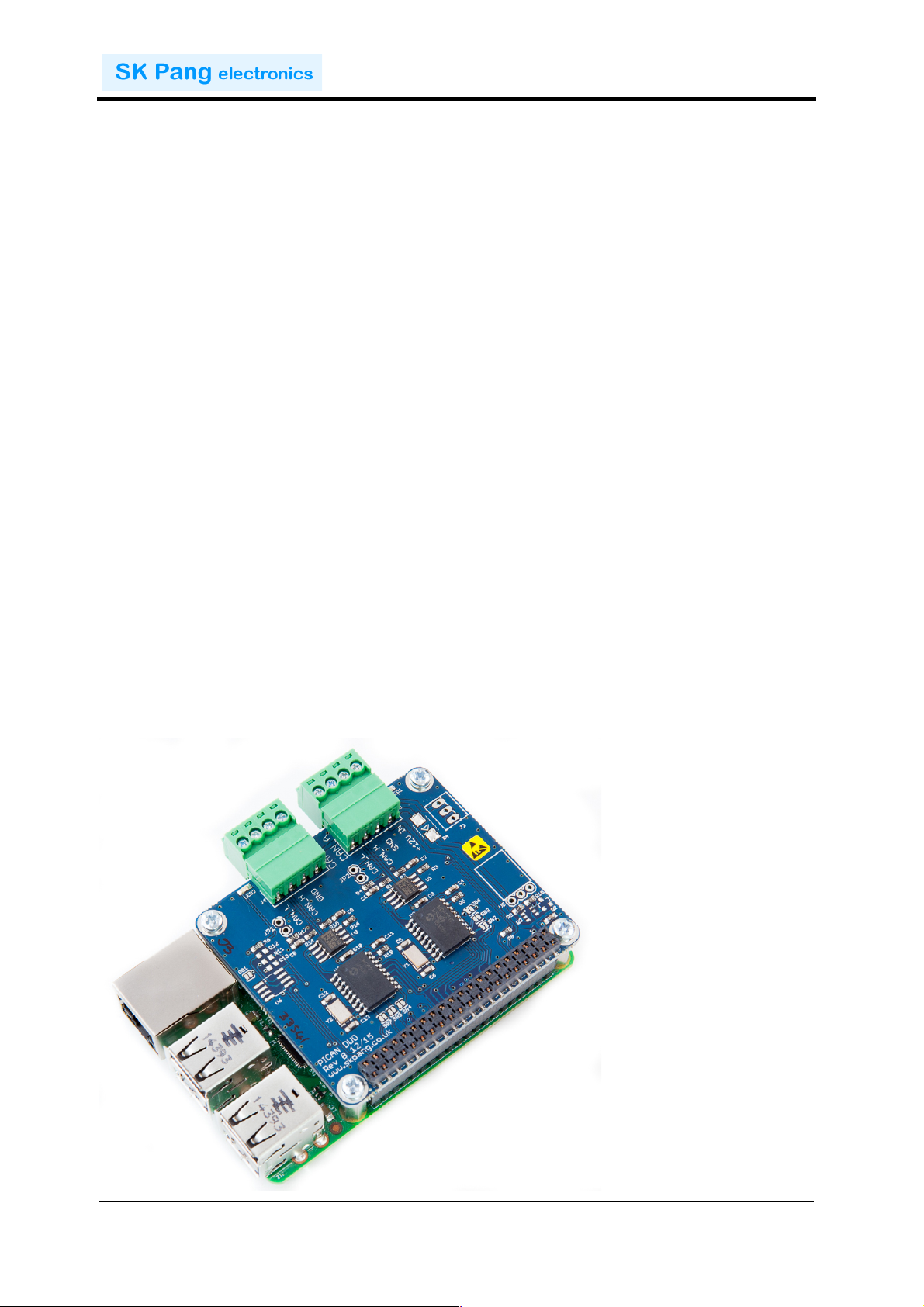
Before!installing!the!board!make!sure!the!Raspberry!is!switched!off.!Carefully!align!
the!40way!connector!on!top!of!the!Pi.!Use!spacer!and!screw!(optional!items)!to!secure!
the!board.!
!
!
Page 4
!!!!!!!!!!!!!!!!!!!!!!!!!!!!!!!!!!!!!!!!!!!!!!!!!!!!!!!!!!!!!!!!!!!!!!!!!!PiCAN&2&DUO&Rev&B&V1.3&
!
SK&Pang&Electronics&Ltd&©&2016&
www.skpang.co.uk&
4
!
&
1.2. Screw'Terminal'
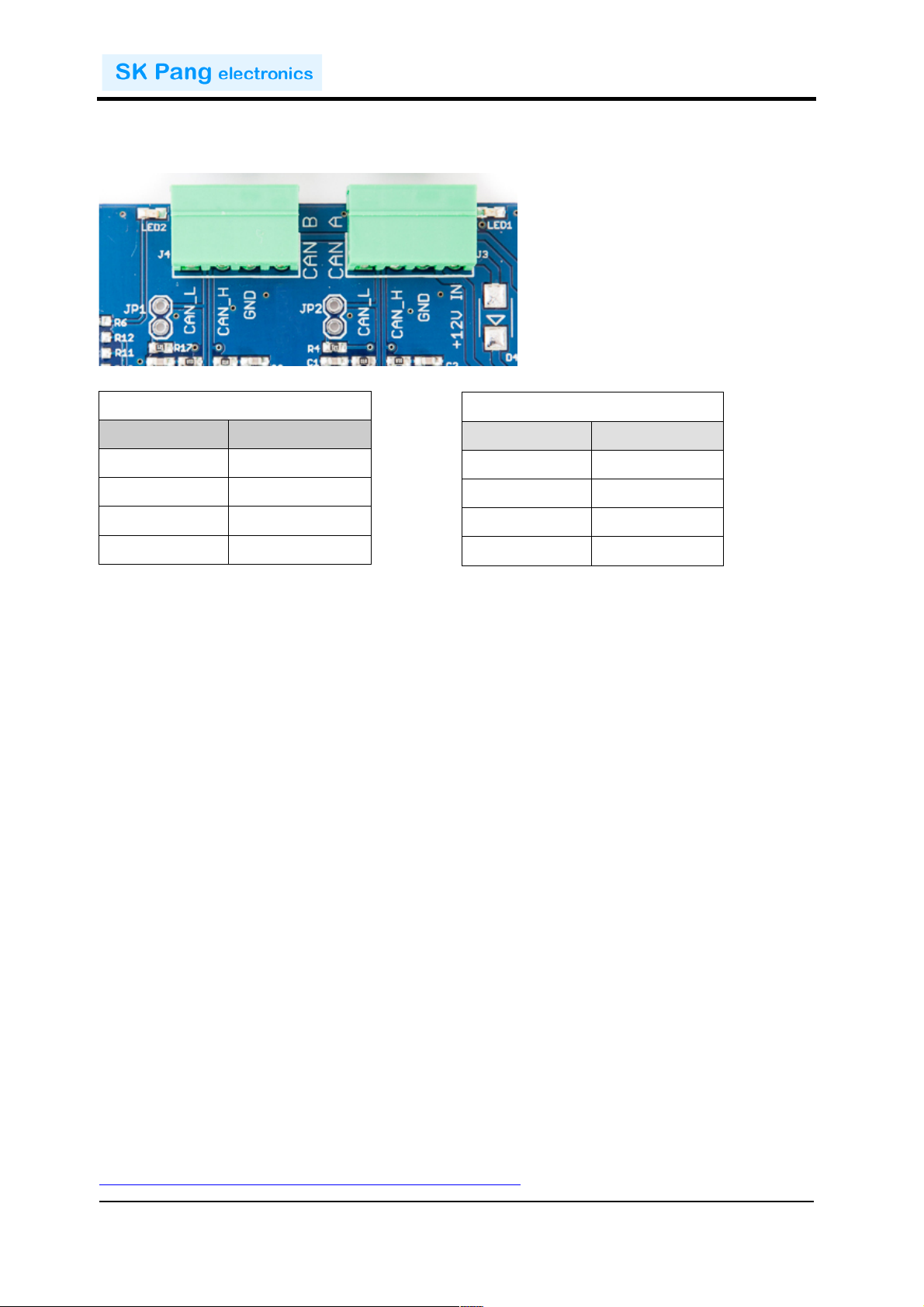
The!CAN!connection!can!also!be!made!via!the!4!way!screw!terminal.!!
!
!
!
!
!
!
!
Note!:!The!+12v!In!is!only!used!on!the!PiCAN2!board!with!SMPS!option!fitted.!
1.3. 120Ω'Terminator'
There!is!a!120Ω!fitted!to!the!board.!To!use!the!terminator!solder!a!2way!header!pin!to!
JP1!and!JP2!then!insert!a!jumper.!
!
1.4. LED'
There!are!two!red!LEDs!fitted!to!the!board.!This!is!connected!to!GPIO04!and!GPIO26.!
1.5. Not'Fitted'Items'
JP5!can!be!use!to!power!a!serial!LCD!with!data!on!TXD!line!from!the!Pi.!There!is!also!
5v!supply!on!JP5.!
Switch!mode!power!supply,!this!is!a!5v!module!that!can!power!the!Pi.!It!has!an!input!
voltage!range!of!6v!to!20v.!
U2!is!a!EEPROM!for!ID!use.!
'
3. Software'Installation'
It!is!best!to!start!with!a!brand!new!Raspbian!image.!Download!the!latest!from:!
https://www.raspberrypi.org/downloads/raspbian/!
CAN$B$(J4)$
Pin$number$
Function$
1!
CAN_L!
2!
CAN_H!
3!
GND!
4!
n/c!
CAN$A$(J3)$
Pin$number$
Function$
1!
CAN_L!
2!
CAN_H!
3!
GND!
4!
+12v!In!
Page 5
!!!!!!!!!!!!!!!!!!!!!!!!!!!!!!!!!!!!!!!!!!!!!!!!!!!!!!!!!!!!!!!!!!!!!!!!!!PiCAN&2&DUO&Rev&B&V1.3&
!
SK&Pang&Electronics&Ltd&©&2016&
www.skpang.co.uk&
5
!
&
After!first!time!boot!up,!do!an!update!and!upgrade!first.!
sudo apt-get update
sudo apt-get upgrade
sudo reboot
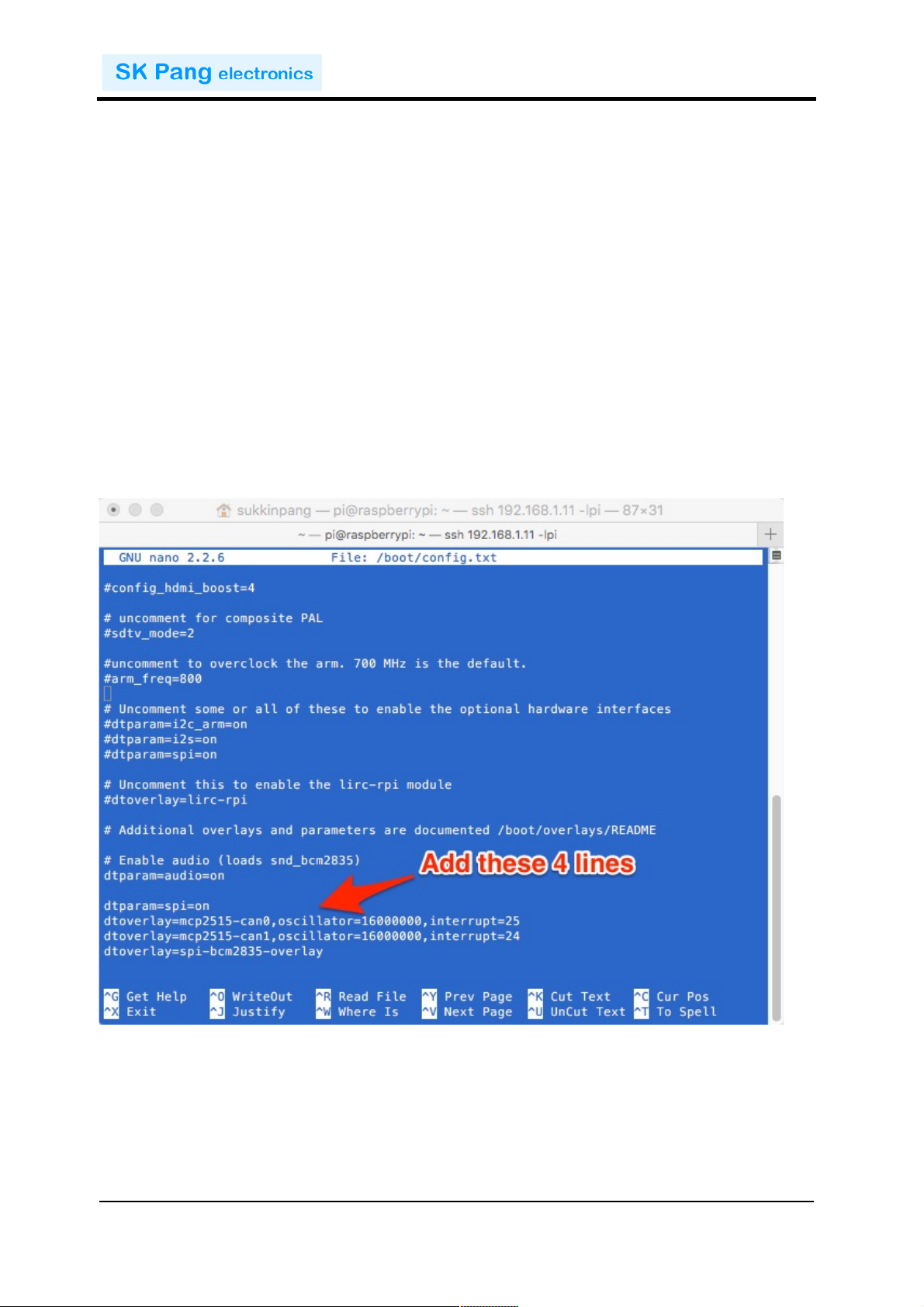
Add!the!overlays!by:!
sudo nano /boot/config.txt
Add!these!4!lines!to!the!end!of!file:!
dtparam=spi=on
dtoverlay=mcp2515-can0,oscillator=16000000,interrupt=25
dtoverlay=mcp2515-can1,oscillator=16000000,interrupt=24
dtoverlay=spi-bcm2835-overlay
!
Reboot!Pi:!
sudo reboot
Page 6
!!!!!!!!!!!!!!!!!!!!!!!!!!!!!!!!!!!!!!!!!!!!!!!!!!!!!!!!!!!!!!!!!!!!!!!!!!PiCAN&2&DUO&Rev&B&V1.3&
!
SK&Pang&Electronics&Ltd&©&2016&
www.skpang.co.uk&
6
!
&
1.6. Bring'Up'the'Interface'
You!can!now!bring!the!CAN!interfaces!up:!
sudo /sbin/ip link set can0 up type can bitrate 500000
sudo /sbin/ip link set can1 up type can bitrate 500000
Download!and!copy!the!CAN!test!programs!to!the!Pi.!
http://www.skpang.co.uk/dl/can-test_pi2.zip!
Connect!the!PiCAN2!to!your!CAN!network!via!screw!terminal!.!
To!send!a!CAN!message!on!can0!(CAN!B!J4)!use!:!
./cansend can0 7DF#0201050000000000
This!will!send!a!CAN!ID!of!7DF.!Data!02!01!05!–!coolant!temperature!request.!
To!send!a!CAN!message!on!can1!(CAN!A!J3)!use!:!
./cansend can1 7DF#0201050000000000
!
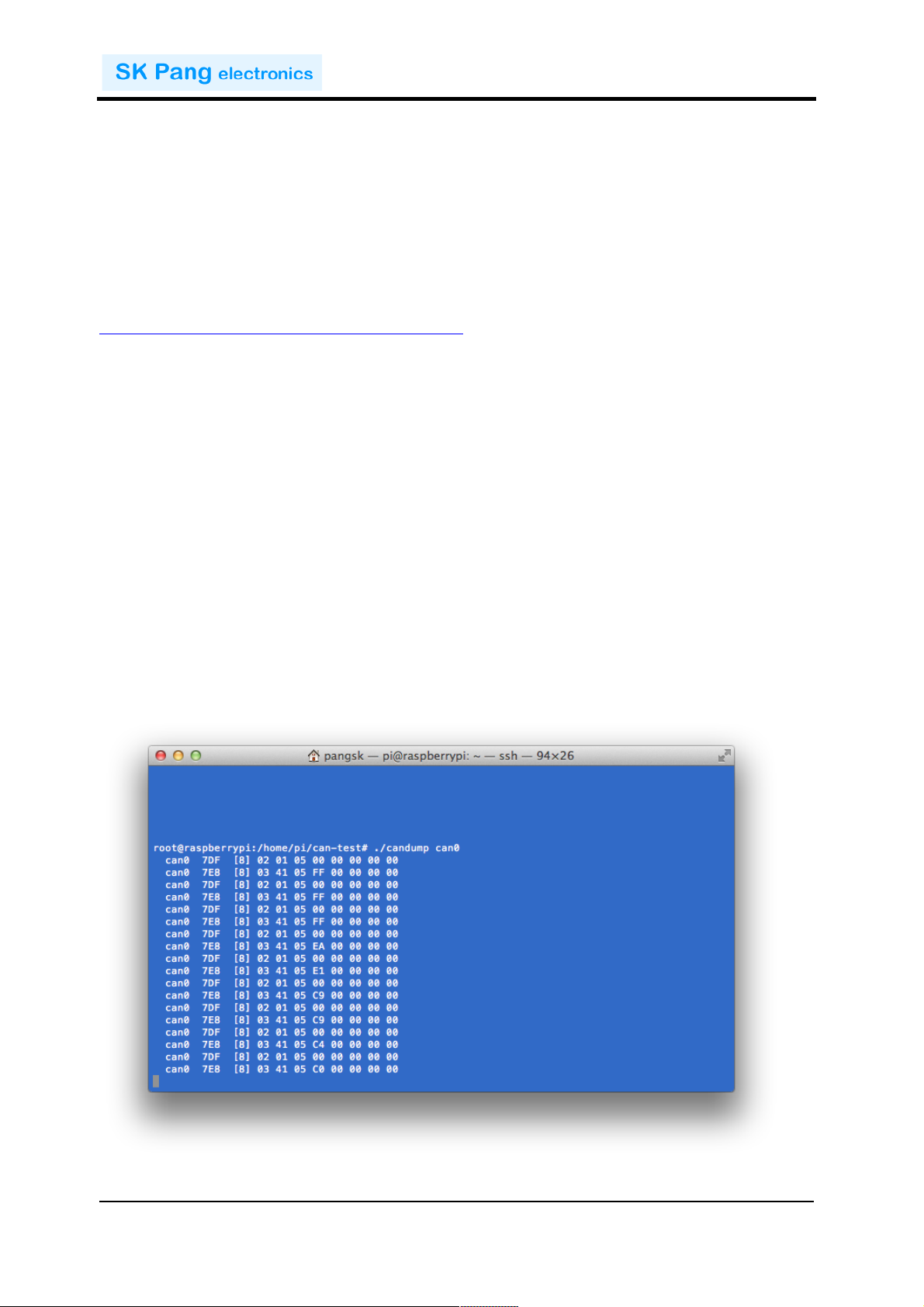
Connect!the!PiCAN!to!a!CAN-bus!network!and!monitor!traffic!by!using!command:!
./candump can0
You!should!see!something!like!this:!
Page 7
!!!!!!!!!!!!!!!!!!!!!!!!!!!!!!!!!!!!!!!!!!!!!!!!!!!!!!!!!!!!!!!!!!!!!!!!!!PiCAN&2&DUO&Rev&B&V1.3&
!
SK&Pang&Electronics&Ltd&©&2016&
www.skpang.co.uk&
7
!
&
4. Writing'Your'Own'Software'
You!can!write!your!own!application!software!in!either!C!or!Python.!
1.7. Application'in'Python'
Download!the!Python-CAN!files!from:!
https://bitbucket.org/hardbyte/python-can/get/4085cffd2519.zip
Unzip!and!install!by!
sudo python3 setup.py install
Bring!the!CAN!interface!up!if!it!is!not!already!done:!
sudo /sbin/ip link set can0 up type can bitrate 500000
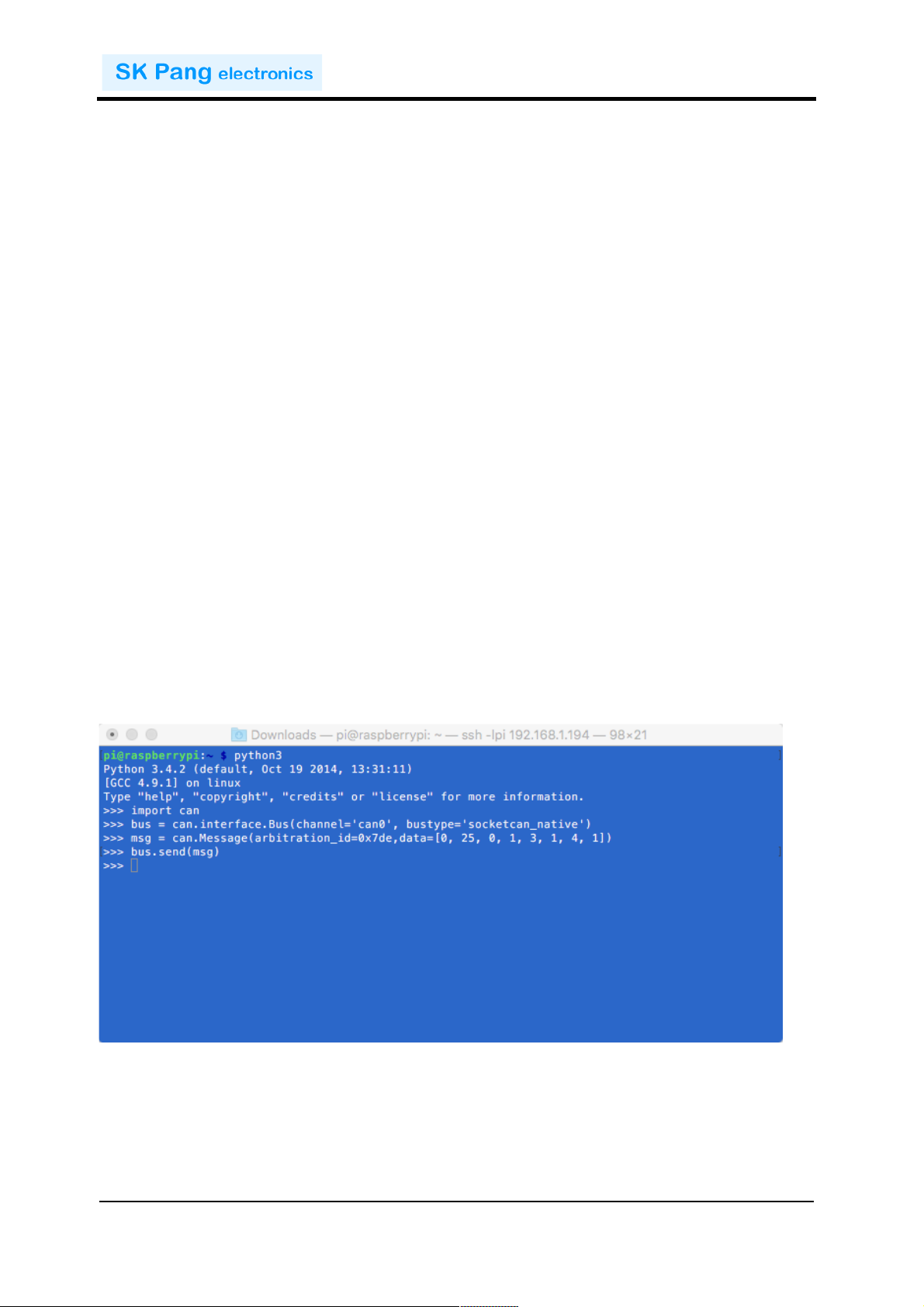
Now!start!python3!
python3
To!sent!a!message!out!type!the!following!lines:!
import can
bus = can.interface.Bus(channel='can0', bustype='socketcan_native')
msg = can.Message(arbitration_id=0x7de,
data=[0, 25, 0, 1, 3, 1, 4, 1],
extended_id=False)
bus.send(msg)
!
!
!
!
Page 8
!!!!!!!!!!!!!!!!!!!!!!!!!!!!!!!!!!!!!!!!!!!!!!!!!!!!!!!!!!!!!!!!!!!!!!!!!!PiCAN&2&DUO&Rev&B&V1.3&
!
SK&Pang&Electronics&Ltd&©&2016&
www.skpang.co.uk&
8
!
&
!
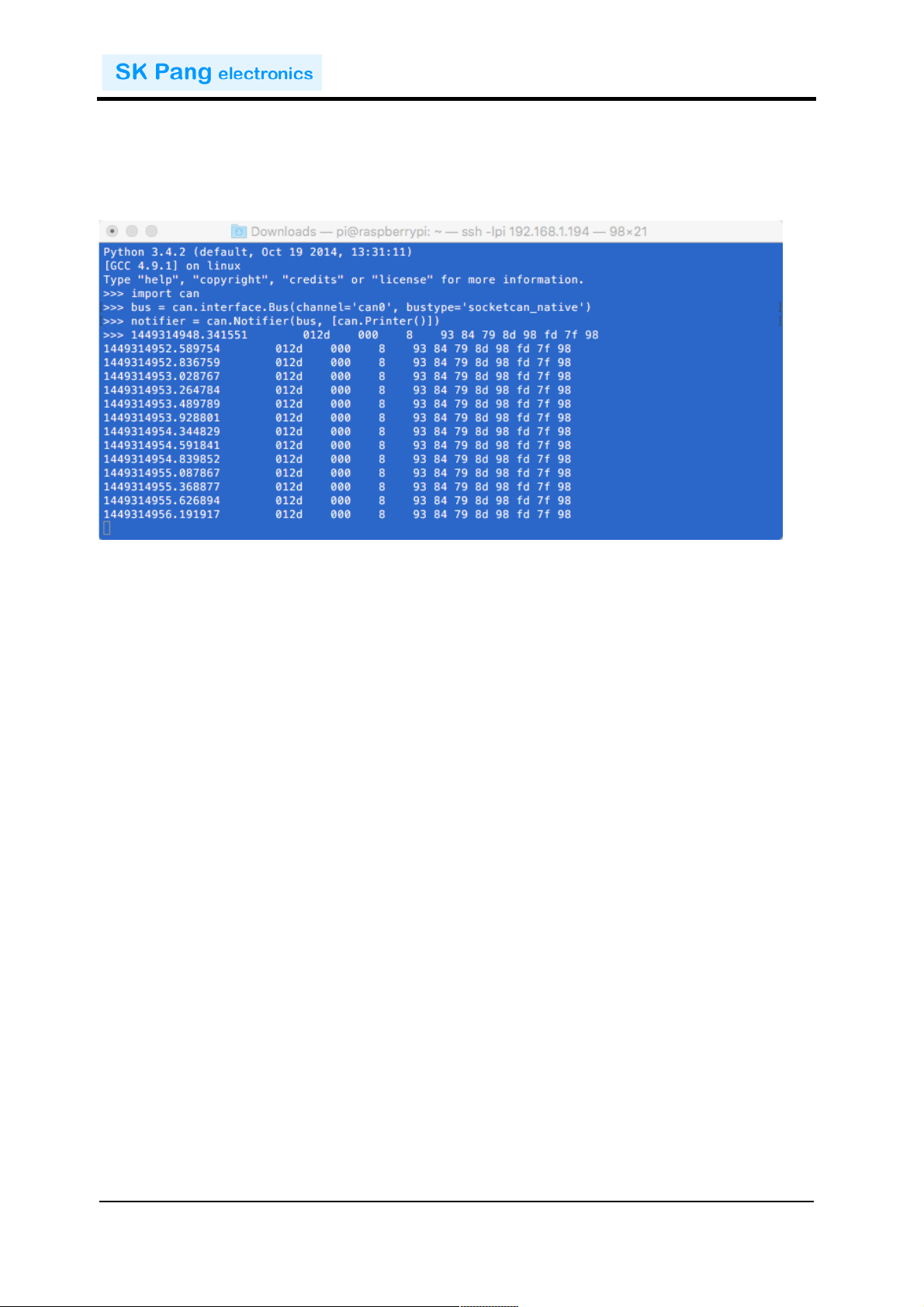
To!received!messages!and!display!on!screen!type:!
notifier = can.Notifier(bus, [can.Printer()])
1.8. Application'in'C'
Bring!the!CAN!interface!up!if!it!is!not!already!done:!
sudo /sbin/ip link set can0 up type can bitrate 500000
Download!the!source!code!and!example!files!by!typing!the!following!in!the!command!
prompt:!
wget http://skpang.co.uk/dl/cantest.tar
Unpack!the!tar!file!and!change!into!directory!by:!
tar xf cantest.tar
cd linux-can-utils
The!example!file!is!called!cantest.c!to!edit!this!file,!type!the!following!in!the!command!
prompt:!
nano cantest.c
Line!77!is!the!CAN!message!to!be!sent!out.!
unsigned char buff[] = "7DF#0201050000000000";
7DF!is!the!message!ID!and!0201050000000000!is!the!data.!Change!the!data!to!suit.!
Press!CTRL-X!to!exit.!
To!compile!the!program!type:!
make
Check!there!are!no!errors.!To!run!the!program!type:!
./cantest
 Loading...