

Page 1
Plea se move t his to be low pla cemen t
USB
MODENEXTPREVEQPLAY/PAUSESTANDBY
5V ---500mA
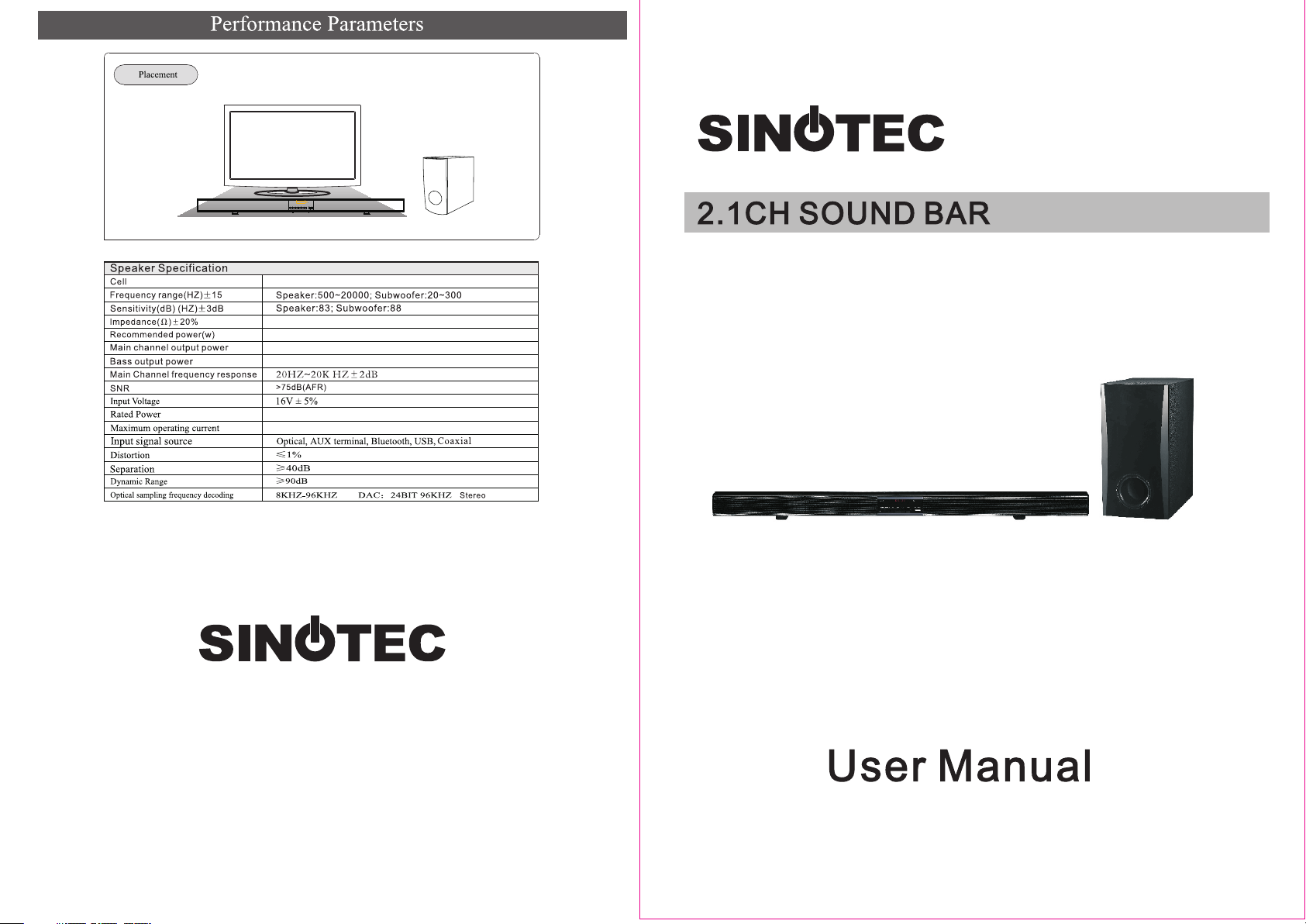
Speaker:4cell; Subwoofer:1cell
Spea ke r: 4; S ub wo ofer: 4
Spea ke r: 15 ;S ub woofer: 30
15W+ 15 W( 4Ω 、1K Hz、0.7% TH D)
30W( 4Ω 、10 0H z、0. 7%THD )
50W
3.5A
SBS-880
Page 2
1
2
3
4
5
6
7
8
1122334
1.
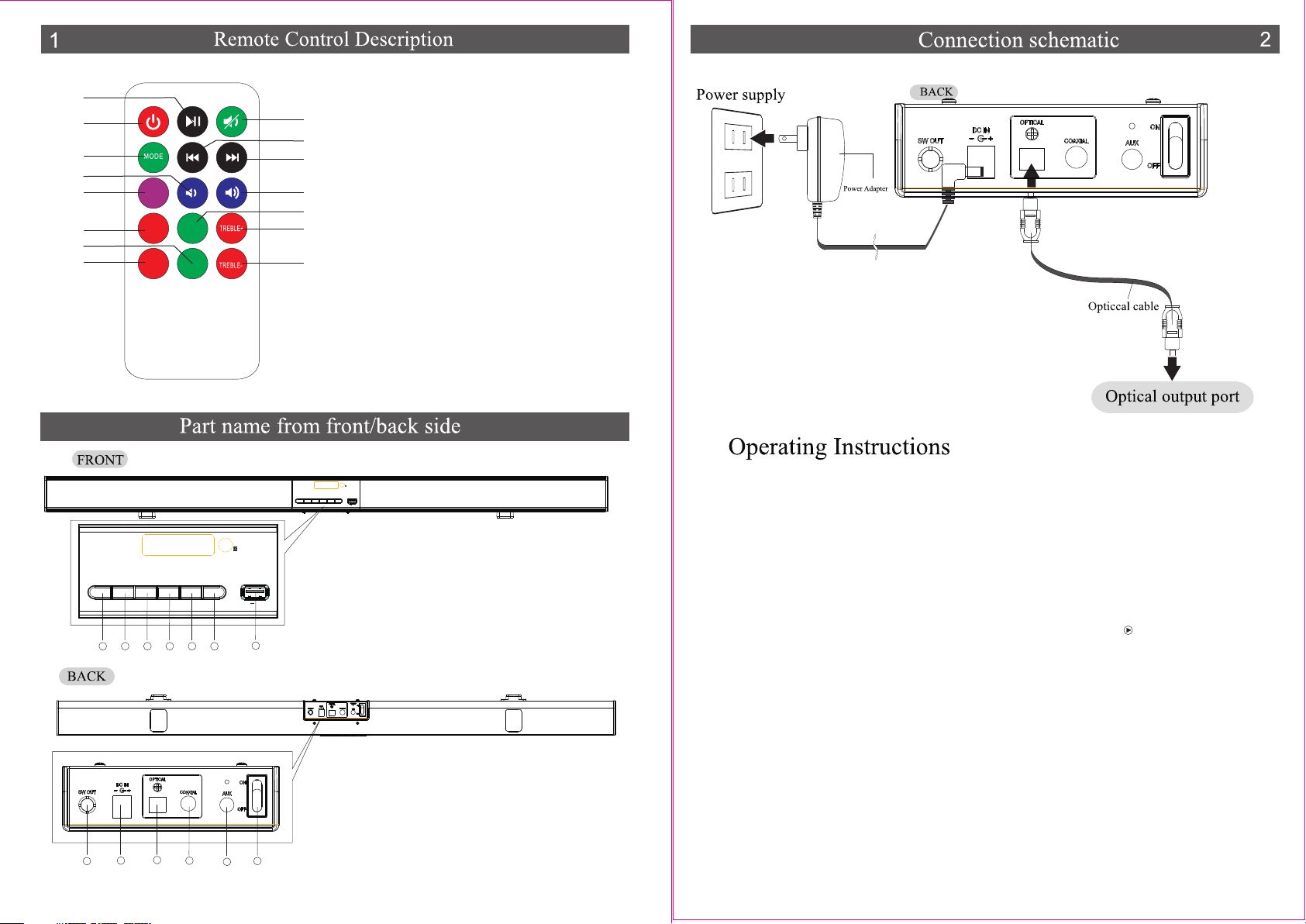
PLAY/PAUSE
2.POWER
3D
EQ
REP EAT
BAS S+
BAS S-
9
10
11
12
13
14
15
3.MODE
4.VOL-
5.3D
6.EQ
7.BASS-
8.REPEAT
9.MUTE
10.PREV
11.NEXT
12.VOL+
OPTICAL
13..BASS+
14.TREBLE+
15.TREBLE-
Pleas e read t hese oper atin g instruction s carefully bef ore us e.
USB
MODENEXTPREVEQPLAY/PAUSESTANDBY
5V ---500mA
1.STANDB Y
2.PLAY/PAUS E
3.EQ
EQ
PLAY/PAUS ESTANDBY
USB
MODENEXTPREV
5V ---50 0mA
4.PREV
5.NEXT
6.MODE
7.USB
566
7
1. En sure th at the vo ltage r equir ement s for the u nit mat ch thos e of your m ains po wer sup ply. Pl ease se e ratin g label f or
inf ormat ion. Pl ug the po wer cab le into t he wall p ower so cket. Turn th e pow er swit ch on at th e back of t he unit . The u nit wil l
ini tiall y be set in s tandb y mode. P ress th e power b utton o n the rem ote con trol an d a green l ight wi ll blin k once an d turn on .
2. Pr ess mod e to sele ct whic h sourc e you wan t to use, s uch as: B LUETO OT H, US B, OPTI CAL, AUX , COAXI AL.
2.1 B LUETO OT H: af ter sel ectin g Bluet ooth mo de, the b lue lig ht on the f ront pa nel wil l flash a nd make a " beep" s ound. You c an now
sea rch and p air wit h the SBS -880 de vice fr om your p hone or c omput er.
2.2 U SB:Wh en you se lect US B mode, y ou may pl ug a USB in to the un it and it w ill pla y the mus ic stor ed on the U SB.
2.2 .1 Plea se note t hat the U SB mode i s the pri mary me dia mod e, so eve n if you ar e liste ning to m usic vi a AUX m ode , when yo u
plu g a USB int o the uni t, the US B will st art to pl ay.
2.2 .2 Plea se note t hat the o rder in w hich th e track s are sav ed on the U SB is how t hey wil l be play ed once t he USB is p lugge d into
the u nit.
2.2 .3 If you w ant to se lect a sp ecifi c track , e.g. 31 , all you n eed to do i s , .pre ss 3 and 1 an d then
2.3 O PTICA L: By sel ectin g optic al mode , you wil l be able t o play mu sic fro m an opti cal dev ice.
2.4 AU X: By sel ectin g AUX m ode , you wil l be able t o play tr acks fr om an AUX de vice.
3.Yo u can i ncrea se or dec rease Vo lume, Tr eble or B ass by + or - co rresp ondin g butto ns on the r emote c ontro l. pus hing th e
4.I n order t o reset t o facto ry sett ing pre ss RESE T but ton.
1.SW O UT
2.DC 1 6V I N
3.OP TI CAL
4.CO AX IAL
5.AU X IN PUT
6.PO WE R SWI CT H
4
5
1 2
 Loading...