

Page 1

Courtesy of:DiscountCarStereo.com
BLU-BMW35
Bluetooth Audio Steaming and Hands-Free
Installation Guide for BMW
Created: October 10, 2015
Revised: October 14, 2015
Page 2
Introduction:
Introduction:
Introduction:Introduction:
Thanks to the BLU
Thanks to the BLU----BMW
Thanks to the BLUThanks to the BLU
you love while enjoying Bluetooth features only available on new
you love while enjoying Bluetooth features only available on new
you love while enjoying Bluetooth features only available on new you love while enjoying Bluetooth features only available on new
cars.
cars. With Bluetooth Technology and your Smartphone's Voice
cars. cars.
Recognition application (Siri or Google Now); you can initiate
hands-free calling, launch Navigation, music streaming or any other
application. One button (conveniently installed on the dash) does it
all. The microphone captures your voice commands and allows your
phone to make calls and launch important applications.
Works in select BMW E39, E53 and E83 vehicles with CD players
capable of supporting BMW Auxiliary input cable 82 11 0149390
BMW35
35 Kit you can keep the radio and car
BMWBMW
Kit you can keep the radio and car
3535
Kit you can keep the radio and car Kit you can keep the radio and car
Installation:
Installation:
Installation:Installation:
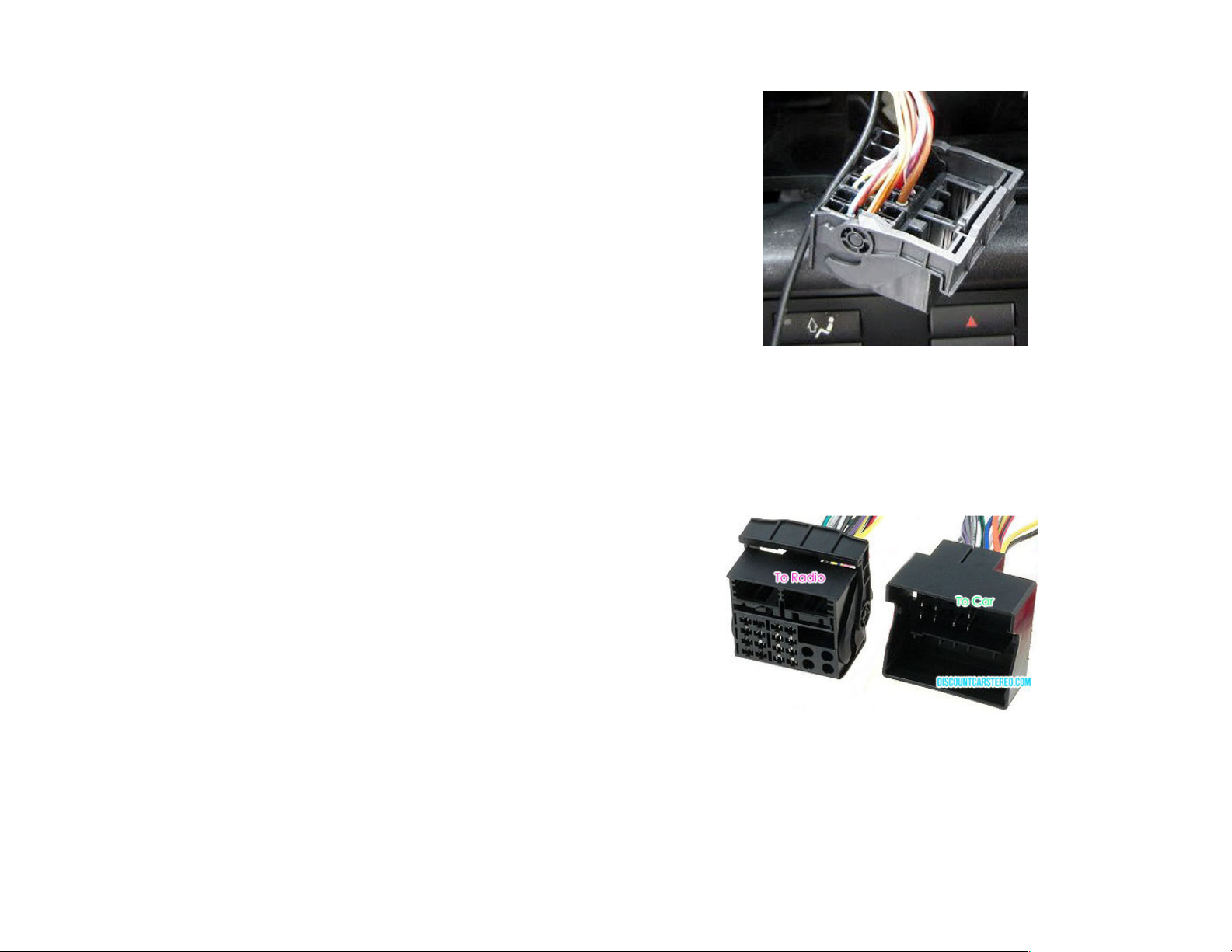
Remove radio from the dashboard to gain access to the
Fig. 1
Fig. 1
Fig. 1Fig. 1
Factory Quadlock Plug
2. To remove the factory Quadlock plug push locking tab
upwards with thumb then pull outwards (plug will slide out)
3. Plug the factory Quadlock (removed in step 2) to the
Quadlock on adapter harness (to Car)
to Car)
to Car)to Car)
connectors. Radio Removal instructions are not part of this
guide but may be available upon request.
1. Remove factory Quadlock plug from Radio (See Fig. 1
Fig. 1
Fig. 1Fig. 1
)
Fig. 2
Fig. 2
Fig. 2Fig. 2
Adapter Quadlock plugs
Page 3

4. Insert the 12-way plug (See Fig. 3
into corresponding slot on Quadlock plug (To Radio
12-way plug will only fit the correct slot(See Fig. 4
5. Connect the adapter harness Quadlock (To Radio
Fig. 3) of the included aux cable
Fig. 3Fig. 3
To Radio). The
To RadioTo Radio
Fig. 4)
Fig. 4Fig. 4
To Radio) into
To RadioTo Radio
factory radio slot vacated in step 2
Fig. 5
Fig. 5
Fig. 5Fig. 5
Connecting Diagram
Fig. 3
Fig. 3
Fig. 3Fig. 3
12-pin aux input cable
Fig. 4
Fig. 4
Fig. 4Fig. 4
Aux plug to Radio
6. Connect the 1/8”
(See Fig. 6
Fig. 6) to 1/8
Fig. 6Fig. 6
1/8” audio connector plug from module harness
1/8”1/8”
1/8 Aux input jack (See Fig. 7
1/8 1/8
Fig. 7)
Fig. 7Fig. 7
Fig. 6
Fig. 6
Fig. 6Fig. 6
Module harness
Page 4
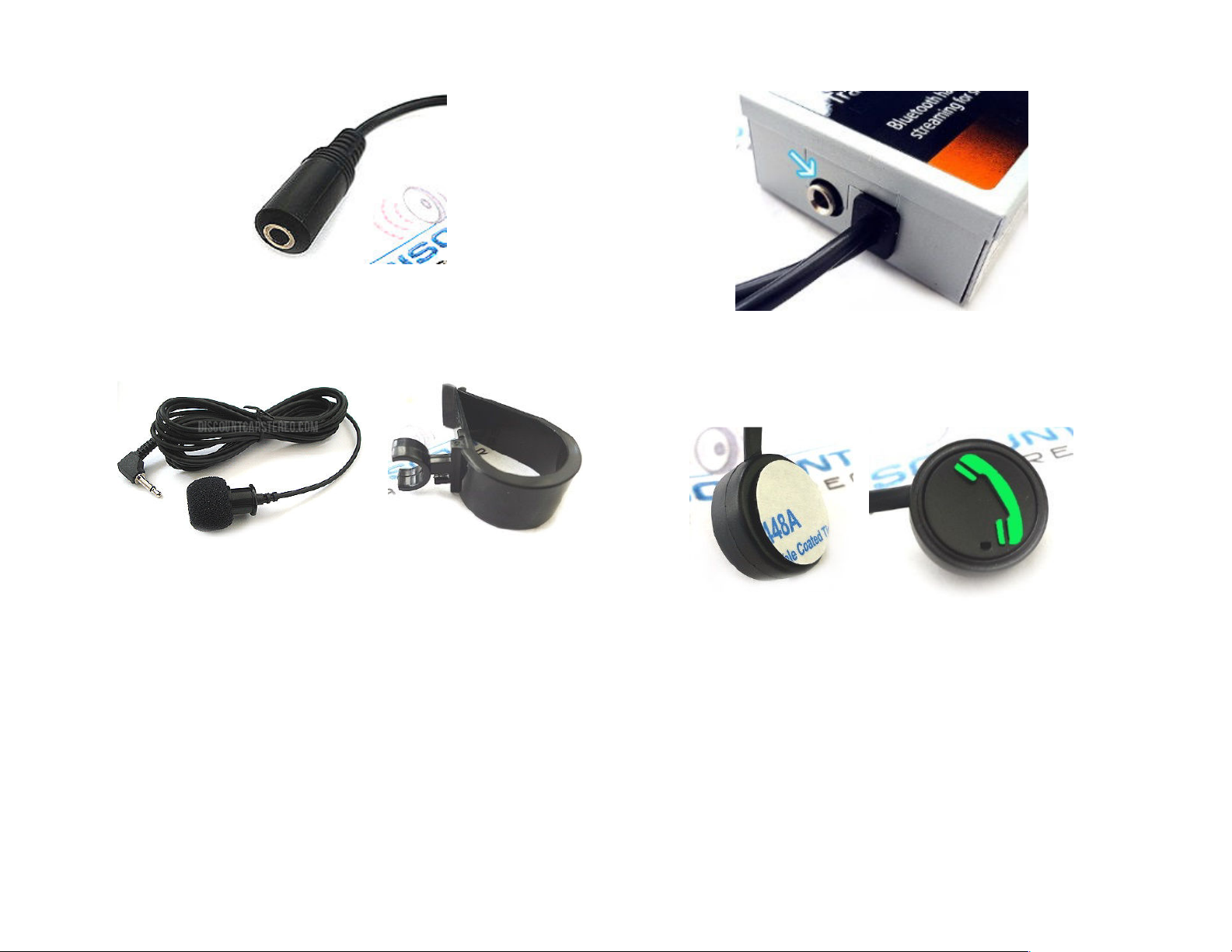
Fig. 7
Fig. 7
Fig. 7Fig. 7
1/8” Aux input jack
7. Install microphone on visor or headliner using the included
visor clip (See Fig. 8 & 9
Microphone on 10 ft. cord
Fig. 8
Fig. 8
Fig. 8Fig. 8
Fig. 8 & 9).
Fig. 8 & 9Fig. 8 & 9
Fig. 9
Fig. 9
Fig. 9Fig. 9
Microphone Visor clip
8. Carefully route microphones 1/8”plug behind the dash and
connect to the “MIC” jack on module (See Fig. Fig 10
Fig 10.)
Fig 10Fig 10
Fig. 10
Fig. 10
Fig. 10Fig. 10
Module
9. Remove backing from control button and stick to the dash
area within drivers reach
Fig. 11
Fig. 11
Fig. 11Fig. 11
Control button
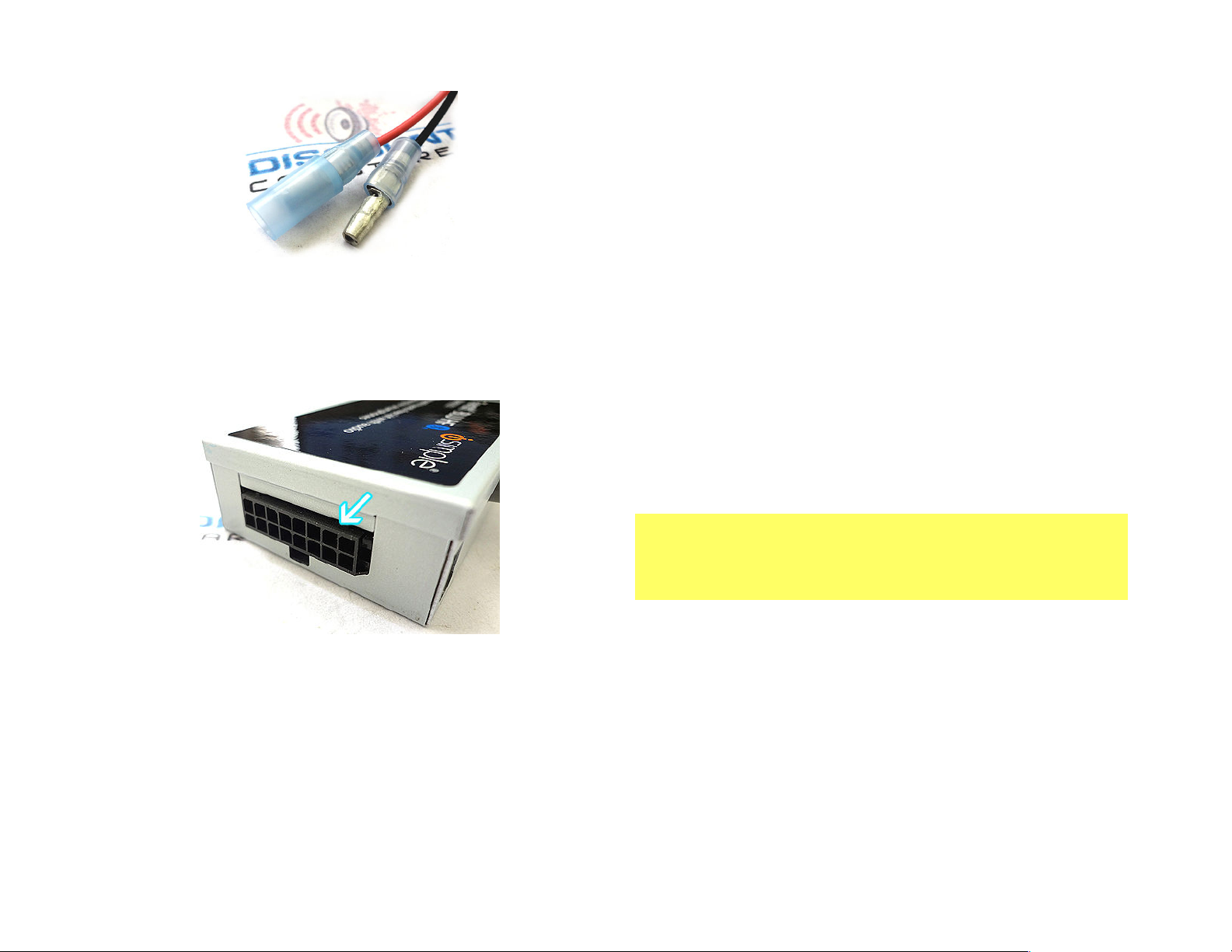
10. Route control button pink and black wire terminals (See Fig.
12
12) behind the dash and mate with the pink and black
1212
terminals on module harness (See Fig. 6
Fig. 6)
Fig. 6Fig. 6
Fig.
Fig. Fig.
Page 5
Warning!
Warning!Warning!
Warning!
Fig. 12
Fig. 12
Fig. 12Fig. 12
Control button terminals
11. Connect the Module harness 16-way plug to control module
(See Fig. 13
Fig. 13) then proceed to section “Enabling the Aux
Fig. 13Fig. 13
function
function”.
functionfunction
Enabling the Aux
Enabling the Aux Enabling the Aux
BBBBluetooth Pairing and Connection
luetooth Pairing and Connection
luetooth Pairing and Connectionluetooth Pairing and Connection
This process is required the first time you use the BLU-BMW35.
After initial pairing, the BLU-BMW35 will automatically reconnect
with the paired phone upon entering the vehicle.
1. Turn the vehicle ignition to “ON”.
2. Press and hold the control button for 2 seconds (red/green
LED inside module will begin to flash
3. Access your Smartphone Bluetooth menu settings, and
search for new devices.
4. Select the “TranzIt BLU HF”. Choose “Connect”
For specific instructions or in case of difficulty, please see
For specific instructions or in case of difficulty, please see
For specific instructions or in case of difficulty, please see For specific instructions or in case of difficulty, please see
“Phone Setup” on page 4 of the manual included with kit.
“Phone Setup” on page 4 of the manual included with kit.
“Phone Setup” on page 4 of the manual included with kit. “Phone Setup” on page 4 of the manual included with kit.
Radio must be in “AUX” Mode when using the BLU-BMW35.
Caller ID and text display are not possible in AUX mode
Operating Bluetooth device is by pressing the green control button and your
Voice Recognition application. Use the BMW radio volume button to
control playback level.
not possible in AUX mode.
not possible in AUX modenot possible in AUX mode
Fig. 13
Fig. 13
Fig. 13Fig. 13
Module connector
Page 6

Test Operation
Test Operation
Test OperationTest Operation
.
1. Refer to Operation Manual included
Operation Manual included with Kit
Operation Manual included Operation Manual included
with Kit for the
with Kitwith Kit
specific steps required to stream audio or to make/receive
calls
2. If successful go ahead and Reinstall the Radio
Congratulations, you’ve
Congratulations, you’ve just updated your vehicle to support
Congratulations, you’veCongratulations, you’ve
new technology while preserving the original radio and dash
new technology while preserving the original radio and dash
new technology while preserving the original radio and dash new technology while preserving the original radio and dash
com
components.
ponents.
comcom
ponents.ponents.
Enjoy!
Enjoy!
Enjoy!Enjoy!
just updated your vehicle to support
just updated your vehicle to support just updated your vehicle to support
Disclaimer
• This product has no affiliation with BMW, Becker or Apple
• There are no warranties expressed or implied by purchase of this
product
• We’re not liable for misuse of this product.
Call 804-717-5717 or email [email protected]
© 1995-15 Discount Car Stereo, Inc. All rights reserved. Information in this document
is subject to change without notice. Other products and companies referred to herein
are trademarks or registered trademarks of their respective companies or mark
holders.
 Loading...