

Page 1

1
USB-to-PS/2
Quick Installation Guide
Introducing the USB-to-PS/2
The USB-to-PS/2 converts traditional PS/2 keyboard/
mouse to use USB interface. It also allows usage for
multiple keyboards and mice in the same system.
Features and Benefits
• Compliant with USB HID Specifications
• Fully compliant with PS/2 keyboard/mouse
• Supports standard Windows Multimedia keys
• Hot-swapping feature allows you to attach/detach
USB devices without first powering your computer
off
• Low power consumption--powered from USB bus
Serial # Sticker
For future product return or exchange, this serial # is
required. Please keep it for your reference.
04-0292A
Page 2
2
System Requirements
• PC or Mac computer with one available USB port
• Windows 98/98SE/ME/2000/XP
• Mac OS 9.0 or later
Package Contents
• (1) USB-to-PS/2 adapter
• This quick installation guide
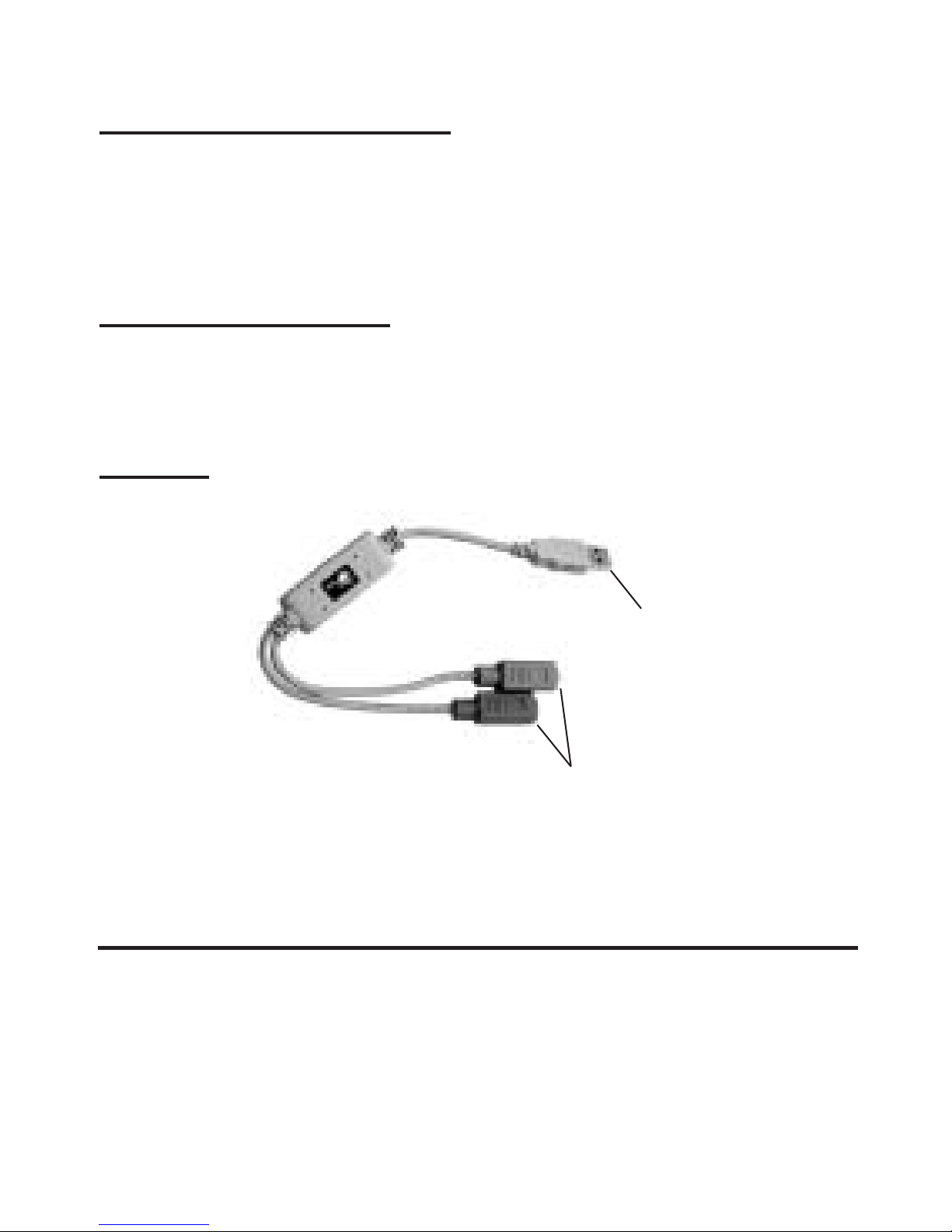
Layout
Figure 1. USB-to-PS/2 Layout
Installation
Throughout Windows installation, you may be prompted
to insert Windows Installation CD. Some files on this CD
are neccessary to complete driver installation. Please
insert CD when prompted and follow on-screen
instructions.
PS/2 Keyboard &
Mouse Connectors
To USB Port
Page 3

3
1. Connect the PS/2 keyboard and/or mouse to the
appropriate PS/2 connector. Each PS/2 connector has
a picture of either a keyboard or a mouse on it.
2. Connect the USB connector to your system's USB port
and power on your system if it's not already on.
Windows 98/98SE Installation
1. At the Add New Hardware Wizard, click Next.
2. Choose Search for the best driver... and click Next.
3. Clear all check boxes and click Next.
4. Click Next and Finish.
5. In Windows 98, repeat steps 1-4 two more times.
In Windows 98SE, repeat steps 1-4 one more time.
Windows ME/2000/XP Installation
The drivers are built-in with Windows ME, 2000 and XP.
Simply connect the USB-to-PS/2 to an available USB port
and the drivers will install automatically.
Give Windows a few seconds to completely load all
drivers.
Mac OS 9.0 or later
The drivers are built-in with Mac OS 9.0 or later. Simply
connect the USB-to-PS/2 to an available USB port and the
drivers will install automatically.
Give Mac OS a few seconds to completely load all drivers.
Page 4

Technical Support
QUESTIONS? SIIG’s Online Support has the answers!
Simply visit our web site at www.siig.com and click on
Support. Our online support database is updated daily
with new drivers and solutions. The answers to your
problems could be just a few clicks away.
PRODUCT NAME MODEL NUMBER
USB-to-PS/2 US2283
FCC RULES: TESTED TO COMPLY WITH FCC PART 15,
CLASS B OPERATING ENVIRONMENT: FOR HOME OR
OFFICE USE
FCC COMPLIANCE STATEMENT:
This device complies with part 15 of the FCC Rules. Operation
is subject to the following two conditions: (1) This device may
not cause harmful interference, and (2) this device must accept
any interference received, including interference that may cause
undesired operation.
THE PARTY RESPONSIBLE FOR
PRODUCT COMPLIANCE
SIIG, Inc.
6078 Stewart Ave.
Fremont, CA 94538-3152
USB-to-PS/2 is a trademark of SIIG, Inc. All other names
used in this publication are for identification only and may be
trademarks of their respective companies.
October, 2002 Copyright ©2002 by SIIG, Inc.
 Loading...