

Page 1

1
USB 2.0 SlimHub 4000P
Quick Installation Guide
04-0237D
Features and Benefits
• Compliant with USB specifications rev.2.0
• Works in PC or Mac computer
• Adds 4 high-speed USB 2.0 downstream
ports to support simultaneous operation
of USB 2.0 and USB 1.1 devices
• Supports 480, 12, 1.5Mbps data transfer
modes
• Per port over-current detection and
protection
• Hot-swapping feature allows you to
attach/detach USB devices without first
powering your computer off
NOTE: USB 1.1 devices are limited to USB
1.1 speeds even when they are connected
to USB 2.0 host adapter or USB 2.0 hubs.
Page 2
2
Layout
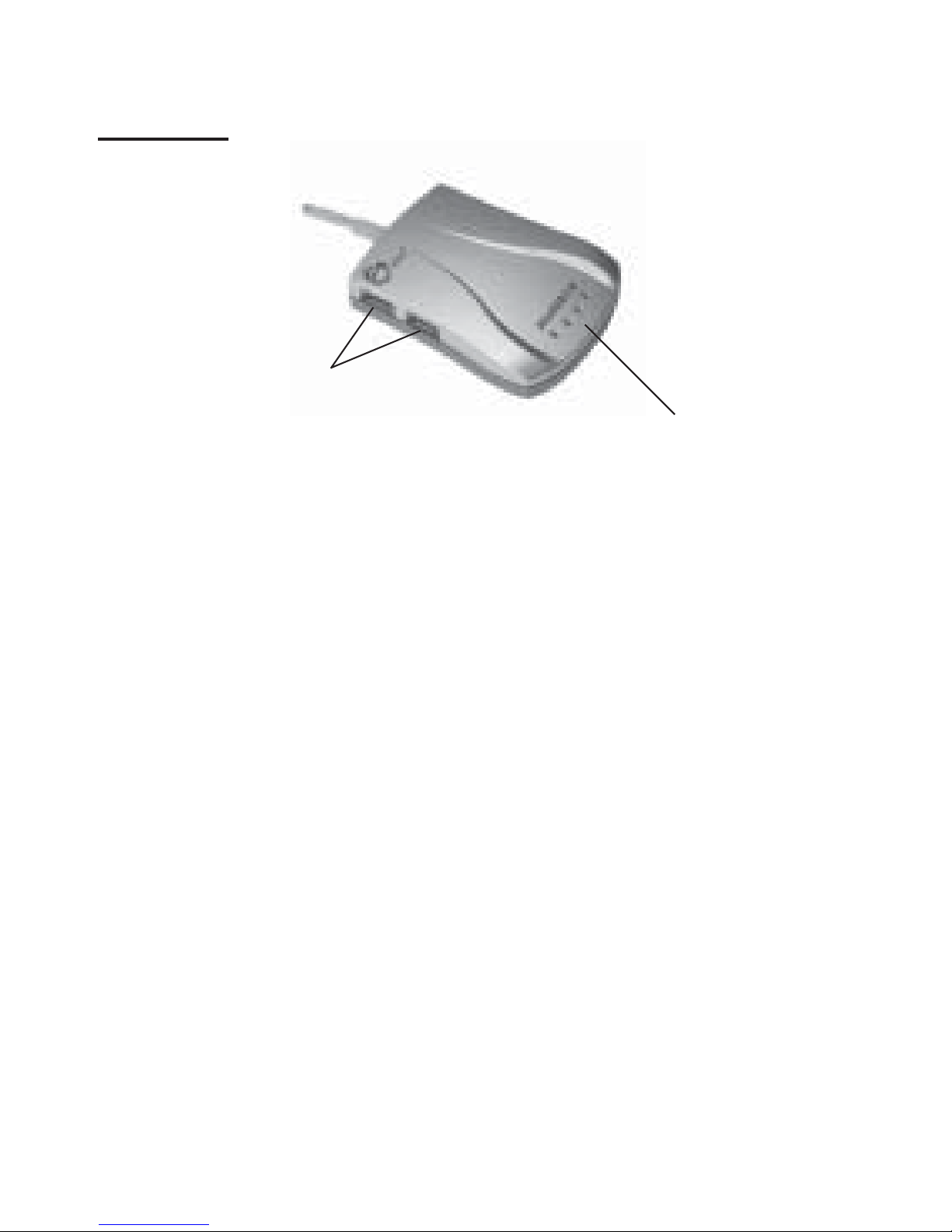
* NOTE: The Power/Activity LEDs will appear
in one of three colors. Each color indicates the
speed of the attached USB device. When
connecting a high speed device (480Mbps) the
LED will be Yellow. When connecting a full
speed device (12Mbps) the LED will be Red.
When connecting a low speed device (1.5Mbps)
the LED will be Green.
Figure 1. Front Layout
USB 2.0 Ports
1 & 2
Power/Activity LEDs*
Page 3
3
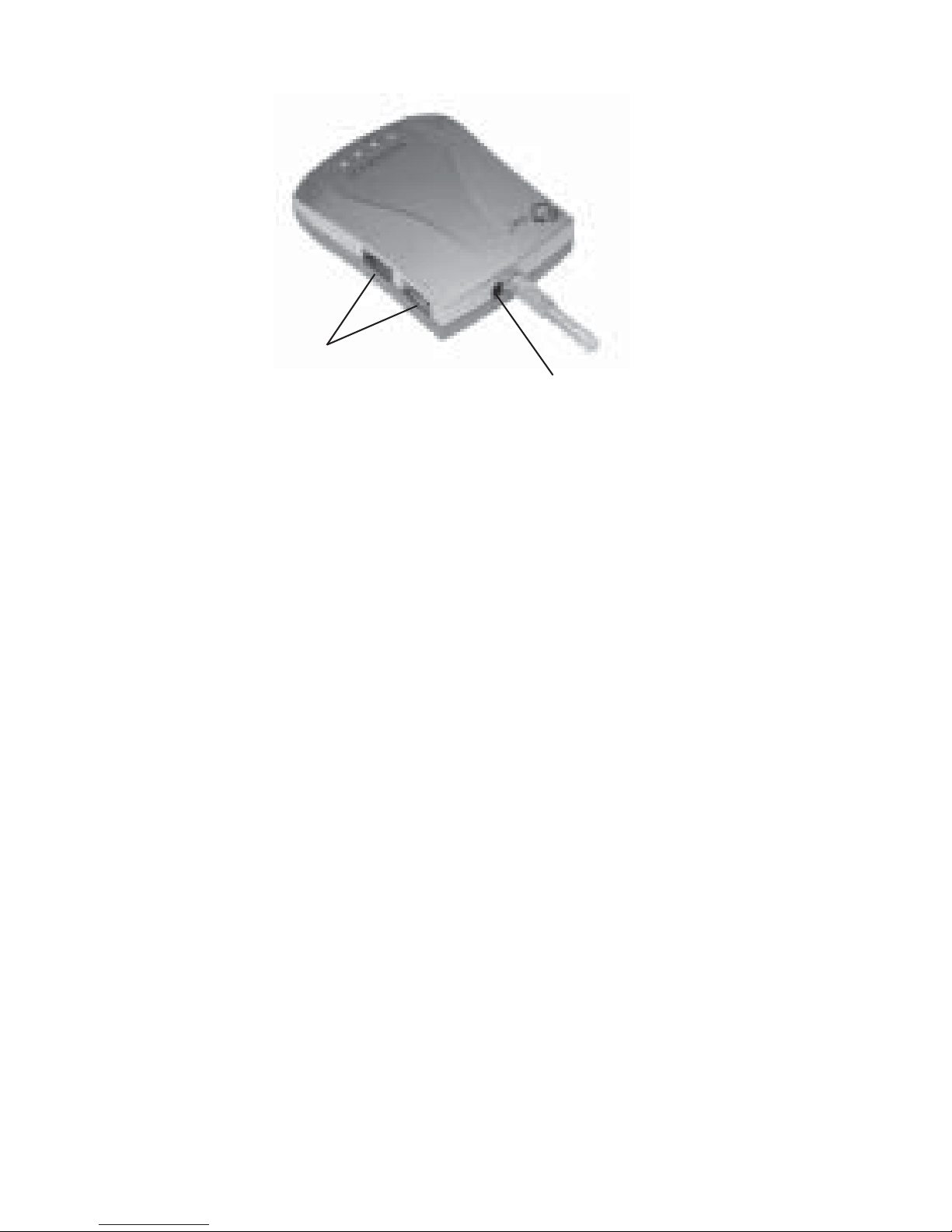
* NOTE: In most cases, the power adapter
does not need to be plugged in. However, some
USB devices may require additional power in
order to work. Please plug in the power adapter
if your device needs it. Refer to the device's
manual for more details.
Figure 2. Rear Layout
USB 2.0 Ports
3 & 4
Power Adapter Jack*
Page 4

4
System Requirements
• Desktop or notebook PC or Mac computer
with an available USB port (USB 2.0
recommended)
• Windows 98SE/ME/2000/XP
• Mac OS 8.6 or later
Package Contents
• (1) USB 2.0 SlimHub 4000P
• (1) Switching power adapter
• This quick installation guide
Installation
Important: This hub only operates at USB 2.0
speed when connected to a USB 2.0 controller.
Otherwise, it would be a USB 1.1 hub when
connected to a USB 1.1 controller.
Page 5

5
In order for the USB 2.0 SlimHub 4000P to work
as a USB 2.0 hub, the driver for your existing
USB 2.0 host controller has to be properly
installed. This hub will automatically be
detected and installed when connected to the
USB 2.0 port.
Windows Installation
1. Boot up Windows and insert the hub to a
USB port (USB 2.0 recommended).
2. Windows will automatically detect and
install the correct driver for this hub. The
USB hub is now ready for device
connection.
Note: If you're prompted to install a driver
for this hub in certain situations, follow
the on-screen instructions by clicking Next
(up to a few times), followed by clicking
Finish. No additional driver is needed.
If you are prompted to insert Windows
Installation CD, insert it and follow the
on-screen instructions.
Page 6

6
Mac OS Installation
1. Boot up Mac OS and insert the hub to a
USB port (USB 2.0 recommended).
2. Mac OS will automatically detect and
install the correct driver for this hub. The
USB hub is now ready for device
connection.
Page 7

7
Technical Support
QUESTIONS? SIIG’s Online Support has the answers!
Simply visit our Web site at www.siig.com and click
Support. Our online support database is updated daily
with new drivers and solutions. The answers to your
problems could be just a few clicks away.
If you can't find answers or solutions to your questions,
you have an option to submit the problems online to one
of our technical support analysts and we will promptly
respond to you with answers or solutions.
The 5-year manufacturer warranty supplied with this
product is offered by SIIG, Inc. If you should happen to
encounter any problems with this product, please follow
the procedures below.
1. If it is within the store's return policy period,
please return the product to the store where you
purchased from.
2. If your purchase has passed the store's return
policy period, please contact SIIG. See SIIG's
Limited 5-year Warranty card for more information.
Page 8

USB 2.0 SlimHub 4000P is a trademark of SIIG, Inc. All other names
used in this publication are for identification only and may be
trademarks of their respective companies.
December, 2003 Copyright ©2003 by SIIG, Inc.
PRODUCT NAME MODEL NUMBER
USB 2.0 SlimHub 4000P US2248
FCC RULES: TESTED TO COMPLY WITH FCC PART 15,
CLASS B OPERATING ENVIRONMENT: FOR HOME OR
OFFICE USE
FCC COMPLIANCE STATEMENT:
This device complies with part 15 of the FCC Rules. Operation
is subject to the following two conditions: (1) This device may
not cause harmful interference, and (2) this device must accept
any interference received, including interference that may cause
undesired operation.
THE PARTY RESPONSIBLE FOR
PRODUCT COMPLIANCE
SIIG, Inc.
6078 Stewart Ave.
Fremont, CA 94538-3152
Online Store
SIIG offers all of our products online at our company store.
Visit us at http://onlinestore.siig.com to find our complete
line of products, including hard to find items and accessories
(power adapters, cables, upgrade kits, etc.).
 Loading...