

Page 1

1
Serial ATA PCI-M
Quick Installation Guide
04-0320B
Introducing the Serial ATA PCI-M
The Serial ATA PCI-M is an ultra high-speed dual channel
Serial ATA controller for use in Mac computers. It
achieves burst data transfer rates up to 150MB/s (1.5Gbps)
and supports various brand of hard disk drives with
capacities greater than 137GB.
Features and Benefits
• Compliant with Serial ATA Specification, rev. 1.0
• Compliant with PCI Specification, revision 2.3
• Provides two independent channels to support up
to two Serial ATA drives
• Features independent 256-byte FIFOs per channel
for host reads and writes
• Co-exists with on-board controller
• Can be used as the boot controller when a bootable
hard disk drive is attached
• Supports 64/32-bit wide PCI slot at 33MHz
System Requirements
• G3 (blue & white) or later with one available PCI slot
• Mac OS X v10.1.x or later *
*Note: Support for Mac OS X v10.1.x will be available
at the end of June, 2004. At that time, check our
website at www.siig.com for more details.
Page 2
2
Package Contents
• (1) Serial ATA PCI-M board
• (1) Serial ATA cable
• (1) Serial ATA power cable
• This quick installation guide
Board Layout
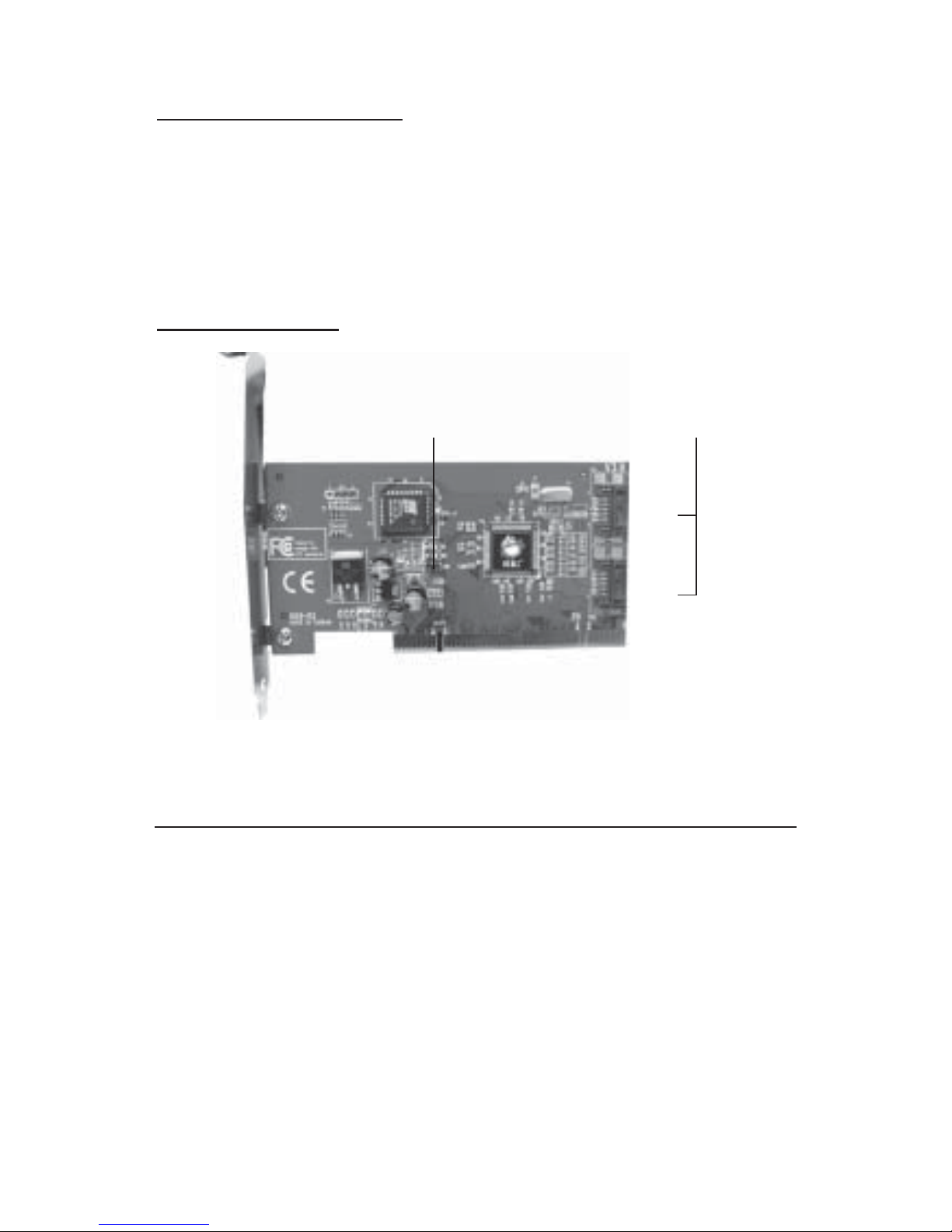
Figure 1. Serial ATA PCI-M Board Layout
Hardware Installation
Static Electricity Discharge may permanently damage
your system. Discharge any static electricity build up in
your body by touching your computer’s case for a few
seconds. Avoid any contact with internal parts and
handle cards only by their external edges.
1. Turn OFF the power to your computer and any
other connected peripheral devices. Unplug the
computer's power cord.
CN1
CN2
Serial ATA
Connectors
Hard Disk
LED Pins
Page 3
3
2. Open your computer’s case and install the card in an
available PCI slot.
3. Push the board down firmly, but gently, until it is
well seated.
4. Secure the card with a slot bracket holding screw.
Now go to Device Connection to connect your Serial
ATA hard disk drives.
Device Connection
The Serial ATA PCI-M is a dual channel Serial ATA
controller that supports up to two Serial ATA hard disk
drives. If you plan to use the second Serial ATA channel,
you will need to purchase an additional Serial ATA
power and data cable.
1. Install hard disk drive(s) in chassis.
2. Connect the Serial ATA hard disk drive to the system
power supply using the Serial ATA power cable.
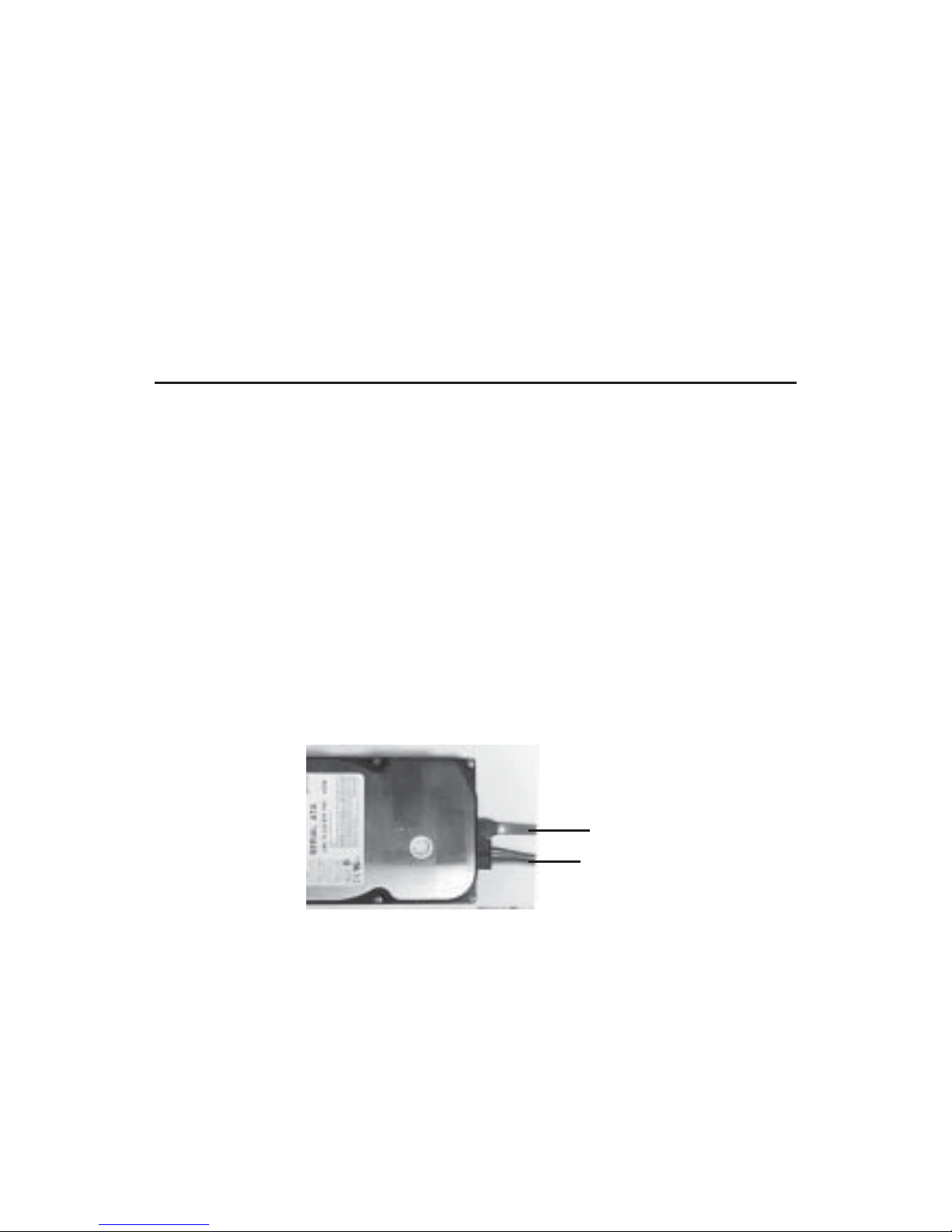
3. Connect one end of the Serial ATA cable to the hard
disk drive.
Serial ATA cable
Serial ATA Power cable
Figure 2. Hard disk drive connections
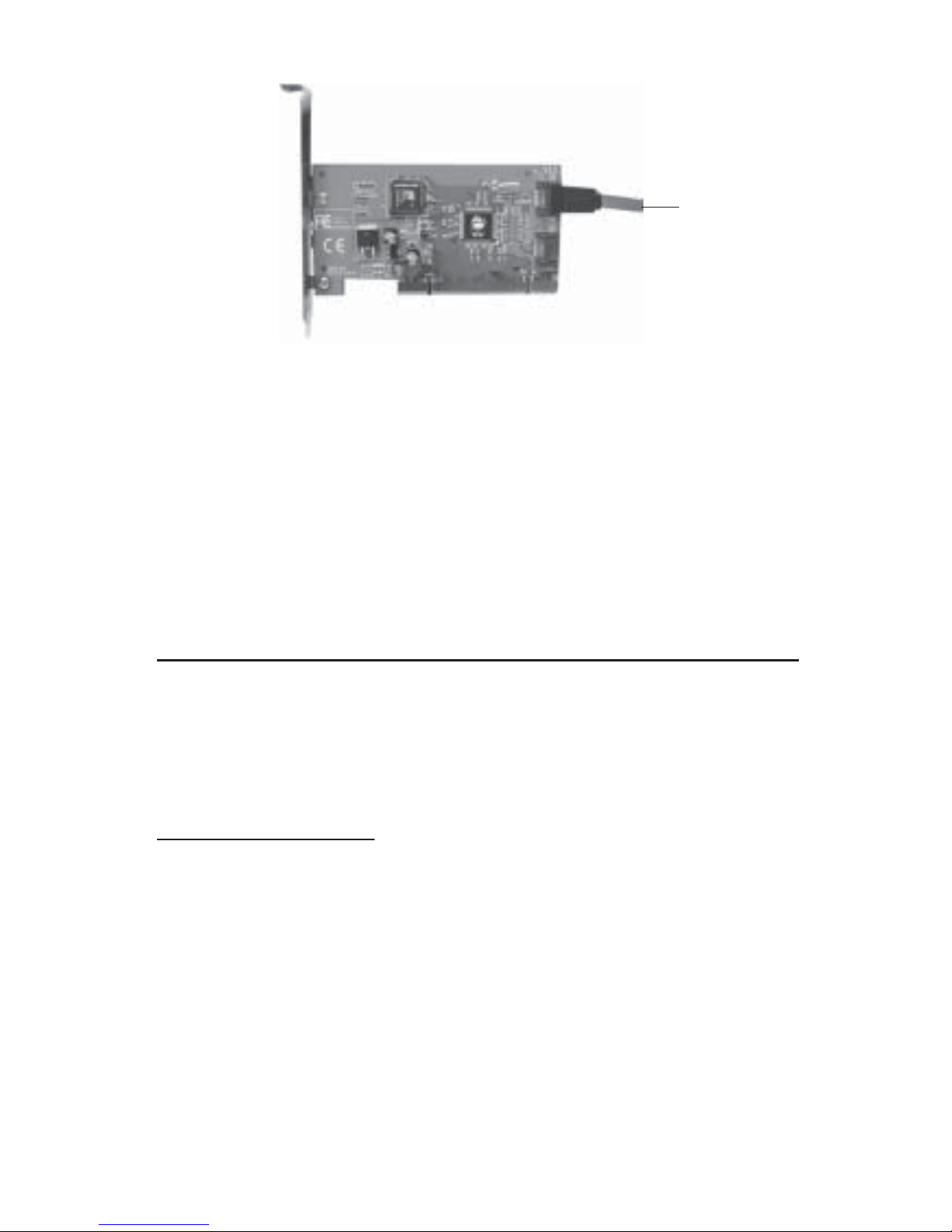
4. Attach the other end of the Serial ATA cable to the
Serial ATA connector on the Serial ATA PCI-M.
Page 4
4
Figure 3. Connecting the Serial ATA cable
5. Follow the same instructions when connecting a
second hard drive. Device connection is now
complete.
6. Close the computer's case then go to Software
Installation to complete the Serial ATA PCI-M
installation.
Software Installation
The driver for the Serial ATA PCI-M is built into the
controller's firmware, no additional driver installation is
needed. This section provides information on how to
initialize (partition) the hard disk drives.
OS X Installation
Important: Support for Mac OS X v10.1.x will be available
at the end of June, 2004. At that time, check our website
at www.siig.com for more details.
For a fresh OS X installation:
Use this section when the controller will be the boot
controller and Mac OS X will be installed on a blank or
new hard disk drive.
1. Install the Serial ATA PCI-M and attached drives.
Serial ATA cable
Page 5

5
2. Boot up your computer with the Mac OS X
CD-ROM. Press and hold letter C on the keyboard
while your system is booting from the CD-ROM.
3. When Mac OS X finishes booting, click Installer in
the menu bar.
4. Click Open Disk Utility.
5. Highlight the drive connected to the
Serial ATA PCI-M and click Partition. Be aware that
partitioning the drive will erase all information on
the hard disk drive.
6. Click Partition, click Partition again to initialize the
drive.
7. Close Disk Utility when finished and continue
with Mac OS X installation.
For systems that have OS X installed:
Use this section when Mac OS X is already installed and
the controller will be used as an add-on controller.
1. Install the Serial ATA PCI-M and attached drives.
2. Boot up your system. When Mac OS finishes
booting, double click Mac OS X drive icon on the
desktop.
Note: If the drive shows up on the desktop properly,
you can choose not to follow steps 3-8.
3. Double click Applications folder.
4. Double click Utilities folder.
5. Double click Disk Utility icon.
6. Highlight the drive connected to the
Serial ATA PCI-M and click Partition. Important:
Partitioning the drive will erase all information on
this hard disk drive.
Page 6

6
7. Click Partition, click Partition again to initialize the
drive.
8. Close Disk Utility when finished. The new drive
should appear as Untitled on the desktop.
Troubleshooting
Important: Below are troubleshooting tips to help you
when performing a fresh installation of Mac OS X v10.2 or
later.
Q1. I am installing OS X on a new hard drive connected
to the PCI-M using it as the boot controller. I have
booted the computer suing the Mac Installation CDROM and started the installation. When the 1st CD
is finished installing, the computer automatically
restarts but will not boot from the hard drive
connected to the PCI-M. It boots from either the Mac
Installation CD-ROM or the existing hard drive
connected to the onboard controller. What can I do
to complete the installation?
A1. When this occurs, power down the system by
holding down the power button until it turns off.
Wait a few seconds then power the system back on.
The computer will recognize the PCI-M as the boot
controller and continue with the installation.
Page 7

7
Technical Support
QUESTIONS? SIIG’s Online Support has the answers!
Simply visit our Web site at www.siig.com and click on
Support. Our online support database is updated daily with
new drivers and solutions. The answers to your problems
could be just a few clicks away.
If you can't find answers or solutions to your questions, you
have an option to submit the problems online to one of our
technical support analysts and we will promptly respond to
you with answers or solutions.
The 5-year manufacturer warranty supplied with this product
is offered by SIIG, Inc. If you should happen to encounter
any problems with this product, please follow the procedures
below.
1. If it is within the store's return policy period, please
return the product to the store where you purchased
from.
2. If your purchase has passed the store's return policy
period, please contact SIIG. See SIIG's Limited 5-year
Warranty card for more information.
Online Store
SIIG offers all of our products online at our company
store. Visit us at http://onlinestore.siig.com to find
our complete line of products, including hard to find
items and accessories (power adapters, cables, upgrade
kits, etc.).
Page 8

Serial ATA PCI-M is a trademark of SIIG, Inc.
SIIG and SIIG logo are registered trademarks of SIIG, Inc. Mac and Mac OS are registered trademarks
of Apple Computer, Inc. Other names used in publication are for identification only and may be
trademarks of their respective companies.
June, 2004 Copyright ©2004 by SIIG, Inc. All rights reserved.
PRODUCT NAME
Serial A T A PCI-M
FCC RULES: TESTED TO COMPLY WITH FCC PART 15, CLASS
B OPERATING ENVIRONMENT: FOR HOME OR OFFICE USE
FCC COMPLIANCE STATEMENT:
This device complies with part 15 of the FCC Rules. Operation is
subject to the following two conditions: (1) This device may not cause
harmful interference, and (2) this device must accept any interference
received, including interference that may cause undesired operation.
THE PARTY RESPONSIBLE FOR
PRODUCT COMPLIANCE
SIIG, Inc.
6078 Stewart Ave.
Fremont, CA 94538-3152
About SIIG, Inc.
Founded in 1985, SIIG, Inc. is a leading computer upgrade manufacturer
of I/O connectivity products, including PCI & ISA serial and parallel
ports, USB, Serial ATA & UltraATA controllers, FireWire (1394a/b),
Networking, Sound Cards, and other accessories. SIIG is the premier
one-stop source of upgrades.
SIIG products offer comprehensive user manuals, many user-friendly
features, and all products are backed by a 5-year manufacturer
warranty. High-quality control standards are evident by the overall
ease of installation and compatibility of our products, as well as one
of the lowest defective return rates in the industry. SIIG products can
be found in most computer retail stores, mail order catalogs, and ecommerce sites in the Americas and the UK, as well as through major
distributors, system integrators, and VARs.
 Loading...