

Page 1

800 Series
™
Quick Start Guide
Wireless Network Card
AirCard
www.sierrawireless.com
2130707 Rev. 1.0 (June 2006)
Page 2
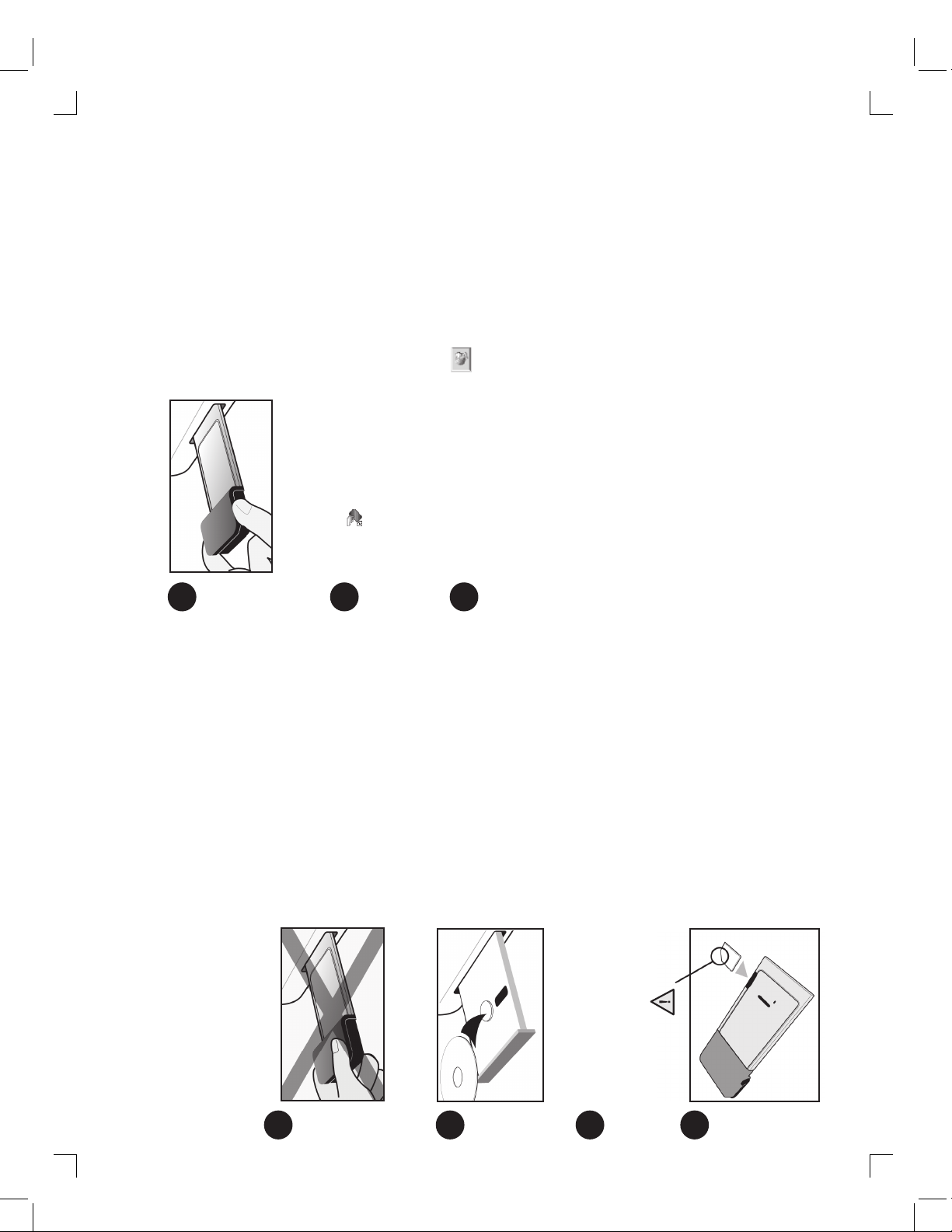
When prompted, insert the AirCard
2
4
5
3
6
1
7
modem into the PC Card slot.
Launch Watcher from the Start menu or double–click the Watcher icon on your
Yes and follow
the account configuration instructions in step 6 below.
desktop . If you are prompted to configure a profile, select
icon and select WWAN profile.
From the Profile Name drop–down list, select the profile corresponding to your
service provider, or enter a Profile Name and complete the fields. (If you do
not know the APN, username, and/or password for your account, contact your
service provider.)
If you want Watcher to run automatically when Windows starts up:
1. Select Options > General.
2. From the “Automatically run on Windows startup” drop–down list, select Yes .
Select Tools > Connections. Click the
The AirCard modem is now ready for use.
as your browser, you may need
Help > Help topics.
®
Internet Explorer
®
If you are using Microsoft
To access the Help system in Watcher, select
to configure it to use the AirCard modem. (See the Installation Guide on the CD.)
XP and 2000.
®
Please do not insert the AirCard modem
into the PC Card slot before installing
the software.
Hold the AirCard modem face down.
Insert the SIM / USIM into the slot at the
side of the AirCard modem, as shown in
Insert the CD in the CD-ROM drive.
If a menu does not appear automatically,
select Start > Run and enter d:\Setup.
letter.
exe, where d is your CD-ROM drive
the illustration.
and Installation Guide
AirCard wireless network card (modem)
Your package contains the following:
•
• Installation CD containing the AirCard connection manager software
• This Quick Start Guide
This guide provides installation instructions for users of Windows
Select “notebook installation...”, and then select “notebook software
installation (XP, 2000)”. This launches a program that guides you through
installation of Watcher™ and the AirCard device drivers.
 Loading...