

Page 1
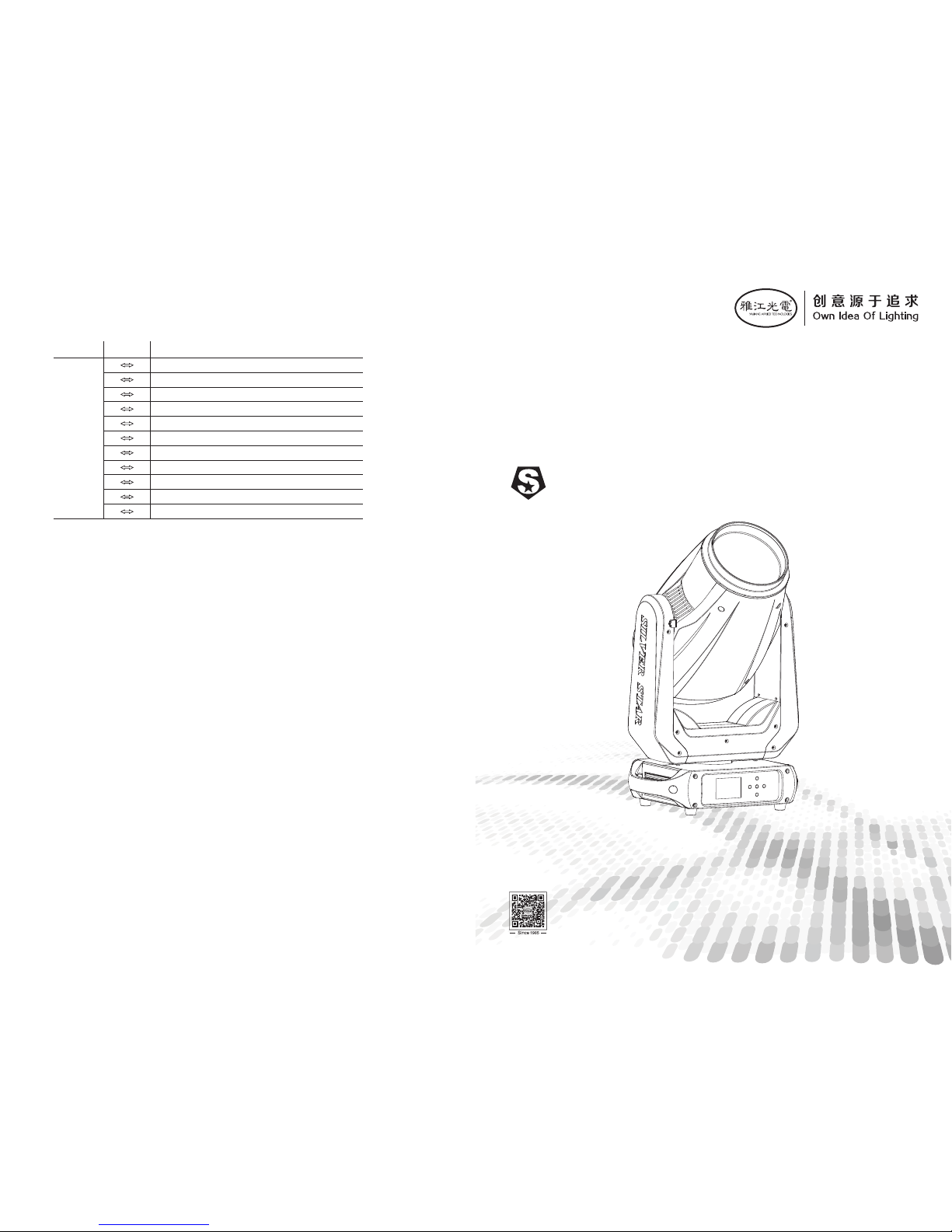
MODEL:SS662SC
PLUTO 250
USER MANUAL
PLUTO 250
SS662
RD-SS662-SM-01(SS-I)
广州市雅江光电设备有限公司
Guan gzhou Y ajian g Photo elect ric Equ ipmen t Ltd.
电话 /Tel:02 0-869 47788
传真/Fa x:020-8 69437 73
邮箱/E -mail:s ales@ yajia ng.cn
网址/We bsite:w ww.yaj iang. cn
®
1200Hz
2400Hz
4000Hz
6000Hz
25000H z
ALL RES ET
XY RESE T
COLOR SYST EM RESET
GOBO RES ET
FOCUS \ZOOM
NO FUNC TION
151 1 60
161 1 70
171 1 80
181 1 90
191 2 00
201 2 10
211 2 20
221 2 30
231 2 40
241 2 50
251 2 55
CHA NNEL
VALU E
FUN CTION
Page 2
SS662 SC
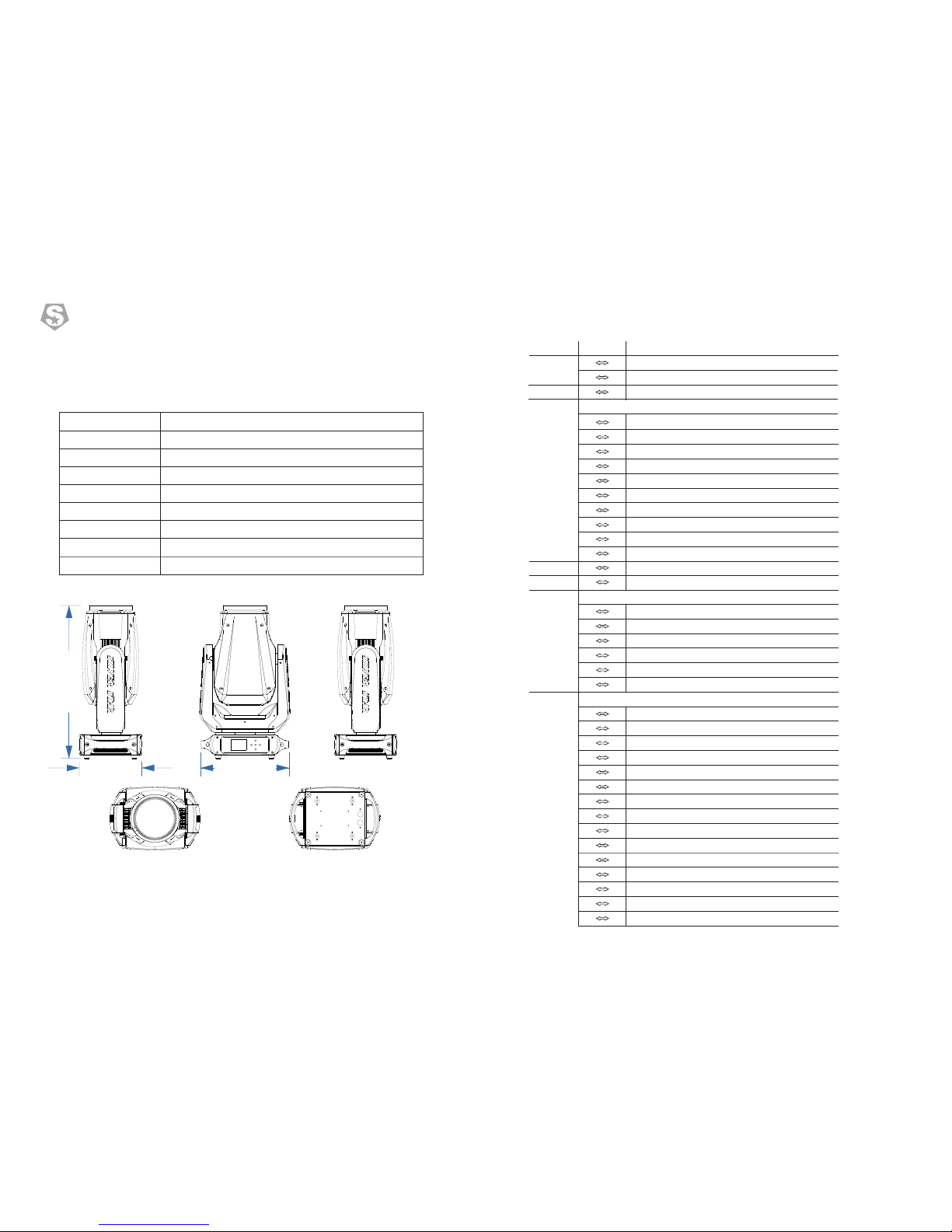
358×250×6 09(mm)
19KG
320W
AC100 ~240V
50/60 Hz
0℃~45℃
3°~35°
DMX51 2/RDM
Product Code
imensonD
Weight
Rated Power
Input Voltage
Frequency Range
Ambient Temperature
Beam Angle
Control Model
1
Product Introduction
1.1 Specification
1 18
PLUTO 250
SS662
®
CH. 12
0 1 2
13 39
40 66
67 93
94 1 20
121 1 47
148 1 74
175 2 01
202 2 28
229 2 55
0 255
0 255
CH. 13
CH. 14
CH. 15
CH. 16
NO FUNCTION
STROBE FROM (SLOW TO FAST ,0-25Hz)
NO FUNCTION
LIGHTNING STROBE
NO FUNCTION
RANDOM STROBE
0 9
10 99
100 1 09
110 1 79
180 1 89
190 2 55
STORBE
NO FUNCTION
PAN/TILT BLACK ACTIVATED
PAN/TILT BLACK DEACTIVATED
PAN INVERT
TILT INVERT
PAN/TILT INVERT OFF
FAN SLOW
FAN NORMAL
FAN FAST
FAN AUTO
DIM4
DIM3
DIM2
DIM1
DIM OFF
CON TROL
000 0 10
011 0 20
021 0 30
031 0 40
041 0 50
051 0 60
061 0 70
071 0 80
081 0 90
091 1 00
101 1 10
111 1 20
121 1 30
131 1 40
141 1 50
NO FUNCTION
5M
7M
9M
11M
13M
15M
17M
19M
21M
MANUAL FOCUS
DIMMER
AUTO FOCUS
CH. 10
CH. 11
000 10
011 2 55
000 2 55
WHITE
FROST→100%
ZOOM
CHA NNEL
VALU E
FUN CTION
358 mm
25
0 m
m
60
9 mm
Page 3
STATIC GOBO FLOWING WATER EFFECT (SPEED 1—> 100%)
193 2 55
CH. 9
WHITE
PRISM 0-360°
STOP
PRISM INSERT AND POSITIVE ROTATION (SPEED 100%—>1)
STOP
PRISM INSERT AND REVERSE ROTATION (SPEED 1—>100%)
PRISM
0 1 0
11 1 45
146 1 50
151 2 00
201 2 05
206 2 55
FROST
0 1 20
121 1 25
126 1 65
166 1 70
171 2 10
211 2 15
216 2 55
ROTATING GOBO ANGLE ADJUSTMENT (0 —> 360°)
STOP
ROTATING GOBO SHAKE (SPEED 1 —> 100%)
STOP
ROTATING GOBO POSITIVE ROTATION (SPEED 100% —> 1)
STOP
ROTATING GOBO REVERSE ROTATION (SPEED 1 —> 100%)
2
PLUTO 250
SS662
®
CH. 7
WHITE
GOBO1
GOBO2
GOBO3
GOBO4
GOBO5
GOBO6
GOBO7
GOBO8
GOBO1 SHAKE (SPEED 1 —> 100%)
GOBO2 SHAKE (SPEED 1 —> 100%)
GOBO3 SHAKE (SPEED 1 —> 100%)
GOBO4 SHAKE (SPEED 1 —> 100%)
GOBO5 SHAKE (SPEED 1 —> 100%)
GOBO6 SHAKE (SPEED 1 —> 100%)
GOBO7 SHAKE (SPEED 1 —> 100%)
GOBO8 SHAKE (SPEED 1 —> 100%)
WHITE
ROTATING GOBO FLOWING WATER EFFECT (SPEED 100%—>1)
STOP
ROTATING GOBO FLOWING WATER EFFECT (SPEED 1—>100%)
000 0 10
011 0 16
017 0 22
023 0 28
029 0 34
035 0 40
041 0 46
047 0 52
053 0 58
059 0 66
067 0 74
075 0 82
083 0 90
091 0 98
099 1 06
107 1 14
115 1 22
123 1 27
128 1 90
191 1 92
193 2 55
GOBO ROTATING
CH. 8
ROTATING GOBO 8+1
17
IM PO RT AN T
AT TE NT IO N
Cau tion, r isk of el ectri c shock
The l ight so urce co ntain ed in thi s lumin aire sh all onl y be repl aced
by th e manuf actur er or his s ervic e agent o r a simil ar qual ified p erson .
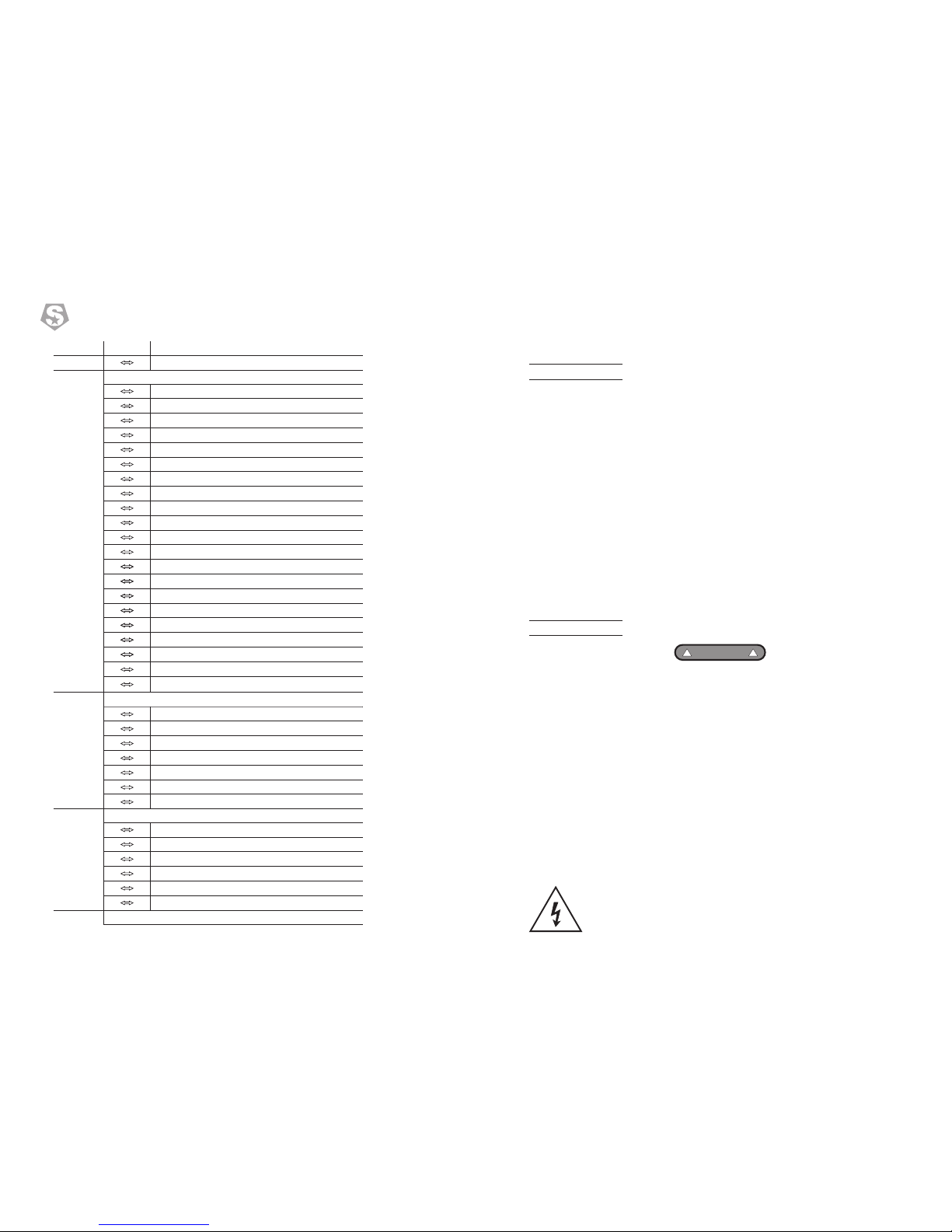
1.2 Safety warning
ATT ENTIO N
!!
• This product left the place of manufacture in perfect condition. In order to
maintain this condition and for safe operation, the user must always follow the
instructions and safety warnings described in this user manual.
• Avoid shaking or strong impacts to any part of the equipment.
• Make sure that all parts of the equipment are kept clean and free of dust.
• Always make sure that the power connections are connected correct and
secure.
• If there is any malfunction of the equipment, contact your distributor
immediately.
• When transferring the product, it is advisable to use the original packaging in
which the product left the factory.
• Shields, lenses or ultraviolet screens shall be changed if they have become
damaged to such an extent that their effectiveness is impaired.
• The lamp (LED) shall be changed if it has become damaged or thermally
deformed.
• This product must be installed by a qualified professional.
• Always operate the equipment as described in the user manual.
• A minimum distance of 0.5m must be maintained between the equipment and
combustible surface.
• The product must always be placed in a well ventilated area.
• Always make sure that the equipment is installed securely.
• Do not stand close to the equipment and stare directly into the LED light source.
• Always disconnect the power supply before attempting and maintenance.
• Always make sure that the supporting structure is solid and can support the
combined weight of the products.
• The earth wire must always be connected to the ground.
• Do not touch the power cables if your hands are wet.
Alway s re ad th e us er manu al b efo re o perat io n.
Pleas e co nfi rm t hat the p ow er su pp ly stat ed o n the p ro duct is t he s ame a s th e
mains p ow er su pp ly in you r ar ea.
CHA NNEL
VALU E
FUN CTION
Page 4
16
3
PLUTO 250
SS662
®
ON
OFF
FUSE:T6.3A
POWER IN
POWER OUT
ARTNET DMX IN DMX OUT
COLOR02
COLOR03
COLOR04
COLOR05
COLOR06
COLOR07
COLOR08
COLOR WHE EL 0-360°
COLOR WHE EL RAINBOW EFF ECT (SPEED 100 %->1)
STOP
COLOR WHE EL RAINBOW EFF ECT (SPEED 1-> 1 00%)
015 0 21
022 0 28
029 0 35
036 0 42
043 0 49
050 0 56
057 0 63
064 1 91
192 2 22
223 2 24
225 2 55
000 2 55
CH. 5
STATIC GOBO 11+1
WHITE
GOBO1
GOBO2
GOBO3
GOBO4
GOBO5
GOBO6
GOBO7
GOBO8
GOBO9
GOBO10
GOBO11
GOBO1 SHAKE (SPEED 1 —> 100%)
GOBO2 SHAKE (SPEED 1 —> 100%)
GOBO3 SHAKE (SPEED 1 —> 100%)
GOBO4 SHAKE (SPEED 1 —> 100%)
GOBO5 SHAKE (SPEED 1 —> 100%)
GOBO6 SHAKE (SPEED 1 —> 100%)
GOBO7 SHAKE (SPEED 1 —> 100%)
GOBO8 SHAKE (SPEED 1 —> 100%)
GOBO9 SHAKE (SPEED 1 —> 100%)
GOBO10SHAKE (SPEED 1 —> 100%)
GOBO11SHAKE (SPEED 1 —> 100%)
WHITE
STATIC GOBO FLOWING WATER EFFECT (SPEED 100%—>1)
STOP
000 0 10
011 0 15
016 0 20
021 0 25
026 0 30
031 0 35
036 0 40
041 0 45
046 0 50
051 0 55
056 0 60
061 0 65
066 0 70
071 0 75
076 0 80
081 0 85
086 0 90
091 0 95
096 1 00
101 1 05
106 1 10
111 1 15
116 1 20
121 1 27
128 1 90
191 1 92
CH. 6
CH. 4
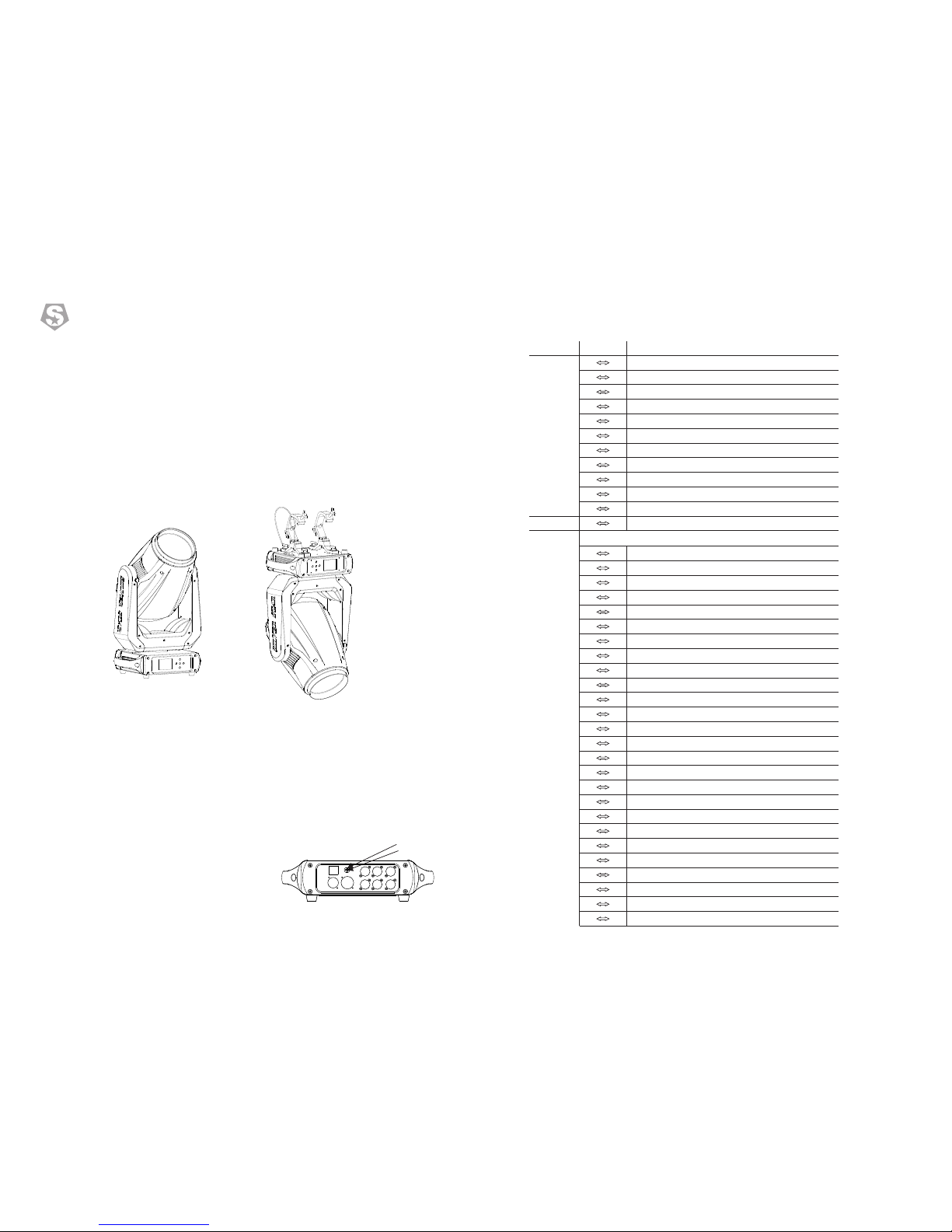
2.1 Mounting
2 Installation
UPRIGH T
HANGIN G
The fix ture ca n be m ounte d in any po si tion.
Alway s ensur e th at moun ting su rf ace can w ithst an d 10 time s the wei gh t of the
fixtu re.
Alway s use a saf et y cable w hen mou nt ing the f ixtur e in a ny elev at ed
posit ion.
Impor ta nt sa fe ty note !!
Alway s us e a saf et y cable w he n ins ta lling t hi s uni t! !
Be sure t ha t the s af ety cab le i s con ne cted to a s ol id lo ad -bear in g str uc tu re.
2.2 Fuse replacement
● Remov e th e saf et y cap by a sc re wdr iv er.
etch th e ol d fus e fr om safe ty c ap.● F
nstal l a ne w fus e. ● I
nstal l th e saf et y cap.● I
Saf ty cap
Fus e
COLOR WHEEL FINE ADJUSTMENT. AVAILABLE WHEN THE VALUE IS UNDER 128 ON CHANNELS 10.
CHA NNEL
VALU E
FUN CTION
Page 5
NO FUNCTION
RANDOM STROBE
180 1 89
190 2 55
000 0 10
011 0 20
021 0 30
031 0 40
041 0 50
051 0 60
061 0 70
071 0 80
081 0 90
091 1 00
101 1 10
111 1 20
121 1 30
131 1 40
141 1 50
151 1 60
161 1 70
171 1 80
181 1 90
191 2 00
201 2 10
211 2 20
221 2 30
231 2 40
241 2 50
251 2 55
4
15
PLUTO 250
SS662
®
CH. 19
BASIC
PAN 0-540°
TILT 0-270°
PT SPEED
000 2 55
000 2 55
000 2 55
CH. 1
WHITE
COLOR01
000 0 07
008 0 14
CH. 2
CH. 3
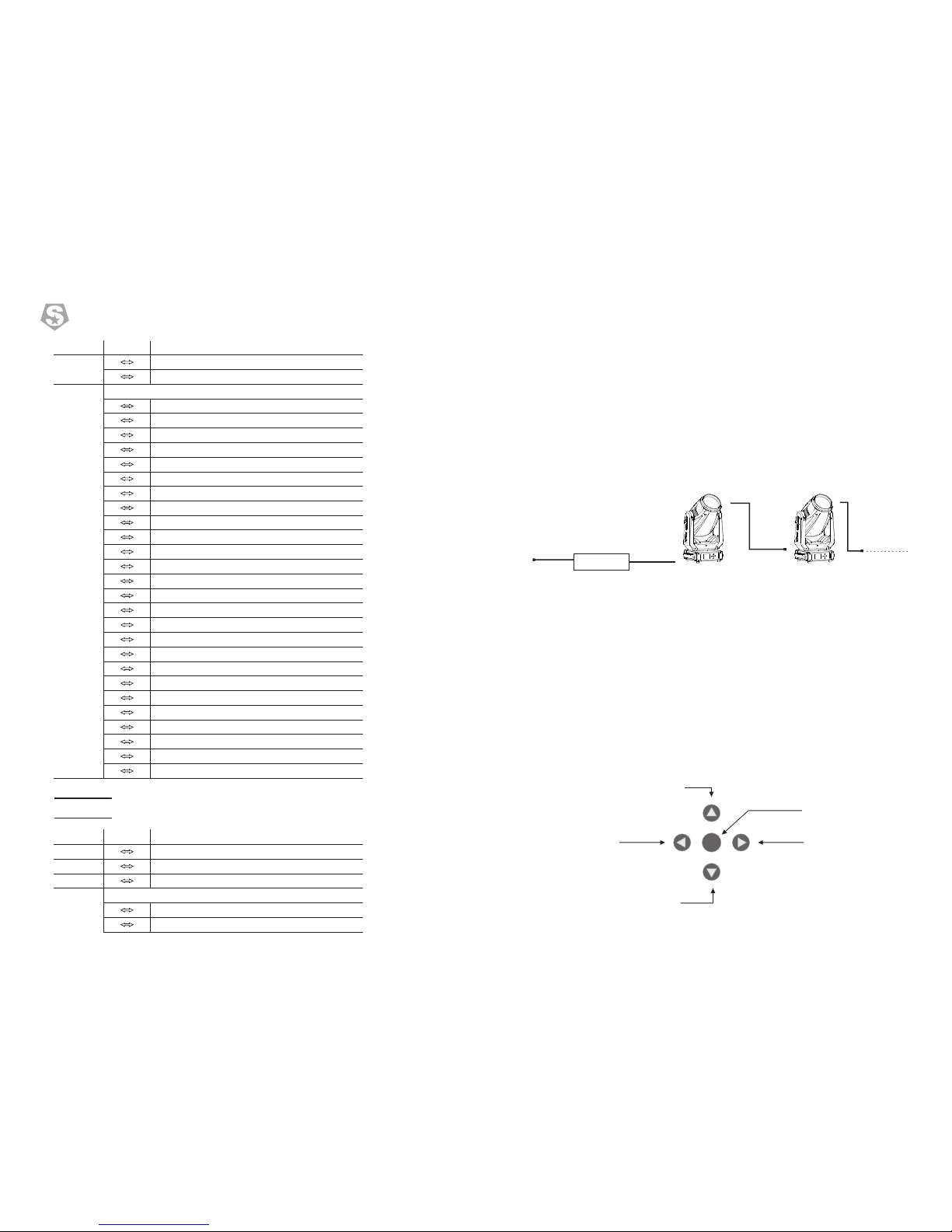
2.3 Power connections
This product provides for the use of input power and signal cables are
three-core,the connection diagram is as follows
This product uses input and output power cable is 1.5 square mm copper wire
Note:
If the signal cable is over 60m between the DMX512 controller and fixture or beween
two fixtures, then a DMX signal amplifier is needed as well.
100~ 240VAC I nput
●When using this product to connect 220V AC, the number
of tandem fixtures must not exceed eight.
When using this product to connect 110V AC, the number●
of tandem fixtures must not exceed four.
3.1 Display operation
3 Display panel operation
ENTER
Roll
Menu
Up
Down
Enter into
CHA NNEL
VALU E
FUN CTION
CHA NNEL
VALU E
FUN CTION
CONTROL
NO FUNCTION
PAN/TILT BLACK ACTIVATED
PAN/TILT BLACK DEACTIVATED
PAN INVERT
TILT INVERT
PAN/TILT INVERT OFF
FAN SLOW
FAN NORMAL
FAN FAST
FAN AUTO
DIM4
DIM3
DIM2
DIM1
DIM OFF
1200Hz
2400Hz
4000Hz
6000Hz
25000Hz
ALL RESET
XY RESET
COLOR SYSTEM RESET
GOBO RESET
FOCUS\ZOOM
NO FUNCTION
COLOR WHEEL 8+1
Page 6
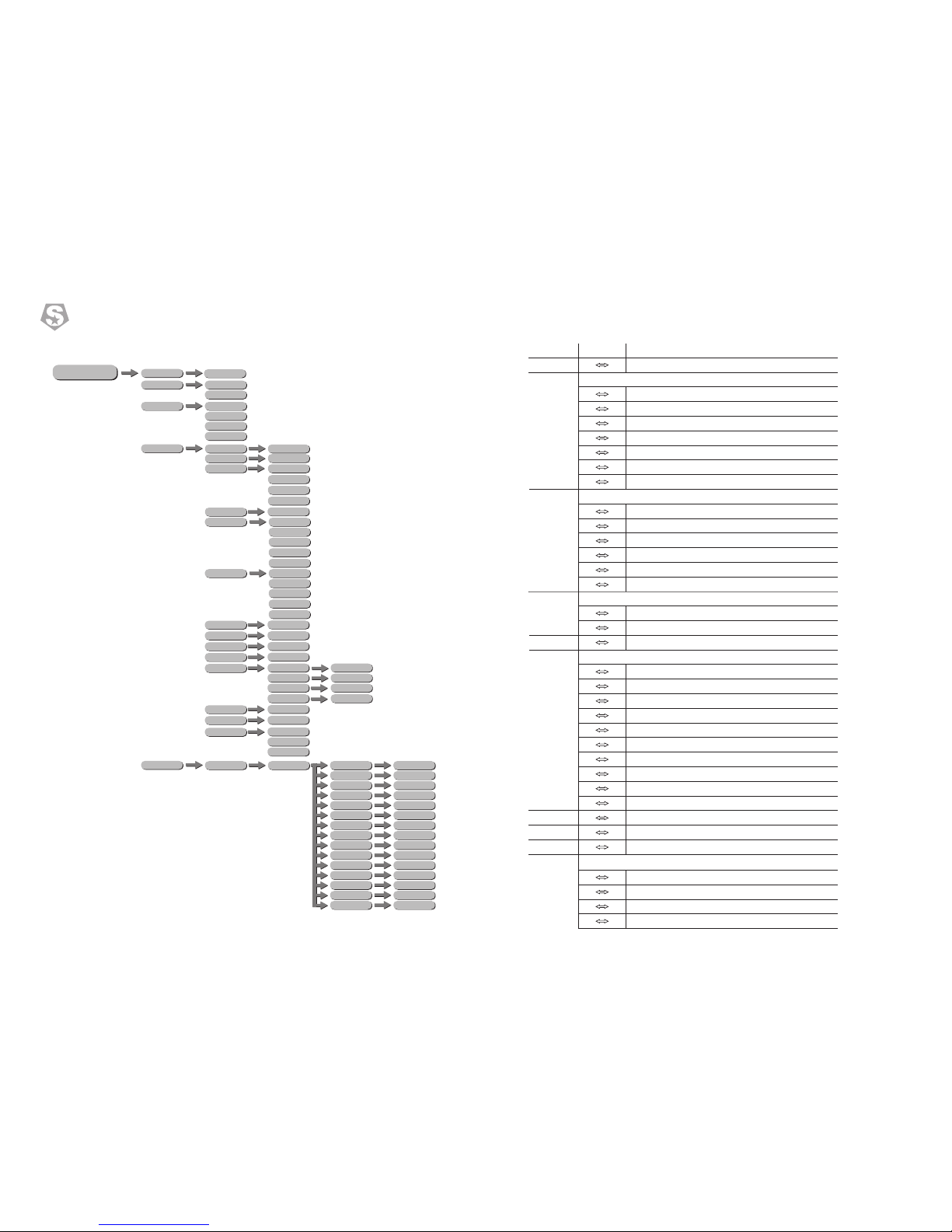
MENU
ADDRESS
PERSON
001-512
BASIC
DMX512
RUNMODE
AUTO
CUSTOM 1
CUSTOM 2
STANDARD
DIMMER
DIM 4
DIM 3
DIM 2
DIM 1
OFF
LED PWM
1200Hz
2400Hz
4000Hz
6000Hz
25000Hz
OPTION
FANS
PAN INVERT
TILT INVERT
OFF/ON
OFF/ON
SLOW
NORMAL
FAST
AUTO
BLACKOUT
NO/YES
DMX ERROR
SAVE/BLACK
DISPLAY ON
OFF/ON
DISPLAY LOCK
OFF/ON
LOAD PARA
NO/YES
PT ENCODER
OFF/ON
WDMX RESET
NO/YES
14
5
PLUTO 250
SS662
®
****
****
****
SETTING
SIGNAL
RECOVERY
ONLY XLR
CLEAN EDIT 1
ONLY WDMX
CLEAN EDIT 2
WDMX TO DMX
YES/NO
WDMX HIDE
EDIT
STEP(01-30)
EDIT 1-20
PAN
TILT
PT SPEED
COLOR
FIXED GOBO
ROTA.GOBO
GOBO.ROTA
PRISM
FROST
ZOOM
FOCUS
DIMMER
STROBE
TIME
USE
0-255
0-255
0-255
0-255
0-255
0-255
0-255
0-255
0-255
0-255
0-255
0-255
0-255
0-255(×0.1S)
YES/NO
ROTATING GOBO FLOWING WATER EFFECT (SPEED 1—>100%)
193 2 55
CH. 10
0 1 0
11 1 45
146 1 50
151 2 00
201 2 05
206 2 55
CH. 11
000 10
011 2 55
000 2 55
CH. 12
CH. 13
CH. 14
CH. 15
CH. 16
CH. 17
NO FUNCTION
STROBE FROM (SLOW TO FAST ,0-25Hz)
NO FUNCTION
LIGHTNING STROBE
0 9
10 99
100 1 09
110 1 79
CH. 18
0 1 20
121 1 25
126 1 65
166 1 70
171 2 10
211 2 15
216 2 55
0 1 2
13 39
40 66
67 93
94 1 20
121 1 47
148 1 74
175 2 01
202 2 28
229 2 55
0 2 55
0 2 55
0 2 55
3.2 Menu
CHA NNEL
VALU E
FUN CTION
ROTATING GOBO ANGLE ADJUSTMENT (0 —> 360°)
STOP
ROTATING GOBO SHAKE (SPEED 1 —> 100%)
STOP
ROTATING GOBO POSITIVE ROTATION (SPEED 100% —> 1)
STOP
ROTATING GOBO REVERSE ROTATION (SPEED 1 —> 100%)
GOBO ROTATING
WHITE
PRISM 0-360°
STOP
PRISM INSERT AND POSITIVE ROTATION (SPEED 100%—>1)
STOP
PRISM INSERT AND REVERSE ROTATION (SPEED 1—>100%)
PRISM
WHITE
FROST→100%
ZOOM
FROST
AUTO FOCUS
NO FUNCTION
5M
7M
9M
11M
13M
15M
17M
19M
21M
MANUAL FOCUS
DIMMER
16B DIMMER FINE
STORBE
Page 7
6
13
PLUTO 250
SS662
®
PAN
TILT
PT SPEED
COLOR
FIXED GOBO
ROTA.GOBO
GOBO.ROTA
PRISM
FROST
ZOOM
FOCUS
DIMMER
STROBE
TIME
USE
0-255
0-255
0-255
0-255
0-255
0-255
0-255
0-255
0-255
0-255
0-255
0-255
0-255
0-255(×0.1S)
YES/NO
MANUAL
AUTO TEST
CHANNEL
DEBUG HIDE
RESET
YES/NO
ALL RESET
PT RESET
COLOR SYSTEM
GOBO SYSTEM
OTHER
051 0 55
056 0 60
061 0 65
066 0 70
071 0 75
076 0 80
081 0 85
086 0 90
091 0 95
096 1 00
101 1 05
106 1 10
111 1 15
116 1 20
121 1 27
128 1 90
191 1 92
193 2 55
WHITE
GOBO1
GOBO2
GOBO3
GOBO4
GOBO5
GOBO6
GOBO7
GOBO8
GOBO1 SHAKE (SPEED 1 —> 100%)
GOBO2 SHAKE (SPEED 1 —> 100%)
GOBO3 SHAKE (SPEED 1 —> 100%)
GOBO4 SHAKE (SPEED 1 —> 100%)
GOBO5 SHAKE (SPEED 1 —> 100%)
GOBO6 SHAKE (SPEED 1 —> 100%)
GOBO7 SHAKE (SPEED 1 —> 100%)
GOBO8 SHAKE (SPEED 1 —> 100%)
WHITE
ROTATING GOBO FLOWING WATER EFFECT (SPEED 100%—>1)
STOP
CH. 9
000 0 10
011 0 16
017 0 22
023 0 28
029 0 34
035 0 40
041 0 46
047 0 52
053 0 58
059 0 66
067 0 74
075 0 82
083 0 90
091 0 98
099 1 06
107 1 14
115 1 22
123 1 27
128 1 90
191 1 92
GOBO9
GOBO10
GOBO11
GOBO1 SHAKE (SPEED 1 —> 100%)
GOBO2 SHAKE (SPEED 1 —> 100%)
GOBO3 SHAKE (SPEED 1 —> 100%)
GOBO4 SHAKE (SPEED 1 —> 100%)
GOBO5 SHAKE (SPEED 1 —> 100%)
GOBO6 SHAKE (SPEED 1 —> 100%)
GOBO7 SHAKE (SPEED 1 —> 100%)
GOBO8 SHAKE (SPEED 1 —> 100%)
GOBO9 SHAKE (SPEED 1 —> 100%)
GOBO10SHAKE (SPEED 1 —> 100%)
GOBO11SHAKE (SPEED 1 —> 100%)
WHITE
STATIC GOBO FLOWING WATER EFFECT (SPEED 100%—>1)
STOP
STATIC GOBO FLOWING WATER EFFECT (SPEED 1—> 100%)
CH. 8
CHA NNEL
VALU E
FUN CTION
ROTATING GOBO 8+1
INFO
FIXTURE HOURS
LED USE HOURS
TEMPERATURE
VERSION
RDM
UID 0x388Axxxxxxxx
LABEL PLUTO 250
SYSTEM ERROR
MEMORY IC
ANGLESENSOR
PAN SENSOR
PAN ENCODER
PAN DRIVEIC
TILT SENSOR
TILTENCODER
TILTDRIVEIC
TEMPERATURE
COLOR RESET
FGOBO RESET
GOBO RESET
RGOBO RESET
ZOOM RESET
FOCUS RESET
PRISM RESET
SERVICE
****
±127
±127
±127
±127
±127
±127
±127
±127
±127
128 -255
PAN
TILT
COLOR
FIXED GOBO
ROTA. GOBO
GOBO.ROTA
FOCUS
ZOOM
PRISM
DIMMER
Page 8
DMX512
RUNMODE
AUTO
CUSTOM 1
CUSTOM 2
PERSON
BASIC
STANDARD
ADDRESS
001-512
ME NU
ME NU
ME NU
ME NU
STAND ARD
12
7
PLUTO 250
SS662
®
DIMMER
DIM 4
DIM 3
DIM 2
DIM 1
OFF
OPTION
FANS
PAN INVERT
TILT INVERT
OFF/ON
OFF/ON
SLOW
NORMAL
FAST
AUTO
BLACKOUT
NO/YES
LED PWM
1200Hz
2400Hz
4000Hz
6000Hz
25000Hz
CH. 1
CH. 2
CH. 3
CH. 4
CH. 5
CH. 6
CH. 7
000 2 55
000 2 55
000 2 55
000 2 55
000 2 55
WHITE
GOBO1
GOBO2
GOBO3
GOBO4
GOBO5
GOBO6
GOBO7
GOBO8
000 0 10
011 0 15
016 0 20
021 0 25
026 0 30
031 0 35
036 0 40
041 0 45
046 0 50
000 0 07
008 0 14
015 0 21
022 0 28
029 0 35
036 0 42
043 0 49
050 0 56
057 0 63
064 1 91
192 2 22
223 2 24
225 2 55
000 2 55
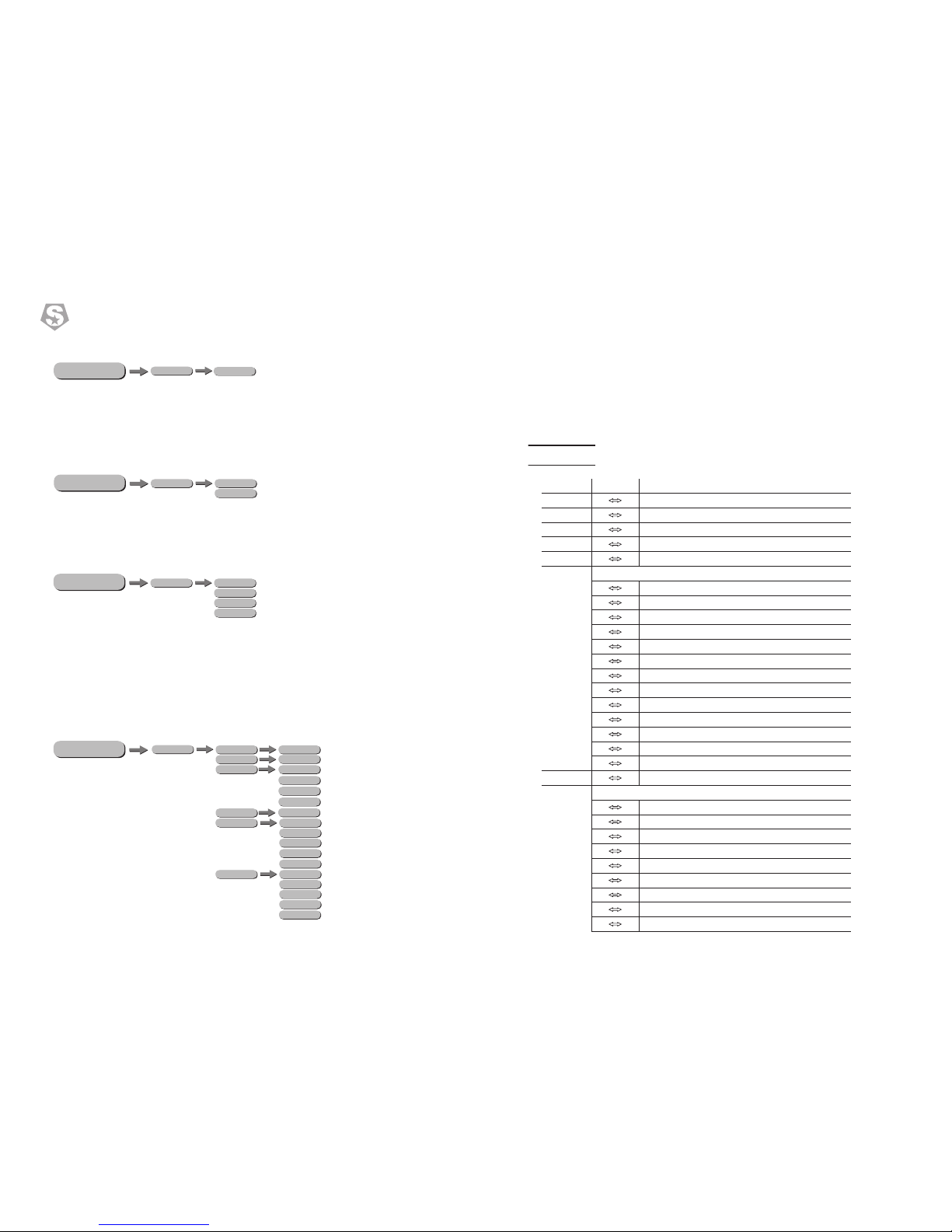
3.3 DMX Address
• Ente r the【DMX】m ode to set the DMX addres s.
• 【 】Enter Up/Down select 1~512 a ddres s.
• Ente r【MENU】return .
3.4 Personality(Person)
• Ente r the【PER SON】mode to sele ct DMX mode:【 TANDR AD】,【 ASIC】.S B
3.5 Runmode
• 【RUNMODE】menu, select required run mode,there are six modes inside:【DMX512】
DMX512 mode,【AUTO】auto run mode,【CUSTOM1】customerself-editing scene
mode1,【CUSTOM2】customer self-editing scene mode2 press Down/Up select mode.
• press【ENTER】accept,press【MENU】return.
3.6 Performance(Option)
4 Using a DMX512 Controller
4.1 Channel Assignment
Note: t hi s pro du ct have t wo D MX5 12 c hanne l co nfi gu ratio n: STAND ARD , B AS IC .【 】 【 】
CHA NNEL
VALU E
FUN CTION
PAN 0-540°
PAN FINE
TITL 0-270°
TITL FINE
PT SPEED
COLO R WHEEL 8 +1
WHITE
COLOR01
COLOR02
COLOR03
COLOR04
COLOR05
COLOR06
COLOR07
COLOR08
COLOR WHEEL 0-360°
COLOR WHEEL RAINBOW EFFECT (SPEED 100%->1)
STOP
COLOR WHEEL RAINBOW EFFECT (SPEED 1-> 100%)
COLOR WHEEL FINE ADJUSTMENT. AVAILABLE WHEN THE VALUE IS UNDER 128 ON CHANNELS 10.
STATIC GOBO 11+1
Page 9
SERVICE
****
±127
±127
±127
±127
±127
±127
±127
±127
±127
128 -255
PAN
TILT
COLOR
FIXED GOBO
ROTA. GOBO
GOBO.ROTA
FOCUS
ZOOM
PRISM
DIMMER
811
PLUTO 250
SS662
®
DMX ERROR
SAVE/BLACK
DISPLAY ON
OFF/ON
DISPLAY LOCK
OFF/ON
LOAD PARA
NO/YES
PT ENCODER
OFF/ON
WDMX RESET
NO/YES
****
****
****
SETTING
SIGNAL
RECOVERY
ONLY XLR
CLEAN EDIT 1
ONLY WDMX
CLEAN EDIT 2
WDMX TO DMX
YES/NO
WDMX HIDE
ME NU
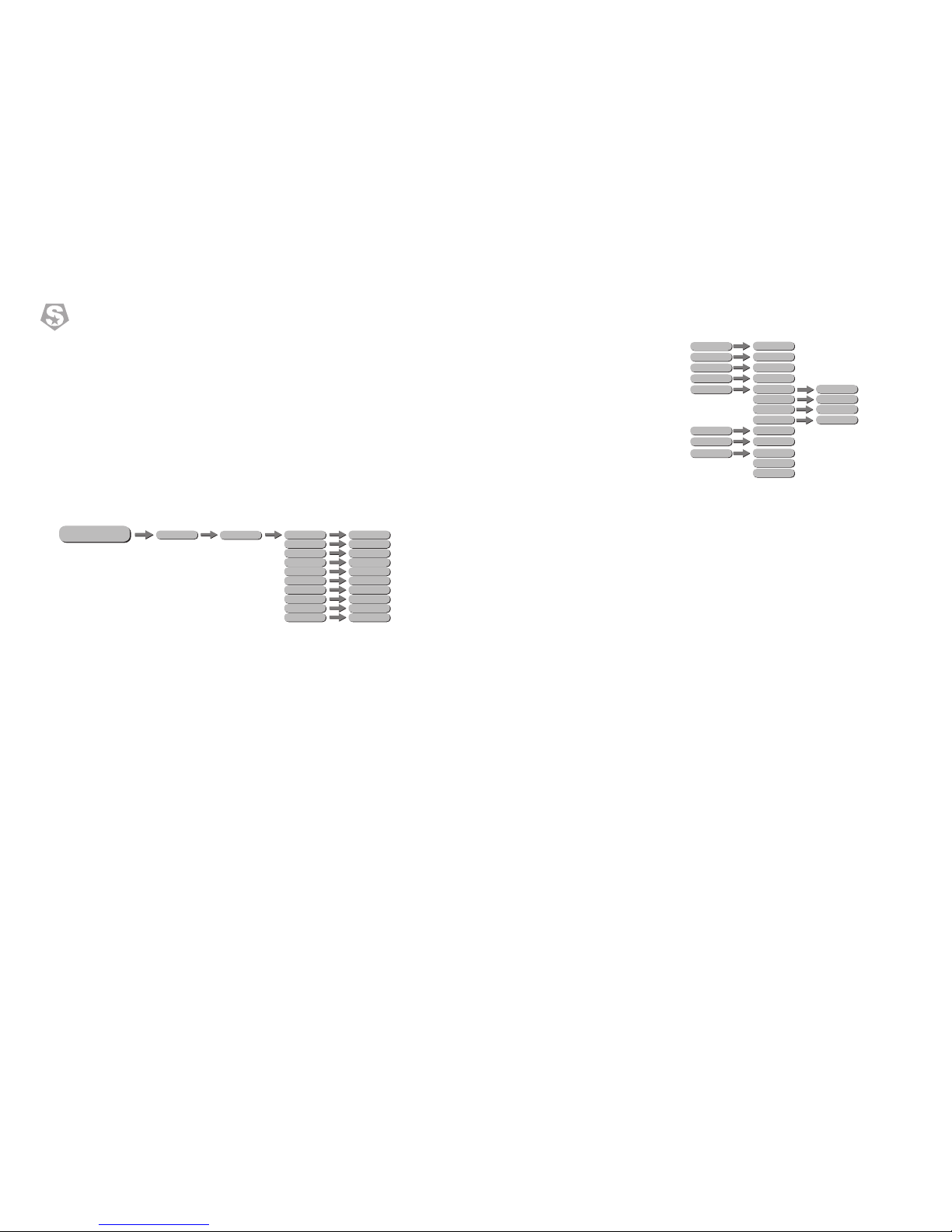
• Enter【OPTION】 into the machine set.
• 【PAN INVERT】menu, select【NORMAL】for normal direction, select【INVERT】for
inverted of the PAN direction.
• 【FANS】menu, select【Slow/Norm/Fast/Auto】as required fan speed.
• Choose【OFF】and【ON】to close and open the 【BLACKOUT】mode.
• 【DIMMER】menu for selection of【DIM1/DIM2/DIM3/DIM4/OFF】 special dimming
curves.
• 【LED PWM】 is PWM refresh rate bottom, press UP/DOWN to choose <1200Hz>、
<2000Hz>、<2400Hz>、<6000Hz>、<25000Hz>; Attention: the gray level of dimming will
be reduced as the refresh rate increases.
• 【DMX ERROR】menu, select【SAVE】to maintain last command in case of DMX error
or for blackout.
• Choose【OFF】and【ON】to close and open the display open & close mode in menu
【DISPLAY】
• Choose 【OFF】and【ON】to close and open the screen lock mode in menu 【DISPLAY
LOCK】
• 【LOAD PARA】is parameter upload Settings, enter【NO】do not upload, enter 【YES】
upload.
• 【SETTING】maintain settings, select【RECOVERY】is restore default factory settings.
press【ENTER】 enter password then press【ENTER】,if your password correct there will
display【OK】.
【CLEAN EDIT1】clean customer self-editing scene 1, press【ENTER】confirm.
【CLEAN EDIT2】clean customer self-editing scene 2, press【ENTER】confirm.
【WDMX HIDE】hide wireless mode, WDMX RESET and SIGNAL hide and the default is
wired mode only.
• 【TEMPERATURE】is led temperature.
• 【VERSION】is software versions;
• 【NETWORK PARA】check network parameter;
• 【RDM】check fixture's ID;
• 【SYSTEM ERROR】system information error:Memory IC,AngleSensor,PanSensor,Pan
Encoder,Pan Drive IC,Tilt Sensor,TiltEncoder,TiltDriveIC,Temperature,Color Reset,FGobo
Reset,Gobo Reset,RGobo Reset,Zoom Reset,Focus Reset,Prism Reset.
3.10 Service
• Press【ENTER】into【SERVICE】enter password"up down up down" to enter the options
page.
• 【PAN】Pan position fine adjustment,push up and down buttons adjust ±127 value.
• 【TILT】tilt position fine adjustment,push up and down buttons adjust ±127 value.
• 【COLOR】color position fine adjustment,Push up and down buttons adjust ±127 value.
• 【FIXED GOBO】fix gobo position fine adjustment,Push up and down buttons adjust±127
value.
• 【ROTA. GOBO】rotation gobo position fine adjustment,Push up and down buttons
adjust±127 value.
• 【GOBO.ROTA】gobo self-rotation position fine adjustment,Push up and down buttons
adjust±127 value.
• 【FOCUS】focus position fine adjustment,Push up and down buttons adjust ±127 value.
• 【ZOOM】zoom position fine adjustment,Push up and down buttons adjust ±127 value.
• 【PRISM】prism position fine adjustment,Push up and down buttons adjust ±127 value.
• 【DIMMER】is a dimming setting that limits the maximum brightness, range of values is
128~255 the lower the value,the higher the limit,255 is unlimited.
Page 10
EDIT
STEP(01-30)
EDIT 1-2
PAN
TILT
PT SPEED
COLOR
FIXED GOBO
ROTA.GOBO
GOBO.ROTA
PRISM
FROST
ZOOM
FOCUS
DIMMER
STROBE
TIME
USE
0-255
0-255
0-255
0-255
0-255
0-255
0-255
0-255
0-255
0-255
0-255
0-255
0-255
0-255(×0.1S)
YES/NO
109
PLUTO 250
SS662
®
ME NU
DEBUG HIDE
RESET
YES/NO
ALL RESET
PT RESET
COLOR SYSTEM
GOBO SYSTEM
OTHER
ME NU
PAN
TILT
PT SPEED
COLOR
FIXED GOBO
ROTA.GOBO
GOBO.ROTA
PRISM
FROST
ZOOM
FOCUS
DIMMER
STROBE
0-255
0-255
0-255
0-255
0-255
0-255
0-255
0-255
0-255
0-255
0-255
0-255
0-255
MANUAL
AUTO TEST
CHANNEL
ME NU
• 【PT ENCODER】XY encoder switch,【OFF】is close,【ON】is open.【WDMX
RESET】wireless resetting,use for patch wireless signal,【YES】is clear the receiver's
message,press again patch wireless signal,【No】do not clear the receiver's message.
• 【SIGNAL】is signal setting, ONLY XLR is wire only, XLR FIRST is wire first, ONLY WDMX
is wireless only.WDMX FIRS is wireless first , WDMX TO DMX is wireless to wired.
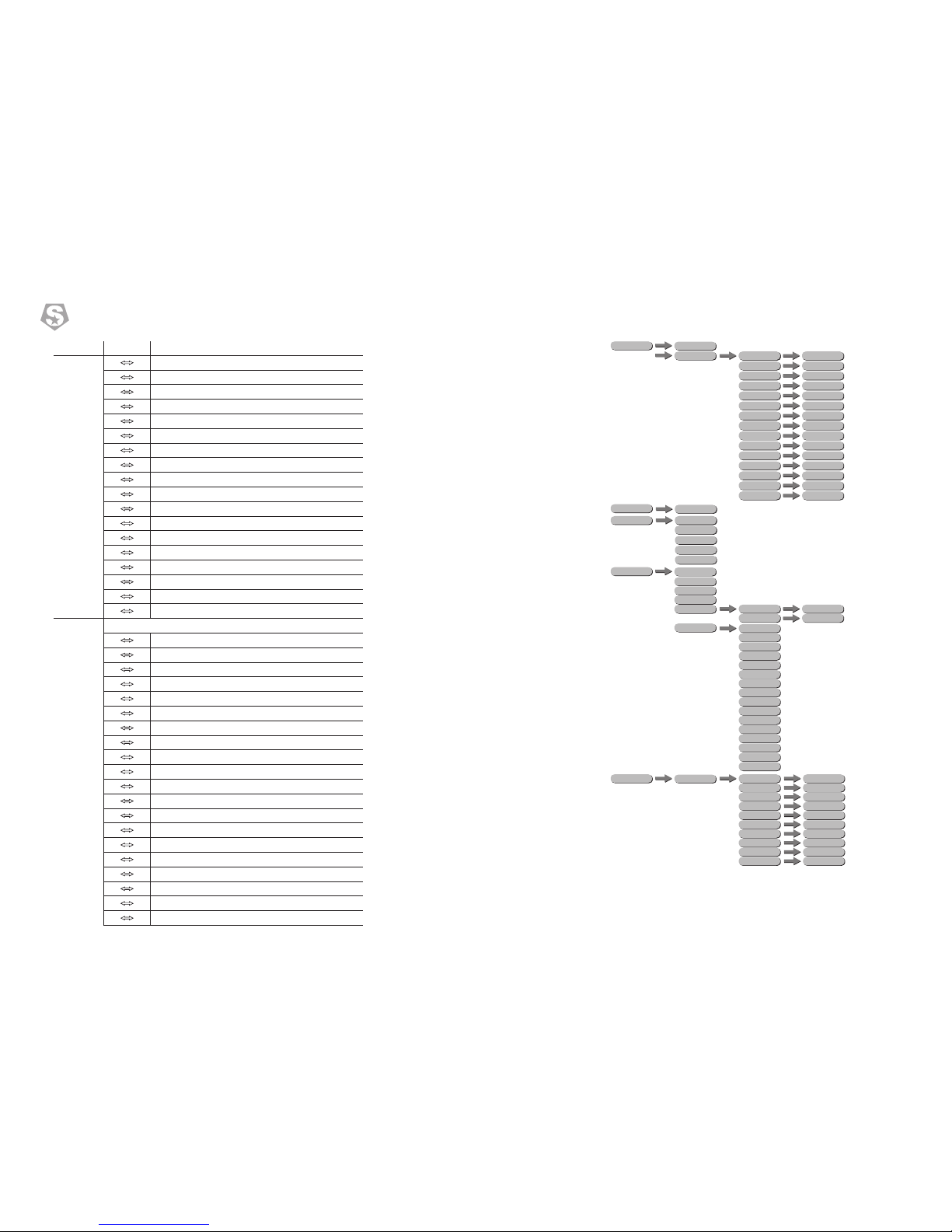
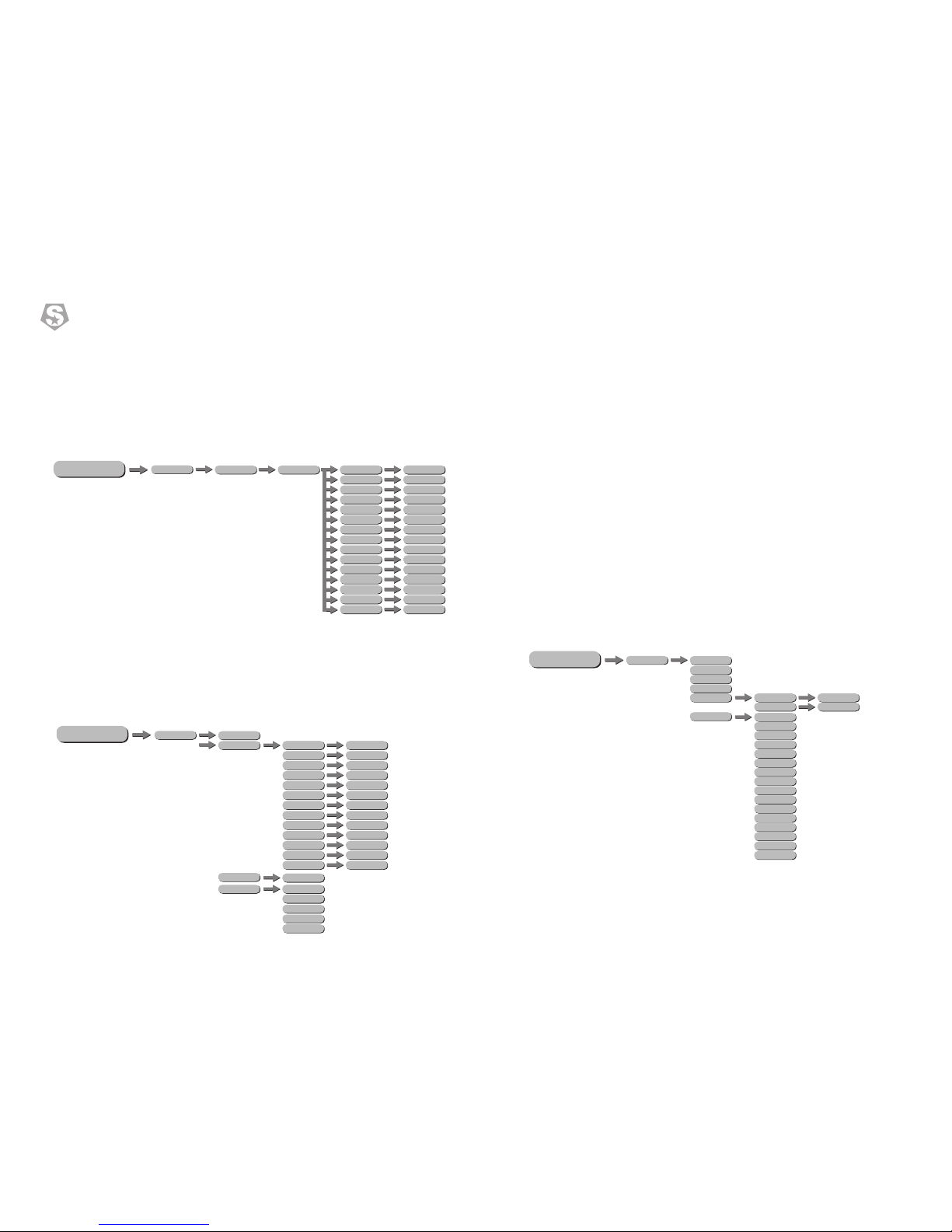
3.7 Edit
• Enter the EDIT mode to edit the custom programs by adjusting the value of PAN ,【 】 【 】
【 】 【 】 【COLOR】 【 】 【 】TILT , PT SPEED , , FIXED GOBO , ROTA.GOBO ,
【 】 【 】 【 】 【 】 【 】 【 】GOBO.ROTA , PRISM , FROST , ZOOM , FOCUS , DIMMER ,
【 】 【 】 Enter【 】and select【 】to run the steps user need.STROBE , TIME . Use Yes
3.8 Manual control mode
• 【AUTOTEST】at 【 】 Press【ENTER】into MENUAL .
• COLOR color 【PAN】pan set,【TILT】 tilt set,【PT SPEED】 set the pan & tilt speed,【 】
temperature FIXED GOBO ROTA.GOBO,【 】set the static gobo wheel【 】set the rotating
gobo wheel,【 】set the autogiration of gobo wheell,【PRISM】 set the GOBO.ROTA
prism,【FROST】set thefrost lens,【ZOOM】set the zoom of fixture,【FOCUS】set the
focusing,【DIMMER】set the dimmer,【STROBE】set the strobe, push the UP/DOWN to
set the value【000~255】.
• 【DEBUG HIDE】is the factory testing mode.All stepper motors are not controlled by
signal,It only works again after the reset. enter out、enter in.No Yes
• 【 】set the :RESET reset
【 LL RESET】 .A menu, select Yes/No to carry out all reset
【PT RESET】 PAN/TILT . menu, select Yes/No to carry out reset
【COLOR SYSTEM】color wheel、CMY resetting,press No do not resetting, press Yes
resetting.
【GOBO SYSTEM】fix gobo resetting. press No do not resetting, press Yes resetting.
【OTHER】focus、zoom、prism、frost、iris,press No do not resetting, press Yes
resetting.
3.9 Info
• Press【ENTER】into【INFO】check information,press up and down
• 【FIXTURE HOURS】is hours of fixture use;
• 【LED USE HOURS】is LED use time;
INFO
FIXTURE HOURS
LED USE HOURS
TEMPERATURE
VERSION
RDM
UID 0x388Axxxxxxxx
LABEL PLUTO 250
SYSTEM ERROR
MEMORY IC
ANGLESENSOR
PAN SENSOR
PAN ENCODER
PAN DRIVEIC
TILT SENSOR
TILTENCODER
TILTDRIVEIC
TEMPERATURE
COLOR RESET
FGOBO RESET
GOBO RESET
RGOBO RESET
ZOOM RESET
FOCUS RESET
PRISM RESET
 Loading...