

Page 1
Bling Helmet
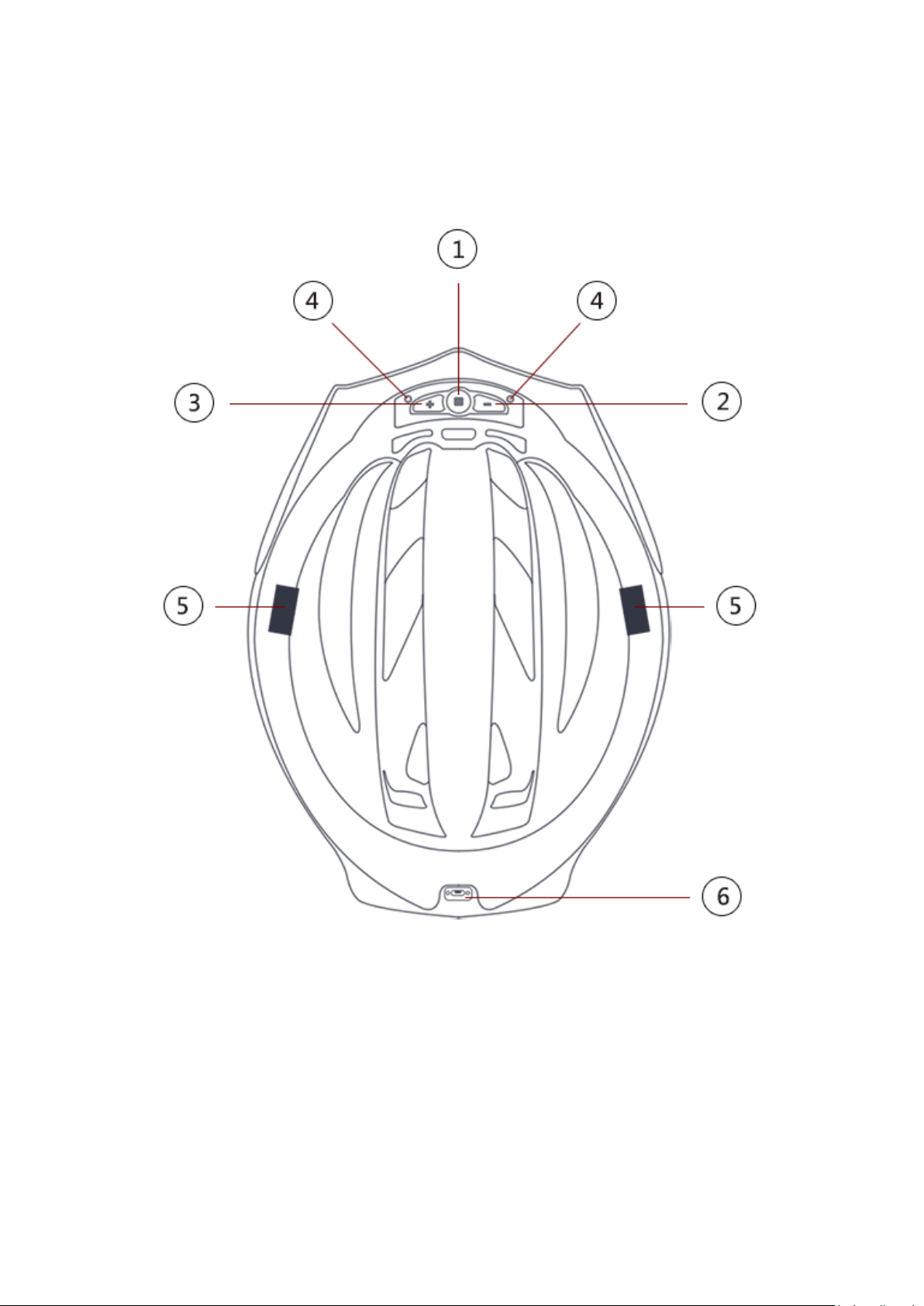
1 . Helmet connection
2 . Operating Instructions
1. “□” Button
2. “-” Button
3. “+” Button
4. Microphone
5. Bluetooth Speaker
6. Charging Port
1. Helmet Connection:
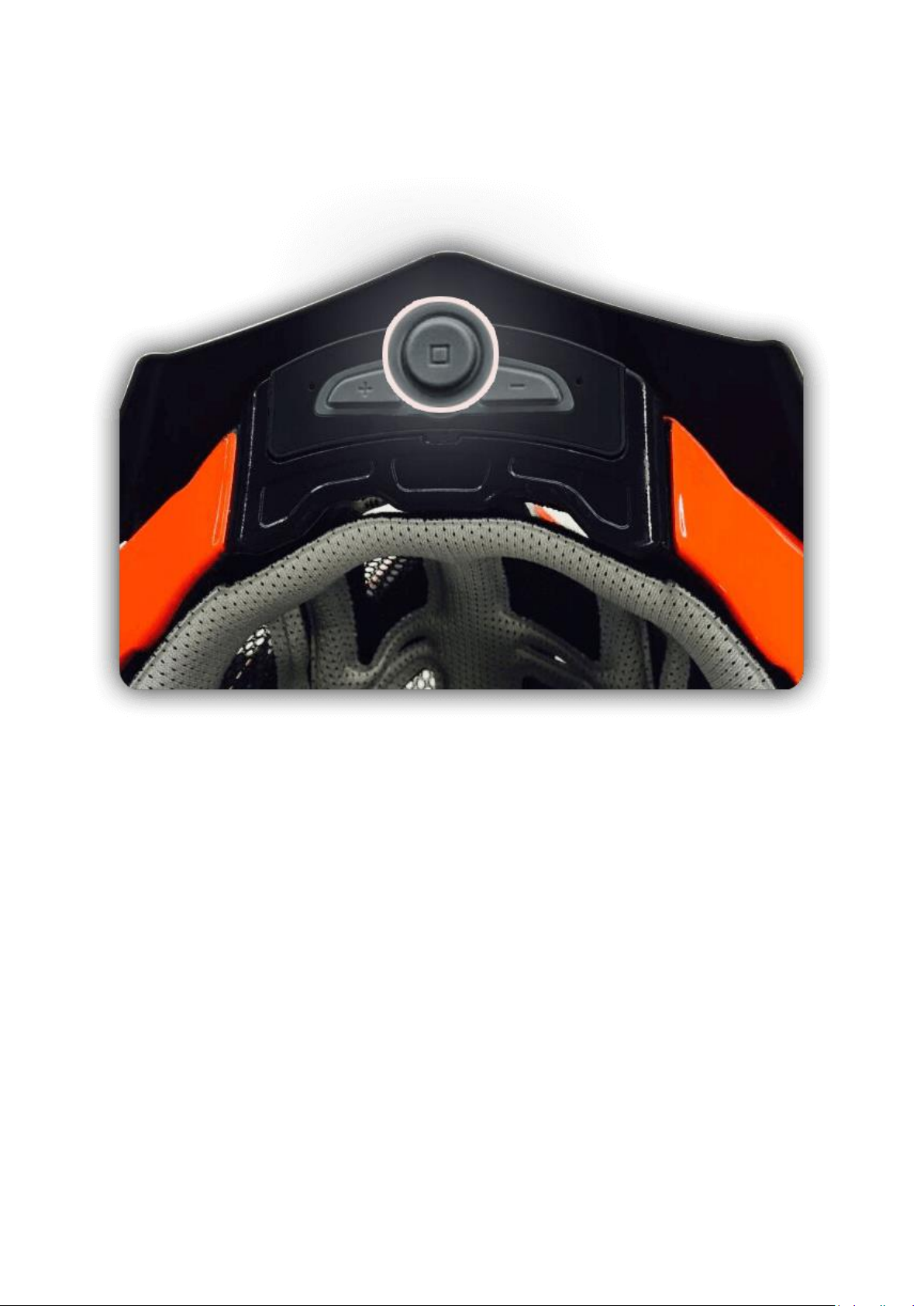
A. Turn on the helmet: Press the “□” button under the cap of the helmet until you hear
“Power On”
Page 2
B. In the App enter the Device page
C. Click BlingHelmet to enter the Device Binding page
Page 3

D. Click “Confirm Binding”
E. The helmet is now connected to the app
Page 4

1. Operating Instructions
A. Start Up:
B. Power Off
C. Connecting Earphones to Bluetooth
D. Answer and Hang Up Calls
E. Redial
F. Music Player
G. Volume Adjustment
H. Language Selection
I. Charging
J. Factory Rest
a. Long press the “□” button for two seconds until you hear “Power On”, and the
outline lights and the tail light will flash orange twice
a. Long press the “□” button until you hear “Power Off”, and the outline lights and
the tail light will flash orange once
a. When the device is off, press the “□” button until you hear “Ready to Pair”. The
device will now be available to pair with the phone’s Bluetooth. Open the
Bluetooth menu on your phone and select the device in use.
b. The speakers on both sides will say “Matching Completed” when the connection is
made.
c. The Bluetooth will automatically connect the next time.
a. When there is an incoming call the helmet will alert you
b. To answer the call press the “□” button once quickly
c. To ignore the call, hold down the “□” button
d. To end the call press “□” button once
a. If the device is powered on, quick press the “□” button twice
a. When the device is powered on, press the “□” button once to play music
1. For this to work, the music app must be open in the phone prior to use
b. Long press “-“ to replay the previous song, or long press “+” to play the next song
a. While music is playing or during a call press “+” or “-“ to increase or decrease
volume
a. The default language is English
b. To cycle through language options, press and hold the “-“ button, then press the
“+” for each language option
c. Cycle is: English Chinese French Spanish
d. When the language wanted is selected, let go of the “-“ button
a. Use the USB cable to connect the USB port beneath the tail light to a charger
b. When it is connected, the two indicator lights in the middle of the tail light will
flash red, and then green when charging is completed.
c. It is recommended that the charger is > 1 A and the charging time is approximately
3.5 hours
a. Hold the “□” button until the outline lights are white, after about 20 seconds the
lights will fade and the product has been reset
 Loading...