

Page 1
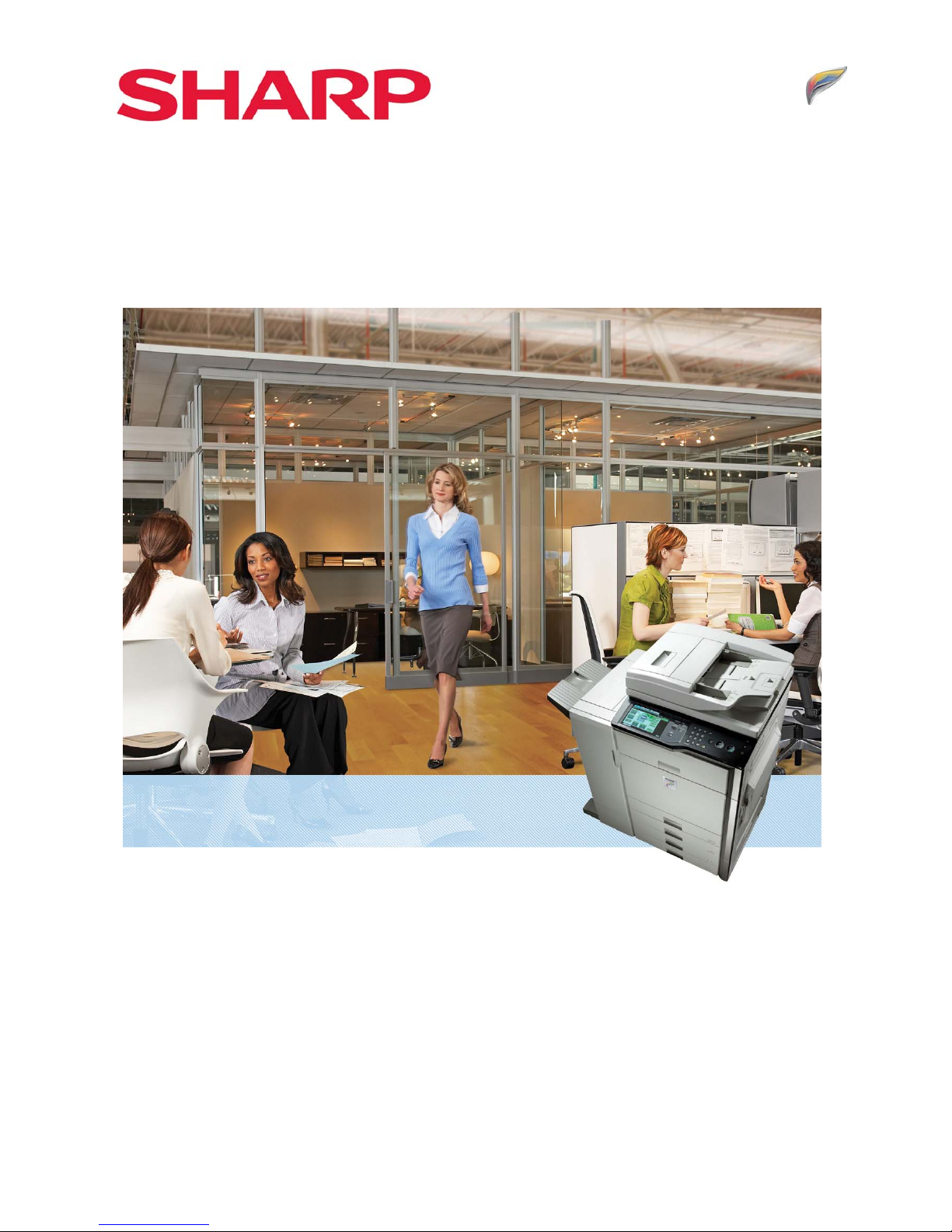
MX-5000N/MX-5001N
MX-4100N/MX-4101N
Digital Full Colour Multifunctional System
Sales Guide
SHARP DOCUMENT SOLUTIONS
Page 2
2
MMXX--55000000NN//0011NN // MMXX--44110000NN//0011N
N
SSaalleess GGuuiidde
e
Introduction
MX-5000N/01N & MX-4100N/01N are highly productive full-colour multifunctional systems for medium/large
workgroups.
Building on the success of their award-winning predecessors, these second generation models set a new standard for
high performance colour MFPs. The focus of enhancements has been in the areas of image quality, usability,
efficiency, productivity, cost performance and security.
Image quality has substantially improved in several ways. True 1200 x 1200 dpi printing matched with specially
formulated new toner and developer ensure clear high quality images and lend a new edge of professionalism to the
output.
The new MFPs have been designed with efficiency in mind. Their large 8.5” colour LCD touch panel with handy
thumbnail preview and the optional retractable keyboard make operating the MFP easy. MX-5000N/01N &
MX-4100N/01N can preview data not only in the case of document filing and fax receiving, but also in the case of
copying and image sending. The new MFPs are equipped with an expansion memory board which enables users to
produce compact PDF with high quality. Furthermore, they also support the latest Sharp OSA 3.0, which makes it
easier for users to customise their MFP and integrate it into their office workflow.
Speed of business and cost efficiency are becoming more important than ever. To meet these needs, the
MX-5000N/01N & MX-4100N/01N have improved print and copy speeds of 50 and 41ppm respectively. By using
optional 4K finisher, users can print a large amount of data without interruption. Even when printing in real 1200 x
1200 dpi the continuous print speed does not decrease. In addition, MX-5001N & MX-4101N have an impressive
scan speed of 70opm in black & white and colour.
In summary, the MX-5000N/01N & MX-4100N/01N are well placed to become market leaders in the Colour Capable
sector, a sector which is predicted to continue its rapid expansion over the next few years
.
Page 3
3
MMXX--55000000NN//0011NN // MMXX--44110000NN//0011N
N
SSaalleess GGuuiidde
e
Contents
INTRODUCTION................................................................................................................2
MARKET ANALYSIS......................................................................................................... 5
• A3 Market Overall ........................................................................................................................ 5
• A3 Market – Mono Vs Colour (including both Colour and Colour Capable)............................. 6
• Breakdown of the Colour-enabled market................................................................................. 8
• The Future..................................................................................................................................... 9
PRODUCT POSITIONING............................................................................................. 10
• Product Range Positioning......................................................................................................... 10
• Recommended MCV ................................................................................................................... 11
• Overview of Product features ................................................................................................... 12
SALES APPROACH ....................................................................................................... 13
• Key Features ............................................................................................................................. 14
• New Design.......................................................................................................................... 14
• Image Quality ...................................................................................................................... 15
• Usability ............................................................................................................................... 18
• Productivity.......................................................................................................................... 23
Connectivity ................................................................................................................................... 24
• Input & Output Flexibility................................................................................................... 27
• Save Money ......................................................................................................................... 29
• Security ................................................................................................................................ 33
• Office Integration................................................................................................................ 36
• Environment ........................................................................................................................ 38
• Comparison between MX-5000N/01N & MX-4100N/01N Vs MX-4500/01N & MX-3500/01N. 39
COMPETITIVE COMPARISON .....................................................................................42
• Sharp MX-5000N/01N & MX-4100N/01N vs. Canon iRC3580i .................................................. 43
• Sharp MX-5000N/01N & MX-4100N/01N vs. Canon iRC4080i .................................................. 44
• Sharp MX-5000N/01N & MX-4100N/01N vs. Canon iRC4580i .................................................. 45
• Sharp MX-5000N/01N & MX-4100N/01N vs. Canon iRC5185i .................................................. 46
• Sharp MX-5000N/01N & MX-4100N/01N vs. Konica Minolta Bizhub C353 ............................. 47
• Sharp MX-5000N/01N & MX-4100N/01N vs. Konica Minolta Bizhub C451 ............................. 48
• Sharp MX-5000N/01N & MX-4100N/01N vs. Kyocera KM-C4035............................................. 49
Page 4
4
MMXX--55000000NN//0011NN // MMXX--44110000NN//0011N
N
SSaalleess GGuuiidde
e
• Sharp MX-5000N/01N & MX-4100N/01N vs. Ricoh Aficio MP C4000 ....................................... 50
• Sharp MX-5000N/01N & MX-4100N/01N vs. Ricoh Aficio MP C5000 ....................................... 51
• Sharp MX-5000N/01N & MX-4100N/01N vs. Toshiba e-Studio 3520c...................................... 52
• Sharp MX-5000N/01N & MX-4100N/01N vs. Toshiba e-Studio 4520c...................................... 53
• Sharp MX-5000N/01N & MX-4100N/01N vs. Xerox WorkCentre 7335 .................................... 54
• Sharp MX-5000N/01N & MX-4100N/01N vs. Xerox WorkCentre 7345 .................................... 55
• Sharp MX-5000N/01N & MX-4100N/01N vs. Xerox WorkCentre 7346 .................................... 56
FEATURES LIST .............................................................................................................57
• General Setting Functions.......................................................................................................... 57
• General Connectivity.................................................................................................................. 58
• Copy Functions ........................................................................................................................... 59
• Printer Functions......................................................................................................................... 61
• Image Send Functions (General)................................................................................................ 63
• Image Send Functions (Scan/i-Fax)............................................................................................ 64
• Image Send Functions (Fax) ....................................................................................................... 65
• Document Filing.......................................................................................................................... 66
• Applications ................................................................................................................................ 66
• Security Functions ...................................................................................................................... 67
SPECIFICATIONS........................................................................................................... 68
• Basic Specifications..................................................................................................................... 68
• Peripheral Devices specifications............................................................................................... 72
• Outer Dimensions....................................................................................................................... 78
• Functions ................................................................................................................................... 79
CONFIGURATIONS........................................................................................................ 89
• Options List................................................................................................................................. 89
• Functional Combinations ........................................................................................................... 90
• Consumables List........................................................................................................................ 91
Page 5
5
MMXX--55000000NN//0011NN // MMXX--44110000NN//0011N
N
SSaalleess GGuuiidde
e
Market Analysis
A3 Market Overall
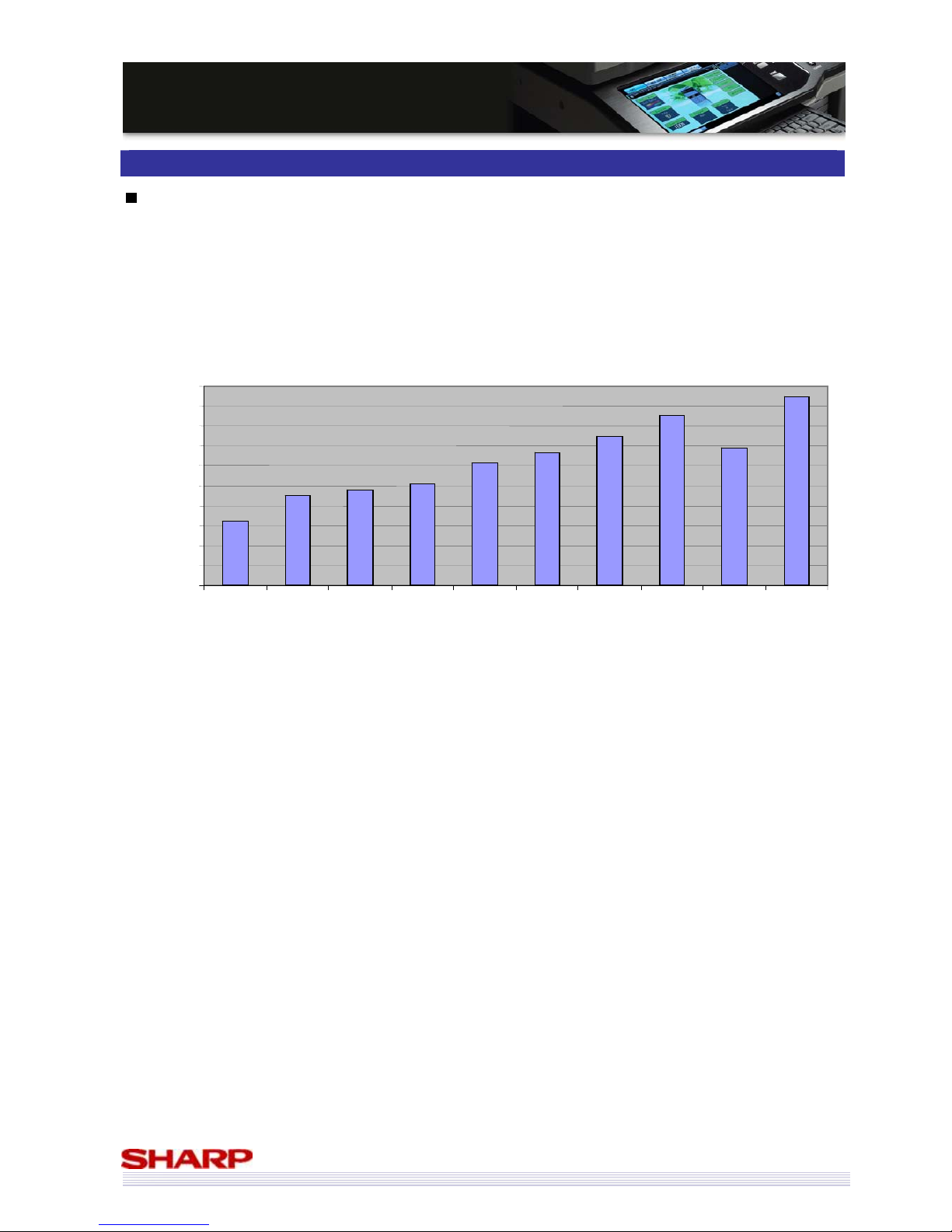
The emergence of the A4 MFP market is widely predicted to have a detrimental effect on the A3 MFP market – and
whilst the A4 market is undoubtedly growing fast (and likely to continue doing so), its impact on the A3 market has
been negligible so far.
As you can see from the graph, up until 2007 H2 (confirmed data), the A3 MFP market enjoyed consistent growth,
and whilst Infosource are predicting a blip during 2008 H1, they also predict a return to strong growth at least until
the end of 2008.
Source: Infosource
A3 MFP Market (Unit Sales)
440,000
450,000
460,000
470,
000
480,000
490,000
500,000
510,000
520,
000
530,000
540,000
2004 1H 2004 2H 2005 1H 2005 2H 2006 1H 2006 2H 2007 1H 2007 2H 2008 1H
(PREL)
2008 2H
(PREL)
Source: Infosource
Page 6
6
MMXX--55000000NN//0011NN // MMXX--44110000NN//0011N
N
SSaalleess GGuuiidde
e
A3 Market – Mono Vs Colour (including both Colour and Colour Capable)
Whilst the A4 market has yet to have a serious impact on the A3 market, the same cannot be said when comparing
black-and-white to colour markets.
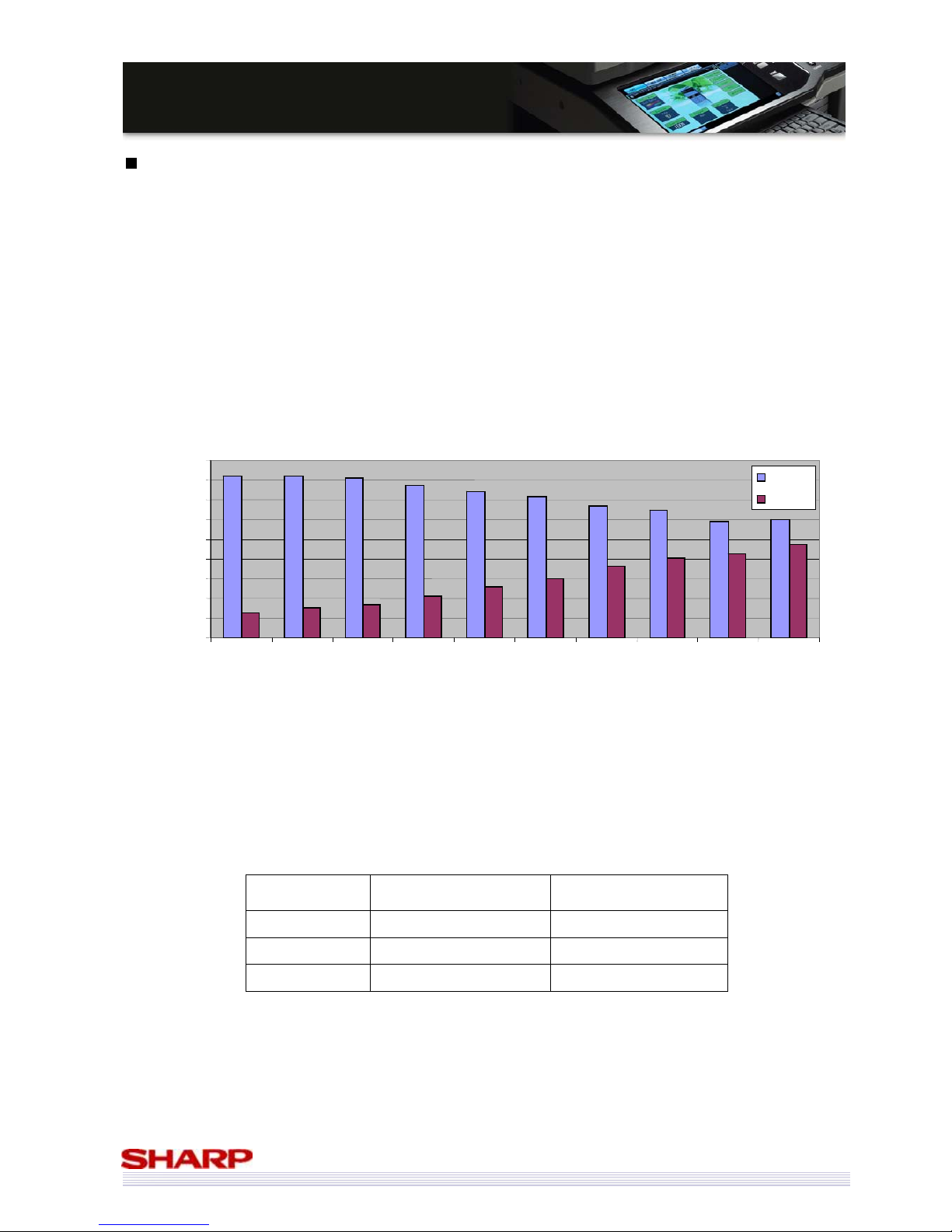
The market trend towards colour machines that was started by the launch of the colour capable market has started
to seriously impact on the black-and-white market, to the extent that, if current trends continue, colour machines
will soon outsell black-and-white machines in the A3 MFP market.
It is also interesting to note that the trough in 2008 H1 (preliminary) figures is caused by a large drop in
black-and-white sales which is not compensated for with a corresponding large increase in colour sales. And whilst
Infosource predict that both colour and black-and-white sales will increase in 2008 H2, it is the colour market that
will drive the overall increase in the market.
Overall, the A3 MFP market is due to grow by a CAGR of 3% between 2004 H1 and 2008 H2. This is despite an
overall drop in CAGR for black-and-white machines of -7% (colour: 34%).
Taking a slightly shorter term view, between 2006 1H and 2008 2H (prel) confirms that the decline of the
black-and-white market is accelerating, and whilst the colour market continues its rapid growth, it cannot maintain
its 34% rate of CAGR.
CAGR
2004 H1 – 2008 H2(prel)
CAGR
2006 1H - 2008 H2(prel)
Black-and-white -7% -8%
Colour-enabled 34% 27%
Total 3% 3%
A3 MFP Market (Unit Sales)
0
50,000
100,000
150,000
200,000
250,000
300,000
350,000
400,000
450,000
2004 1H 2004 2H 2005 1H 2005 2H 2006 1H 2006 2H 2007 1H 2007 2H 2008 1H
(PREL)
2008 2H
(PREL)
B/W
Colour
Page 7
7
MMXX--55000000NN//0011NN // MMXX--44110000NN//0011N
N
SSaalleess GGuuiidde
e
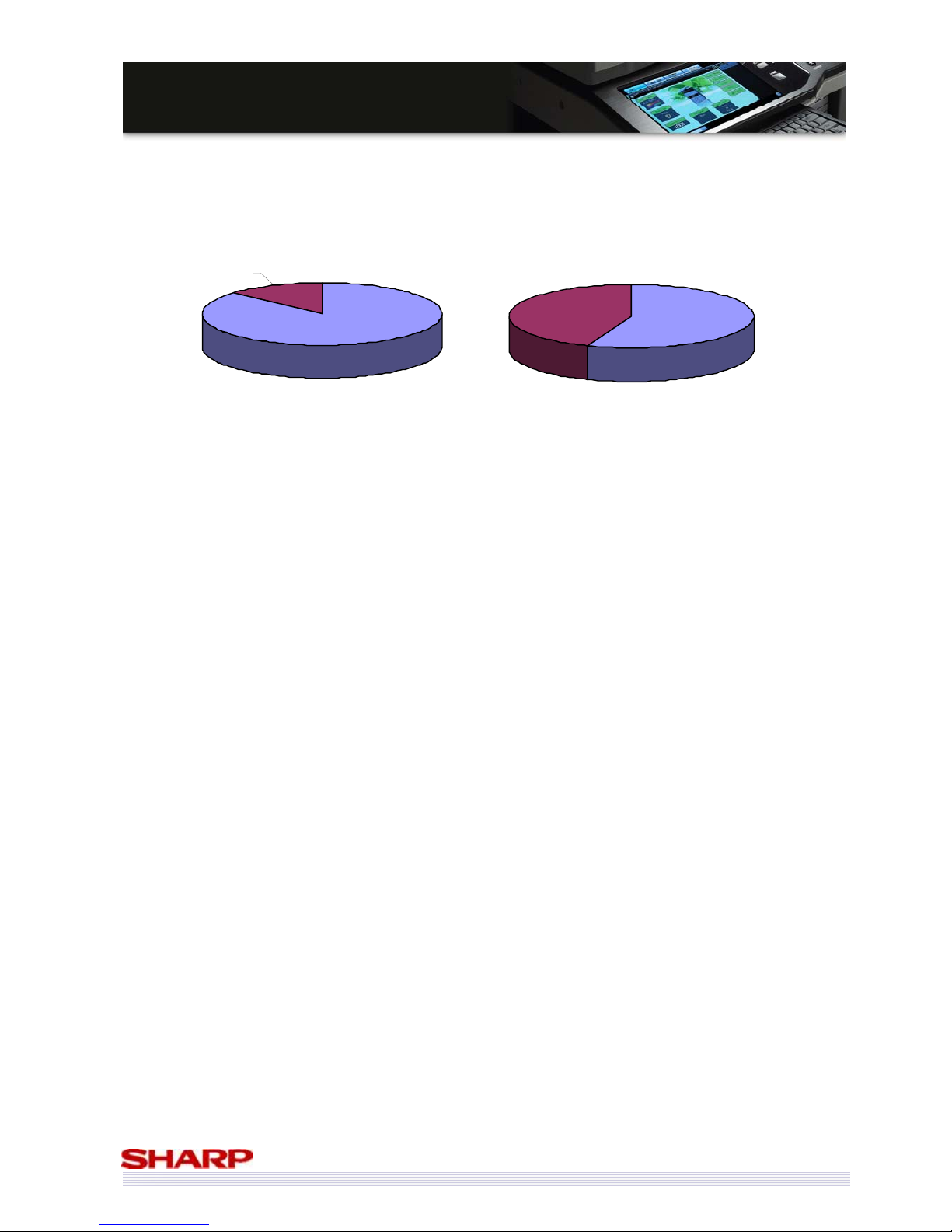
To put this into perspective, it is interesting to see the overall market share of the black-and-white versus colour A3
MFP market. In 2004, colour-enabled machines accounted for just 13% of the market. In 2008 H2, this is going
to be almost 45%.
Source: Infosource
2004 1H
B/W
87%
Colour
13%
2008 2H (PREL)
Colour
44%
B/W
56%
Page 8
8
MMXX--55000000NN//0011NN // MMXX--44110000NN//0011N
N
SSaalleess GGuuiidde
e
Breakdown of the Colour-enabled market
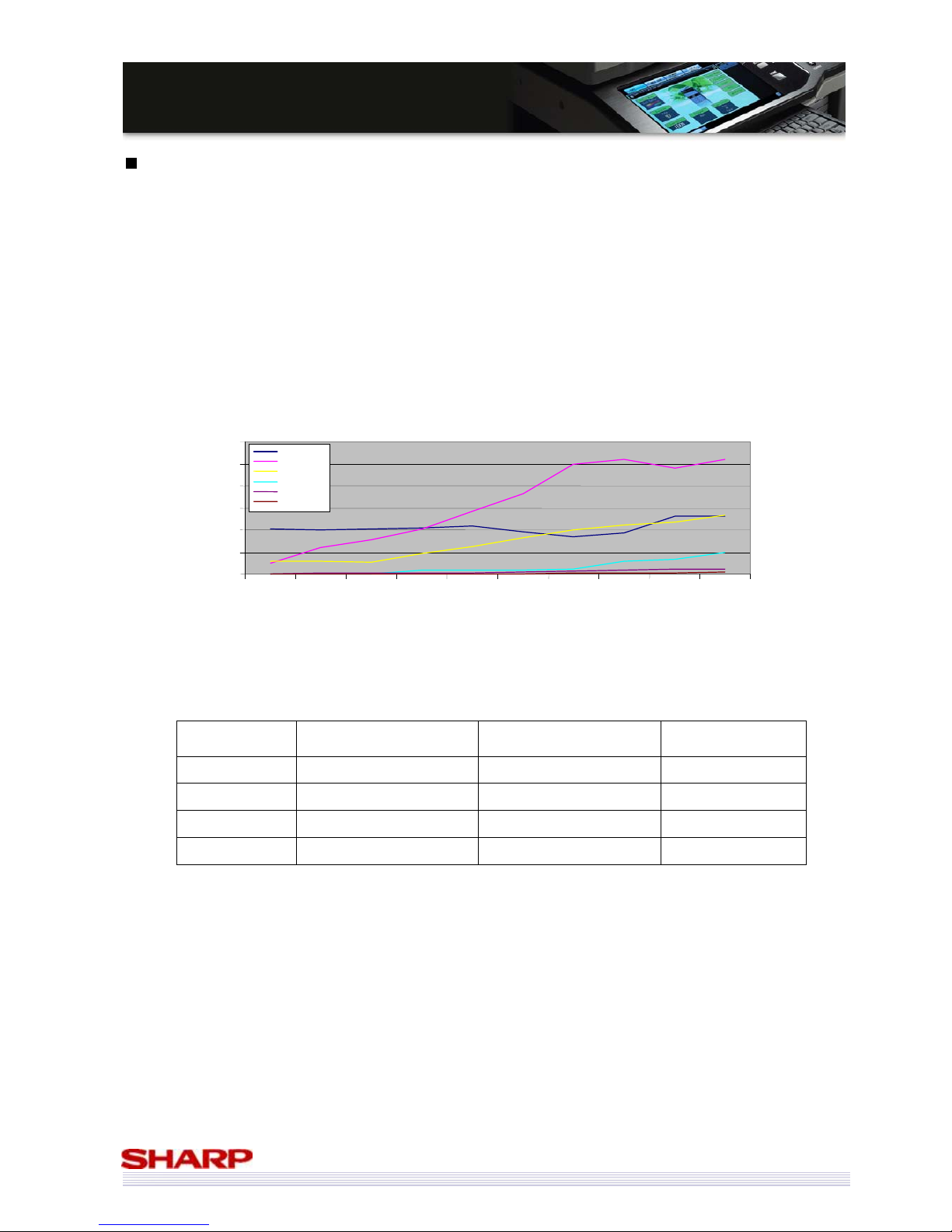
Perhaps not surprisingly, the lower end machines have historically dominated the market, since they offer a relatively
cheap way of introducing colour output to the office.
However, it seems that the dominant 21-30ppm segment has hit a plateau, with its strong growth coming to an end
in 2007. Surprisingly, the 1-20ppm segment is still doing well, but is not growing in terms of unit sales.
However, the 31-40ppm and 41-50ppm markets have both shown consistent growth, and are predicted to do so at
least until the end of 2008, and probably beyond.
CAGR
2004 H1 – 2008 H2(prel)
CAGR
2006 1H - 2008 H2(prel)
% of market
2008 H2(prel)
31-40ppm 11% 35% 22.59%
41-50ppm 226% 91% 8.22%
31-50ppm 50% 45% 30.81%
All Colour 34% 27% 100%
The MX-5000N/01N & MX-4100N/01N may not technically fit into the 31-40ppm segment, but given that they
replace a 35ppm machine they are definitely aimed at it, and the speed of the Sharp machines should be an excellent
selling point!
The 31-40ppm market is the second-largest segment of the A3 MFP colour market, and is growing at 35% CAGR
since 2006 H1.
The 41-50ppm accounts for a much smaller percentage of the market, but is very much in its infancy, and is
therefore growing at a much faster rate
.
Source: Infosource
Breakdown of Colour Market by
Speed
0
20,000
40,000
60,000
80,000
100,000
120,000
2004 1H 2004 2H 2005 1H 2005 2H 2006 1H 2006 2H 2007 1H 2007 2H
2008 1H
(PREL)
1-20ppm
21-30ppm
31-40ppm
41-50ppm,
51-60ppm
61+
2008 2H
(PREL)
Source: Infosource
Page 9
9
MMXX--55000000NN//0011NN // MMXX--44110000NN//0011N
N
SSaalleess GGuuiidde
e
The Future
Having shown that the market is healthy and growing right now – what about the future?
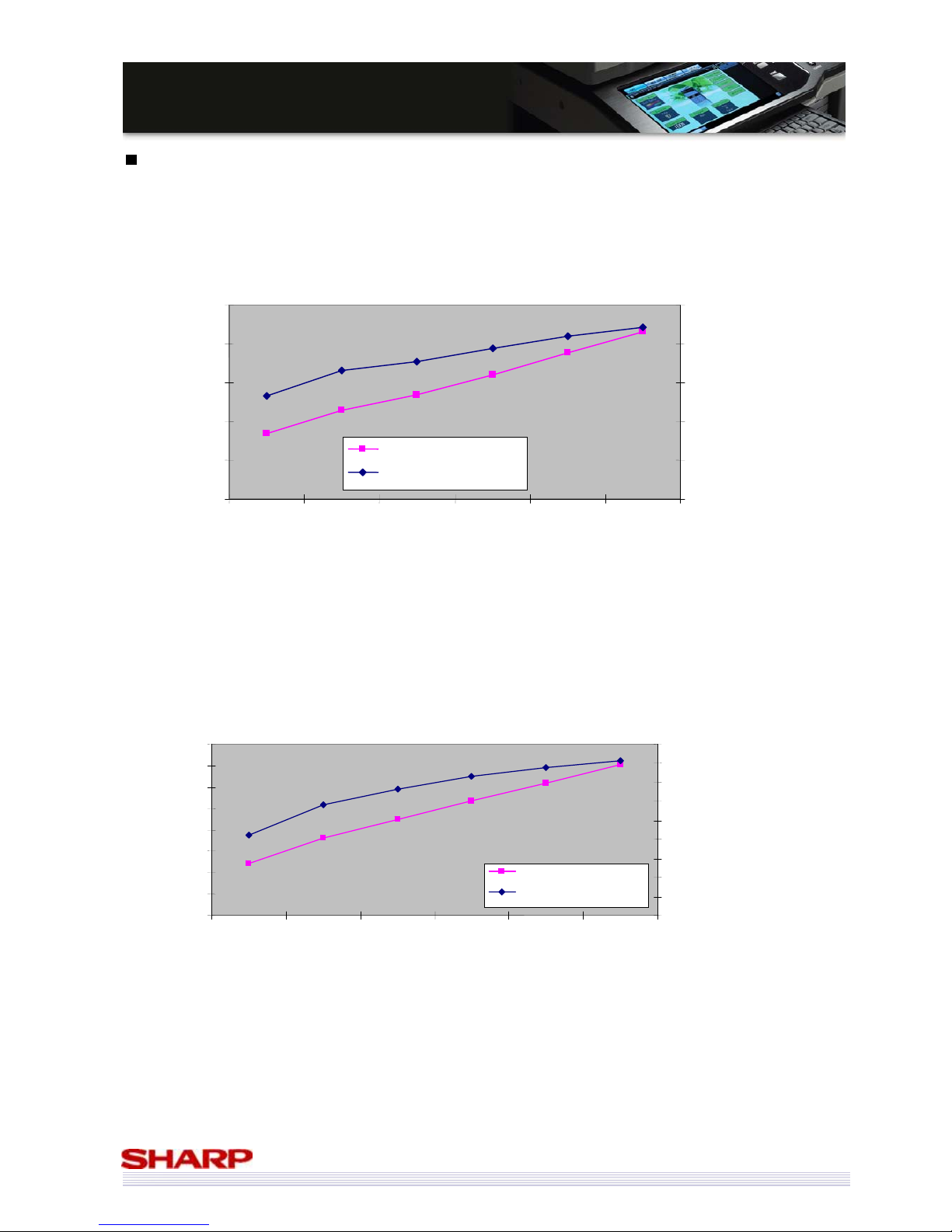
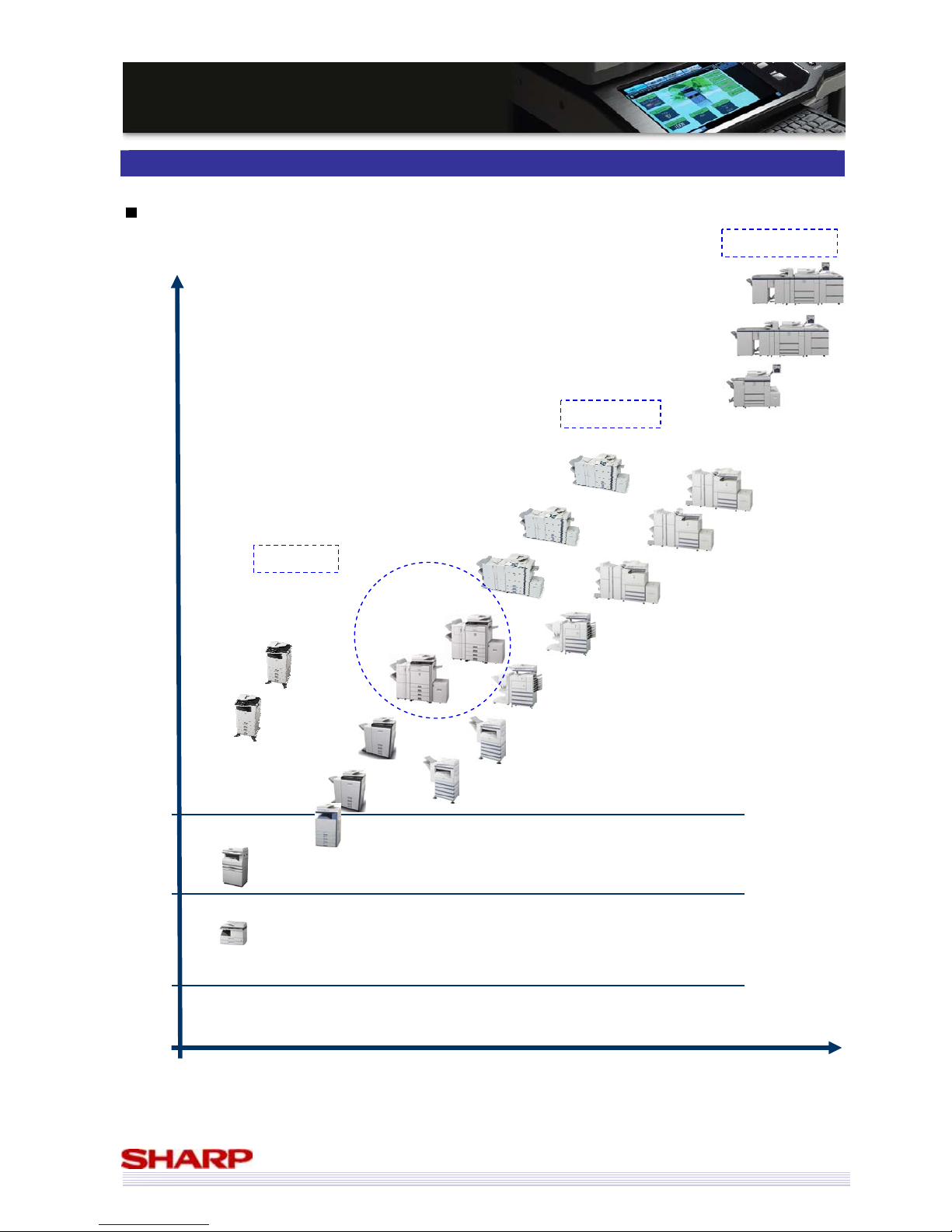
According to IDC, the 31-44ppm A3 colour MFP market will continue its growth in terms of unit sales – increasing at
20.7% CAGR between 2007 and 2012. The value of the market, as you would expect, will also increase – at almost
11% CAGR – meaning it will be some time before this market reaches maturity and hits its plateau.
The picture in the 45+ PPM is even better (in terms of growth potential).
Not surprisingly, the 45+ppm segment won’t ship as many units as the 31-44ppm segment, the a unit shipments
growth rate of 24% CAGR, and a Value Shipment growth rate of 14% means that it is grow at a faster rate.
31-44ppm Colour A3 MFP to 2012
0
50,000
100,000
150,000
200,000
250,000
2007
2008
2009
2010 2011
2012
0
500
1,000
1,500
2,000
2,500
Value of Shipments (Blue)
Unit Shipments
Value Shipments ($m)
Unit Shipments (Pink)
Source: IDC
45+ppm Colour A3 MFP to 2012
0
10,000
20,000
30,000
40,000
50,000
60,000
70,000
80,000
2007
2008
2009
2010
2011
2012
Unit Shipments
(Pink)
0
200
400
600
800
1,000
1,200
1,400
1,600
1,800
Value Shipments
(Blue)
Unit Shipments
Value Shipments ($m)
Source: IDC
Page 10
10
MMXX--55000000NN//0011NN // MMXX--44110000NN//0011N
N
SSaalleess GGuuiidde
e
Product Positioning
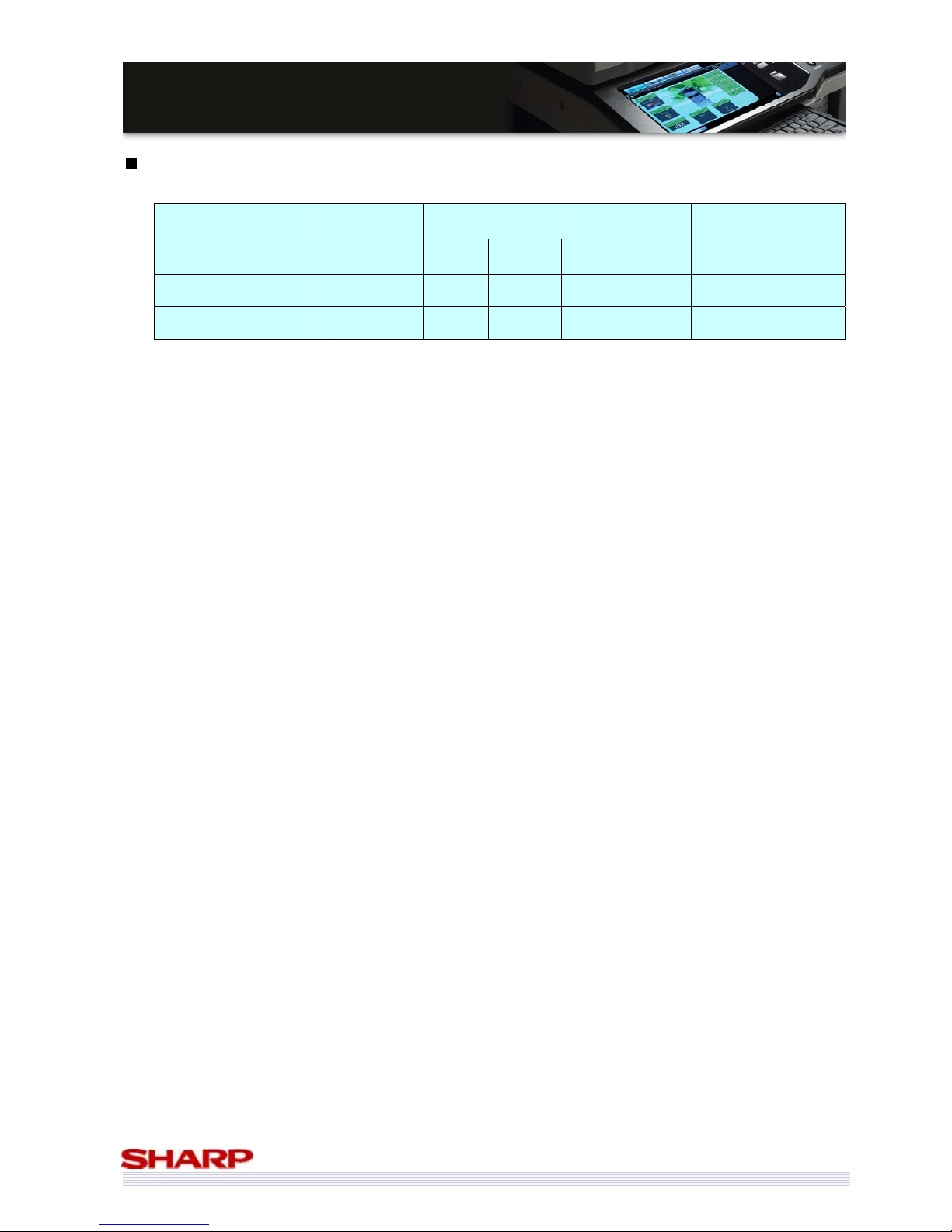
Product Range Positioning
Speed and performance
MX-M850
MX-M950
MX-M1100
Pay for Print/CRD
Office Walk-up
More than 100 users
Small Office
Small Workgroup
2-5 Users
Medium Workgroup
5-20 users
Large Workgroup
20-50 users
Home Office
AR-M256
AR-M316
AR-M165/ AR-M207
AR-M200/AR-M201
MX-M450
MX-M550
MX-M620
MX-M700
MX-M350
A3 Colour
output
MX-7001N
MX-6201N
MX-5500N
MX-4100N
MX-4101N
MX-5000N
MX-5001N
MX-2600N
MX-3100N
A3 Monochrome
output
MX-C380
MX-C381
MX-C310
MX-C311
A4 Colour
output
MX-2300N
Page 11
11
MMXX--55000000NN//0011NN // MMXX--44110000NN//0011N
N
SSaalleess GGuuiidde
e
Recommended MCV
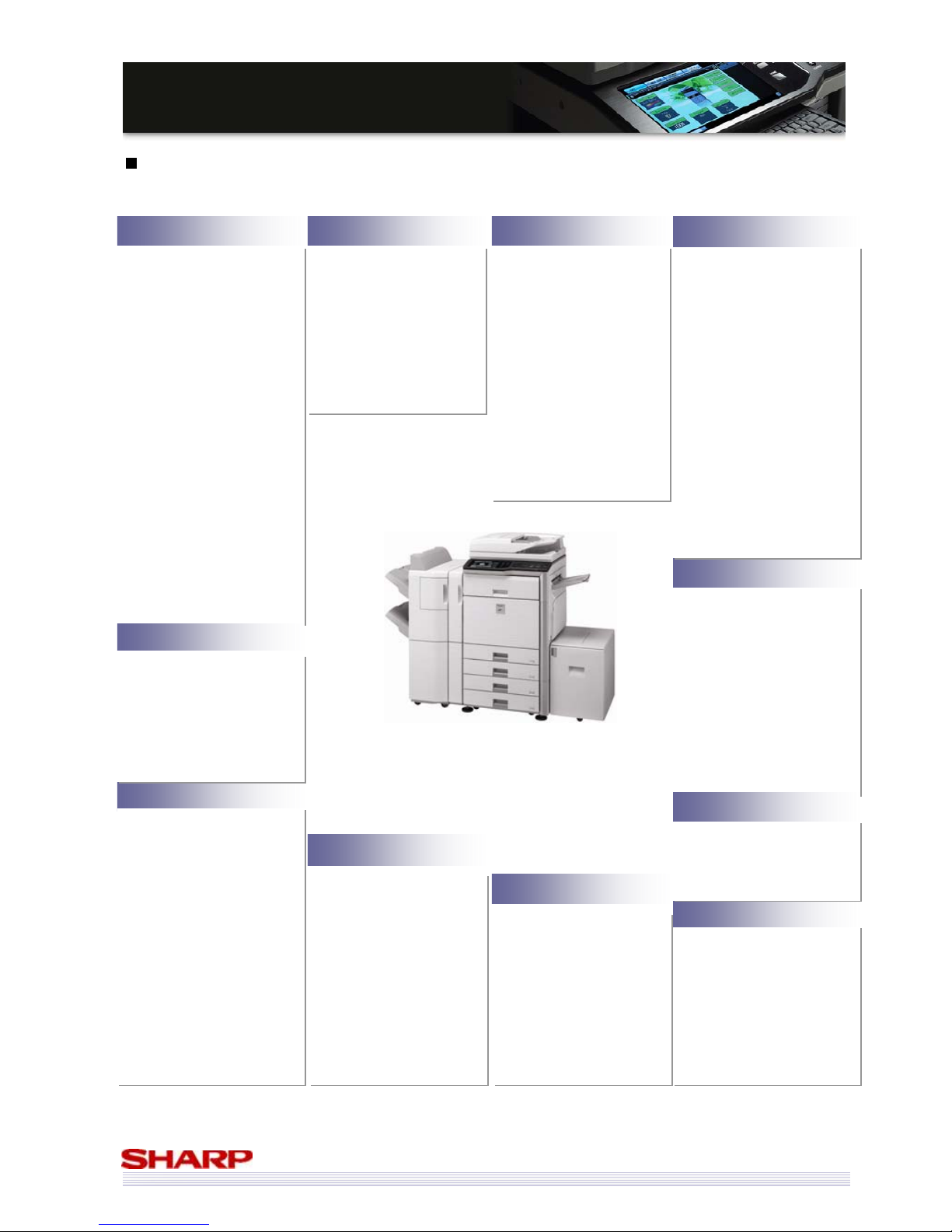
Optimum Volume Speed Model
From To
Life Maximum Monthly
Volume
Black & White: 50ppm
Colour: 50ppm
MX-5000N/01N
20K 40K 1800k or 5 years B/W 75K / Colour 45K
Black & White: 41ppm
Colour: 41ppm
MX-4100N/01N
20K 40K 1800k or 5 years B/W 75K / Colour 45K
Optimum Monthly Volume
The recommended volume at which the copier/printer will maintain an optimum performance level on an
on-going basis.
Machine Life
The Machine Life represents the product design life for a machine that has used genuine Sharp supplies and has
been serviced at the preventative maintenance schedule by fully experienced technicians. It is intended for
planning purposes only due to the influence on the life of the product by external sources such as environment,
customer handling, copy/print media used and geographical location.
Maximum Monthly Volume
The Maximum Monthly Volume indicates the greatest volume the copier/printer can handle, when work
patterns demand. Continual copying/printing at the maximum level can result in reduced performance and a
shorter overall life.
Page 12
12
MMXX--55000000NN//0011NN // MMXX--44110000NN//0011N
N
SSaalleess GGuuiidde
e
Overview of Product features
Improved points and new features are highlighted in RED, compared to MX-4500N/01N & MX-3500N/01N
*
1
All features are optional.
*
2
Eastern Europe and Russia version don’t support FAX.
*
3
Keyboard is installed with MFP main unit in Sweden, Norway, Finland and Denmark.
•80GB HDD
•All data (Copy, Print,
Scan) can be stored.
•File server capabilities
•Customisable with
private folders
•PIN protection available
•Easy to
Re-copy/Re-print/Re-send
CCoolloouurr DDooccuummeenntt FFiilliinng
g
•Document management
software – Sharpdesk (1
License Std)
•Network Scanner tool (Std)
•PC-Fax driver
•Printer Status monitor (Std)
•Printer Administration
Utility (Std)
•Sharp Open Systems
Architecture 3.0 (Opt)
•Toner usage estimator
EEffffiicciieenntt
UUttiilliittiieess
•500 sheets tray with offset
stacking (Std)
•100 sheets exit tray (Opt)
•Inner Finisher with staple
and hole punch (Opt)
•Saddle stitch finisher for
booklet creation (Opt)
•4000-sheet high capacity
sta
p
le finisher (Opt)
VVaarriioouuss FFiinniisshhiinng
g
•Super G3 Fax
*2
•Internet-Fax (Direct SMTP
support)
•Postscript PDL
•XPS expansion kit
•Additional Sharpdesk
license
•Data security kit
•Barcode font kit
•Integrated keyboard
*3
•Enhanced compression
kit
EExxppaannddaabbiilliittyy*
*
1
1
•Vertical path structure
•Full grip paper feeding
•Remote diagnosis (E-mail)
•Web cleaning system
HHiigghh RReelliiaabbiilliitty
y
•New Toner Technology
•1200dpi printing
•Clear and stable
reproduction
•Auto Colour mode
•Colour adjustment
capability (Auto colour
calibration, ICC profile)
HHiigghh IImmaaggee QQuuaalliitty
y
•Compact Design
•8.5” colour LCD touch
screen with thumbnail
images and fully Sharp
OSA customisable
•Consistent GUI
•Web page access and
control
•Thumbnail
(Fax receive, Document Filing)
•Preview
(Copy, Scan, Fax, Document
Filing)
•Remote front panel
EEaassyy ttoo UUsse
e
SSeeccuurree DDaattaa HHaannddlliinng
g
•Network Firewall (IP/Mac
Filtering)
•Encrypted network packet
(SSL and IP sec)
•Network Authentication
(log-in)
•Encrypted PDF support
•Data Encryption & Erasing
(overwriting) (optional Data
Security Kit)
•Common Criteria DSK
option
(Release date has not
been decided.)
•IEEE802.1X Support
•Access control by Active
Directory/LDAP
•Watermark (Copy, Print)
•BW print speed: 50/41ppm
•CL print speed: 50/41ppm
•Scanning at up to 70opm
(col and b/w, 01N models)
•Scanning at up to 50opm
(col and b/w, 00N models)
•Stamp unit for tracking
scanned documents
•BW FCOT: 4.1s (50ppm)
4.7s (41ppm)
•CL FCOT: 5.9s (50ppm)
6.7s (41ppm)
•Warm-up time:
140s (50ppm)
120s (41ppm)
•Multi-function ready (Copy,
Print, Scan)
•Multi-job control
•Tandem copy/print
•Gigabit Ethernet
•Blank page skip (Scan)
HHiigghh PPrroodduuccttiivviitty
y
PPaappeerr HHaannddlliinng
g
•Short paper path with
tandem technology
•2x 500 sheets cassettes
(Std)
•100 sheets bypass (Std)
•Max. 5,600 sheets
•Trays can use 209gsm
paper
•Bypass can use 256gsm
paper
•Duplex can use 209gsm
paper
•Stack-less Duplex (Std)
•150 sheet DSPF (01N)
100 sheet RSPF (00N)
•Space saving design
•Energy saving mode
(Pre-heat, Auto shut-off)
•Conforms to RoHS, WEEE
directive
EEnnvviirroonnmmeennttaallllyy FFrriieennddlly
y
Page 13
13
MMXX--55000000NN//0011NN // MMXX--44110000NN//0011N
N
SSaalleess GGuuiidde
e
Sales Approach
The new MX-5000N/01N & MX-4100N/01N were designed around the following concepts to
provide efficiency in the office and to improve your business:
MaXimising your business efficiency
• New Design
The new styling on the MX-5000N/01N & MX-4100N/01N means they will fit into the most modern of
offices.
• Image Quality
True 1200x1200dpi resolution printing, matched with specially formulated toner and developer, lend a new
edge of professionalism to every document you produce.
• Usability
Improvements in the User Interface mean the MX-5000N/01N & MX-4100N/01N are as easy to use as
possible, saving you time and making it easy to get what you need from them.
• Productivity
Several features make the MX-5000N/01N & MX-4100N/01N extremely productive, helping you maintain
office efficiency.
• Office Integration
The latest version of Sharp Open Systems Architecture (Sharp OSA) makes it simple to integrate your MFP
into your existing office infrastructure, therefore streamlining your office operations.
• Connectivity
The MX-5000N/01N & MX-4100N/01N can be used in almost any office environment, ensure seamless
compatibility with your existing office infrastructure.
• Input & Output Flexibility
You can create a wide range of formatted documents, from simple stapling to posters and saddle-stitched
booklets. And with a large paper capacity you don’t have to refill the paper cassettes.
• Save money
The MX-5000N/01N & MX-4100N/01N help you save money in several ways.
• Security
Your MFP can process a lot of information, much of which is likely to be sensitive information. The
MX-5000N/01N & MX-4100N/01N have several security features as standard, but by adding our
industry-leading Data Security Kit (DSK) all data it processes can be almost totally secure.
• Environment
The MX-5000N/01N & MX-4100N/01N have been designed with the environment in mind. There are
several features that help your company go ‘green’.
Page 14
14
MMXX--55000000NN//0011NN // MMXX--44110000NN//0011N
N
SSaalleess GGuuiidde
e
Key Features
New Design
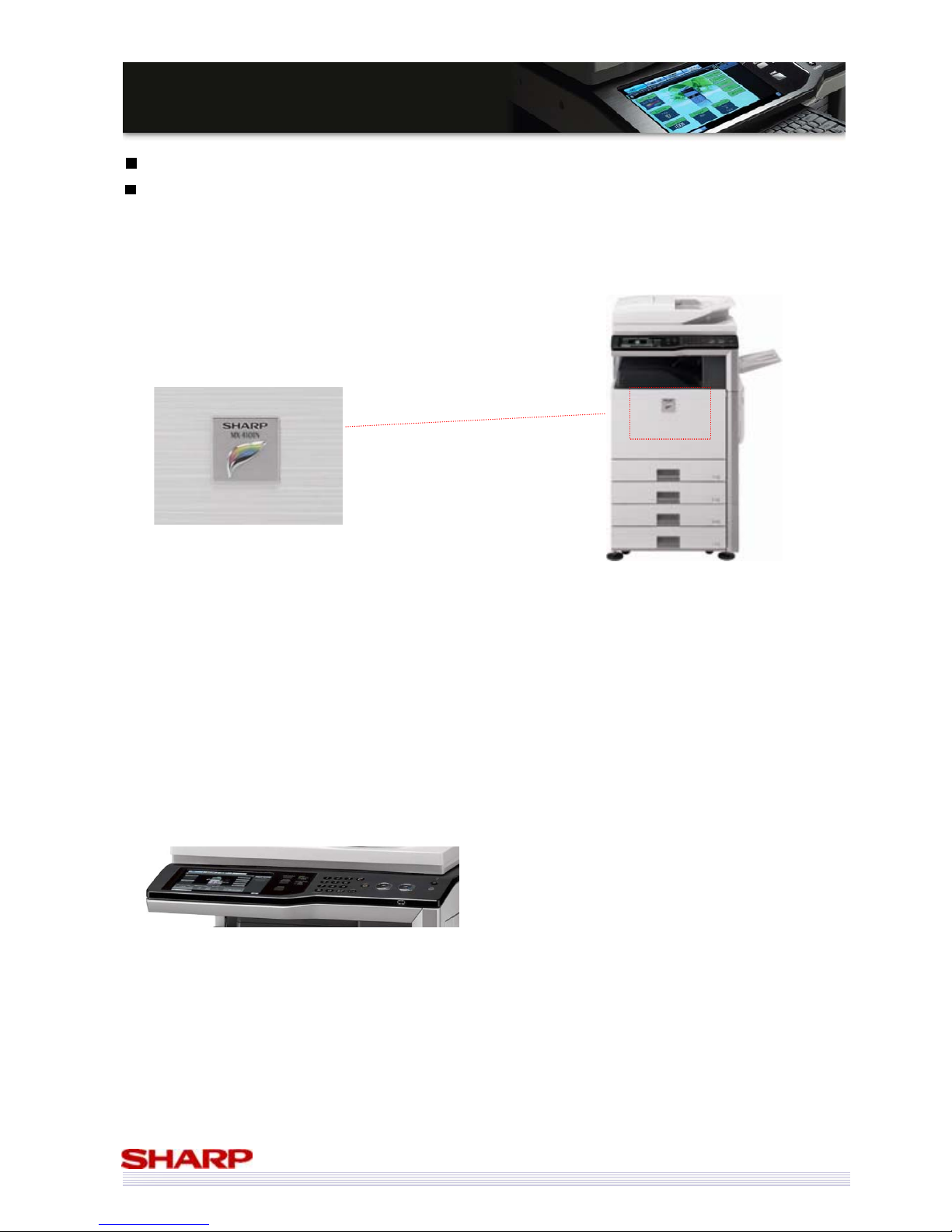
With its smart grey and black highlighting and ‘grained’ texture, the MX-5000N/01N & MX-4100N/01N have been
designed to fit into the most modern and stylish of offices.
And with a footprint of just 645x695mm (not including the Saddle Finisher), they are small enough to fit into the
smallest of spaces.
The new style of control panel adds to the modern,
smart look and feel of the device.
• The black panel colour compliments the
black and grey highlights of the main
machine
• Silver highlights around the buttons not
only look good, but help define the size and
shape of the buttons themselves
Page 15
15
MMXX--55000000NN//0011NN // MMXX--44110000NN//0011N
N
SSaalleess GGuuiidde
e
Image Quality
The ability to print and copy in colour is fast becoming ubiquitous in the modern office. Not only that, but also
colour MFPs are used more and more to create highly important documents in the office, demand for higher quality
colour output has never been higher.
Some manufacturers are no longer differentiating between ‘Colour Capable’ and ‘Full Colour’ machines, as they
believe their machines offer good enough quality for the most demanding users.
The MX-5000N/01N & MX-4100N/01N offer excellent image quality.
High Resolution Printing
The more dots an MFP can lay down per inch (DPI), the more defined & refined the resulting image will be. The
more refined the image, the more impressive the final document will look.
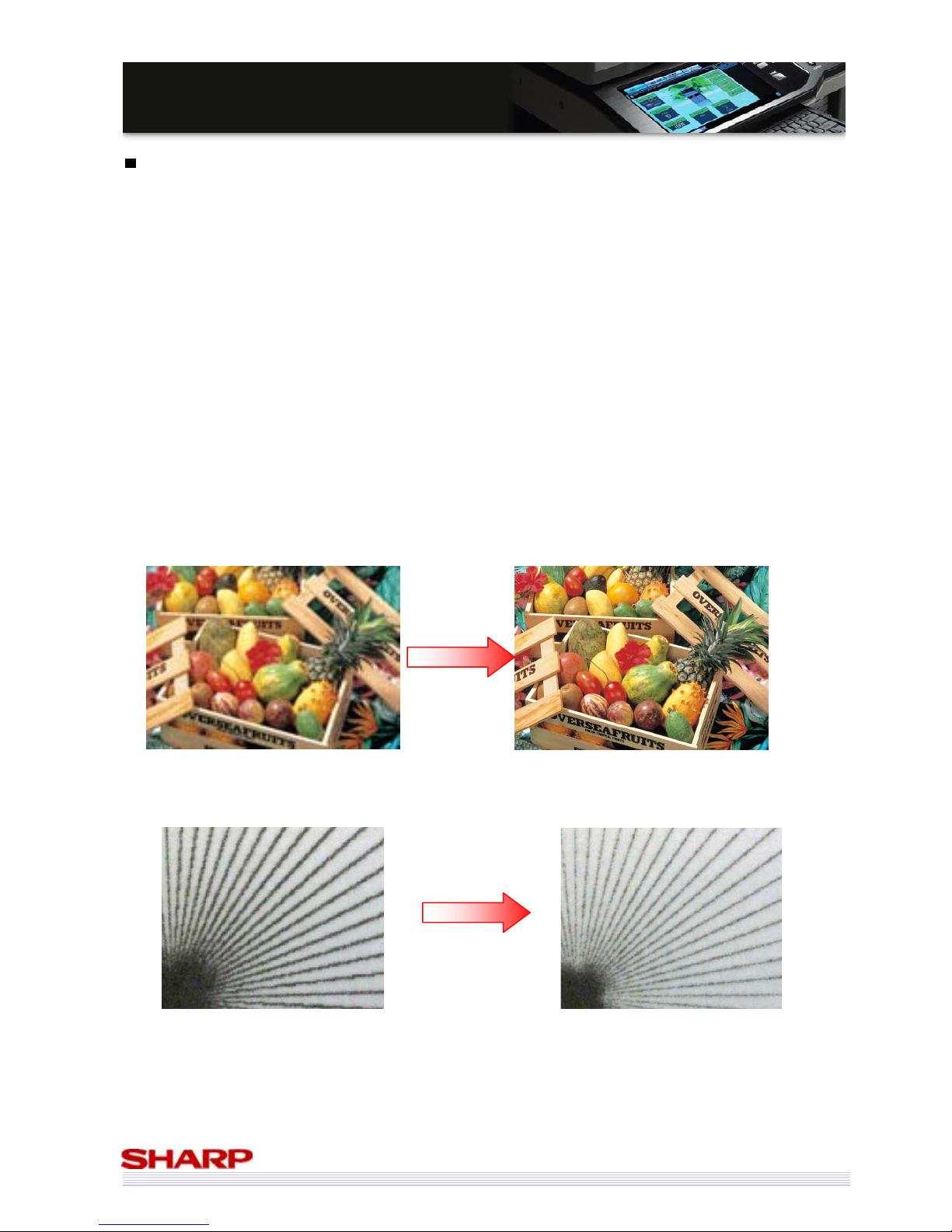
The MX-5000N/01N & MX-4100N/01N can print in true 1200x1200dpi.
Images are clearer, with the contents easier and clearer to view.
But it’s not only photos and images that benefit from higher resolution printing.
Fine lines and characters are also reproduced more clearly in higher resolution, resulting in better defined characters
on the page, meaning a higher quality and therefore a more impressive document.
Text and fine lines can also be produced with more clarity.
MX-5000N/01N (600dpi) MX-5000N/01N (1200 dpi)
MX-5000N/01N (600dpi) MX-5000N/01N (1200 dpi)
Page 16
16
MMXX--55000000NN//0011NN // MMXX--44110000NN//0011N
N
SSaalleess GGuuiidde
e
High Grade Toner
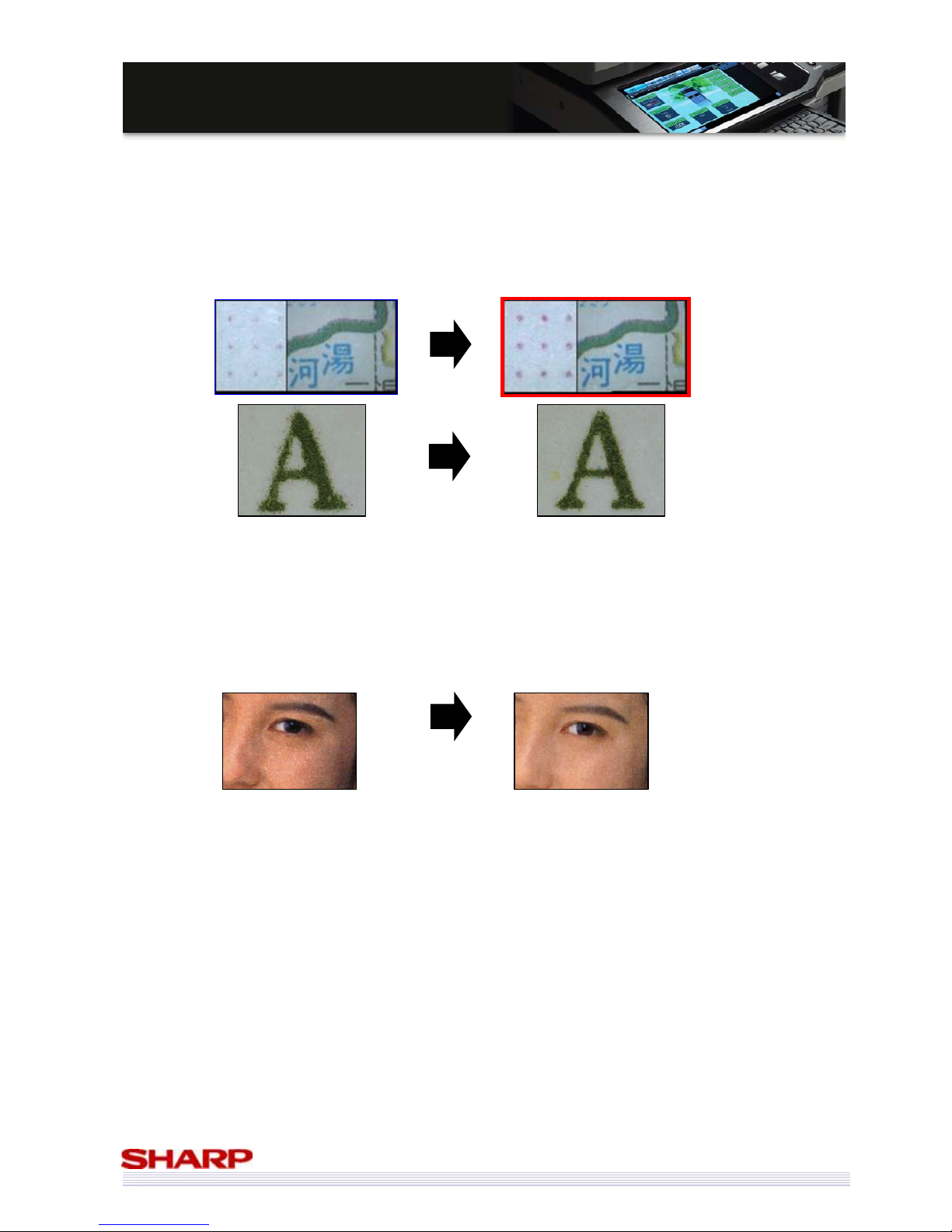
The toner particles used in the MX-5000N/01N & MX-4100N/01N have been refined compared to that of the
MX-4500N/01N & MX-3500N/01N. They are smaller, more uniform in terms of size & shape and can be distributed
more evenly on the paper.
As a result, dots, fine lines & characters are better reproduced, and texture is less granulated.
Improved Developer
An improved developer also helps improve the image quality through smoother distribution of the toner on the
paper.
Note: This developer is same as the developer for MX-6201N/ MX-7001N.
MX-4500N/01N & MX-3500N/01N MX-5000N/01N & MX-4100N/01N
Colours are
smoother and
more consistent
New Toner + New Developer = Improved Consistent Image Quality
MX-4500N/01N & MX-3500N/01N
MX-5000N/01N & MX-4100N/01N
Page 17
17
MMXX--55000000NN//0011NN // MMXX--44110000NN//0011N
N
SSaalleess GGuuiidde
e
Suppressed Background
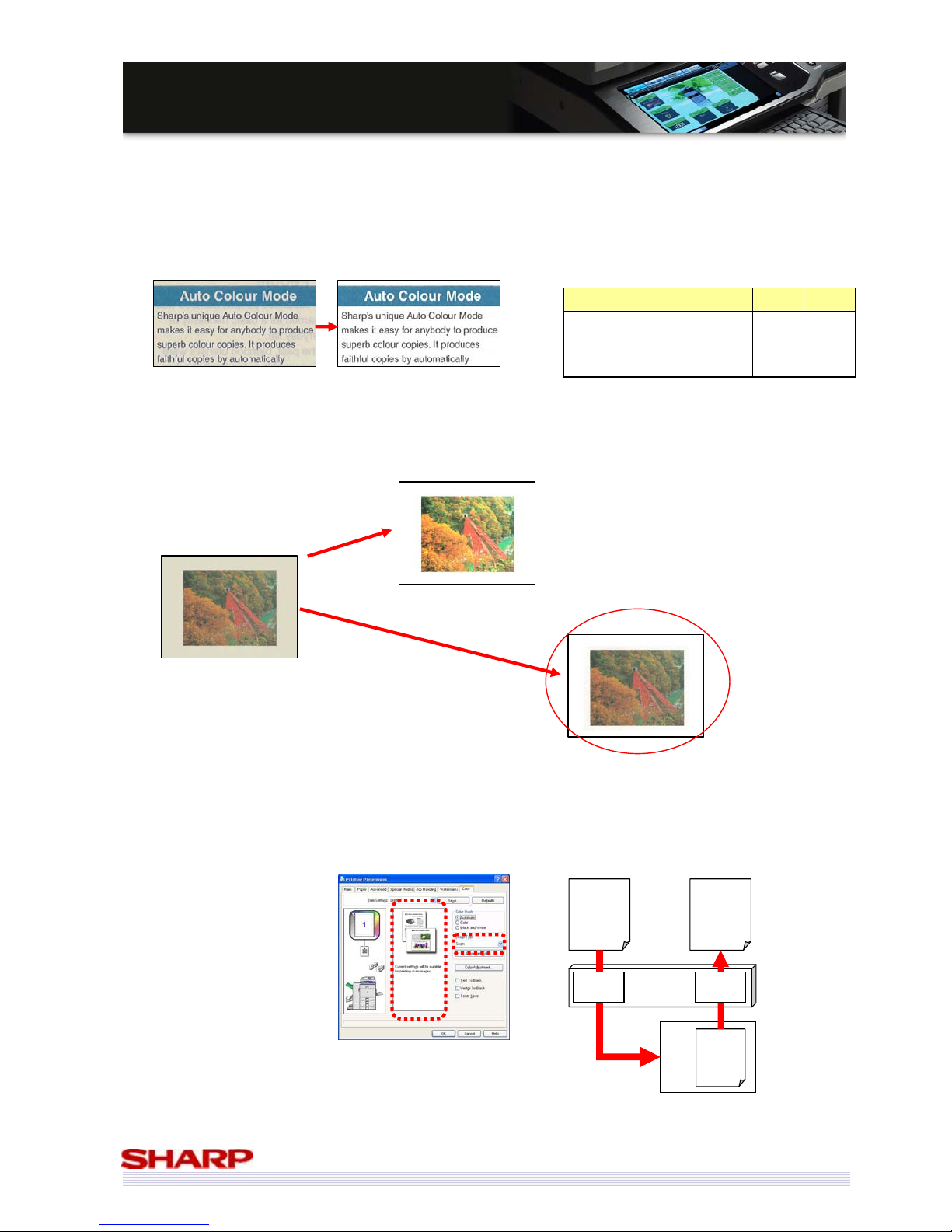
If your original document has a light (or off-white) background, it is possible to automatically create not only copies
and but also scans with whiter, brighter backgrounds with the background suppress function.
Using this function on photographs has, in the past, resulted in discoloured or ‘washed-out’ photographs. However
with the improved process used in the MX-5000N/01N & MX-4100N/01N, this issue has been dramatically improved.
Scan to Print
A Print Processing mode for scanning images is a new feature of the MX-5000N/01N & MX-4100N/01N. When
using this mode, users can obtain a print image that is extremely close in colour to the original image.
Copy Scan
Existing Models
(Ex: MX-4500N/ 3500N)
Yes No
New Models
(MX-5000N/01N/ 4100N/01N)
Yes Yes
Note the improved accuracy of the image tones
compared to the original, despite the improved
background colour.
Original
MX-4500N/01N & MX-3500N/01N
MX-5000N/01N & MX-4100N/01N
≈
Colour
≈
MFP
Original
PC
Scan
Image
Scan
to
Print
Scan Print
MFP
Original Copy/ Scanned lmage
Note: New models can suppress background
automatically in the case of Scan mode in
addition to Copy mode.
Page 18
18
MMXX--55000000NN//0011NN // MMXX--44110000NN//0011N
N
SSaalleess GGuuiidde
e
Usability
Generally, the more complicated and technologically capable a device is, the more complicated it is to use. The
ramifications of this for the MFP market include:
• User frustration
• Training
• Users not understanding the capabilities of the MFP, therefore not getting the best out of it
• Lost clicks
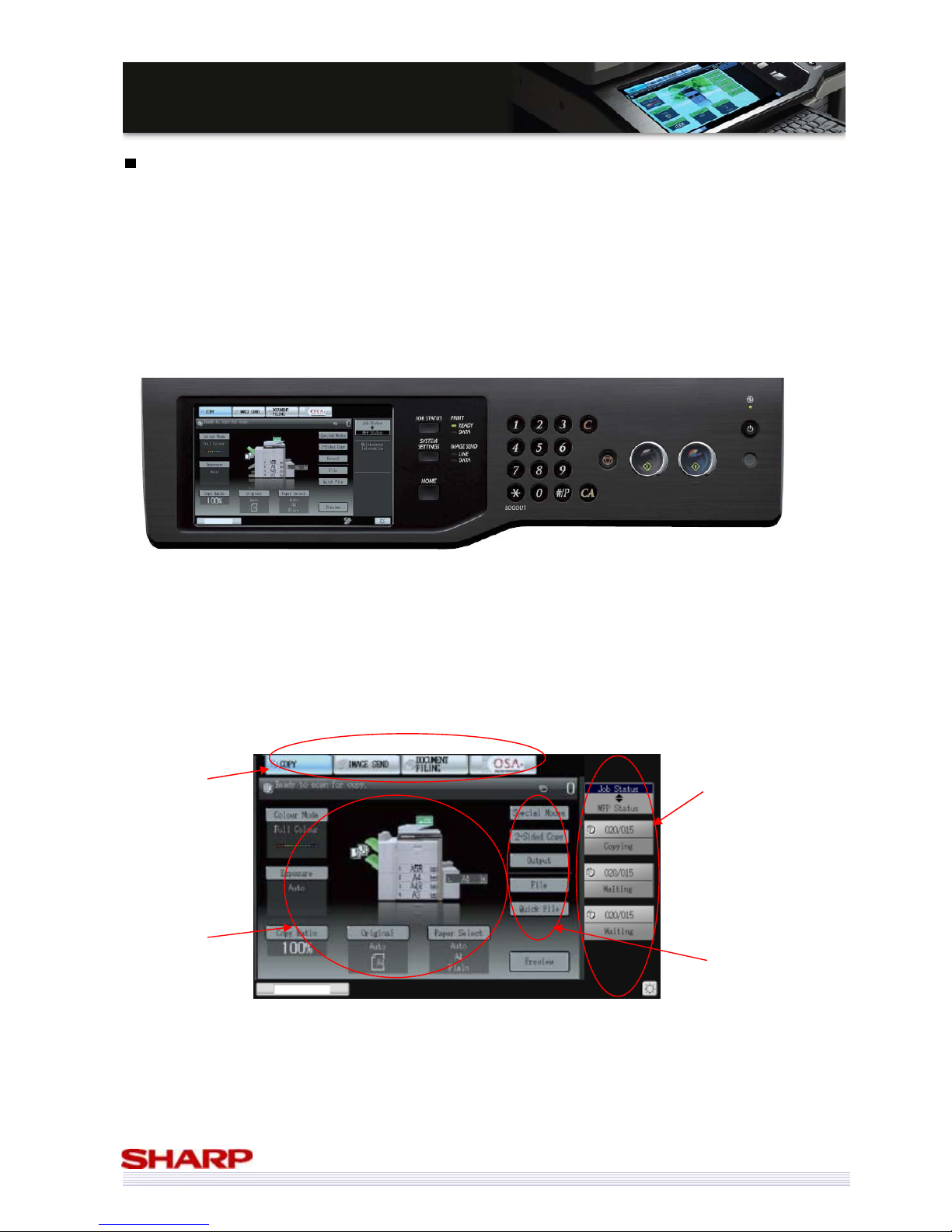
The MX-5000N/01N & MX-4100N/01N include a fully customisable 8.5” colour LCD touch panel.
• Access to all functions is clear and easy
• Current job settings are visible at all times
• Access to the job change menus is clearly marked
• Current job and device status means it is easy to both manage and administer the MFP
Whilst the operation of the MX-5000N/01N & MX-4100N/01N has been based on previous models as far as possible
(if you can use one Sharp device, you can use these) there have been some updates designed to make them as easy
as possible to use.
Easy to choose
function
Current job
settings
Job / device status makes
administration easy
Easy access to job settings
Page 19
19
MMXX--55000000NN//0011NN // MMXX--44110000NN//0011N
N
SSaalleess GGuuiidde
e
Home Screen
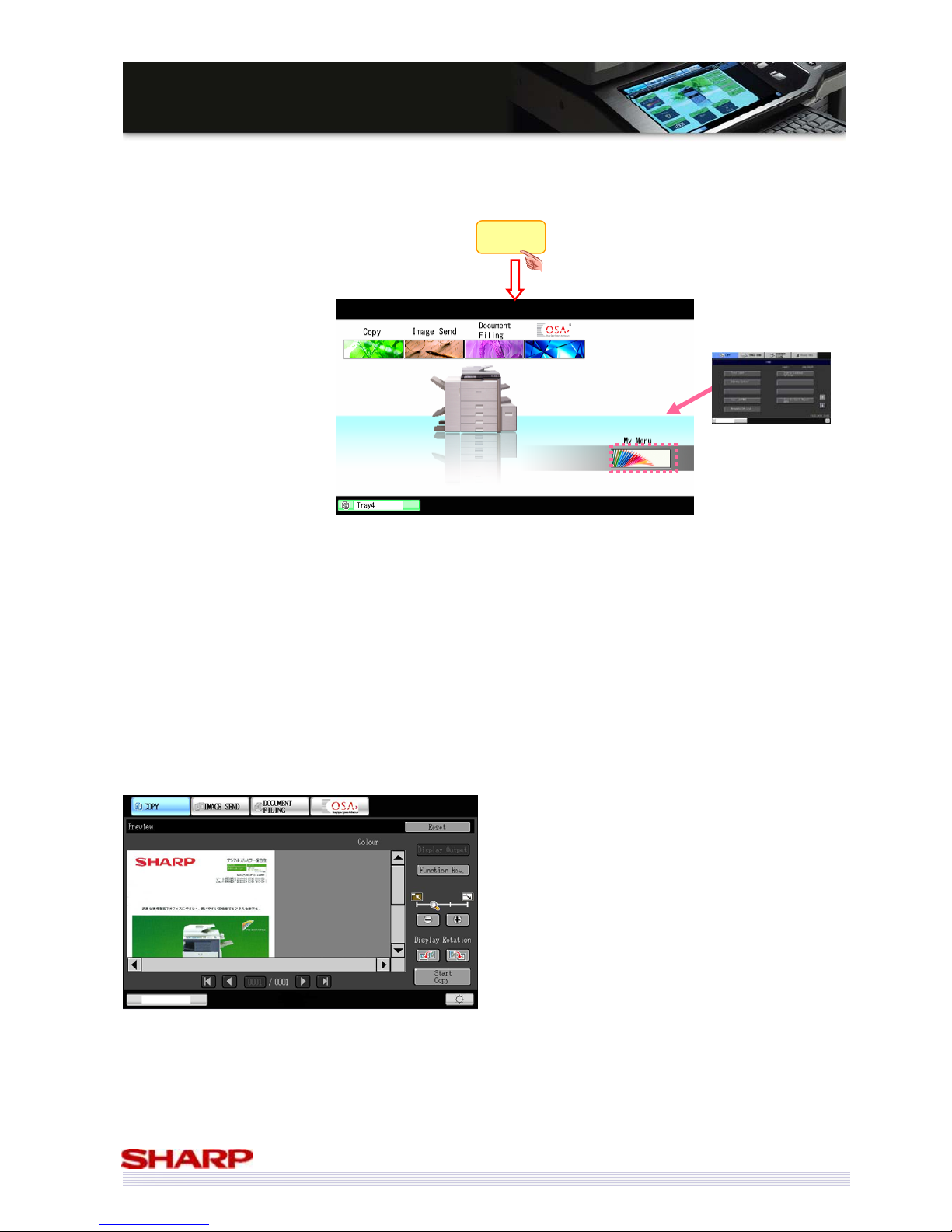
By pressing the ‘Home’ button, the user is given a basic screen that allows them to start from scratch. This screen
can be customised for each user, making it easy and quick for them to access regularly used functionality.
Image Preview (Copy/ Image Send) New!
In addition to in the case of Document Filing and Fax receiving, MX-5000N/01N & MX-4100N/01N can preview an
image before copying data, sending data to someone, and/or storing data to storage including the USB memory.
Copy: You can check the front and back page of the document. Not only output image, you can also check the
finish image such as staple or punch by pressing the “Display Output” button. You can also display the setting
contents by list and reset each special mode and/or finishing, too.
Image Send (Fax send/ Scan including USB memory): You can check the front and back page of the document and
position of the header.
You can prevent copy mistake, finishing mistake, or scanning mistake by checking the preview before doing the
process.
Home
• Quick to clear previous
user’s settings
• Fast access to your own
preferences
• Starting point for users to
create their own jobs
Customisable
Menu Screen
Page 20
20
MMXX--55000000NN//0011NN // MMXX--44110000NN//0011N
N
SSaalleess GGuuiidde
e
Image Preview (Document Filing)
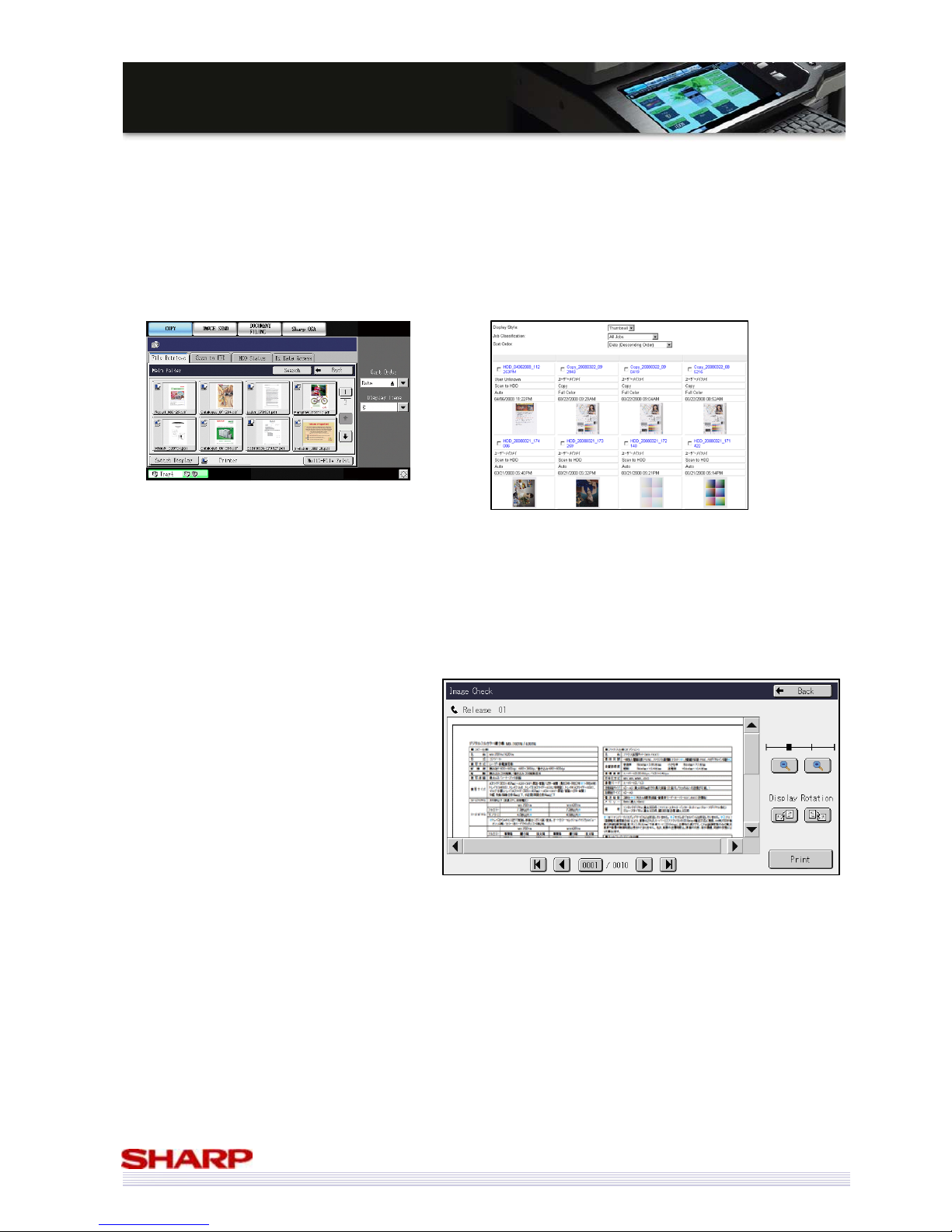
Managing the data stored using the Document Filing function on the MX-5000N/01N & MX-4100N/01N has also
become much easier.
• The first page of the stored file is saved as a thumbnail
• Those thumbnails can be checked on the LCD panel and web page by the user
• It is easy to browse a folder, and choose the required file based on its contents, not just the file name
• Waste print-outs are reduced, saving money & the environment
Image Preview (Fax Receive)
Before printing out received faxes, it is possible
to preview them on the LCD panel of the MFP.
After the fax is output, the data is deleted from
MFP.
Junk faxes can be filtered at the MFP, resulting in
less waste paper, saving both money and the
environment.
Front Panel
Web page (Home page)
Page 21
21
MMXX--55000000NN//0011NN // MMXX--44110000NN//0011N
N
SSaalleess GGuuiidde
e
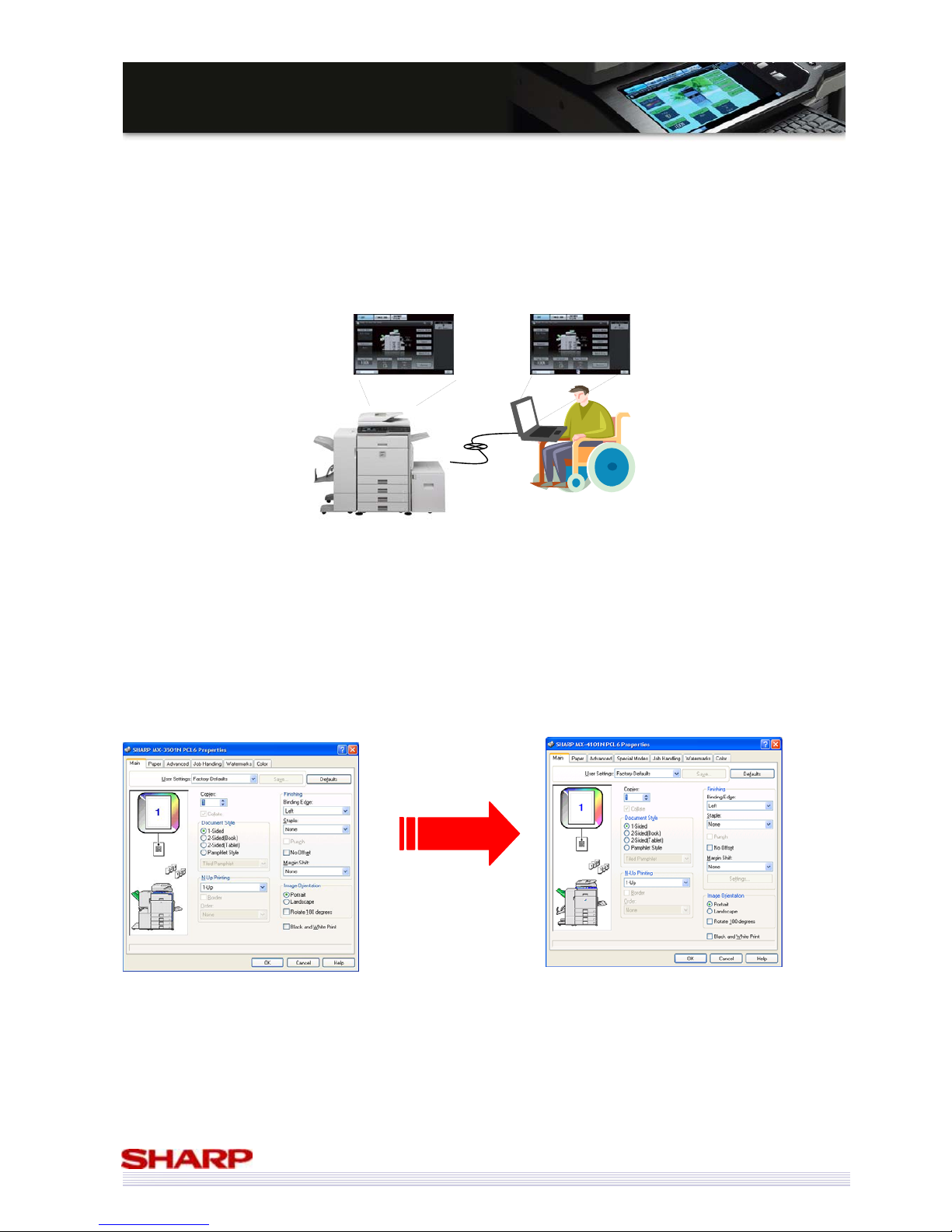
Remote Front Panel
The control panel for most MFPs is fixed, making it difficult for some people to use the MFP. Through Remote
Access Interface, service helpdesk or disabled user can connect with the MFP.
To combat this, Sharp has developed the Remote Front Panel which shows the full operation panel on a PC as is on
the MFP, making it easy to control remotely.
Remarks: It is necessary to install the remote software to users’ PC. (Recommended VNC Software: RealVNC, TinyVNC, PAU Ver5)
Other uses include:
• Training – the user panel can be shown to a whole room using a projector, so there is no need for all of the
trainees to group around the front of the MFP
• Helpdesk support – help a user navigate using Remote Front Panel, so no need to visit the MFP
• Remote Administration – for example, an admin at a company HQ does not need to visit the branch office to
manage the MFP
• Sharp OSA developers can support their software remotely
Common Drivers
*
Sharp uses a standardized and simple driver design, which means that
• If you can use one Sharp printer, you can use any other Sharp printers
• Only one driver disk is needed to install drivers for any of our colour range (MX-1800N to MX-7001N
inclusive), making drivers easy to manage
* The available features and/or optional configuration differ depending on machine. Therefore, perfect compatibility is not given.
MX-4500/01N/ MX-3500/01N
MX-5000/01N/ MX-4100N/01N
Page 22
22
MMXX--55000000NN//0011NN // MMXX--44110000NN//0011N
N
SSaalleess GGuuiidde
e
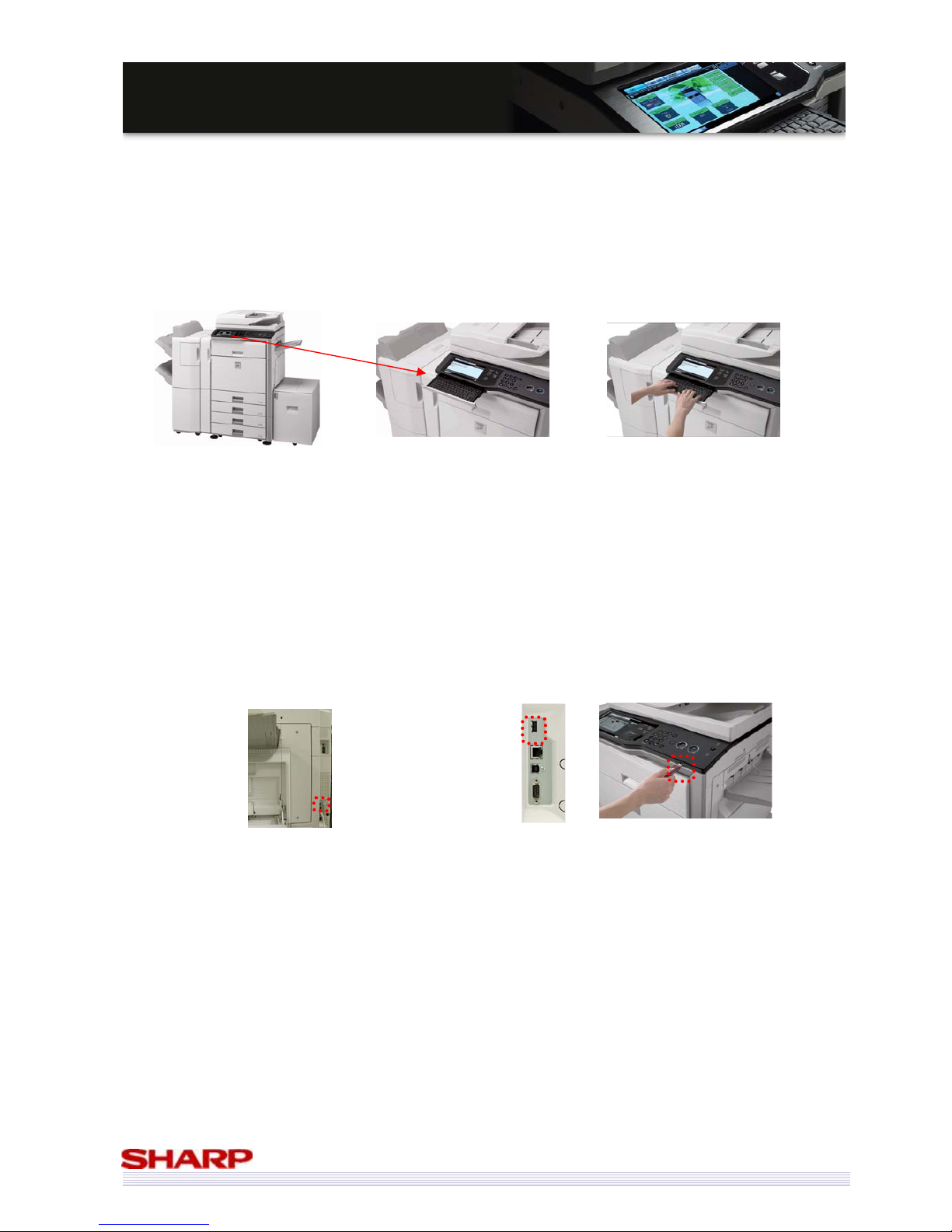
Retractable Keyboard
Data input is becoming a necessity on the front panel of MFPs:
• Email addresses
• Email titles & main messages
• Specifying file names for scans
• Meta data for document management functionality
• Working with Sharp OSA programs
The new integrated retractable keyboard means that data entry is both fast and easy, and the keyboard can be safely
retracted when not in use.
USB Interface
Users can select which interface to use: “front panel” or “rear side of MFP”.
They can choose the place where they can easily operate according to their usage.
For example, customers who often use USB memory scan choose “front panel” and customers who use the USB Hub
or card reader choose “rear side of MFP”.
When users scan data to the USB memory, they can select destination folder including sub folders. (New!)
Note: Users can only use one USB port. (The port is exclusive.) They are switched by the DIP switch. The default USB
port is “front panel”.
Current MFP
Only one place
(Rear side of MFP)
New MFP
Two places
(Choose from Rear side of MFP or Front Panel.)
Page 23
23
MMXX--55000000NN//0011NN // MMXX--44110000NN//0011N
N
SSaalleess GGuuiidde
e
Productivity
Not only are the MX-5000N/01N & MX-4100N/01N incredibly easy to use, they are also very efficient – helping you
to achieve the best productivity possible from your MFP.
• Fast Output Speed
The monochrome output speed of the MFP has been increased from 45/35ppm to
50/41ppm and colour output speed of MFP has increased from 35ppm to 50/41ppm (Both
MX-4500N/4501N and MX-3500N/3501N’s colour speed was 35ppm) which means that
every job you need your MX-5000N/01N & MX-4100N/01N to do, it will be done faster than
ever especially when users use colour mode although the machine size is much smaller than
MX-5500N/6200N/7000N.
Combine this with the fast warm-up time of less than 120 seconds (MX-4100N/01N) and 140 seconds
(MX-5000N/01N), and fast first copy out times (MX-5000N/01N & MX-4100N/01N: 5.9s/6.7s colour,
4.1s/4.7s B/W) and you can see that everything has been designed with efficiency in mind.
• Fast scanning speed
The MX-5000N/01N & MX-4100N/01N can scan at speeds of up to 70opm (with DSPF: 200dpi) or 50opm
(with RSPF: 200dpi) in both colour and mono. No more waiting next to the machine for your originals to
complete scanning!
• Gigabit Ethernet (1000Base-T)
As well as scanning and output speed, the speed of the network connection has also been improved with
the addition of Gigabit Ethernet – so your print jobs will reach the MFP faster, and your scan jobs will be sent
much more quickly as well.
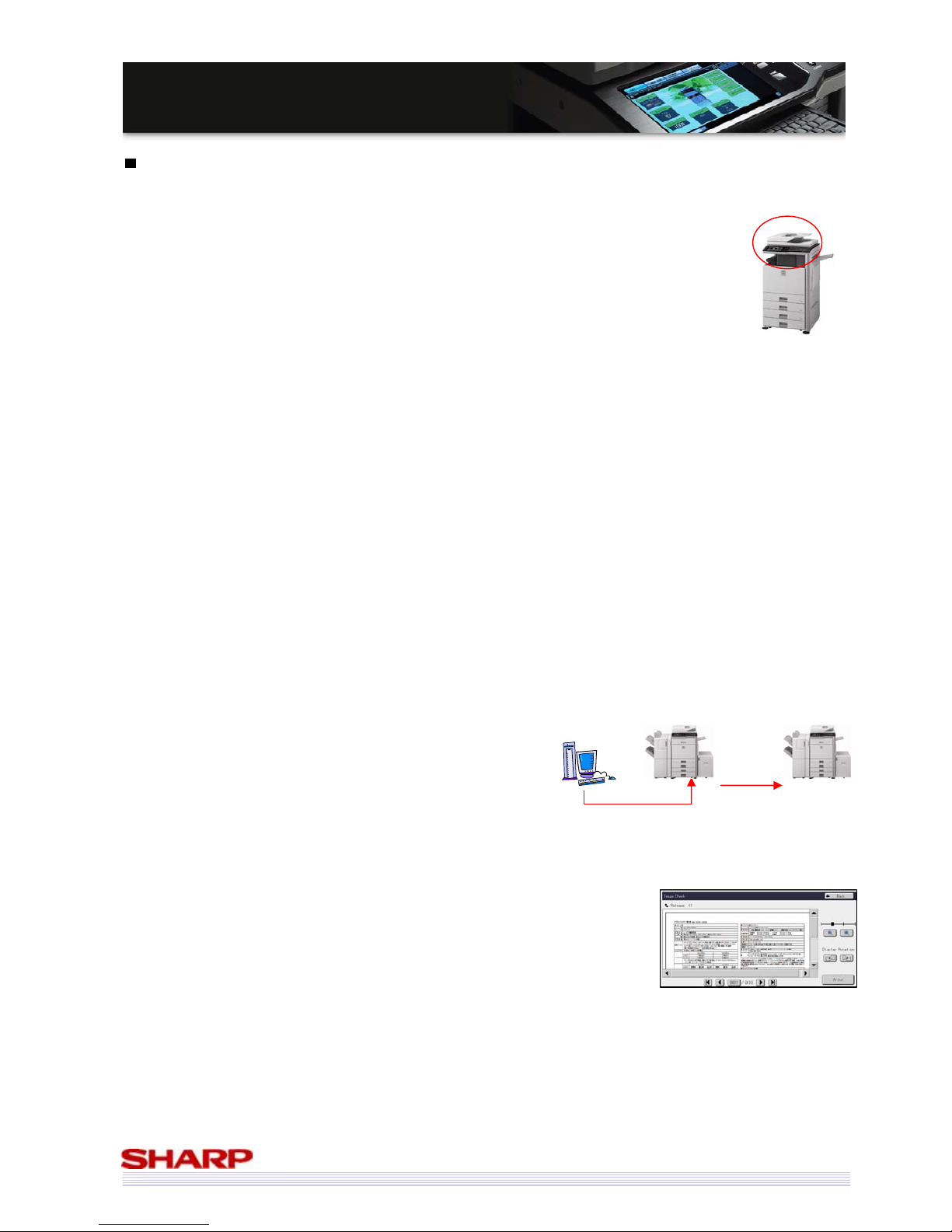
• Tandem Print & Copy
If you have a particularly urgent job, and 50ppm isn’t fast enough, you can combine the output speed of 2
MFPs to output a single job, doubling your output speed of up to 100ppm.
• Direct SMTP
When using Internet Fax, if both the sending and receiving machine are capable of operating by Direct SMTP,
the Fax can be transmitted without going through the mail server. This eliminates a potential bottle neck,
and since the Fax is transmitted directly, it takes less time to arrive.
• Fax Inbound routing & preview
When you receive a fax, it can either be printed out immediately, forwarded
on to a user, who can decide whether it should be printed at their own PC,
or it can be stored on your MFP and previewed on the LCD panel, ensuring
that junk faxes are not printed, saving you time and money. The
MX-5000N/01N & MX-4100N/01N can forward not only TIFF (Multi/ Single),
PDF but also XPS data. Users can specify the forward time and destination address to forward by line.
An administrator can set destination address to forward sent data/ received data individually.
Jobs sent to one MFP can be
set to also output on another,
doubling overall output speed
Page 24
24
MMXX--55000000NN//0011NN // MMXX--44110000NN//0011N
N
SSaalleess GGuuiidde
e
• Stamp Unit
Users may wish to have evidence that all of their documents have been scanned without any problems.
(e.g in case of important fax sending, or paper document digitalization) The stamp unit allows users to
check which documents have already been scanned, and in case of a duplex original, the marks are stamped
twice on the front side of the document.
• Productivity has increased by improving the speed at which print jobs are processed by the MX-5000N/01N
& MX-4100N/01N. By reducing the processing (or RIP) time, more jobs can be processed in a shorter time,
meaning you won’t have to wait long for your jobs to be output.
Connectivity
There are so many different environments and systems in use in today’s office that an MFP needs to be compatible
with as many as possible.
The MX-5000N/01N & MX-4100N/01N have been developed with this in mind.
And not only can our devices work with all these software vendors, the MX-5000N/01N & MX-4100N/01N can
communicate with them exceptionally quickly over the latest networking technologies:
• Standard Gigabit Ethernet (1000Base-T)
• IPv6
Sharp is a founder member of the SAP Printer Vendor Program. SAP device
types for all of our devices will be created to provide connectivity with SAP.
WHQL (Windows Hardware Quality Labs) testing ensures full compatibility with
Windows systems.
Sharp is a Citrix Technology Partner, giving us access to testing resources,
technical support and other Citrix development tools.
Compatibility with the CUPS (Common Unix Printing System) ensures you can use
your MFP with both Unix and Linux.
Page 25
25
MMXX--55000000NN//0011NN // MMXX--44110000NN//0011N
N
SSaalleess GGuuiidde
e
Microsoft XPS
The MX-5000N/01N & MX-4100N/01N are compatible with the latest formats, including Microsoft XPS.
What is XPS?
XPS (XML Paper Specification) is a new file format from Microsoft intended for published documents, where once
published, the document cannot be changed. It is similar in function to Adobe PDF.
XPS is important because compatibility is built into Vista, the latest version of Windows, (separate downloads are
available for previous versions) therefore it will be usable for a lot of people in the near future.
Benefits over PDF file format
• All fonts are embedded in the document
• Colour handling has been improved, with support for systems such as ICC profiling
• Support for a wider gamut of colours
• Compatibility with Microsoft’s DRM software (RMS / Rights Management Software), which in turn is
supported by Microsoft SharePoint.
Printing XPS files
It is possible to print XPS files using PCL drivers, but it is not ideal. When printing via PCL, the data is effectively
converted into a Bitmap, which affects gradation and transparency settings within the data.
File Formats
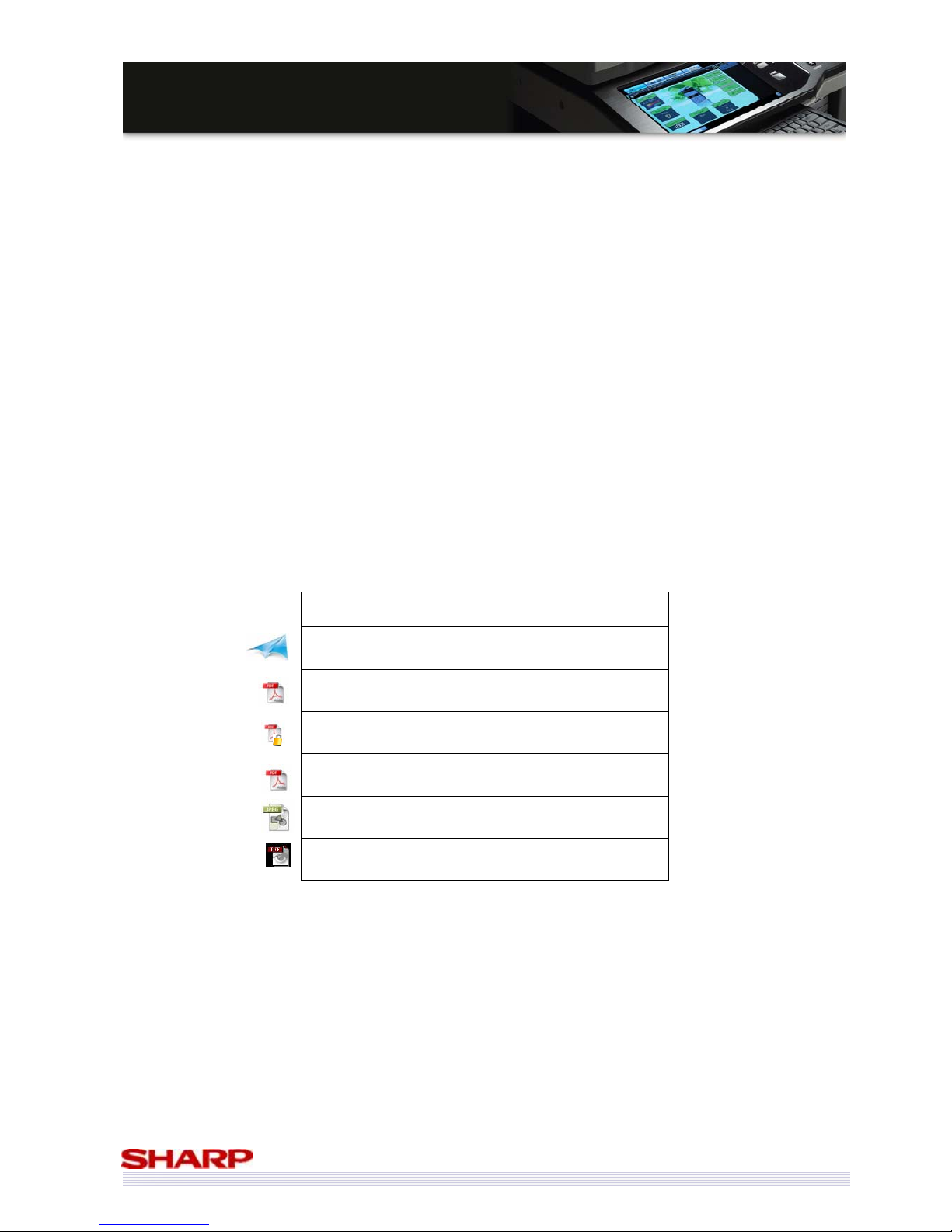
The MX-5000N/01N & MX-4100N/01N are compatible with a wide variety of document file formats:
Direct
Print
Scan
Microsoft XPS Opt*
D
PDF Opt**
D
Encrypted PDF Opt**
D
Compact PDF Opt** Opt***
JPEG
D D
TIFF
D D
* MX-PUX1 expansion kit and MX-SMX3 (expansion memory board) are required.
** MX-PKX1 is required.
*** MX-EBX3 is required.
Page 26
26
MMXX--55000000NN//0011NN // MMXX--44110000NN//0011N
N
SSaalleess GGuuiidde
e
PAU 5 (soon-to-be-released)
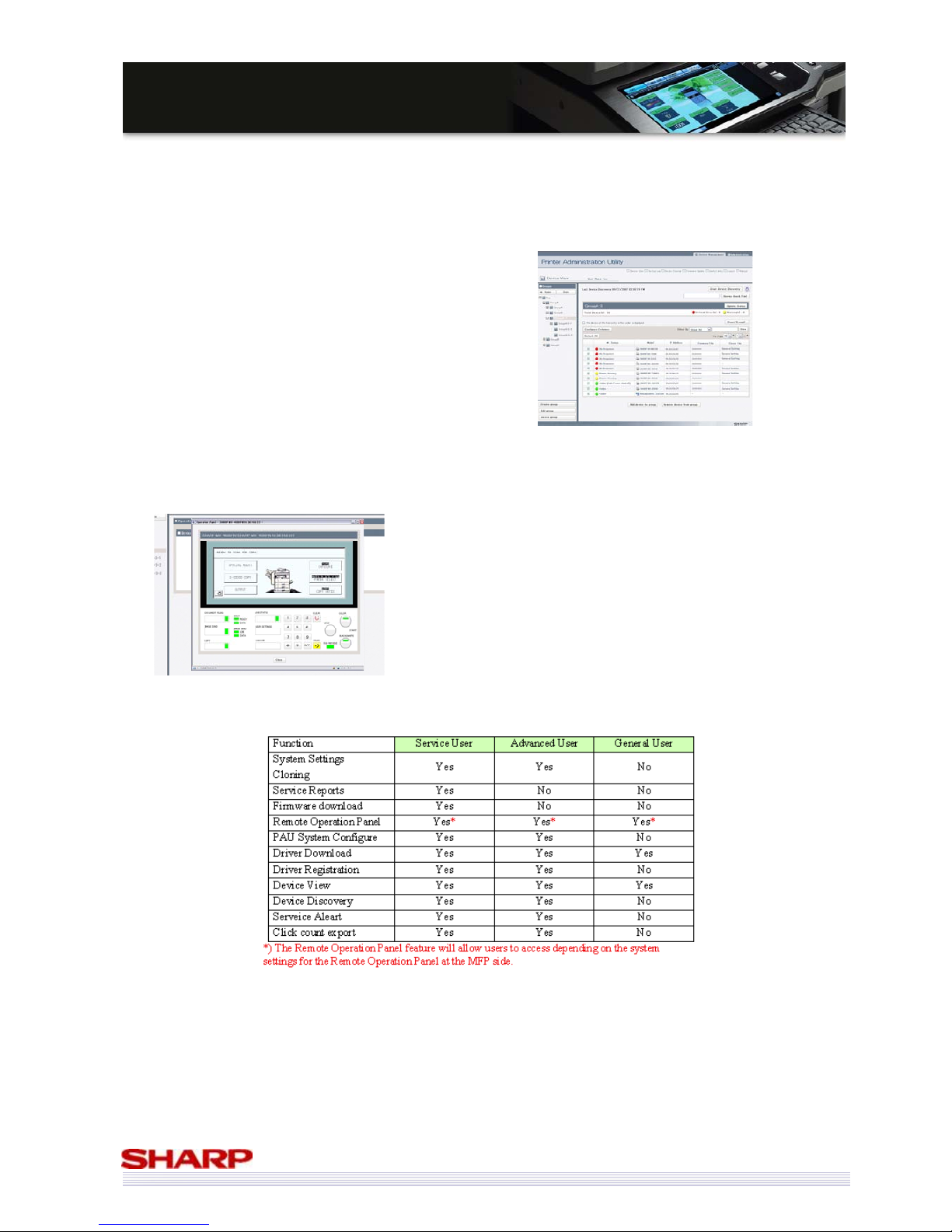
Sharp Printer Administration Utility (PAU) 5 is the latest version of Sharp’s own web-based administration utility. It
will allow administrators to manage their fleet of MFPs quickly and easily, without having to physically visit the MFP.
PAU 5 introduces several new features over PAU 4, including:
• Firmware download
• Remote Operation panel
• Click Count Export (CSV)
• Device Cloning
• Service Reports
Other improvements include:
• New user interface
• Tree navigation structure
• Local Authentication database
• Three user types (Service, Advanced, General), with
varying permissions
Page 27
27
MMXX--55000000NN//0011NN // MMXX--44110000NN//0011N
N
SSaalleess GGuuiidde
e
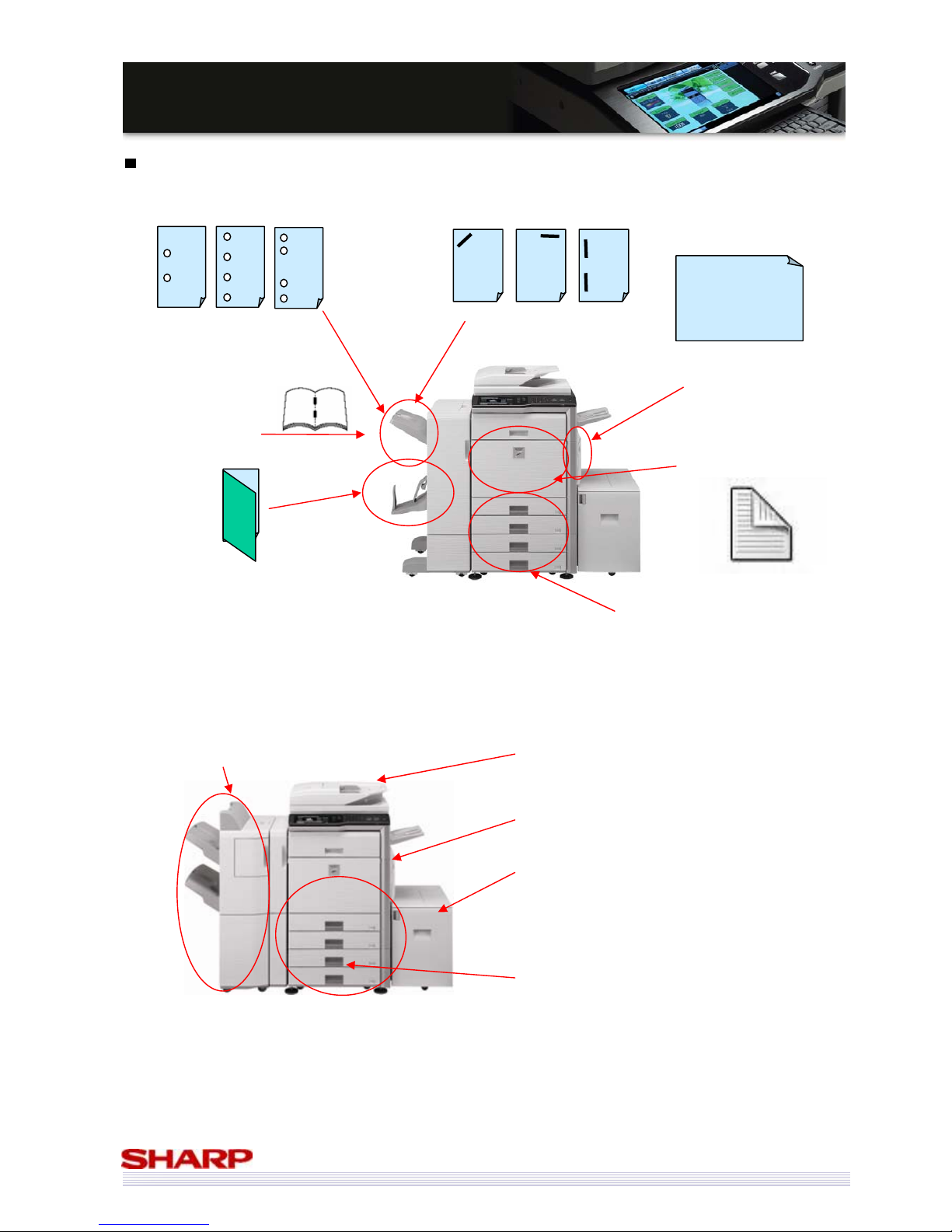
*A3W output requires
either MX-TRX2 (exit tray),
MX-FNX9 (inner finisher),
MX-FN10 (saddle finisher),
or MX-FN11 (4K finisher)
Input & Output Flexibility
More and more offices are choosing to create as many documents as possible in-house. This means that an office
MFP has to be able to produce a wide variety of documents in different formats and styles.
* It is possible to fold a single sheet of paper without stapling. This is particularly useful for leaflets, and for areas where postage costs are
determined by package size.
RSPF: 100 sheets (35-128gsm), A5-A3
Scan speed up to 50opm
DSPF: 150 sheets (35-128gsm), A5-A3
Scan speed up to 70opm
Bypass: 100 sheets (55-256gsm)
Std A5R-A3W*
LCC: 3,500 sheets (60-105gsm)
Opt A4, B5
Trays: 500 sheets each (60-209gsm)
2x std A5R-A3
2x opt
Total Std: 1,100 sheets
Total Max: 5,600 sheets
Thanks to this flexibility in finishing options, plus excellent output quality, the MX-5000N/01N & MX-4100N/01N can
be used for many types of document, from reports and records to booklets & training materials, not to mention
leaflets, mail drops or posters.
Note: Punch module can punch 55g/m2-256g/m2 paper. But in case of 129g/m2-256g/m2 paper with punch module for an inner finisher or saddle
finisher, the punch hole may not be a perfect circle.
Print on paper
weights up to
256g/m
2
(bypass)
Saddle stitch booklets
up to 15 sheets
Hole punch with 2, 4,
or 4-wide patterns
Duplex print on paper
weights up to 209g/m
2
Print on A3W
paper
Just
fold
each
page*
Stapling (50 sheets)
Print on paper weights
up to 209g/m
2
(Trays)
4K Finisher
Upper tray: 1,550 sheets
Lower tray: 2,450 sheets
Page 28
28
MMXX--55000000NN//0011NN // MMXX--44110000NN//0011N
N
SSaalleess GGuuiidde
e
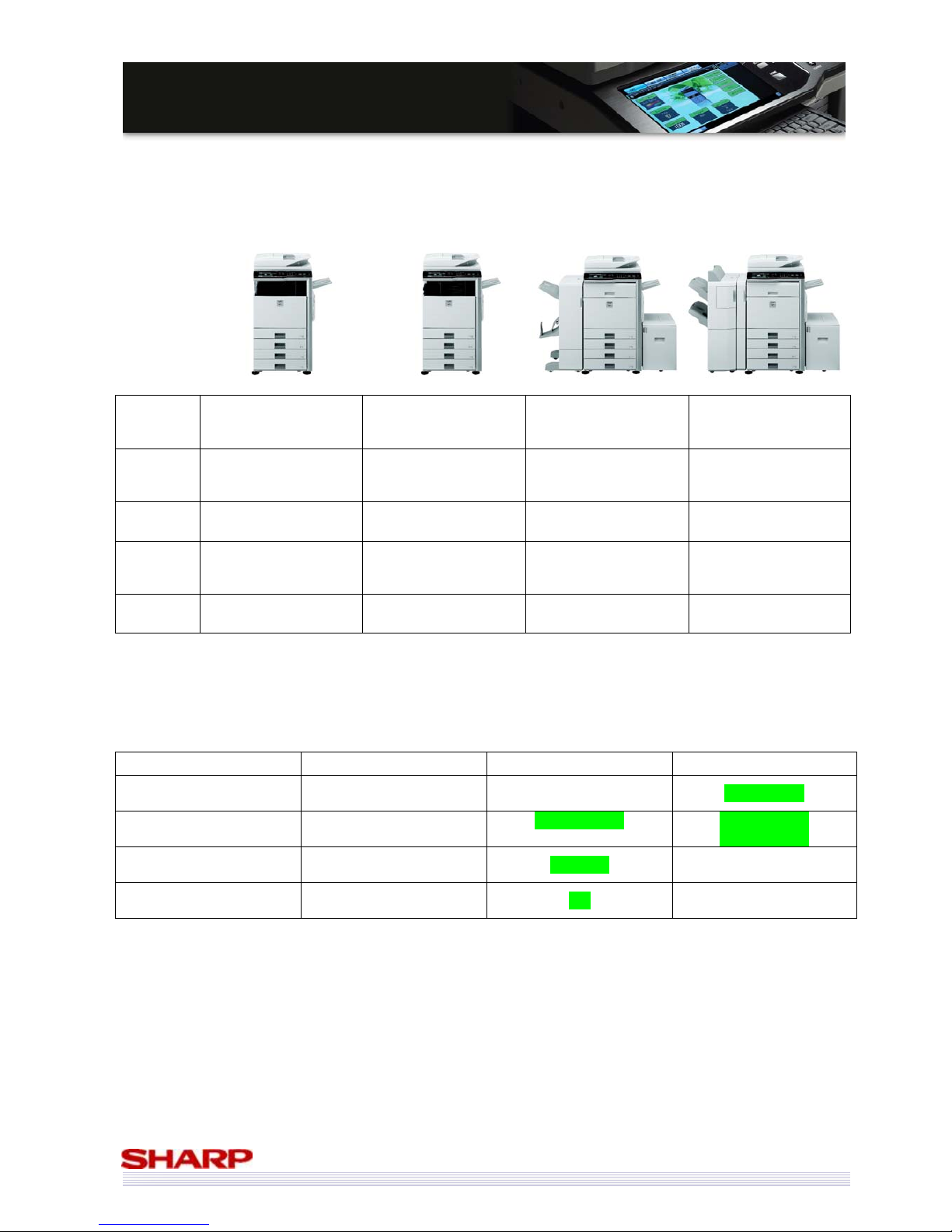
Finishing Options
No finisher attached,
Op. exit tray installed
MX-FNX9 Inner
finisher
Op. exit tray installed
MX-FN10 Saddle
finisher
Op. exit tray installed
MX-FN11 finisher
Op. exit tray
installed
Output
Capacity
500 sheets (centre)
100 sheets (exit tray)
TTL: 600 sheets
500 sheets
(inner finisher)
100 sheets (exit tray)
TTL: 600 sheets
1,000 sheets (finisher)
100 sheets (exit tray)
TTL: 1,100 sheets
4,000 sheets (finisher)
100 sheets (exit tray)
TTL: 4,100 sheets
Staple
capacity
N/A
50 sheets (A4)
30 sheets (A3)
50 sheets (A4)
25 sheets (A3)
50 sheets (A4)
30 sheets (A3)
Saddle
Stitch
Capacity
N/A N/A 15 sheets N/A
Hole
Punching
No Opt Opt Opt
Improvements Compared to MX-3500N/01N & MX-4500N/01N Finishing
MX-FNX2 (Old) MX-FN10 (New) MX-FN11 (New)
Stack 1,000 sheets 1,000 sheets 4,000 sheets
Stapling Capacity
30 sheets (A4)
25 sheets (A3)
50 sheets (A4)
25 sheets (A3)
50 sheets (A4)
30 sheets (A3)
Saddle Stitch 10 sheets 15 sheets N/A
Bi-folding N/A Yes N/A
Page 29
29
MMXX--55000000NN//0011NN // MMXX--44110000NN//0011N
N
SSaalleess GGuuiidde
e
Save Money
All companies are interested in ways to save money – so how can the MX-5000N/01N & MX-4100N/01N help?
Duplex Printing
The MX-5000N/01N & MX-4100N/01N come with duplex as standard.
By printing and copying as many documents as possible on both sides of the paper, your paper purchasing costs
could be halved.
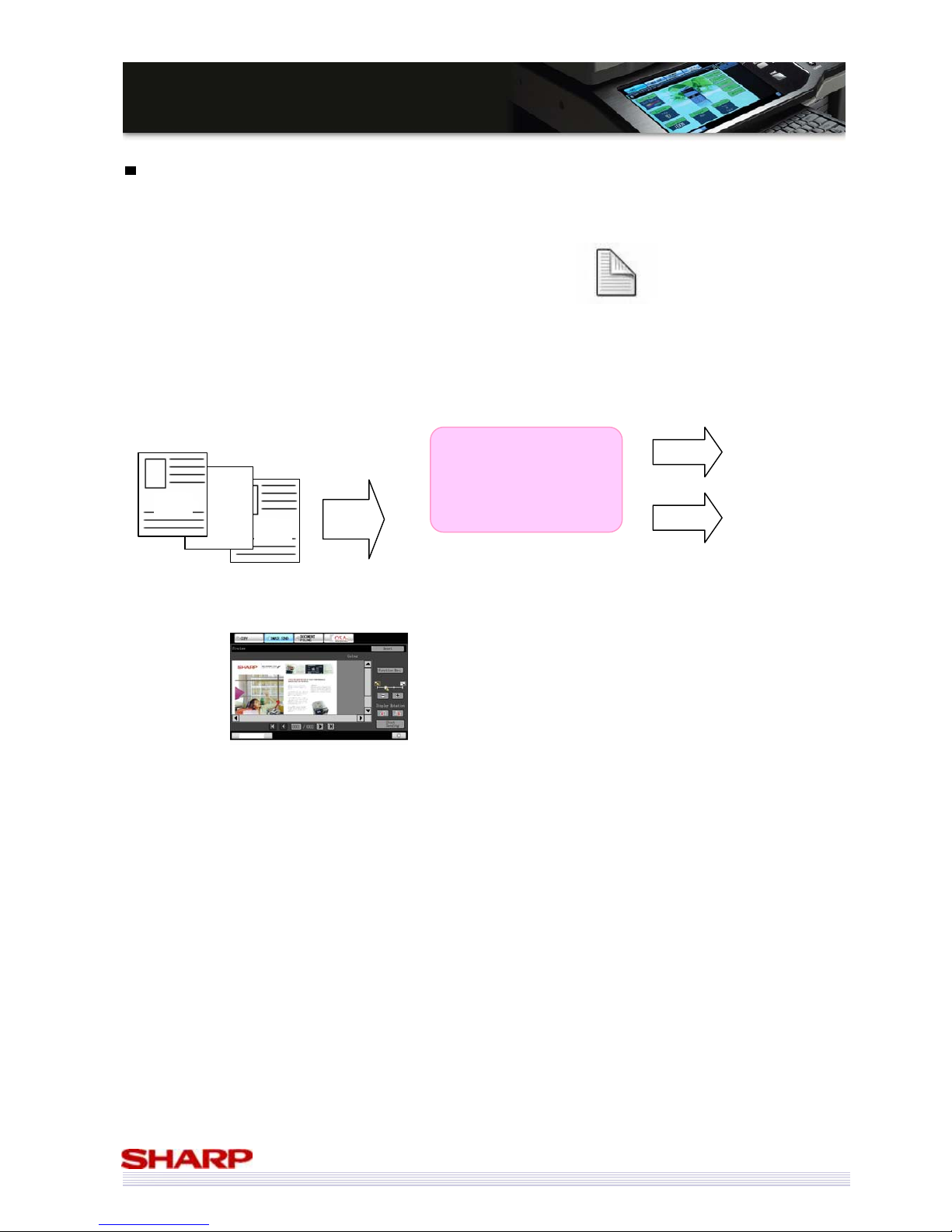
Blank Page Skip (In the case of scan only including Scan to USB) (New!)
Judging and deleting the blank page that is mixed to the original enables reduction of communication time and data
volume.
Original (Sheet B is blank a page.)
If users press the “Blank Page Skip” and “Preview” button, they can preview sheet A and C before sending data.
C
B
A
Scan
Message:
Three pages are scanned.
Send two sheets of paper.
[Preview] [Cancel] [OK]
Cancel
OK
Cancel job
Send two sheets
of paper
Preview sheet A and C
Page 30
30
MMXX--55000000NN//0011NN // MMXX--44110000NN//0011N
N
SSaalleess GGuuiidde
e
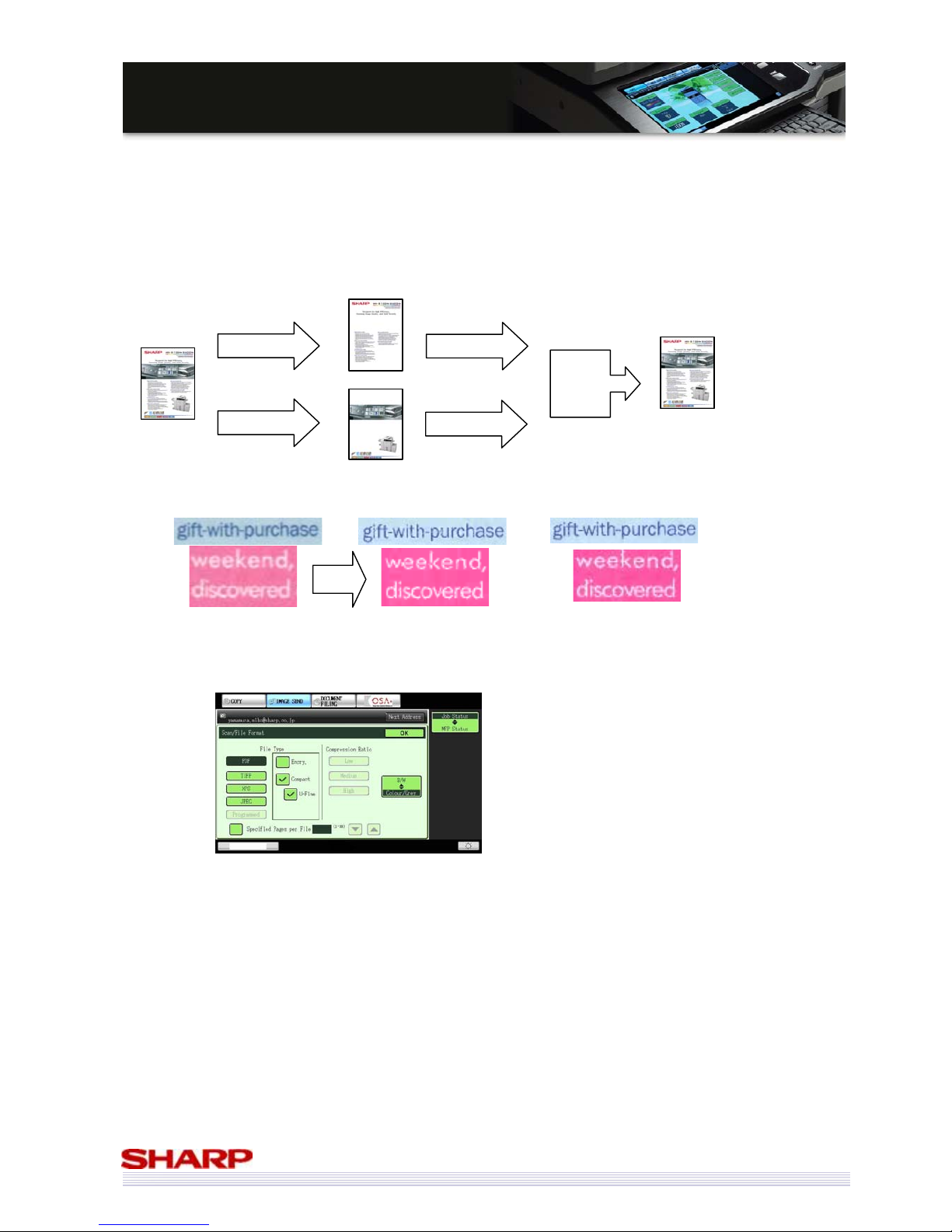
Compact PDF (New!) (MX-EBX3 required.)
The MX-5000N/01N & MX-4100N/01N support compact PDF. The models create light and high image quality PDF
file by excellent character detection and well-balanced colour reproduction. The compressed data size is about a
tenth of the data size
*
scanned without this feature. And compression speed in the case of normal mode is much
faster than that of current competitors’ MFPs.
Note: File size and/or compression speed varies depending on documents.
There are two options, normal and u-fine for compression setting. If users check “Compact” only, the data is highly
compressed. If users check both “Compact” and “U-Fine”, the compressed file size is slightly bigger than the file
produced when users check “Compact” only. Users can use both “Compact PDF” and “Encrypted PDF”
simultaneously.
Benefits
・ Any storage such as MFP HDD or USB memory can be used effectively.
・ Burden on the network is reduced.
・ The compressed data can be sent in a short time.
1/10
New (Normal mode)
Compact PDF
(Input: 600x300dpi
Output: 300x300dpi (text)
150x150dpi (background))
New (Ultra Fine
mode)
Compact PDF
(Input: 600x600dpi
Output: 300x300dpi (text)
150x150dpi (background))
Extract Texts
Extract
Compress
Compress
Synthesis
Original Data
Compressed Data
Outline of Compact PDF
Conventional
Push Medium Compression
(Input: 600x300dpi
Output: 200x200dpi)
Page 31
31
MMXX--55000000NN//0011NN // MMXX--44110000NN//0011N
N
SSaalleess GGuuiidde
e
Fax Management
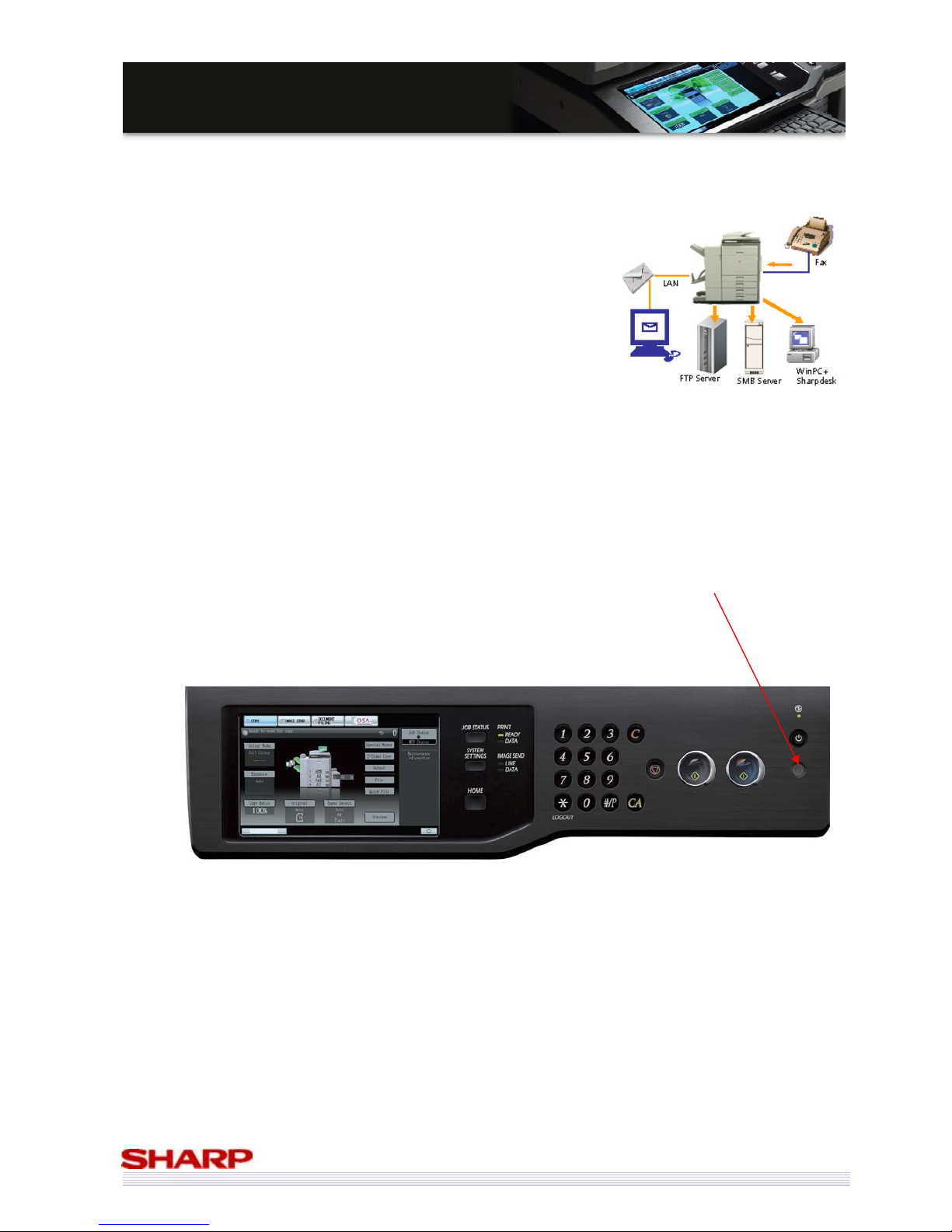
With the advanced Fax management functions of the MX-5000N/01N & MX-4100N/01N, you need never print a fax
again, whether receiving or sending.
Inbound routing - Incoming faxes are sent via email to a specified recipient or
sent as TIFF, PDF, and XPS data to servers/PCs at the specified time. Users can
set the transfer schedule. Therefore, system works efficiently and only
required faxes need to be printed, and junk faxes are not printed.
PC-Fax - Fax electronic documents direct from your PC – no need to print
them first
Fax Thumbnail enables incoming faxes to be previewed prior to printing.
Of course, if you do need to print out a fax, you can always print it duplex!
Save Electricity, Save the Environment
The MX-5000N/01N & MX-4100N/01N can be set to go into power save mode after a set period of inactivity.
In addition to this, there is a power-save button which, when pressed, forces the MFP into power save mode
immediately.
Page 32
32
MMXX--55000000NN//0011NN // MMXX--44110000NN//0011N
N
SSaalleess GGuuiidde
e
Control Colour Costs
The benefits of using colour in your business documents is well known, but some companies have not introduced
colour MFPs to their offices due to a risk of increased costs as a result of increased colour output.
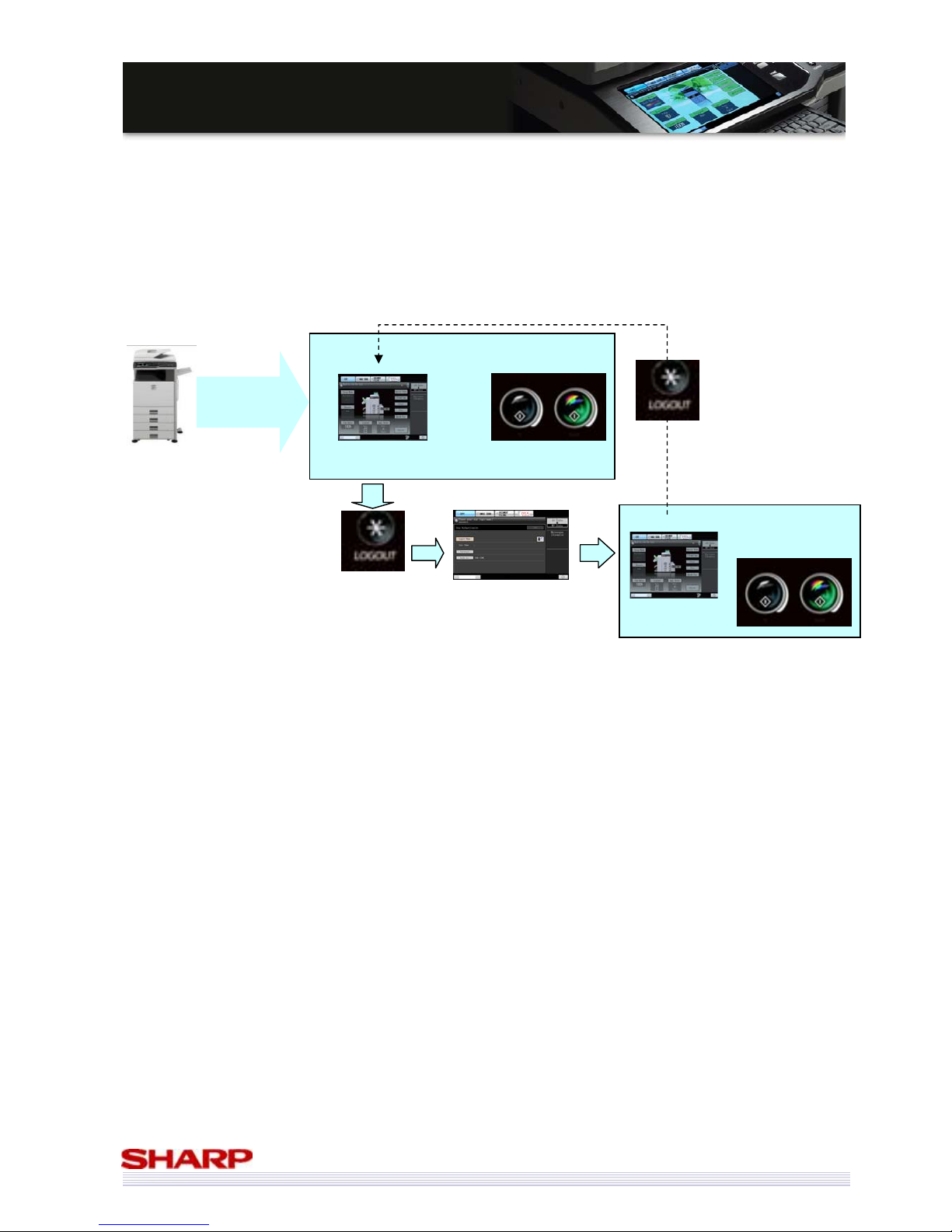
The simple answer to this is to restrict which users can produce colour documents.
Each user can have different levels of access to the MFP. By using this feature, you can set it up so that anyone can
product black and white output, but only registered users with colour access can log onto the MFP and produce
colour documents.
A maximum of 1,000 accounts can be registered.
Power On
Automatic login
by the fixed user (A)
registered in advance.
Basic Screen
B/W copy can be used at this time.
Pressing the Colour button causes an error.
To perform colour
copy, press the
“*(logout)” key.
Login by a user that
can perform colour
copy (B).
No
Ready
Ready Ready
Press the “*(logout)” key
to return.
Page 33
33
MMXX--55000000NN//0011NN // MMXX--44110000NN//0011N
N
SSaalleess GGuuiidde
e
Security
Most IT departments are aware of the security issues of their networks, and take appropriate measures to protect
data stored on their systems.
But how many are aware of the dangers posed by an MFP?
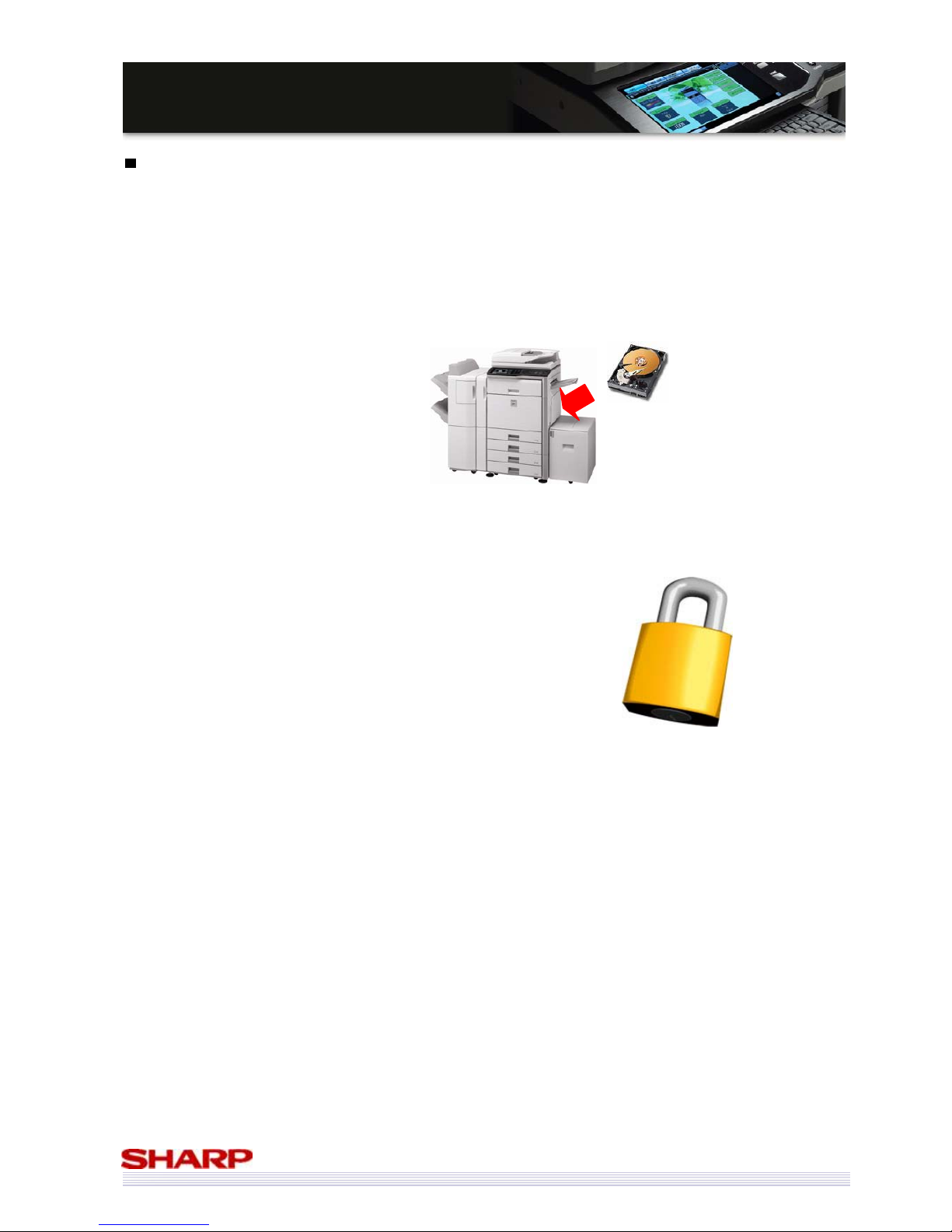
Most MFPs fitted with a hard drive can automatically store copies of any jobs it processes on its hard drive, whether
they be print, copy, scan or fax jobs and they can stay on the MFP’s HDD for years.
How many sensitive and confidential documents pass through your MFP?
• Financial data
• Business documentation
• Tenders
• Product specifications
• Employment data
• The list is endless
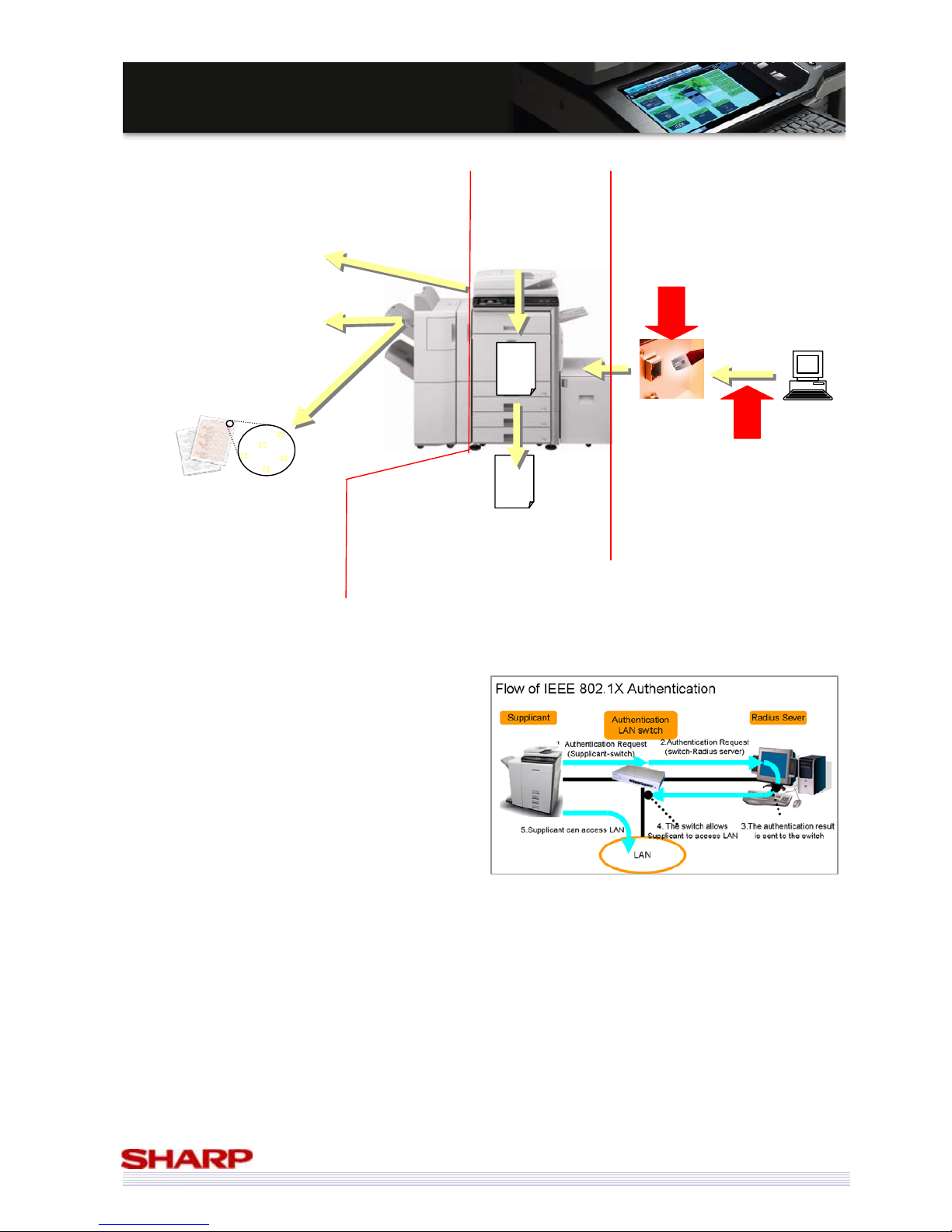
The MX-5000N/01N & MX-4100N/01N employ Sharp’s unsurpassed expertise in security to ensure your data remains
safe – whoever has access to your MFP:
• Secure data during communications with the MFP
– HTTPS / SSL / IPsec network data encryption
– IP / MAC address filtering
• Secure data stored on the MFP
– Encrypt data during processing
– Overwrite data on HDD once processing is complete
– Encrypt the HDD
– Automatically delete files after a set period
• Secure data once it leaves the MFP
– PIN printing
– Document control
– Encrypted PDF support
Now imagine this data
was unsecured.
Page 34
34
MMXX--55000000NN//0011NN // MMXX--44110000NN//0011N
N
SSaalleess GGuuiidde
e
User Authentication (New!)
In addition to the LDAP authentication, MX-5000N/01N & MX-4100N/01N support Active Directory.
It becomes unnecessary to register/ manage users in each MFP and enables easy and sensible user administration.
Conventional Models
Ex: MX-4500/01N / MX-3500/01N
New Models
Ex: MX-5000/01N / MX-4100/01N
User authentication registered in the
MFP (Internal Authentication)
Good: Authentication can minutely
be set by user.
Bad: Upper limit exists for number of
users.
Bad: If two or more MFP exists, it is
necessary to add/delete user by MFP.
Same as conventional models.
LDAP Authentication Only LDAP Authentication and AD
linkage
User authentication registered to the
external server
(External Authentication)
Bad: Authentication can not
minutely be set by user.
Good: Expandability for number of
users is high.
Good: It is able to manage
addition/deletion of users at server
collectively.
Good: Authentication can
minutely be set by user.
Good: Expandability for number of
users is high.*
Good: It is able to manage
addition/deletion of users at server
collectively.
* The maximum number of users who can be registered is 1,000.
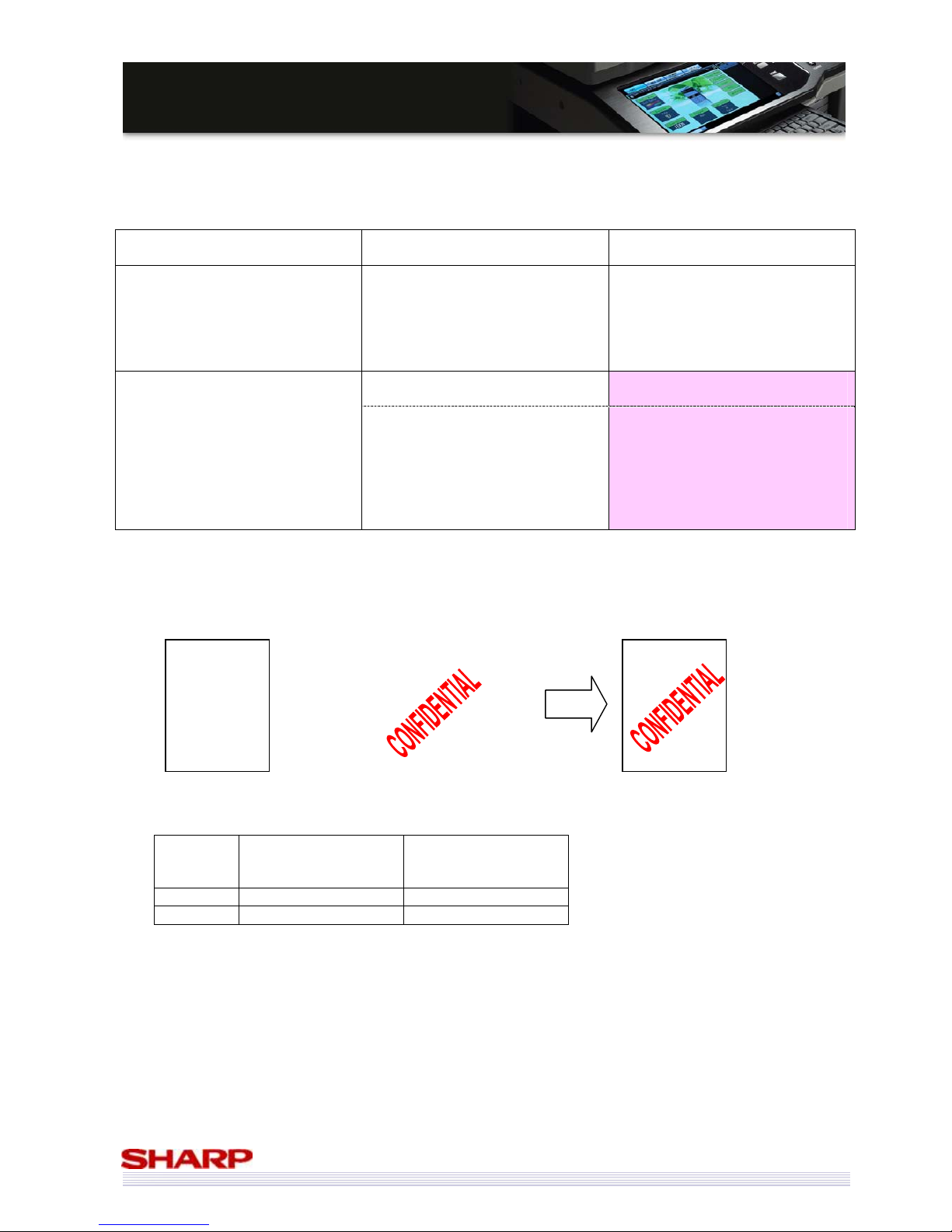
Watermark (New!)
MX-5000N/01N & MX-4100N/01N can overlay watermark image embedded in the MFP when users make a copy.
Conventional Models
MX-4500N/01N /
MX-3500N/01N
New Models
MX-5000N/01N /
MX-4100N/01N
Copy No Yes
Print Yes Yes
ABDCEISLASDA
PSLSEFJMKLKS
GAJEUCZKMES
EIURLCIEOLAJK
AEIDFFGLASDFE
YFKZMSLODJSG
ELSKAJEHSNAL
EKSJEFIFL
ABDCEISLASDA
PSLSEFJMKLKS
GAJEUCZKMES
EIURLCIEOLAJK
AEIDFFGLASDFE
YFKZMSLODJSG
ELSKAJEHSNAL
EKSJEFIFL
Original
Watermark Result
Page 35
35
MMXX--55000000NN//0011NN // MMXX--44110000NN//0011N
N
SSaalleess GGuuiidde
e
New security feature: IEEE802.1X
IEEE802.1X is a LAN standard established by the IEEE 802
committee. It is a technology used to authenticate
hardware connected to the network, therefore its main
function is to prevent unauthorized machines from
gaining access to your network.
The MX-5000N/01N & MX-4100N/01N support
IEEE802.1X, maintaining the high level of security your
network requires.
There are broadly three techniques for preventing
unauthorized access to your network.
1. Authentication on your LAN switches
2. DHCP server system
3. Personal firewall system
Among the above, type 1 uses IEEE802.1X. By preventing unauthorized access at the network hardware level
(rather than at the server or computer level), IEEE802.1X is seen as providing a higher level of security, and it is often
used at major companies or public offices.
??//%%&
&
$
$
**#
#
$
$
??//%%&&$$**##$$~~**$$
SSL / IPsec encryption
protects communication
over the network.
IP & MAC address
filtering restricts
access to the MFP
over the network.
Data on the HDD
(and being
processed) can
be encrypted.*
Once processed,
data can be
overwritten with
random data.*
PIN Printing means that no
printouts are left lying on the
MFP, as the user must enter a
PIN before the document is
printed.
Document Control means
that any document output
with DC patterns cannot then
be printed or scanned by
another Sharp MFP with DC
installed.*
* Optional Data Security Kit
required
Scanned documents can be
scanned in Encrypted PDF
format, meaning a password
must be entered before the
document can be opened.
Input to the MFP On the MFP Output by the MFP
?
Files stored on
the HDD can be
automatically
deleted on a
regular basis.
Page 36
36
MMXX--55000000NN//0011NN // MMXX--44110000NN//0011N
N
SSaalleess GGuuiidde
e
Office Integration
The trend towards office automation is clear. Customers want to make their offices as efficient as possible,
including their document output infrastructure.
There is a demand for document solutions that can be integrated with either new or existing solutions, for archiving,
document workflow, accounting or scanning.
Sharp Open Systems Architecture is perfect for the job!
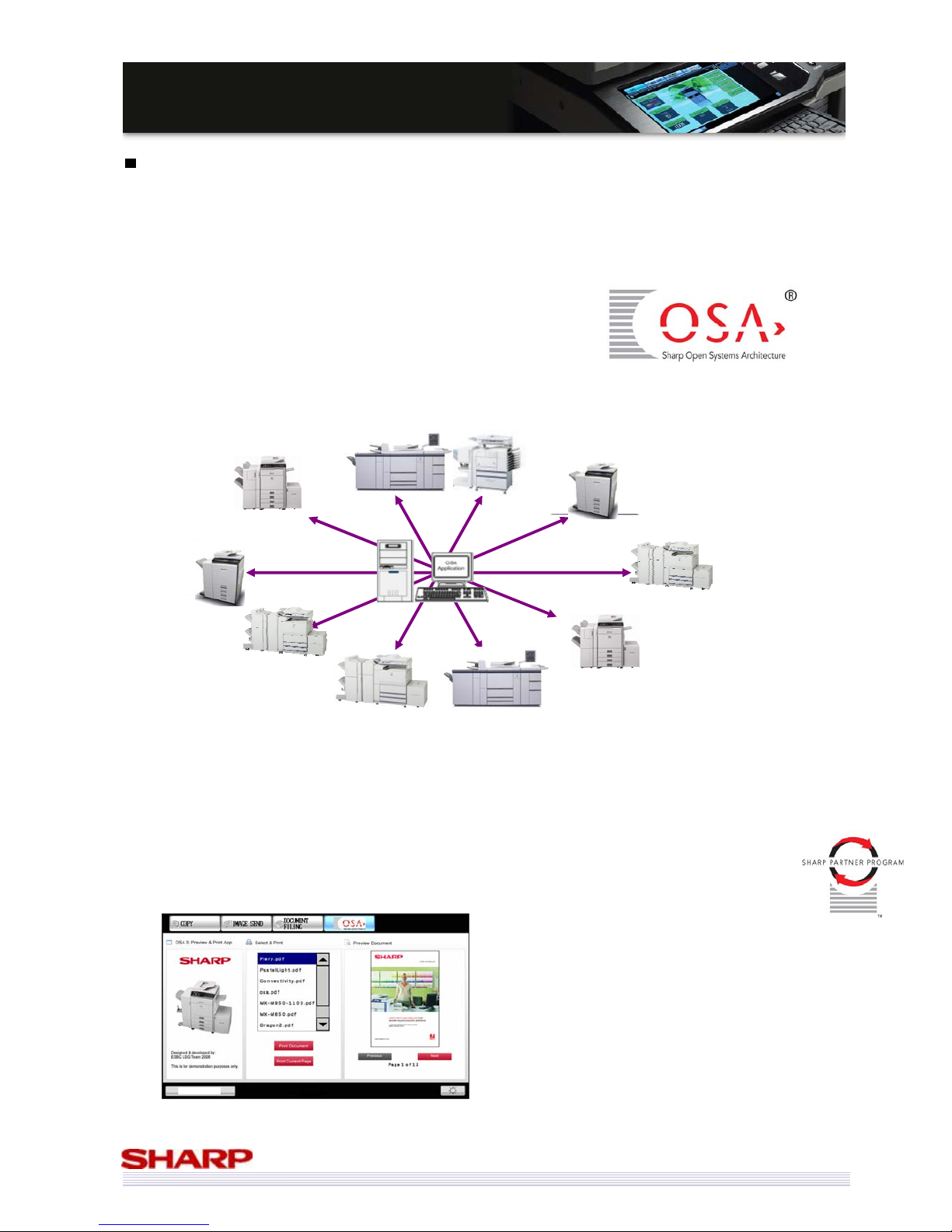
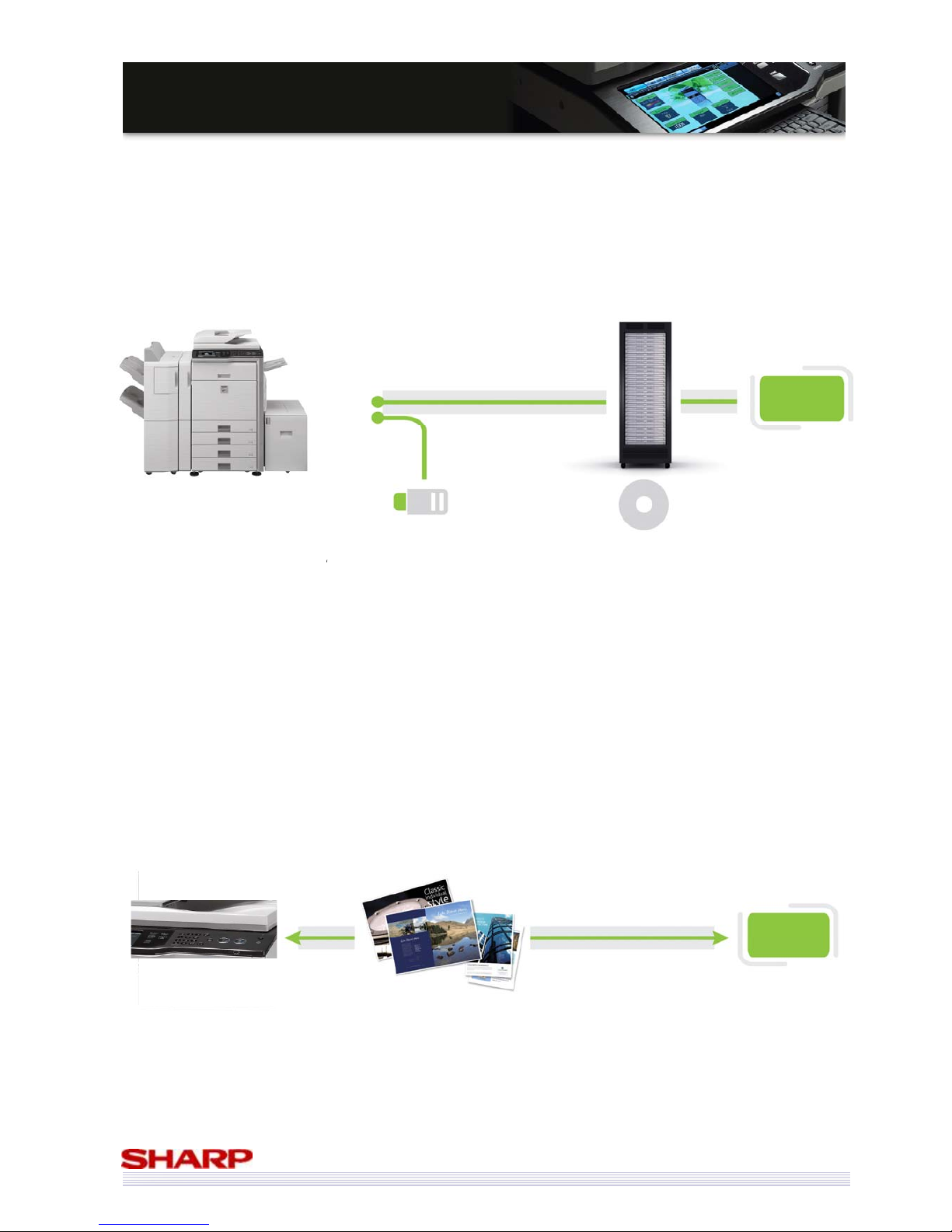
Sharp OSA makes it possible for third-party software developers to create custom applications that link the MFP to
software programs on a server or PC, giving you the ability to create your own solutions specific to your own needs.
The launch of the MX-5000N/01N & MX-4100N/01N also marks the launch of the latest version of Sharp OSA (3.0),
which makes it even easier to customise your MFP and integrate it into your office workflow. Among its highlights
are:
• A fully customizable User Interface (UI)
• Code description is based on standard HTML – a UI can be created with general coding skills
• Standard expansion technologies can be easily supported (such as Ajax, CSS & Flash)
• An existing Partner program, with many large developers already working with Sharp OSA
means that the right integrated solution could already be available.
Ajax: A group of interrelated web development techniques
used for creating interactive web applications or rich Internet
applications. With Ajax, web applications can retrieve data
from the server asynchronously in the background without
interfering with the display and behavior of the existing page.
CSS: A stylesheet language used to describe the presentation
of a document written in a markup language. Its most
common application is to style web pages written in HTML
and XHTML.
Flash: A set of multimedia technologies. Flash technology has
become a popular method for adding animation and
interactivity to web pages.
Page 37
37
MMXX--55000000NN//0011NN // MMXX--44110000NN//0011N
N
SSaalleess GGuuiidde
e
New features of Sharp OSA 3.0 include:
• USB device expansion
USB devices that are not supported by the MFP itself can be used in Sharp OSA mode, using the Windows
drivers installed on the Sharp OSA server.
• Trial Mode
In order to allow a customer to assess Sharp OSA solution, a trial mode can be set up, which allows full
functionality for a limited period. On the MX-5000N/01N & MX-4100N/01N, this limit has been set at total
32,000 pages.
(scanned/ printed/ sent)
• Job Build Mode
The function where a particularly large original can be split into sections for scanning (if the number of pages
in the document exceeds the capacity of the document feeder) can now be used in Sharp OSA solutions.
• Sending Data via HTTP / SMB
Previous versions of Sharp OSA were limited to the FTP protocol for the transmission of data, but many
Administrators don’t like FTP to be used on their networks. Sharp OSA 3.0 can also transmit data using the
HTTP and SMB protocols, making it suitable for almost all environments.
This allows for more simple control, using the same security setting used for web browsing (HTTP).
Sharp OSA
App
Driver for USB Device
USB Device
(for example card reader)
Network
USB
Control of MFP LCD screen/Sending
of job data: HTTP or SMB protocol
Page 38
38
MMXX--55000000NN//0011NN // MMXX--44110000NN//0011N
N
SSaalleess GGuuiidde
e
Environment
Environmental regulations
• RoHS
A European directive, on the restriction of the use of certain hazardous substances in electrical and electronic
equipment.
• WEEE
Waste Electrical and Electronic Equipment regulations aimed at reducing the amount of waste going to
landfill and improving recovery and recycling rates.
• Energy Star
Energy Star is a label for energy efficient products with worldwide recognition. The
Energy Star programme was introduced to Europe in 2002 as a voluntary label for
computers, monitors, printers, fax machines, scanners, copiers and multifunctional
machines. New specifications were introduced in 2007 which ensure that the Energy Star
represents only the markets most energy efficient products.
The MX series are designed with the environment in mind and based on Sharp’s policy of becoming a totally
environmentally friendly company.
• Common platform
The MX series has been developed with “Common platform” concept, which utilises common mechanical
parts, boards, consumables, software and controllers as much as possible. This fact is important for the
overall company’s activities such as stock management, production, logistics, technical training, etc. This
means less power is required to sustain the company’s activities and total energy consumption is reduced, as
everything is Sharp.
• Recyclable plastic
The material name and characteristics are mentioned on all plastic parts and cabinet for recycling. Also
labels for caution or operation are reduced as much as possible and instead of these messages are now
embossed on plastic.
Page 39
39
MMXX--55000000NN//0011NN // MMXX--44110000NN//0011N
N
SSaalleess GGuuiidde
e
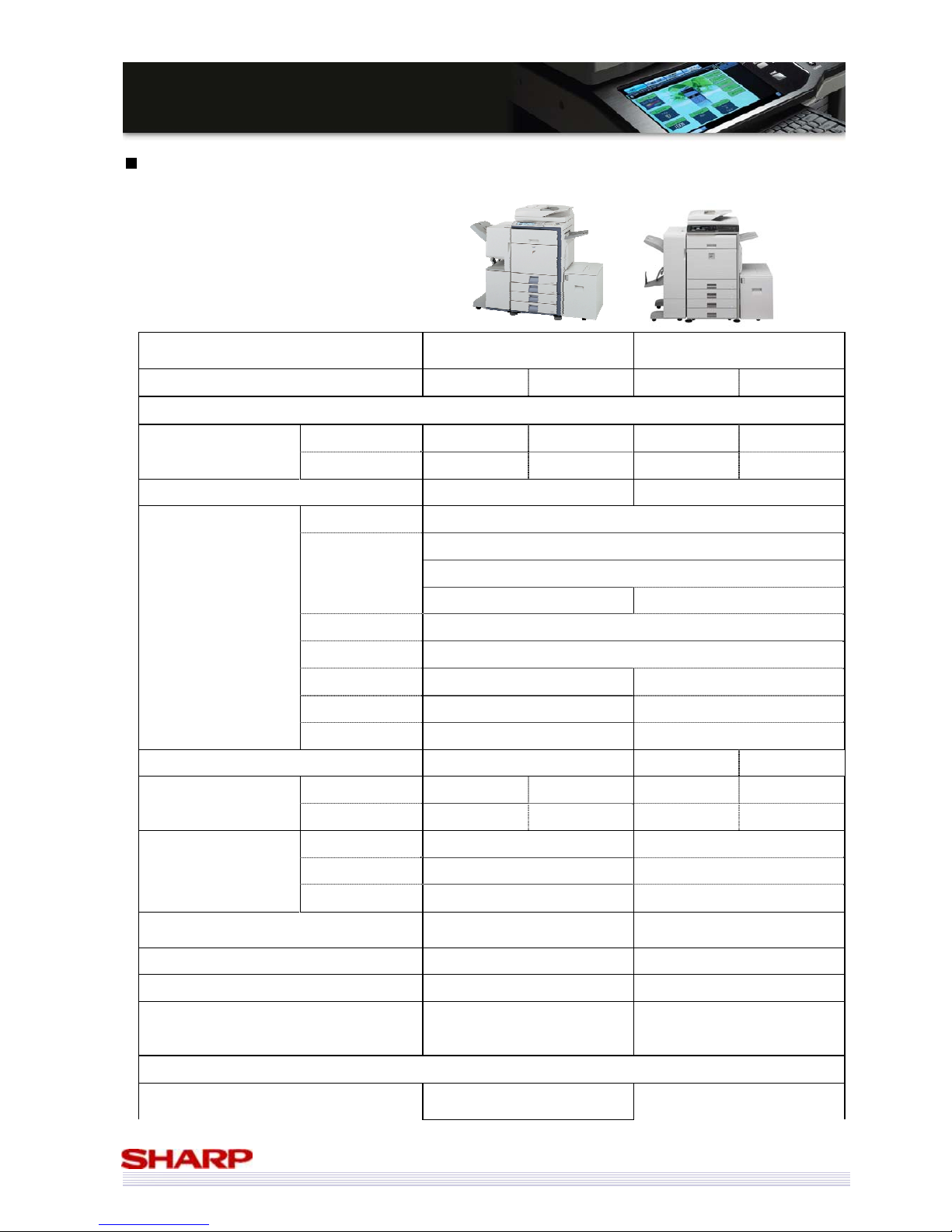
Comparison between MX-5000N/01N & MX-4100N/01N Vs MX-4500/01N &
MX-3500/01N
MX-4500/01N &
MX-3500/01N
MX-5000N/01N &
MX-4100N/01N
45ppm 35ppm 50ppm 41ppm
Engine
Speed Mono 45 35 50 41
Colour 35 35 50 41
LCD 8.9inch Mono HVGA 8.5inch colour WVGA
Function Copy Std
Print PCL Std
PS Opt
XPS N/A Opt (need add. memory)
Scan Std
D/F Std
Home N/A Std
Sharp OSA Opt (Sharp OSA 2.0) Opt (Sharp OSA 3.0)
Remote FP N/A Std
Warm-up Time 240sec 140sec 120sec
FCOT Mono 4.1sec 4.7sec 4.1sec 4.7sec
Colour 6.9sec 6.9sec 5.9sec 6.7sec
Paper Weight Desk 60-105g/m2 60-209g/m2
Multi Bypass 55-209g/m2 55-256g/m2
Duplex 60-105g/m2 60-209g/m2
Ethernet
10Base-T/100Base-TX
10Base-T/100Base-TX/
1000Base-T
Printer resolution 600x600 600x600 / 1200x1200
USB access Rear Front or Rear
Scan speed
(Scan transfer)
RSPF: 48ipm (Mono), 35ipm (CL)
DSPF: 60ipm(Mono), 35ipm (CL)
RSPF: 50ipm (Mono/CL)
DSPF: 70ipm (Mono/CL)
Options
Desk
1 Cassette type: MX-DEX3
2 Cassette type: MX-DEX4
1 Cassette type: MX-DEX8
2 Cassette type: MX-DEX9
Page 40
40
MMXX--55000000NN//0011NN // MMXX--44110000NN//0011N
N
SSaalleess GGuuiidde
e
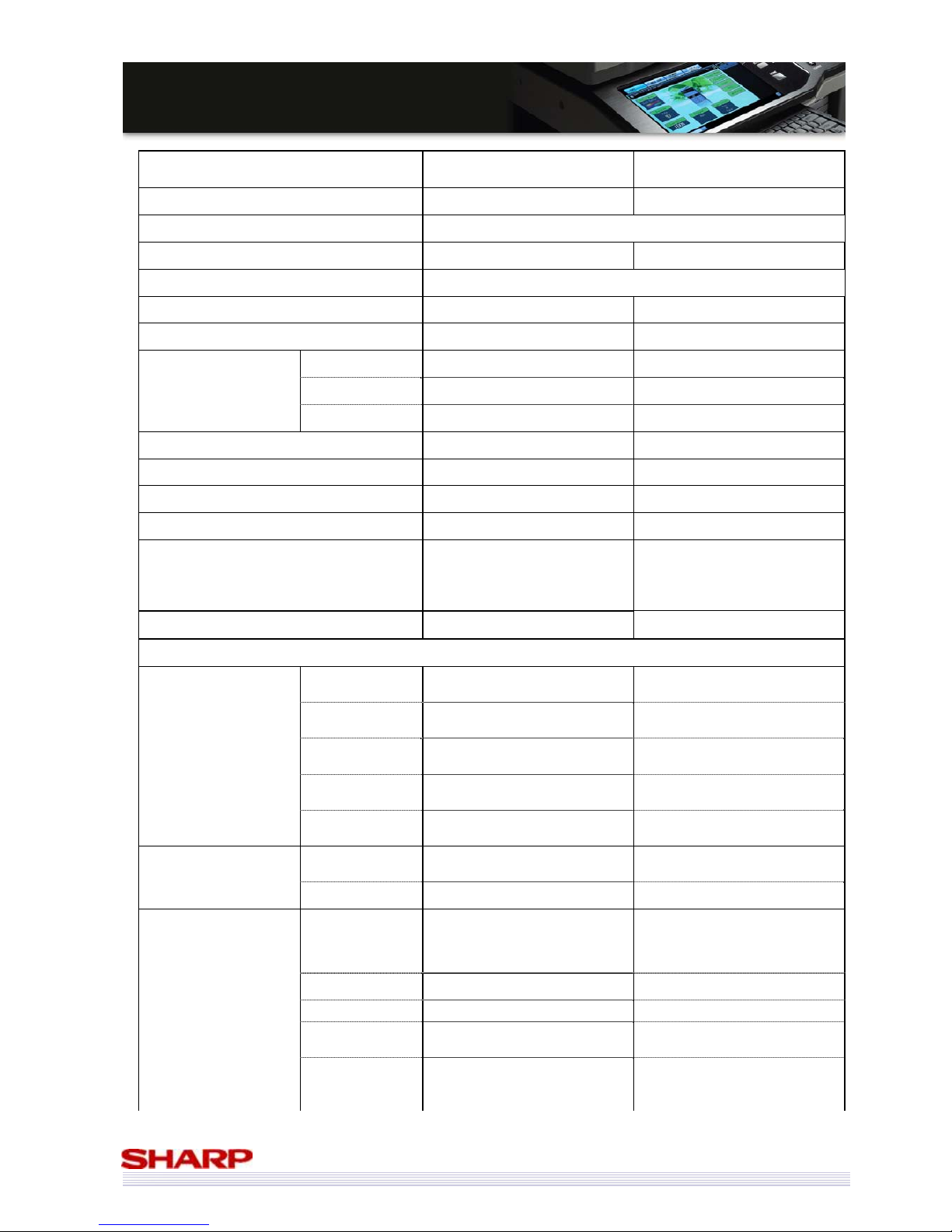
MX-4500/01N &
MX-3500/01N
MX-5000N/01N &
MX-4100N/01N
Exit Tray MX-TRX2 MX-TRX2
LCC MX-LCX1
Inner finisher MX-FNX1 MX-FNX9 (Design change)
Punch(for Inner finisher) MX-PNX1
Bypass MX-RBX1 MX-RBX3 (Design change)
Saddle finisher MX-FNX2 MX-FN10
Staple 30 Sheets 50 Sheets
Saddle 10 Sheets 15 Sheets
Bi-folding N/A Yes
Punch(Saddle finisher) ARPN1 MX-PNX5
4K Finisher N/A MX-FN11
Punch(for 4K finisher) N/A MX-PNX6
Fax box MX-FXX1 MX-FXX2 (Design change)
Keyboard
External fixed keyboard option
only
RSPF model: Opt
(Except for
SEN)
DSPF model: Std
(UK/SEGA/SEF/SEN/SEB)
Enhanced compression board N/A Opt
Functions - additional functions only
Preview
Preview before
copy
N/A Yes
Preview before
send
N/A Yes
Receive data
preview
N/A Yes
Preview before
storage
N/A Yes
Preview of filing
data
N/A Yes
Copy Erase Edge / Centre / Edge +Centre
Edge / Centre / Edge + Centre /
Side
Watermark N/A Yes
Image Send
Long
Paper(Transfer)
mono 800mm
mono 1000mm
(When I-Fax transfer resolution
600dpi is 800mm.)
Direct SMTP N/A Yes (Opt)
XPS Scan N/A Yes (Std)
Blank page skip
(Scan)
N/A Yes
SMB address
selection method
Registration address on the Web
page and selection it from MFP
Registration address on the Web
page and selection it from MFP
Direct entry from MFP
Page 41
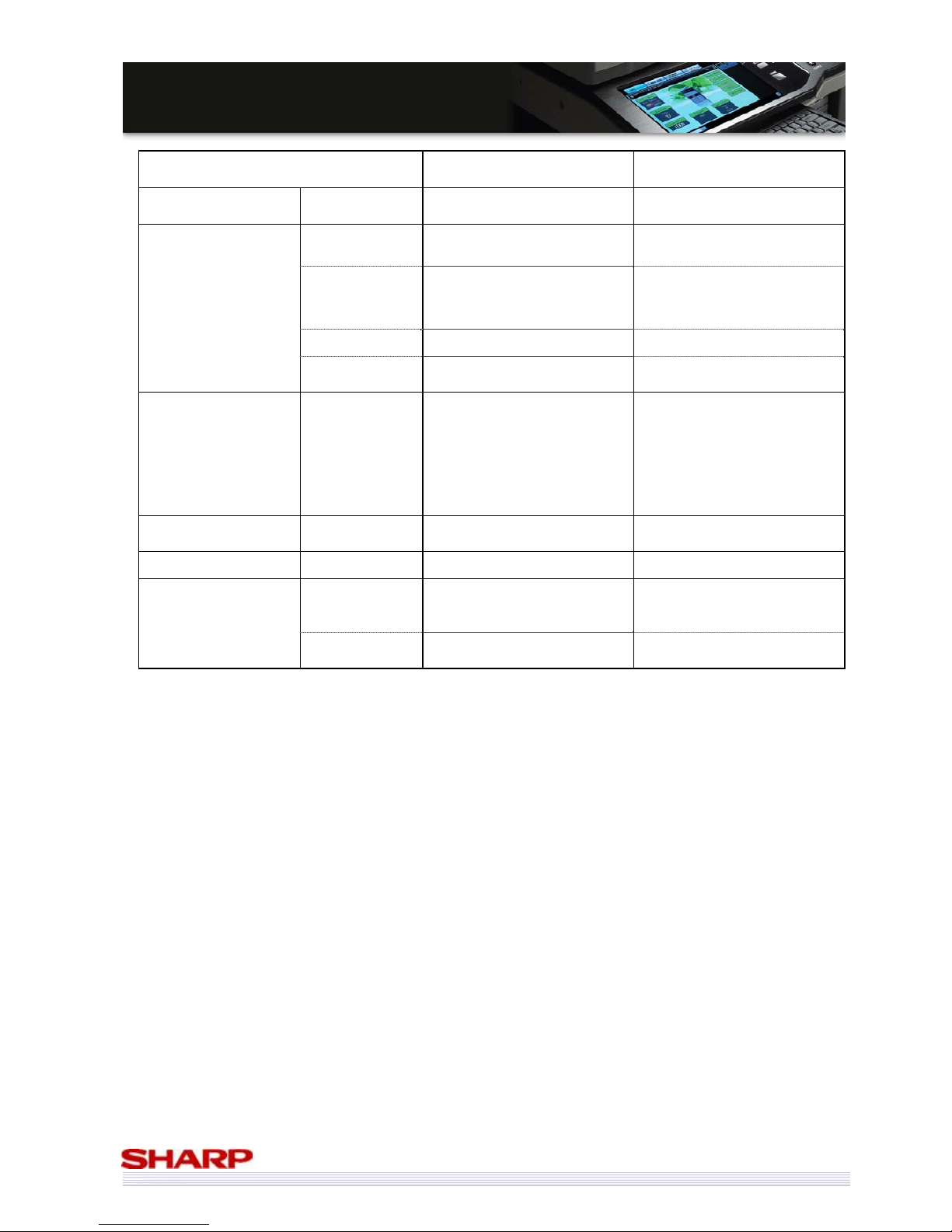
41
MMXX--55000000NN//0011NN // MMXX--44110000NN//0011N
N
SSaalleess GGuuiidde
e
MX-4500/01N &
MX-3500/01N
MX-5000N/01N &
MX-4100N/01N
Directory walking (Refer/
Search)
Inbound routing
Document admin
Add transfer
format
Multi TIFF
PDF/Single TIFF/
Multi TIFF/XPS
How to transfer
Inbound Routing: e-mail
Document Admin: e-Mail/SMB/
FTP/Desktop
e-Mail/SMB/FTP/Desktop
(both Inbound routing and
Document Admin.)
Time table N/A Yes
Each folder
(Send/Receive)
Same folder Each Folder
Print Direct Print
FTP/e-Mail/USB
(TIFF/JPEG/PDF/PCL/PS
->PDF,PS need to PS expansion.)
FTP/e-Mail/USB/SMB
(TIFF/JPEG/PDF/PCL/PS/XPS/
Encrypted PDF/ Compact PDF
->PDF,PS, encrypted PDF, and
Compact PDF need PS
expansion.
XPS need XPS expansion.)
Document Filing Storage capacity
10GB (MX-4500N/3500N)
30GB (MX-4501N/3501N)
38GB
Remote front panel N/A Yes
User management
Expansion of
Device
account mode
N/A Yes
Active directory
support
N/A Yes
Page 42
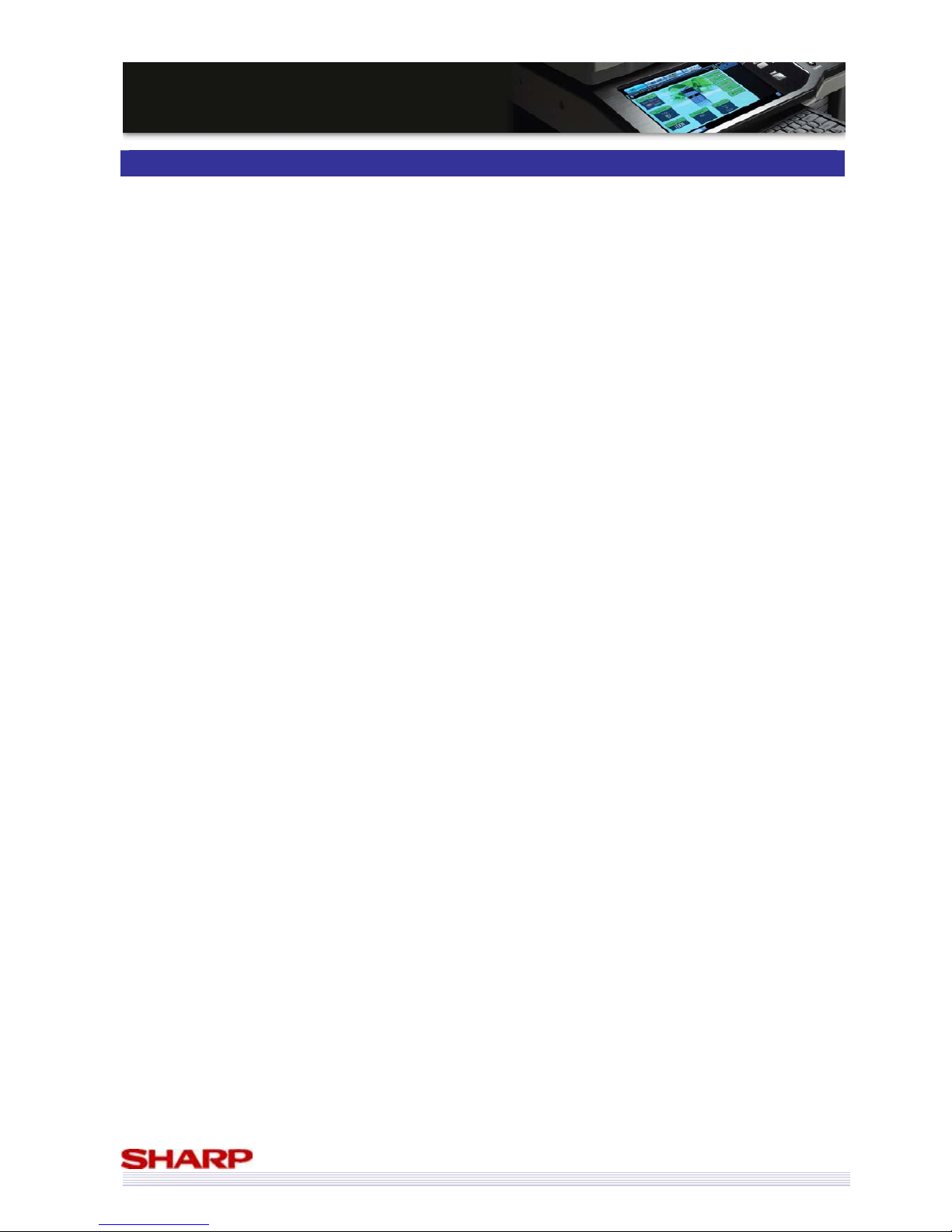
42
MMXX--55000000NN//0011NN // MMXX--44110000NN//0011N
N
SSaalleess GGuuiidde
e
Competitive Comparison
The competitive analysis is designed to promote the features of the MX series (MX-5000N/01N & MX-4100N/01N) in
terms of their competitive advantages.
Content Items and Order
Sharp MX-5000N/01N & MX-4100N/01N Vs. Canon iR-C3580i
Sharp MX-5000N/01N & MX-4100N/01N Vs. Canon iR-C4080i
Sharp MX-5000N/01N & MX-4100N/01N Vs. Canon iR-C4580i
Sharp MX-5000N/01N & MX-4100N/01N Vs. Canon iR-C5185i
Sharp MX-5000N/01N & MX-4100N/01N Vs. Konica Minolta Bizhub C353
Sharp MX-5000N/01N & MX-4100N/01N Vs. Konica Minolta Bizhub C451
Sharp MX-5000N/01N & MX-4100N/01N Vs. Kyocera KM-C4035
Sharp MX-5000N/01N & MX-4100N/01N Vs. Ricoh Aficio MP C4000
Sharp MX-5000N/01N & MX-4100N/01N Vs. Ricoh Aficio MP C5000
Sharp MX-5000N/01N & MX-4100N/01N Vs. Toshiba e-Studio 3520c
Sharp MX-5000N/01N & MX-4100N/01N Vs. Toshiba e-Studio 4520c
Sharp MX-5000N/01N & MX-4100N/01N Vs. Xerox WorkCentre 7335
Sharp MX-5000N/01N & MX-4100N/01N Vs. Xerox WorkCentre 7345
Sharp MX-5000N/01N & MX-4100N/01N Vs. Xerox WorkCentre 7346
The above list is covered by one page per product vs. product comparisons in this section. The feature advantages
are translated into application benefits. These points can be used to describe the sales arguments on what the
strengths of the MX series are.
Page 43
43
MMXX--55000000NN//0011NN // MMXX--44110000NN//0011N
N
SSaalleess GGuuiidde
e
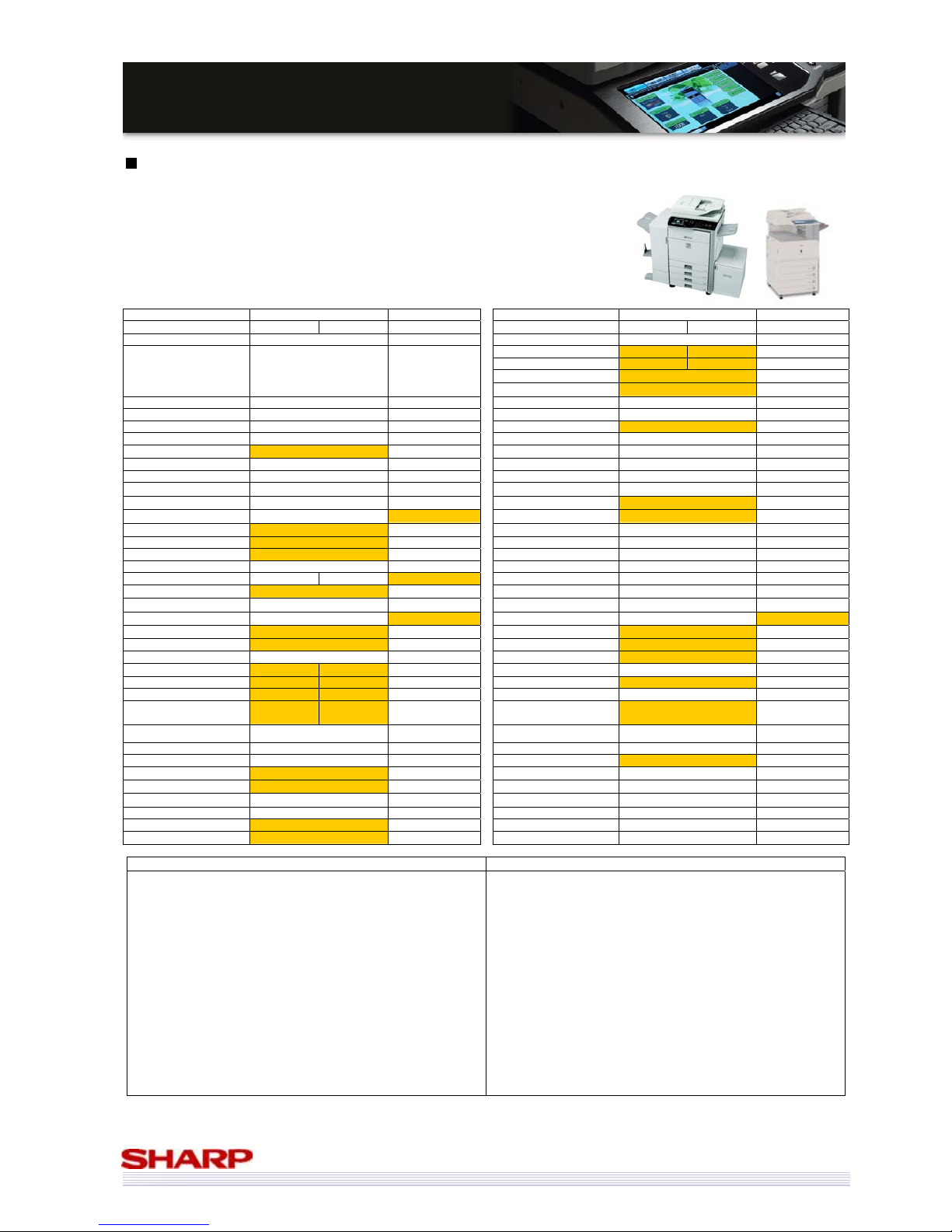
Sharp MX-5000N/01N & MX-4100N/01N vs. Canon iRC3580i
Manufacturer Sharp Canon Manufacturer Sharp Canon
Model MX-5000N/01N MX-4100N/01N iRC3580i Model MX-5000N/01N MX-4100N/01N iRC3580i
Launch Date September 2008 April 2008 Printer Std Std
Print/min. (ppm)(B/W) 50 41 35
Print/min. (ppm)(Col) 50 41 30
Print Resolution (Equivalent) 1200x1200 (true) 600x600*
Also Sold As N/A N/A
Additional Form or Font Yes No
Multifunctionality Std Std Postscript Opt Opt
Network Printer Std Std PCL 5c / 6 Std 5c / 6 Std
Network Scanning Std Std XPS Opt No
Fax Opt Opt Win NT/2000/XP/2003 Std Std
Document Filing Std No
Unix Std Std
Base Engine Desktop Desktop Apple Opt Opt
Paper Max. Size A3W SRA3 Other Systems SAP
Total Cassettes Std. 2
2 Processor MHz 800 MHz 533MHz + 400MHz
Total Cassettes Max. 5
5 Printer Std. Mem. MB 1GB 1GB (shared)
Total Sheets Std. 1,100
1,150 Printer Max. Mem. MB 2GB 1GB (shared)
Total Sheets Max. 5,600
4,950 1000Base-T Std Std
No of sheets (Bypass) 100 50 10/100BaseT Std Std
Max gsm (Trays/Bypass) 209 / 256 163 / 220 USB Std (2.0) Std (2.0)
Duplex Std Std Parallel No No
Warm up time (secs) 140 120 38 Fax Opt Opt
Job Programs
48 10
Type
Super G3 Super G3
Account Numbers 1,000 1,000
PC-Fax
Yes Yes
Footprint (WxD) 645 x 695 565 x 760
iFax
Opt Std
Toner Life (Mono) 36k (5%) 26k (5%)
Document Filing
Std No
Toner Life (Col) 15k (5%) 14k (5%) Pages Limit 7,200 pages N/A
Copier Std Std Files Limit 4,000 files N/A
Copy/min. (cpm)(B/W) 50 41 35 Network Scanning Std
Std
Copy/min. (cpm)(Col) 50 41 30 Max. Speed 00N: 50ipm 01N: 70ipm 44ipm
FCOT (B/W) 4.1s 4.7s 5.9s Max. Resolution 600x600 600x600
FCOT (Col) 5.9s 6.7s 8.9s Destinations
Desktop, Doc Filing, USB, FTP,
network Folder (SMB), Email
Email, IFax, PC,
WebDAV
Max. Original Size A3 A3 Functionality Sharpdesk
Max. Qty. Select 999 999
Finishing Opt Opt
Scanner Resolution 600x600 600x600 No of Finisher Sheets (max) 4,000 (MX-FN11) 2,000
Std. Mem. MB 1GB
1GB (shared) Auto Stapler Yes Yes
Max. Mem. MB 1GB
1GB (shared) Sheets Stapled 50 50
Hard Drive Std (80GB)
Std (80GB) Offset Yes Yes
Document Feeder Std Std Saddle stitch Yes (MX-FN10) Yes
Type 00N: RSPF 01N: DSPF RADF Folding Yes (MX-FN10) Yes
Capacity (sheets) 00N: 100 01N: 150 50
Hole Punch
Yes Yes
* Resolution is 1200x1200 for text/line only
Strengths of MX-5000N/01N & MX-4100N/01N Strengths of Canon iRC3580i
9 Faster output
9 Document filing function
9 Higher max. paper capacity
9 Higher capacity bypass
9 Heaver paper support (both trays and bypass)
9 More job programs
9 Higher capacity toner cartridges (colour and black & white)
9 Faster FCOT (colour and black & white)
9 01N models have a DSPF
9 Higher capacity document feeders (all models)
9 True 1200x1200dpi printing
9 XPS printing support (optional)
9 Separate print & copy memory
9 More printing memory (optional)
9 Faster scanning
9 USB print and scan
9 Higher std paper capacity (1,150 sheets vs 1,100)
9 Smaller footprint
9 Faster warm-up time
9 iFax is std
Page 44
44
MMXX--55000000NN//0011NN // MMXX--44110000NN//0011N
N
SSaalleess GGuuiidde
e
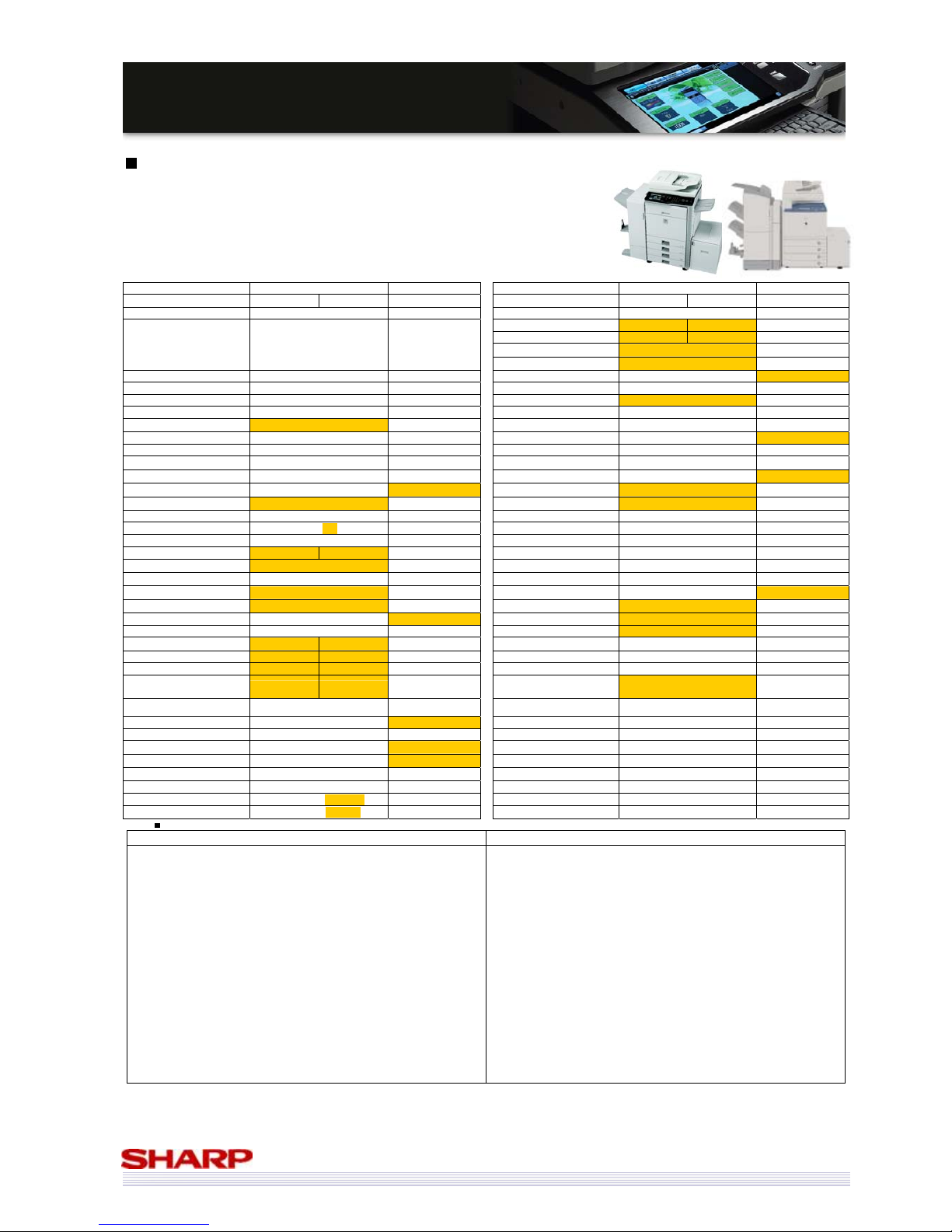
Sharp MX-5000N/01N & MX-4100N/01N vs. Canon iRC4080i
Manufacturer Sharp Canon Manufacturer Sharp Canon
Model MX-5000N/01N MX-4100N/01N iRC4080i Model MX-5000N/01N MX-4100N/01N iRC4080i
Launch Date September 2008 September 2006 Printer Std Std
Print/min. (ppm)(B/W) 50 41 40
Print/min. (ppm)(Col) 50 41 36
Print Resolution (Equivalent) 1200x1200 (true) 600x600*
Also Sold As N/A N/A
Additional Form or Font Yes No
Multifunctionality Std Std Postscript Opt Std
Network Printer Std Std PCL 5c / 6 Std 5c / 6 Std
Network Scanning Std Std XPS Opt No
Fax Opt Opt Win NT/2000/XP/2003 Std Std
Document Filing Std No
Unix Std Std
Base Engine Desktop Desktop Apple Opt Std
Paper Max. Size A3W SRA3 Other Systems SAP
Total Cassettes Std. 2
2 Processor MHz 800 MHz 533MHz + 400MHz
Total Cassettes Max. 5
5 Printer Std. Mem. MB 1GB
1.5GB (shared)
Total Sheets Std. 1,100
1,200 Printer Max. Mem. MB 2GB 1.5GB (shared)
Total Sheets Max. 5,600
5,000 1000Base-T Std No
No of sheets (Bypass) 100 100 10/100BaseT Std Std
Max gsm (Trays/Bypass) 209 / 256 209 / 253 USB Std (2.0) Std (2.0)
Duplex Std Std Parallel No No
Warm up time (secs) 140 120 300 Fax Opt Opt
Job Programs
48 10
Type
Super G3 Super G3
Account Numbers 1,000 1,000
PC-Fax
Yes Yes
Footprint (WxD) 645 x 695 620 x 849
iFax
Opt Std
Toner Life (Mono) 36k (5%) 26k (5%)
Document Filing
Std No
Toner Life (Col) 15k (5%) 30k (5%) Pages Limit 7,200 pages N/A
Copier Std Std Files Limit 4,000 files N/A
Copy/min. (cpm)(B/W) 50 41 40 Network Scanning Std
Std
Copy/min. (cpm)(Col) 50 41 36 Max. Speed 00N: 50ipm 01N: 70ipm 70 ipm
FCOT (B/W) 4.1s 4.7s 6.2s Max. Resolution 600x600 600x600
FCOT (Col) 5.9s 6.7s 8.0s Destinations
Desktop, Doc Filing, USB, FTP,
network Folder (SMB), Email
Email, IFax, PC,
WebDAV
Max. Original Size A3 A3 Functionality Sharpdesk
Max. Qty. Select 999 9,999
Finishing Opt Opt
Scanner Resolution 600x600 600x600 No of Finisher Sheets (max) 4,000 (MX-FN11) 4,000
Std. Mem. MB 1GB
1.5GB (shared) Auto Stapler Yes Yes
Max. Mem. MB 1GB
1.5GB (shared) Sheets Stapled 50 50
Hard Drive Std (80GB)
Std (80GB) Offset Yes Yes
Document Feeder Std Std Saddle stitch Yes (MX-FN10) Yes
Type 00N: RSPF 01N: DSPF RADF Folding Yes (MX-FN10) Yes
Capacity (sheets) 00N: 100 01N: 150 100
Hole Punch
Yes Yes
Resolution is 1200x1200 for text/line only
Strengths of MX-5000N/01N & MX-4100N/01N Strengths of Canon iRC4080i
9 Faster output
9 Document filing function
9 Higher max. paper capacity
9 Faster warm-up time
9 Higher capacity bypass
9 Smaller footprint
9 More job programs
9 Higher capacity black toner cartridge
9 Faster FCOT (colour and black & white)
9 01N models have a DSPF
9 Higher capacity document feeders (01N models)
9 True 1200x1200dpi printing
9 XPS printing support (optional)
9 Separate print & copy memory
9 More printing memory (optional)
9 Faster scanning
9 USB print and scan
9 Higher std paper capacity (1,200 sheets vs 1,100)
9 iFax is std
9 More copier memory (albeit shared)
9 More printer memory as std (albeit shared)
9 Scan to searchable PDF option
9 Max quantity select is higher (9,999 Vs 999)
9 Std PS3 and Apple support
9 Higher capacity colour toner cartridges
Page 45
45
MMXX--55000000NN//0011NN // MMXX--44110000NN//0011N
N
SSaalleess GGuuiidde
e
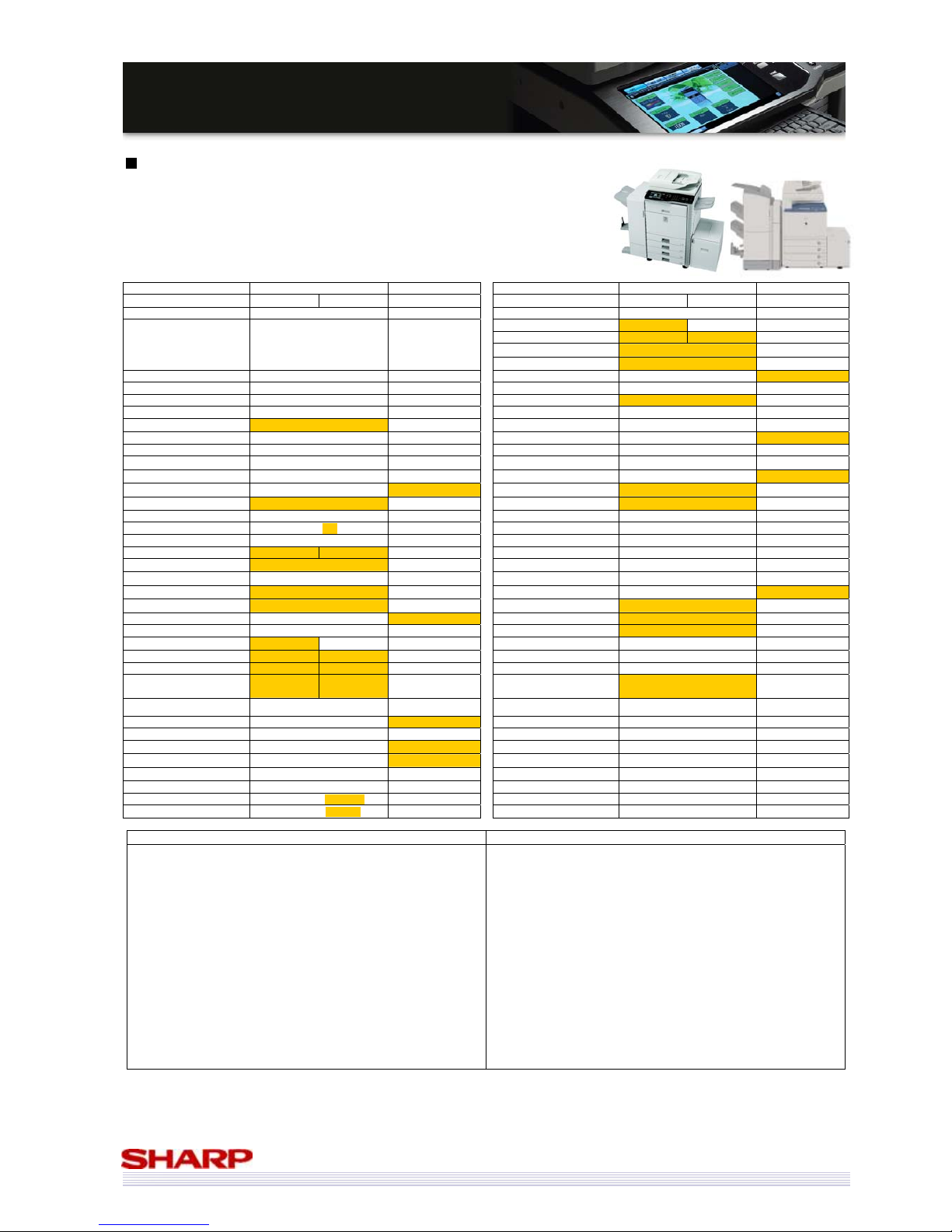
Sharp MX-5000N/01N & MX-4100N/01N vs. Canon iRC4580i
Manufacturer Sharp Canon Manufacturer Sharp Canon
Model MX-5000N/01N MX-4100N/01N iRC4580i Model MX-5000N/01N MX-4100N/01N iRC4580i
Launch Date September 2008 September 2006 Printer Std Std
Print/min. (ppm)(B/W) 50 41 45
Print/min. (ppm)(Col) 50 41 40
Print Resolution (Equivalent) 1200x1200 (true) 600x600*
Also Sold As N/A N/A
Additional Form or Font Yes No
Multifunctionality Std Std Postscript Opt Std
Network Printer Std Std PCL 5c / 6 Std 5c / 6 Std
Network Scanning Std Std XPS Opt No
Fax Opt Opt Win NT/2000/XP/2003 Std Std
Document Filing Std No
Unix Std Std
Base Engine Desktop Desktop Apple Opt Std
Paper Max. Size A3W SRA3 Other Systems SAP
Total Cassettes Std. 2
2 Processor MHz 800 MHz 666MHz + 400MHz
Total Cassettes Max. 5
5 Printer Std. Mem. MB 1GB
1.5GB (shared)
Total Sheets Std. 1,100
1,200 Printer Max. Mem. MB 2GB 1.5GB (shared)
Total Sheets Max. 5,600
5,000 1000Base-T Std No
No of sheets (Bypass) 100 100 10/100BaseT Std Std
Max gsm (Trays/Bypass) 209 / 256 209 / 253 USB Std (2.0) Std (2.0)
Duplex Std Std Parallel No No
Warm up time (secs) 140 120 300 Fax Opt Opt
Job Programs
48 10
Type
Super G3 Super G3
Account Numbers 1,000 1,000
PC-Fax
Yes Yes
Footprint (WxD) 645 x 695 620 x 849
iFax
Opt Std
Toner Life (Mono) 36k (5%) 26k (5%)
Document Filing
Std No
Toner Life (Col) 15k (5%) 30k (5%) Pages Limit 7,200 pages N/A
Copier Std Std Files Limit 4,000 files N/A
Copy/min. (cpm)(B/W) 50 41 45 Network Scanning Std
Std
Copy/min. (cpm)(Col) 50 41 40 Max. Speed 00N: 50ipm 01N: 70ipm 70 ipm
FCOT (B/W) 4.1s 4.7s 6.2s Max. Resolution 600x600 600x600
FCOT (Col) 5.9s 6.7s 8.0s Destinations
Desktop, Doc Filing, USB, FTP,
network Folder (SMB), Email
Email, IFax, PC,
WebDAV
Max. Original Size A3 A3 Functionality Sharpdesk
Max. Qty. Select 999 9,999
Finishing Opt Opt
Scanner Resolution 600x600 600x600 No of Finisher Sheets (max) 4,000 (MX-FN11) 4,000
Std. Mem. MB 1GB
1.5GB (shared) Auto Stapler Yes Yes
Max. Mem. MB 1GB
1.5GB (shared) Sheets Stapled 50 50
Hard Drive Std (80GB)
Std (80GB) Offset Yes Yes
Document Feeder Std Std Saddle stitch Yes (MX-FN10) Yes
Type 00N: RSPF 01N: DSPF RADF Folding Yes (MX-FN10) Yes
Capacity (sheets) 00N: 100 01N: 150 100
Hole Punch
Yes Yes
* Resolution is 1200x1200 for text/line only
Strengths of MX-5000N/01N & MX-4100N/01N Strengths of Canon iRC4580i
9 Faster output
9 Document filing function
9 Higher max. paper capacity
9 Faster warm-up time
9 Higher capacity bypass
9 Smaller footprint
9 More job programs
9 Higher capacity black toner cartridge
9 Faster FCOT (colour and black & white)
9 01N models have a DSPF
9 Higher capacity document feeders (01N models)
9 True 1200x1200dpi printing
9 XPS printing support (optional)
9 Separate print & copy memory
9 More printing memory (optional)
9 USB print and scan
9 Higher std paper capacity (1,200 sheets vs 1,100)
9 iFax is std
9 More copier memory (albeit shared)
9 More printer memory as std (albeit shared)
9 Scan to searchable PDF option
9 Max quantity select is higher (9,999 Vs 999)
9 Std PS3 and Apple support
9 Higher capacity colour toner cartridges
Page 46
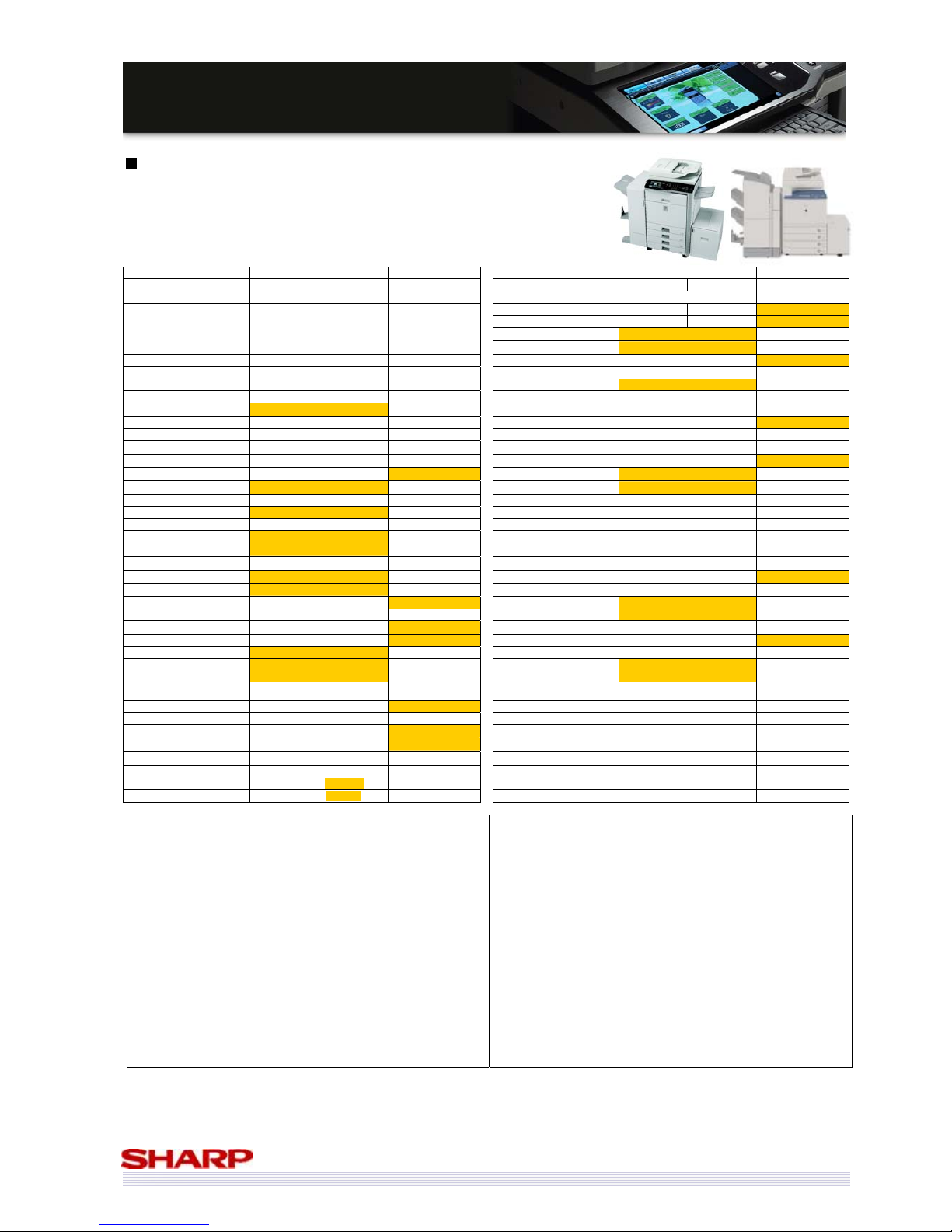
46
MMXX--55000000NN//0011NN // MMXX--44110000NN//0011N
N
SSaalleess GGuuiidde
e
Sharp MX-5000N/01N & MX-4100N/01N vs. Canon iRC5185i
Manufacturer
Sharp Canon Manufacturer Sharp Canon
Model MX-5000N/01N MX-4100N/01N iRC5185i Model MX-5000N/01N MX-4100N/01N iRC5185i
Launch Date September 2008 September 2006 Printer Std Std
Print/min. (ppm)(B/W) 50 41 51
Print/min. (ppm)(Col) 50 41 51
Print Resolution (Equivalent) 1200x1200 (true) 600x600*
Also Sold As N/A N/A
Additional Form or Font Yes No
Multifunctionality Std Std Postscript Opt Std
Network Printer Std Std PCL 5c / 6 Std 5c / 6 Std
Network Scanning Std Std XPS Opt No
Fax Opt Opt Win NT/2000/XP/2003 Std Std
Document Filing Std No
Unix Std Std
Base Engine Desktop Desktop Apple Opt Std
Paper Max. Size A3W SRA3 Other Systems SAP
Total Cassettes Std. 2
2 Processor MHz 800 MHz 666MHz + 400MHz
Total Cassettes Max. 5
5 Printer Std. Mem. MB 1GB 1.5GB (shared)
Total Sheets Std. 1,100
1,200 Printer Max. Mem. MB 2GB 1.5GB (shared)
Total Sheets Max. 5,600
5,000 1000Base-T Std No
No of sheets (Bypass) 100 100 10/100BaseT Std Std
Max gsm (Trays/Bypass) 209 / 256 209 / 253 USB Std (2.0) Std (2.0)
Duplex Std Std Parallel No No
Warm up time (secs) 140 120 240 Fax Opt Opt
Job Programs
48 10
Type
Super G3 Super G3
Account Numbers 1,000 1,000
PC-Fax
Yes Yes
Footprint (WxD) 645 x 695 620 x 849
iFax
Opt Std
Toner Life (Mono) 36k (5%) 26k (5%)
Document Filing
Std No
Toner Life (Col) 15k (5%) 30k (5%) Pages Limit 7,200 pages N/A
Copier Std Std Files Limit 4,000 files N/A
Copy/min. (cpm)(B/W) 50 41 51 Network Scanning Std
Std
Copy/min. (cpm)(Col) 50 41 51 Max. Speed 00N: 50ipm 01N: 70ipm 100 ipm (opt)
FCOT (B/W) 4.1s 4.7s 6.2s Max. Resolution 600x600 600x600
FCOT (Col) 5.9s 6.7s 8.0s Destinations
Desktop, Doc Filing, USB, FTP,
network Folder (SMB), Email
Email, IFax, PC,
WebDAV
Max. Original Size A3 A3 Functionality Sharpdesk
Max. Qty. Select 999 9,999
Finishing Opt Opt
Scanner Resolution 600x600 600x600 No of Finisher Sheets (max) 4,000 (MX-FN11) 4,000
Std. Mem. MB 1GB
1.5GB (shared) Auto Stapler Yes Yes
Max. Mem. MB 1GB
1.5GB (shared) Sheets Stapled 50 50
Hard Drive Std (80GB)
Std (80GB) Offset Yes Yes
Document Feeder Std Std Saddle stitch Yes (MX-FN10) Yes
Type 00N: RSPF 01N: DSPF DADF Folding Yes (MX-FN10) Yes
Capacity (sheets) 00N: 100 01N: 150 100
Hole Punch
Yes Yes
* Resolution is 1200x1200 for text/line only
Strengths of MX-5000N/01N & MX-4100N/01N Strengths of Canon iRC5185i
9 Document filing function
9 Higher max. paper capacity
9 Faster warm-up time
9 Heavier paper support (both trays and bypass)
9 Smaller footprint
9 More job programs
9 Higher capacity black toner cartridge
9 Faster FCOT (colour and black & white)
9 01N models have a DSPF
9 Higher capacity document feeders (01N models)
9 True 1200x1200dpi printing
9 XPS printing support (optional)
9 Separate print & copy memory
9 More printing memory (optional)
9 Faster scanning
9 USB print and scan
9 Higher capacity finisher available
9 Faster output
9 Higher std paper capacity (1,200 sheets vs 1,100)
9 Up to 100ipm scanning (optional)
9 iFax is std
9 More copier memory (albeit shared)
9 More printer memory as std (albeit shared)
9 Scan to searchable PDF option
9 Max quantity select is higher (9,999 Vs 999)
9 Std PS3 & Apple support
9 Higher capacity colour toner cartridges
Page 47
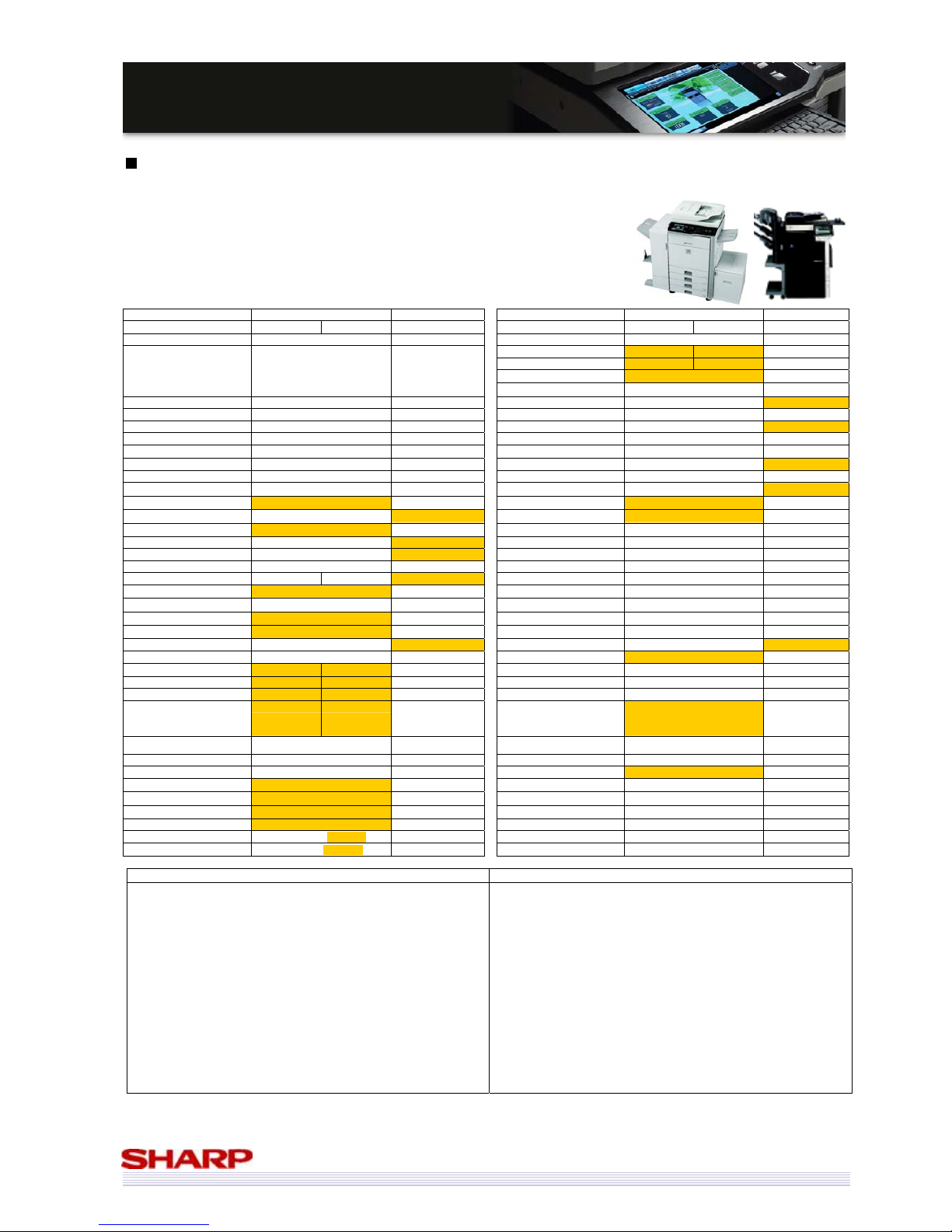
47
MMXX--55000000NN//0011NN // MMXX--44110000NN//0011N
N
SSaalleess GGuuiidde
e
Sharp MX-5000N/01N & MX-4100N/01N vs. Konica Minolta Bizhub C353
Manufacturer
Sharp Konica Minolta Manufacturer Sharp Konica Minolta
Model MX-5000N/01N MX-4100N/01N Bizhub C353 Model MX-5000N/01N MX-4100N/01N Bizhub C353
Launch Date September 2008 December 2007 Printer Std Std
Print/min. (ppm)(B/W) 50 41 35
Print/min. (ppm)(Col) 50 41 35
Print Resolution (Equivalent) 1200x1200 (true) 1800x600 (equiv)
Also Sold As N/A
Develop Ineo +353
Oce CS193
Additional Form or Font Yes No
Multifunctionality Std Std Postscript Opt Std
Network Printer Std Std PCL 5c / 6 Std 6c (PCL6 + XL3.0)
Network Scanning Std Std XPS Opt Std
Fax Opt Opt Win NT/2000/XP/2003 Std Std
Document Filing Std Std
Unix Std Std
Base Engine Desktop Desktop Apple Opt Std
Paper Max. Size A3W 311 x 457 (A3 FB) Other Systems SAP Cirix
Total Cassettes Std. 2
2 Processor MHz 800 MHz 1GHz
Total Cassettes Max. 5
4 Printer Std. Mem. MB 1GB 1GB (shared)
Total Sheets Std. 1,100
1,150 Printer Max. Mem. MB 2GB 1GB (shared)
Total Sheets Max. 5,600
3,650 1000Base-T Std Std
No of sheets (Bypass) 100 150 10/100BaseT Std Std
Max gsm (Trays/Bypass) 209 / 256 256 / 271 USB Std (2.0) Std (2.0)
Duplex Std Std Parallel No No
Warm up time (secs) 140 120 75 Fax Opt Opt
Job Programs
48 30
Type
Super G3 Super G3
Account Numbers 1,000 1,000
PC-Fax
Yes Yes
Footprint (WxD) 645 x 695 643 x 849
iFax
Opt Opt
Toner Life (Mono) 36k (5%) 26k (5%)
Document Filing
Std Std
Toner Life (Col) 15k (5%) 20k (5%) Pages Limit 7,200 pages 9,000 pages
Copier Std Std Files Limit 4,000 files 3,000 files
Copy/min. (cpm)(B/W) 50 41 35 Network Scanning Std
Std
Copy/min. (cpm)(Col) 50 41 35 Max. Speed 00N: 50ipm 01N: 70ipm 70 ipm
FCOT (B/W) 4.1s 4.7s 5.9s Max. Resolution 600x600 600x600
FCOT (Col) 5.9s 6.7s 8.5s Destinations
Desktop, Doc Filing, USB, FTP,
network Folder (SMB), Email
Net TWAIN, Email,
FTP, SMB, Box, USB
(opt)
Max. Original Size A3 A3 Functionality Sharpdesk PageScope
Max. Qty. Select 999 999
Finishing Opt Opt
Scanner Resolution 600x600 600x600 No of Finisher Sheets (max) 4,000 (MX-FN11) 1,200
Std. Mem. MB 1GB
1GB (shared) Auto Stapler Yes Yes
Max. Mem. MB 1GB
1GB (shared) Sheets Stapled 50 50
Hard Drive Std (80GB)
Std (60GB) Offset Yes Yes
Document Feeder Std Opt Saddle stitch Yes (MX-FN10) Yes
Type 00N: RSPF 01N: DSPF RADF Folding Yes (MX-FN10)
Capacity (sheets) 00N: 100 01N: 150 100
Hole Punch
Yes Yes
Strengths of MX-5000N/01N & MX-4100N/01N Strengths of Konica Minolta Bizhub C353
9 Faster output
9 Print from/scan to USB is std (on C353 is Opt)
9 Higher max. paper capacity (5,600 vs 3,650 sheets)
9 More job programs
9 Smaller footprint
9 Higher capacity black toner
9 Faster FCOT (colour and black & white)
9 Separate copy & print memory
9 Larger HDD
9 Std higher capacity feeder (01N models)
9 DSPF (01N models)
9 True 1200x1200dpi printing
9 More printing memory (optional)
9 Doc Filing can hold more files
9 Higher capacity finisher available
9 Adjustable control panel
9 XPS & PS3 printing is std
9 Std Apple support
9 Higher std paper capacity (1,150 vs 1,100 sheets)
9 Higher capacity bypass
9 Heavier paper support
9 Faster warm-up tine
9 Higher capacity colour toner cartridges
9 Faster processor speed
9 High page limit for document filing
Page 48
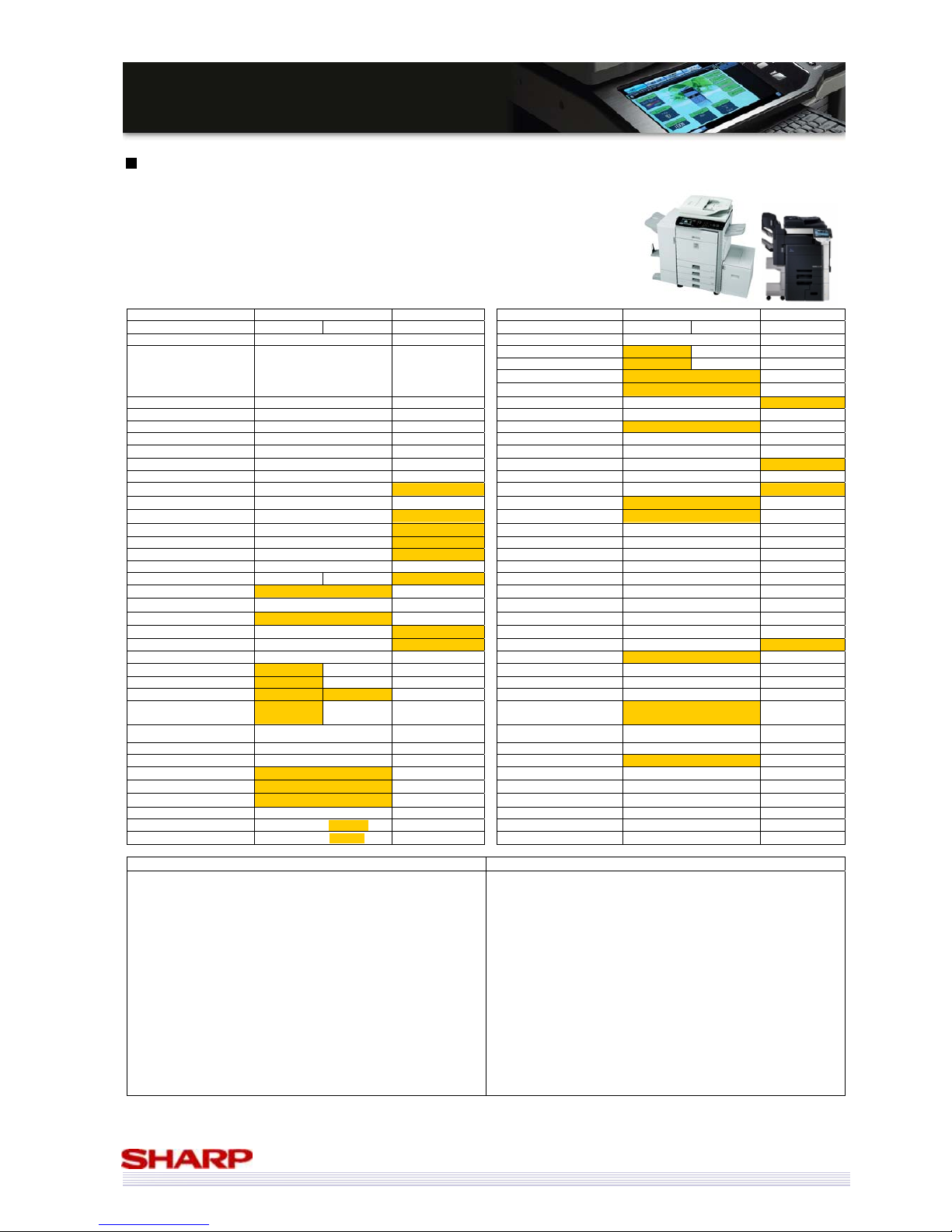
48
MMXX--55000000NN//0011NN // MMXX--44110000NN//0011N
N
SSaalleess GGuuiidde
e
Sharp MX-5000N/01N & MX-4100N/01N vs. Konica Minolta Bizhub C451
Manufacturer
Sharp Konica Minolta Manufacturer Sharp Konica Minolta
Model MX-5000N/01N MX-4100N/01N Bizhub C451 Model MX-5000N/01N MX-4100N/01N Bizhub C451
Launch Date September 2008 June 2007 Printer Std Std
Print/min. (ppm)(B/W) 50 41 45
Print/min. (ppm)(Col) 50 41 45
Print Resolution (Equivalent) 1200x1200 (true) 1800x600 (equiv)
Also Sold As N/A
Develop Ineo +451
Oce CS231
Olivetti D-Colour MF450
Additional Form or Font Yes No
Multifunctionality Std Std Postscript Opt Std
Network Printer Std Std PCL 5c / 6 Std 6c (PCL6 + XL3.0)
Network Scanning Std Std XPS Opt No
Fax Opt Opt Win NT/2000/XP/2003 Std Std
Document Filing Std Std
Unix Std Std
Base Engine Desktop Console Apple Opt Std
Paper Max. Size A3W 311 x 457 (A3 FB) Other Systems SAP Citrix
Total Cassettes Std. 2
4 Processor MHz 800 MHz 867MHz
Total Cassettes Max. 5
5 Printer Std. Mem. MB 1GB 1GB (Shared)
Total Sheets Std. 1,100
3,650 Printer Max. Mem. MB 2GB 1GB (Shared)
Total Sheets Max. 5,600
6,650 1000Base-T Std Std
No of sheets (Bypass) 100 150 10/100BaseT Std Std
Max gsm (Trays/Bypass) 209 / 256 256 / 300 USB Std (2.0) Std (2.0)
Duplex Std Std Parallel No No
Warm up time (secs) 140 120 85 Fax Opt Opt
Job Programs
48 10
Type
Super G3 Super G3
Account Numbers 1,000 1,000
PC-Fax
Yes Yes
Footprint (WxD) 645 x 695 650 x 777
iFax
Opt Opt
Toner Life (Mono) 36k (5%) 45k (5%)
Document Filing
Std Std
Toner Life (Col) 15k (5%) 27k (5%) Pages Limit 7,200 pages 9,000 pages
Copier Std Std Files Limit 4,000 files 3,000 files
Copy/min. (cpm)(B/W) 50 41 45 Network Scanning Std
Std
Copy/min. (cpm)(Col) 50 41 45 Max. Speed 00N: 50ipm 01N: 70ipm 70ipm
FCOT (B/W) 4.1s 4.7s 4.8s Max. Resolution 600x600 600x600
FCOT (Col) 5.9s 6.7s 6.5s Destinations
Desktop, Doc Filing, USB, FTP,
network Folder (SMB), Email
Net TWAIN, Email,
FTP, SMB, Doc Filing
Max. Original Size A3 A3 Functionality Sharpdesk PageScope
Max. Qty. Select 999 9,999
Finishing Opt Opt
Scanner Resolution 600x600 600x600 No of Finisher Sheets (max) 4,000 (MX-FN11) 2,600
Std. Mem. MB 1GB
1GB (Shared) Auto Stapler Yes Yes
Max. Mem. MB 1GB
1GB (Shared) Sheets Stapled 50 50
Hard Drive Std (80GB)
Std (60GB) Offset Yes Yes
Document Feeder Std Std Saddle stitch Yes (MX-FN10) Yes
Type 00N: RSPF 01N: DSPF RADF Folding Yes (MX-FN10) Yes
Capacity (sheets) 00N: 100 01N: 150 100
Hole Punch
Yes Yes
Strengths of MX-5000N/01N & MX-4100N/01N Strengths of Konica Minolta Bizhub C451
9 Faster output (MX5000N/5001N only)
9 Faster FCOT (black & white)
9 Faster FCOT (colour) (MX5000N/5001N only)
9 More job programs
9 Smaller footprint
9 Inner finisher option
9 Print and copy memory is separate
9 Larger HDD
9 DSPF Document Feeder (01N models)
9 Higher capacity Document Feeder (01N models)
9 True 1200x1200dpi printing
9 Std XPS scanning & optional XPS printing
9 More printer memory (optional)
9 Doc Filing can hold more files
9 USB print and scan
9 Higher capacity finisher available
9 More std paper cassettes
9 Higher std & max paper capacity
9 Higher capacity bypass
9 Heavier paper support
9 Faster warm-up time
9 Higher capacity toner cartridges (colour and black & white)
9 PS printing is std
9 Std Apple support
9 Faster processor (867MHz vs 800MHz)
9 Higher page limit for document filing
Page 49
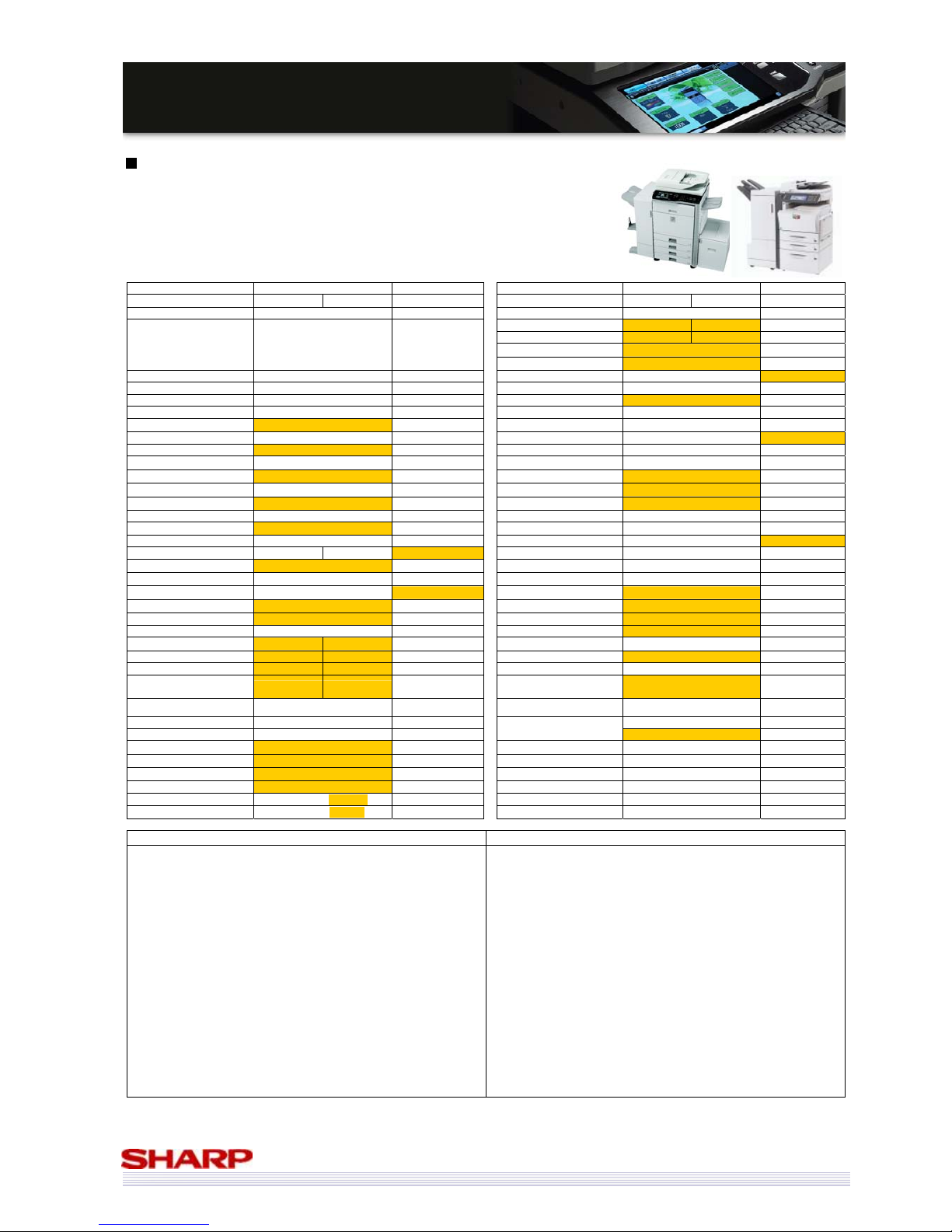
49
MMXX--55000000NN//0011NN // MMXX--44110000NN//0011N
N
SSaalleess GGuuiidde
e
Sharp MX-5000N/01N & MX-4100N/01N vs. Kyocera KM-C4035
Manufacturer
Sharp Kyocera Manufacturer Sharp Kyocera
Model MX-5000N/01N MX-4100N/01N KM-C4035 Model MX-5000N/01N MX-4100N/01N KM-C4035
Launch Date September 2008 September 2007 Printer Std Std
Print/min. (ppm)(B/W) 50 41 40
Print/min. (ppm)(Col) 50 41 35
Print Resolution (Equivalent) 1200x1200 (true) 600x600
Also Sold As N/A
Triumph Adler AG DCC
2635
Additional Form or Font Yes No
Multifunctionality Std Std Postscript Opt Std
Network Printer Std Std PCL 5c / 6 Std 6 / 5e / 5c
Network Scanning Std Std XPS Opt No
Fax Opt Opt Win NT/2000/XP/2003 Std Std
Document Filing Std No
Unix Std Std
Base Engine Desktop Desktop Apple Opt Std
Paper Max. Size A3W A3 Other Systems SAP
Total Cassettes Std. 2
2 Processor MHz 800 MHz 800 MHz
Total Cassettes Max. 5
3 Printer Std. Mem. MB
1GB 256mb
Total Sheets Std. 1,100
1,100 Printer Max. Mem. MB 2GB 1GB
Total Sheets Max. 5,600
4,100 1000Base-T Std No
No of sheets (Bypass) 100 100 10/100BaseT Std Std
Max gsm (Trays/Bypass) 209 / 256 105 / 220 USB Std (2.0) Std (2.0)
Duplex Std Std Parallel No Std
Warm up time (secs) 140 120 45 Fax Opt Opt
Job Programs
48 8
Type
Super G3 Super G3
Account Numbers 1,000 1,000
PC-Fax
Yes Yes
Footprint (WxD) 645 x 695 605 x 668
iFax
Opt No
Toner Life (Mono) 36k (5%) 15k (5%)
Document Filing
Std No
Toner Life (Col) 15k (5%) 7k (5%) Pages Limit 7,200 pages N/A
Copier Std Std Files Limit 4,000 files N/A
Copy/min. (cpm)(B/W) 50 41 40 Network Scanning Std
Std
Copy/min. (cpm)(Col) 50 41 35 Max. Speed 00N: 50ipm 01N: 70ipm 40 b/w 35 colour
FCOT (B/W) 4.1s 4.7s 5.5s Max. Resolution 600x600 600x600
FCOT (Col) 5.9s 6.7s 7.5s Destinations
Desktop, Doc Filing, USB, FTP,
network Folder (SMB), Email
PC, Email, FTP,
Network TWAIN, SMB
Max. Original Size A3 A3 Functionality Sharpdesk
Max. Qty. Select 999 999
Finishing Opt Opt
Scanner Resolution 600x600 600x600 No of Finisher Sheets (max) 4,000 (MX-FN11) 3,200
Std. Mem. MB 1GB
768MB Auto Stapler Yes Yes
Max. Mem. MB 1GB
768MB Sheets Stapled 50 50
Hard Drive Std (80GB)
Opt (40GB) Offset Yes Yes
Document Feeder Std Opt Saddle stitch Yes (MX-FN10) Yes
Type 00N: RSPF 01N: DSPF RADF Folding Yes (MX-FN10) Yes
Capacity (sheets) 00N: 100 01N: 150 100
Hole Punch
Yes Yes
Strengths of MX-5000N/01N & MX-4100N/01N Strengths of Kyocera KM-C4035
9 Faster output speeds & faster scanning speed
9 Document Filing function
9 Larger paper size
9 More cassettes available (5 vs 3)
9 Higher max. paper capacity (5600 vs 4100)
9 Heavier paper support
9 More job programs (48 vs 8)
9 Higher capacity toner cartridges (colour and black & white)
9 Faster FCOT (black & colour)
9 More copier memory as std
9 Larger Std HDD
9 Standard Document Feeder on all models
9 01N models have a DSPF, and higher capacity
9 True 1200x1200dpi printing (vs 600x600)
9 Std XPS scanning & optional XPS printing
9 Gigabit Ethernet
9 USB print and scan
9 Higher capacity finisher available
9 Faster warm-up time
9 Smaller footprint
9 PS3 emulation is std
9 Std Apple support
9 Parallel interface
Page 50
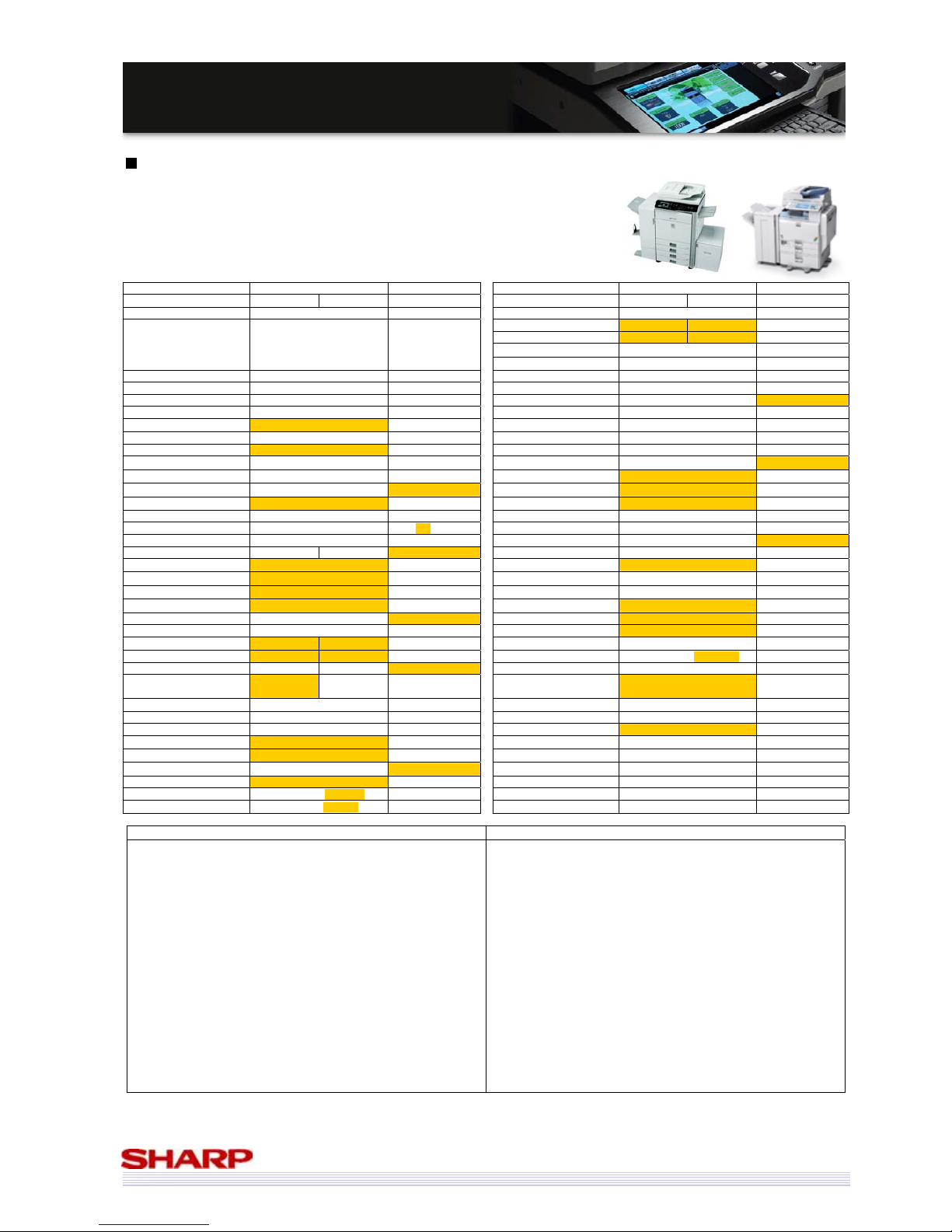
50
MMXX--55000000NN//0011NN // MMXX--44110000NN//0011N
N
SSaalleess GGuuiidde
e
Sharp MX-5000N/01N & MX-4100N/01N vs. Ricoh Aficio MP C4000
Manufacturer Sharp Ricoh Manufacturer Sharp Ricoh
Model MX-5000N/01N MX-4100N/01N Aficio MP C4000 Model MX-5000N/01N MX-4100N/01N Aficio MP C4000
Launch Date September 2008 November 2008 Printer Std Std
Print/min. (ppm)(B/W) 50 41 40
Print/min. (ppm)(Col) 50 41 40
Print Resolution (Equivalent) 1200x1200 (true) 1200x1200 (true)
Also Sold As N/A
Gestetner MP 4000
Infotec MP 4000
Nashuatec MP 4000
Rex-Rotary MP 4000
Additional Form or Font Yes No
Multifunctionality Std Std Postscript Opt Opt
Network Printer Std Std PCL 5c / 6 Std 5c / 6 Std
Network Scanning Std Std XPS Opt Std
Fax Opt Opt Win NT/2000/XP/2003 Std Std
Document Filing Std N/A
Unix Std Std
Base Engine Desktop Desktop Apple Opt Opt
Paper Max. Size A3W A3 Other Systems SAP SAP
Total Cassettes Std. 2
2 Processor MHz 800 MHz 1GHz
Total Cassettes Max. 5
5 Printer Std. Mem. MB
1GB 1GB (shared)
Total Sheets Std. 1,100
1,200 Printer Max. Mem. MB 2GB 1GB (shared)
Total Sheets Max. 5,600
4,400 1000Base-T Std Opt
No of sheets (Bypass) 100 100 10/100BaseT Std Std
Max gsm (Trays/Bypass) 209 / 256 256 / 256 USB Std (2.0) Std
Duplex Std Std Parallel No Opt
Warm up time (secs) 140 120 34 Fax Opt Opt
Job Programs
48 10
Type
Super G3 G3
Account Numbers 1,000 500
PC-Fax
Yes Yes
Footprint (WxD) 645 x 695 670 x 677
iFax
Opt Yes
Toner Life (Mono) 36k (5%) 23k (5%)
Document Filing
Std N/A
Toner Life (Col) 15k (5%) 17k (5%) Pages Limit 7,200 pages N/A
Copier Std Std Files Limit 4,000 files N/A
Copy/min. (cpm)(B/W) 50 41 40 Network Scanning Std
Std
Copy/min. (cpm)(Col) 50 41 40 Max. Speed 00N: 50ipm 01N: 70ipm 63opm (B/W), 60 Colour
FCOT (B/W) 4.1s 4.7s 3.9s Max. Resolution 600x600 600x600
FCOT (Col) 5.9s 6.7s 6.5s Destinations
Desktop, Doc Filing, USB, FTP,
network Folder (SMB), Email
SMTP, TWAIN, SMB,
FTP, NCP
Max. Original Size A3 A3 Functionality Sharpdesk
Max. Qty. Select 999 999
Finishing Opt Opt
Scanner Resolution 600x600 600x600 No of Finisher Sheets (max) 4,000 (MX-FN11) 3,250
Std. Mem. MB 1GB 1GB (shared)
Auto Stapler Yes Yes
Max. Mem. MB 1GB 1GB (shared)
Sheets Stapled 50 50
Hard Drive Std (80GB)
Std (160GB) Offset Yes Yes
Document Feeder Std Opt Saddle stitch Yes (MX-FN10) Yes
Type 00N: RSPF 01N: DSPF ARDF Folding Yes (MX-FN10) Yes
Capacity (sheets) 00N: 100 01N: 150 100
Hole Punch
Yes Yes
* Resolution is 1200x1200 for text/line only
Strengths of MX-5000N/01N & MX-4100N/01N Strengths of Ricoh MP C4000
9 Faster output
9 Faster fax
9 Document filing function
9 Higher max. paper capacity
9 Smaller footprint
9 Larger max. paper size
9 Heavier paper support through trays
9 More job programs
9 More User accounts
9 Longer life black toner cartridges (36k vs 23k)
9 Separate printer and copier memory
9 DSPF document feeder (01N models)
9 Higher capacity document feeder (01n models)
9 Gigabit Ethernet as std
9 More printer memory available
9 Faster scanning (01N models)
9 Standard scan to / print from USB
9 Higher capacity finisher available
9 Higher std paper capacity (1200 sheets vs 1100)
9 Faster warm-up time
9 Higher capacity colour toner cartridges (17k vs 15k)
9 Larger HDD
9 Std XPS printing (via web download)
9 Faster processor
9 Optional parallel port
Page 51
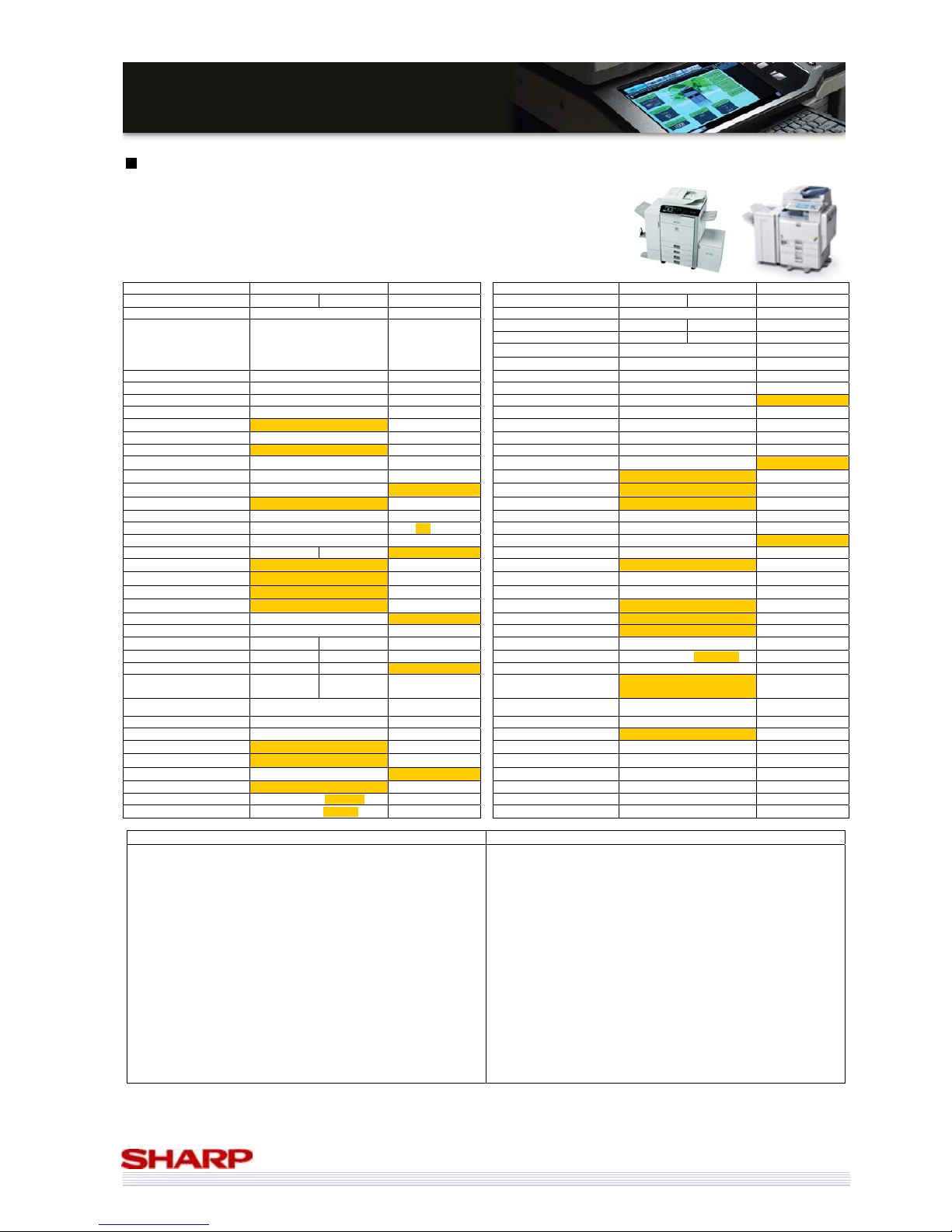
51
MMXX--55000000NN//0011NN // MMXX--44110000NN//0011N
N
SSaalleess GGuuiidde
e
Sharp MX-5000N/01N & MX-4100N/01N vs. Ricoh Aficio MP C5000
Manufacturer Sharp Ricoh Manufacturer Sharp Ricoh
Model MX-5000N/01N MX-4100N/01N Aficio MP C4000 Model MX-5000N/01N MX-4100N/01N Aficio MP C5000
Launch Date September 2008 November 2008 Printer Std Std
Print/min. (ppm)(B/W) 50 41 50
Print/min. (ppm)(Col) 50 41 50
Print Resolution (Equivalent) 1200x1200 (true) 1200x1200 (true)
Also Sold As N/A
Gestetner MP C5000
Infotec MP C5000
Nashuatec MP C5000
Rex-Rotary MP C5000
Additional Form or Font Yes No
Multifunctionality Std Std Postscript Opt Opt
Network Printer Std Std PCL 5c / 6 Std 5c / 6 Std
Network Scanning Std Std XPS Opt Std
Fax Opt Opt Win NT/2000/XP/2003 Std Std
Document Filing Std N/A
Unix Std Std
Base Engine Desktop Desktop Apple Opt Opt
Paper Max. Size A3W A3 Other Systems SAP SAP
Total Cassettes Std. 2
2 Processor MHz 800 MHz 1GHz
Total Cassettes Max. 5
5 Printer Std. Mem. MB
1GB 1GB (shared)
Total Sheets Std. 1,100
1,200 Printer Max. Mem. MB 2GB 1GB (shared)
Total Sheets Max. 5,600
4,400 1000Base-T Std Opt
No of sheets (Bypass) 100 100 10/100BaseT Std Std
Max gsm (Trays/Bypass) 209 / 256 256 / 256 USB Std (2.0) Std
Duplex Std Std Parallel No Opt
Warm up time (secs) 140 120 51 Fax Opt Opt
Job Programs
48 10
Type
Super G3 G3
Account Numbers 1,000 500
PC-Fax
Yes Yes
Footprint (WxD) 645 x 695 670 x 677
iFax
Opt Yes
Toner Life (Mono) 36k (5%) 23k (5%)
Document Filing
Std N/A
Toner Life (Col) 15k (5%) 17k (5%) Pages Limit 7,200 pages N/A
Copier Std Std Files Limit 4,000 files N/A
Copy/min. (cpm)(B/W) 50 41 50 Network Scanning Std
Std
Copy/min. (cpm)(Col) 50 41 50 Max. Speed 00N: 50ipm 01N: 70ipm 63opm (B/W), 60 Colour
FCOT (B/W) 4.1s 4.7s 3.5s Max. Resolution 600x600 600x600
FCOT (Col) 5.9s 6.7s 5.9s Destinations
Desktop, Doc Filing, USB, FTP,
network Folder (SMB), Email
SMTP, TWAIN, SMB,
FTP, NCP
Max. Original Size A3 A3 Functionality Sharpdesk
Max. Qty. Select 999 999
Finishing Opt Opt
Scanner Resolution 600x600 600x600 No of Finisher Sheets (max) 4,000 (MX-FN11) 3,250
Std. Mem. MB 1GB 1GB (shared)
Auto Stapler Yes Yes
Max. Mem. MB 1GB 1GB (shared)
Sheets Stapled 50 50
Hard Drive Std (80GB)
Std (160GB) Offset Yes Yes
Document Feeder Std Opt Saddle stitch Yes (MX-FN10) Yes
Type 00N: RSPF 01N: DSPF ARDF Folding Yes (MX-FN10) Yes
Capacity (sheets) 00N: 100 01N: 150 100
Hole Punch
Yes Yes
* Resolution is 1200x1200 for text/line only
Strengths of MX-5000N/01N & MX-4100N/01N Strengths of Ricoh MP C5000
9 Faster fax
9 Document filing function
9 Higher max. paper capacity
9 Larger max. paper size
9 Smaller footprint
9 Heavier paper support through trays
9 More job programs
9 More User accounts
9 Longer life black toner cartridges (36k vs 23k)
9 Separate printer and copier memory
9 DSPF document feeder (01N models)
9 Higher capacity document feeder (01n models)
9 Gigabit Ethernet as std
9 More printer memory available
9 Faster scanning (01N models)
9 Standard scan to / print from USB
9 Higher capacity finisher available
9 Higher std paper capacity (1200 sheets vs 1100)
9 Faster warm-up time
9 Higher capacity colour toner cartridges (17k vs 15k)
9 Larger HDD
9 Std XPS printing (via web download)
9 Faster processor
9 Optional parallel port
Page 52
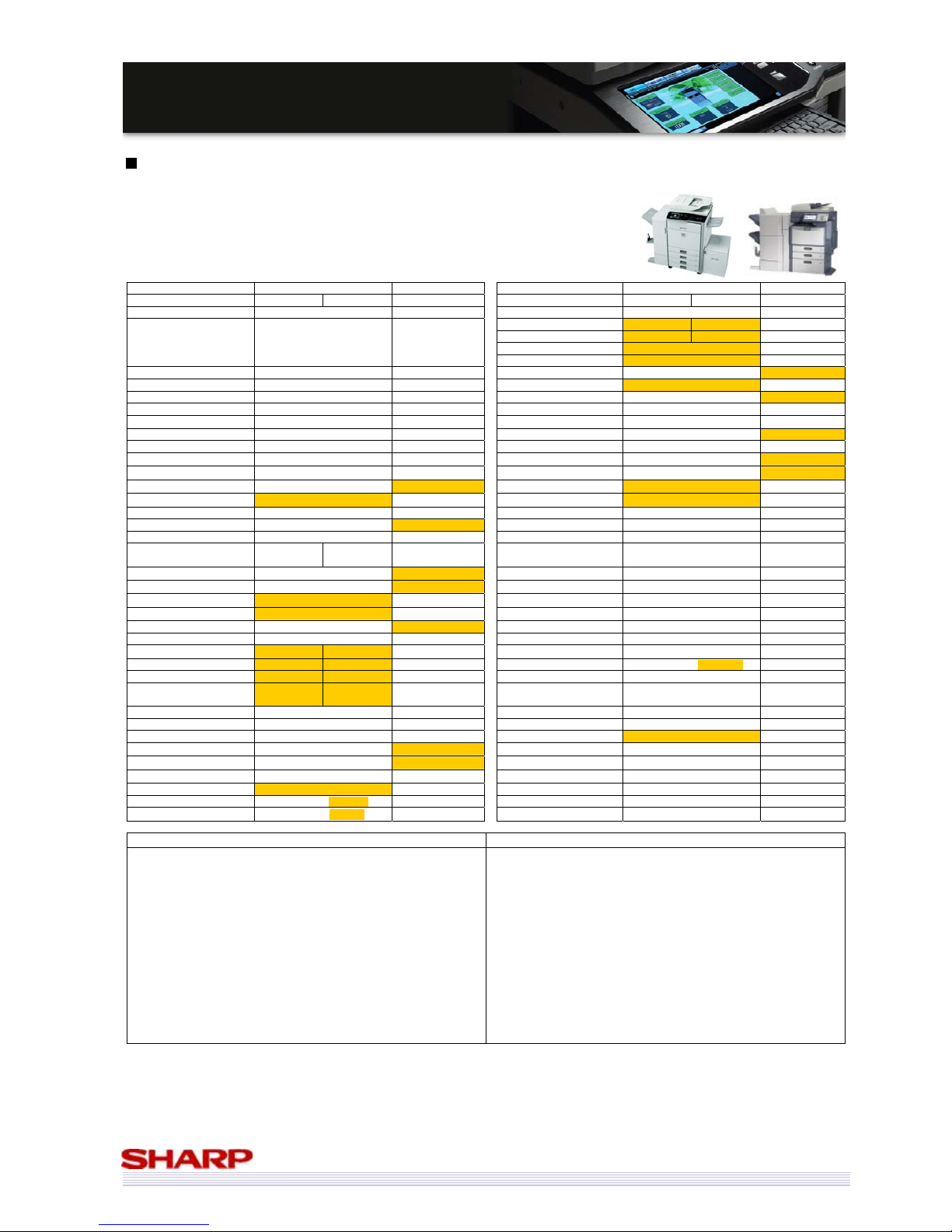
52
MMXX--55000000NN//0011NN // MMXX--44110000NN//0011N
N
SSaalleess GGuuiidde
e
Sharp MX-5000N/01N & MX-4100N/01N vs. Toshiba e-Studio 3520c
Manufacturer
Sharp Toshiba Manufacturer Sharp Toshiba
Model MX-5000N/01N MX-4100N/01N e-Studio 3520c Model MX-5000N/01N MX-4100N/01N e-Studio 3520c
Launch Date September 2008 May 2008 Printer Std Std
Print/min. (ppm)(B/W) 50 41 35
Print/min. (ppm)(Col) 50 41 35
Print Resolution (Equivalent) 1200x1200 (true) 600x600
Also Sold As N/A N/A
Additional Form or Font Yes No
Multifunctionality Std Std Postscript Opt Std
Network Printer Std Std PCL 5c / 6 Std 6
Network Scanning Std Std XPS Opt Std
Fax Opt Opt Win NT/2000/XP/2003 Std Std
Document Filing Std Std
Unix Std Std
Base Engine Desktop Desktop Apple Opt Std
Paper Max. Size A3W 320x460 Other Systems SAP Citrix, SAP, Novell
Total Cassettes Std. 2
2 Processor MHz 800 MHz 866 MHz
Total Cassettes Max. 5
4 Printer Std. Mem. MB 1GB 1.5GB (shared)
Total Sheets Std. 1,100
1,200 Printer Max. Mem. MB 2GB 1.5GB (shared)
Total Sheets Max. 5,600
3,700 1000Base-T Std No
No of sheets (Bypass) 100 100 10/100BaseT Std Std
Max gsm (Trays/Bypass) 209 / 256 256 / 280 USB Std (2.0) Std (2.0)
Duplex Std Std Parallel No No
Warm up time (secs) 140 120
30 (from low-power
mode)
Fax Opt Opt
Job Programs
48 12,060
Type
Super G3 Super G3
Account Numbers 1,000 10,000
PC-Fax
Yes Yes
Footprint (WxD) 645 x 695 699 x 774
iFax
Opt Opt
Toner Life (Mono) 36k (5%) 29k (5%)
Document Filing
Std Std
Toner Life (Col) 15k (5%) 24k (5%) Pages Limit 7,200 pages
Copier Std Std Files Limit 4,000 files
Copy/min. (cpm)(B/W) 50 41 35 Network Scanning Std
Std
Copy/min. (cpm)(Col) 50 41 35 Max. Speed 00N: 50ipm 01N: 70ipm 57ipm
FCOT (B/W) 4.1s 4.7s 6.5s Max. Resolution 600x600 600x600
FCOT (Col) 5.9s 6.7s 8.4s Destinations
Desktop, Doc Filing, USB, FTP,
network Folder (SMB), Email
Email, USB, SMB, FTP,
e-Filing
Max. Original Size A3 A3 Functionality Sharpdesk
Max. Qty. Select 999 999
Finishing Opt Opt
Scanner Resolution 600x600 600x600 No of Finisher Sheets (max) 4,000 (MX-FN11) 2,250
Std. Mem. MB 1GB
1.5GB (shared) Auto Stapler Yes Yes
Max. Mem. MB 1GB
1.5GB (shared) Sheets Stapled 50 50
Hard Drive Std (80GB)
Std (80GB) Offset Yes Yes
Document Feeder Std Opt Saddle stitch Yes (MX-FN10) Yes
Type 00N: RSPF 01N: DSPF RADF Folding Yes (MX-FN10)
Capacity (sheets) 00N: 100 01N: 150 100
Hole Punch
Yes Yes
Strengths of MX-5000N/01N & MX-4100N/01N Strengths of Toshiba e-Studio 3520c
9 Faster output
9 More paper cassettes available
9 Higher max. paper capacity
9 Smaller footprint
9 Higher capacity black toner cartridges
9 Faster FCOT (colour and black & white)
9 Separate print and copy memory
9 Std document feeder
9 DF on 01N models is a DSPF, with higher paper capacity
9 True 1200x1200dpi printing
9 PCL 5c support
9 Faster scanning (01N model only)
9 Higher capacity finisher available
9 Gigabit Ethernet
9 Scan to searchable PDF
9 Higher std paper capacity (1,200 vs 1,100 sheets)
9 Heavier paper support
9 More job programs & account numbers
9 Higher capacity colour toner cartridges
9 More copier memory (albeit shared)
9 PS3 & XPS printing are std
9 Std Apple support
9 Faster processor (866MHz vs 800MHz)
9 More printer std memory (albeit shared)
Page 53
53
MMXX--55000000NN//0011NN // MMXX--44110000NN//0011N
N
SSaalleess GGuuiidde
e
Sharp MX-5000N/01N & MX-4100N/01N vs. Toshiba e-Studio 4520c
Manufacturer
Sharp Toshiba Manufacturer Sharp Toshiba
Model MX-5000N/01N MX-4100N/01N e-Studio 4520c Model MX-5000N/01N MX-4100N/01N e-Studio 4520c
Launch Date September 2008 May 2008 Printer Std Std
Print/min. (ppm)(B/W) 50 41 45
Print/min. (ppm)(Col) 50 41 45
Print Resolution (Equivalent) 1200x1200 (true) 2400x600 (equiv)
Also Sold As N/A N/A
Additional Form or Font Yes No
Multifunctionality Std Std Postscript Opt Std
Network Printer Std Std PCL 5c / 6 Std 6
Network Scanning Std Std XPS Opt Std
Fax Opt Opt Win NT/2000/XP/2003 Std Std
Document Filing Std Std
Unix Std Std
Base Engine Desktop Desktop Apple Opt Std
Paper Max. Size A3W 320x460 Other Systems SAP Citrix, SAP, Novell
Total Cassettes Std. 2
2 Processor MHz 800 MHz 866 MHz
Total Cassettes Max. 5
4 Printer Std. Mem. MB 1GB 1.5GB (shared)
Total Sheets Std. 1,100
1,200 Printer Max. Mem. MB 2GB 1.5GB (shared)
Total Sheets Max. 5,600
3,700 1000Base-T Std No
No of sheets (Bypass) 100 100 10/100BaseT Std Std
Max gsm (Trays/Bypass) 209 / 256 256 / 280 USB Std (2.0) Std (2.0)
Duplex Std Std Parallel No No
Warm up time (secs) 140 120
30 (from low-power
mode)
Fax Opt Opt
Job Programs
48 12,060
Type
Super G3 Super G3
Account Numbers 1,000 10,000
PC-Fax
Yes Yes
Footprint (WxD) 645 x 695 699 x 774
iFax
Opt Opt
Toner Life (Mono) 36k (5%) 29k (5%)
Document Filing
Std Std
Toner Life (Col) 15k (5%) 24k (5%) Pages Limit 7,200 pages
Copier Std Std Files Limit 4,000 files
Copy/min. (cpm)(B/W) 50 41 45 Network Scanning Std
Std
Copy/min. (cpm)(Col) 50 41 45 Max. Speed 00N: 50ipm 01N: 70ipm 57ipm
FCOT (B/W) 4.1s 4.7s 5.2s Max. Resolution 600x600 600x600
FCOT (Col) 5.9s 6.7s 6.8s Destinations
Desktop, Doc Filing, USB, FTP,
network Folder (SMB), Email
Email, USB, SMB, FTP,
e-Filing
Max. Original Size A3 A3 Functionality Sharpdesk
Max. Qty. Select 999 999
Finishing Opt Opt
Scanner Resolution 600x600 600x600 No of Finisher Sheets (max) 4,000 (MX-FN11) 2,250
Std. Mem. MB 1GB
1.5GB (shared) Auto Stapler Yes Yes
Max. Mem. MB 1GB
1.5GB (shared) Sheets Stapled 50 50
Hard Drive Std (80GB)
Std (80GB) Offset Yes Yes
Document Feeder Std Opt Saddle stitch Yes (MX-FN10) Yes
Type 00N: RSPF 01N: DSPF RADF Folding Yes (MX-FN10)
Capacity (sheets) 00N: 100 01N: 150 100
Hole Punch
Yes Yes
Strengths of MX-5000N/01N & MX-4100N/01N Strengths of Toshiba e-Studio 4520c
9 Faster output (MX-5000N/01N only)
9 More paper cassettes available
9 Higher max. paper capacity
9 Smaller footprint
9 Higher capacity black toner cartridges
9 Faster FCOT (colour and black & white)
9 Separate print and copy memory
9 Std document feeder
9 DF on 01N models is a DSPF, with higher paper capacity
9 True 1200x1200dpi printing
9 PCL 5c support
9 Faster scanning (01N model only)
9 Higher capacity finisher available
9 Gigabit Ethernet
9 Scan to searchable PDF function
9 Higher std paper capacity (1,200 vs 1,100 sheets)
9 Heavier paper support
9 More job programs & account numbers
9 Higher capacity colour toner cartridges
9 More copier memory (albeit shared)
9 More printer std memory (albeit shared)
9 PS3 & XPS printing are std
9 Std Apple support
9 Faster processor (866MHz vs 800MHz)
Page 54
54
MMXX--55000000NN//0011NN // MMXX--44110000NN//0011N
N
SSaalleess GGuuiidde
e
Sharp MX-5000N/01N & MX-4100N/01N vs. Xerox WorkCentre 7335
Manufacturer
Sharp Xerox Manufacturer Sharp Xerox
Model MX-5000N/01N MX-4100N/01N WorkCentre 7335 Model MX-5000N/01N MX-4100N/01N WorkCentre 7335
Launch Date September 2008 April 2007 Printer Std Std
Print/min. (ppm)(B/W) 50 41 35
Print/min. (ppm)(Col) 50 41 31
Print Resolution (Equivalent) 1200x1200 (true) 1200x1200 (true)
Also Sold As N/A N/A
Additional Form or Font Yes No
Multifunctionality Std Std Postscript Opt Opt
Network Printer Std Std PCL 5c / 6 Std 5c / 6 Std
Network Scanning Std Opt XPS Opt Std
Fax Opt Opt Win NT/2000/XP/2003 Std Std
Document Filing Std Opt
Unix Std Std
Base Engine Desktop Desktop Apple Opt Opt
Paper Max. Size A3W SRA3 Other Systems SAP
Total Cassettes Std. 2
1 Processor MHz 800 MHz 667MHz
Total Cassettes Max. 5
3 Printer Std. Mem. MB 1GB 1GB (shared)
Total Sheets Std. 1,100
620 Printer Max. Mem. MB 2GB 1GB (shared)
Total Sheets Max. 5,600
3,140 1000Base-T Std No
No of sheets (Bypass) 100 100 10/100BaseT Std Std
Max gsm (Trays/Bypass) 209 / 256 220 / 220 USB Std (2.0) Opt (2.0)
Duplex Std Std Parallel No No
Warm up time (secs) 140 120 45 Fax Opt Opt
Job Programs
48 Yes (unspecified)
Type
Super G3 Super G3
Account Numbers 1,000 1,000
PC-Fax
Yes No
Footprint (WxD) 645 x 695 1346 x 794
iFax
Opt Opt
Toner Life (Mono) 36k (5%) 26k (5%)
Document Filing
Std Opt
Toner Life (Col) 15k (5%) 16k (5%) Pages Limit 7,200 pages No data
Copier Std Std Files Limit 4,000 files No data
Copy/min. (cpm)(B/W) 50 41 35 Network Scanning Std
Opt
Copy/min. (cpm)(Col) 50 41 31 Max. Speed 00N: 50ipm 01N: 70ipm
50ipm b/w, 45ipm
colour
FCOT (B/W) 4.1s 4.7s 5.9s Max. Resolution 600x600 600x600
FCOT (Col) 5.9s 6.7s 7.9s Destinations
Desktop, Doc Filing, USB, FTP,
network Folder (SMB), Email
Email, Web folders
(MS Exch 2000), SMB,
FTP, PC
Max. Original Size A3 A3 Functionality Sharpdesk
Max. Qty. Select 999 999
Finishing Opt Opt
Scanner Resolution 600x600 600x600 No of Finisher Sheets (max) 4,000 (MX-FN11) 3,000
Std. Mem. MB 1GB
1GB (shared) Auto Stapler Yes Yes
Max. Mem. MB 1GB
1GB (shared) Sheets Stapled 50 50
Hard Drive Std (80GB)
Std (40GB) Offset Yes Yes
Document Feeder Std Std Saddle stitch Yes (MX-FN10) Yes
Type 00N: RSPF 01N: DSPF RADF Folding Yes (MX-FN10) Yes
Capacity (sheets) 00N: 100 01N: 150 75
Hole Punch
Yes Yes
Strengths of MX-5000N/01N & MX-4100N/01N Strengths of Xerox WorkCentre 7335
9 Std network scanning and document filing
9 Faster output speeds
9 Faster FCOT (colour and black & white)
9 More paper cassettes (std & max.)
9 Higher paper capacity (std & max)
9 Heavier paper support through bypass
9 Smaller footprint
9 Higher capacity black toner cartridges
9 Separate print and copy memory
9 Larger HDD
9 Document feeder on 01N models is a DSPF
9 Document feeder on all models are a higher capacity
9 Faster processor
9 More printer memory (optional)
9 Gigabit Ethernet
9 USB connection is std
9 PC-Fax functionality available
9 USB scan and print
9 Higher capacity finisher available
9 Optional EFI Controller
9 Heavier paper support through Trays
9 Faster warm-up time
9 Higher capacity colour toner cartridges
9 XPS printing as std
9 Can scan to searchable PDF (optional)
Page 55
55
MMXX--55000000NN//0011NN // MMXX--44110000NN//0011N
N
SSaalleess GGuuiidde
e
Sharp MX-5000N/01N & MX-4100N/01N vs. Xerox WorkCentre 7345
Manufacturer
Sharp Xerox Manufacturer Sharp Xerox
Model MX-5000N/01N MX-4100N/01N WorkCentre 7345 Model MX-5000N/01N MX-4100N/01N WorkCentre 7345
Launch Date September 2008 April 2007 Printer Std Std
Print/min. (ppm)(B/W) 50 41 45
Print/min. (ppm)(Col) 50 41 35
Print Resolution (Equivalent) 1200x1200 (true) 1200x1200 (true)
Also Sold As N/A N/A
Additional Form or Font Yes No
Multifunctionality Std Std Postscript Opt Opt
Network Printer Std Std PCL 5c / 6 Std 5c / 6 Std
Network Scanning Std Opt XPS Opt Std
Fax Opt Opt Win NT/2000/XP/2003 Std Std
Document Filing Std Opt
Unix Std Std
Base Engine Desktop Desktop Apple Opt Opt
Paper Max. Size A3W SRA3 Other Systems SAP
Total Cassettes Std. 2
1 Processor MHz 800 MHz 667MHz
Total Cassettes Max. 5
3 Printer Std. Mem. MB 1GB 1GB (shared)
Total Sheets Std. 1,100
620 Printer Max. Mem. MB 2GB 1GB (shared)
Total Sheets Max. 5,600
3,140 1000Base-T Std No
No of sheets (Bypass) 100 100 10/100BaseT Std Std
Max gsm (Trays/Bypass) 209 / 256 220 / 220 USB Std (2.0) Opt (2.0)
Duplex Std Std Parallel No No
Warm up time (secs) 140 120 45 Fax Opt Opt
Job Programs
48 Yes (unspecified)
Type
Super G3 Super G3
Account Numbers 1,000 1,000
PC-Fax
Yes No
Footprint (WxD) 645 x 695 1346 x 794
iFax
Opt Opt
Toner Life (Mono) 36k (5%) 26k (5%)
Document Filing
Std Opt
Toner Life (Col) 15k (5%) 16k (5%) Pages Limit 7,200 pages No data
Copier Std Std Files Limit 4,000 files No data
Copy/min. (cpm)(B/W) 50 41 45 Network Scanning Std
Opt
Copy/min. (cpm)(Col) 50 41 35 Max. Speed 00N: 50ipm 01N: 70ipm
50ipm b/w, 45ipm
colour
FCOT (B/W) 4.1s 4.7s 4.8s Max. Resolution 600x600 600x600
FCOT (Col) 5.9s 6.7s 7.2s Destinations
Desktop, Doc Filing, USB, FTP,
network Folder (SMB), Email
Email, Web folders
(MS Exch 2000), SMB,
FTP, PC
Max. Original Size A3 A3 Functionality Sharpdesk
Max. Qty. Select 999 999
Finishing Opt Opt
Scanner Resolution 600x600 600x600 No of Finisher Sheets (max) 4,000 (MX-FN11) 3,000
Std. Mem. MB 1GB
1GB (shared) Auto Stapler Yes Yes
Max. Mem. MB 1GB
1GB (shared) Sheets Stapled 50 50
Hard Drive Std (80GB)
Std (40GB) Offset Yes Yes
Document Feeder Std Std Saddle stitch Yes (MX-FN10) Yes
Type 00N: RSPF 01N: DSPF RADF Folding Yes (MX-FN10) Yes
Capacity (sheets) 00N: 100 01N: 150 75
Hole Punch
Yes Yes
Strengths of MX-5000N/01N & MX-4100N/01N Strengths of Xerox WorkCentre 7345
9 Std network scanning and document filing
9 Faster output speeds
9 Faster FCOT (colour and black & white)
9 More paper cassettes (std & max.)
9 Higher paper capacity (std & max)
9 Heavier paper support through bypass
9 Smaller footprint
9 Higher capacity black toner cartridges
9 Separate print and copy memory
9 Larger HDD
9 Document feeder on 01N models is a DSPF
9 Document feeder on all models are a higher capacity
9 Faster processor
9 More printer memory (optional)
9 Gigabit Ethernet
9 USB connection is std
9 PC-Fax functionality available
9 USB scan and print
9 Higher capacity finisher available
9 Optional EFI Controller
9 Faster warm-up time
9 Heavier paper support through Trays
9 Higher capacity colour toner cartridges
9 XPS printing as std
9 Can scan to searchable PDF (optional)
Page 56
56
MMXX--55000000NN//0011NN // MMXX--44110000NN//0011N
N
SSaalleess GGuuiidde
e
Sharp MX-5000N/01N & MX-4100N/01N vs. Xerox WorkCentre 7346
Manufacturer
Sharp Xerox Manufacturer Sharp Xerox
Model MX-5000N/01N MX-4100N/01N WorkCentre 7346 Model MX-5000N/01N MX-4100N/01N WorkCentre 7346
Launch Date September 2008 May 2008 Printer Std Std
Print/min. (ppm)(B/W) 50 41 45
Print/min. (ppm)(Col) 50 41 40
Print Resolution (Equivalent) 1200x1200 (true) 1200x1200 (true)
Also Sold As N/A N/A
Additional Form or Font Yes No
Multifunctionality Std Std Postscript Opt Opt
Network Printer Std Std PCL 5c / 6 Std 5c / 6 Std
Network Scanning Std Opt XPS Opt Std
Fax Opt Opt Win NT/2000/XP/2003 Std Std
Document Filing Std Opt
Unix Std Std
Base Engine Desktop Desktop Apple Opt Opt
Paper Max. Size A3W SRA3 Other Systems SAP
Total Cassettes Std. 2
1 Processor MHz 800 MHz 667MHz
Total Cassettes Max. 5
3 Printer Std. Mem. MB 1GB 1.5GB (shared)
Total Sheets Std. 1,100
620 Printer Max. Mem. MB 2GB 1.5GB (shared)
Total Sheets Max. 5,600
3,140 1000Base-T Std No
No of sheets (Bypass) 100 100 10/100BaseT Std Std
Max gsm (Trays/Bypass) 209 / 256 220 / 220 USB Std (2.0) Opt (2.0)
Duplex Std Std Parallel No No
Warm up time (secs) 140 120 70 Fax Opt Opt
Job Programs
48 Yes (unspecified)
Type
Super G3 Super G3
Account Numbers 1,000 1,000
PC-Fax
Yes No
Footprint (WxD) 645 x 695 1346 x 794
iFax
Opt Opt
Toner Life (Mono) 36k (5%) 26k (5%)
Document Filing
Std Opt
Toner Life (Col) 15k (5%) 16k (5%) Pages Limit 7,200 pages No data
Copier Std Std Files Limit 4,000 files No data
Copy/min. (cpm)(B/W) 50 41 45 Network Scanning Std
Opt
Copy/min. (cpm)(Col) 50 41 40 Max. Speed 00N: 50ipm 01N: 70ipm
50ipm b/w, 45ipm
colour
FCOT (B/W) 4.1s 4.7s 4.8s Max. Resolution 600x600 600x600
FCOT (Col) 5.9s 6.7s 6.7s Destinations
Desktop, Doc Filing, USB, FTP,
network Folder (SMB), Email
Email, Web folders
(MS Exch 2000), SMB,
FTP, PC
Max. Original Size A3 A3 Functionality Sharpdesk
Max. Qty. Select 999 999
Finishing Opt Opt
Scanner Resolution 600x600 600x600 No of Finisher Sheets (max) 4,000 (MX-FN11) 3,000
Std. Mem. MB 1GB
1.5GB (shared) Auto Stapler Yes Yes
Max. Mem. MB 1GB
1.5GB (shared) Sheets Stapled 50 50
Hard Drive Std (80GB)
Std (40GB) Offset Yes Yes
Document Feeder Std Std Saddle stitch Yes (MX-FN10) Yes
Type 00N: RSPF 01N: DSPF RADF Folding Yes (MX-FN10) Yes
Capacity (sheets) 00N: 100 01N: 150 75
Hole Punch
Yes Yes
Strengths of MX-5000N/01N & MX-4100N/01N Strengths of Xerox WorkCentre 7346
9 Std network scanning and document filing
9 Faster output speeds
9 Faster FCOT (colour and black & white)
9 More paper cassettes (std & max.)
9 Higher paper capacity (std & max)
9 Heavier paper support through bypass
9 Smaller footprint
9 Higher capacity black toner cartridges
9 Separate print and copy memory
9 Larger HDD
9 Document feeder on 01N models is a DSPF
9 Document feeder on all models are a higher capacity
9 Faster processor
9 More printer memory (optional)
9 Gigabit Ethernet
9 USB connection is std
9 PC-Fax functionality available
9 USB scan and print
9 Higher capacity finisher available
9 Optional EFI Controller
9 Faster warm-up time
9 Heavier paper support through Trays
9 Higher capacity colour toner cartridges
9 More printer memory as std (albeit shared)
9 More copier memory (albeit shared)
9 XPS printing as std
9 Can scan to searchable PDF (optional)
Page 57
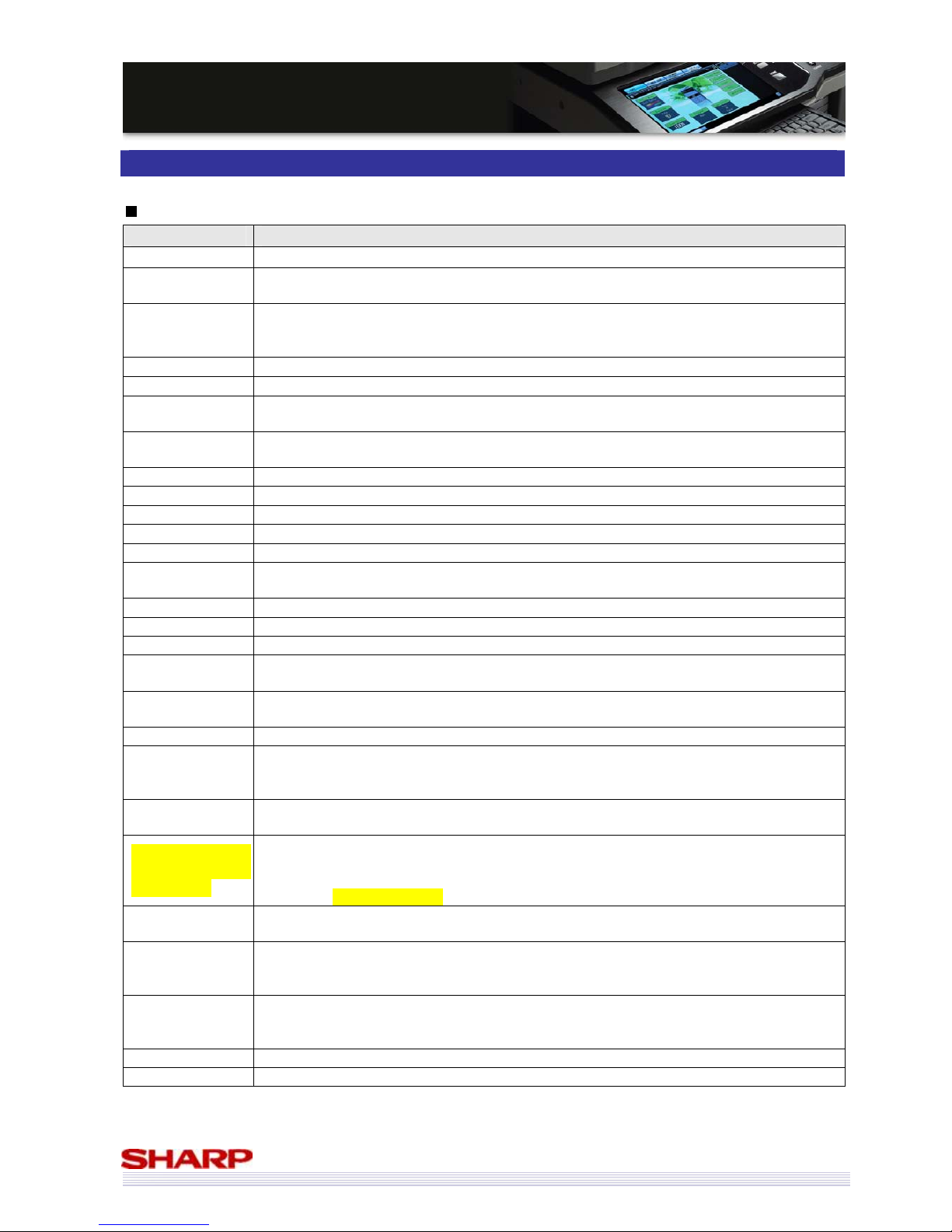
57
MMXX--55000000NN//0011NN // MMXX--44110000NN//0011N
N
SSaalleess GGuuiidde
e
Features List
General Setting Functions
Name Description
Auto Clear MX-5000N/01N & MX-4100N/01N returns to initial state after a certain period of inactivity.
Auto Power
Shut-Off
Turns the machine off after it has remained idle for a preset amount of time. You can preset
this shut-off time as desired.
Auto Tray
Switching
Automatically switches to another paper tray filled with the same size paper if one of the
trays runs out. Two or more trays must be filled with the same size paper to use this
function.
Clock Time is adjusted automatically via the network by using either NTP or SNTP protocols.
Customise Key Certain keys on the LCD control panel can be assigned to frequently used functions.
Device Cloning
Copies the data settings from one MX-5000N/01N & MX-4100N/01N and sends them to
another MX-5000N/01N & MX-4100N/01N.
Device Control
(Restriction)
Restricts the use of specified peripheral devices.
Display Contrast Adjusts the contrast of the LCD control panel.
Display Language Selects the display language.
E-mail Alert Sends an e-mail to notify you of machine troubles (such as being out of toner or paper).
E-mail Status Notifies you of machine status by sending e-mails on a regular basis.
Firmware Update Provides diverse methods of updating firmware.
Function Review
Confirms the status of special functions in use just by touching an icon on the LCD control
panel.
Job Priority Places jobs in order of priority.
Job Status Displays the status of jobs in progress as well as a list of finished jobs.
Key Touch Sound Adjusts the volume of key touch sound.
Keyboard Select
Changes the keyboard on the LCD control panel.
(English (US), English (UK), Japanese, French, German,
Swedish, Norwegian, Finnish, Danish, Russian, Greek, and Turkish))
Message Time
Control
Selects the period of message display.
Metadata Set Generates corresponding XML data when scanning an image.
Multi Access
Multiple jobs can be performed at the same time. (For example, while a large copy job is in
progress, originals for the next copy job can be scanned. And as soon as the first job is
finished, the second job starts automatically.)
Offset
Enables MX-5000N/01N & MX-4100N/01N to slightly shift multiple sets of documents to
differentiate jobs from different users.
Sharp OSA (Sharp
Open Systems
Architecture)
Allows third-party software developers to easily customise the MX-5000N/01N &
MX-4100N/01N by integrating the MFP with their application, thus enhancing ease of use
and boosting work efficiency. MX-5000N/01N & MX-4100N/01N supports both Sharp OSA
ver2.0 and Sharp OSA ver3.0.
Paper Type
Registration
Registers types of paper other than the default settings, and makes it possible to restrict
specific functions according to paper type.
Paper Tray
Settings
(Paper Type)
Specifies the designation of paper type (such as plain paper, recycled paper or coloured
paper) for each paper tray.
Preheat Mode
The first level of power reduction on the MX-5000N/01N & MX-4100N/01N. After the
machine has completed a job and no further machine operations have been performed, the
power to the fuse unit is reduced.
Protocol Supports four commonly used network protocols (TCP/IP, IPX/SPX, NetBEUI, and Ether Talk).
Punch The optional module automatically punches holes in output documents.
Page 58
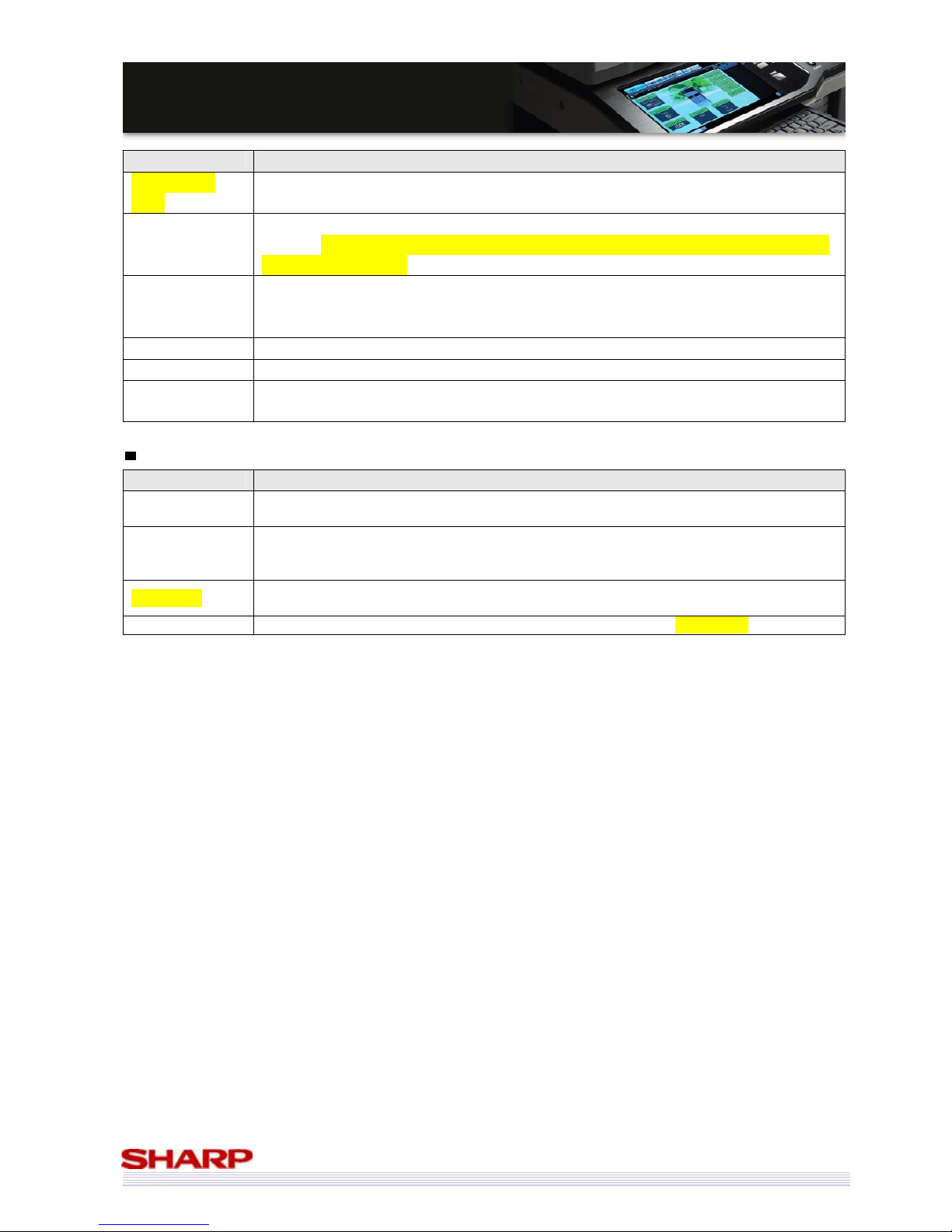
58
MMXX--55000000NN//0011NN // MMXX--44110000NN//0011N
N
SSaalleess GGuuiidde
e
Name Description
Remote Font
Panel
The MFP operation panel and software keyboard can be displayed on users’ PC. Users can
perform the MFP front panel and software keyboard from their PC.
Saddle Stitching
and Folding
The optional Saddle Stitch Finisher automatically folds and staples output with two-page
spreads. (MX-5000N/01N & MX-4100N/01N’s saddle stitch finisher can also fold a sheet of
paper without stapling.)
Service Setup
Via Web pages provided by the MX-5000N/01N & MX-4100N/01N, you can configure the
MFP from your computer using a Web browser (such as Netscape Navigator or Internet
Explorer).
Staples The optional Finisher or Saddle Stitch Finisher staples output documents together.
Total Count Displays the number of times the machine has been used.
User Control
(Auditing)
Allows the network administrator to monitor and control the amount of use accumulated by
individual users. (New models can control more parameters.)
General Connectivity
Name Description
Connection Test
Enables you to test the connection between the MX-5000N/01N & MX-4100N/01N and
mail/LDAP server using a Web browser screen on a PC.
LDAP
Lightweight Directory Access Protocol (LDAP) support simplifies the input of e-mail addresses
by allowing the MX-5000N/01N & MX-4100N/01N access to the address data stored on the
LDAP servers.
IP version 6
IPv6 follows IPv4 as the next version of the Internet protocol formally adopted for general
use.
Print Port Supports four commonly used printer ports (10Base-T/100Base-TX/1000Base-T, and USB2.0).
Page 59
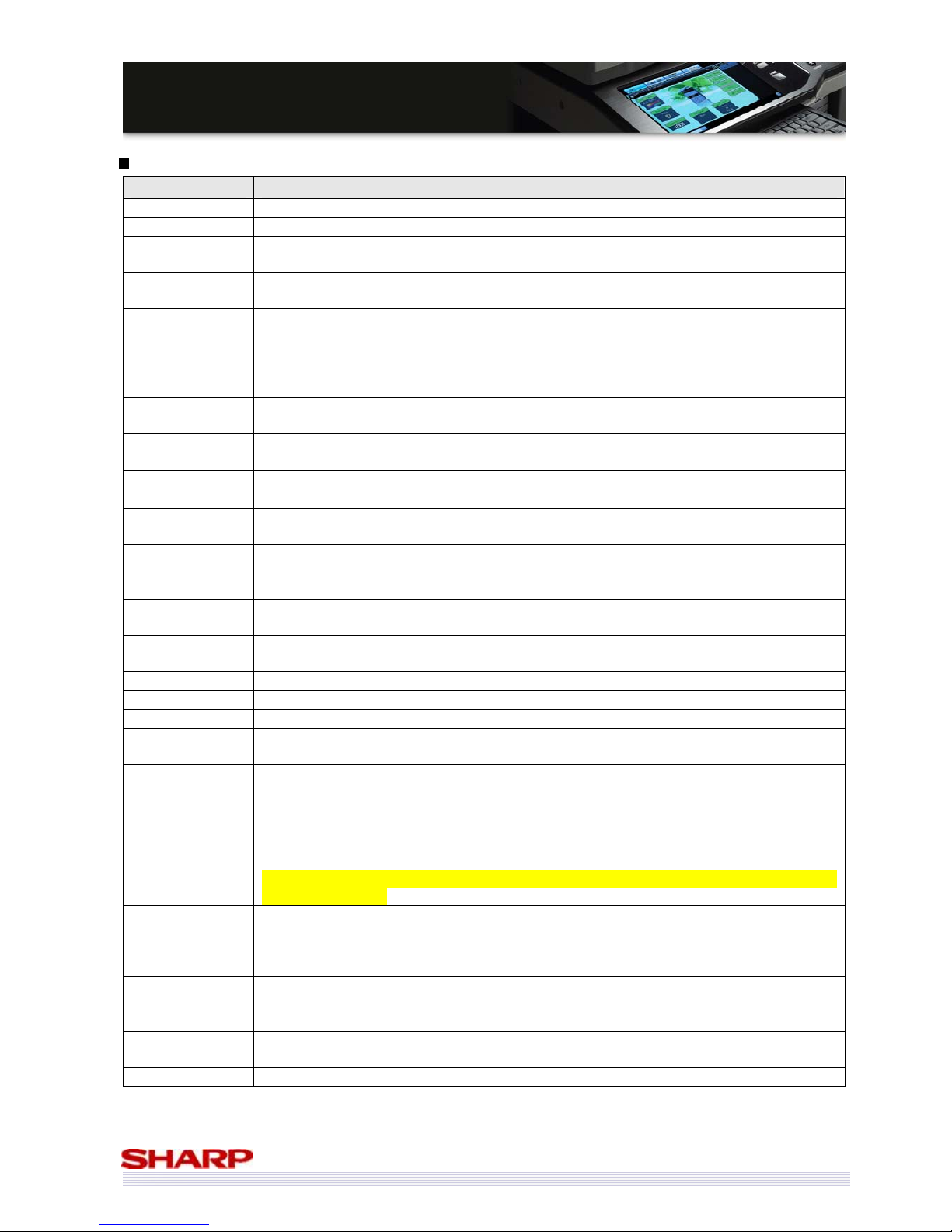
59
MMXX--55000000NN//0011NN // MMXX--44110000NN//0011N
N
SSaalleess GGuuiidde
e
Copy Functions
Name Description
2-Colour Mode
Enables two-colour copying.
A3 Full Bleed
Copies A3 originals without loss of image area.
Auto Colour
Mode
Controls colour image data and selects the best processing mode for various types of
originals. (For example, text on meshed background)
Auto Colour
Selection
Enables the MFP to distinguish whether the original is colour or B/W with a press of the
“colour scan” button.
Auto
Magnification
Selection
Automatically selects the appropriate copy ratio according to the original document size and
selected paper size.
Auto Paper
Selection
Automatically selects the same paper size as the original document set on the platen or in
the document feeder.
B/W
Reverse
Reverses black and white in a copy to create a negative image. This function can only be
used for black and white copying.
Book Copy
Makes copies of the two facing pages of an open book or other bound document.
Card Shot Prints the front and back of an original onto a single side of paper.
Centring Moves the image to the centre of the paper.
Colour Balance
Adjusts the colour, tone and density of colour copies.
Colour Calibration
The Auto Colour Calibration programme automatically corrects misadjusted colour
gradation.
Copy Ratio
(Preset)
In addition to the preset enlargement/reduction ratios, frequently used copy ratios can also
be set.
Copy Set Setting Specifies the number of copies by using the numeric keypad. (MAX 999)
Cover
Inserts a different type of paper (paper weight, colour, etc.) as a front and back cover of a
copy job when using the document feeder.
Date Print
Prints the date in one of the four available formats: YYYY/MM/DD, MM/DD/YYYY,
DD/MM/YYYY and MM/DD/YYYY.
Dual Page Copy Produces separate copies of two documents placed side by side on the document glass.
Duplex Copying Prints data on both sides of the paper.
Duplex via Bypass
Automatically prints data on both sides of paper fed from the manual bypass tray.
E-sort (Electronic
Sorting)
Automatically collates multiple sets of copies in page order without the aid of a sorter.
Erase
Erases shadows that appear around the edges of copies of books and other thick originals.
(Edge erase)
Erases the shadows that appear down the centre of books and other originals that open up.
(Centre erase)
Erases both the shadow lines around the edges of copies and the shadow at the centre.
(Edge + Centre erase)
Erases both the shadow lines around the sides when scanning a book original or thick
original. (Side erase)
Exposure
Selects one of Auto, Text, Text/Printed Photo, Printed photo, Text/Photo, Photo, Map, or
Light Original according to the type of originals being copied.
Extra Size
Enters non-standard copy paper size and/or original size and then automatically enlarges or
reduces an image to best fit the paper.
Group Groups output of large-volume copies by page.
Initial Status
Settings
Customises the machine's default state.
Insert
Inserts a different type of paper (paper weight, colour, etc.) in between pages as an insert
using the document feeder.
Interrupt Temporarily stops the job in progress and perform the interrupt copy job.
Page 60
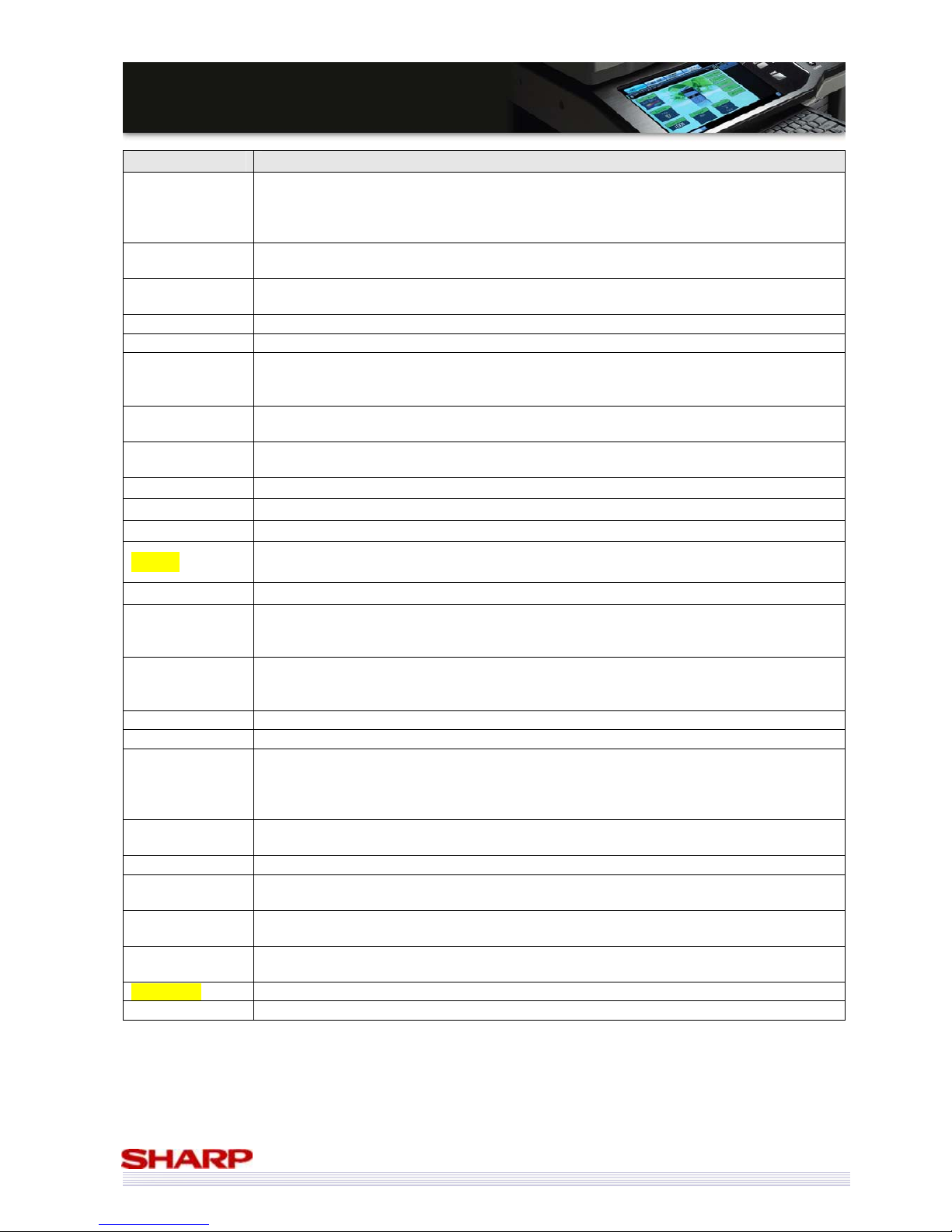
60
MMXX--55000000NN//0011NN // MMXX--44110000NN//0011N
N
SSaalleess GGuuiidde
e
Name Description
Job Build
Convenient for producing jobs with more pages of originals than the document feeder can
hold. Combines multiple scanning jobs and copies them as one original set. From
MX-5000N/01N & MX-4100N/01N, users can change the copy density, paper size, and copy
ratio per bunch.
Job Program
Stores frequently used copy settings such as density, copy ratio and other special functions
for easy recall.
Job Reservation
Even while the MFP is copying, you can reserve the machine for the next copy job if the
platen is free.
Margin Shift Shift the copy image right, left, or down to adjust the margin.
Mirror Image
Copies a mirror image of the document.
Mixed Size
Original
Copies documents of different sizes that are fed through the document feeder.
MX-5000N/01N & MX-4100N/01N can feed both ‘Mixed size original: Same width’ (For
example, A4 and A3) and ‘Mixed size original: Different width’ (For example, A4 and B5)
Multi-Page
Enlargement
Enlarges an original image to a size larger than A3 and prints the divided images onto
multiple sheets of copy paper.
Multi Shot
(2-in-1, 4-in-1)
Copies multiple originals onto a single sheet of paper in a uniform layout.
Page Numbering Prints the page number at the top or bottom of the paper.
Pamphlet Copy Arranges copies in the proper order for eventual centre stapling and folding into a booklet.
Photo Repeat Creates repeat images of a photo-size original onto a single sheet.
Preview
Before copying data or data image, the finished image can be checked on preview screen of
the touch panel.
Process Control Monitors copy quality and makes adjustments to ensure optimum results.
Proof Copy
Before copying multiple sets, you can output one set to be checked. The user can either
modify settings as needed or output the remaining number of sets with a touch of the LCD
control panel
.
Rotation Copy
When “auto paper select mode” or “automatic ratio selection” is in operation and the
original is placed in a different orientation (vertical or horizontal) from the paper, the original
image will be automatically rotated 90 degrees to enable correct copying onto the paper.
Single Colour
Enables one-colour copying.
Slow Scan Mode
Scans documents at a reduced speed for thin documents to reduce misfeed.
SOPM (Scan Once
/ Print Many)
A single scan can provide multiple sets of copies with memory and HDD storage of scanned
images.
-Less damage to the original document and less wear on the scanning
-High productivity due to minimised scanning time.
Stamp
Prints one of 12 messages such as “CONFIDENTIAL” in bold reverse letters. You can select
the position, density, colour, size, and the pages (first page only or all pages).
Tab Copy
Copies captions onto the tabs of tab paper.
Tandem Copy
Shares a single copy job between the two machines effectively by using two MFPs on the
network.
Text Print
Prints up to 50 characters of text such as “5-YEAR INTERIM PLAN”. Frequently used text sets
can be stored in the MFP.
Transparency
Inserts
Automatically inserts a sheet of paper between each sheet of transparency film.
Watermark
Overlays a watermark such as “IMPORTANT” or “CONFIDENTIAL” onto copy output.
XY Zoom
Makes a copy that has different enlargement/reduction ratios horizontally and vertically.
Page 61
61
MMXX--55000000NN//0011NN // MMXX--44110000NN//0011N
N
SSaalleess GGuuiidde
e
Printer Functions
Name Description
A4/Letter Auto
Change
If you want to print A4 size data but A4 paper has run out, this feature prints it on letter size
paper.
Auto Job Control
Review
Automatically displays the job settings before printing so you can check it.
Barcode Font
The optional Barcode Font Kit enables printing of barcodes.
Binding Edge
Determines how the left, right and top edges of a document’s front and back pages are
positioned when automatically printing on both sides using the duplex function.
Carbon Copy
Prints the same data on paper from two or more different paper trays.
Colour Detection
Colour selection during printing – the MX-5000N/01N & MX-4100N/01N differentiates
between colour and black & white pages in multi-page files and selects the correct mode
with the following exception:
Files that contain images are detected and counted as colour documents if Automatic mode
is pre-set in the printer driver. To be always counted and printed as Black & White, select
‘Black & White’ in the driver.
Continuous Print
(Extra Print Mode)
When a large number of small-volume print jobs are sent to the MX-5000N/01N &
MX-4100N/01N, it processes these jobs as a single print job. This eliminates procedures
normally required between separate print jobs (such as polygon mirror control processing),
thus enhancing printing efficiency.
Different Paper
Setting
Inserts a different type of paper for cover page or inserts. (letter-head paper, coloured paper,
etc.)
Direct Print
(e-mail)
When an e-mail account for an MFP is set up on the mail server, the user can send e-mail to
the MFP with attached print data (with extensions such as .pcl, .ps, .pdf, tiff and xps). The
data can then be printed without using a printer driver. (The MFP prints it automatically.)
Direct Print (FTP)
An FTP server can be stored in the MFP to enable direct printing of files on the server from
the control panel without the need for a printer driver. Files with the
extensions .pcl, .ps, .pdf, tiff, xps, and prn can be printed.
Direct Print (SMB)
Prints data directly from the SMB on the network without the need for a printer driver.
Direct Print (USB
memory)
Prints data directly from a USB memory device connected to the MFP without the need for a
printer driver. Users select the data in memory from the MFPs control panel and follow
instructions to print the file.
Direct Print (Web)
Prints data with the extensions such as .pcl, .ps, .pdf, tiff, and xps via a Web page without
the need for a printer driver.
Duplex Printing
Prints data on both sides of the paper.
Encrypted PDF Prints an encrypted PDF using the Direct Print function.
ESC/P (Super)
Setting
Enables setting changes (printing start position, fonts, reduced size printing, etc.) when
printing data in ESP/C.
Fit to Page
Automatically selects the appropriate reduction/enlargement ratio to match the paper size
you select.
Graphics Mode
Selects a graphics mode from raster or vector.
ICC Profile
Using ICC profile data enables colour balance adjustments with other colour output
machines.
Image Orientation
Chooses portrait or landscape as the image orientation for print jobs.
Interface Setting
Controls and monitors data transmitted to the USB port or network port of MFP. (for
example, IO time out, or port switching method).
Line Thickness Adjusts the line width of vector graphics. (black and white printing only)
Mirror Image Reproduces a mirror image printout of the original print data.
Notice Page
Prints a notice page automatically (for example, “print error caused by no PIN code in Audit
mode”).
Notify Job End A pop-up screen appears on your PC to notify you that the print job has finished.
N-up Prints multiple pages of data onto a single sheet.
Object Control Sets items such as fonts to use and graphics modes.
Page 62
62
MMXX--55000000NN//0011NN // MMXX--44110000NN//0011N
N
SSaalleess GGuuiidde
e
Name Description
Overlay Prints a pre-registered overlay on print data.
Pamphlet
Creates pamphlet-style pagination.
Professional finishing is possible without outsourcing.
Paper Selection
(Paper Type)
Configures the type of paper in the paper tray via the printer driver user interface. (For
example, plain, recycled, colour, heavy paper, or transparency)
The setting restricts printer function automatically.
PCL Setting Changes setting when printing data in PCL.
Poster
Enlarges an original image to a size larger than A3 and prints the divided images onto
multiple sheets of print paper.
Print Density Level
Lightens or darkens the print density of colour and black and white images.
For example, to
adjust the density of the background colour in tables and graphs if the text is too hard to
read.
Resolution Setting Selects the printing resolution, 600 or 1200dpi
Retention
Stores output in the MFP and retrieves it by using three modes, ‘hold after print’, ‘hold
before print’ and ‘proof print’.
Hold after Print Prints and then stores the data.
Hold before Print
(Hold Only)
Stores data without printing it.
Proof Print
(Sample Print)
When you print two or more copies, only one set is printed and the data is stored.
ROPM (RIP Once /
Print Many)
Downloads and stores large multi-page print data to memory once, and reuses the data to
process multiple print sets.
Rotate 180
degrees
Prints jobs rotated by 180 degrees.
Tandem Print
Connects the MX-5000N/01N & MX-4100N/01N to another MX-5000N/01N &
MX-4100N/01N at a different location on the network, and, in effect, shares printing jobs
between the two machines.
Text to Black Prints all characters (colour and B/W) as black characters.
Toner Save Prints data using less toner than the usual amount.
Transparency
Insert
Places blank insert sheets between transparent sheets when printing data onto transparent
film.
Vector to Black Prints all lines or areas other than white lines and areas in black.
Watermarks Prints a watermark such as “IMPORTANT” or “CONFIDENTIAL” onto printouts.
Page 63
63
MMXX--55000000NN//0011NN // MMXX--44110000NN//0011N
N
SSaalleess GGuuiidde
e
Image Send Functions (General)
Name Description
2-Sided Original
Sending
Scans 2-sided originals efficiently by using the DSPF/ RSPF.
Ad-hoc Address
Inputs ad-hoc addresses as needed.
Broadcasting
Sends a document to multiple destinations in a single operation.
Card Shot
Arranges the back and front of an ID card etc. onto one side of a sheet with simple
operation.
Directory Walking Refers/ Searches the SMB of a PC on the network users want to store data.
Dual Page Scan
Divides and scans the left and right sides of an original into two separate pages.
Erase
Erases shadows that appear around edges when scanning a book original or thick original.
(Edge erase)
Erases the shadows that appear down the centre of books and other originals that open up.
(Centre erase)
Erases both the shadow lines around the edges of the scanned image and the shadow at the
centre. (Edge + Centre erase)
Erases both the shadow lines around the sides when scanning a book original or thick
original. (Side erase)
Exposure
Adjusts the image density for the original.
Import/Export
Address
Copies address data from one MX-5000N/01N & MX-4100N/01N and sends it to other
MFPs.
(‘Via Web page’ only. ‘Via USB memory’ isn’t supported.)
Job Build
Convenient for producing jobs with more pages of originals than pages that the document
feeder can hold. Combines multiple scanning jobs and transfers them as one original set.
Job Programme
Resisters settings of scan jobs, which can be called up with easy operation.
Long Original
Transmission
Scans long originals (MAX 1000 mm in length) by feeding them into DSPF/ RSPF.
Memory
Transmission
Once a document is scanned, it is stored in the memory.
Mixed Size
Original
Scans documents of different sizes that are fed through the document feeder.
MX-5000N/01N & MX-4100N/01N can feed both ‘Mixed size original: Same width’ (For
example, A4 and A3) and ‘Mixed size original: Different width’ (For example, A4 and B5)
One-Touch
Address
Resisters commonly used addresses that can be selected with easy operation from the LCD
control panel.
Quick Key
Calls up any registered address by touching the [QUICK] key and entering the three-digit
number you registered at the time of Address Book registration. The number is entered
using numeric keys.
Resend
Sends new data to preceding eight destinations.
Resolution
Selects a scanning resolution. (For example, 200dpi, 300dpi, 400dpi, 600dpi)
Scaled
Transmission
Enlarges or reduces an original for transmission.
Sending
Restriction
Sets the maximum limitation of scanned data size.
Timer
Transmission
Specifies the day of the week and time of transmission or polling operation in advance.
Transmission begins automatically at the specified time.
Thin Paper
Scanning and
Bound Originals
Scanning
It is possible to scan originals that normal fax machines can’t scan.
Transaction
Report
Prints a transaction report automatically and you can confirm the transaction results.
Verify, Stamp
Keeps track of which originals have been scanned by stamping each original as it is
processed.
Page 64
64
MMXX--55000000NN//0011NN // MMXX--44110000NN//0011N
N
SSaalleess GGuuiidde
e
Image Send Functions (Scan/i-Fax)
Name Description
Ad-hoc File Name
Inputs a file name when sending e-mail.
Ad-hoc Message
Inputs an e-mail message.
Ad-hoc Subject
Name
Inputs the subject name when sending e-mail.
Blank Page Skip
Reduces communication time/ amount of data by judging/ reducing blank page that is mixed
to the original. (Scan only including scan to USB)
CC/BCC Sending
Sends e-mail using CC and/or BCC.
Compact PDF
Creates light and high quality PDF file by executing appropriate compression in each area.
(Grayscale/ Colour only)
Direct SMTP
Sends/ receives Internet FAX without going through mail server. Users can send/receive FAX
in real time.
File Format
MX-5000N/01N & MX-4100N/01N supports commonly used file formats for scanned data
(Monochrome: TIFF, PDF, encrypted PDF, and XPS)
(Colour: TIFF, PDF, encrypted PDF, JPEG and XPS)
Network TWAIN
MX-5000N/01N & MX-4100N/01N supports TWAIN, enabling you to scan image data
efficiently with TWAIN-compliant software.
One Page Per File
Scans multiple documents at once and groups them into separate files for each page. (TIFF
and PDF)
Pre-Setting Mail
Signature
Automatically appends a signature to the end of the body text of e-mail. It is able to register
contents in the Web pages.
Preview
Before sending data, data can be checked and reset at preview screen of the touch panel.
Resolution
Selects the optimum scan resolution for the original.
Scan Destination
Sends and forwards scanned images to destinations connected on the network (or local
storage) by using handy and easy-to-use options:
Send to Desktop / Send to E-mail / Send to FTP / Send to SMB / Send to USB memory / Send
to HDD
Send to Desktop
Sends scanned files directly to your PC without routing through a server. These files
automatically appear on your desktop as thumbnails for greater ease of use.
Send to E-mail
Sends scanned files as an attachment to any e-mail address over the Internet.
Send to FTP
Sends scanned files for storage on an FTP server. If you configure the “Scan to FTP Server”
settings, the MFP automatically sends e-mail that contains links to the scanned files to
destinations, so receivers can view the file with a single click
.
Send to HDD
Sends scanned files to the MFP’s HDD.
Send to SMB
Sends scanned files for storage on a file server that uses SMB. (SMB is a type of protocol
commonly used on Windows PCs.)
Send to USB
Sends scanned files to a USB memory.
Suppress
Background
Suppresses the light background of the original when scanning data.
Page 65
65
MMXX--55000000NN//0011NN // MMXX--44110000NN//0011N
N
SSaalleess GGuuiidde
e
Image Send Functions (Fax)
Name Description
2-sided Reception
Prints an incoming fax on both sides of paper.
Chain Dial
By pressing the [Pause] key, a number entered before can be combined with a number
entered after.
Direct
Transmission
After the connection is established and the fax signal from the other machine is confirmed,
scanning begins without using memory and the fax is transmitted.
Fax Staple
Designates the number of copies to be printed out as well as whether incoming faxes are to
be stapled.
F-Code
F-Code is a standard established by the ITU-T to ensure greater security and confidentiality in
fax transmissions.
Until now, special communications (for example, ‘confidential transmission’ and ‘relay
broadcast transmission’) could be performed only with another Sharp fax machine.
However, these functions are now available with other fax machines, as other
manufacturers have come to support F-Code.
Inbound Routing
Received faxes can be automatically forwarded to a specified e-mail address, FTP server,
SMB server, or desktop.)
PC-Fax
Sends data directly from a PC to a fax machine without printing the data on paper.
Polling
Asks another fax machine whether it wants to send information and receive that
information. Naturally, information must already be stored on that machine in memory
called “polling memory.” You can also perform the reverse, or scan a document to polling
memory on your fax machine as the information to be retrieved by another fax machine.
Preview/thumbnail
Incoming fax data can be displayed as thumbnails and previewed on touch panel.
Outgoing fax data can be previewed on the touch panel.
Quick Online
Transmission
MX-5000N/01N & MX-4100N/01N with the fax option start to dial and send a multiple-page
document as soon as the first page is scanned into memory.
Recall Mode
Resends the document after a certain period of time if the recipient is busy.
Received Data
Print Hold
Can choose not to print out an incoming fax automatically. When this function is enabled, a
password entry screen will appear without printing the received fax automatically.
Rotate
Transmission
MX-5000N/01N & MX-4100N/01N is set by default to rotate a vertically placed original so
that it is oriented horizontally before transmission.
Page 66
66
MMXX--55000000NN//0011NN // MMXX--44110000NN//0011N
N
SSaalleess GGuuiidde
e
Document Filing
Name Description
Back Up via Web
Page
Backs up data via a Web page.
Browsing via Web
Page
Browses and operates data via the Web page.
Confidential File
Protects a confidential file with password.
Confidential
Folder
Protects confidential folders with passwords.
Data Saving
Capability
Saves data file in Quick file folder (MAX12GB, 1,700 pages or 1,000 files) or Main/Custom
folder (MAX 38GB, 5,500 pages or 3,000 files).
File Name
You enter the ad-hoc file name up to 30 characters long directly or MX-5000N/01N &
MX-4100N/01N generates file names automatically.
Preview
Before operating data, data can be checked at the preview screen of the touch panel.
Property Change
The property of saved files can be switched between “sharing”, “protect” or “confidential.”
Reprint
Reprints data saved to the MX-5000N/01N & MX-4100N/01N with easy operation.
Resend
Resends data saved to the MX-5000N/01N & MX-4100N/01N with easy operation.
Search
Searches a file via the LCD control panel. (Files are displayed as thumbnails.)
Applications
Name Description
Callisto
A server based solution that brings entirely new levels of workflow efficiency to any
multi-printer environment
Metis
This software manages the use and status of MFPs. (For example, compilation by
department/user)
Network Scanner
Tool
This application detects all available MFPs on the network and creates destination addresses
on the MFP automatically. It also receives scanned data from other MFPs.
Printer
Administration
Utility (Client)
This Sharp original application makes printer networks easier to manage as it allows network
administrators to customise monitored items and view settings such as IP addresses directly
from their PC.
Printer
Administration
Utility (Web)
Simplifies the installation, monitoring and use of Sharp MFPs.
Printer Status
Monitor
Allows you to monitor important printer information on your PC via network.
For example, when something is wrong with the MX-5000N/01N & MX-4100N/01N, the
MFP alerts you via an easy-to-follow graphic display.
[Advance]
Important information includes on-line/off-line status, name of the current active print job,
and machine conditions (such as amount of paper or toner).
Sharpdesk
Sharpdesk is Sharp’s original document management software and is fully integrated with
Sharp MFPs scanner functions.
This software provides you with a personal, PC desktop based system for managing scanned
images and electronic file documents.
Page 67
67
MMXX--55000000NN//0011NN // MMXX--44110000NN//0011N
N
SSaalleess GGuuiidde
e
Security Functions
Name Description
Confidential Print
This function is a part of the ‘Retention Print’ function. ‘Hold after Print with PIN or Pass
Code’ is called ‘Confidential Print.’
Requires a personal ID number to be entered at the MFP before printing.
Data Security Kit
With the optional Data Security Kit, data that has been scanned for copying or printing is
automatically cleared from storage after the job is finished.
It can also encrypt certain types of data
, and provide a Document control Function.
Disabling of List
Print
Network settings such as IP addresses and private information such as address books are
stored in the main unit. The printout of this data can be disabled to prevent leak of individual
data in the address book or administrative information on MFPs.
Disabling
Selection from
Address Book
Use of the address book can be disabled in the following transmission methods to avoid data
transmission to invalid and unauthorised destinations.
Scan to E-mail / Scan to FTP / Scan to Desktop / Scan to Network Folder / Internet Fax Send /
Fax Send
Document
Administration
Forwards all sent/received documents (except “USB memory scan” and “PC scan” data) to
‘e-mail’, ‘FTP’, ‘desktop’ and ‘Network folder’ for the administrator.
Document
Control
When data printed under this mode is scanned by MX-5000N/01N & MX-4100N/01N series
or later models equipped with the Data Security Kit, the Document Control function cancels
the job by detecting certain characteristic patterns inserted upon copying/printing, and
prevents printing/transmission of the data.
IEEE802.1X
Authenticates hardware that connects to the network at the LAN switch or the wireless LAN
access point. This is used for some “unauthorized connection prevention solution” and
“quarantine network solution”.
IP/MAC Address
Filtering/Port
Filtering
IP/MAC address filtering controls MFP access to enable secure network printing.
Port filtering blocks unneeded TCP/IP services and enhances network security.
IPsec
Encrypts and certifies data that flows on the network. It is able to encrypt all data sent by
using IP.
Job Log Keeps a log of machine operations.
Network
Authentication
Provides access to various servers (such as mail servers and FTP servers) only to users who
have been authorised.
Operating System
(OS)
Sharp’s proprietary operating system makes it less vulnerable to attack from the outside by
viruses and malicious executable files. This is an advantage compared to mainstream OS
installed on our competitors.
Sender Control
Impersonated transmission when scanning to E-mail must be prevented. For this purpose,
the [Sender Name] selection in the [Send] settings for Scan to E-mail operations can be
enabled/disabled as needed. When the selection is disabled, the Web page administrator’s
address is applied to the sender and changes are restricted.
SSL Network
Communication
Enables data communication using SSL (Secure Sockets Layer), a protocol that encrypts data
for transmitting over networks.
SMB Server Message Block for scanning to secured folders.
SNMP v3 Simple Network management protocol version 3 for advanced security.
User
Authentication
Confirms whether a user is authorised to use the MFP by not only LDAP authentication but
also Active Directory.
Page 68
68
MMXX--55000000NN//0011NN // MMXX--44110000NN//0011N
N
SSaalleess GGuuiidde
e
Specifications
Basic Specifications
MX-5000N/01N MX-4100N/01N
Base Engine
Monochrome Colour Monochrome Colour
Simplex to Simplex 50 cpm 50 cpm 41 cpm 41 cpm
Photoconductor type OPC(Diameter: Black: φ30mm, Colour: φ30mm x 3)
Record method Electronic Photo (Laser)
Development method Dry-Type Dual-Component Magnetic Brush Development
Charge method Charged Saw-Tooth Method
Transfer method Middle Transfer Belt
Cleaning method Counter Blade
Fusing method Heat Roller
140 seconds or less 120 seconds or less
Warm up time
(At rated voltage, 23
o
C, 73.4oF)(except registration adjustment, process
control, toner supply)
Pre-heat Yes
Jam recovery time
Approximately 30 seconds or less
Condition: After the door is kept open for 60 seconds, standard
setting, the polygon motor halt.
Resolution Writing: Copy: 600 x 600dpi, Print: 1200 x 1200dpi
Printable area
A3 Wide: 297x420mm
A3: 293x413mm
B4: 253x357mm
A4: 206x290mm
B5: 178x250mm
A5: 144x203mm
Executive: 180x260mm
Postcard: 96x141mm
Power source 220-240V, 50/60Hz
Max. power consumption 1.84kW (220 to 240V)
Power switch 2 (Primary switch: in the front cover; Secondary switch: the operation panel)
PM cycle
Monochrome 150K
Colour 100K
Maximum print volume
Monochrome: 75K
Colour: 45K
Average print volume
Monochrome: 20K
Colour: 15K
MCBJ 20K
MCBF 80K
External dimensions (W x D x H) 645x695x950mm (RSPF model), 645x695x960mm (DSPF model)
Occupied space (W x D) 995x695mm
Weight (without consumables) Approximately 114kg (RSPF model), 123 kg (DSPF model)
Controller Board
CPU Power QUICCIII-MPC8533E (800MHz)
Interface
IEEE1284 Parallel No
1 port
Interface 10Base-T, 100Base-TX, 1000Base-T
Ethernet
Support Protocol TCP/IP (IPv4, IPv6), IPX/SPX, Ether Talk, NET BEUI
Memory slot 2 slots (1 empty slot)
Page 69
69
MMXX--55000000NN//0011NN // MMXX--44110000NN//0011N
N
SSaalleess GGuuiidde
e
Power Consumption
Maximum rated power consumption 1.84kW (200 to 240V)
TEC value specified by New
International Energy Star
19.2kWh 15.24kWh
Operation Panel (Colour LCD: 8.5inch WVGA)
Form Dot matrix LCD, touch panel
Display dot number 800x480 dots (W-VGA)
LCD Drive Display Area 184.8x110.8mm
LCD backlight Fluorescent tube, backlight
LCD contrast adjust Yes
Document Glass (Platen)
Monochrome Colour
Original
cover
600x600dpi/ 600x400dpi/ 600x
300dpi (Default)
600x600dpi
RSPF 600x600dpi / 600x400dpi (Default) 600x600dpi
Scan resolution
(Copy Mode)
DSPF
600x600dpi/ 600x400dpi/ 600x
300dpi (Default)
600x600dpi
Exposure lamp Xenon
RSPF (Reversing Single Pass Feeder)
Scan speed Monochrome (A4) Colour (A4)
1-sided:
50 sheets/minute (600x400dpi)
36 sheets/minute (600x600dpi)
36 sheets/minute (600x600dpi)
Copy
2-sided:
16 sides/minute (600x400dpi)
14 sides/minute (600x600dpi)
14 sides/minute (600x600dpi)
1-sided: 50 sheets/minute (200x200dpi)
Fax/ I-Fax
2-sided: 16 sides/minute (200x200dpi)
N/A
1-sided: 50 sheets/minute (200x200dpi) 50 sheets /minute (200x200dpi)
Scanner
2-sided: 16 sides/minute (200x200dpi) 16 sides/minute (200x200dpi)
Document setup direction Upward standard (1 to N feeding standard)
Document standard location Centre standard (Rear one-side standard for random feeding)
Document transport method Sheet-through method
Document sizes
AB type -1: A3, B4, A4, A4R, B5, B5R, A5
AB type -2: A3, A4, A4R, B5, B5R, A5
AB type -3: B4, A4, A4R, A5
Document weights
1-sided: Thin paper: 35-49g/m
2
Plain paper: 50-128g/m2
2-sided: 50-105g/m
2
Document carrying capacity Maximum: 100 sheets (80g/m2), or maximum: 13mm
Types of document that may
not be transported
OHP, second original drawing, tracing paper, carbon paper, thermal paper,
wrinkled / broken / torn document, document with cuts and pastes,
documents printed by an ink ribbon, and perforated document except
2-punched / 3-punched (Perforated document by punch unit is allowed.)
Paper detection Yes
Page 70
70
MMXX--55000000NN//0011NN // MMXX--44110000NN//0011N
N
SSaalleess GGuuiidde
e
DSPF (Duplex Single Pass Feeder)
Scan speed Monochrome (A4) Colour (A4)
1-sided:
70 sheets/minute (600x300dpi)
50 sheets/minute (600x400dpi)
41 sheets/minute (600x600dpi)
41 sheets/minute (600x600dpi)
Copy
2-sided:
50 sides/minute (600x400dpi)
41 sides/minute (600x600dpi)
41 sides/minute (600x600dpi)
1-sided: 70 sheets/minute (200x200dpi)
Fax/ I-Fax
2-sided: 70 sides/minute (200x200dpi)
N/A
1-sided: 70 sheets/minute (200x200dpi) 70 sheets /minute (200x200dpi)
Scanner
2-sided: 70 sides/minute (200x200dpi) 70 sides/minute (200x200dpi)
Document setup direction Upward standard (1 to N feeding standard)
Document standard location Centre standard (Rear one-side standard for random feeding)
Document transport method Sheet-through method
Document sizes
AB type -1: A3, B4, A4, A4R, B5, B5R, A5
AB type -2: A3, B4, A4, A4R, B5, B5R, A5
AB type -3: A3, B4, A4, A4R, A5
Document weights
1-sided: Thin paper: 35-49g/m
2
Plain paper: 50-128g/m2
2-sided: 50-128g/m
2
Document carrying capacity Maximum: 150 sheets (80g/m2), or maximum: 13mm
Types of document that may
not be transported
OHP, second original drawing, tracing paper, carbon paper, thermal paper,
wrinkled / broken / torn document, document with cuts and pastes,
documents printed by an ink ribbon, and perforated document except
2-punched / 3-punched (Perforated document by punch unit is allowed.)
Paper detection Yes
Paper Input
Details on Tray 1 (feeding 500 sheets)
Paper size A3, B4, A4, A4R, B5, B5R, A5R
Changing of paper size Switched by users
Paper type setting Yes
Default paper size setting A4
Paper type/weight Plain paper: 60-105g/m2, Heavy Paper 106-209g/m2
Paper capacity 500 sheets (80g/m2)
Paper type
Plain paper, pre-printed paper (not including backing paper), recycled paper,
letterhead, pre-punched paper, coloured paper, heavy paper
Users can set up all of these paper types.
Paper size detection No (Guide adjustment and size setting)
Detection of remaining paper Level detection (4 levels: 100%, 67%, 33%, and none)
Details on Tray 2 (feeding 500 sheets)
Paper size A3, B4, A4, A4R, B5, B5R, A5R
Changing of paper size Switched by users
Paper type setting Yes
Default paper size setting A3
Paper type/weight Plain paper: 60-105g/m2, Heavy Paper 106-209g/m2
Paper capacity 500 sheets (80g/m2)
Paper type
Plain paper, pre-printed paper (not including backing paper), recycled paper,
Letter-head, pre-punched paper, coloured paper, heavy paper
Users can set up all of these paper types.
Paper size detection No (Guide adjustment and size setting)
Page 71
71
MMXX--55000000NN//0011NN // MMXX--44110000NN//0011N
N
SSaalleess GGuuiidde
e
Bypass
Paper Size
A3W, A3, B4, A4, A4R, B5, B5R, A5R
Envelope (Monarch/ Com-10/ DL/ C5)
Extra Size (Tab paper is limited to A4; tab width12mm-20mm)
Changing of paper size Switched by users
Paper type setting Yes
Paper type/weight
Thin Paper: 55-59g/m
2
Plain paper: 60-105g/m
2
Heavy Paper: 106-256g/m
2
Envelope: 75-90g/m
2
Postcard, OHP, Label Paper, Tab Paper, Glossy Paper
Standard paper 100 sheets
Postcard 20 sheets
Envelope 20 sheets
OHP 20 sheets
Heavy paper 40 sheets
Tab paper 20 sheets
Glossy paper 20 sheets
Paper capacity
Other special paper
1 sheet
Paper type
Plain paper, pre-printed paper, recycled paper, letter head, pre-punched
paper, coloured paper, heavy paper, thin paper, label paper, OHP, tab paper,
postcard, envelope. Users can set up all of these paper types.
Paper size detection Auto detect A3W, A3, B4, A4, A4R, B5, B5R, A5R
Page 72
72
MMXX--55000000NN//0011NN // MMXX--44110000NN//0011N
N
SSaalleess GGuuiidde
e
Peripheral Devices specifications
Stand with 500-Sheet Paper Drawer (MX-DEX8)
Paper sizes A3, B4, A4, A4R, B5, B5R
Paper type/weight Plain paper: 60-105g/m2 Heavy paper: 106-209g/m2
Paper capacity Standard paper: 500 sheets (80g/m2, 21lbs Bond)
Paper types
Plain paper, pre-printed paper (not including backing papers), recycled paper,
letterhead, pre-punched paper, coloured paper, and heavy paper.
Users can set up these types of paper.
Detection of paper size
Auto detection
Auto-AB
A3, B4, A4, A4R, B5, B5R
Dimensions
W 720 x D 670 x H 303mm (Including adjuster)
W 615 x D 670 x H 303mm (Excluding adjuster)
Weight Approximately 20kg
Stand with 2 x 500-Sheet Paper Drawer (MX-DEX9)
No. of paper drawers
contained
2 paper drawers
Paper sizes A3, B4, A4, A4R, B5, B5R
Paper type/weight Plain paper: 60-105g/m2 Heavy paper: 106-209g/m2
Paper capacity 500 sheets (80g/m2, 21lbs Bond)
Paper types
Plain paper, pre-printed paper (not including backing papers), recycled paper,
letterhead, pre-punched paper, coloured paper, and heavy paper.
Users can set up these types of paper.
Detection of paper size
Auto detection
Auto-AB
A3, B4, A4, A4R, B5, B5R
Dimensions
W 720 x D 670 x H 303mm (Including adjuster),
W 590 x D 670 x H 303mm (Excluding adjuster)
Weight Approximately 24kg
Large Capacity Tray (MX-LCX1)
Paper sizes Overseas-AB: A4
Paper type/weight Plain paper: 60-105g/m2
Paper capacity 3500 sheets (80g/m2)
Paper type
Plain paper, pre-printed paper, recycled paper, letterhead, pre-punched paper,
coloured paper
Users can set up these types of paper.
Dimensions W 370 x D 550 x H 520mm
Occupied dimensions W 370 x D 550mm
Weight Approximately 29kg
Cabinet (MX-DK131)
Dimensions Approx. TBD
Exit Tray Unit (MX-TRX2)
Tray capacity 100 sheets with 80g/m2
Ejected paper size/ Type Any paper except envelope and tab paper.
Dimensions W 314 x D 405 x H 52mm. With tray extended: W 444 x D 405 x H 52mm
Weight Approximately 0.93kg
Page 73
73
MMXX--55000000NN//0011NN // MMXX--44110000NN//0011N
N
SSaalleess GGuuiidde
e
Inner Finisher (MX-FNX9)
Ejectable paper size A3W, A3, B4, A4, A4R, B5, B5R, A5R, Envelope(Monarch / Com-10 / DL / C5)
Paper type/weight
Thin paper: 55-59g/m
2
Plain paper: 60-105g/m
2
Heavy paper: 106-256g/m
2
Mode type Non-stapled, stapled
Paper sizes allowed for offset A3, B4, A4, A4R, B5
Offset quantity 30mm
Stored sheets
(for ejection)
Non-stapled:
500 sheets
(MAX 71mm) A4, A4R, B5, B5R, A5R
250 sheets
(MAX 35.5mm) A3W, A3, B4
Stapled:
30 bundles or 500 sheets
(MAX 71mm) A4, A4R, B5
30 bundles or 250 sheets
(MAX 35.5mm) A3, B4
1-point at front (Flat) A3, B4, A4, A4R, B5
1-point at back (Flat) A3, B4, A4, A4R, B5
Sizes allowed for stapling
2-point stitching A3, B4, A4, A4R, B5
A4, A4R, B5: 50 sheets (80g/m2)
A3, B4: 30 sheets (80g/m2)
Number of sheets to be
stitched
Stapling a mixture of types/sizes: 30 sheets
*Mixture staple is allowed for only same width paper.
Dimensions W 440 x D 595 x H 205mm
Foot print dimensions
With tray extended: W 640 x D 595 x H 205mm
Clearance required: 140mm
Weight Approximately 13kg
Page 74
74
MMXX--55000000NN//0011NN // MMXX--44110000NN//0011N
N
SSaalleess GGuuiidde
e
4K Finisher (MX-FN11)
Ejectable paper size A3W, A3, B4, A4, A4R, B5, B5R, A5R, Envelope(Monarch / Com-10 / DL / C5)
Paper type/weight
Thin paper: 55-59g/m
2
Plain paper: 60-105g/m
2
Heavy paper: 106-256g/m
2
Mode type Non-stapled, stapled
Paper sizes allowed for offset A3, B4, A4, A4R, B5
Offset quantity 30mm
Stored sheets
(for ejection)
Upper tray
Non-stapled:
1,550 sheets
A4, B5, A5R
650 sheets A3W, A3, B4, A4R, B5R
Stapled:
100 bundles or 1,550 sheets A4, B5, A5R
50 bundles or 650 sheets
A3, B4, A4R, B5R
Lower tray
Non-stapled:
2,450 sheets
A4, B5
1,700 sheets A5R
Saddle Stitch Finisher (MX-FN10)
Ejectable paper sizes A3W, A3, B4, A4, A4R, B5, B5R A5R Envelope(Monarch / Com-10 / DL / C5)
Paper type/weight
Thin paper: 55-59g/m
2
Plain paper: 60-105g/m
2
Heavy paper: 106-256g/m
2
Mode type Non-stapled, stapled, saddle stitch, bi-folding
Paper sizes allowed for offset A3, B4, A4, A4R, B5, B5R
Offset quantity 30mm
Stored sheets
(for ejection)
Non-stapled:
1,000 sheets (MAX 175mm) A4, A4R, B5, B5R
500 sheets (MAX 94mm) A3W, A3, B4, A5R
Stapled:
50 bundles or 1,000 sheets (1-point at back) A4, B5
50 bundles or 1,000 sheets (MAX 175mm) A4, A4R, B5, B5R
50 bundles or 500 sheets (MAX 94mm) A3, B4
1-point at front (Flat) A3, B4, A4, A4R, B5, B5R
1-point at back (Flat) A3, B4, A4, A4R, B5, B5R
Sizes allowed for stapling
2-point A3, B4, A4, A4R, B5, B5R
A4, A4R, B5, B5R: 50 sheets (80g/m2)
A3, B4: 25 sheets (80g/m2)
Number of sheets to
be stitched
Stapling a mixture of types/sizes: 25 sheets
*Mixture staple is allowed for only same width paper.
Dimensions W 497 x D 631 x H 988mm
Occupied dimensions with tray extended: W 656 x D 631 x H 988mm
Weight Approximately 40kg
Stitching method 2-point centre stitch and bi-folding
Folding location Centre folding (Adjustment function available)
Paper sizes allowed for saddle A3, A4R, B4
Paper type/weight
allowed for saddle
55g/m2-105g/m2
55g/m
2
-209g/m
2
(Cover mode: first page only)
Stitching number Maximum: 15 sheets (14 sheets of 80g/m2 + 1 sheet of 209g/m2)
Loading number 20 bundles (1-5 sheets), 15 bundles (6-10 sheets), 10 bundles (11-15 sheets)
Page 75
75
MMXX--55000000NN//0011NN // MMXX--44110000NN//0011N
N
SSaalleess GGuuiidde
e
650 sheets A3W, A3, B4, A4R, B5R
Stapled:
100 bundles or 1,550 sheets A4, B5
50 bundles or 650 sheets
A3, B4, A4R
1-point at front (Flat) A3, B4, A4, A4R, B5
1-point at back (Flat) A3, B4, A4, A4R, B5
Sizes allowed for stapling
2-point stitching A3, B4, A4, A4R, B5
A4, B5: 50 sheets (80g/m2)
A3, A4R, B4: 30 sheets (80g/m2)
Number of sheets to be
stitched
Stapling a mixture of types/sizes: 30 sheets
*Mixture staple is allowed for only same width paper.
Dimensions W 515 x D 650 x H 1100mm
Foot print dimensions W 645 x D 650mm
Weight Approximately 44kg
Paper Pass Unit (MX-RBX3)
Dimensions W 555 x D 535 x H 165mm
Weight Approximately 7kg
Punch Unit
MX-PNX1A/C/D (for inner finisher) / MX-PNX5A/C/D (for saddle stitch finisher)/ MX-PNX6A/C/D
(for 4K finisher)
Type For finisher For saddle stitch finisher For 4K finisher
Punch type
2 holes / 4 holes / 4 holes (wide)
A punch unit that provides all of these 3 types can be installed.
2 holes A3, A4, A4R, B4, B5, B5R
4 holes A3, A4
Punchable paper size
4 holes(wide) A3, A4, A4R, B4, B5, B5R
Paper weight
55-256g/m
2
(not guaranteed for Heavy paper
(over 129g/m2))
55-256g/m
2
Dimensions W 105 x D 518 x H 170mm W 122 x D 604 x H 248mm W 115 x D 600 x H 995mm
Weight Approximately 3.5kg Approximately 3.5kg Approximately 8kg
Page 76
76
MMXX--55000000NN//0011NN // MMXX--44110000NN//0011N
N
SSaalleess GGuuiidde
e
Enhanced Compression Kit (MX- EBX3)
Overview
The following function can be supported when board is equipped.
・Compact PDF
Packaged items Base board
PS3 Expansion Kit (MX-PKX1)
Packaged items
Product key sheet
PS CD-ROM
Application number (written on the product key sheet)
Included software in the
CD-ROM
PS font
Barcode font Kit (AR-PF1)
Included software
28 types of barcode font:
Codebar-Regular / Code128-Narrow-Regular / Code128-Regular
Code128-Wide-Regular / Code39HalfInch-Regular / Code39OneInch-Regular
Code39QuarterInch-Regular / Code39Slim-Regular / Code39SmallHigh-Regular
/ Code39SmallLow-Regular / Code39SmallMedium-Regular /
Code39Wide-Regular / OCR-B-C39-Regular / Interleaved2of5-Regular /
Interleaved2of5Thin-Regular / OCR-A / OCR-B / Upc-HalfBarsThin /
Upc-HalfMusicThin / Upc-HalfNarrow-Regular / Upc-Half-Regular /
Upc-HalfThin-Regular / Upc-TallBarsThin / Upc-TallMusicThin /
Upc-TallNarrow-Regular / Upc-Tall-Regular / Upc-TallThin-Regular / USPS-ZIP
XPS Expansion Kit (MX-PUX1)
Packaged items
CD-ROM
Installation manual
Product key sheet
Included software in the
CD-ROM
XPS driver
Fax Expansion Kit (MX-FXX2)
Packaged items
External box for Fax functional expansion
Modular code
Parts for mounting
Fax memory (8MB)
Installation procedure manual
Fax quick guide (abroad only)
Installation caution sheet 6 languages (Japanese/ English/ German/ French/ Spanish/ Chinese)
Outer colour warm white
Internet Fax Expansion Kit (MX-FWX1)
Packaged items
Product key sheet (Internet Fax)
Internet Fax CD-ROM
Included software in the
CD-ROM
Internet Fax expansion tool
Sharpdesk License Kit (MX USX1, USX5, US10, US50, USA0)
1 license MX-USX1
5 licenses MX-USX5
10 licenses MX-US10
50 licenses MX-US50
100 licenses MX-USA0
Page 77
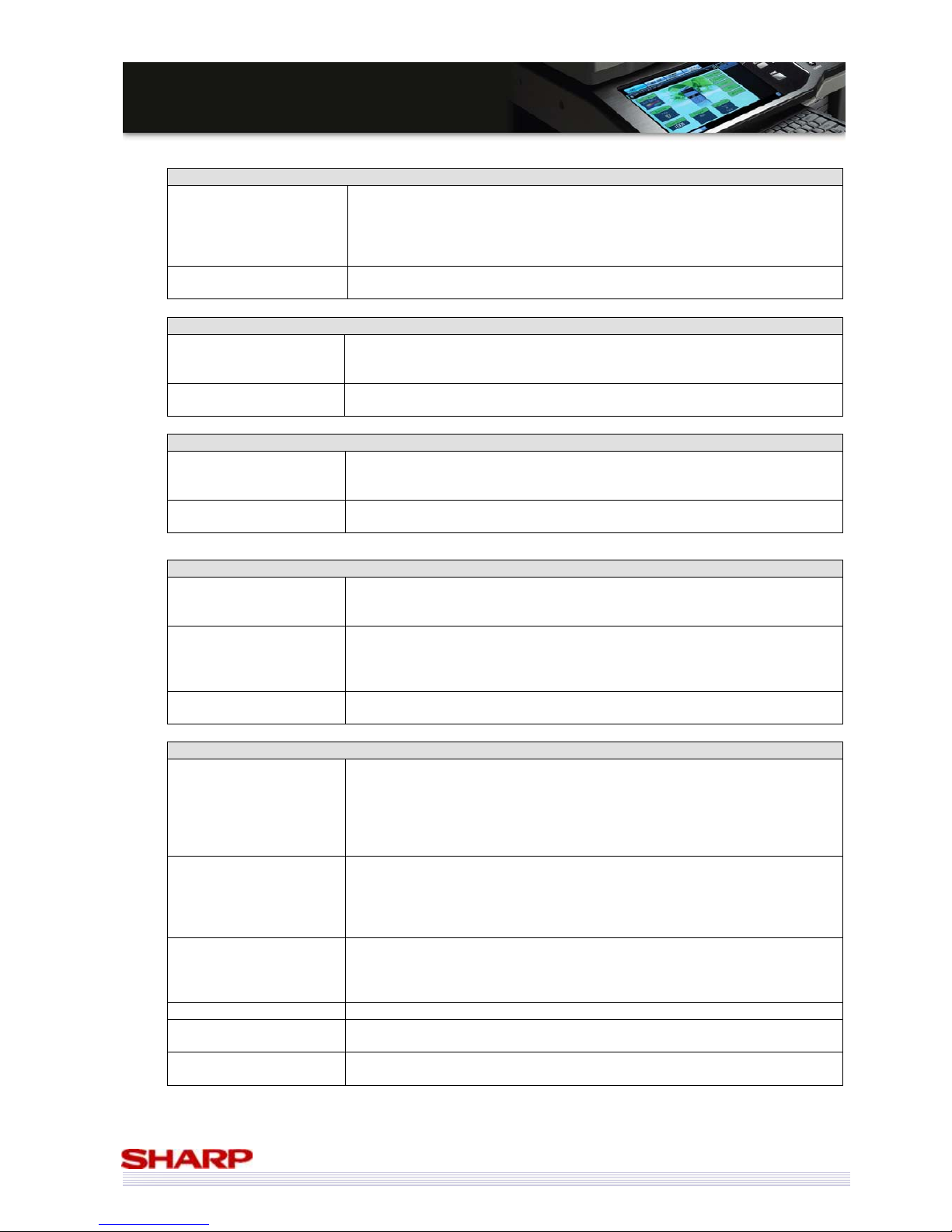
77
MMXX--55000000NN//0011NN // MMXX--44110000NN//0011N
N
SSaalleess GGuuiidde
e
Application Integration Module (MX-AMX1)
Packaged items
Instruction manual
Product key sheet
Sharpdesk CD-ROM
Sharpdesk license sheet
Sharpdesk serial number
(Sharpdesk 1 license, pasted on the product key sheet)
Included software in the
CD-ROM
Same as Sharpdesk CD-ROM in the Main Unit
Application Communication Module (MX-AMX2)
Packaged items
Instruction manual
Sharp OSA Utility CD-ROM
Application number (pasted on the instruction manual)
Included software in the
CD-ROM
Sharp OSA Utility
External Account Module (MX-AMX3)
Packaged items
Instruction manual
Sharp OSA Utility CD-ROM
Application number (written on the instruction manual)
Included software in the
CD-ROM
Sharp OSA Utility
Data Security Kit Commercial Version (MX-FR11U)
Packaged items
Set of security ROMs
(Includes USB memory)
Installation manual / Instruction Manual/ Product key sheet
Application number (written on the product key sheet)
Security Guide (Commercial
Version)
Product Key sheet
Japanese/ American English
/
German/ French/ Spanish/ Italian/ Dutch/ Swedish/
Norwegian/ Finnish/ Danish/ Czech/ Polish/ Hungarian/ Greek/ Russian/ Slovak
/
Turkish/ Portuguese
Romanian (combine with other language)
Installation Procedure
Manual
Japanese/ American English/ German/ French/ Spanish
Data Security Kit CC Version (MX-FR11)*
Packaged items
Set of Security ROMs (Includes USB memory)
Installation procedure manual / Instruction manual / Additional manual
Supplement sheet
Validation label (after acquiring the Common Criteria validation)
Product key sheet
Application number (pasted on the product key sheet)
Security Guide/
Additional Manual
Japanese/ American English
*German/ French/ Spanish/ Italian/ Dutch/ Swedish/ Norwegian/ Finnish/ Danish/
Czech/ Polish/ Hungarian/ Greek/ Russian/ Portuguese/ Slovak/ Turkish*
*Not bundled with the product because it is not the target of the certification,
but it can be provided as data.
Product Key Sheet
Japanese/ American English
/
German/ French/ Spanish/ Italian/ Dutch/ Swedish/
Norwegian/ Finnish/ Danish/ Czech/ Polish/ Hungarian/ Greek/ Portuguese/
Russian/ Turkish/ Slovak
Romanian (combine with other language)
Supplement sheet Japanese/ American English
Installation Procedure
Manual
Japanese/ American English/ German/ French/ Spanish
Certification label
Certification labels to be attached to the main unit and outer package.
* Bundled/ attached after the Common Criteria certification is acquired.
* MX-FR11 will be commercialised after the Common Criteria certification is acquired.
Page 78
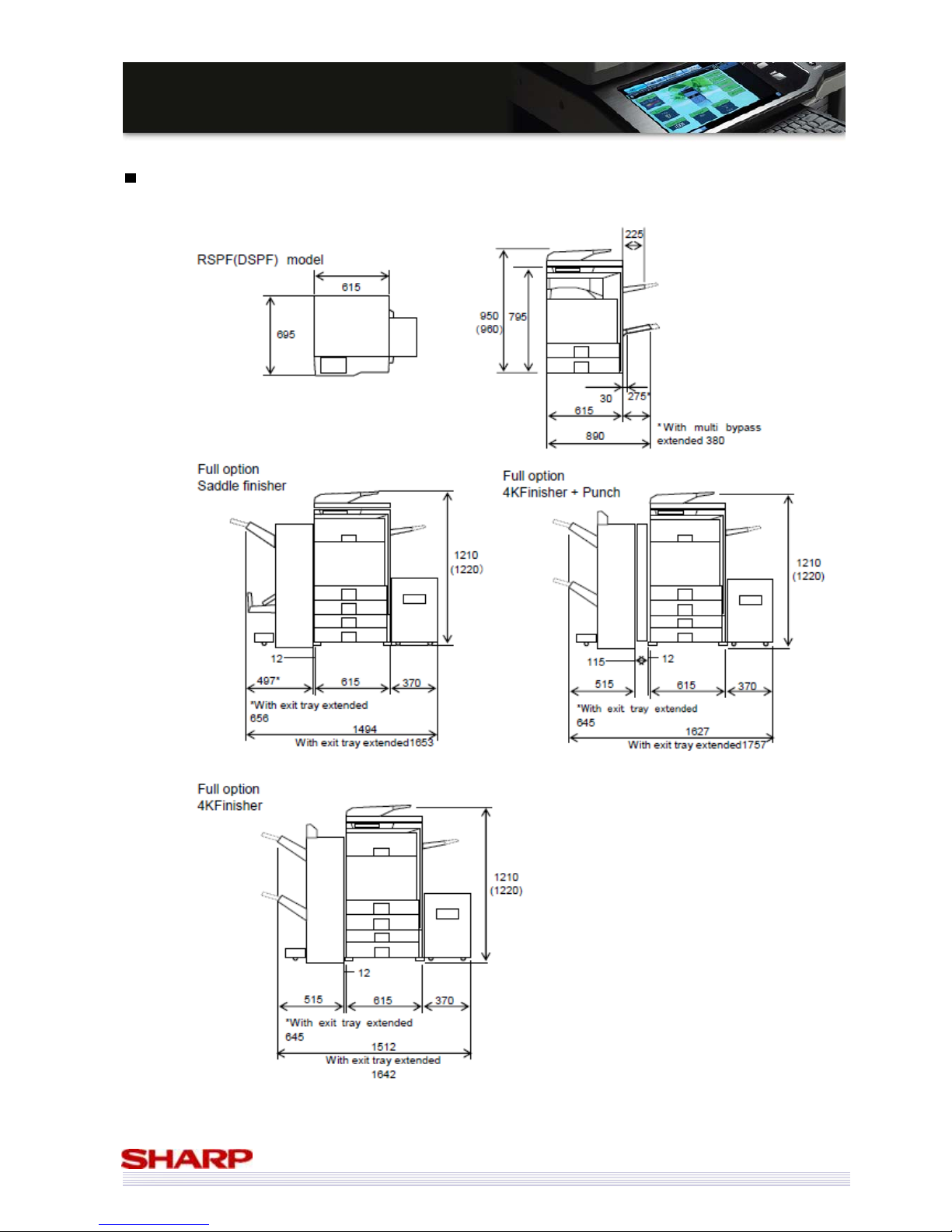
78
MMXX--55000000NN//0011NN // MMXX--44110000NN//0011N
N
SSaalleess GGuuiidde
e
Outer Dimensions
Page 79
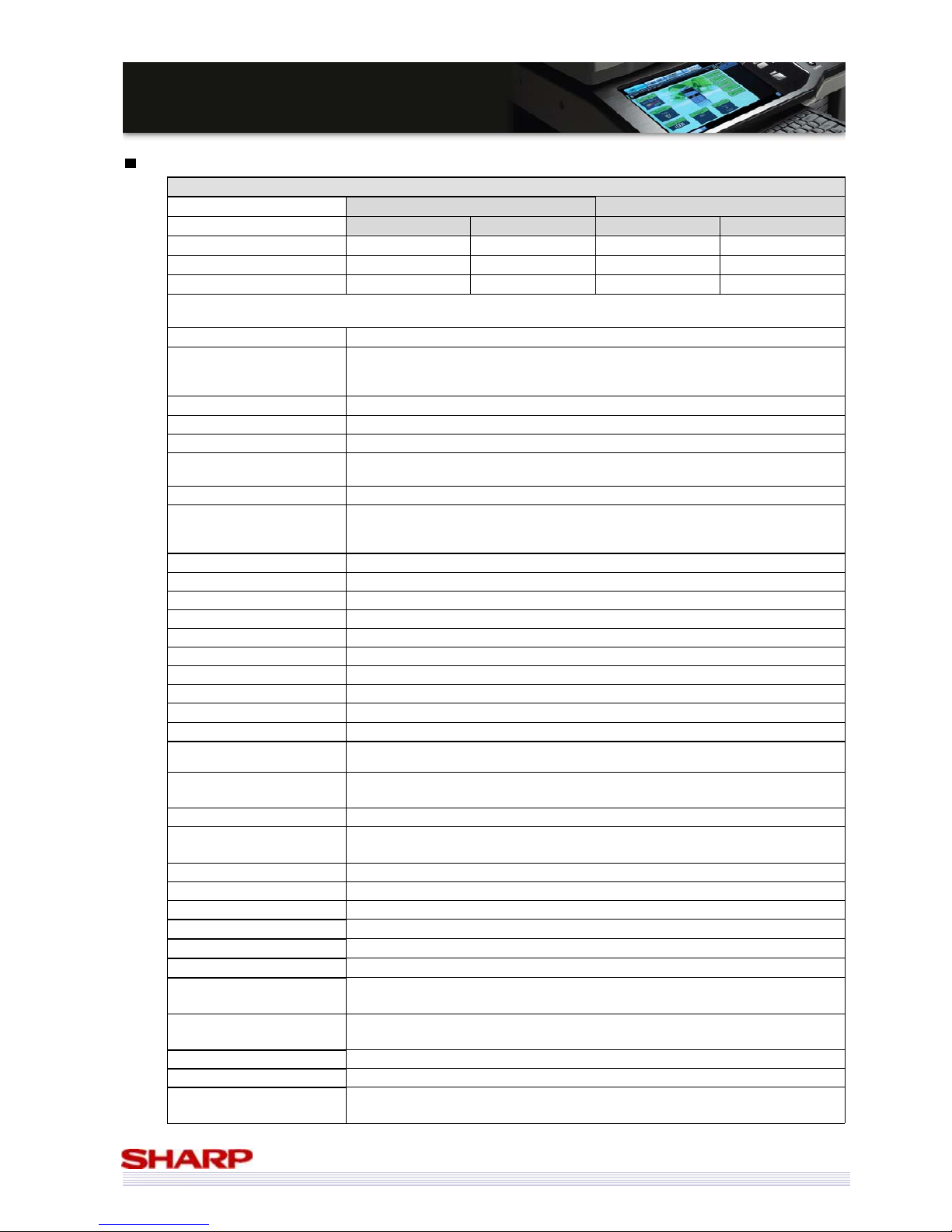
79
MMXX--55000000NN//0011NN // MMXX--44110000NN//0011N
N
SSaalleess GGuuiidde
e
Functions
Copy Function
MX-5000N/01N MX-4100N/01N
Monochrome Colour Monochrome Colour
First Copy (Original Cover) 4.1seconds 5.9seconds 4.7seconds 6.7seconds
First Copy (RSPF) 9.3seconds 13.5seconds 10.1seconds 13.5seconds
First Copy (DSPF) 8.8seconds 15.2seconds 9.5seconds 15.2seconds
Portrait feeding of A4 sheets from 1st paper tray, Using the Document glass, Without Auto colour selection and Auto colour, Polygon in rotation.
Exit the first page right after when the power switch “ON”.
Serial Copy 999 pages
Copy magnification ratios
Same size: 1:1±0.8%
AB type: 25%, 50%, 70%, 81%, 86%, 100%, 115%, 122%, 141%, 200%,
400%
Zoom 25 – 400% (25 – 200% for RSPF/ DSPF)
Preset magnification ratio 4
XY zoom Yes
Colour tone Enhancement
Effective for Text, Text/Printed photo, Printed photo, Text/Photo, Photo, Map
mode.
Manual steps 9 steps
Toner save mode
Monochrome: Yes
Colour: Yes
Off on Printed photo, Photo, or Light Original
RGB adjustment Yes
Colour balance Yes
Saturation adjustment Yes
Brightness adjustment Yes
Contrast adjustment No
Sharpness adjustment Yes
Suppress Background Yes
Auto colour Calibration Allowed by system settings
Registration Adjustment Allowed by system settings
Automatic paper selection Yes {Mixed size original (Same width/ Different width) supported}
Automatic magnification
selection
Yes {Mixed size original (Same width/ Different width) supported}
Paper type select
Yes
Type setting allowed
Auto tray switching Yes
Rotated copy
Yes
Large rotated copy exceeding A4 supported
Electronic sort Yes
Rotated sort No
Job reservation Yes (99)
Tray installation priority Yes
Program call / registration. Yes (48) (Program name can be registered)
Document paper size input Yes
Indeterminate paper size
input
Yes (Indeterminate paper size can be registered)
2-sided copy direction
switch
Yes
Preview function Yes
Margin shift Yes (Right/ Left/ Upper)
Edge/centre, center + edge/
side erase
Yes
Page 80
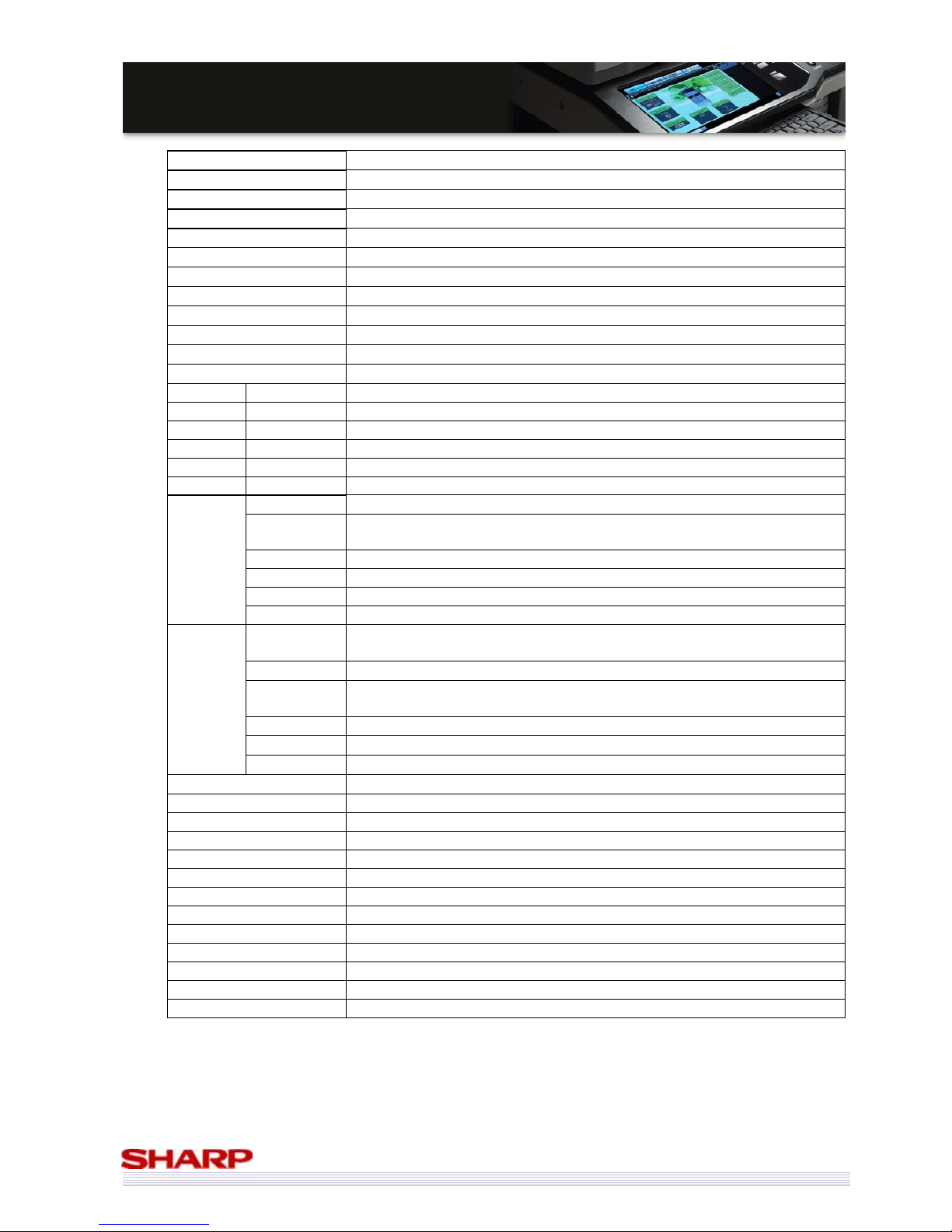
80
MMXX--55000000NN//0011NN // MMXX--44110000NN//0011N
N
SSaalleess GGuuiidde
e
Dual page copy Yes
Saddle stitch Yes (Centering available)
Job build Yes (Setting change per bunch can be allowed.)
Tandem copy Yes (via network)
Cover/insertion Yes
Tab paper insertion Yes (Insertion only. Tab copy not allowed. Staple/Punch not allowed.)
OHP insertion Yes (Inserted paper is automatically selected.)
Tab copy Yes
Multi Shot Yes (Centering available. Page printing per original page is available.)
Book copy Yes
Tab copy Yes
Card shot Yes
Stamp Date print Yes
Text print Yes
Stamp Yes
Page print Yes
User stamp No
Watermark Yes
Photo repeat Yes
Multi-page
enlargement
Yes
Crop mark printing supported.
Mirror image Yes
A3 full bleed Yes
Centering Yes
Image edit
B/W reverse Yes(B/W copy only/ Colour copy impossible) (UK: not supported)
RGB
adjustment
Yes
Sharpness Yes
Suppress
background
Yes
Colour balance Yes
Brightness Yes
Colour
adjustment
Intensity Yes
Quick file Yes
Filing Yes
Proof copy Yes
Original count Yes
Mixed original Yes (Same width + Different width) Can be combined with the AMS function.
Slow scan Yes
Blank page skip No
Repeat layout No
Chapter inserts No
Book division No
Move No
Shading No
Document control Yes (When the Data Security Kit is installed.)
Page 81
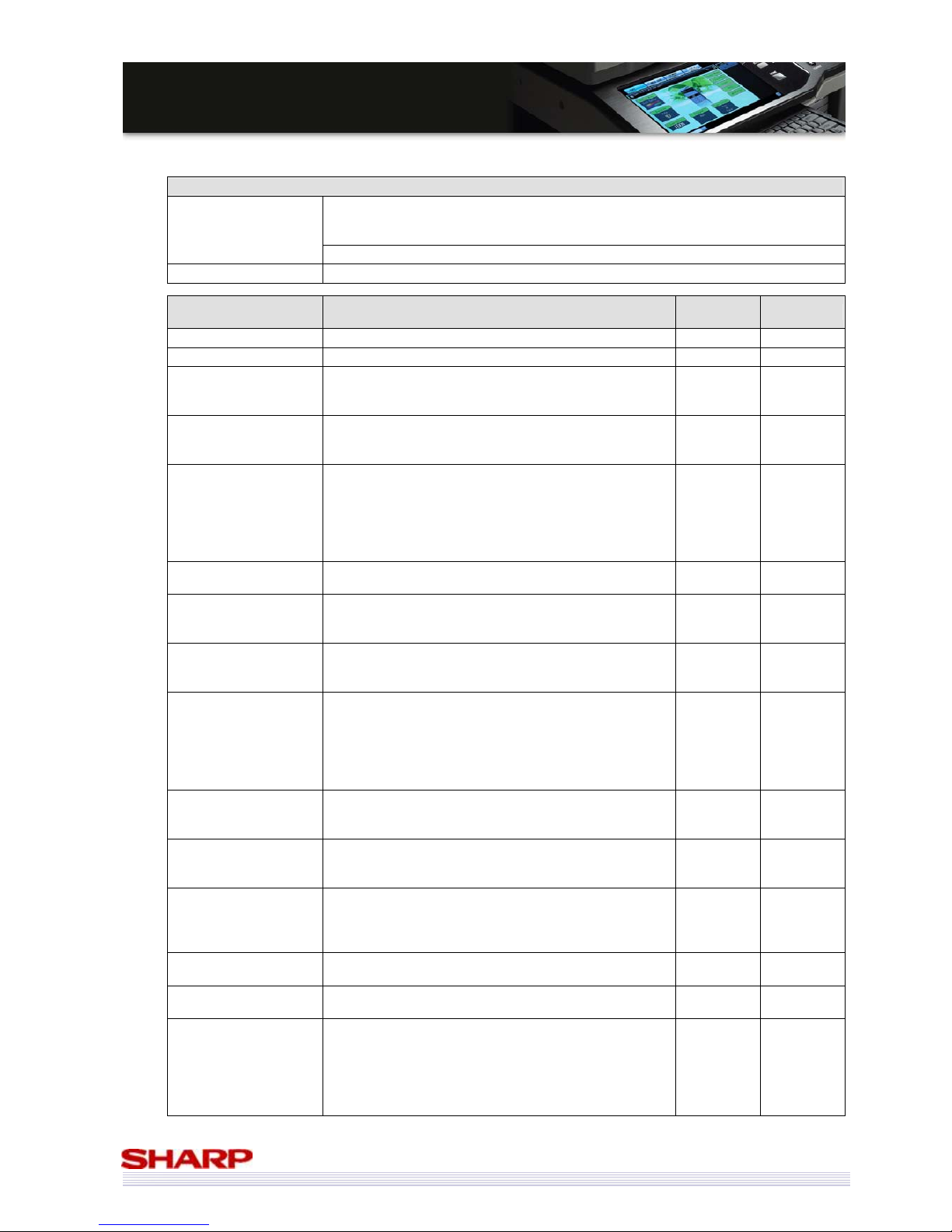
81
MMXX--55000000NN//0011NN // MMXX--44110000NN//0011N
N
SSaalleess GGuuiidde
e
Printer Functions
Windows 98*/ Me*/ NT 4.0 SP5 or later*/ 2000 / XP/ XP x64*/ Server 2003/ Server
2003 x64*/ Server 2008/ Server 2008 x64*/ Vista/ Vista x64*
* Drivers(GPD files) are not included in CD-ROM. (WEB only)
Supported OS
Mac OS 9.0-9.2.2 / Mac OS X 10.2.8 / 10.3.9 / 10.4.11 / 10.5-10.5.4 (Opt.)
PDL Emulation PCL5c compatible, PCL6 compatible, PostScript 3 compatible(Option)
Printer Functions Content
SPDL2-c
PCL6/5c
PS3 (OP)
Multiple Pamphlet
Binds multiple pamphlet outputs into a single booklet. Yes Yes
Barcode font JetCAPS BarDIMM emulation
Yes No
Network tandem print
Two units connected via network can be used
simultaneously for a printout.
Yes
Yes
(Windows
only)
Windows Cluster Print
When a Windows server breaks down, a mirror server
takes over and executes the suspended print job.
There may be colour differences between machine types
Yes
Yes
(Windows
Only)
Encrypted PDF/ PDF/ TIFF
/ JPEG/ XPS direct print
PDF/ TIFF/ JPEG/ XPS file can be printed without printer
driver.
(1) Printing of e-mail attachment file
(2) Printing from FTP server
(3) Printing from setup file on Web page
(4) USB memory
Yes
(Not for
encrypted
PDF/PDF)
Yes
E-Mail To Print
Direct printing of an attached file upon receipt of the
e-mail. (See (1) above)
Yes Yes
Pull print from front
panel
Browsing of FTP server from front panel and
pull-printing of a specified file (direct printing). (See (2)
above)
Yes Yes
USB PULL print
Browsing of print data (including sub-folder) in USB
from front panel and pull-printing of a specified file.
(See (4) above)
Yes Yes
SMB PULL print
Browsing of SMB (Network Fonder) on the network
from front panel and pull-printing of a specified file.
(See (2) above)
Supporting folder registration on the Web/ directory
walking (Refer/ Search)/ pass direct entry.
Yes Yes
FTP push print
Forwarding the data from a client PC to a MFP server
and pull-printing of a specified file (direct printing).
(See (2) above)
Yes Yes
Print by file setup on
Web page [Web Submit
Print]
Setting and direct printing of a file on network through
Web page. (See (3) above)
Yes Yes
Continuous print
function
The function executes multiple print jobs continuously
as if they are one single job even if the unit receives an
end of job command, in order to support print from the
application assuming printout on continuous pages.
Yes Yes
ROPM
The function enables the printout of a multiple number
of copies in one RIP processing.
Yes Yes
Multi-access
RIP processing must be allowed during printing.
Printing must also be allowed during scanning.
Yes Yes
Paper direction setting
for 2-sided printing of
letterhead paper and
pre-punched paper.
(Logo paper print
supported.)
Pages with front-back attribute such letterhead or
punch paper are to be printed correctly in front-back
page order for 2-sided printing.
Yes Yes
Page 82
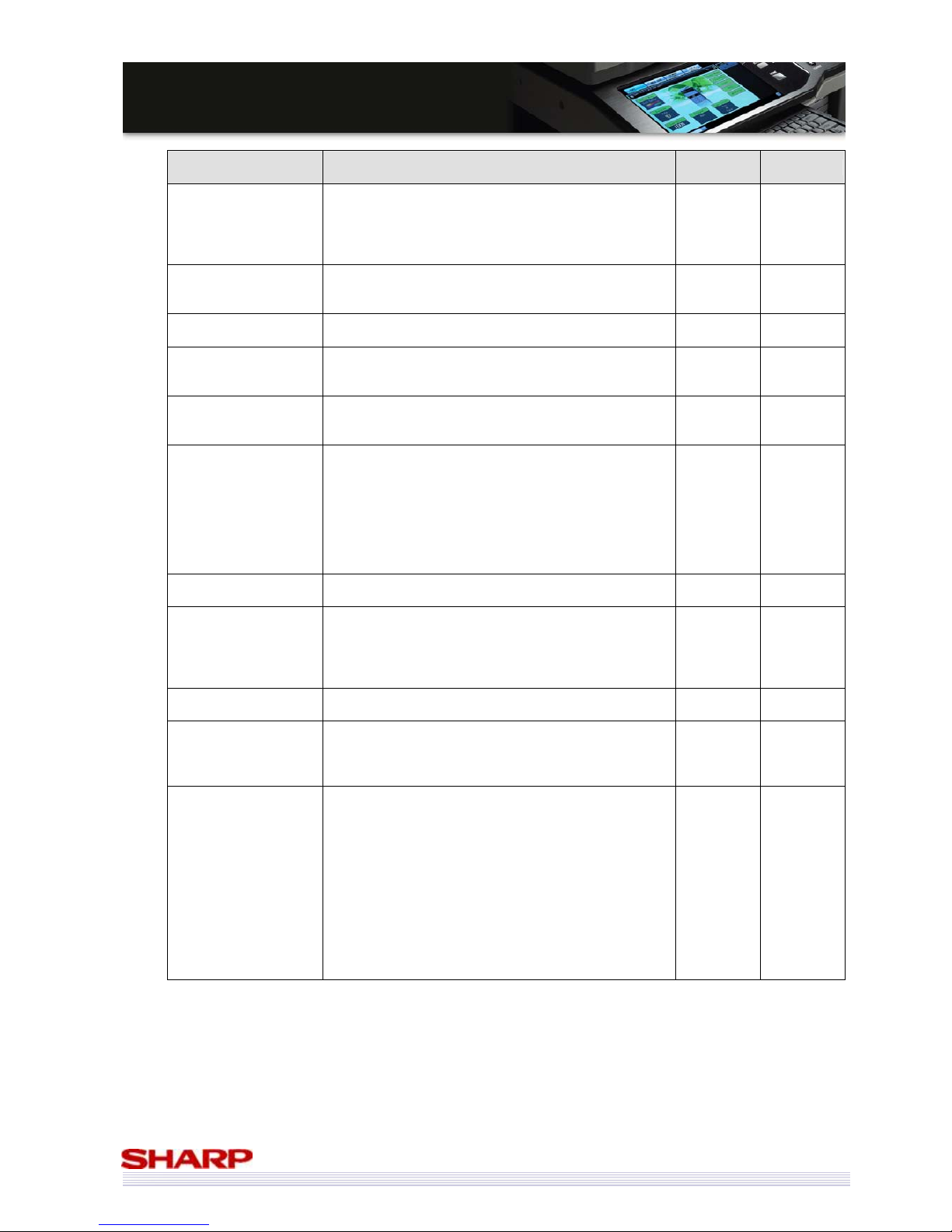
82
MMXX--55000000NN//0011NN // MMXX--44110000NN//0011N
N
SSaalleess GGuuiidde
e
Printer Functions Content
SPDL2-c
PCL6/5c
PS3 (OP)
Enable Selected Paper
Type/Size in Bypass Tray
For setting of Bypass tray, even if the setup values on
the main unit side do not match with those on the
driver side, the printing will be executed in the setting of
the driver regardless of the setup values on the main
unit side.
Yes Yes
Setting environmental
control under terminal
server control
Print setting of each client is memorized under meta
frame environment (auto print create environment).
(Setup for each log-in can be skipped.)
Yes Yes
Driver delivery
function
PAU4.0 allows the administrator to deliver a driver to
clients.
Yes Yes
Form overlay
The function downloads a form to the main unit
beforehand, sends the contained data only, and inserts
the data into the form in the main unit for printout.
Yes
(5c only)
Yes
Planet Press
Object Lune Corporation’s Planet Press (Software to
execute the mapping of forms (DL beforehand) and
variable data in the printer interior)
Yes Yes
Improve the download
method of font/form
Enhance the editing function on the Web page.
・Deletion of each font/form.
(Can be performed on the Web page and with PJL
command)
・Prevent overwriting of font/form
(Can be performed on the Web page and with PJL
command)
This function is supported in the HDD.
Yes
(5c only)
Yes
Expansion font
list
In self-print of a font list, ESC command information is
needed for BITMAP font.
Yes
(5c only)
Yes
Bonjour for Macintosh
environment
This technology detects and connects peripheral
equipment on the network automatically.
The dynamic network connection (computer, peripheral
equipment and software) is possible without user
setting.
No Yes
Document control
Print the document with a fixed pattern to avoid illegal
copy.
Yes (OPT) Yes (OPT)
Object judgment
(screen change / colour
change)
In the printer colour mode output, object of image data
(area of photograph / graphic text) is judged. Print
screen (resolution) and profile (colour) are changed
automatically.
PCL6: Yes
PCL5: No
Yes
CMYK Simulation
Choice of CMYK simulation is as follows.
1. Default
2. Japan Colour (Japan)
3. SWOP (North America / General abroad)
4. Euroscale (Europe)
5. Custom
The operation when “Default” is selected is the same as
in the Pastel.
Custom profile can upload by Web setting.
Notation of driver is Custom.
Example:
- Use DIC authorization profile.
No Yes
Page 83
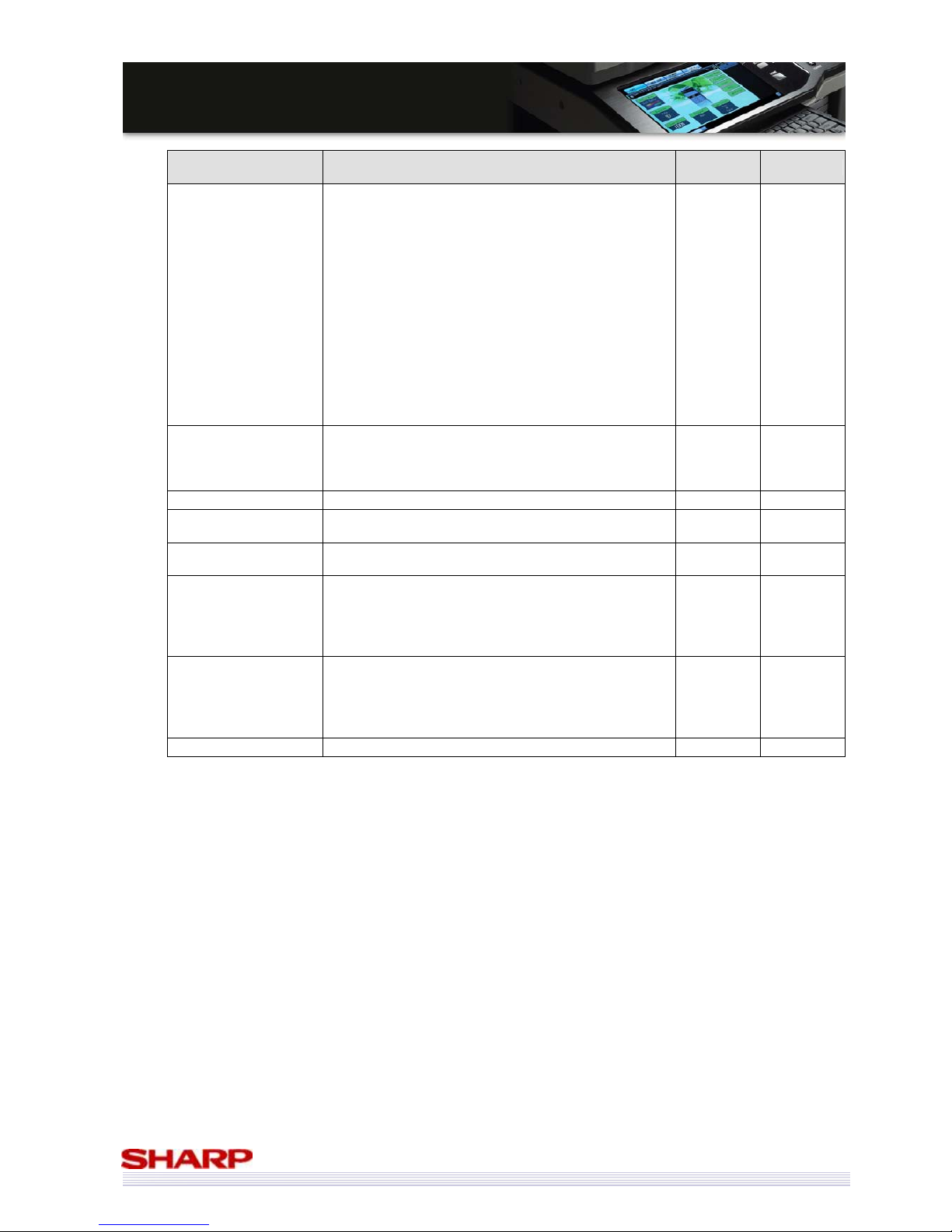
83
MMXX--55000000NN//0011NN // MMXX--44110000NN//0011N
N
SSaalleess GGuuiidde
e
Printer Functions Content
SPDL2-c
PCL6/5c
PS3 (OP)
ICC Profile
<Source Profile>
Choice of source profile is as follows.
1. sRGB
2. AppleRGB
3. Custom
Custom profile can upload by Web setting.
(The attached ICC profile on devices is available.)
<Output Profile>
There is no user selection for output profile.
Sharp provides Custom profile.
Upload of profile supports by service.
The tool is set on the Web (service setting).
The concrete method of profile making is to be
considered separately.
Yes Yes
Pantone colour
For Pantone colour support, the profile upload can be
made by Web setting.
The detail of Pantone support is decided by the license
agreement with Pantone co.
No Yes
Layout print
Layout supporting various printing applications.
Yes Yes
Binding with no line
To prevent bound pages from becoming thick, saddle
stitch printing is performed for a small number of pages.
No No
Chapter inserts
Blank pages are inserted automatically to place the first
page of each chapter in an odd (or even) page.
Yes No
Expansion of margin
shift
In the current model, the margin shift width setting
value can be changed per 10mm. Change from 10mm
to 1mm.
When Margin Shift is set, it will not be cut off when it is
shifted.
Yes Yes
Saddle staple support
In the current model, imposition of images and stapling
are performed in Saddle Stitch printing.
However imposition is sometimes already performed in
the application etc. Therefore, the specification of
saddle staple only is added.
Yes Yes
WSD support
Yes Yes
Page 84
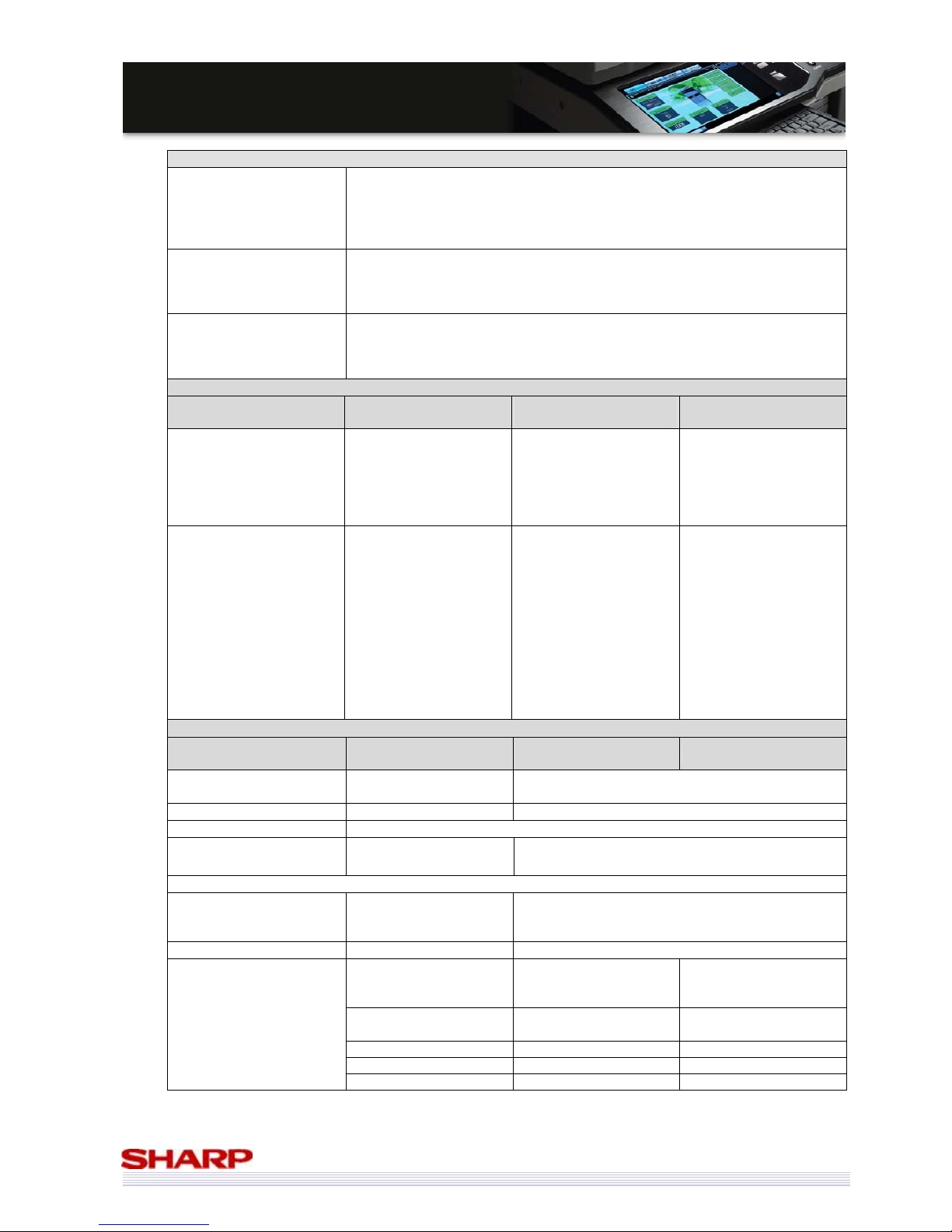
84
MMXX--55000000NN//0011NN // MMXX--44110000NN//0011N
N
SSaalleess GGuuiidde
e
Image Send Function
Scanner
Scan to E-mail/ Scan to Desktop (Scan data transmission not dependent on IP
addresses under DHCP environment)/ Scan to FTP/ Scan to Network Folder
(SMB)/ Scan to USB memory/ Scan to E-mail with Meta/ Scan to Desktop with
Meta/ Scan to FTP with Meta/ Scan to Network Folder with Meta
Scan to Scan to e-mail/ FTP/ Desktop/ SMB (Document Admin)
Fax
Fax to Fax (manual)
Fax to e-mail / Internet Fax / Fax (relay transfer)
Fax to e-mail / FTP/ Desktop/ SMB (Inbound routing)
Fax to e-mail / FTP/ Desktop/ SMB (Document Admin)
Internet Fax
(including Direct SMTP
sending/ receiving)
Internet Fax to Internet Fax (manual)
Internet Fax to e-mail/ FTP/ Desktop/ SMB (Inbound routing)
Internet Fax to e-mail/ FTP/ Desktop/ SMB (Document Admin)
*Full mode supported (including simple mode)
Support Image
Mode Scanner
Internet Fax
Direct SMTP
Fax
File format
Monochrome:
TIFF, PDF, Encrypted
PDF,XPS
Colour: Grayscale, Colour
TIFF, JPEG, PDF, Encrypted
PDF, XPS
Monochrome:
TIFF-FX
(TIFF-F / TIFF-S)
---
Compression method
Monochrome
・Non-compression
・G3(1-dimensional)
= MH
(Modified Huffman)
・G4
= MMR (Modified MR)
Colour / Grayscale
・JPEG
(high, middle, low)
・Compact PDF (MX-EBX3
is equipped.)
Monochrome
・Non-compression
・G3(1-dimensional)
= MH
(Modified Huffman)
・G4
= MMR (Modified MR)
MH, MR, MMR, JBIG
Image Processing
Mode Scanner
Internet Fax
Direct SMTP
Fax
Original scanning
colour
Full colour, grayscale
Black-white
Black-white
Auto Colour Selection Yes --Halftone reproduction Equivalent of 256 steps
Density adjustment
Auto
Manual*+5 steps
Auto + 5 steps
*Original type (Can be selected when “Manual” is set) - Text / printed photo - Text / Photo – Text - Photo - Printed photo - Map
Magical scan
(Area division+ Suppress
Background)
Yes ---
Selection of image quality --- Half tone (Black-white only) ON/OFF
100x100dpi
200x100dpi
(Half tone not allowed)
Ordinary character
(203.2x97.8dpi)
(middle tone not allowed)
200x200dpi 200x200dpi
Small character
(203.2x195.6dpi)
300x300dpi 200x400dpi Fine (203.2x391dpi)
400x400dpi 400x400dpi Very fine(406.4x391dpi)
Resolution
(depends on file
format / transmission
method)
600x600dpi 600x600dpi ---
Page 85
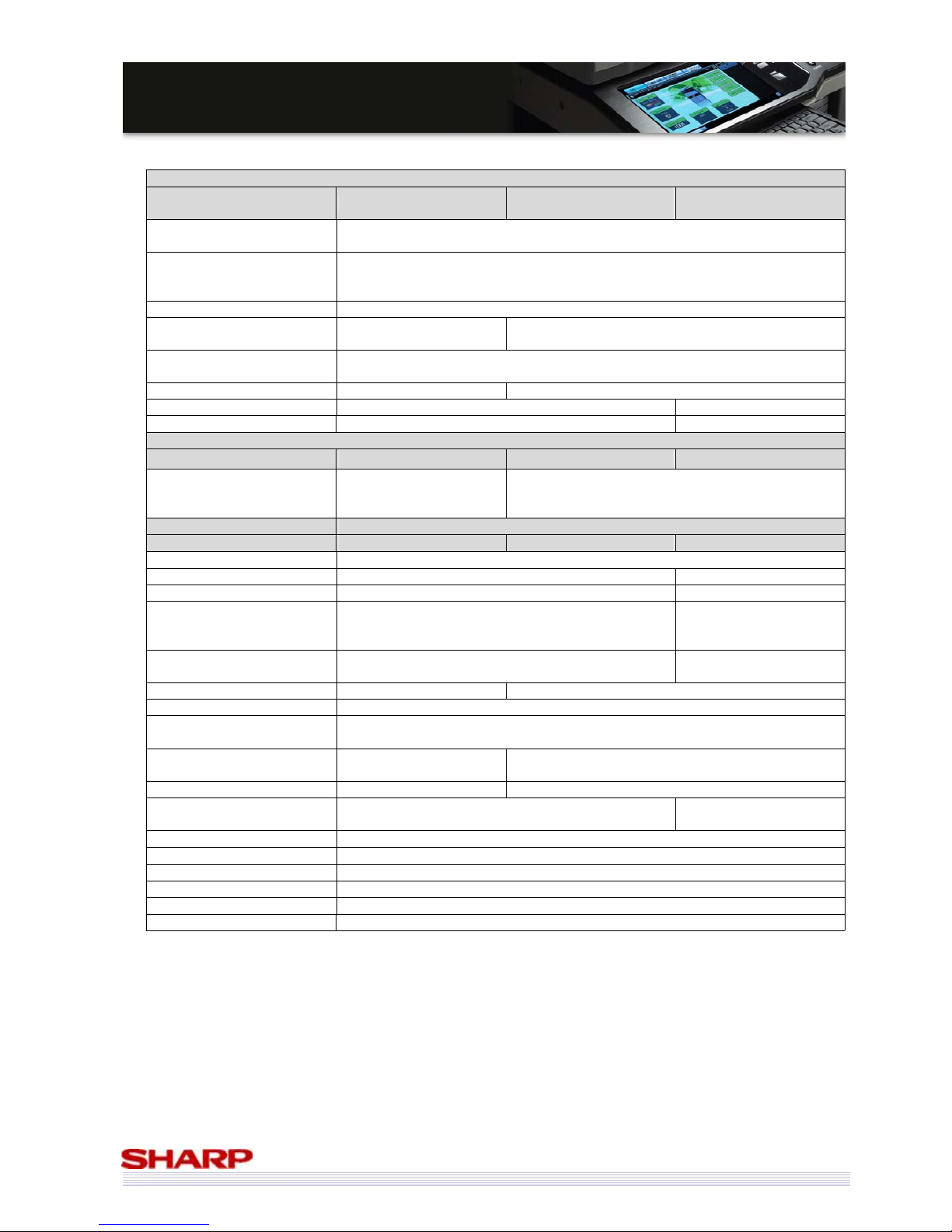
85
MMXX--55000000NN//0011NN // MMXX--44110000NN//0011N
N
SSaalleess GGuuiidde
e
Specification of Addresses
Mode Scanner
Internet Fax
Direct SMTP
Fax
Number of Individual address
key registration
Total (number of key): maximum: 999
Number of Group
(1 key) address registration
Number of Group (1 key) address registration: maximum 500
Number of Group key registration of direct entry: 5000
(Total address number included in /999 key)
Program 48 (Group/Individual)
Directory walking
(Refer/ Search)
Yes
(SMB)
---
Resend
Call up nearest 8 addresses which are specified as a single destination.
(Desktop, USB memory, and broadcast are not included)
CC / BCC sending Yes --Subject Selective/direct entry from the list --File name Selective/direct entry from the list --Specification of Multiple Addresses
Mode Scanner Internet Fax Direct SMTP Fax
Broadcast
Yes (500 destinations)
(e-mail / FTP /
Desktop/SMB allowed)
Yes (500 destinations)
Transmission Functions
Mode Scanner Internet Fax Direct SMTP Fax
Memory transmission 94 destinations in all
On-hook --- Yes
Quick online transmission --- Yes
Direct transmission ---
Yes (Switching: Memory
transmission <-> Direct
transmission)
Automatically-reduced
transmission
--- Yes
Rotated transmission --- Yes
Scaled transmission Yes Enlargement/reduction is allowed only from a fixed size to another.
Long original transmission
Yes Maximum of 1,000mm(1-side only/ Mono2 only)
I-FAX, 600x600dpi: Maximum of 800mm / Scanner, 400dpi or more: impossible
Change of the number of
pages for each file
Yes ---
Blank page skip Yes --Restriction on transmission
size
Yes (Direct SMTP doesn’t have limitation) No
Finish stamp function Yes (option)
Job build mode Yes
Slow scan mode Yes
Mixed originals feeder Yes(same width and different width)
Side erase Yes
Original count Yes
Page 86
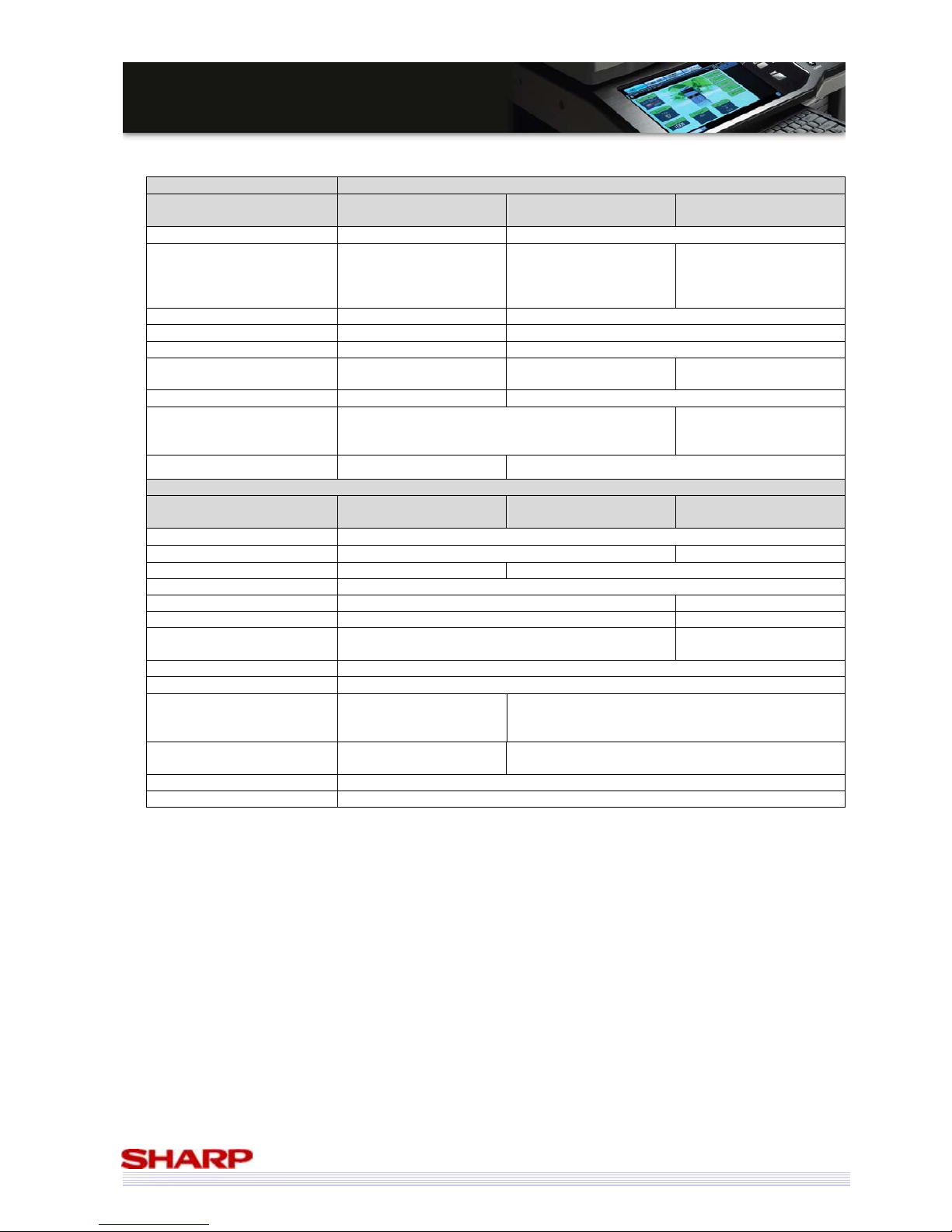
86
MMXX--55000000NN//0011NN // MMXX--44110000NN//0011N
N
SSaalleess GGuuiidde
e
Reception Function
Mode Scanner
Internet
Fax Direct SMTP
Fax
Automatic reception --- Yes
Manual reception --- Yes (Direct SMTP: No)
Yes (Switching from
manual reception to
automatic reception.) For
SEF only.
Memory reception --- Yes
Fixed size reduced reception --- Yes
Rotated reception --- Yes
Setting of received data print
condition
--- --- Yes
2-sided reception --- Condition setting through the System Setting
Reception from a specific
number not allowed.
(To be rejected)
---
Specified numbers only
(50 numbers / 20 digits)
Image Check --- Yes (Users can check received data before printing it)
Other Functions
Scanner
Internet
Fax Direct SMTP
Fax
Time specification Yes
Polling reception --- Yes
Date print --- Yes (Date can be expressed alternatively)
Page partition transmission Yes
Confidential (receiver unit) --- Yes(F code method)
Relay broadcast instructions --- Yes(F code method)
Fax to e-mail/ Internet Fax/
Fax (F code)*
--- Yes
Edge erase Yes
Center erase Yes
2 in 1
No
(Allowed for Fax/ I-Fax
broadcast)
Yes
Suppress background
Yes (Only colour and gray
scale)
---
Card shot Yes (Ratio 63-400%)
Document Admin Yes
Page 87
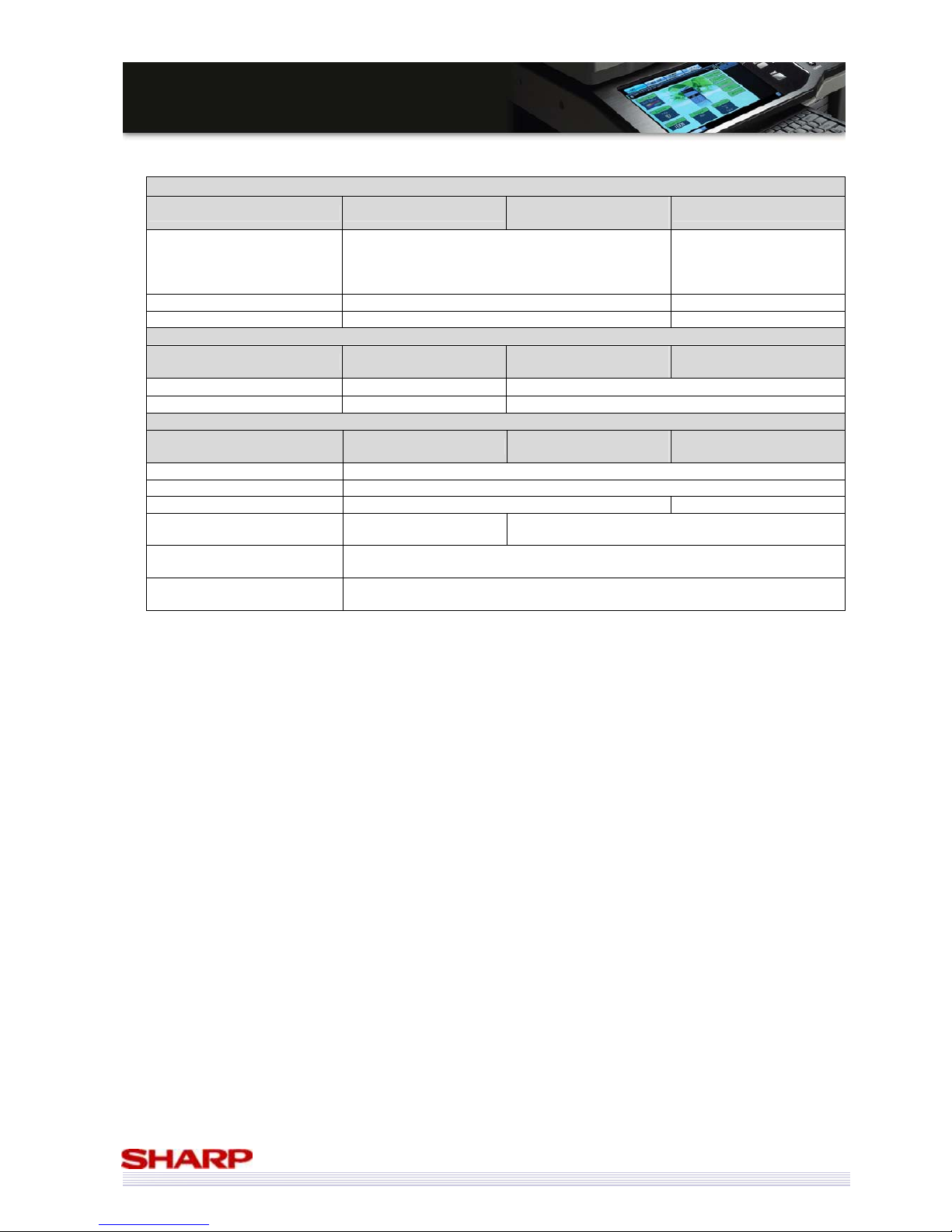
87
MMXX--55000000NN//0011NN // MMXX--44110000NN//0011N
N
SSaalleess GGuuiidde
e
Transmission Method
Mode Scanner
Internet Fax
Direct SMTP
Fax
Transmission time ---
2 seconds level
(super G3 / JBIG)
6 seconds level
(G3 ECM)
Intercommunication --- Super G3 / G3
ECM --- Yes
Record Size
Mode Scanner
Internet Fax
Direct SMTP
Fax
Maximum record width --- 293mm
Record size --- A3 - A5
Registration-Related Setting
Mode Scanner
Internet Fax
Direct SMTP
Fax
Individual/ group 999 destinations
Program 48
Number of memory boxes --- up to 100.
Reply-To registration
1,000 (user registration
from Web) *
---
Quick key (short cut
registration)
Yes (001- 999)
Import/export of address book
Yes
(By storage backup)
* The book for address selection is used when a scan sender is selected.
Page 88
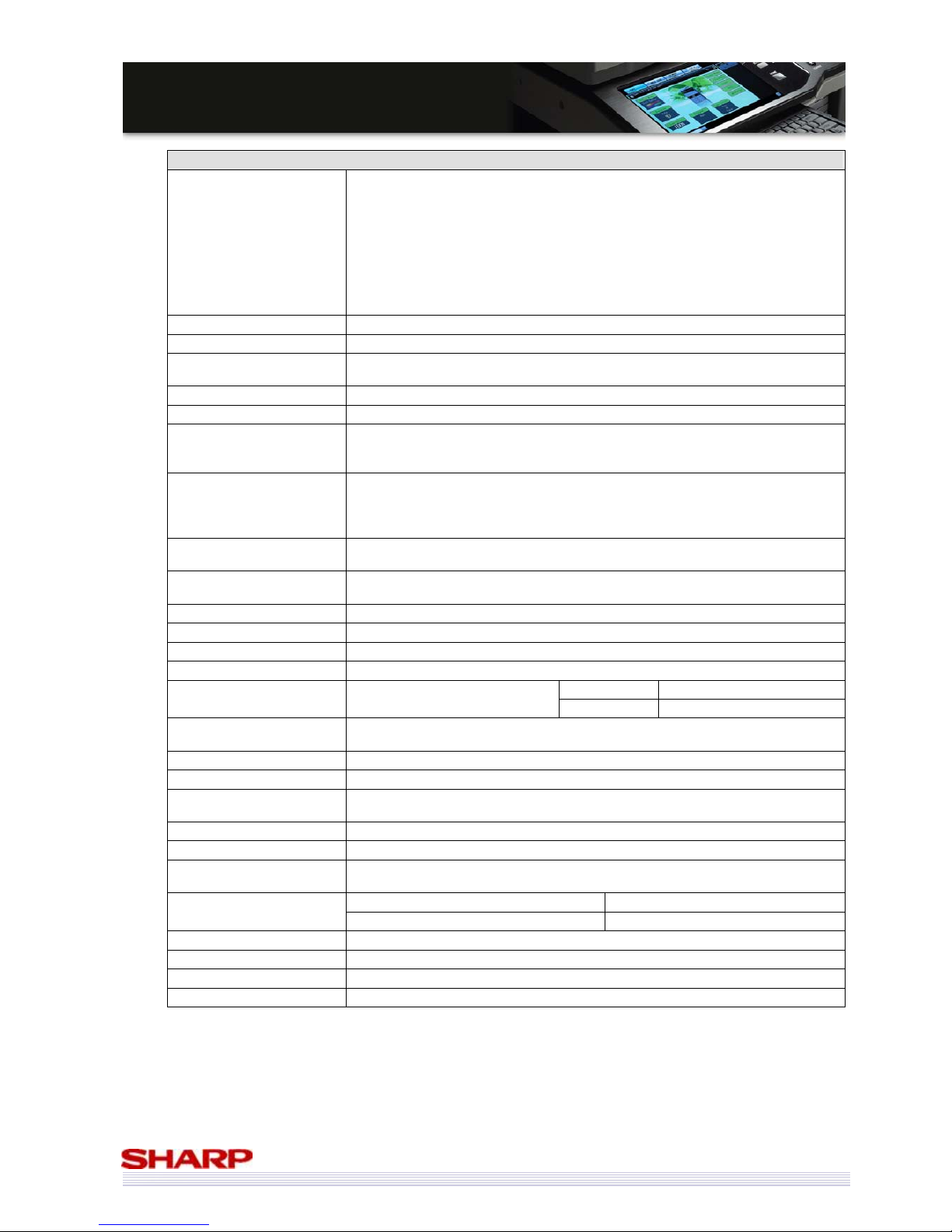
88
MMXX--55000000NN//0011NN // MMXX--44110000NN//0011N
N
SSaalleess GGuuiidde
e
PC- Fax / PC- I-Fax Functions
Supported OS
Windows 98
Windows Me
Windows NT4.0 Workstation (Service Pack5, IE4.0 or more)
Windows 2000
Windows XP Home Edition
Windows XP Professional
Windows Server 2003
Windows Vista
Windows Server 2008
PC IBM PC/AT compatible machine
CPU Pentium II 300MHz or more
Monitor
640x480 Pixels or more of screen resolution
256 or more colours
Memory 64MB or more
HDD Free space of 50MB or more
Interface
USB 2.0
10/100BASE-TX
1000Base-T
Communications protocol
LPR/lp
Port9100(RAW)
IPP
USB2.0
PC- Fax Send
Yes (with Fax equipped)
Maximum of 64 digits for Fax number (including sub-address and passcode)
PC- Internet Fax Send
Yes (Necessary options: I-Fax expansion kit)
Maximum of 64 digits for I-Fax address
Resolution 200x100 dpi/ 200x200 dpi/ 200x400 dpi/ 400x400 dpi/ 600x600 dpi
Transmission original sizes A3/ B4/ A4/ A5/ B5
Compression method MH/ MMR/ JBIG
Broadcast transmission Yes (Fax, I-Fax mixture possible. Maximum of 500)
Sub-address Yes. Maximum of 20 digits
F code transmission Yes
Pass code Yes. Maximum of 20 digits
Phone book registration /
transmission function
Yes
Use of MFP phone book No
Attach cover sheet function Yes (Not allowed for broadcast transmission)
Create cover sheets
function
Yes
Own Number Send Yes
Preview function Yes
Transmission confirmation
(Notice to PC by NJR)
Yes
Filing Yes
Document filing function
Quick File Yes
PC-Fax Transmission log Yes (Re-transmission not allowed)
User authentication Yes
Timer No
R-KEY (SEGA only) Yes
Page 89
89
MMXX--55000000NN//0011NN // MMXX--44110000NN//0011N
N
SSaalleess GGuuiidde
e
Configurations
Options List
Model Name Description Remark
MX-DEX8 Stand/500-Sheet Paper Drawer
Can not install with MX-DEX9/ DKX4/ W
MX-DEX9 Stand/500x2-Sheet Paper Drawer
Can not install with MX-DEX8/ DKX4/ W
MX-DK131 Cabinet for 2 cassettes (KE/FM)
(Local)Can not install with MX-DEX8/9
MX-LCX1 3,500 Sheets Large Capacity tray
MX-DEX8 or DEX9 is required
MX-TRX2 Exit Tray Unit
MX-FNX9 Finisher
Can not install with MX-FN10/FN11
MX-PNX1A/C/D Punch Module (A: 2, C: 4, D: 4 wide)
MX-FNX9 (Inner Finisher) is required
MX-FN10 Saddle Stitch Finisher(1000-sheet)
MX-RBX3 is required. MX-DEX8 or DEX9 is
required. Can not install with MX-FNX9/FN11.
MX-PNX5A/C/D Punch Module (A: 2, C: 4, D: 4 wide)
MX-FN10 (Saddle Stitch Finisher) is required
MX-FN11 Finisher (4000-sheet)
MX-RBX3 is required. MX-DEX8 or DEX9 is
required. Can not install with MX-FNX9/FN10.
MX-PNX6A/C/D Punch Module (A: 2, C: 4, D: 4 wide)
MX-FN11 (Finisher) is required
MX-RBX3 Paper Pass Unit
MX-KBX2 SE/SB/SF Keyboard (SE : English/ SB : German/ SF: French)
*For SEN. Std
MX-PKX1 PS3 Expansion Kit
MX-PUX1 XPS Expansion Kit
MX-SMX3 Expansion Memory Board
MX-FXX2 Facsimile Expansion Kit
Includes 8MB flash memory
AR-SU1 Stamp Unit
MX-FWX1 Internet-FAX Expansion Kit
MX-EBX3 Enhanced Compression Kit
MX-AMX1 Application Integration Module
MX-AMX2 Application Communication Module
Can not install with MX-FRX11
(If the Data
Security Kit is needed, MX-FRX11U can be used.)
MX-AMX3 External Account Module
MX-FR11 Data Security Kit
After acquiring CC certification.
MX-FR11U Data Security Kit Commercial version
Production start date: Jan. ‘09
AR-PF1 Barcode Font Kit
MX-USX1/USX5 Sharpdesk ver3.2 1/5 -License Kit
MX-US10/US50 Sharpdesk ver3.2 10/50-License Kit
MX-USA0 Sharpdesk ver3.2 100-License Kit
* Common with current models.
Page 90
90
MMXX--55000000NN//0011NN // MMXX--44110000NN//0011N
N
SSaalleess GGuuiidde
e
Functional Combinations
Copy PCL
Printing
PS
Printing
XPS
Printing
Fax I-Fax Scan Filing Security*
Sharp
OSA
MX-5000N/01N
MX-4100N/01N
✔ ✔ ✔ ✔ ✔ ✔ ✔ ✔ ✔ ✔
MX-PKX1
✔
MX-PUX1
✔
MX-SMX3
✔
MX-FXX2
✔
MX-FWX1
✔
MX-EBX3
(Only for Compact
PDF)
✔
MX-FRX11/U
✔
MX-AMX2/3
✔
✔ required
* This security means DSK related such as document control or data encryption.
Installation Reference Guide
Options Installation/Soft Keys
MX-PKX1 PS3 Expansion Kit Soft key has to be input for activation.
MX-PUX1 XPS Expansion Kit Soft key has to be input for activation.
MX-FXX2 Fax Expansion Kit Install External box by using parts for mounting.
MX-FRX11U Data Security Kit
(Commercial Version)
Replace flash ROM physically and install the Document control board. (Download
from USB memory.)
Then soft key has to be input for activation.
MX-FRX11 Data Security Kit
Replace flash ROM physically and install the Document control board. (Download
from USB memory.)
Then soft key has to be input for activation.
MX-FWX1 Internet Fax
Expansion Kit
Soft key has to be input for activation.
MX-AMX1 Application
Integration Module
Soft key has to be input for activation.
MX-AMX2 Application
Communication Module
Soft key has to be input for activation.
MX-AMX3 External Account
Module
Soft key has to be input for activation.
Page 91
91
MMXX--55000000NN//0011NN // MMXX--44110000NN//0011N
N
SSaalleess GGuuiidde
e
Consumables List
Model name Contents Qty Life
Min.
Order
Qty
Remark
MX-50GTBA Black Toner Cartridge X1 36k 10 A4 5% coverage
MX-31GTCA Cyan Toner Cartridge X1 15k 10 A4 5% coverage
MX-31GTMA Magenta Toner Cartridge X1 15k 10 A4 5% coverage
MX-31GTYA Yellow Toner Cartridge X1 15k 10 A4 5% coverage
MX-31GRSA OPC Drum X1
150k (Black)
100k (Colour)
10
For all colour
(Y/M/C/K)
MX-31GUSA
OPC Drum Unit
(OPC Drum / Unit Parts included)
X1
150k (Black)
100k (Colour)
10
For all colour
(Y/M/C/K)
MX-31GVBA Black Developer X1 150k 10
MX-31GVSA Colour Developer
C/M/Y
X1each
100k 10
3-colour set
(C/M/Y)
MX-410UH Upper Heat Roller Kit X1 200k 5
MX-410HK Heat Roller Kit X1 300k 5
MX-310B1 Primary Transfer Belt Kit X1 300k 5
MX-310X1 Primary Transfer Roller Kit X1 300k 10
MX-310B2 Secondary Transfer Belt Kit X1 300k 10
MX-410X2 Secondary Transfer Roller Kit X1 300k 10
MX-310PD PS paper dust removing unit X1 150k 10
MX-450FLN
Filter Kit (corresponding Blue
Angel)
X1 150k 10
MX-410WC Web cleaning kit X1 150k 10
MX-310HB Waste Toner Box / LSU cleaner X1 40k 5
Include LSU
cleaner (X3)
MX-310DS DV Seal Kit X1
150k (Black)
100k
(Colour)
10
MX-310MK Main Charger Kit X1
150k(Black)
100k(Colour)
10
MX-SCX1
Staple Cartridge for MX-FN9 and
MX-FN10
X3 5,000times 20
AR-SC3 Staple Cartridge for MX-FN10 X3 2,000times 40
AR-SC2 Staple Cartridge for MX-FN11 X3 5,000times 20
AR-SV1 Stamp Cartridge (for AR-SU1) X2 - 20
MX-410U1 Primary transfer belt unit X1 1
MX-410U2 Secondary transfer belt unit X1 1
MX-410FU Fusing unit X1
(for service
rotation)
The life may vary depending on the document and the environmental factors.
MX-5000N/01N & MX-4000N/01N and MX-3100N/2600N use common consumables. But difference of process-speed increases the life of
consumables for MX-5000N/01N & MX-4000N/01N, (For black: MX-5000N/01N & MX-4000N/01N: 150k vs MX-3100N/2600N: 100k/
For colour: MX-5000N/01N & MX-4000N/01N: 100k vs MX-3100N/2600N: 60k)
 Loading...