

Page 1
MANUAL
Page 2
6.
off
MP3
BT
4.
2.
2
Page 3
5.
MIC
TF
3.
AUX
DC5V
1.
3
Page 4
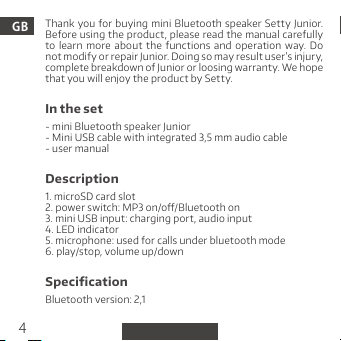
Thank you for buying mini Bluetooth speaker Sett y Junio r.
GB
Before using the product, please read the manual carefully
to learn more abou t the functions and operation way. Do
not modi fy or repai r Junior. Doing so m ay result user ’s injury,
comple te breakdown of J unior or loos ing warran ty. We hope
that you w ill enjoy the pro duct by Set ty.
In the se t
- mini Bluetooth speaker Junior
- Mini USB ca ble with inte grated 3,5 mm au dio cable
- user man ual
Description
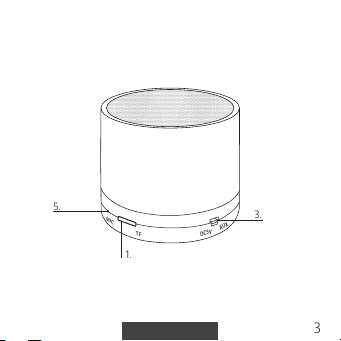
1. microS D card slot
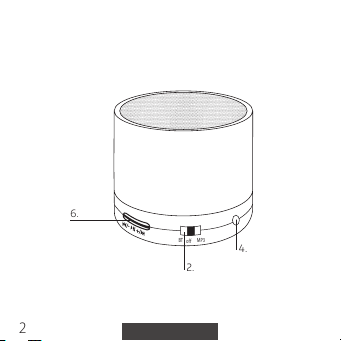
2. power s witch: MP3 on/o/Blu etooth on
3. mini USB i nput: chargi ng port, aud io input
4. LED indi cator
5. micro phone: used for c alls under blu etooth mode
6. play/stop, volume up/down
Specication
Bluetooth version: 2,1
4
Page 5
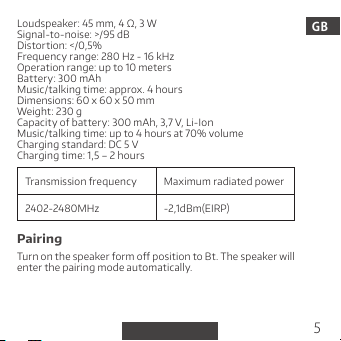
Loudsp eaker: 45 mm, 4 Ω, 3 W
Signal-to-noise: >/95 dB
Distortion: </0,5%
Frequen cy range: 280 H z - 16 kHz
Opera tion range: up t o 10 meters
Batt ery: 300 mA h
Music/ talking tim e: approx. 4 hour s
Dimensi ons: 60 x 60 x 50 mm
Weight: 2 30 g
Capaci ty of batte ry: 300 mAh , 3,7 V, Li-Ion
Music/ talking tim e: up to 4 hours at 70 % volume
Chargin g standard: D C 5 V
Chargin g time: 1,5 – 2 hour s
Transmission frequency Maximu m radiated pow er
2402-248 0MHz -2,1dBm(EIRP)
Pairing
Turn on the spea ker form o positi on to Bt. The speak er will
enter th e pairing mod e automatica lly.
GB
5
Page 6
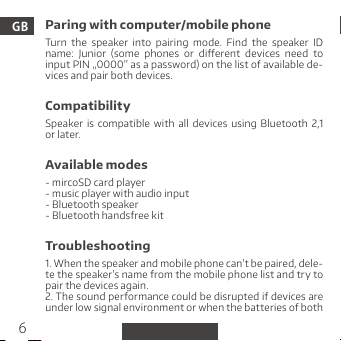
Paring with computer/mobile phone
GB
Turn the speaker into pairing mode. Find the speaker ID
name: Ju nior (some p hones or di erent device s need to
input PI N „0000” as a passwo rd) on the list of ava ilable de-
vices and pair both devices.
Compatibility
Speaker is compatible with all devices using B luetooth 2,1
or l ate r.
Available modes
- mircoSD c ard player
- music pla yer with audio in put
- Blueto oth speaker
- Blueto oth handsfre e kit
Troubleshooting
1. When th e speaker and m obile phone c an’t be paire d, dele-
te the spe aker’s name fro m the mobile phon e list and try to
pair the devices again.
2. The sound per formance could be disrupted if dev ices are
under lo w signal enviro nment or when t he batteri es of both
6
Page 7
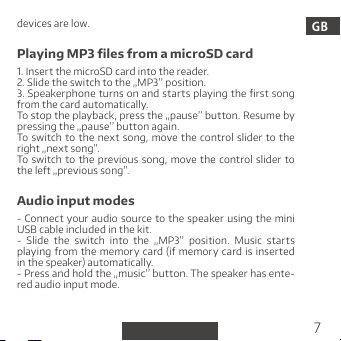
devices a re low.
Playin g MP3 les fro m a microSD car d
1. Inser t the microSD ca rd into the read er.
2. Slide t he switch to the „ MP3’’ posit ion.
3. Sp eakerphone turns o n and st arts p laying th e rst song
from the c ard automat ically.
To stop the pla yback, press t he „pause’’ but ton. Resume by
pressing the „pause’’ button again.
To switch to the next song, move the control slider to the
right „n ext song”.
To switch to the previous song, m ove the control slider to
the le „ previous song ”.
Audio i nput modes
- Connec t your audio source to the speaker using the mini
USB cabl e included in th e kit.
- Slide the switch into the „MP3’’ position. Music start s
playing from the memory card (if memory card is inserted
in the spe aker) automati cally.
- Press an d hold the „music ’’ button. Th e speaker has ente -
red audio input mode.
GB
7
Page 8
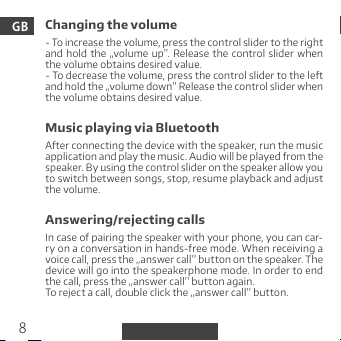
Changing the volume
GB
- To increase th e volume, pres s the control s lider to the r ight
and hold the „volume up”. Release the control slider when
the volume obtains desired value.
- To decrease the volume, pr ess the control slider to t he le
and hold t he „volume down ” Release the co ntrol slide r when
the volume obtains desired value.
Music playing via Bluetooth
Aer conn ecting the device with t he speaker, run th e music
applic ation and pl ay the music. A udio will be pl ayed from the
speaker. By us ing the contr ol slider on th e speaker allo w you
to switc h between son gs, stop, resum e playback and ad just
the volume.
Answering/rejecting calls
In case of p airing the spe aker with your ph one, you can car-
ry on a conversat ion in hands-free m ode. When receiv ing a
voice cal l, press the „ answer call ’’ butto n on the speake r. The
device will go into t he speakerphone mode. In order to end
the call , press the „an swer call’’ b utton again .
To reject a ca ll, double clic k the „answer c all’’ butto n.
8
Page 9
Last n umber redia ling
When th e speaker is connec ted with your ph one, double-c-
lick the „ answer call ’’. The phone usin g the hands-fre e mode
will conn ect to the last d ialed number.
Note: Th e speaker has to be p aired with the p hone.
Safety
- Please re ad and retain t hese instru ctions.
- Do not rem ove the cover of the de vice. There are no co m-
ponent s that can be repa ired by the user. All rep airs should
be done by a s ervice tech nician.
- Protec t your device from contac t with water or moisture
to avoid el ectrical s hock.
- The battery should not be expose d to direc t sunlight , re
or other h eat sources.
- Use only original parts and accessories supplied by the
manufacturer.
Additional information
- Long-te rm listening t o loud music may lea d to hearing im-
pairment and health problems.
- When lis tening to a musin g and driving , pay special at ten-
tion to the surrounding.
GB
9
Page 10
TelForceOne S.A. declares that the produc t is compatible
GB
with requirements and other relevant provisions of the
2014/53/UE direc tive. You can downlo ad the declarat ion of
product on the website https://manual.setty.pl
Markings
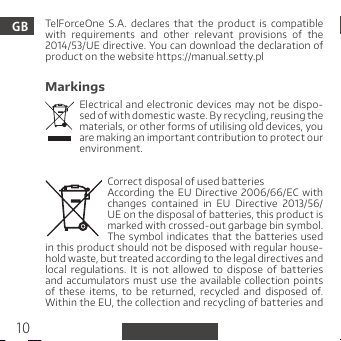
Electrical and electronic d evices may not be dispo-
sed of wit h domesti c waste. By re cycling, r eusing the
materi als, or other for ms of utilisin g old devices, yo u
are maki ng an import ant contri bution to prot ect our
environment.
Correc t disposal of us ed batteri es
According the EU Directive 2006/66/EC with
changes contained in EU Directive 2013/56/
UE on the di sposal of bat teries, this p roduct is
marked w ith crossed- out garbage bi n symbol.
in this product should not be disposed with regular house-
hold was te, but treat ed according to t he legal dire ctives and
local regulations. It is not allowed to dispose of bat teries
and accumulator s must use the available collection points
of these items, to be returned, recycled and disposed of.
Within the EU, the collection and r ecycling of bat teries and
The symbol indicates that the batteries used
10
Page 11
accumulators is a subject to separate procedures. To learn
more about exis ting procedures of recycling of batter ies
and a ccumulator s please contact your lo cal oce or an in-
stitu tion for wast e disposal or lan dll.
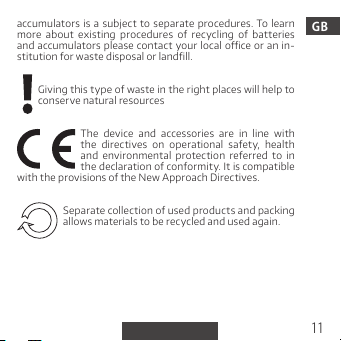
Giving t his type of was te in the right pla ces will help to
conser ve natural res ources
The device and accessories are in line with
the directives on operational safet y, health
and environmental protection refer red to in
with th e provisions of th e New Approac h Directives .
the decl aration of confo rmity. It is compatible
Separ ate collectio n of used produc ts and packing
allows ma terials to be re cycled and use d again.
GB
11
Page 12
Dzięku jemy za zakup mini gł ośnika Bluetooth Junior marki
Set ty. Przed uż yciem zapoz naj się z inst rukcją obs ługi, dzię -
ki które j dowie sz się więcej o funkcjach i sposo bie użycia. Nie
PL
próbuj samodzieln ie naprawia ć, mody kować ani rozk ręcać
urząd zenia. Ma my nadzi eję, że produk t Sett y speł ni Twoje
oczekiwania.
Zawartość zestawu
- mini gło śnik Bluetoo th Junior
- kabel mi ni USB ze zintegr owanym kable m audio 3,5 mm
- instr ukcja obsługi
Opis
1. wejści e na kartę micr o SD
2. wł ącznik: tryb MP 3 włączo ny/wyłączon y/tryb Bl uetooth
włączony
3. wejści e mini USB: port ł adowania
4. dioda sygnalizacyjna LED
5. mikro fon: używan y do rozmów w try bie sparowani a z
telefonem
6. play/pauz a, głośniej , ciszej
12
Page 13
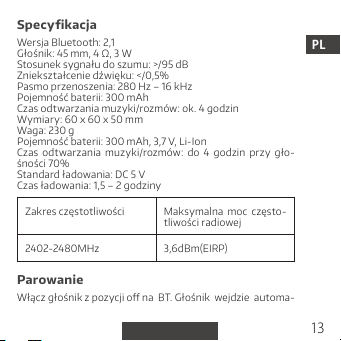
Specy kacja
Wersja Bl uetooth: 2,1
Głośn ik: 45 mm, 4 Ω, 3 W
Stosunek s ygnału do szu mu: >/95 dB
Zniek ształcen ie dźwięku: </0,5 %
Pasmo pr zenoszenia: 28 0 Hz – 16 kHz
Pojemn ość baterii: 3 00 mAh
Czas od twarzan ia muzyki/rozm ów: ok. 4 godzi n
Wymiar y: 60 x 60 x 50 mm
Waga: 230 g
Pojemn ość baterii: 3 00 mAh, 3,7 V, Li-Io n
Czas odt warzania muzy ki/rozmów: do 4 godzin przy gło-
śności 7 0%
Standar d ładowania: D C 5 V
Czas ła dowania: 1,5 – 2 go dziny
Zakre s częstotliw ości Maksymalna moc często-
2402-248 0MHz 3,6dBm(EIRP)
tliwoś ci radiowej
Parowanie
Włąc z głośnik z po zycji o na BT. Gło śnik wejdz ie automa-
PL
13
Page 14
tyczn ie w tryb paro wania.
PL
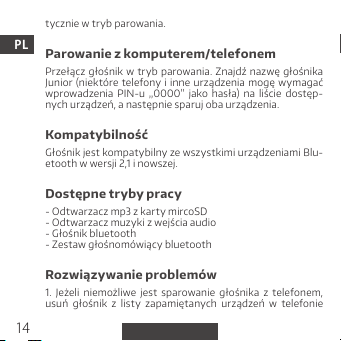
Parowanie z komputerem/telefonem
Przeł ącz gł ośnik w tryb parowania. Znajdź nazwę głośnika
Junior (niektó re telef ony i inne ur ządzenia mogę w ymagać
wprowa dzenia PIN-u „0000” jako hasła) na liście dostęp -
nych urz ądzeń, a nastę pnie sparuj o ba urządzeni a.
Kompatybilność
Głośnik jest kompatybilny ze wsz ystkimi urządzeniami Blu-
etooth w w ersji 2,1 i nowszej .
Dostę pne tryby pr acy
- Odtw arzacz mp3 z ka rty mircoSD
- Odtw arzacz muz yki z wejścia au dio
- Głośn ik bluetooth
- Zesta w głośnomówi ący bluetoo th
Rozwiązywanie problemów
1. Jeżeli niemoż liwe jest sparowanie gł ośnika z telefonem,
usuń głoś nik z listy zapami ętanych urz ądzeń w telefonie
14
Page 15
i spróbu j sparować urz ądzenia pono wnie.
2. Jakoś ć dźwięku może być zakłóc ona, jeżeli urząd zenia
znajdu ją się w sła bym zasięgu lub jeżeli b aterie ur ządzeń są
bliskie wyczerpan ia.
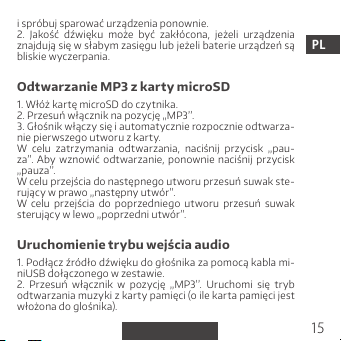
Odtwa rzanie MP3 z k arty micr oSD
1. Włóż ka rtę microSD do c zytnika .
2. Przes uń włącznik n a pozycję „MP3’ ’.
3. Głoś nik włączy się i automat ycznie rozpo cznie odtw arza-
nie pier wszego utw oru z kart y.
W celu z atrzyman ia odtwar zania, naci śnij przyc isk „pau-
za’’. Aby wz nowić o dtwarza nie, po nownie n aciśnij przycisk
„pauza’’.
W celu pr zejścia do nast ępnego utw oru przesuń s uwak ste-
rując y w prawo „nastę pny utwór”.
W celu przejścia do popr zedniego utwor u pr zesuń suwak
steru jący w lewo „po przedni utw ór”.
Uruch omienie tr ybu wejści a audio
1. Podłącz źródło dźwięku do głośnika za pomocą kabla mi-
niUSB do łączonego w ze stawie.
2. Przesu ń w łącznik w pozy cję „MP3’’. Urucho mi się tryb
odtw arzania muz yki z kart y pamięci (o il e karta pam ięci jest
włożona d o glośnika).
PL
15
Page 16
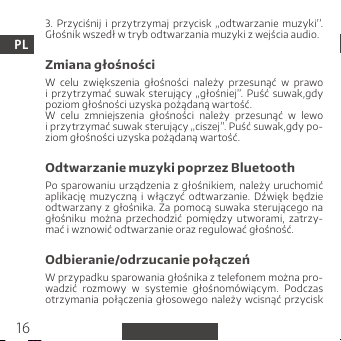
3. Przyciśn ij i przy trzymaj przy cisk „o dtwarza nie mu zyki’’.
Głośn ik wszedł w tr yb odtwarz ania muzyk i z wejścia audio.
PL
Zmiana głośności
W celu zwię kszenia gło śności należ y przesunąć w pr awo
i p rzytr zymać suwak sterując y „gło śniej”. P uść suw ak,gdy
poziom gł ośności uz yska pożądan ą wartość.
W celu zmniejs zenia głoś ności nale ży przes unąć w lewo
i przy trzyma ć suwak ster ujący „cisze j”. Puść suwak ,gdy po-
ziom gło śności uzys ka pożądaną w artość.
Odtwarzanie muzyki poprzez Bluetooth
Po sparowaniu urządze nia z głośniki em, nal eży ur uchomić
aplika cję m uzyczną i włączyć odt warzanie. Dźwi ęk b ędzie
odtw arzany z głośn ika. Za pomocą suwaka sterują cego na
głośniku można przechodzić pomiędzy utworami, zatrzy-
mać i wzn owić odtwar zanie oraz re gulować gło śność.
Odbieranie/odrzucanie połączeń
W przypadku sparowania głośnika z telefonem można pro-
wadzić rozmo wy w sy stemie g łośnomówi ącym. Po dczas
otrz ymania p ołączenia głosowe go należ y wcisną ć przyc isk
16
Page 17
„odbie ranie poła czeń’’ na gł ośniku. Ur ządzenie p rzejdzie na
tryb głośnomówiący. W celu zakończenia konwersacji nale-
ży pono wnie wcisnąć pr zycisk „odbi eranie poł ączeń’’.
W cel u odrzu cenia po łączenia, należy dwuktor nie naci snąć
przyc isk „odbiera nie połącze ń’’.
Wybieranie ostatniego numeru
Aby połącz yć się z ostatnio wyb ieranym numerem należ y
dwukro tnie wcisnąć pr zycisk „odb ieranie poł ączeń’’.
Uwaga: G łośnik musi być s parowany z tele fonem.
Dodatkowe informacje
- Długot rwałe słuc hanie głośnej mu zyki może prowa dzić do
utrat y słuchu i uszc zerbku na zdrow iu.
- Podc zas słucha nia muzyk i i przemie szczania s ię zwróć
szczeg ólną uwagę na oto czenie.
Firma TelForceOne s.A. oświadc za, że produk t jest zgodny
z zasadniczymi wymaganiami oraz innymi stosownymi po-
stano wieniami dyre ktywy 20 14/53/UE. Dekla racja został a
równie ż umieszczo na wraz z możliwości ą pobrani a na stro -
nie produktu w serwisie https://manual.setty.pl
PL
17
Page 18
Oznaczenia
PL
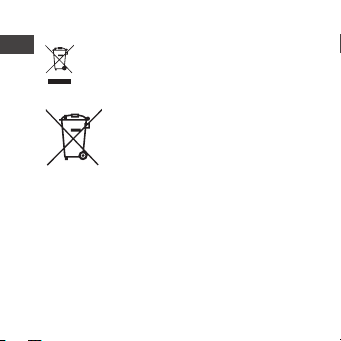
Symbol oz nacza, że ur ządzenie n ie powinno by ć
składo wane z normal nymi odpa dami z gospodarst w domow ych. Od dając te go typu odpady we
właści wych miej scach prz yczynias z się do ochrony
zasobów naturalnych.
Prawidłowa utylizacja zużytego akumulatora
Zgodni e z dyre ktywą UE 20 06/66/EC ze
zmianami zawar tymi w Dyrektywie 2013/56/
UE o utyl izacji akumul atora, produk t ten jest
oznaczony symbolem przekreślonego kosza
w tym pro dukcie baterie lub akumulator y nie powinny
być wyrzu cane razem z normalnymi odpa dami z go spodarst w domow ych, lec z trak towane zgo dnie z dyrekty wą
i miejscowym i przep isami. Nie wo lno w yrzucać akumula-
torów razem z niesortowanymi odpadami komunalnymi.
Użyt kownicy ba terii i ak umulatorów muszą korz ystać
z dostęp nej sieci odbio ru tych eleme ntów, która umo żliwia
ich zwro t, recykli ng oraz utyl izację.
Na terenie UE zbiórka i recykling baterii i akumulatorów
podlega osobnym procedurom. Aby dowiedzieć się więcej
o ist niejących w okoli cy procedu rach rec yklingu ba terii
i ak umulatorów, należy skontakt ować się z urzę dem miasta, in stytuc ją ds. gospodar ki odpadami l ub wysypis kie
na śmieci. Symbol oznac za, że za stosowane
Page 19
Oddają c tego typu odpady we wł aściwych miejscac h
przyc zyniasz się d o ochrony zaso bów naturaln ych.
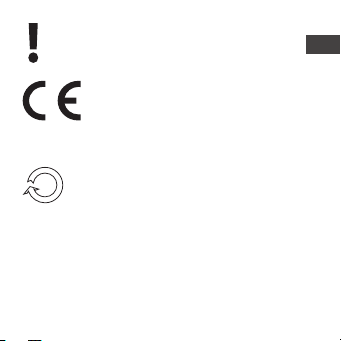
Urząd zenie i akces oria są zgo dne z dyrekt ywami dotyc zącymi bezpi eczeństw a
użyt kowania, ochro ny zdrowi a i o chrony
cja zgodności. Jest zgodny z post anowieniam i dyrek tywy
nowego podejścia.
środow iska, do których odnos i się dek lara-
Zbiórka selektywna pozwala efektywnie segre-
gować odpad y i przet warzać je do p onownego
użycia.
PL
Page 20

 Loading...