

Page 1
TheAudioSource.
USER MANUAL
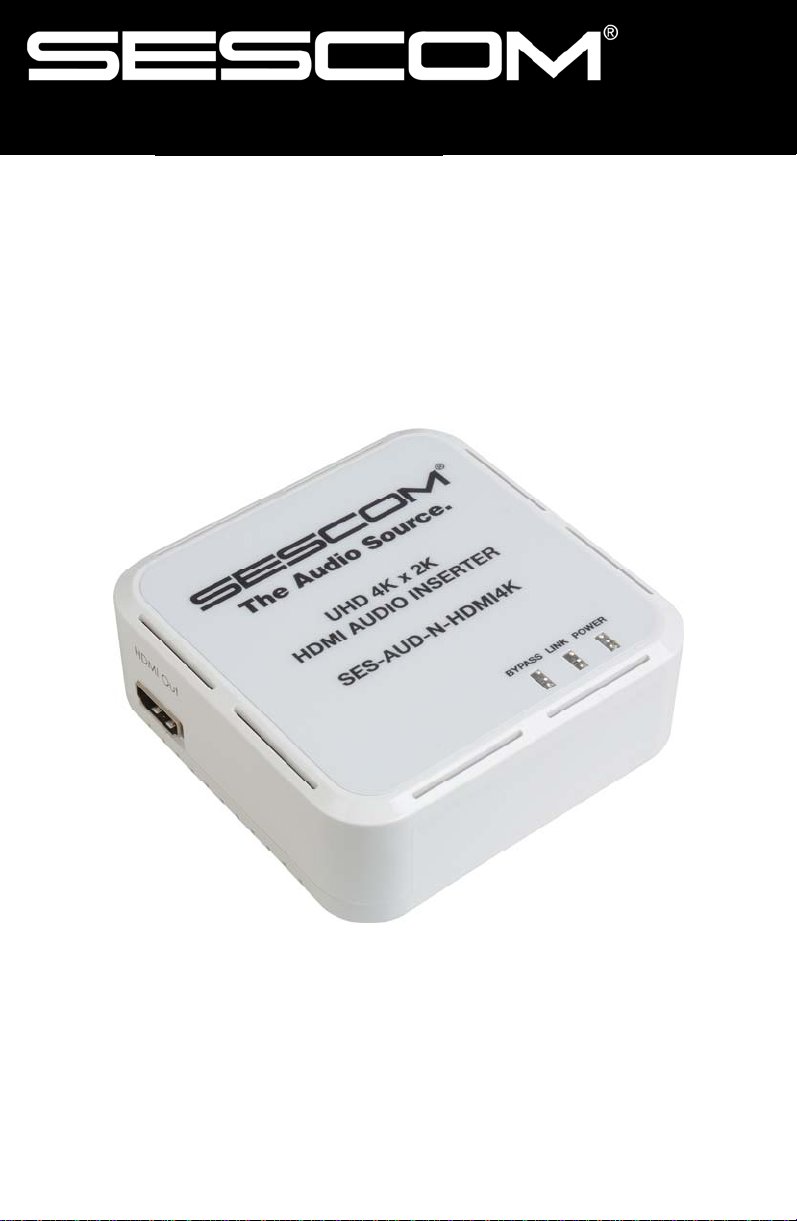
SES-AUD-N-HDMI4K
UHD 4K x 2K HDMI Audio Inserter
PO Box 720 · Mt. Marion, NY 12456
SESCOM
www.sescom.com
Page 2
SES-AUD-N-HDMI4K Audio Inserter
Replace existing audio in an HMDI signal with stereo analog or multichannel digital audio using the Sescom SES-AUD-N-HDMI4K audio
inserter.
This Sescom audio inserter provides full 4Kx2K and 3D support for full
resolution video. For playback of 4K×2K/3D HDMI source signals, a
4K×2K/3D capable display and high speed HDMI cables are required.
NOTE: You may pass existing audio from the HDMI source or replace
the audio using the analog or optical input. However, this device will
not simultaneously “mix” or combine more than one audio source.
Includes
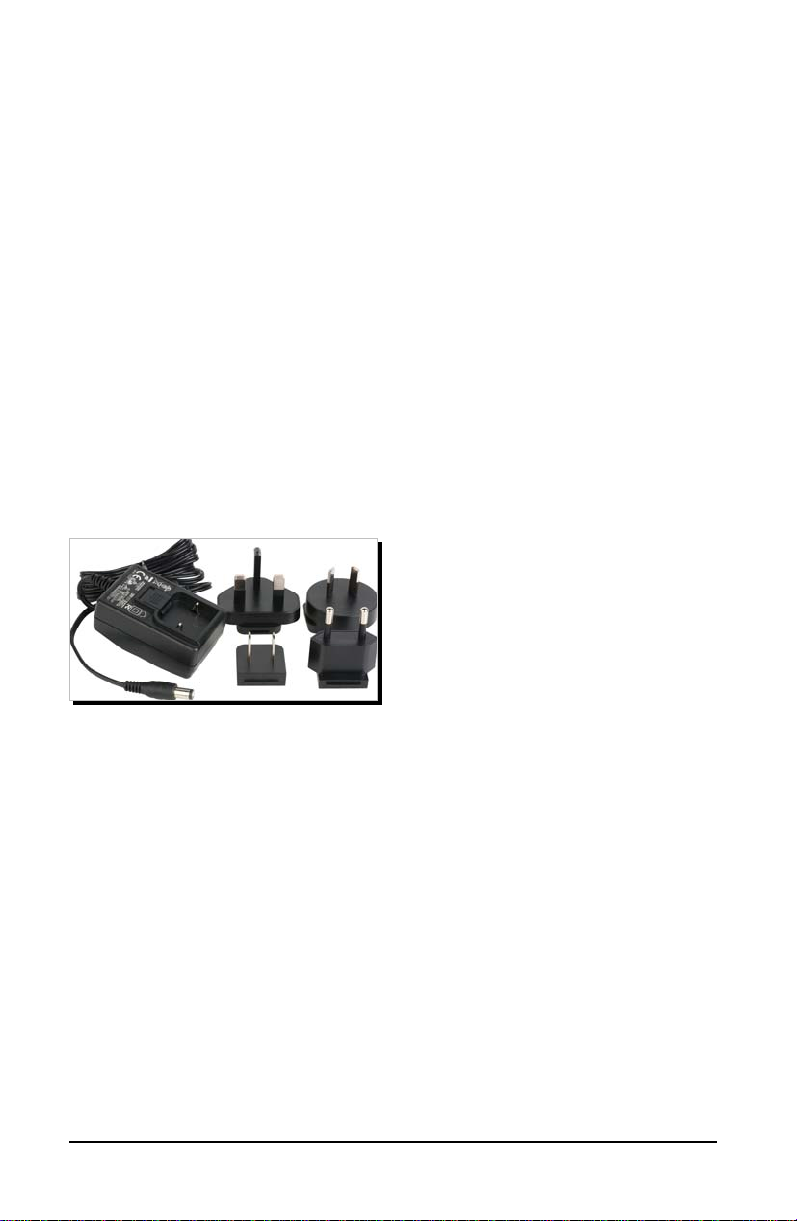
5VDC/1.2A DC Power Adapter with 4 Plug Adapters
Features
HDMI, HDCP 1.2 and DVI 1.0 compliant
HDMI audio sampling rates: up to 192kHz
Optical (S/PDIF) digital audio sampling rates: up to 192kHz
HDMI supports high-bit-rate (HBR) audio
DVI conversion with HDMI to DVI adaptor
L/R Audio Format Analog Stereo 2CH
Supports 4K×2K@24/30Hz resolution and 3D signals
SESCOM SES-AUD-N-HDMI4K Page 2
Page 3

SES-AUD-N-HDMI4K Specificat ions
SPECIFICATIONS
VIDEO BANDWIDTH
INPUT
OUTPUT
HDMI CABLE I/O DISTANCE
HDMI AUDIO FORMATS
OPTICAL AUDIO FORMATS
POWER CONSUMPTION
DIMENSIONS (LWH)
300Mbps/10.2Gbps
1 each: HDMI, Optical, 3.5mm
Mini-jack
1-HDMI
49ft/15m (1080p@8-bit)
32.8ft/10m (1080p@12-bit)
32.8ft/10m (4K×2K)
LPCM 2/5.1/7.1 ch
Dolby Digital 2-5.1 ch
DTS 2-5.1 ch,
Dolby Digital Plus
Dolby TrueHD
DTS-HD
Master Audio
LPCM 2 ch
Dolby Digital 2-5.1 ch
DTS 2-5.1 ch
2.37W
3.35 x 3.45 x 1.34in / 85 x 87.5 x 34mm
WEIGHT
3.6 oz / 102g
SUPPORTED FORMATS
LPCM 2 CHANNEL
LPCM 5.1 CHANNEL
LPCM 7.1 CHANNEL
BITSTREAM 5.1 CHANNEL
BITSTREAM 7.1 CHANNEL
SESCOM SES-AUD-N-HDMI4K Page 3
HDMI Optical Analog
- -
- -
-
- -
Page 4
SES-AUD-N-HDMI4K Features
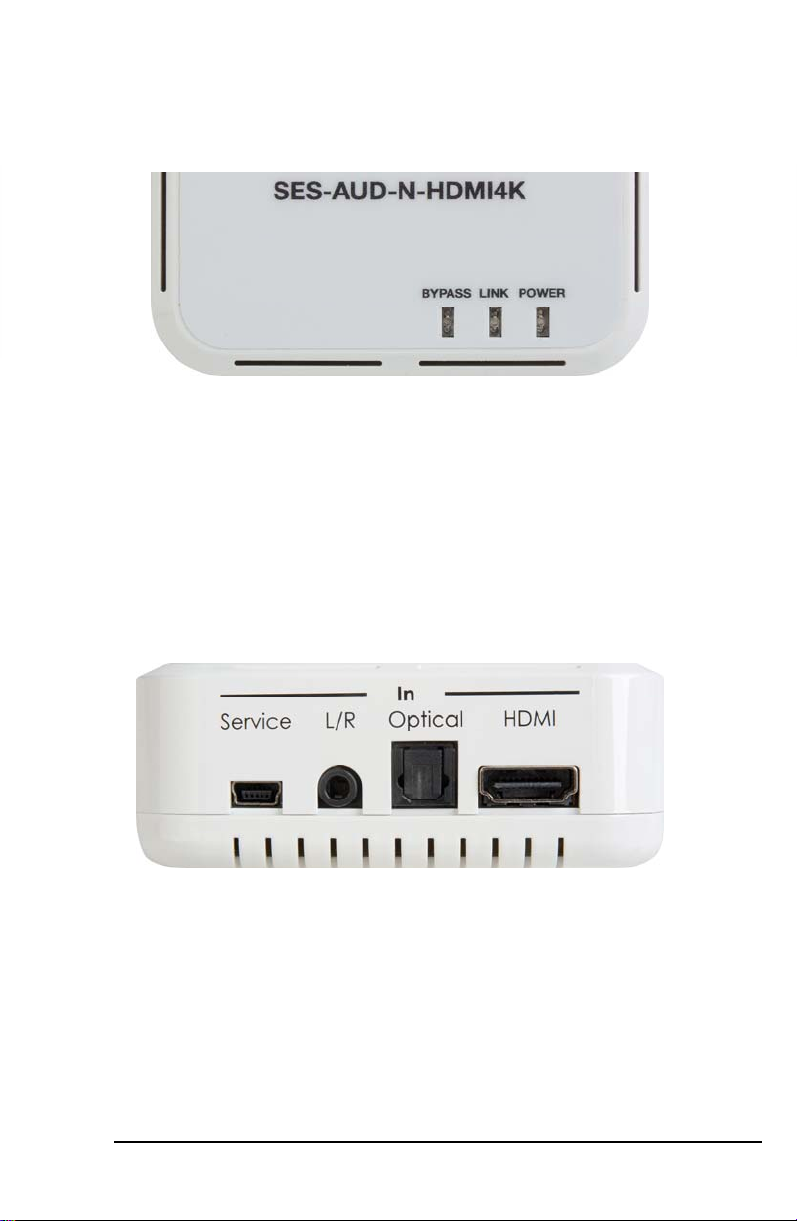
TOP PANEL
1 3
Bypass: Status indicator lights when audio input is switched to
1
HDMI, bypassing the external audio inputs.
Link: Status indicator lights when an active HDMI signal is being
2
received.
Power: Status indicator lights when unit is ON.
3
RIGHT SIDE PANEL
2
1 3 2
Service: Manufacturer use only
1
L/R In: Connect to an analog audio source with a stereo analog
2
audio signal output.
Optical In: Connect to a digital audio source with a digital optical
3
output (stereo or multi-channel).
HDMI In: Connect to a source with an HDMI output.
4
SESCOM SES-AUD-N-HDMI4K Page 4
4
Page 5
SES-AUD-N-HDMI4K Features
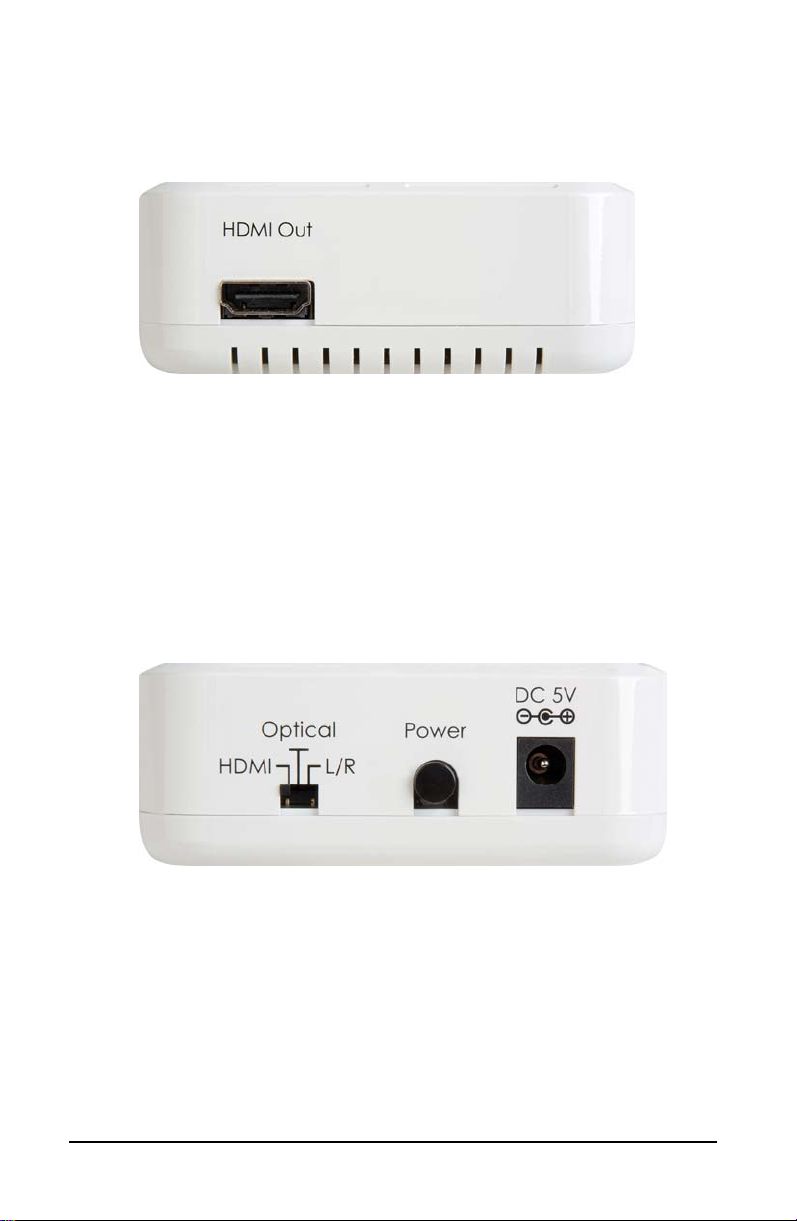
LEFT SIDE PANEL
1
HDMI Out: Connect to a display with an HDMI cable for
1
output of audio/video/HDMI signal.
Note: A 4Kx2K/3D display and a high speed HDMI cable
are required for playback of 4Kx2K/3D HDMI source signals.
REAR PANEL
1 3 2
Input Switch: Select required audio input to be inserted
1
HDMI—selects original audio of HMDI source
Optical—selects external audio of digital optical audio
source
L/R—selects external audio of analog stereo (L/R) audio
source
Power: Press to turn power on or to set for standby mode
2
DC 5V: Connect the 5VDC power supply
3
SESCOM SES-AUD-N-HDMI4K Page 5
Page 6
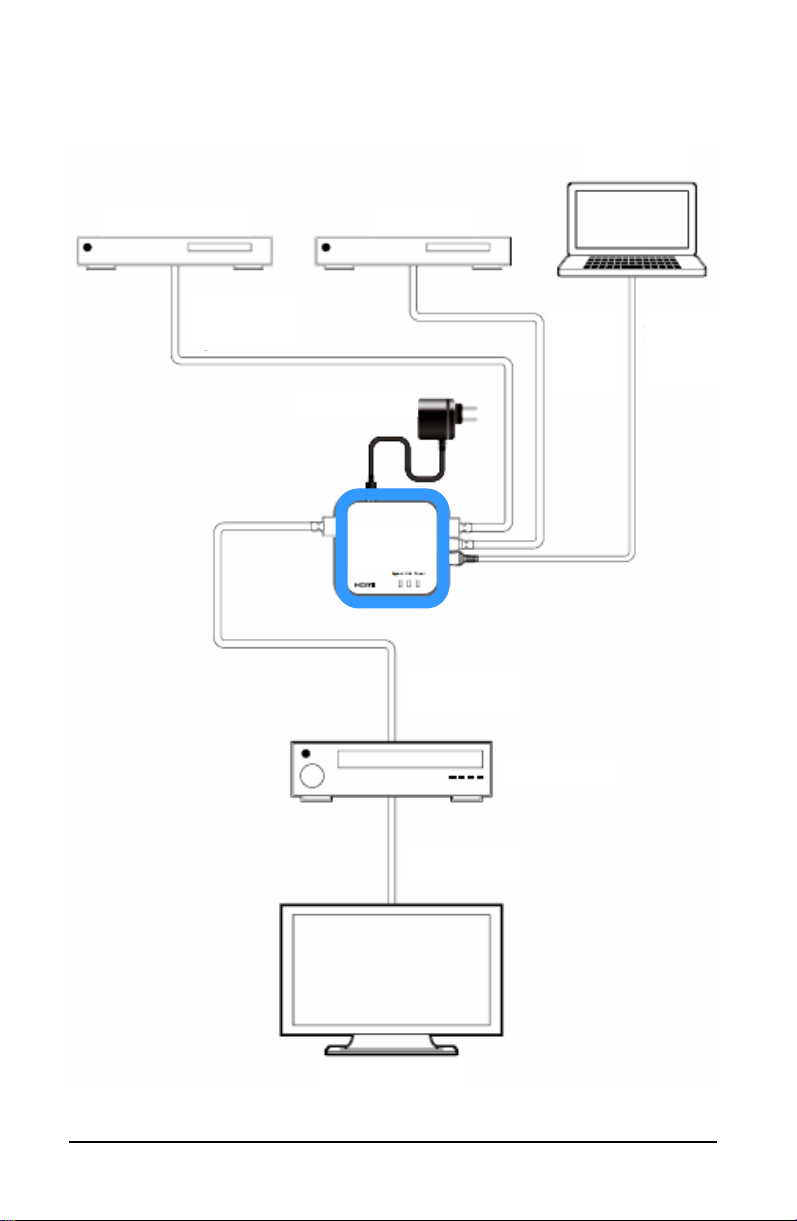
SES-AUD-N-HDMI4K Connection Diagram
PC/Laptop
CD Player Blue-Ray Player
HDMI Input
Power Supply
SES-AUD-N-
HDMI4K
HDMI Output
HDMI Output
Optical
Digital
Input
AV Receiver
Analog
Stereo
Input
HDTV or Monitor
SESCOM SES-AUD-N-HDMI4K Page 6
Page 7

SAFETY PRECAUTIONS
1. To prevent fire or shock hazard, do not expose this equipment to high humidity and/or dust. Do not use in an unprotected outdoor installation nor any area cla ssified as overly
damp or wet.
2. The temperature for installation should be kept between 32°F
to 140°F (0°C to 60°C). Avoid direct sunlight exposure or
extreme changes of temperature over a short period of time.
3. Do not disassemble the unit or place it on an unstable base.
4. Do not drop the unit and avoid heavy impact.
5. This unit should not be permanently installed unless proper
ventilation is provided. Any enclosure openings must not be
blocked or covered as they protect the unit from overheating.
6. Before cleaning, turn off the power and unplug the unit from
all connections. Use a damp cloth. Do not use liquid cleaners
nor aerosol cleaners.
7. Do not overload outlets and extension cords as this may
result in a risk of fire or electric shock.
8. Enclosure entry is dangerous. Never push objects of any
kind, including liquids, into this unit through openings as they
may touch dangerous voltage points or short-out p arts that
could result in a fire or electric shock.
9. Do not attempt to open or service this unit yourself as opening or removing covers may expose you to dangerous voltage and other hazards.
10. There are no user-serviceable parts inside the unit. If the unit
requires service contact your authorized dealer, or an authorized repair service company.
SESCOM SES-AUD-N-HDMI4K Page 7
Page 8

SESCOM
PO Box 720
Mt. Marion, NY 12456
www.sescom.com
TheAudioSource.
 Loading...