

Page 1
Serious Readers
Brighter by Design
®
alex range
for serious readers
Your User Guide
Please Read
keep for reference
Page 2

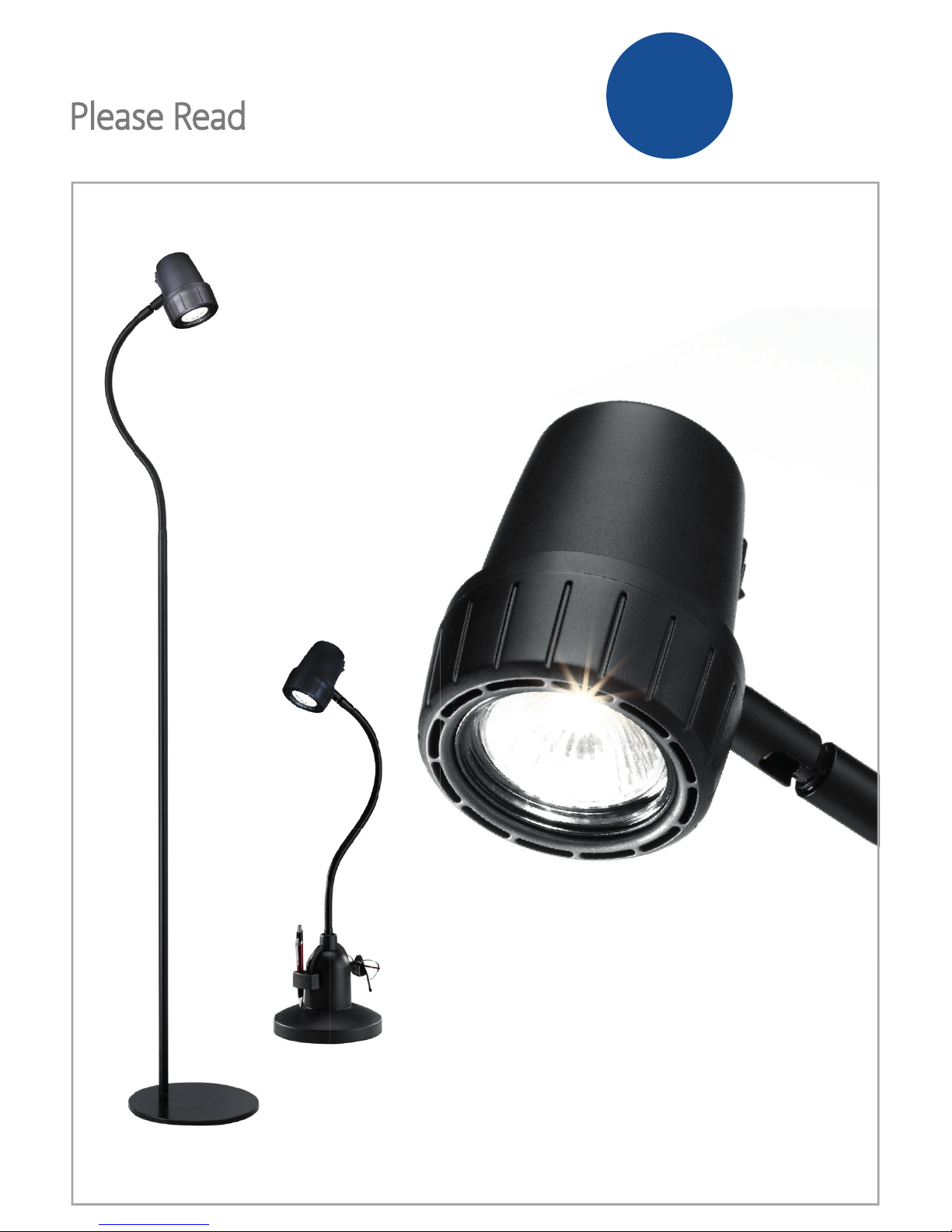
Alex range
Heavyweight
Lightweight
Diagram 1
Diagram 2
Stay-put
Flexible Arm
Stay-put
Flexible Arm
Standby Switch
Standby Switch
Heavy stay-put
Base
Standby Switch
Swivel Joint
Getting Started
Your Alex Light is ready to plug in and use.
To operate the light, use the standby switch
located on the head of the light (Diagram 1).
If the standby switch has 0/1 markings on it
then the light does not have a dimmer and
the Dimmer section below can be ignored. If
there are no markings on the standby switch
then you have a dimmable model and you
can read the next section (“Dimmer”) to see
how to activate the dimmer.
Positioning
Your light is designed to help you easily
direct the beam just where you need it. It
is equipped with a swivel joint at the lamp
head (inset diagram 2) and a robust, exible,
stay-put arm for ne positioning.
Dimmer
If you have a dimmable model then turn the
light ON by using a quick, rm click of the
standby switch. To engage the dimmer, hold
the switch down and the light will dim down
and back up again. Simply release the switch
at the desired level. Use a quick, rm click to
turn the light off .
When turned off using the standby switch
the light returns to the same light level
when switched back on again. When turned
off at the mains the light will return to full
brightness.
60
359
o
Standby Switch
Stay-put
Flexible Arm
Standby Switch
Stay-put
Flexible Arm
Lightweight
Easy to Move Base
o
Page 3
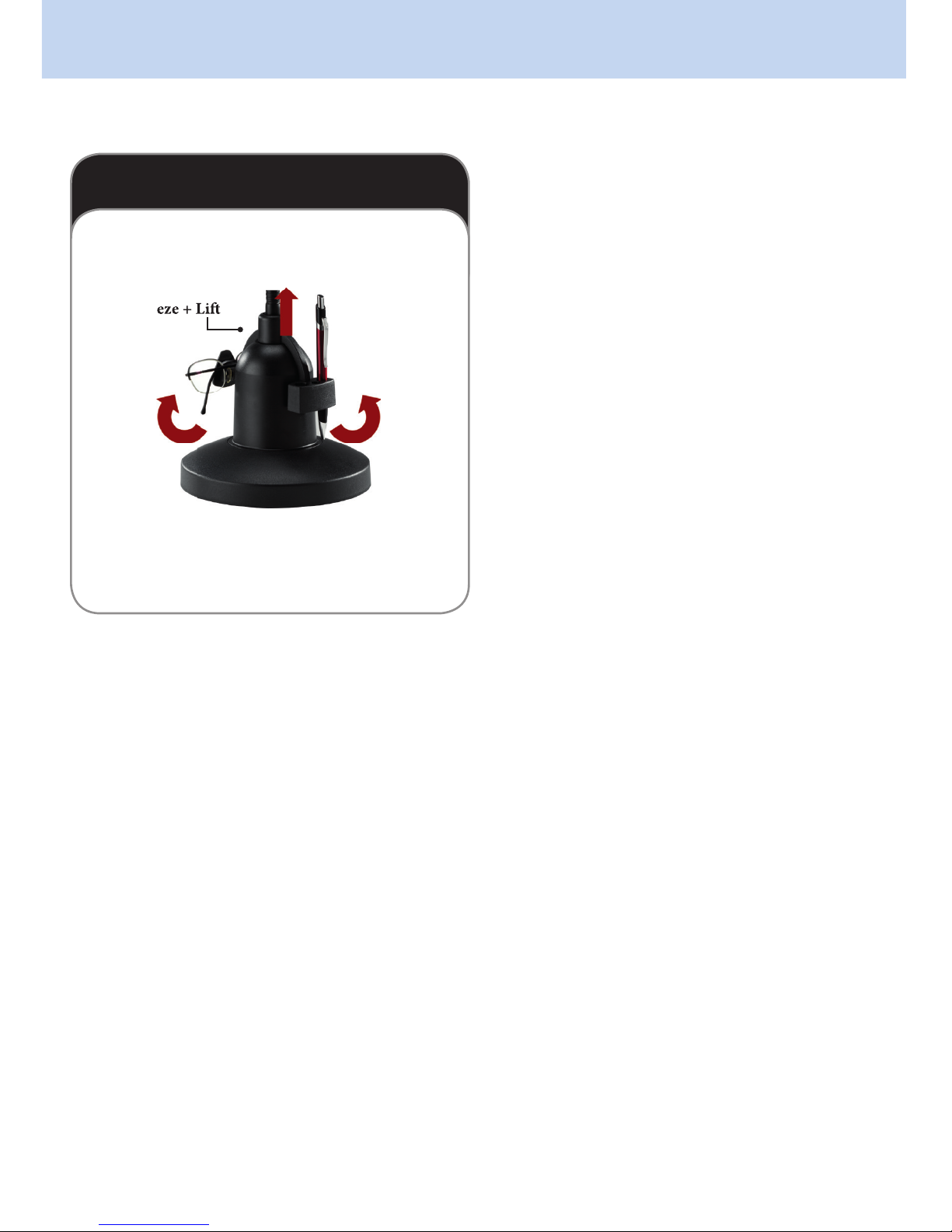
Pen & Glasses holder
Diagram 3
(only available on Heavyweight
Table Model)
1. Squeeze + Li
2. Li
2. Li
the original
Standby Mode
e Alex Light is not designed to be opened
so please do not attempt to tamper with it.
It is normal to leave the light on standby
when not in use. When in standby mode it
will consume less than 0.5w.
Table Accessories
Alex Heavyweight table models are
equipped with pen and glasses holders.
ese can be removed if you wish. e
retaining cap releases if squeezed and li ed.
If it seems a little stiff you can loosen it
by gently levering the two plastic arms on
either side together. Once the retaining
cap has been released, remove one or both
holders then push the cap back into place
(Diagram 3).
Page 4
Serious Readers | Chapel Offices | Bierton | Bucks | HP22 5DW | Great Britain
Contact us
If you require any assistance or spare bulbs, please call +44 (0)1296 390390
(Mon-Fri 8:30 to 17:30)
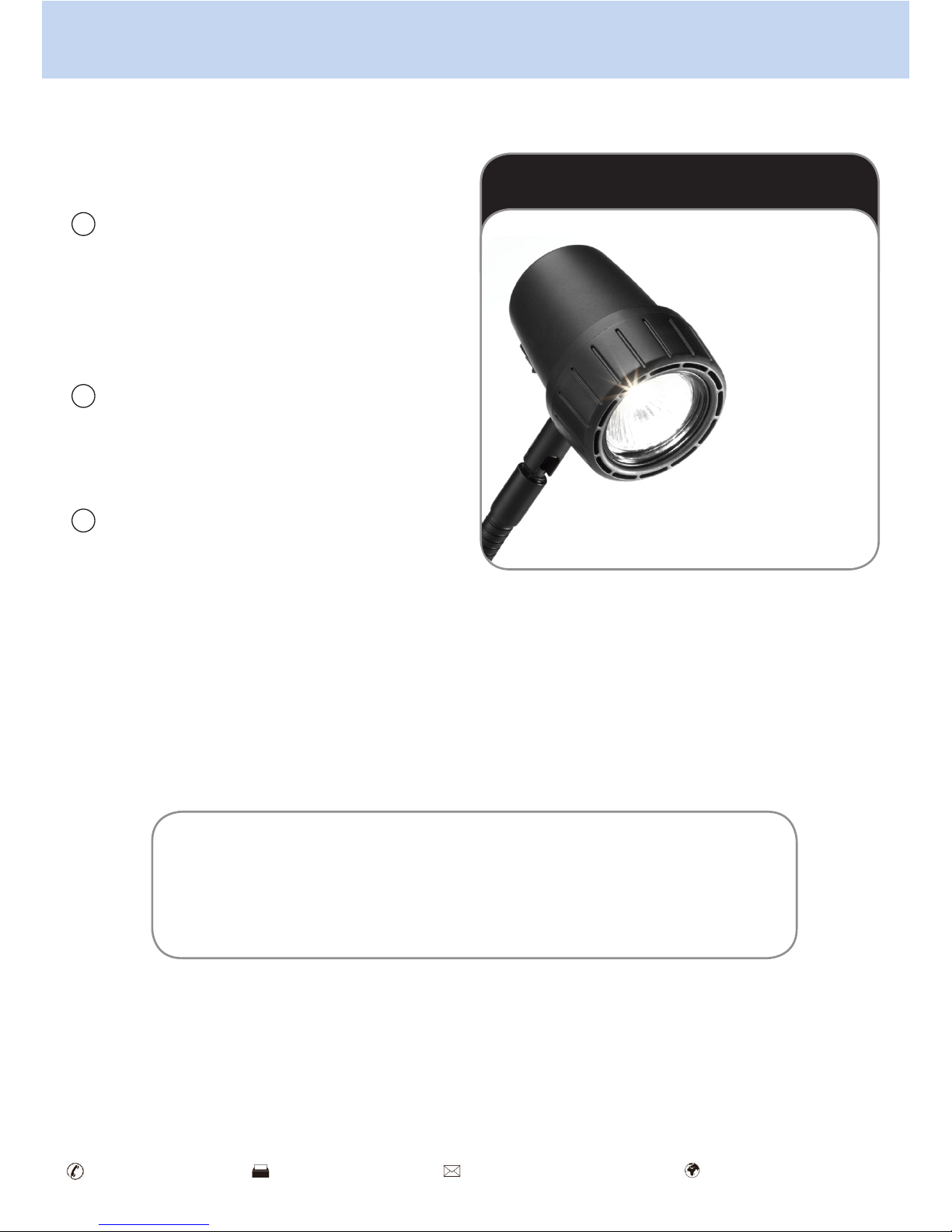
Bulb Change
Diagram 4
Screw action
shade for easy
bulb access
To undo
Changing your Bulb
Disconnect your light from the power. If
the light has been on recently, allow 30
minutes for everything to cool down. To
access the bulb cavity unscrew the ribbed
front section by rotating anti-clockwise
(diagram 4).
Pull out the old two pinned bulb without
twisting. Insert the new bulb by pushing
the two male pins into the two female
holder sockets.
Replace the front shade by screwing it
back on to the lamp head.
1
2
3
SR054
Alex range
+44 (0) 1296 390390 +44 (0) 1296 393413 [email protected] www.seriousreaders.com
 Loading...