

Page 1
User's Guide
Made in Sweden by Sensepeek AB, Verkstadsgatan 2, Vellinge, Sweden
Rev 1.1 - Specifications are subject to change without notice.
PCBite kit
Introduction
PCBite holds your circuit board during soldering, inspection and testing.
At the bottom of each holder is a strong magnet perfectly balanced in
strength. A low friction bottom cap protects the magnet and makes the
PCBite holder easy to slide. The “jaw” can open wide and a spring
ensures a really strong locking force.
One side of the baseplate is matte and the other mirror polished. The
mirror polished surface makes it easy to see components on the circuit
board underside.
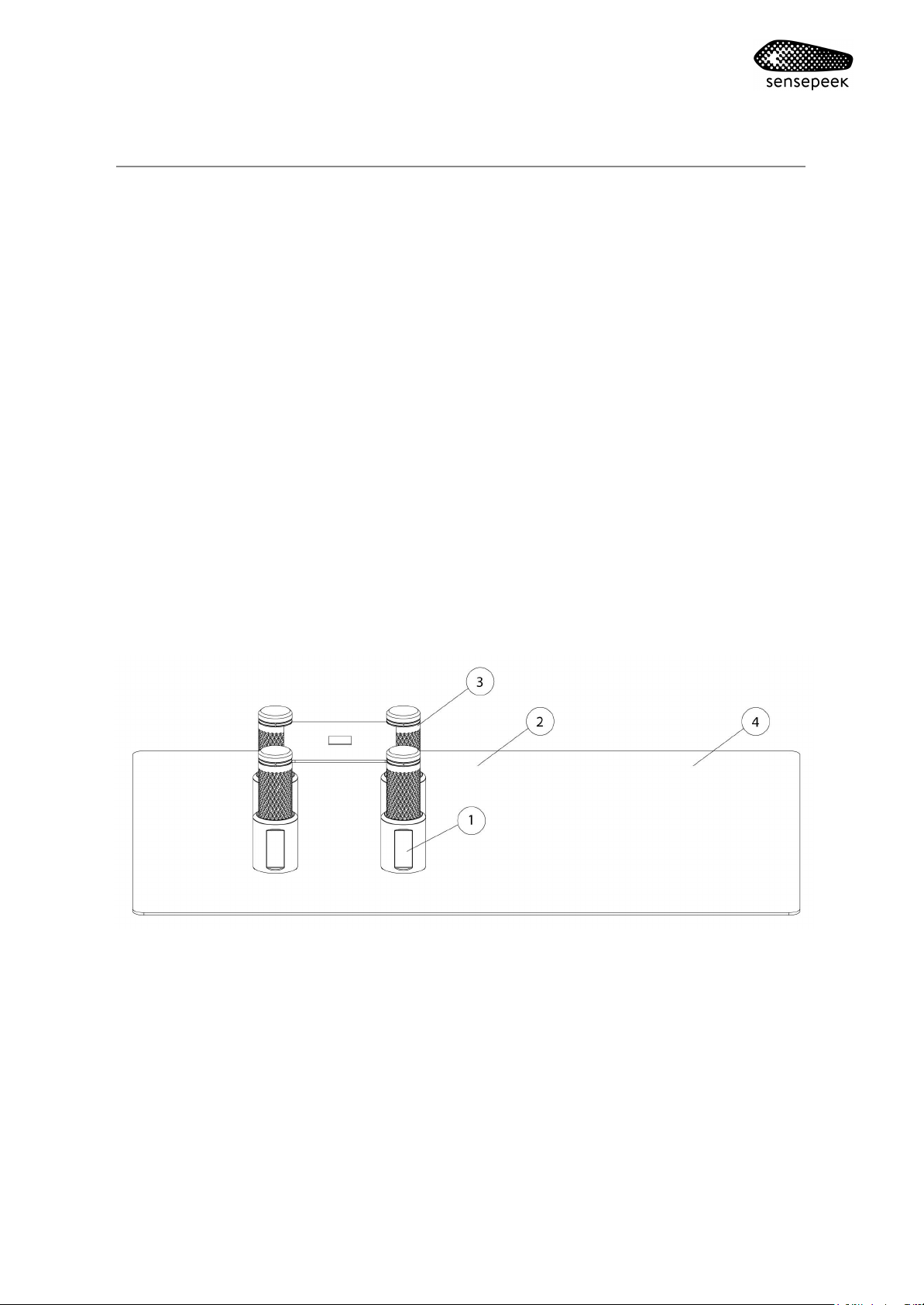
Overview
1. Holder
2. Base plate
3. Insulation washer
4. Insulation cover*
*Not included in all kits. Available as an accessory and sold separately (article 4017).
Page 2
Getting started - Baseplate
The baseplate has two sides for different usage and preference.
A microfibre cloth or similar can be used to polish the mirror surface
The mirror polished side is covered with a protective film and must be
removed before use.
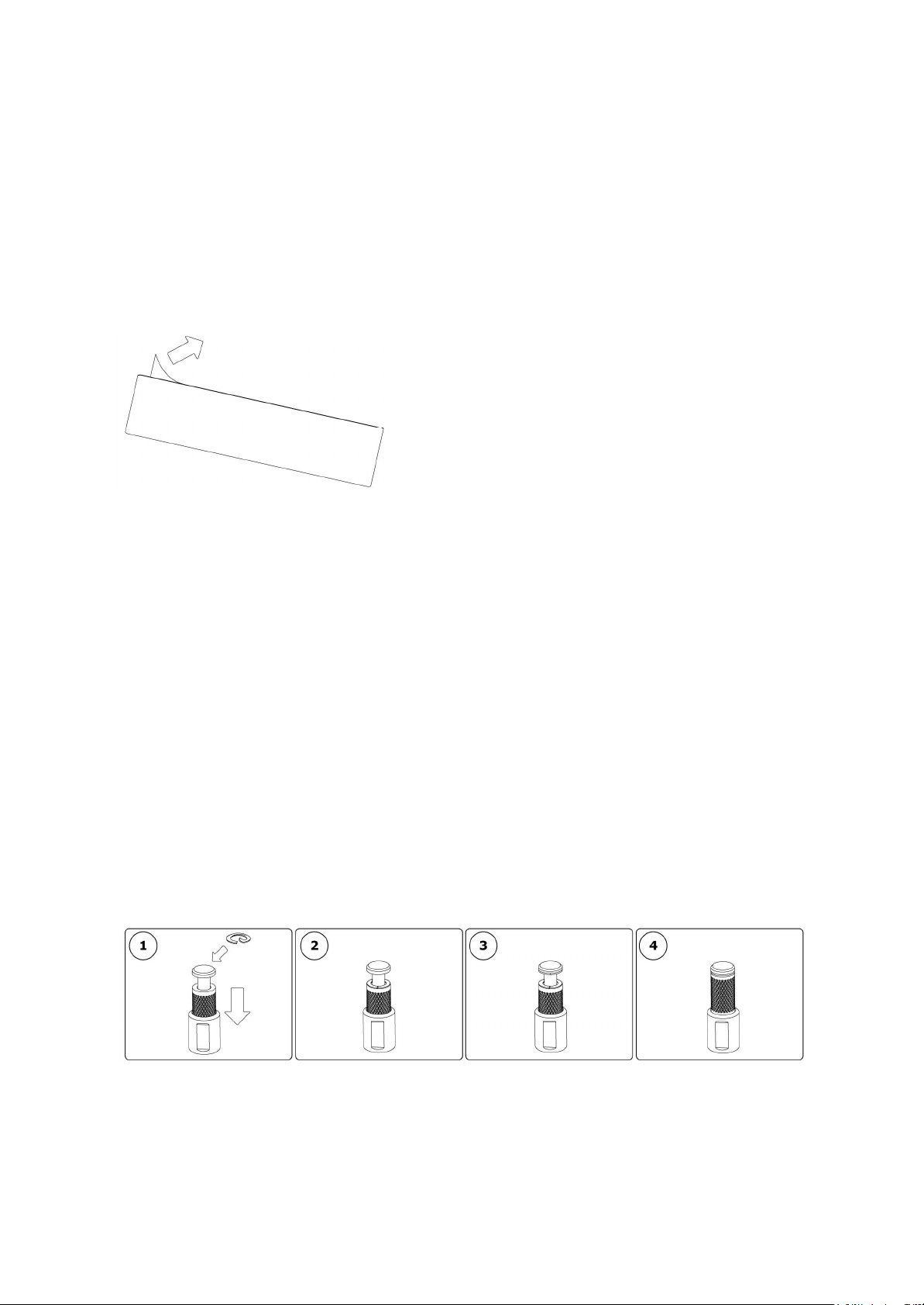
Getting started - Insulation washer assembly
Add extra isolation during measurements with the washers.
1. Pick up the washer end and press the sleeve downwards. Notice
the open slot on the washer
2. Slide the washer around the pin and place the adhesive towards
the lower aluminium surface
3. Repeat for upper side
4. Release the spring loaded sleeve
Do not use the washers for environments above 85°C (185°F).
Page 3
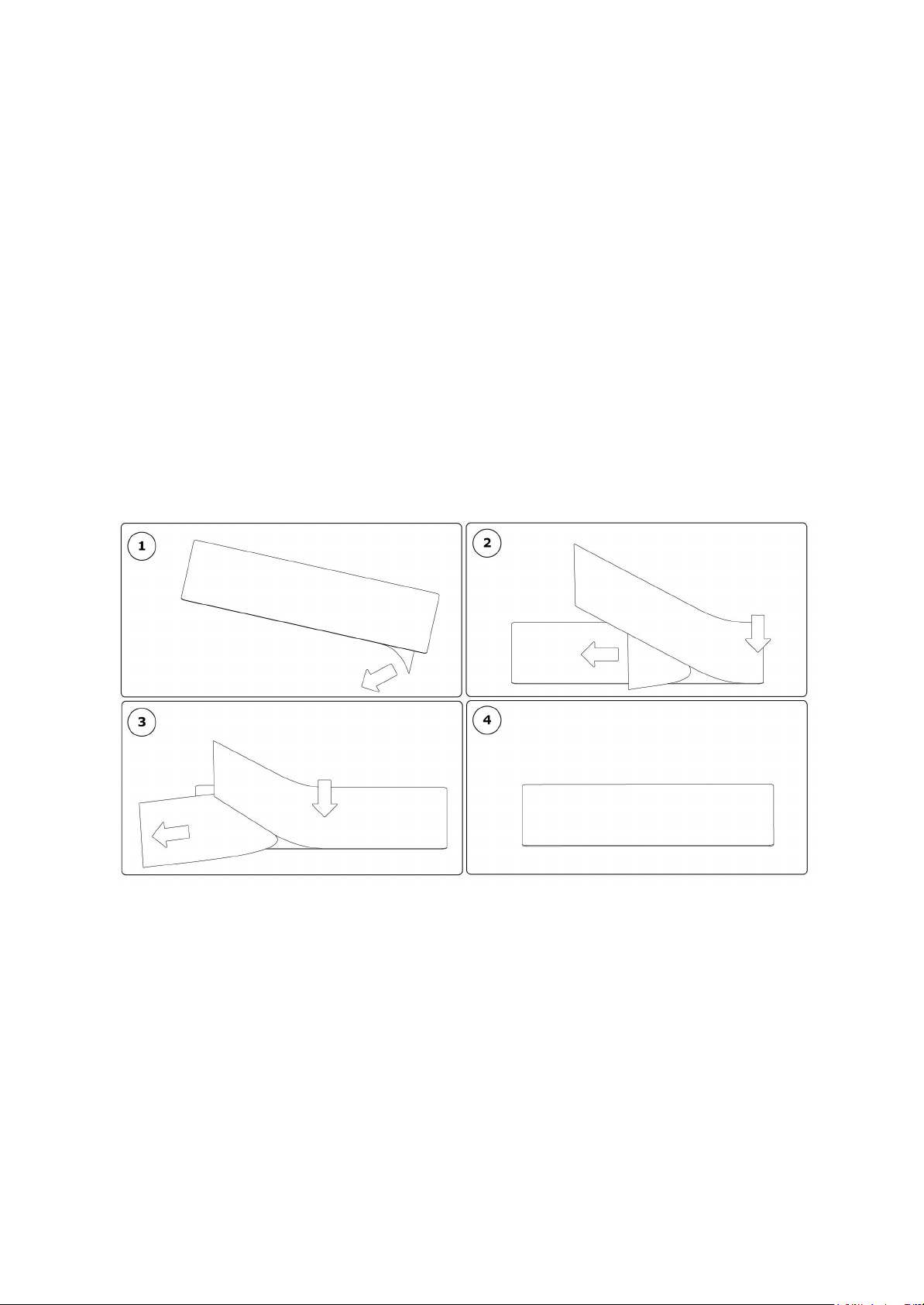
Getting started - Insulation cover assembly*
The cover protects your base plate, adds extra isolation during
measurements and is also great for use with a microscope to avoid
reflective light.
1. Pick up the cover end peel of the release liner a little bit to reveal
the adhesive
2. Align the edge on the cover towards the edge on the base plate
and press along the edge to make the adhesive stick
3. Keep removing the release line carefully and keep pressing the
cover towards the base plate. Make sure the cover is aligned to
the base plate
4. You are finished!
Do not use the cover for environments above 85°C (185°F).
*Not included in all kits. Available as an accessory and sold separately (article 4017).
Page 4
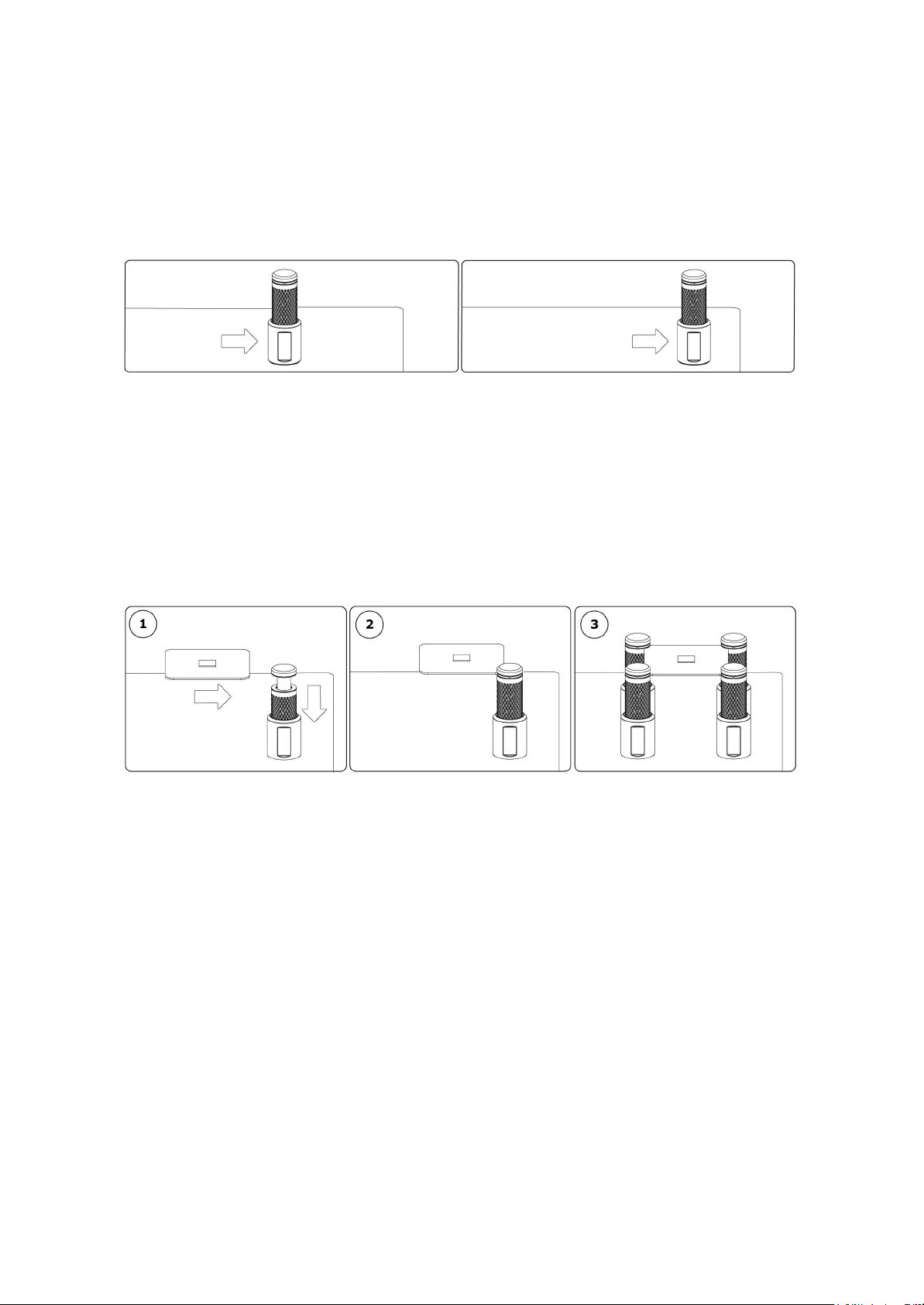
Operating Instructions
Position the holder - Place the holder on the base plate and the
magnet will keep it in place
Reposition the holder - Slide the low friction holder on the base plate
Fasten a circuit board
1. Press the sleeve downwards and insert the circuit board
2. Release the spring loaded sleeve gently and fix the circuit board
3. Slide the required number of holders into position. Make sure the
holders are evenly distributed around the circuit board
Page 5

Warranty
Sensepeek products are warranted for 12 months from the date of
purchase. The warranty covers defects in material and workmanship.
This warranty does not apply to components (parts and accessories)
subject to natural and normal wear and tear. This warranty does not in
any way limit the rights you have under mandatory law.
Disposal
Sensepeek offers our customers the opportunity to return
products at the end of their functional lives to Sensepeek for
recycling. Qualifying products are marked with the WEEE
symbol shown above. Or ensure WEEE compliant collection
and treatment yourself. Do not dispose of this product as
unsorted municipal waste
Delivery cost of any authorized product returned to Sensepeek will be at
the expense of the sender.
Page 6

 Loading...