

Page 1
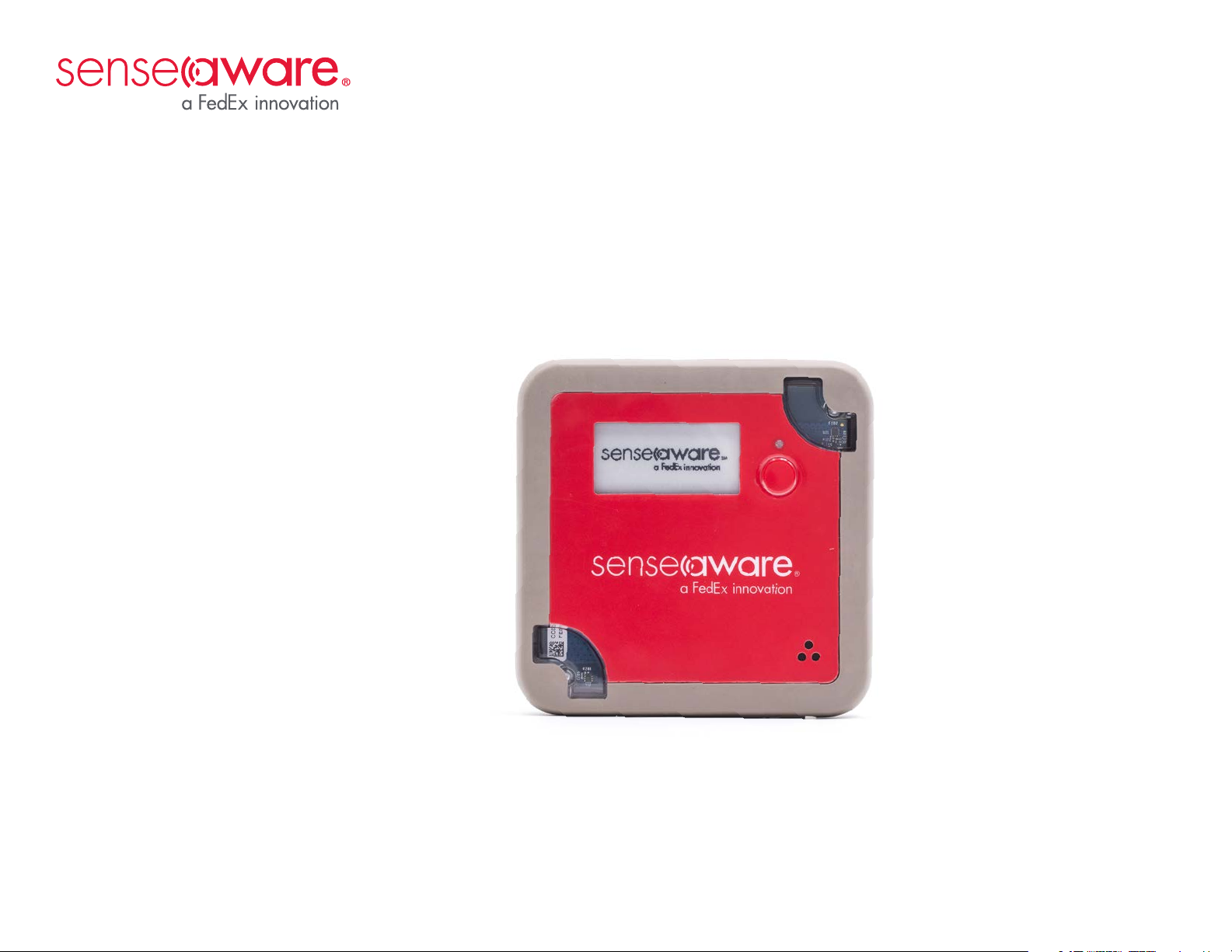
SenseAware 3000 User Guide
Your easy reference guide for charging and maintaining SenseAware® devices.
Page 2
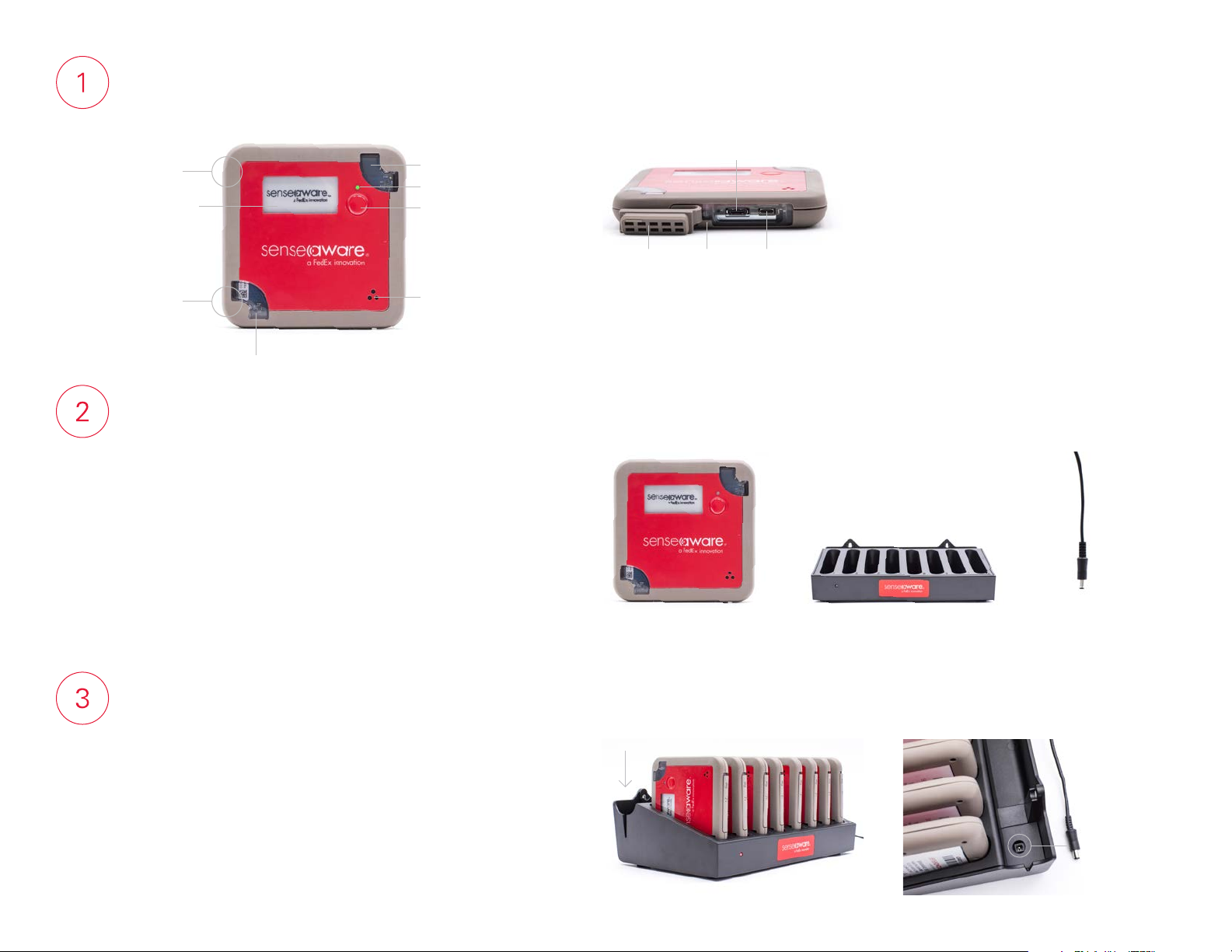
Get to know SenseAware 3000
(Front view)
Charging
contact
E-Ink status
display
Charging
contact
Light sensor
Light sensor
LED indicator
Power button
Temperature and
humidity sensors
Set up your charging station
The charging rack accommodates eight devices. To ensure safe operation, place
the rack horizontally on a stable surface located in a dry, clean environment. For
added convenience, you can mount the charging rack on a wall.
(Side view)
Protective
flap
Temperature probe port
Reset
pinhole
USB port
(alternate charging)
Charge your SenseAware 3000 device
Insert the SenseAware 3000 devices into the charging rack with the charging
contacts facing down. Insert power cord into charging rack and plug it into
electrical outlet. We recommend fully charging the device before use
to maximize performance. The LED light will turn solid GREEN when the
device has a full charge.
SenseAware 3000 device
Charging rack for the
SenseAware 3000 device
Power cord
Page 3
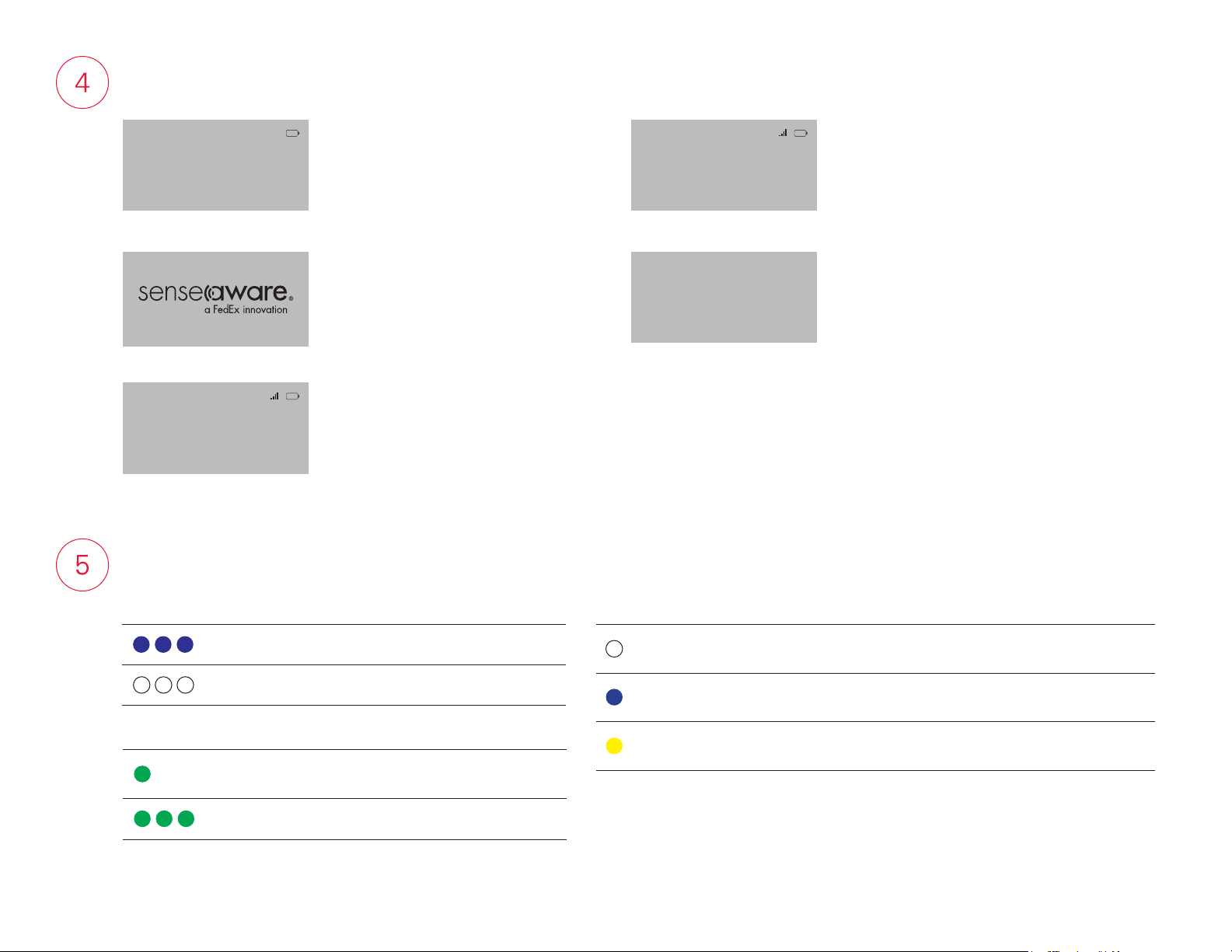
Screen guide
BATTERY DISCHARGED!
POWERED DOWN
Please charge the battery
prior to use.
Temperature: 24.04 C
Probe: ETP300 23.11 C
Press 3 sec to power OFF
This screen appears when battery is drained
and device needs charging.
SenseAware logo functions as a screensaver when the device is turned on.
This screen displays the battery charge
indicator and the sensor’s current ambient
temperature reading. When a probe is
connected, the screen also displays the probe
type and the current probe temperature.
LED indicator guide
FW: 4.2.26.20180501
MEID: 300a1c422041047
Last cong: 1525706980914
Press 3 sec to power OFF
POWERED DOWN
Press 3 sec to TURN ON
Release when WHITE LED
Wait 20 sec for Logo
This screen displays the battery charge indicator,
current version of firmware (FW) on the device,
device MEID number, and current configuration
string. The number of bars correlates with the
strength of the cellular signal on the last report
(4 bars = maximum strength; no bars = no signal).
This screen appears when the device has been
turned off manually.
STATUS INDICATORS
Blinking BLUE Device is on and is operating normally.
Blinking WHITE Device is downloading a configuration.
DEVICE IS CONNECTED TO CHARGER
Solid GREEN
Blinking GREEN
Device is fully charged.
Device is charging.
COMMAND INDICATORS
To power up the device
To turn off the device
To change from one
screen to another
Press the power button until WHITE light appears; then let go.
It will take a few seconds for the logo screen to come up.
Press the power button until BLUE light appears; then let go.
The device will turn off immediately.
Press the power button until YELLOW light appears; then let go.
Page 4

Need help with your devices?
For more information about charging and maintaining your devices, or to troubleshoot a problem, contact [email protected].
Want us to set up and/or monitor a journey for you?
SenseAware can program your device and/or monitor your shipment for an additional charge. To learn more about SenseAware Setup and Monitoring and SenseAware Monitoring Only,
contact a SenseAware Advisor at 1.901.434.3030.
Want SenseAware to handle it all?
When everything is riding on a shipment, SenseAware Single Journey provides end-to-end peace of mind. With this one-time use, one-time fee service, we do it all. Our experts program and
ship the device, monitor your shipment, and manage intervention with law enforcement, if necessary. To order this turnkey service, go to singlejourney.senseaware.com.
SenseAware. Know more. Know now.
Unlike data-loggers that provide detailed information after a shipment is delivered, SenseAware, a FedEx innovation, uses sensor-based technology to communicate what’s happening with your
shipment in real time. It enables you to proactively respond to or mitigate potentially negative situations. Simply activate the SenseAware device and place it in or on your shipment or inventory.
The robust online application lets you monitor your shipment’s integrity, security, and location from your desktop or mobile device. Go to senseaware.com/program-terms-of-use to view an
updated list of approved carriers and countries. SenseAware can also be used in non-shipping applications, such as inventory control and process monitoring.
Contact a SenseAware Advisor at 1.901.434.3030 or go to senseaware.com to learn more.
©2019 FedEx. For information on U.S. patents for SenseAware processes and systems, go to senseaware.com.
 Loading...