

Page 1
SRIDERS_PS2_MNLINT(6).qxp 1/10/06 3:55 PM Page 2
Thank you for purchasing SONIC RIDERS™. Please note that this software
is designed for use with the PlayStation®2 computer entertainment system.
Be sure to read this instruction manual thoroughly before you start playing.
CONTENTS
Getting Started . . . . . . . . . . . . . . . . . . . . . . . . . . . . . . . . . 2
Controller . . . . . . . . . . . . . . . . . . . . . . . . . . . . . . . . . . . . . 3
Story . . . . . . . . . . . . . . . . . . . . . . . . . . . . . . . . . . . . . . . . . 4
Characters . . . . . . . . . . . . . . . . . . . . . . . . . . . . . . . . . . . . . 5
Starting the Game . . . . . . . . . . . . . . . . . . . . . . . . . . . . . . 8
Game Modes . . . . . . . . . . . . . . . . . . . . . . . . . . . . . . . . . . . 10
Playing the Game . . . . . . . . . . . . . . . . . . . . . . . . . . . . . . . 13
❚ Viewing the Game Screens . . . . . . . . . . . . . . . . . . . . . . . . . . . . . . . 13
❚ Extreme Gear Air System . . . . . . . . . . . . . . . . . . . . . . . . . . . . . . . . . 15
❚ Controls . . . . . . . . . . . . . . . . . . . . . . . . . . . . . . . . . . . . . . . . . . . . . . 15
❚ Gimmicks . . . . . . . . . . . . . . . . . . . . . . . . . . . . . . . . . . . . . . . . . . . . . 17
❚ Developing Your Racing Skills . . . . . . . . . . . . . . . . . . . . . . . . . . . . . 19
❚ Special Rule Modes . . . . . . . . . . . . . . . . . . . . . . . . . . . . . . . . . . . . . 22
❚ Finishing the Game . . . . . . . . . . . . . . . . . . . . . . . . . . . . . . . . . . . . . 23
Credits . . . . . . . . . . . . . . . . . . . . . . . . . . . . . . . . . . . . . . . . 24
1
Page 2
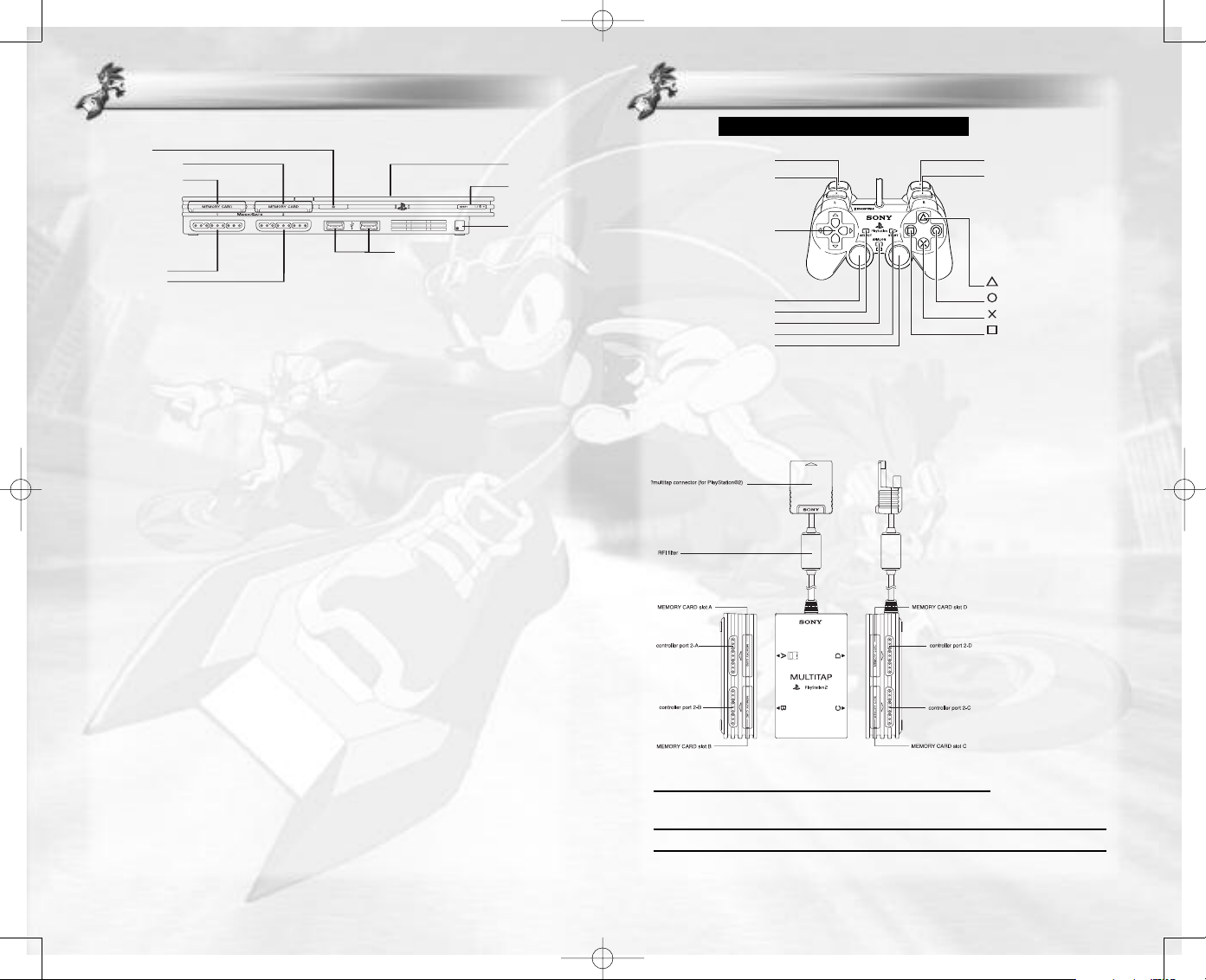
open button
o
n/standby/
reset button
IR receiver
USB connectors
disc cover
controller port 1
controller port 2
memory card slot 1
memory card slot 2
button
directional
buttons
left analog stick
L2 button R2 button
R1 button
button
button
button
L1 button
SELECT button
ANALOG mode button
START button
right analog stick
DUALSHOCK®2 ANALOG CONTROLLER CONFIGURATIONS
SRIDERS_PS2_MNLINT(6).qxp 1/10/06 3:55 PM Page 2
GETTING STARTED
GETTING STARTED
Set up your PlayStation®2 computer entertainment system according to
the instructions in its Instruction Manual. Make sure the MAIN POWER
switch (located on the back of the console) is turned ON. Press the RESET
button. When the power indicator lights up, press the OPEN button and
the disc tray will open. Place the
SONIC RIDERS™ disc on the disc tray
with the label side facing up. Press the OPEN button again and the disc
tray will close. Attach game controllers and other peripherals, as appropriate. Follow on-screen instructions and refer to this manual for information
on using the software.
Memory Card (8MB) (for PlayStation®2)
To save game settings and progress, insert a memory card (8MB)(for
PlayStation®2) into MEMORY CARD slot 1 of your PlayStation®2 system.
You can load saved game data from the same memory card or any
memory card (8MB)(for PlayStation®2) containing previously saved games.
CONTROLLER
CONTROLLER
Sonic Riders™ is a one to four player game compatible with the DUALSHOCK®2
analog controller and the Multitap (for PlayStation®2). For a one to two player
game, connect the DUALSHOCK®2 analog controller(s) to controller ports 1
and 2 respectively.
Multitap (for PlayStation®2)
For a three to four player
game, connect the Multitap
(for PlayStation®2) to controller port 2, then connect
the DUALSHOCK®2 analog
controllers for players two to
four in order from controller
port 2-A to 2-C.
WARNING: This title uses an autosave feature as the only method of saving
your Game Data. Insertion of a memory card (8MB) (for PlayStation®2)
after boot up may result in data being overwritten.
2
Menu Controls
left analog stick Change highlighted selection
directional buttons
gS button Enter Selection
evious scr
A
g
button Cancel/Retur
n to pr
3
Note: Please use the
appropriate Multitap
(for PlayStation®2)
for your PlayStation®2
computer entertainment system.
een
Page 3
SRIDERS_PS2_MNLINT(6).qxp 1/10/06 3:55 PM Page 4
STORY
STORY
At Midnight one evening in Metal City, Sonic and friends
uncovered a valuable Chaos Emerald. As they stood admiring
it, a mysterious trio on floating Extreme Gear airboards
appeared out of nowhere and snatched the precious gem.
As they raced away, one of the three dropped their airboard
and Sonic jumped aboard to pursue the thieves. But unaccustomed to riding, he lost his footing and they got away.
Later, as Sonic and friends gathered in Metal City Plaza, they
were interrupted by Dr. Eggman speaking from a giant building monitor.
“I’ve put together a little extra something to spice things up!
I call it the ‘EX World Grand Prix!’ A tournament to see who’s
the best of the best with Extreme Gear!”
Sonic groaned with disdain.
“Eggman again! Just what is he up to this time?”
At that moment, the three mysterious Chaos Emerald thieves
appeared as top ranking entrants on the monitor and Sonic’s
attitude changed.
“The EX World Grand Prix, huh? Let’s do this!”
CHARACTERS
CHARACTERS
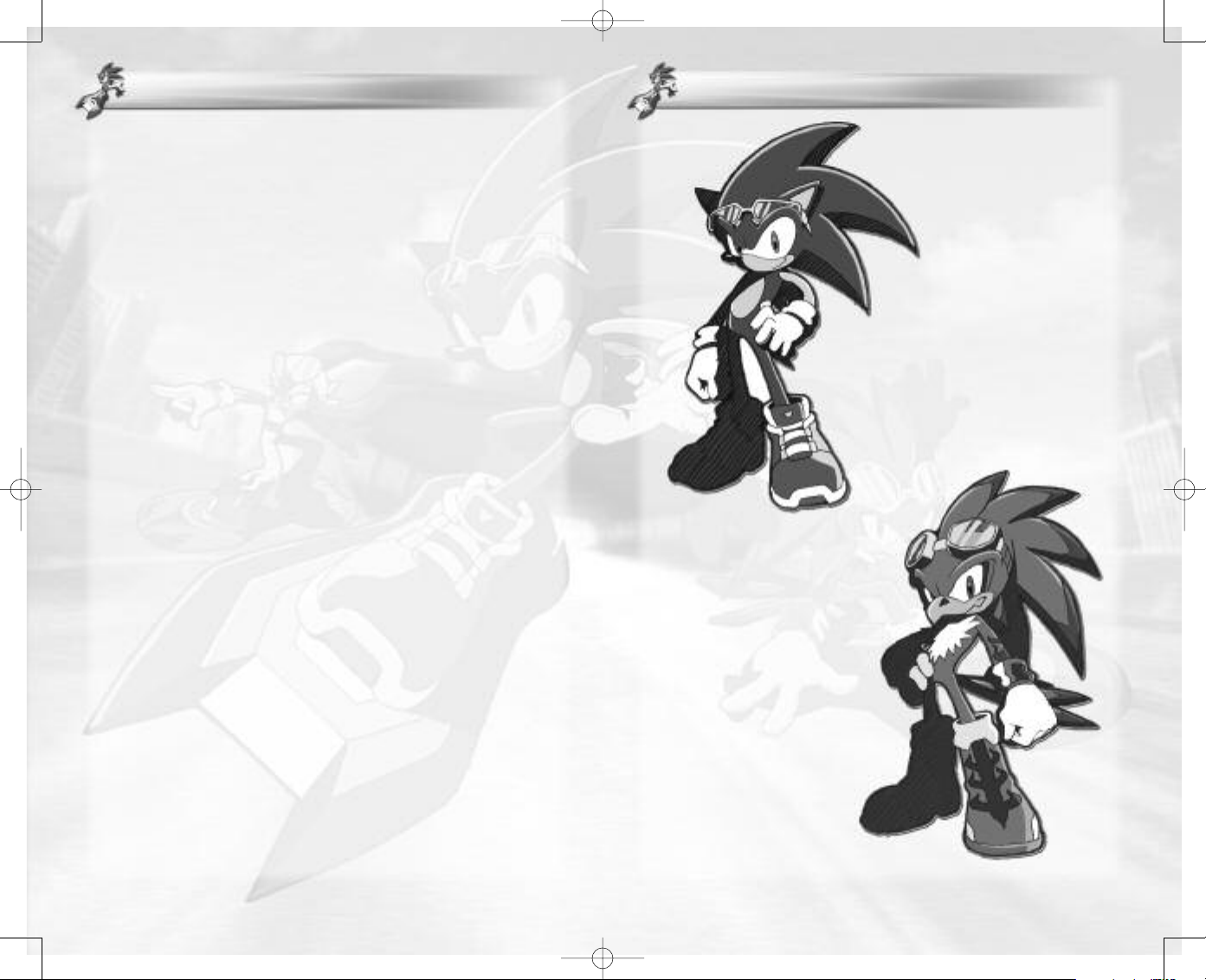
Jet the Hawk
Known as the “Legendary Wind
Master,” Jet leads the Babylon
Rogues, a talented group of thieves.
Jet’s Extreme Gear skills are revered far
and wide, earning him an impressive
reputation.
He carries a mysterious “control
box” said to have been passed down
from the ancient Babylonians.
Sonic The Hedgehog
Sonic hates evil as much as he
loves freedom. Sonic can be
short tempered at times but
will always show a gentle
side to those in trouble. He’s
normally carefree and easy
going, even when the going
gets rough; but when it comes
to a showdown he’s aggressive
and focused like a hedgehog
possessed!
Sonic has always been known as
the world’s fastest, but inexperienced with Extreme Gear, he will
have to fight to hold onto this
reputation.
Sonic’s mind was made up. But just what is Eggman really
planning? And who are the three mysterious characters?
4 5
Page 4
SRIDERS_PS2_MNLINT(6).qxp 1/10/06 3:55 PM Page 6
CHARACTERS
CHARACTERS
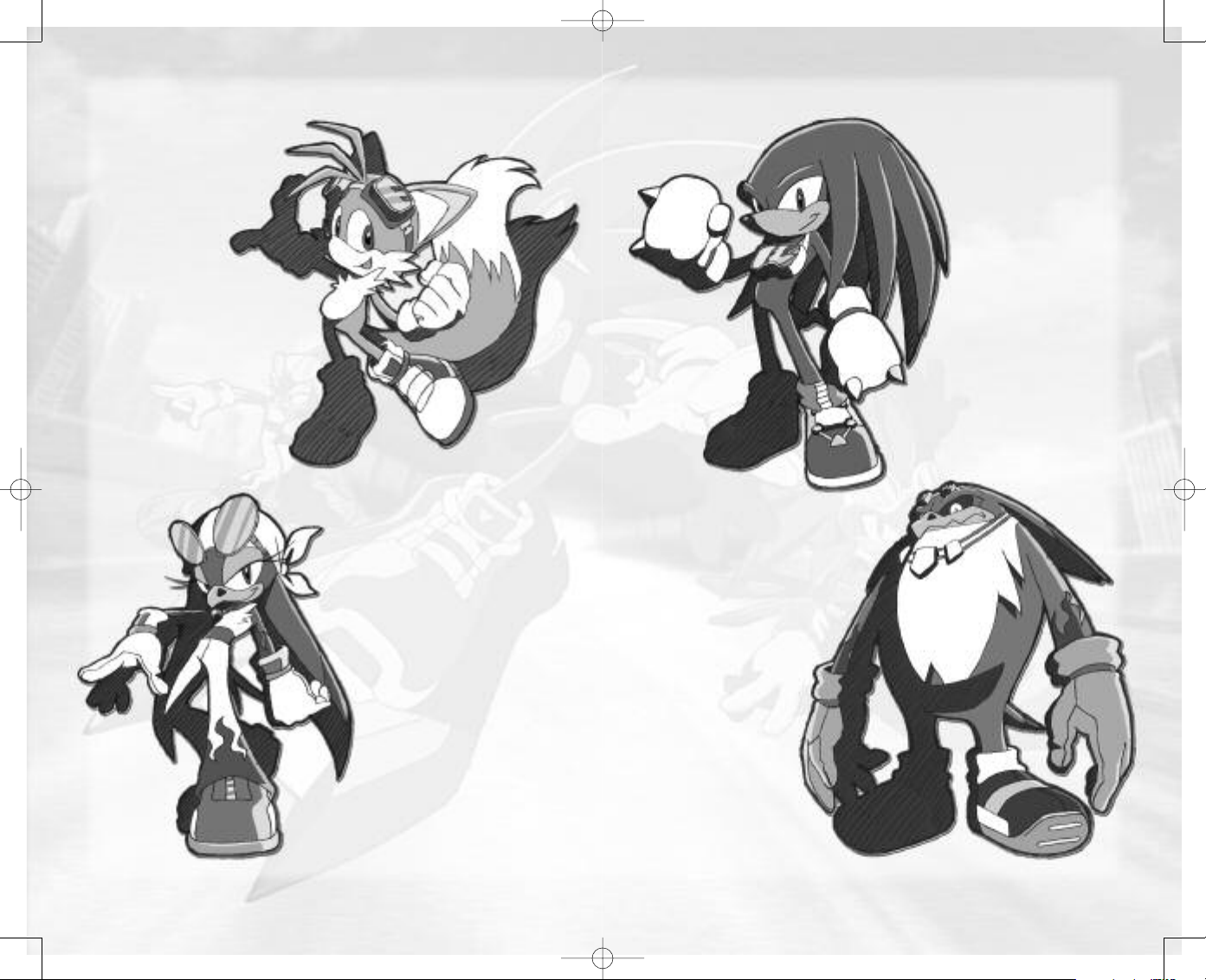
Miles “Tails”
Prower
His real name is “Miles
Prower,” but his friends
just call him “Tails.”
He’s a little kid fox
with two tails and
a heart of gold.
He loves tinkering
with machinery and has
made various devices to help
Sonic. This time he’s pitching in
as the team mechanic, fixing up
the Extreme Gear.
Wave the Swallow
A superb mechanic, Wave takes
care of all of the Babylon Rogues’
Extreme Gear. While she's capable of fixing many things, Extreme
Gear is her specialty, and her
knowledge and experience surpass
both Tails and Eggman in this area.
Storm the Albatross
Storm is the muscle behind the
Babylon Rogues’ nefarious schemes
and Jet’s right-hand man. What
he lacks in smarts, he makes up
for in raw power. He has a
quick temper, but is slow in
movement. He tends to stutter when excited or flustered.
CHARACTERS
CHARACTERS
Knuckles the
Echidna
Born on Angel Island,
Knuckles spends his
days guarding a pre-
cious stone called the
Master Emerald; for
reasons he himself
doesn’t understand.
His hard headed
demeanor makes him
gullible, and he has been
tricked by Eggman on
more than one occasion.
Bringing his inherent aggres-
sion to the race, he plans to
show Eggman that this time he
means business!
6 7
Page 5

SRIDERS_PS2_MNLINT(6).qxp 1/10/06 3:55 PM Page 8
STARTING THE GAME
STARTING THE GAME
Press the START button at the Title screen to
access the Main Menu. The first time of each
start-up, you will be prompted to load or create a
Game Data. See "Managing Game Data" on the
facing page for details.
STARTING THE GAME
STARTING THE GAME
RECORDS
Use the left analog stick or directional buttons
and the
gS button to browse the race and lap
records for each track. Use the
tons to move through the game modes.
tQ and tE but-
From the Main Menu, select from the following:
GAME START Open the Mode Select menu, and choose a game to play.
EXTRA Play unlocked movies and audio clips, or browse the Gear
OPTIONS Change a variety of game settings.
See p.10 for details on Game Modes.
Gallery and Records.
EXTRA
View or listen to things you’ve unlocked here.
THEATER
Select a movie from the list and press the
ton to play. Press the
playback to stop and return to the menu.
AUDIO ROOM
Select a music category from the left panel and a
track from the right panel to play. Use the
onscreen controls like a regular music player. Press
gA button to pause, and again to return to the
the
menu.
GEAR GALLERY
Use the left analog stick or directional buttons
and the
gS button to browse the Extreme Gear
you have obtained. Use the
tons to change the page.
gA or START button during
tQ and tE but-
gS but-
OPTIONS
Make changes to the following settings:
Audio Setting Set sound output to Dolby Digital Pro Logic II,
Vibration Setting
Language Setting Set the language settings for speech and subtitles.
Game Data Choose which Game Data to use.
MANAGING GAME DATA
The Game Data screen in Options and at start-up allows you to create,
load and delete Game Data on a memory card (8MB) (for
PlayStation®2). Select a Game Data from those available, and details
of your current progress will be displayed on the right side of the
screen. Press the
to erase the Game Data from the memory card (8MB) (for
PlayStation®2). If there is no Game Data on the memory card (8MB)
(for PlayStation®2), or you wish to create a new Game Data, select
NEW GAME and then press the START button.
HOW TO ENJOY DOLBY SURROUND SOUND
This game also contains Dolby® Digital surround sound during select movie scenes.
Connect your PlayStation®2 to a sound system with Dolby Digital surround sound
using a digital optical cable. Your sound system will automatically detect Dolby Digital
during select movie scenes and Dolby Pro Logic® II during gameplay. If it does not,
please refer to your sound system's instruction manual.
Dolby Digital Pro Logic II from the Audio Setting menu to play Dolby Digital
Select
movie scenes and Dolby Pro Logic II during the game. Select
play both game and the movie scenes in Dolby Pro Logic II.
Dolby Pro Logic II, Stereo or Monaural.
Set the vibration function ON/OFF.
S button to enter, then select Start to load, or Delete
Dolby Pro Logic II to
Dolby, Pro Logic, and the double-D symbol are trademarks
of Dolby Laboratories.
8 9
Page 6

SRIDERS_PS2_MNLINT(6).qxp 1/10/06 3:55 PM Page 10
GAME MODES
GAME MODES
SONIC RIDERS™ features a wide variety of gameplay modes as detailed
below. Use the left analog stick or directional buttons
mode from the menu and press the
gS button to continue.
V
C
to select a game
GAME MODES
GAME MODES
CHOOSING A TRACK AND CHARACTER
Depending on the game mode, you will be required to select a track and
character for each player.
NORMAL RACE
Compete in one of the following race styles:
❚ FREE RACE (1P-4P)
Compete against other players and CPU characters on a
selected track.
❚ TIME ATTACK (1P only)
Select a track and race against the clock.
❚ WORLD GRAND PRIX (1P-2P)
Compete on 5 race tracks to become the overall champion.
STORY MODE (1P)
Enter races based on the storyline.
MISSION MODE (1P)
Clear given Missions one after another. This mode will be unlocked after certain
conditions have been met.
TAG MODE (1P-4P)
Team up with another player and share a single Air
Tank (p.15) as you compete against another team on
a selected track. See p.22 for more details.
SURVIVAL MODE (1P-4P)
Play until one player remains in the following modes:
❚ RACE STAGE (p.22)
Pass through gates while carrying the Chaos Emerald to
score and win!
❚ BATTLE STAGE (p.23)
Fight off your rivals to survive.
SHOP
Purchase a range of Extreme Gear equipment with the accumulated Rings
you collected (p.21).
TRACK SELECT SCREEN
Use the left analog stick or directional buttons
ZXto choose a track and press the S button
to select.
In some game modes, the following selections
can also be made using the left analog stick or directional buttons
the
S button.
RULE SETTINGS
Use the analog stick or directional buttons C V to choose a setting, and
Z X to make changes. Available rule settings vary depending on the mode.
Total Laps Set the number of laps per race from 1–99.
Announce Toggle running commentary ON/OFF.
Ghost Toggle ghost display ON/OFF (see below).
Level Toggle Level-Up feature ON/OFF.
Item Toggle availability of Power-Up Items ON/OFF.
Air pit Toggle availability of Air pits ON/OFF.
Air Lost Characters should Run/Retire when their Air Tank is empty.
Default Return all settings to default.
Continue Apply settings and return to the Track Select screen.
CUP SELECT (World Grand Prix)
Use the left analog stick or directional buttons CVto choose the set of
tracks for your World Grand Prix.
CVand
GHOST DISPLAY
When playing in Time Attack Mode, the ghost image of a previous
attempt will run with you for a competitive reference. This can be
toggled ON/OFF in Rule Settings.
Whenever you complete a Time Attack race, you will be given the
option to save the new Ghost Data. Only one Ghost Data can be
saved per course, and will require 125 KB of free memory space. Ghost
Data is loaded automatically each race. It may not be possible to save
Ghost Data if the race exceeds 3 minutes.
10 11
Page 7

SRIDERS_PS2_MNLINT(6).qxp 1/10/06 3:56 PM Page 12
GAME MODES
GAME MODES
PLAYER ENTRY SCREEN
Use the left analog stick or directional buttons
S
and the
g
with. Additional players must first press the
button to confirm entry into the race. Each character can only be selected by a single player, and
missing players are filled by CPU characters.
Once a character has been selected, use the left analog stick or directional
buttons
first time you play, only one type of Gear will be available per character.
When all the competing players have made their selection, you will be
prompted to begin. Press the START button to begin the race.
MISSION SELECT
In Mission Mode, the aim is to outshine the
Babylon characters by performing sets of tricks
and other Missions timed to coincide with their
schedules. Use the left analog stick or directional
buttons
Babylon character's schedule, and bring up the Mission Mode select screen.
At the Mission Mode select screen, you can use the left analog stick or
directional buttons
Details of the Mission, reports and records from previous attempts will be
detailed on the right panel. Press the
Treasure. Finally, press the
As certain conditions are met throughout the game, the number of available Missions will increase.
button to select a character to race
ZXand the gS button to select the Gear you wish to use. The
CVand the gS button to choose a
ZXto select a track, and CVto select a Mission.
gS button to receive a briefing and begin.
gS
gD button to view any collected
PLAYING THE GAME
PLAYING THE GAME
VIEWING THE GAME SCREENS
SINGLE PLAYER GAME SCREEN
Rings /
Rings required
to Level-Up
Current Level
Boost available
Race position
Current lap /
Total laps
Lap record
MULTI PLAYER GAME SCREEN
Player 1
Player 2
Player 1
Player 3
Current race time
Rear rival view
Course map
Relative positions
of each character
Air Tank level /
Max level
Speed
Course map
Player 2
Course map
Player 4
12 13
Page 8

SRIDERS_PS2_MNLINT(6).qxp 1/10/06 3:56 PM Page 14
PLAYING THE GAME
PLAYING THE GAME
TAG MODE GAME SCREEN
TEAM 1
Player 1 Player 2
Player 3 Player 4
TEAM 2
Tag information
Distance Indicator
Fewer bars indicate a greater
distance between partners
Relative team member
positions
Shared Air Tank
SURVIVAL RACE GAME SCREEN
Character map
Emerald
✪ The player map shows the positions of each player relative to
the Emerald.
Possession Lamp
Indicates which
character has the
SURVIVAL BATTLE GAME SCREEN
Opponents’
Lives
Gate
Emerald
PLAYING THE GAME
PLAYING THE GAME
EXTREME GEAR AIR SYSTEM
Racing is performed on Extreme Gear Boards powered by Air stored in the
Air Tank. At regular speeds, Air is consumed fairly slowly, but special moves
such as Air Slide and Air Boost will consume Air at a much higher rate. Air
can be replenished by picking up Air Items, performing Trick Actions, capitalizing on your characters’ Special Skills, and rotating the left analog stick
during Automatic Trails.
If the Air Tank becomes empty, you will have to run to the nearest Air Pit
to fill up, perform a trick, or pick up an Air Power-Up item.
AIR PIT
Air Pit terminals allow you to quickly fill your Air Tank, and
are positioned at various points around the tracks. Simply
ride/run over the Air Pit to refill the tank. When the tank is
full, you will automatically leave in the correct direction to
continue the race. If you’re in a rush, press the
to leave the Air Pit immediately.
Note: Not all tracks have Air Pits.
gS button
CONTROLS
left analog stick Move character/Perform Trick Action
C Move forward/Front flip (during Trick Action)
V Move backward/Back flip (during Trick Action)
ZX Move sideways/Steer/Sideways spin (during Trick Action)
gS button Jump/Grind
gA / gF button Air Boost/Attack rival
tQ / tE button Brake/Air Slide (with ZX)
tQ + tE button Exit Turbulence/Tornado
START Pause/Skip event
Course map
Player’s Lives
Steering left analog stick Z X
While riding your Extreme Gear, use the left analog
stick
Guard items
Attack items
ZXto steer left and right around the track.
Forward motion is automatic so no controller input is
required.
14 15
Page 9

SRIDERS_PS2_MNLINT(6).qxp 1/10/06 3:56 PM Page 16
PLAYING THE GAME
PLAYING THE GAME
Air Boost F / A button
Press the gF / gA button for an extra blast of speed.
Air Boost also allows you to attack rivals ahead of
you, temporarily disorientating them and costing
them time. This technique consumes a considerable
amount of Air, so try to use it sparingly.
Air Slide Steering + tQ / tE button
Some turns are too tight to tackle at high speed.
Pressing either the
into the corner will shoot a jet of Air out the side of
your Gear to assist in maneuvering. Air is consumed
more quickly when performing an Air Slide.
tQ / tE button while steering
Brake tQ / tE button
Press either the tQ / tE button to brake quickly.
Tornado tQ + tE button
If a character is too close behind you, you are then vulnerable to being attacked, or overtaken. Press the
and tE buttons together to create a mini Tornado that
will halt your rival in their tracks. Tornados cost you
both speed and Air, so check conditions carefully to
make sure other players can't take advantage.
tQ
Running left analog stick
During the countdown at the start of the race, run
toward the startline. You can boost your initial start
by crossing the startline just after the countdown finishes. Don’t cross it too soon or you will get electrified
and brought to a standstill for a short period.
need to make your way on foot until you reach an Air Pit to fill up, perform a trick, or pick up an Air Power-Up item.
During the race, if your Gear runs out of Air, you will
PLAYING THE GAME
PLAYING THE GAME
GIMMICKS
Trick Zones
These can be found at various points on each track,
and act as springboards allowing you to perform a
variety of Trick Actions. To perform a simple Trick
Action, press the
Trick Zone. For a longer jump that allows greater
combos, hold down the
approach the Trick Zone and release as you pass over
it. Correct timing is crucial. While in the air, use the left analog stick to perform spins in all directions.
Larger numbers of spins in a variety of directions will award you a higher
Rank, which replenishes a greater amount of Air. When the left analog
stick is neutral, the character will automatically return to the upright position facing forward ready to land. Fail to land correctly, and you’ll get a
lower Rank and receive less Air.
There are two types of basic Trick Action as follows:
Back Flip
Hold the left analog stick V as you release the gS button. Back Flips propel
you high into the air making it possible to reach Shortcuts or bonus Items
far above.
Front Flip
Hold the left analog stick C as you release the gS button. Front Flips
propel you further forward making it possible to reach distant Shortcuts
or Bonus Items.
gS button to jump as you ride over a
gS button to Charge as you
Grind Rails
Grinding allows you to travel at speeds faster than the
standard riding speed. Approach a pipe or rail suitable
for Grinding (grindable rails have a blue light at the
front), and press the
faces must be approached from above, so it may be
necessary to first Jump (
ramped surface. So essentially you’ll need to Jump
twice to properly land on a rail.
Only Speed Type characters (p.19) are able to Grind.
gS button to connect. Grind sur-
gS button) or make use of a
16 17
Page 10

SRIDERS_PS2_MNLINT(6).qxp 1/10/06 3:56 PM Page 18
PLAYING THE GAME
PLAYING THE GAME
Accelerators
Launch into an Accelerator and you will be propelled
forward at a higher speed than normal, sometimes as
a Shortcut bypassing part of the course. Use the left
analog stick to try to pass through as many
Accelerators as you can for maximum speed and
bonus Air.
Only Flight Type characters ( p.19) can access Accelerators. This is also
known as Air Riding.
Barricades
Some routes around the track are sealed off by obstacles such as barrels and stationary vehicles, that have
to be smashed through to gain access. Smashing
obstacles is as simple as riding straight into them. Try
to break as many as you can in succession to receive
maximum bonus Air.
Only Power Type characters ( p.19) can access Barricaded areas.
Automatic Trails
Some sections of the race courses are automatically
controlled and require no input from the player.
However, in most cases, you can increase your speed
and Air by rotating the left analog stick clockwise as
quickly as possible during these sections.
Shortcuts
Use of Trick Actions and Character Type Skills (see facing page) such as
Grinding, can sometimes allow you to access hidden shortcuts around the
course. Make use of these shortcuts to keep you in the lead.
PLAYING THE GAME
PLAYING THE GAME
Turbulence
Riding Gear at high speed sometimes leaves a trail of
Turbulence behind which can be surfed by other characters. To surf a rival’s Turbulence, approach the trail
from the rear or push into it from the side, and then
duck left and right quickly to increase your speed. If
you can reach the source of the Turbulence, you can
overtake a rival putting you in the lead.
Depending on conditions, Trick Areas may appear in the Turbulence. If
your positioning is correct when these Trick Areas appear, you will automatically perform Trick Actions that increase both speed and Air.
DEVELOPING YOUR RACING SKILLS
CHARACTER TYPES
There are three different Types of characters that excel in either Speed, Power
or Flight. Depending on your Character Type, additional Skills are available
which can earn you bonus Air, and which give you the winning advantage.
Speed Type
Ability to Grind
along edged surfaces such as rails
and pipes.
Flight Type
Ability to launch off
runways and fly
through chains of
Accelerators.
Power Type
Ability to punch
through obstacles
such as cars and
barrels, sometimes
revealing a Shortcut.
18 19
Page 11

SRIDERS_PS2_MNLINT(6).qxp 1/10/06 3:56 PM Page 20
PLAYING THE GAME
PLAYING THE GAME
EXTREME GEAR
A range of Extreme Gear equipment is available for you to choose from.
Each has its own characteristics in terms of speed, acceleration, cornering,
durability, etc. Each character and Gear combination will have different
strengths and weaknesses that you will need to take into consideration
when refining your race style. Attributes for both characters and Gear are
displayed as follows:
Dash Rate of acceleration.
Limit Maximum speed that can be reached.
Power Ability to maintain speed over rough terrain.
Cornering Ability to handle tighter corners.
The more stars, the stronger the attribute.
✪ In Normal Race Mode, some Gear may be unavailable for certain courses.
POWER-UP ITEMS
Item Boxes containing Power-Up Items can be found
around each track. Simply touch an Item Box to receive
the Item. Items are detailed as follows:
Rings
Gives bonus Rings in various
amounts.
Air
Tops up your Air Tank by
various amounts.
PLAYING THE GAME
PLAYING THE GAME
LEVEL-UP
Try to collect Rings positioned around the tracks.
When your Ring count reaches certain levels, you
will Level-Up, increasing your parameters and
abilities. If you are attacked or fall off the course,
your Ring count will return to 0, and your Level
will return to 1.
The Rings held at the end of each race are automatically accumulated and
can later be exchanged for Gear at the Shop (see below).
SHOP
Purchase additional Extreme Gear with accumulated Rings.
When you enter the shop, select Exchange and
press the gS button. Then use the left analog stick
or directional buttons
displayed on the right panel. When you decide which type of Gear you
wish to purchase and have enough Rings, press the
The Gear can then be selected from the Player Entry screen, and viewed
from the Gear Gallery (p.8).
CVto browse the Gear. Details and parameters are
gS button to Exchange.
Magnetic Barrier*
Draws in Rings like a magnet.
High Speed*
Sudden boost in speed.
Explosion
Launches a bomb at players
ahead knocking them off
balance.
*Effects are for a limited time only.
Invincible Barrier*
Protection from all attacks
and obstacles.
Speed Down*
Slows you down to a crawl.
Question Item
Contains a mystery PowerUp Item.
PAUSE MENU
During gameplay in all modes, press the START button to pause the
game and bring up the Pause menu. Here you can select from the following options:
Retry Restart the current game from the beginning.
Quit End the current game and return to the Mode Menu.
Cancel Exit the Pause menu and continue the race.
20 21
Page 12

SRIDERS_PS2_MNLINT(6).qxp 1/10/06 3:56 PM Page 22
PLAYING THE GAME
PLAYING THE GAME
SPECIAL RULE MODES
TAG MODE
Tag Mode is selected from the Mode Select menu (p.10). The objective is
to partner up with another player or CPU character and share a single Air
Tank as you race against another team. Players 1 and 2 make up the first
team, and players 3 and 4 make up the second. If either team member
crosses the line first, that team wins. Controls are the same as for the regular game modes. Shortcuts and Type Skills are not available.
During the race, it is important to keep an eye on your teammate's
progress, for if you stray too far apart the player in front will be zapped
and forced to wait until the other catches up. If you stay close together
though, the Air Tank will be slowly topped up. The distance and relative
positions of each member are easily grasped by referring to the Tag
Information display at the center.
Hint: Why not make use of each other’s Turbulence to leapfrog your way
into the lead!
SURVIVAL RACE STAGE
Survival Race Stage is selected via Survival Mode in the Mode Select menu
(p.10). The objective is to carry the one and only Chaos Emerald through a
set amount of Gates before the other characters do. Controls are the same
as for the regular game modes. Shortcuts and Type Skills are not available.
Check the character map display to see your position relative to the Chaos
Emerald. If another character has the stone, you will need to attack them
by touching them to retrieve it. Once it's in your possession, you’ll become
the prime target, so watch your back!
PLAYING THE GAME
PLAYING THE GAME
SURVIVAL BATTLE STAGE
Survival Battle Stage is selected via Survival Mode in the Mode Select menu
(p.10). The objective is to move around the special courses attacking the
other characters until only one remains. Controls are the same as for the
regular game modes.
Each character starts out with three lives, and will lose one each time
he/she takes damage. When no lives remain, the character is out. Around
the course are Power-Up Items to fill your Air Tank, increase your speed to
max, increase your attack power, and increase your defenses. Check the
course map to find the positions of items and other characters.
✪ In the Space Theater stage, opponents can only be damaged by knock-
ing them into the electrified fences, or off the edge of the stage.
FINISHING THE GAME
At the end of a race, the race results are displayed. First, the individual lap times will be displayed together with the total race time. Shortly
after, the total race times and positions for each
character will be displayed.
Depending on the mode, pressing the
brings up the following menu:
Restart Start a new race with the same settings and conditions.
Replay Watch an action replay of the completed race.
Back to menu Quit and return to the menu.
gS button
✪ Time is limited when the chaos Emerald is in your possession.
22 23
Page 13

LIMITED WARRANTY:
SEGA of America, Inc. warrants to the original consumer purchaser that the game disc or cartridge shall be free from defects
in material and workmanship for a period of 90-days from the original date of purchase. If a defect covered by this limited
warranty occurs during this 90-day warranty period, the defective game disc or cartridge will be replaced free of charge.
This limited warranty does not apply if the defects have been caused by negligence, accident, unreasonable use, modification,
tampering, or any other causes not related to defective materials or manufacturing workmanship. This limited warranty does
not apply to used software or to software acquired through private transactions between individuals or purchased from online
auction sites. Please retain the original, or a photocopy, of your dated sales receipt to establish the date of purchase for
in-warranty replacement. For replacement, return the product, with its original packaging and receipt, to the retailer from which
the software was originally purchased. In the event that you cannot obtain a replacement from the retailer, please contact Sega
to obtain support.
Obtaining technical support/service
To receive additional support, including troubleshooting assistance, please contact Sega at:
• Website: www.sega.com/support
• E-mail: support@sega.com
• Telephone: 1-800-USA-SEGA
LIMITATIONS ON WARRANTY
ANY APPLICABLE IMPLIED WARRANTIES, INCLUDING WARRANTIES OF MERCHANTABILITY AND FITNESS FOR A
PARTICULAR PURPOSE, ARE HEREBY LIMITED TO 90 DAYS FROM THE DATE OF PURCHASE AND ARE SUBJECT TO THE
CONDITIONS SET FORTH HEREIN. IN NO EVENT SHALL SEGA OF AMERICA, INC., BE LIABLE FOR CONSEQUENTIAL OR
INCIDENTAL DAMAGES RESULTING FROM THE BREACH OF ANY EXPRESS OR IMPLIED WARRANTIES. THE PROVISIONS OF
THIS LIMITED WARRANTY ARE VALID IN THE UNITED STATES AND CANADA ONLY. SOME STATES DO NOT ALLOW
LIMITATIONS ON HOW LONG AN IMPLIED WARRANTY LASTS, OR EXCLUSION OF CONSEQUENTIAL OR INCIDENTAL
DAMAGES, SO THE ABOVE LIMITATION OR EXCLUSION MAY NOT APPLY TO YOU. THIS WARRANTY PROVIDES YOU WITH
SPECIFIC LEGAL RIGHTS. YOU MAY HAVE OTHER RIGHTS THAT VARY FROM STATE TO STATE.
To register this product, please go to www.sega.com
SRIDERS_PS2_MNLINT(6).qxp 1/10/06 4:06 PM Page 24
CREDITS
CREDITS
The following credits list the staff responsible for the localization, marketing, and manual production for Sonic Riders™. See the in-game credits for
the complete list of the original development staff.
SEGA OF AMERICA, INC.
CEO
Naoya Tsurumi
President / COO
Simon Jeffery
Senior VP of Product Development
Bill Petro
Localization Producer
Jason Kuo
Senior Test Lead
Shawn Dobbins
Test Lead
Lee Frohman
Assistant Test Lead
Joshua Pfeiffer
Davidson Talag
VP of Marketing
Scott Steinberg
Sr. Brand Manager
Don Mesa
Assistant Product Manager
Yosuke Moriya
Creative Services Manager
Jen Groeling
Director of Web Development
Chris Olson
Online Art Director
Rodwin Pabello
Sr. Copywriter
Bridget Oates
Sr. PR Manager
Bret Blount
PR Manager
Erica Rogers
QA Manager
Deni Skeens
Testers
Stephen Akana
Michael Baldwin
Jared Bishop
Dennis Constantino
Steve Fleming
Ryan Jones
Patrick Joynt
Rhianna Kellom
J.J. Mc Kenna
Frank Morales
Shymal Raj
James Shattuck
Patrick Woo
Build Engineers
Curtis Chiu
Rick Ribble
SEGA LOGISTICS SERVICE CO., LTD.
Manual Production
Yoshihiro Sakuta
Hisakazu Nakagawa
Colin Restall
24
SEGA of America, Inc.
650 Townsend Street, Suite 650, San Francisco, CA 94103
SEGA is registered in the U.S. Patent and Trademark Office. SEGA, the SEGA logo, and Sonic Riders are registered trademarks of SEGA Corporation
or its affiliates. © SEGA Corporation, 2006. All Rights Reserved. This game is licensed for use with PlayStation 2 only. Copying and/or transmission of
this game is strictly prohibited. Unauthorized rental or public performance of this game is a violation of applicable laws. Programmed in Japan. Made
and printed in the USA. U.S. Patent Nos. 5,269,687 and 5,354,202 used under license from Midway Games West Inc.
Fonts used in this game are supported by FONTWORKS International Limited. FONTWORKS product-names and FONTWORKS logos are registered
trademarks or trademarks of FONTWORKS International Limited. Copyright 1994-2002 FONTWORKS International Limited. All rights reserved.
 Loading...