

Page 1
GETTING STARTED
1. Plug in the wire from the desktop power supply into the back of the unit, above where it
says “POWER”
2. Plug the female end of the line cord into the desktop supply.
3. Plug the male end of the outlet cord into an appropriate outlet receptacle.
Note: The “REMOTE” jack in the back of the unit (next to the power jack) is not used at this time.
MagStir is supplied with a rubber pad for placing under the container to be stirred. This pad is
useful for cell growth applications, or other applications where zero heat transfer to the container
is essential (also set power level to lowest setting - #1). For other applications this pad may be
used, but is not necessary.
CAUTION! Do not subject the MagStir Genie to excessive shock.
Dropping the unit, or otherwise subjecting it to unnecessary shock (ie: using excessive force to
place vessels on the unit) may crack the case and lead to unsafe conditions.
CAUTION! Failure to follow operating instructions can compromise the user’s safety.
Care and Handling
The MagStir Genie should be given the care normally required for any electrical appliance. Avoid
wetting or unnecessary exposure to fumes. The finish can be washed with a damp cloth (after
unplugging) and soap or mild detergents, using a cloth or sponge. Keep the unit clean by
immediately blotting any spills.
CAUTION! Unplug from power before cleaning. Do not immerse.
CAUTION! MagStir Genie is only to be connected to supplied DC power supply
DTS120100SUD-P5P-SZ.
CAUTION! Do not use MagStir Genie in hazardous atmospheres or with hazardous
materials.
CAUTION! Do not use MagStir Genie in applications such as mixing of flammable
materials or where the transfer of mechanical energy to glass apparatus could lead to
breakage.
TECHNICAL SPECIFICATIONS
The MagStir Genie Magnetic Stirrer is classified as “Installation Category 2”
Environmental: 0°C – 38°C (32°F-100°F), 95% Humidity max. , Pollution Degree 2
Required current: 0.3 amps, 100-240 Volts, 50-60 Hz.
External 12V DC Power supply, output 1.0 Amp
Weight: 1.0 Kg (2.2 lbs.)
Maximum Load: 5 Kg. (11 lbs.)
Dimensions: 200x160x55mm, 7.9x6.3x2.2in (LxWxH)
This symbol, on the external power supply, indicates that it is double insulated.
MODEL POWER
SI-0300 120V/100V
SI-0301 230V No plug
SI-0302 230V Euro/Swiss plug
SI-0303 230V British plug
All units are supplied with universal power supply and one of the power cords listed below.
SI-0310 Power Supply (use with one of below)
SI-0311 Power Cord, 100V/120V
SI-0312 Power Cord, 240V British plug
SI-0313 Power Cord, No plug
SI-0314 Power Cord, 240V Euro/Swiss plug
© Scientific Industries Inc. 2006 LTP0039 Rev. B
U.S. Pat. 6,962,433
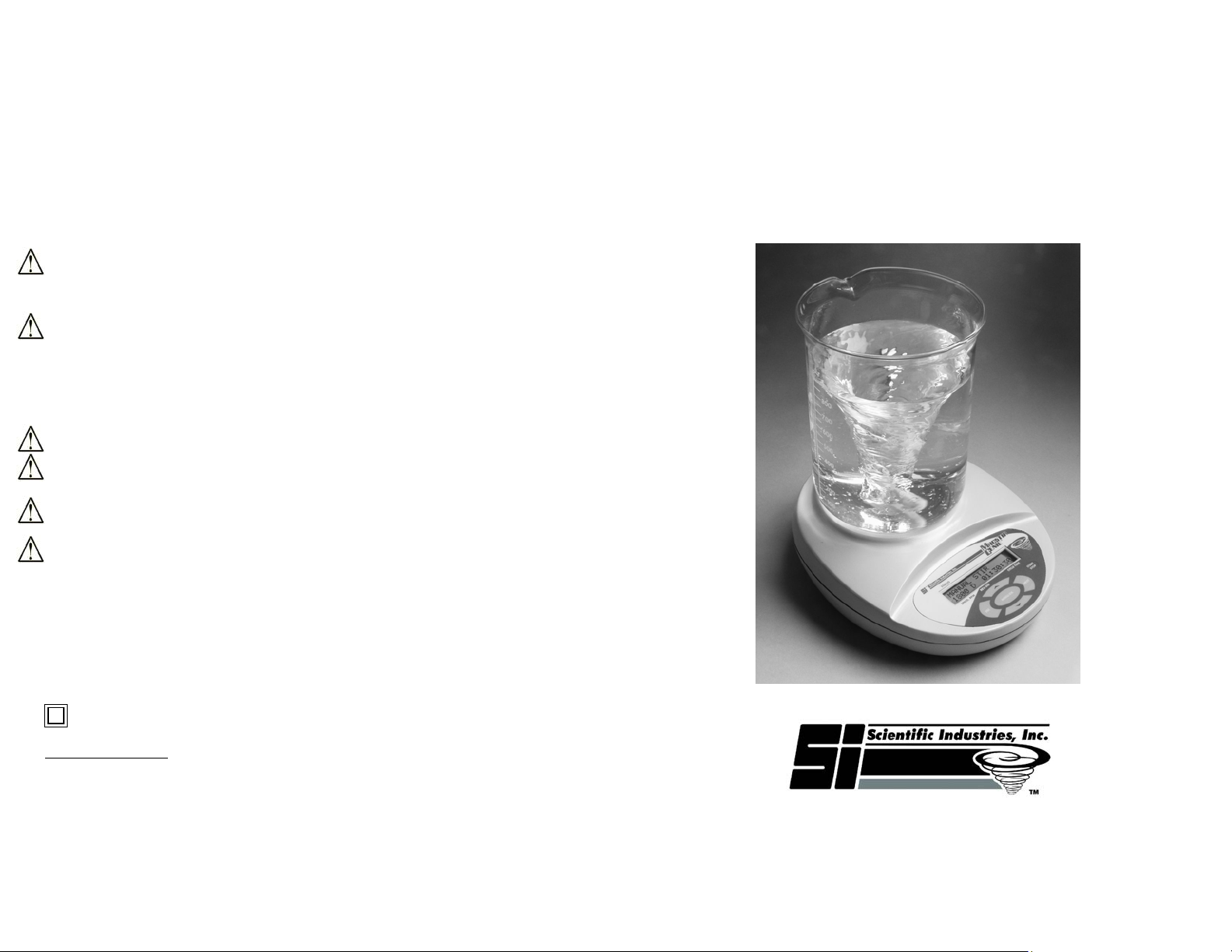
MagStir Genie
Programmable Magnetic Stirrer
OPERATING INSTRUCTIONS
Model SI-0300 through SI-0303
Phone: (631) 567-4700 • Fax: (631) 567-5896 Toll Free: 888-850-6208
U.S. Pat. 6,962,433
70 Orville Drive, Bohemia, NY 11716 U.S.A.
Customer Service: [email protected]
www.scientificindustries.com
Page 2

MAGSTIR GENIE PROGRAMMABLE MAGNETIC STIRRER INSTRUCTIONS
The MagStir Genie Programmable Magnetic Stirrer features four (4) modes: Manual, Automatic, Profiles, and
Setup. Manual mode provides basic stir, stir reverse, and timer functions. The Automatic mode operates from
one of four (4) user-programmable profiles. Profiles mode allows users to create, edit, and store parameters to
be used in Automatic mode. Setup mode stores global parameters for manual operation.
FEATURES OF THE MAGSTIR GENIE PROGRAMMABLE MAGNETIC STIRRER
· Display: 2 lines by 16 characters LCD Display
· Buttons: 6 membrane switches
· Audible alarm
· Speed range: 10 – 1800 RPM.
· Cycle time: – 1 sec – 99hr
· Power Levels: – Low/Medium/High
· Selectable Ramp Rates: – 5 – 300 RPM/sec
· Memory: 4 User-Defined Profiles (manual operation also available)
MENU NAVIGATION
Values are changed by placing the cursor under the digit to be changed (by pressing the next key). Use the up
and down arrows to change the value under the cursor. The basic principles of the menu navigation are widely
used in many consumer products. In essence, the functionality of the buttons is as follows:
· START/STOP – Power On/ Start Cycle/ Stop Cycle
· MENU/OK – Accept Values
· UP/DOWN – Change values/ Toggle between options
· NEXT – Select next parameter/value to edit
· ESC – Go back/Escape to Main Menu
BASIC OPERATION
· The MagStir Genie will enter “Sleep” mode as soon as the unit is plugged into an external power supply.
· Press the START/STOP button to activate the LCD display. The current software version will be displayed,
followed by the Manual mode parameters.
Press the ‘ESC’ key to access the main menu. The four modes will be displayed: Manual, Automatic, Profiles,
and Setup. Press the ‘NEXT’ key until the blinking cursor is under the desired mode, then press ‘MENU/OK’ to
enter the mode.
MANUAL MODE:
Manual mode provides basic stirring, stir reversing, and timer functions.
a) Values for speed, stir direction (D=single direction, R=reverse direction plus pause), and time may
be edited by moving the blinking cursor under each digit of the desired parameter with the ‘NEXT’
key and pressing the ‘UP’ or ‘DOWN’ keys to achieve the desired setting. Speed range is 10 – 1800
RPM, time range is 1 sec – 99 hrs.
b) Press ‘START/STOP’ to initiate the stir cycle with the displayed parameters. Pressing
‘START/STOP’ again during the stir cycle will interrupt the stir cycle and reset the time. NOTE:
Stirring action will decrease according to the ramp rate (stored in SETUP mode).
c) If reverse direction stirring is enabled (“R”), it will work with the parameters (reverse time and pause
time) stored in SETUP mode. Reverse Period: The time to stir in reverse direction in manual mode.
d) Speed may be adjusted during the stir cycle by pressing the ‘UP’ or ‘DOWN’ keys. Stirring speed
will be adjusted in increments of 50 RPM.
e) At the completion of the timed stir cycle, the MagStir Genie will stop and beep three (3) times.
AUTOMATIC MODE:
Automatic mode activates one of four (4) user-defined profiles (see PROFILES mode for more information)
stored in memory.
a) Select profile 1-4 by pressing the ‘UP’ or ‘DOWN’ keys until the desired parameter number is
displayed.
b) Press ‘MENU/OK’ to accept the profile.
c) Press ‘START/STOP’ to begin the stirring profile. (Parameters may only be changed in PROFILES
mode).
d) If ‘START/STOP’ is pressed during the stir cycle, the cycle will cease and the display will return to
the profile selection screen.
e) At the completion of the programmed stir cycle profile, the MagStir Genie will stop, beep three (3)
times, and return to the profile selection screen. NOTE: If a profile is set to ‘Repeat’, it will continue
to cycle the profile until ‘START/STOP’ is pressed.
PROFILES MODE:
Profiles mode is for the creation, editing, and storage of up to four (4) user-defined profiles, which can be
activated in AUTOMATIC mode. Each profile may consist of up to nine (9) independent steps. NOTE: If
the last step is ‘Repeat’, the program will cycle continuously until ‘START/STOP’ is pressed.
a) Select the profile to be edited (1-4) by pressing the ‘UP’ or ‘DOWN’ keys until the desired parameter
number is displayed. Press ‘MENU/OK’ to accept the profile.
b) Set ramp speed for profile by moving the blinking cursor under each digit of the speed with the
‘NEXT’ key and pressing the ‘UP’ or ‘DOWN’ keys to achieve the desired setting. Ramp speed
range is 5 – 300 RPM/Sec. NOTE: Large stir bars and/or viscous fluids require slower ramp up
times to ensure that the stir bar remains securely within the magnetic field.
c) Press ‘MENU/OK’ to accept the ramp speed.
d) STEP 1 (S1)
a. Select parameter type by pressing the ‘UP’ or ‘DOWN’ keys until the desired parameter
type is displayed. Press ‘MENU/OK’ to accept the type. Parameter types are as follows:
RUN CW — Stir Clockwise
RUN CCW — Stir Counter-clockwise
PAUSE — No stirring
END — Stop profile
b. If RUN CW or RUN CCW is chosen, the next display will prompt for stirring speed. Set
stirring speed for profile by moving the blinking cursor under each digit of the speed with
the ‘NEXT’ key and pressing the ‘UP’ or ‘DOWN’ keys to achieve the desired setting.
Stirring speed range is 10 – 1800 RPM/Sec. Press ‘MENU/OK’ to accept the stirring
speed. The next display will prompt for stirring time. Set stirring time for profile by
moving the blinking cursor under each digit of the time with the ‘NEXT’ key and pressing
the ‘UP’ or ‘DOWN’ keys to achieve the desired setting. Stirring time range is 1sec –
99hrs. Press ‘MENU/OK’ to accept the stirring time.
c. IF PAUSE is chosen, the next display will prompt for pause time. Set pause time for
profile by moving the blinking cursor under each digit of the time with the ‘NEXT’ key
and pressing the ‘UP’ or ‘DOWN’ keys to achieve the desired setting. Pause time is
1sec – 99hrs. Press ‘MENU/OK’ to accept the pause time.
d. If END is chosen, go to step f. NOTE: This should always be the last step programmed
to signify the end of the stir profile.
e) Subsequent steps (S2 – S9) may be entered in the same manner.
f) Set the profile to repeat, if desired, by pressing the ‘UP’ or ‘DOWN’ keys until the desired parameter
type (Yes or No) is displayed. Press ‘MENU/OK’ to accept.
g) The profile is now saved.
SETUP MODE
Setup Mode allows users to edit and program default parameters for manual operation. The following can be
programmed:
Ramp Speed: The rotary speed acceleration of the stir bar (ie: The time required to reach full stirring
speed).
Power Levels: Setting 1 provides the lowest level of power to the MagStir Genie and is appropriate for
most aqueous solutions. Setting 2 provides additional power to the MagStir Genie and may be used for
mildly viscous solutions and/or large stir bars. Setting 3 provides the highest level of power and should
be used for viscous fluids, high speeds, and high ramp rates.
Reverse Pause: The time to pause in reverse mode (no stirring) when stir reverse is activated in manual
mode.
a) Set Ramp and Power Levels by moving the blinking cursor under each digit of the specified
parameter with the ‘NEXT’ key and pressing the ‘UP’ or ‘DOWN’ keys to achieve the desired
setting. Ramp speed range is 5 – 300 RPM/Sec. Power Levels are 1, 2, or 3. Press ‘MENU/OK’ to
accept the ramp rate and power level.
b) Set Reverse Period and Reverse Pause by moving the blinking cursor under each digit of the
specified parameter with the ‘NEXT’ key and pressing the ‘UP’ or ‘DOWN’ keys to achieve the
desired setting. Reverse Period range is 1 sec. – 59 min, 59 sec. Reverse Pause range is 1 sec. –
59 min, 59 sec.. Press ‘MENU/OK’ to accept the reverse period and reverse pause.
c) Setup is saved.
· MagStir will return to “Sleep” mode after 10 minutes of inactivity. .
· The Audible alarm will sound when:
a) MagStir is turned on/off - 3 short beeps.
b) At end of stir cycle – one long beep.
c) When a button is pressed – one short beep.
 Loading...