

Page 1
Instruction Bulletin
Specification of SQR50101**Z Z-Wave Plus Remote Dimmer Switch
Voltage
120 Vac, 60 Hz
Operating temperature
32–104°F (0–40°C)
Wireless type
Z-Wave (Support S2 and SmartStart)
Wireless frequency
908.40 MHz / 908.42 MHz / 916 MHz
CAUTION
HAZARD OF UNINTENDED USE
This device is intended to be used for non-critical automation activities. It is not
intended to support life, safety, or medical equipment.
Failure to follow these instructions can result in personal injury or
equipment damage.
DANGER
GDE7796300
SQR50101**Z Z-WaveTM Plus Remote Dimmer Switch
** = color code: WH (white), LA (light almond), BK (black), GY (gray)
Features
• Wireless Z-Wave technology creates a mesh network for command and
control interoperability with other Z-Wave compliant controllers and devices.
• Work with other Z-Wave switch or dimmer devices for 3-way (multi-location)
control, provide manual and remote control.
• The 3-way control can be achieved through below 2 methods.
o Association group control or
o Central scene control
• Child lockout capability.
NOTE:
• This remote switch is only a wireless controller, it cannot be used by itself
for single-pole control.
Precautions
1
Suitable for at least 90°C.
GDE9796300 © 2020 Schneider Electric All Rights Reserved 1
Page 2
Instruction Bulletin
HAZARD OF ELECTRIC SHOCK, EXPLOSION, OR ARC FLASH
• Apply appropriate personal protective equipment (PPE) and follow safe
electrical work practices. See NFPA 70E, NOM-029-STPS or CSA Z462 or
local equivalent.
• This equipment must only be installed and serviced by qualified electrical
personnel.
• Turn off all power supplying this equipment before working on or inside
equipment.
• Always use a properly rated voltage sensing device to confirm power is off.
• Use with copper wire only.
• Indoor use only.
• Replace all devices, doors, and covers before turning on power to this
equipment.
Failure to follow these instructions will result in death or serious injury.
WARNING
HAZARD OF HEAT AND FIRE DAMAGE
Read all instructions before installation. The manufacturer will not be held
responsible for product damage resulting from not following the instructions.
• Wet hands are strictly prohibited.
• Do not continue working after self-disassembly of any nature and damage of
external forces.
Failure to follow these instructions can result in death, injury or
equipment damage.
GDE7796300
WARNING: This product can expose you to chemicals including Carbon black, which is
known to the State of California to cause cancer, and Bisphenol A (BPA), which is
known to the State of California to cause birth defects or other reproductive harm. For
more information go to
www.P65Warnings.ca.gov.
Wireless Range Conditions
The wireless range is the effective distance of remote control and it will be
impacted by the following conditions:
• Each wall or obstacle (e.g., refrigerator, TV, etc.) between the remote or Z-
Wave device and the destination device will reduce the wireless range.
GDE9796300 © 2020 Schneider Electric All Rights Reserved 2
• Brick, tile, or concrete walls block more of the wireless signal than walls made
of wooden studs and plasterboard (drywall).
• The angle of direction between the remote or Z-Wave device and the
destination device will also impact the wireless range; normally, placing the ZWave devices face-to-face will get the best wireless range.
• Wall-mounted Z-Wave devices installed in metal junction boxes may suffer a
significant loss of range since the metal box blocks a large part of the wireless
signal.
Page 3
Instruction Bulletin SQR50101**Z Z-Wave Plus Auxiliary Switch
Installation
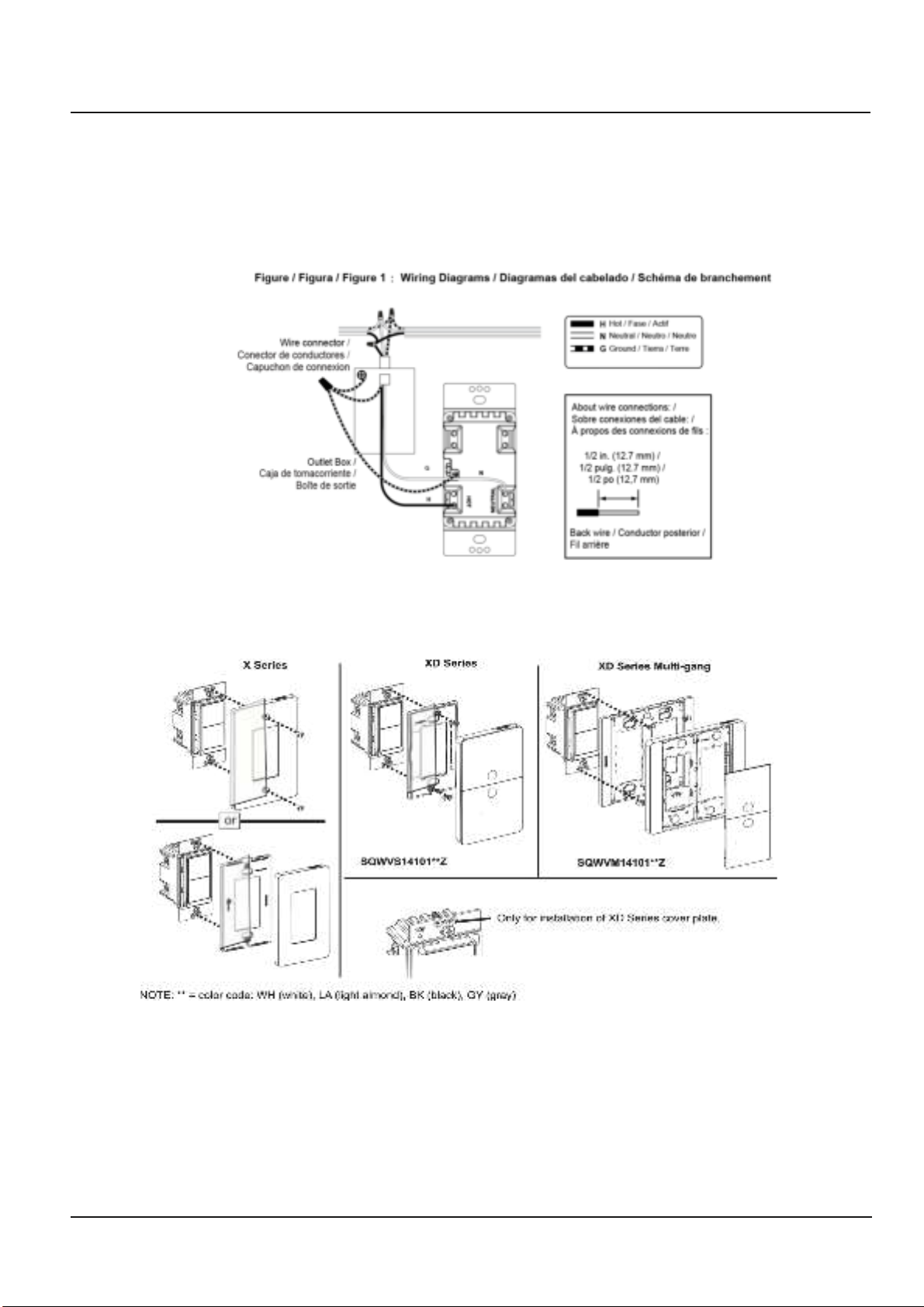
1. Turn the power OFF at circuit breaker or fuse and test that power is off before
wiring.
2. Wire the device according to the wiring diagram (Figure 1).
3. Check that all connections are tight and no bare wires exposed.
4. Install the device into the standard outlet box using the screws provided.
5. Install the plate (not included) (Figure 2).
6. Restore power.
Figure 2: Wall Plate
GDE97963_Eng © 2020 Schneider Electric All Rights Reserved 3
Page 4
Instruction Bulletin SQR50101**Z Z-Wave Plus Auxiliary Switch
Operation
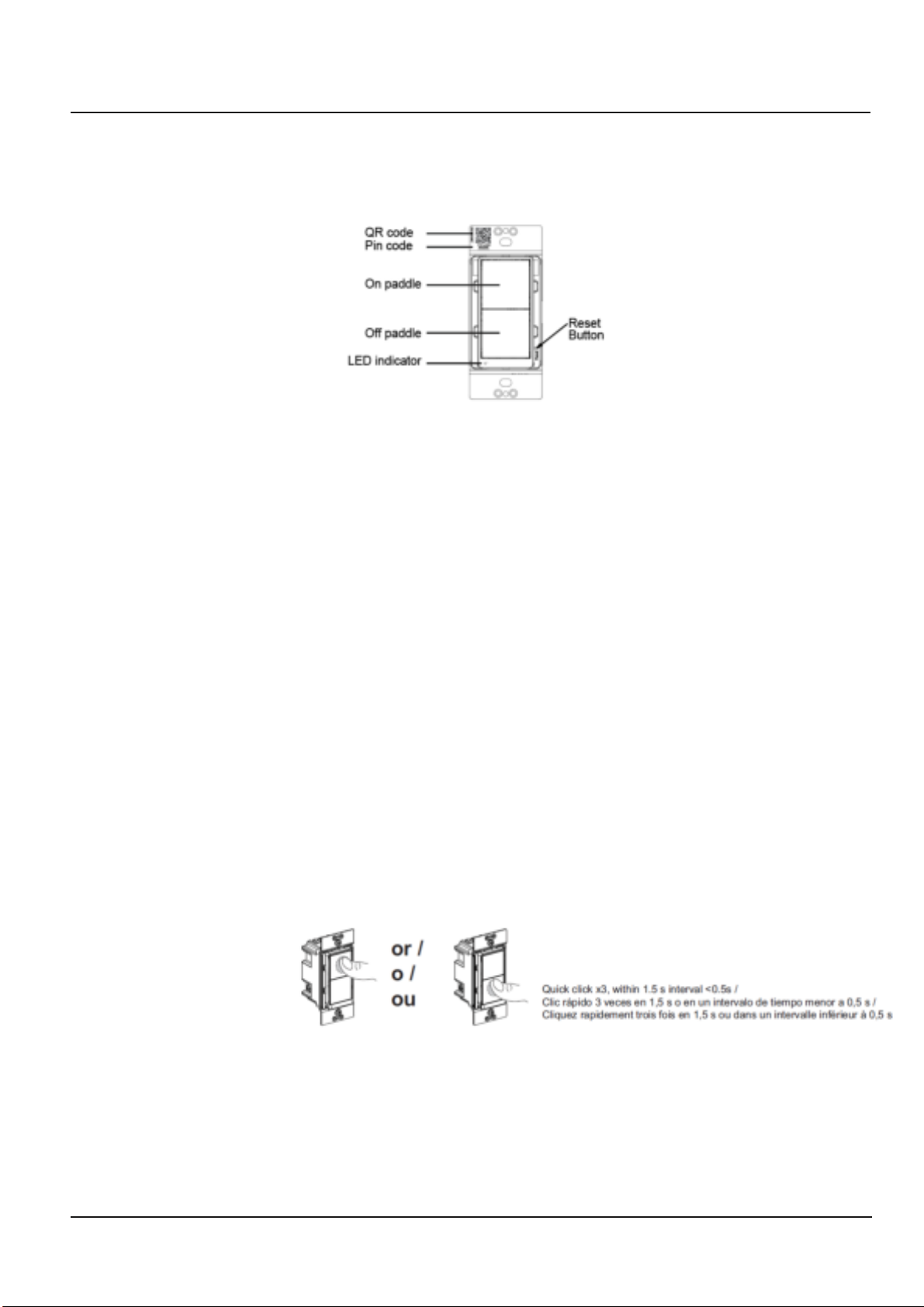
The remote switch can only control other Z-Wave devices after it is added into a Z-Wave network.
Figure 3: Operation
1. Inclusion to a Z-Wave network:
NOTE: The device supports S2-authenticated and S2-unauthenticated inclusion method.
It is highly recommended to only select S2-authenticated or the highest inclusion method
and deselect other methods. This ensures the highest security level during Z-Wave
service. During S2-authenticated inclusion, users may be asked to scan the QR code or
enter a 5-digit pin code attached on the device.
A. SmartStart inclusion: The feature assumes the gateway has implemented
SmartStart. Users could use the APP of the gateway or the gateway camera to scan
the QR code on device or on the enclosed label inside the package before powering
on the device, and then when the device is powered on, it shall be automatically
added to the gateway.
B. Manual inclusion (Figure 4): When the gateway is in adding mode (please refer to the
instruction of the Z-Wave gateway for the operations on gateway itself), quick click
the upper paddle or lower paddle 3 times within 1.5 seconds.
Note: Please do not power cycle the device during the inclusion process.
2.
Exclusion from a Z-Wave network (Figure 4):
When the gateway is in removing mode (please refer to the instruction of the Z-Wave
gateway for the operations on gateway itself), quick click the upper paddle or lower
paddle 3 times within 1.5 seconds.
Figure 4: Join or Leave the Z-Wave Network
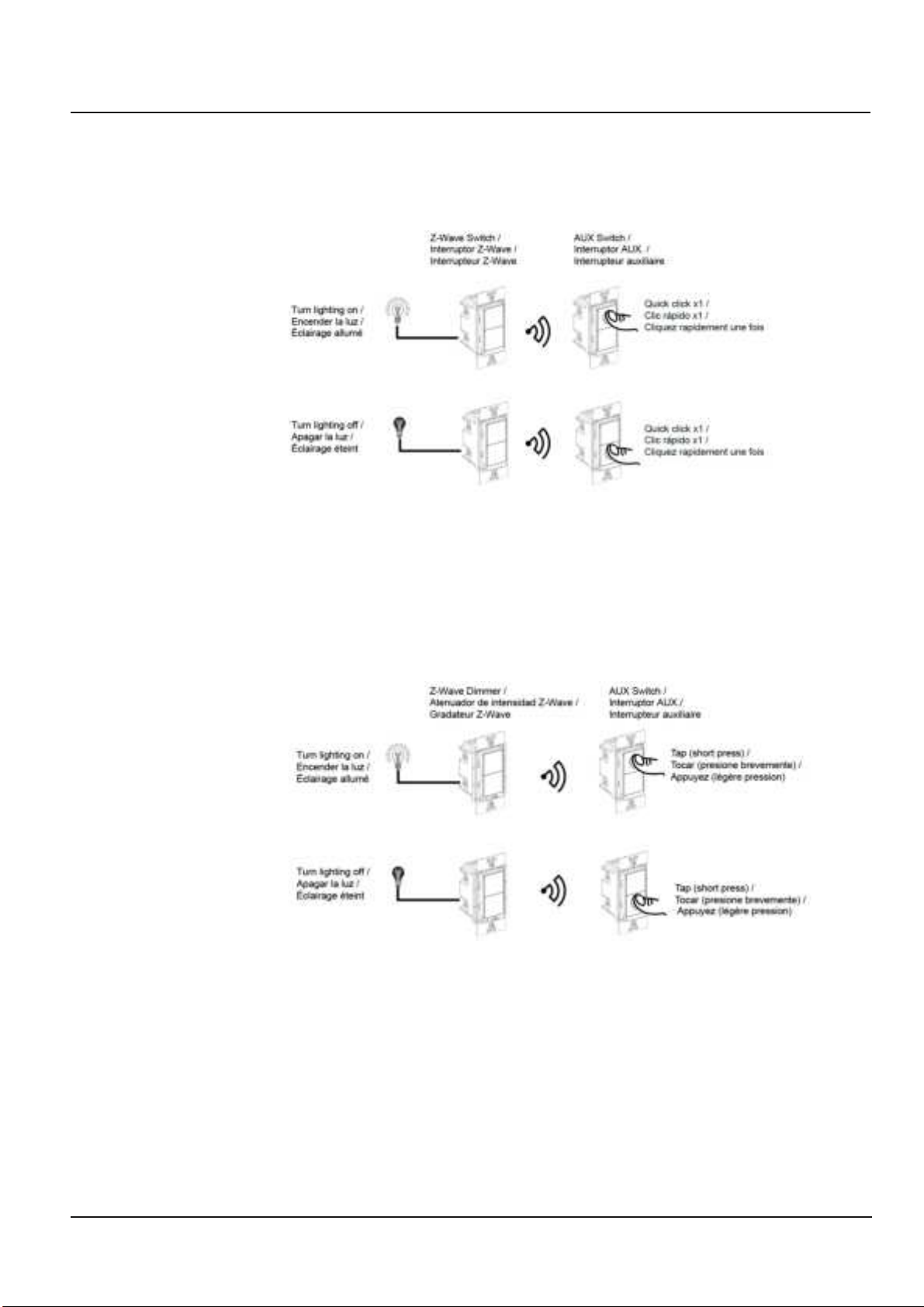
3. Group control the nodes of association group 2 (Figure 5):
- One short tap on upper paddle: turn on the grouped Z-Wave switch / dimmer
devices
- One short tap on lower paddle: turn off the grouped Z-Wave switch / dimmer
devices
GDE97963_Eng © 2020 Schneider Electric All Rights Reserved 4
Page 5
Instruction Bulletin SQR50101**Z Z-Wave Plus Auxiliary Switch
NOTE:
- Please refer to association setting for nodes group 2 setup. This requires a gateway
with advanced features and assumes the device is included in a network.
Figure 5: Group Control, Association Group 2
Group control the nodes of association group 3:
4.
On/Off control (Figure 6):
- One short tap on upper paddle: turn on the grouped Z-Wave dimmer devices to last
status
- One short tap on lower paddle: turn off the grouped Z-Wave dimmer devices
Figure 6: Group Control, Association Group 3
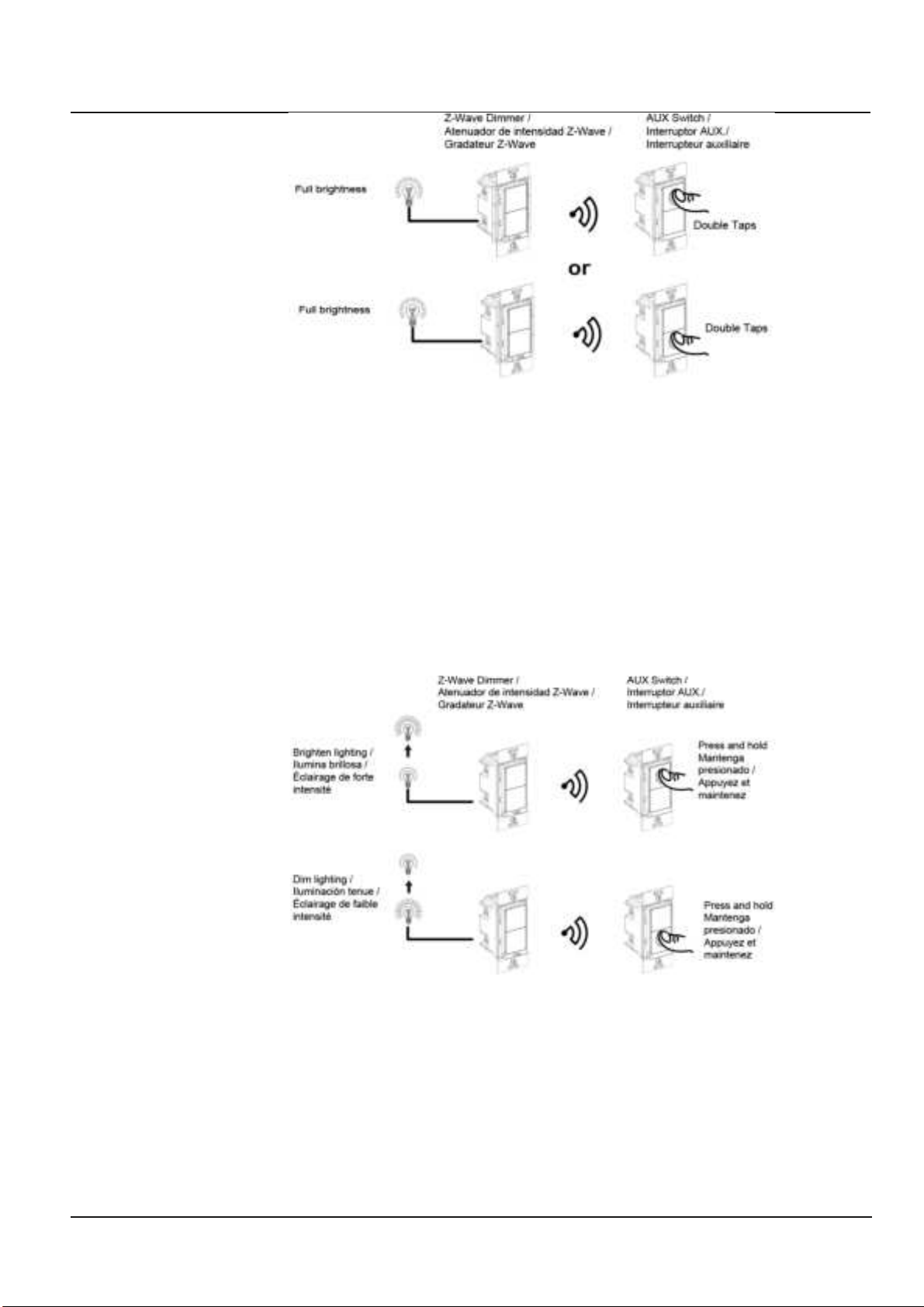
Quick to full brightness (Figure 7):
Double taps on any paddle: turn on the lighting to full brightness connected to the
grouped Z-Wave dimmers.
Figure 7: Group Control, Association Group 3, Full Brightness Control
GDE97963_Eng © 2020 Schneider Electric All Rights Reserved 5
Page 6
Instruction Bulletin SQR50101**Z Z-Wave Plus Auxiliary Switch
Dimming control (Figure 8):
- Long press on upper paddle: dim up the lighting connected to the grouped
dimmers
- Long press on lower paddle: dim down the lighting connected to the grouped
dimmers
NOTE:
- Please refer to association setting for nodes group 2 setup. This requires a gateway
with advanced features and assumes the device is included in a network.
- It is recommended to use group dimmer devices in group 3 setup for 3-way dimming
control, as group 2 can only support on/off control
Figure 8: Group Control, Association Group 3, Dimming Control
5. Scene Control :
Different operations on different paddles trigger various scenes set in the gateway.
Please refer to the “Central Scene Capacity” Table.
NOTE:
- Please refer to central scene setting for scenes setup. This requires a gateway with
advanced features and assumes the device is included in a network.
GDE97963_Eng © 2020 Schneider Electric All Rights Reserved 6
Page 7
Instruction Bulletin SQR50101**Z Z-Wave Plus Auxiliary Switch
Central Scene Capacity
Actions
Report Content
Upper paddle
1x tap
keyAttributes: 0, sceneNumber: 1
2x taps
keyAttributes: 3, sceneNumber: 1
Long press
keyAttributes: 2, sceneNumber: 1
Press released
keyAttributes: 1, sceneNumber: 1
4 x taps
keyAttributes: 5, sceneNumber: 1
5 x taps
keyAttributes: 6, sceneNumber: 1
Lower paddle
1x tap
keyAttributes: 0, sceneNumber: 2
2x taps
keyAttributes: 3, sceneNumber: 2
Long press
keyAttributes: 2, sceneNumber: 2
Press released
keyAttributes: 1, sceneNumber: 2
4 x taps
keyAttributes: 5, sceneNumber: 2
5 x taps
keyAttributes: 6, sceneNumber: 2
Configuration
Parameter
No.
Size
Description
Valid Value
Default
Value
Unit
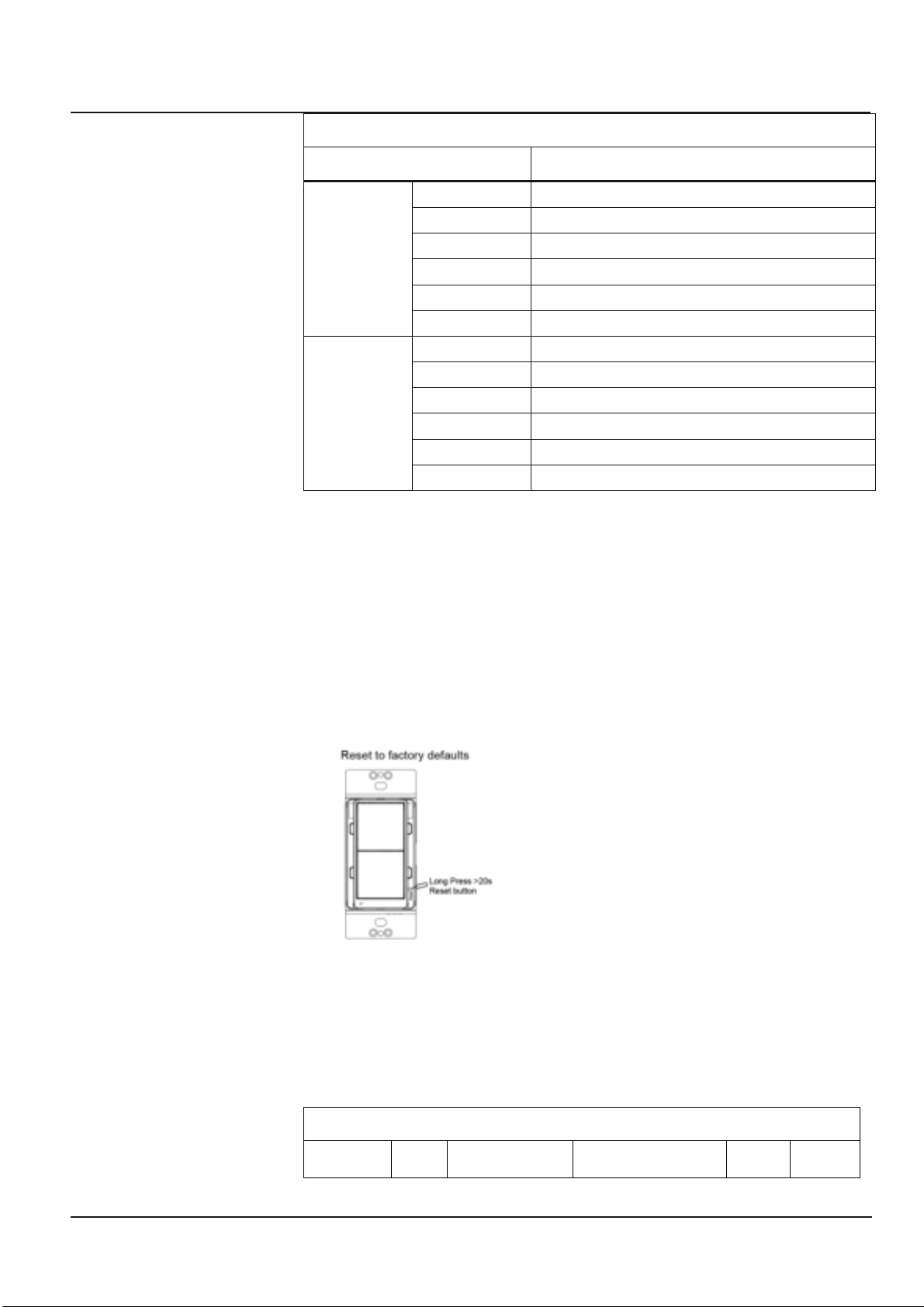
6. Reset to factory defaults (Figure 10):
Long press the reset button for >20 seconds till the blue LED blink 5 times within one
second.
NOTE:
• Use this procedure only when the Z-Wave gateway is missing or otherwise
inoperable.
• Reset the device to factory default settings will set the device to not in Z-Wave
network state, delete the association setting and restore the configuration
setting to the default.
Figure 10: Reset to Factory Defaults
Advanced Setting
The advanced setting requires an advanced gateway. Basic gateway does not
support this setting. Users can do the setting through the interface of the advanced
gateway.
GDE97963_Eng © 2020 Schneider Electric All Rights Reserved 7
All configuration parameters can be restored to factory default settings by the
gateway or by manual reset.
Page 8
Instruction Bulletin SQR50101**Z Z-Wave Plus Auxiliary Switch
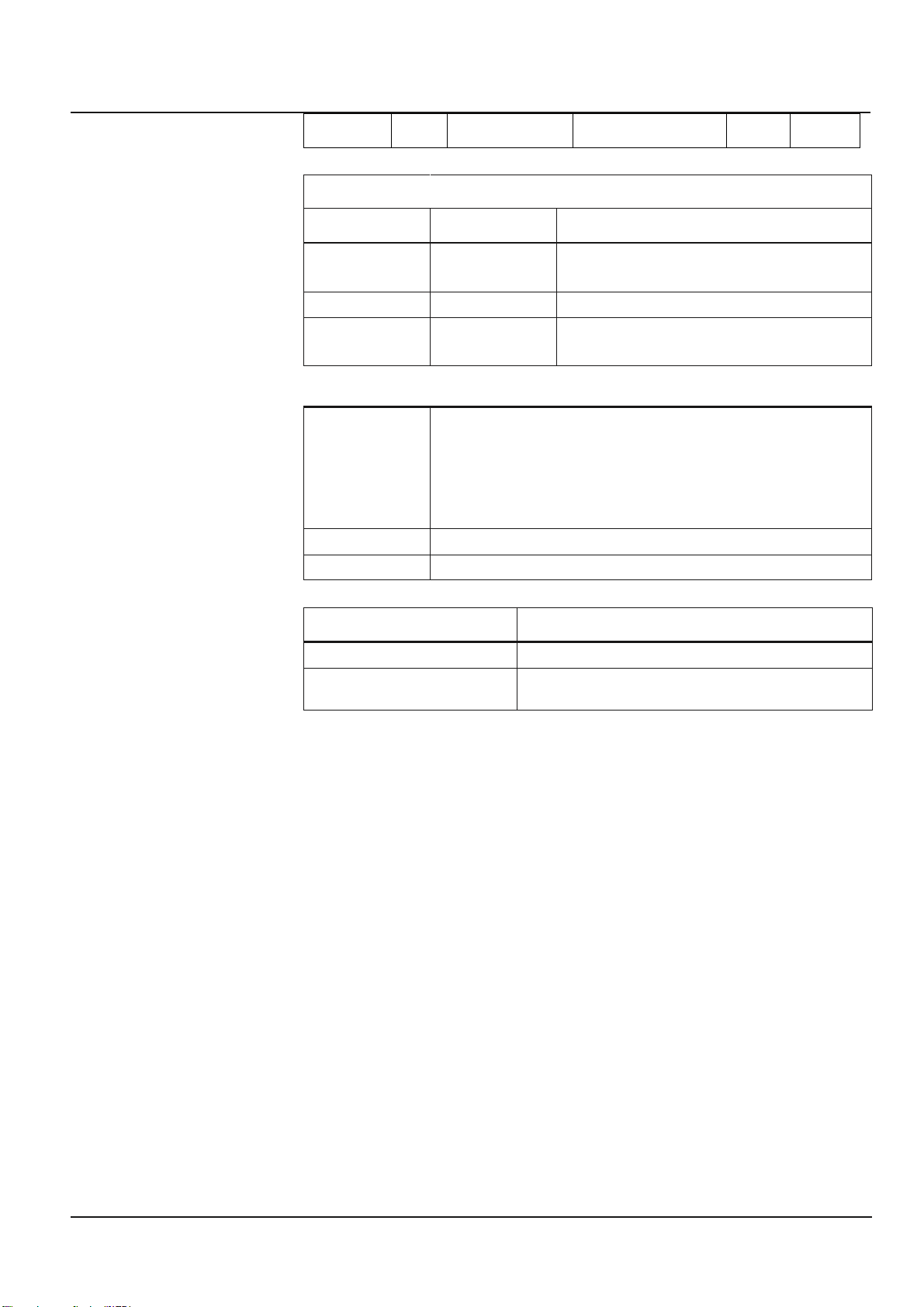
1
1 byte
Child Lockout
0= Disable
1= Enable
0
N/A
Association
Grouping ID
Max. No. of Nodes
Description
1 5 1. Central Scene Notification
2. Device Reset Locally
3. Indicator Report
2 5 Basic Set
3 5 SWITCH_MULTILEVEL_SET
SWITCH_MULTILEVEL_START_LEVEL_CHANGE
SWITCH_MULTILEVEL_STOP_LEVEL_CHANGE
Blue LED flashing
LED blinks slowly (once per 3 seconds) for 3 minutes: device not in network
LED stays on for 1 minute: device in the network
LED blinks once per second: adding/leaving network
LED blinks 3 times within one second: signal for releasing the reset button
LED blinks 4 times within 2 seconds: start to perform reset process
LED blinks quickly (twice per second) for 5 seconds: device receive OTA
command or OTA fail
Blue LED on
The paddle is pressed
Blue LED off
The paddle is released
Issue
Solution
SmartStart inclusion taking too long
Power cycle the device to escalate the inclusion.
Inclusion is unsuccessful
Move the gateway closer to the device and repeat the inclusion
operation.
LED Indication
Trouble Shooting
FCC Compliance Statement
Federal Communication Commission Interference Statement
The equipment has been tested and found to comply with the limits for a class B Digital Device, pursuant to part 15 of the FCC Rules. These limits are designed to provide reasonable
protection against harmful interference in a residential installation. This equipment uses, generates and can radiate radio frequency energy and, if not installed and used in accordance
with the instruction, may cause harmful interference to radio communication. However, there is no guarantee that interference will not occur in a particular installation. If this equipment
does cause harmful interference to radio or television reception, which can be determined by turning the equipment off and on, the user is encouraged to try to correct the interference
by one or more of the following measures:
-Reorient or relocate the receiving antenna.
-Increase the separation between the equipment and receiver.
-Connect the equipment into an outlet on a circuit different from that to which the receiver is connected.
-Consult the dealer or an experienced radio/TV technician for help.
FCC Radiation Exposure Statement:
This equipment complies with FCC radiation exposure limits set forth for an uncontrolled environment. This equipment should be installed and operated with minimum distance 20cm
between the radiator & your body.
RF Exposure: A distance of 20 cm shall be maintained between the antenna and users, and the transmitter module may not be co-located with any other transmitter or antenna.
Non-modification Statement:
Any changes or modifications not expressly approved by the party responsible for compliance could void the user's authority to operate this equipment.
FCC Supplier’s Declaration of Conformity
Product Name: ZWAVE+ AUX SWITCH
Model Number: SQR50101WHZ, SQR50101LAZ, SQR50101BKZ
Suppliers Name: Schneider Electric
Suppliers Address (USA): 800 Federal Street Andover, MA 01810 USA
Suppliers Website: www.se.com/us
FCC Compliance Statement
GDE97963_Eng © 2020 Schneider Electric All Rights Reserved 8
Page 9

Instruction Bulletin SQR50101**Z Z-Wave Plus Auxiliary Switch
This device complies with part 15 of the FCC Rules. Operation is subject to the following two conditions: (1) This device may not cause harmful interference, and (2) this device must
accept any interference received, including interference that may cause undesired operation.
ISED Statement
This Class [B] digital apparatus complies with Canadian CAN ICES-003(B).
Cet appareil numérique de la classe [B] est conforme à la norme NMB-003(B)du Canada.
This device contains licence-exempt transmitter(s)/receiver(s) that comply with Innovation, Science and Economic Development Canada’s licence-exempt RSS(s). Operation is
subject to the following two conditions:
1. This device may not cause interference.
2. This device must accept any interference, including interference that may cause undesired operation of the device.
L’émetteur/récepteur exempt de licence contenu dans le présent ap pareil est conforme aux CNR d’Innovation, Sciences et Développement économique Canada applicables aux
appareils radio exempts de licence. L’exploitation est autorisée aux deux conditions suivantes :
1. L’appareil ne doit pas produire de brouillage;
2. L’appareil doit accepter tout brouillage radioélectrique subi, même si le brouillage est susceptible d’en compromettre le fonctionnement
This equipment complies with ISED RSS-102 radiation exposure limits set forth for an uncontrolled environment. This equipment should be installed and operated with a minimum
distance of 20cm between the radiator and any part of your body.
Pour se conformer aux exigences de conformité CNR 102 RF exposition, une distance de séparation d'au moins 20 cm doit être maintenue entre l'antenne de cet appareil ettoutes
les personnes.
Model number: SQR50101WHZ, SQR50101LAZ, SQR50101BKZ
Warranty Information
Schneider Electric warranties its products to be free of defects in materials and workmanship for a period of two (2) years. There are no
obligations or liabilities on the part of Schneider Electric for consequential damages arising out of or in connection with the use or performance of
this product or other indirect damages with respect to loss of property, revenue, or profit, or cost of removal, installation, or reinstallation.
GDE97963_Eng © 2020 Schneider Electric All Rights Reserved 9
 Loading...