

Page 1
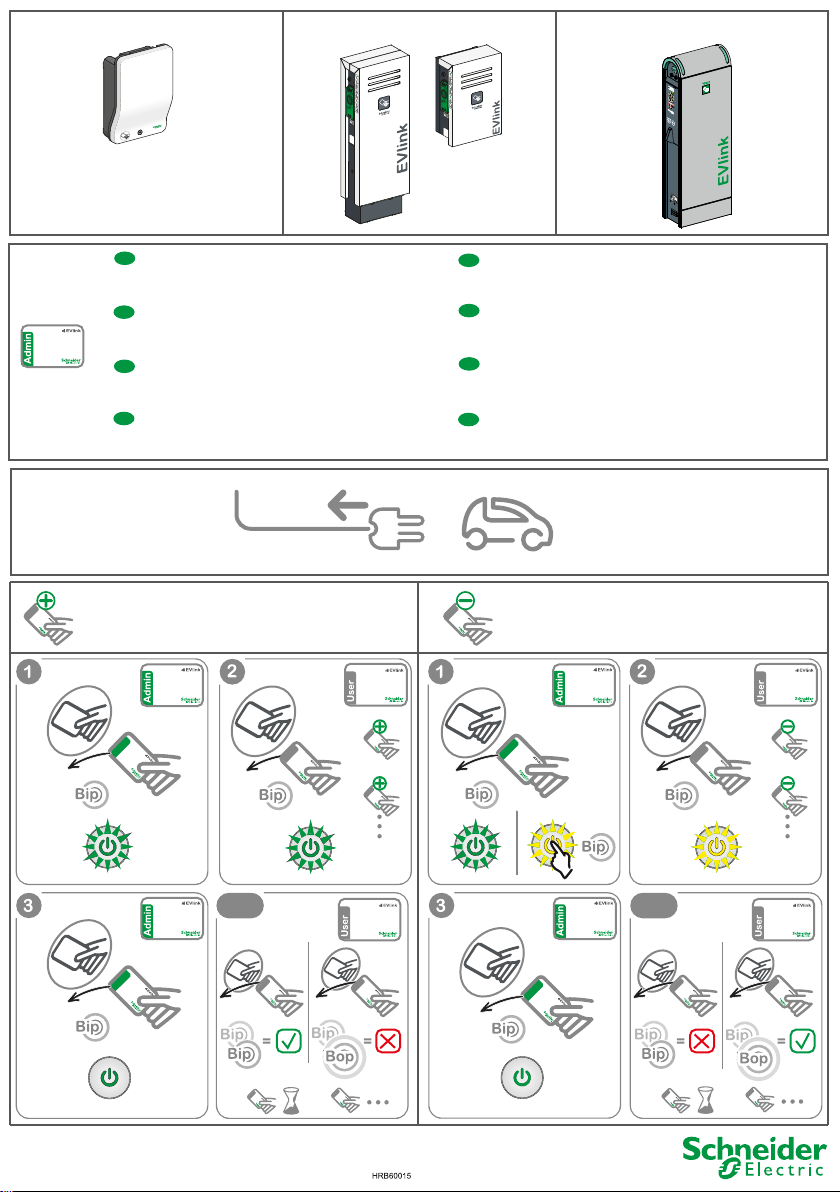
EVlink Smart Wallbox
CAUTION
EVlink Parking
CAUTION
EVlink City
Start
1
2
Bip
3
4
StartStart
5
6
Stop
1
Bip
2
StopSt
op
3
4
5
6
Défaut / Fault
1
2
Bip
3
4
5
en
Configure an Admin badge using the configuration tool and
choose the "Reject unknown badges" option. Refer to
document DOCA0060EN.
Configure un identificador de administrador mediante la
es
herramienta de configuración y elija la opción "Reject
unknown badges". Consulte el documento DOCA0060EN.
Verwenden Sie zur Konfiguration einer Administratorkarte das
de
Konfigurationstool und wählen Sie die Option „Reject unknown
badges“ aus. Siehe das Dokument DOCA0060EN.
Konfigurer et Admin-merke med konfigureringsverktøyet og velg
no
alternativet "Reject unknown badges". Se dokument
DOCA0060EN.
Paramétrer un badge en Admin avec l'outil de configuration et
fr
choisir l'option "rejeter les badges inconnus". Se référer au
document DOCA0060FR.
Configurare un badge Ammin mediante lo strumento di
it
configurazione e scegliere l'opzione "Reject unknown badges".
Consultare il documento DOCA0060EN.
Gebruik het configuratiehulpmiddel voor het configureren van een
nl
Admin-badge en kies de optie "Reject unknown badges". Raadpleeg
het document DOCA0060EN.
Konfigurera en administratörsbricka med konfigurationsvertyget och
sv
välj alternativet "Reject unknown badges". Se dokumentet
DOCA0060EN.
EVlink Smart Wallbox EVlink Smart Wallbox
y 30s
y 30s
test
30s
test
30s
Page 2
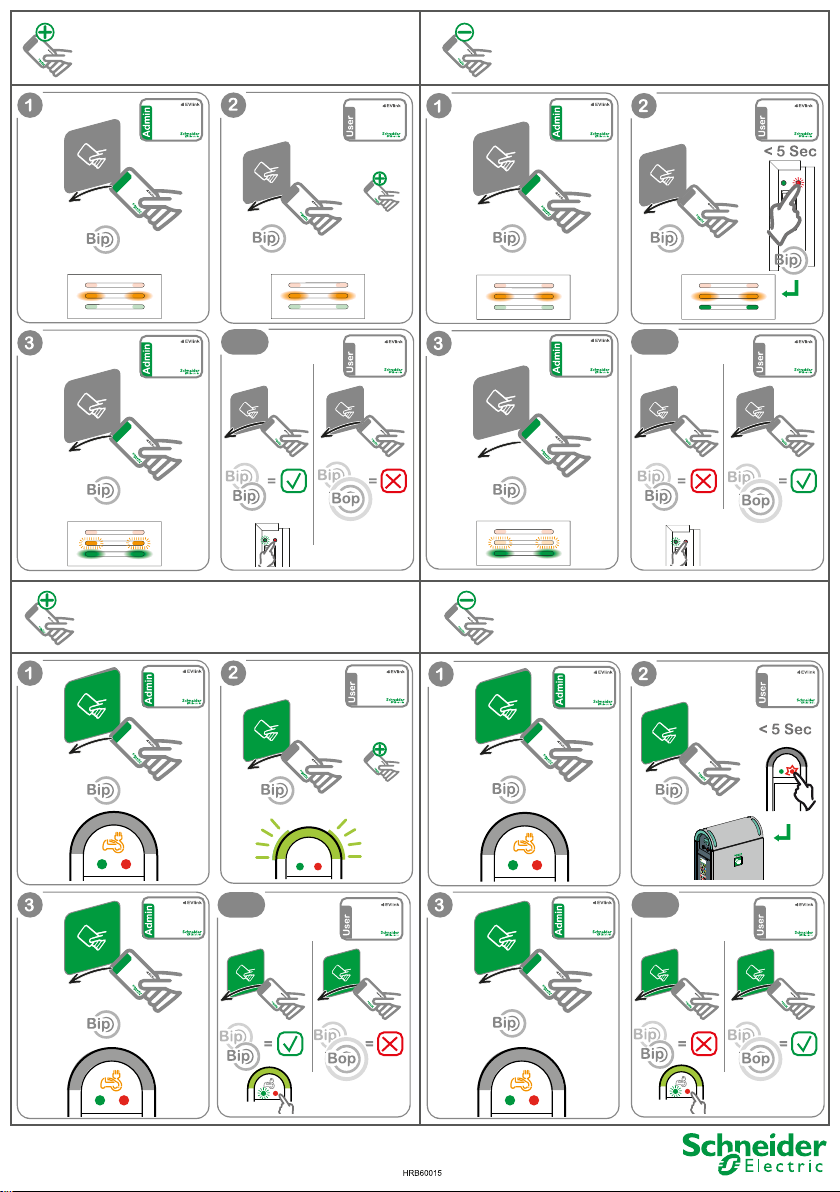
Start
4
1
StopStop
3
StartStart
2
Bip
Bip
5
2
6
3
5
Défaut / Fault
1
2
Bip
3
4
5
1
6
4
Stop
EVlink Parking EVlink Parking
x4
EVlink City
x4
test
x2
x4
x4x4
EVlink City
x4
x2
test
test
x4
x4
test
 Loading...