

Page 1
Instructions for use
Wireless
accessories
Remote Control 3.0
Page 2

Introduction to this booklet
Intended use
This booklet guides you on how to use and maintain your new
Remote Control 3.0. Please read the booklet carefully including
the Warning section. This will help you get the most out of your
new remote control.
If you have further questions about using your remote control,
please contact your hearing care professional.
For your convenience this booklet contains a navigation bar to help
you navigate easily through the different sections.
About Startup Daily use Warnings More info
Remote Control 3.0 is intended to assist users of wireless hearing aids
control functionality provided by their hearing solution.
Remote Control 3.0 is intended to be used by children (> 36 months)
and adults together with their hearing solution.
Page 3

Table of contents
About
Startup
Daily use
Package contents 6
Product overview 7
Batteries 8
Insert batteries 9
Pairing the remote control with your hearing aids 11
Operating range 14
Confirmations 15
Change program 17
Adjust volume 18
Mute 19
Unmute 20
Strap hole 21
Taking care of your remote control 22
Warnings
Warnings 24
More info
International warranty 28
Technical information 29
Page 4
Package contents
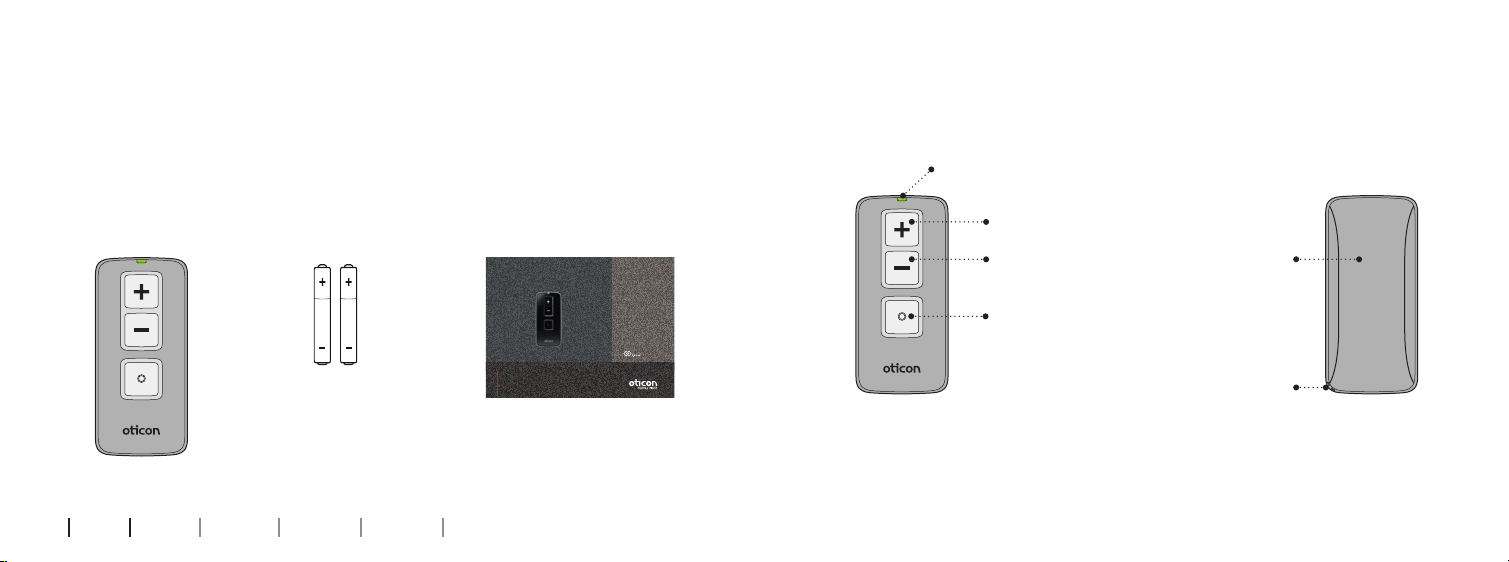
You will find the following items in the package:
Product overview
Status light
BatteriesRemote Control 3.0
This booklet
Wireless
accessories
Remote Control 3.0
Volume up
Volume down/
Mute
Battery cover
Program change
2 x AAAA
6 7
About Startup Daily use Warnings More info
Instructions for use
Strap hole
Page 5
Batteries
Insert batteries
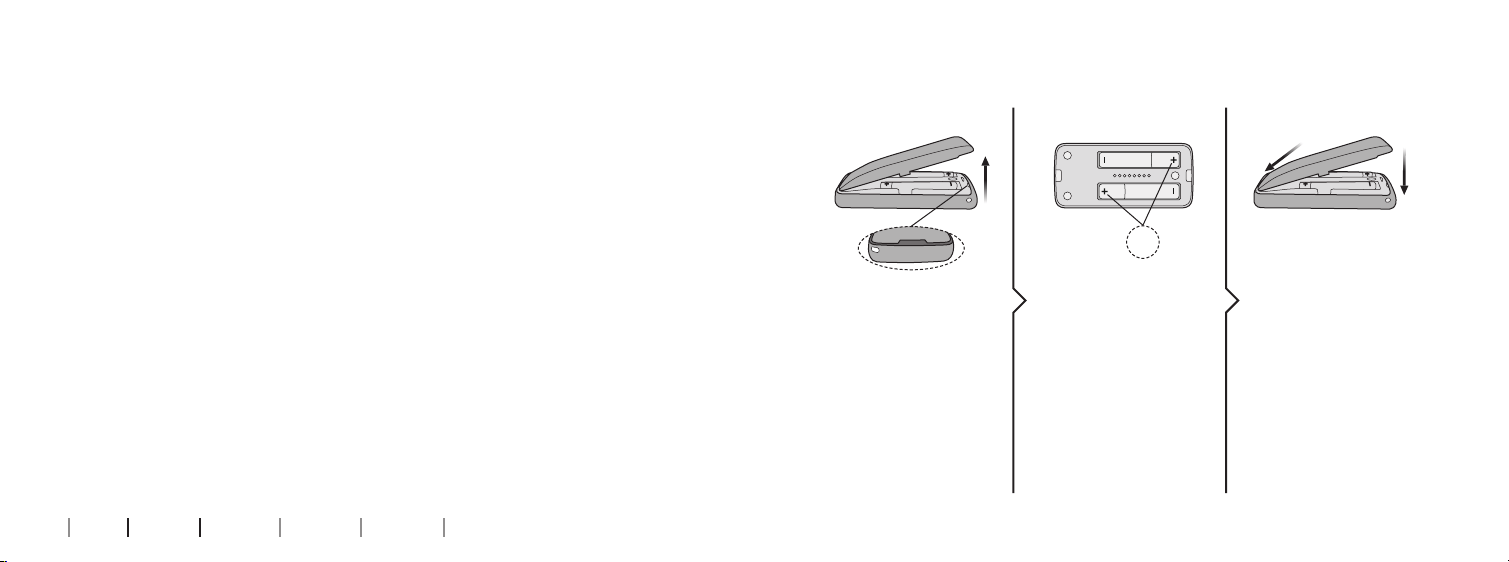
To activate the remote control you need to insert two AAAA
1 Remove 2 Insert 3 Close
batteries into the battery compartment.
See the “Insert batteries” section.
Battery life will vary depending on the conditions of use. Standard
Click
use requires battery replacement approximately once a year.
+
Gently remove the
batter y cover.
Remove any
used batteries.
8 9
About Startup Daily use Warnings More info
Place the new
batteries in
the battery
compartment.
Make sure that the “+”
sign on the battery
matches with the “+”
sign in the battery
compartment.
Insert the battery
cover at the top.
Then press the battery
cover down gently
until it clicks into place.
Page 6

The battery cover should never be forced. If force is required
to click the battery cover into place, check the alignment and
reposition the cover so that it clicks easily into place.
Pairing the remote control with your hearing aids
The remote control is a personal device intended to be used with
one set of hearing aids. The remote control can operate up to two
hearing aids at a time after pairing.
Before the remote control can be used with your hearing aids, the
devices need to be paired.
You can choose to pair the remote control with either two hearing
aids at the same time or with one hearing aid at a time. You need to
repeat the pairing process if you choose to pair your hearing aids
one at a time.
In the instructions on the next page a set of hearing aids is being
paired with the remote control.
10 11
About Startup Daily use Warnings More info
Page 7
1 Remote control ready 2 Hearing aids ready
3 In range 4 Pairing 5 Paired
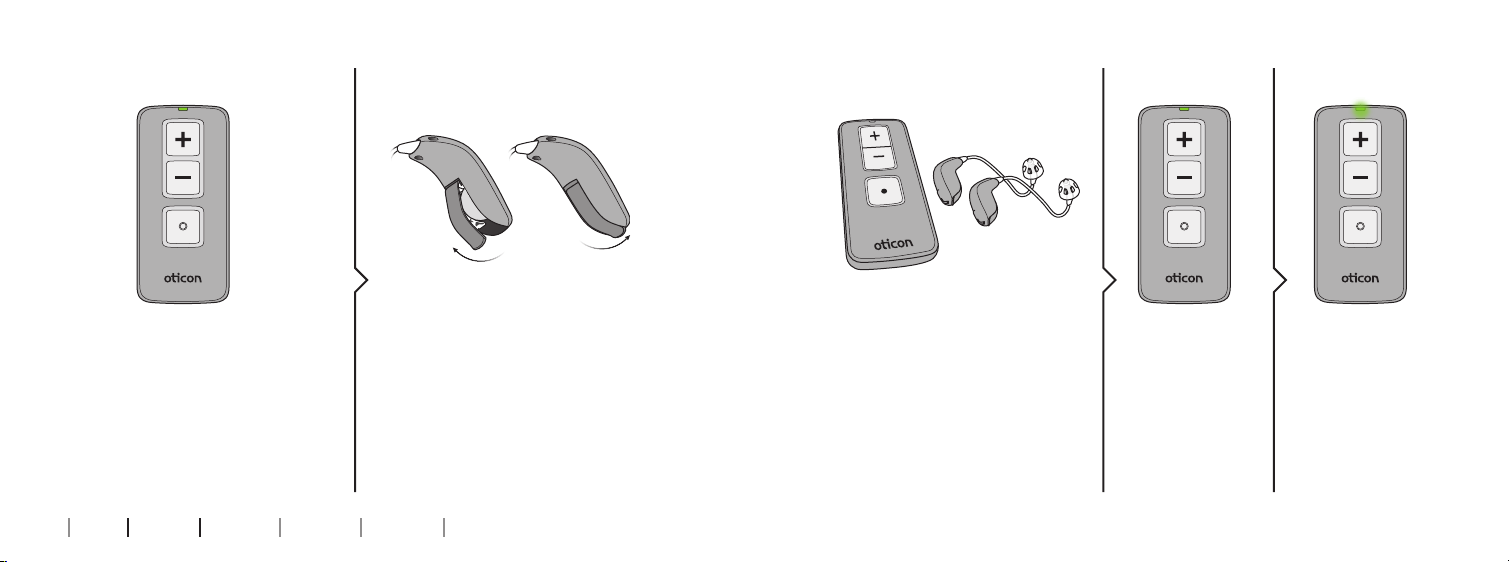
Check that the remote control
has working batteries by pressing
any button.
When the batteries are charged
the status light will light up for as
long as the button is held down.
Open and close the battery drawer
on both of your hearing aids.
Place both of your hearing aids
within range of the remote
control (i.e. within 20 cm).
Press any button
on the remote
control and it will
automatically pair
with the hearing
aids in range.
When the status
light on the
remote control
lights up steady
green for
seconds
10
, the
devices have
been paired
successfully.
12 13
About Startup Daily use Warnings More info
Page 8
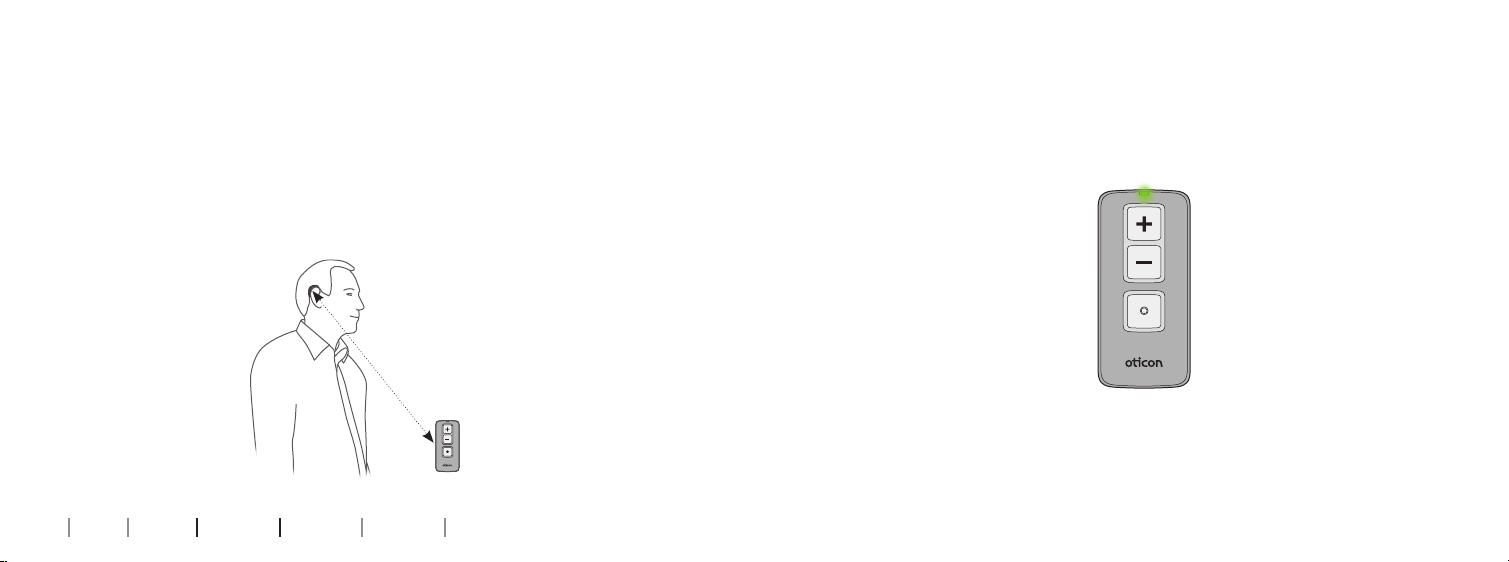
Operating range
Conrmations
With the remote control you can operate your hearing
aids from a distance of up to 1.8 metres. A direct line of
sight between the remote control and your hearing aids
is not required. If you have paired two hearing aids to the
remote control, both will be adjusted at the same time.
Up to 1.8 m
14 15
About Startup Daily use Warnings More info
Visible indications
The status light on the remote control will light up when a
button is pressed.
Audible indications
You will hear a sound in your hearing aids which confirms
the action performed.
Page 9
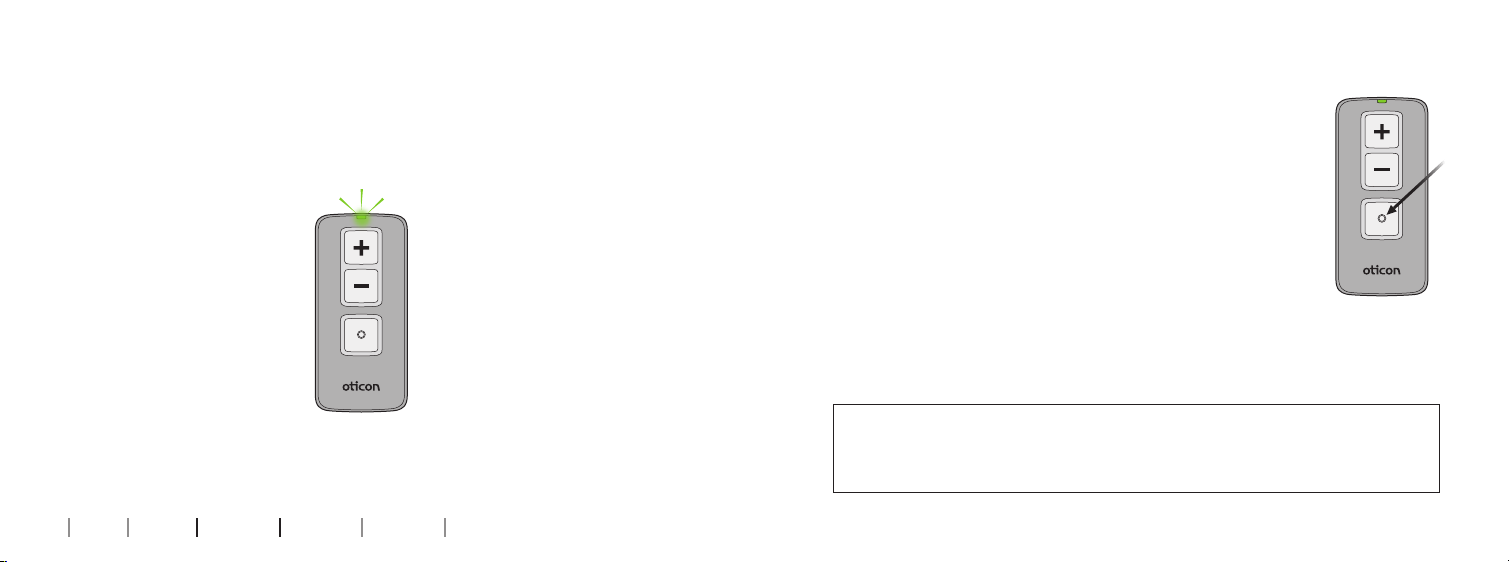
Battery low
If the batteries are running low the status light will blink rapidly
whenever a button is pressed. In this case replace the batteries
at your earliest convenience.
Change program
The remote control can be used to change program
if your hearing care professional has made more
than one program available in your hearing aids.
Simply press the “•” button on the remote control
to go through the hearing aid programs. Each press
will advance the hearing aids to the next
program in the cycle.
Press to change
program
IMPORTANT NOTICE
Please refer to your hearing aid’s “Instructions for Use” for details on
the functionality of your specific hearing aid solution.
16 17
About Startup Daily use Warnings More info
Page 10
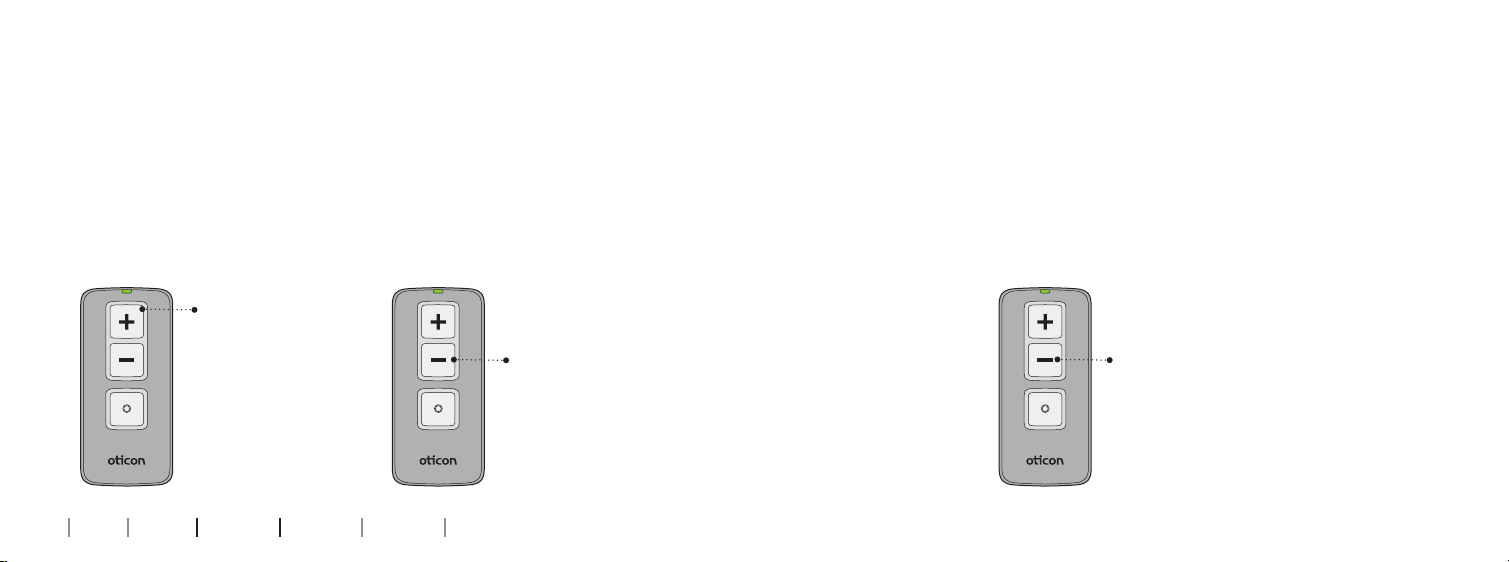
Adjust volume
Mute
With the remote control you can adjust the volume of your hearing
aids by using the volume control buttons.
You will hear a short confirmation in your hearing aids when you
Use the mute function if you need to silence the hearing aids
while wearing them. Press and hold the volume down button for
approximately
2 seconds until the status light turns off, to mute
the hearing aids.
turn the volume up or down.
You will hear a short confirmation in your hearing aids when you
turn on the mute function.
Press “+” to
increase volume
(louder sound)
18 19
About Startup Daily use Warnings More info
Press “–” to
decrease volume
(softer sound)
Press for
2 seconds
Page 11
Unmute
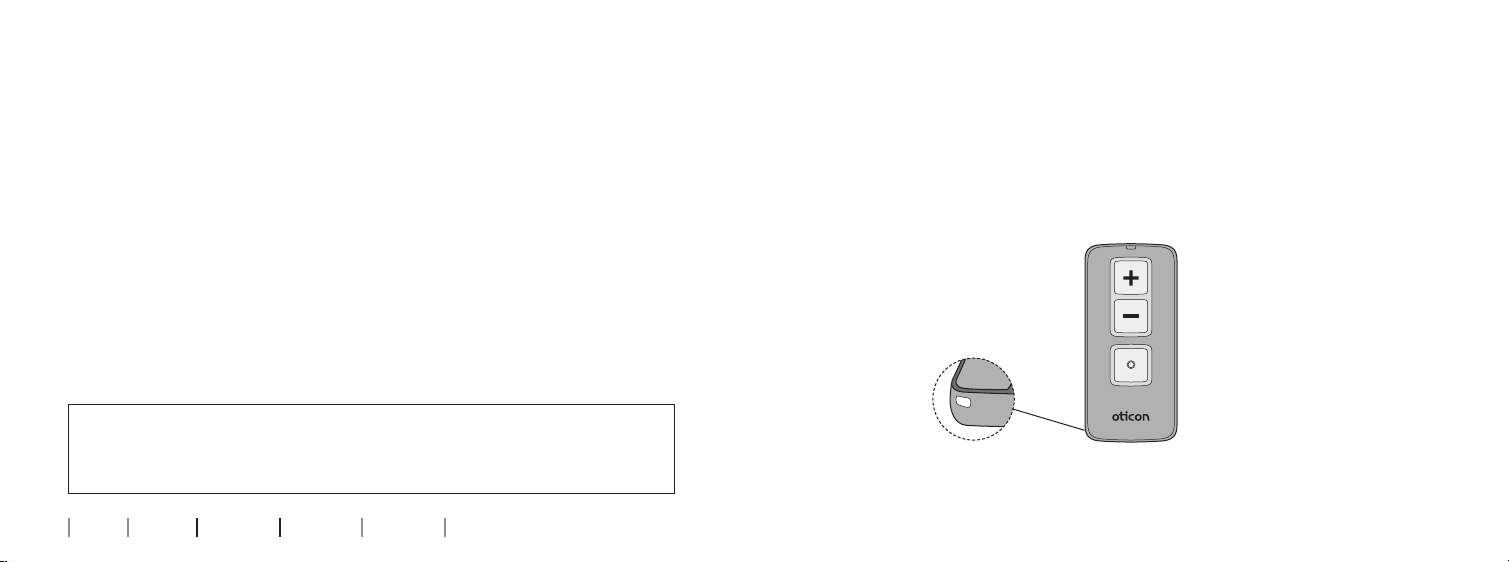
Strap hole
Briefly press any button on the remote control to unmute your
hearing aids.
The remote control has a strap hole in the lower left corner.
Any suitable hand strap can be used.
IMPORTANT NOTICE
Please refer to your hearing aid’s “Instructions for Use” for details on
the functionality of your specific hearing aid solution.
20 21
About Startup Daily use Warnings More info
Page 12

Taking care of your remote control
When changing the batteries or cleaning the remote control, hold it
over a soft surface to avoid damage if you drop it.
IMPORTANT NOTICE
Use a soft, dry cloth to clean the remote control. It must never be
washed or immersed in water or other liquids.
22
About Startup Daily use Warnings More info
Page 13

Warnings
You should familiarize yourself fully
with the following general warnings
and the entire contents of this
booklet before using your remote
control to ensure personal safety
and correct use. Consult your hearing
care professional if you experience
unexpected operations or events
with your remote control.
Choking hazards and risk of
swallowing batteries or other
small parts
• Your remote control, its parts
and batteries should be kept
out of reach of children and
anyone who might swallow
these items or otherwise
cause injury to themselves.
24 25
About Startup Daily use Warnings More info
If a battery or other small parts are
swallowed, see a doctor immediately.
Cross control
• Your Remote Control should be
kept out of reach of children
or anyone who might take
control of the functionality, to
ensure your personal safety
and avoid incorrect use.
Use of straps
• If a hand strap is used, make sure
it is designed and suitable for the
purpose. Never use a lanyard due
to the risk of strangulation.
Battery use
• Always use batteries recommended
by your hearing care professional.
Batteries of low quality may leak
and cause bodily harm.
• Never attempt to recharge your
batteries and never dispose of
batteries by burning them.
There is a risk that the batteries
will explode.
Active implants
• Caution must be taken with active
implants. Your remote control has
a wireless transmission. Please
keep the remote control at least
15 cm away from the implant,
e.g. do not carry it in a breast
pocket. In general, please follow
the guidelines recommended by
manufacturers of implantable
defibrillators and pacemakers on
use with mobile phones.
• If you have an active brain
implant, please contact the
manufacturer of your implantable
device for information about
the risk of disturbance.
X-ray/CT/MR/PET scanning,
electrotherapy and surgery
• Remove your remote control
before X-ray/CT/MR/PET scanning,
electrotherapy, surgery etc., as the
remote control may be damaged
when exposed to strong fields.
Page 14

Warnings
Possible side effects
• The otherwise non-allergenic
materials used in your remote
control may in rare cases cause skin
irritation or other side effects.
Please seek consultation with a
physician if these conditions occur.
Heat and chemicals
• Your remote control must never be
exposed to extreme heat e.g. left
inside a parked car in the sun.
• Your remote control must
not be dried in microwave
ovens or other ovens.
26 27
About Startup Daily use Warnings More info
• The chemicals in cosmetics, hair
spray, perfume, aftershave lotion,
suntan lotion and insect repellent
can damage your remote control.
Always remove your remote control
before applying such products and
allow time to dry before use.
Use in traffic
• Using the remote control while
driving can distract you.
• Please refer to national
traffic laws regarding the
use of communication
devices while in traffic.
Use on aircraft
• The remote control should not
be used on board an aircraft
unless specifically permitted
by the flight personnel.
Interference
• Your remote control has been
thoroughly tested for interference
according to the most stringent
international standards. However,
interference between your remote
control and other devices (e.g.
some mobile telephones, citizens
band devices, shop alarm systems
and other wireless devices) may
occur. If this occurs, increase the
distance between the remote
control and the interfering device.
Explosives
• The power source in your remote
control has insufficient energy to
cause fire in normal conditions of
use. The remote control has not
been tested for compliance with
international standards concerning explosive environments. We
recommend not to use your remote
control in areas where there is a
danger of explosions.
Page 15

International warranty
Your remote control is covered by an
international limited warranty issued
by the manufacturer for a period of
12 months from the date of
delivery. This limited warranty
covers manufacturing and material
defects in the device itself, but
not in accessories such as e.g.
batteries, cables, power supplies,
etc. Problems arising from improper/
incorrect handling or care, excessive
use, accidents, repairs made by an
unauthorized party, exposure to
corrosive conditions, damage due
to foreign objects entering the
device or incorrect adjustments
are NOT covered by the limited
warranty and may void it. The above
warranty does not affect any legal
28 29
About Startup Daily use Warnings More info
rights that you might have under
applicable national legislation
governing sale of consumer goods.
Your hearing care professional
may have issued a warranty that
goes beyond the clauses of this
limited warranty. Please consult
him/her for further information.
If you need service
Take your remote control to your
hearing care professional, who may
be able to sort out minor problems
and adjustments immediately.
Technical information
Model RC-3A
Operating conditions Temperature: +5 °C to +40 °C
Humidity: 15% to 93 %, non-condensing
Operating atmospheric pressure: 700 hPa
to 1060 hPa
Storage and transportation
conditions
Mechanical dimensions 75.3 x 35 x 12 mm; weight 32.7 g (incl. batteries)
Compatibility Oticon hearing aids with 2.4 GHz radio technology
Battery type 2 x AAAA
Battery life at normal use 12 months
Typical transmission range Up to 1.8 m
Status indicator Green LED
Frequency Licence free 2.4 GHz (ISM band)
Emission power
Temperature: -25 °C to +70 °C
Humidity: 15% to 93%, non-condensing
Max. xx dBm EIRP
Page 16
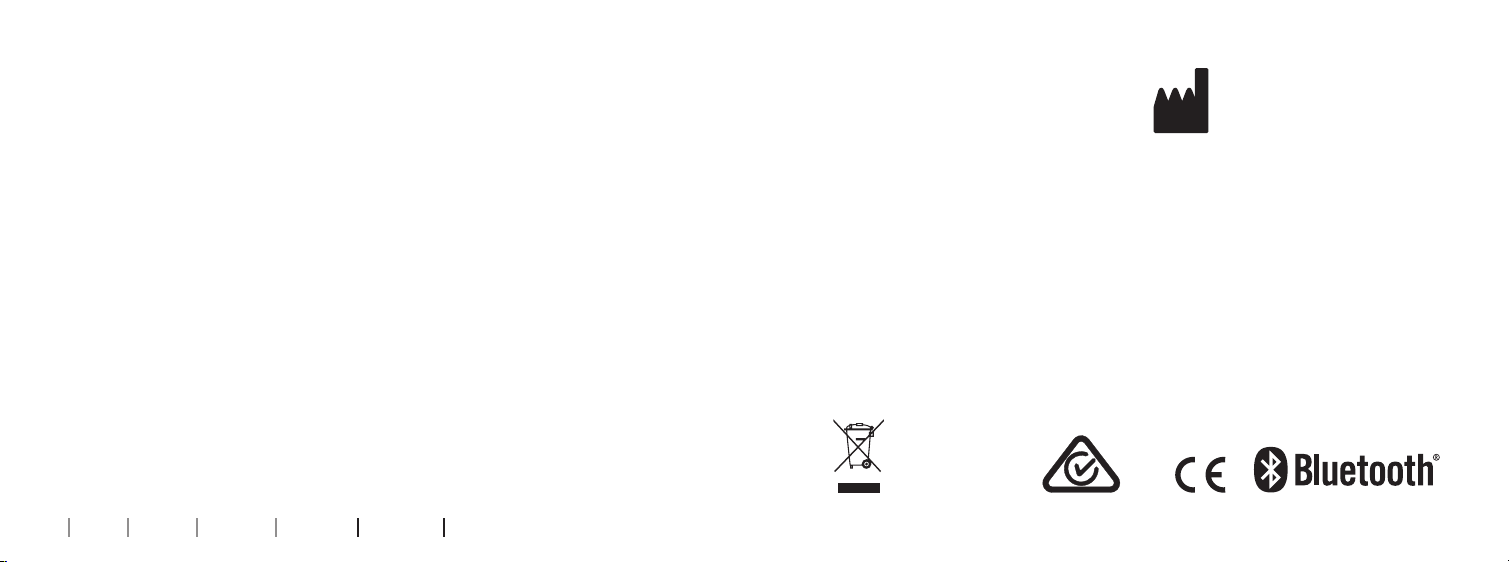
The remote control contains a
wireless transmitter using 2.4 GHz
radio technology.
The emission power from the remote
control is max.
xx dBm EIRP.
The remote control complies with
international standards concerning
electromagnetic compatibility and
human exposure.
Due to the limited space available
on the remote control, relevant
approval markings can be found in
this document.
30
About Startup Daily use Warnings More info
USA and Canada
This device contains a module with:
FCC ID: 2ACAHREMCTR03
IC: 11936A-REMCTR03
This device complies with Part 15 of
the FCC Rules and with Industry
Canada’s licence-exempt RSSs.
Operation is subject to the following
two conditions:
1. this device may not cause harmful
interference, and
2. this device must accept any
interference received, including
interference that may cause
undesired operation.
Changes or modifications not
expressly approved by the party
responsible for compliance
could void the user’s authority
to operate the equipment.
SBO Hearing A/S
Kongebakken 9
DK-2765 Smørum
Denmark
www.sbohearing.com
The manufacturer declares that
this remote control is in compliance
with the essential requirements and
other relevant provisions of Directive
1999/5/EC. Declaration of conformity
is available from the manufacturer.
167451CA-US / 03.16
Waste from electronic
equipment must be
handled according to
local regulations.
E2831
167451CA-US / 03.16
Page 17
0000167451000001
 Loading...