

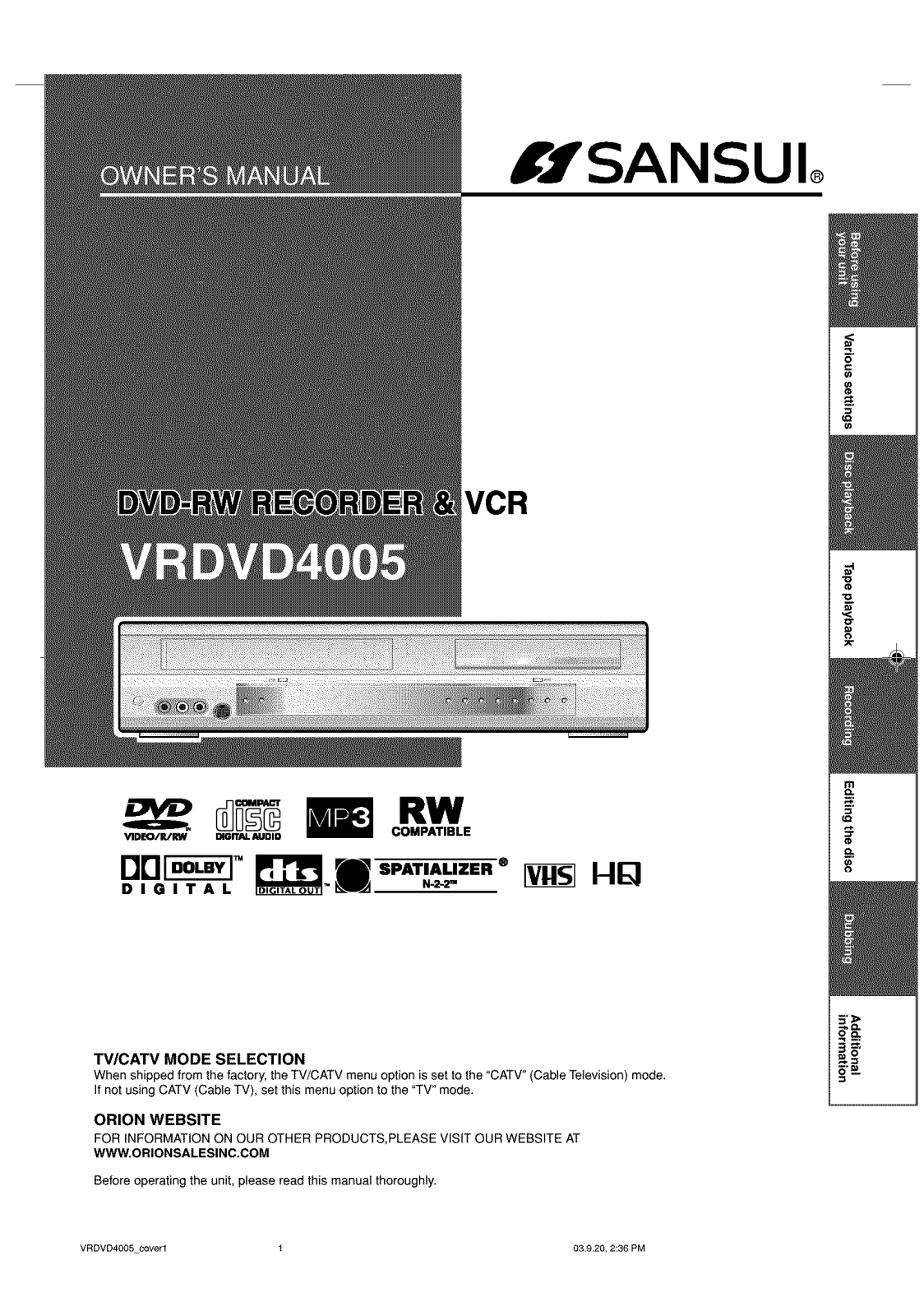
Specifications and Main Features
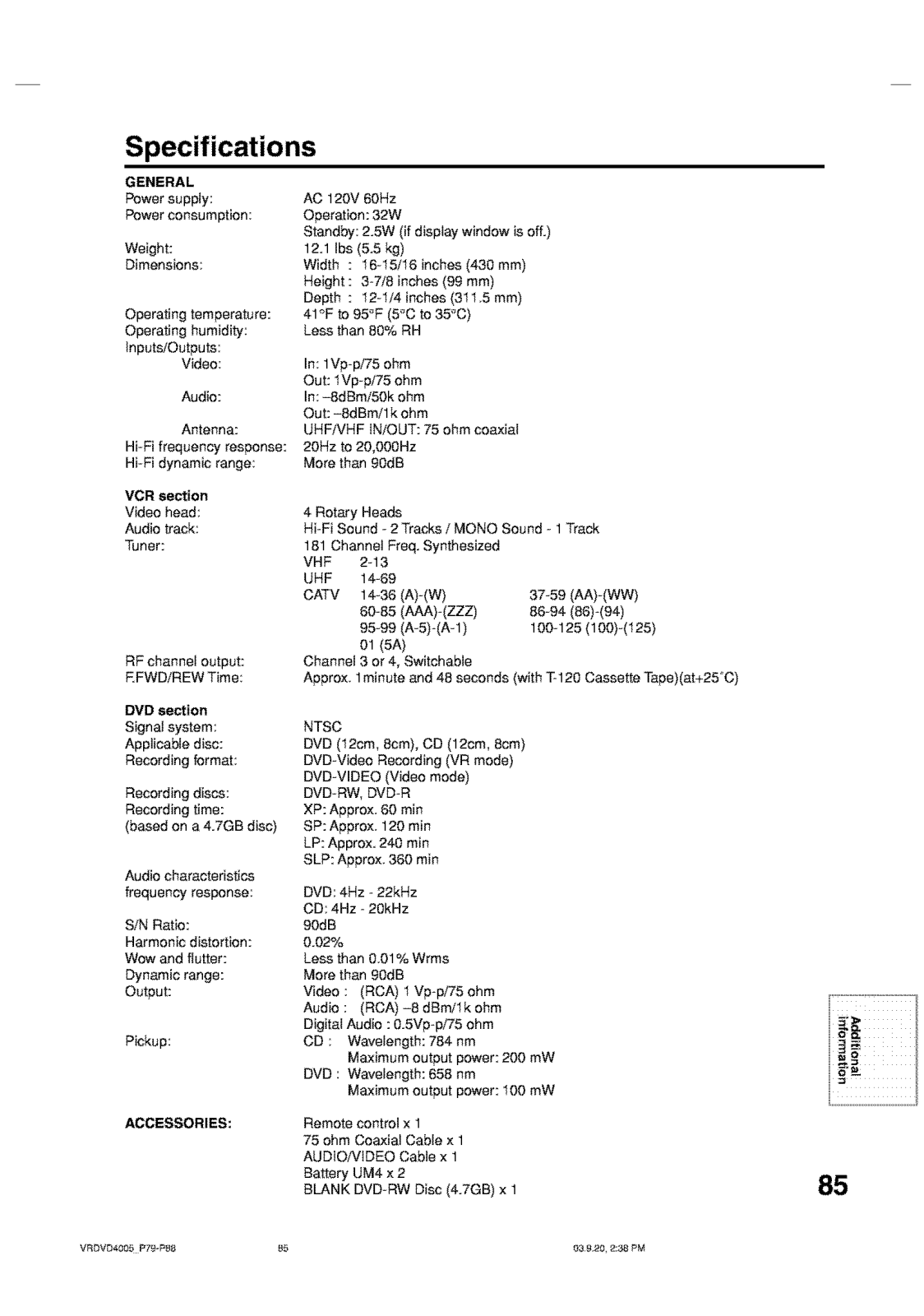
- Device: Dual Deck DVD Recorder
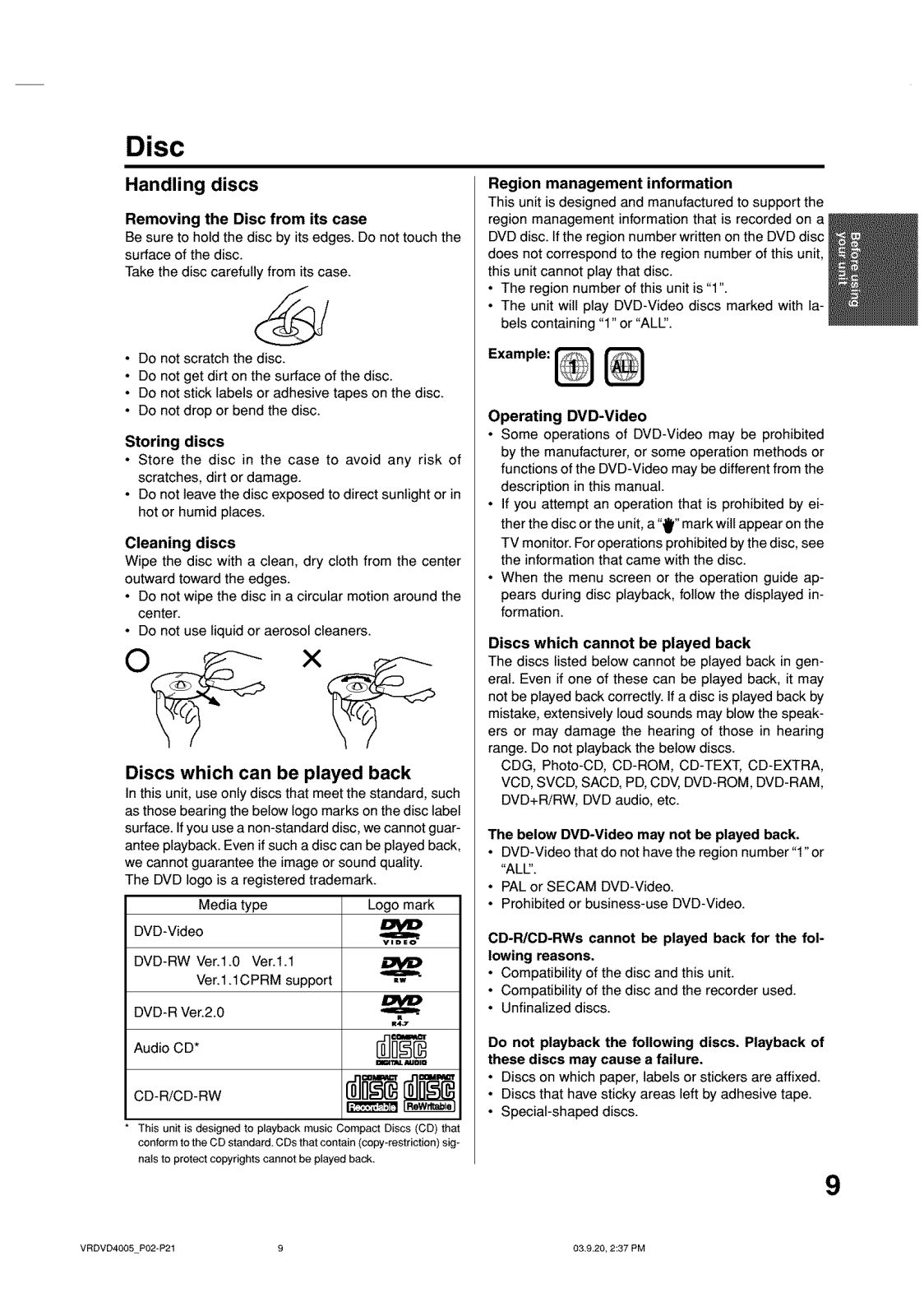
- Types of Media Supported:
- DVD Video
- DVD-RW (Versions 1.0, 1.1 with CPRM supported)
- DVD-R (Version 2.0)
- Audio CD
- CD-R/CD-RW
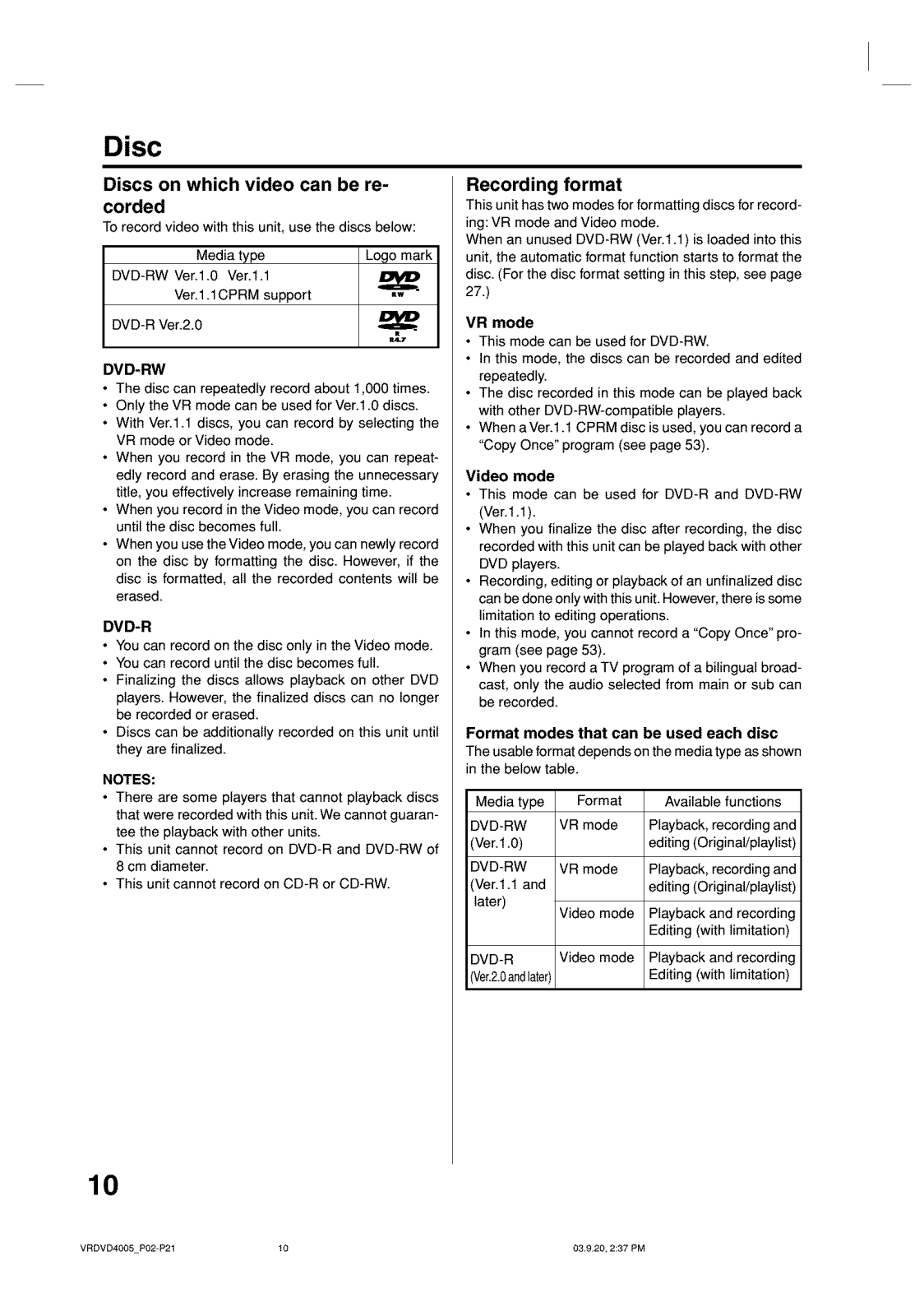
- Available Formats:
- VR mode for DVD-RW
- Video mode for DVD-R and DVD-RW (1.1)
- Supported Playback Features:
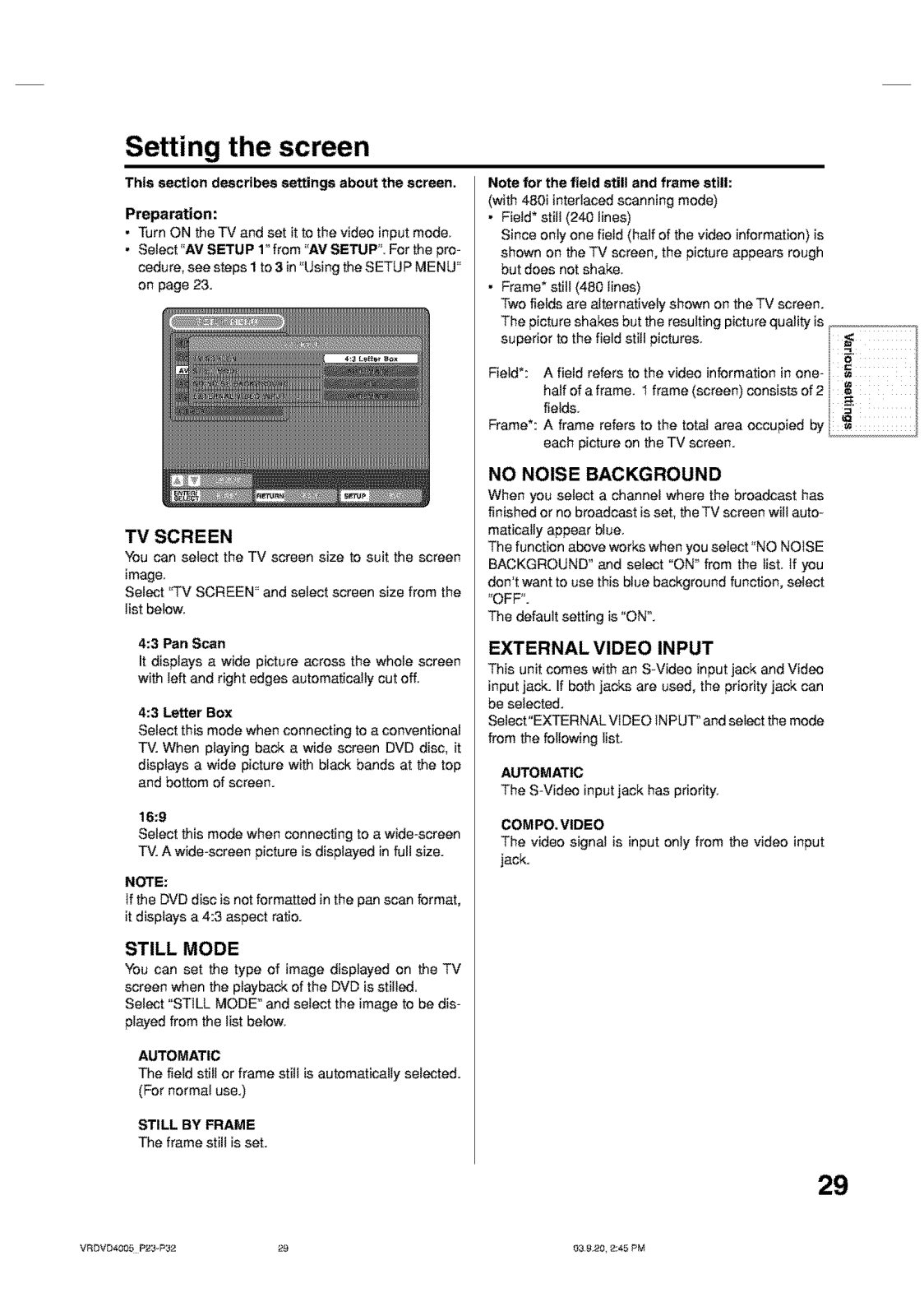
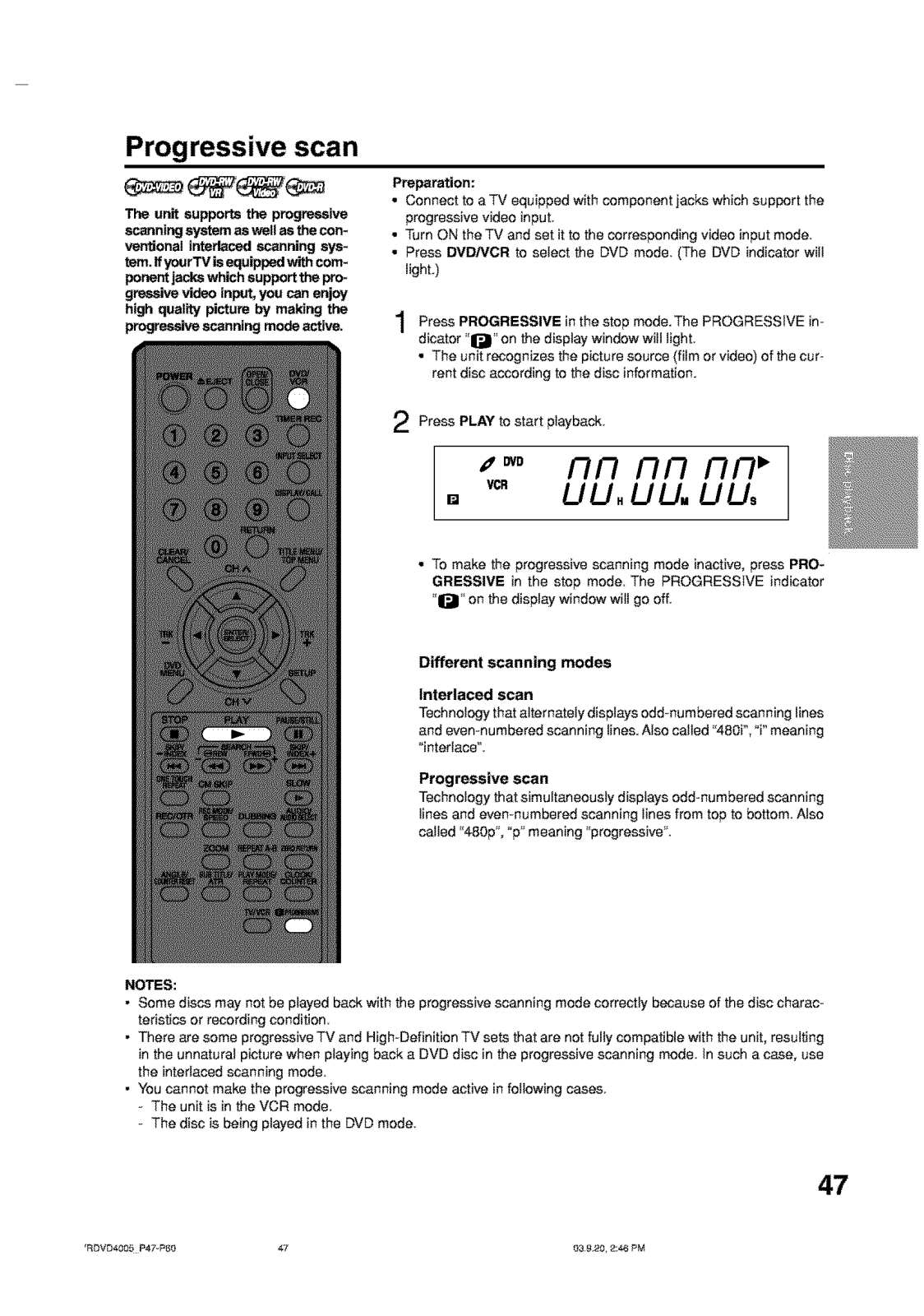
- Support for Progressive scan
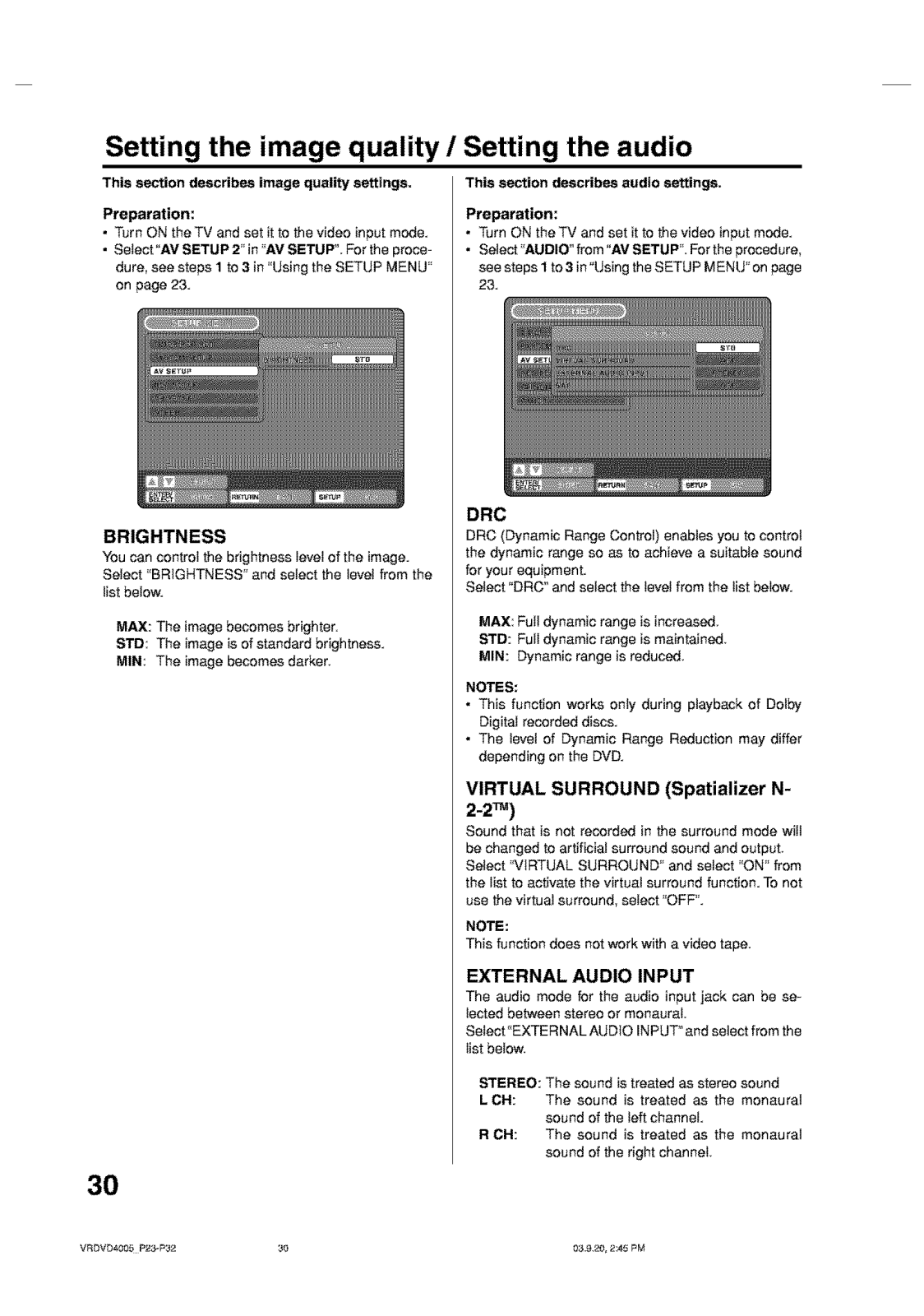
- Mannesmann Tally Virtual surround (Spatializer N-2-2™)
- Capability of S-Video output
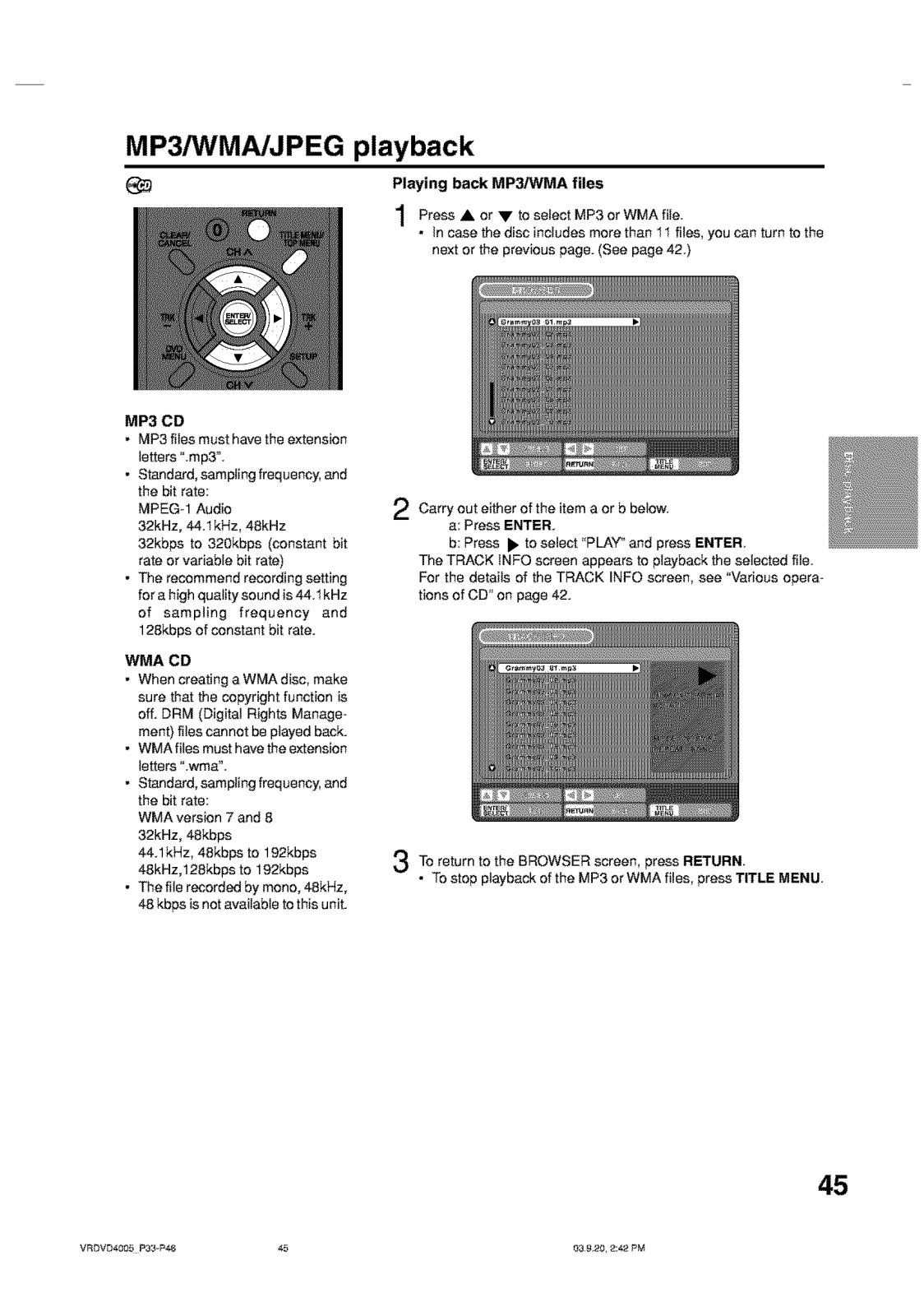
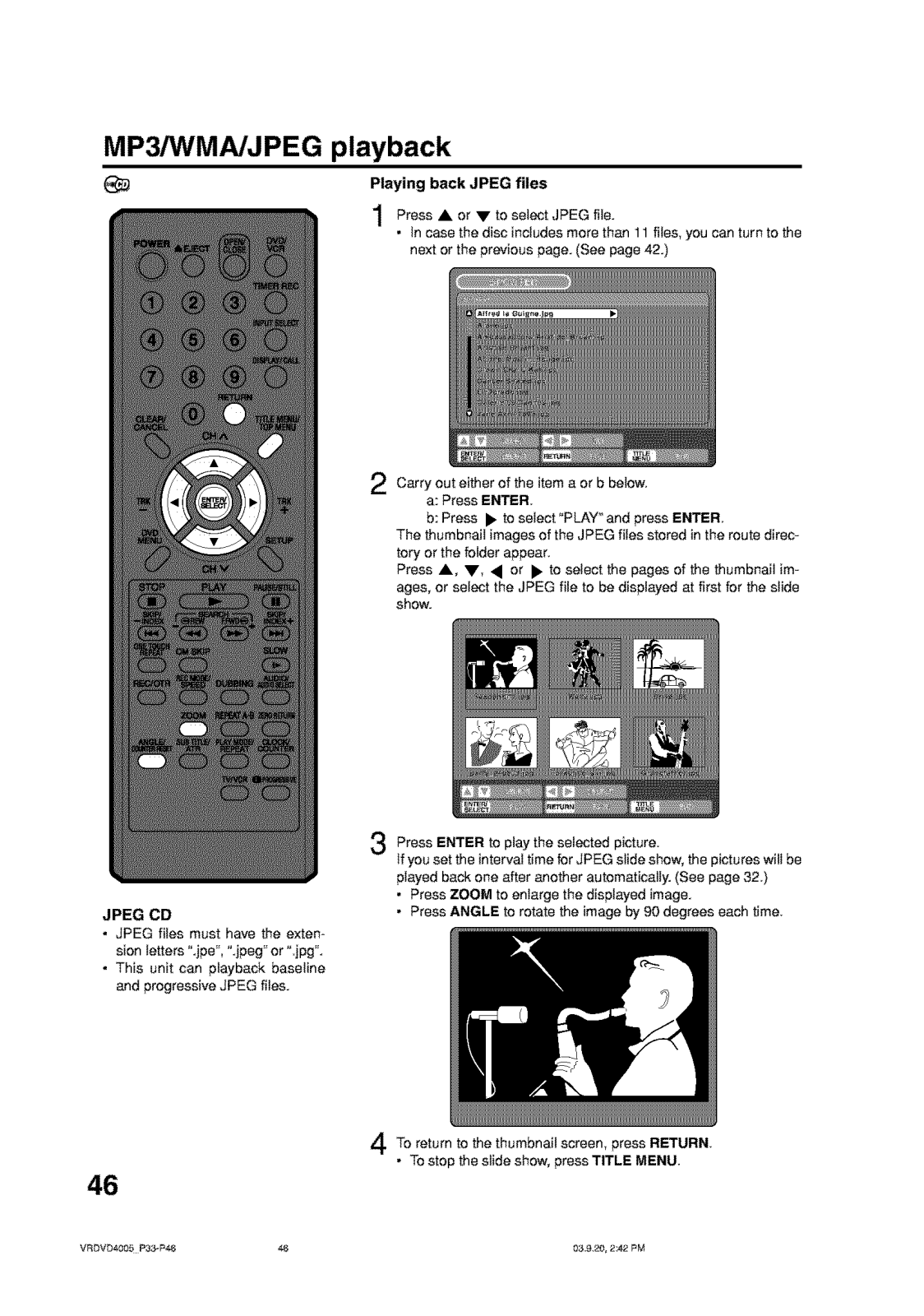
- Files including MP3/WMA/JPEG were played back
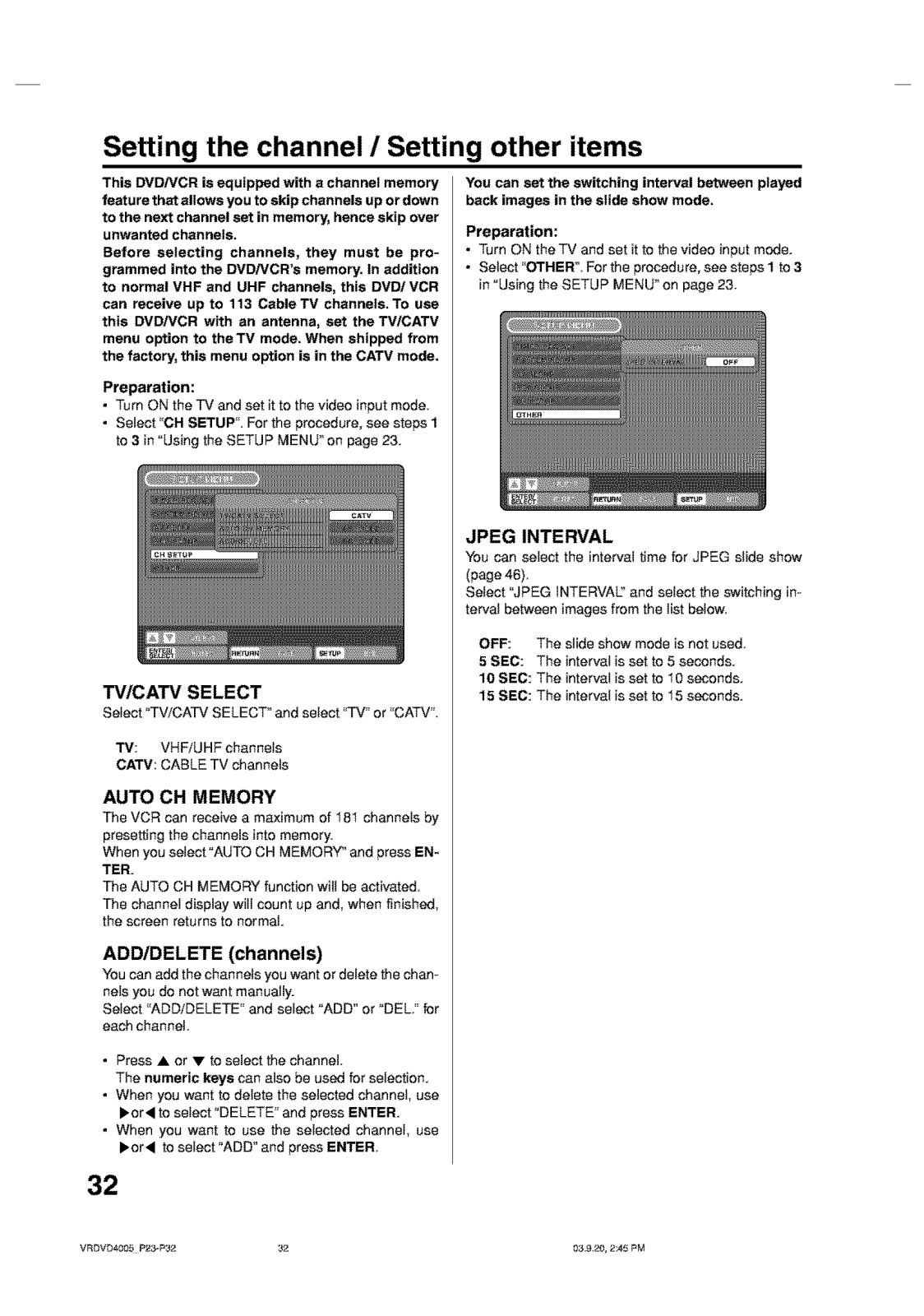
- Tuner: Integrated in TV/CATV
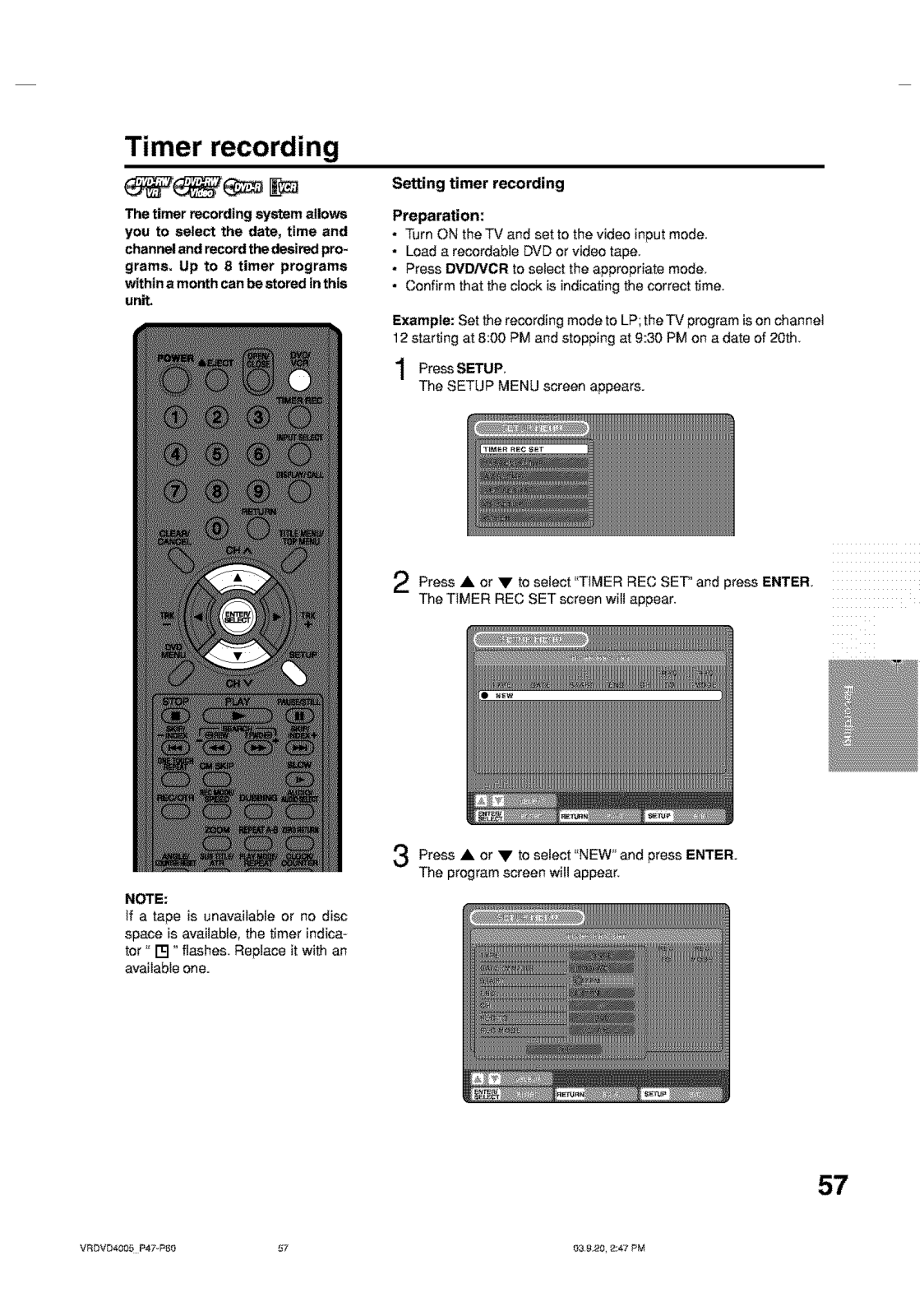
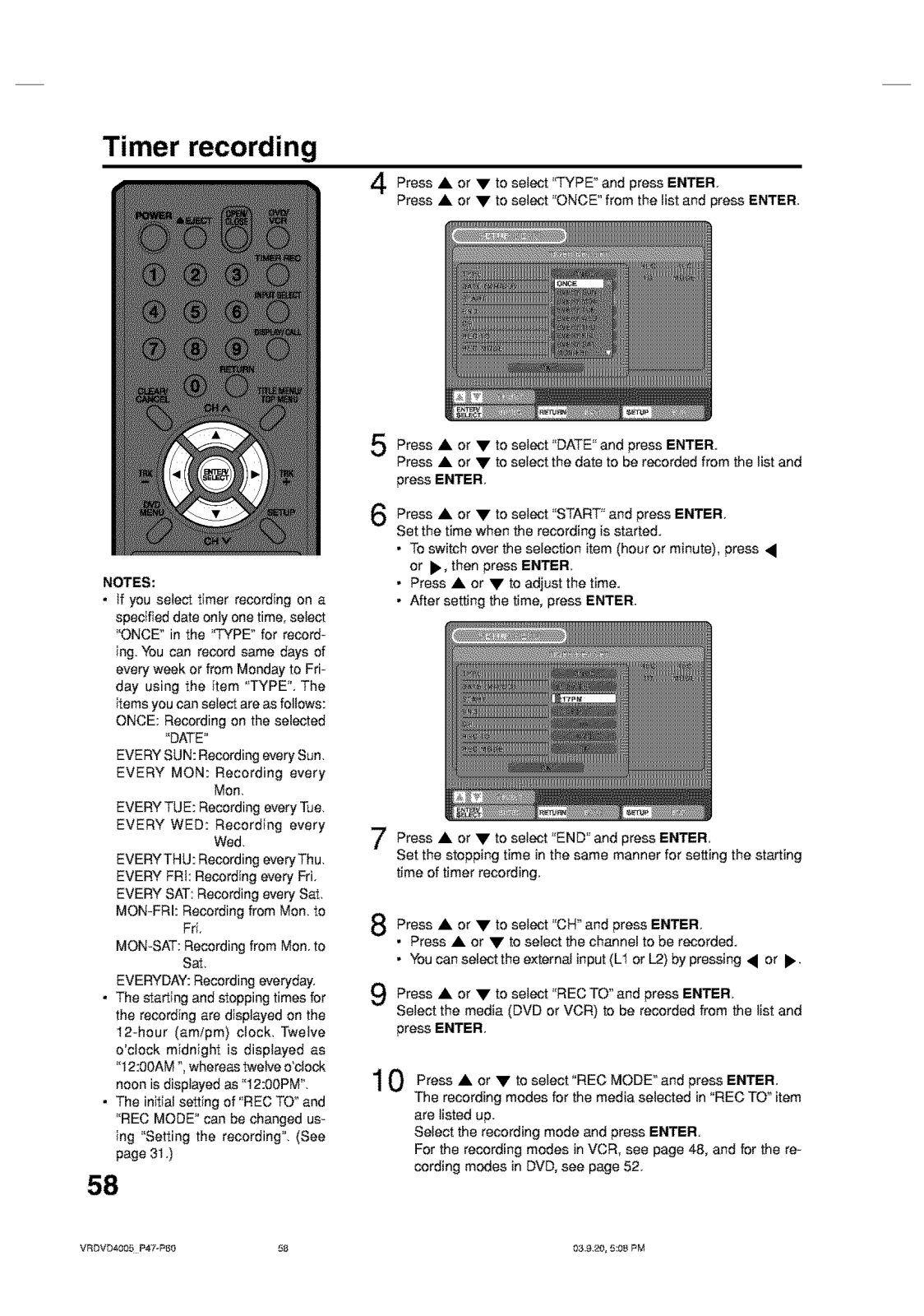
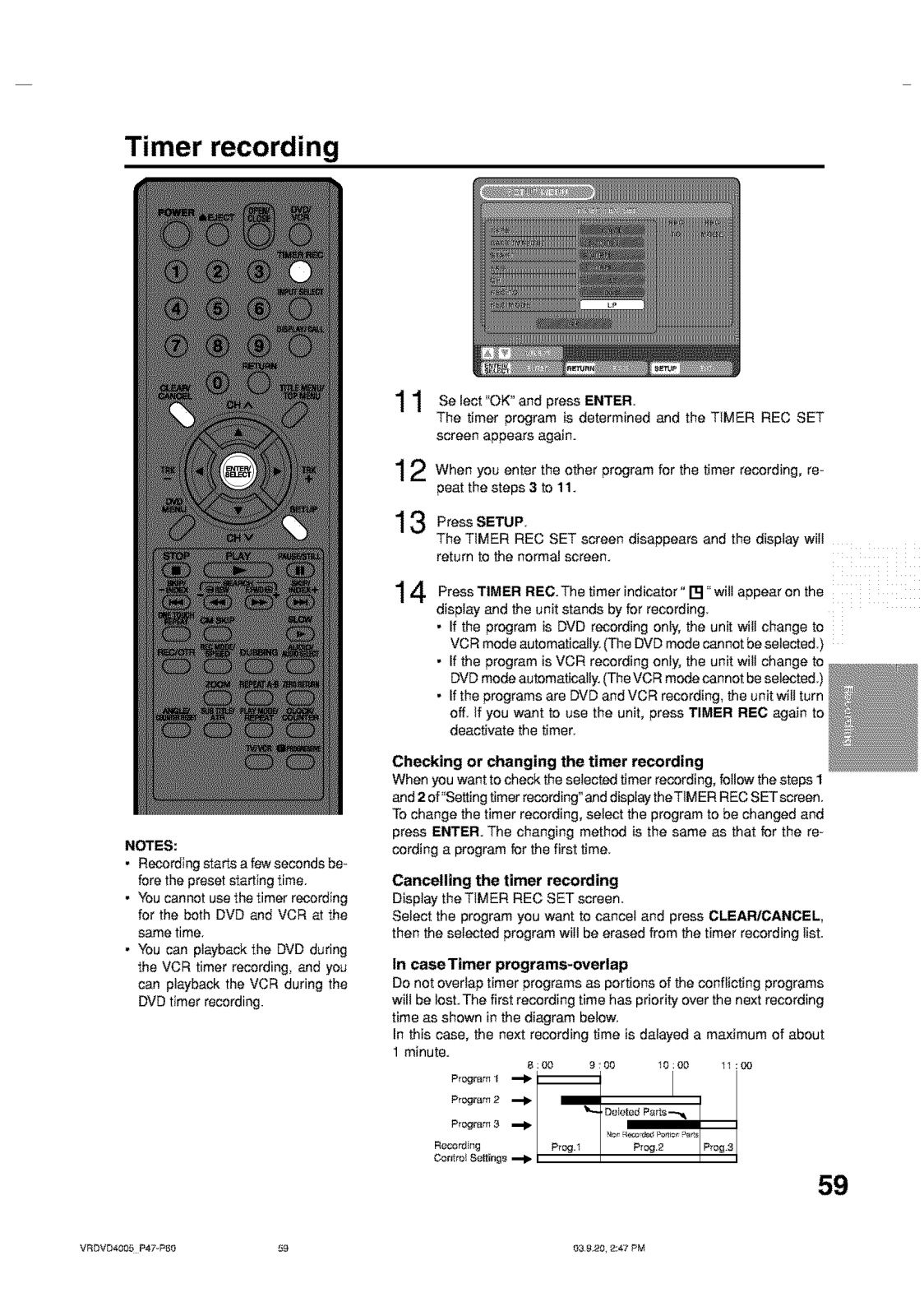
- Timer programming: One Touch Timer Recording (OTR) and Programmable Timer recording
- Additional Features include:
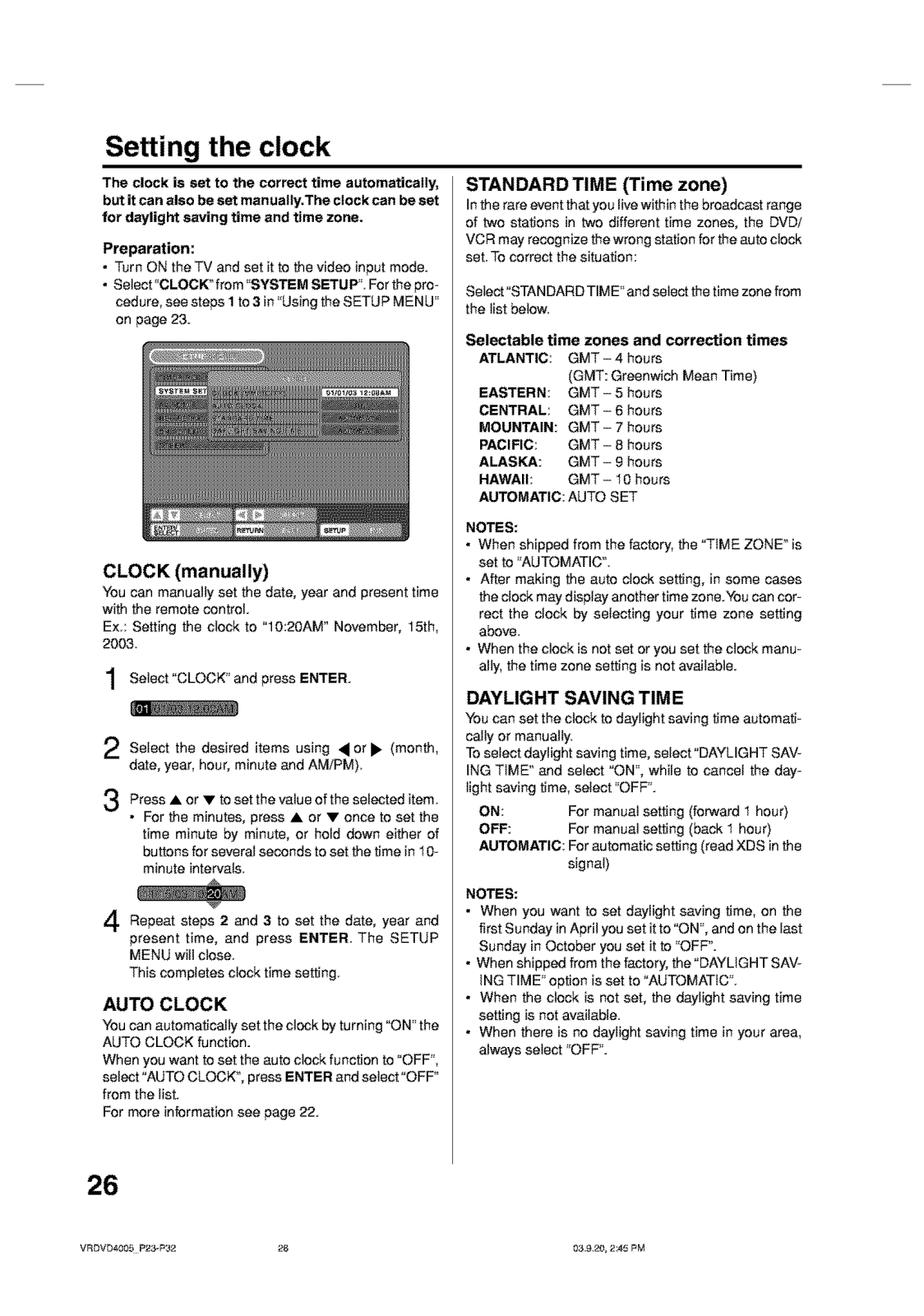
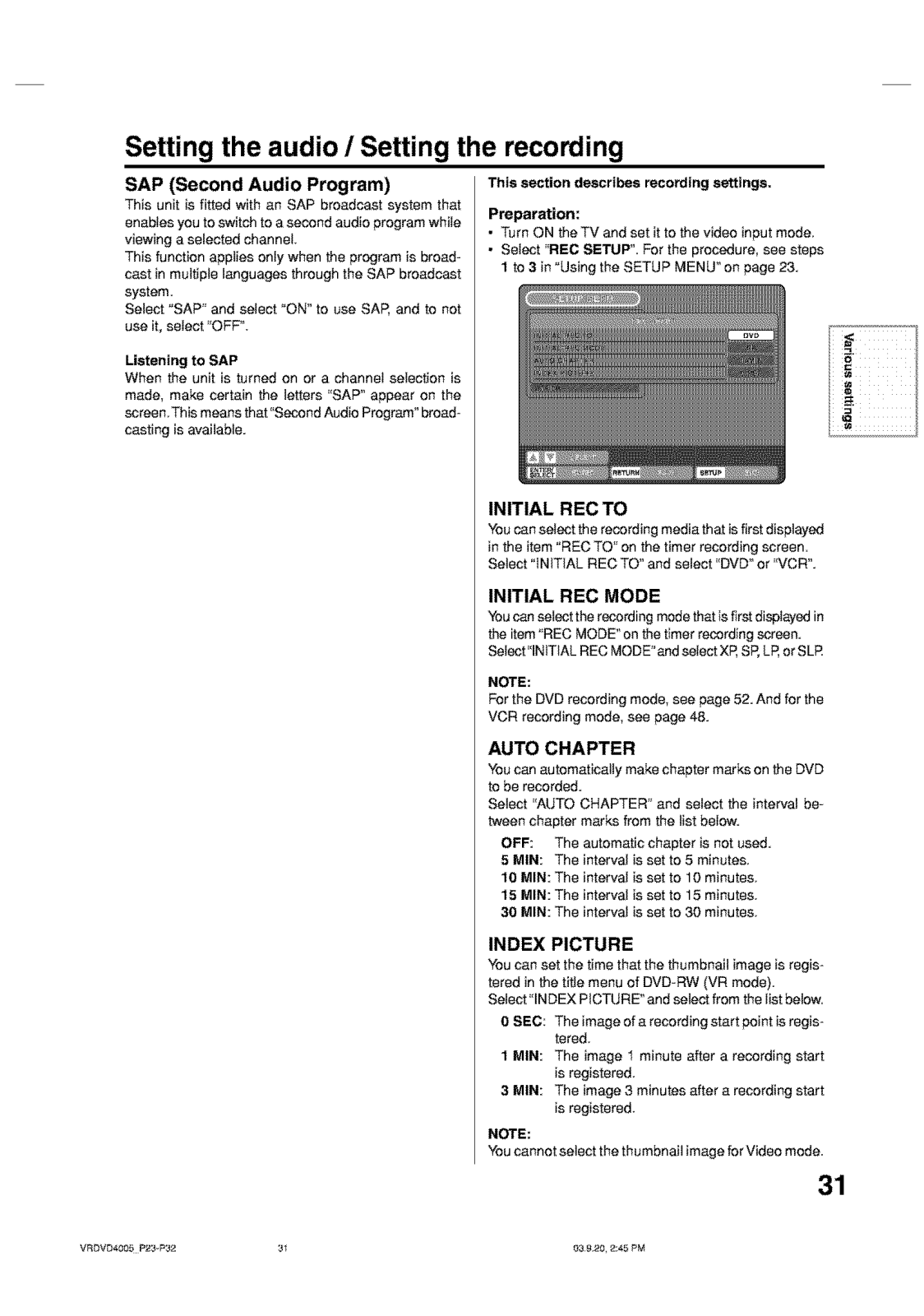
- Setting of clock automatically
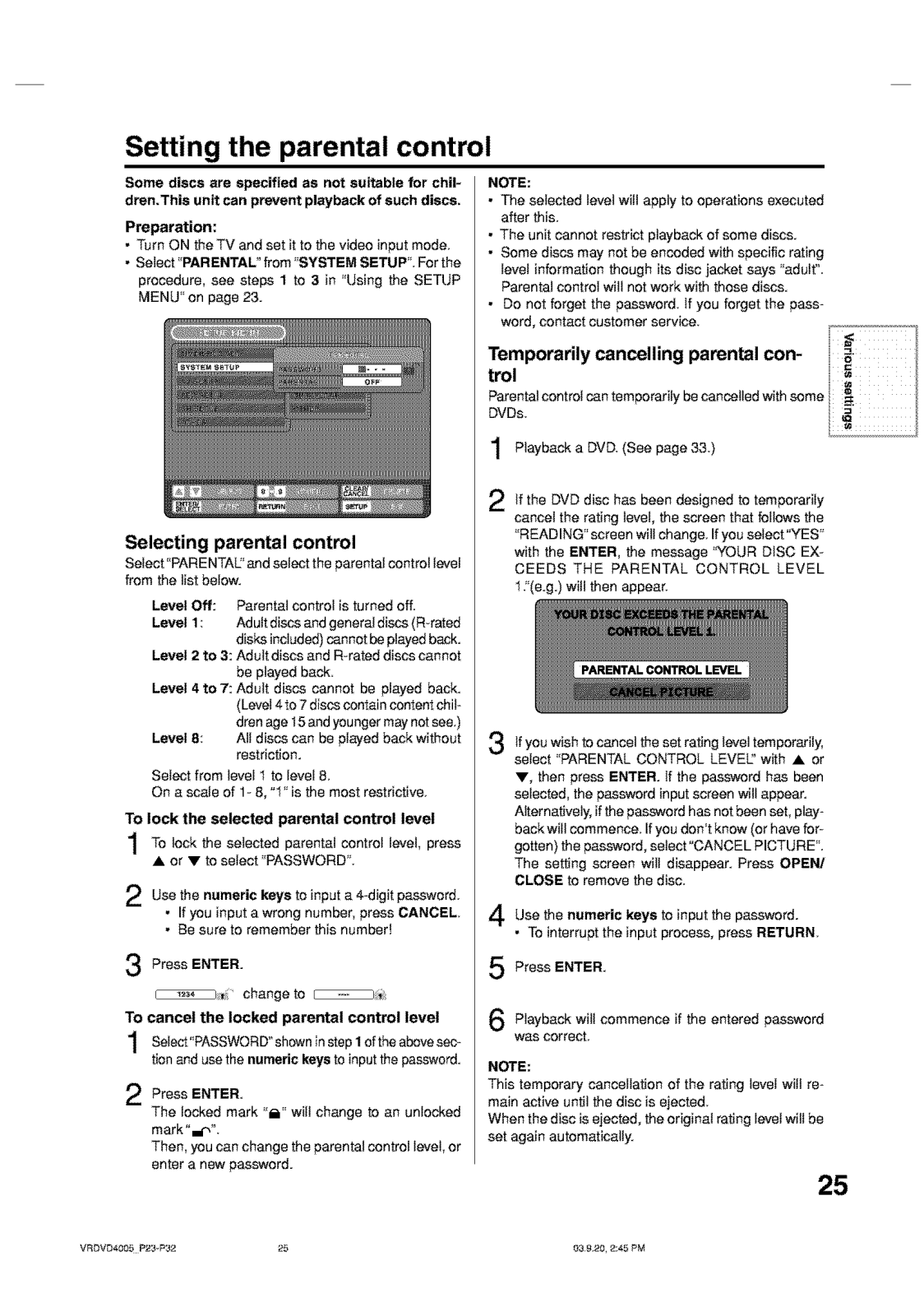
- Setting of parental control
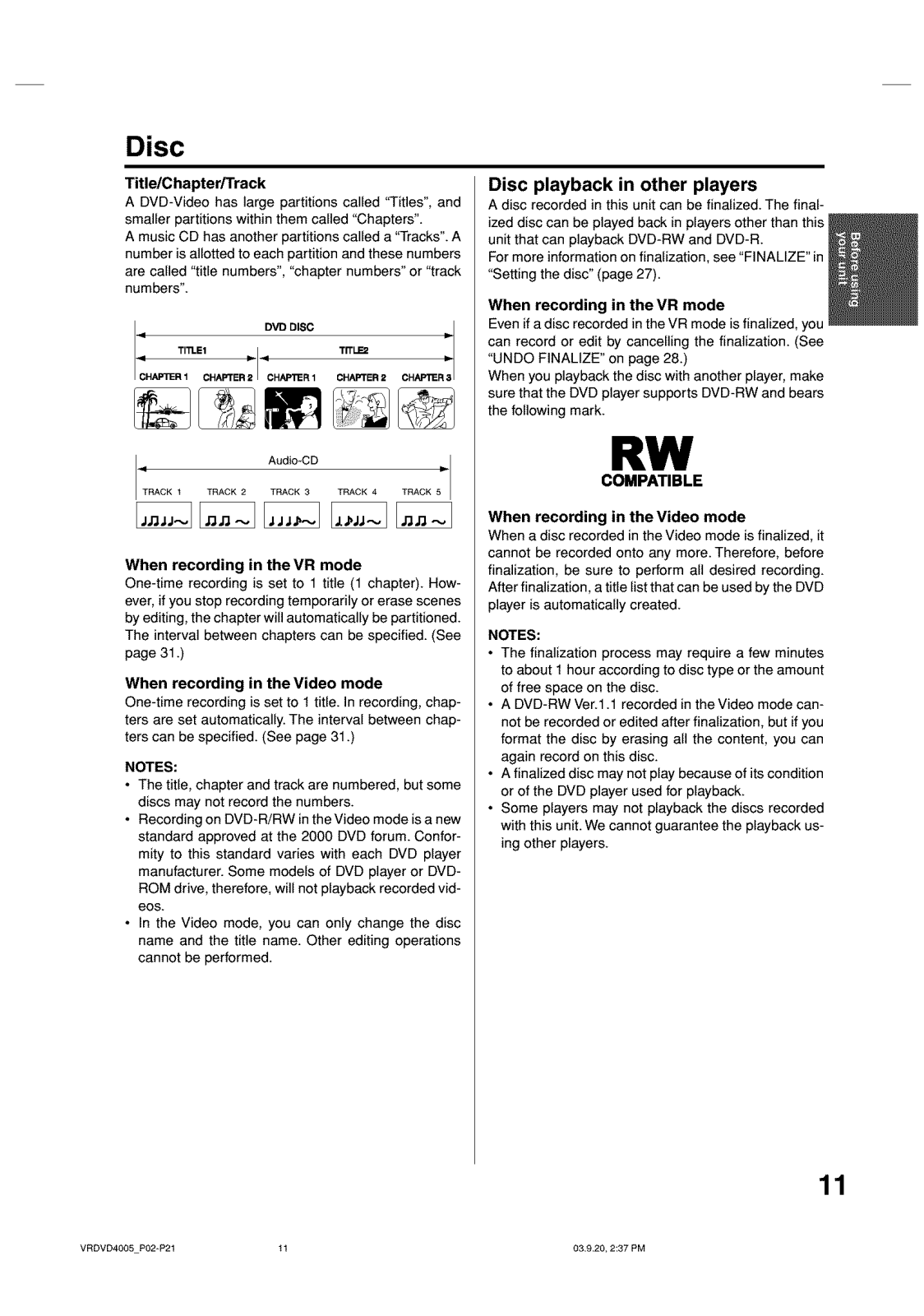
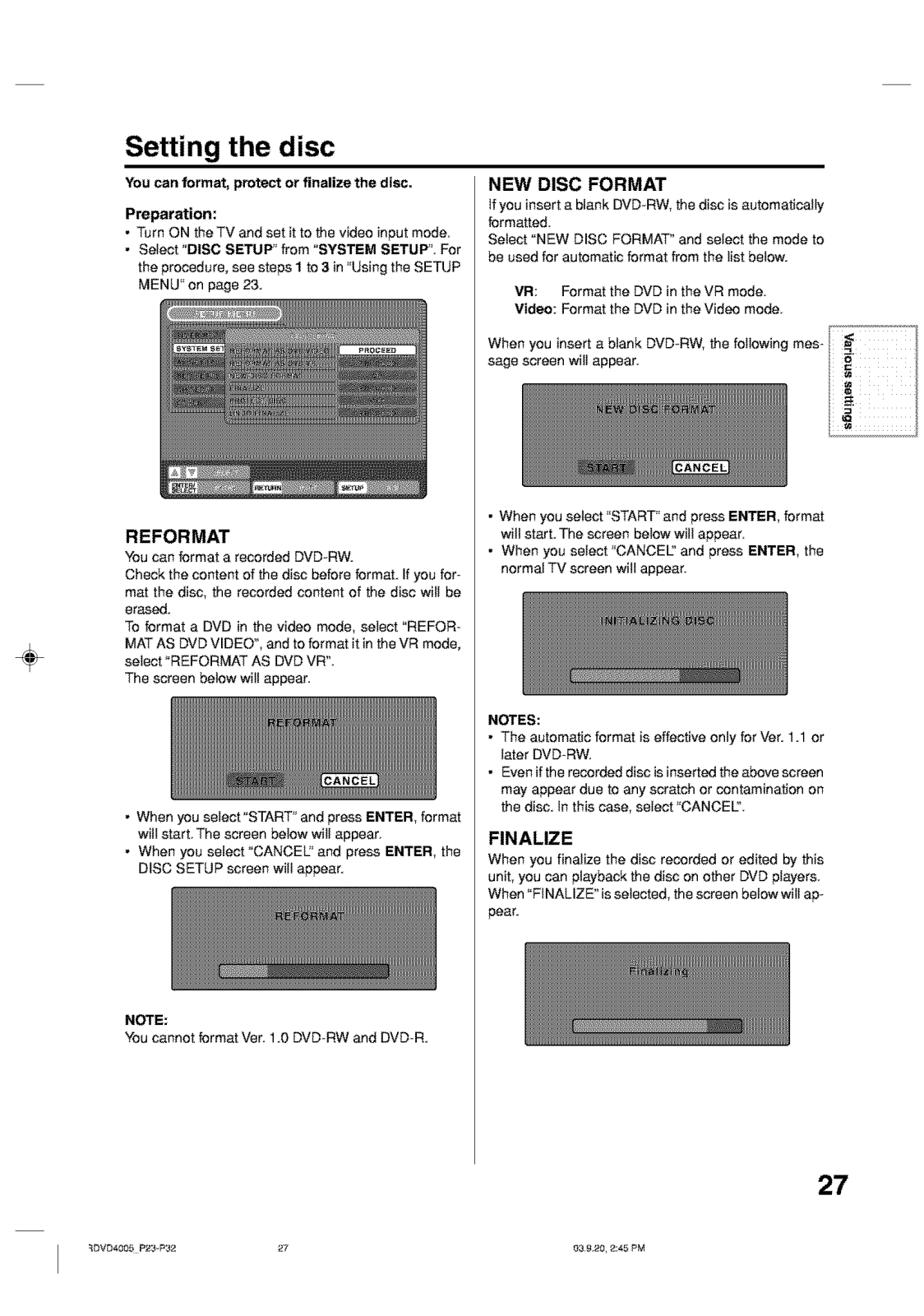
- Finalization DVDs R/DVD-RW for compatibility option
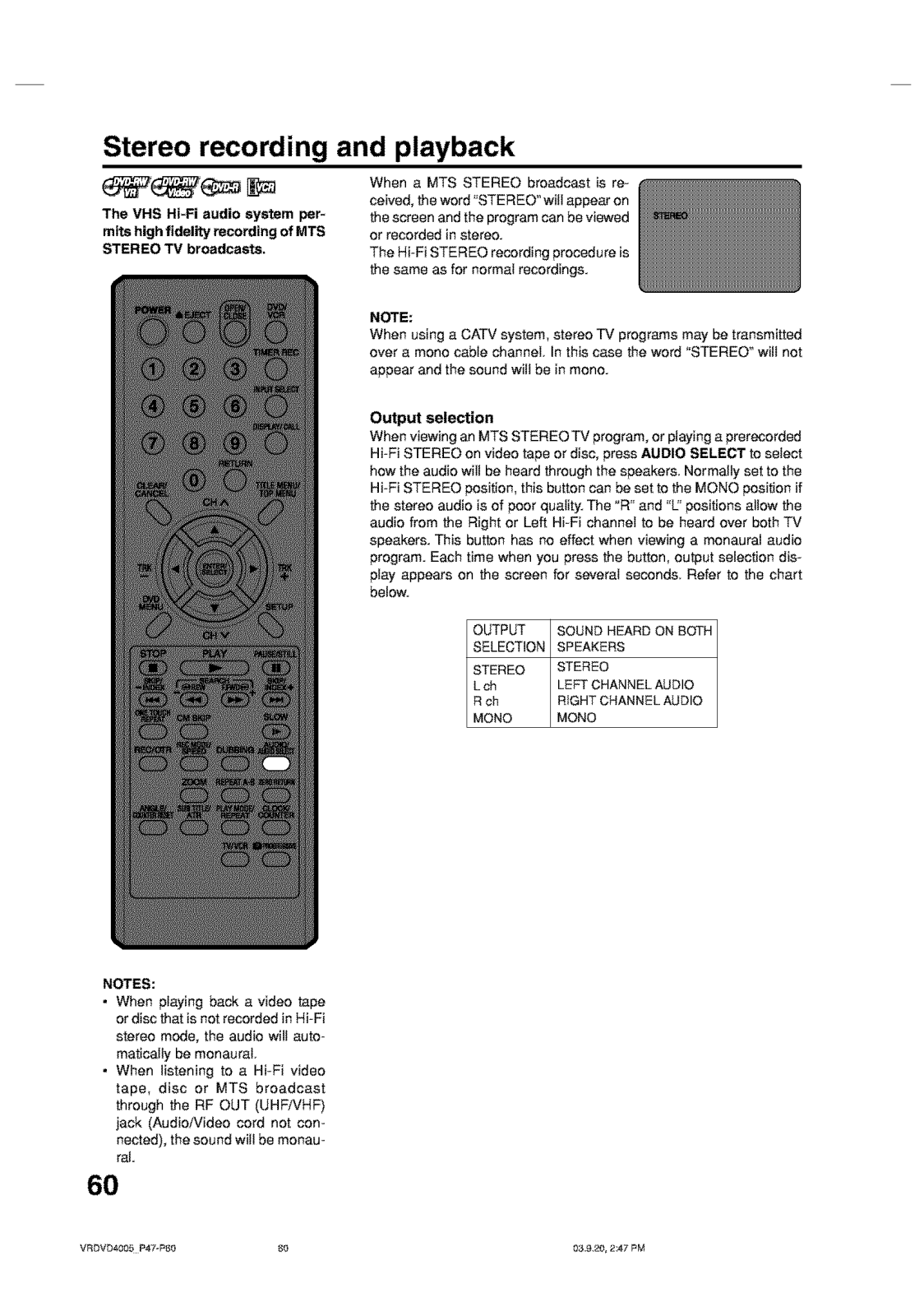
- Compatible with stereo and mono audio output
- External device switch
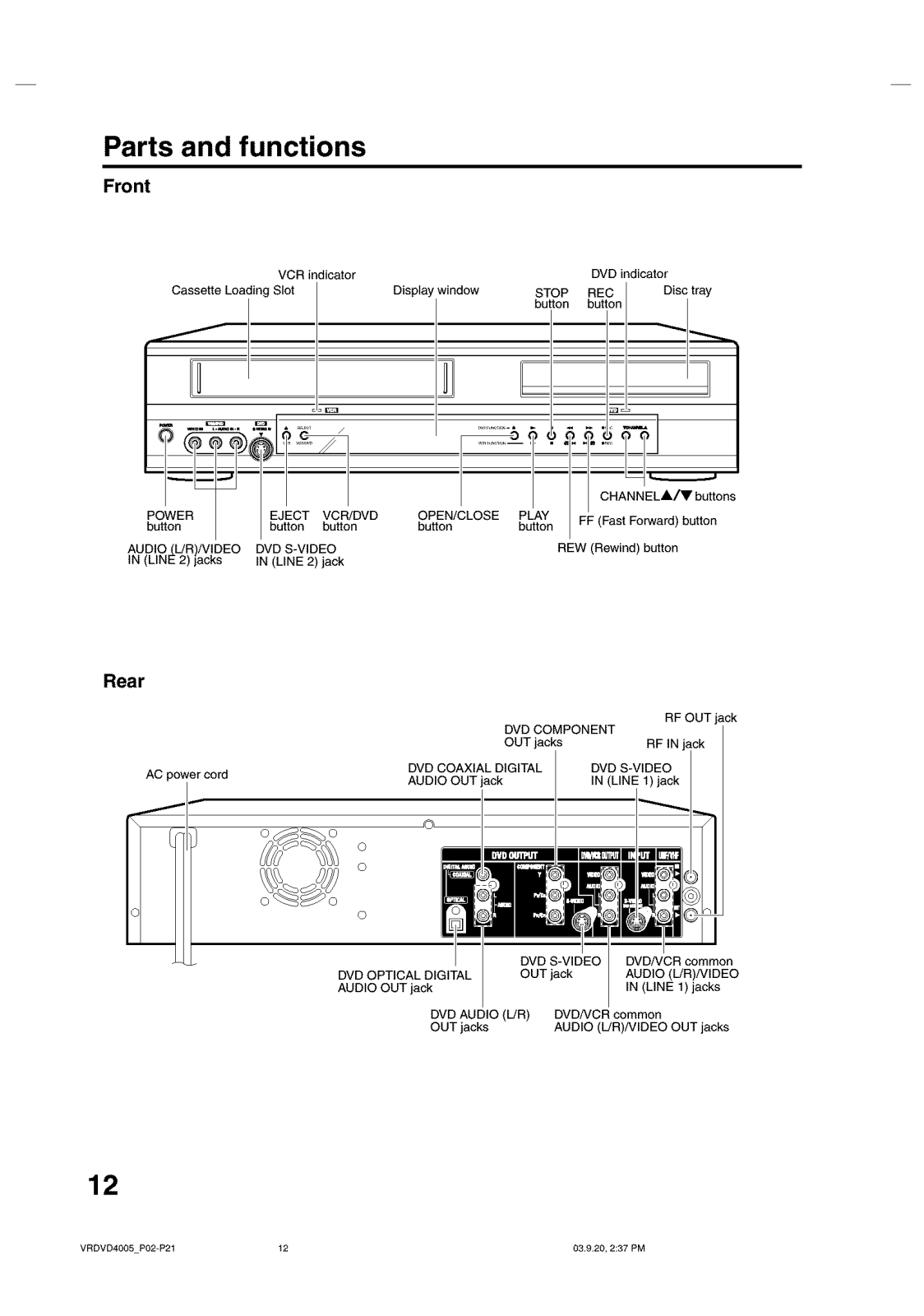
- Types of connections:
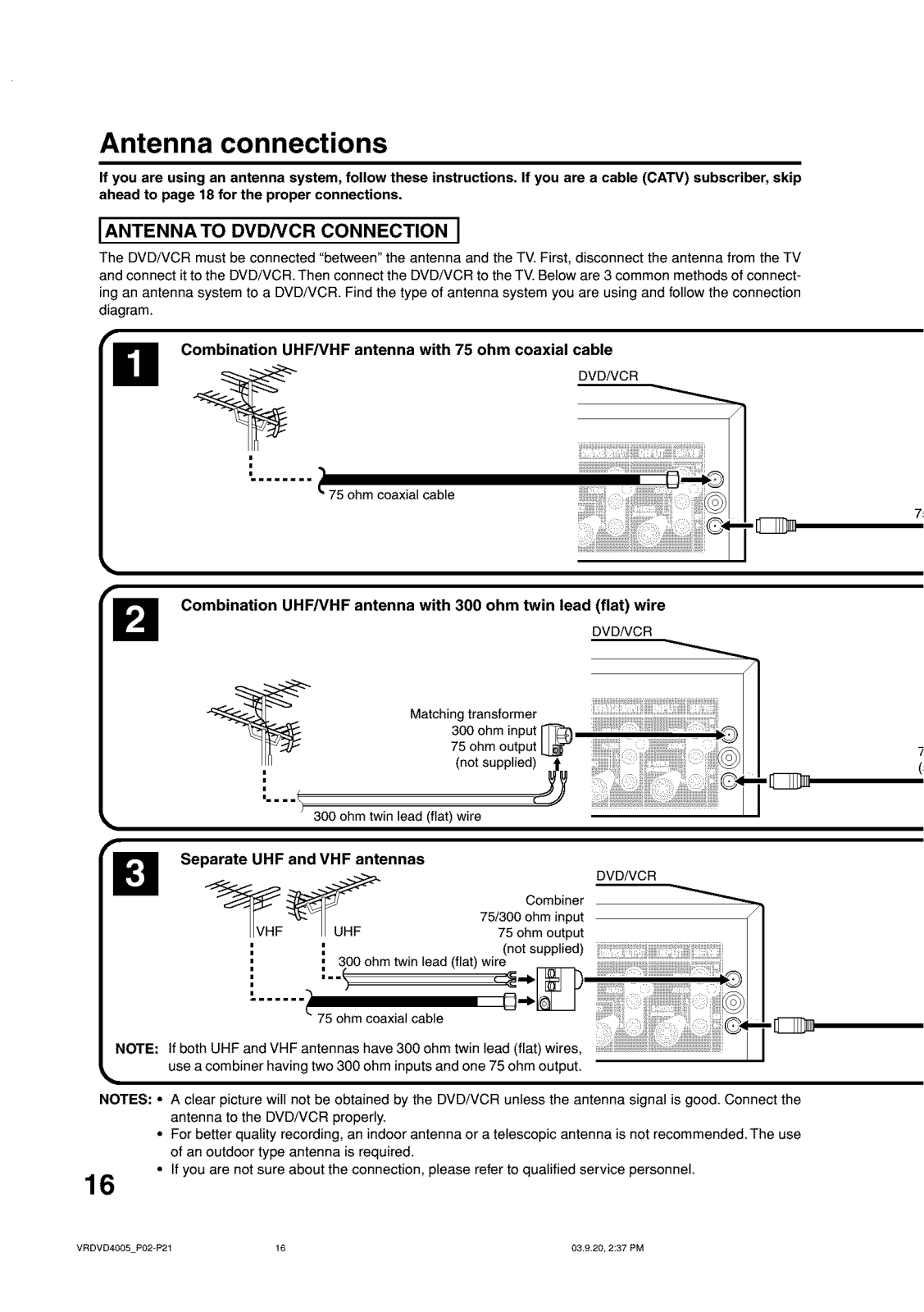
- Input and output of RF
- Composite and S-Video Connector
- Audio outputs L and R
- Coaxial Output Optical digital audio up to
- Display:
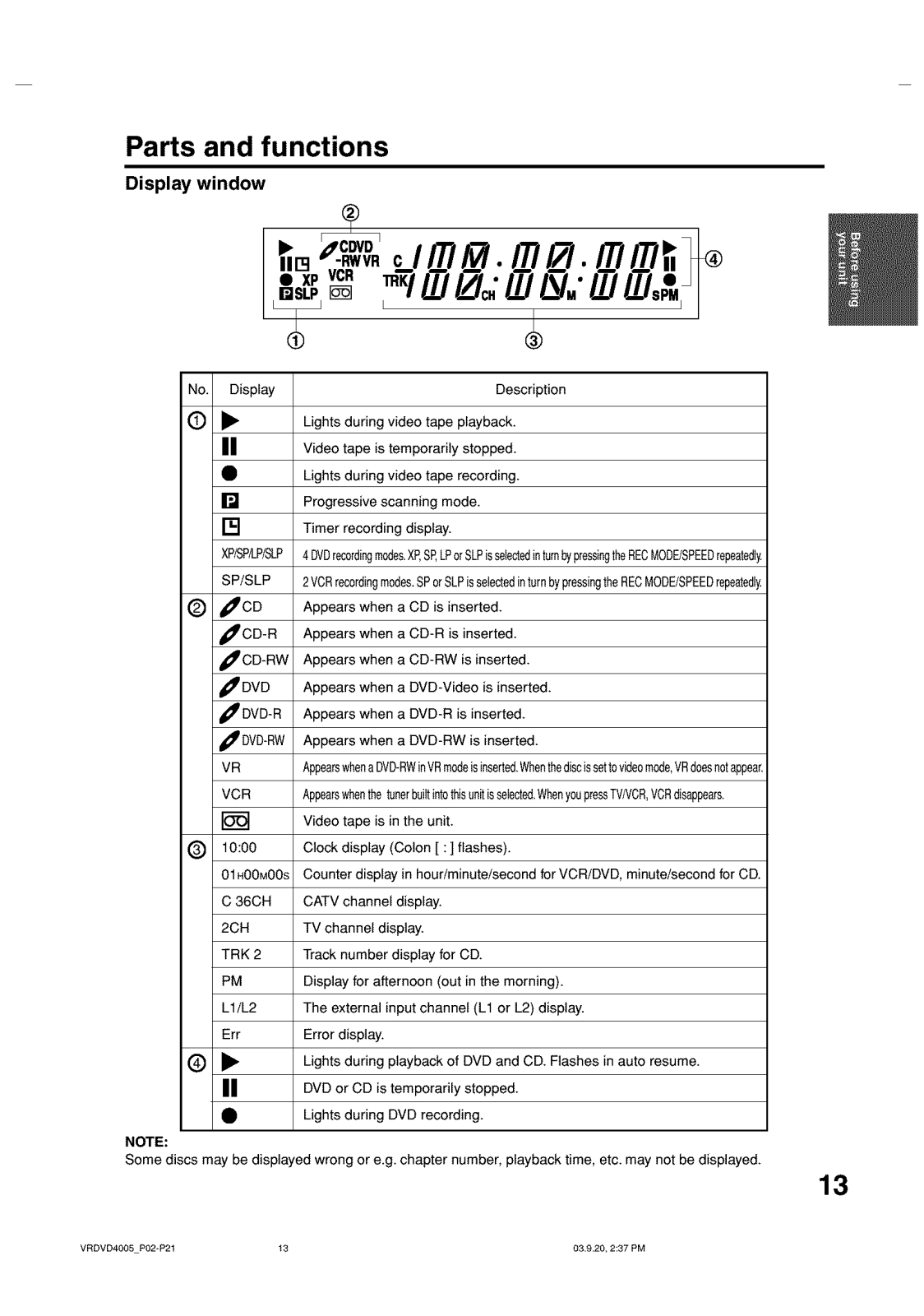
- The operational indicators are located on the front panel of the device along with the display.
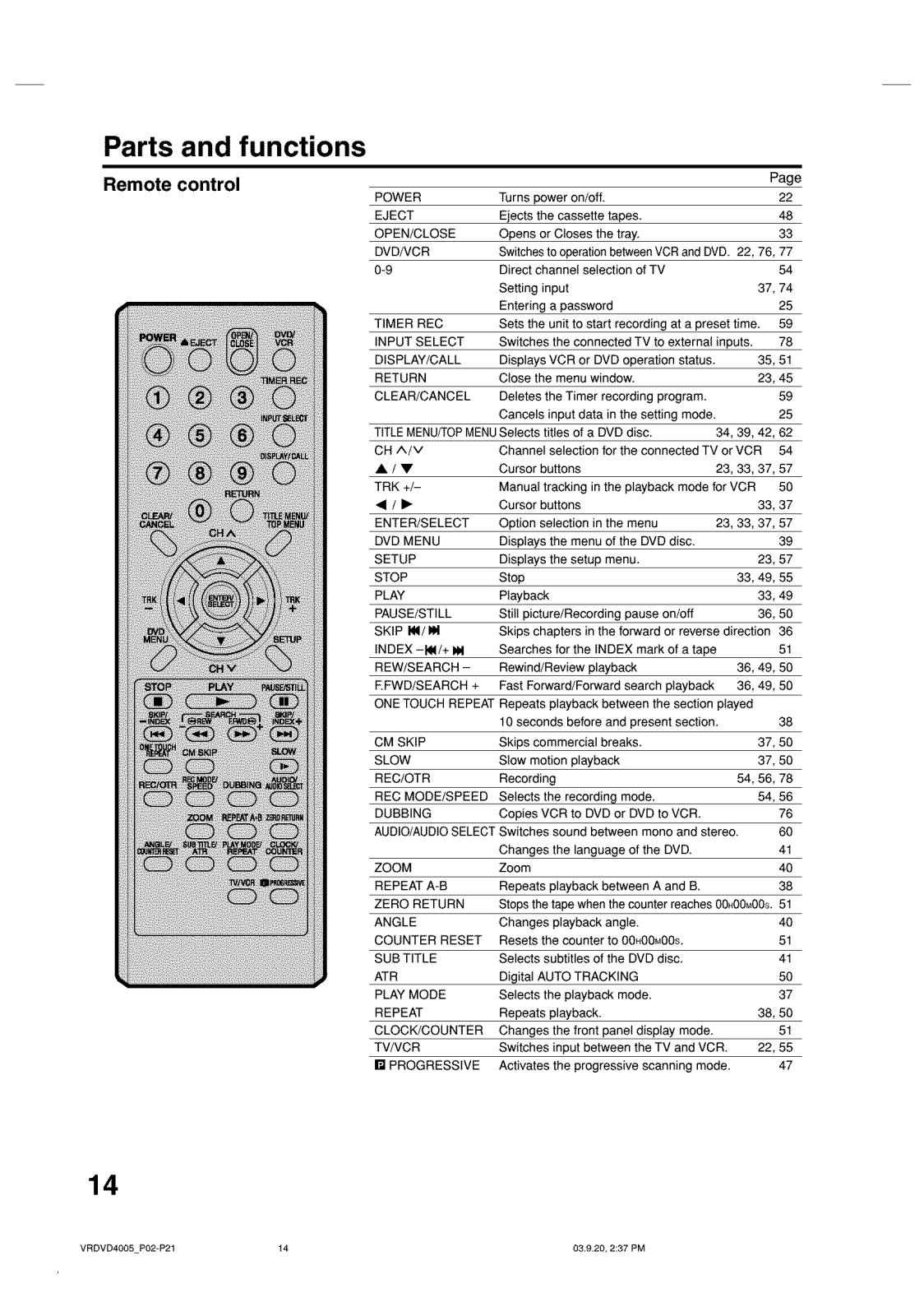
- The device can be navigated by remote control hence functions are easily facilitated.
Frequently Asked Questions
- What types of discs can be recorded on this device?
- Usually this kind of DVD can be recorded on DVD-RW which is version 1 or 1.1 and stands for 1.0 plus CPRM support.
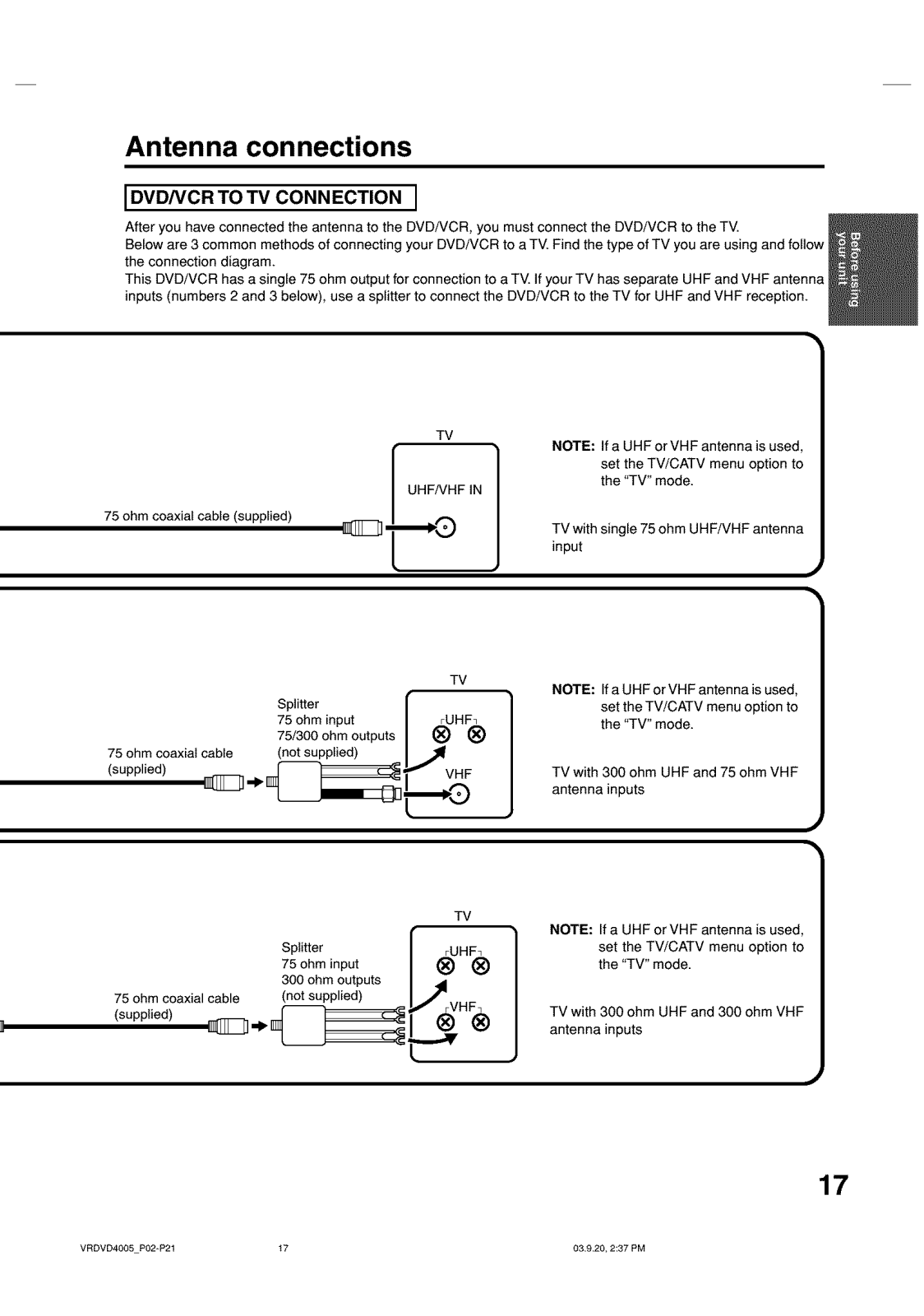
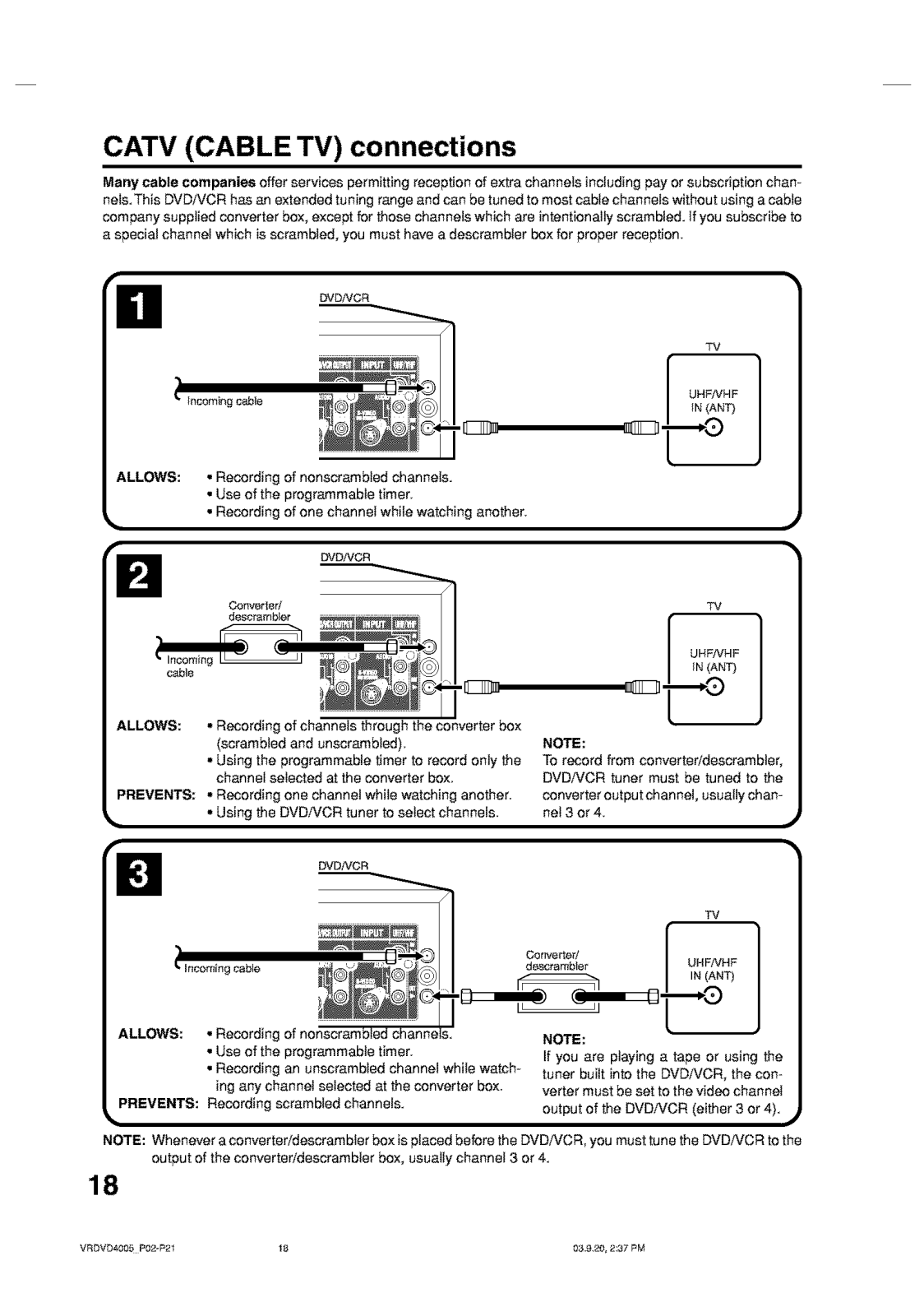
- Can I use a cable tv connection on this device?
- Certainly, it can be plugged into a CATV connection, and recording of the cable channels is also possible.
- How do I set up the time on this device?
- The gadget is equipped with a self-adjusting clock feature, as long as the antenna is connected properly prior to turning the power on, the clock would be reset automatically. Another approach is to navigate towards the setup menu and adjust the time from there.
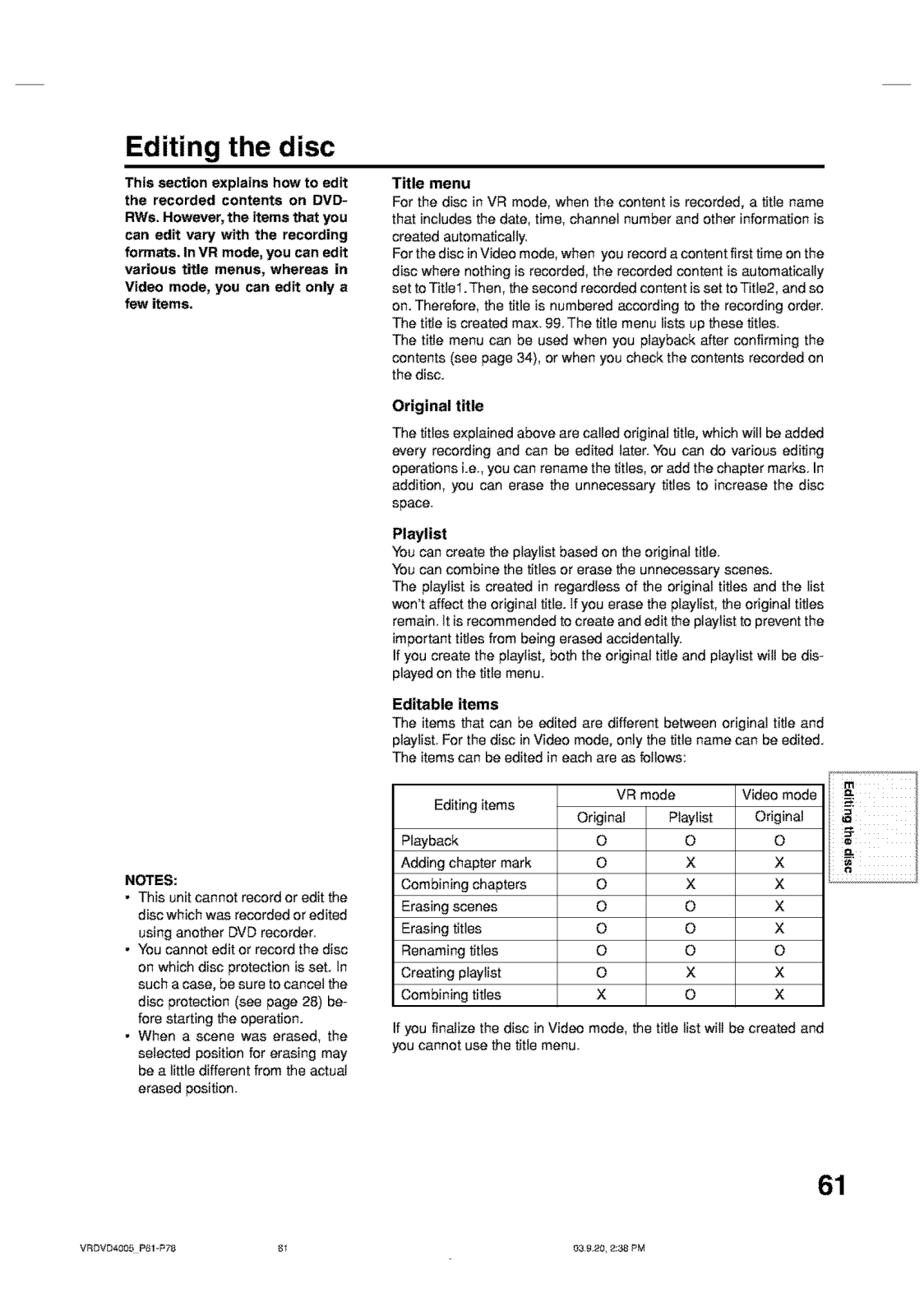
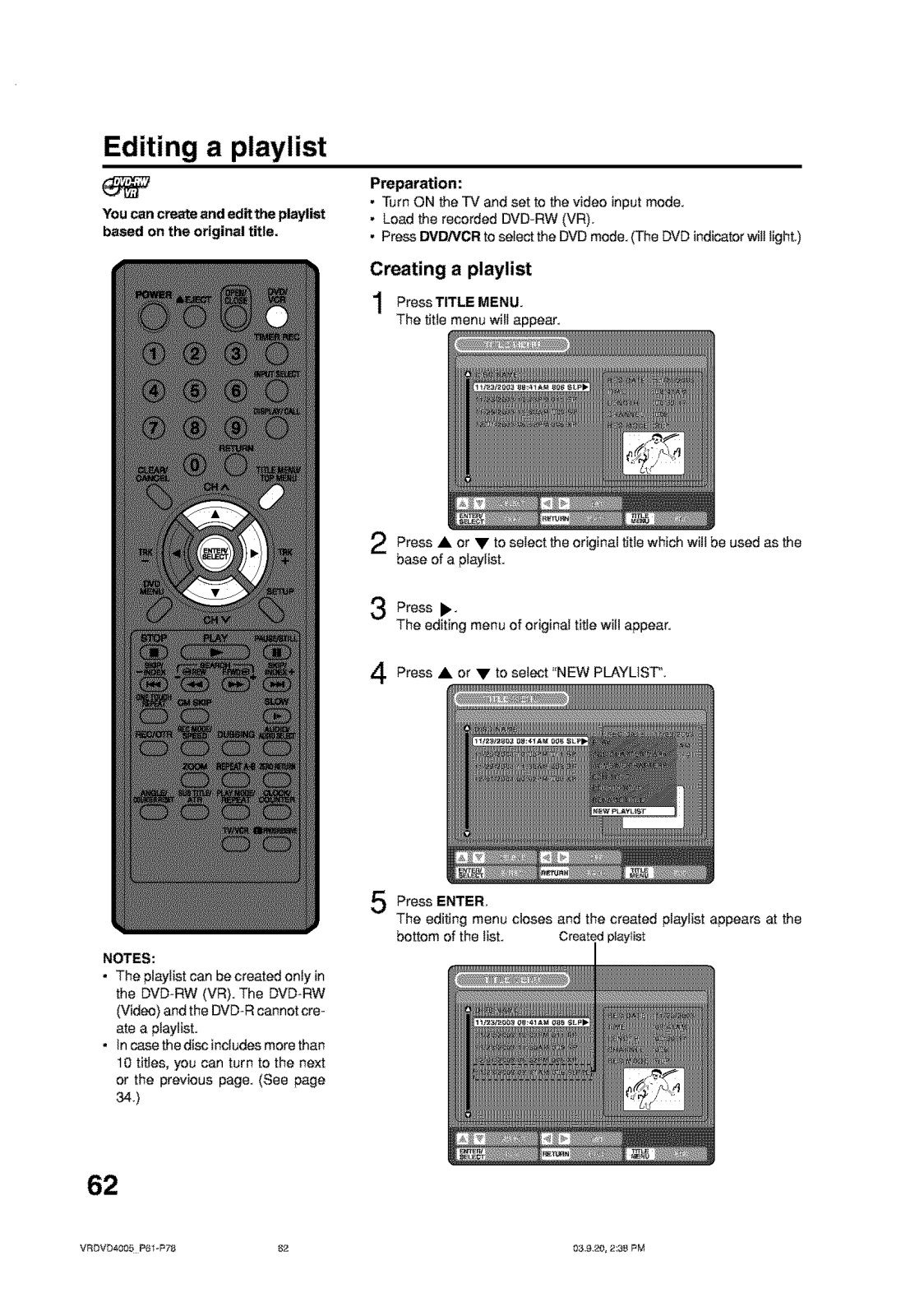
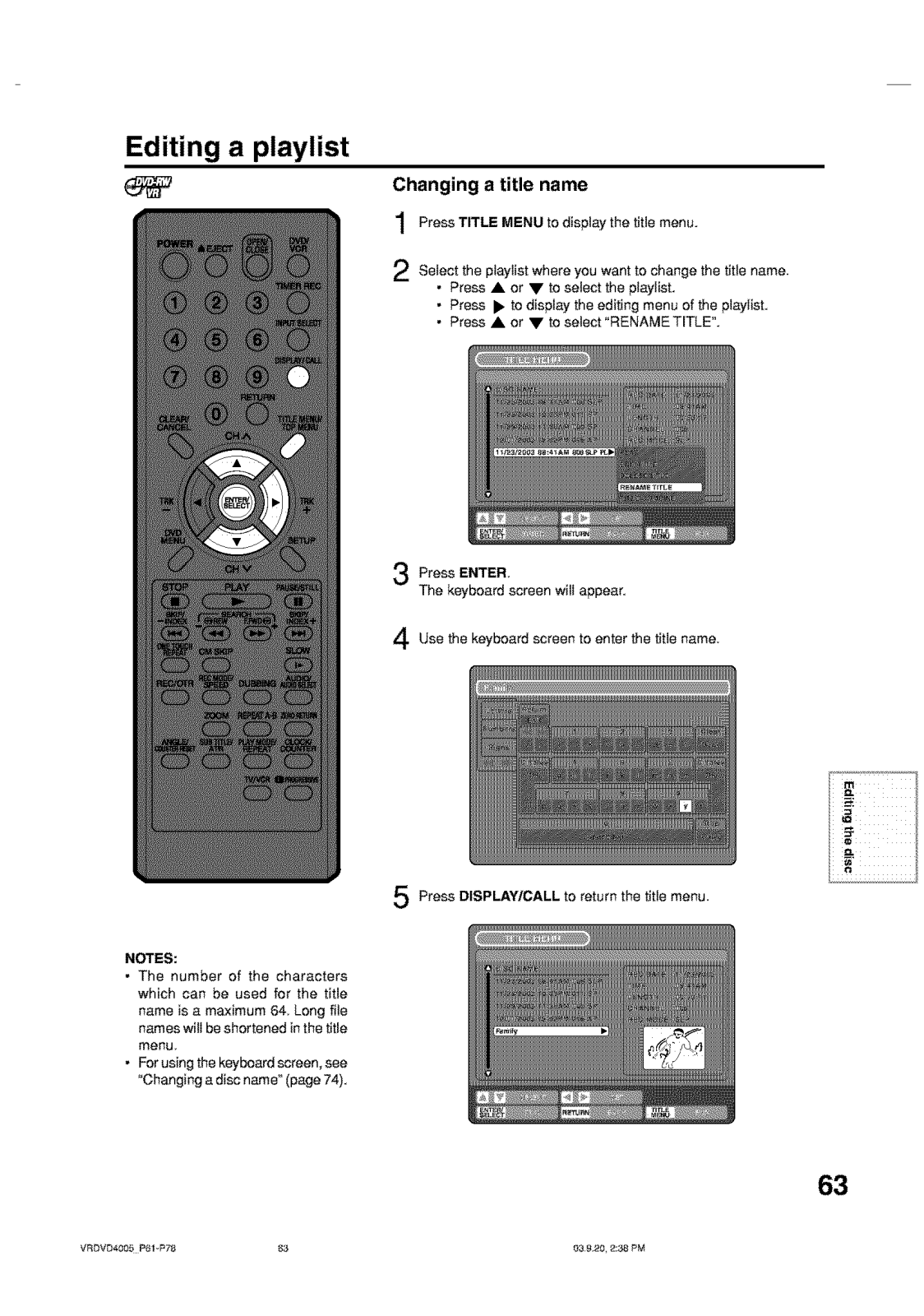
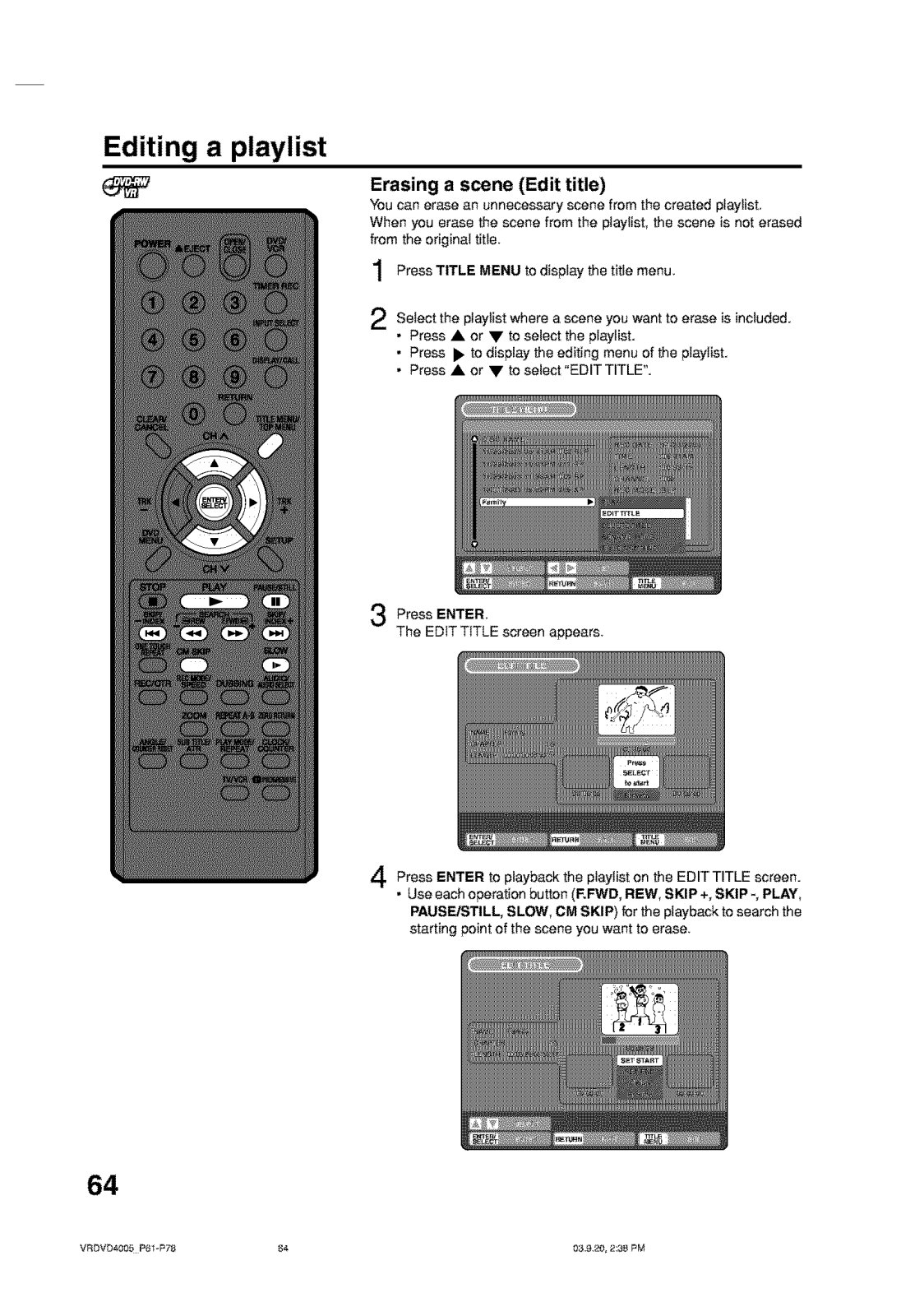
- How can I delete a recording that is saved?
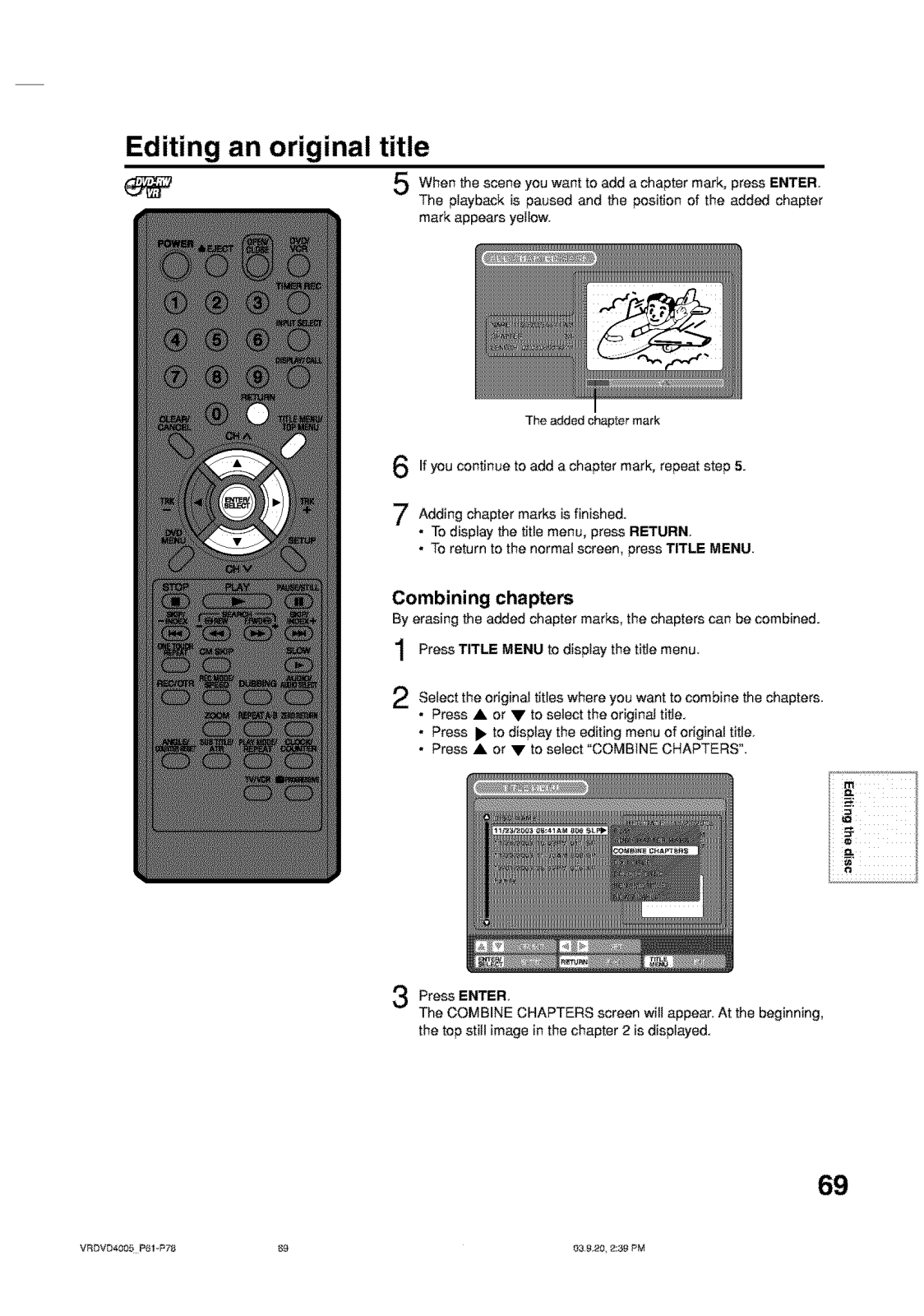
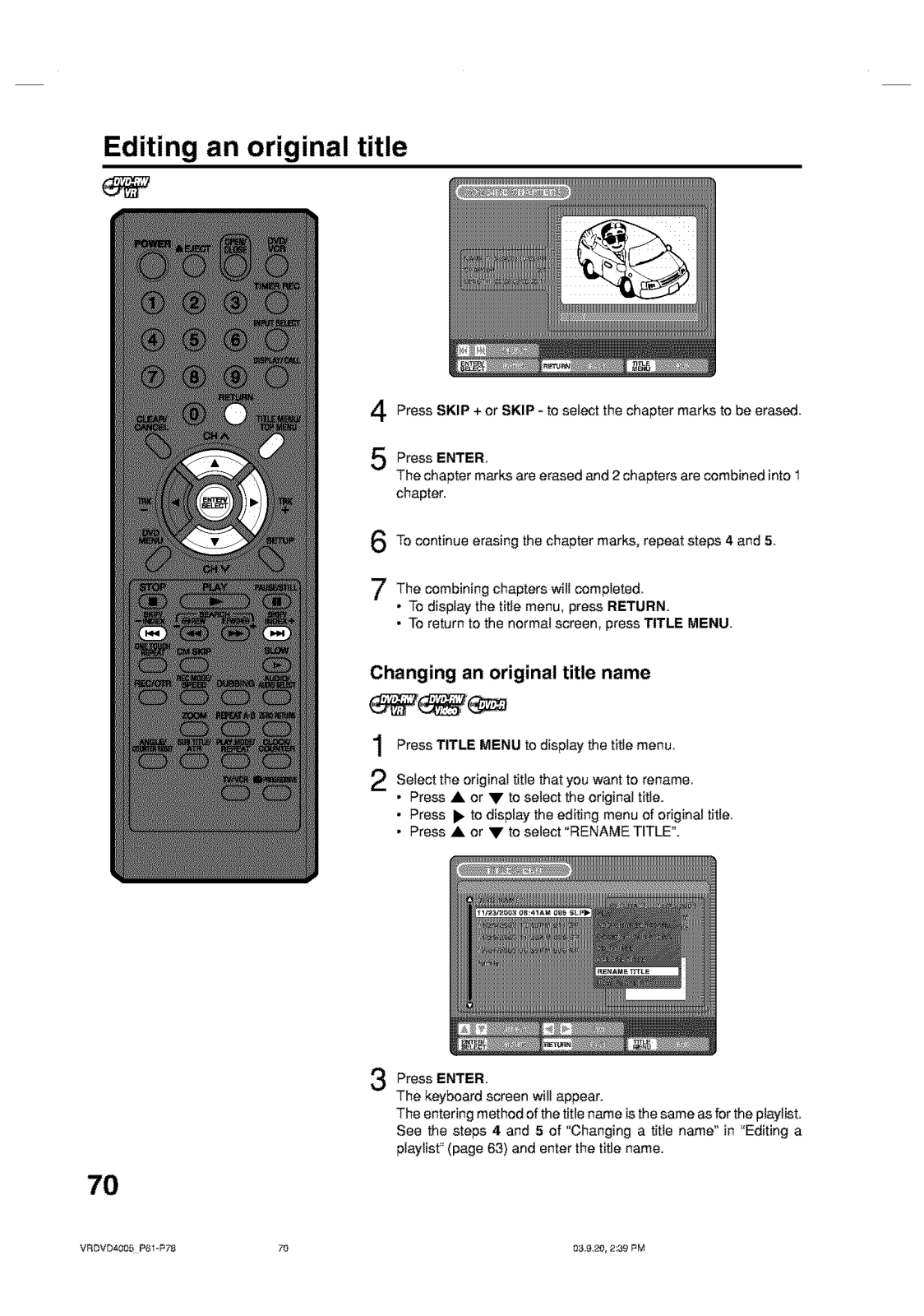
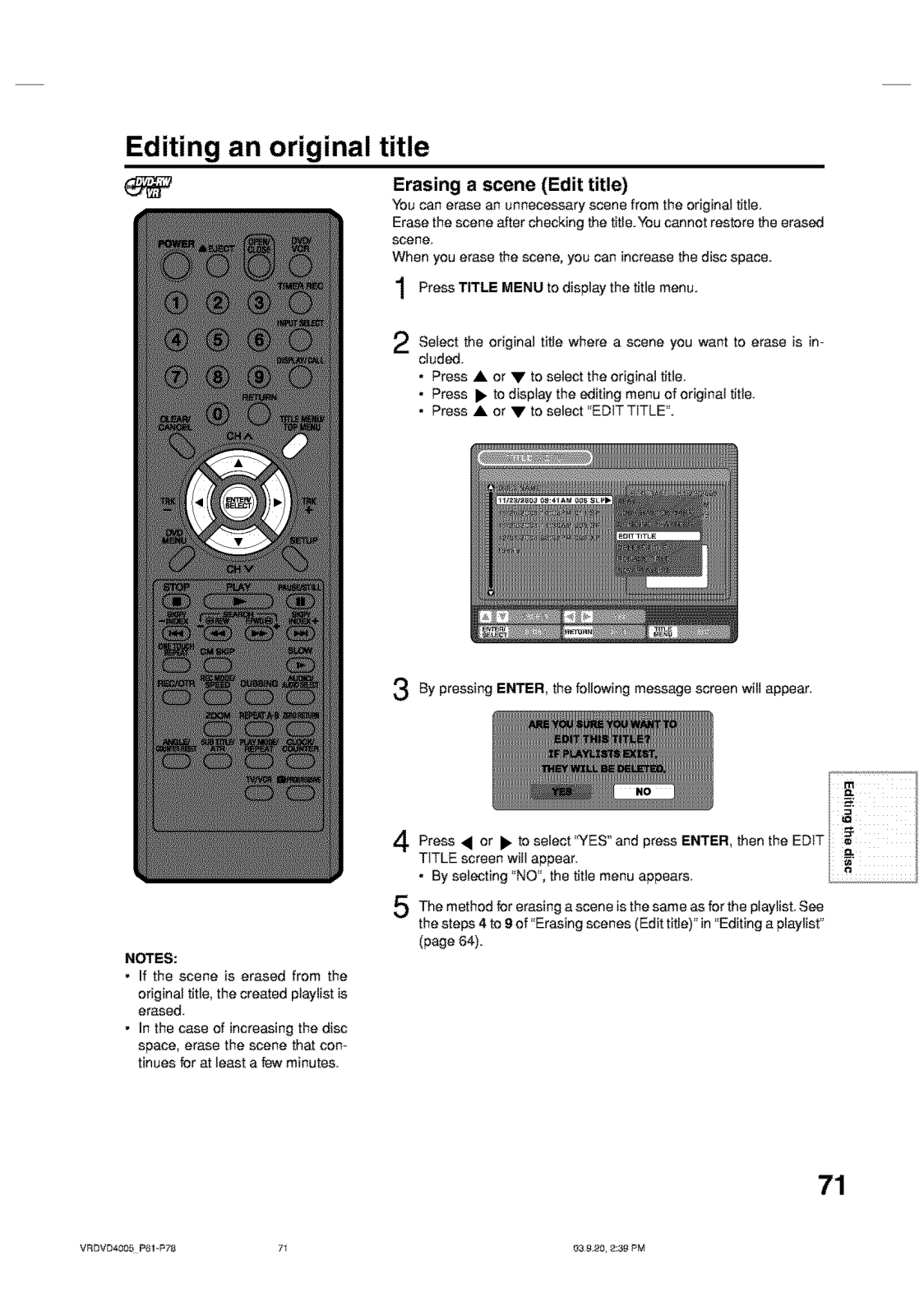
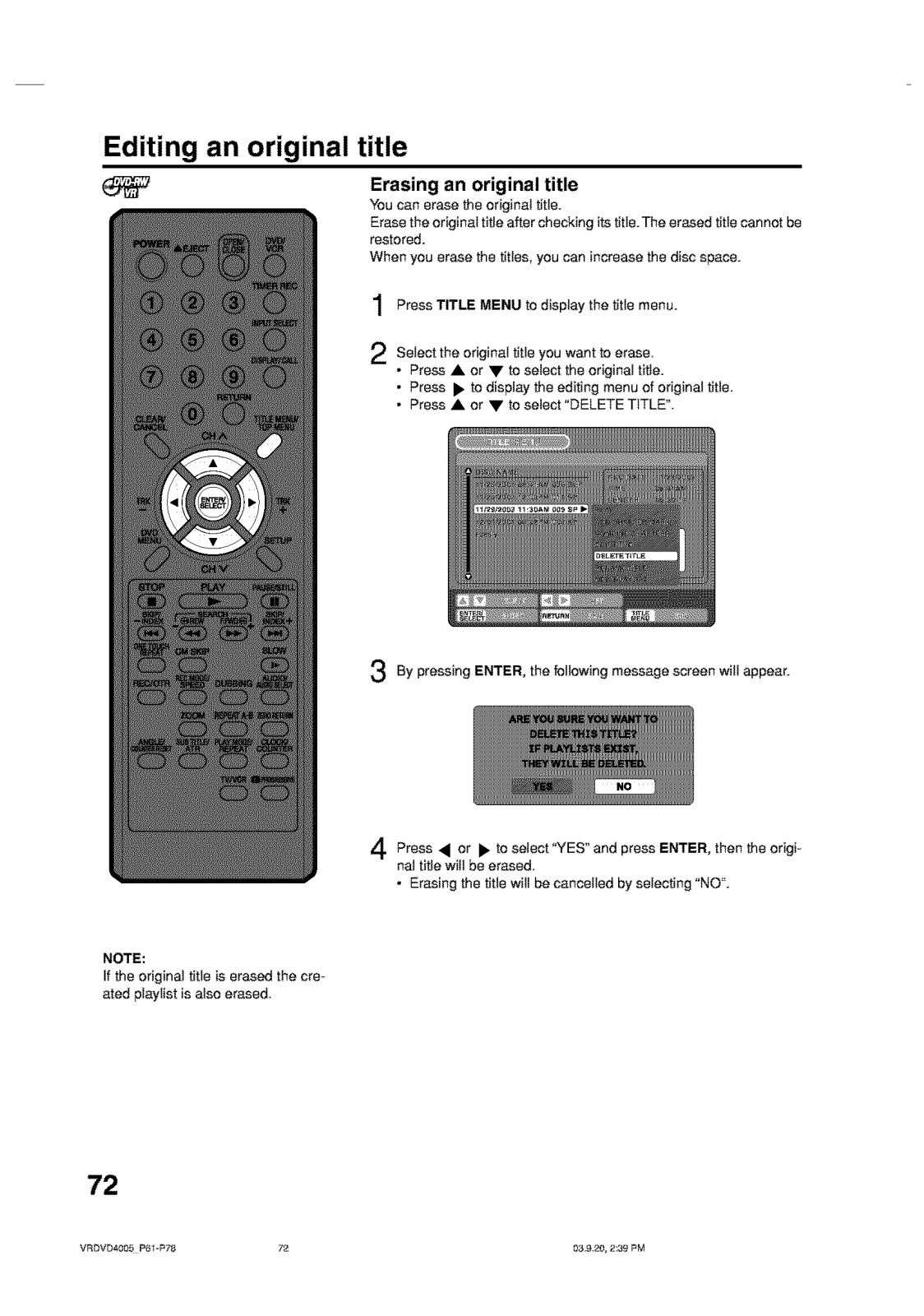
- For VR mode using DVD-RW, recordings can be deleted. Other formats will use a finalized disc, which will lock in any editing done on it.
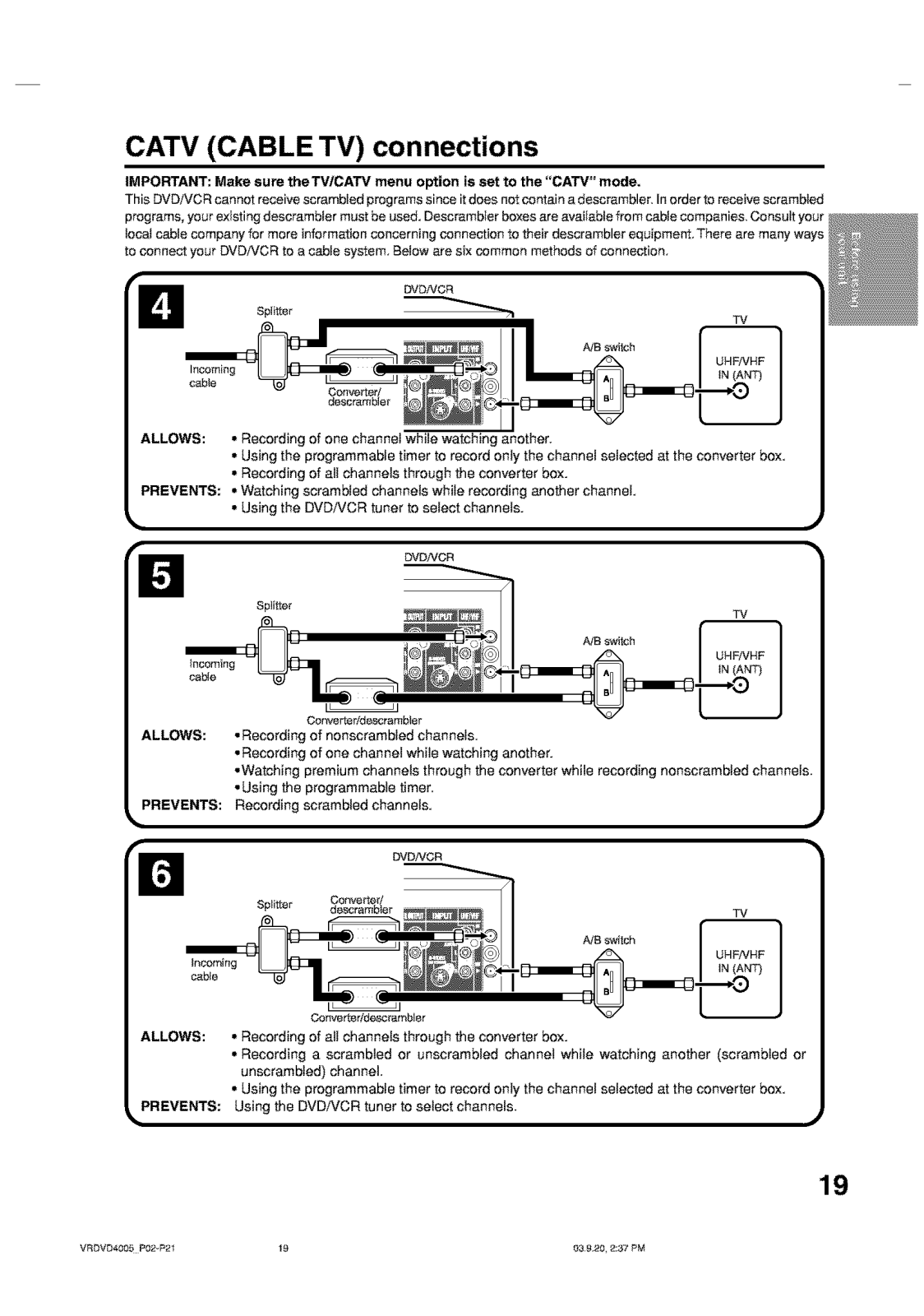
- What type of connection will ensure the best video quality?
- The DVD Recorder is capable of providing S-Video outputs alongside with component video outputs for further improvement in picture quality.
- Can this device support mp3 file formats?
- It can display jpeg images as well as play audio files saved in mp3 and wma format at the same time.
- Are DVD’s available for playing from multi regions?
- Only disc’s with regions coded 1 along with an ALL marker DVD are compatible with this device.
User Manual
Page 1
Page 2
Page 3
Page 4
Page 5
Page 6
Page 7
Page 8
Page 9
Page 10
Page 11
Page 12
Page 13
Page 14
Page 15
Page 16
Page 17
Page 18
Page 19
Page 20
Page 21
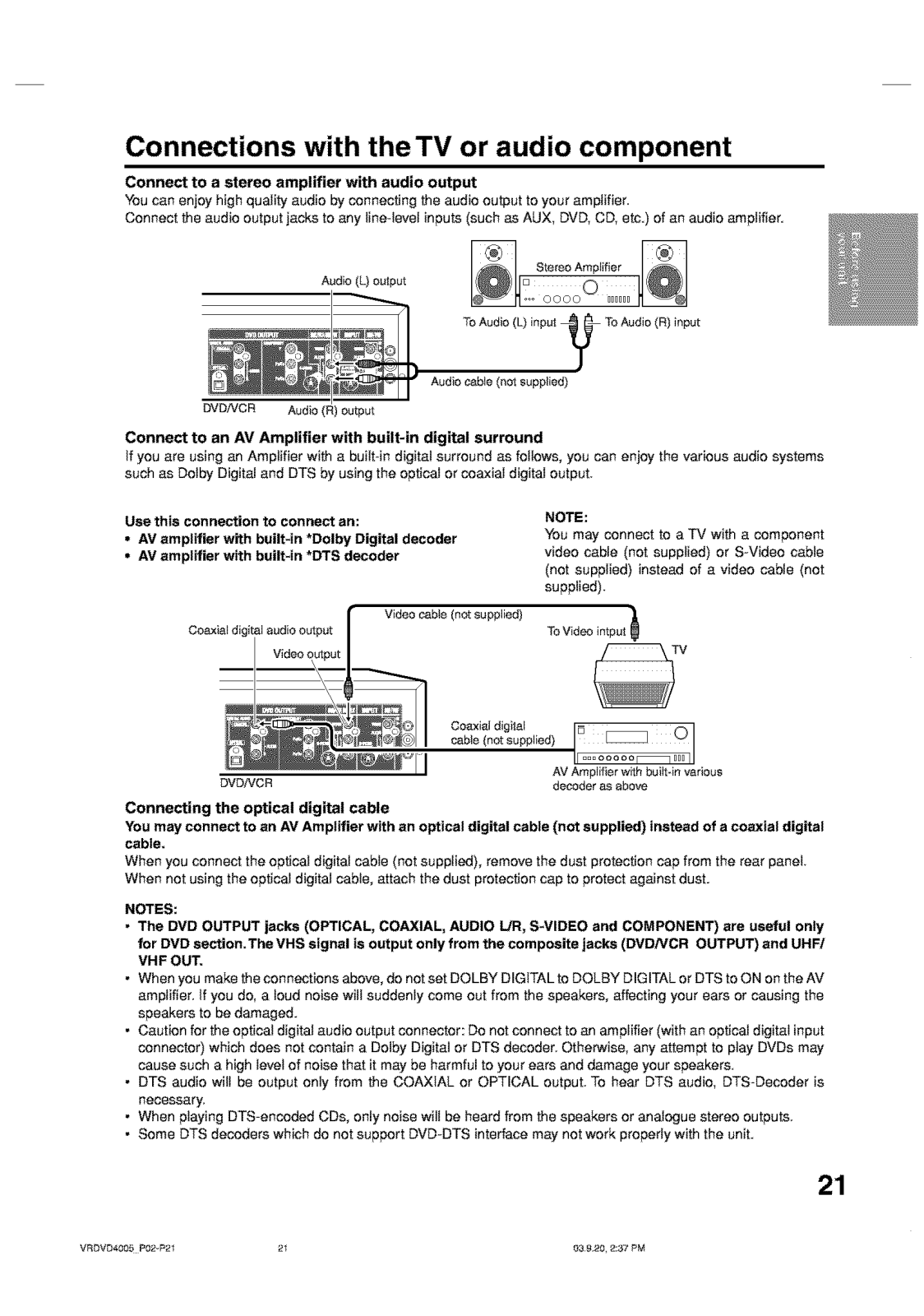
Page 22
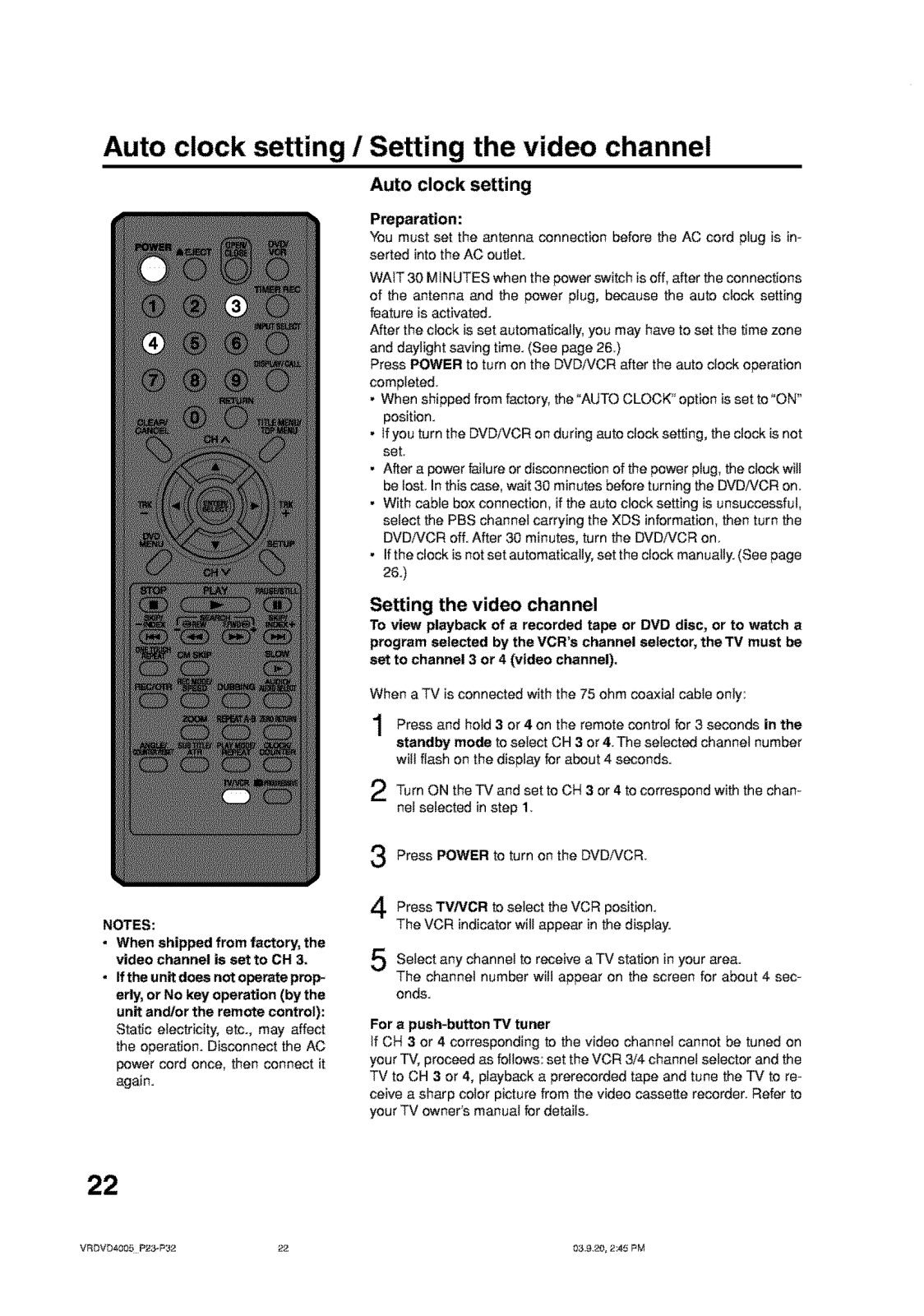
Page 23
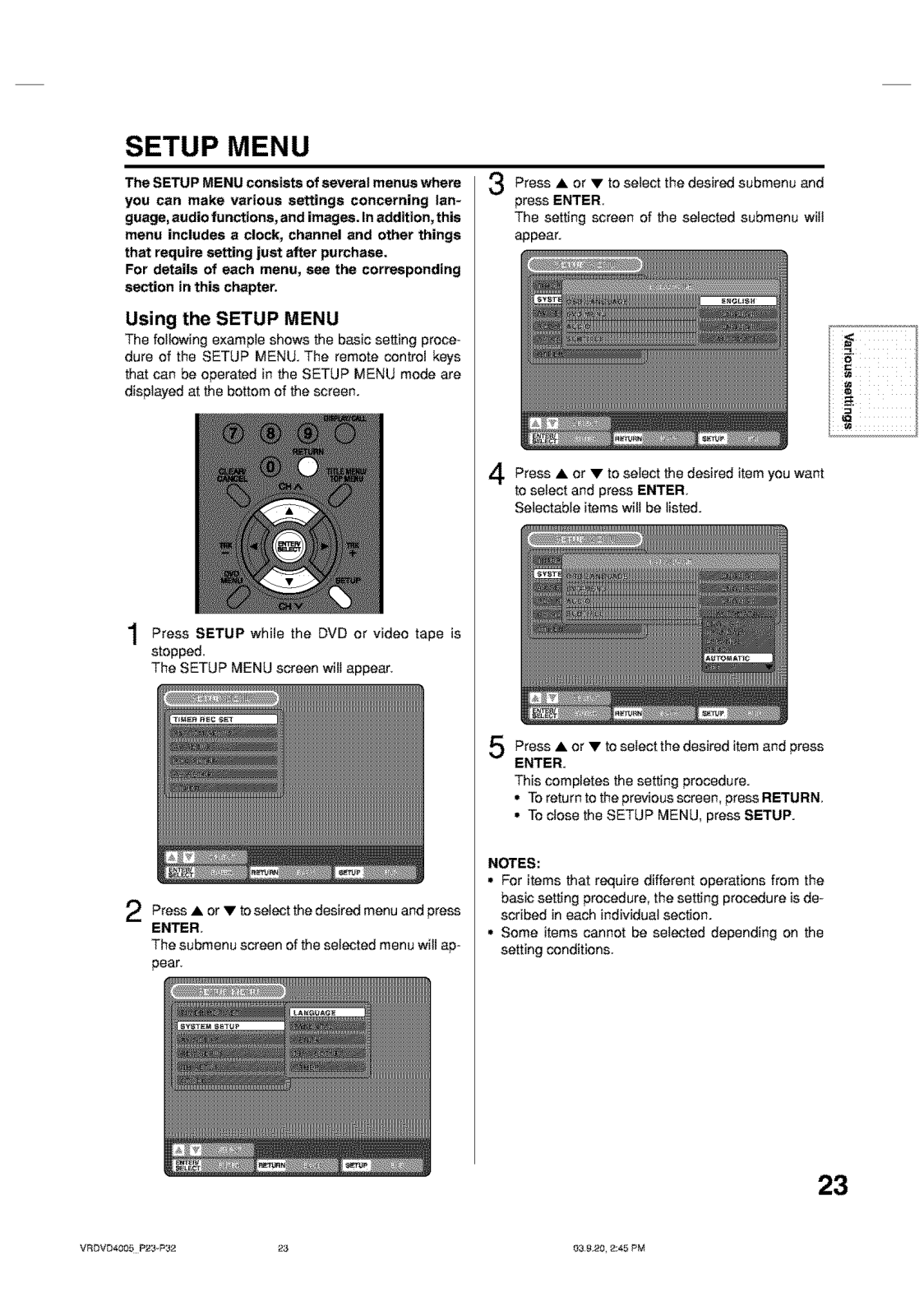
Page 24
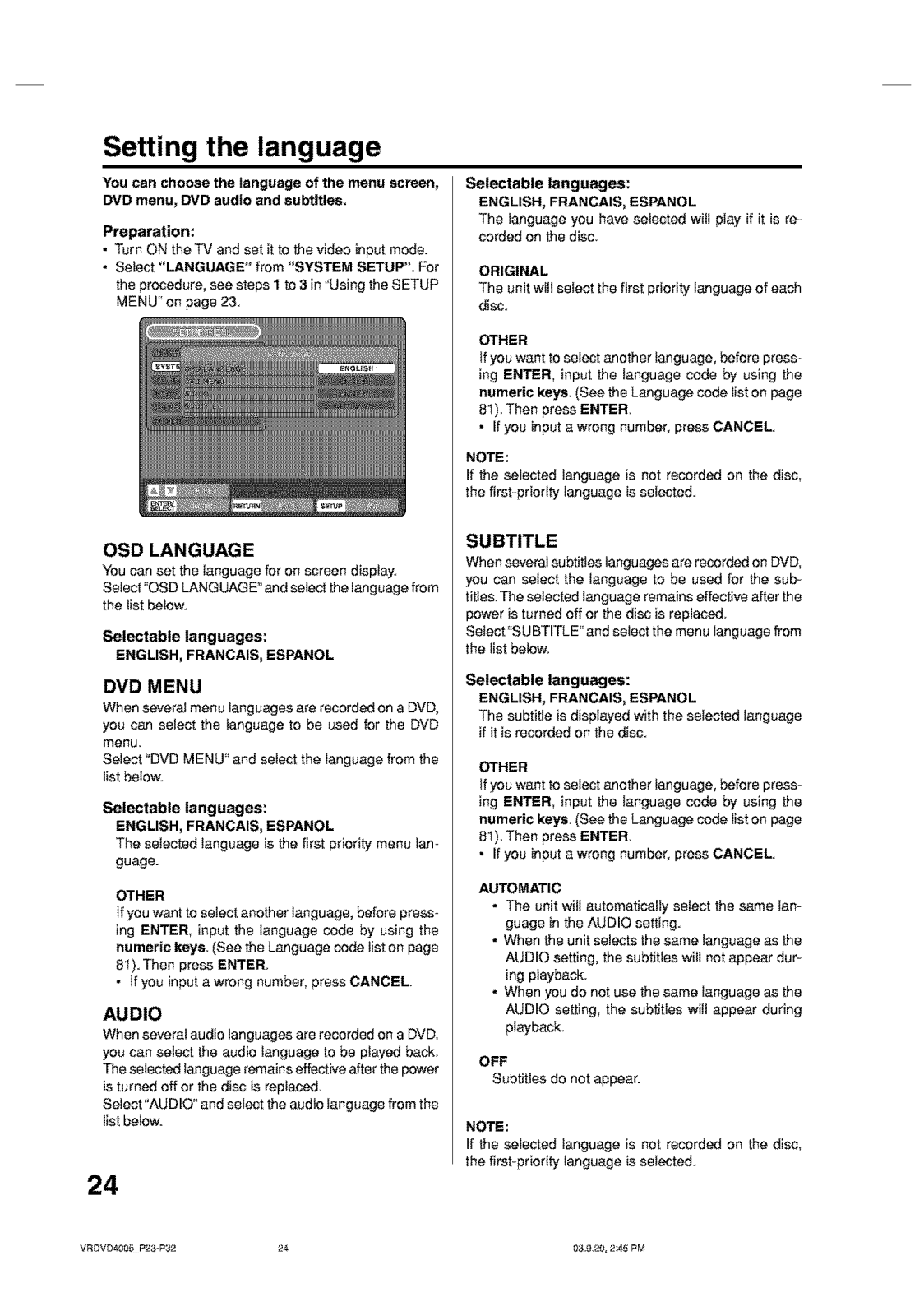
Page 25
Page 26
Page 27
Page 28
Page 29
Page 30
Page 31
Page 32
Page 33
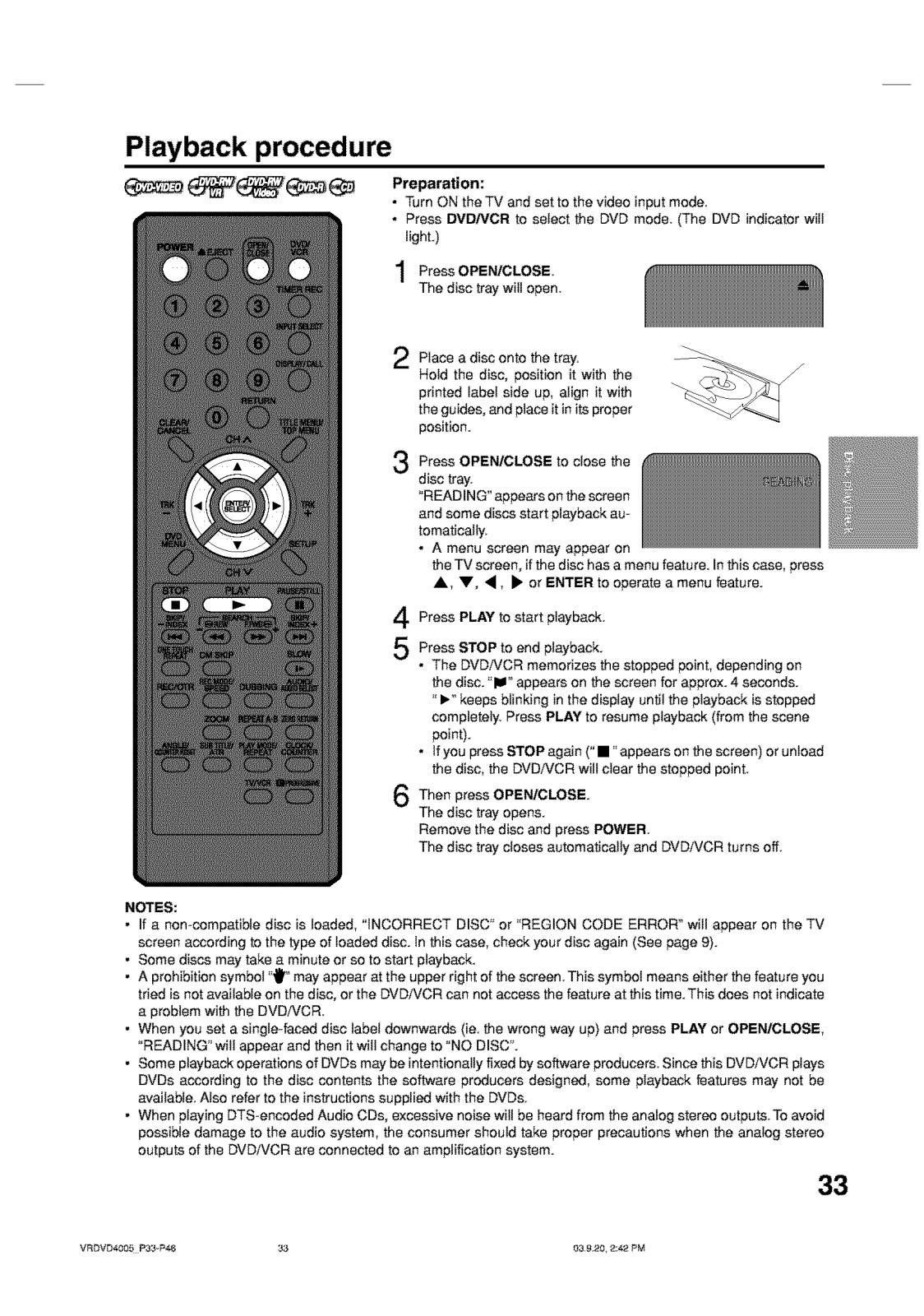
Page 34
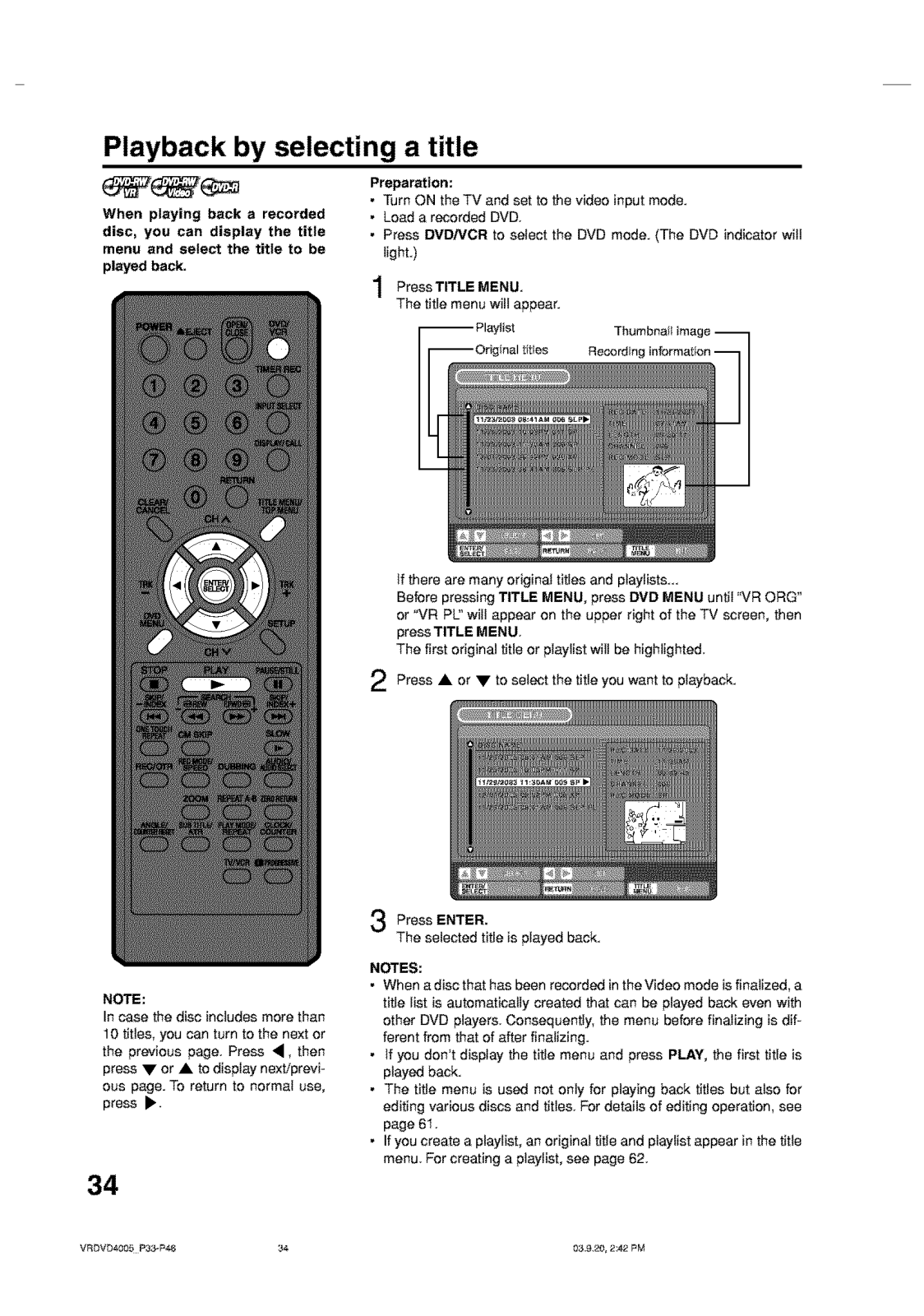
Page 35
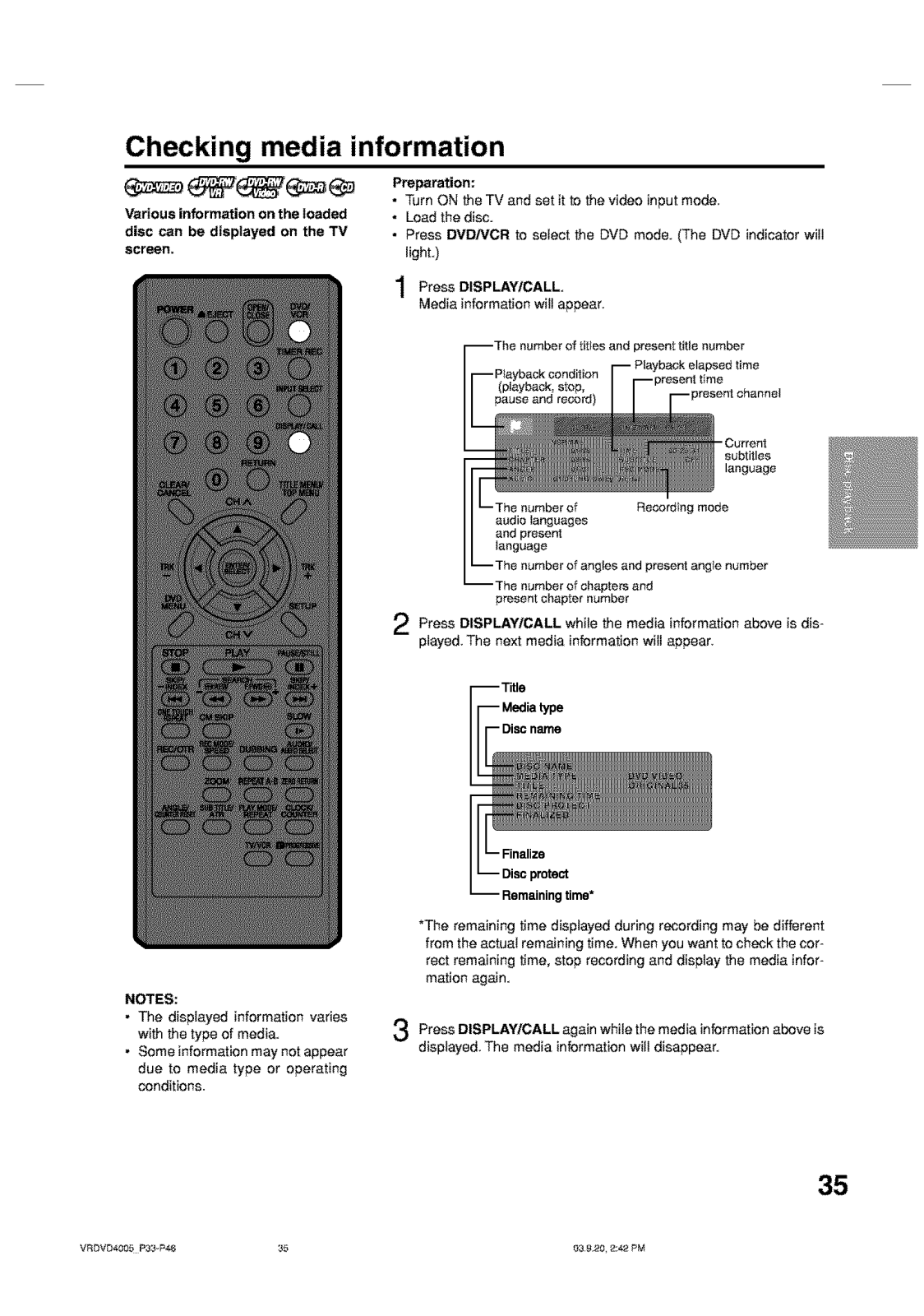
Page 36
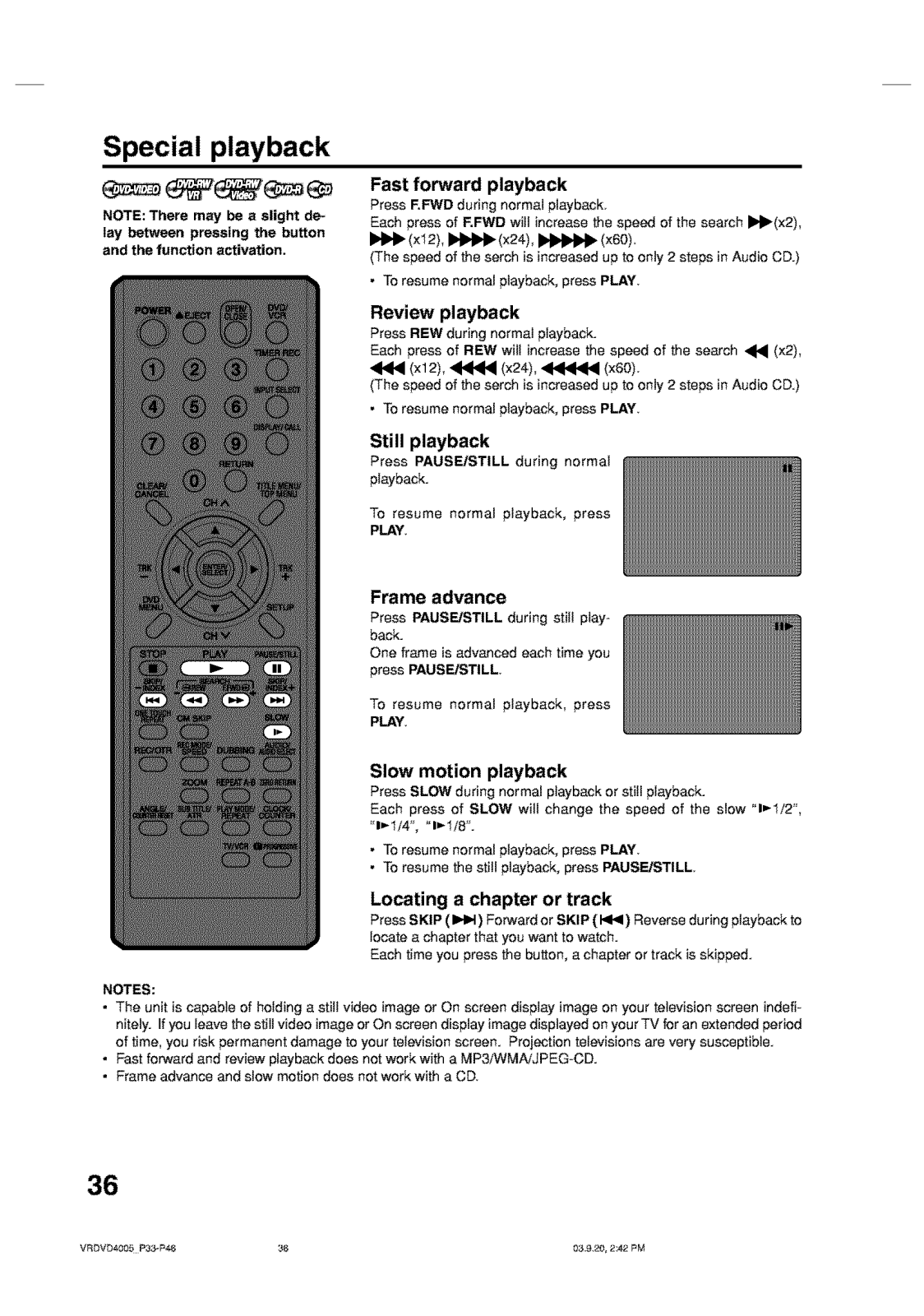
Page 37
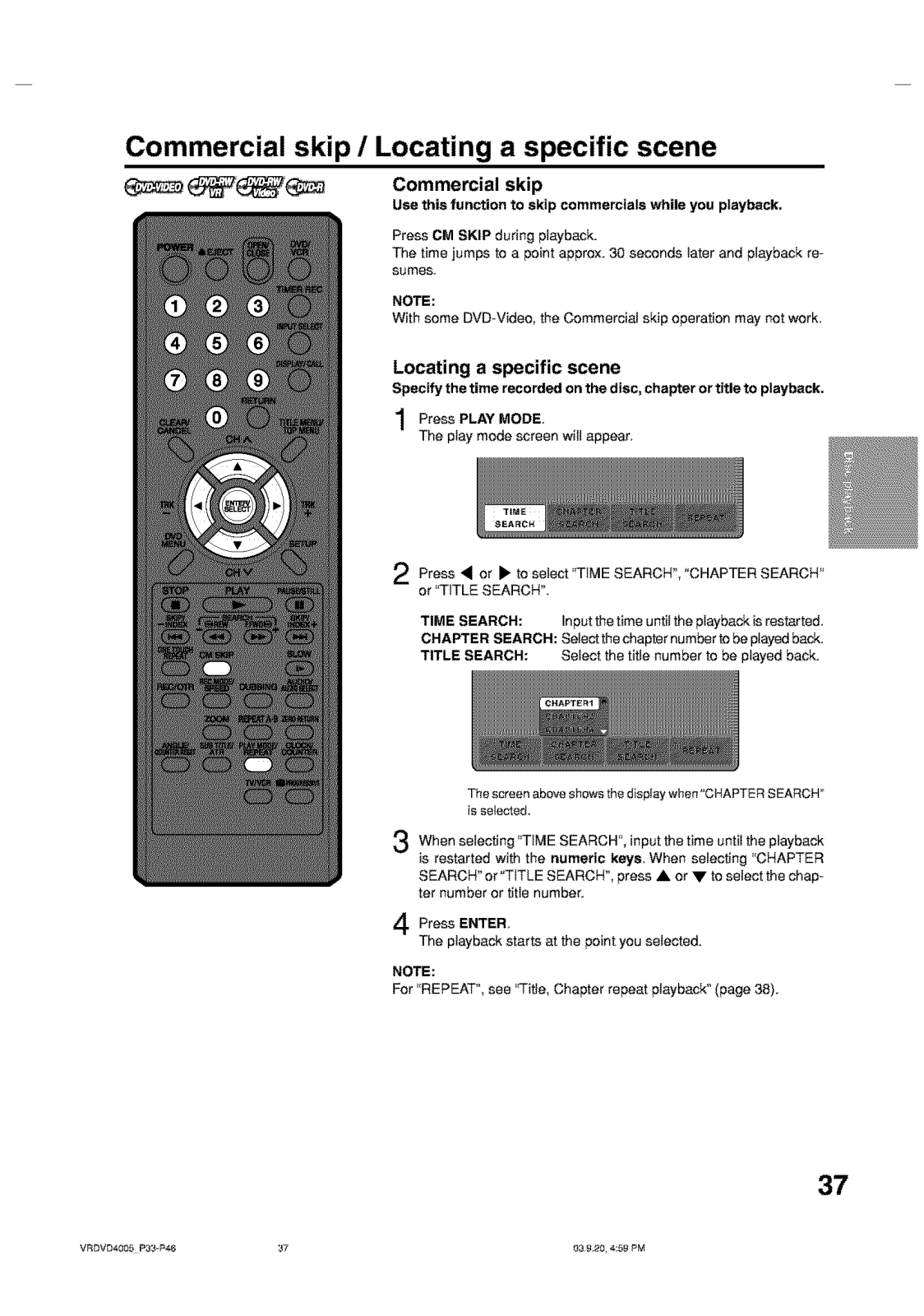
Page 38
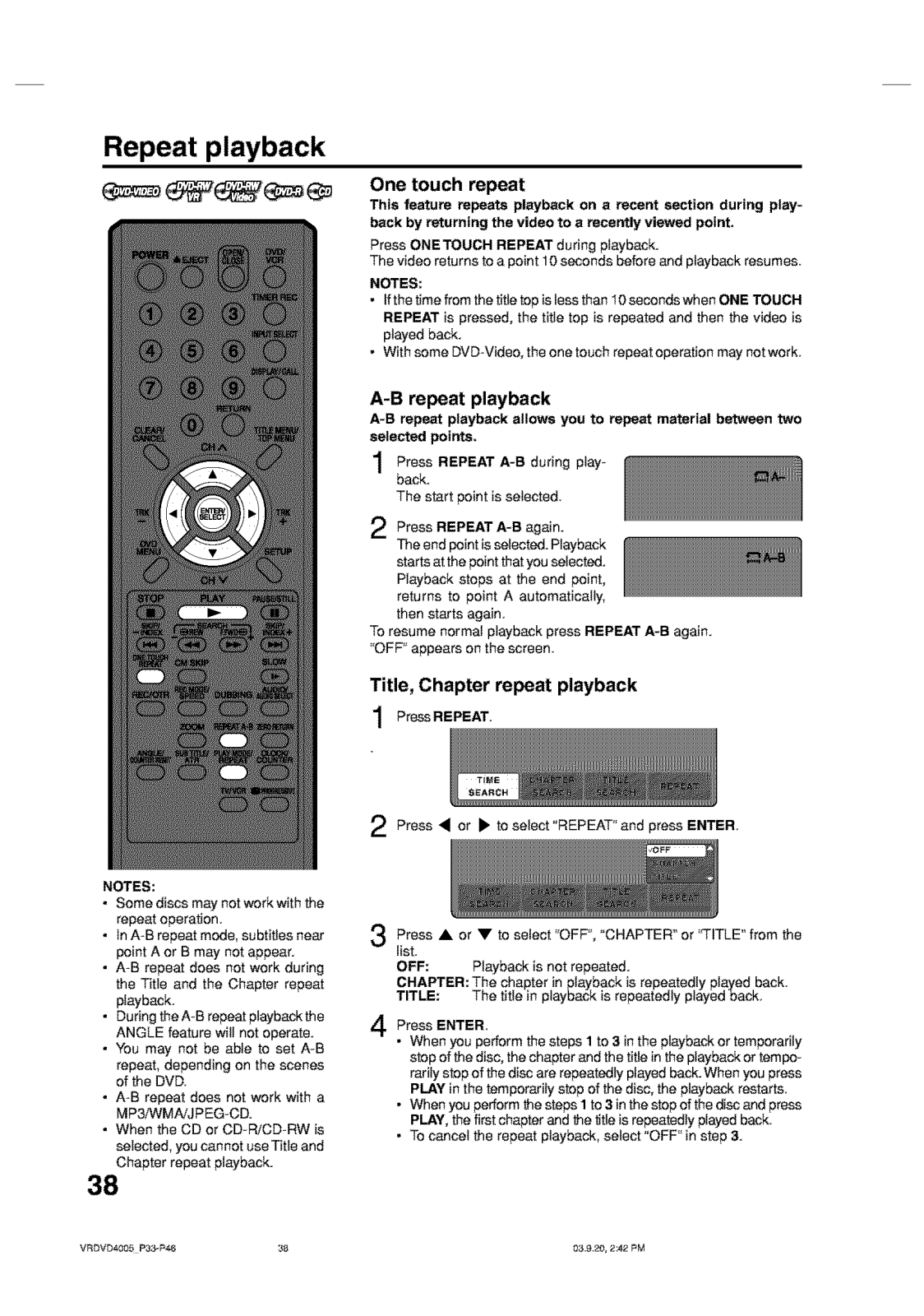
Page 39
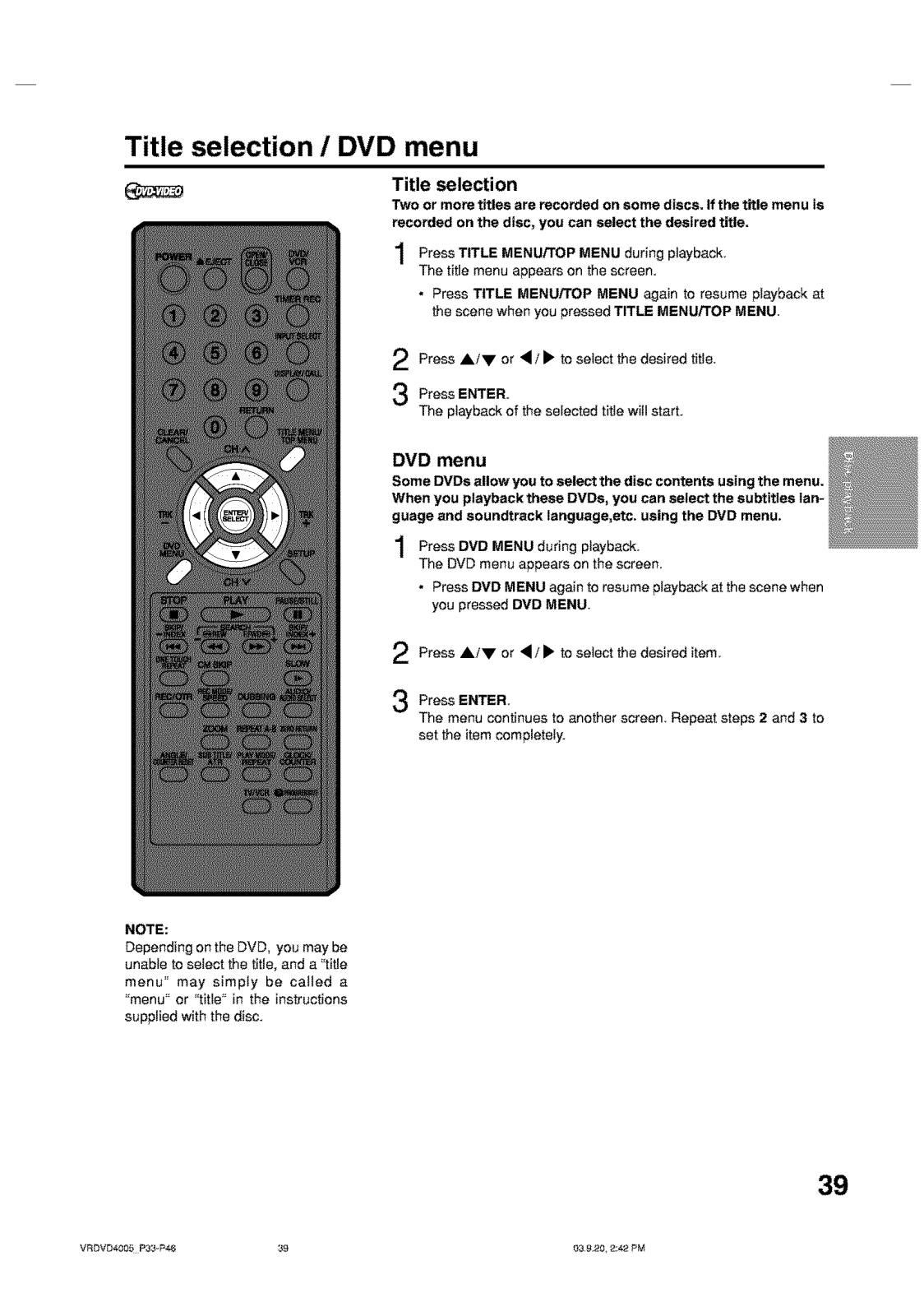
Page 40
Page 41
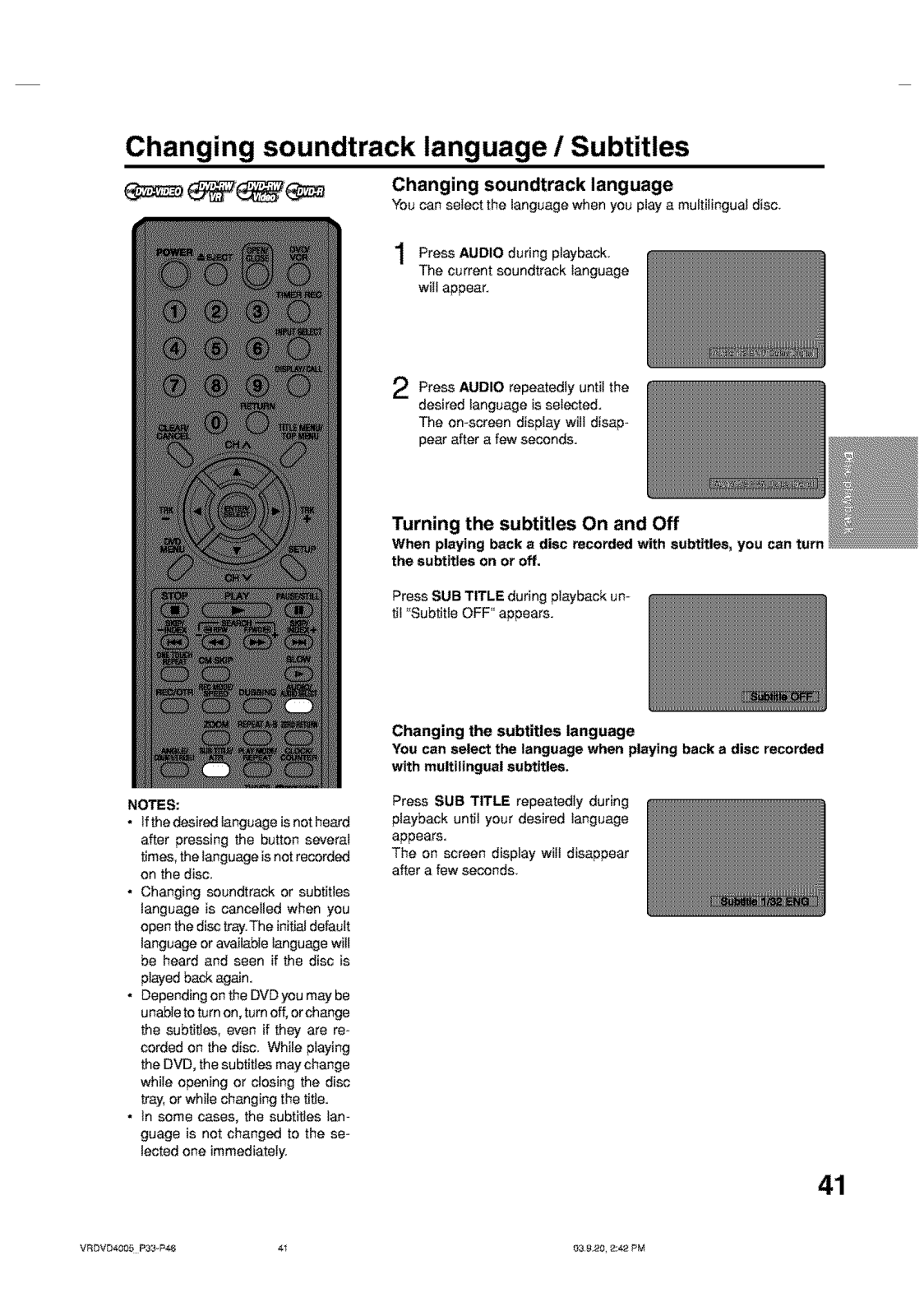
Page 42
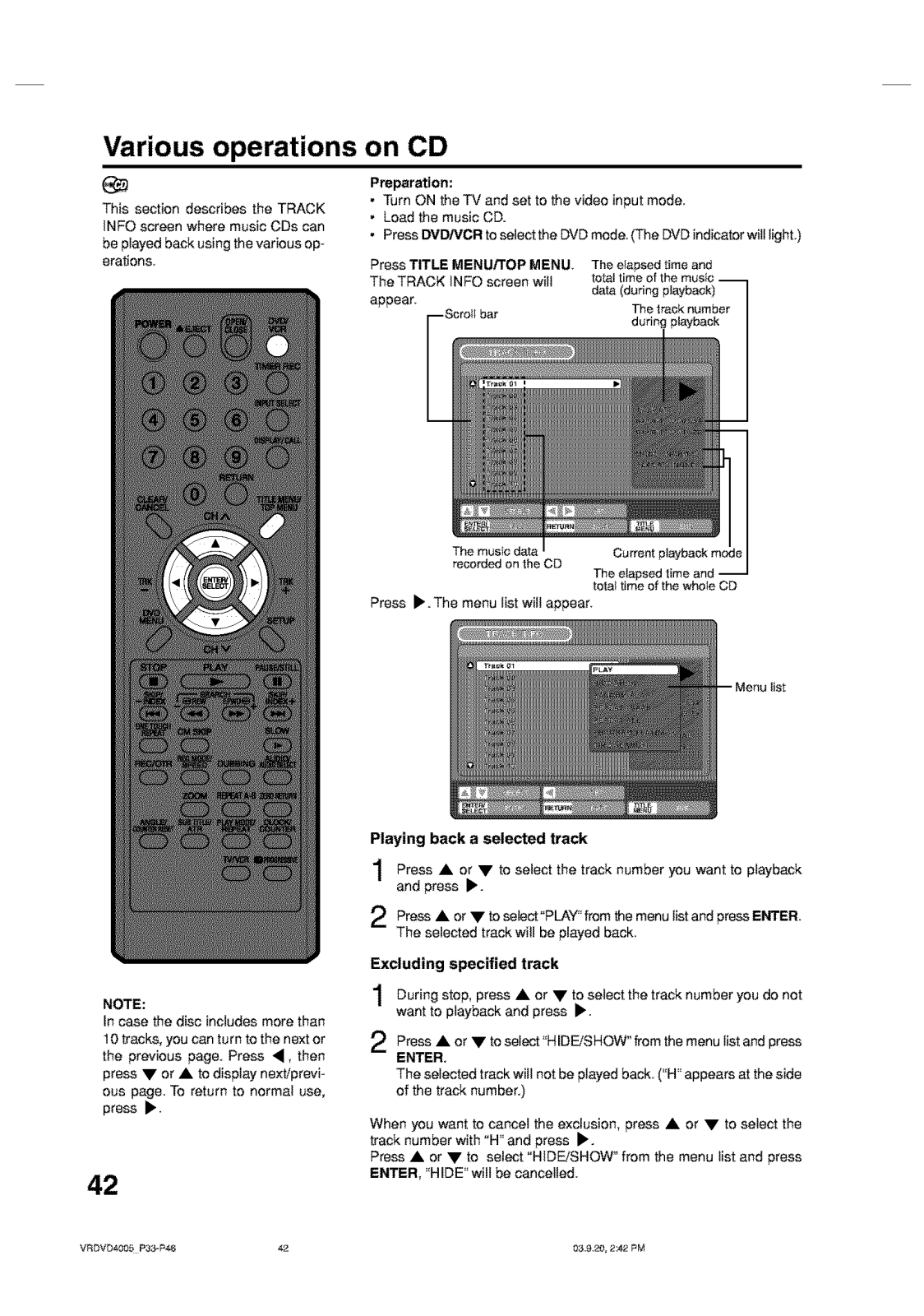
Page 43
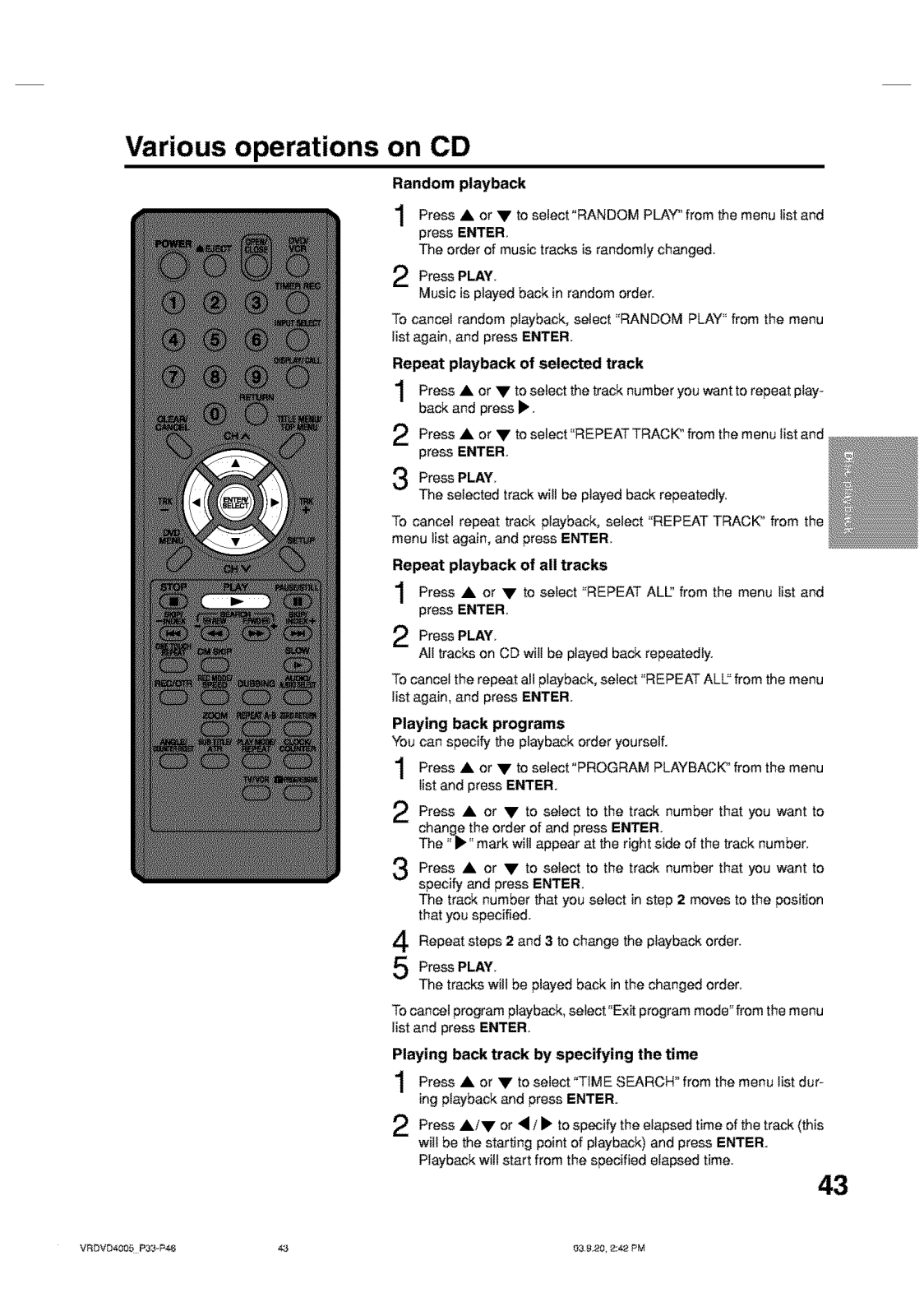
Page 44
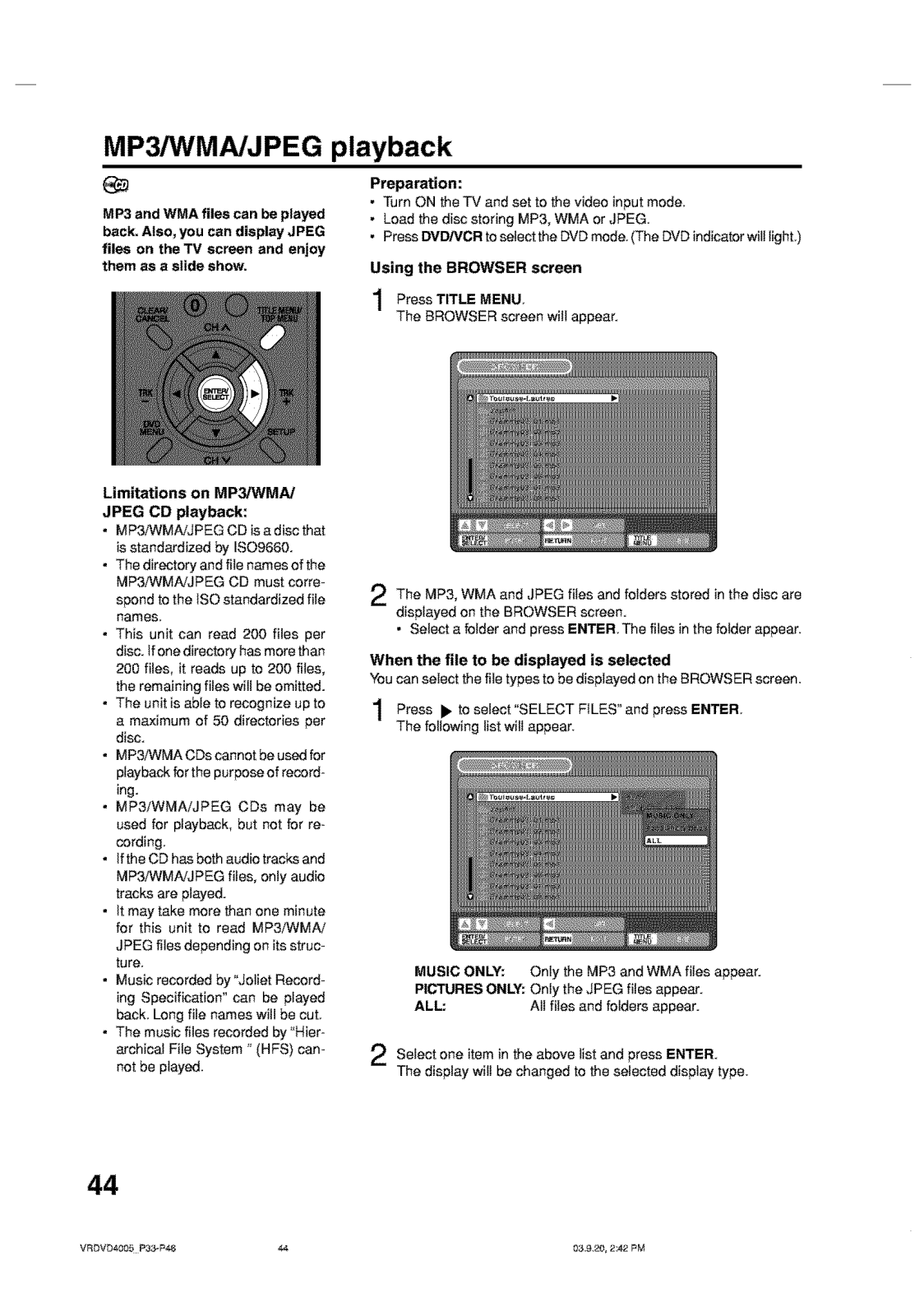
Page 45
Page 46
Page 47
Page 48
Page 49
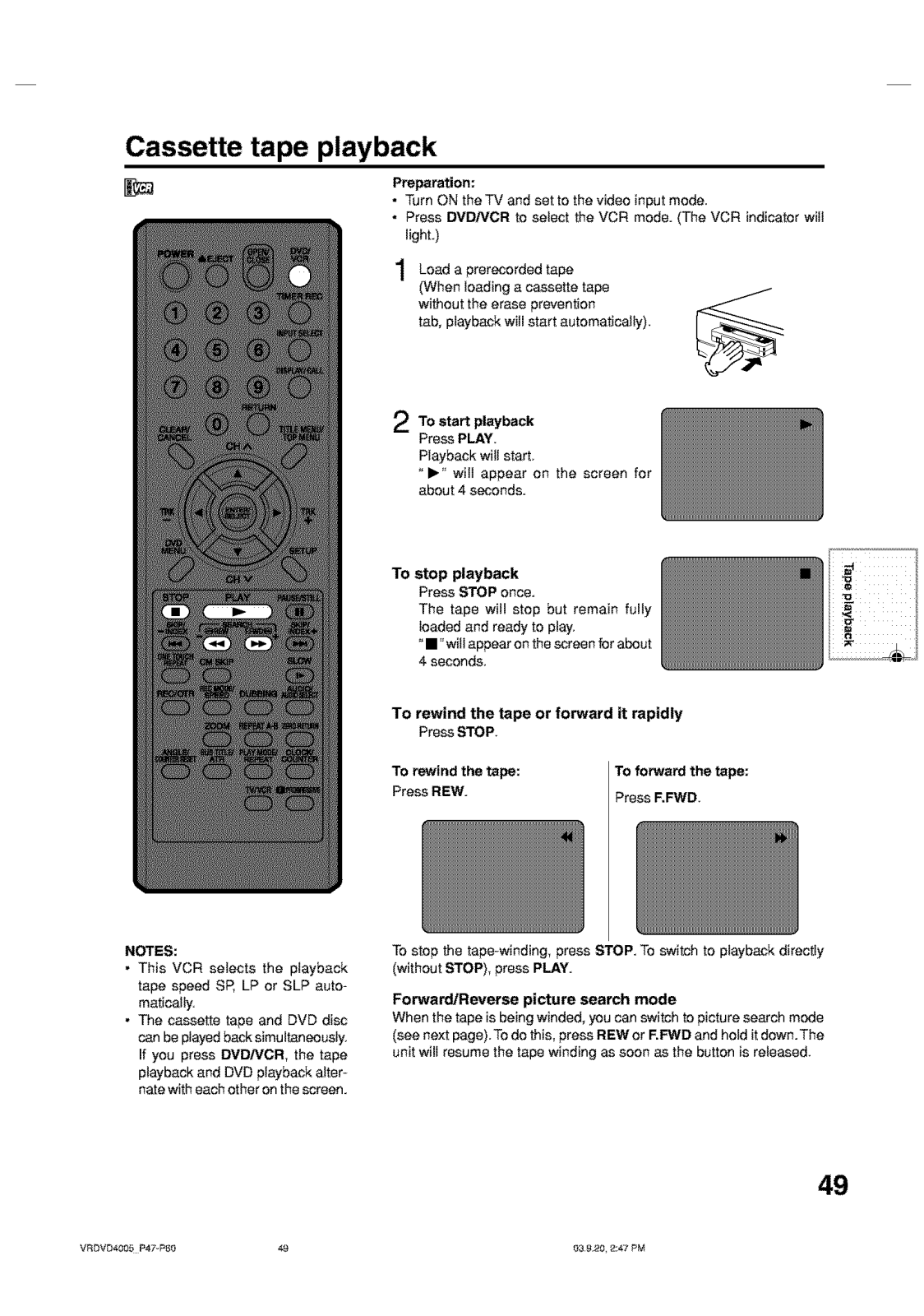
Page 50
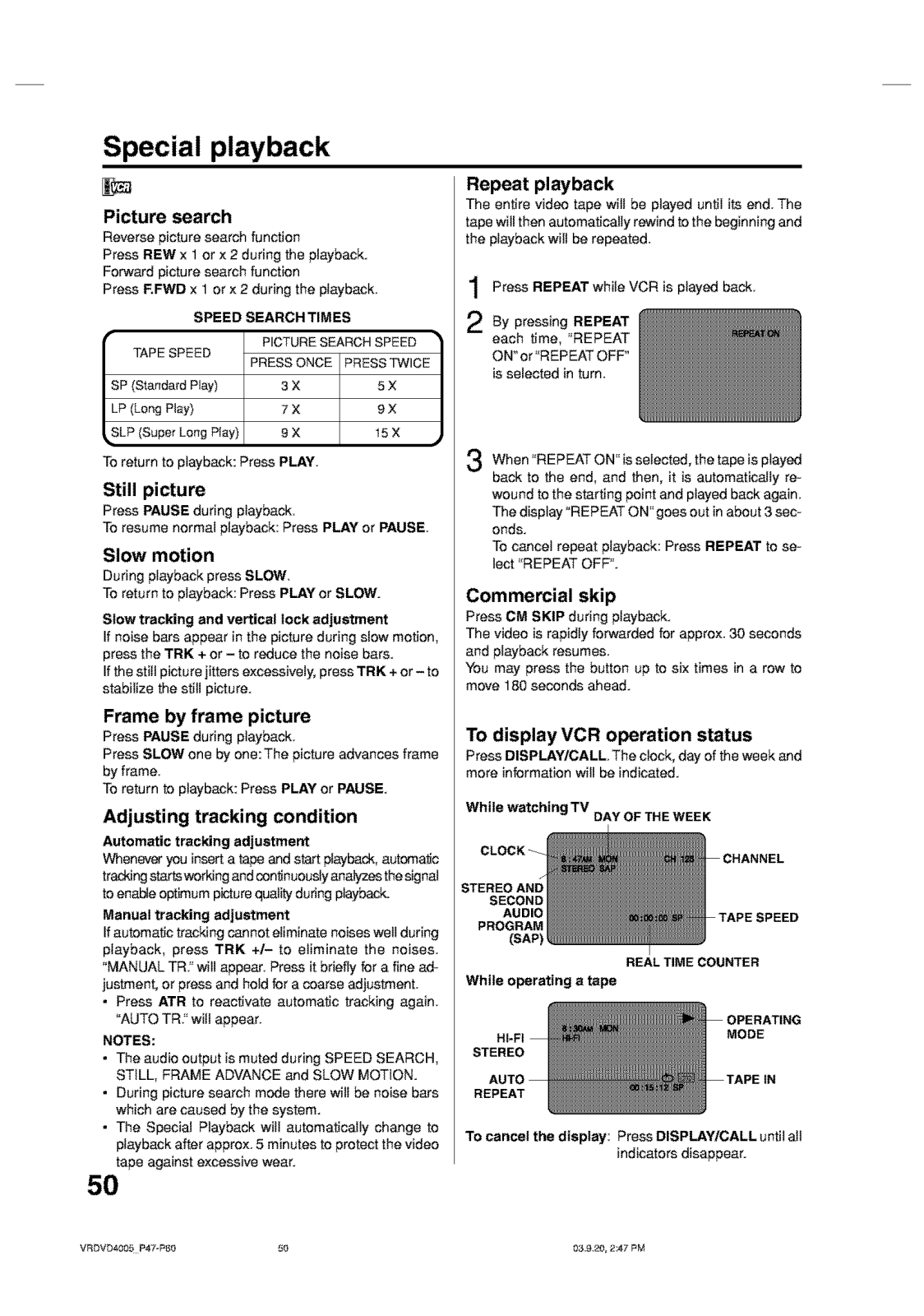
Page 51
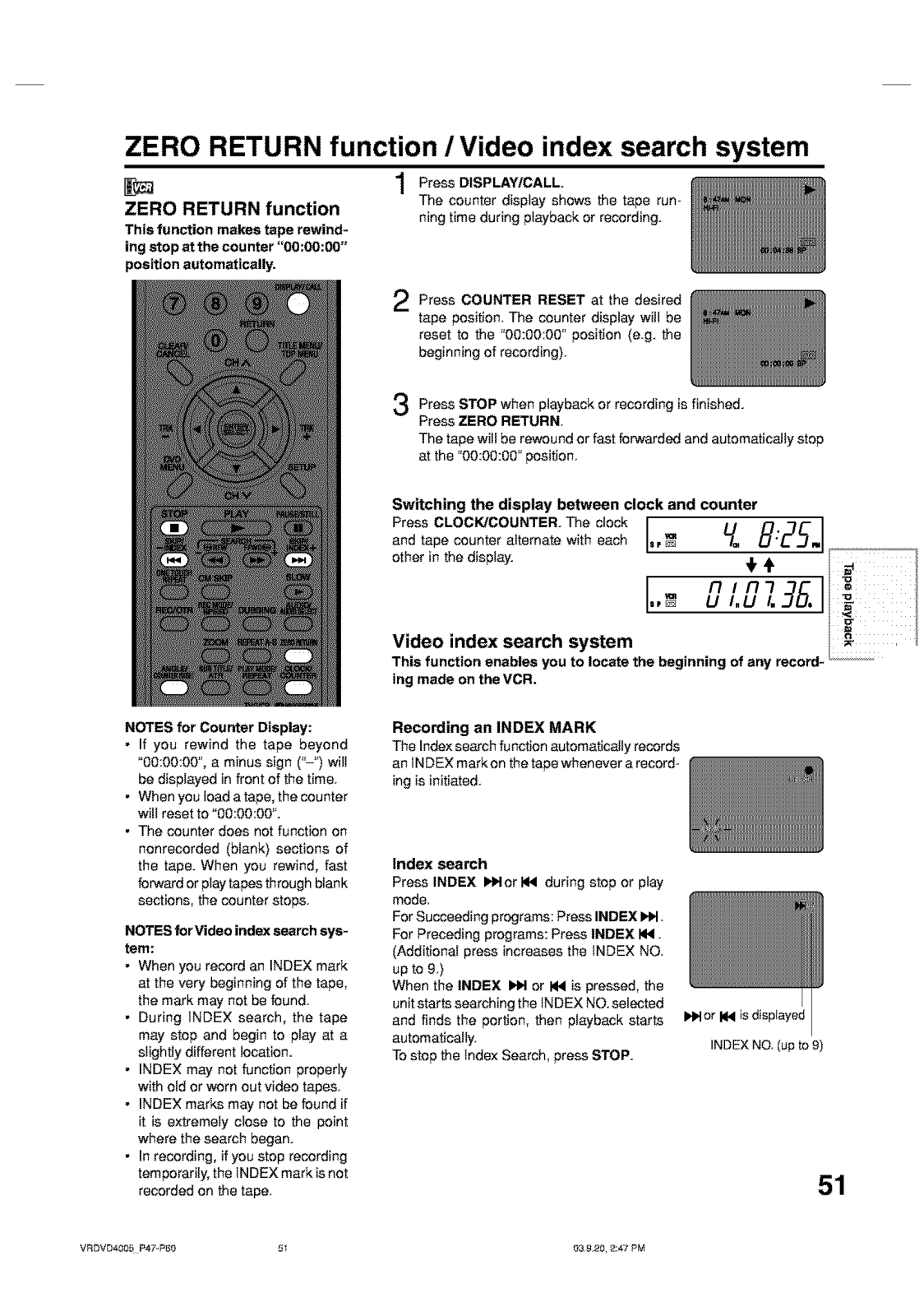
Page 52
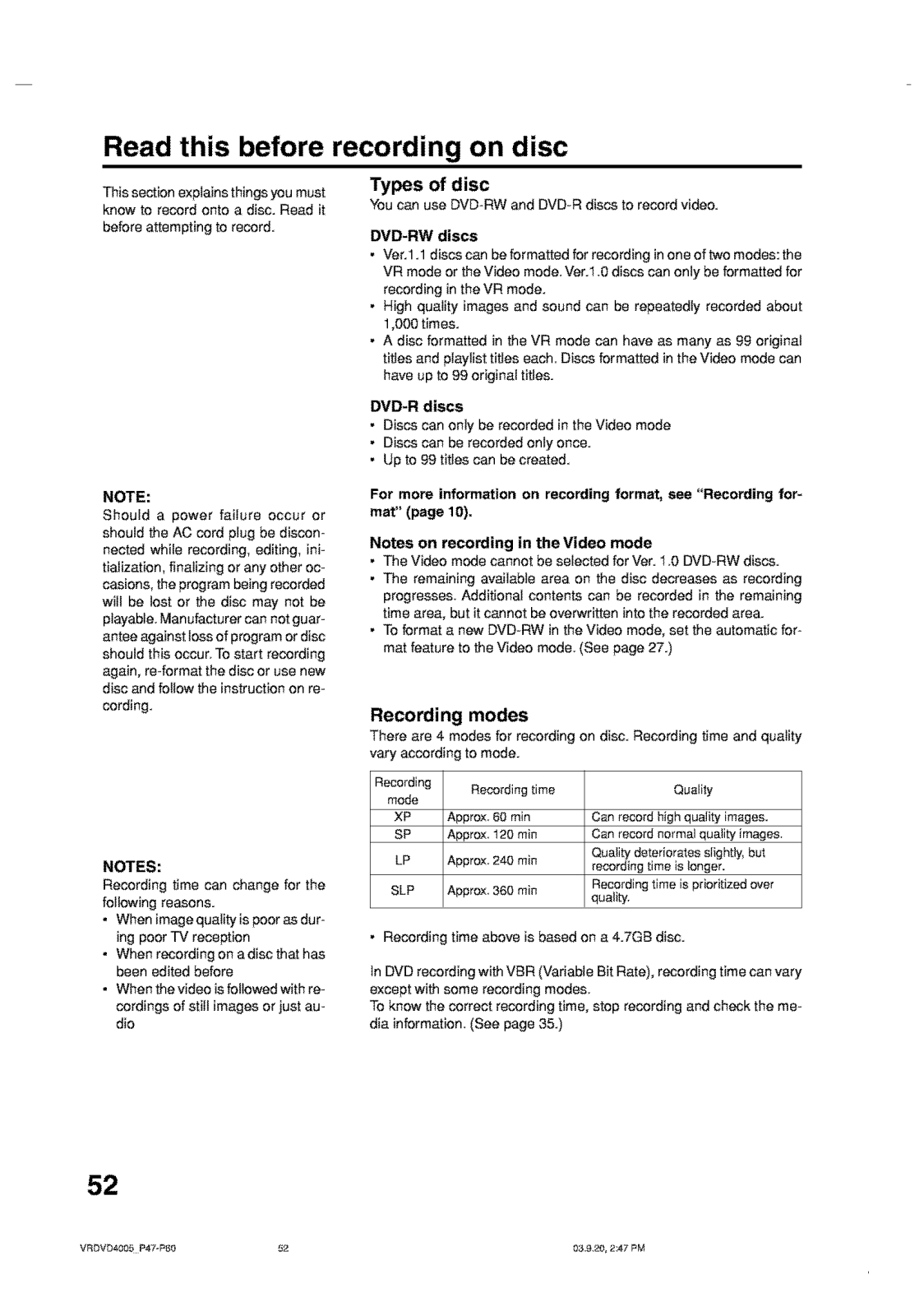
Page 53
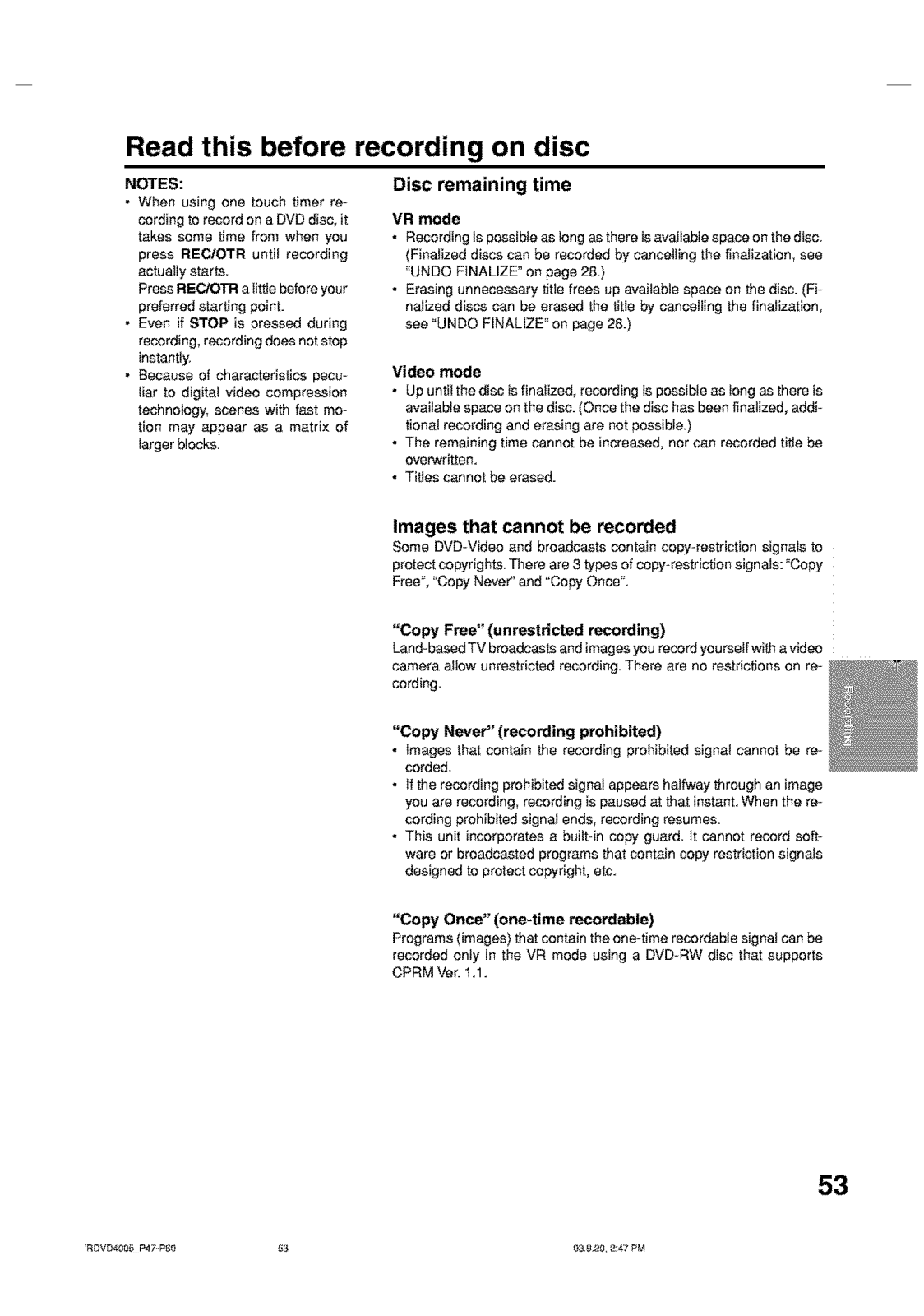
Page 54
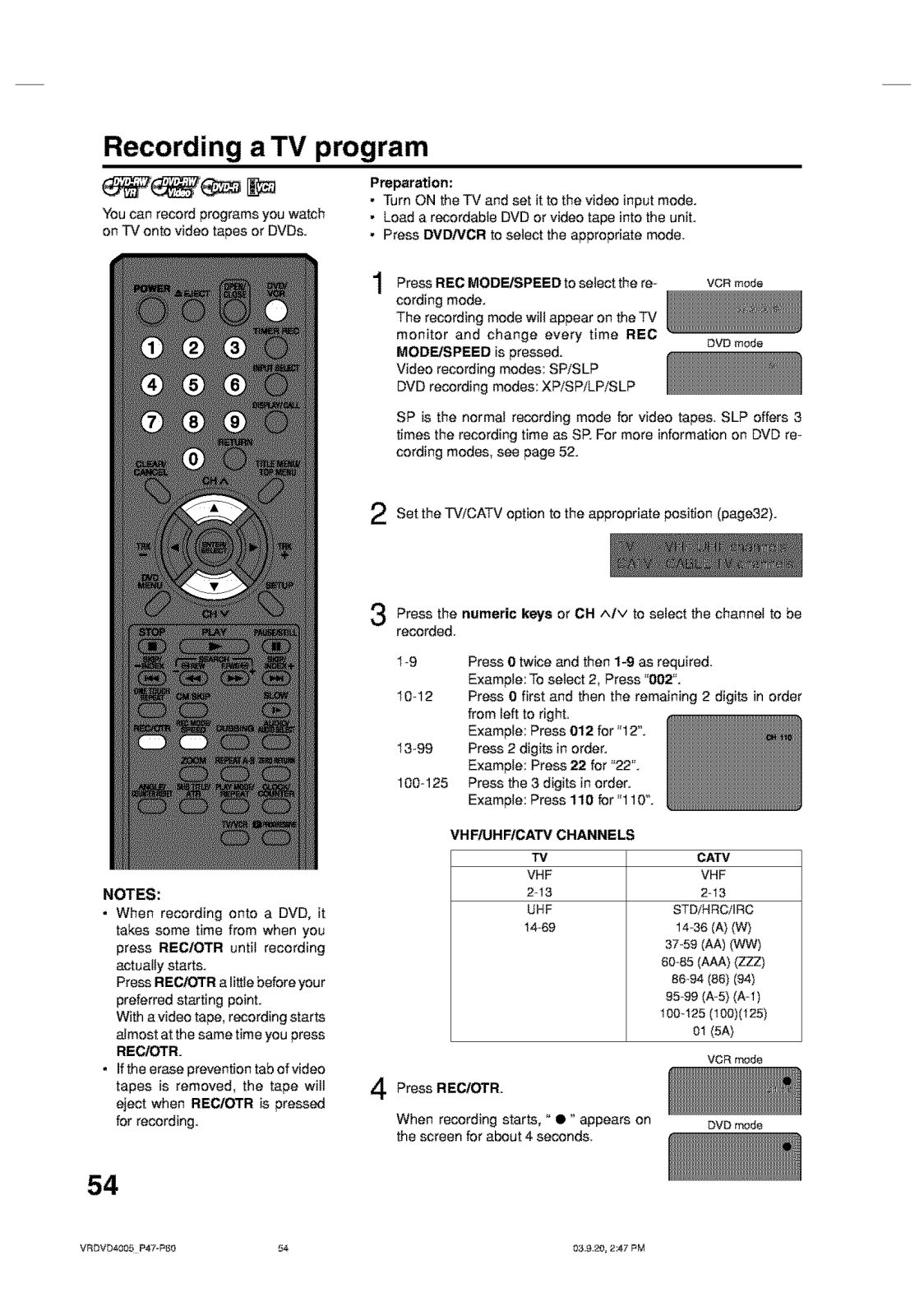
Page 55
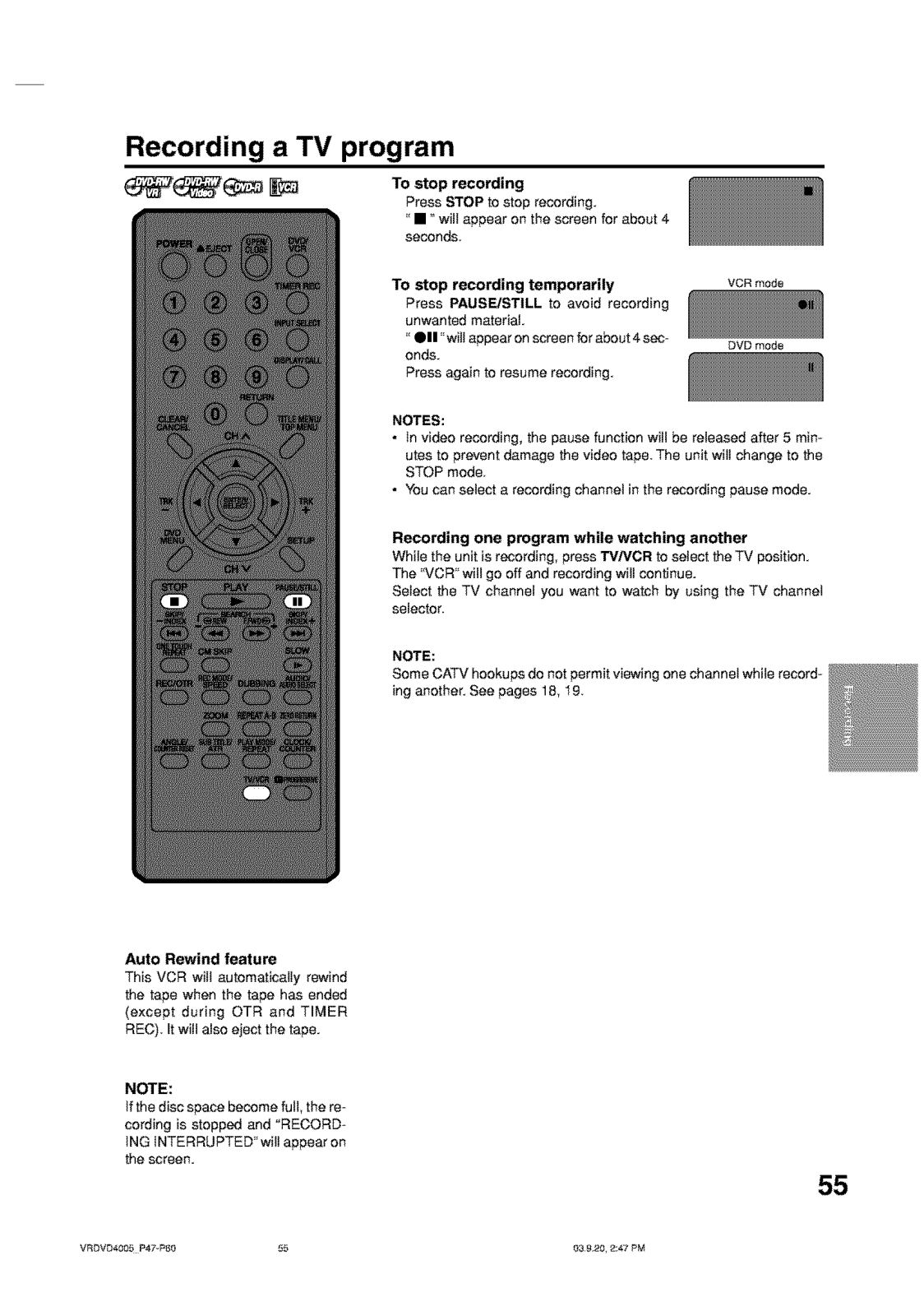
Page 56
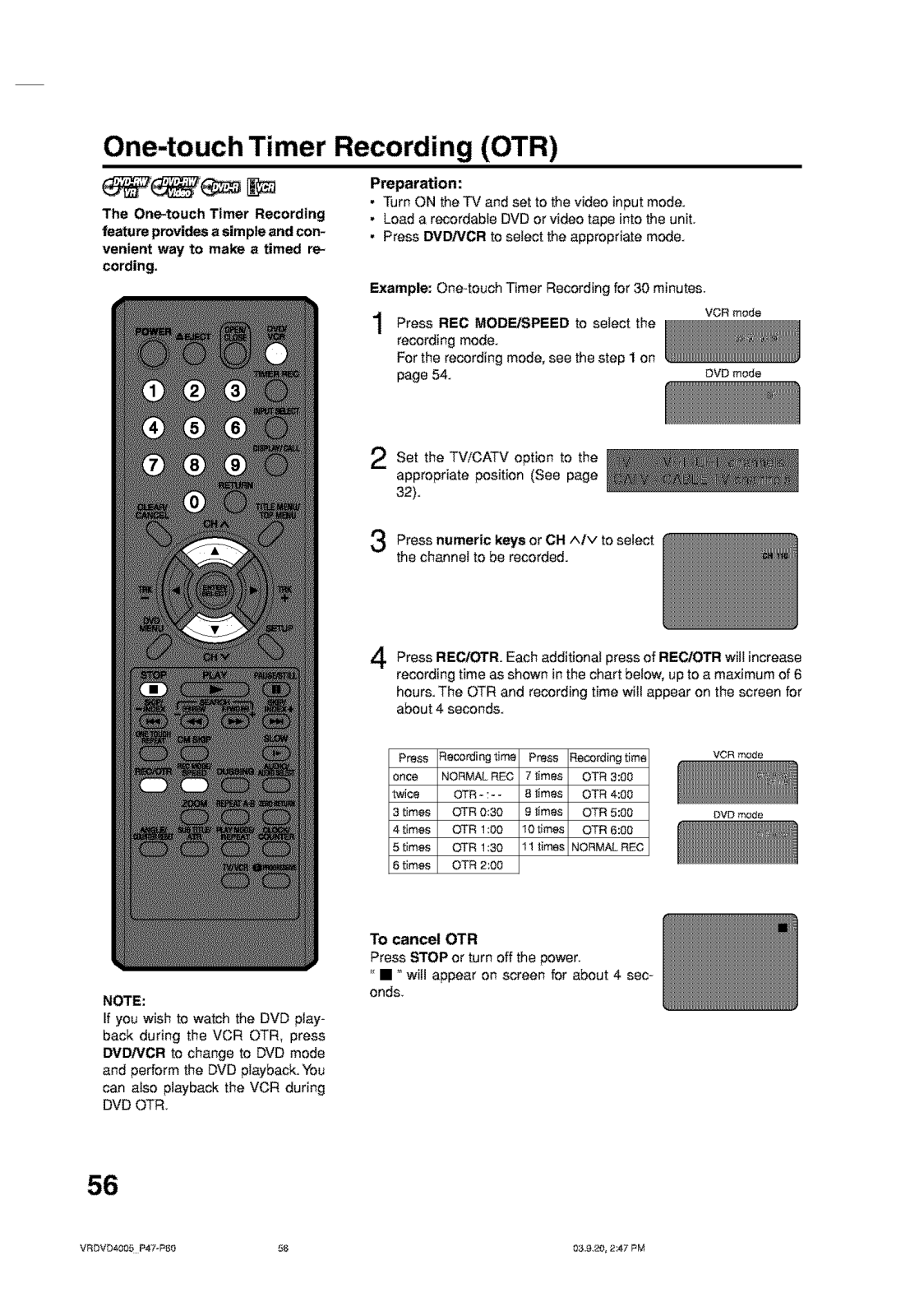
Page 57
Page 58
Page 59
Page 60
Page 61
Page 62
Page 63
Page 64
Page 65
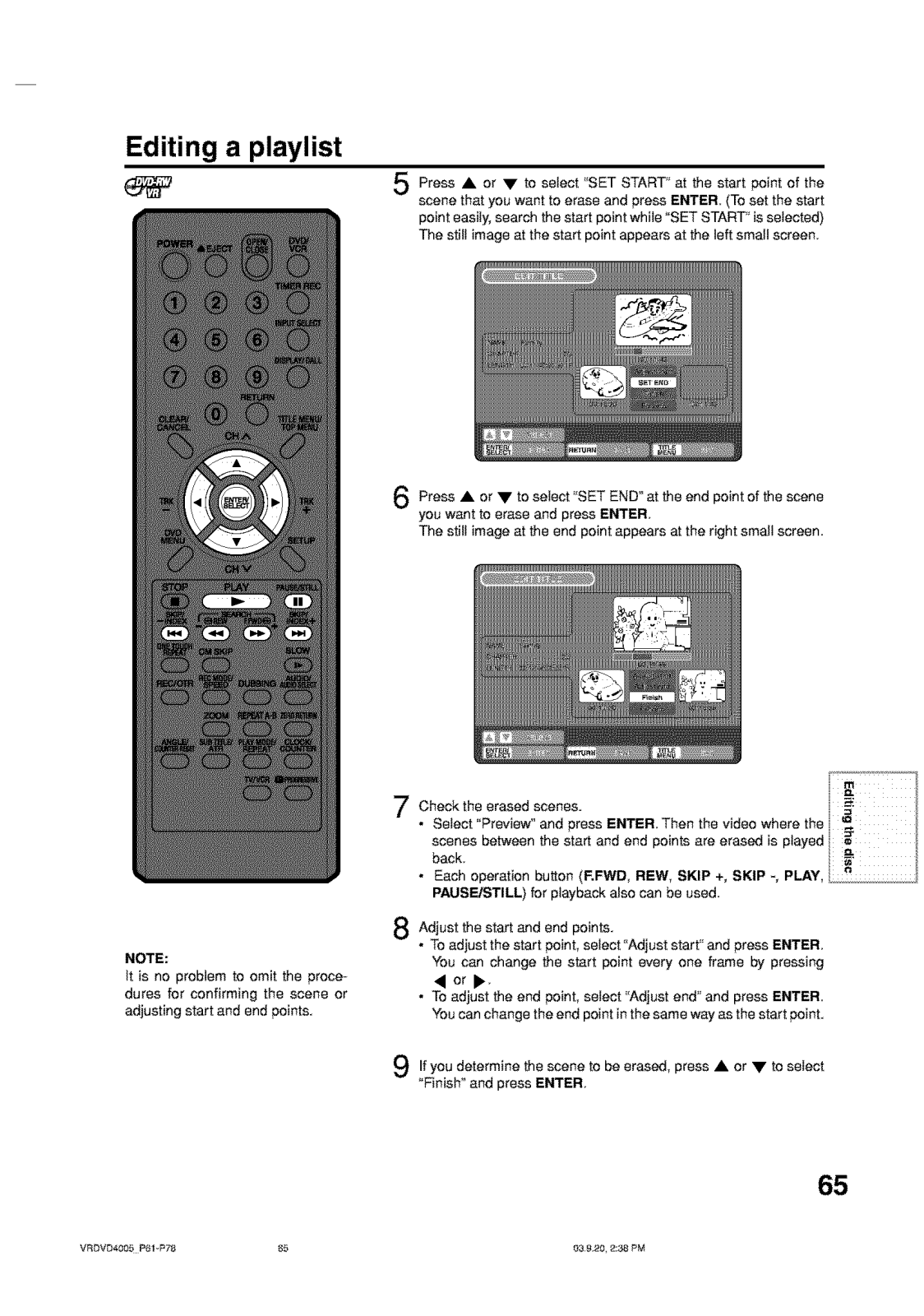
Page 66
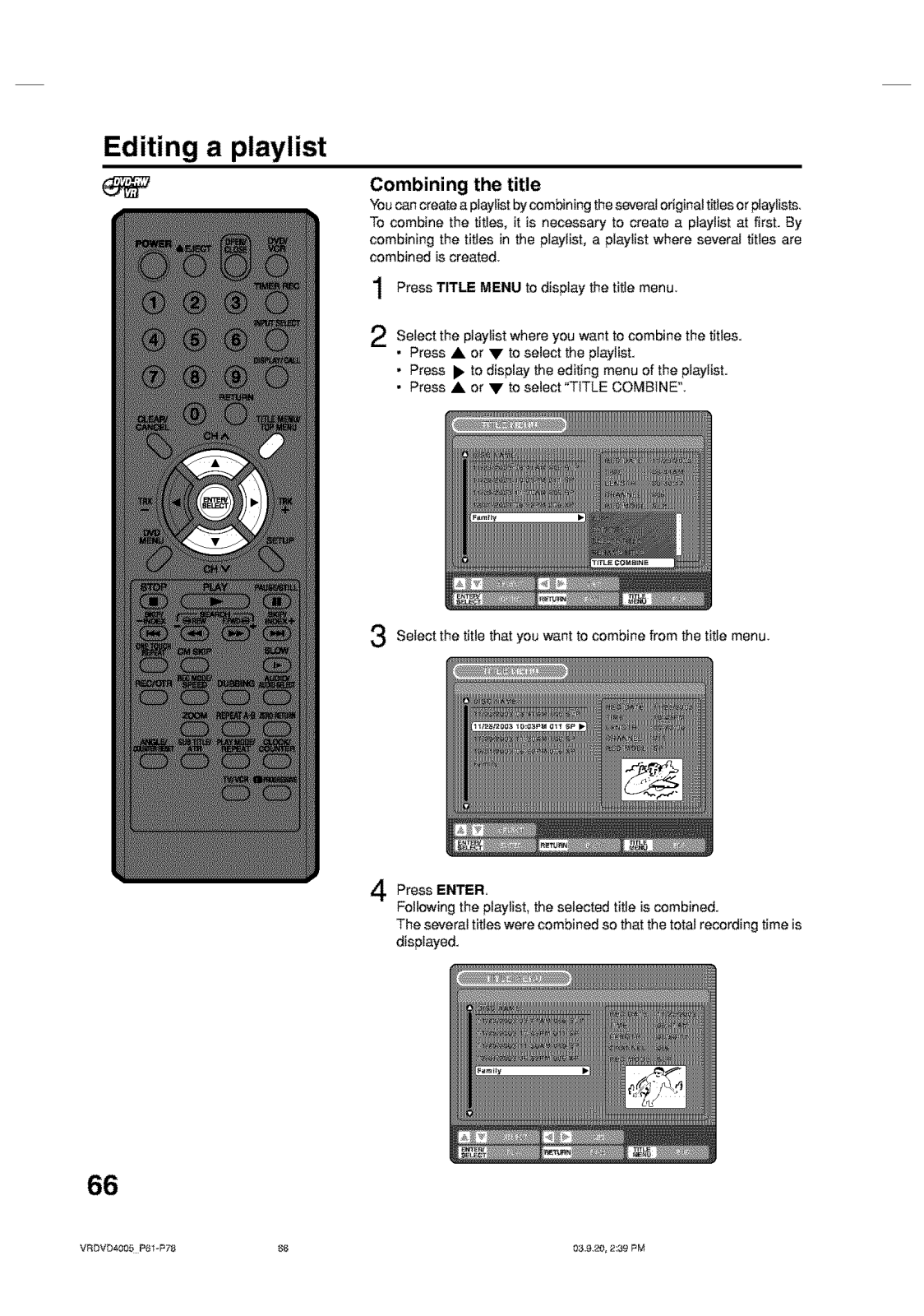
Page 67
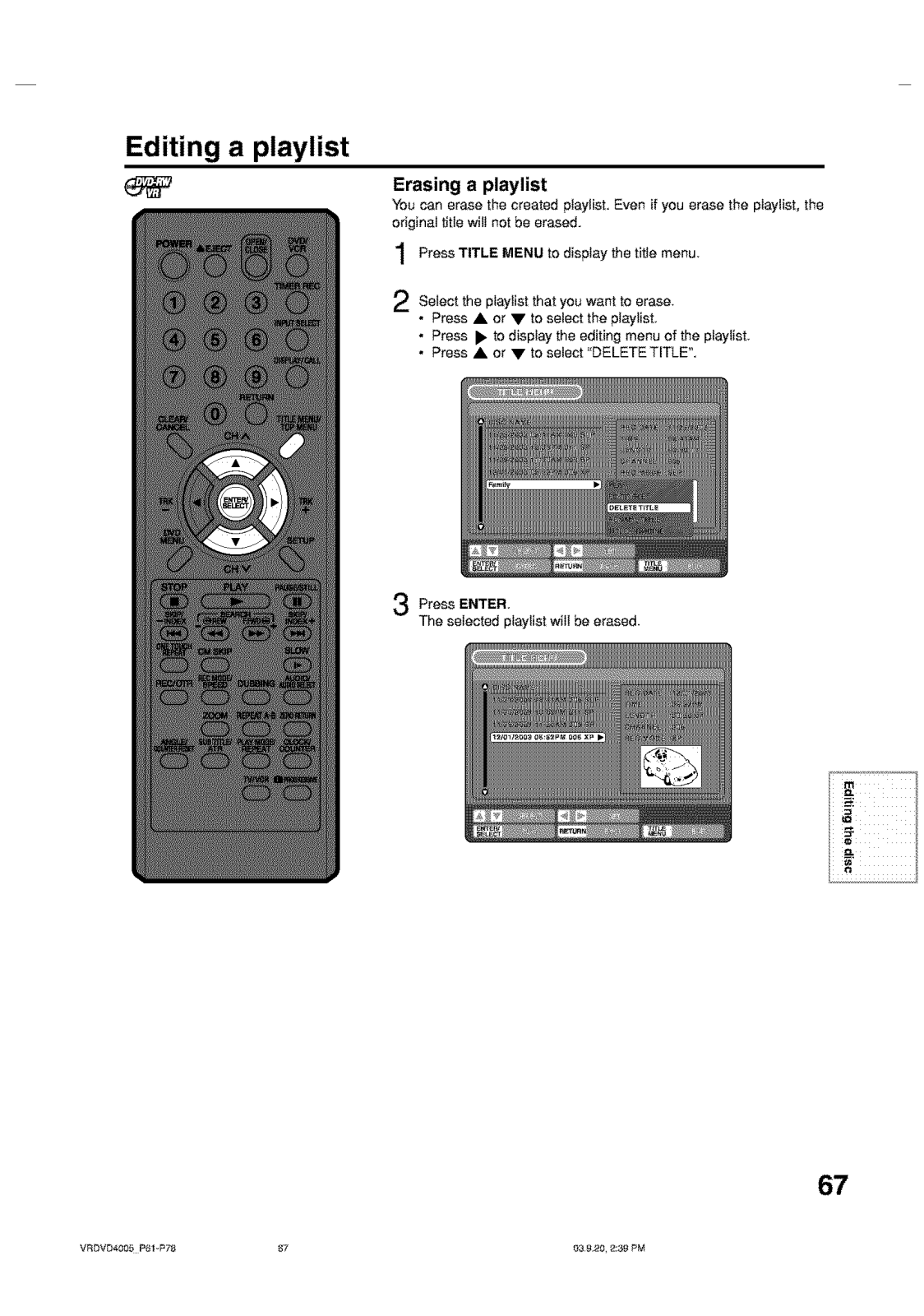
Page 68
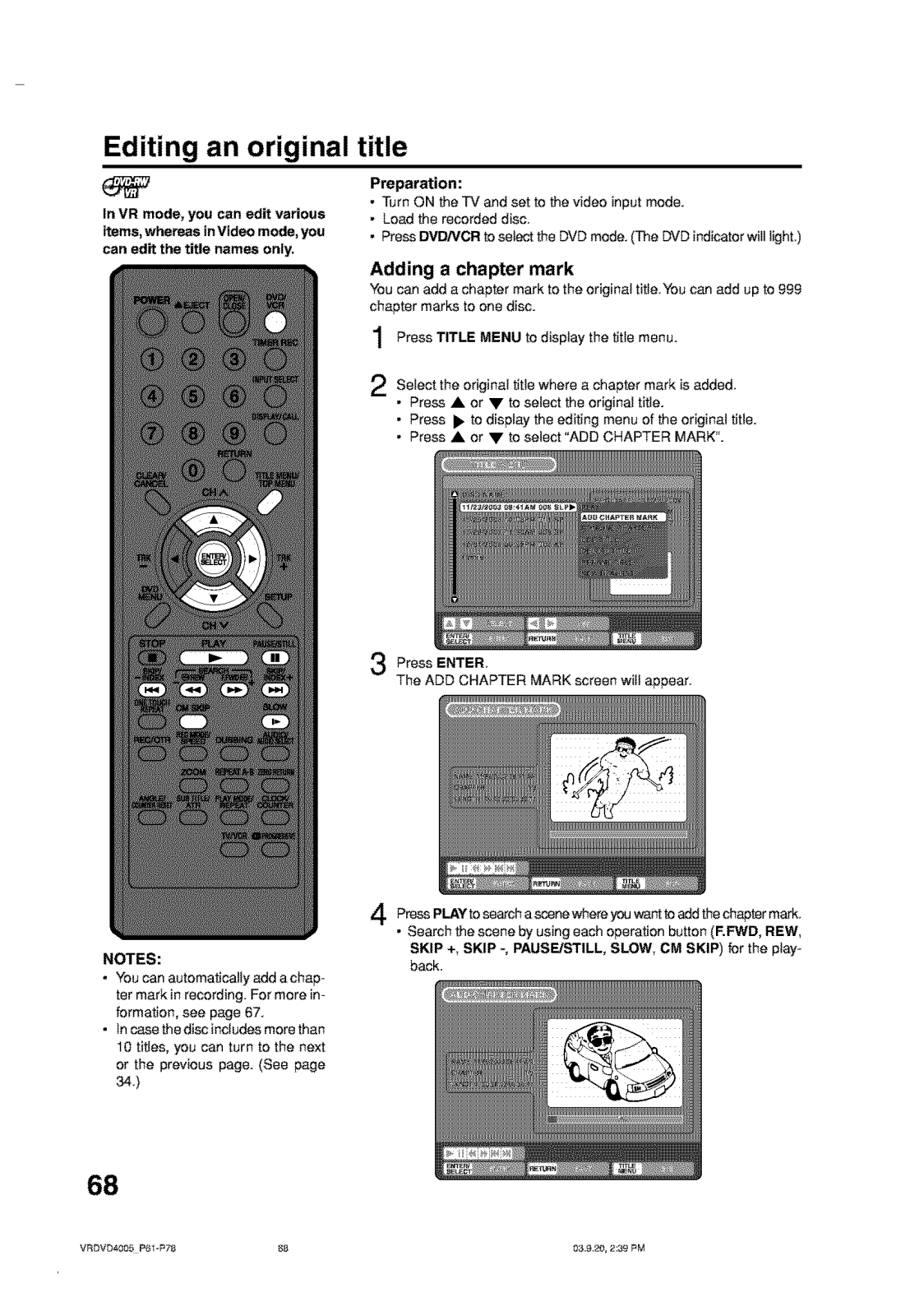
Page 69
Page 70
Page 71
Page 72
Page 73
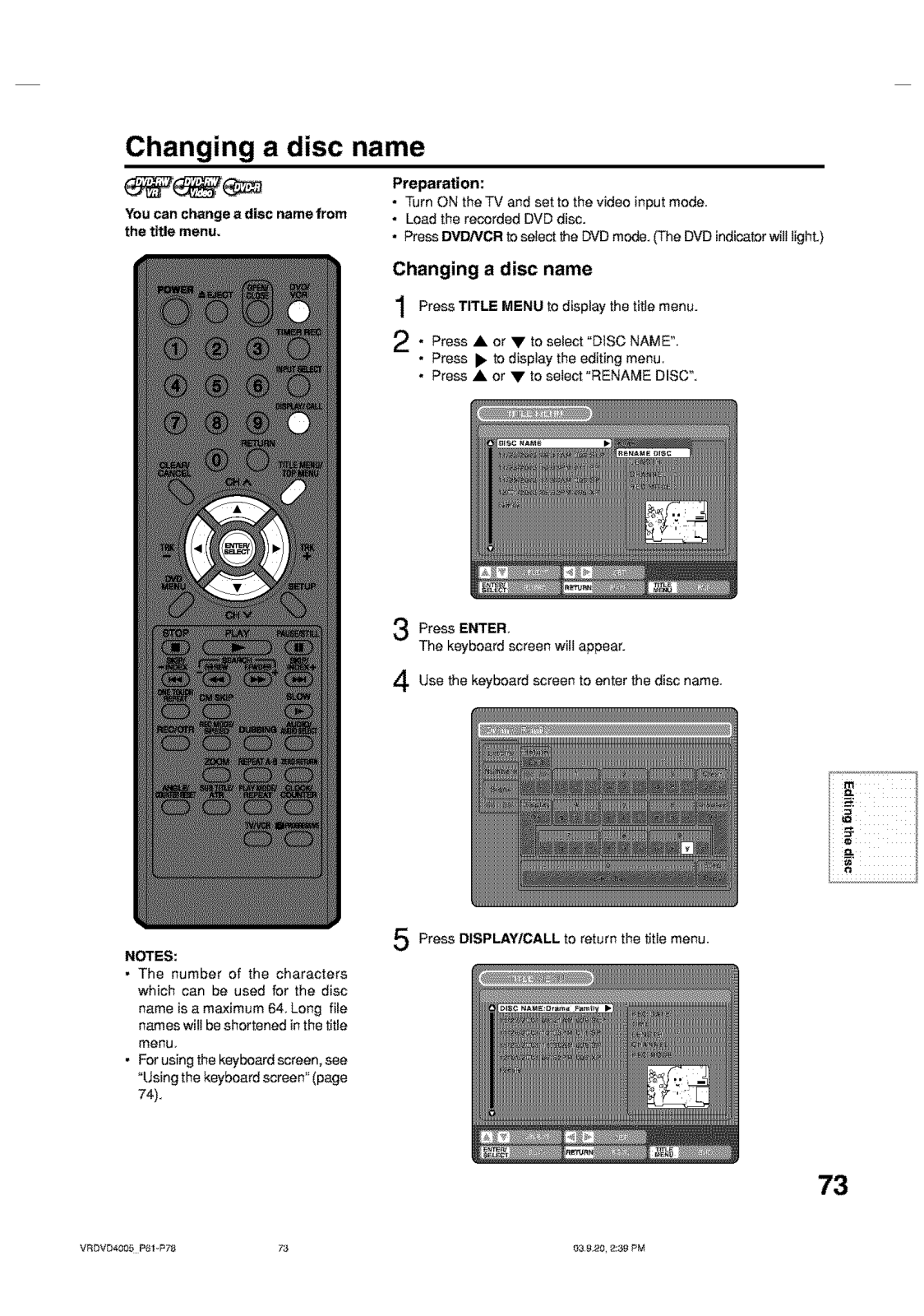
Page 74
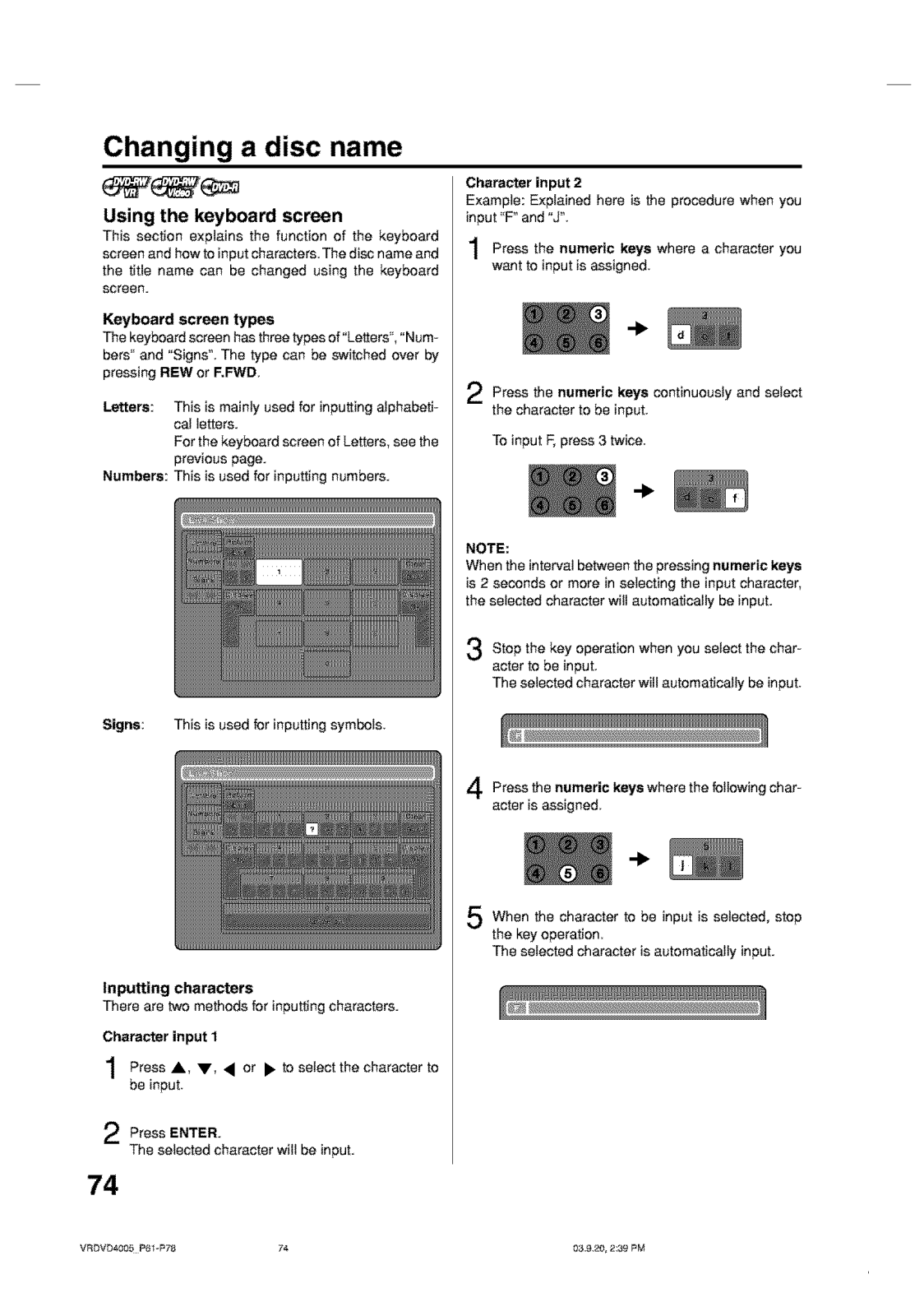
Page 75
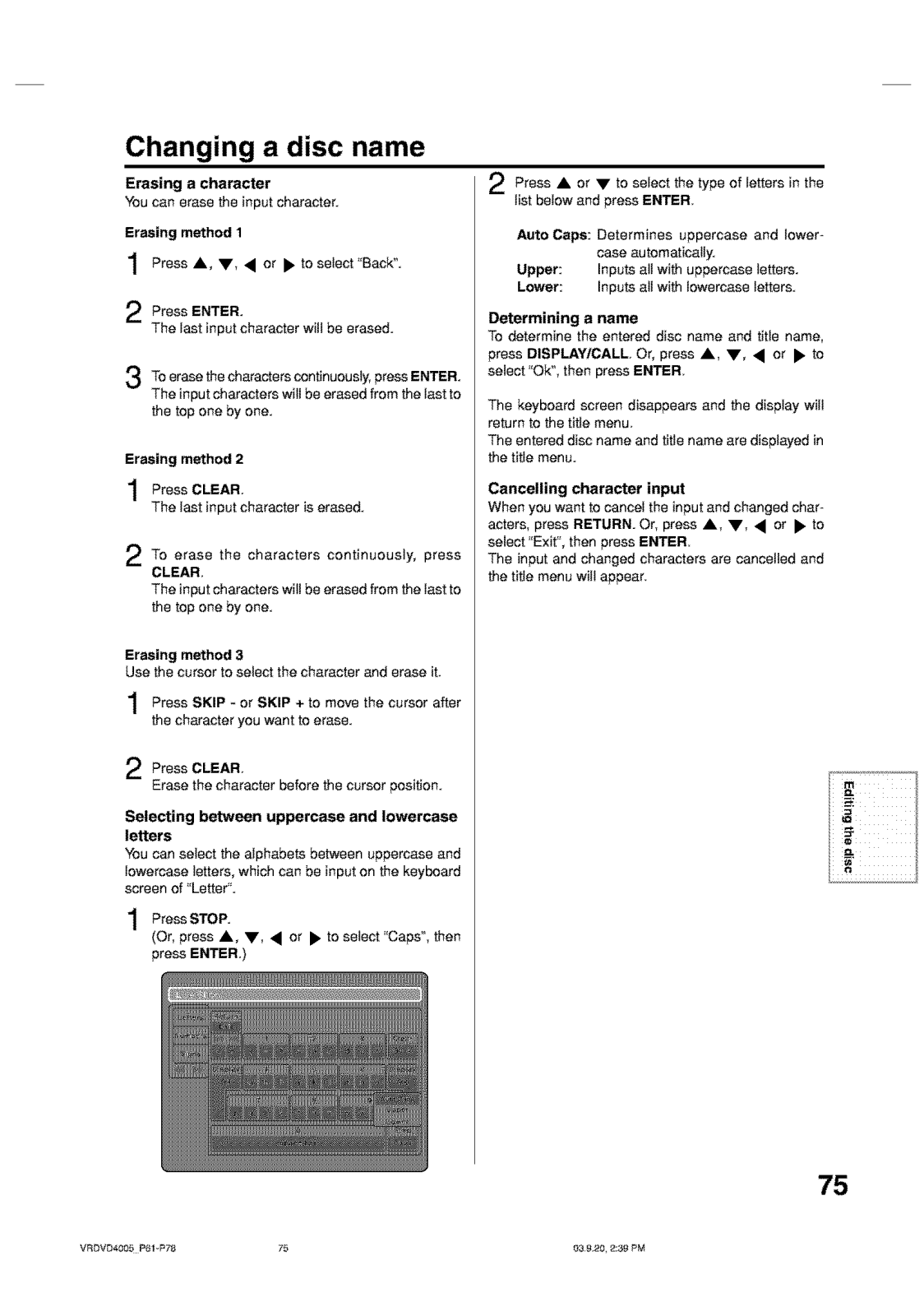
Page 76
Page 77
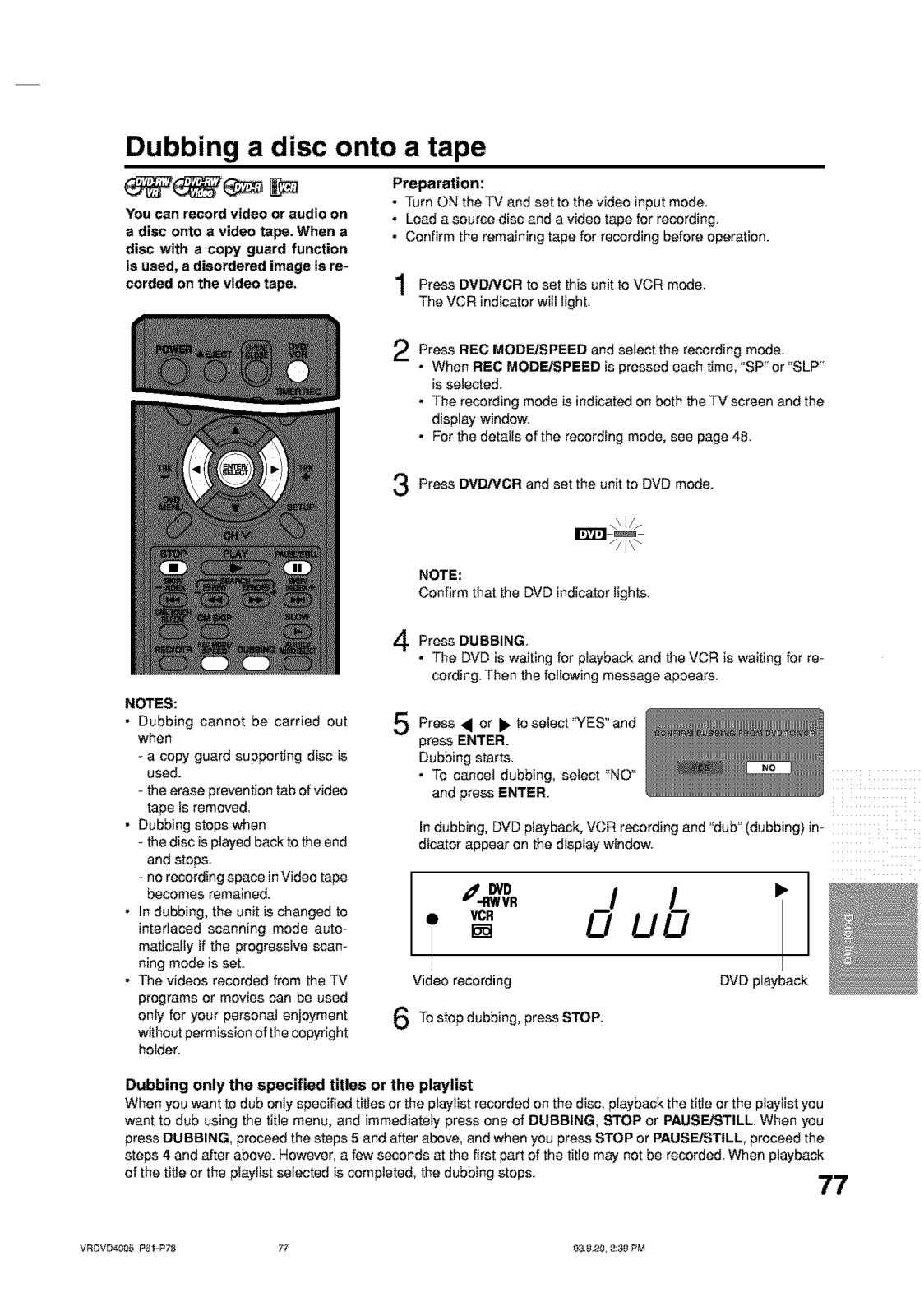
Page 78
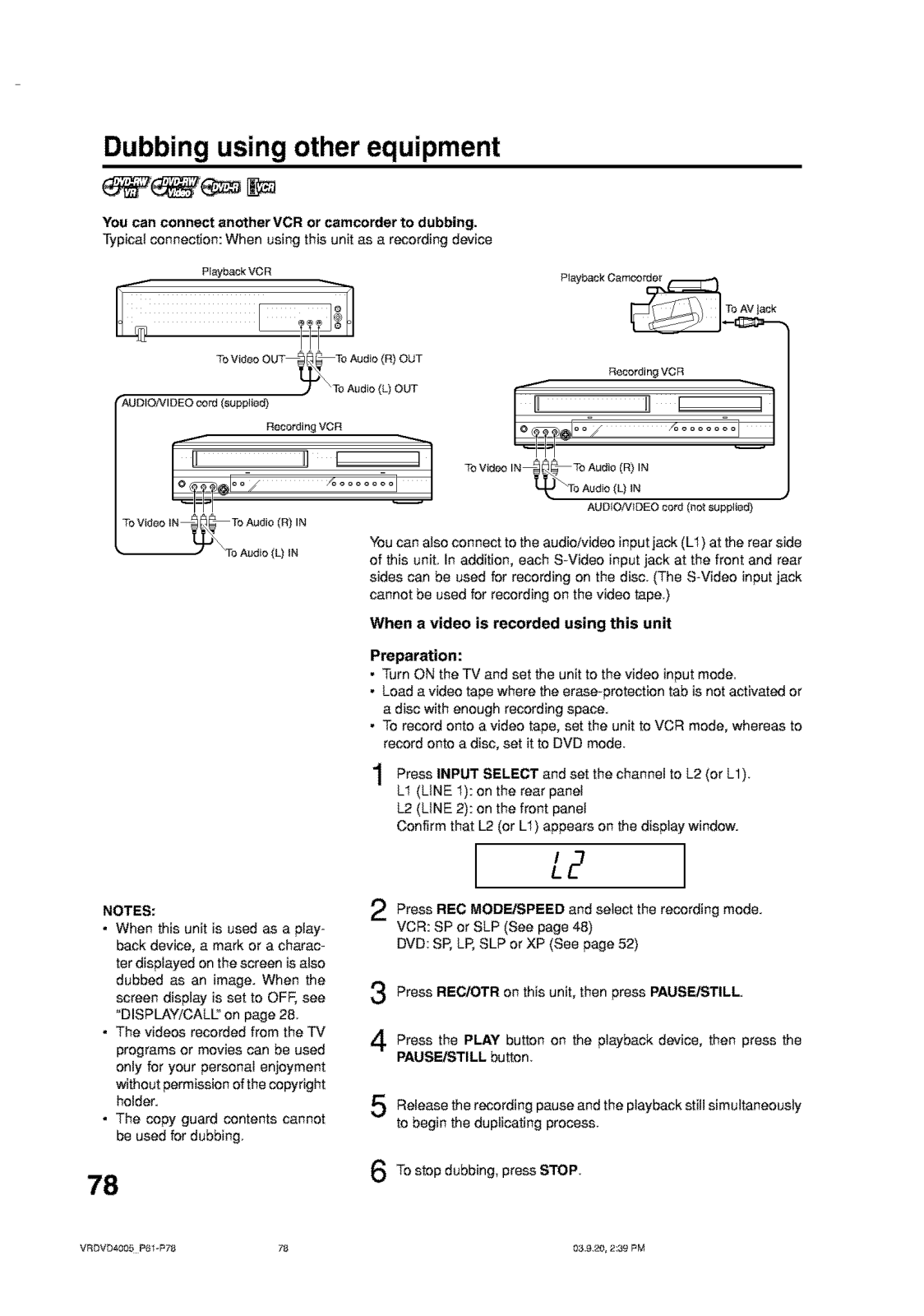
Page 79
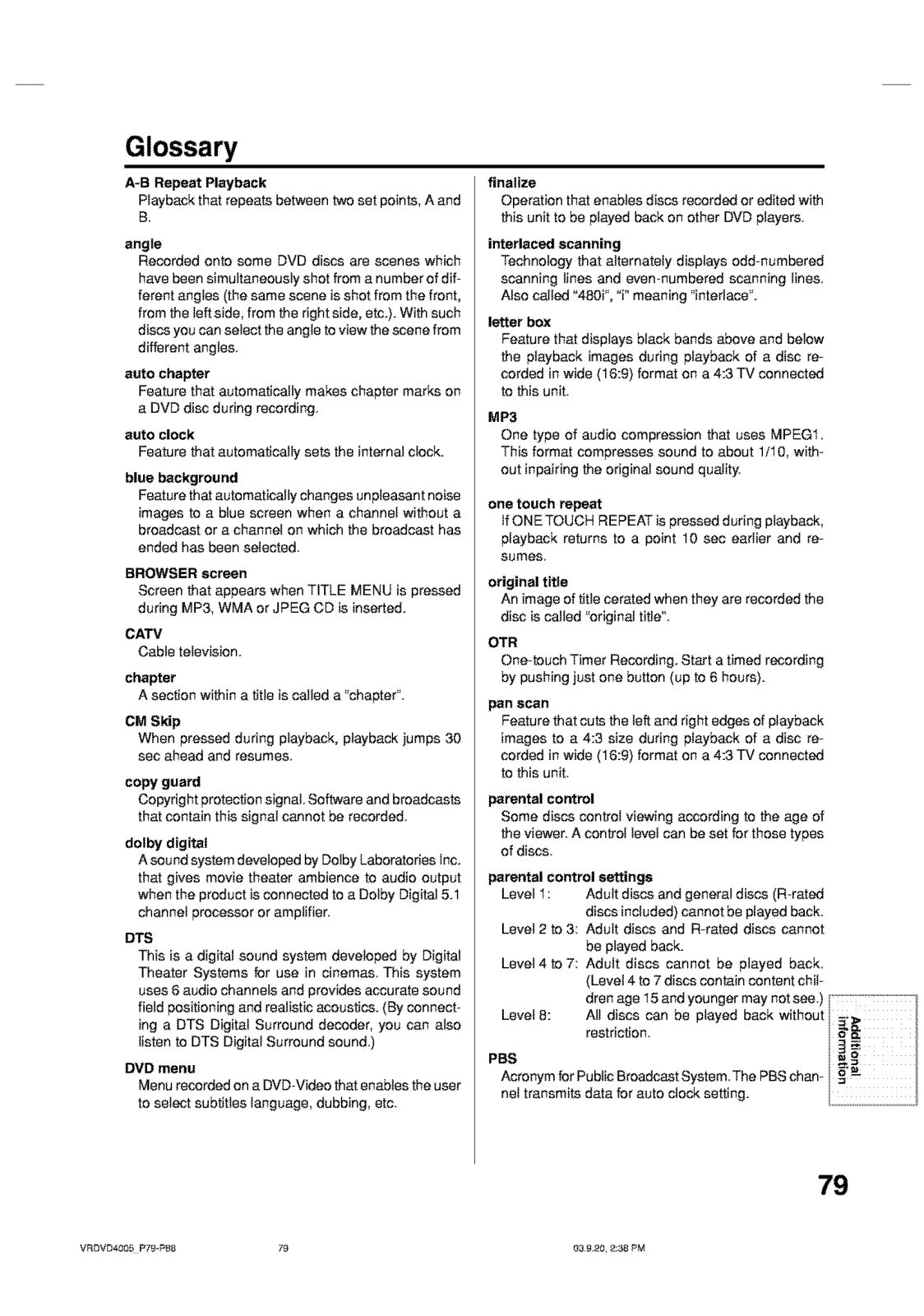
Page 80
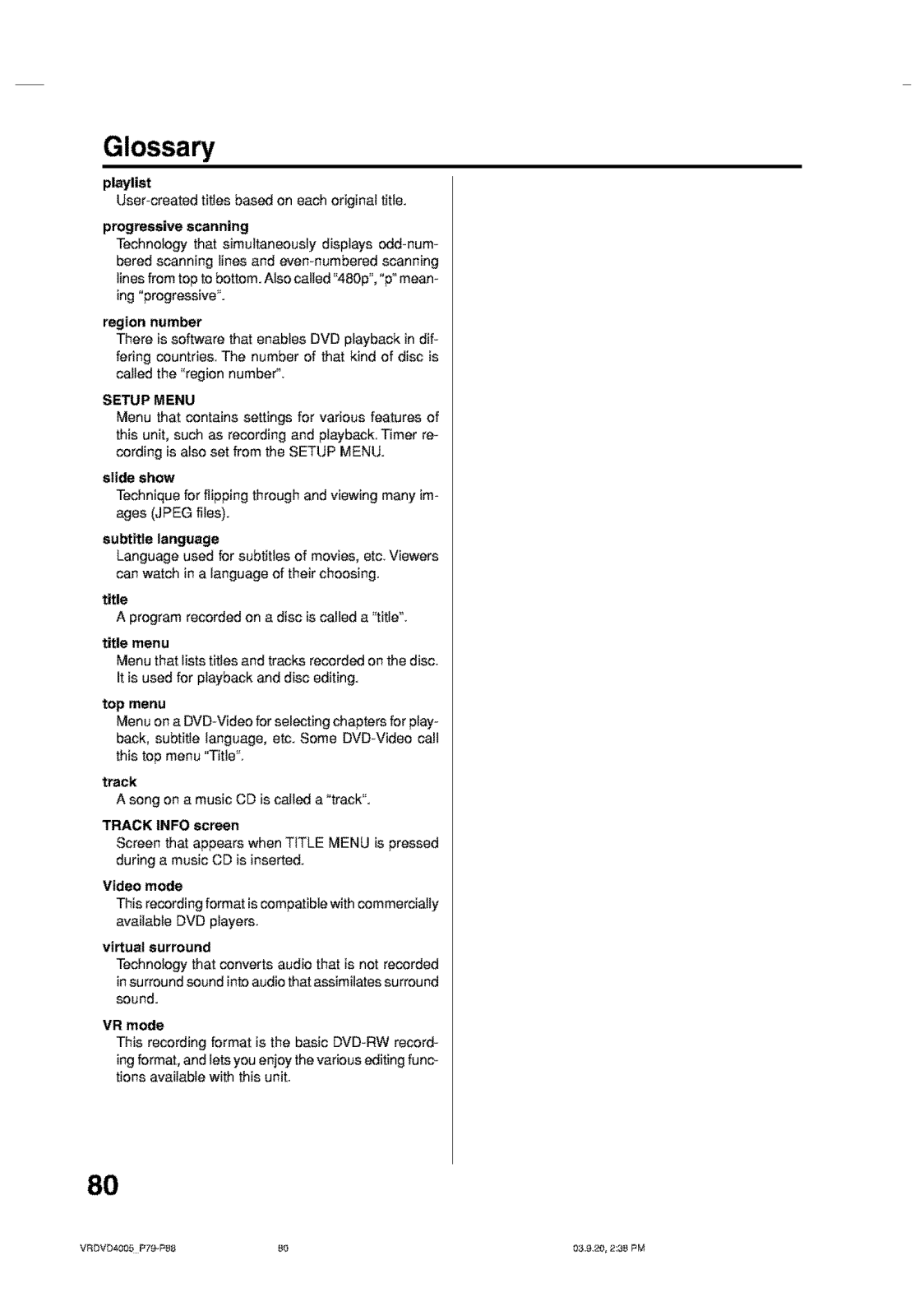
Page 81
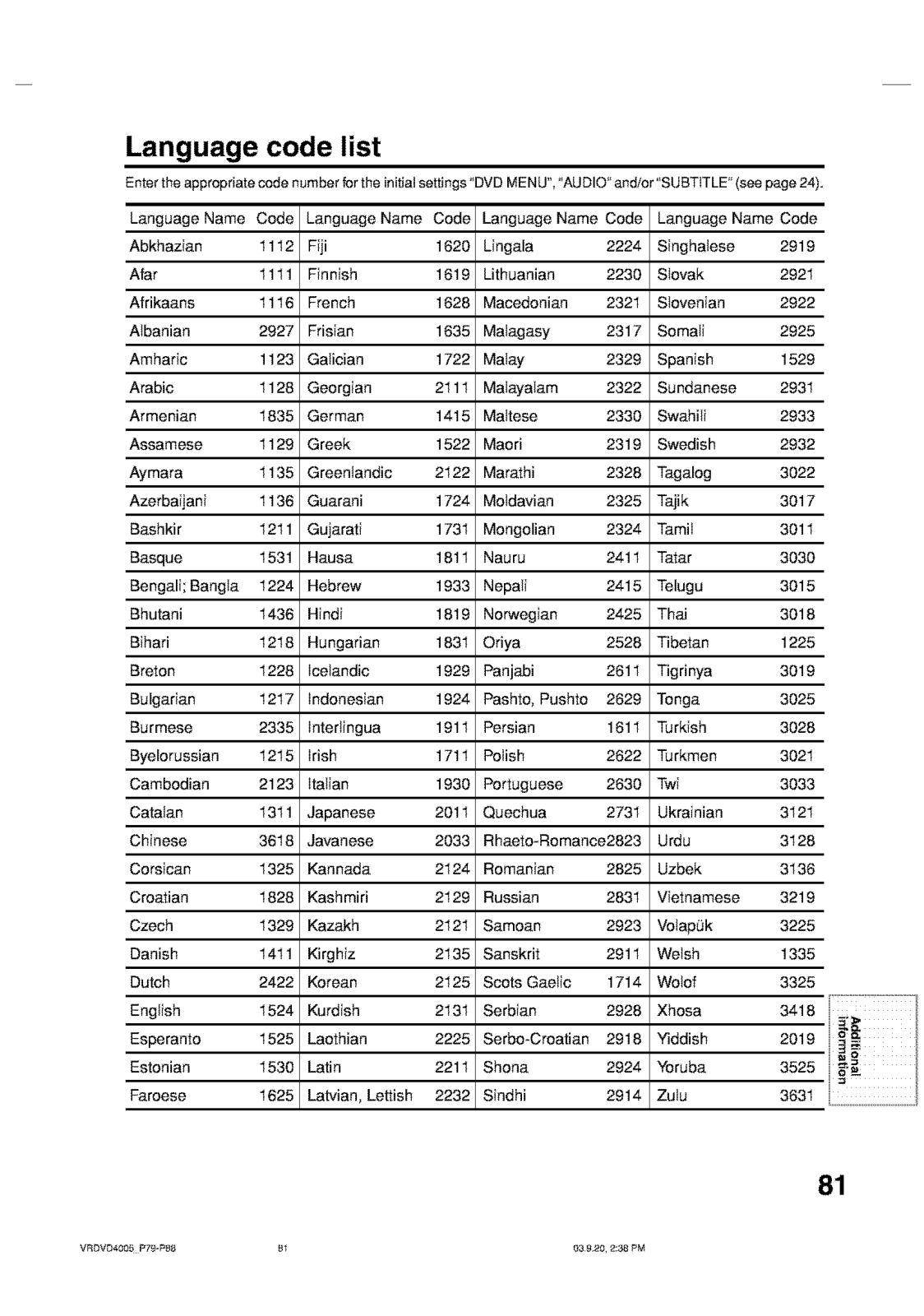
Page 82
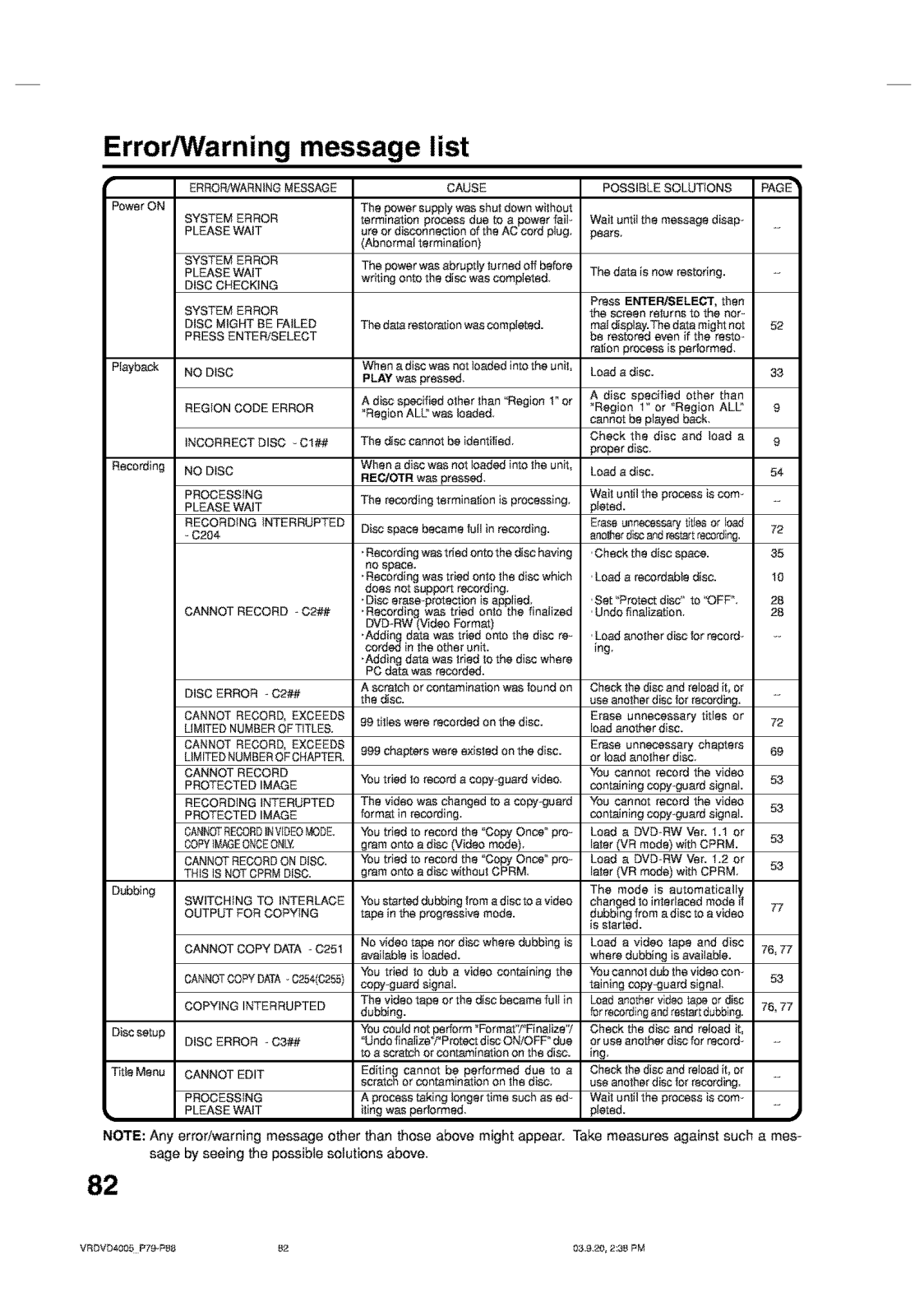
Page 83
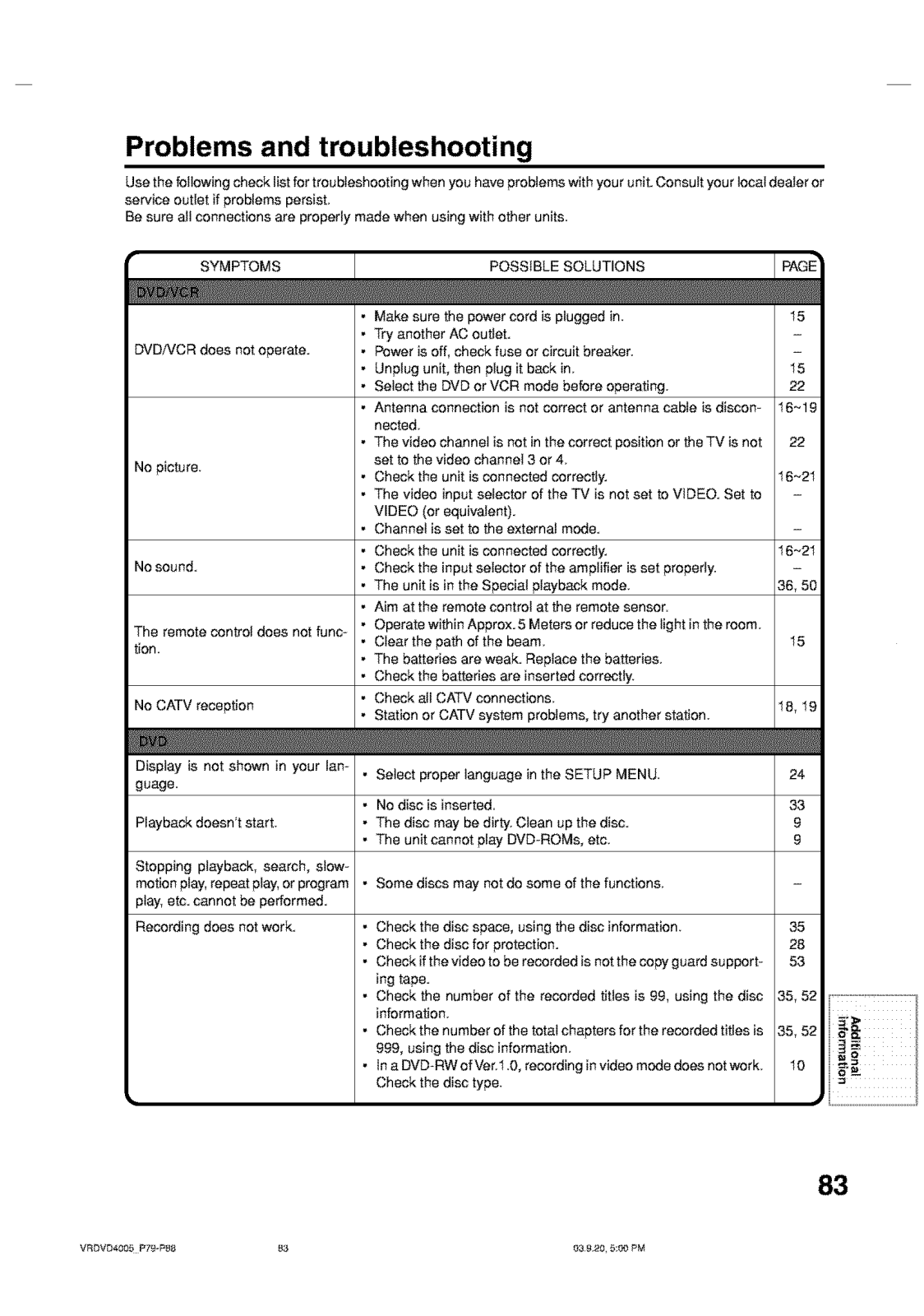
Page 84
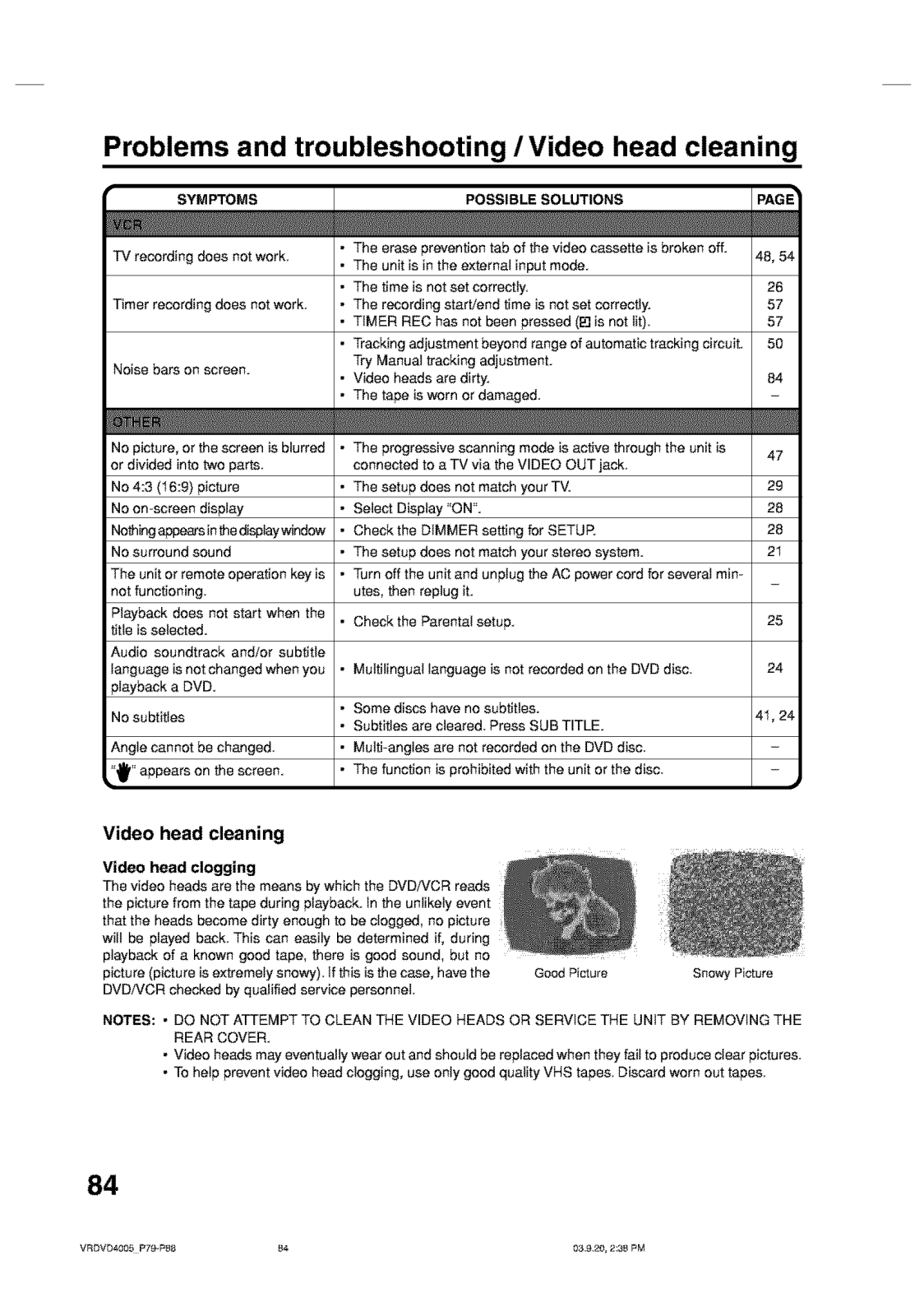
Page 85
Page 86

Page 87

Page 88
 Loading...