

Page 1
Request: Scrape the supplier site to build spec sheet
Website: https://www.samsung.com/us/
Supplier: Samsung
Part 1: Scrape the supplier site for products in spec sheet for product information
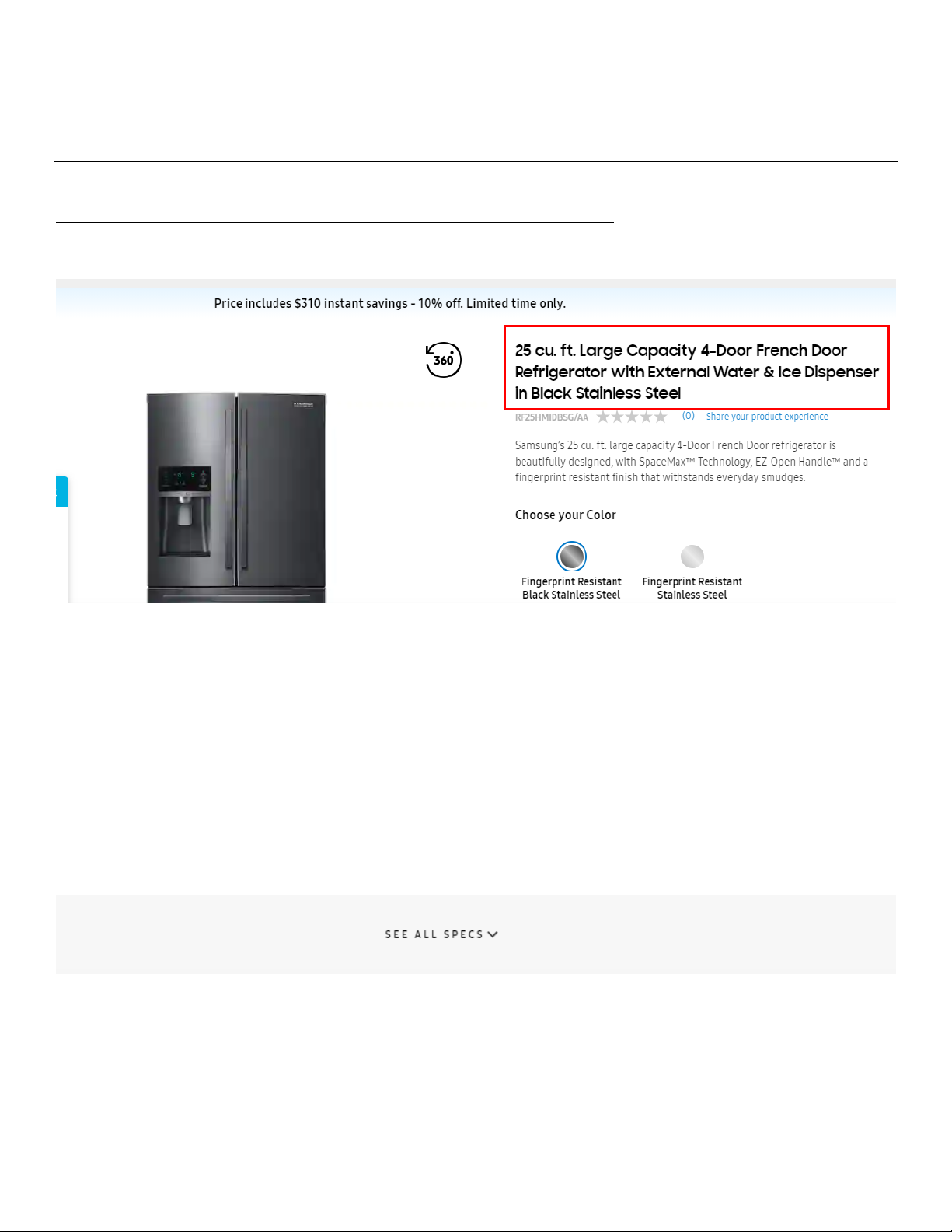
Product Name (Column F): Found at the top of the page, highlighted below in red. The name ends in a color options (if
available) leave this out of the product name (ex. Leave out “In Black Stainless Steel”)
Minimum Order Quantity (Per Part #) (Column J): 1
Force Multiples (Column K): 1
Display Set Quantity (Column L): 1
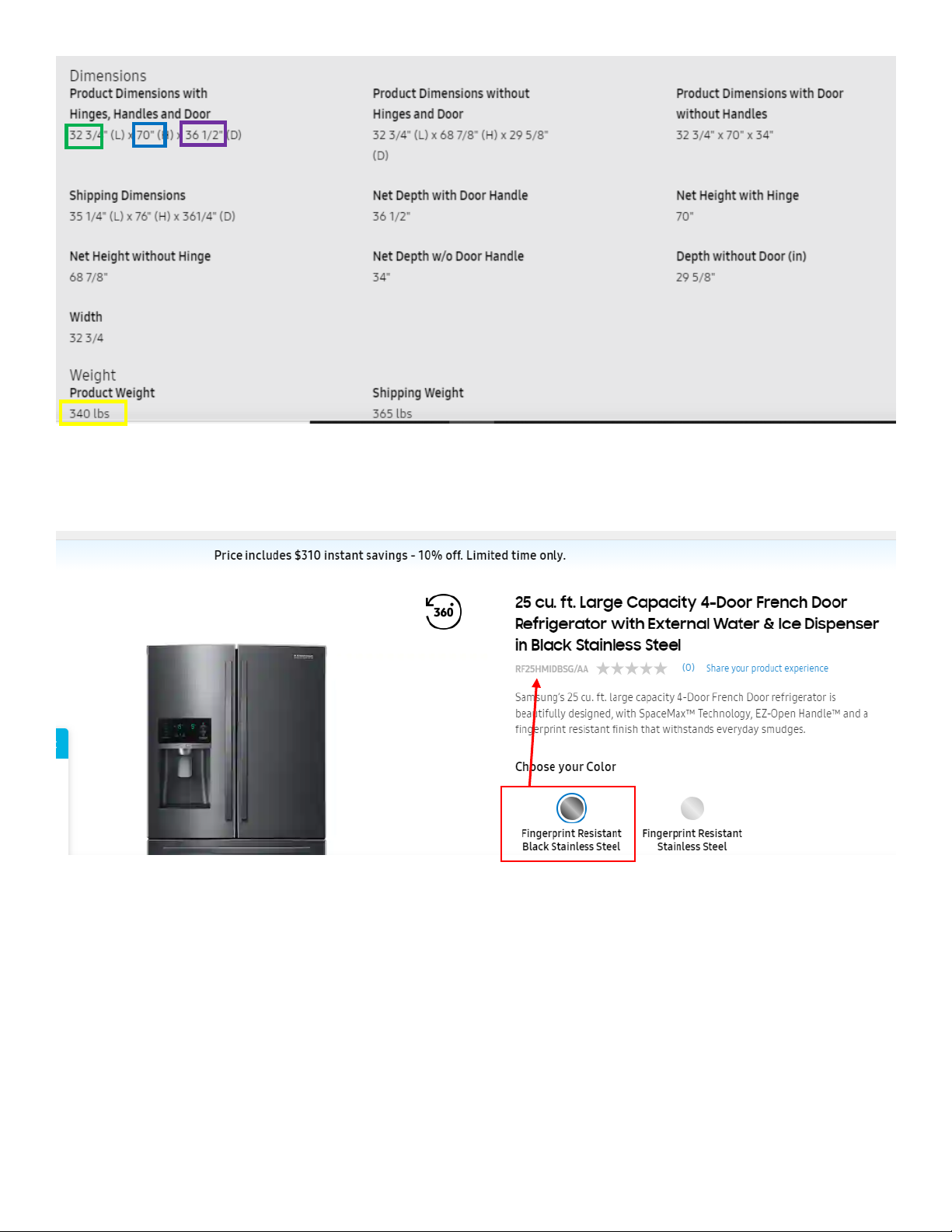
Product Weight (Column M): Click see all specs to expand the weight and dimensions section. Weight is listed next to
product weight, highlighted below in yellow.
Product Max Height (Column N): Use the Product dimensions with Hinges, Handles and Doors. Height is shown next to
H, highlighted below in blue.
Product Max Width (Column O): Width is listed next to L, highlighted below in green.
Product Max Depth (Column P): Depth is shown next to D, highlighted below in purple.
Page 2
Option Categories (Column Q-V): If a product page shows swatches of options (example below), click into each option
and make sure it matches the part number which populates under the product name. Add these to the option values.
In the example below, this fridge would have 2 color options: Black Stainless Steel and Stainless Steel
Marketing Copy (Column X): use the description under the product name, highlighted below.
Page 3
Proposition 65 (Column AG):
Ship Type (Column AJ): All Small Parcel
Lead Time (Column AL-AM):
Number of Boxes (Column AQ):
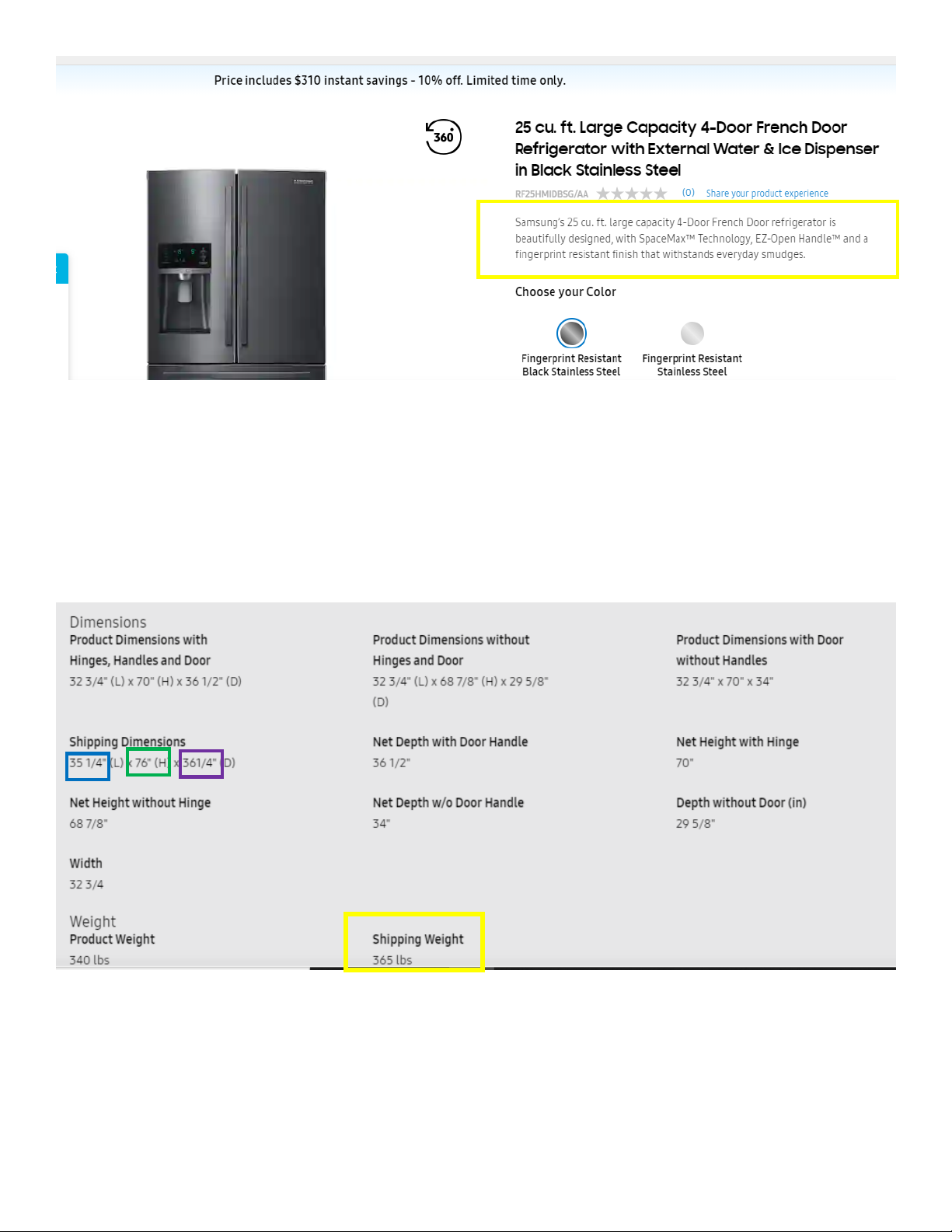
Shipping Weight (Column AR): Shipping weight is shown below, highlighted in yellow.
Carton Height (Column AS): Shown under shipping dimensions, H is highlighted in green.
Carton Width (Column AT): Width is listed next to L, highlighted below in blue.
Carton Depth (Column AU): Depth is highlighted in purple
Image 1-3 File (Columns BE-BG): Download and associate all imagery from the product page.
PDF Files: PDFs are near the bottom of the page, download all PDFs and associate in the spec sheet.
Page 4
Part 2: Scrape Waymore content
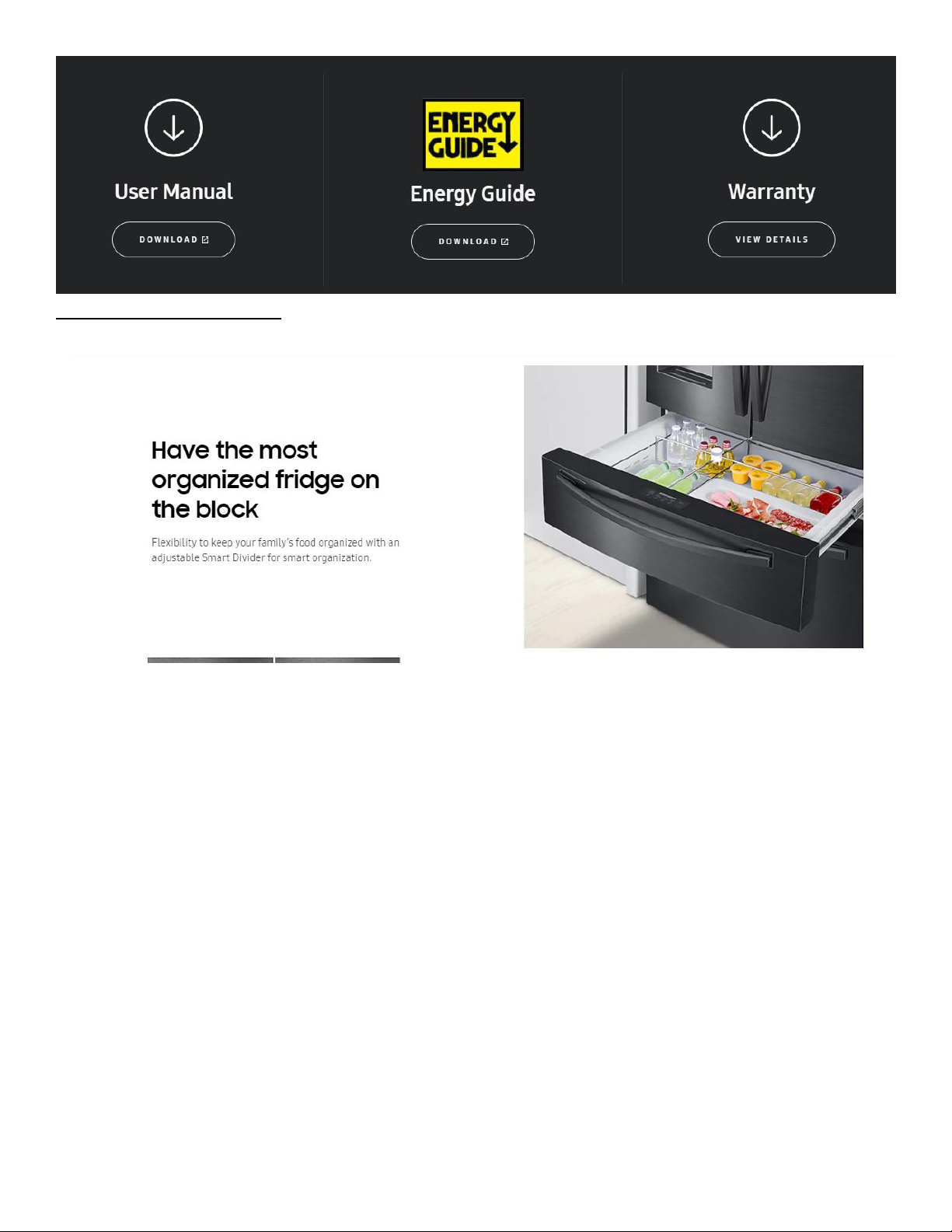
Waymore content looks like images with some additional feature like content, example below
The title will be the larger bolder text:
Have the most Organized fridge on block
The description will be:
Flexibility to keep your family’s food organized with an adjustable smart divider for smart organization.
Right click the image and save the image and then associate in the waymore template.
 Loading...