

Page 1

Page 2

QUICK
START
GUIDE
Wireless charger
Printed in Korea
GH68-44694A Rev.1.0
E Type 07/2015
Page 3
a
c
b
d
1
Copyright © 2015 Samsung Electronics
•
Please read this guide before using the device
to ensure safe and proper use.
•
Images may differ in appearance from the
actual product. Content is subject to change
without prior notice. You can access the
full user manual for more information. Visit
www.samsung.com
the user manual, and more.
to view device information,
2
Page 4
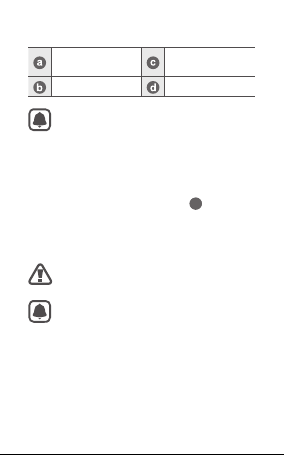
Device layout
Wireless charging
surface
Charger port Fan vent
Wireless charging covers and chargers
are sold separately.
Indicator light
Using the wireless charger
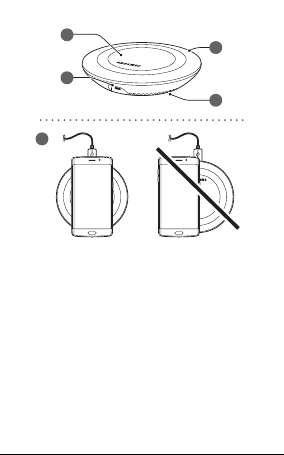
1. Connect the charger to the wireless charger.
Then, place a supported mobile device in the
centre of the charging surface. (
2. When the mobile device is fully charged,
remove the mobile device from the wireless
charger.
Use only Samsung-approved chargers
(5 V/2 A, 5.3 V/2 A, and 9 V/1.67 A).
•
The charger should remain close to the
electric socket and easily accessible
while charging.
•
The socket-outlet shall be installed
near the equipment and shall be easily
accessible.
•
If you use the wireless charger in areas
with weak network signals, you may
lose network reception.
)
1
3
Page 5

Wireless fast charging
To begin fast charging, place a mobile device that
supports wireless fast charging on the wireless
charger. For more information, refer to the user
manual.
To use this feature, you must connect
the wireless charger to a charger that
supports Adaptive Fast Charging (AFC).
Safety information
Read all safety information before using the
device to ensure safe and proper use. To view
the full safety information, refer to the Samsung
website.
Use manufacturer-approved batteries,
chargers, accessories, and supplies
Do not touch the device with wet hands
Do not drop or cause an impact to the charger
or the device
The device can be used in locations with an
ambient temperature of 0°C to 35°C. You can
store the device at an ambient temperature
of -20°C to 50°C. Using or storing the device
outside of the recommended temperature
ranges may damage the device or reduce the
battery’s lifespan
4
Page 6
Prevent the multipurpose jack and the
small end of the charger from contact with
conductive materials, such as liquids, dust,
metal powders, and pencil leads
Do not allow children or animals to chew or
suck the device
Do not disassemble, modify, or repair your
device
Magnetic stripe cards, including credit cards,
phone cards, passbooks, and boarding passes,
may be damaged by magnetic fields
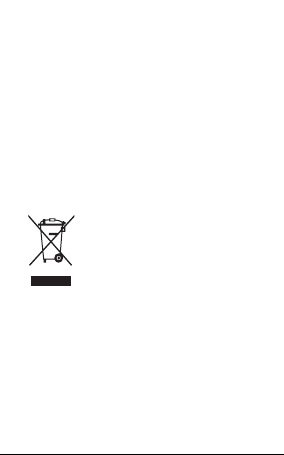
Correct disposal
This marking on the product,
accessories or literature
indicates that the product and
its electronic accessories (e.g.
charger, headset, USB cable)
should not be disposed of with
other household waste.
This product is RoHS compliant.
5
Page 7

FCC Warning Statement
FCC Part 15.19
This device complies with part 15 of the FCC
Rules. Operation is subject to the following two
conditions: (1) This device may not cause harmful
interference, and (2) this device must accept any
interference received, including interference that
may cause undesired operation.
FCC Part 15.21
Any changes or modifications (including the
antennas) to this device that are not expressly
approved by the manufacturer may void the user’s
authority to operate the equipment.
FCC RF Radiation Exposure Statement
This equipment complies with FCC RF Radiation
exposure limits set forth for an uncontrolled
environment. This device and its antenna must not
be co-located or operating in conjunction with any
other antenna or transmitter.
This equipment should be installed and operated
with a minimum distance of 20 centimeters
between the radiator and your body.
6
 Loading...